



10 Steps to an Affordable
Educational Technology Policy

            Sam Gliksman

       samgliksman@gmail.com
        Twitter: @samgliksman
     http://ipadEducators.ning.com
About Sam Gliksman

 Director of Educational Technology,
  New Community Jewish High School
 Independent Consultant
 Working with 1:1 and BYOD programs
 Founder of iPads in Education website
  http://iPadEducators.ning.com
 Twitter: @samgliksman
 Email: samgliksman@gmail.com
Today’s Objectives

 Define 10 Steps to an Affordable Educational
  Technology Plan
 Develop a cost effective, sustainable educational
  technology plan that addresses 21st century
  educational needs
 Steer the discussion in a positive direction… and you
  won’t always agree with me …
“Affordable”…
                   has to be “Effective”


   “Affordable” educational technology has
         to address a vision for its use
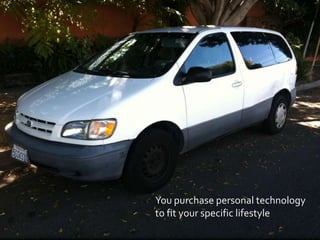
You purchase personal technology
to fit your specific lifestyle
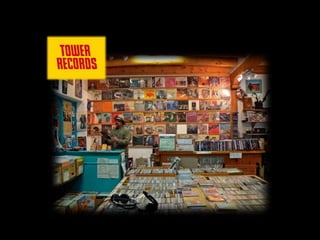
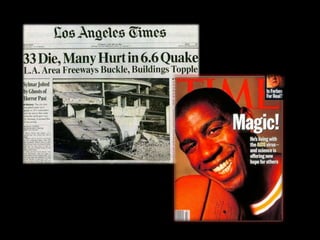
1995
  What were you doing?
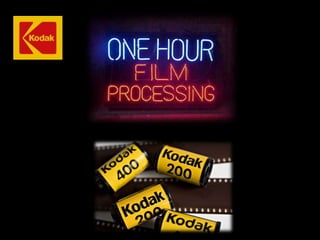
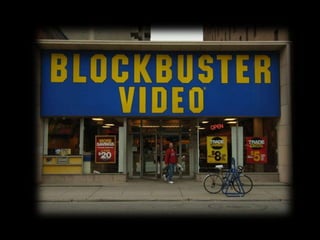
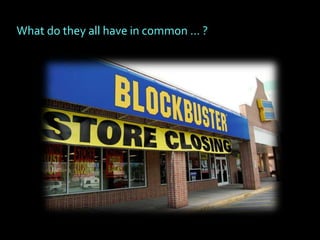
What do they all have in common … ?
What’s significant isn’t that they went out of business


    They were market leaders for entire industries
    that quickly became obsolete…

    They didn’t adjust to the changing needs of
    a rapidly evolving market
And what about education?
Have we reached OUR                 moment?


Are schools delivering a 20th century education
that’s becoming obsolete?

Are we adequately preparing children for their
rapidly changing lives in the 21st century?
How does this impact our educational technology?


   Technology is NOT the answer…

   Unless educational technology is integrated into
   learning models that address 21st century needs
1. Clarify your educational vision
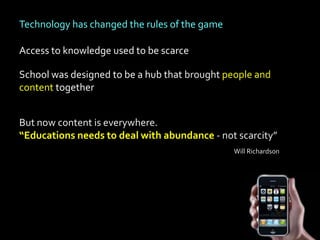
Technology has changed the rules of the game

Access to knowledge used to be scarce

School was designed to be a hub that brought people and
content together


But now content is everywhere.
“Educations needs to deal with abundance - not scarcity”
                                               Will Richardson
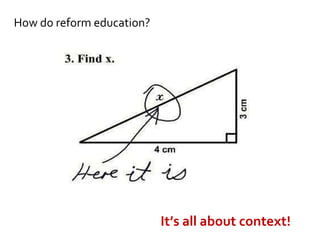
How do reform education?


                           It’s all about context!
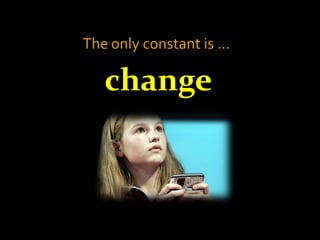
The only constant is …

   change
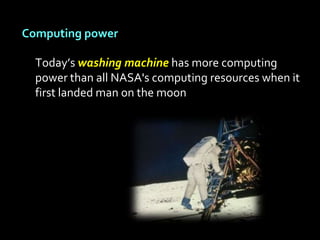
Computing power

  Today’s washing machine has more computing
  power than all NASA's computing resources when it
  first landed man on the moon
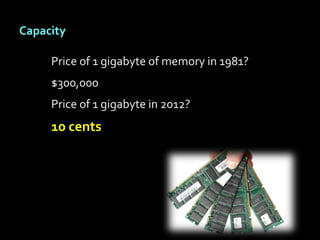
Capacity

     Price of 1 gigabyte of memory in 1981?
     $300,000
     Price of 1 gigabyte in 2012?
     10 cents
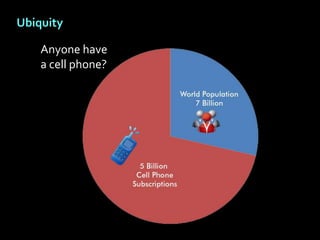
Ubiquity

    Anyone have
    a cell phone?
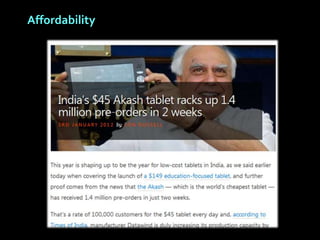
Affordability
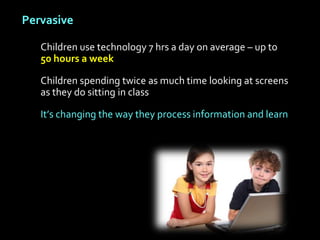
Pervasive

   Children use technology 7 hrs a day on average – up to
   50 hours a week

   Children spending twice as much time looking at screens
   as they do sitting in class

   It’s changing the way they process information and learn
Connected – Social Networking

   Facebook didn’t exist prior to 2004…


   Today 1 out of every 9 people on the planet
   has a Facebook page
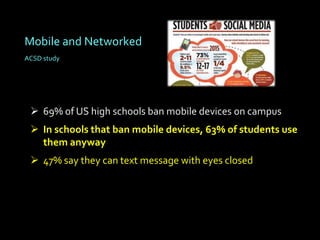
Mobile and Networked
ACSD study


  69% of US high schools ban mobile devices on campus
  In schools that ban mobile devices, 63% of students use
   them anyway
  47% say they can text message with eyes closed
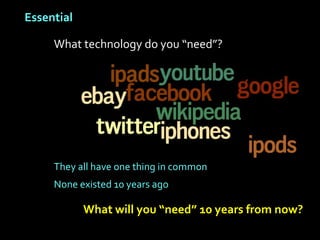
Essential

     What technology do you “need”?


     They all have one thing in common
     None existed 10 years ago

            What will you “need” 10 years from now?
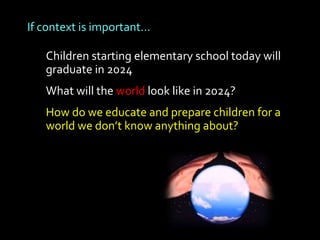
If context is important…

   Children starting elementary school today will
   graduate in 2024
   What will the world look like in 2024?
   How do we educate and prepare children for a
   world we don’t know anything about?
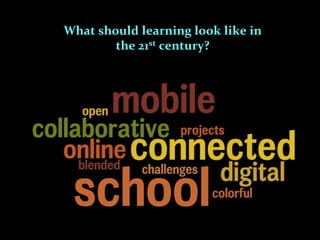
What should learning look like in
        the 21st century?
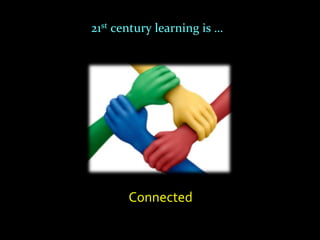
21st century learning is …


       Connected
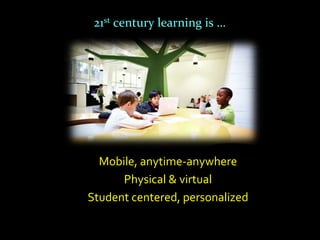
21st century learning is …


  Mobile, anytime-anywhere
      Physical & virtual
Student centered, personalized
21st century learning is …


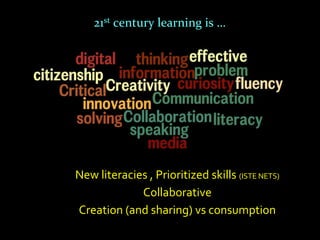
New literacies , Prioritized skills (ISTE NETS)
             Collaborative
Creation (and sharing) vs consumption
21st century learning is …


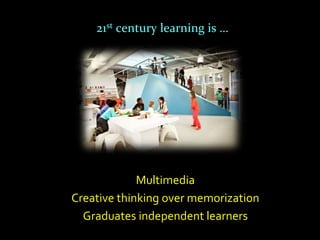
             Multimedia
Creative thinking over memorization
  Graduates independent learners
1. Clarify your vision
2. Invest in infrastructure
Infrastructure: Connectivity


    Future is wireless and mobile
    Two elements to consider:
      1. What connection comes in to campus?
      2. How well is it distributed within campus?
    Filtering and monitoring?
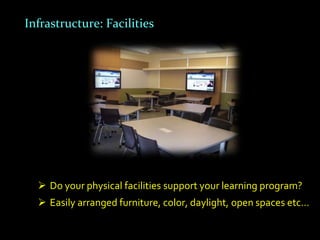
Infrastructure: Facilities


   Do your physical facilities support your learning program?
   Easily arranged furniture, color, daylight, open spaces etc…
1. Clarify your educational vision
2. Invest in wireless infrastructure
3. Save on classroom projection
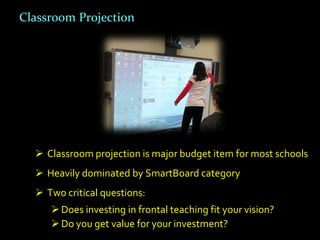
Classroom Projection


   Classroom projection is major budget item for most schools
   Heavily dominated by SmartBoard category
   Two critical questions:
      Does investing in frontal teaching fit your vision?
      Do you get value for your investment?
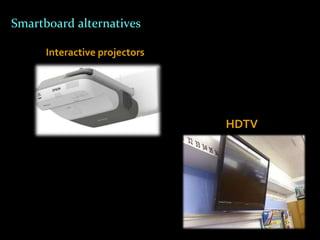
Smartboard alternatives

      Interactive projectors


                               HDTV
1.   Clarify your educational vision
2.   Invest in infrastructure
3.   Save on classroom projection
4.   Decide on student technology model
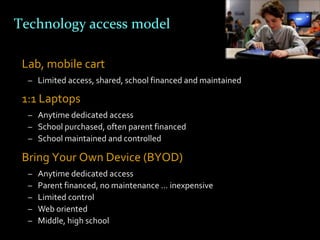
Technology access model

 Lab, mobile cart
  – Limited access, shared, school financed and maintained

 1:1 Laptops
  – Anytime dedicated access
  – School purchased, often parent financed
  – School maintained and controlled

 Bring Your Own Device (BYOD)
  –   Anytime dedicated access
  –   Parent financed, no maintenance … inexpensive
  –   Limited control
  –   Web oriented
  –   Middle, high school
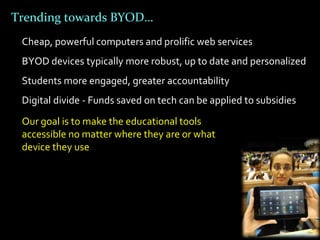
Trending towards BYOD…
 Cheap, powerful computers and prolific web services
 BYOD devices typically more robust, up to date and personalized
 Students more engaged, greater accountability
 Digital divide - Funds saved on tech can be applied to subsidies
 Our goal is to make the educational tools
 accessible no matter where they are or what
 device they use
1.   Clarify your educational vision
2.   Invest in infrastructure
3.   Save on classroom projection
4.   Decide on student technology model
5.   Develop a virtual learning environment
Online and blended learning
   Over 6 million students took online course in 2010 (Babson Research)
   200,000 students currently attend online school full time
   Predicted 50% of school courses will be online in 10 years


                            ?
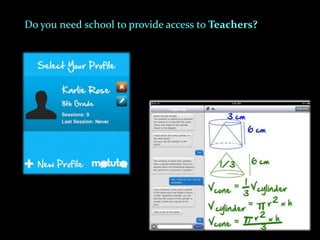
Do you need school to provide access to Teachers?
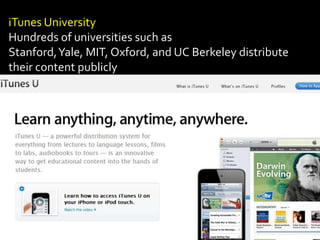
iTunes University
Hundreds of universities such as
Stanford, Yale, MIT, Oxford, and UC Berkeley distribute
their content publicly
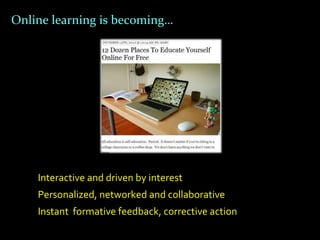
Online learning is becoming…


    Interactive and driven by interest
    Personalized, networked and collaborative
    Instant formative feedback, corrective action
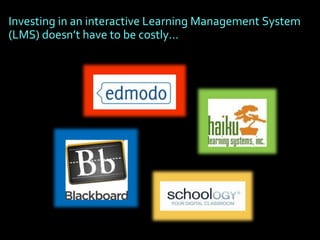
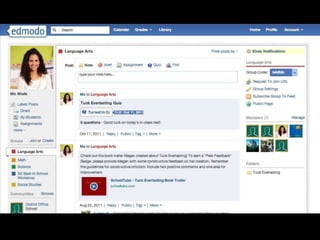
Investing in an interactive Learning Management System
(LMS) doesn’t have to be costly…
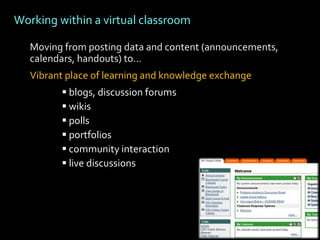
Working within a virtual classroom

   Moving from posting data and content (announcements,
   calendars, handouts) to…
   Vibrant place of learning and knowledge exchange
          blogs, discussion forums
          wikis
          polls
          portfolios
          community interaction
          live discussions
1.   Clarify your vision
2.   Invest in infrastructure
3.   Spend less on classroom projection
4.   Decide on student technology model
5.   Develop a virtual learning environment
6.   Emphasize training and modeling
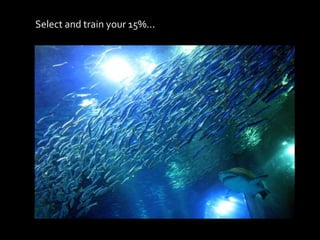
Select and train your 15%...
Culture change is most effective swelling from
the bottom up
Spend slightly less on equipment and send
culture leaders to conferences (CUE, ISTE)
Success is contagious. Have teachers
demonstrate and train from within
Host workshops at school, combine with other
schools
Culture change is not a one-time event - it
requires an ongoing commitment
Model top-down… start a blog, join Twitter,
develop a PLN
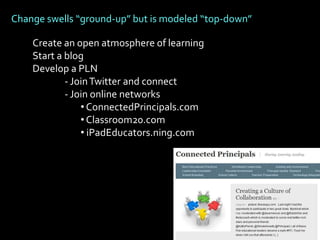
Change swells “ground-up” but is modeled “top-down”

    Create an open atmosphere of learning
    Start a blog
    Develop a PLN
            - Join Twitter and connect
            - Join online networks
                • ConnectedPrincipals.com
                • Classroom20.com
                • iPadEducators.ning.com
1.   Clarify your vision
2.   Invest in infrastructure
3.   Spend less on classroom projection
4.   Decide on student technology model
5.   Develop a virtual learning environment
6.   Emphasize training and modeling
7.   Minimize investments in the 3 S’s
Minimize Investment in 3 S’s: Servers, Storage & Software


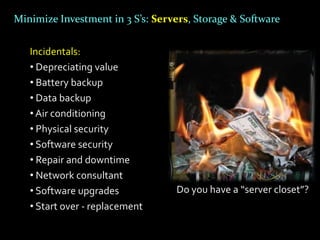
   Incidentals:
   • Depreciating value
   • Battery backup
   • Data backup
   • Air conditioning
   • Physical security
   • Software security
   • Repair and downtime
   • Network consultant
   • Software upgrades            Do you have a “server closet”?
   • Start over - replacement
Minimize Investment in 3 S’s – Servers, Storage & Software

     Cloud computing can reduce hardware, software and IT
     costs dramatically … and add significant functionality
Minimize Investment in 3 S’s – Servers, Storage & Software
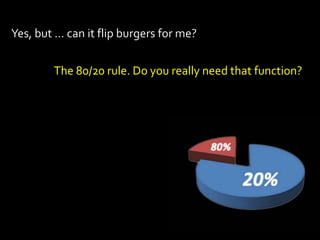
Yes, but … can it flip burgers for me?


        The 80/20 rule. Do you really need that function?
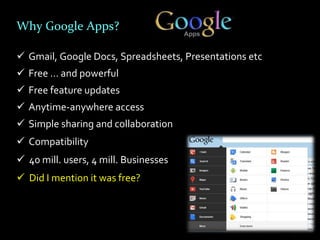
Why Google Apps?

 Gmail, Google Docs, Spreadsheets, Presentations etc
 Free … and powerful
 Free feature updates
 Anytime-anywhere access
 Simple sharing and collaboration
 Compatibility
 40 mill. users, 4 mill. Businesses
 Did I mention it was free?
1.   Clarify your vision
2.   Invest in infrastructure
3.   Spend less on classroom projection
4.   Decide on student technology model
5.   Develop a virtual learning environment
6.   Emphasize training and modeling
7.   Minimize investments in the 3 S’s
8.   Throw away the textbooks
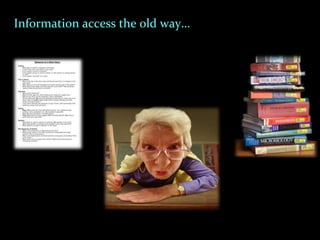
Information access the old way…
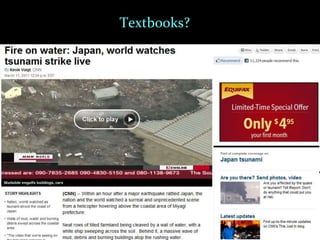
Textbooks?
Textbooks?


4th Edition
Printed in 2009
Apple eTextbooks and iBooks Author
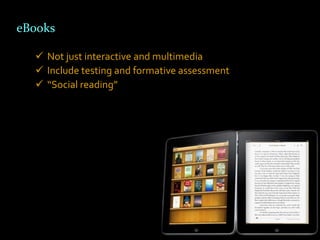
eBooks

   Not just interactive and multimedia
   Include testing and formative assessment
   “Social reading”
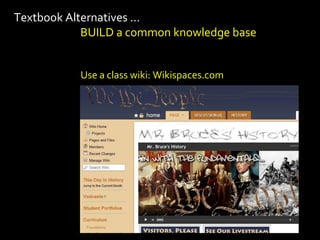
Textbook Alternatives …
            BUILD a common knowledge base


           Use a class wiki: Wikispaces.com
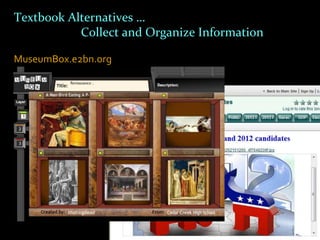
Textbook Alternatives …
           Collect and Organize Information

MuseumBox.e2bn.org
                 LiveBinders.com
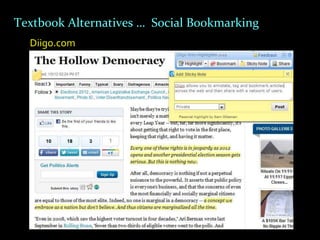
Textbook Alternatives … Social Bookmarking
  Diigo.com
1.   Clarify your vision
2.   Invest in infrastructure
3.   Spend less on classroom projection
4.   Decide on student technology model
5.   Develop a virtual learning environment
6.   Emphasize training and modeling
7.   Minimize investments in the 3 S’s
8.   Throw away the textbooks
9.   Flexibility is vital
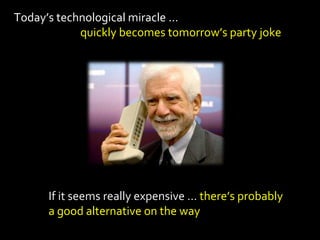
Today’s technological miracle …
            quickly becomes tomorrow’s party joke


      If it seems really expensive … there’s probably
      a good alternative on the way
1. Clarify your vision
2. Invest in infrastructure
3. Spend less on classroom projection
4. Decide on student technology model
5. Develop a virtual learning environment
6. Emphasize training and modeling
7. Minimize investments in the 3 S’s
8. Throw away the textbooks
9. Flexibility is vital
10. Utilize government subsidies
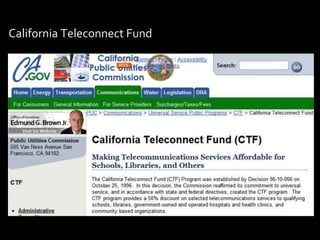
California Teleconnect Fund
"If we teach today
as we taught yesterday,
we rob our children of
       tomorrow"

      - John Dewey
Every new challenge
presents an opportunity
     for excellence
Thank you for your time and patience!


Sam Gliksman
Email: samgliksman@gmail.com
Twitter: @samgliksman

iPads in Education community site
http://iPadEducators.ning.com

10 Steps to an Affordable Educational Technology Plan

  • 1.
    10 Steps toan Affordable Educational Technology Policy Sam Gliksman samgliksman@gmail.com Twitter: @samgliksman http://ipadEducators.ning.com
  • 2.
    About Sam Gliksman Director of Educational Technology, New Community Jewish High School  Independent Consultant  Working with 1:1 and BYOD programs  Founder of iPads in Education website http://iPadEducators.ning.com  Twitter: @samgliksman  Email: samgliksman@gmail.com
  • 3.
    Today’s Objectives  Define10 Steps to an Affordable Educational Technology Plan  Develop a cost effective, sustainable educational technology plan that addresses 21st century educational needs  Steer the discussion in a positive direction… and you won’t always agree with me …
  • 4.
    “Affordable”… has to be “Effective” “Affordable” educational technology has to address a vision for its use
  • 5.
    You purchase personaltechnology to fit your specific lifestyle
  • 6.
    1995 Whatwere you doing?
  • 13.
    What do theyall have in common … ?
  • 14.
    What’s significant isn’tthat they went out of business They were market leaders for entire industries that quickly became obsolete… They didn’t adjust to the changing needs of a rapidly evolving market
  • 15.
    And what abouteducation?
  • 16.
    Have we reachedOUR moment? Are schools delivering a 20th century education that’s becoming obsolete? Are we adequately preparing children for their rapidly changing lives in the 21st century?
  • 17.
    How does thisimpact our educational technology? Technology is NOT the answer… Unless educational technology is integrated into learning models that address 21st century needs
  • 19.
    1. Clarify youreducational vision
  • 20.
    Technology has changedthe rules of the game Access to knowledge used to be scarce School was designed to be a hub that brought people and content together But now content is everywhere. “Educations needs to deal with abundance - not scarcity” Will Richardson
  • 21.
    How do reformeducation? It’s all about context!
  • 22.
    The only constantis … change
  • 23.
    Computing power Today’s washing machine has more computing power than all NASA's computing resources when it first landed man on the moon
  • 24.
    Capacity Price of 1 gigabyte of memory in 1981? $300,000 Price of 1 gigabyte in 2012? 10 cents
  • 25.
    Ubiquity Anyone have a cell phone?
  • 26.
  • 27.
    Pervasive Children use technology 7 hrs a day on average – up to 50 hours a week Children spending twice as much time looking at screens as they do sitting in class It’s changing the way they process information and learn
  • 28.
    Connected – SocialNetworking Facebook didn’t exist prior to 2004… Today 1 out of every 9 people on the planet has a Facebook page
  • 29.
    Mobile and Networked ACSDstudy  69% of US high schools ban mobile devices on campus  In schools that ban mobile devices, 63% of students use them anyway  47% say they can text message with eyes closed
  • 30.
    Essential What technology do you “need”? They all have one thing in common None existed 10 years ago What will you “need” 10 years from now?
  • 31.
    If context isimportant… Children starting elementary school today will graduate in 2024 What will the world look like in 2024? How do we educate and prepare children for a world we don’t know anything about?
  • 32.
    What should learninglook like in the 21st century?
  • 33.
    21st century learningis … Connected
  • 34.
    21st century learningis … Mobile, anytime-anywhere Physical & virtual Student centered, personalized
  • 35.
    21st century learningis … New literacies , Prioritized skills (ISTE NETS) Collaborative Creation (and sharing) vs consumption
  • 36.
    21st century learningis … Multimedia Creative thinking over memorization Graduates independent learners
  • 37.
    1. Clarify yourvision 2. Invest in infrastructure
  • 38.
    Infrastructure: Connectivity  Future is wireless and mobile  Two elements to consider: 1. What connection comes in to campus? 2. How well is it distributed within campus?  Filtering and monitoring?
  • 39.
    Infrastructure: Facilities  Do your physical facilities support your learning program?  Easily arranged furniture, color, daylight, open spaces etc…
  • 40.
    1. Clarify youreducational vision 2. Invest in wireless infrastructure 3. Save on classroom projection
  • 41.
    Classroom Projection  Classroom projection is major budget item for most schools  Heavily dominated by SmartBoard category  Two critical questions:  Does investing in frontal teaching fit your vision?  Do you get value for your investment?
  • 42.
    Smartboard alternatives Interactive projectors HDTV
  • 43.
    1. Clarify your educational vision 2. Invest in infrastructure 3. Save on classroom projection 4. Decide on student technology model
  • 44.
    Technology access model Lab, mobile cart – Limited access, shared, school financed and maintained 1:1 Laptops – Anytime dedicated access – School purchased, often parent financed – School maintained and controlled Bring Your Own Device (BYOD) – Anytime dedicated access – Parent financed, no maintenance … inexpensive – Limited control – Web oriented – Middle, high school
  • 45.
    Trending towards BYOD… Cheap, powerful computers and prolific web services BYOD devices typically more robust, up to date and personalized Students more engaged, greater accountability Digital divide - Funds saved on tech can be applied to subsidies Our goal is to make the educational tools accessible no matter where they are or what device they use
  • 46.
    1. Clarify your educational vision 2. Invest in infrastructure 3. Save on classroom projection 4. Decide on student technology model 5. Develop a virtual learning environment
  • 47.
    Online and blendedlearning Over 6 million students took online course in 2010 (Babson Research) 200,000 students currently attend online school full time Predicted 50% of school courses will be online in 10 years ?
  • 48.
    Do you needschool to provide access to Teachers?
  • 49.
    iTunes University Hundreds ofuniversities such as Stanford, Yale, MIT, Oxford, and UC Berkeley distribute their content publicly
  • 50.
    Online learning isbecoming… Interactive and driven by interest Personalized, networked and collaborative Instant formative feedback, corrective action
  • 51.
    Investing in aninteractive Learning Management System (LMS) doesn’t have to be costly…
  • 53.
    Working within avirtual classroom Moving from posting data and content (announcements, calendars, handouts) to… Vibrant place of learning and knowledge exchange  blogs, discussion forums  wikis  polls  portfolios  community interaction  live discussions
  • 54.
    1. Clarify your vision 2. Invest in infrastructure 3. Spend less on classroom projection 4. Decide on student technology model 5. Develop a virtual learning environment 6. Emphasize training and modeling
  • 55.
    Select and trainyour 15%...
  • 56.
    Culture change ismost effective swelling from the bottom up Spend slightly less on equipment and send culture leaders to conferences (CUE, ISTE) Success is contagious. Have teachers demonstrate and train from within Host workshops at school, combine with other schools Culture change is not a one-time event - it requires an ongoing commitment Model top-down… start a blog, join Twitter, develop a PLN
  • 57.
    Change swells “ground-up”but is modeled “top-down” Create an open atmosphere of learning Start a blog Develop a PLN - Join Twitter and connect - Join online networks • ConnectedPrincipals.com • Classroom20.com • iPadEducators.ning.com
  • 58.
    1. Clarify your vision 2. Invest in infrastructure 3. Spend less on classroom projection 4. Decide on student technology model 5. Develop a virtual learning environment 6. Emphasize training and modeling 7. Minimize investments in the 3 S’s
  • 59.
    Minimize Investment in3 S’s: Servers, Storage & Software Incidentals: • Depreciating value • Battery backup • Data backup • Air conditioning • Physical security • Software security • Repair and downtime • Network consultant • Software upgrades Do you have a “server closet”? • Start over - replacement
  • 60.
    Minimize Investment in3 S’s – Servers, Storage & Software Cloud computing can reduce hardware, software and IT costs dramatically … and add significant functionality
  • 61.
    Minimize Investment in3 S’s – Servers, Storage & Software
  • 62.
    Yes, but …can it flip burgers for me? The 80/20 rule. Do you really need that function?
  • 63.
    Why Google Apps? Gmail, Google Docs, Spreadsheets, Presentations etc  Free … and powerful  Free feature updates  Anytime-anywhere access  Simple sharing and collaboration  Compatibility  40 mill. users, 4 mill. Businesses  Did I mention it was free?
  • 64.
    1. Clarify your vision 2. Invest in infrastructure 3. Spend less on classroom projection 4. Decide on student technology model 5. Develop a virtual learning environment 6. Emphasize training and modeling 7. Minimize investments in the 3 S’s 8. Throw away the textbooks
  • 65.
  • 66.
  • 67.
  • 68.
    Apple eTextbooks andiBooks Author
  • 69.
    eBooks Not just interactive and multimedia  Include testing and formative assessment  “Social reading”
  • 70.
    Textbook Alternatives … BUILD a common knowledge base Use a class wiki: Wikispaces.com
  • 71.
    Textbook Alternatives … Collect and Organize Information MuseumBox.e2bn.org LiveBinders.com
  • 72.
    Textbook Alternatives …Social Bookmarking Diigo.com
  • 73.
    1. Clarify your vision 2. Invest in infrastructure 3. Spend less on classroom projection 4. Decide on student technology model 5. Develop a virtual learning environment 6. Emphasize training and modeling 7. Minimize investments in the 3 S’s 8. Throw away the textbooks 9. Flexibility is vital
  • 74.
    Today’s technological miracle… quickly becomes tomorrow’s party joke If it seems really expensive … there’s probably a good alternative on the way
  • 75.
    1. Clarify yourvision 2. Invest in infrastructure 3. Spend less on classroom projection 4. Decide on student technology model 5. Develop a virtual learning environment 6. Emphasize training and modeling 7. Minimize investments in the 3 S’s 8. Throw away the textbooks 9. Flexibility is vital 10. Utilize government subsidies
  • 76.
  • 77.
    "If we teachtoday as we taught yesterday, we rob our children of tomorrow" - John Dewey
  • 78.
    Every new challenge presentsan opportunity for excellence
  • 79.
    Thank you foryour time and patience! Sam Gliksman Email: samgliksman@gmail.com Twitter: @samgliksman iPads in Education community site http://iPadEducators.ning.com