Using Technology to Enhance
Classroom Learning
Agenda
• Understanding our students
• Technology & Learning
• Tips & Techniques for using PowerPoint
  technology to enhance learning in the
  classroom
• Tips & Techniques for using Website
  technology to enhance learning in the
  classroom
Understanding Our Students
Pop Quiz
What does this mean?   ROTFL

c) Pneumonic for remembering the 5
   plant cell types
d) Reserve Officers Training Florida
e) Record of True Foreign Languages
f) Rolling On The Floor Laughing
Pop Quiz
What do these chat acronyms stand for?

•   LOL
•   POS
•   GNSTDLTBBB
•   CUL8R
Pop Quiz
What do these emoticons mean?
 ;-)
 >:-(          
 ^5             
 (((((name)))) 
 (::()::)      
 @[_]~~       
Pop Quiz
• Web site comparisons

  – Which of each pair of Web sites is designed
    for younger learners, which is designed for
    “us”?
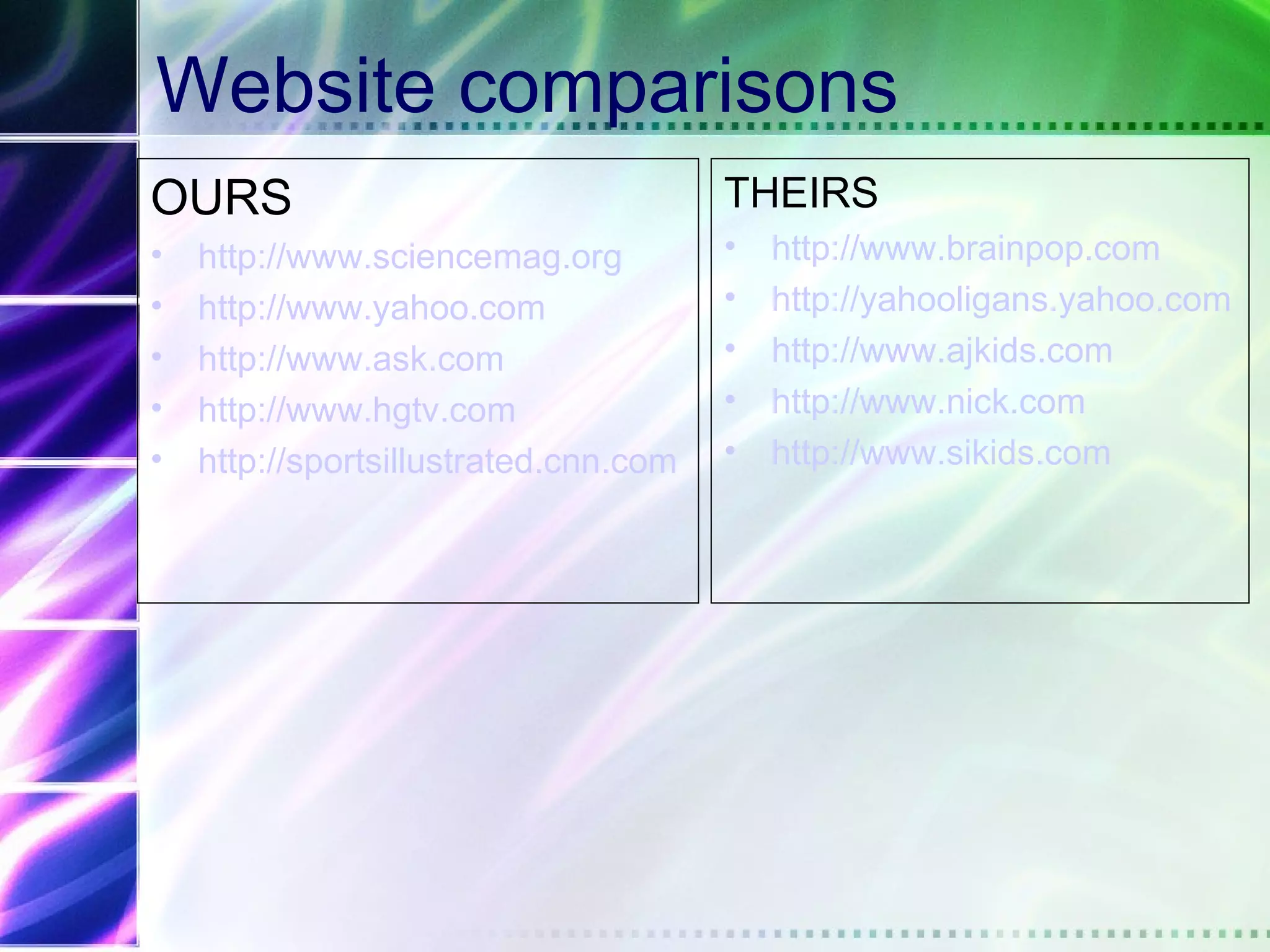
Website comparisons
OURS                                   THEIRS
•   http://www.sciencemag.org          •   http://www.brainpop.com
•   http://www.yahoo.com               •   http://yahooligans.yahoo.com
•   http://www.ask.com                 •   http://www.ajkids.com
•   http://www.hgtv.com                •   http://www.nick.com
•   http://sportsillustrated.cnn.com   •   http://www.sikids.com
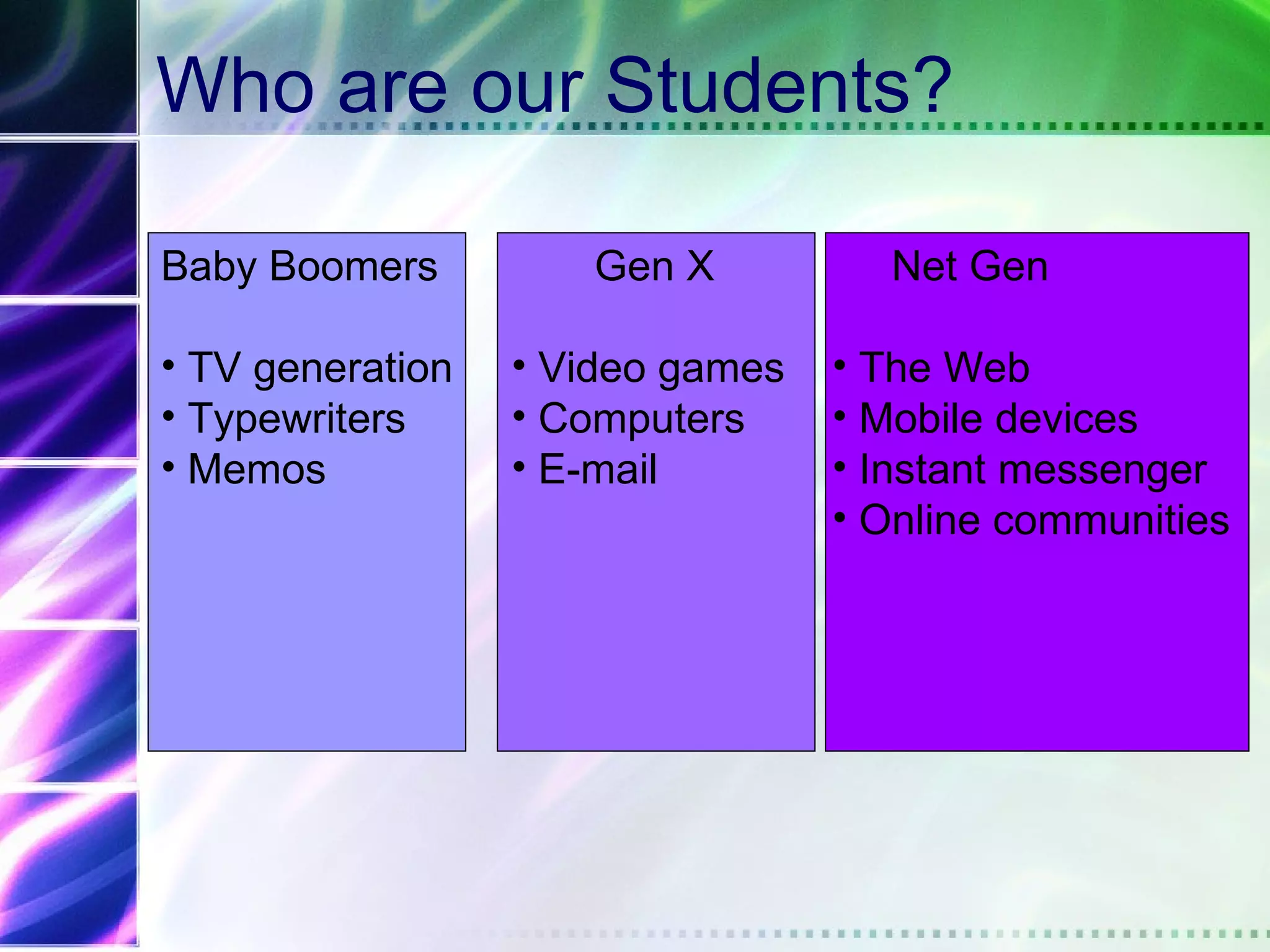
Who are our Students?

Baby Boomers         Gen X          Net Gen

• TV generation   • Video games   • The Web
• Typewriters     • Computers     • Mobile devices
• Memos           • E-mail        • Instant messenger
                                  • Online communities
By age 21,
The average person will have spent….
• 10,000 hours video games
• 20,000 emails
• 20,000 hours TV
• 10,000 hours on a cell phone
• Under 5,000 hours reading


                              Prensky, 2003
Children are exposed to technology for
play and learning at a very young age
Neuroplasticity
• The brain reorganizes itself through life
  – Stimulation
  – Developmental experiences
• Their brains are really “wired” differently
The Net Generation…
 • Born in or after 1982
 • Gravitate toward group activity
 • 8 out of 10 say “it’s cool to be smart”
 • Focused on grades and performance
 • Busy with extracurricular activities
 • Identify with parents’ values; feel close to
   parents
 • Respectful of social conventions and
   institutions
 • Fascination for new technologies
 • Racially and ethnically diverse
                                 Howe & Strauss, 2003
Teen use of Web
• 100% use it to search for information on
  colleges, careers & jobs
• 74% use instant messaging as a major
  communication vehicle
• 54% of students (7-12 grade) know
  more IM screen names than home
  phone numbers
Teen use of Web for Communication
• 81% e-mail friends & relatives
• 70% instant message
• 56% prefer the Internet over the
  telephone
Why do teens go the Web?
•   Find new & exciting information
•   Learn more/better
•   For community
•   Show others what they can do
•   Be heard
The Net Gen is Self-teaching – What does
     that mean for the classroom?
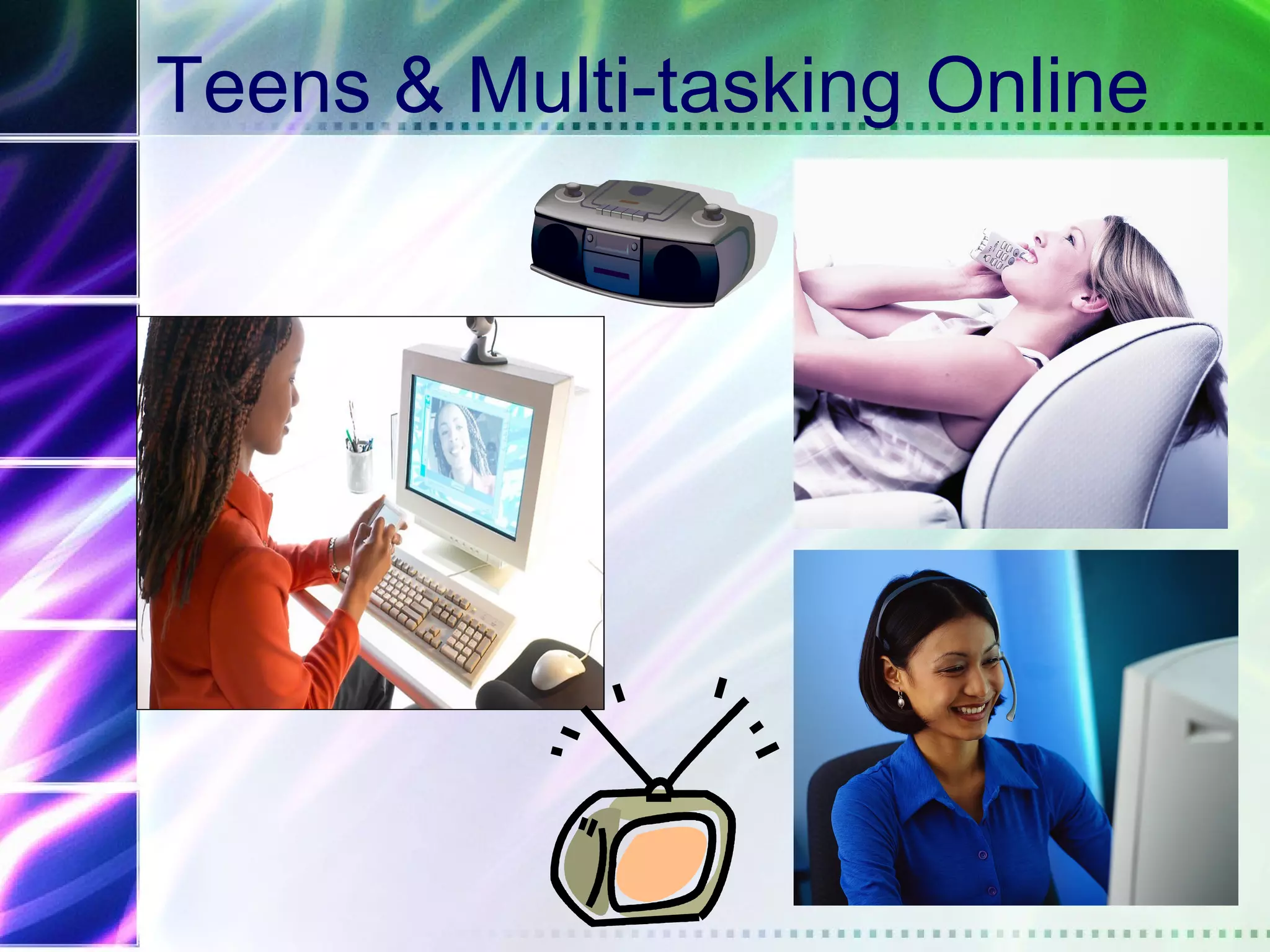
Teens & Multi-tasking Online
Technology & Learning
• What form of TEK do you have?
• How can it benefit education?
• Describe a teacher who is using TEK (if applicable)
  How is he using it?
• Personal Reactions
Today’s Learners…
•   Digitally literate
•   Mobile
•   Always on
•   Experiential
•   Social (stay connected)


                              Oblinger, 2004
Hypertext minds: Qualities
•   Crave interactivity
•   Read visual images
•   Visual-spatial skills
•   Parallel processing
•   Inductive discovery
•   Fast response time


                            Prensky, 2001
Concerns…
•   Short attention span
•   Choose NOT to pay attention
•   Lack reflection
•   Lack text literacy
•   Lack identification of source quality
NetGen learning preferences
•   Teams, peer-to-peer
•   Structure
•   Engagement & experience
•   Visual & kinesthetic
•   Things that matter


                              Oblinger, 2004
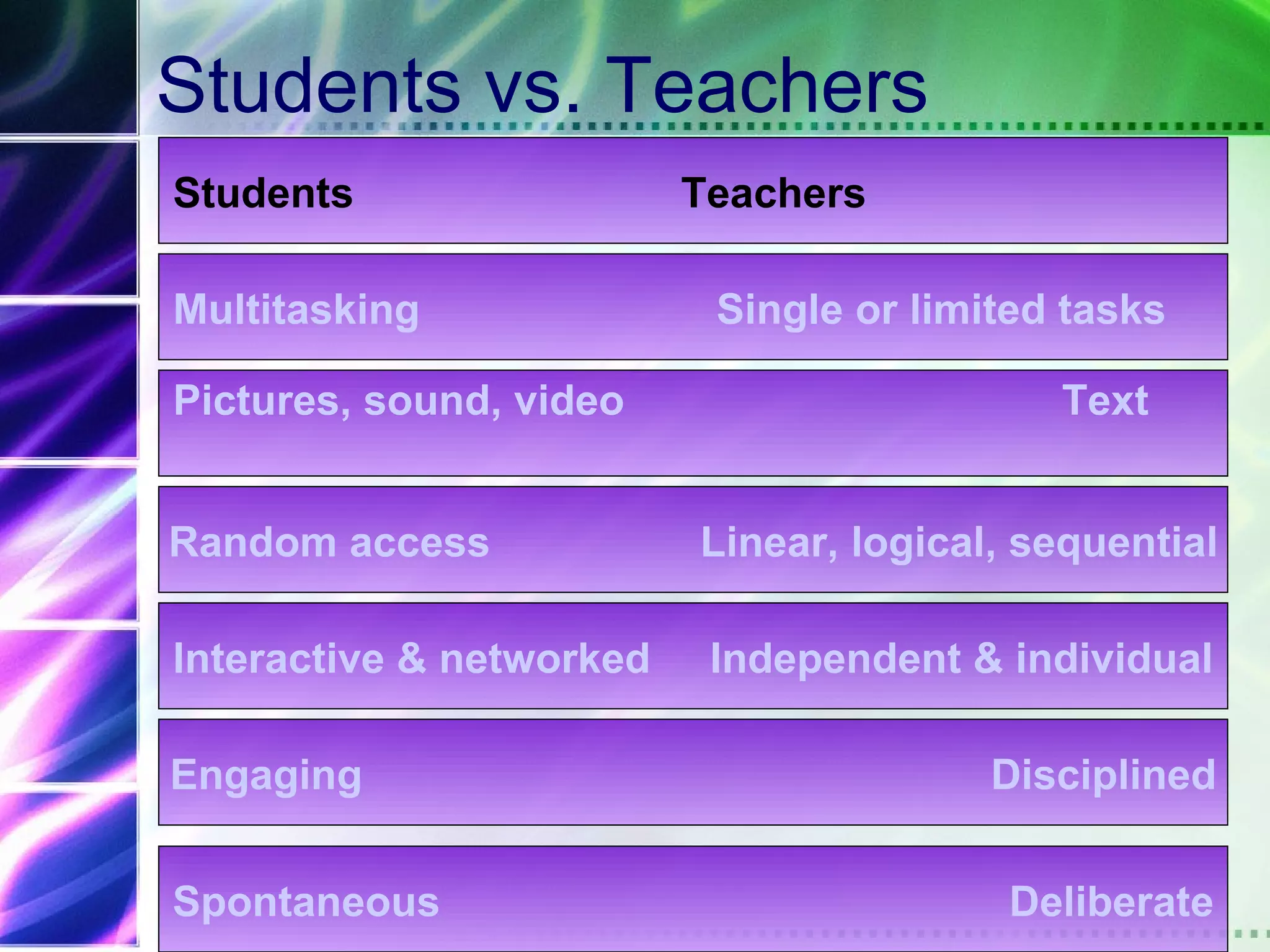
Students vs. Teachers
Students                  Teachers

Multitasking               Single or limited tasks

Pictures, sound, video                      Text


Random access             Linear, logical, sequential

Interactive & networked    Independent & individual

Engaging                                 Disciplined


Spontaneous                               Deliberate
Generational Comparisons
• Ctrl+Alt+Del is as basic as ABC
• They don’t understand the “return” key
• Computers fit into backpacks
• They have always had a personal
  identification number
• Photos are processed in under an hour
• Gas has always been unleaded
• Rogaine is available for the follicularly
  challenged
Multiple Media Literacy
• 2 million children have a personal
  website (ages 6-17)
• 6 million will have one by the end of the
  year
It is not about AGE…

 We live in a technologically enriched
                         environment
Compare yourself
• Are you comfortable composing
  documents longhand?
• Have you turned “remembering” over to
  a technology?
• Are you connected? (Internet, cell
  phone)
• Do you engage in more than one activity
  at a time?
• Do you play computer or video games?
What does the learning
environment look like?
Environments for learning
• Every students learns all the time
  – Learning is in & out of classroom
  – Every setting can be a learning environment
• Direct experience shapes individual
  understanding
• Individuals learn by establishing &
  reworking patterns, relationships &
  connections
• Change is stimulating
The Big Question…

 How can teachers enable students to
         be successful in education?
What students want in a learning
environment…
• Teacher to have an in-depth knowledge
  in their field
• Faculty ability to use technology
  Effectively
• Don’t overuse the technology
Interaction

Students learn from thinking…
      thinking is engaged by activity


                         Junassen, 2003
Balance
Action          Reflection


Visual               Text

Social           Individual

Process           Content

Speed          Deliberation


Peer-to-peer   Peer Review
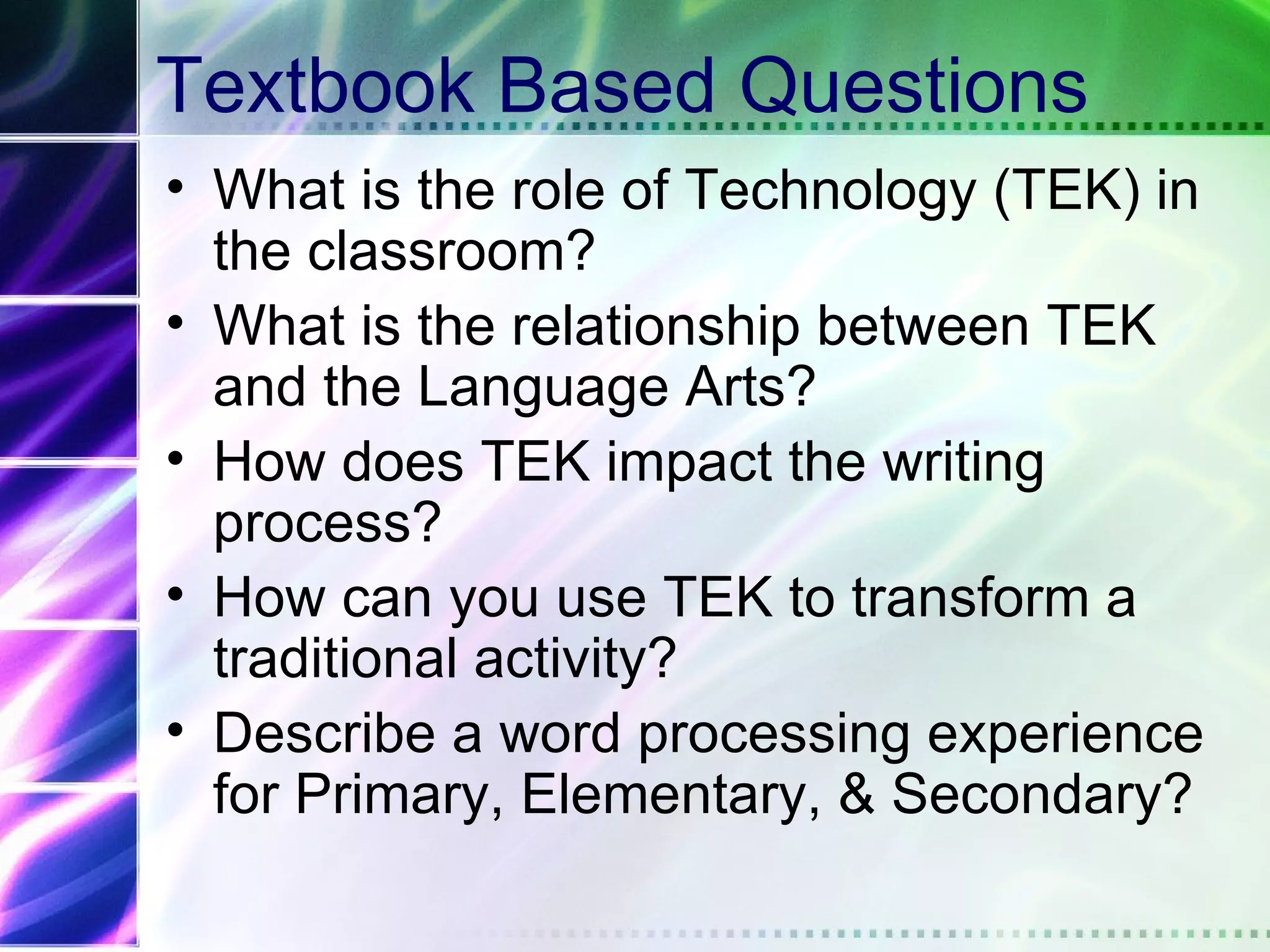
Textbook Based Questions
• What is the role of Technology (TEK) in
  the classroom?
• What is the relationship between TEK
  and the Language Arts?
• How does TEK impact the writing
  process?
• How can you use TEK to transform a
  traditional activity?
• Describe a word processing experience
  for Primary, Elementary, & Secondary?
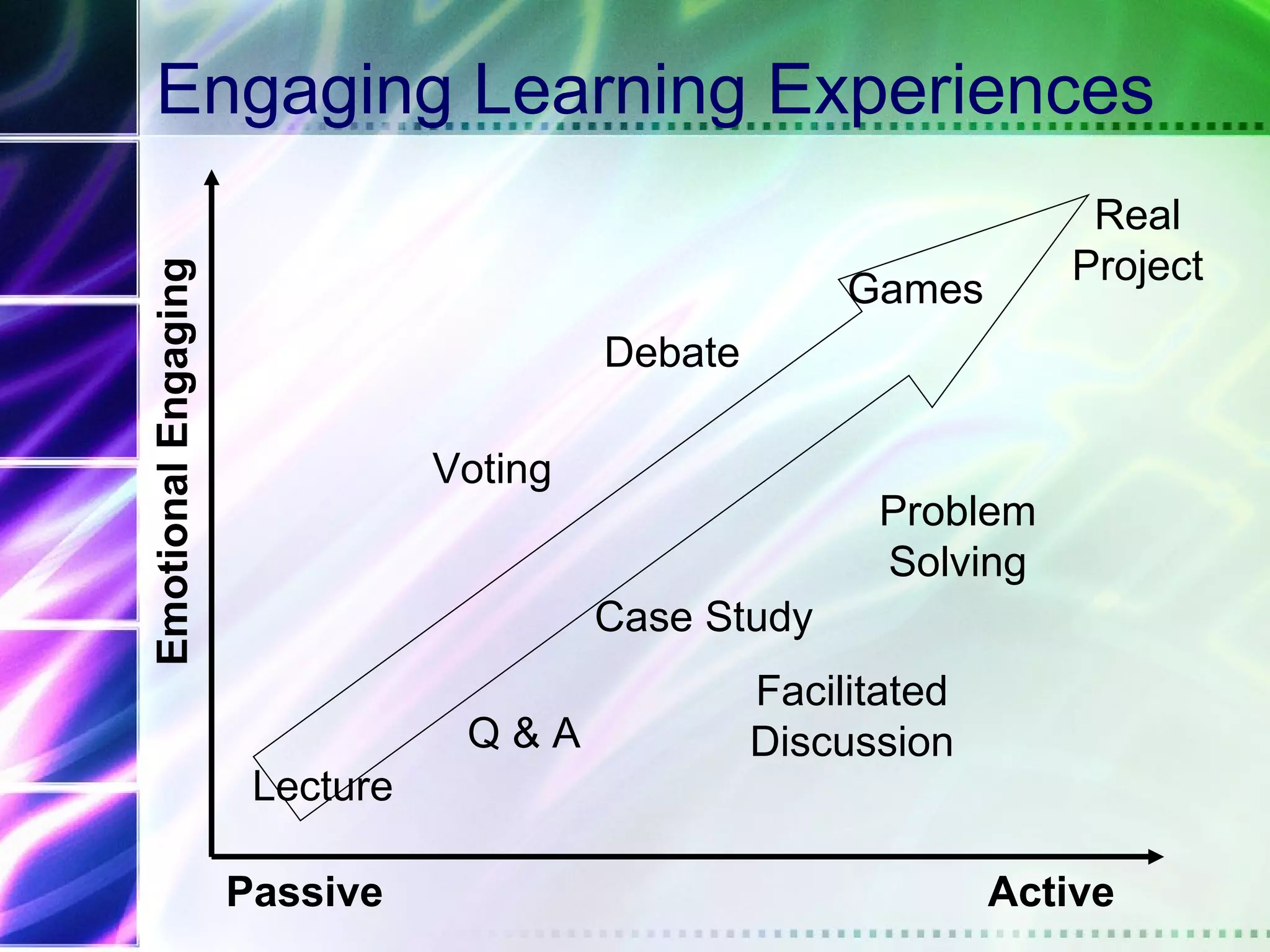
Engaging Learning Experiences
                                                                    Real
                                                                   Project
Emotional Engaging

                                                       Games
                                         Debate

                                Voting
                                                        Problem
                                                        Solving
                                         Case Study
                                                  Facilitated
                                 Q&A              Discussion
                      Lecture

                     Passive                                    Active
Tips & Techniques for using Website
technology to enhance learning in the
             classroom
Assembling web-based materials
First Things First!
•   What's the purpose of your web site? If you
    can narrow down what you want your
    viewers to do when they're at your site, you
    can save yourself a lot of time by focusing
    your web site content.
•   Who is your audience?
•   What kind of technology is your audience
    using?
Tips for Basics of Web Design
1. Identify Purpose
2. Recognize Bandwidth (design to 28.8
   modem)
3. Graphics (GIF or JPEG? – GIF better for
   bandwidth
4. Monitor resolution (design to 640X480)
5. Recognize multiple platforms and browsers
   (MAC or PC and Netscape or Explorer)
6. Navigation should be consistent & easy to
   use
7. Use common Fonts
Notes and hints...
• To get "headings," use the style drop-
  down menu. This is the first dropdown
  menu in your toolbar.
• Use "bold" and "italics," but stay away
  from underlining text. This makes the
  text look like it's a link, which is
  confusing to users.
• To get sub-bullets, click the "indent"
  toolbar button twice.
Maintaining a web site
• Have a back up copy
• Update the site
• Use the navigation and interface tools
Delivering
• Check the content
• Check links
• Get feedback from students & others
Student Comments
•   Keep the site organized
•   Keep the site updated
•   Have a place for questions
•   Have clear instructions & directions
•   Respond in a timely manner
•   Add additional resources
•   Have a purpose for the content (don’t
    like busy work)
In summary….
• Recognize your students
• Balance technology & lecture
• Be active in teaching
• Use Websites effectively
• Engage students in different learning
  experiences
• It is NOT about technology – it IS about
  interactivity!
Other Important Technology
          The ones I think really matter…


• Wikis
  – http://www.wikispaces.com/
  – http://www.youtube.com/watch?v=-dnL00TdmLY
• Smartboards
  – http://www.youtube.com/watch?v=zjBhPvmsa-8
  – http://www2.scholastic.com/browse/collection.jsp?id=

• Razkids
  – http://www.raz-kids.com/
  – http://www.raz-kids.com/main/ViewPage/name/samp
More Good Stuff

• Blogs
   – http://www.blogger.com/home
   – http://www.youtube.com/watch?v=NN2I1pWXjXI
• Podcasts
   – http://www.youtube.com/watch?v=y-MSL42NV3c
• Electronic Portfolios
   – http://sitemaker.umich.edu/amandafletcher/welcome_
   – http://www.uvm.edu/~jmorris/portresources.html
   – http://kids-learn.org/
   – http://electronicportfolios.com/myportfolio/versions.ht
Glogster Reflection
•   Problems?
•   Could you see yourself using it?
•   Possible benefits
•   What could I do in the future to tweak
    this assignment for other students?
Any Questions or Comments
Glogster
 –   http://mspower2011.edu.glogster.com/ticktock/
 –   http://mrsjtucker.edu.glogster.com/foxes/
 –   http://sahillin.edu.glogster.com/fall-projects/
 –   http://kitmcc.edu.glogster.com/moon-landing/
 –   http://tehescmarts.edu.glogster.com/periodic-table/
 –   http://tehescmarts.edu.glogster.com/frog-dissection/
 –   http://sahillin.edu.glogster.com/false-838/
 –   http://loganzane512.edu.glogster.com/internetaddictio
 –   http://swatmilo.edu.glogster.com/science-
     investigation/

Technology that enhances classroom learning

  • 1.
    Using Technology toEnhance Classroom Learning
  • 2.
    Agenda • Understanding ourstudents • Technology & Learning • Tips & Techniques for using PowerPoint technology to enhance learning in the classroom • Tips & Techniques for using Website technology to enhance learning in the classroom
  • 3.
  • 4.
    Pop Quiz What doesthis mean? ROTFL c) Pneumonic for remembering the 5 plant cell types d) Reserve Officers Training Florida e) Record of True Foreign Languages f) Rolling On The Floor Laughing
  • 5.
    Pop Quiz What dothese chat acronyms stand for? • LOL • POS • GNSTDLTBBB • CUL8R
  • 6.
    Pop Quiz What dothese emoticons mean? ;-) >:-(           ^5              (((((name))))  (::()::)       @[_]~~       
  • 7.
    Pop Quiz • Website comparisons – Which of each pair of Web sites is designed for younger learners, which is designed for “us”?
  • 8.
    Website comparisons OURS THEIRS • http://www.sciencemag.org • http://www.brainpop.com • http://www.yahoo.com • http://yahooligans.yahoo.com • http://www.ask.com • http://www.ajkids.com • http://www.hgtv.com • http://www.nick.com • http://sportsillustrated.cnn.com • http://www.sikids.com
  • 9.
    Who are ourStudents? Baby Boomers Gen X Net Gen • TV generation • Video games • The Web • Typewriters • Computers • Mobile devices • Memos • E-mail • Instant messenger • Online communities
  • 10.
    By age 21, Theaverage person will have spent…. • 10,000 hours video games • 20,000 emails • 20,000 hours TV • 10,000 hours on a cell phone • Under 5,000 hours reading Prensky, 2003
  • 11.
    Children are exposedto technology for play and learning at a very young age
  • 12.
    Neuroplasticity • The brainreorganizes itself through life – Stimulation – Developmental experiences • Their brains are really “wired” differently
  • 13.
    The Net Generation… • Born in or after 1982 • Gravitate toward group activity • 8 out of 10 say “it’s cool to be smart” • Focused on grades and performance • Busy with extracurricular activities • Identify with parents’ values; feel close to parents • Respectful of social conventions and institutions • Fascination for new technologies • Racially and ethnically diverse Howe & Strauss, 2003
  • 14.
    Teen use ofWeb • 100% use it to search for information on colleges, careers & jobs • 74% use instant messaging as a major communication vehicle • 54% of students (7-12 grade) know more IM screen names than home phone numbers
  • 15.
    Teen use ofWeb for Communication • 81% e-mail friends & relatives • 70% instant message • 56% prefer the Internet over the telephone
  • 16.
    Why do teensgo the Web? • Find new & exciting information • Learn more/better • For community • Show others what they can do • Be heard
  • 17.
    The Net Genis Self-teaching – What does that mean for the classroom?
  • 18.
  • 19.
    Technology & Learning •What form of TEK do you have? • How can it benefit education? • Describe a teacher who is using TEK (if applicable) How is he using it? • Personal Reactions
  • 20.
    Today’s Learners… • Digitally literate • Mobile • Always on • Experiential • Social (stay connected) Oblinger, 2004
  • 21.
    Hypertext minds: Qualities • Crave interactivity • Read visual images • Visual-spatial skills • Parallel processing • Inductive discovery • Fast response time Prensky, 2001
  • 22.
    Concerns… • Short attention span • Choose NOT to pay attention • Lack reflection • Lack text literacy • Lack identification of source quality
  • 23.
    NetGen learning preferences • Teams, peer-to-peer • Structure • Engagement & experience • Visual & kinesthetic • Things that matter Oblinger, 2004
  • 24.
    Students vs. Teachers Students Teachers Multitasking Single or limited tasks Pictures, sound, video Text Random access Linear, logical, sequential Interactive & networked Independent & individual Engaging Disciplined Spontaneous Deliberate
  • 25.
    Generational Comparisons • Ctrl+Alt+Delis as basic as ABC • They don’t understand the “return” key • Computers fit into backpacks • They have always had a personal identification number • Photos are processed in under an hour • Gas has always been unleaded • Rogaine is available for the follicularly challenged
  • 26.
    Multiple Media Literacy •2 million children have a personal website (ages 6-17) • 6 million will have one by the end of the year
  • 27.
    It is notabout AGE… We live in a technologically enriched environment
  • 28.
    Compare yourself • Areyou comfortable composing documents longhand? • Have you turned “remembering” over to a technology? • Are you connected? (Internet, cell phone) • Do you engage in more than one activity at a time? • Do you play computer or video games?
  • 29.
    What does thelearning environment look like?
  • 31.
    Environments for learning •Every students learns all the time – Learning is in & out of classroom – Every setting can be a learning environment • Direct experience shapes individual understanding • Individuals learn by establishing & reworking patterns, relationships & connections • Change is stimulating
  • 32.
    The Big Question… How can teachers enable students to be successful in education?
  • 33.
    What students wantin a learning environment… • Teacher to have an in-depth knowledge in their field • Faculty ability to use technology Effectively • Don’t overuse the technology
  • 34.
    Interaction Students learn fromthinking… thinking is engaged by activity Junassen, 2003
  • 35.
    Balance Action Reflection Visual Text Social Individual Process Content Speed Deliberation Peer-to-peer Peer Review
  • 36.
    Textbook Based Questions •What is the role of Technology (TEK) in the classroom? • What is the relationship between TEK and the Language Arts? • How does TEK impact the writing process? • How can you use TEK to transform a traditional activity? • Describe a word processing experience for Primary, Elementary, & Secondary?
  • 37.
    Engaging Learning Experiences Real Project Emotional Engaging Games Debate Voting Problem Solving Case Study Facilitated Q&A Discussion Lecture Passive Active
  • 38.
    Tips & Techniquesfor using Website technology to enhance learning in the classroom
  • 39.
  • 40.
    First Things First! • What's the purpose of your web site? If you can narrow down what you want your viewers to do when they're at your site, you can save yourself a lot of time by focusing your web site content. • Who is your audience? • What kind of technology is your audience using?
  • 41.
    Tips for Basicsof Web Design 1. Identify Purpose 2. Recognize Bandwidth (design to 28.8 modem) 3. Graphics (GIF or JPEG? – GIF better for bandwidth 4. Monitor resolution (design to 640X480) 5. Recognize multiple platforms and browsers (MAC or PC and Netscape or Explorer) 6. Navigation should be consistent & easy to use 7. Use common Fonts
  • 42.
    Notes and hints... •To get "headings," use the style drop- down menu. This is the first dropdown menu in your toolbar. • Use "bold" and "italics," but stay away from underlining text. This makes the text look like it's a link, which is confusing to users. • To get sub-bullets, click the "indent" toolbar button twice.
  • 43.
    Maintaining a website • Have a back up copy • Update the site • Use the navigation and interface tools
  • 44.
    Delivering • Check thecontent • Check links • Get feedback from students & others
  • 45.
    Student Comments • Keep the site organized • Keep the site updated • Have a place for questions • Have clear instructions & directions • Respond in a timely manner • Add additional resources • Have a purpose for the content (don’t like busy work)
  • 46.
    In summary…. • Recognizeyour students • Balance technology & lecture • Be active in teaching • Use Websites effectively • Engage students in different learning experiences • It is NOT about technology – it IS about interactivity!
  • 47.
    Other Important Technology The ones I think really matter… • Wikis – http://www.wikispaces.com/ – http://www.youtube.com/watch?v=-dnL00TdmLY • Smartboards – http://www.youtube.com/watch?v=zjBhPvmsa-8 – http://www2.scholastic.com/browse/collection.jsp?id= • Razkids – http://www.raz-kids.com/ – http://www.raz-kids.com/main/ViewPage/name/samp
  • 48.
    More Good Stuff •Blogs – http://www.blogger.com/home – http://www.youtube.com/watch?v=NN2I1pWXjXI • Podcasts – http://www.youtube.com/watch?v=y-MSL42NV3c • Electronic Portfolios – http://sitemaker.umich.edu/amandafletcher/welcome_ – http://www.uvm.edu/~jmorris/portresources.html – http://kids-learn.org/ – http://electronicportfolios.com/myportfolio/versions.ht
  • 49.
    Glogster Reflection • Problems? • Could you see yourself using it? • Possible benefits • What could I do in the future to tweak this assignment for other students?
  • 50.
  • 51.
    Glogster – http://mspower2011.edu.glogster.com/ticktock/ – http://mrsjtucker.edu.glogster.com/foxes/ – http://sahillin.edu.glogster.com/fall-projects/ – http://kitmcc.edu.glogster.com/moon-landing/ – http://tehescmarts.edu.glogster.com/periodic-table/ – http://tehescmarts.edu.glogster.com/frog-dissection/ – http://sahillin.edu.glogster.com/false-838/ – http://loganzane512.edu.glogster.com/internetaddictio – http://swatmilo.edu.glogster.com/science- investigation/

Editor's Notes

  • #6 LOL (laughing out loud) POS (parent over shoulder) GNSTDLTBBB (good night sleep tight don’t let the bed bugs bite) CUL8R (see you later)
  • #7 ;-) Wink >:-(  annoyed ^5 high five (((((name)))) hug (::()::) band aid @[_]~~  java ;-) Wink >:-(  annoyed ^5 high five (((((name)))) hug (::()::) band aid @[_]~~  java
  • #10 Notice the difference in the students. I am sure that you have noticed changes in your students. This generation embraces technology.
  • #11 Does this surprise you? Notice how little reading this generation does. Look into your own house, do these figure ring home?
  • #12 Many of the video games for children are educational. Look at some the TV programming for children.
  • #13 Science has finally proven what we have already suspected – they are wired differently.
  • #14 Doe some of these surprise you???? The one that I recognize in the classroom and at home is busy with extra curricular activities. What does this mean for the classroom?
  • #15 Only 44% of adults use IM There is an e-mail system for teens called tagged. They sign up and e-mail each other.
  • #21 If you have computers in the class, you will find students IM, e-mailing and watching music videos in addition to working on the class assignment. I have found that they can multi-task successfully.
  • #22 If you can bring these characteristics in the classroom, it will increase learning. You might try and reorganize one assignment and then monitor the results.
  • #23 The classroom is a great place to practice some of the skills that our students lack.
  • #24 Notice how different this is from the conventional classroom. Does this mean that students are not learning? Students adjust to the classroom for learning, but it may not be their preference. It is good for students to have the ability to adjust to different teaching styles regardless of their learning preference.
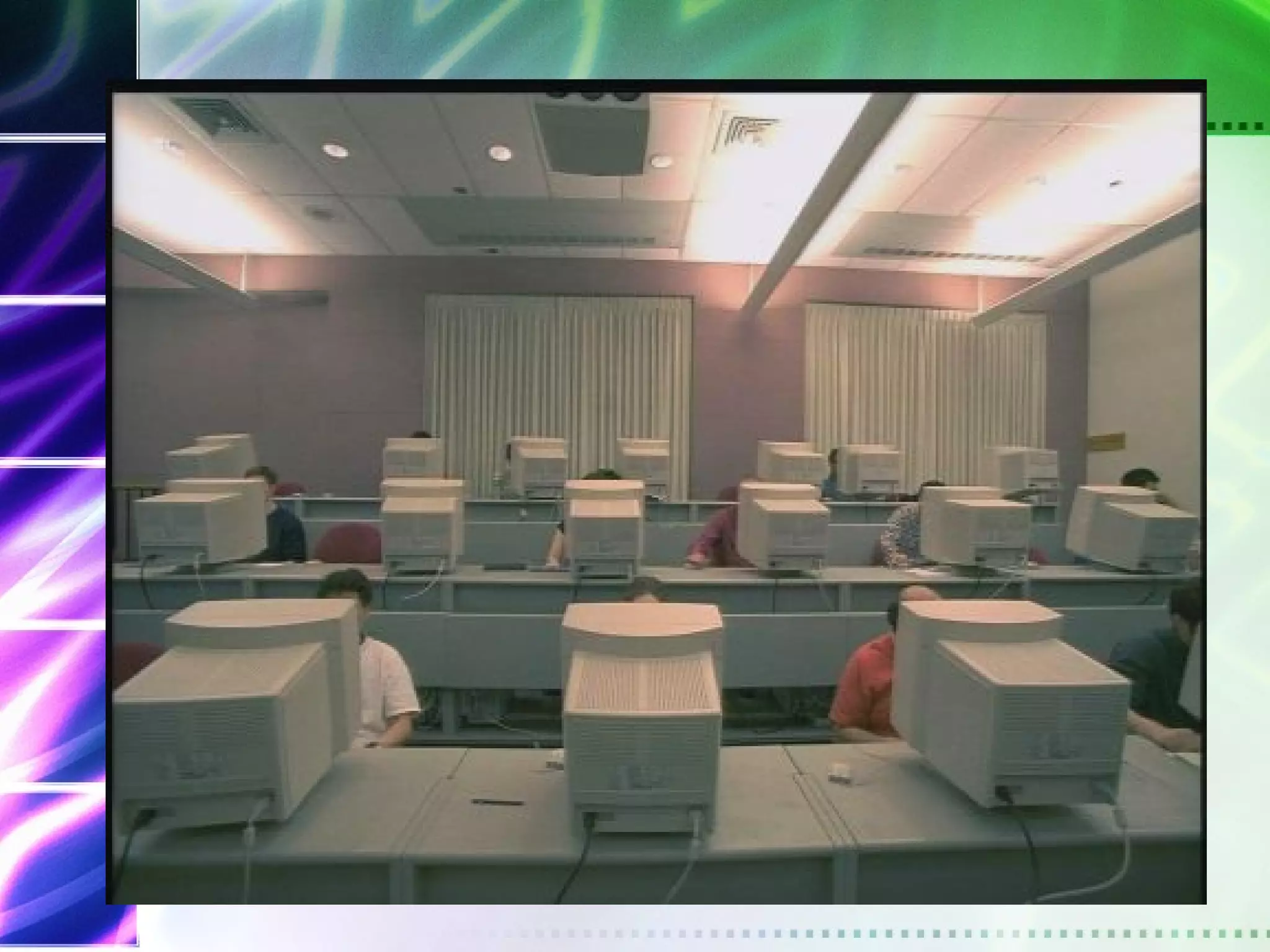
  • #31 Does this look familiar? Educators in their infinite wisdom decided that this should be what the classroom of the future looks like. Does this type of classroom work? What are the problems?
  • #36 It is all about balance. You can try different technologies to engage students in the learning process. The key is to combine action with reflection; visual with text; social with individual; process with content; speed with deliberation & peer-to-peer with peer review.
  • #38 Give examples from classes and let the audience share their experiences.
  • #39 Remember that many students have personal websites. At a minimum you can have a site where students can get their assignments. We can take time and practice working in Frontpage.