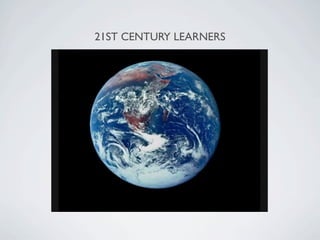
21ST CENTURY LEARNERS
WHAT DOES AN
       E-LEARNING CLASS ACHIEVE?
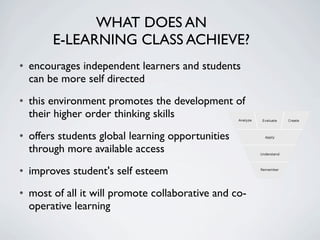
• encourages independent learners and students
  can be more self directed
• this environment promotes the development of
  their higher order thinking skills
• offers students global learning opportunities
  through more available access
• improves student's self esteem
• most of all it will promote collaborative and co-
  operative learning
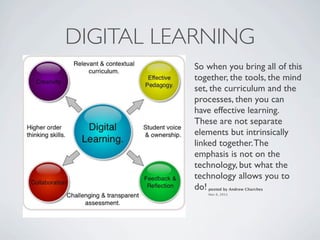
DIGITAL LEARNING
          So when you bring all of this
          together, the tools, the mind
          set, the curriculum and the
          processes, then you can
          have effective learning.
          These are not separate
          elements but intrinsically
          linked together. The
          emphasis is not on the
          technology, but what the
          technology allows you to
          do!posted by Andrew Churches
             Nov 6, 2011
FITS WELL WITH THE KEY COMPETENCIES:
           NZ CURRICULUM
                                     •   Thinking

                        th  Key       • Using language,
           ing fi  ts wi elf-            symbols and texts
       arn             of s
• E-le petencies                s and
   Com ng, partici        pator
         a gi               kers,     • Managing self
   man utors, thin ation and
    co  ntrib            nform
              yor s of i              • Relating to others
     c onve ators.
      col labor
                                      • Participating and
                                        contributing
WHAT DOES AN
E-LEARNING CLASSROOM LOOK LIKE?
•   classrooms that has a lot of digital tools to use

•   classrooms with students of mixed ability

•   learning is not designed around the technology, the
    technology is used if it is the best tool for the learning

•   students make a choice of what method and materials
    they are going to use to complete particular activities

•   students use a range of Web2 tools to share and
    collaborate with a much wider audience
WHAT DOES
E-LEARNING CURRICULUM LOOK LIKE?

Do students do ... spelling - yes   handwriting - yes Both are still
important.

Will still be part of senior/intermediate team and go to Poutama, sport,
team assemblies etc

Maths cross grouping - Will stay in class unless a real learning need is
seen.
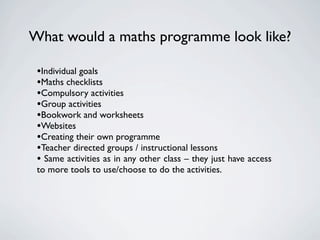
What would a maths programme look like?

 •Individual goals
 •Maths checklists
 •Compulsory activities
 •Group activities
 •Bookwork and worksheets
 •Websites
 •Creating their own programme
 •Teacher directed groups / instructional lessons
 • Same activities as in any other class – they just have access
 to more tools to use/choose to do the activities.
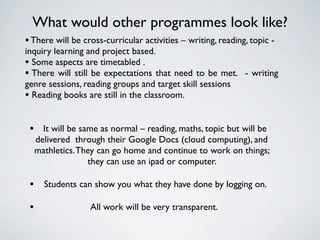
What would other programmes look like?
• There will be cross-curricular activities – writing, reading, topic -
inquiry learning and project based.
• Some aspects are timetabled .
• There will still be expectations that need to be met. - writing
genre sessions, reading groups and target skill sessions
• Reading books are still in the classroom.

 • It will be same as normal – reading, maths, topic but will be
     delivered through their Google Docs (cloud computing), and
     mathletics. They can go home and continue to work on things;
                   they can use an ipad or computer.

 • Students can show you what they have done by logging on.
 •                 All work will be very transparent.
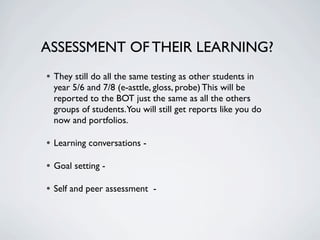
ASSESSMENT OF THEIR LEARNING?
• They still do all the same testing as other students in
  year 5/6 and 7/8 (e-asttle, gloss, probe) This will be
  reported to the BOT just the same as all the others
  groups of students.You will still get reports like you do
  now and portfolios.

• Learning conversations -
• Goal setting -
• Self and peer assessment -
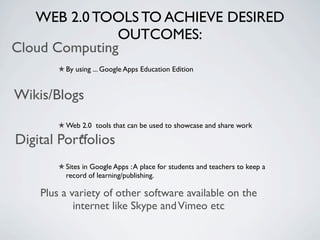
WEB 2.0 TOOLS TO ACHIEVE DESIRED
               OUTCOMES:
Cloud Computing
         By using ... Google Apps Education Edition


Wikis/Blogs
         Web 2.0 tools that can be used to showcase and share work

Digital Portfolios
         Sites in Google Apps : A place for students and teachers to keep a
         record of learning/publishing.

    Plus a variety of other software available on the
            internet like Skype and Vimeo etc
IPAD IN THE CLASSROOM
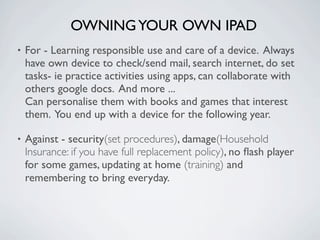
OWNING YOUR OWN IPAD
•   For - Learning responsible use and care of a device. Always
    have own device to check/send mail, search internet, do set
    tasks- ie practice activities using apps, can collaborate with
    others google docs. And more ...
    Can personalise them with books and games that interest
    them. You end up with a device for the following year.

•   Against - security(set procedures), damage(Household
    Insurance: if you have full replacement policy), no flash player
    for some games, updating at home (training) and
    remembering to bring everyday.
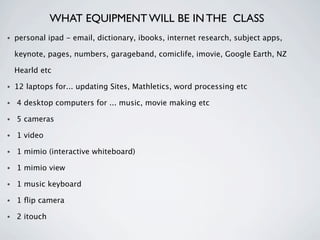
WHAT EQUIPMENT WILL BE IN THE CLASS
•   personal ipad - email, dictionary, ibooks, internet research, subject apps,

    keynote, pages, numbers, garageband, comiclife, imovie, Google Earth, NZ

    Hearld etc

•   12 laptops for... updating Sites, Mathletics, word processing etc

•   4 desktop computers for ... music, movie making etc

•   5 cameras

•   1 video

•   1 mimio (interactive whiteboard)

•   1 mimio view

•   1 music keyboard

•   1 flip camera

•   2 itouch

Elearning presentation parent2 1

  • 2.
  • 3.
    WHAT DOES AN E-LEARNING CLASS ACHIEVE? • encourages independent learners and students can be more self directed • this environment promotes the development of their higher order thinking skills • offers students global learning opportunities through more available access • improves student's self esteem • most of all it will promote collaborative and co- operative learning
  • 4.
    DIGITAL LEARNING So when you bring all of this together, the tools, the mind set, the curriculum and the processes, then you can have effective learning. These are not separate elements but intrinsically linked together. The emphasis is not on the technology, but what the technology allows you to do!posted by Andrew Churches Nov 6, 2011
  • 5.
    FITS WELL WITHTHE KEY COMPETENCIES: NZ CURRICULUM • Thinking th Key • Using language, ing fi ts wi elf- symbols and texts arn of s • E-le petencies s and Com ng, partici pator a gi kers, • Managing self man utors, thin ation and co ntrib nform yor s of i • Relating to others c onve ators. col labor • Participating and contributing
  • 6.
    WHAT DOES AN E-LEARNINGCLASSROOM LOOK LIKE? • classrooms that has a lot of digital tools to use • classrooms with students of mixed ability • learning is not designed around the technology, the technology is used if it is the best tool for the learning • students make a choice of what method and materials they are going to use to complete particular activities • students use a range of Web2 tools to share and collaborate with a much wider audience
  • 7.
    WHAT DOES E-LEARNING CURRICULUMLOOK LIKE? Do students do ... spelling - yes handwriting - yes Both are still important. Will still be part of senior/intermediate team and go to Poutama, sport, team assemblies etc Maths cross grouping - Will stay in class unless a real learning need is seen.
  • 8.
    What would amaths programme look like? •Individual goals •Maths checklists •Compulsory activities •Group activities •Bookwork and worksheets •Websites •Creating their own programme •Teacher directed groups / instructional lessons • Same activities as in any other class – they just have access to more tools to use/choose to do the activities.
  • 9.
    What would otherprogrammes look like? • There will be cross-curricular activities – writing, reading, topic - inquiry learning and project based. • Some aspects are timetabled . • There will still be expectations that need to be met. - writing genre sessions, reading groups and target skill sessions • Reading books are still in the classroom. • It will be same as normal – reading, maths, topic but will be delivered through their Google Docs (cloud computing), and mathletics. They can go home and continue to work on things; they can use an ipad or computer. • Students can show you what they have done by logging on. • All work will be very transparent.
  • 10.
    ASSESSMENT OF THEIRLEARNING? • They still do all the same testing as other students in year 5/6 and 7/8 (e-asttle, gloss, probe) This will be reported to the BOT just the same as all the others groups of students.You will still get reports like you do now and portfolios. • Learning conversations - • Goal setting - • Self and peer assessment -
  • 11.
    WEB 2.0 TOOLSTO ACHIEVE DESIRED OUTCOMES: Cloud Computing By using ... Google Apps Education Edition Wikis/Blogs Web 2.0 tools that can be used to showcase and share work Digital Portfolios Sites in Google Apps : A place for students and teachers to keep a record of learning/publishing. Plus a variety of other software available on the internet like Skype and Vimeo etc
  • 12.
    IPAD IN THECLASSROOM
  • 13.
    OWNING YOUR OWNIPAD • For - Learning responsible use and care of a device. Always have own device to check/send mail, search internet, do set tasks- ie practice activities using apps, can collaborate with others google docs. And more ... Can personalise them with books and games that interest them. You end up with a device for the following year. • Against - security(set procedures), damage(Household Insurance: if you have full replacement policy), no flash player for some games, updating at home (training) and remembering to bring everyday.
  • 14.
    WHAT EQUIPMENT WILLBE IN THE CLASS • personal ipad - email, dictionary, ibooks, internet research, subject apps, keynote, pages, numbers, garageband, comiclife, imovie, Google Earth, NZ Hearld etc • 12 laptops for... updating Sites, Mathletics, word processing etc • 4 desktop computers for ... music, movie making etc • 5 cameras • 1 video • 1 mimio (interactive whiteboard) • 1 mimio view • 1 music keyboard • 1 flip camera • 2 itouch

Editor's Notes