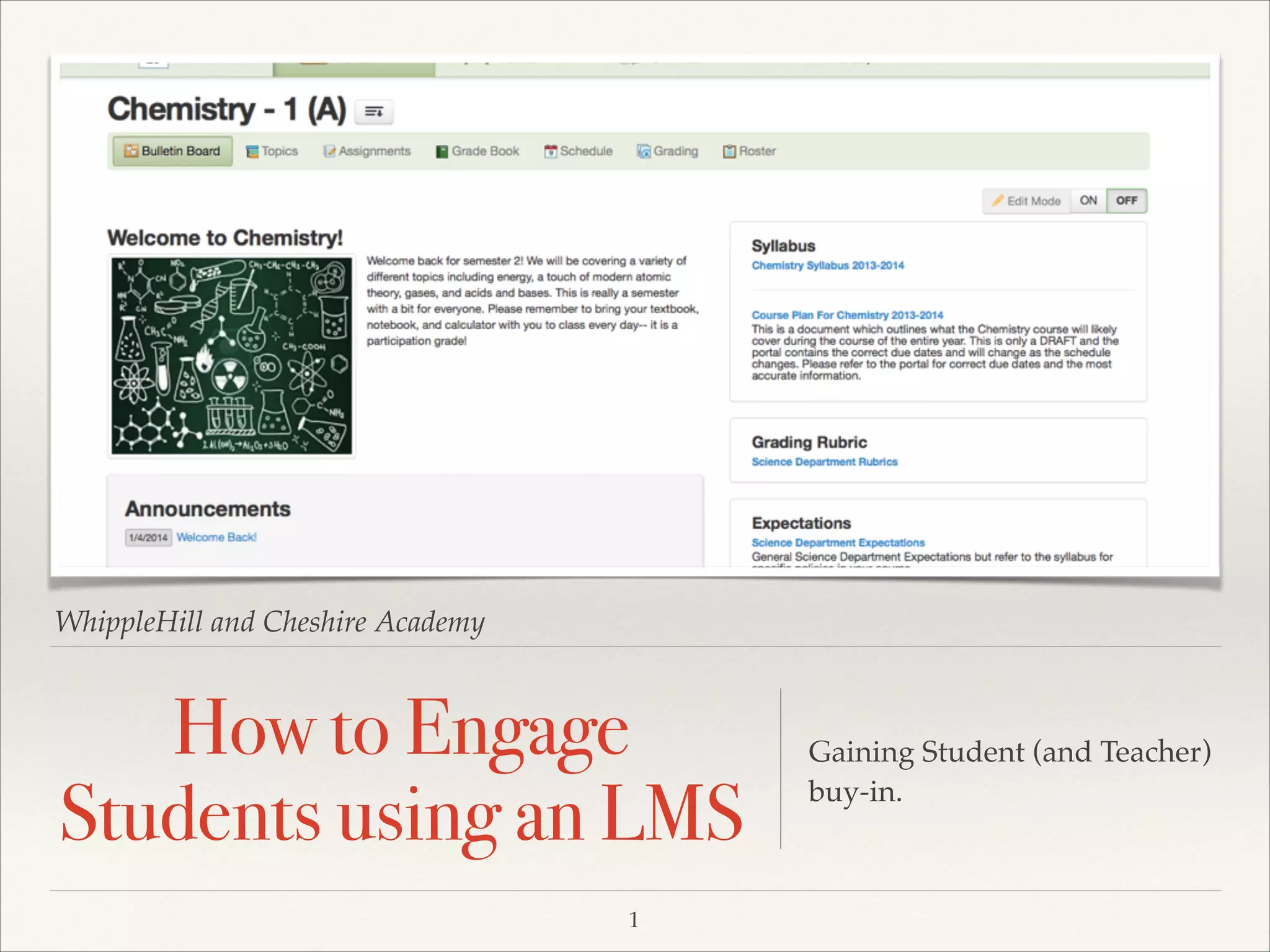
WhippleHill and Cheshire Academy

How to Engage
Students using an LMS
1

Gaining Student (and Teacher)
buy-in.
What are the benefits of an LMS?
❖

❖

Creates an environment for
Blended Learning.!

❖

Allows for proactive planning on
the part of the students and faculty. !

❖

Course management and
differentiation.!

❖

2

Open access to information and
open lines of communication for
students, parents, and faculty.!

Allows for better collaboration
between faculty members.
How do Students Learn Best?
❖

When students:!
❖

are willing and able to work
independently on materials that are
assigned.!

❖

feel like information applies to the real
world. !

❖

have the ability to review material
multiple times at their own pace. !

❖

have materials which are conducive to
their learning style. !

❖

take ownership of their own education.!

❖

feel comfortable with the technology.
3
What’s the Catch?
❖

Teachers must understand and embrace the tool. !

❖

Teachers must adapt their content and attitude to work
with the technology.!

❖

Teachers must alter their teaching style to engage each
individual student, meeting them where they are and
making their educational experience beneficial to them.

4
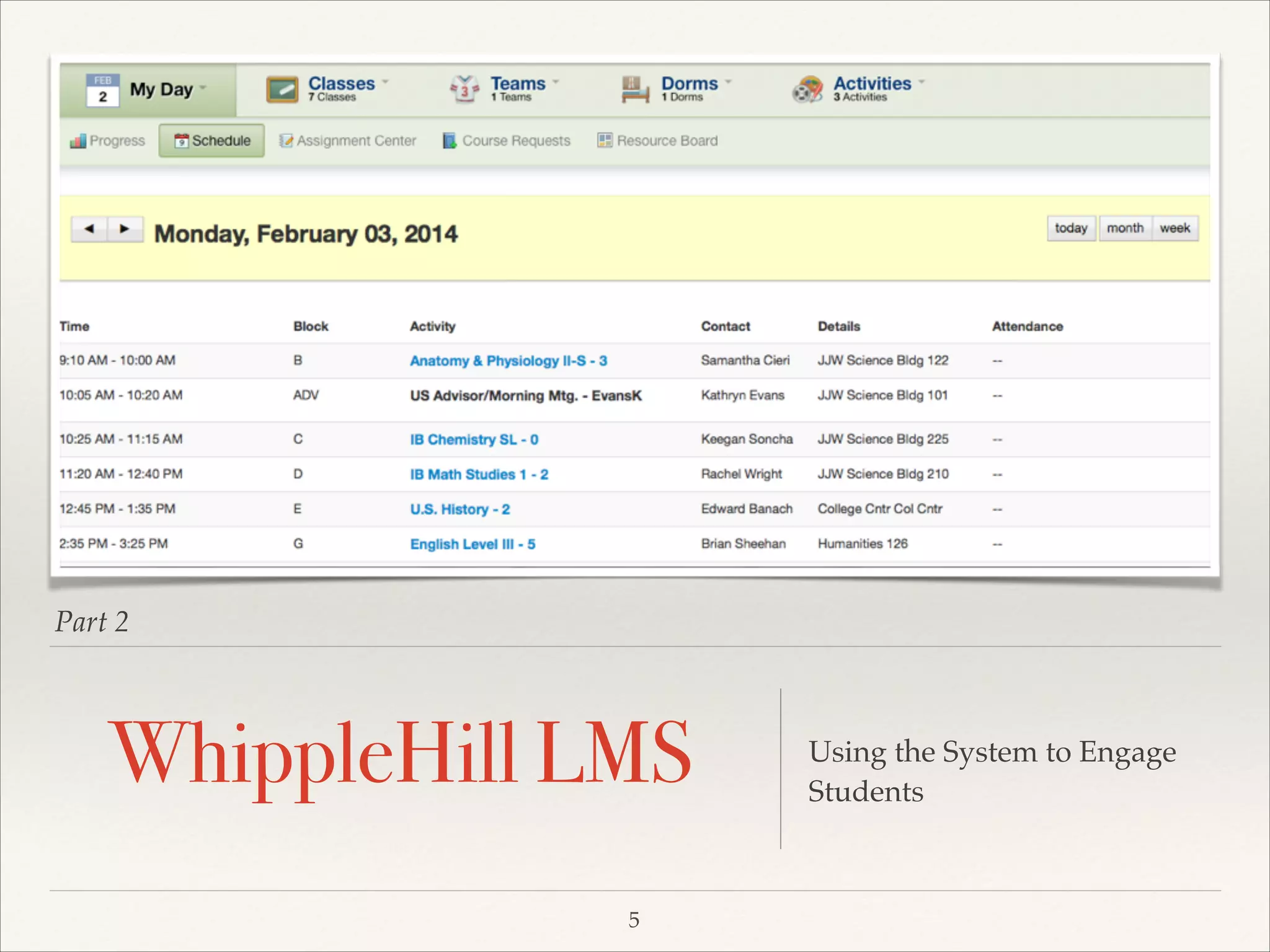
Part 2

WhippleHill LMS
5

Using the System to Engage
Students
WH LMS: My Day
❖

Schedule and Performance !
❖

Acts as “Grand Central
Station” for the students
where they have access to a
variety of information. !

❖

It is the beginning of student
engagement.

6
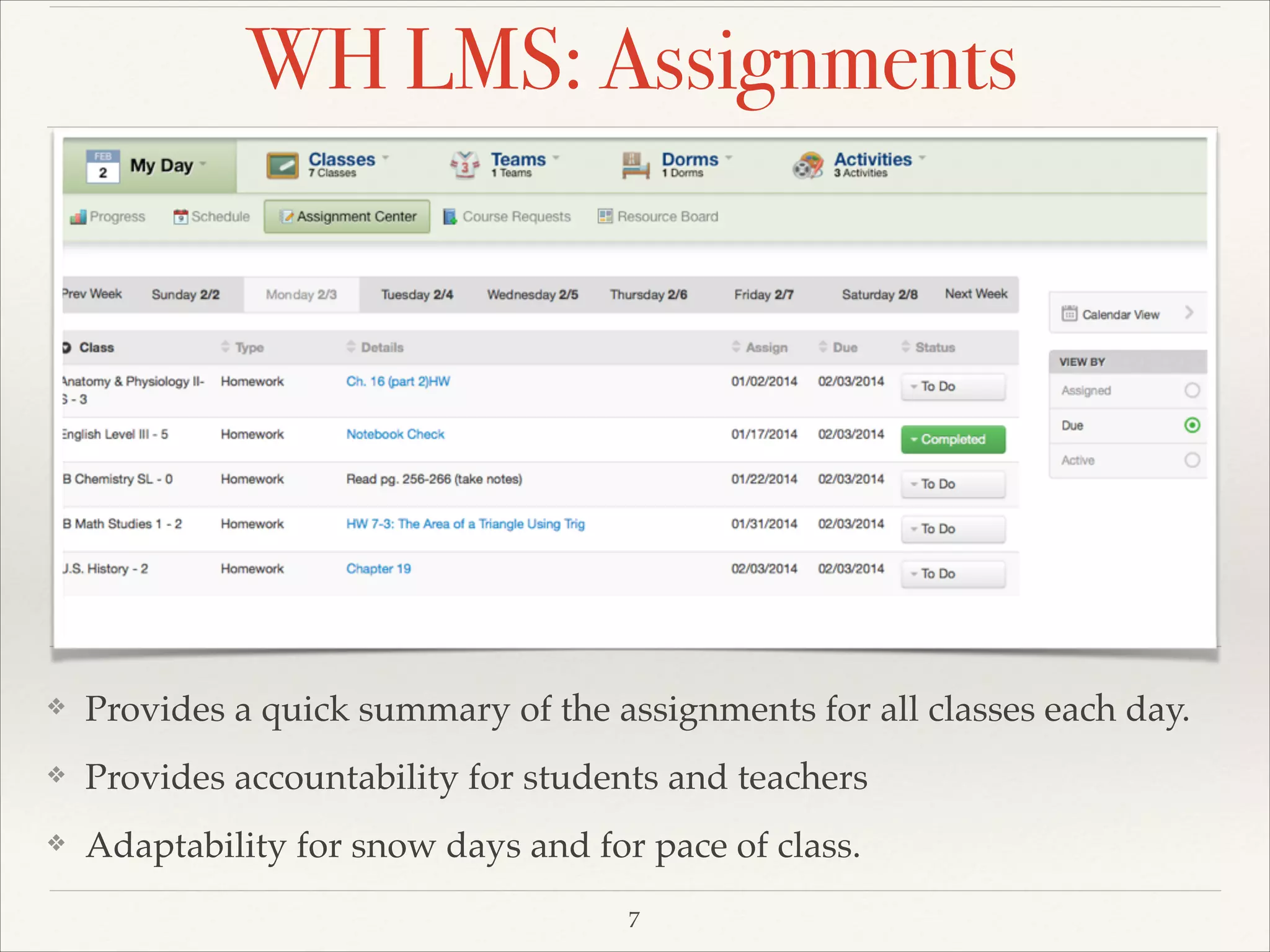
WH LMS: Assignments

❖

Provides a quick summary of the assignments for all classes each day. !

❖

Provides accountability for students and teachers!

❖

Adaptability for snow days and for pace of class.
7
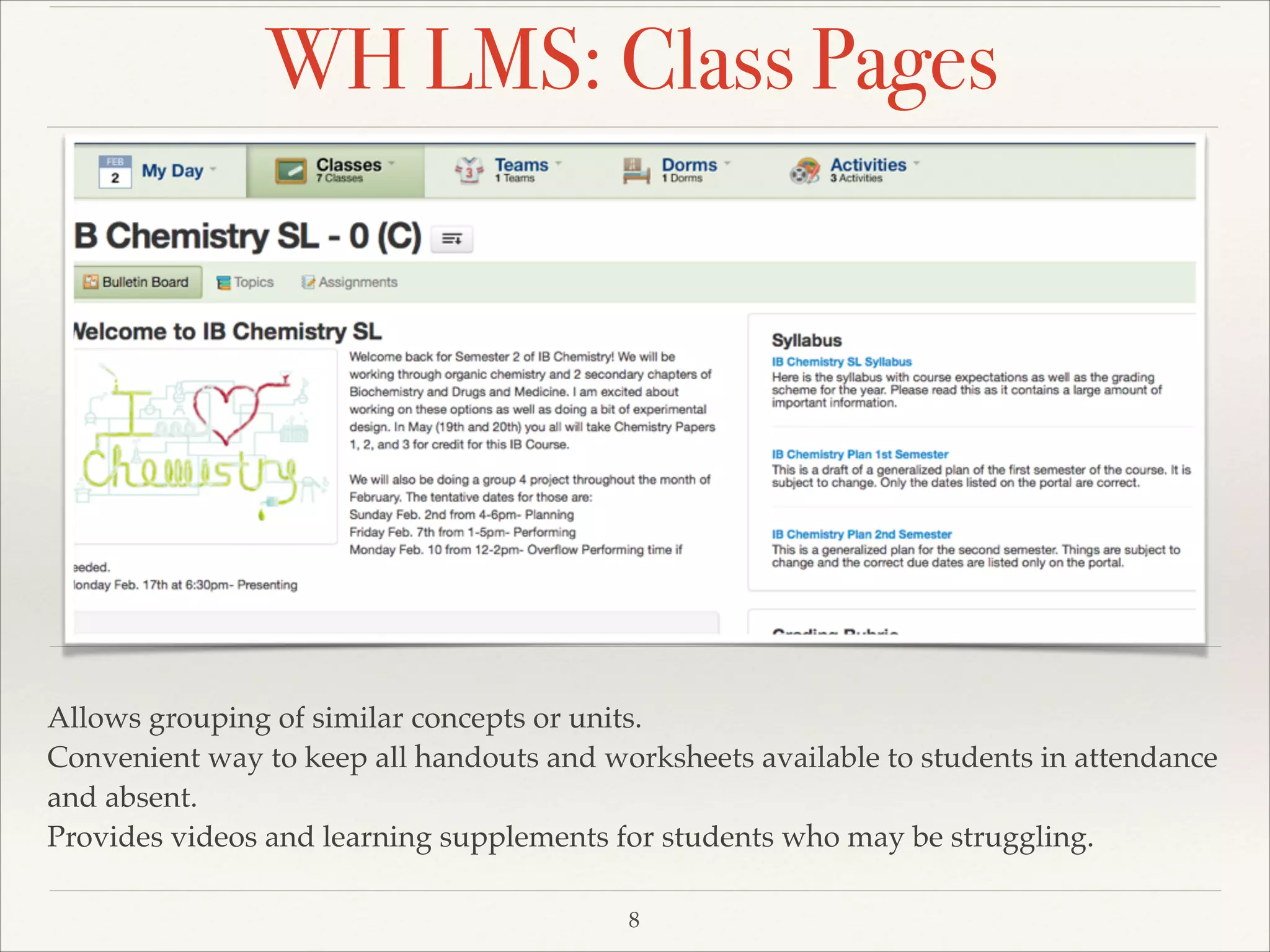
WH LMS: Class Pages

Allows grouping of similar concepts or units. !
Convenient way to keep all handouts and worksheets available to students in attendance
and absent. !
Provides videos and learning supplements for students who may be struggling.
8
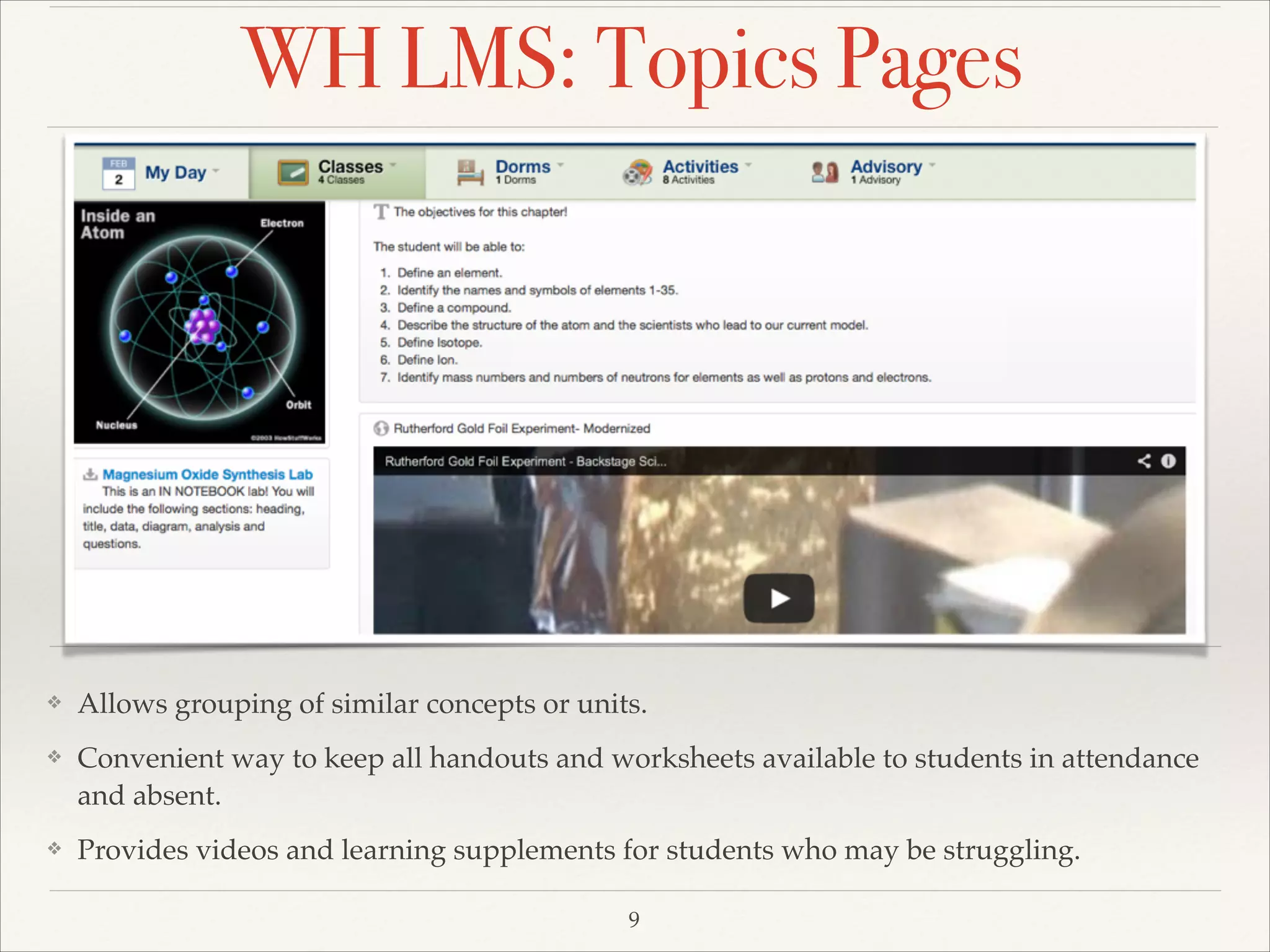
WH LMS: Topics Pages

❖

Allows grouping of similar concepts or units. !

❖

Convenient way to keep all handouts and worksheets available to students in attendance
and absent. !

❖

Provides videos and learning supplements for students who may be struggling.
9
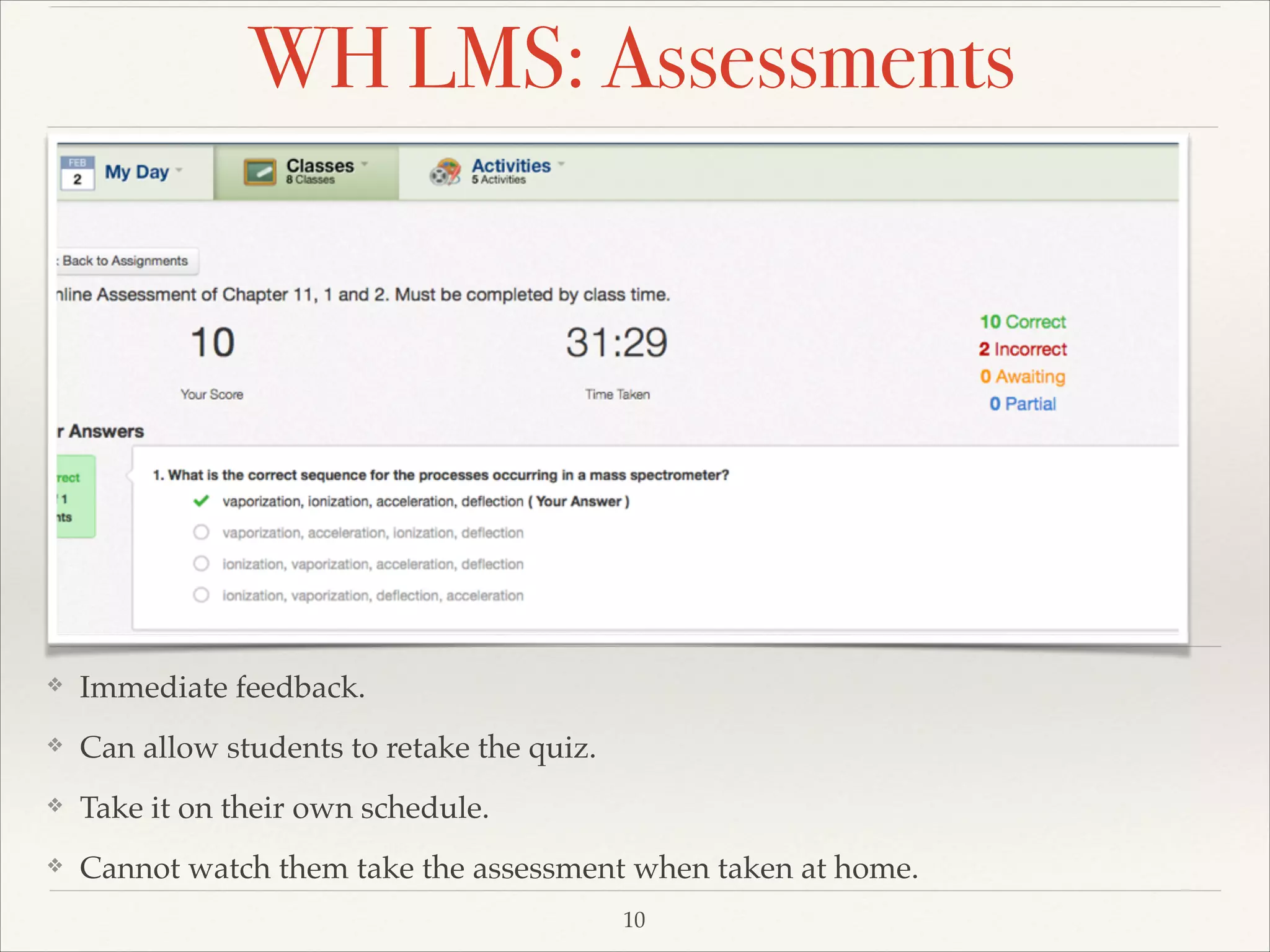
WH LMS: Assessments

❖

Immediate feedback. !

❖

Can allow students to retake the quiz.!

❖

Take it on their own schedule. !

❖

Cannot watch them take the assessment when taken at home.
10
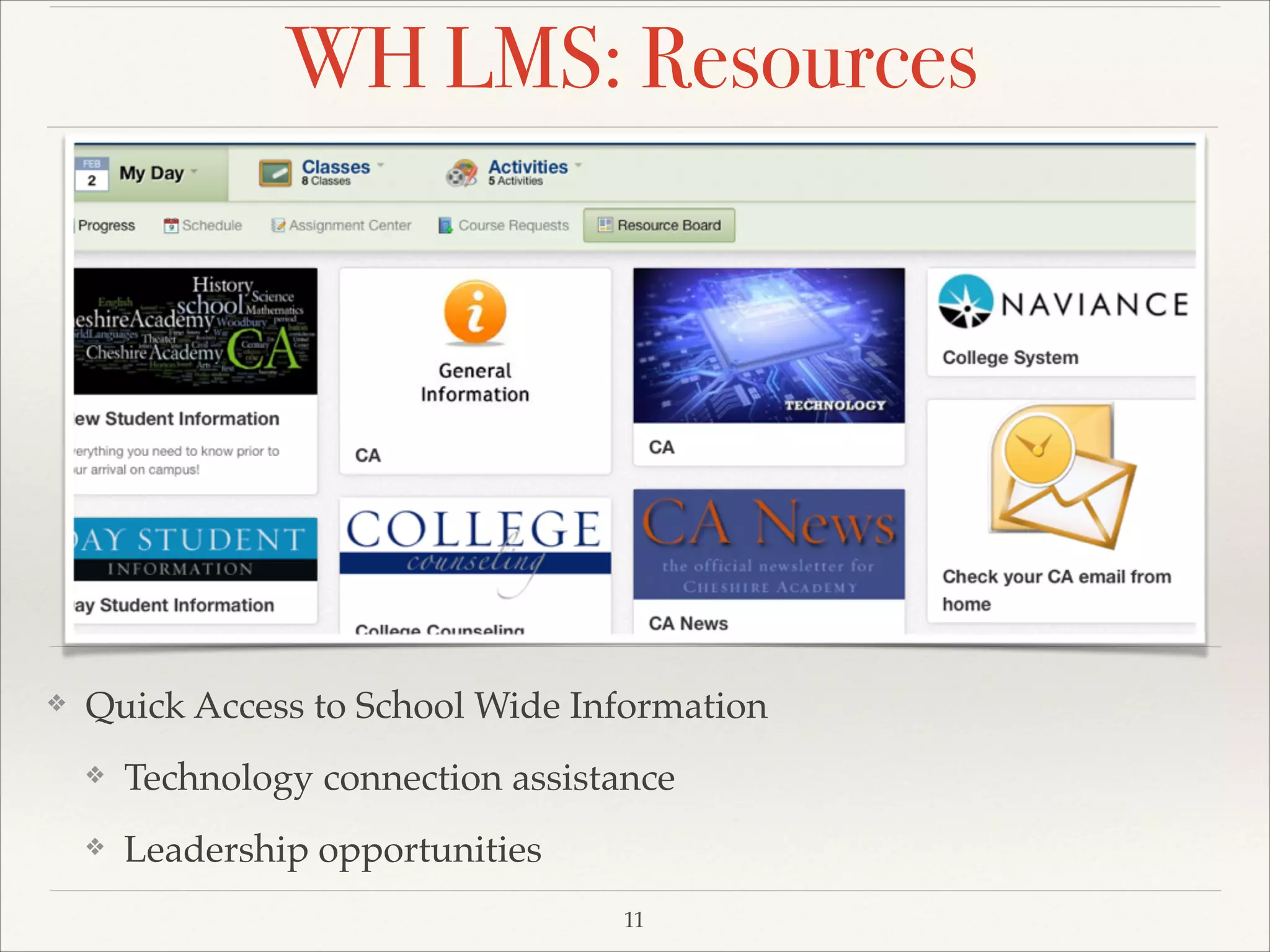
WH LMS: Resources

❖

Quick Access to School Wide Information !
❖

Technology connection assistance !

❖

Leadership opportunities
11
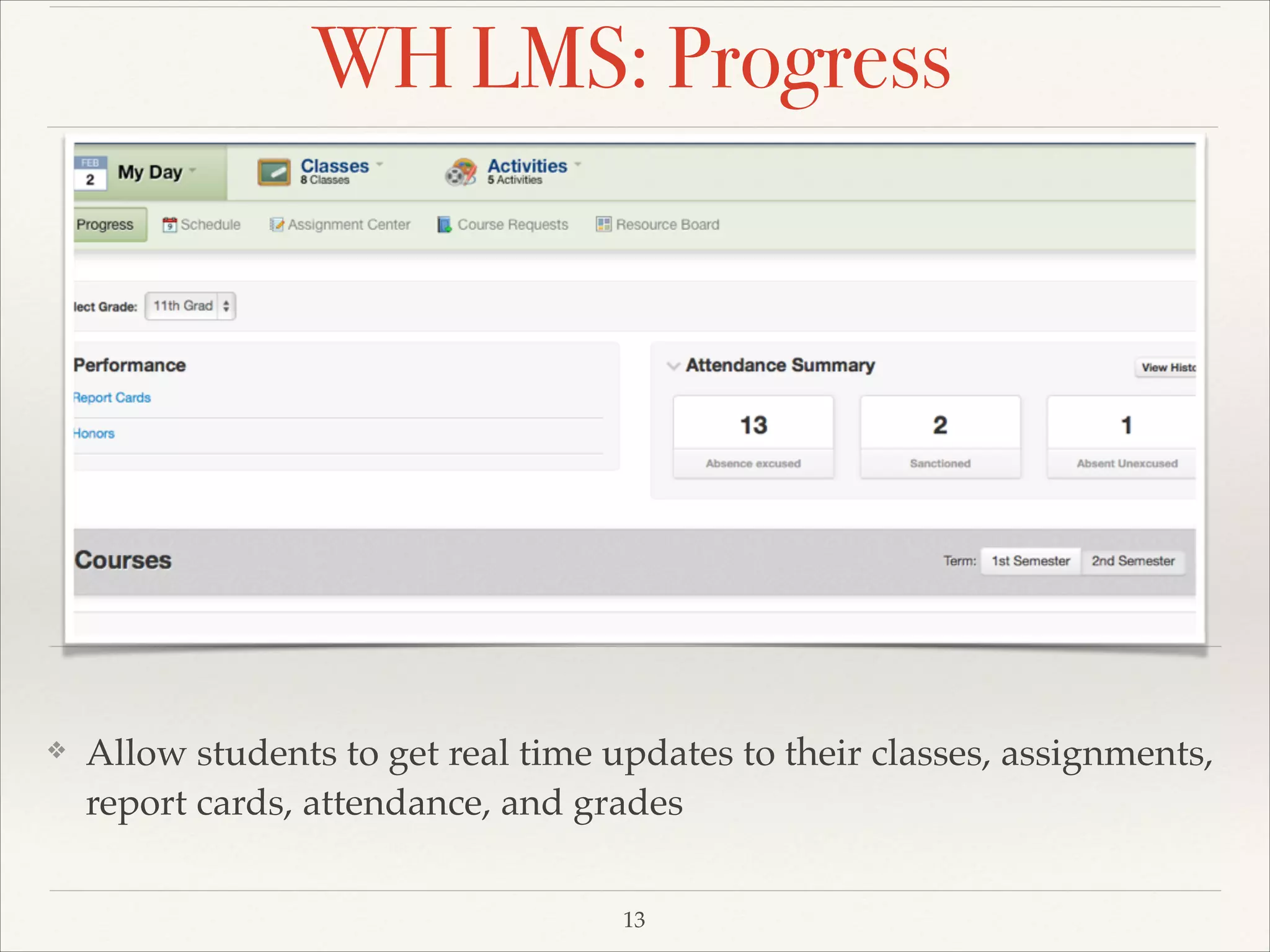
WH LMS: Progress

❖

Allow students to get real time updates to their classes, assignments,
report cards, attendance, and grades
13
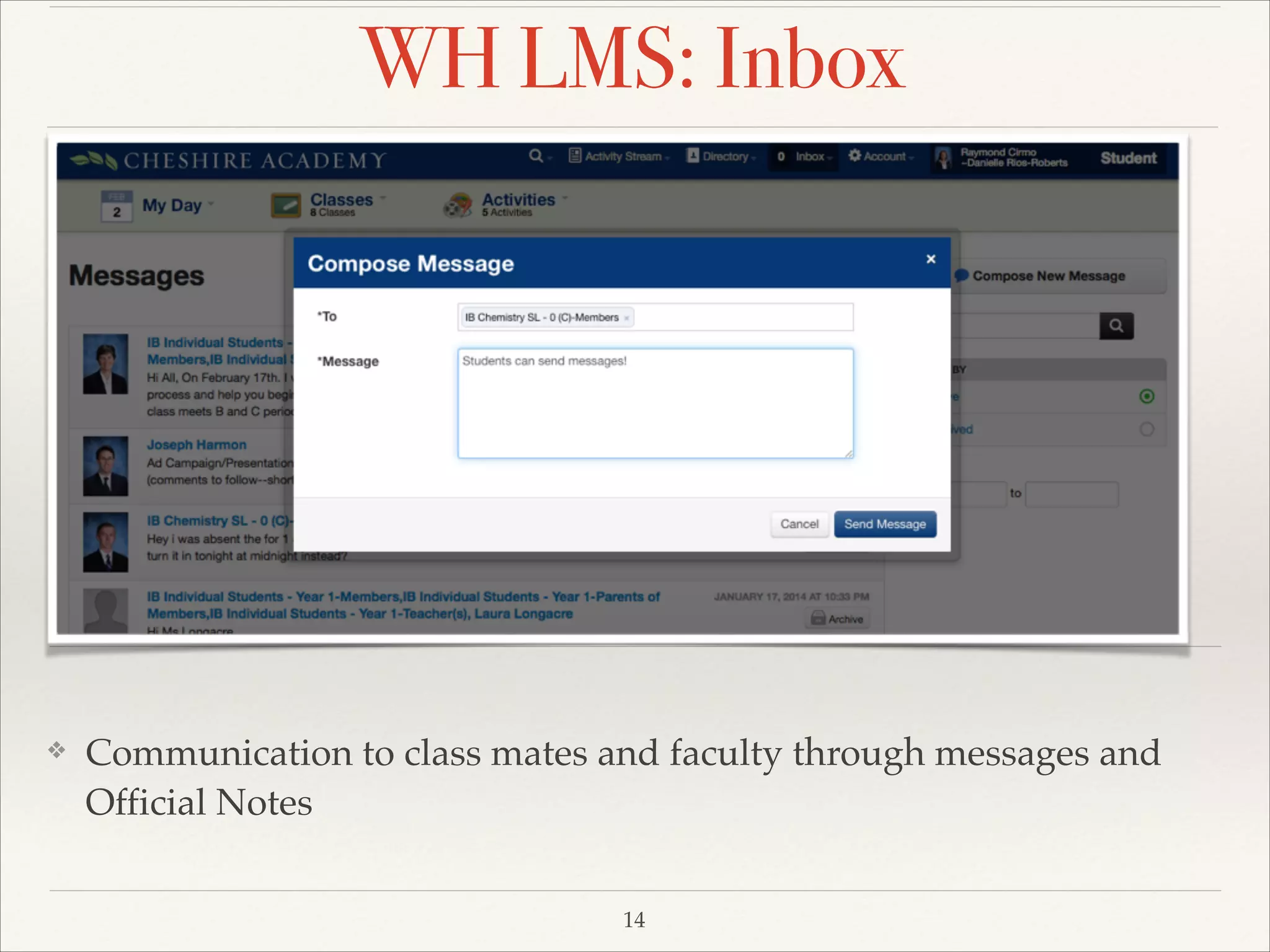
WH LMS: Inbox

❖

Communication to class mates and faculty through messages and
Official Notes
14

Gaining Student Buy-in: How to Engage Students Using an LMS

  • 1.
    WhippleHill and CheshireAcademy How to Engage Students using an LMS 1 Gaining Student (and Teacher) buy-in.
  • 2.
    What are thebenefits of an LMS? ❖ ❖ Creates an environment for Blended Learning.! ❖ Allows for proactive planning on the part of the students and faculty. ! ❖ Course management and differentiation.! ❖ 2 Open access to information and open lines of communication for students, parents, and faculty.! Allows for better collaboration between faculty members.
  • 3.
    How do StudentsLearn Best? ❖ When students:! ❖ are willing and able to work independently on materials that are assigned.! ❖ feel like information applies to the real world. ! ❖ have the ability to review material multiple times at their own pace. ! ❖ have materials which are conducive to their learning style. ! ❖ take ownership of their own education.! ❖ feel comfortable with the technology. 3
  • 4.
    What’s the Catch? ❖ Teachersmust understand and embrace the tool. ! ❖ Teachers must adapt their content and attitude to work with the technology.! ❖ Teachers must alter their teaching style to engage each individual student, meeting them where they are and making their educational experience beneficial to them. 4
  • 5.
    Part 2 WhippleHill LMS 5 Usingthe System to Engage Students
  • 6.
    WH LMS: MyDay ❖ Schedule and Performance ! ❖ Acts as “Grand Central Station” for the students where they have access to a variety of information. ! ❖ It is the beginning of student engagement. 6
  • 7.
    WH LMS: Assignments ❖ Providesa quick summary of the assignments for all classes each day. ! ❖ Provides accountability for students and teachers! ❖ Adaptability for snow days and for pace of class. 7
  • 8.
    WH LMS: ClassPages Allows grouping of similar concepts or units. ! Convenient way to keep all handouts and worksheets available to students in attendance and absent. ! Provides videos and learning supplements for students who may be struggling. 8
  • 9.
    WH LMS: TopicsPages ❖ Allows grouping of similar concepts or units. ! ❖ Convenient way to keep all handouts and worksheets available to students in attendance and absent. ! ❖ Provides videos and learning supplements for students who may be struggling. 9
  • 10.
    WH LMS: Assessments ❖ Immediatefeedback. ! ❖ Can allow students to retake the quiz.! ❖ Take it on their own schedule. ! ❖ Cannot watch them take the assessment when taken at home. 10
  • 11.
    WH LMS: Resources ❖ QuickAccess to School Wide Information ! ❖ Technology connection assistance ! ❖ Leadership opportunities 11
  • 12.
    WH LMS: Progress ❖ Allowstudents to get real time updates to their classes, assignments, report cards, attendance, and grades 13
  • 13.
    WH LMS: Inbox ❖ Communicationto class mates and faculty through messages and Official Notes 14