The 8 Step Guide to the 
Flipped 
Classroom 
A publication of
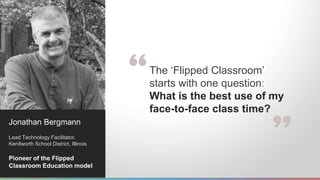
The ‘Flipped Classroom’ 
starts with one question: 
What is the best use of my 
face-to-face class time? 
Jonathan Bergmann 
Lead Technology Facilitator, 
Kenilworth School District, Illinois 
Pioneer of the Flipped 
Classroom Education model
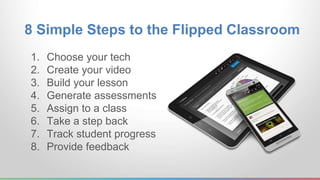
8 Simple Steps to the Flipped Classroom 
1. Choose your tech 
2. Create your video 
3. Build your lesson 
4. Generate assessments 
5. Assign to a class 
6. Take a step back 
7. Track student progress 
8. Provide feedback
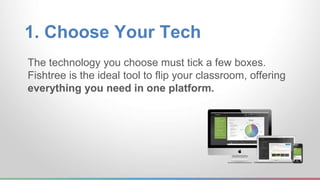
1. Choose Your Tech 
The technology you choose must tick a few boxes. 
Fishtree is the ideal tool to flip your classroom, offering 
everything you need in one platform.
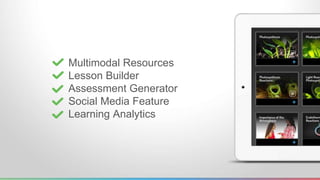
Multimodal Resources 
Lesson Builder 
Assessment Generator 
Social Media Feature 
Learning Analytics
2. Create Your Videos 
With Fishtree, you can create your 
videos using any video-making software, 
and add to your lesson, with one click.
Whether uploading to Youtube, or saving on your 
desktop, adding it to your lesson is one click away.
3. Build Your Lesson 
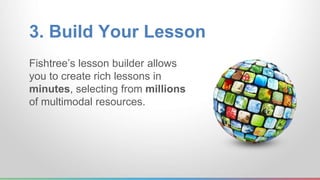
Fishtree’s lesson builder allows 
you to create rich lessons in 
minutes, selecting from millions 
of multimodal resources.
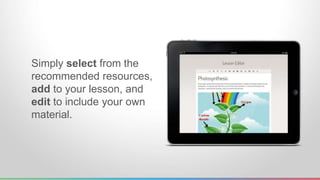
Simply select from the 
recommended resources, 
add to your lesson, and 
edit to include your own 
material.
4. Generate Assessments 
Once your lesson is complete, you can generate 
quizzes or assignments to assess student 
understanding of the material.
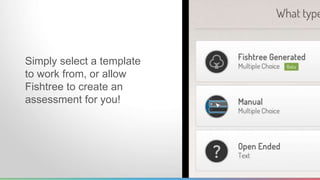
Simply select a template 
to work from, or allow 
Fishtree to create an 
assessment for you!
5. Assign to a Class 
You can then assign your lesson to your entire class, 
or individual students, with one click.
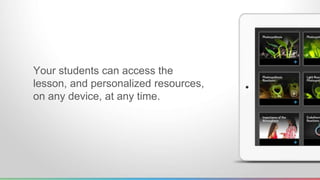
Your students can access the 
lesson, and personalized resources, 
on any device, at any time.
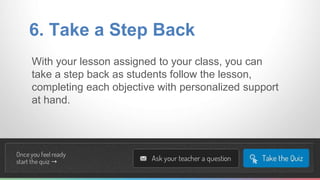
6. Take a Step Back 
With your lesson assigned to your class, you can 
take a step back as students follow the lesson, 
completing each objective with personalized support 
at hand.
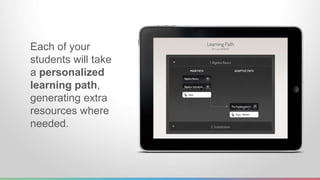
Each of your 
students will take 
a personalized 
learning path, 
generating extra 
resources where 
needed.
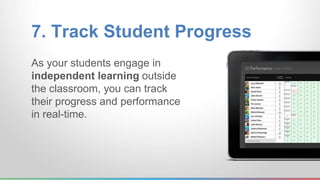
7. Track Student Progress 
As your students engage in 
independent learning outside 
the classroom, you can track 
their progress and performance 
in real-time.
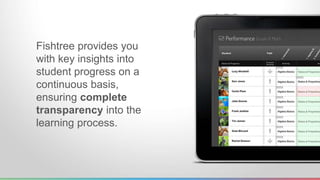
Fishtree provides you 
with key insights into 
student progress on a 
continuous basis, 
ensuring complete 
transparency into the 
learning process.
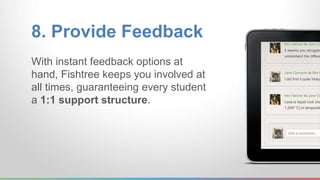
8. Provide Feedback 
With instant feedback options at 
hand, Fishtree keeps you involved at 
all times, guaranteeing every student 
a 1:1 support structure.
“Fishtree has helped me to 
transform my class. 
It allows my students to be 
active learners and me to 
be the ‘Guide on the Side’!” 
Stacey Ryan 
6th-8th Grade Teacher, 
Andover, Kansas.
Try for FREE at 
fishtree.com and 
discover the benefits of 
flipping your classroom!

The 8 Step Guide to the Flipped Classroom

  • 1.
    The 8 StepGuide to the Flipped Classroom A publication of
  • 2.
    The ‘Flipped Classroom’ starts with one question: What is the best use of my face-to-face class time? Jonathan Bergmann Lead Technology Facilitator, Kenilworth School District, Illinois Pioneer of the Flipped Classroom Education model
  • 3.
    8 Simple Stepsto the Flipped Classroom 1. Choose your tech 2. Create your video 3. Build your lesson 4. Generate assessments 5. Assign to a class 6. Take a step back 7. Track student progress 8. Provide feedback
  • 4.
    1. Choose YourTech The technology you choose must tick a few boxes. Fishtree is the ideal tool to flip your classroom, offering everything you need in one platform.
  • 5.
    Multimodal Resources LessonBuilder Assessment Generator Social Media Feature Learning Analytics
  • 6.
    2. Create YourVideos With Fishtree, you can create your videos using any video-making software, and add to your lesson, with one click.
  • 7.
    Whether uploading toYoutube, or saving on your desktop, adding it to your lesson is one click away.
  • 8.
    3. Build YourLesson Fishtree’s lesson builder allows you to create rich lessons in minutes, selecting from millions of multimodal resources.
  • 9.
    Simply select fromthe recommended resources, add to your lesson, and edit to include your own material.
  • 10.
    4. Generate Assessments Once your lesson is complete, you can generate quizzes or assignments to assess student understanding of the material.
  • 11.
    Simply select atemplate to work from, or allow Fishtree to create an assessment for you!
  • 12.
    5. Assign toa Class You can then assign your lesson to your entire class, or individual students, with one click.
  • 13.
    Your students canaccess the lesson, and personalized resources, on any device, at any time.
  • 14.
    6. Take aStep Back With your lesson assigned to your class, you can take a step back as students follow the lesson, completing each objective with personalized support at hand.
  • 15.
    Each of your students will take a personalized learning path, generating extra resources where needed.
  • 16.
    7. Track StudentProgress As your students engage in independent learning outside the classroom, you can track their progress and performance in real-time.
  • 17.
    Fishtree provides you with key insights into student progress on a continuous basis, ensuring complete transparency into the learning process.
  • 18.
    8. Provide Feedback With instant feedback options at hand, Fishtree keeps you involved at all times, guaranteeing every student a 1:1 support structure.
  • 19.
    “Fishtree has helpedme to transform my class. It allows my students to be active learners and me to be the ‘Guide on the Side’!” Stacey Ryan 6th-8th Grade Teacher, Andover, Kansas.
  • 20.
    Try for FREEat fishtree.com and discover the benefits of flipping your classroom!