Computer Maintenance
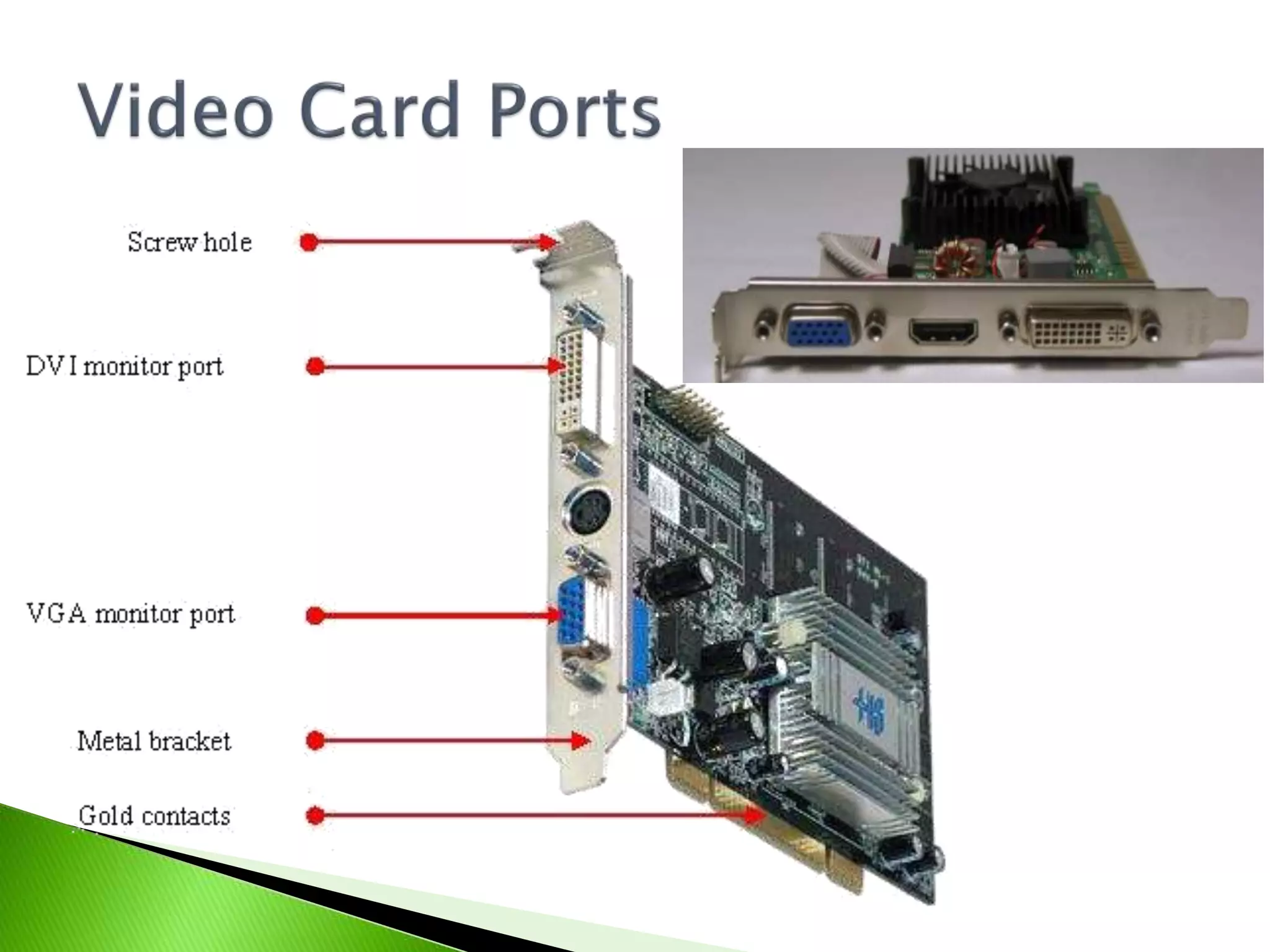
 Motherboard doesn’t have built-in video
 Better video performance than motherboard
provides
 Built-in video fails or is troublesome
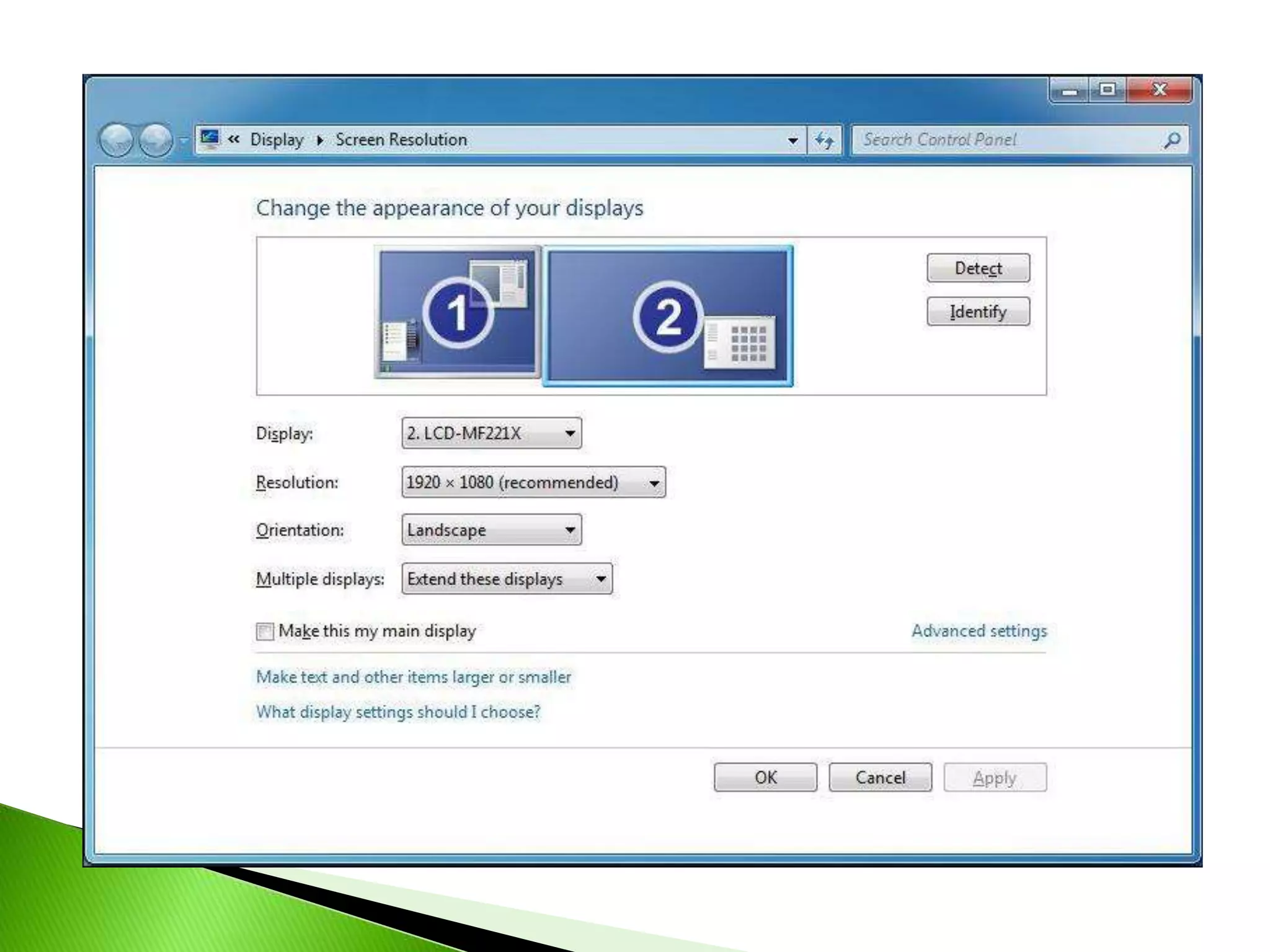
 Need to use two or more monitors
 Right-click on Desktop
 Click on Screen Resolution
 Resolution
 Multiple monitors
 Microphone input: For a computer
microphone.
 Line input: For an external line source such as
a CD player
 Speaker/headphone output: For speakers or
headphones.
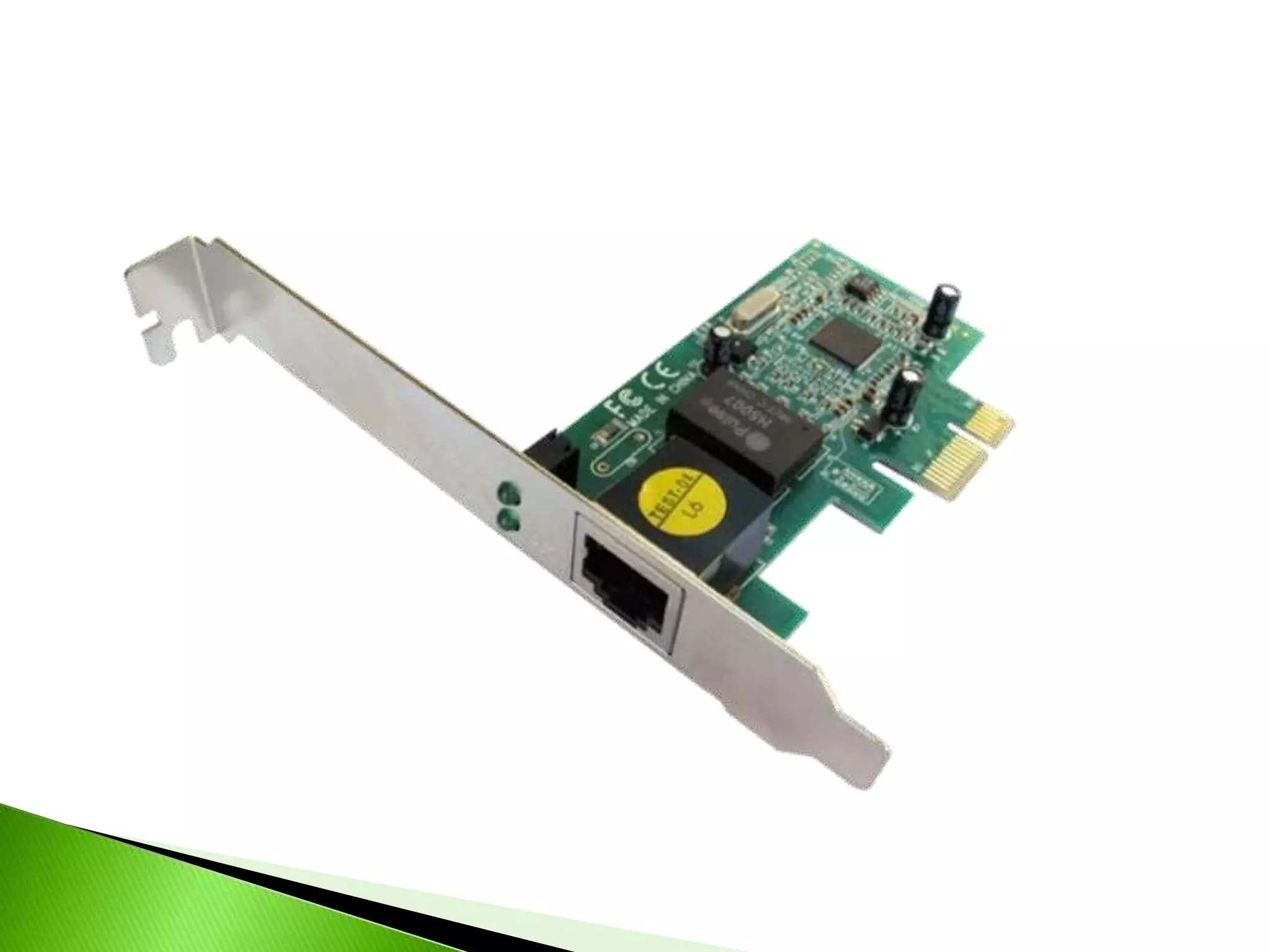
 RJ-45 port
 Speeds: 10, 100, 1000 Mbps
 Check cable first when not working
 Check status lights
 Wired vs. Wireless
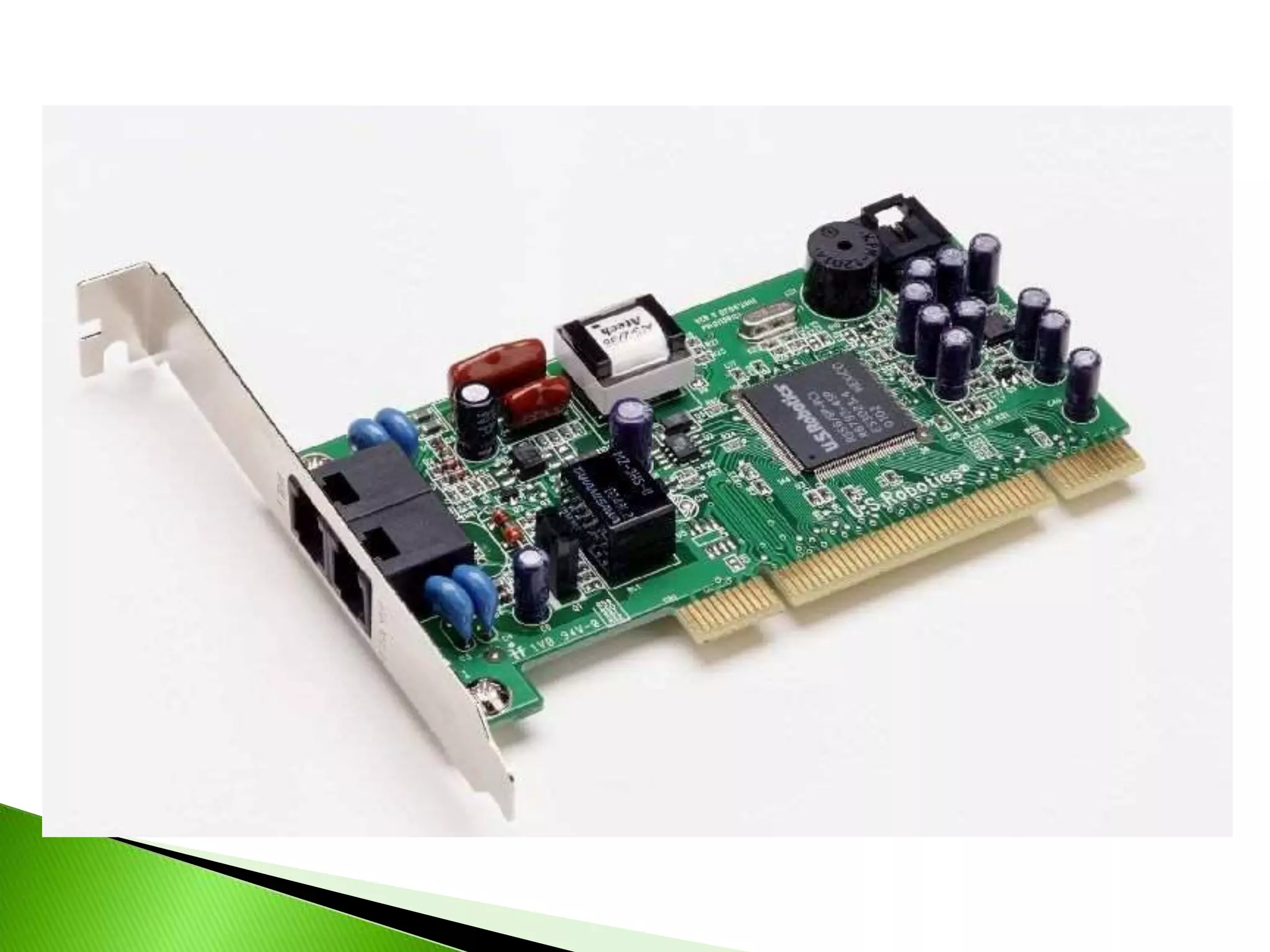
 2 RJ-11 ports
◦ One connects to the phone line and the other is to
connect a phone
 Max speed of 56Kbps
 External modem used for Cable and DSL
 TV Tuner Card
 Interface Adapter Cards
◦ USB 3.0
◦ Firewire
◦ Parallel
◦ Serial
 POST Card
 Select appropriate expansion slot
◦ ISA, PCI, PCIe, AGP (video cards)
 Use safety precautions
 Plug and Play
 Install drivers if needed

Expansion cards

  • 1.
  • 3.
     Motherboard doesn’thave built-in video  Better video performance than motherboard provides  Built-in video fails or is troublesome  Need to use two or more monitors
  • 4.
     Right-click onDesktop  Click on Screen Resolution  Resolution  Multiple monitors
  • 8.
     Microphone input:For a computer microphone.  Line input: For an external line source such as a CD player  Speaker/headphone output: For speakers or headphones.
  • 11.
     RJ-45 port Speeds: 10, 100, 1000 Mbps  Check cable first when not working  Check status lights  Wired vs. Wireless
  • 14.
     2 RJ-11ports ◦ One connects to the phone line and the other is to connect a phone  Max speed of 56Kbps  External modem used for Cable and DSL
  • 17.
     TV TunerCard  Interface Adapter Cards ◦ USB 3.0 ◦ Firewire ◦ Parallel ◦ Serial  POST Card
  • 19.
     Select appropriateexpansion slot ◦ ISA, PCI, PCIe, AGP (video cards)  Use safety precautions  Plug and Play  Install drivers if needed