Any peripheral used
to provide data and
control signals to a
computer.
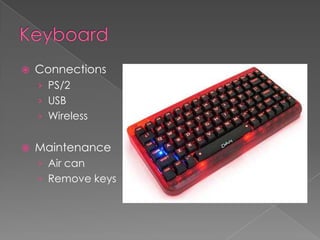
   Connections
    › PS/2
    › USB
    › Wireless


   Maintenance
    › Air can
    › Remove keys
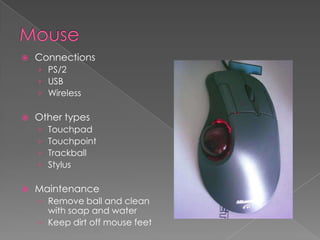
   Connections
    › PS/2
    › USB
    › Wireless

   Other types
    ›   Touchpad
    ›   Touchpoint
    ›   Trackball
    ›   Stylus

   Maintenance
    › Remove ball and clean
      with soap and water
    › Keep dirt off mouse feet
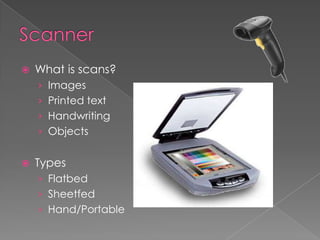
   What is scans?
    › Images
    › Printed text
    › Handwriting
    › Objects


   Types
    › Flatbed
    › Sheetfed
    › Hand/Portable
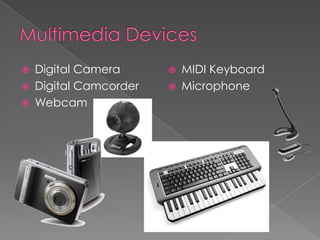
   Digital Camera         MIDI Keyboard
   Digital Camcorder      Microphone
   Webcam
Any peripheral used
to communicate the
results of data
processed out by a
computer.
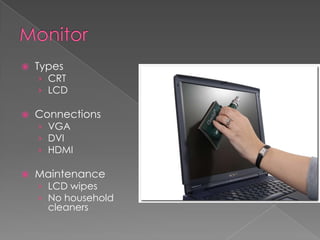
   Types
    › CRT
    › LCD

   Connections
    › VGA
    › DVI
    › HDMI

   Maintenance
    › LCD wipes
    › No household
      cleaners
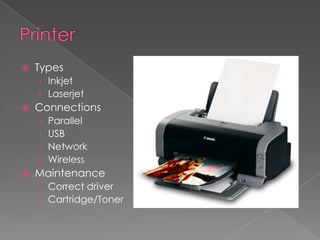
   Types
    › Inkjet
    › Laserjet
   Connections
    ›   Parallel
    ›   USB
    ›   Network
    ›   Wireless
   Maintenance
    › Correct driver
    › Cartridge/Toner
Input output devices

Input output devices

  • 2.
    Any peripheral used toprovide data and control signals to a computer.
  • 3.
    Connections › PS/2 › USB › Wireless  Maintenance › Air can › Remove keys
  • 4.
    Connections › PS/2 › USB › Wireless  Other types › Touchpad › Touchpoint › Trackball › Stylus  Maintenance › Remove ball and clean with soap and water › Keep dirt off mouse feet
  • 6.
    What is scans? › Images › Printed text › Handwriting › Objects  Types › Flatbed › Sheetfed › Hand/Portable
  • 7.
    Digital Camera  MIDI Keyboard  Digital Camcorder  Microphone  Webcam
  • 8.
    Any peripheral used tocommunicate the results of data processed out by a computer.
  • 9.
    Types › CRT › LCD  Connections › VGA › DVI › HDMI  Maintenance › LCD wipes › No household cleaners
  • 10.
    Types › Inkjet › Laserjet  Connections › Parallel › USB › Network › Wireless  Maintenance › Correct driver › Cartridge/Toner