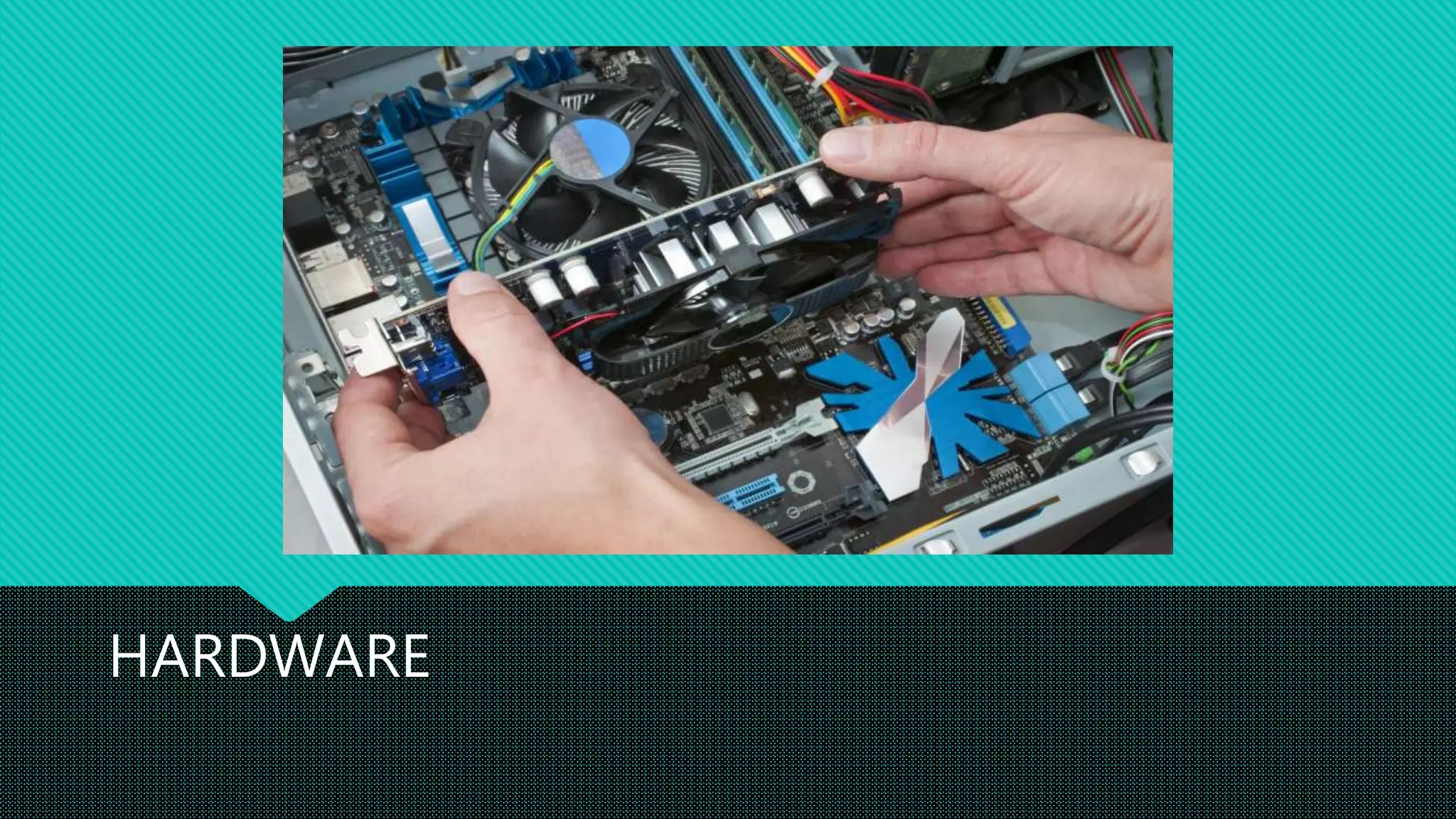
HARDWARE
Internal Hardware
 The Processor
 This is the “brain” of the Computer.
 It is a small piece of electronics; the processor
(CPU or Central Processing Unit) is at the bottom
of all functions that PC performs.
 RAM
 RAM (Random Access Memory) has all of the
“active” information that the computer is using.
 Memory is empty when your PC is switched off.
Internal Hardware
 Hard Disk
 It is the computer’s permanent storage capacity.
 Size of the Hard Disk determines how many files
can be saved in your computer.
 Unlike RAM, you can store your files
permanently.
 Mother Board
 It is the main circuit board inside your computer.
 All other components are connected to specific
slots on Mother Board
Internal Hardware
 Sound Card
 This hardware component is used to send sound
to your speakers.
 It’s a card which is usually built into motherboard
where you plug you’re speaker cables into.
 LAN Card
 LAN or network card is used to connect your PC
to a Network.
Internal Hardware
Internal Modem
Internal modem is used to connect
your computer to the Internet.
They are using the dial-up method.
External Hardware
 Keyboard
 Used to insert text.
 Follows QWERTY key layout, which is standard
for most keyboards.
 Monitor
 The screen or Display found on most computer
systems – used to see the results of Processing.
 Speakers
 Used for producing sounds.
External Hardware
 Mouse
 Selecting icons or options form on-screen menu.
 Can also be used for drawing shapes.
 Microphone
 Receive Sounds such as voices.
 Printer and Scanner
 Produces copies of results on paper ‘Hardcopy’.
 Scanner is used to copy documents and store
them as files on computer.
Printers
 Printer is an External Hardware device responsible for taking computer
data and generating a hard copy of that data.
 Printers can be classified as:
Impact Printer: It operates by striking a metal or plastic head against an ink
ribbon.
Non-impact Printer: These are generally quieter as they don’t physically strike
the page. For example, inkjet printers spray tiny drops of ink onto the page.
Types of Printers (IMPACT)
Dot Matrix Serial Printer Band Printer
Types of Printers (NON-IMPACT)
Dye Sublimation
Laser Printer
Inkjet Printer
Thermal Wax
Printer
Scanner
 FLAT BED SCANNER
 It provides a flat, glass surface to hold pages and
other object for scanning.
 The scan head is moved under the glass across
the page.
 SHEET FED SCANNER
 It allows only paper to be scanned rather than
books or other thick objects.
 Smaller in size than flatbed scanner.
Scanner
 HANDHELD SCANNER
 It is moved by hand over the material being
scanned.
 Small and less expensive.
 Trays are available to keep moving scanner in
straight line.
 PHOTO SCANNER
 Mostly used for scanning photographs.
 Scan photographs with high quality.
Ports on Computer
There are lots of external
devices that you can connect
to your computer.
These devices connect to
computer via cables and
ports.
Computer Case Types
 DESKTOP CASE
 They are considered the most classical version of
computer cases.
 It is primarily designed for personal/business computers
that are placed on top of desk.
 TOWER CASE
 These cases are usually placed on the floor.
 It consist of a lot of internal hardware and is mainly
used for high performance application i.e., games,
video edition etc.

Computer hardware

  • 1.
  • 2.
    Internal Hardware  TheProcessor  This is the “brain” of the Computer.  It is a small piece of electronics; the processor (CPU or Central Processing Unit) is at the bottom of all functions that PC performs.  RAM  RAM (Random Access Memory) has all of the “active” information that the computer is using.  Memory is empty when your PC is switched off.
  • 3.
    Internal Hardware  HardDisk  It is the computer’s permanent storage capacity.  Size of the Hard Disk determines how many files can be saved in your computer.  Unlike RAM, you can store your files permanently.  Mother Board  It is the main circuit board inside your computer.  All other components are connected to specific slots on Mother Board
  • 4.
    Internal Hardware  SoundCard  This hardware component is used to send sound to your speakers.  It’s a card which is usually built into motherboard where you plug you’re speaker cables into.  LAN Card  LAN or network card is used to connect your PC to a Network.
  • 5.
    Internal Hardware Internal Modem Internalmodem is used to connect your computer to the Internet. They are using the dial-up method.
  • 6.
    External Hardware  Keyboard Used to insert text.  Follows QWERTY key layout, which is standard for most keyboards.  Monitor  The screen or Display found on most computer systems – used to see the results of Processing.  Speakers  Used for producing sounds.
  • 7.
    External Hardware  Mouse Selecting icons or options form on-screen menu.  Can also be used for drawing shapes.  Microphone  Receive Sounds such as voices.  Printer and Scanner  Produces copies of results on paper ‘Hardcopy’.  Scanner is used to copy documents and store them as files on computer.
  • 8.
    Printers  Printer isan External Hardware device responsible for taking computer data and generating a hard copy of that data.  Printers can be classified as: Impact Printer: It operates by striking a metal or plastic head against an ink ribbon. Non-impact Printer: These are generally quieter as they don’t physically strike the page. For example, inkjet printers spray tiny drops of ink onto the page.
  • 9.
    Types of Printers(IMPACT) Dot Matrix Serial Printer Band Printer
  • 10.
    Types of Printers(NON-IMPACT) Dye Sublimation Laser Printer Inkjet Printer Thermal Wax Printer
  • 11.
    Scanner  FLAT BEDSCANNER  It provides a flat, glass surface to hold pages and other object for scanning.  The scan head is moved under the glass across the page.  SHEET FED SCANNER  It allows only paper to be scanned rather than books or other thick objects.  Smaller in size than flatbed scanner.
  • 12.
    Scanner  HANDHELD SCANNER It is moved by hand over the material being scanned.  Small and less expensive.  Trays are available to keep moving scanner in straight line.  PHOTO SCANNER  Mostly used for scanning photographs.  Scan photographs with high quality.
  • 13.
    Ports on Computer Thereare lots of external devices that you can connect to your computer. These devices connect to computer via cables and ports.
  • 14.
    Computer Case Types DESKTOP CASE  They are considered the most classical version of computer cases.  It is primarily designed for personal/business computers that are placed on top of desk.  TOWER CASE  These cases are usually placed on the floor.  It consist of a lot of internal hardware and is mainly used for high performance application i.e., games, video edition etc.