
VIT, CHENNAI
SEMINAR TOPIC
“HTTP”
Presented by: Course Faculty:
Akshay Dhole(13MMT1013) Prof. Nitya Darisini
Introduction:
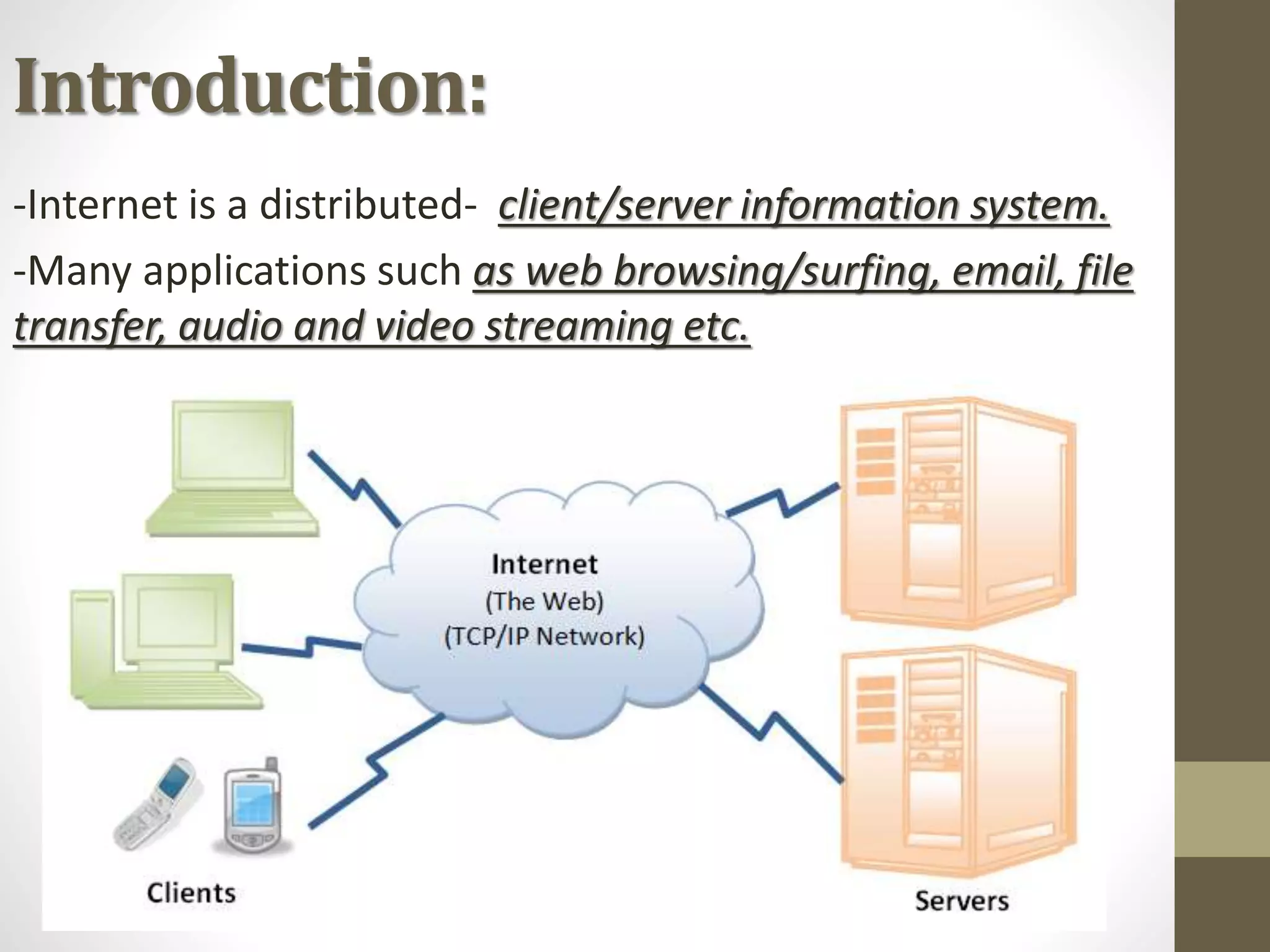
-Internet is a distributed- client/server information system.
-Many applications such as web browsing/surfing, email, file
transfer, audio and video streaming etc.
 From which http is the most
popular application protocol.
HTTP uses the TCP-IP services
port 80
HTTP:
-The Hypertext Transfer Protocol (HTTP) is a protocol
-Mainly used to access data on the World Wide Web.
-HTTP functions as a combination of FTP and SMTP.
 HTTP is an asymmetric request-response client-
server protocol.
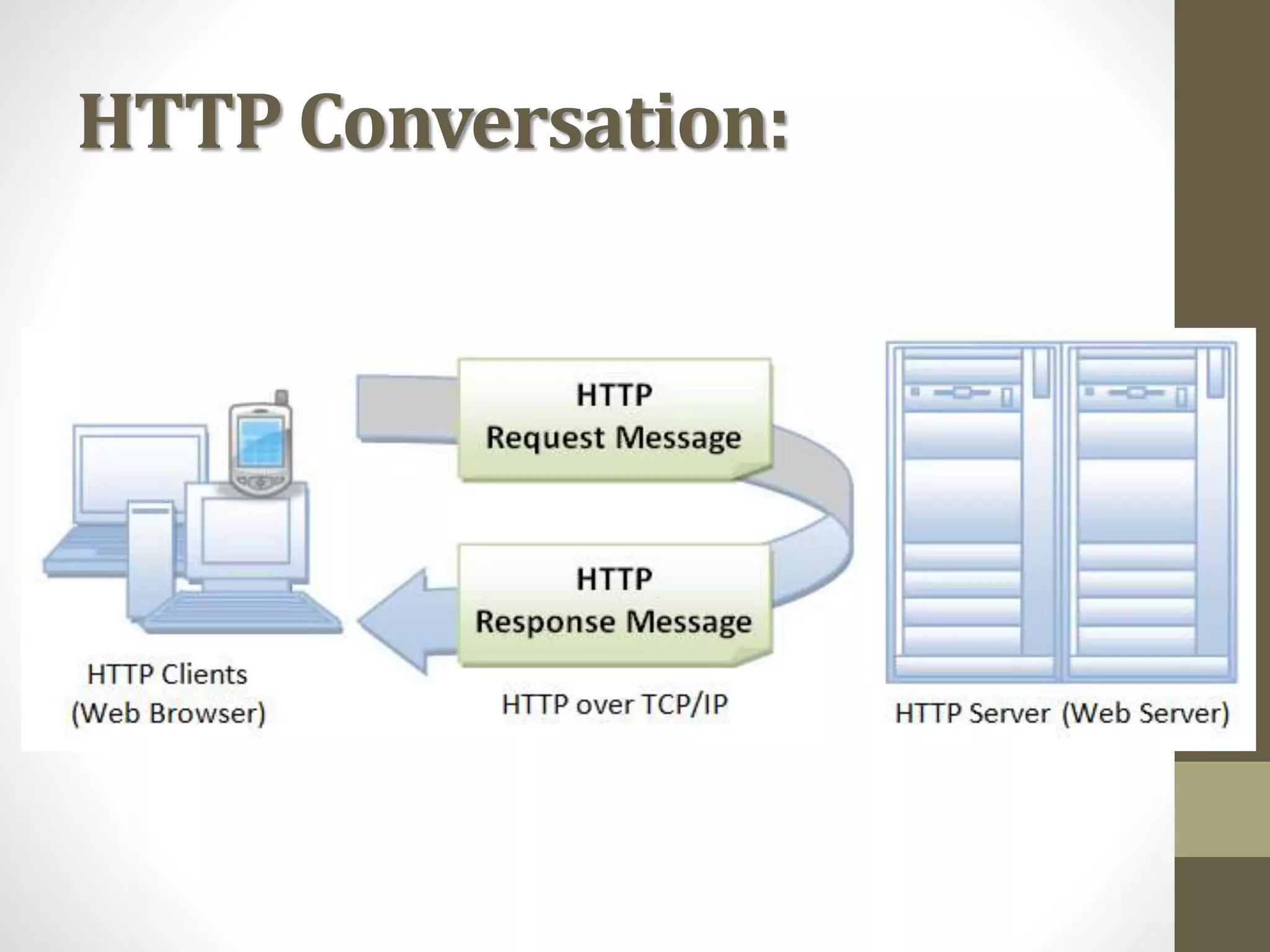
 An HTTP client sends a request message to an HTTP
server. The server, in turn, returns a response message.
 HTTP is a stateless protocol. In other words, the current
request does not know what has been done in the
previous requests.
HTTP Conversation:
Browser:
Whenever you issue a URL from your browser
to get a web resource using HTTP,
e.g. http://www.test101.com/index.html, the
browser turns the URL into a request
message and sends it to the HTTP server.
The HTTP server interprets the request message,
and returns you an appropriate response message,
which is either the resource you requested or an
error message.
URL:
A URL (Uniform Resource Locator) is used to uniquely
identify a resource over the web.
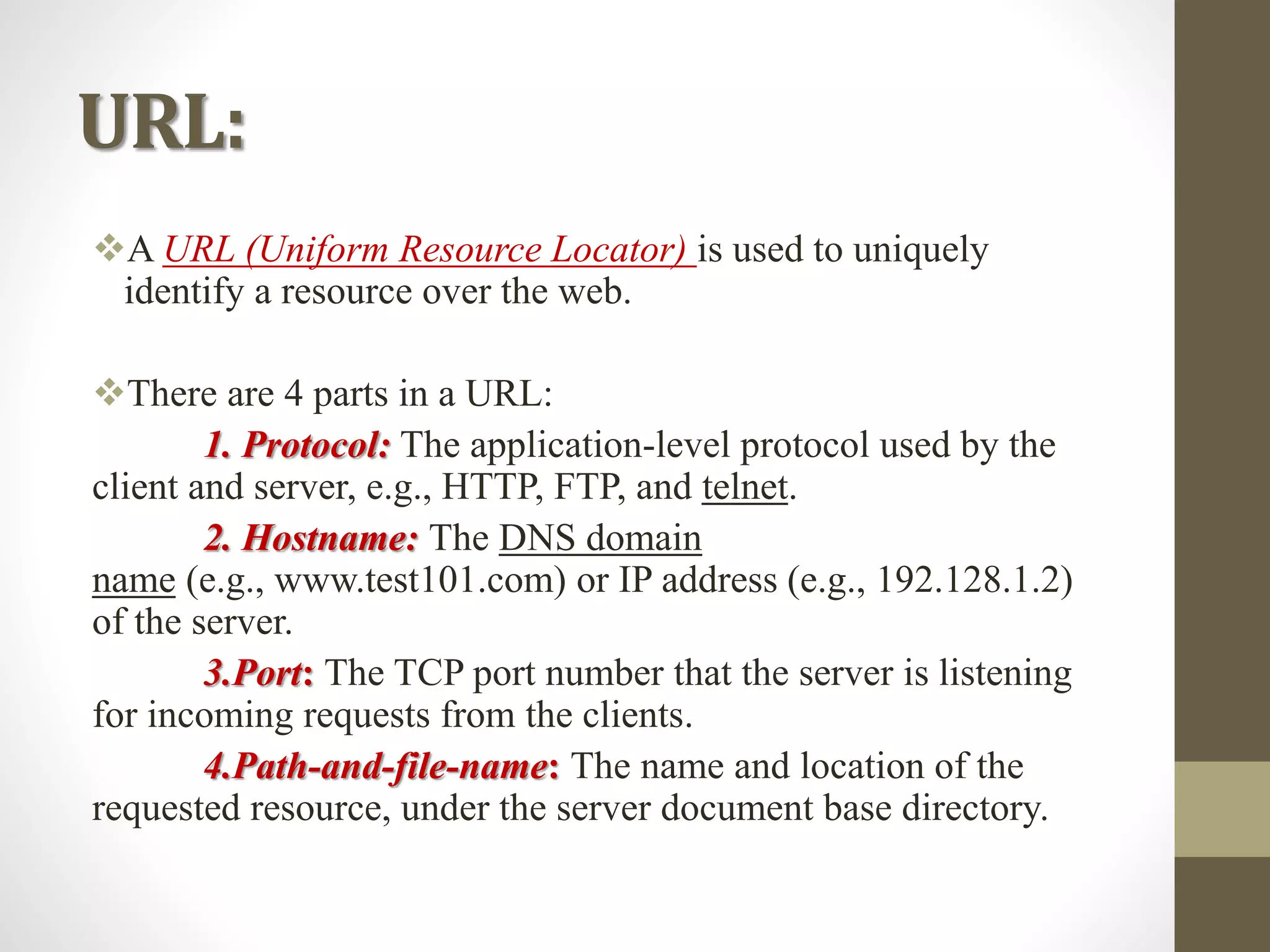
There are 4 parts in a URL:
1. Protocol: The application-level protocol used by the
client and server, e.g., HTTP, FTP, and telnet.
2. Hostname: The DNS domain
name (e.g., www.test101.com) or IP address (e.g., 192.128.1.2)
of the server.
3.Port: The TCP port number that the server is listening
for incoming requests from the clients.
4.Path-and-file-name: The name and location of the
requested resource, under the server document base directory.
HTTP Specifications:
The HTTP specification is maintained by W3C (World-wide Web
Consortium) and available at http://www.w3.org/standards/techs/http.
There are currently two versions of HTTP, namely, HTTP/1.0 and
HTTP/1.1. The original version, HTTP/0.9 (1991), written by Tim
Berners-Lee, is a simple protocol for transferring raw data across the
Internet.
HTTP/1.0 (1996) (defined in RFC 1945), improved the protocol by
allowing MIME-like messages.
HTTP/1.0 does not address the issues of proxies, caching, persistent
connection, virtual hosts, and range download. These features were
provided in HTTP/1.1 (1999) (defined in RFC 2616).
HTTP Protocol
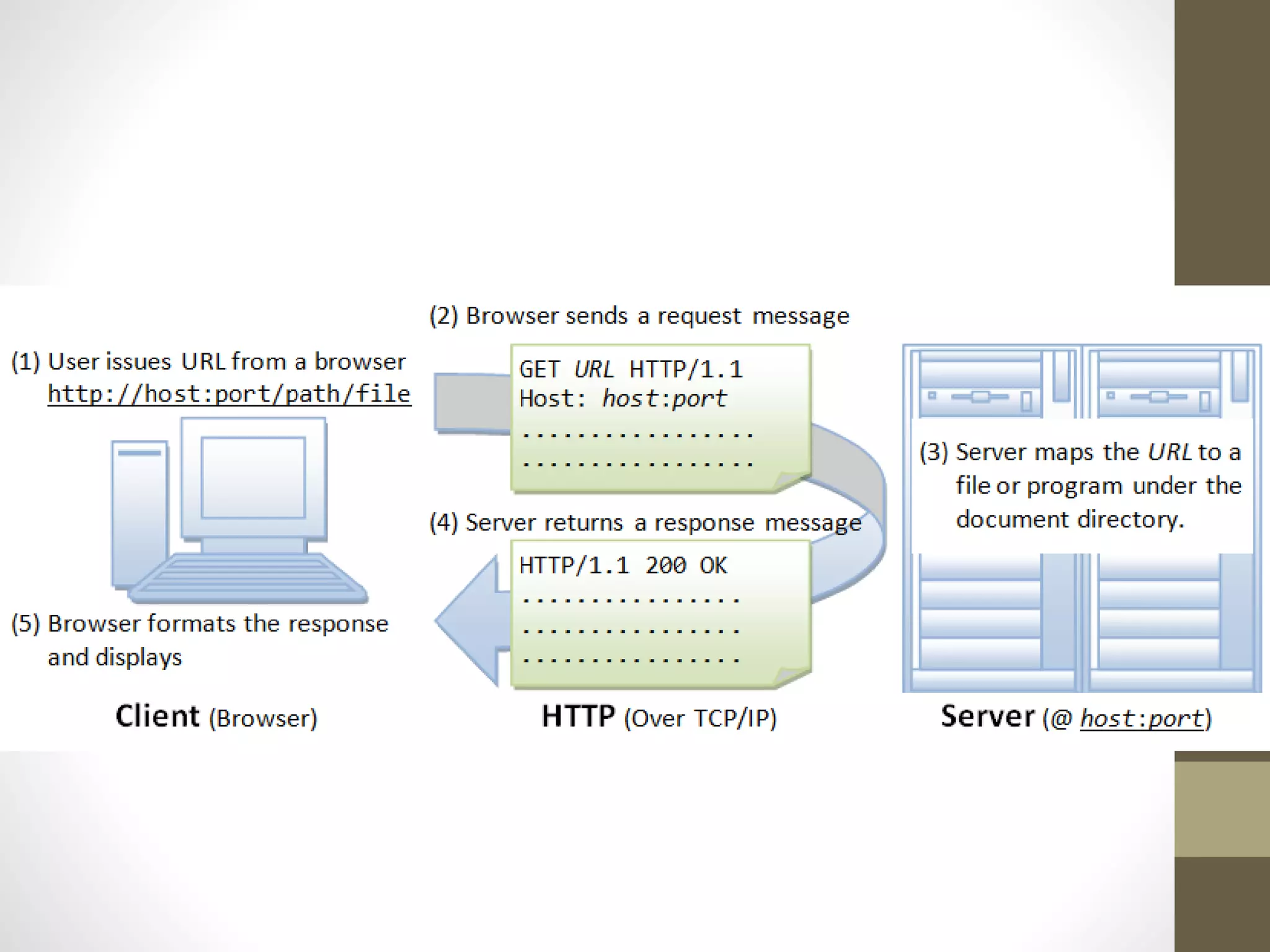
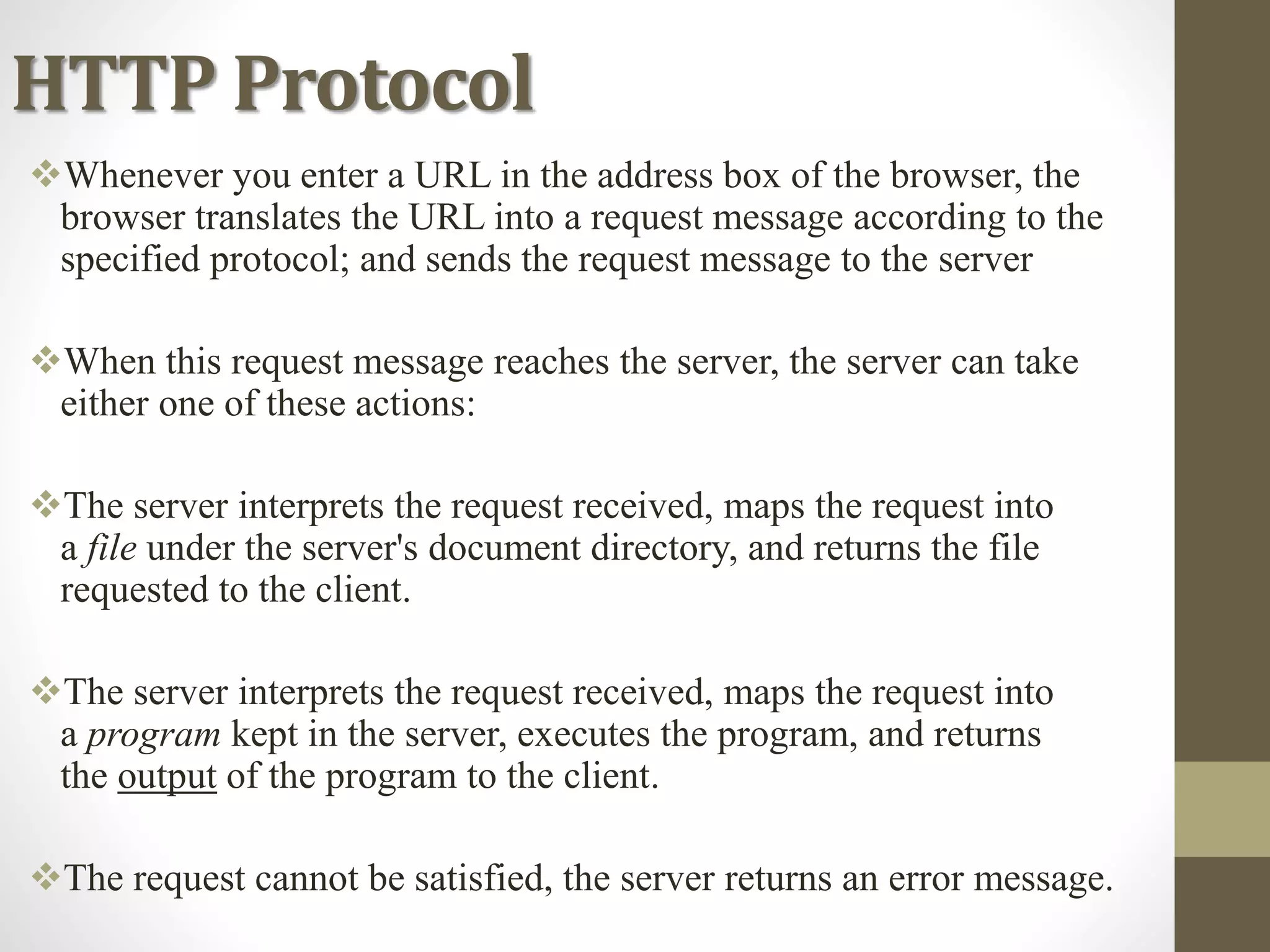
Whenever you enter a URL in the address box of the browser, the
browser translates the URL into a request message according to the
specified protocol; and sends the request message to the server
When this request message reaches the server, the server can take
either one of these actions:
The server interprets the request received, maps the request into
a file under the server's document directory, and returns the file
requested to the client.
The server interprets the request received, maps the request into
a program kept in the server, executes the program, and returns
the output of the program to the client.
The request cannot be satisfied, the server returns an error message.
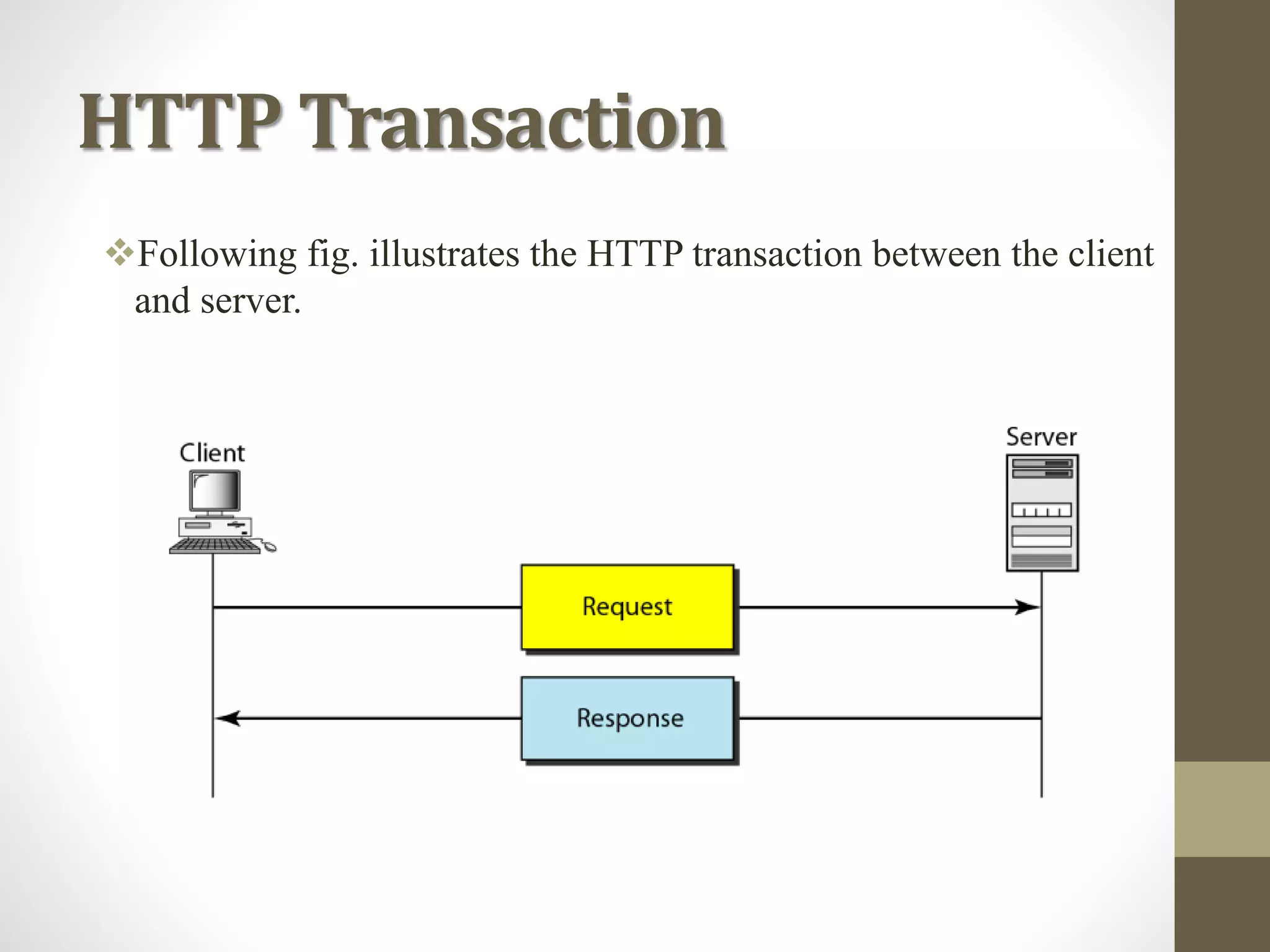
HTTP Transaction
Following fig. illustrates the HTTP transaction between the client
and server.
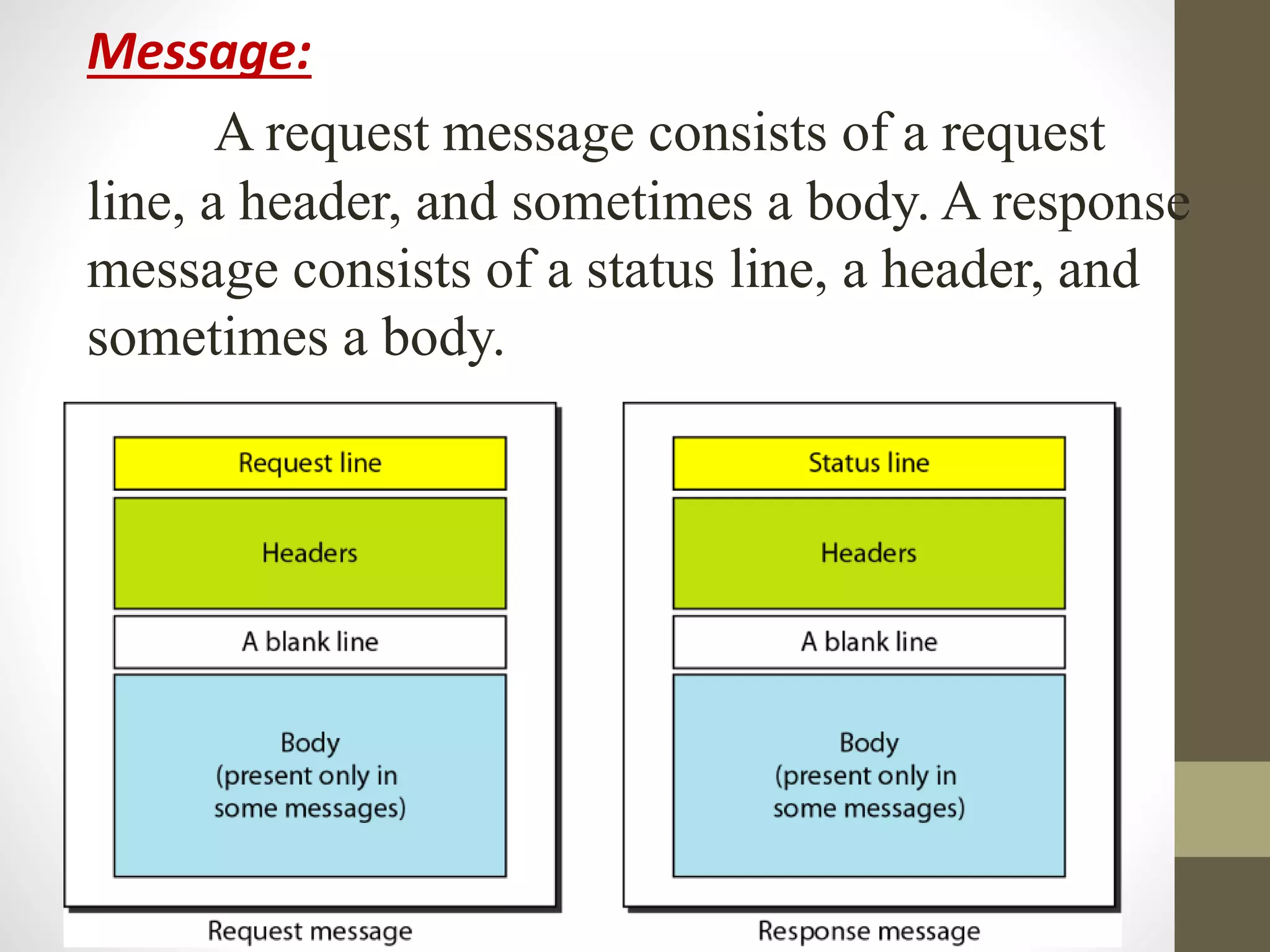
Message:
A request message consists of a request
line, a header, and sometimes a body. A response
message consists of a status line, a header, and
sometimes a body.
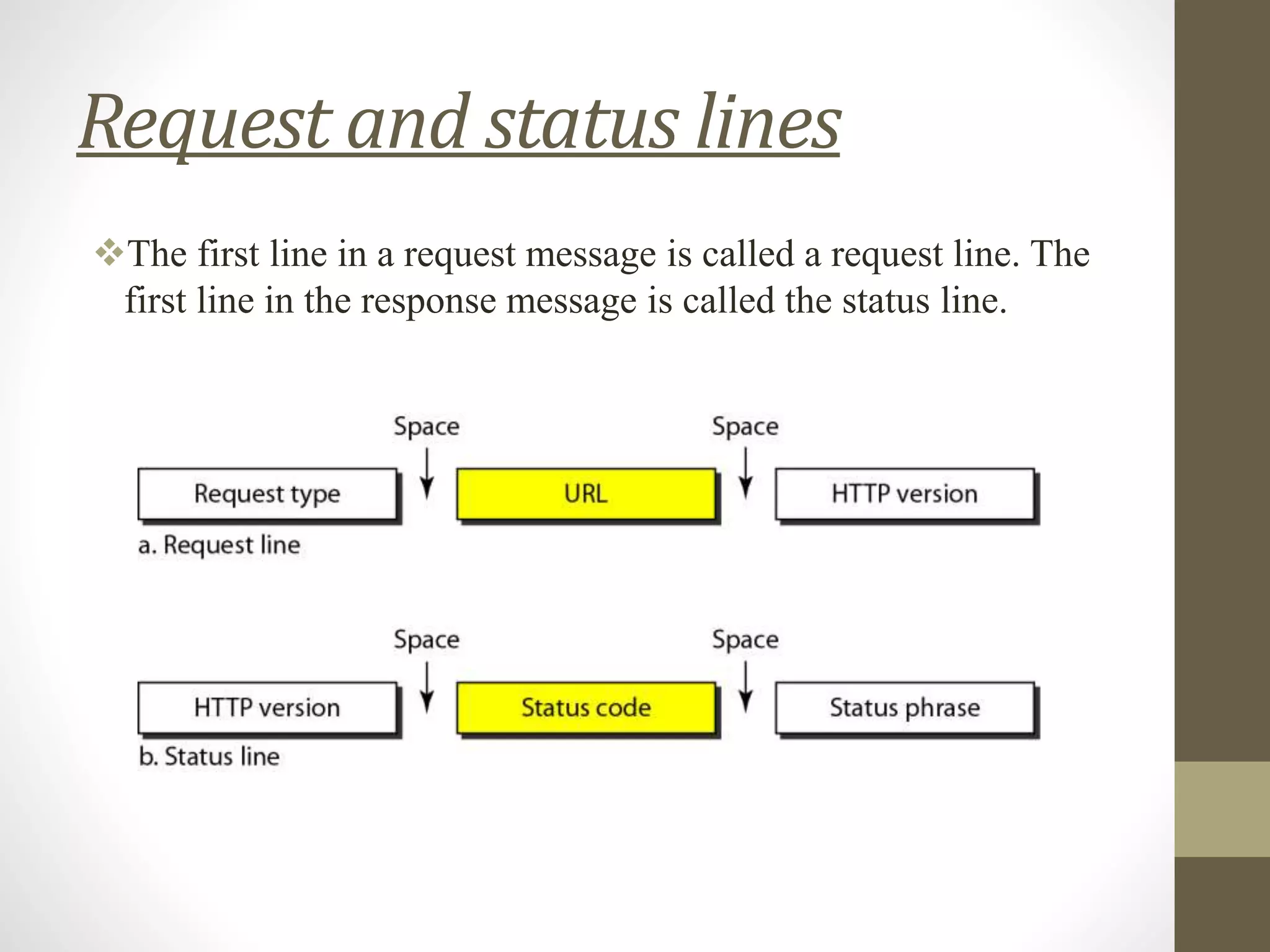
Request and status lines
The first line in a request message is called a request line. The
first line in the response message is called the status line.
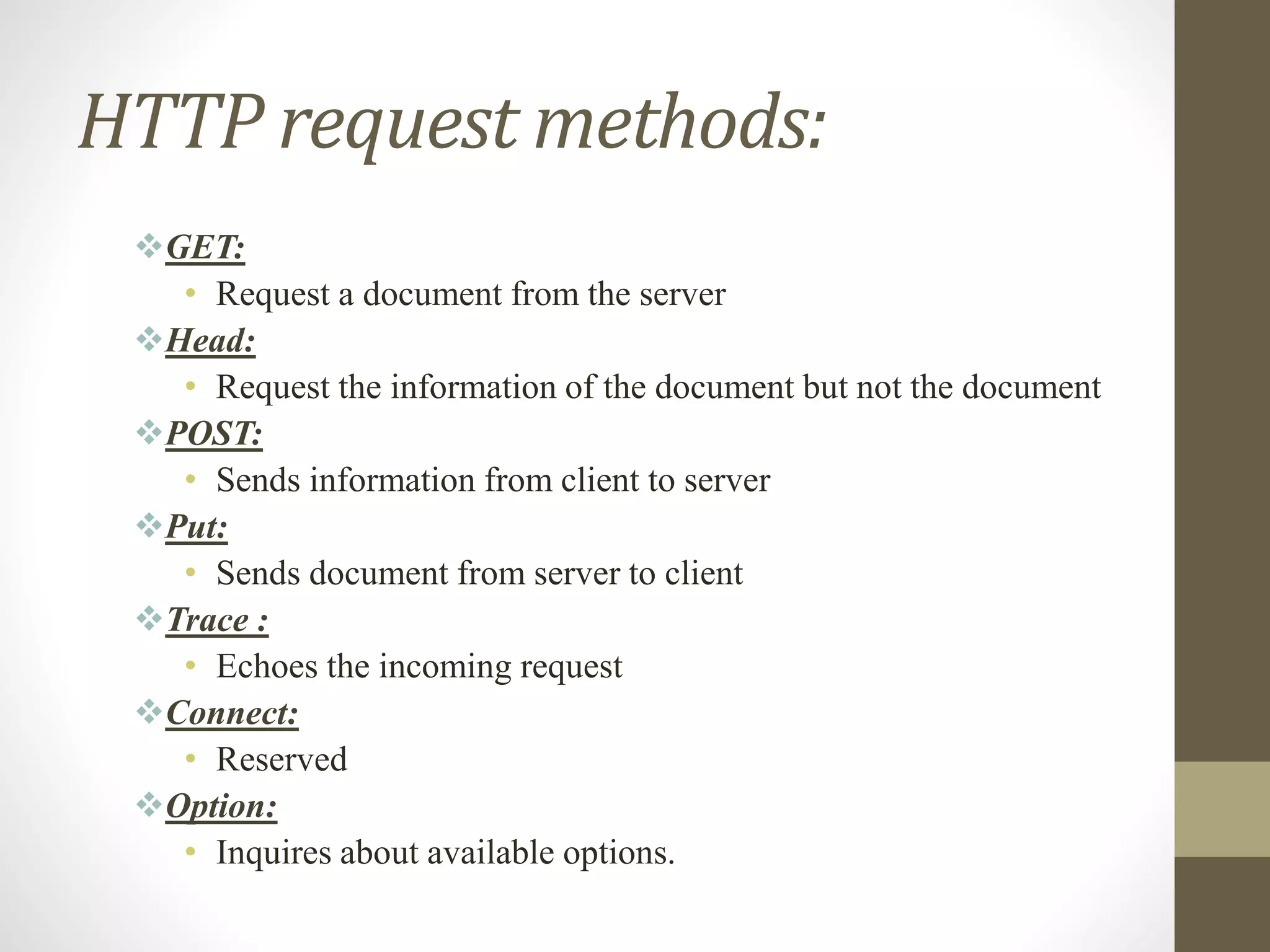
HTTP request methods:
GET:
• Request a document from the server
Head:
• Request the information of the document but not the document
POST:
• Sends information from client to server
Put:
• Sends document from server to client
Trace :
• Echoes the incoming request
Connect:
• Reserved
Option:
• Inquires about available options.
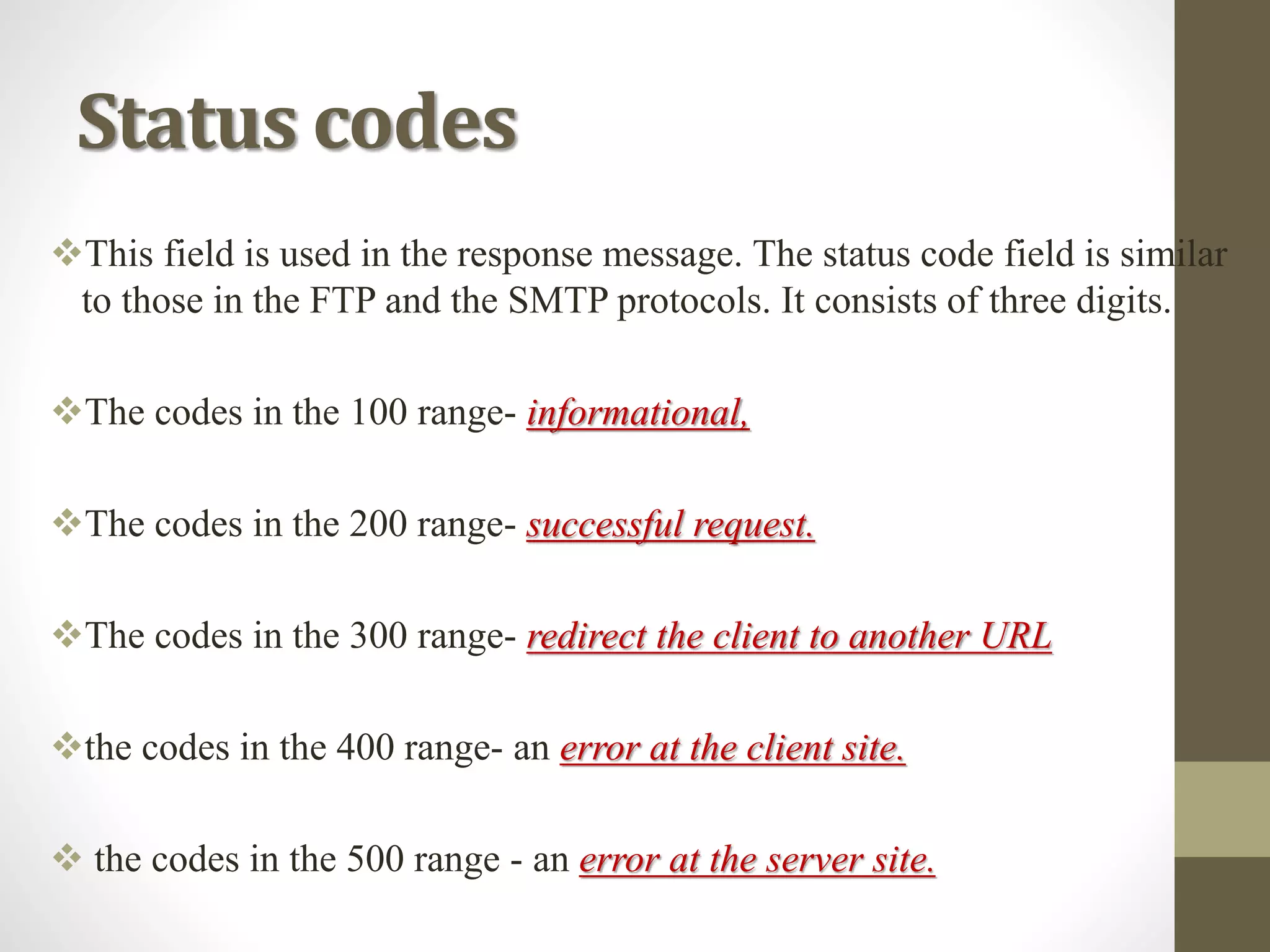
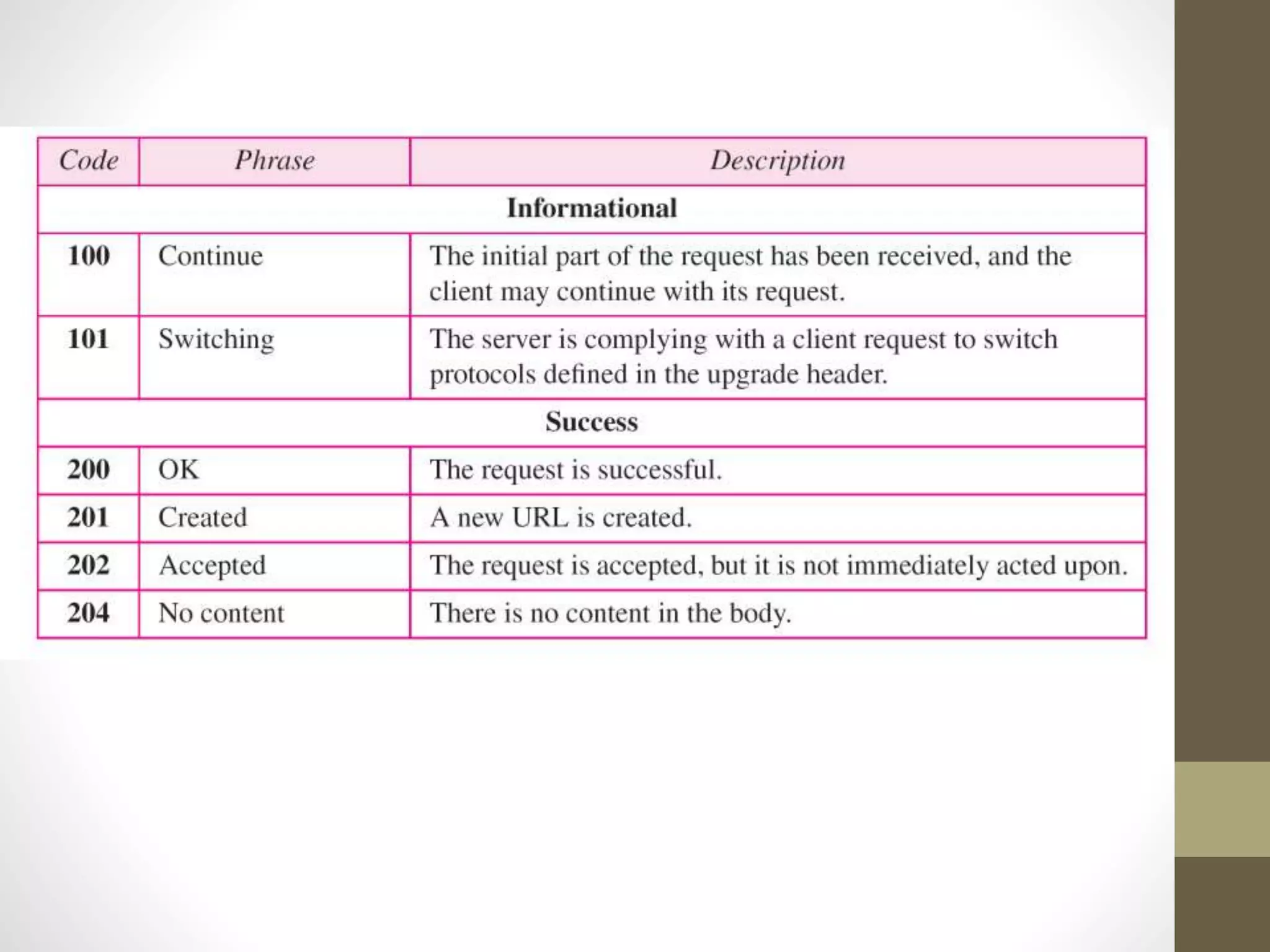
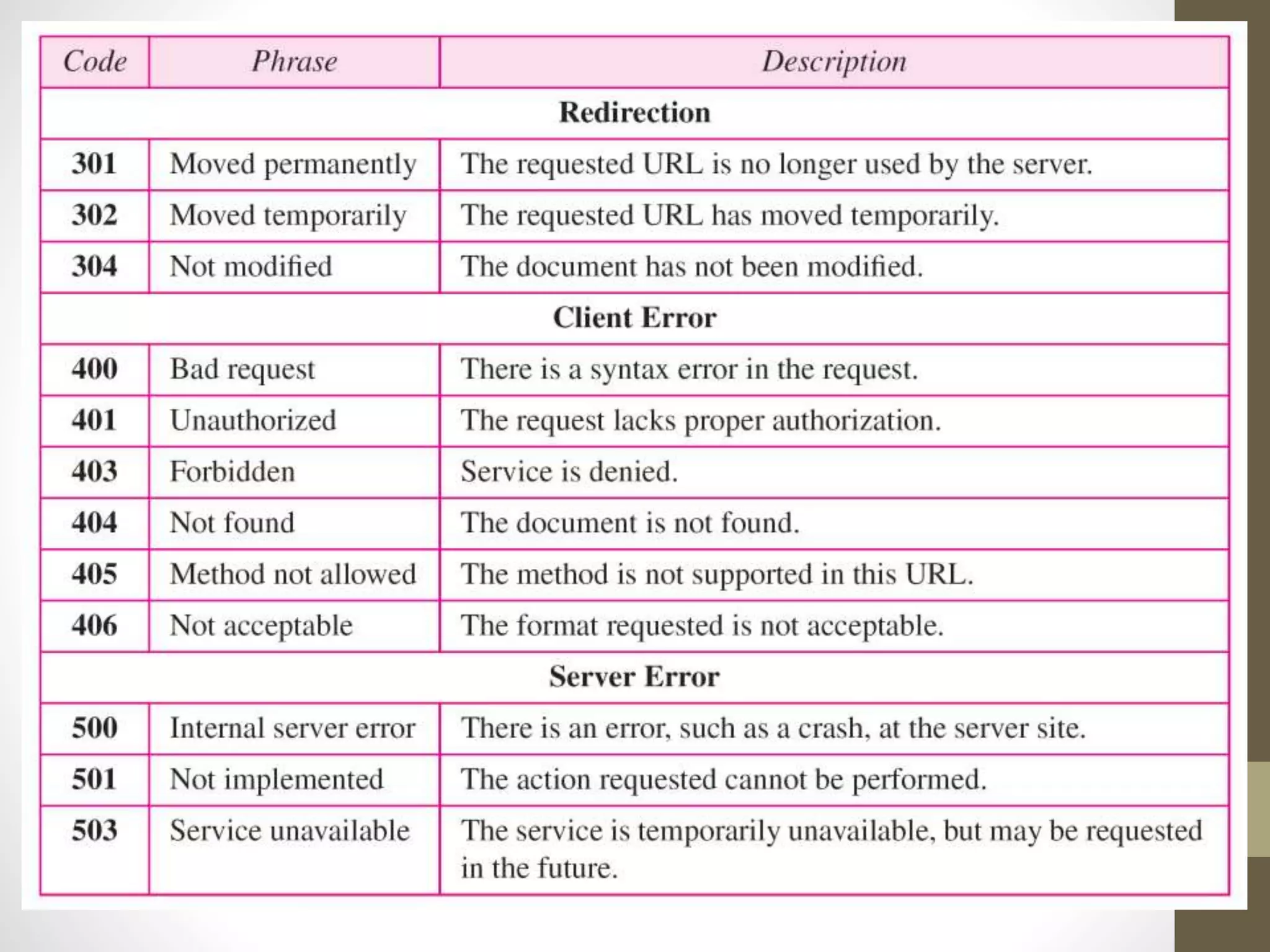
Status codes
This field is used in the response message. The status code field is similar
to those in the FTP and the SMTP protocols. It consists of three digits.
The codes in the 100 range- informational,
The codes in the 200 range- successful request.
The codes in the 300 range- redirect the client to another URL
the codes in the 400 range- an error at the client site.
 the codes in the 500 range - an error at the server site.
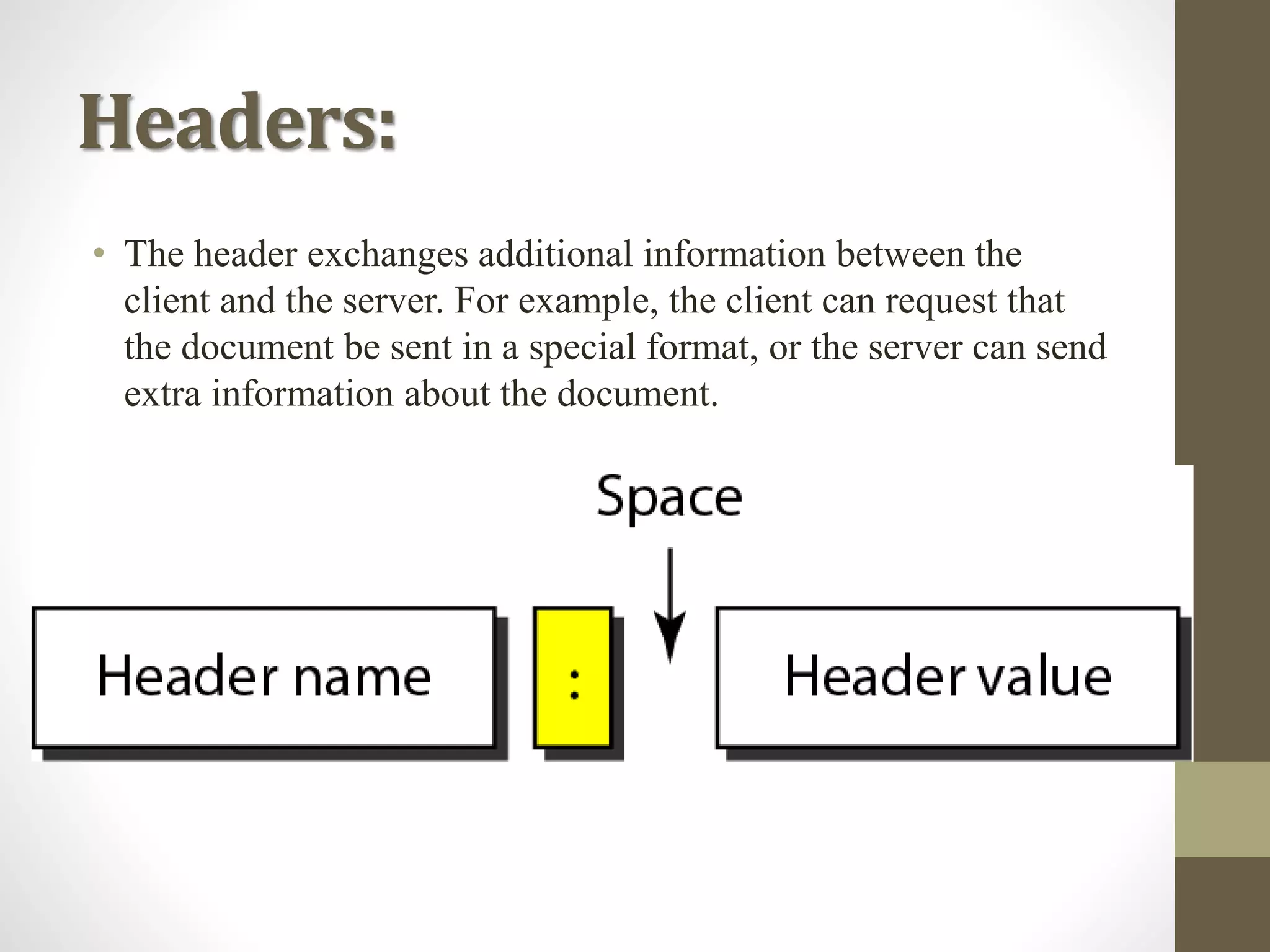
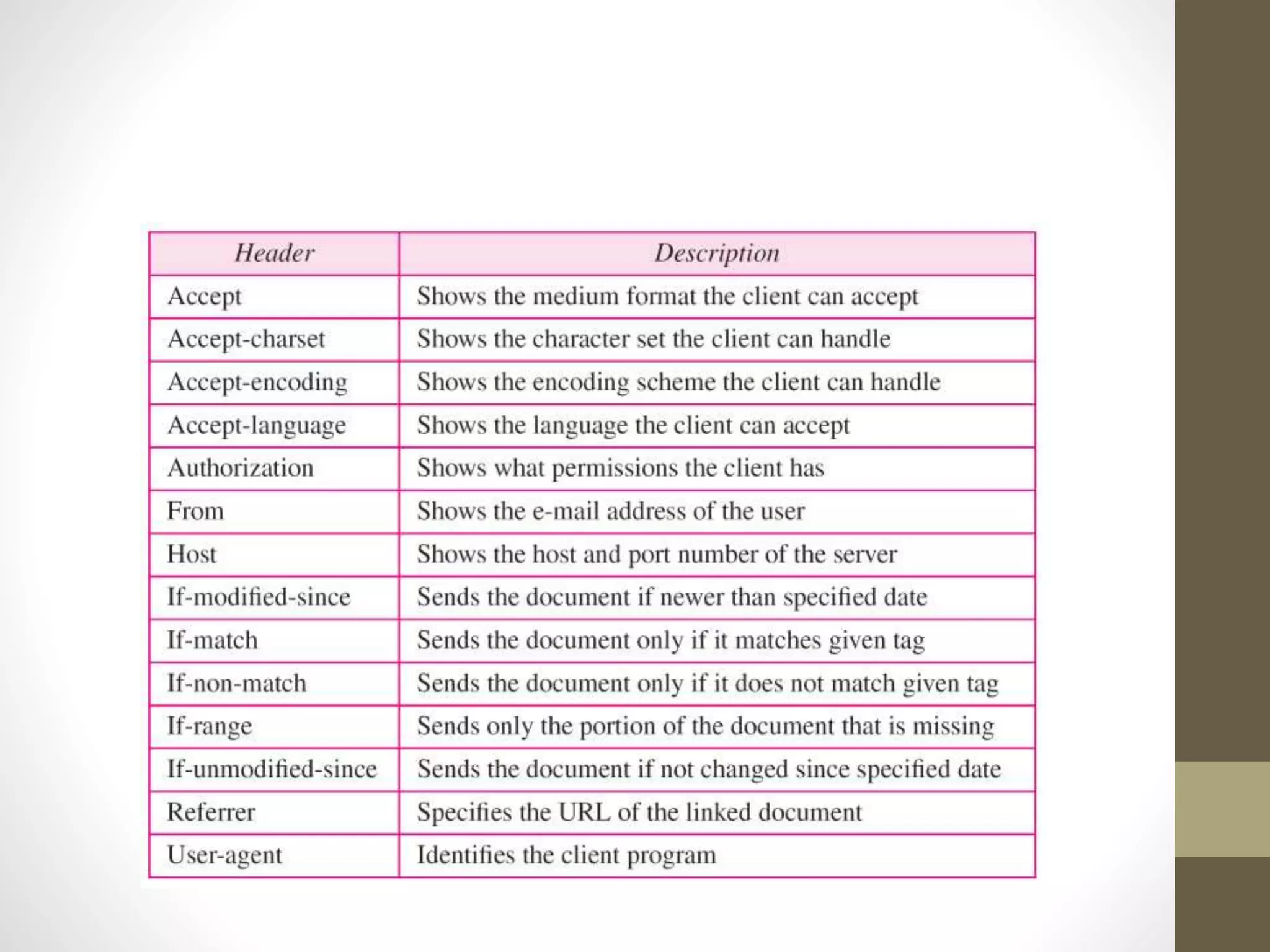
Headers:
• The header exchanges additional information between the
client and the server. For example, the client can request that
the document be sent in a special format, or the server can send
extra information about the document.
• A header line belongs to one of four
categories: general header, request header,
response header, and entity header. A request
message can contain only general, request,
and entity headers.
• A response message, on the other hand, can
contain only general, response, and entity
headers.
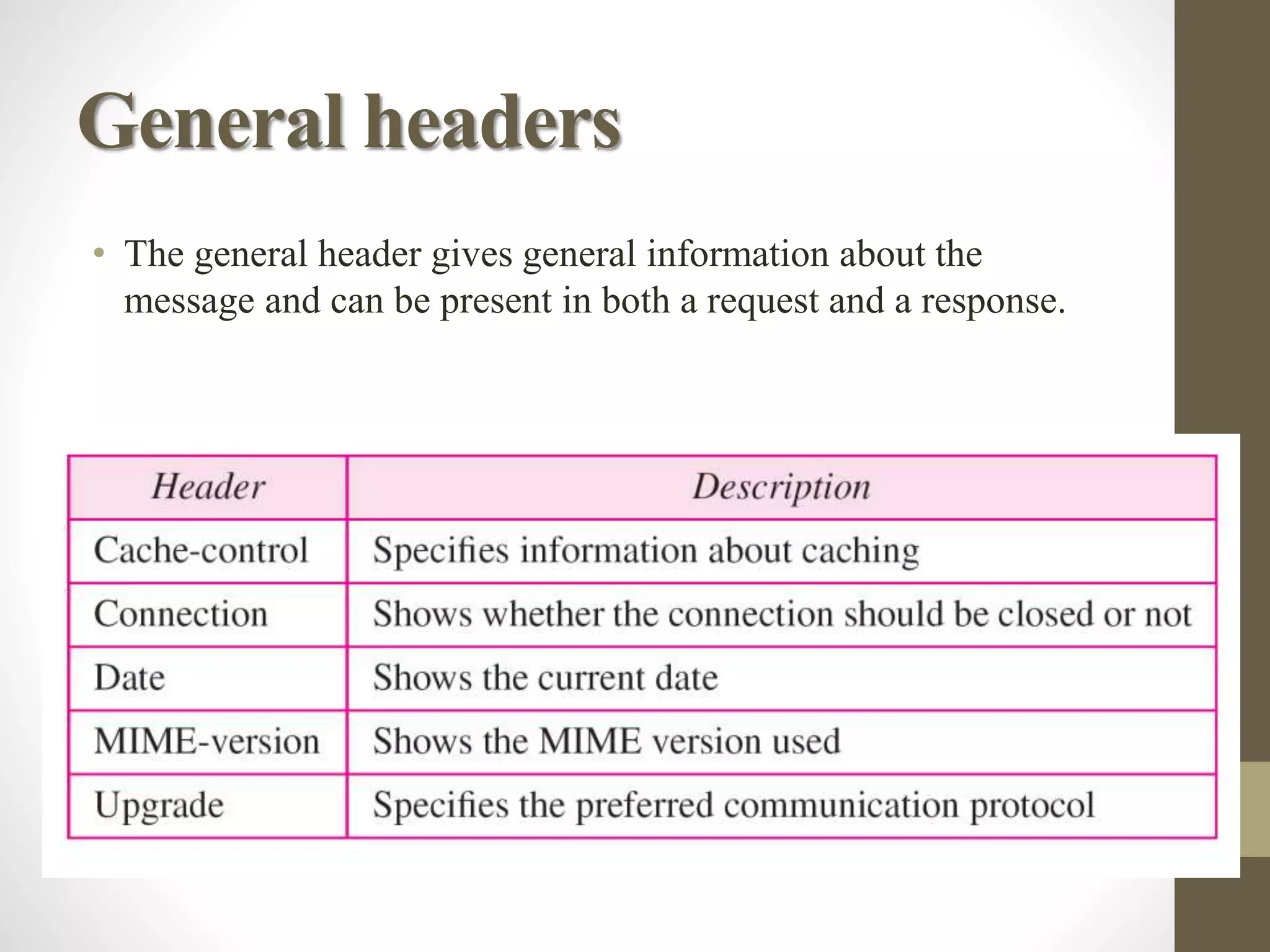
General headers
• The general header gives general information about the
message and can be present in both a request and a response.
Request header
• The request header can be present only in a request
message. It specifies the client's configuration and the
client's preferred document format.
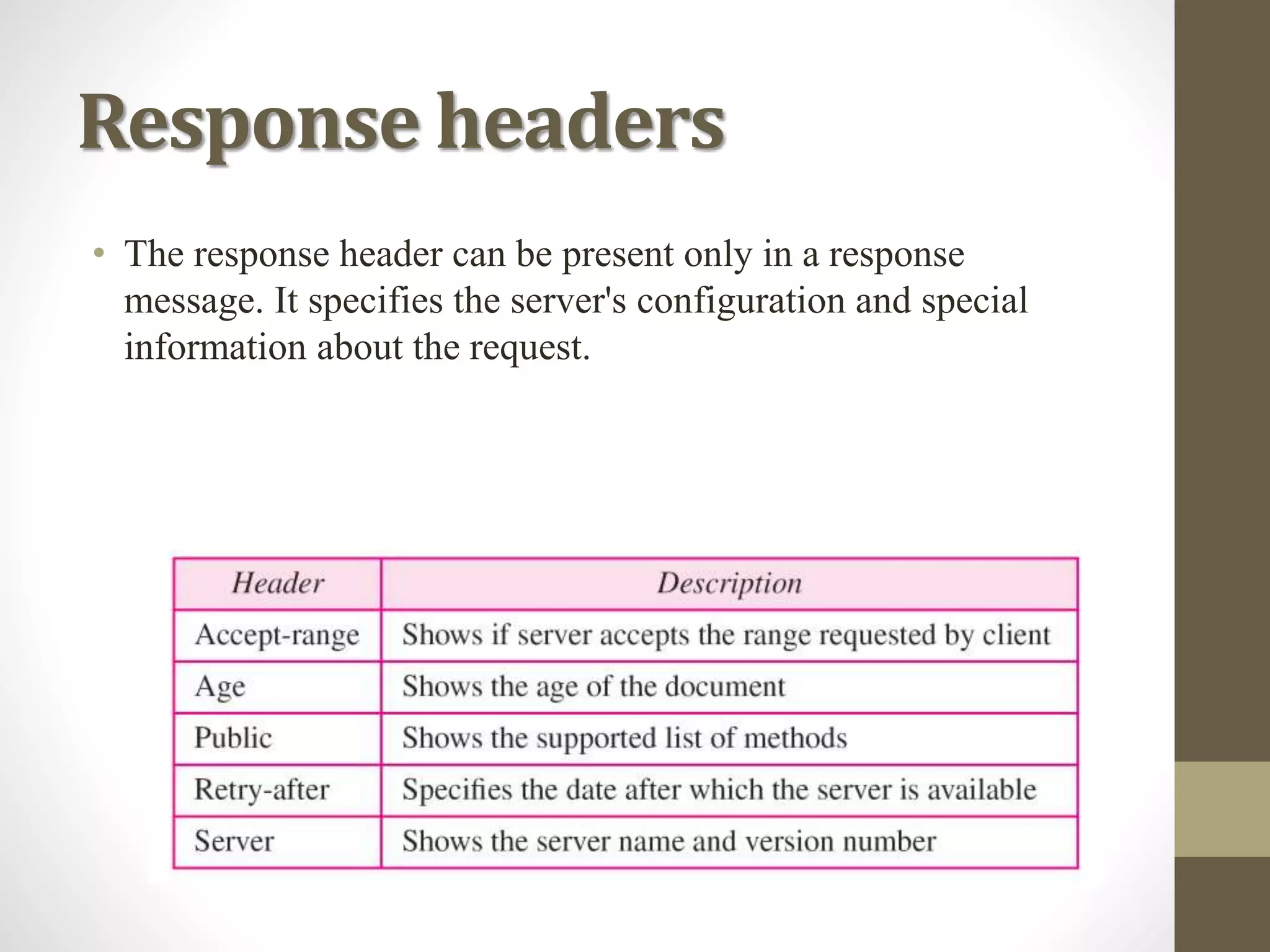
Response headers
• The response header can be present only in a response
message. It specifies the server's configuration and special
information about the request.
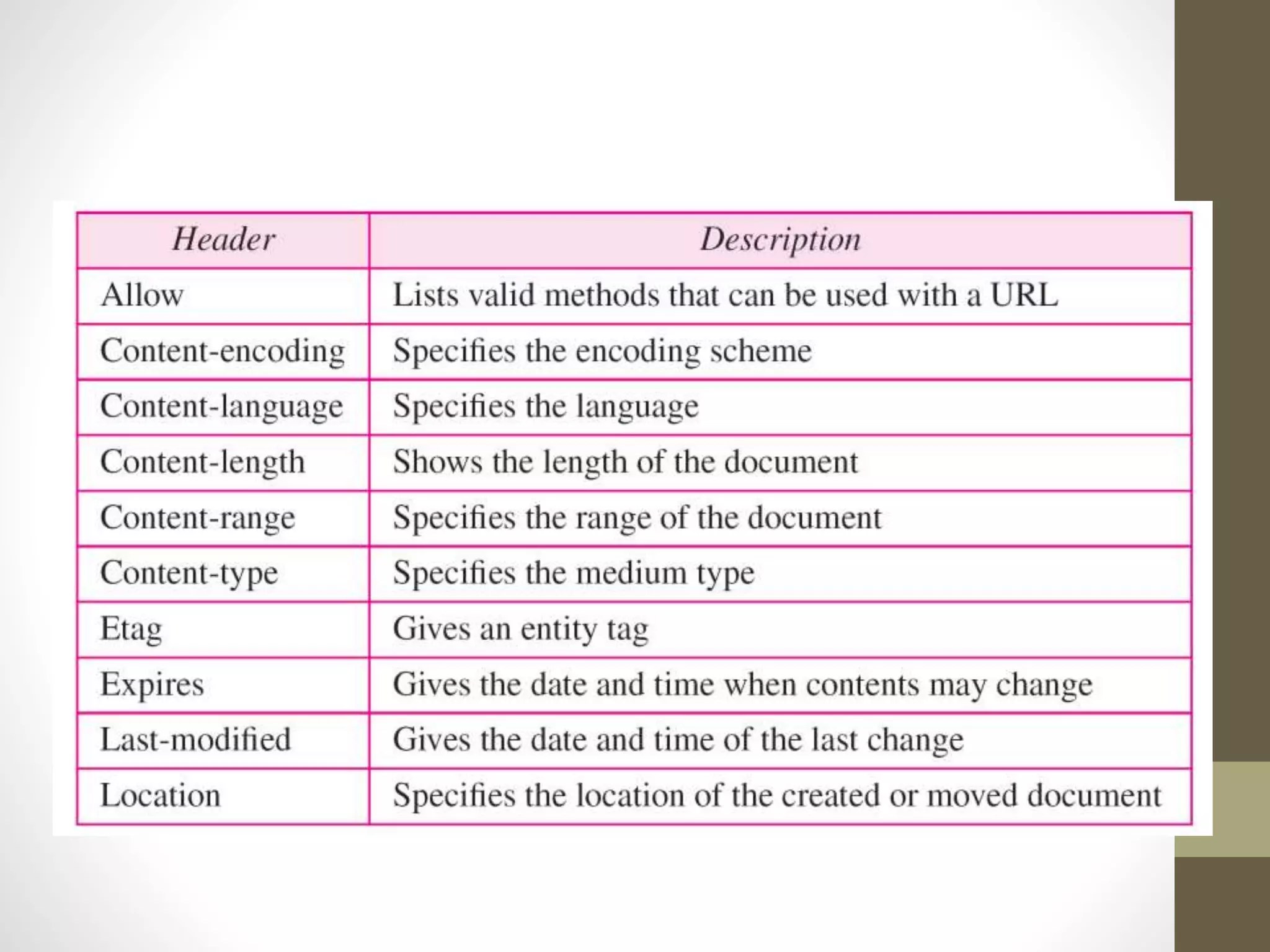
Entity headers:
• The entity header gives information about
the body of the document. Although it is
mostly present in response messages, some
request messages, such as POST or PUT
methods, that contain a body also use this
type of header.
Thank You

Http Introduction

  • 1.
    VIT, CHENNAI SEMINAR TOPIC “HTTP” Presentedby: Course Faculty: Akshay Dhole(13MMT1013) Prof. Nitya Darisini
  • 2.
    Introduction: -Internet is adistributed- client/server information system. -Many applications such as web browsing/surfing, email, file transfer, audio and video streaming etc.
  • 3.
     From whichhttp is the most popular application protocol. HTTP uses the TCP-IP services port 80
  • 4.
    HTTP: -The Hypertext TransferProtocol (HTTP) is a protocol -Mainly used to access data on the World Wide Web. -HTTP functions as a combination of FTP and SMTP.  HTTP is an asymmetric request-response client- server protocol.  An HTTP client sends a request message to an HTTP server. The server, in turn, returns a response message.  HTTP is a stateless protocol. In other words, the current request does not know what has been done in the previous requests.
  • 5.
  • 6.
    Browser: Whenever you issuea URL from your browser to get a web resource using HTTP, e.g. http://www.test101.com/index.html, the browser turns the URL into a request message and sends it to the HTTP server. The HTTP server interprets the request message, and returns you an appropriate response message, which is either the resource you requested or an error message.
  • 8.
    URL: A URL (UniformResource Locator) is used to uniquely identify a resource over the web. There are 4 parts in a URL: 1. Protocol: The application-level protocol used by the client and server, e.g., HTTP, FTP, and telnet. 2. Hostname: The DNS domain name (e.g., www.test101.com) or IP address (e.g., 192.128.1.2) of the server. 3.Port: The TCP port number that the server is listening for incoming requests from the clients. 4.Path-and-file-name: The name and location of the requested resource, under the server document base directory.
  • 9.
    HTTP Specifications: The HTTPspecification is maintained by W3C (World-wide Web Consortium) and available at http://www.w3.org/standards/techs/http. There are currently two versions of HTTP, namely, HTTP/1.0 and HTTP/1.1. The original version, HTTP/0.9 (1991), written by Tim Berners-Lee, is a simple protocol for transferring raw data across the Internet. HTTP/1.0 (1996) (defined in RFC 1945), improved the protocol by allowing MIME-like messages. HTTP/1.0 does not address the issues of proxies, caching, persistent connection, virtual hosts, and range download. These features were provided in HTTP/1.1 (1999) (defined in RFC 2616).
  • 10.
    HTTP Protocol Whenever youenter a URL in the address box of the browser, the browser translates the URL into a request message according to the specified protocol; and sends the request message to the server When this request message reaches the server, the server can take either one of these actions: The server interprets the request received, maps the request into a file under the server's document directory, and returns the file requested to the client. The server interprets the request received, maps the request into a program kept in the server, executes the program, and returns the output of the program to the client. The request cannot be satisfied, the server returns an error message.
  • 11.
    HTTP Transaction Following fig.illustrates the HTTP transaction between the client and server.
  • 12.
    Message: A request messageconsists of a request line, a header, and sometimes a body. A response message consists of a status line, a header, and sometimes a body.
  • 13.
    Request and statuslines The first line in a request message is called a request line. The first line in the response message is called the status line.
  • 14.
    HTTP request methods: GET: •Request a document from the server Head: • Request the information of the document but not the document POST: • Sends information from client to server Put: • Sends document from server to client Trace : • Echoes the incoming request Connect: • Reserved Option: • Inquires about available options.
  • 15.
    Status codes This fieldis used in the response message. The status code field is similar to those in the FTP and the SMTP protocols. It consists of three digits. The codes in the 100 range- informational, The codes in the 200 range- successful request. The codes in the 300 range- redirect the client to another URL the codes in the 400 range- an error at the client site.  the codes in the 500 range - an error at the server site.
  • 18.
    Headers: • The headerexchanges additional information between the client and the server. For example, the client can request that the document be sent in a special format, or the server can send extra information about the document.
  • 19.
    • A headerline belongs to one of four categories: general header, request header, response header, and entity header. A request message can contain only general, request, and entity headers. • A response message, on the other hand, can contain only general, response, and entity headers.
  • 20.
    General headers • Thegeneral header gives general information about the message and can be present in both a request and a response.
  • 21.
    Request header • Therequest header can be present only in a request message. It specifies the client's configuration and the client's preferred document format.
  • 23.
    Response headers • Theresponse header can be present only in a response message. It specifies the server's configuration and special information about the request.
  • 24.
    Entity headers: • Theentity header gives information about the body of the document. Although it is mostly present in response messages, some request messages, such as POST or PUT methods, that contain a body also use this type of header.
  • 26.