Geographic Information Systems “GIS ” “ Geography Matters”
Think about “Geography” What is Geography The 3  “ W’s ”  of Geography What is where Why is it there Why do I care
Data - Data - Data We all ‘got data’ Location Data    – How Many – What Kind – Where Scale of Data     – Local to Global Data Presentation    –  Words, Charts, Graphs, Tables, or Maps Exploring data using GIS turns data into information into knowledge
GIS is a  System  of   computer software, hardware and data, and personnel to help manipulate, analyze and present information that is tied to a spatial location – spatial location   –  usually a geographic location information   –  visualization of analysis of data   system   –   linking software, hardware, data personnel   –   a thinking explorer who is key to  the power of GIS Geographic Information Systems   A Definition of GIS
What is  Not  GIS   ? GPS   –   Global Positioning System A   static map   –   paper or digital Maps are often a “product” of a GIS A way to visualize the  analysis A   software   package
Spatial Data Estimates are that 80% of all data has a  spatial  component Data from most sciences can be analyzed  “spatially”
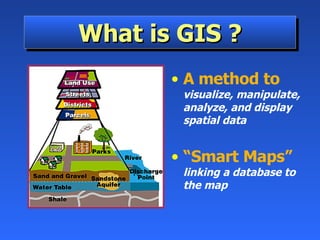
What is GIS ? A method to   visualize, manipulate, analyze, and display spatial data “ Smart Maps”   linking a database to the map
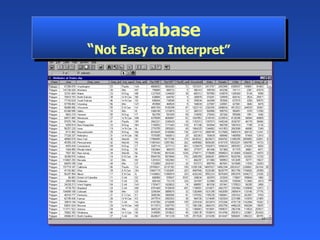
Database “ Not Easy to Interpret”
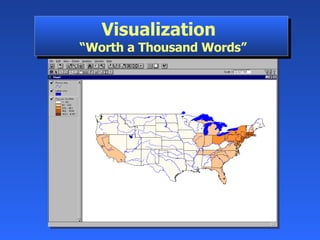
Visualization   “Worth a Thousand Words”
Two Ways to Input and Visualize Data The World in GIS Raster   –   Grid “ pixels” a location and value Satellite images and aerial photos are already in this format Vector   –   Linear Points, lines & polygons “ Features” (house, lake, etc.) Attributes size, type, length, etc. Real world
Combining Data From Many Sources
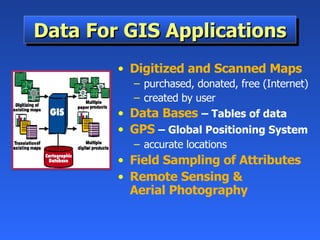
Data For GIS Applications Digitized and Scanned Maps purchased, donated, free (Internet) created by user Data Bases   –  Tables of data GPS   –  Global Positioning System accurate locations Field Sampling of Attributes Remote Sensing &  Aerial Photography
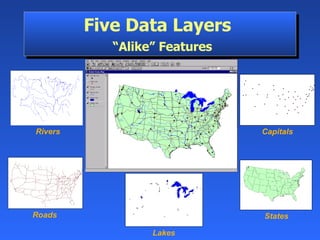
States Five Data Layers    “Alike” Features Roads Capitals Rivers  Lakes
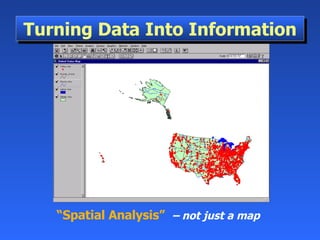
“ Spatial Analysis”   –  not just a map   Turning Data Into Information
Asking A Question  –  Interaction
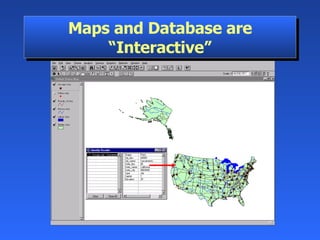
Maps and Database are “Interactive”
Multiple Databases can be  Linked and Related
Some Ways GIS is Used Emergency Services   –  Fire & Police   Environmental   –   Monitoring & Modeling Business   –  Site Location, Delivery Systems Industry   –  Transportation, Communication,  Mining, Pipelines, Healthcare   Government   –  Local, State, Federal, Military Education   –  Research, Teaching Tool, Administration Wherever Spatial Data Analysis  is Needed
Network Solutions
Ecosystem Management
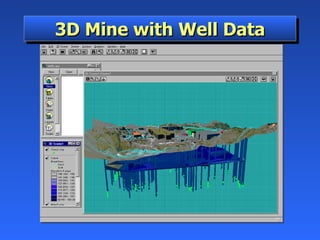
3D Mine with Well Data
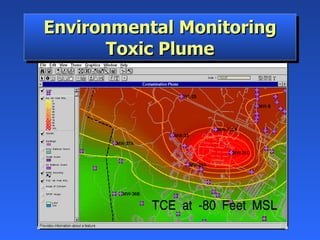
Environmental Monitoring Toxic Plume
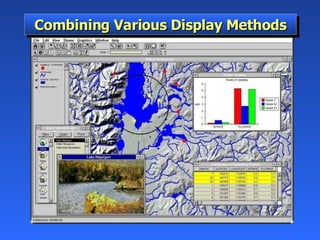
Combining Various Display Methods
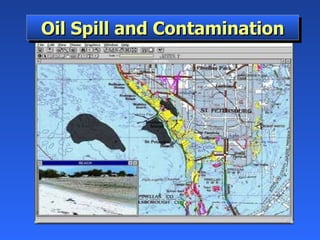
Oil Spill and Contamination
Site Location and Client Distance
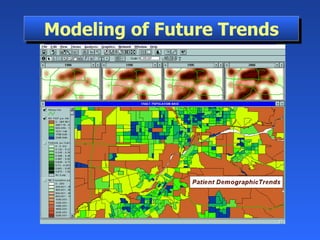
Modeling of Future Trends
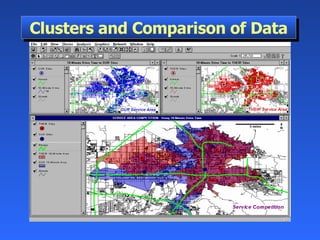
Clusters and Comparison of Data
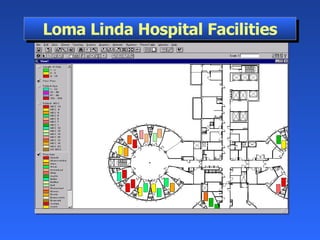
Loma Linda Hospital Facilities
GIS on the Internet Olympics   —   http://citymap.cityofsydney.nsw.gov.au/ National Geographic Map Machine   —   http://www.nationalgeographic.com/maps.index.html  Find a Home —  http://www.realtor.com ATM Locator  —  http://www.visa.com Store Locator  —  http://www.godiva.com GIS Info  —  http://www.gis.com

Gis

  • 1.
    Geographic Information Systems“GIS ” “ Geography Matters”
  • 2.
    Think about “Geography”What is Geography The 3 “ W’s ” of Geography What is where Why is it there Why do I care
  • 3.
    Data - Data- Data We all ‘got data’ Location Data – How Many – What Kind – Where Scale of Data – Local to Global Data Presentation – Words, Charts, Graphs, Tables, or Maps Exploring data using GIS turns data into information into knowledge
  • 4.
    GIS is a System of computer software, hardware and data, and personnel to help manipulate, analyze and present information that is tied to a spatial location – spatial location – usually a geographic location information – visualization of analysis of data system – linking software, hardware, data personnel – a thinking explorer who is key to the power of GIS Geographic Information Systems A Definition of GIS
  • 5.
    What is Not GIS ? GPS – Global Positioning System A static map – paper or digital Maps are often a “product” of a GIS A way to visualize the analysis A software package
  • 6.
    Spatial Data Estimatesare that 80% of all data has a spatial component Data from most sciences can be analyzed “spatially”
  • 7.
    What is GIS? A method to visualize, manipulate, analyze, and display spatial data “ Smart Maps” linking a database to the map
  • 8.
    Database “ NotEasy to Interpret”
  • 9.
    Visualization “Worth a Thousand Words”
  • 10.
    Two Ways toInput and Visualize Data The World in GIS Raster – Grid “ pixels” a location and value Satellite images and aerial photos are already in this format Vector – Linear Points, lines & polygons “ Features” (house, lake, etc.) Attributes size, type, length, etc. Real world
  • 11.
    Combining Data FromMany Sources
  • 12.
    Data For GISApplications Digitized and Scanned Maps purchased, donated, free (Internet) created by user Data Bases – Tables of data GPS – Global Positioning System accurate locations Field Sampling of Attributes Remote Sensing & Aerial Photography
  • 13.
    States Five DataLayers “Alike” Features Roads Capitals Rivers Lakes
  • 14.
    “ Spatial Analysis” – not just a map Turning Data Into Information
  • 15.
    Asking A Question – Interaction
  • 16.
    Maps and Databaseare “Interactive”
  • 17.
    Multiple Databases canbe Linked and Related
  • 18.
    Some Ways GISis Used Emergency Services – Fire & Police Environmental – Monitoring & Modeling Business – Site Location, Delivery Systems Industry – Transportation, Communication, Mining, Pipelines, Healthcare Government – Local, State, Federal, Military Education – Research, Teaching Tool, Administration Wherever Spatial Data Analysis is Needed
  • 19.
  • 20.
  • 21.
    3D Mine withWell Data
  • 22.
  • 23.
  • 24.
    Oil Spill andContamination
  • 25.
    Site Location andClient Distance
  • 26.
  • 27.
  • 28.
  • 29.
    GIS on theInternet Olympics — http://citymap.cityofsydney.nsw.gov.au/ National Geographic Map Machine — http://www.nationalgeographic.com/maps.index.html Find a Home — http://www.realtor.com ATM Locator — http://www.visa.com Store Locator — http://www.godiva.com GIS Info — http://www.gis.com