Environmental monitoring is a tool for
detecting improvements or
degradation in the health of
ecosystems
Monitoring is conducted to assess the
status of the environment and to
protect against potential damage
by human activities such as industrial
waste disposal or logging
•Environmental quality changing for
better or for worse
•Cause of change
•What can be done to alleviate the
problem
•To assess the changes in environmental
condition
•To monitor the effective implementation
of mitigation measures
•Warn significant deteriorations in
environmental quality for further action
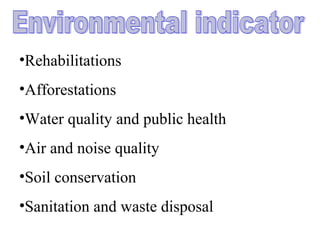
•Rehabilitations
•Afforestations
•Water quality and public health
•Air and noise quality
•Soil conservation
•Sanitation and waste disposal
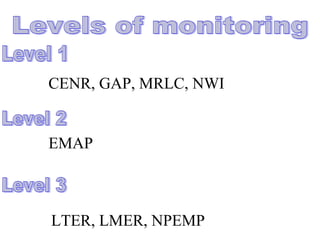
CENR, GAP, MRLC, NWI
EMAP
LTER, LMER, NPEMP
8
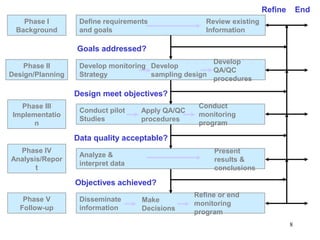
Phase I
Background
Phase II
Design/Planning
Phase III
Implementatio
n
Phase IV
Analysis/Repor
t
Phase V
Follow-up
Define requirements
and goals
Develop monitoring
Strategy
Conduct pilot
Studies
Analyze &
interpret data
Disseminate
information
Review existing
Information
Develop
QA/QC
procedures
Goals addressed?
Refine
Design meet objectives?
Develop
sampling design
Data quality acceptable?
Objectives achieved?
Apply QA/QC
procedures
Conduct
monitoring
program
Present
results &
conclusions
Refine or end
monitoring
program
End
Make
Decisions
The Earth isThe Earth is finite!finite!
–If not now, within our lifetimes there may beIf not now, within our lifetimes there may be
no natural ecosystems.no natural ecosystems.
–Land managers, natural resource workers,Land managers, natural resource workers,
and politicians are and will continue to makeand politicians are and will continue to make
decisions about biological systems.decisions about biological systems.
–Good information and tools are needed to doGood information and tools are needed to do
this.this.
• What is Geography
The 3 “W’s” of Geography
• What is where
• Why is it there
• Why do I care
• Location Data
– How Many – What Kind – Where
• Scale of Data
– Local to Global
• Data Presentation
– Words, Charts, Graphs, Tables, or Maps
Exploring data using GIS turns data into information into
knowledge
GIS is a System of computer software, hardware
and data, and personnel to help manipulate,
analyze and present information that is tied to a
spatial location –
• spatial location – usually a geographic location
• information – visualization of analysis of data
• system – linking software, hardware, data
• personnel – a thinking explorer who is key to
the power of GIS
• GPS – Global Positioning System
• A static map – paper or digital
– Maps are often a “product” of a GIS
– A way to visualize the analysis
• A software package
• Estimates are that 80% of all data has a
spatial component
– Data from most sciences can be
analyzed “spatially”
Spatial Data
Spatial or coordinate data represents features
that have a known location on the earth.
Points: X & Y Locations
Polygon: Connected X & Y Locations that
contain attribute information.
Line: Connected X & Y Locations
Raster: Row and column matrix represent
geographic space.
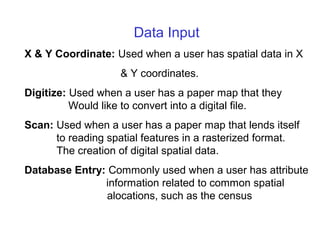
Data Input
X & Y Coordinate: Used when a user has spatial data in X
& Y coordinates.
Digitize: Used when a user has a paper map that they
Would like to convert into a digital file.
Scan: Used when a user has a paper map that lends itself
to reading spatial features in a rasterized format.
The creation of digital spatial data.
Database Entry: Commonly used when a user has attribute
information related to common spatial
alocations, such as the census
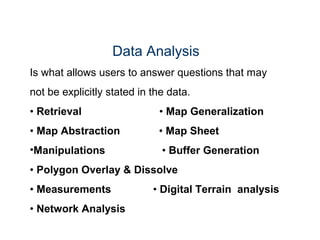
Data Analysis
Is what allows users to answer questions that may
not be explicitly stated in the data.
• Retrieval • Map Generalization
• Map Abstraction • Map Sheet
•Manipulations • Buffer Generation
• Polygon Overlay & Dissolve
• Measurements • Digital Terrain analysis
• Network Analysis
Data Output
Display and output of GIS data are achieved by both
pr inters and computer screens. These output devices
require software to format text and, if a map is to be
drawn, graphics software to convert data into drawing
instructions.
Printing
Graphic Display
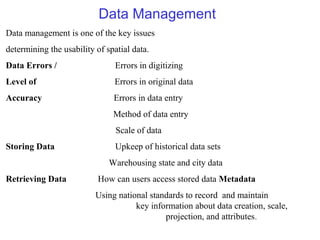
Data Management
Data management is one of the key issues
determining the usability of spatial data.
Data Errors / Errors in digitizing
Level of Errors in original data
Accuracy Errors in data entry
Method of data entry
Scale of data
Storing Data Upkeep of historical data sets
Warehousing state and city data
Retrieving Data How can users access stored data Metadata
Using national standards to record and maintain
key information about data creation, scale,
projection, and attributes.
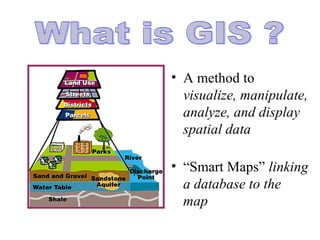
• A method to
visualize, manipulate,
analyze, and display
spatial data
• “Smart Maps” linking
a database to the
map
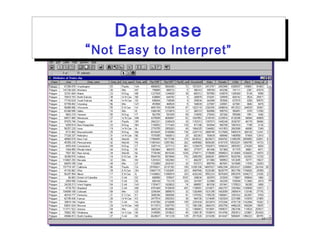
Database
“Not Easy to Interpret”
Database
“Not Easy to Interpret”
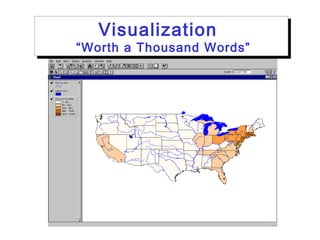
Visualization
“Worth a Thousand Words”
Visualization
“Worth a Thousand Words”
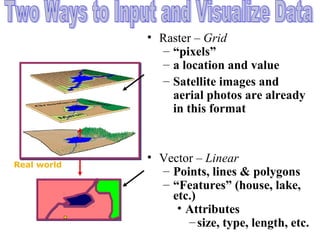
• Raster – Grid
– “pixels”
– a location and value
– Satellite images and
aerial photos are already
in this format
• Vector – Linear
– Points, lines & polygons
– “Features” (house, lake,
etc.)
• Attributes
–size, type, length, etc.
Real world
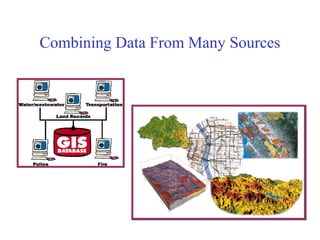
Combining Data From Many Sources
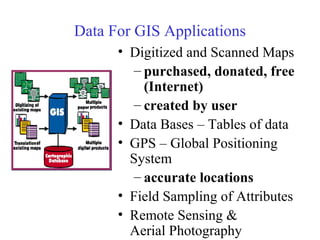
Data For GIS Applications
• Digitized and Scanned Maps
– purchased, donated, free
(Internet)
– created by user
• Data Bases – Tables of data
• GPS – Global Positioning
System
– accurate locations
• Field Sampling of Attributes
• Remote Sensing &
Aerial Photography
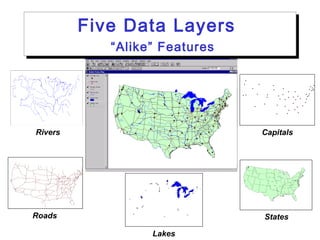
States
Five Data Layers
“Alike” Features
Five Data Layers
“Alike” Features
Roads
CapitalsRivers
Lakes
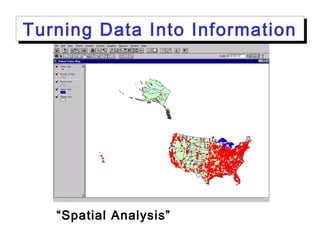
“Spatial Analysis” – not just a map
Turning Data Into InformationTurning Data Into Information
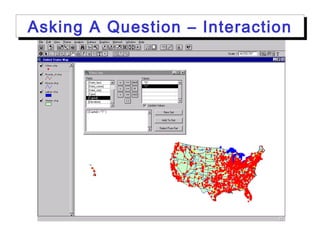
Asking A Question – InteractionAsking A Question – Interaction
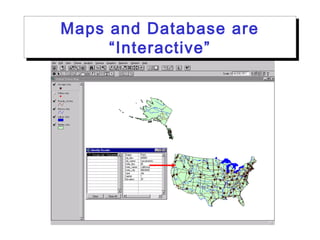
Maps and Database are
“Interactive”
Maps and Database are
“Interactive”
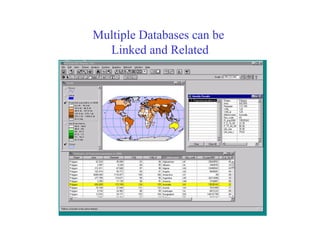
Multiple Databases can be
Linked and Related
Some Ways GIS is Used
• Emergency Services – Fire & Police
• Environmental – Monitoring & Modeling
• Business – Site Location, Delivery
Systems
• Industry – Transportation,
Communication, Mining, Pipelines,
Healthcare
• Government – Local, State, Federal,
Military
• Education – Research, Teaching Tool,
Administrational Data Analysis
is Needed
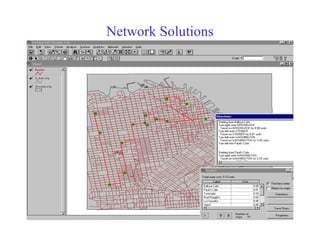
Network Solutions
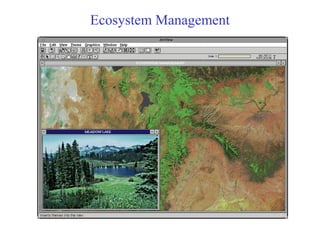
Ecosystem Management
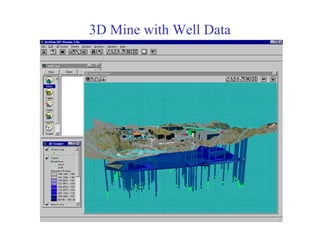
3D Mine with Well Data
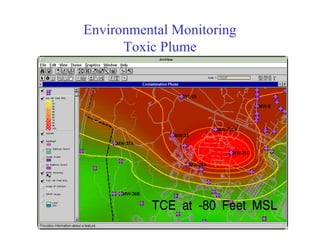
Environmental Monitoring
Toxic Plume
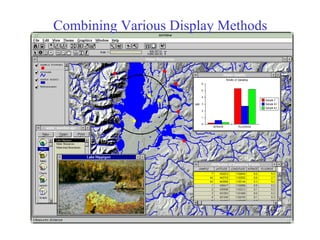
Combining Various Display Methods
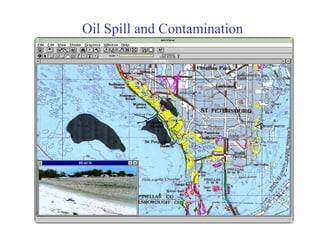
Oil Spill and Contamination
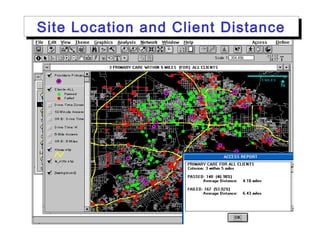
Site Location and Client DistanceSite Location and Client Distance
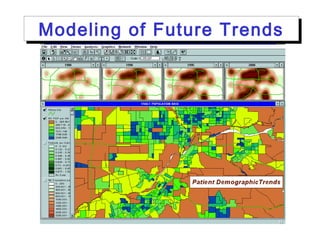
Modeling of Future TrendsModeling of Future Trends
Clusters and Comparison of
Data
Clusters and Comparison of
Data
GIS on the Internet
• Olympics
—
http://citymap.cityofsydney.nsw.gov.au/
• National Geographic Map Machine
—
http://www.nationalgeographic.com/map
s.index.html
• Find a Home — http://www.realtor.com
• ATM Locator — http://www.visa.com
• Store Locator — http://www.godiva.com
• GIS Info — http://www.gis.com
A computer-A computer-
based tool forbased tool for
holding,holding,
displaying, anddisplaying, and
manipulating hugemanipulating huge
amounts of spatialamounts of spatial
data.data.
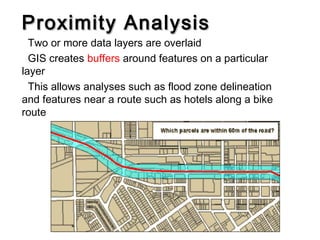
Proximity AnalysisProximity Analysis
Two or more data layers are overlaid
GIS creates buffers around features on a particular
layer
This allows analyses such as flood zone delineation
and features near a route such as hotels along a bike
route
Query and OverlayQuery and Overlay
AnalysesAnalyses
Query building is a data exploration operation
–Example statement: ‘([acres] > 500 AND [age] > 55)’
–This would highlight all land parcels of greater than 500 acres
owned by people older than 55 years old in a data set loaded into
the GIS.
Map algebra with raster data, in this type of operation
mathematical operations are done on each pixel of
multiple data layers. This results in a new data layer that
is calculated from all the input layers.
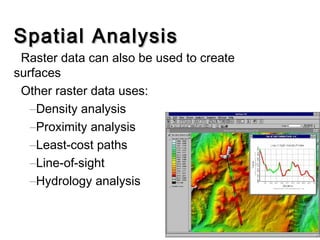
Spatial AnalysisSpatial Analysis
Raster data can also be used to create
surfaces
Other raster data uses:
–Density analysis
–Proximity analysis
–Least-cost paths
–Line-of-sight
–Hydrology analysis
Software / Hardware
GIS software programs are usually either vector or
raster based with capabilit ies in using both layer
types.
Vector Based Software
• ArcView
• ArcGIS
• MapInfo
Raster Based Software
• Erdas Imagine
• IDRISI
Websites
ESRI:
www.esri.com
University of Arkansas Libraries—Geographic
Information Systems & Maps:
http://libinfo.uark.edu/gis/tutorial.asp
UIUC, East St. Louis Geographic Information
Retrieval System:
http://www.eslarp.uiuc.edu/egrets/tutorials/
Geographic Information System Laboratory at MIT
http://libraries.mit.edu/gis/
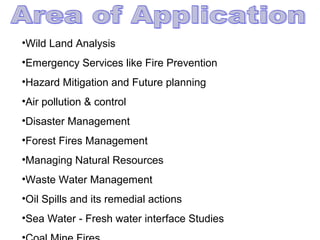
•Wild Land Analysis
•Emergency Services like Fire Prevention
•Hazard Mitigation and Future planning
•Air pollution & control
•Disaster Management
•Forest Fires Management
•Managing Natural Resources
•Waste Water Management
•Oil Spills and its remedial actions
•Sea Water - Fresh water interface Studies
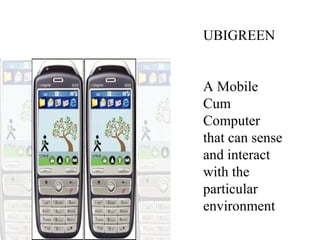
UBIGREEN
A Mobile
Cum
Computer
that can sense
and interact
with the
particular
environment
Env. mon

Env. mon

  • 2.
    Environmental monitoring isa tool for detecting improvements or degradation in the health of ecosystems Monitoring is conducted to assess the status of the environment and to protect against potential damage by human activities such as industrial waste disposal or logging
  • 3.
    •Environmental quality changingfor better or for worse •Cause of change •What can be done to alleviate the problem
  • 4.
    •To assess thechanges in environmental condition •To monitor the effective implementation of mitigation measures •Warn significant deteriorations in environmental quality for further action
  • 5.
    •Rehabilitations •Afforestations •Water quality andpublic health •Air and noise quality •Soil conservation •Sanitation and waste disposal
  • 6.
    CENR, GAP, MRLC,NWI EMAP LTER, LMER, NPEMP
  • 8.
    8 Phase I Background Phase II Design/Planning PhaseIII Implementatio n Phase IV Analysis/Repor t Phase V Follow-up Define requirements and goals Develop monitoring Strategy Conduct pilot Studies Analyze & interpret data Disseminate information Review existing Information Develop QA/QC procedures Goals addressed? Refine Design meet objectives? Develop sampling design Data quality acceptable? Objectives achieved? Apply QA/QC procedures Conduct monitoring program Present results & conclusions Refine or end monitoring program End Make Decisions
  • 10.
    The Earth isTheEarth is finite!finite! –If not now, within our lifetimes there may beIf not now, within our lifetimes there may be no natural ecosystems.no natural ecosystems. –Land managers, natural resource workers,Land managers, natural resource workers, and politicians are and will continue to makeand politicians are and will continue to make decisions about biological systems.decisions about biological systems. –Good information and tools are needed to doGood information and tools are needed to do this.this.
  • 11.
    • What isGeography The 3 “W’s” of Geography • What is where • Why is it there • Why do I care
  • 12.
    • Location Data –How Many – What Kind – Where • Scale of Data – Local to Global • Data Presentation – Words, Charts, Graphs, Tables, or Maps Exploring data using GIS turns data into information into knowledge
  • 13.
    GIS is aSystem of computer software, hardware and data, and personnel to help manipulate, analyze and present information that is tied to a spatial location – • spatial location – usually a geographic location • information – visualization of analysis of data • system – linking software, hardware, data • personnel – a thinking explorer who is key to the power of GIS
  • 14.
    • GPS –Global Positioning System • A static map – paper or digital – Maps are often a “product” of a GIS – A way to visualize the analysis • A software package
  • 15.
    • Estimates arethat 80% of all data has a spatial component – Data from most sciences can be analyzed “spatially”
  • 16.
    Spatial Data Spatial orcoordinate data represents features that have a known location on the earth. Points: X & Y Locations Polygon: Connected X & Y Locations that contain attribute information. Line: Connected X & Y Locations Raster: Row and column matrix represent geographic space.
  • 17.
    Data Input X &Y Coordinate: Used when a user has spatial data in X & Y coordinates. Digitize: Used when a user has a paper map that they Would like to convert into a digital file. Scan: Used when a user has a paper map that lends itself to reading spatial features in a rasterized format. The creation of digital spatial data. Database Entry: Commonly used when a user has attribute information related to common spatial alocations, such as the census
  • 18.
    Data Analysis Is whatallows users to answer questions that may not be explicitly stated in the data. • Retrieval • Map Generalization • Map Abstraction • Map Sheet •Manipulations • Buffer Generation • Polygon Overlay & Dissolve • Measurements • Digital Terrain analysis • Network Analysis
  • 19.
    Data Output Display andoutput of GIS data are achieved by both pr inters and computer screens. These output devices require software to format text and, if a map is to be drawn, graphics software to convert data into drawing instructions. Printing Graphic Display
  • 20.
    Data Management Data managementis one of the key issues determining the usability of spatial data. Data Errors / Errors in digitizing Level of Errors in original data Accuracy Errors in data entry Method of data entry Scale of data Storing Data Upkeep of historical data sets Warehousing state and city data Retrieving Data How can users access stored data Metadata Using national standards to record and maintain key information about data creation, scale, projection, and attributes.
  • 22.
    • A methodto visualize, manipulate, analyze, and display spatial data • “Smart Maps” linking a database to the map
  • 23.
    Database “Not Easy toInterpret” Database “Not Easy to Interpret”
  • 24.
    Visualization “Worth a ThousandWords” Visualization “Worth a Thousand Words”
  • 25.
    • Raster –Grid – “pixels” – a location and value – Satellite images and aerial photos are already in this format • Vector – Linear – Points, lines & polygons – “Features” (house, lake, etc.) • Attributes –size, type, length, etc. Real world
  • 26.
    Combining Data FromMany Sources
  • 27.
    Data For GISApplications • Digitized and Scanned Maps – purchased, donated, free (Internet) – created by user • Data Bases – Tables of data • GPS – Global Positioning System – accurate locations • Field Sampling of Attributes • Remote Sensing & Aerial Photography
  • 28.
    States Five Data Layers “Alike”Features Five Data Layers “Alike” Features Roads CapitalsRivers Lakes
  • 29.
    “Spatial Analysis” –not just a map Turning Data Into InformationTurning Data Into Information
  • 30.
    Asking A Question– InteractionAsking A Question – Interaction
  • 31.
    Maps and Databaseare “Interactive” Maps and Database are “Interactive”
  • 32.
    Multiple Databases canbe Linked and Related
  • 33.
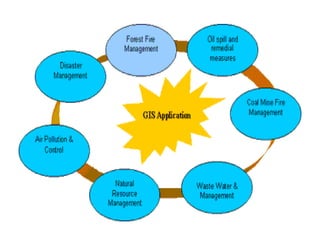
    Some Ways GISis Used • Emergency Services – Fire & Police • Environmental – Monitoring & Modeling • Business – Site Location, Delivery Systems • Industry – Transportation, Communication, Mining, Pipelines, Healthcare • Government – Local, State, Federal, Military • Education – Research, Teaching Tool, Administrational Data Analysis is Needed
  • 34.
  • 35.
  • 36.
    3D Mine withWell Data
  • 37.
  • 38.
  • 39.
    Oil Spill andContamination
  • 40.
    Site Location andClient DistanceSite Location and Client Distance
  • 41.
    Modeling of FutureTrendsModeling of Future Trends
  • 42.
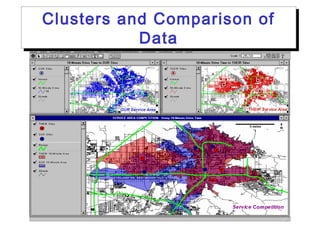
    Clusters and Comparisonof Data Clusters and Comparison of Data
  • 43.
    GIS on theInternet • Olympics — http://citymap.cityofsydney.nsw.gov.au/ • National Geographic Map Machine — http://www.nationalgeographic.com/map s.index.html • Find a Home — http://www.realtor.com • ATM Locator — http://www.visa.com • Store Locator — http://www.godiva.com • GIS Info — http://www.gis.com
  • 45.
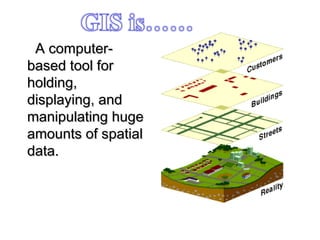
    A computer-A computer- basedtool forbased tool for holding,holding, displaying, anddisplaying, and manipulating hugemanipulating huge amounts of spatialamounts of spatial data.data.
  • 46.
    Proximity AnalysisProximity Analysis Twoor more data layers are overlaid GIS creates buffers around features on a particular layer This allows analyses such as flood zone delineation and features near a route such as hotels along a bike route
  • 47.
    Query and OverlayQueryand Overlay AnalysesAnalyses Query building is a data exploration operation –Example statement: ‘([acres] > 500 AND [age] > 55)’ –This would highlight all land parcels of greater than 500 acres owned by people older than 55 years old in a data set loaded into the GIS. Map algebra with raster data, in this type of operation mathematical operations are done on each pixel of multiple data layers. This results in a new data layer that is calculated from all the input layers.
  • 48.
    Spatial AnalysisSpatial Analysis Rasterdata can also be used to create surfaces Other raster data uses: –Density analysis –Proximity analysis –Least-cost paths –Line-of-sight –Hydrology analysis
  • 49.
    Software / Hardware GISsoftware programs are usually either vector or raster based with capabilit ies in using both layer types. Vector Based Software • ArcView • ArcGIS • MapInfo Raster Based Software • Erdas Imagine • IDRISI
  • 50.
    Websites ESRI: www.esri.com University of ArkansasLibraries—Geographic Information Systems & Maps: http://libinfo.uark.edu/gis/tutorial.asp UIUC, East St. Louis Geographic Information Retrieval System: http://www.eslarp.uiuc.edu/egrets/tutorials/ Geographic Information System Laboratory at MIT http://libraries.mit.edu/gis/
  • 52.
    •Wild Land Analysis •EmergencyServices like Fire Prevention •Hazard Mitigation and Future planning •Air pollution & control •Disaster Management •Forest Fires Management •Managing Natural Resources •Waste Water Management •Oil Spills and its remedial actions •Sea Water - Fresh water interface Studies
  • 54.
    UBIGREEN A Mobile Cum Computer that cansense and interact with the particular environment