Data Visualization with GIS
Kate Dougherty, University of Arkansas
Internet Librarian International
October 16, 2013
What is GIS?
• Geographic Information Systems (GIS) is a
computer-based method for collecting,
managing, analyzing, modeling, and
presenting geographic or spatial data.
• Can overlay maps and datasets and query
them in terms of their spatial relationships to
each other.
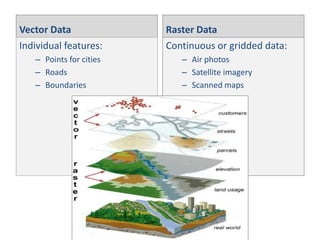
Vector Data
Individual features:
– Points for cities
– Roads
– Boundaries

Raster Data
Continuous or gridded data:
– Air photos
– Satellite imagery
– Scanned maps
What is GIS Used For?
•
•
•
•
•

Identifying conservation areas
Vehicle routing
Siting new facilities
Market and demographic research
Much more!
Where does the data come from?
• Federal
– Geo.data.gov
– Many countries have a
central GIS portal

• State GIS portals
• Local (counties/cities)
– Quality & availability of
local portals vary widely

• Educational institutions
• Non-profits

• Commercial sources
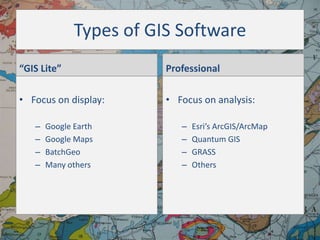
Types of GIS Software
“GIS Lite”

Professional

• Focus on display:

• Focus on analysis:

–
–
–
–

Google Earth
Google Maps
BatchGeo
Many others

–
–
–
–

Esri’s ArcGIS/ArcMap
Quantum GIS
GRASS
Others
Quantum GIS (QGIS)
• Open source professional-level software
– From the Open Source Geospatial Foundation

http://www.qgis.org/
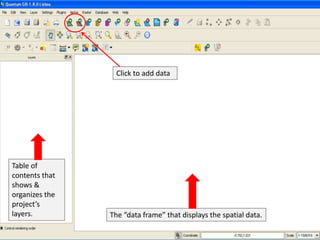
Click to add data

Table of
contents that
shows &
organizes the
project’s
layers.

The “data frame” that displays the spatial data.
“Lightweight” Applications
• GeoCommons.com
• Google Maps/Google
Fusion Tables
• BatchGeo.com

• Simply Map
(subscription)
• Policy Map
(subscription)
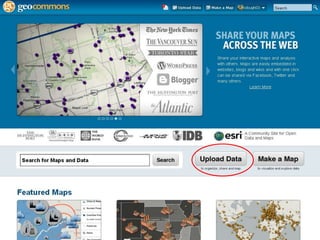
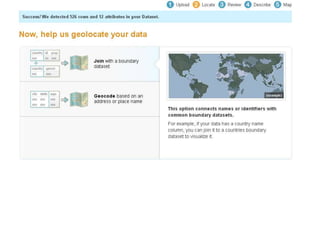
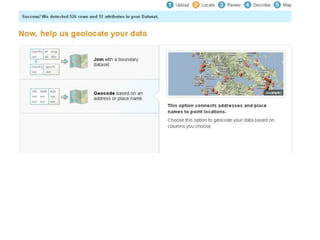
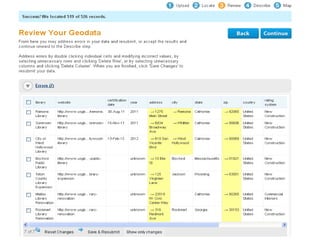
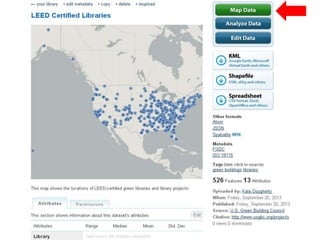
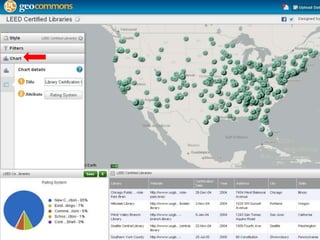
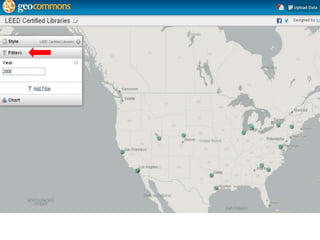
GeoCommons.com
• Platform for sharing and • Upload & map data
(files up to 20 MB)
visualization of data
through maps
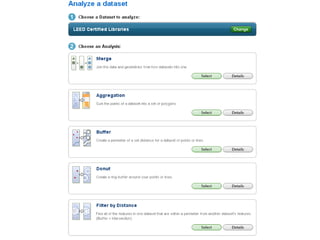
• Analyze data
• Open source
• Use or combine with
others’ data to create
• Cloud-based
new maps
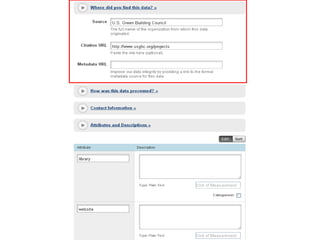
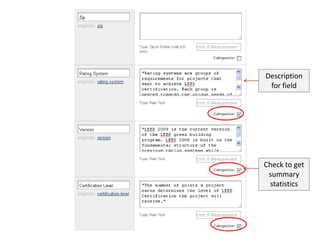
Description
for field

Check to get
summary
statistics
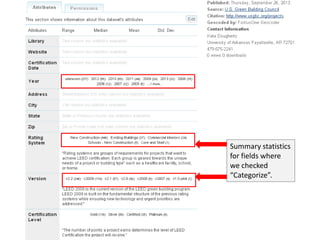
Summary statistics
for fields where
we checked
“Categorize”.
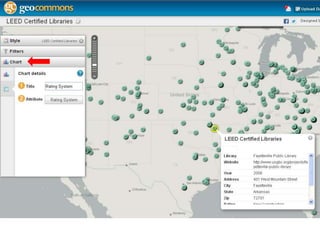
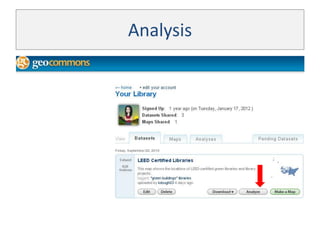
Analysis
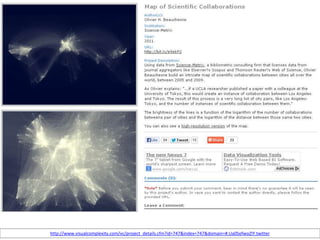
Sample “GIS Lite” Projects for
Libraries
http://www.visualcomplexity.com/vc/project_details.cfm?id=747&index=747&domain=#.Ua0SofwoZIY.twitter
Thank You!
Kate Dougherty
Geosciences and Maps Librarian
University of Arkansas
kdough03@gmail.com
Twitter: @kate_dougherty

Background: Geologic Map of County Clare, http://frackingfreeireland.org/info-to-download/maps/

Visualizing Data with Geographic Information Systems (GIS)

  • 1.
    Data Visualization withGIS Kate Dougherty, University of Arkansas Internet Librarian International October 16, 2013
  • 2.
    What is GIS? •Geographic Information Systems (GIS) is a computer-based method for collecting, managing, analyzing, modeling, and presenting geographic or spatial data. • Can overlay maps and datasets and query them in terms of their spatial relationships to each other.
  • 3.
    Vector Data Individual features: –Points for cities – Roads – Boundaries Raster Data Continuous or gridded data: – Air photos – Satellite imagery – Scanned maps
  • 4.
    What is GISUsed For? • • • • • Identifying conservation areas Vehicle routing Siting new facilities Market and demographic research Much more!
  • 5.
    Where does thedata come from? • Federal – Geo.data.gov – Many countries have a central GIS portal • State GIS portals • Local (counties/cities) – Quality & availability of local portals vary widely • Educational institutions • Non-profits • Commercial sources
  • 6.
    Types of GISSoftware “GIS Lite” Professional • Focus on display: • Focus on analysis: – – – – Google Earth Google Maps BatchGeo Many others – – – – Esri’s ArcGIS/ArcMap Quantum GIS GRASS Others
  • 7.
    Quantum GIS (QGIS) •Open source professional-level software – From the Open Source Geospatial Foundation http://www.qgis.org/
  • 8.
    Click to adddata Table of contents that shows & organizes the project’s layers. The “data frame” that displays the spatial data.
  • 19.
    “Lightweight” Applications • GeoCommons.com •Google Maps/Google Fusion Tables • BatchGeo.com • Simply Map (subscription) • Policy Map (subscription)
  • 20.
    GeoCommons.com • Platform forsharing and • Upload & map data (files up to 20 MB) visualization of data through maps • Analyze data • Open source • Use or combine with others’ data to create • Cloud-based new maps
  • 29.
    Description for field Check toget summary statistics
  • 31.
    Summary statistics for fieldswhere we checked “Categorize”.
  • 37.
  • 39.
    Sample “GIS Lite”Projects for Libraries
  • 42.
  • 43.
    Thank You! Kate Dougherty Geosciencesand Maps Librarian University of Arkansas kdough03@gmail.com Twitter: @kate_dougherty Background: Geologic Map of County Clare, http://frackingfreeireland.org/info-to-download/maps/