Storage and Memory

               Nguyen Duc An
               Nguyen Huu Ngoc Chi
Did you know…


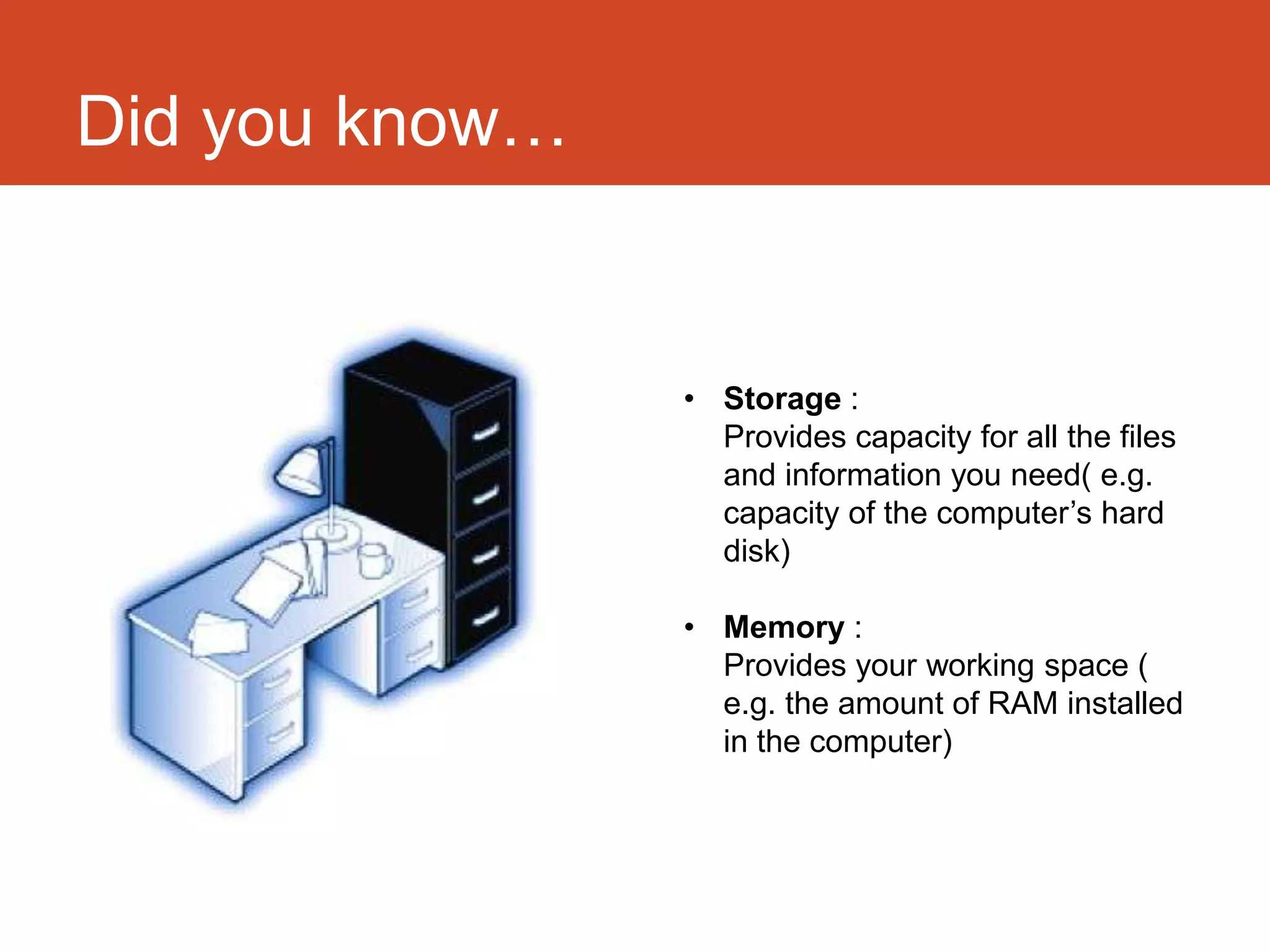
                • Storage :
                  Provides capacity for all the files
                  and information you need( e.g.
                  capacity of the computer’s hard
                  disk)

                • Memory :
                  Provides your working space (
                  e.g. the amount of RAM installed
                  in the computer)
Overview

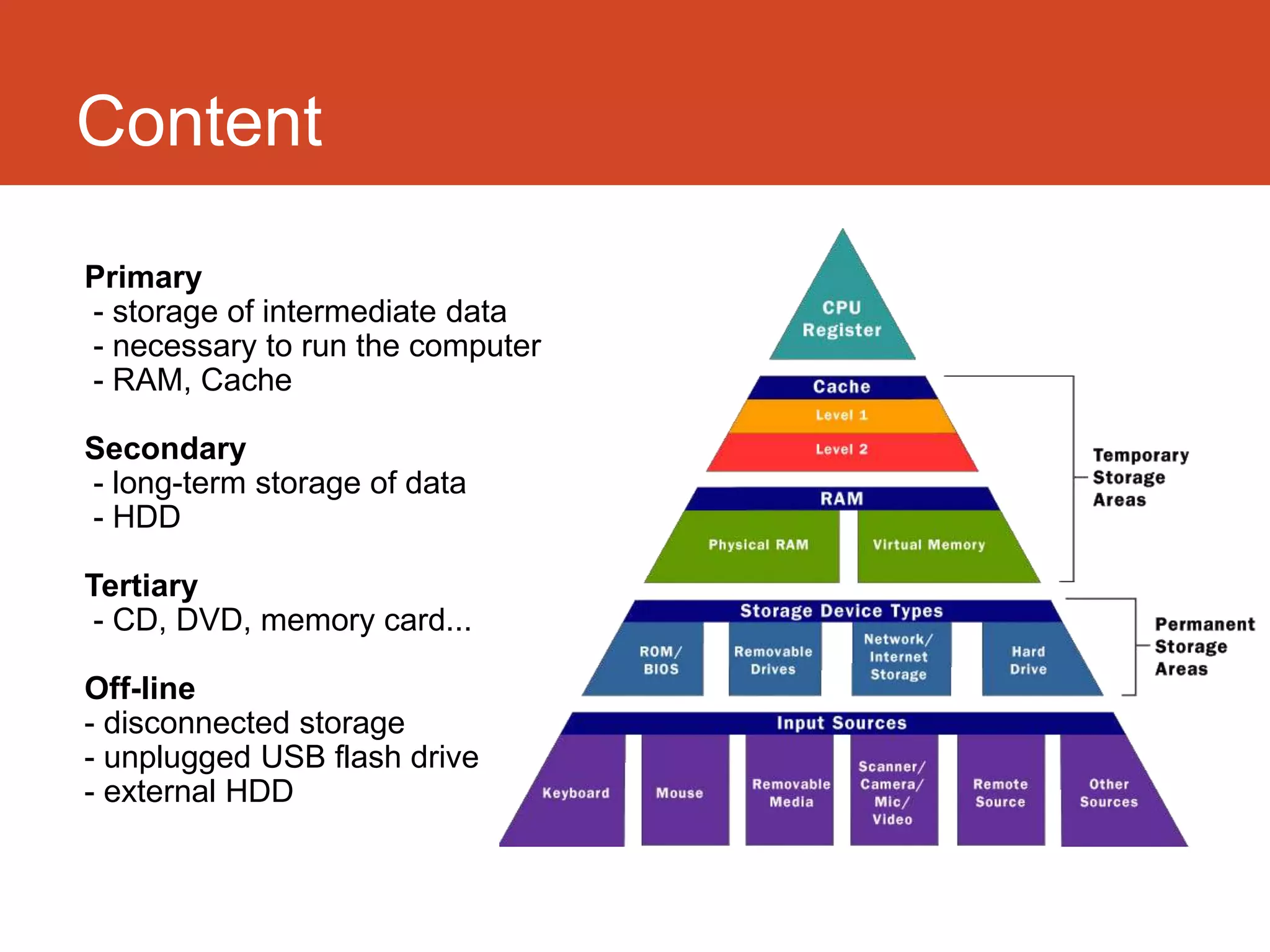
Primary
- storage of intermediate data
- necessary to run the computer
- RAM, Cache

Secondary
- long-term storage of data
- HDD

Tertiary
 - CD, DVD, memory card...

Off-line
- disconnected storage
- unplugged USB flash drive
- external HDD
Memory


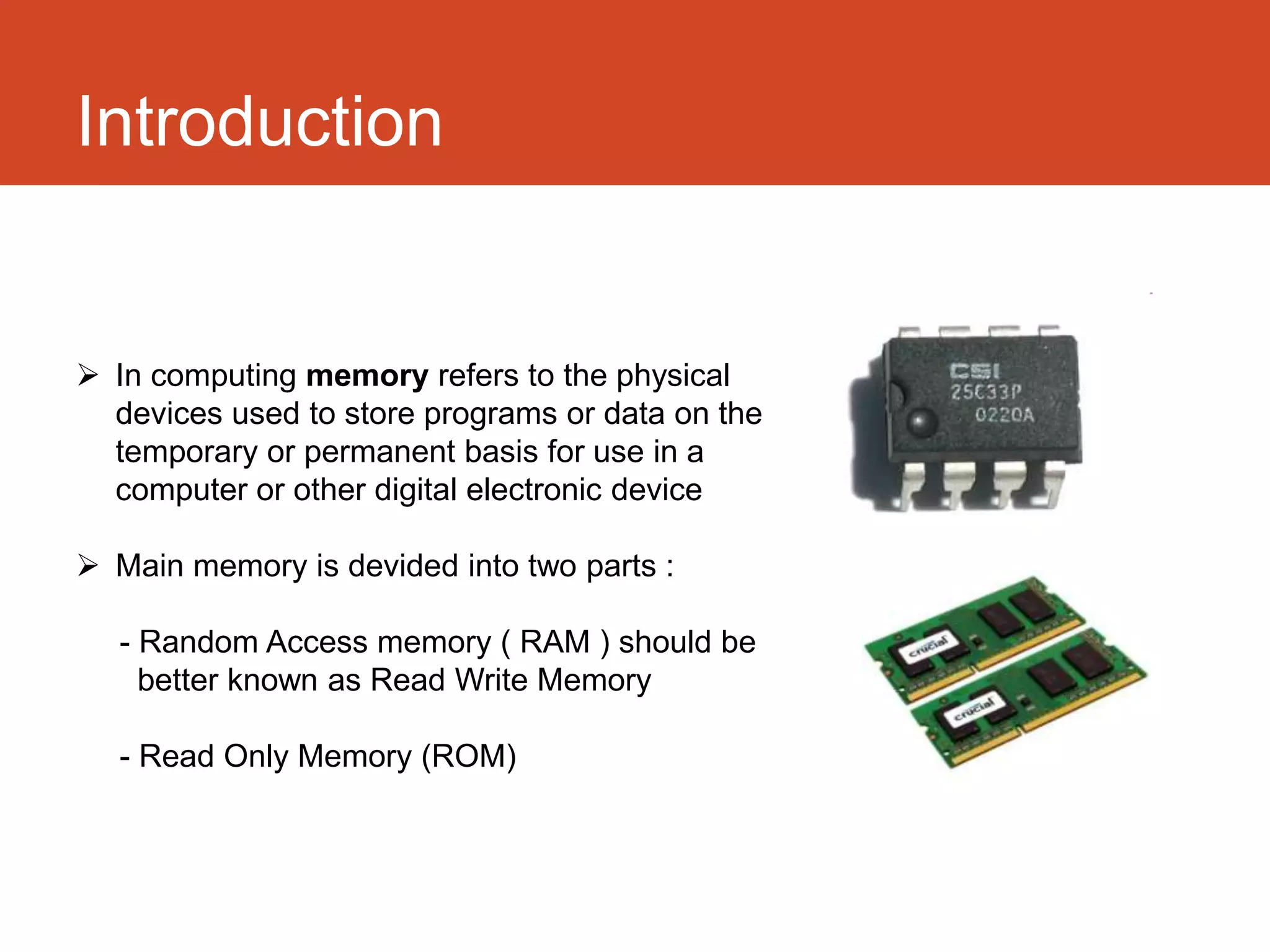
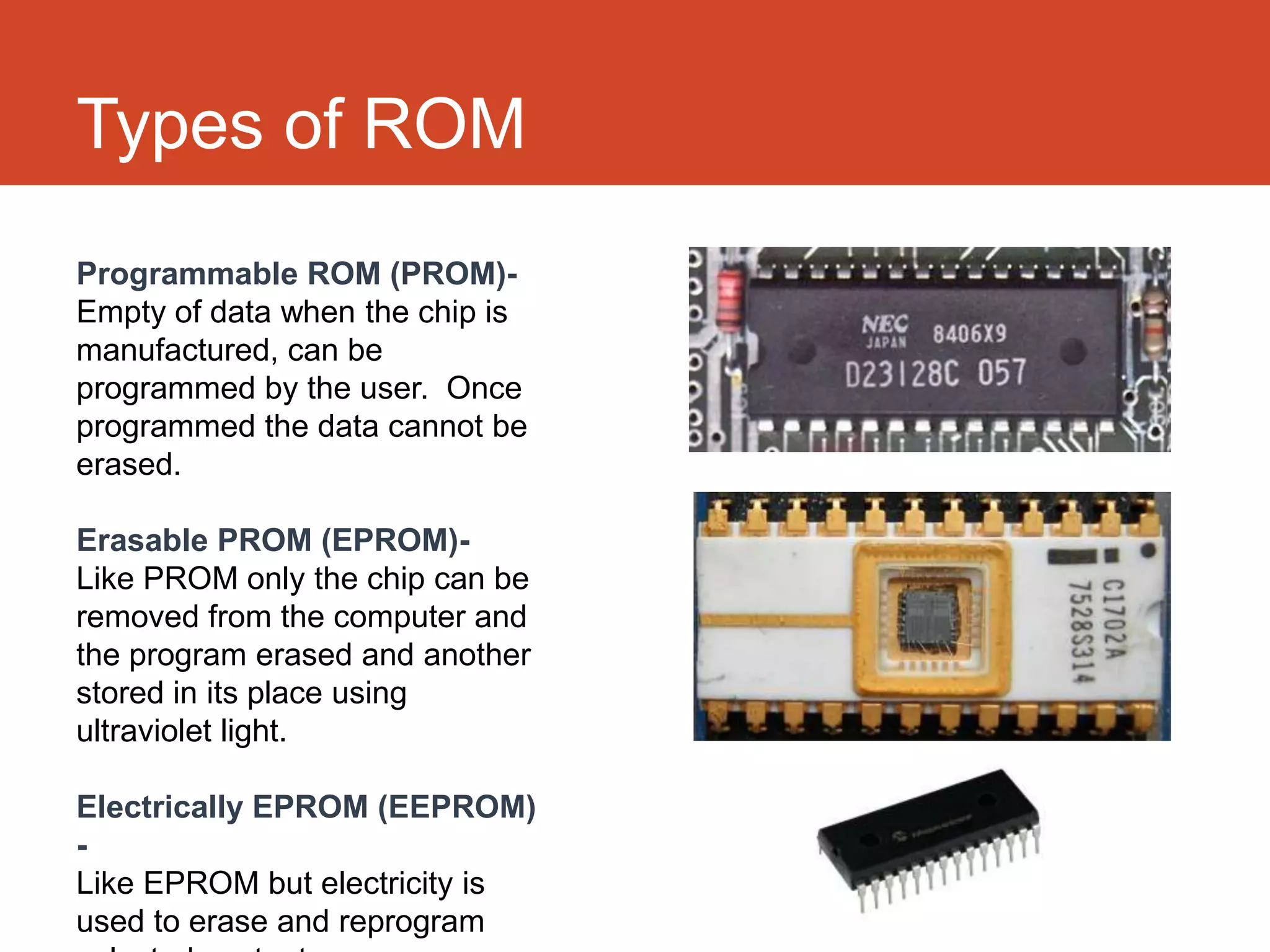
 In computing memory refers to the physical
  devices used to store programs or data on the
  temporary or permanent basis for use in a
  computer or other digital electronic device

 Main memory is divided into two parts :

   - Random Access memory ( RAM ) should be
     better known as Read Write Memory

   - Read Only Memory (ROM)
Random Access Memory (RAM)
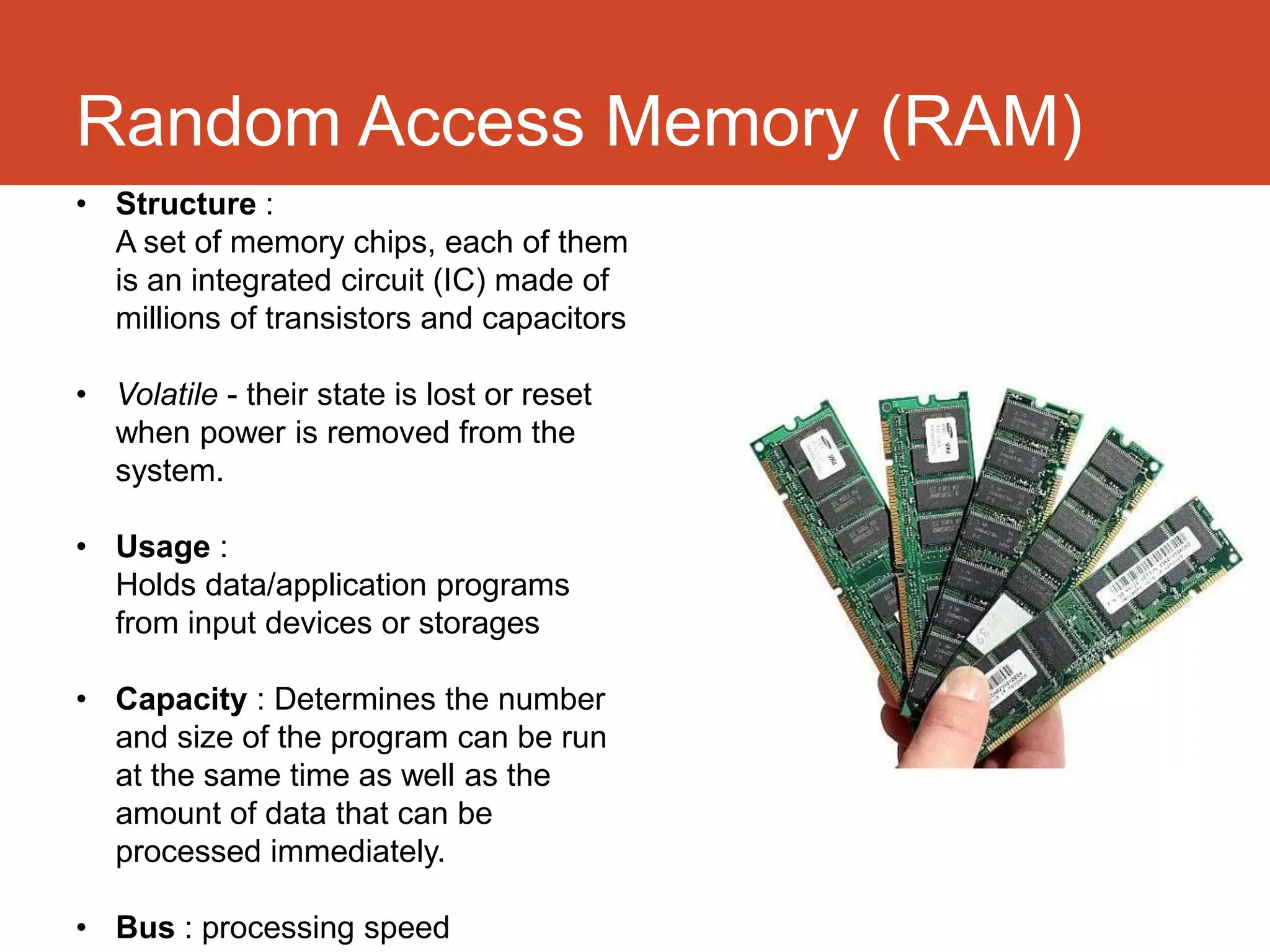
• Structure :
  A set of memory chips, each of them
  is an integrated circuit (IC) made of
  millions of transistors and capacitors

• Volatile - their state is lost or reset
  when power is removed from the
  system.

• Usage :
  Holds data/application programs
  from input devices or storages

• Capacity : Determines the number
  and size of the program can be run
  at the same time as well as the
  amount of data that can be
  processed immediately.

• Bus : processing speed
Types of RAM

Static Random Access Memory              Dynamic Random Access
(SRAM)                                   Memory (DRAM)

• Semi conductor memory                  • Store each bit of memory in
• Use flip-flop to store each bit of       capacitor in an integrated circuit
  memory so does not need to be          • Real capacitors leak charge so
  periodically refreshed                   capacitors need to be refreshed
• Faster and consumes low power            periodically
• Expensive and have complex             • Simple structure ( 1 transistor and
  structure (6 transistors) so not use     1 capacitor per bit) so it has very
  in high capacity applications            high density
Read only memory (ROM)


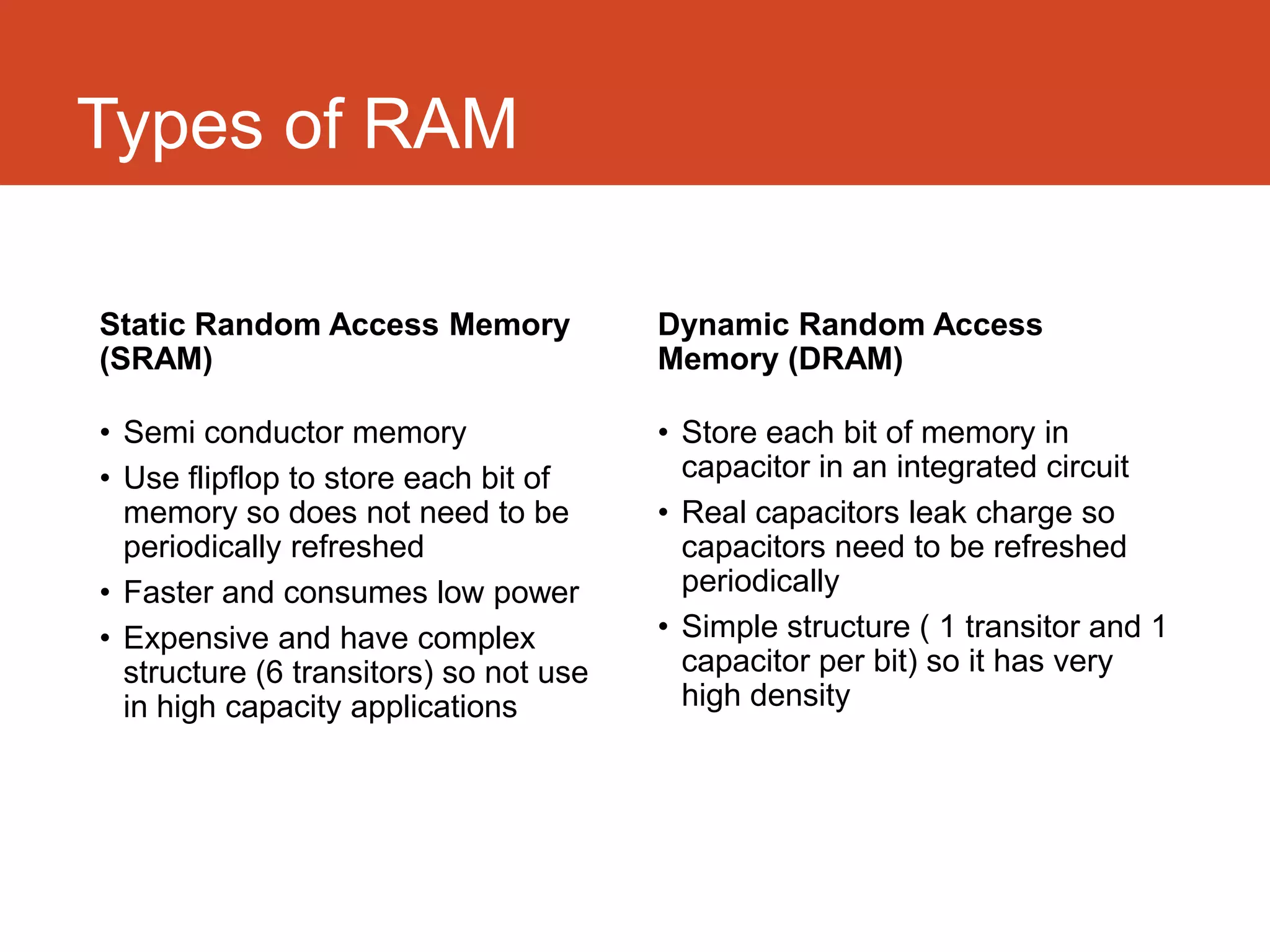
• Has contents which are fixed when
  the chip is manufactured

• Holds the bootstrap loader part of
  the operating system

• Retains its data when the computer
  is switched off
Types of ROM
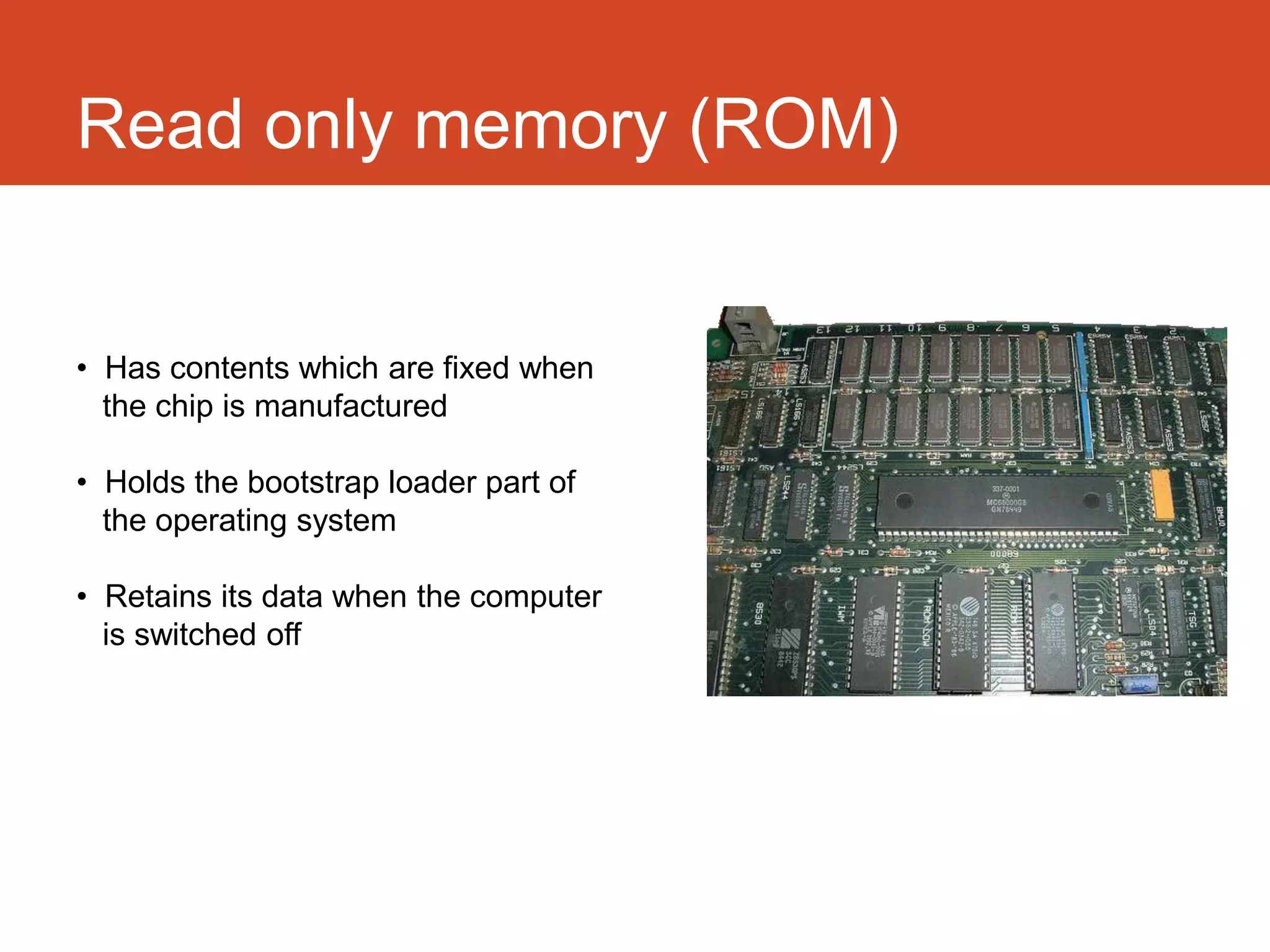
Programmable ROM (PROM)-
Empty of data when the chip is
manufactured, can be
programmed by the user. Once
programmed the data cannot be
erased.

Erasable PROM (EPROM)-
Like PROM only the chip can be
removed from the computer and
the program erased and another
stored in its place using
ultraviolet light.

Electrically EPROM (EEPROM)
-
Like EPROM but electricity is
used to erase and reprogram
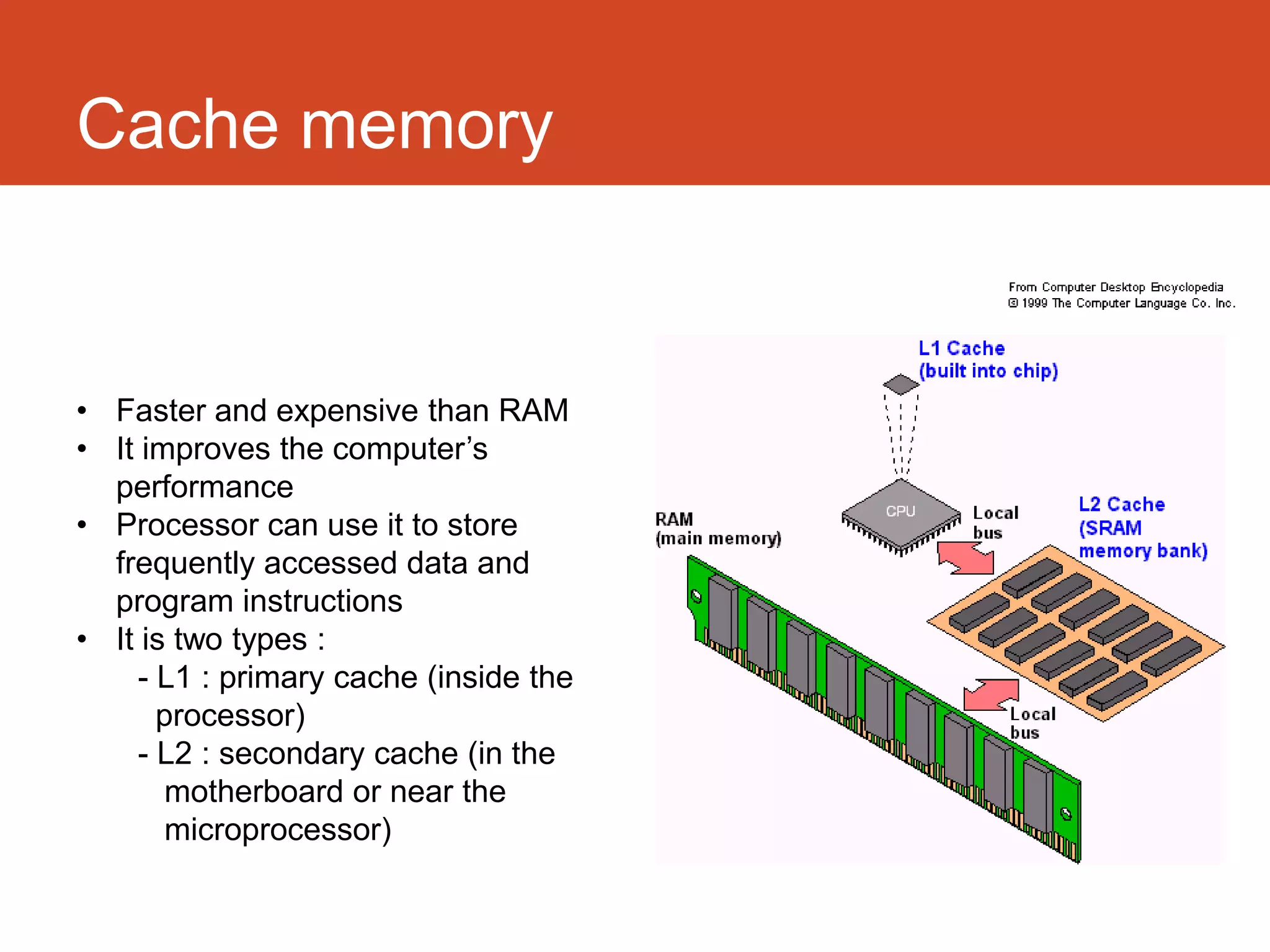
Cache memory


• Faster and expensive than RAM
• It improves the computer’s
  performance
• Processor can use it to store
  frequently accessed data and
  program instructions
• It is two types :
    - L1 : primary cache (inside the
      processor)
    - L2 : secondary cache (in the
       motherboard or near the
       microprocessor)
Storage


• Storage – any devices that are capable
  of holding information, even when the
  power is off (non-volatile).

• Ex: Floppy disk drive, hard disk drive,
  USB flash disk,...

• Offline storage – type of storage that
  can be removed and can be accessed
  from any computers when connected.
Types of storage device

 • Optical storage devices


 • Magnetic storage devices


 • Flash memory devices
Optical storage devices


Compact Disc (CD)            DVD               Blu-ray Disc
 Capacity: 700 MB      Capacity: 4.7 GB      Capacity: 25 GB
Available from 1982   Available from 1995   Available from 2006
Optical storage devices
 Advantages:

        Small and portable
        Cheap to produce
        Large market of music, movies and games
        Most desktop computers or laptops are equipped with
         CD/DVD/Blu-ray drive


 Disadvantages:

    x    Fragile, easy to get scratched
    x    Slower data transferring rate
    x    Required specified drives to write data to the discs
    x    Limited number of writes
Magnetic storage devices

Floppy disk
• First available in 1971

• Capacity: 1.44 MB (3 1⁄2-inch floppy
  disk)

• Discontinued.

• Since 2010, no motherboard is still
  manufactured with the support of
  floppy disk drive.
Magnetic storage devices

Hard disk drive (HDD)
• First introduced in 1956
  Became dominant in the 1960s

  Capacity keeps increasing
  Max. capacity: 4 TB
               (as of 2013)

• Continuously improved.

• Maintained an important position
  of modern servers and PCs.
Magnetic storage devices
 Advantages (HDD):

        Large and increasing capacity
        High transferring speed
        No data loss when power is off (non-volatile)
        Cheap price compared to other storage media (cost per
         MB)


 Disadvantages (HDD):

    x    Possible damages and data loss due to ‘head’ crash
    x    Because of working on mechanism basis, it will be
         eventually
         broken
    x    In case of internal hard drive, it is not easy to be
         transferred to another computer
    x    High power consumption
Flash memory devices

USB Flash drive
• Commercially available in 2000

• Max. capacity: 1 TB (as of 2013)

• Small size

• Ideal solution for storing small data
Flash memory devices

Solid state drive (SSD)
• First introduced in 1995

• Max. capacity: 1 TB (as of 2013)

• Very high transferring speed in
  comparison to normal physical hard disk
Flash memory devices
 Advantages:

        Large and increasing capacity
        High transferring speed
        Small size, portability
        Low power consumption
        Work more quietly than physical hard drive


 Disadvantages:

    x    High price compared to hard disks (cost per MB)
    x    Limited number of reads/writes (write endurance rating)
    x    Easy to lose because of small size
You didn’t hear that?


Thank you
Computer memory

Computer memory

  • 1.
    Storage and Memory Nguyen Duc An Nguyen Huu Ngoc Chi
  • 2.
    Did you know… • Storage : Provides capacity for all the files and information you need( e.g. capacity of the computer’s hard disk) • Memory : Provides your working space ( e.g. the amount of RAM installed in the computer)
  • 3.
    Overview Primary - storage ofintermediate data - necessary to run the computer - RAM, Cache Secondary - long-term storage of data - HDD Tertiary - CD, DVD, memory card... Off-line - disconnected storage - unplugged USB flash drive - external HDD
  • 4.
    Memory  In computingmemory refers to the physical devices used to store programs or data on the temporary or permanent basis for use in a computer or other digital electronic device  Main memory is divided into two parts : - Random Access memory ( RAM ) should be better known as Read Write Memory - Read Only Memory (ROM)
  • 5.
    Random Access Memory(RAM) • Structure : A set of memory chips, each of them is an integrated circuit (IC) made of millions of transistors and capacitors • Volatile - their state is lost or reset when power is removed from the system. • Usage : Holds data/application programs from input devices or storages • Capacity : Determines the number and size of the program can be run at the same time as well as the amount of data that can be processed immediately. • Bus : processing speed
  • 6.
    Types of RAM StaticRandom Access Memory Dynamic Random Access (SRAM) Memory (DRAM) • Semi conductor memory • Store each bit of memory in • Use flip-flop to store each bit of capacitor in an integrated circuit memory so does not need to be • Real capacitors leak charge so periodically refreshed capacitors need to be refreshed • Faster and consumes low power periodically • Expensive and have complex • Simple structure ( 1 transistor and structure (6 transistors) so not use 1 capacitor per bit) so it has very in high capacity applications high density
  • 7.
    Read only memory(ROM) • Has contents which are fixed when the chip is manufactured • Holds the bootstrap loader part of the operating system • Retains its data when the computer is switched off
  • 8.
    Types of ROM ProgrammableROM (PROM)- Empty of data when the chip is manufactured, can be programmed by the user. Once programmed the data cannot be erased. Erasable PROM (EPROM)- Like PROM only the chip can be removed from the computer and the program erased and another stored in its place using ultraviolet light. Electrically EPROM (EEPROM) - Like EPROM but electricity is used to erase and reprogram
  • 9.
    Cache memory • Fasterand expensive than RAM • It improves the computer’s performance • Processor can use it to store frequently accessed data and program instructions • It is two types : - L1 : primary cache (inside the processor) - L2 : secondary cache (in the motherboard or near the microprocessor)
  • 10.
    Storage • Storage –any devices that are capable of holding information, even when the power is off (non-volatile). • Ex: Floppy disk drive, hard disk drive, USB flash disk,... • Offline storage – type of storage that can be removed and can be accessed from any computers when connected.
  • 11.
    Types of storagedevice • Optical storage devices • Magnetic storage devices • Flash memory devices
  • 12.
    Optical storage devices CompactDisc (CD) DVD Blu-ray Disc Capacity: 700 MB Capacity: 4.7 GB Capacity: 25 GB Available from 1982 Available from 1995 Available from 2006
  • 13.
    Optical storage devices Advantages:  Small and portable  Cheap to produce  Large market of music, movies and games  Most desktop computers or laptops are equipped with CD/DVD/Blu-ray drive Disadvantages: x Fragile, easy to get scratched x Slower data transferring rate x Required specified drives to write data to the discs x Limited number of writes
  • 14.
    Magnetic storage devices Floppydisk • First available in 1971 • Capacity: 1.44 MB (3 1⁄2-inch floppy disk) • Discontinued. • Since 2010, no motherboard is still manufactured with the support of floppy disk drive.
  • 15.
    Magnetic storage devices Harddisk drive (HDD) • First introduced in 1956 Became dominant in the 1960s Capacity keeps increasing Max. capacity: 4 TB (as of 2013) • Continuously improved. • Maintained an important position of modern servers and PCs.
  • 16.
    Magnetic storage devices Advantages (HDD):  Large and increasing capacity  High transferring speed  No data loss when power is off (non-volatile)  Cheap price compared to other storage media (cost per MB) Disadvantages (HDD): x Possible damages and data loss due to ‘head’ crash x Because of working on mechanism basis, it will be eventually broken x In case of internal hard drive, it is not easy to be transferred to another computer x High power consumption
  • 17.
    Flash memory devices USBFlash drive • Commercially available in 2000 • Max. capacity: 1 TB (as of 2013) • Small size • Ideal solution for storing small data
  • 18.
    Flash memory devices Solidstate drive (SSD) • First introduced in 1995 • Max. capacity: 1 TB (as of 2013) • Very high transferring speed in comparison to normal physical hard disk
  • 19.
    Flash memory devices Advantages:  Large and increasing capacity  High transferring speed  Small size, portability  Low power consumption  Work more quietly than physical hard drive Disadvantages: x High price compared to hard disks (cost per MB) x Limited number of reads/writes (write endurance rating) x Easy to lose because of small size
  • 20.
    You didn’t hearthat? Thank you