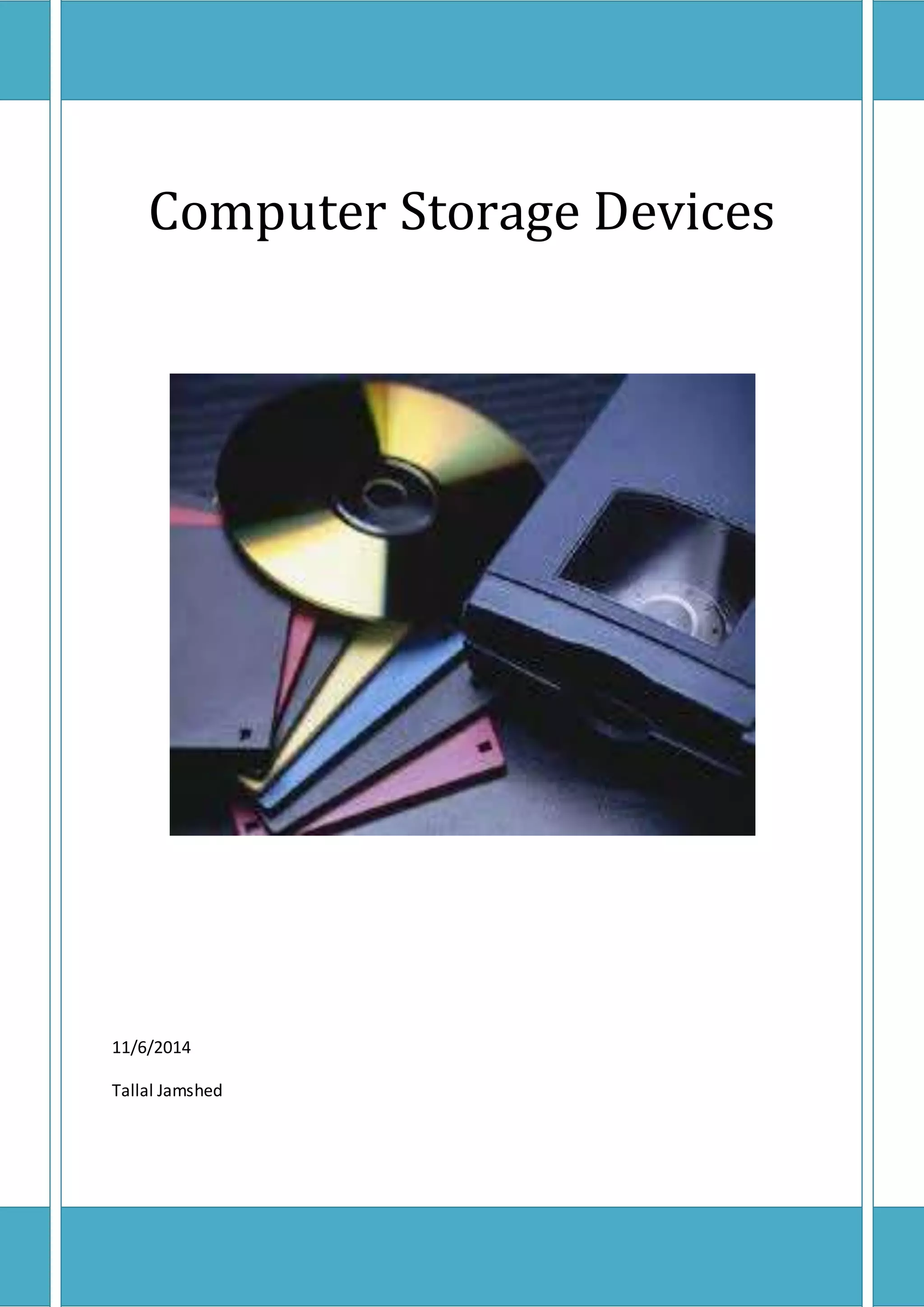
Computer Storage Devices 
11/6/2014 
Tallal Jamshed
Contents 
1. Primary storage...........................................................................................................................3 
1.1 ROM (Read Only Memory) ...................................................................................................4 
1.1.1 PROM (Programmable Read Only Memory) ...................................................................4 
1.1.2 EPROM (Erasable Programmable Read Only Memory) ....................................................4 
1.1.3 EEPROM (Electrically Erasable Programmable Read Only Memory)..................................4 
1.2 RAM (Random Access Memory) ............................................................................................5 
1.1.1 DRAM (Dynamic Random Access Memory) ....................................................................5 
1.1.2 SRAM (Static Random Access Memory)..........................................................................6 
2. Secondary storage .......................................................................................................................6 
3. Removable Storage Media ...........................................................................................................8 
Table of figures 
Figure 1 ROM (Read Only Memory) .....................................................................................................4 
Figure 2 RAM (Random Access Memory)..............................................................................................5 
Figure 3 System DRAM........................................................................................................................5 
Figure 4 Smaller SRAM ........................................................................................................................6 
Figure 5 IDE HDD (above) SATA HDD (below)........................................................................................7 
Figure 6 SSD (Solid State Derive) ..........................................................................................................7 
Figure 7 Optical Disks ..........................................................................................................................7 
Figure 8 USB storage ...........................................................................................................................8 
Figure 9 Memory Card ........................................................................................................................8 
Figure 10 External Hard disk ................................................................................................................9
Computer Storage Devices 
Without a significant amount of memory, a computer would merely be able to perform fixed 
operations and immediately output the result without storing them therefore some kind of 
memory is placed in the computer to store instructions for processor and data to be processed 
and also the output results for future use. 
There are three types of storage devices in computer 
1. Primary storage 
2. Secondary storage 
3. Removable storage 
1. Primary storage 
Primary storage, often referred to simply as memory, is the only one directly accessible to the 
CPU. The CPU continuously reads instructions stored there and executes them as required. Any 
data actively operated on is also stored there in uniform manner. 
There are two types of primary storage 
1. ROM (Read Only Memory) 
2. RAM (Random Access Memory)
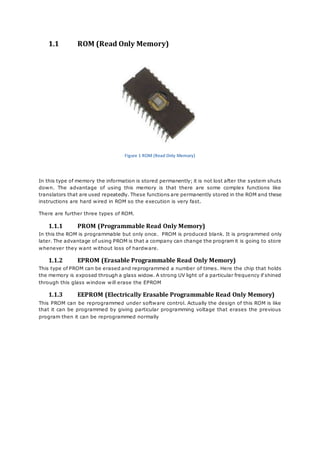
1.1 ROM (Read Only Memory) 
Figure 1 ROM (Read Only Memory) 
In this type of memory the information is stored permanently; it is not lost after the system shuts 
down. The advantage of using this memory is that there are some complex functions like 
translators that are used repeatedly. These functions are permanently stored in the ROM and these 
instructions are hard wired in ROM so the execution is very fast. 
There are further three types of ROM. 
1.1.1 PROM (Programmable Read Only Memory) 
In this the ROM is programmable but only once. PROM is produced blank. It is programmed only 
later. The advantage of using PROM is that a company can change the program it is going to store 
whenever they want without loss of hardware. 
1.1.2 EPROM (Erasable Programmable Read Only Memory) 
This type of PROM can be erased and reprogrammed a number of times. Here the chip that holds 
the memory is exposed through a glass widow. A strong UV light of a particular frequency if shined 
through this glass window will erase the EPROM 
1.1.3 EEPROM (Electrically Erasable Programmable Read Only Memory) 
This PROM can be reprogrammed under software control. Actually the design of this ROM is like 
that it can be programmed by giving particular programming voltage that erases the previous 
program then it can be reprogrammed normally
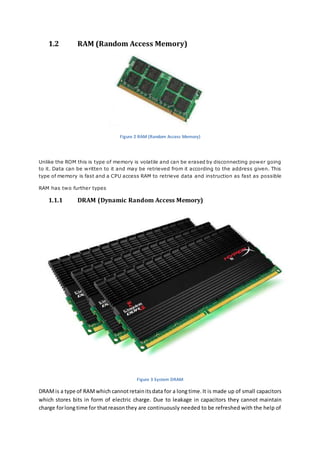
1.2 RAM (Random Access Memory) 
Figure 2 RAM (Random Access Memory) 
Unlike the ROM this is type of memory is volatile and can be erased by disconnecting power going 
to it. Data can be written to it and may be retrieved from it according to the address given. This 
type of memory is fast and a CPU access RAM to retrieve data and instruction as fast as possible 
RAM has two further types 
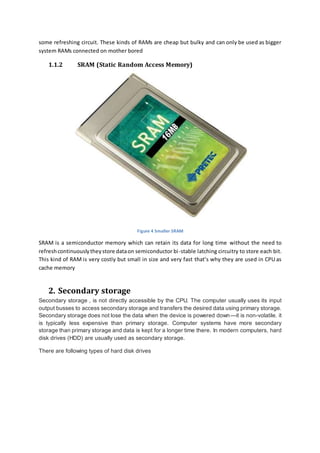
1.1.1 DRAM (Dynamic Random Access Memory) 
Figure 3 System DRAM 
DRAM is a type of RAM which cannot retain its data for a long time. It is made up of small capacitors 
which stores bits in form of electric charge. Due to leakage in capacitors they cannot maintain 
charge for long time for that reason they are continuously needed to be refreshed with the help of
some refreshing circuit. These kinds of RAMs are cheap but bulky and can only be used as bigger 
system RAMs connected on mother bored 
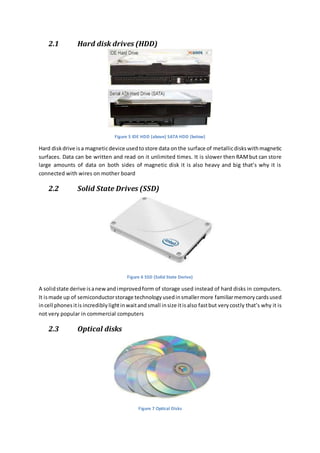
1.1.2 SRAM (Static Random Access Memory) 
Figure 4 Smaller SRAM 
SRAM is a semiconductor memory which can retain its data for long time without the need to 
refresh continuously they store data on semiconductor bi -stable latching circuitry to store each bit. 
This kind of RAM is very costly but small in size and very fast that’s why they are used in CPU as 
cache memory 
2. Secondary storage 
Secondary storage , is not directly accessible by the CPU. The computer usually uses its input 
output busses to access secondary storage and transfers the desired data using primary storage. 
Secondary storage does not lose the data when the device is powered down—it is non-volatile. it 
is typically less expensive than primary storage. Computer systems have more secondary 
storage than primary storage and data is kept for a longer time there. In modern computers, hard 
disk drives (HDD) are usually used as secondary storage. 
There are following types of hard disk drives
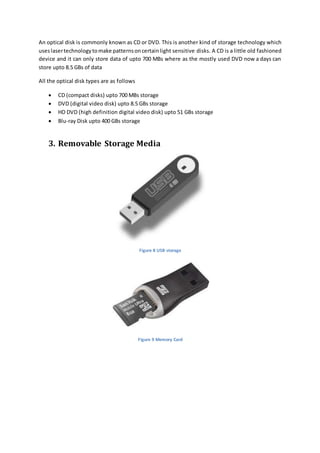
2.1 Hard disk drives (HDD) 
Figure 5 IDE HDD (above) SATA HDD (below) 
Hard disk drive is a magnetic device used to store data on the surface of metallic disks with magnetic 
surfaces. Data can be written and read on it unlimited times. It is slower then RAM but can store 
large amounts of data on both sides of magnetic disk it is also heavy and big that’s why it is 
connected with wires on mother board 
2.2 Solid State Drives (SSD) 
Figure 6 SSD (Solid State Derive) 
A solid state derive is a new and improved form of storage used instead of hard disks in computers. 
It is made up of semiconductor storage technology used in smaller more familiar memory cards used 
in cell phones it is incredibly light in wait and small in size it is also fast but very costly that’s why it is 
not very popular in commercial computers 
2.3 Optical disks 
Figure 7 Optical Disks
An optical disk is commonly known as CD or DVD. This is another kind of storage technology which 
uses laser technology to make patterns on certain light sensitive disks. A CD is a little old fashioned 
device and it can only store data of upto 700 MBs where as the mostly used DVD now a days can 
store upto 8.5 GBs of data 
All the optical disk types are as follows 
 CD (compact disks) upto 700 MBs storage 
 DVD (digital video disk) upto 8.5 GBs storage 
 HD DVD (high definition digital video disk) upto 51 GBs storage 
 Blu-ray Disk upto 400 GBs storage 
3. Removable Storage Media 
Figure 8 USB storage 
Figure 9 Memory Card
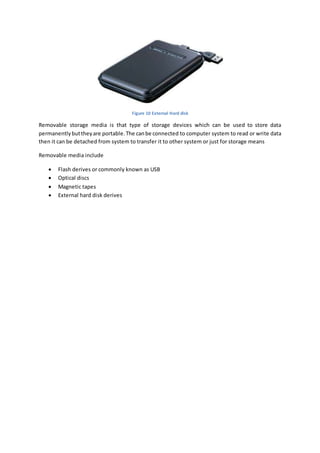
Figure 10 External Hard disk 
Removable storage media is that type of storage devices which can be used to store data 
permanently but they are portable. The can be connected to computer system to read or write data 
then it can be detached from system to transfer it to other system or just for storage means 
Removable media include 
 Flash derives or commonly known as USB 
 Optical discs 
 Magnetic tapes 
 External hard disk derives

Computer storage devices

  • 1.
    Computer Storage Devices 11/6/2014 Tallal Jamshed
  • 2.
    Contents 1. Primarystorage...........................................................................................................................3 1.1 ROM (Read Only Memory) ...................................................................................................4 1.1.1 PROM (Programmable Read Only Memory) ...................................................................4 1.1.2 EPROM (Erasable Programmable Read Only Memory) ....................................................4 1.1.3 EEPROM (Electrically Erasable Programmable Read Only Memory)..................................4 1.2 RAM (Random Access Memory) ............................................................................................5 1.1.1 DRAM (Dynamic Random Access Memory) ....................................................................5 1.1.2 SRAM (Static Random Access Memory)..........................................................................6 2. Secondary storage .......................................................................................................................6 3. Removable Storage Media ...........................................................................................................8 Table of figures Figure 1 ROM (Read Only Memory) .....................................................................................................4 Figure 2 RAM (Random Access Memory)..............................................................................................5 Figure 3 System DRAM........................................................................................................................5 Figure 4 Smaller SRAM ........................................................................................................................6 Figure 5 IDE HDD (above) SATA HDD (below)........................................................................................7 Figure 6 SSD (Solid State Derive) ..........................................................................................................7 Figure 7 Optical Disks ..........................................................................................................................7 Figure 8 USB storage ...........................................................................................................................8 Figure 9 Memory Card ........................................................................................................................8 Figure 10 External Hard disk ................................................................................................................9
  • 3.
    Computer Storage Devices Without a significant amount of memory, a computer would merely be able to perform fixed operations and immediately output the result without storing them therefore some kind of memory is placed in the computer to store instructions for processor and data to be processed and also the output results for future use. There are three types of storage devices in computer 1. Primary storage 2. Secondary storage 3. Removable storage 1. Primary storage Primary storage, often referred to simply as memory, is the only one directly accessible to the CPU. The CPU continuously reads instructions stored there and executes them as required. Any data actively operated on is also stored there in uniform manner. There are two types of primary storage 1. ROM (Read Only Memory) 2. RAM (Random Access Memory)
  • 4.
    1.1 ROM (ReadOnly Memory) Figure 1 ROM (Read Only Memory) In this type of memory the information is stored permanently; it is not lost after the system shuts down. The advantage of using this memory is that there are some complex functions like translators that are used repeatedly. These functions are permanently stored in the ROM and these instructions are hard wired in ROM so the execution is very fast. There are further three types of ROM. 1.1.1 PROM (Programmable Read Only Memory) In this the ROM is programmable but only once. PROM is produced blank. It is programmed only later. The advantage of using PROM is that a company can change the program it is going to store whenever they want without loss of hardware. 1.1.2 EPROM (Erasable Programmable Read Only Memory) This type of PROM can be erased and reprogrammed a number of times. Here the chip that holds the memory is exposed through a glass widow. A strong UV light of a particular frequency if shined through this glass window will erase the EPROM 1.1.3 EEPROM (Electrically Erasable Programmable Read Only Memory) This PROM can be reprogrammed under software control. Actually the design of this ROM is like that it can be programmed by giving particular programming voltage that erases the previous program then it can be reprogrammed normally
  • 5.
    1.2 RAM (RandomAccess Memory) Figure 2 RAM (Random Access Memory) Unlike the ROM this is type of memory is volatile and can be erased by disconnecting power going to it. Data can be written to it and may be retrieved from it according to the address given. This type of memory is fast and a CPU access RAM to retrieve data and instruction as fast as possible RAM has two further types 1.1.1 DRAM (Dynamic Random Access Memory) Figure 3 System DRAM DRAM is a type of RAM which cannot retain its data for a long time. It is made up of small capacitors which stores bits in form of electric charge. Due to leakage in capacitors they cannot maintain charge for long time for that reason they are continuously needed to be refreshed with the help of
  • 6.
    some refreshing circuit.These kinds of RAMs are cheap but bulky and can only be used as bigger system RAMs connected on mother bored 1.1.2 SRAM (Static Random Access Memory) Figure 4 Smaller SRAM SRAM is a semiconductor memory which can retain its data for long time without the need to refresh continuously they store data on semiconductor bi -stable latching circuitry to store each bit. This kind of RAM is very costly but small in size and very fast that’s why they are used in CPU as cache memory 2. Secondary storage Secondary storage , is not directly accessible by the CPU. The computer usually uses its input output busses to access secondary storage and transfers the desired data using primary storage. Secondary storage does not lose the data when the device is powered down—it is non-volatile. it is typically less expensive than primary storage. Computer systems have more secondary storage than primary storage and data is kept for a longer time there. In modern computers, hard disk drives (HDD) are usually used as secondary storage. There are following types of hard disk drives
  • 7.
    2.1 Hard diskdrives (HDD) Figure 5 IDE HDD (above) SATA HDD (below) Hard disk drive is a magnetic device used to store data on the surface of metallic disks with magnetic surfaces. Data can be written and read on it unlimited times. It is slower then RAM but can store large amounts of data on both sides of magnetic disk it is also heavy and big that’s why it is connected with wires on mother board 2.2 Solid State Drives (SSD) Figure 6 SSD (Solid State Derive) A solid state derive is a new and improved form of storage used instead of hard disks in computers. It is made up of semiconductor storage technology used in smaller more familiar memory cards used in cell phones it is incredibly light in wait and small in size it is also fast but very costly that’s why it is not very popular in commercial computers 2.3 Optical disks Figure 7 Optical Disks
  • 8.
    An optical diskis commonly known as CD or DVD. This is another kind of storage technology which uses laser technology to make patterns on certain light sensitive disks. A CD is a little old fashioned device and it can only store data of upto 700 MBs where as the mostly used DVD now a days can store upto 8.5 GBs of data All the optical disk types are as follows  CD (compact disks) upto 700 MBs storage  DVD (digital video disk) upto 8.5 GBs storage  HD DVD (high definition digital video disk) upto 51 GBs storage  Blu-ray Disk upto 400 GBs storage 3. Removable Storage Media Figure 8 USB storage Figure 9 Memory Card
  • 9.
    Figure 10 ExternalHard disk Removable storage media is that type of storage devices which can be used to store data permanently but they are portable. The can be connected to computer system to read or write data then it can be detached from system to transfer it to other system or just for storage means Removable media include  Flash derives or commonly known as USB  Optical discs  Magnetic tapes  External hard disk derives