This document provides an overview of computer memory. It discusses the different types of memory including internal processor memory, main memory, and secondary memory. Main memory includes RAM and ROM. RAM is further divided into DRAM and SRAM. ROM includes PROM, EPROM, EEPROM, flash ROM. The document also describes the memory hierarchy from fastest to slowest as registers, cache memory, main memory, and secondary storage. Cache memory is introduced between CPU and main memory to improve system performance.
Introduction to computer memory as a device storing data temporarily or permanently.
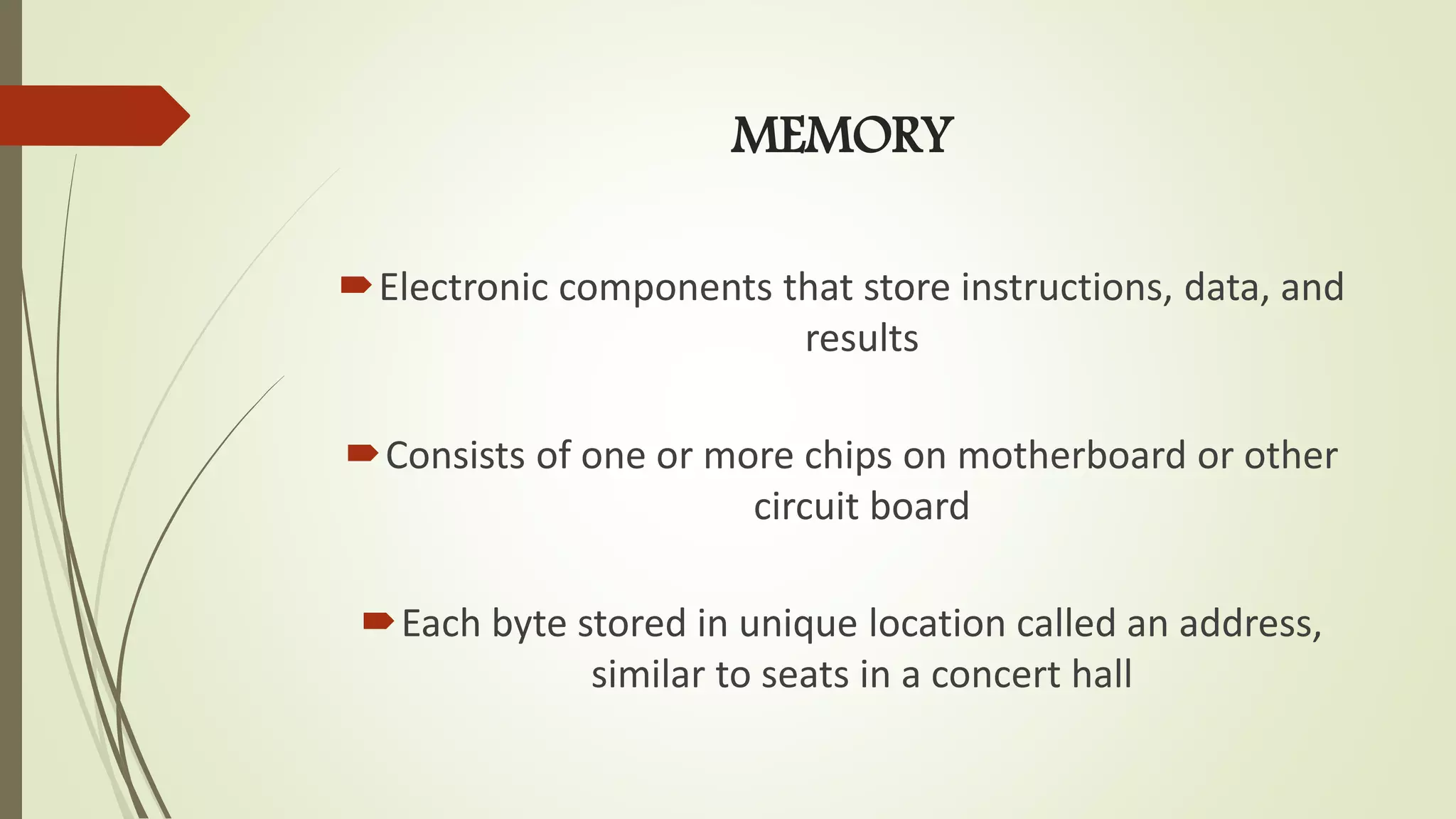
Overview of memory as electronic components storing instructions/data with unique addresses.
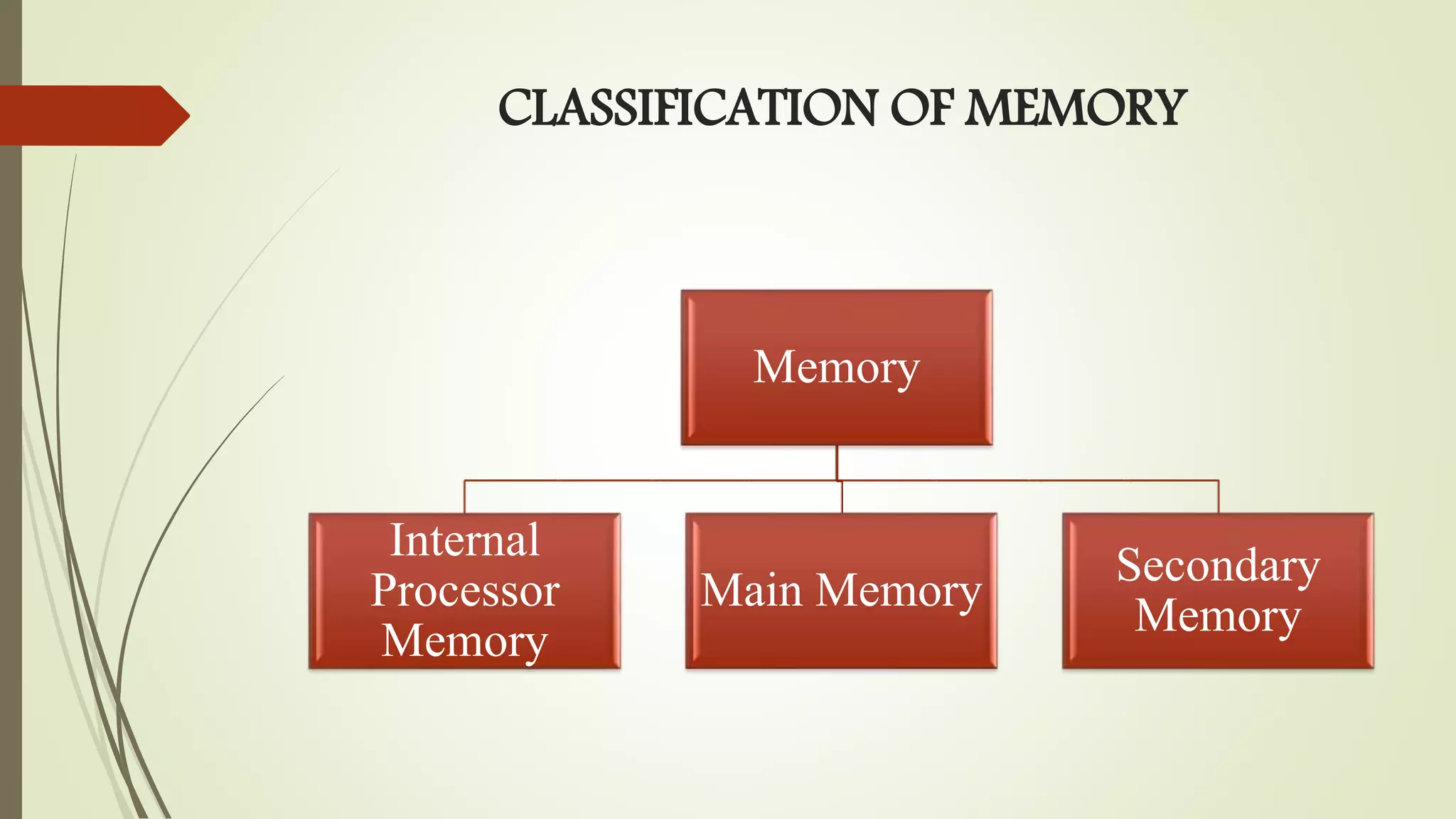
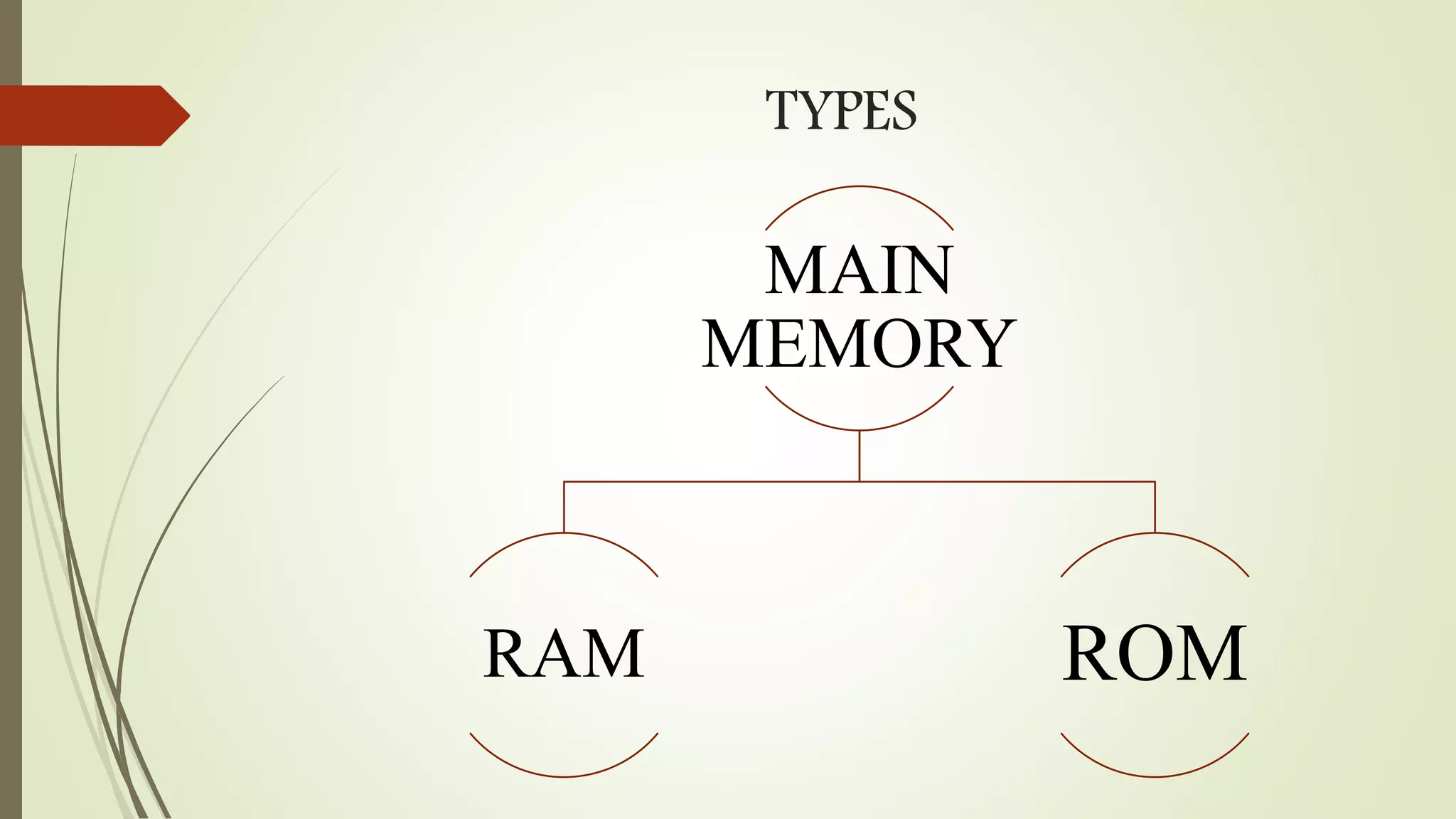
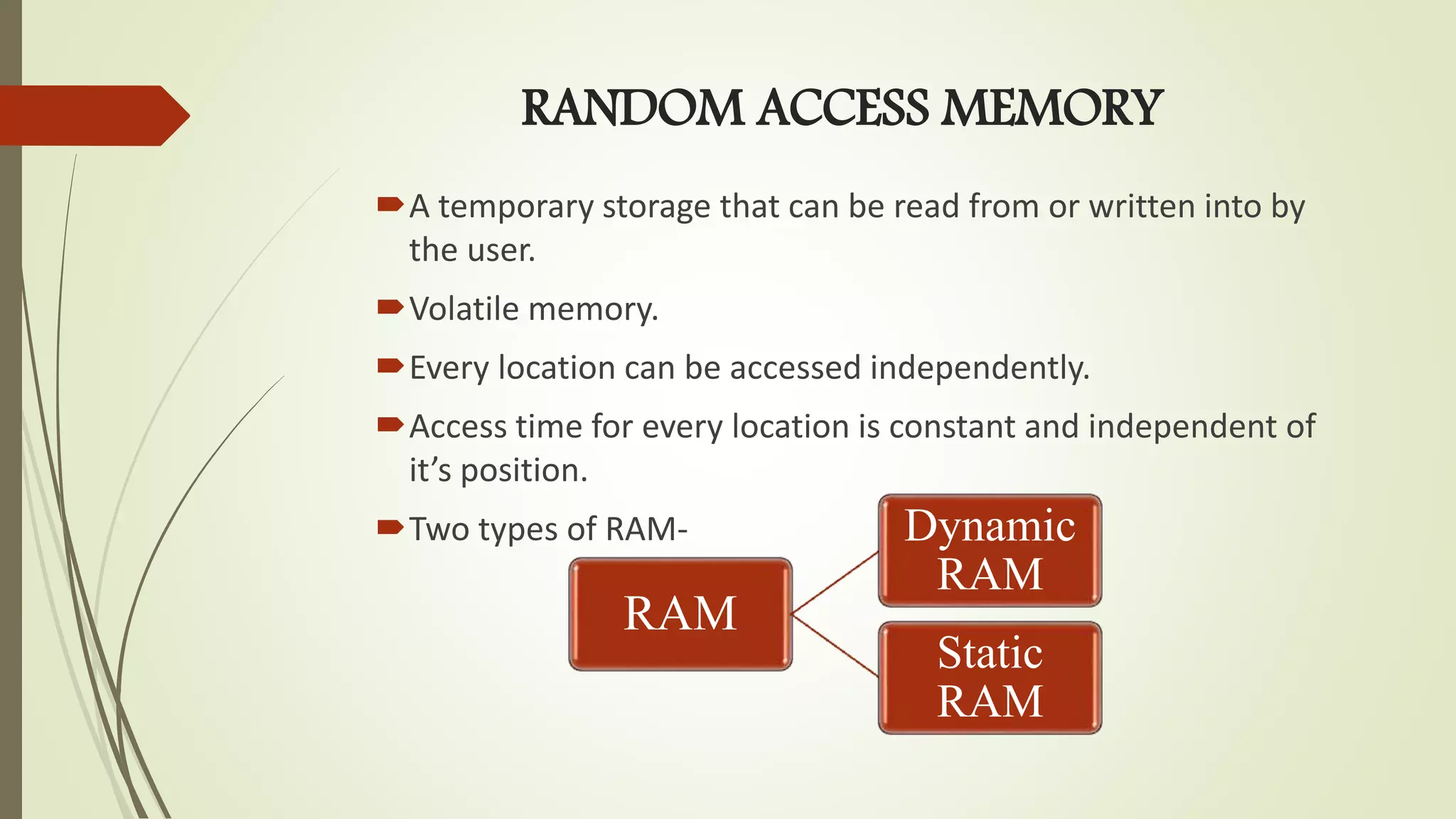
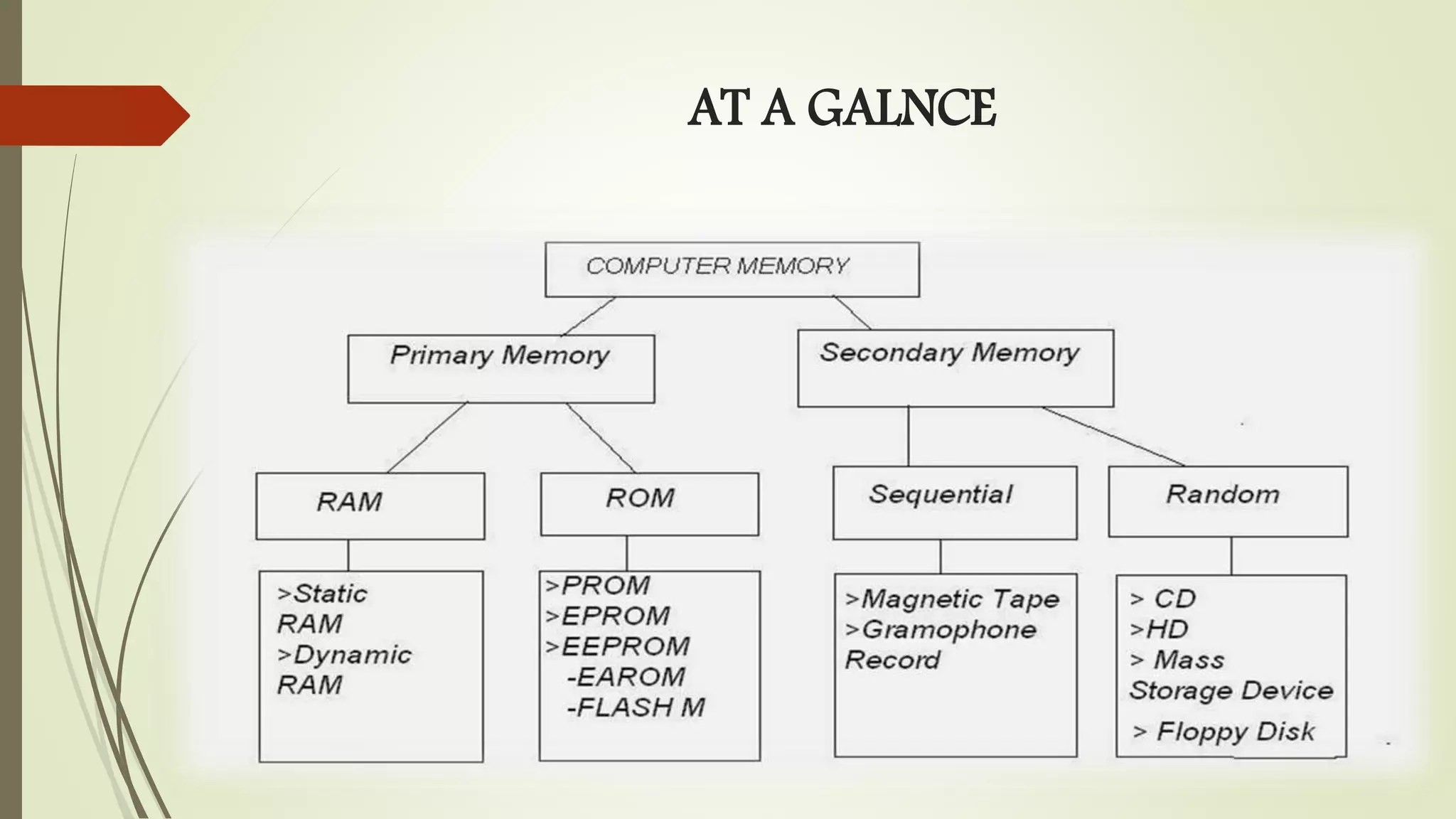
Classification of memory into internal processor memory, main memory, and secondary memory.Introduction to RAM's volatile nature, types (DRAM, SRAM), and their characteristics. Differentiates DRAM (slow, refreshed frequently) and SRAM (fast, high-cost with a steady access time).
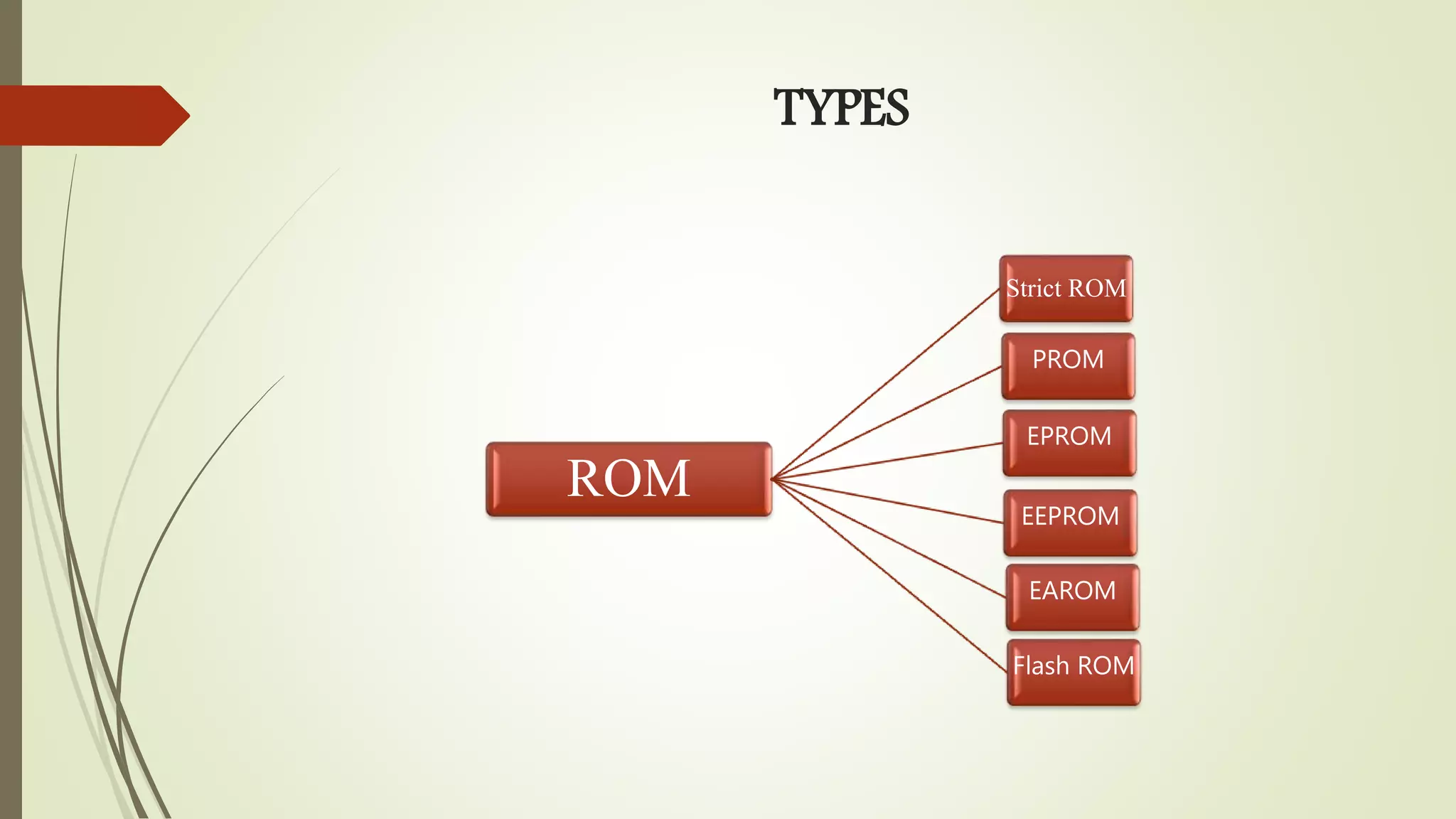
Explanation of ROM as non-volatile memory used for firmware, including different ROM types.
Describes secondary memory as larger but slower than main memory, used for permanent data storage.
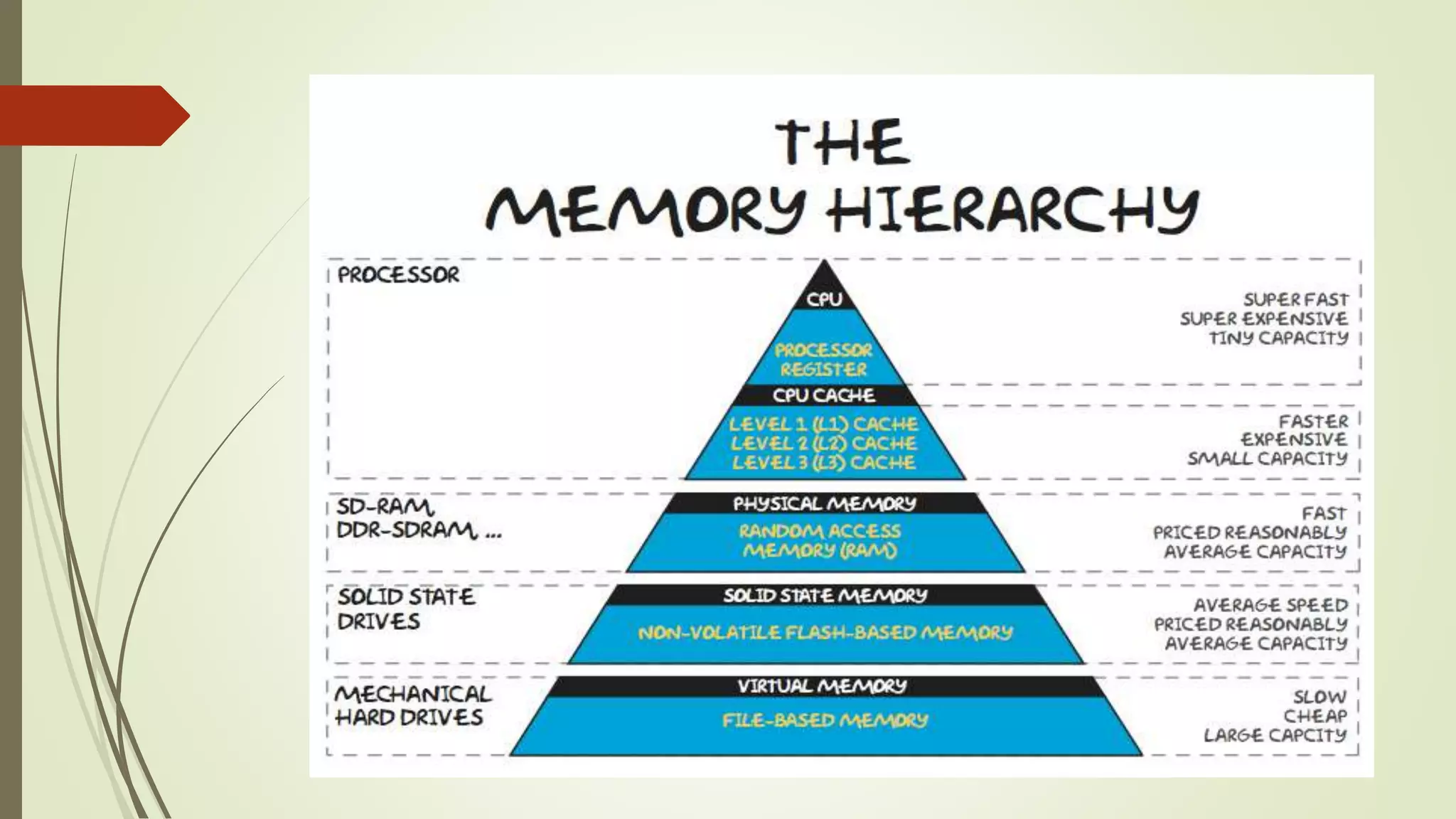
The concept of memory hierarchy in computer architecture affecting performance and programming.
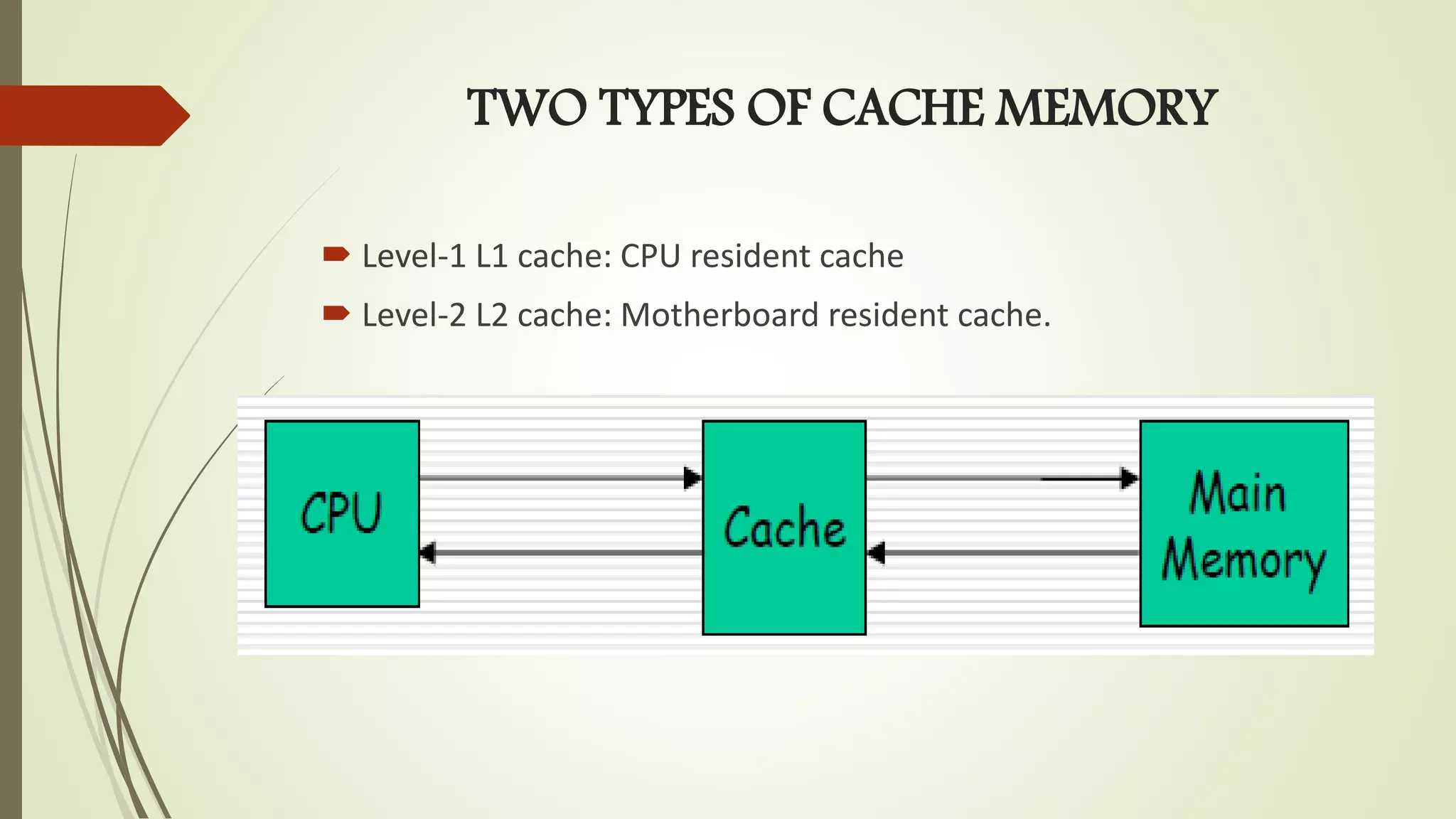
Cache memory's role in performance; introduces L1 and L2 cache types and their functions.
Final thoughts on the necessity of memory in computers, emphasizing its importance.
MEMORY
Electronic components thatstore instructions, data, and
results
Consists of one or more chips on motherboard or other
circuit board
Each byte stored in unique location called an address,
similar to seats in a concert hall
INTERNAL PROCESSOR MEMORY
Asmall high speed memory inside the processor.
Temporary storage of instruction and data.
Example: Registers, built-in cache.
7.
MAIN MEMORY
It isrelatively large memory placed outside the
processor.
Data and instruction storage for the operation of the
processor.
Can be accessed directly and rapidly by the CPU.
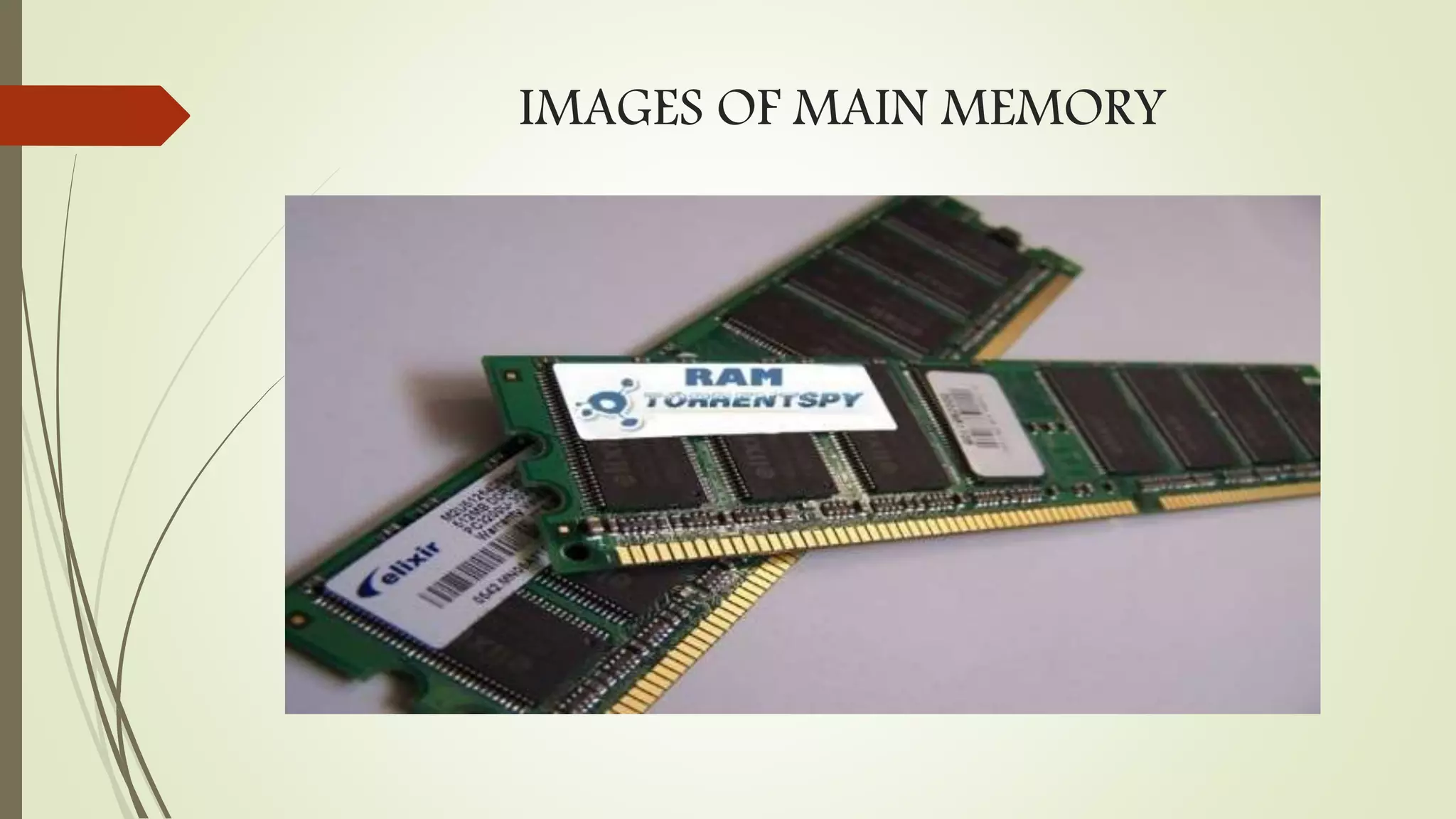
Example: RAM, ROM
RANDOM ACCESS MEMORY
Atemporary storage that can be read from or written into by
the user.
Volatile memory.
Every location can be accessed independently.
Access time for every location is constant and independent of
it’s position.
Two types of RAM-
RAM
Dynamic
RAM
Static
RAM
11.
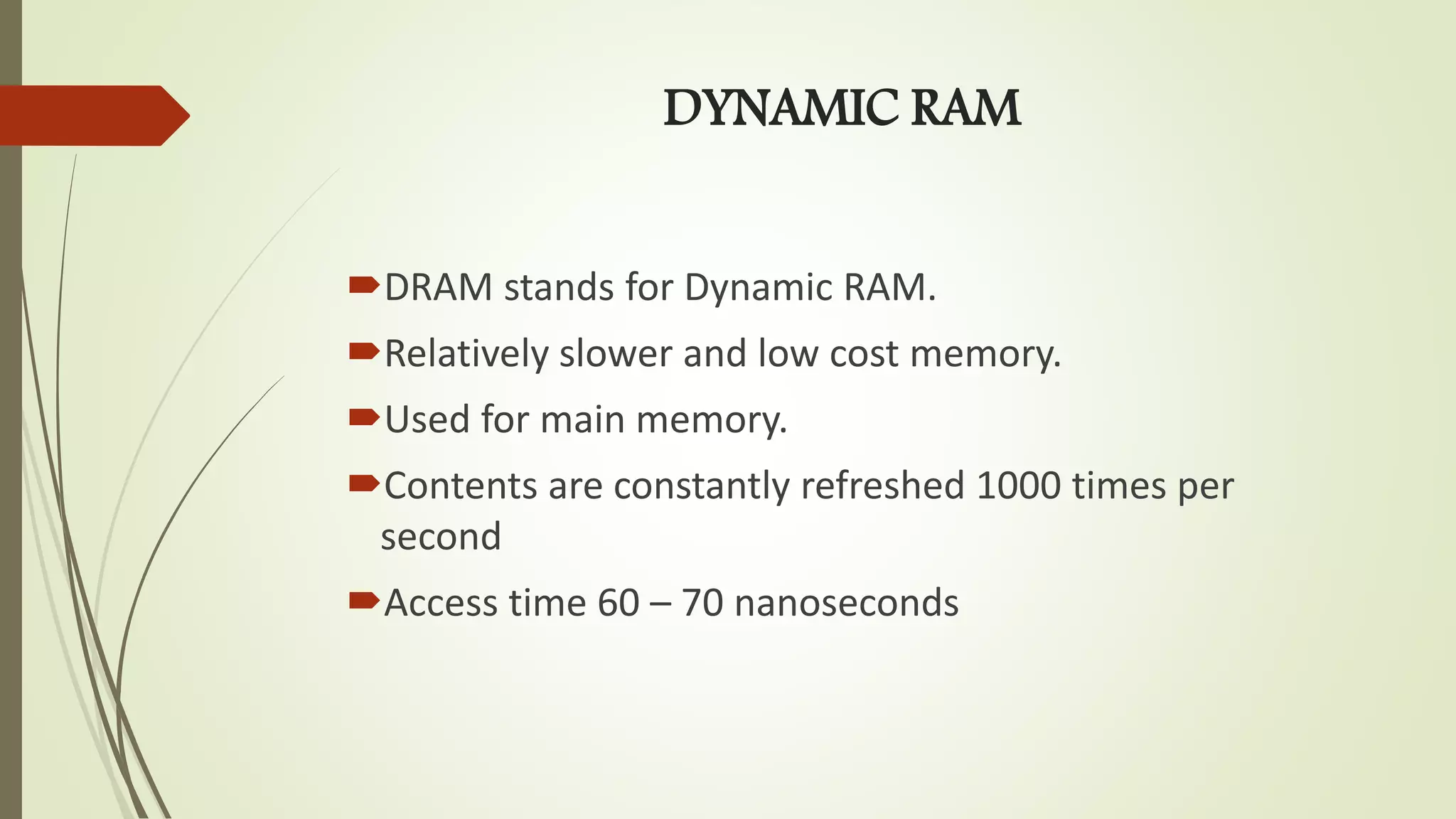
DYNAMIC RAM
DRAM standsfor Dynamic RAM.
Relatively slower and low cost memory.
Used for main memory.
Contents are constantly refreshed 1000 times per
second
Access time 60 – 70 nanoseconds
STATIC RAM
SRAM standsfor static RAM.
Characterized by high speed and high cost.
Use six transistors to store data.
Access time 60 – 70 nanoseconds
Can accept one command and transfer one word of
data per clock cycle.
14.
READ ONLY MEMORY(ROM)
A class of storage used in computer and other electronic
devices.
Data stored in it cannot be modified
Non-volatile memory.
In modern PCs, ROM is used to store the basic bootstrapping
firmware for the main processor, as well as the various firmware
needed to internally control self-contained devices such as
graphics card, hard disks, DVD drives, etc.
SECONDARY MEMORY
Much largerin capacity but slower than main
memory.
Permanent storage of data and instruction.
Example: Hard disk, CD, Floppy etc.
17.
MEMORY HIERARCHY
Incomputer architecture the memory hierarchy is a concept used
to discuss performance issues in computer architectural design,
algorithm predictions, and lower level programming constructs
Involving locality of reference. The memory hierarchy in computer
storage separates each of its levels based on response time.
19.
Cache Memory
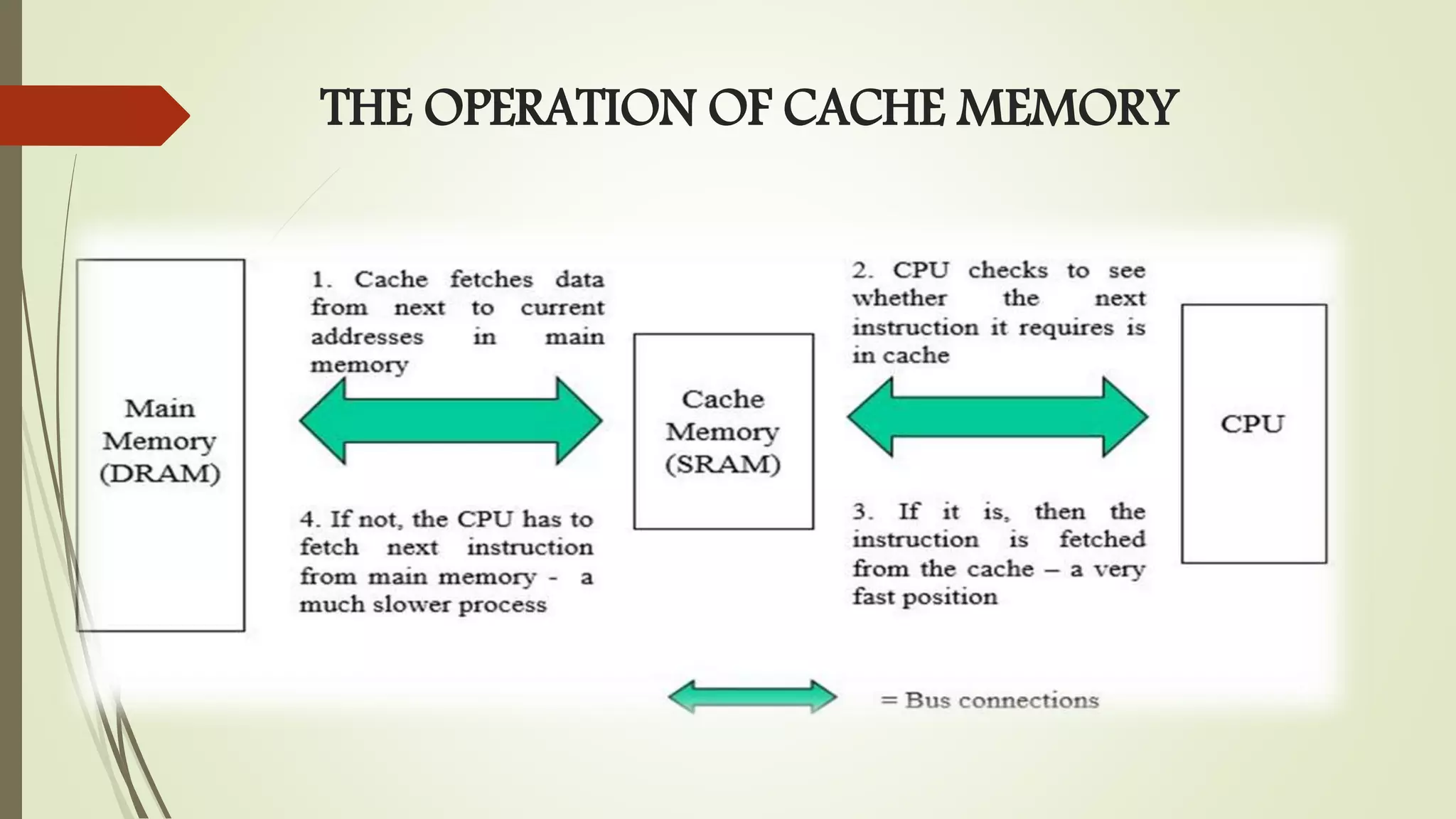
System performancesuffers when processor waits for data
from slow memory device.
Cache memory is introduced between the CPU and the
main memory.
Cache is a high speed memory for holding recently
accessed data in main memory.
The amount of cache memory has a tremendous impact on
the computer's speed.
20.
TWO TYPES OFCACHE MEMORY
Level-1 L1 cache: CPU resident cache
Level-2 L2 cache: Motherboard resident cache.





![Vibe Coding vs. Spec-Driven Development [Free Meetup]](https://cdn.slidesharecdn.com/ss_thumbnails/vibecodingvsspecdrivendevelopment-251209105622-43f455e7-thumbnail.jpg?width=640&height=640&fit=bounds)


