Main Memory
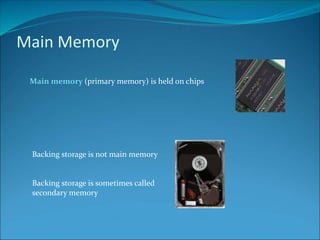
Main memory (primary memory) is held on chips
Backing storage is not main memory
Backing storage is sometimes called
secondary memory
Main Memory
Main Memory
11110011 11110011
Address
00000000
00000001
00000010
00000011
00000100
00000101
00000110
00000111
00001000
00001001
Main memory consists of storage locations which are
identified by unique addresses
Each storage location holds one word
(the number of bits the CPU can process in a single
operation)
8 bit computer holds 8 bits in a storage location
16 bit computer holds 16 bits in a storage location
There are two types of main memory:
Random Access Memory (RAM)
Read Only Memory (ROM)
Random Access Memory
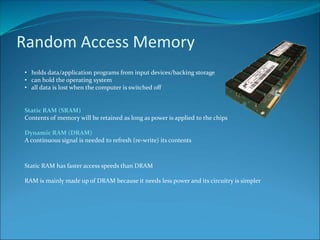
• holds data/application programs from input devices/backing storage
• can hold the operating system
• all data is lost when the computer is switched off
Static RAM (SRAM)
Contents of memory will be retained as long as power is applied to the chips
Dynamic RAM (DRAM)
A continuous signal is needed to refresh (re-write) its contents
Static RAM has faster access speeds than DRAM
RAM is mainly made up of DRAM because it needs less power and its circuitry is simpler
Read Only Memory
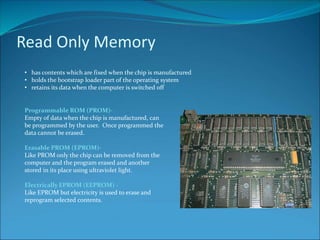
• has contents which are fixed when the chip is manufactured
• holds the bootstrap loader part of the operating system
• retains its data when the computer is switched off
Programmable ROM (PROM)-
Empty of data when the chip is manufactured, can
be programmed by the user. Once programmed the
data cannot be erased.
Erasable PROM (EPROM)-
Like PROM only the chip can be removed from the
computer and the program erased and another
stored in its place using ultraviolet light.
Electrically EPROM (EEPROM) -
Like EPROM but electricity is used to erase and
reprogram selected contents.
Temporary storage outside RAM
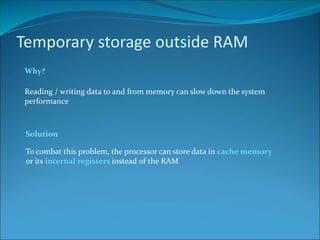
Why?
Reading / writing data to and from memory can slow down the system
performance
To combat this problem, the processor can store data in cache memory
or its internal registers instead of the RAM
Solution
Temporary storage outside RAM
Main Memory Address
00000000
00000001
00000010
00000011
00000100
00000101
00000110
00000111
00001000
0000100111100011
00110011
00001110
11110000
11110011
11001010
11001100
00000011
00010001
01000000
Cache Memory
10000000
10000001
10000010
10000011
Address
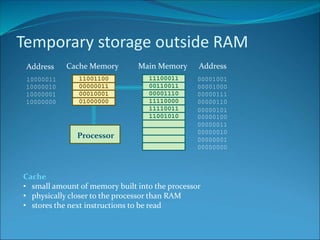
Cache
• small amount of memory built into the processor
• physically closer to the processor than RAM
• stores the next instructions to be read
Processor
Temporary storage outside RAM
Main Memory Address
00000000
00000001
00000010
00000011
00000100
00000101
00000110
00000111
00001000
0000100111100011
00110011
00001110
11110000
11110011
11001010
11001100
00000011
00010001
01000000
Cache Memory
10000000
10000001
10000010
10000011
Address
Processor
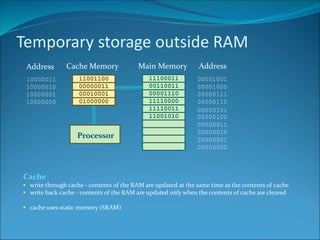
Cache
• write through cache - contents of the RAM are updated at the same time as the contents of cache
• write back cache - contents of the RAM are updated only when the contents of cache are cleared
• cache uses static memory (SRAM)
Temporary storage outside RAM
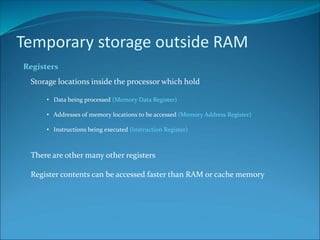
Registers
Storage locations inside the processor which hold
• Data being processed (Memory Data Register)
• Addresses of memory locations to be accessed (Memory Address Register)
• Instructions being executed (Instruction Register)
There are other many other registers
Register contents can be accessed faster than RAM or cache memory
Temporary storage outside RAM
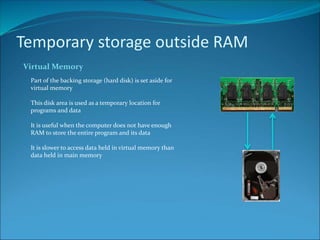
Virtual Memory
Part of the backing storage (hard disk) is set aside for
virtual memory
This disk area is used as a temporary location for
programs and data
It is useful when the computer does not have enough
RAM to store the entire program and its data
It is slower to access data held in virtual memory than
data held in main memory
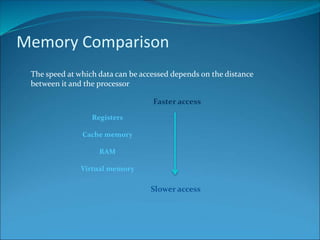
Memory Comparison
The speed at which data can be accessed depends on the distance
between it and the processor
Registers
Cache memory
RAM
Virtual memory
Faster access
Slower access
Credits
Higher Computing – Computer Structure – Computer Memory
Produced by P. Greene for the City of Edinburgh Council 2004
Adapted by M. Cunningham 2010
All images licenced under Creative Commons 3.0
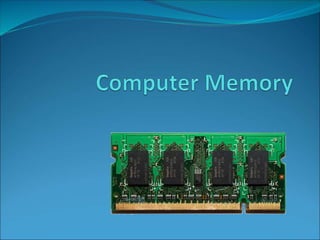
• 1GB DDR3 Memory Module by William Warby (wwarby on Flickr)
• Hard disc drive assembled by Crispin Semmens (conskeptical on Flickr)
• Mac ED Logic Board by Jesus A Alvarez (maczydeco on Flickr)

Computer Memory

  • 2.
    Main Memory Main memory(primary memory) is held on chips Backing storage is not main memory Backing storage is sometimes called secondary memory
  • 3.
    Main Memory Main Memory 1111001111110011 Address 00000000 00000001 00000010 00000011 00000100 00000101 00000110 00000111 00001000 00001001 Main memory consists of storage locations which are identified by unique addresses Each storage location holds one word (the number of bits the CPU can process in a single operation) 8 bit computer holds 8 bits in a storage location 16 bit computer holds 16 bits in a storage location There are two types of main memory: Random Access Memory (RAM) Read Only Memory (ROM)
  • 4.
    Random Access Memory •holds data/application programs from input devices/backing storage • can hold the operating system • all data is lost when the computer is switched off Static RAM (SRAM) Contents of memory will be retained as long as power is applied to the chips Dynamic RAM (DRAM) A continuous signal is needed to refresh (re-write) its contents Static RAM has faster access speeds than DRAM RAM is mainly made up of DRAM because it needs less power and its circuitry is simpler
  • 5.
    Read Only Memory •has contents which are fixed when the chip is manufactured • holds the bootstrap loader part of the operating system • retains its data when the computer is switched off Programmable ROM (PROM)- Empty of data when the chip is manufactured, can be programmed by the user. Once programmed the data cannot be erased. Erasable PROM (EPROM)- Like PROM only the chip can be removed from the computer and the program erased and another stored in its place using ultraviolet light. Electrically EPROM (EEPROM) - Like EPROM but electricity is used to erase and reprogram selected contents.
  • 6.
    Temporary storage outsideRAM Why? Reading / writing data to and from memory can slow down the system performance To combat this problem, the processor can store data in cache memory or its internal registers instead of the RAM Solution
  • 7.
    Temporary storage outsideRAM Main Memory Address 00000000 00000001 00000010 00000011 00000100 00000101 00000110 00000111 00001000 0000100111100011 00110011 00001110 11110000 11110011 11001010 11001100 00000011 00010001 01000000 Cache Memory 10000000 10000001 10000010 10000011 Address Cache • small amount of memory built into the processor • physically closer to the processor than RAM • stores the next instructions to be read Processor
  • 8.
    Temporary storage outsideRAM Main Memory Address 00000000 00000001 00000010 00000011 00000100 00000101 00000110 00000111 00001000 0000100111100011 00110011 00001110 11110000 11110011 11001010 11001100 00000011 00010001 01000000 Cache Memory 10000000 10000001 10000010 10000011 Address Processor Cache • write through cache - contents of the RAM are updated at the same time as the contents of cache • write back cache - contents of the RAM are updated only when the contents of cache are cleared • cache uses static memory (SRAM)
  • 9.
    Temporary storage outsideRAM Registers Storage locations inside the processor which hold • Data being processed (Memory Data Register) • Addresses of memory locations to be accessed (Memory Address Register) • Instructions being executed (Instruction Register) There are other many other registers Register contents can be accessed faster than RAM or cache memory
  • 10.
    Temporary storage outsideRAM Virtual Memory Part of the backing storage (hard disk) is set aside for virtual memory This disk area is used as a temporary location for programs and data It is useful when the computer does not have enough RAM to store the entire program and its data It is slower to access data held in virtual memory than data held in main memory
  • 11.
    Memory Comparison The speedat which data can be accessed depends on the distance between it and the processor Registers Cache memory RAM Virtual memory Faster access Slower access
  • 12.
    Credits Higher Computing –Computer Structure – Computer Memory Produced by P. Greene for the City of Edinburgh Council 2004 Adapted by M. Cunningham 2010 All images licenced under Creative Commons 3.0 • 1GB DDR3 Memory Module by William Warby (wwarby on Flickr) • Hard disc drive assembled by Crispin Semmens (conskeptical on Flickr) • Mac ED Logic Board by Jesus A Alvarez (maczydeco on Flickr)