Statistics for Managers
Using Microsoft® Excel
4th Edition
Chapter 7
Confidence Interval Estimation

Statistics for Managers Using Microsoft Excel, 4e © 2004 Prentice-Hall, Inc.

Chap 7-1
Chapter Goals
After completing this chapter, you should be able
to:


Distinguish between a point estimate and a confidence
interval estimate



Construct and interpret a confidence interval estimate for a
single population mean using both the Z and t distributions



Form and interpret a confidence interval estimate for a
single population proportion

Determine the required sample size to estimate a mean or
proportion within a specified margin of error
Statistics for Managers Using
Microsoft Excel, 4e © 2004
Chap 7-2
Prentice-Hall, Inc.

Confidence Intervals
Content of this chapter
 Confidence Intervals for the Population
Mean, μ



when Population Standard Deviation σ is Known
when Population Standard Deviation σ is Unknown

Confidence Intervals for the Population
Proportion, p
 Determining the Required Sample Size
Statistics for Managers Using


Microsoft Excel, 4e © 2004
Prentice-Hall, Inc.

Chap 7-3
Point and Interval Estimates


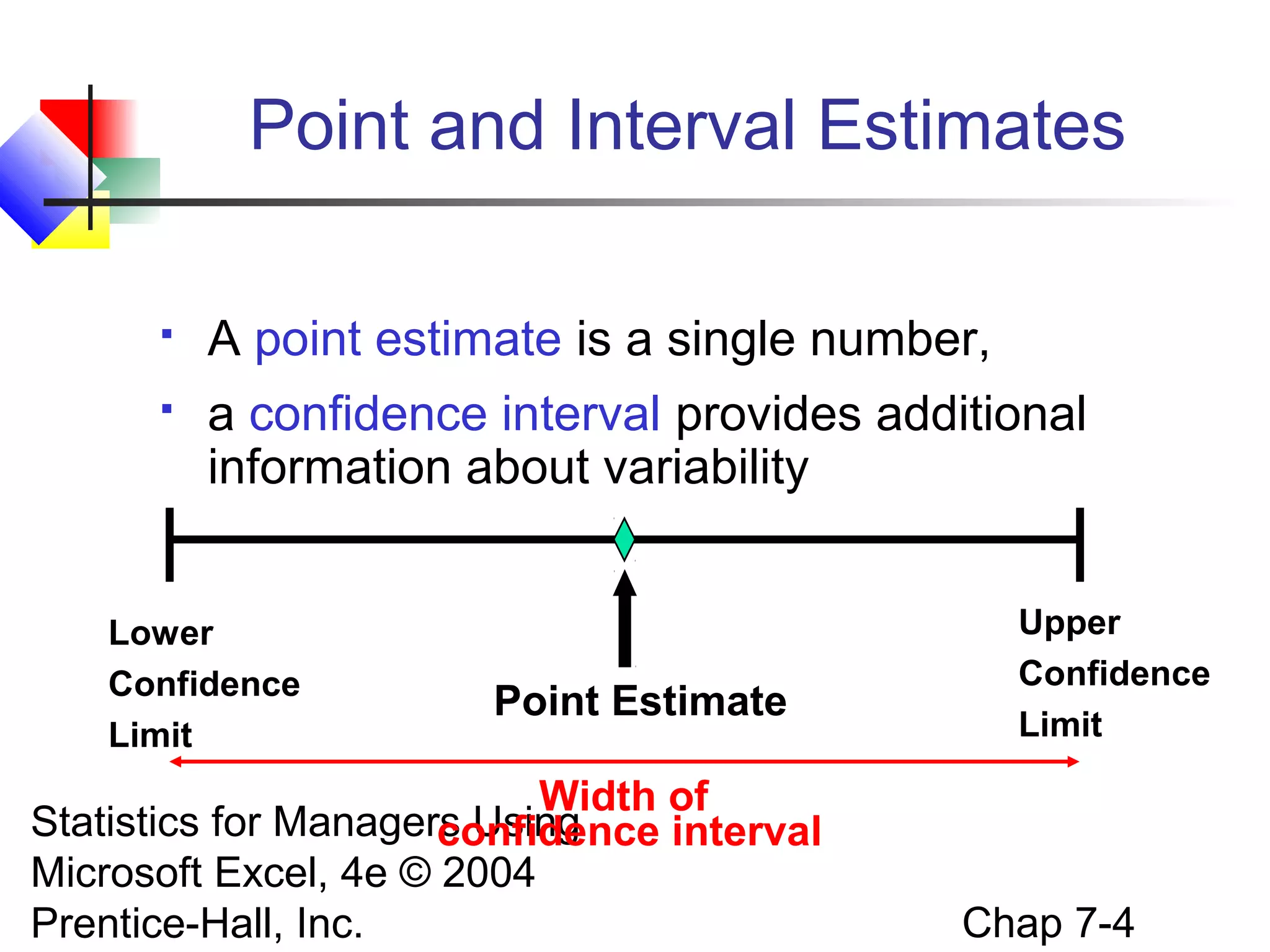
A point estimate is a single number,


a confidence interval provides additional
information about variability

Lower
Confidence
Limit

Point Estimate

Width of
Statistics for Managers Using
confidence interval
Microsoft Excel, 4e © 2004
Prentice-Hall, Inc.

Upper
Confidence
Limit

Chap 7-4
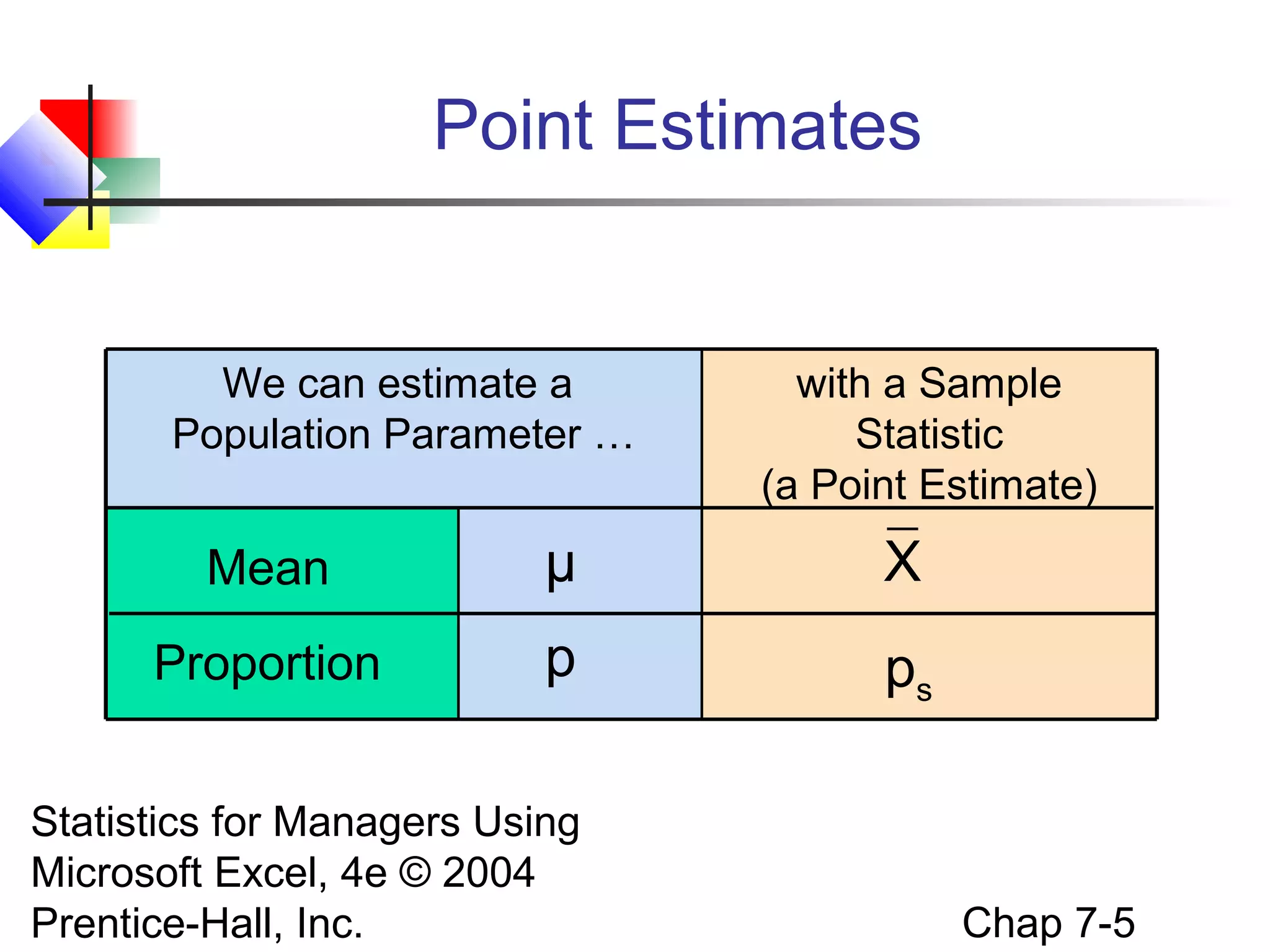
Point Estimates

We can estimate a
Population Parameter …

with a Sample
Statistic
(a Point Estimate)

Mean

μ

X

Proportion

p

ps

Statistics for Managers Using
Microsoft Excel, 4e © 2004
Prentice-Hall, Inc.

Chap 7-5
Confidence Intervals


How much uncertainty is associated with a
point estimate of a population parameter?



An interval estimate provides more
information about a population characteristic
than does a point estimate



Such interval estimates are called confidence
intervals

Statistics for Managers Using
Microsoft Excel, 4e © 2004
Prentice-Hall, Inc.

Chap 7-6
Confidence Interval Estimate


An interval gives a range of values:


Takes into consideration variation in sample
statistics from sample to sample



Based on observation from 1 sample



Gives information about closeness to
unknown population parameters



Stated in terms of level of confidence

Can never be 100% confident
Statistics for Managers Using
Microsoft Excel, 4e © 2004
Prentice-Hall, Inc.


Chap 7-7
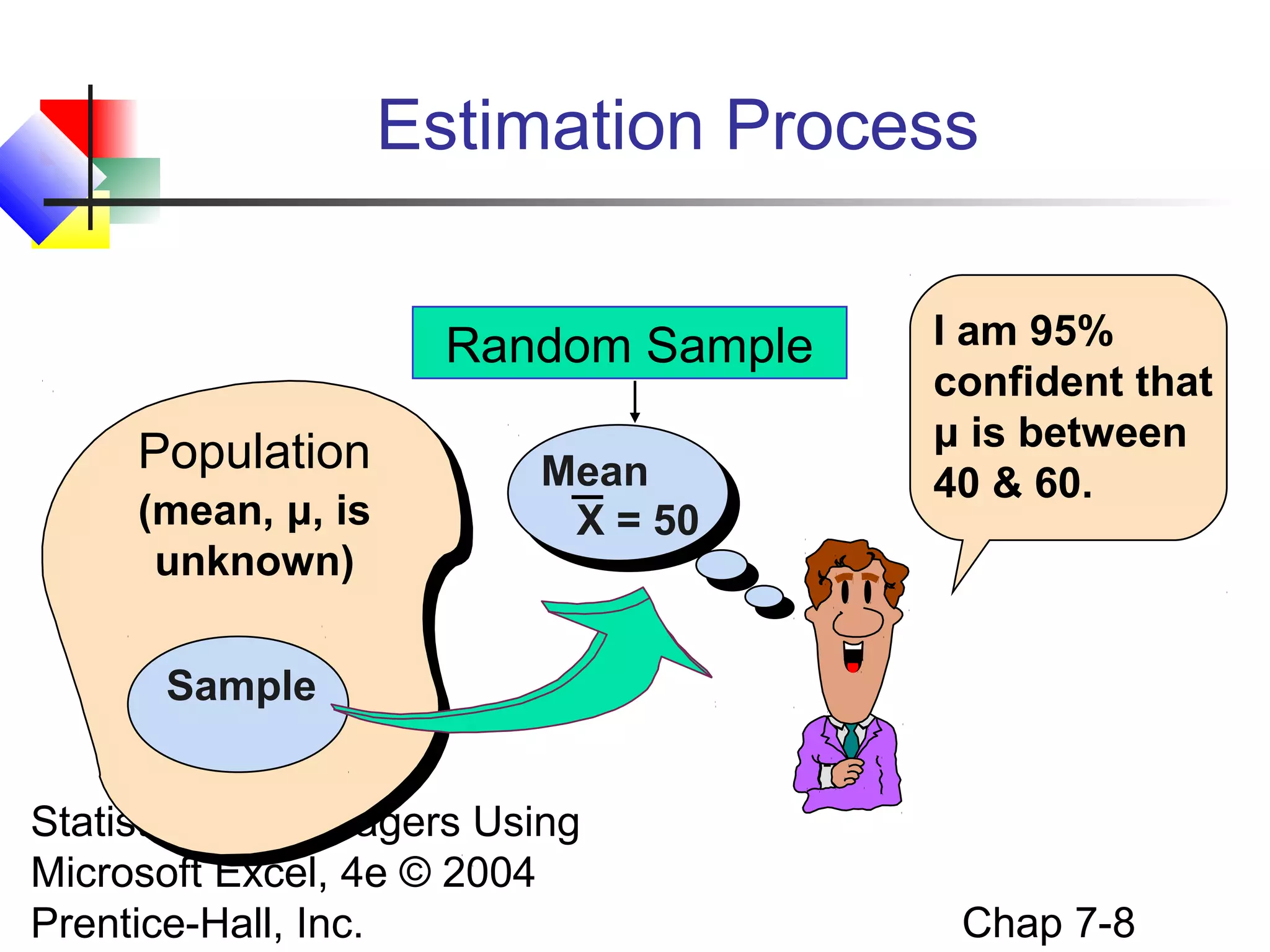
Estimation Process
Random Sample
Population
(mean, μ, is
unknown)

Mean
X = 50

I am 95%
confident that
μ is between
40 & 60.

Sample
Statistics for Managers Using
Microsoft Excel, 4e © 2004
Prentice-Hall, Inc.

Chap 7-8
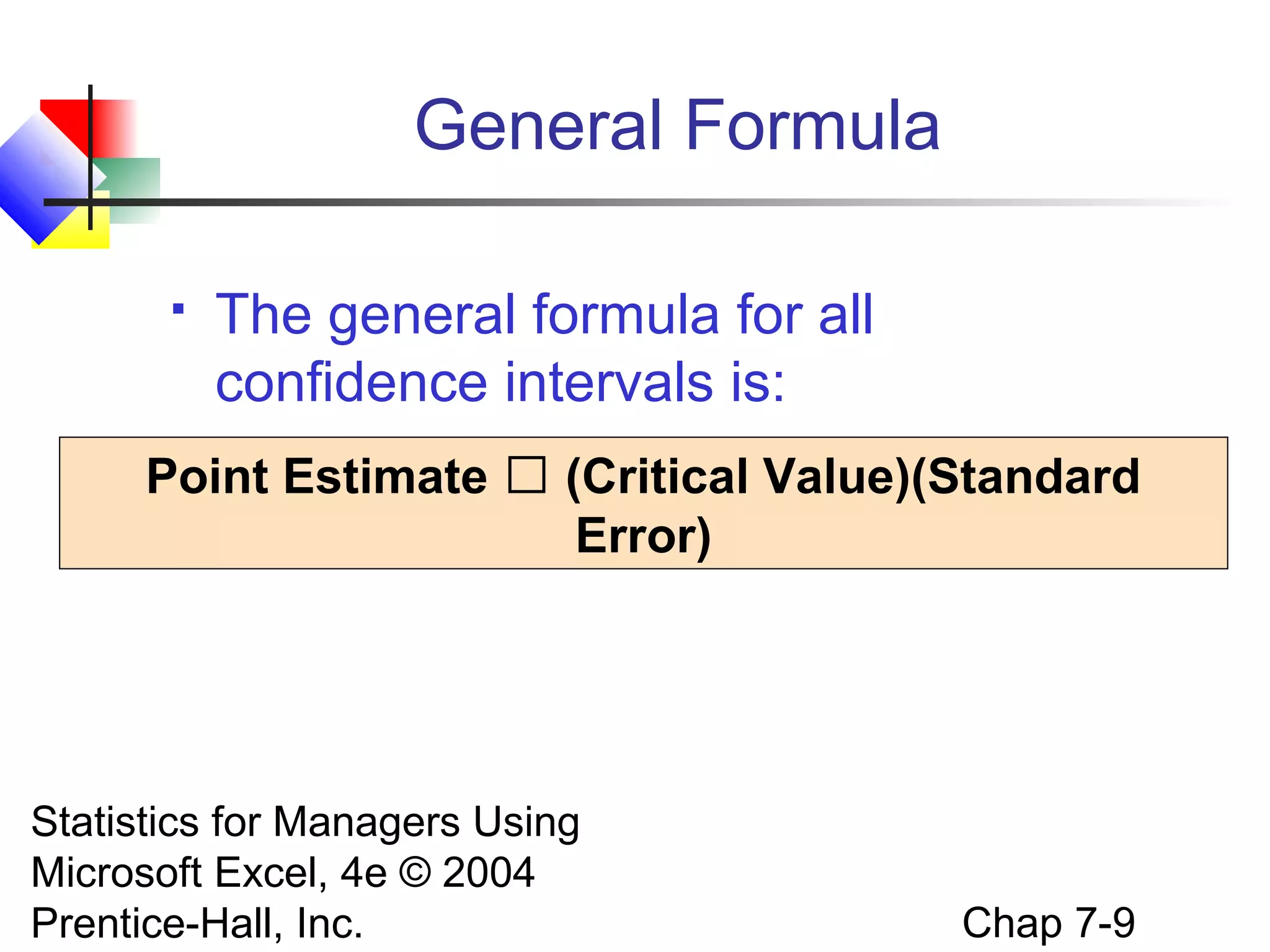
General Formula


The general formula for all
confidence intervals is:

Point Estimate  (Critical Value)(Standard
Error)

Statistics for Managers Using
Microsoft Excel, 4e © 2004
Prentice-Hall, Inc.

Chap 7-9
Confidence Level


Confidence Level




Confidence in which the interval
will contain the unknown
population parameter

A percentage (less than 100%)

Statistics for Managers Using
Microsoft Excel, 4e © 2004
Prentice-Hall, Inc.

Chap 7-10
Confidence Level, (1-α)
(continued)




Suppose confidence level = 95%
Also written (1 - α) = .95
A relative frequency interpretation:




In the long run, 95% of all the confidence
intervals that can be constructed will contain the
unknown true parameter

A specific interval either will contain or will
not contain the true parameter

No probability involved in a specific interval
Statistics for Managers Using
Microsoft Excel, 4e © 2004
Chap 7-11
Prentice-Hall, Inc.

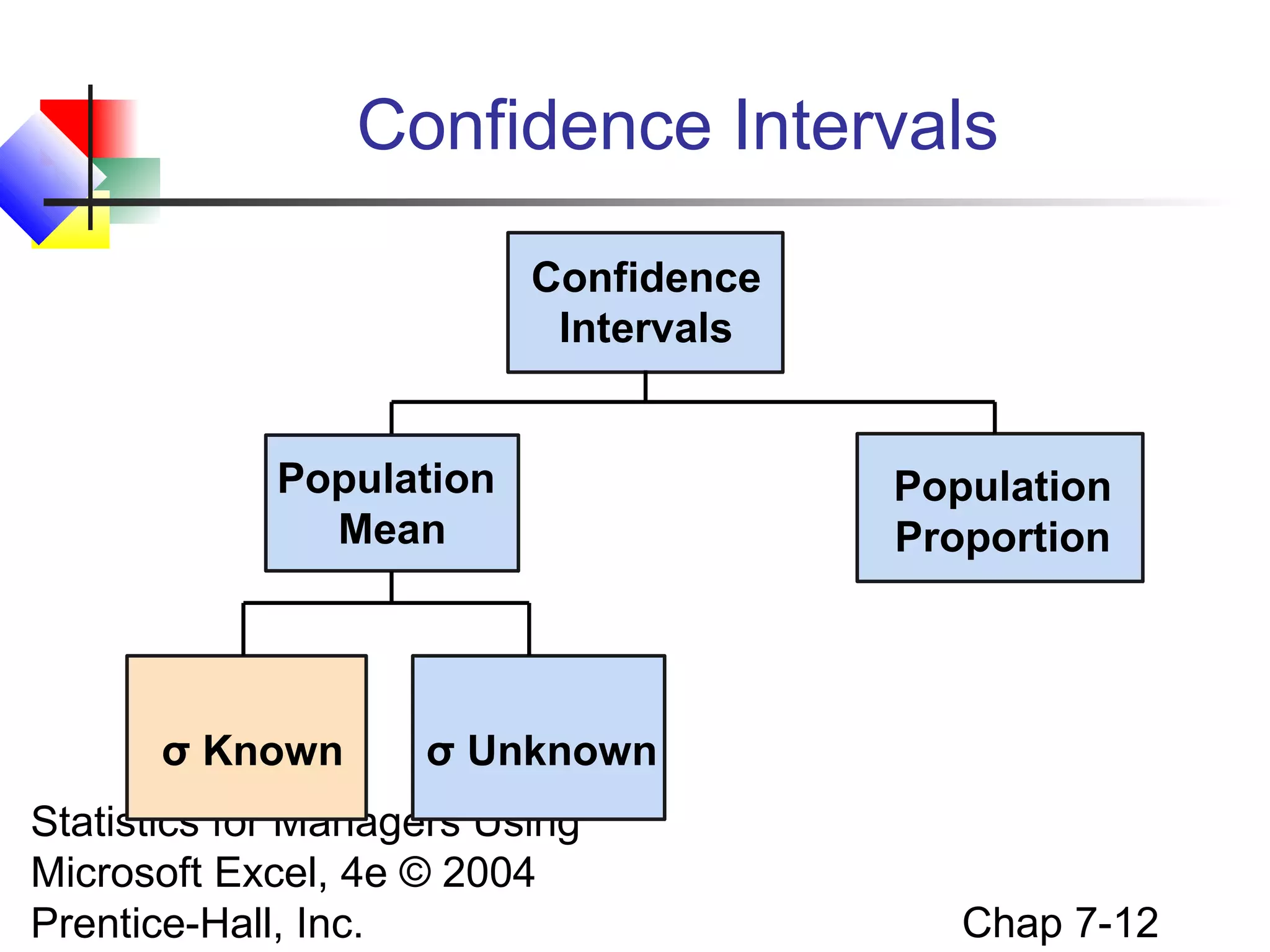
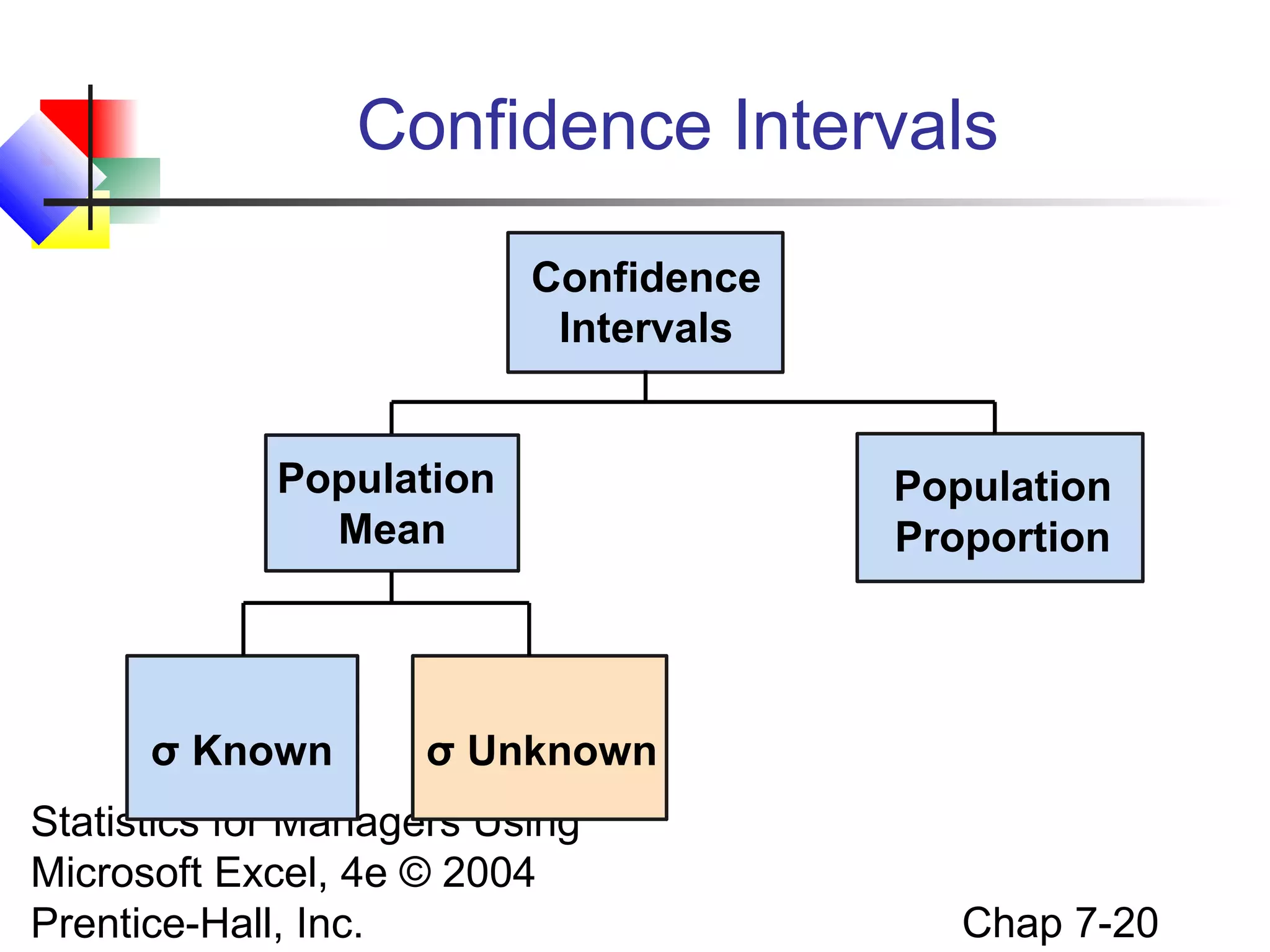
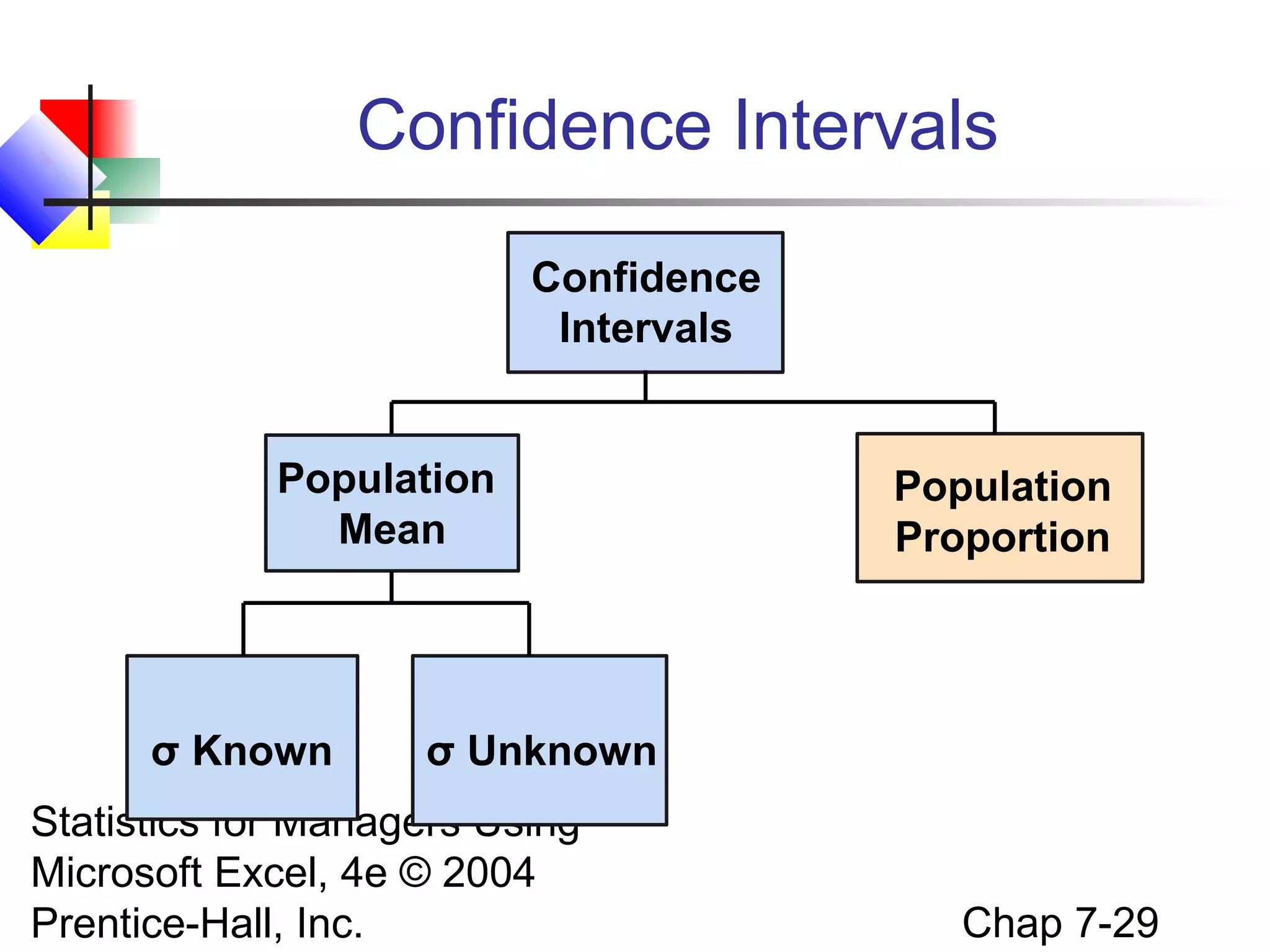
Confidence Intervals
Confidence
Intervals
Population
Mean

σ Known

Population
Proportion

σ Unknown

Statistics for Managers Using
Microsoft Excel, 4e © 2004
Prentice-Hall, Inc.

Chap 7-12
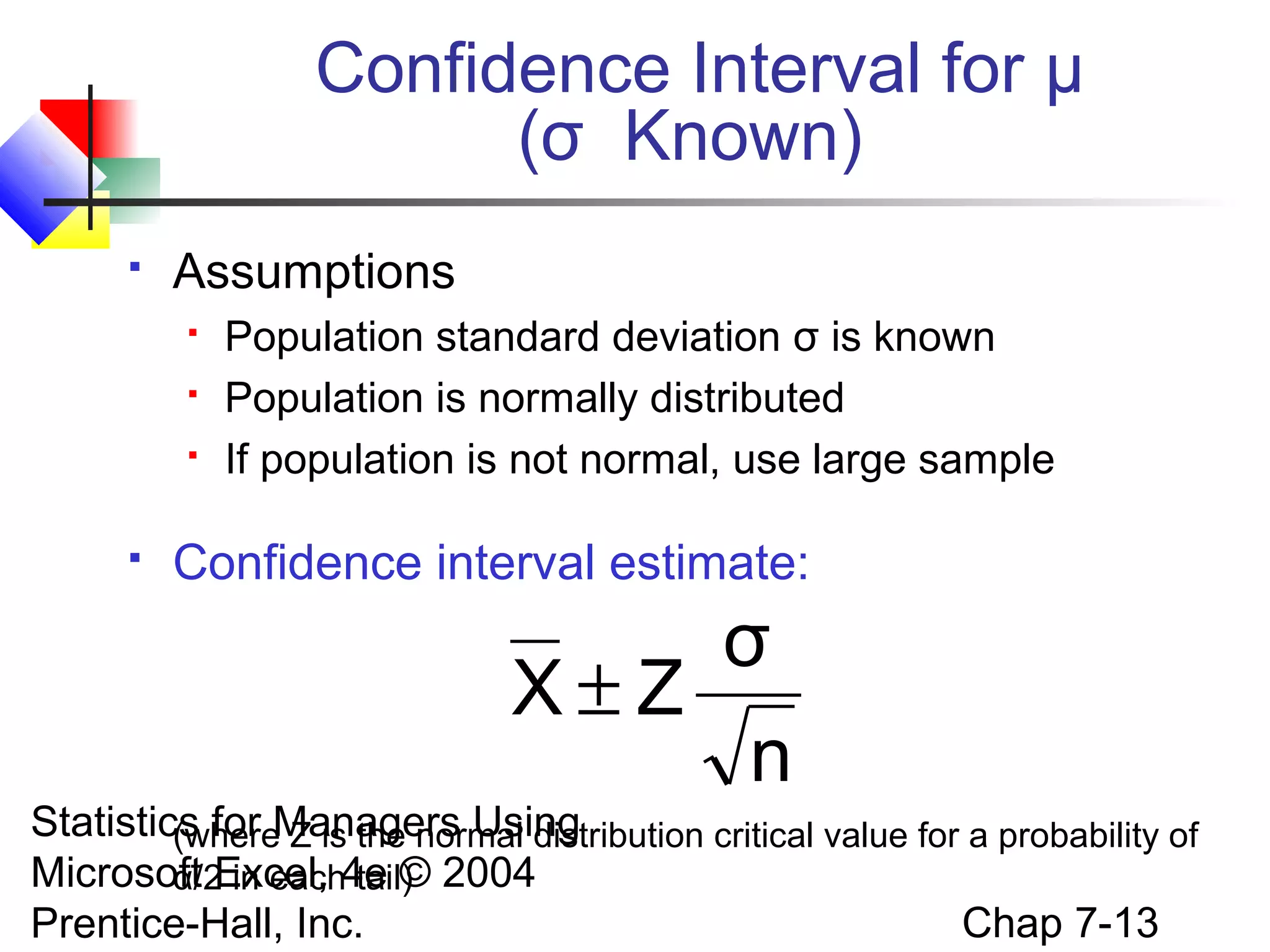
Confidence Interval for μ
(σ Known)


Assumptions






Population standard deviation σ is known
Population is normally distributed
If population is not normal, use large sample

Confidence interval estimate:

σ
X±Z
n
Statistics for Managers Using
(where Z is the normal distribution critical value for a probability of
Microsoft Excel, 4e © 2004
α/2 in each tail)
Chap 7-13
Prentice-Hall, Inc.
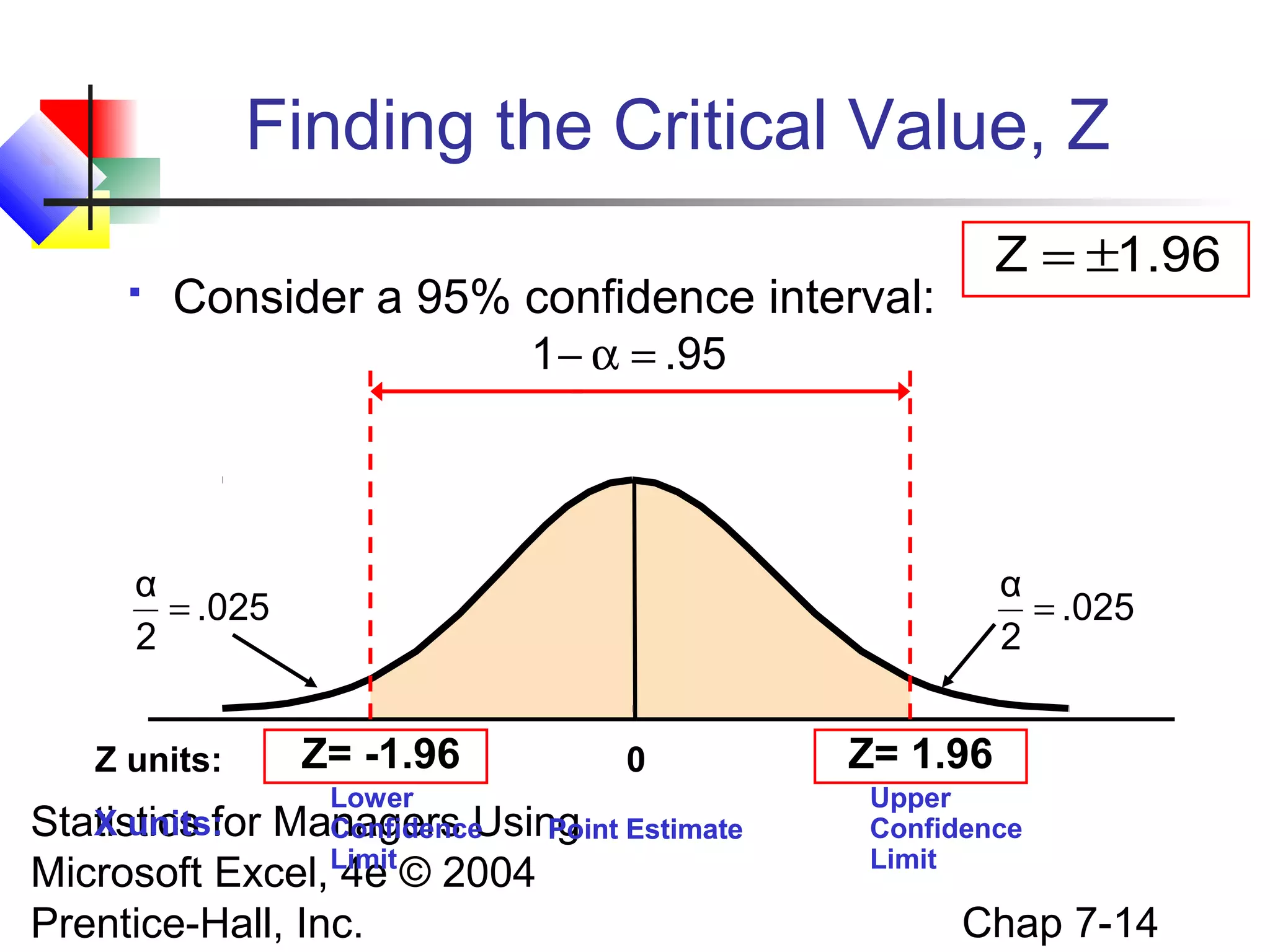
Finding the Critical Value, Z


Z = ±1.96

Consider a 95% confidence interval:
1 − α = .95

α
= .025
2
Z units:

α
= .025
2

Z= -1.96

0

Lower
Managers Using Estimate
Confidence
Point
Limit

X units:
Statistics for
Microsoft Excel, 4e © 2004
Prentice-Hall, Inc.

Z= 1.96
Upper
Confidence
Limit

Chap 7-14
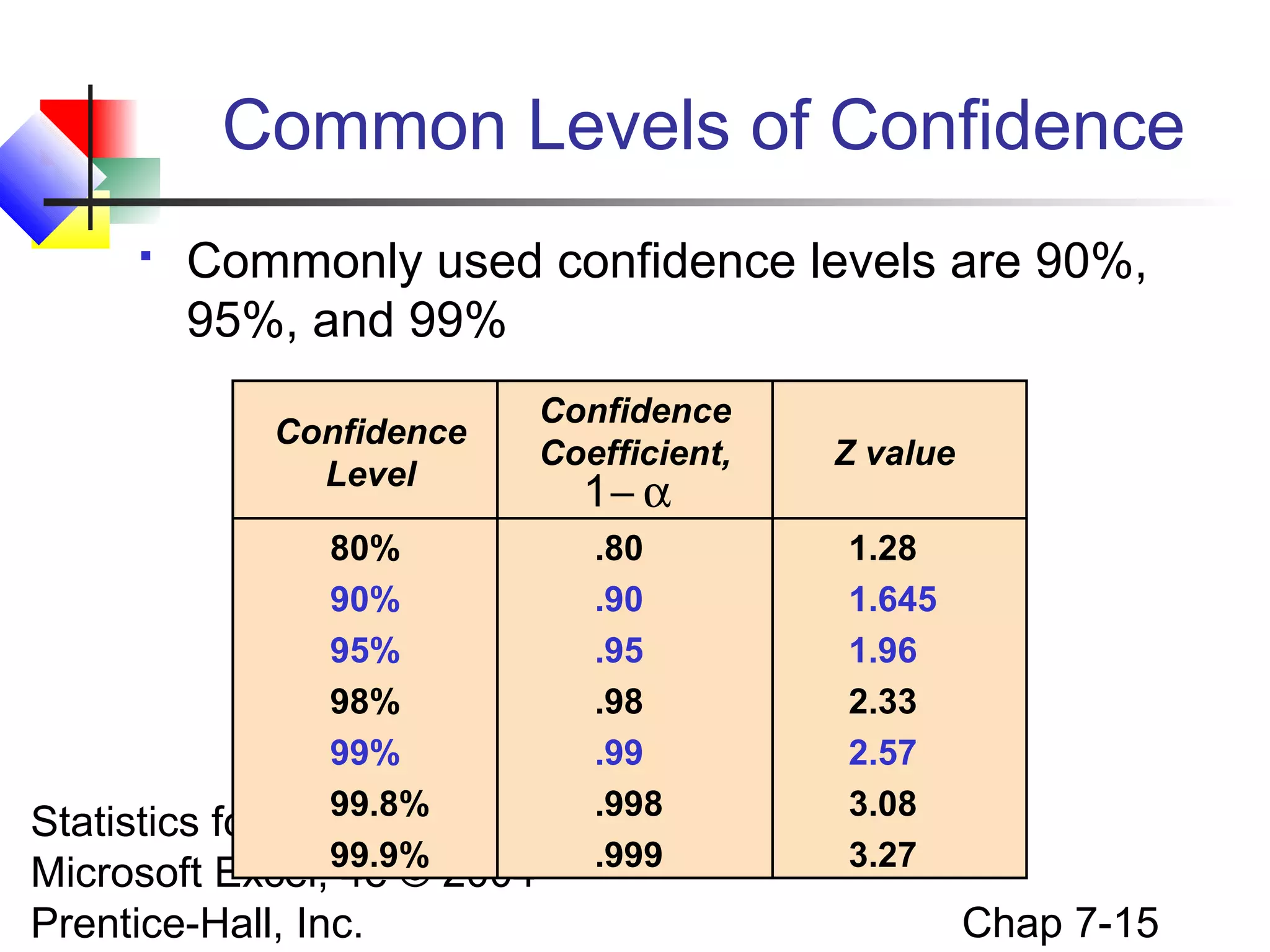
Common Levels of Confidence


Commonly used confidence levels are 90%,
95%, and 99%
Confidence
Level
80%
90%
95%
98%
99%
99.8%
Managers
99.9%

Confidence
Coefficient,

Z value

.80
.90
.95
.98
.99
.998
.999

1.28
1.645
1.96
2.33
2.57
3.08
3.27

Statistics for
Using
Microsoft Excel, 4e © 2004
Prentice-Hall, Inc.

1− α

Chap 7-15
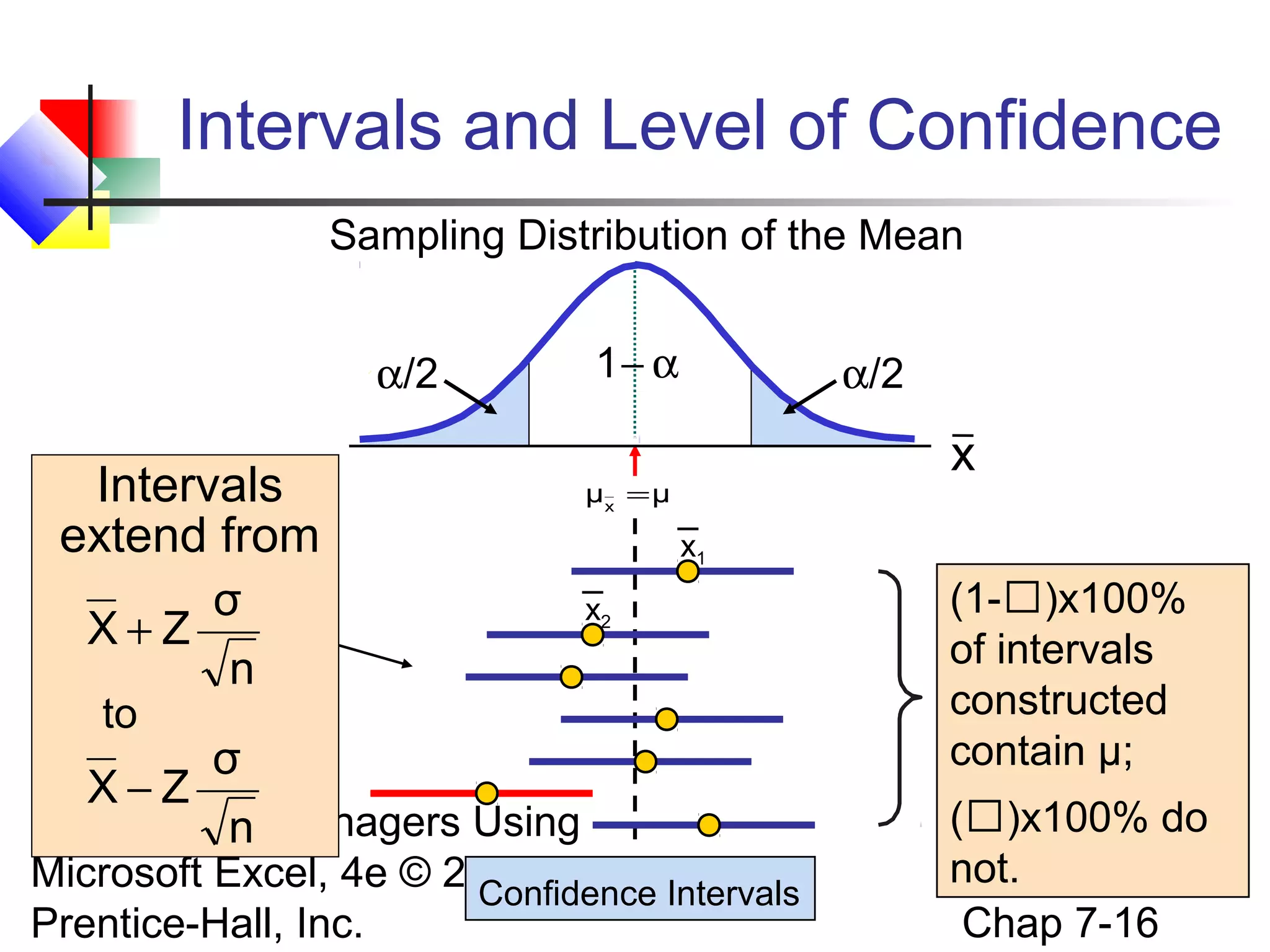
Intervals and Level of Confidence
Sampling Distribution of the Mean
α/2

Intervals
extend from
σ
X+Z
n

1− α

α/2

x

μx = μ

x1
x2

to

σ
X−Z
Statistics for Managers Using
n

Microsoft Excel, 4e © 2004
Confidence Intervals
Prentice-Hall, Inc.

(1-)x100%
of intervals
constructed
contain μ;
()x100% do
not.
Chap 7-16
Example


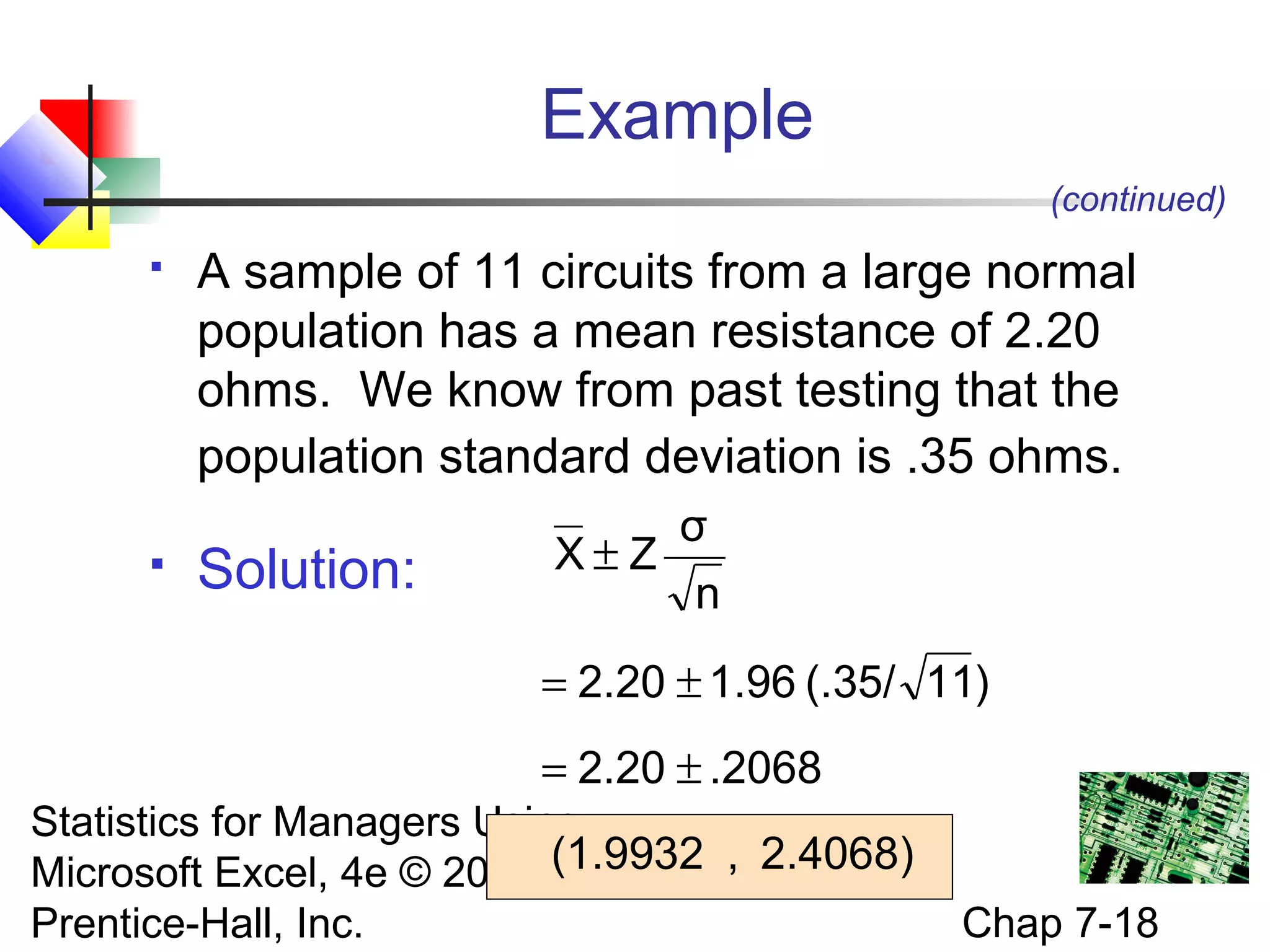
A sample of 11 circuits from a large normal
population has a mean resistance of 2.20
ohms. We know from past testing that the
population standard deviation is .35 ohms.



Determine a 95% confidence interval for the
true mean resistance of the population.

Statistics for Managers Using
Microsoft Excel, 4e © 2004
Prentice-Hall, Inc.

Chap 7-17
Example
(continued)




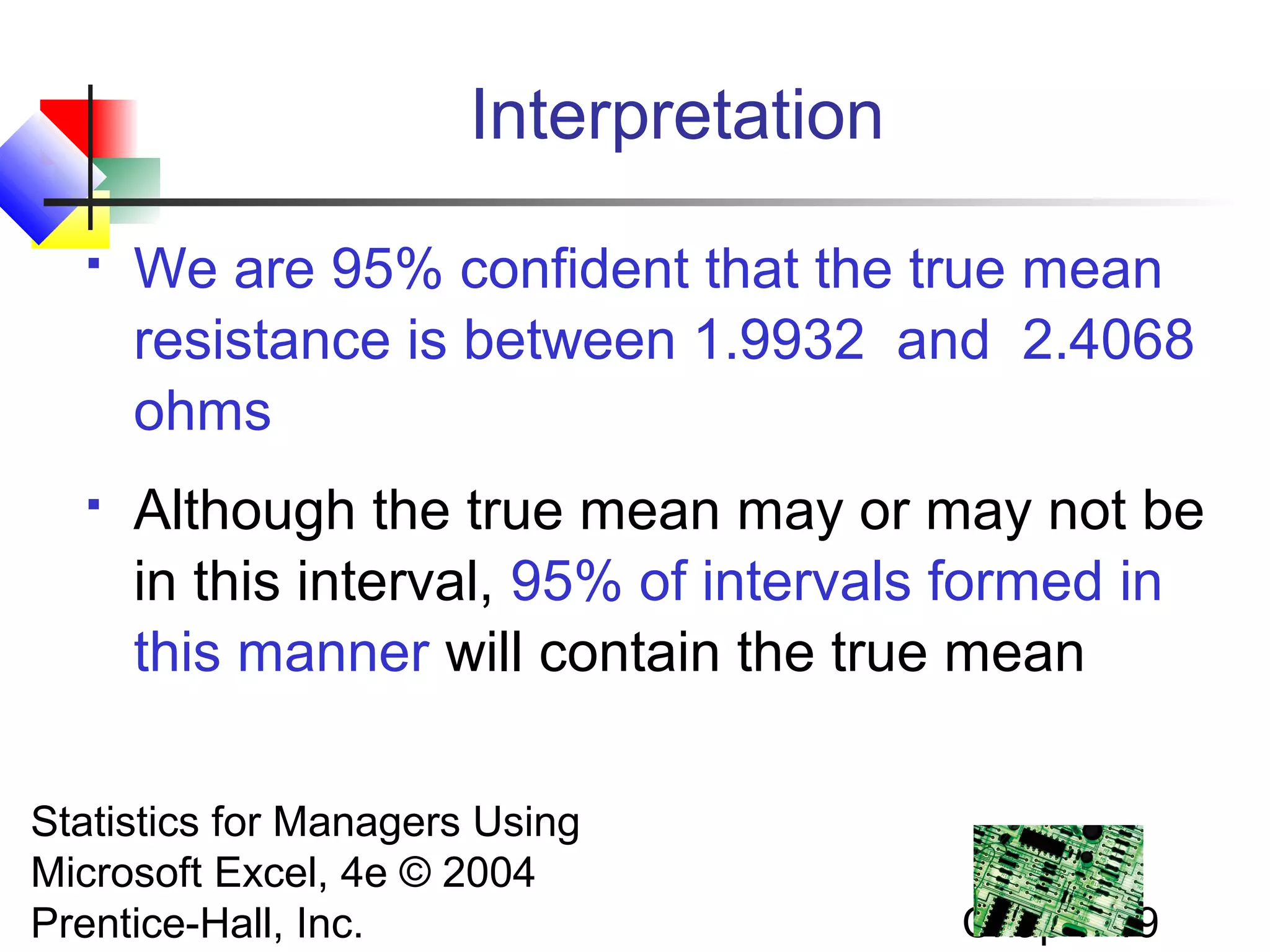
A sample of 11 circuits from a large normal
population has a mean resistance of 2.20
ohms. We know from past testing that the
population standard deviation is .35 ohms.

Solution:

σ
X±Z
n
= 2.20 ± 1.96 (.35/ 11)
= 2.20 ± .2068

Statistics for Managers Using
Microsoft Excel, 4e © 2004 (1.9932 , 2.4068)
Prentice-Hall, Inc.

Chap 7-18
Interpretation


We are 95% confident that the true mean
resistance is between 1.9932 and 2.4068
ohms



Although the true mean may or may not be
in this interval, 95% of intervals formed in
this manner will contain the true mean

Statistics for Managers Using
Microsoft Excel, 4e © 2004
Prentice-Hall, Inc.

Chap 7-19
Confidence Intervals
Confidence
Intervals
Population
Mean

σ Known

Population
Proportion

σ Unknown

Statistics for Managers Using
Microsoft Excel, 4e © 2004
Prentice-Hall, Inc.

Chap 7-20
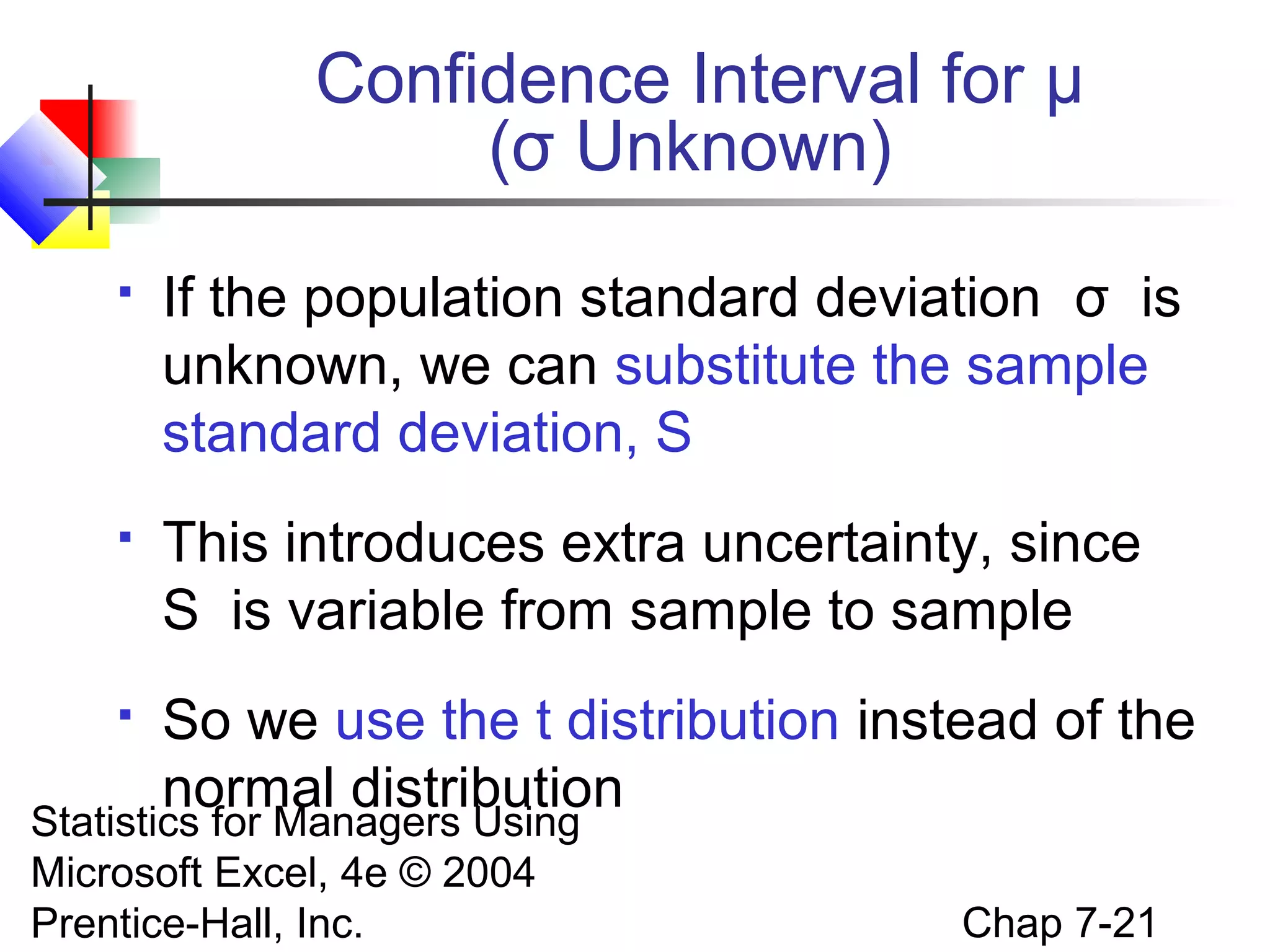
Confidence Interval for μ
(σ Unknown)


If the population standard deviation σ is
unknown, we can substitute the sample
standard deviation, S



This introduces extra uncertainty, since
S is variable from sample to sample



So we use the t distribution instead of the
normal distribution

Statistics for Managers Using
Microsoft Excel, 4e © 2004
Prentice-Hall, Inc.

Chap 7-21
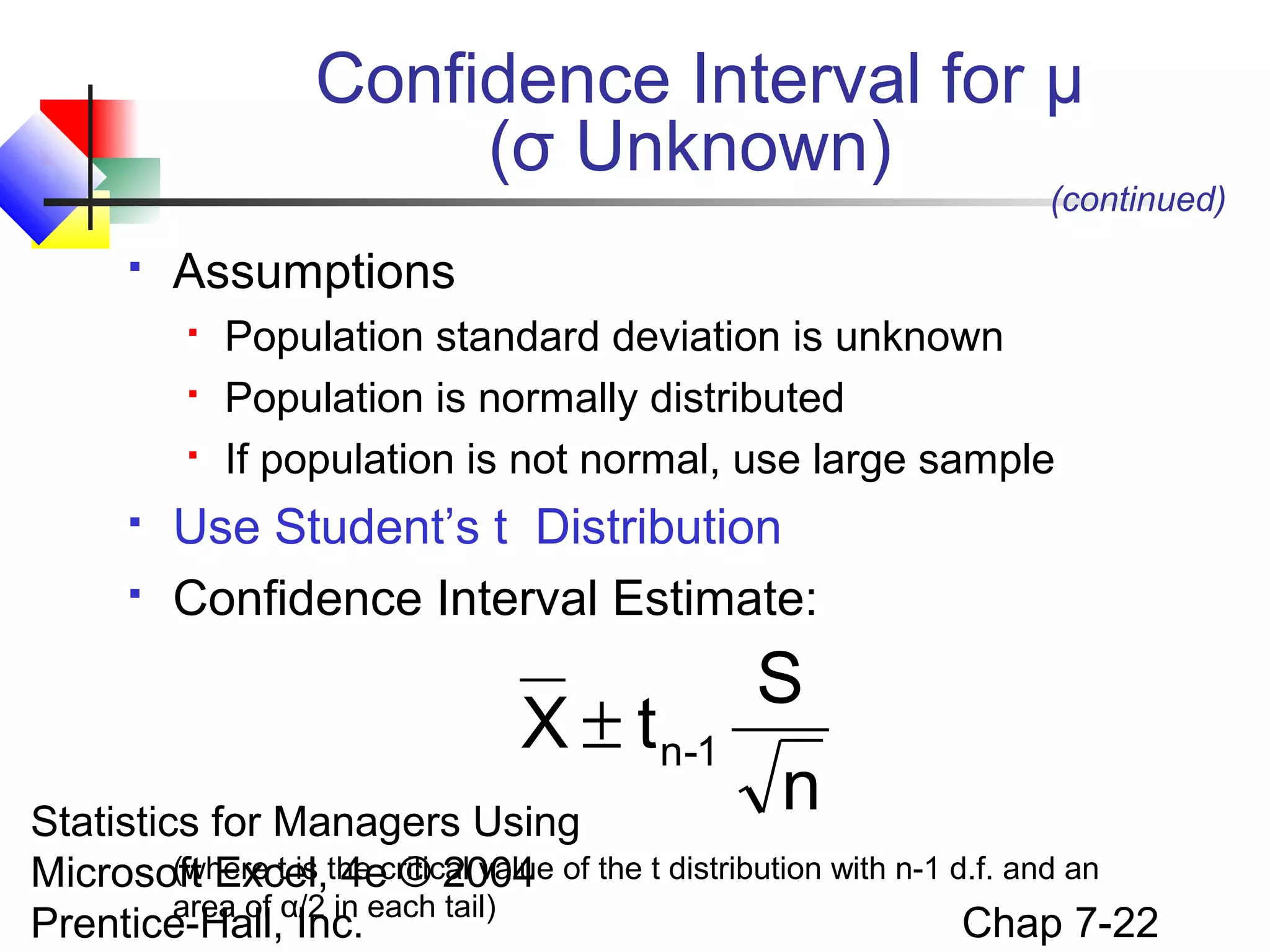
Confidence Interval for μ
(σ Unknown)

(continued)



Assumptions







Population standard deviation is unknown
Population is normally distributed
If population is not normal, use large sample

Use Student’s t Distribution
Confidence Interval Estimate:

X ± t n-1

S
n

Statistics for Managers Using
(where t is 4e © 2004
Microsoft Excel,the critical value of the t distribution with n-1 d.f. and an
area of
Chap 7-22
Prentice-Hall,α/2 in each tail)
Inc.
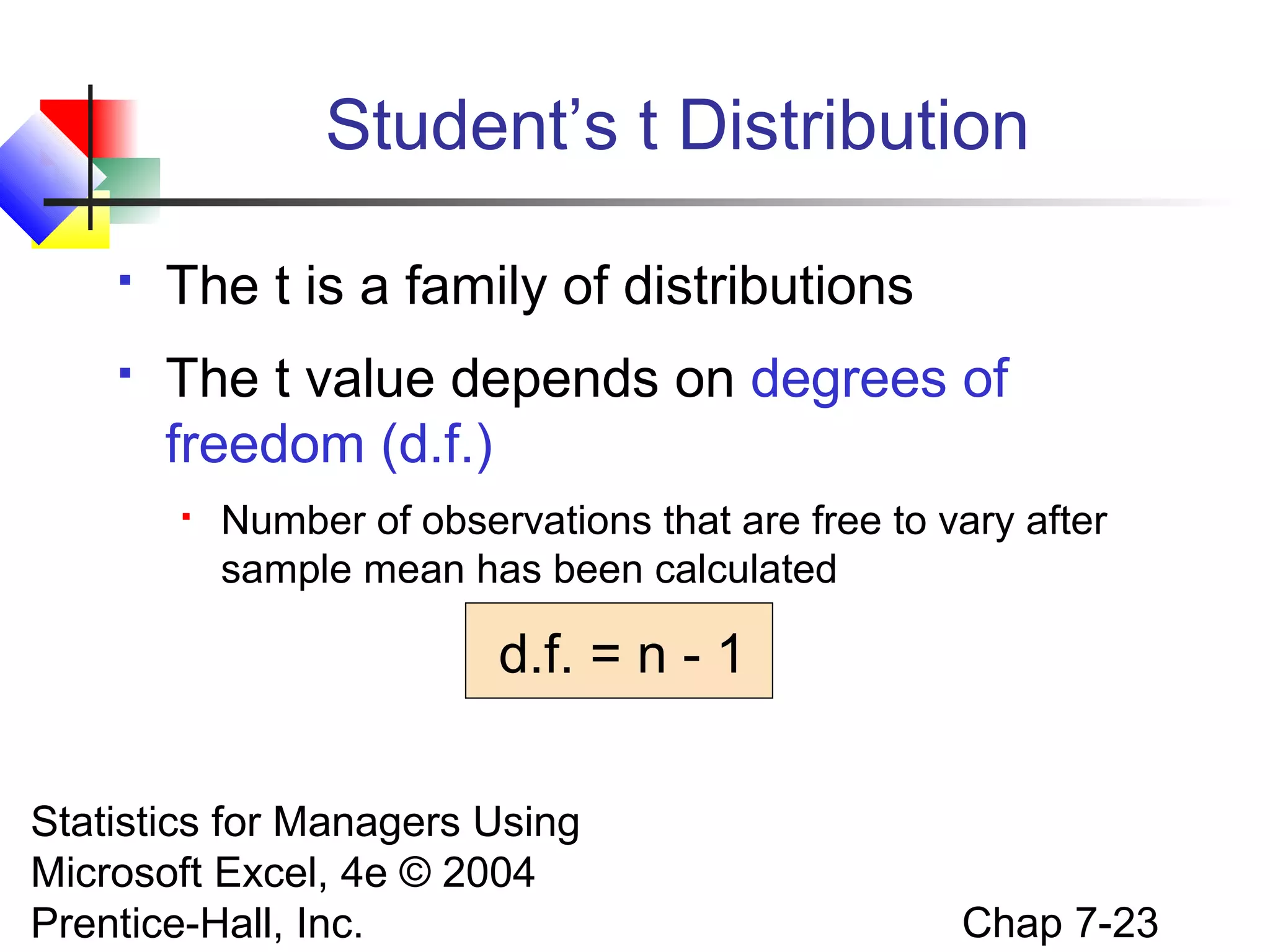
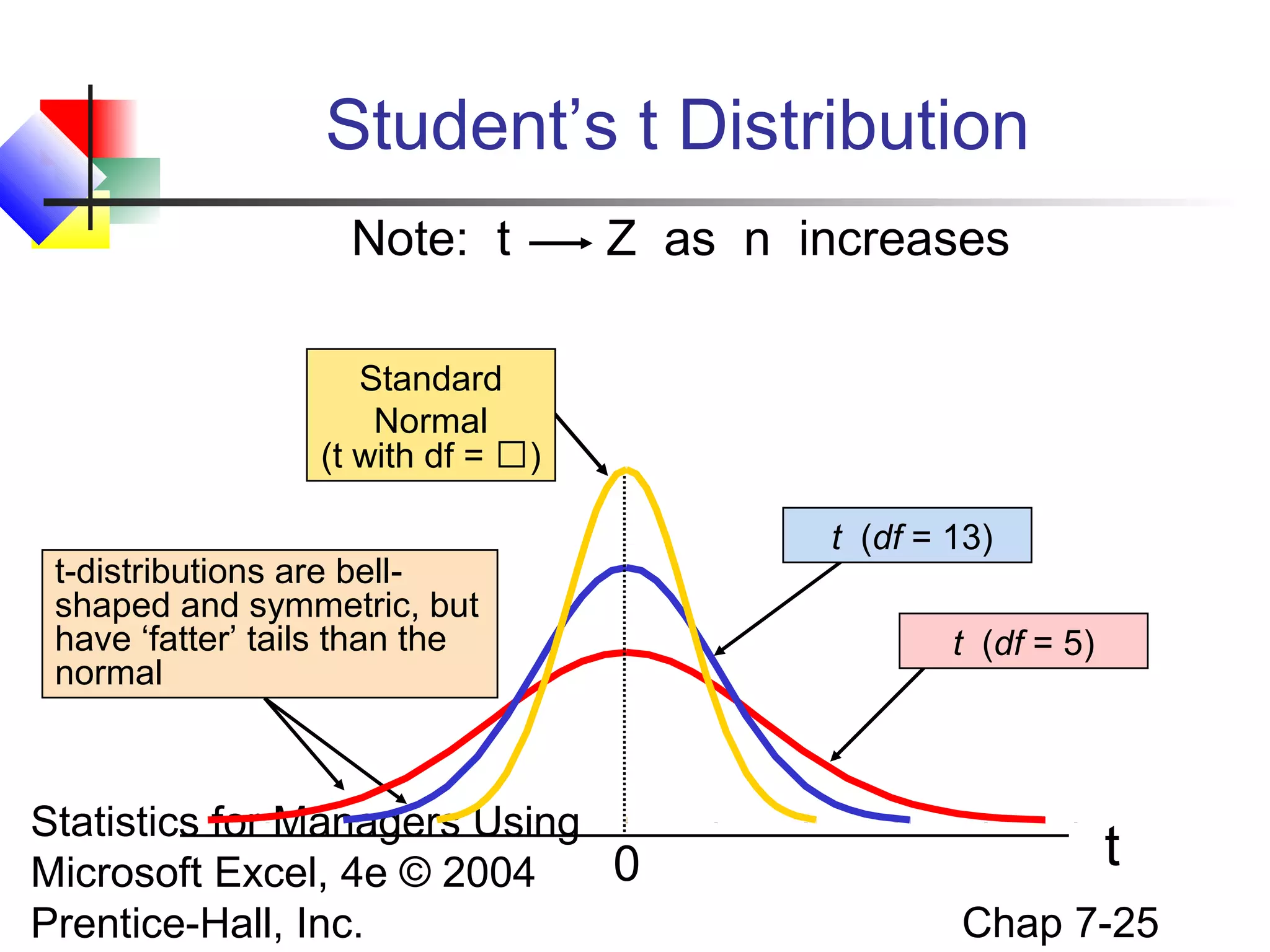
Student’s t Distribution


The t is a family of distributions



The t value depends on degrees of
freedom (d.f.)


Number of observations that are free to vary after
sample mean has been calculated

d.f. = n - 1
Statistics for Managers Using
Microsoft Excel, 4e © 2004
Prentice-Hall, Inc.

Chap 7-23
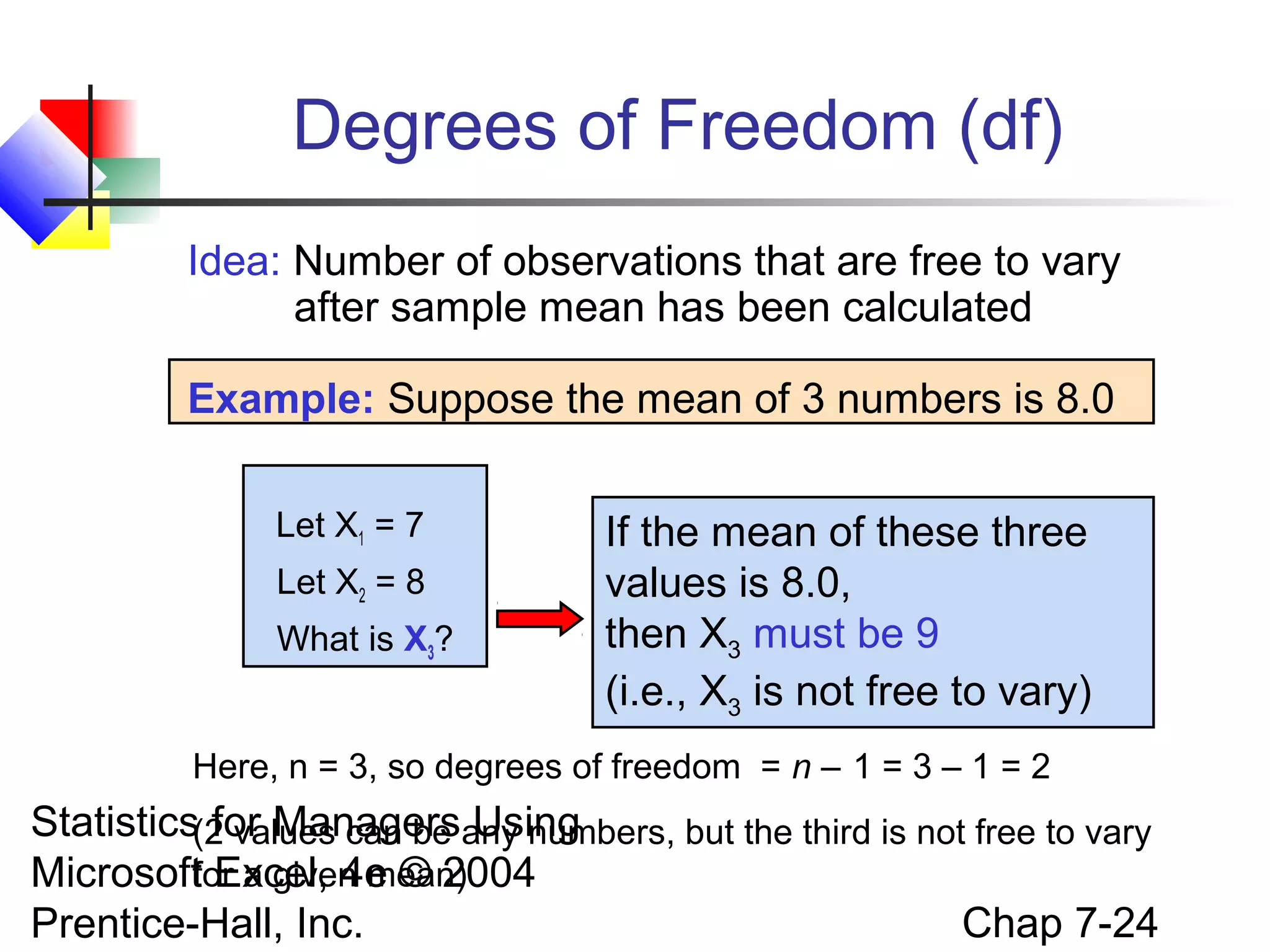
Degrees of Freedom (df)
Idea: Number of observations that are free to vary
after sample mean has been calculated
Example: Suppose the mean of 3 numbers is 8.0
Let X1 = 7
Let X2 = 8
What is X3?

If the mean of these three
values is 8.0,
then X3 must be 9
(i.e., X3 is not free to vary)

Here, n = 3, so degrees of freedom = n – 1 = 3 – 1 = 2

Statistics(2 values can be any numbers, but the third is not free to vary
for Managers Using
for a given mean)
Microsoft Excel, 4e © 2004
Chap 7-24
Prentice-Hall, Inc.
Student’s t Distribution
Note: t

Z as n increases

Standard
Normal
(t with df = )
t-distributions are bellshaped and symmetric, but
have ‘fatter’ tails than the
normal

Statistics for Managers Using
0
Microsoft Excel, 4e © 2004
Prentice-Hall, Inc.

t (df = 13)
t (df = 5)

t
Chap 7-25
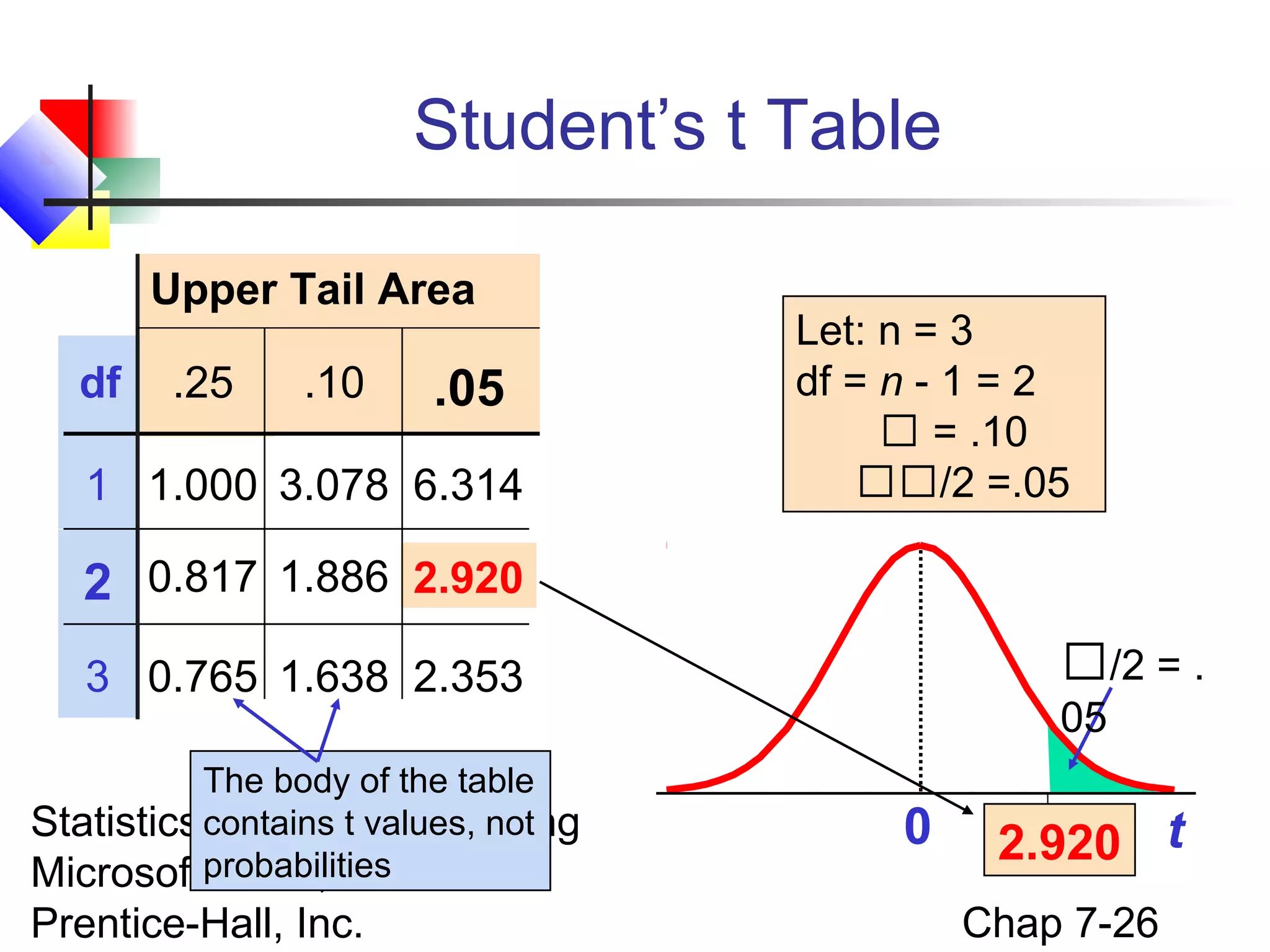
Student’s t Table
Upper Tail Area
df

.25

.10

.05

1 1.000 3.078 6.314

Let: n = 3
df = n - 1 = 2
 = .10
/2 =.05

2 0.817 1.886 2.920
/2 = .

3 0.765 1.638 2.353
The body of the table
Statistics contains t values,Using
for Managers not
Microsoftprobabilities © 2004
Excel, 4e

Prentice-Hall, Inc.

05

0

2.920 t
Chap 7-26
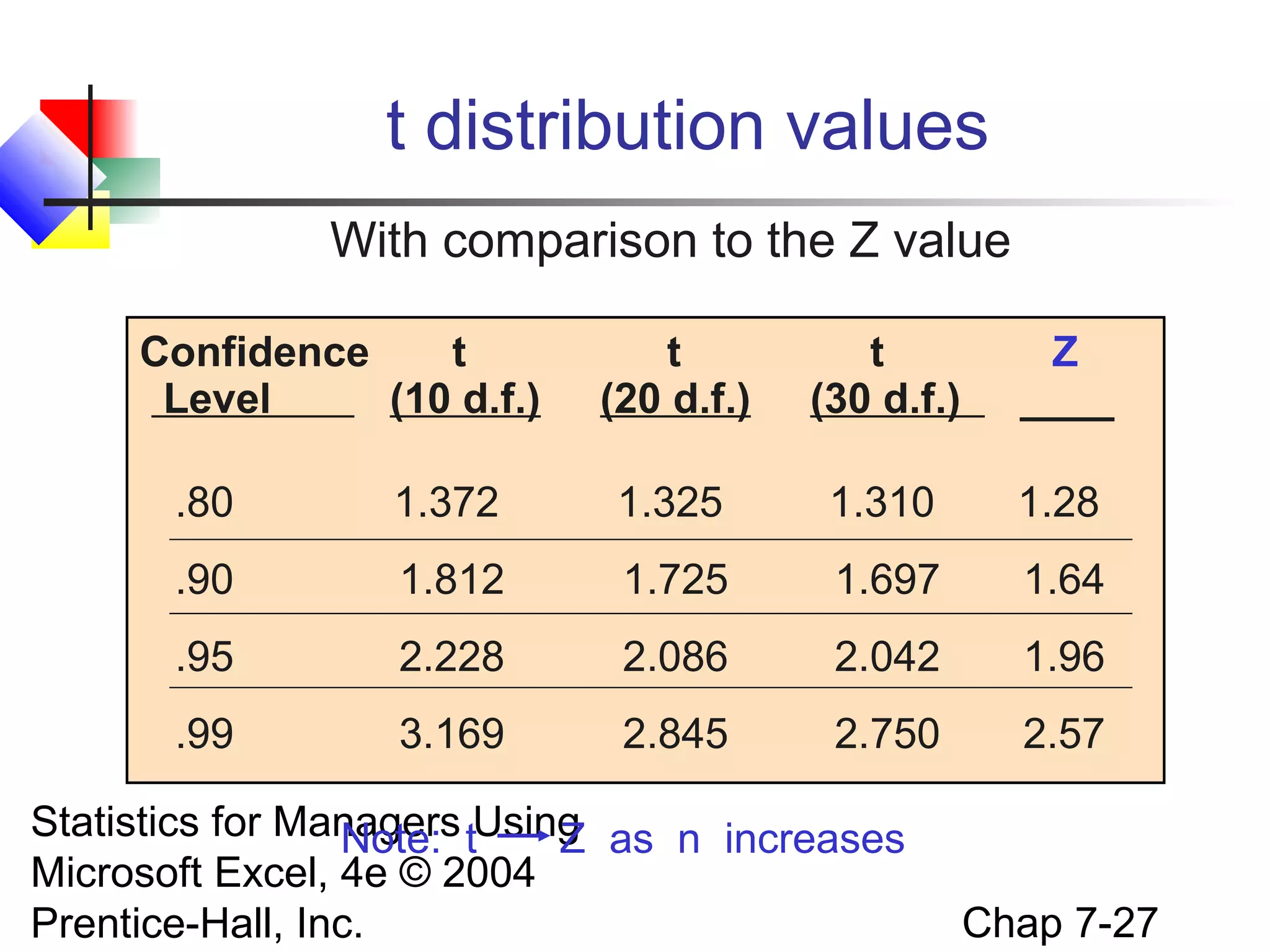
t distribution values
With comparison to the Z value
Confidence
t
Level
(10 d.f.)

t
(20 d.f.)

t
(30 d.f.)

Z
____

.80

1.372

1.325

1.310

1.28

.90

1.812

1.725

1.697

1.64

.95

2.228

2.086

2.042

1.96

.99

3.169

2.845

2.750

2.57

Statistics for Managers tUsing as n increases
Note:
Z
Microsoft Excel, 4e © 2004
Prentice-Hall, Inc.

Chap 7-27
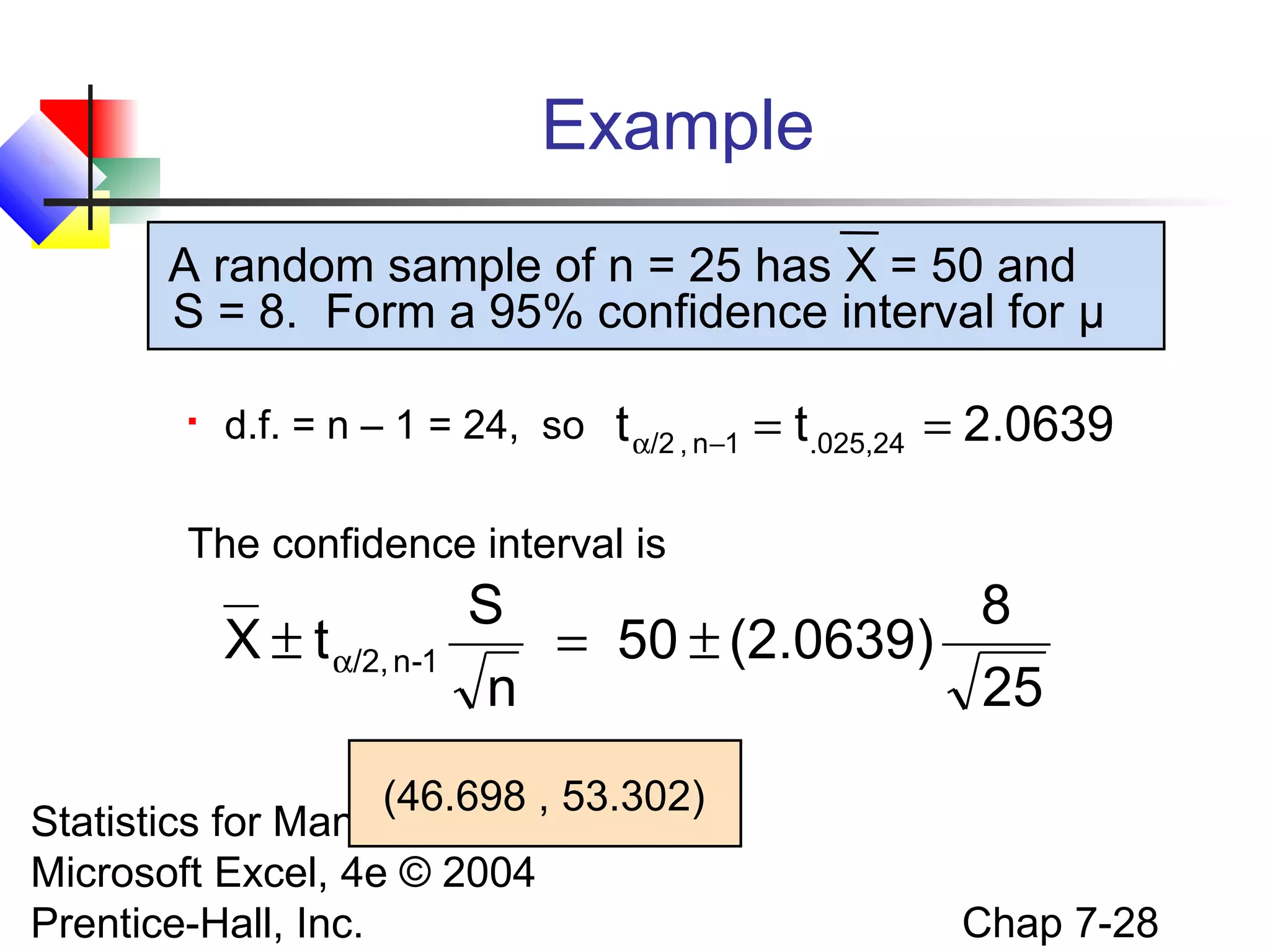
Example
A random sample of n = 25 has X = 50 and
S = 8. Form a 95% confidence interval for μ


d.f. = n – 1 = 24, so

t α/2 , n−1 = t.025,24 = 2.0639

The confidence interval is

X ± t α/2, n-1

S
8
= 50 ± (2.0639)
n
25

(46.698 , 53.302)
Statistics for Managers Using
Microsoft Excel, 4e © 2004
Prentice-Hall, Inc.

Chap 7-28
Confidence Intervals
Confidence
Intervals
Population
Mean

σ Known

Population
Proportion

σ Unknown

Statistics for Managers Using
Microsoft Excel, 4e © 2004
Prentice-Hall, Inc.

Chap 7-29
Confidence Intervals for the
Population Proportion, p


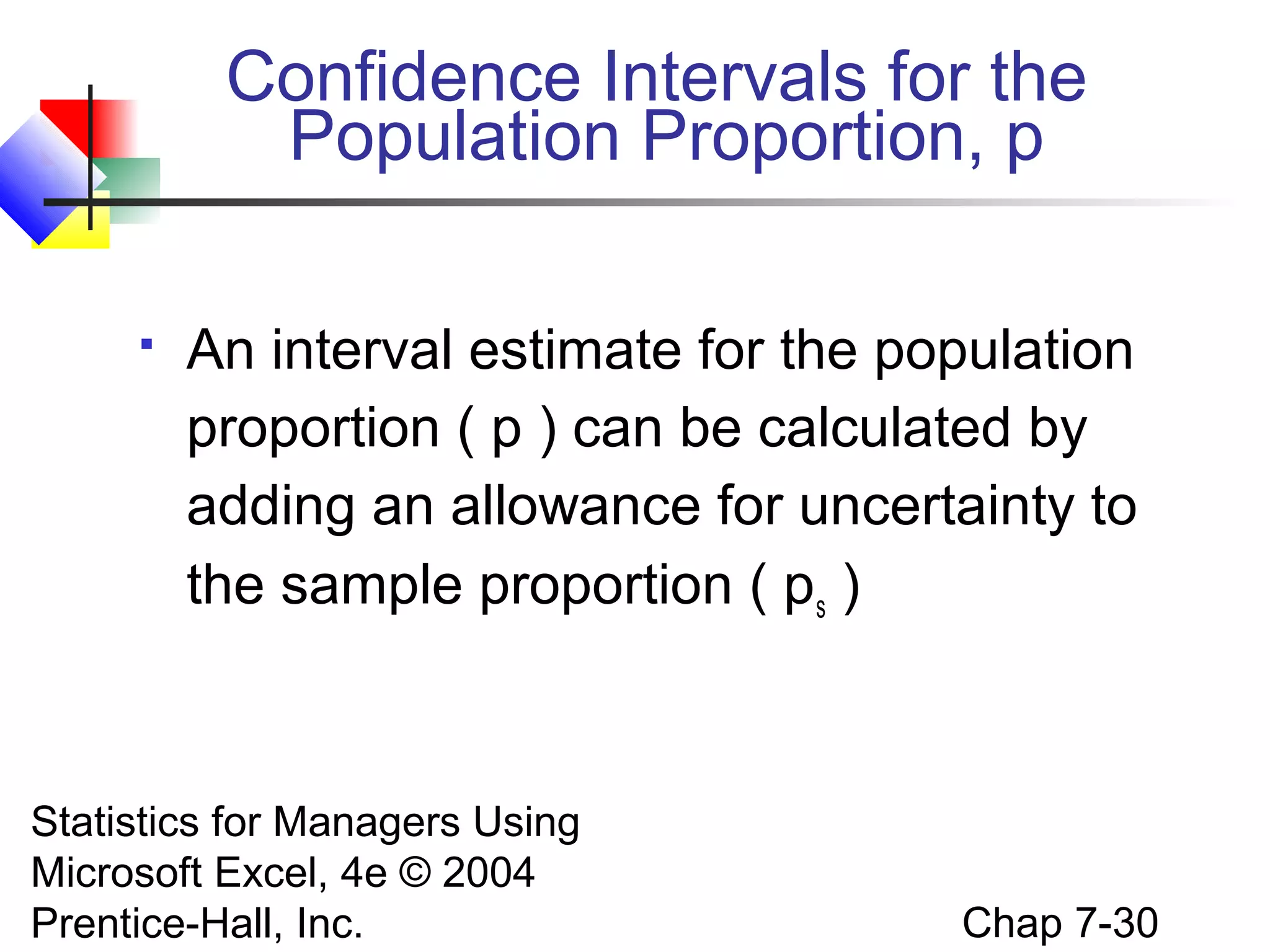
An interval estimate for the population
proportion ( p ) can be calculated by
adding an allowance for uncertainty to
the sample proportion ( ps )

Statistics for Managers Using
Microsoft Excel, 4e © 2004
Prentice-Hall, Inc.

Chap 7-30
Confidence Intervals for the
Population Proportion, p
(continued)


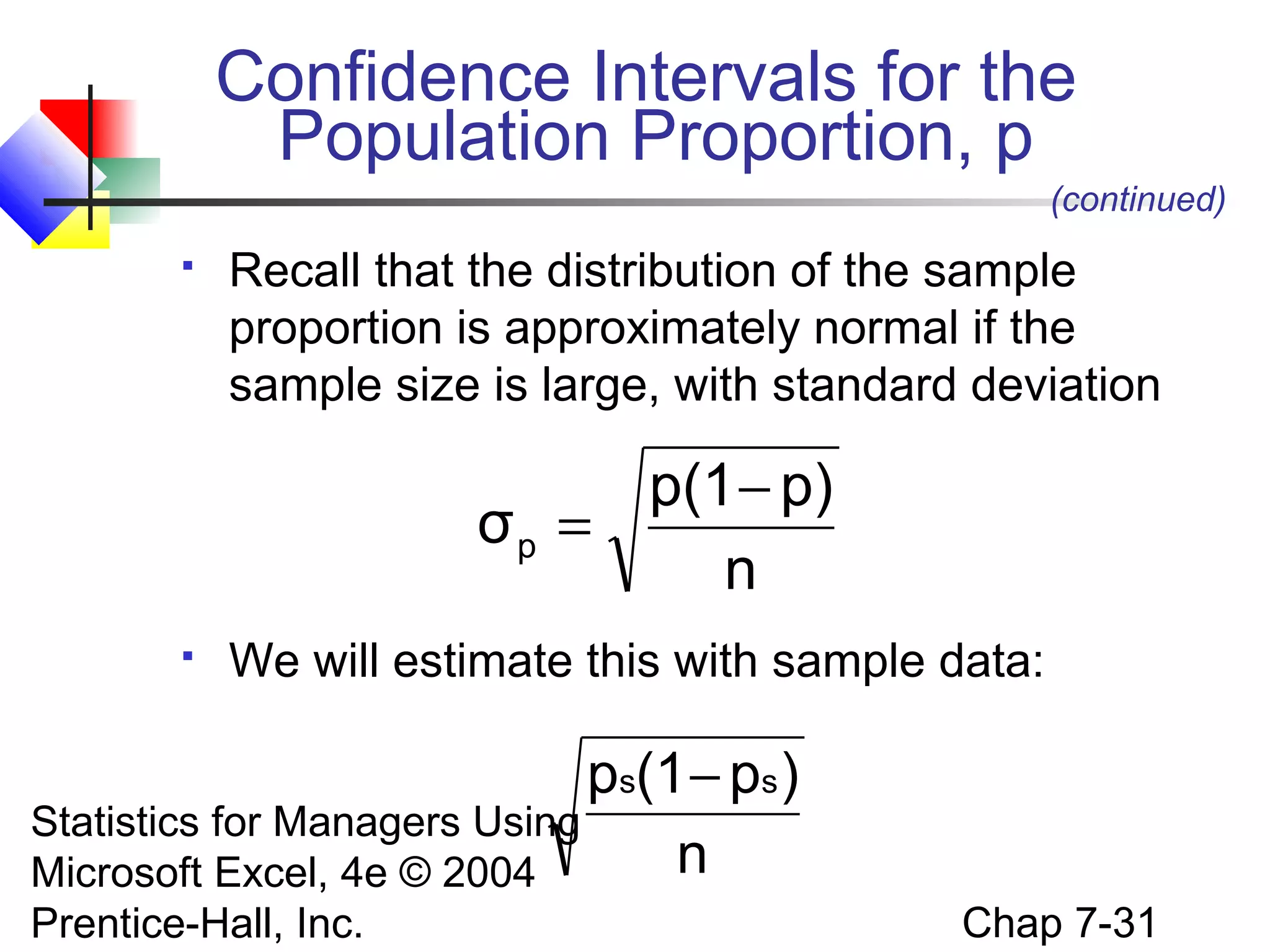
Recall that the distribution of the sample
proportion is approximately normal if the
sample size is large, with standard deviation

p(1 − p)
σp =
n


We will estimate this with sample data:

ps(1 − ps )
Statistics for Managers Using
n
Microsoft Excel, 4e © 2004
Prentice-Hall, Inc.

Chap 7-31
Confidence Interval Endpoints


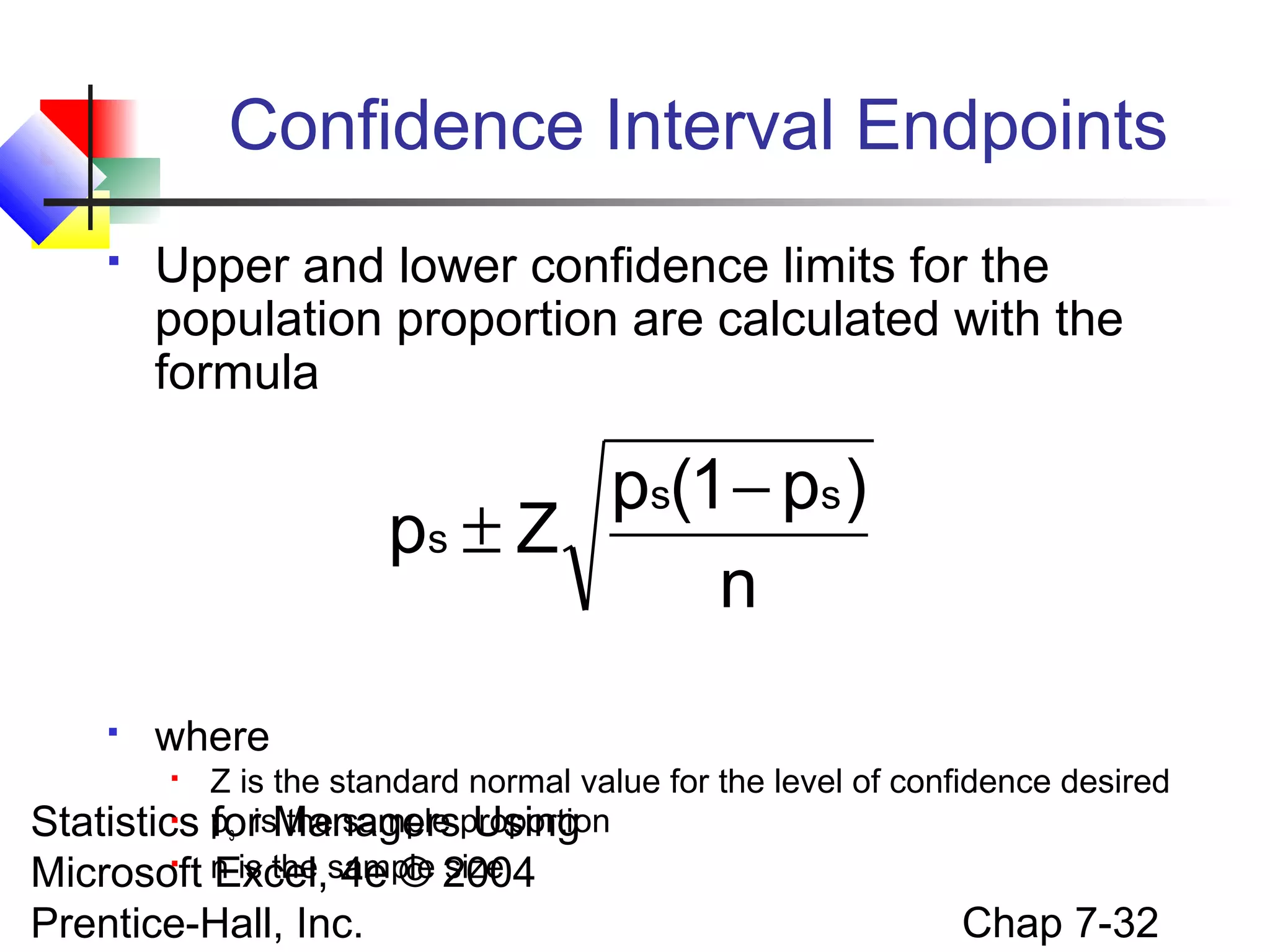
Upper and lower confidence limits for the
population proportion are calculated with the
formula

ps(1 − ps )
ps ± Z
n


where

Z is the standard normal value for the level of confidence desired

Statistics ps isManagersproportion
for the sample Using

Microsoft n is the sample 2004
Excel, 4e © size


Prentice-Hall, Inc.

Chap 7-32
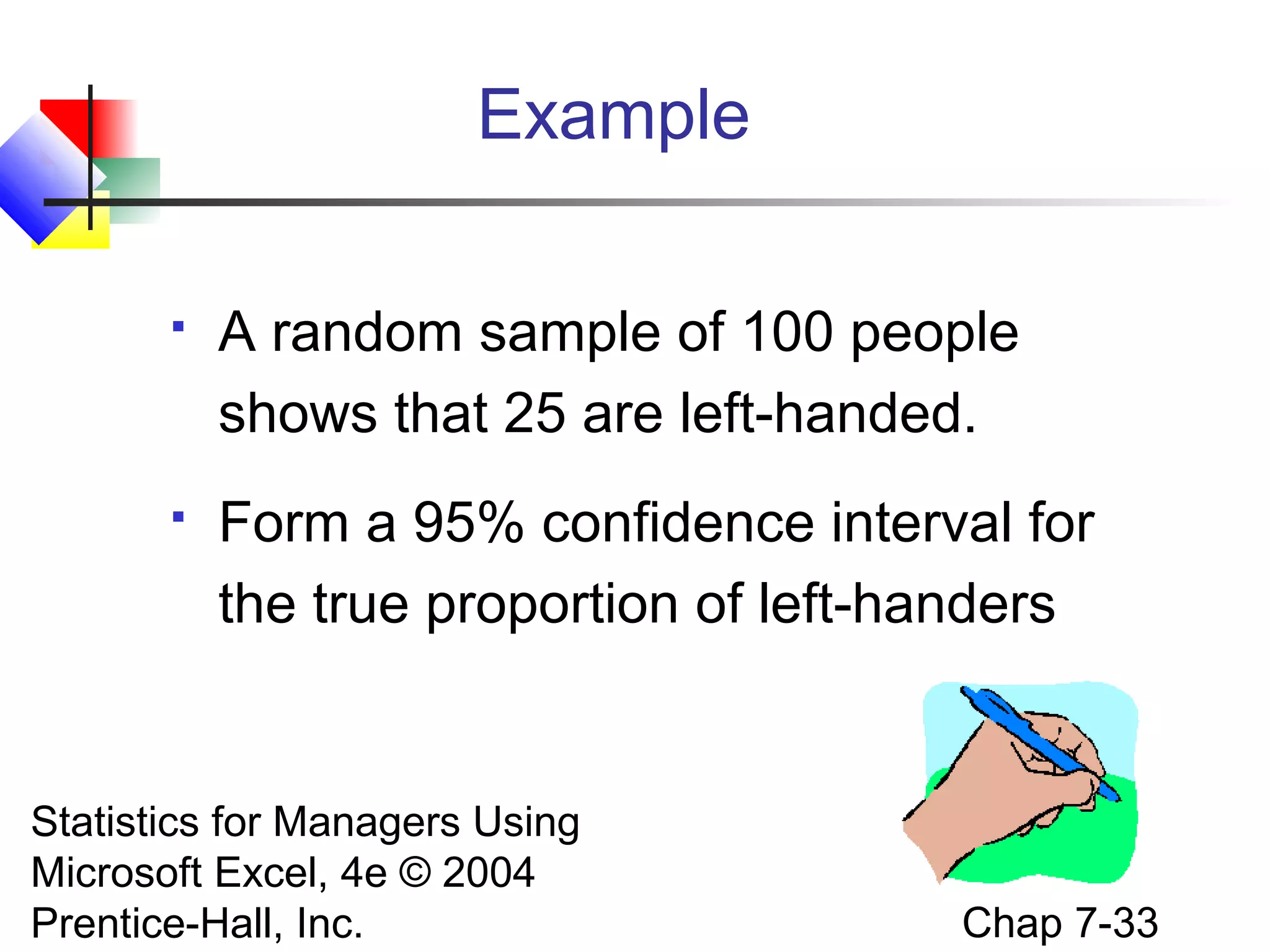
Example


A random sample of 100 people
shows that 25 are left-handed.



Form a 95% confidence interval for
the true proportion of left-handers

Statistics for Managers Using
Microsoft Excel, 4e © 2004
Prentice-Hall, Inc.

Chap 7-33
Example
(continued)



A random sample of 100 people shows
that 25 are left-handed. Form a 95%
confidence interval for the true proportion
of left-handers.
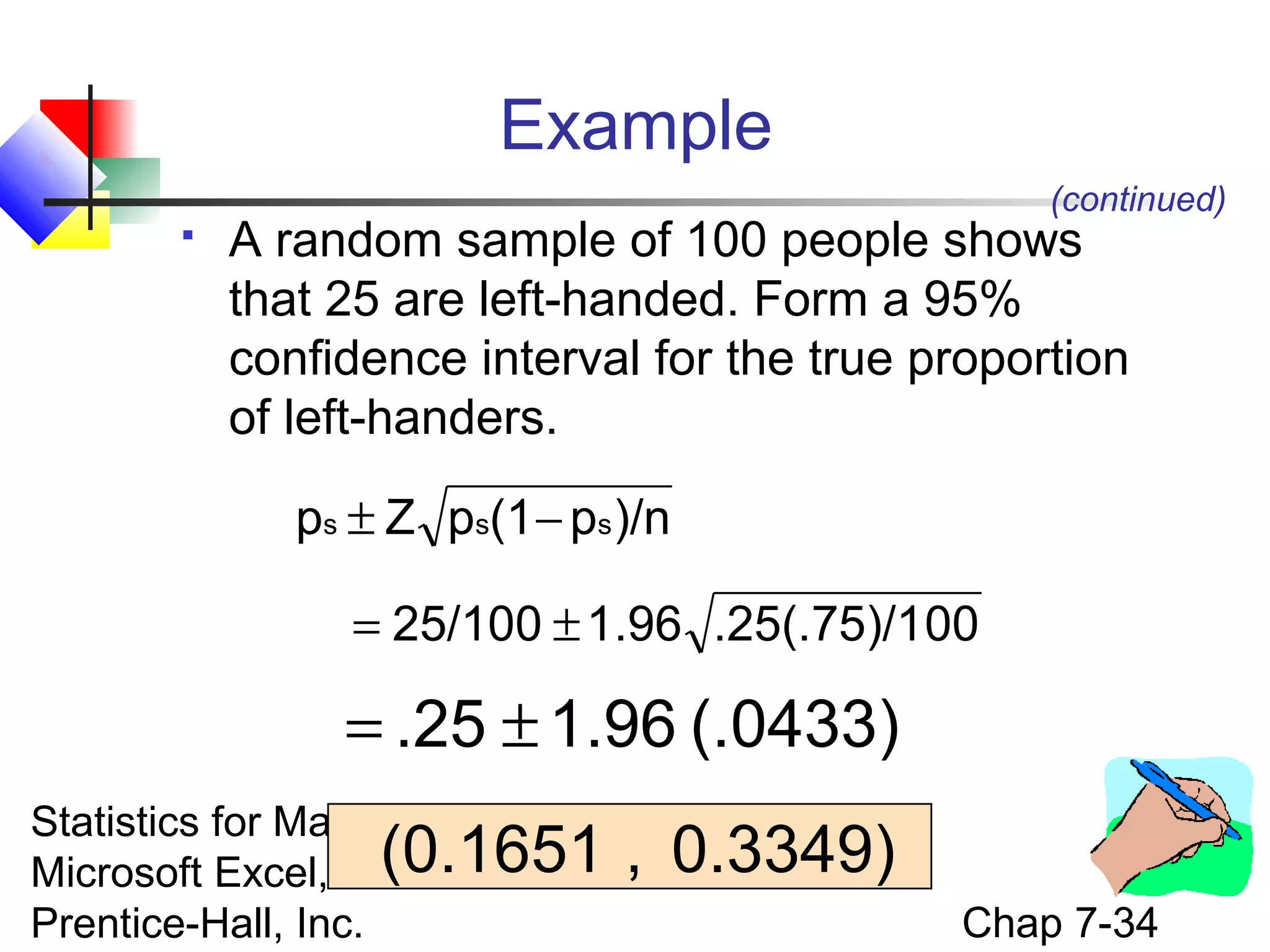
ps ± Z ps(1 − ps )/n
= 25/100 ± 1.96 .25(.75)/100

= .25 ± 1.96 (.0433)
Statistics for Managers Using
Microsoft Excel, 4e(0.1651
© 2004
Prentice-Hall, Inc.

, 0.3349)
Chap 7-34
Interpretation


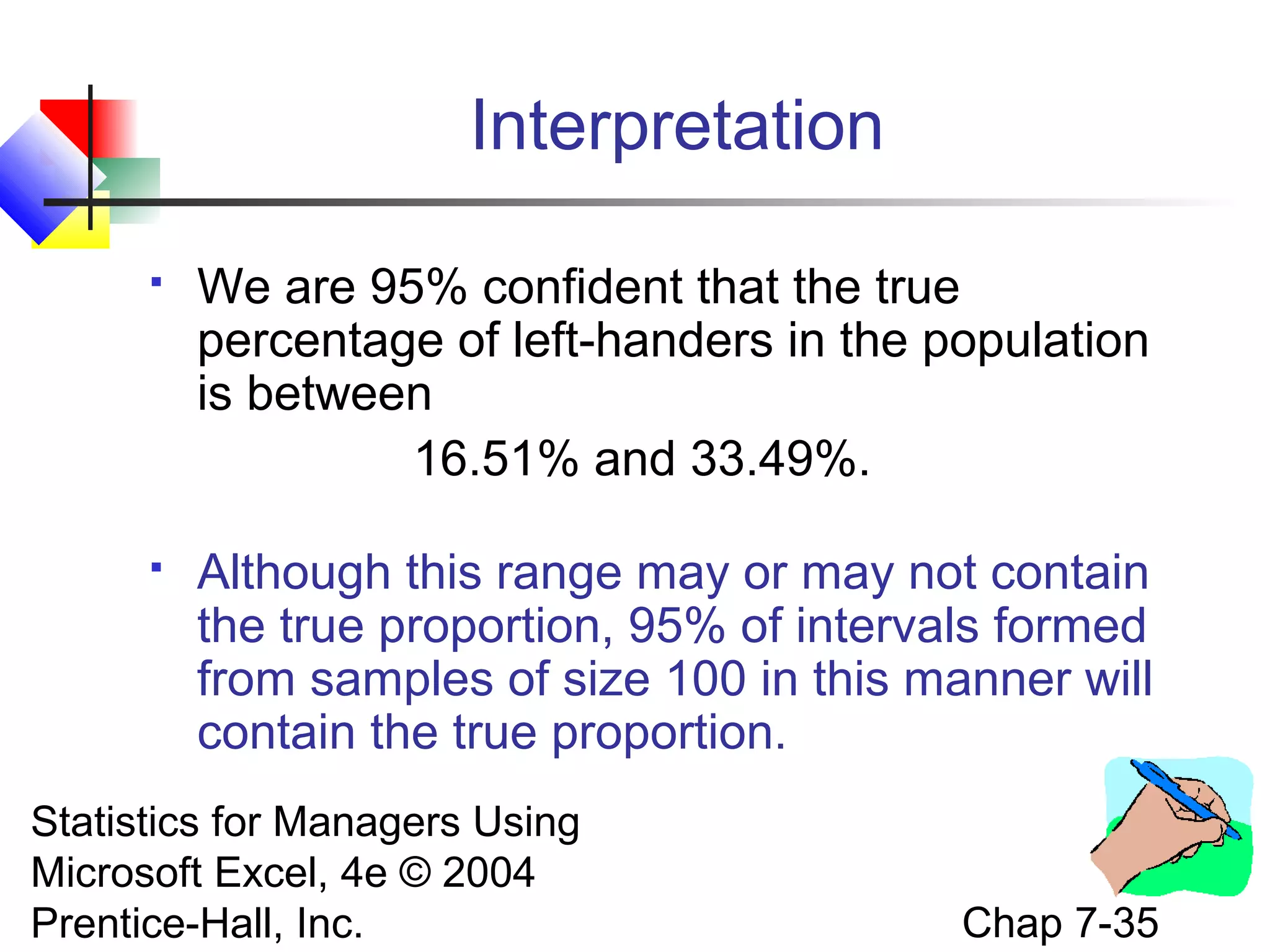
We are 95% confident that the true
percentage of left-handers in the population
is between
16.51% and 33.49%.



Although this range may or may not contain
the true proportion, 95% of intervals formed
from samples of size 100 in this manner will
contain the true proportion.

Statistics for Managers Using
Microsoft Excel, 4e © 2004
Prentice-Hall, Inc.

Chap 7-35
Determining Sample Size
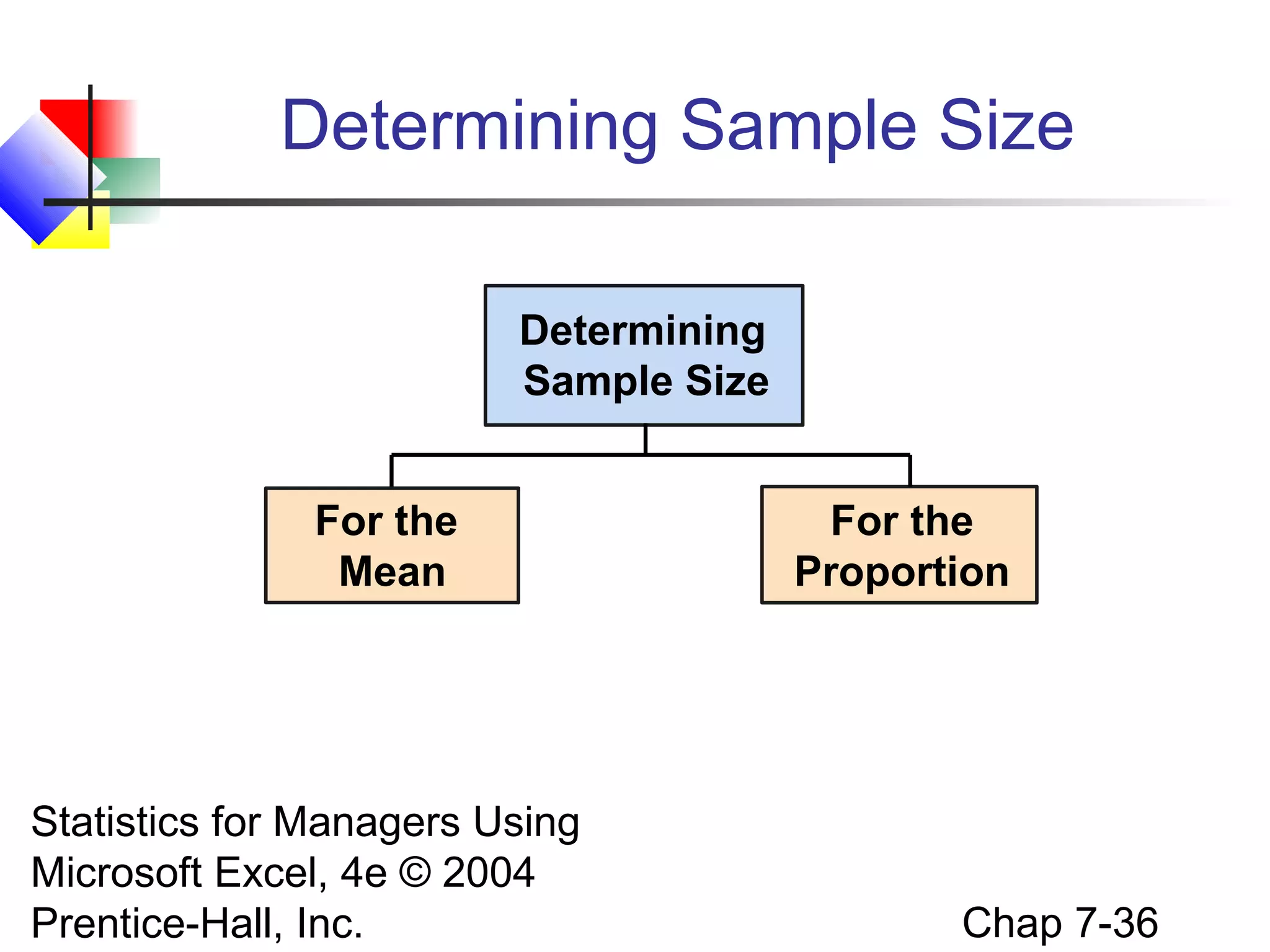
Determining
Sample Size
For the
Mean

Statistics for Managers Using
Microsoft Excel, 4e © 2004
Prentice-Hall, Inc.

For the
Proportion

Chap 7-36
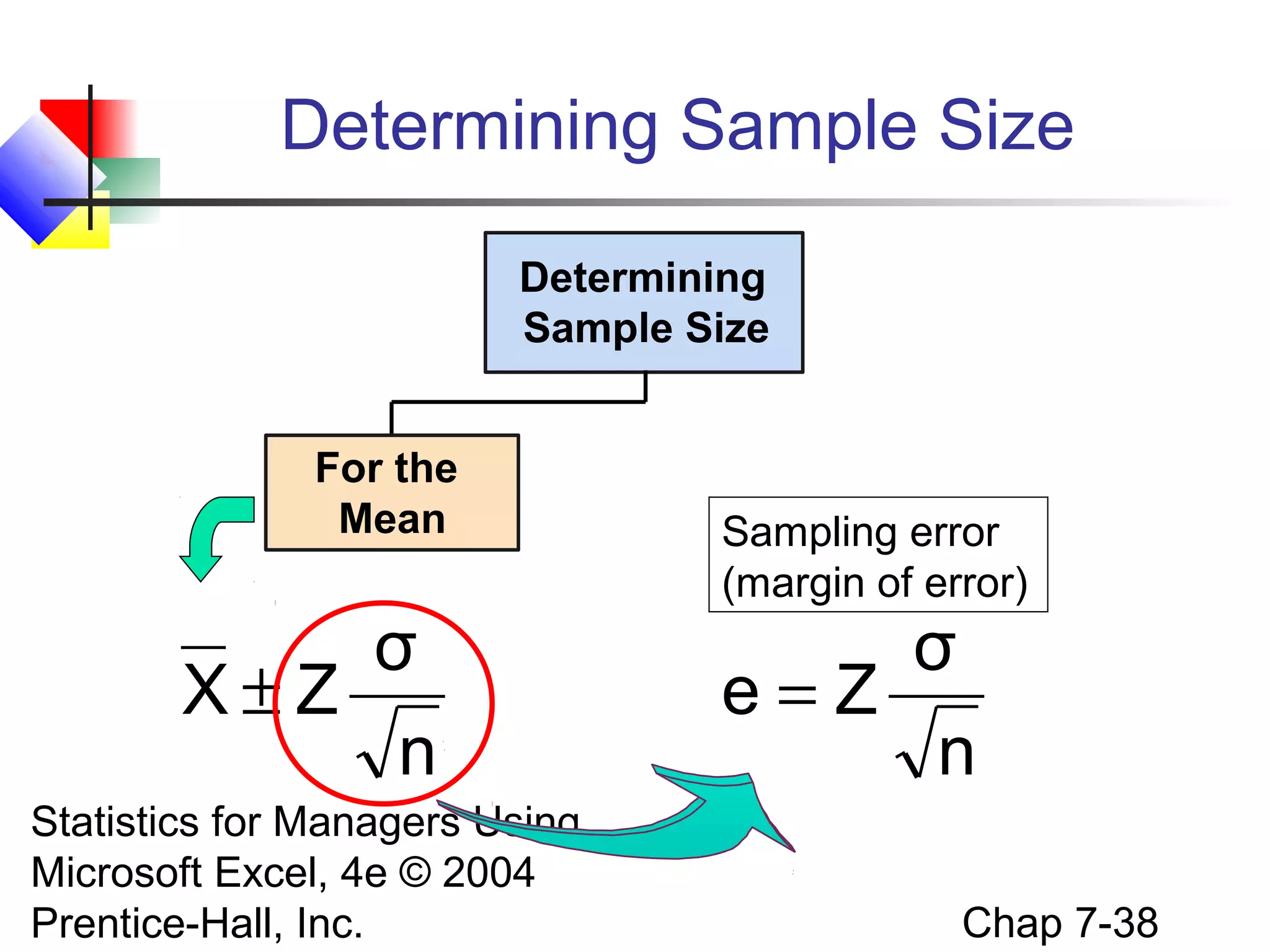
Sampling Error


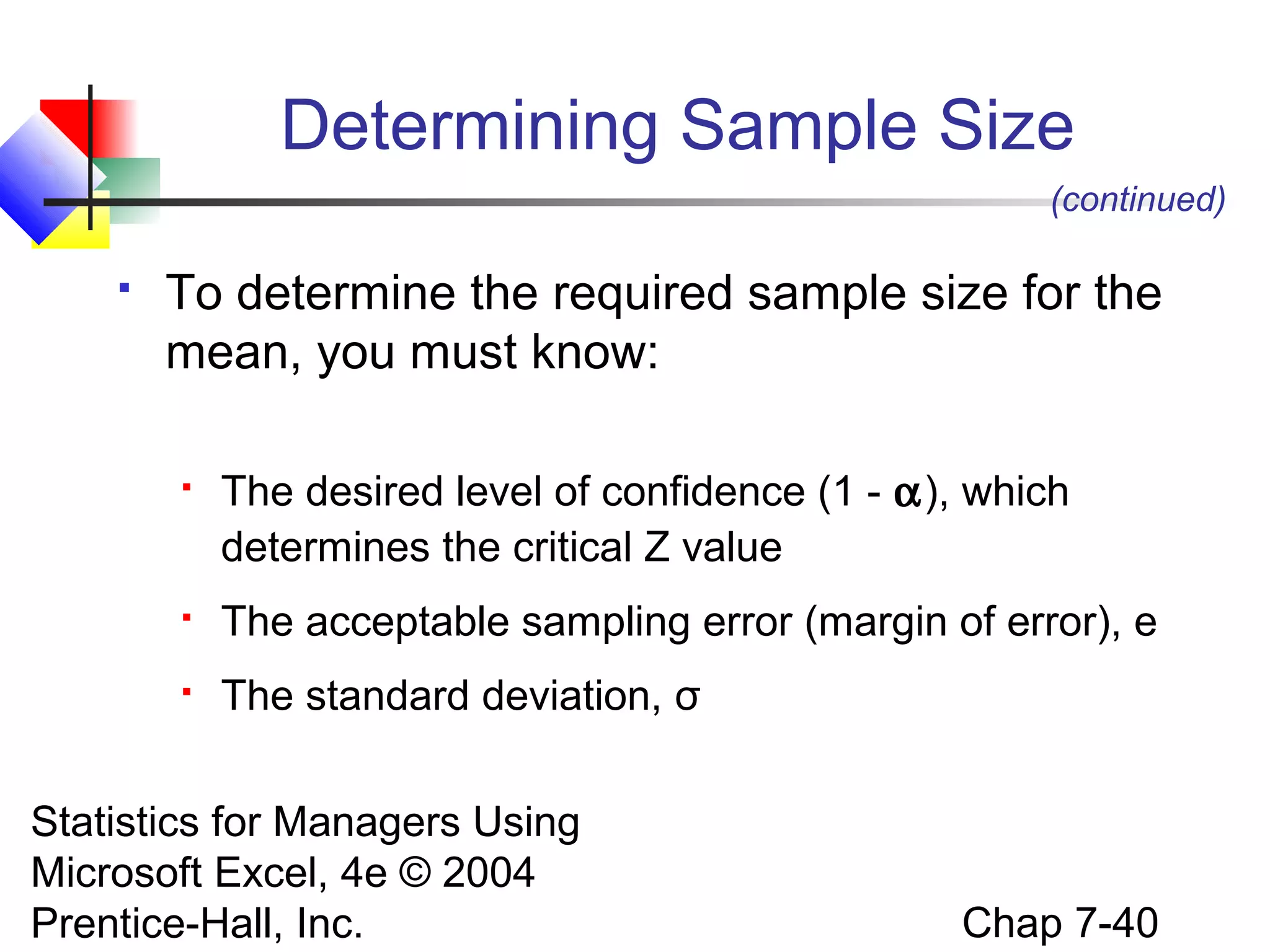
The required sample size can be found to reach
a desired margin of error (e) with a specified
level of confidence (1 - α)



The margin of error is also called sampling error


the amount of imprecision in the estimate of the
population parameter

the amount added and subtracted to the point
estimate to form the confidence interval
Statistics for Managers Using
Microsoft Excel, 4e © 2004
Chap 7-37
Prentice-Hall, Inc.

Determining Sample Size
Determining
Sample Size
For the
Mean

σ
X±Z
n
Statistics for Managers Using
Microsoft Excel, 4e © 2004
Prentice-Hall, Inc.

Sampling error
(margin of error)

σ
e=Z
n
Chap 7-38
Determining Sample Size
(continued)

Determining
Sample Size
For the
Mean

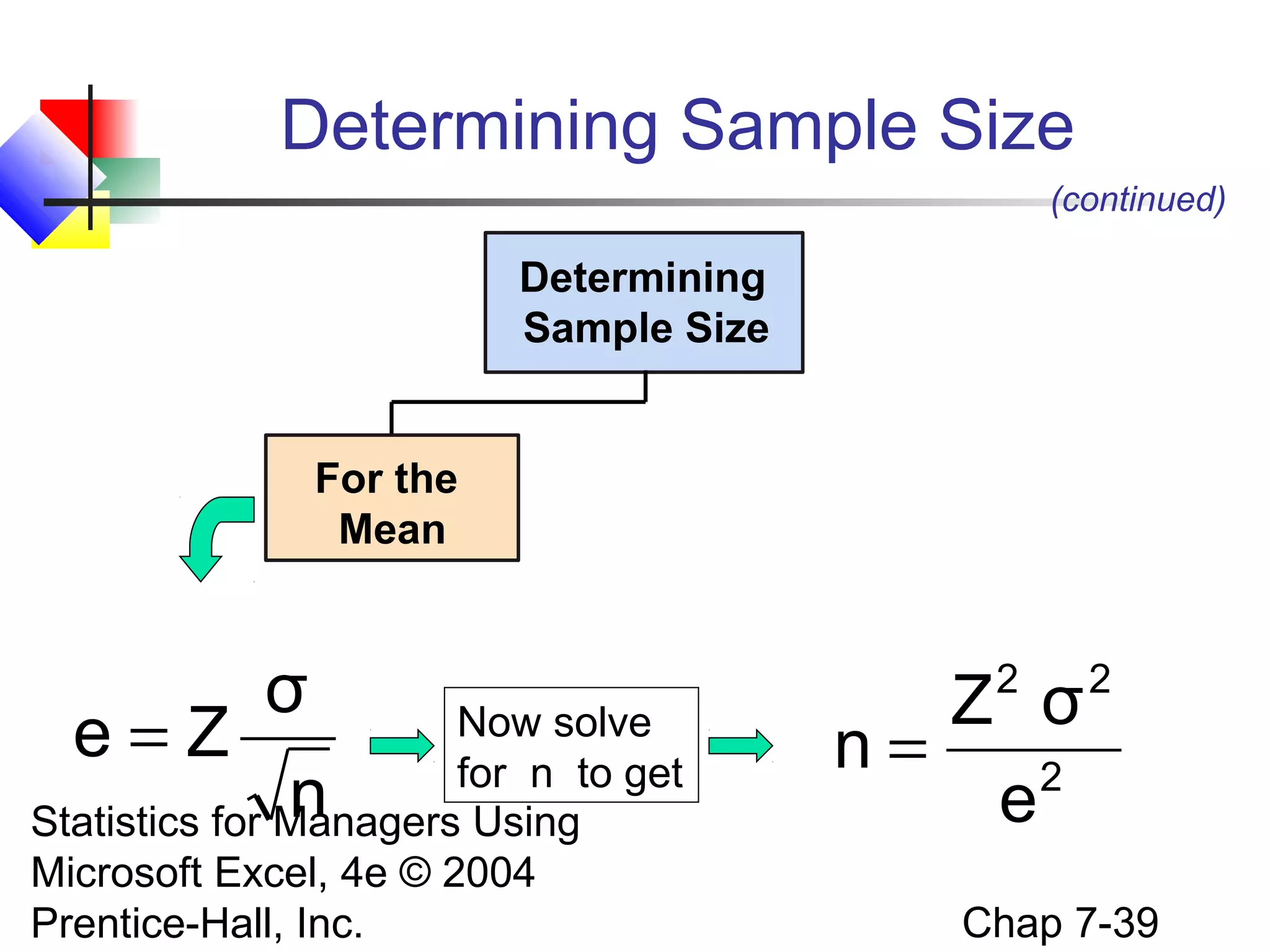
σ
Now solve
e=Z
for n to get
n
Statistics for Managers Using
Microsoft Excel, 4e © 2004
Prentice-Hall, Inc.

2

Z σ
n=
2
e

2

Chap 7-39
Determining Sample Size
(continued)


To determine the required sample size for the
mean, you must know:


The desired level of confidence (1 - α), which
determines the critical Z value



The acceptable sampling error (margin of error), e



The standard deviation, σ

Statistics for Managers Using
Microsoft Excel, 4e © 2004
Prentice-Hall, Inc.

Chap 7-40
Required Sample Size Example
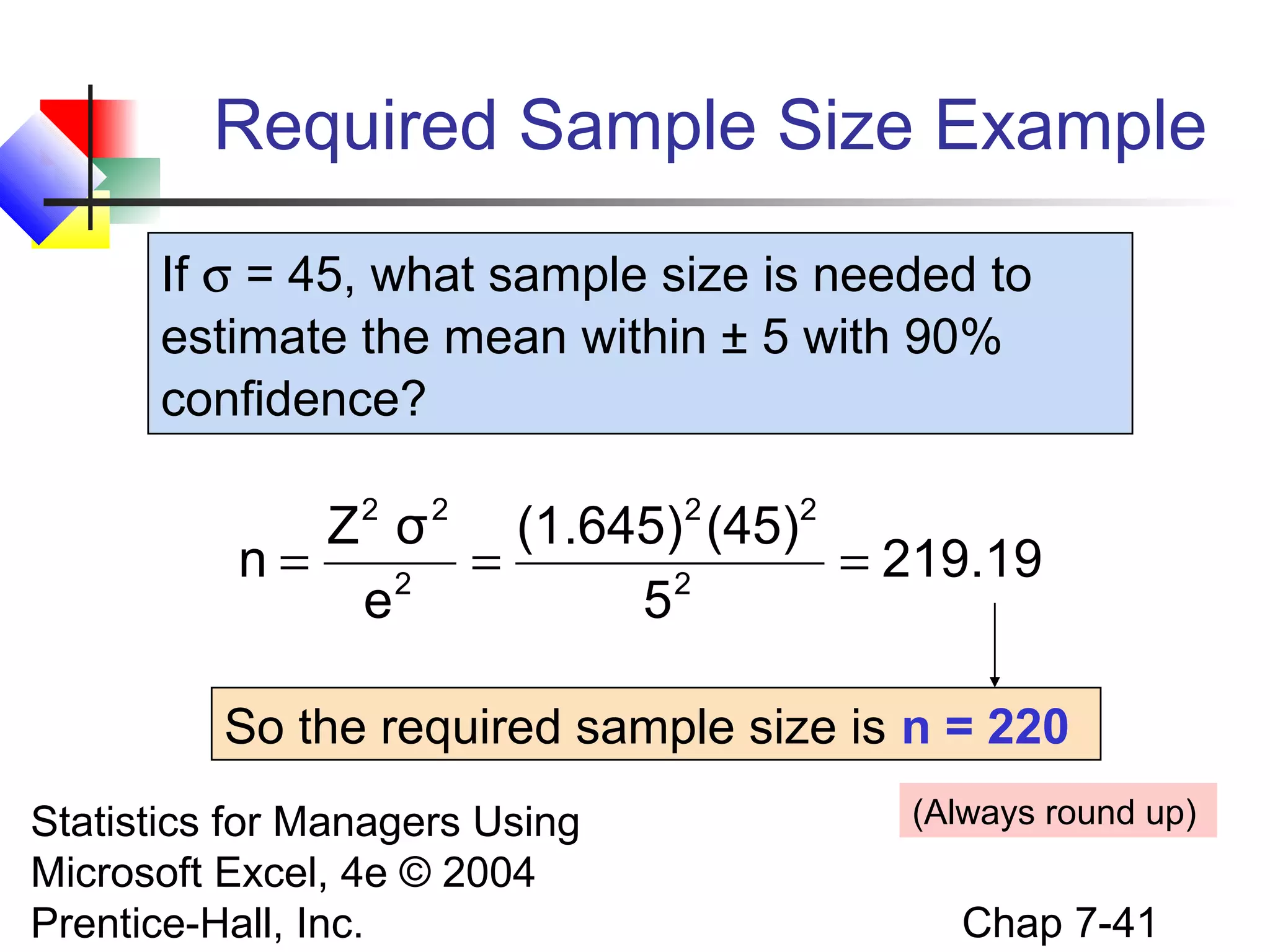
If σ = 45, what sample size is needed to
estimate the mean within ± 5 with 90%
confidence?
2

2

2

2

Z σ
(1.645) (45)
n=
=
= 219.19
2
2
e
5
So the required sample size is n = 220
Statistics for Managers Using
Microsoft Excel, 4e © 2004
Prentice-Hall, Inc.

(Always round up)

Chap 7-41
If σ is unknown


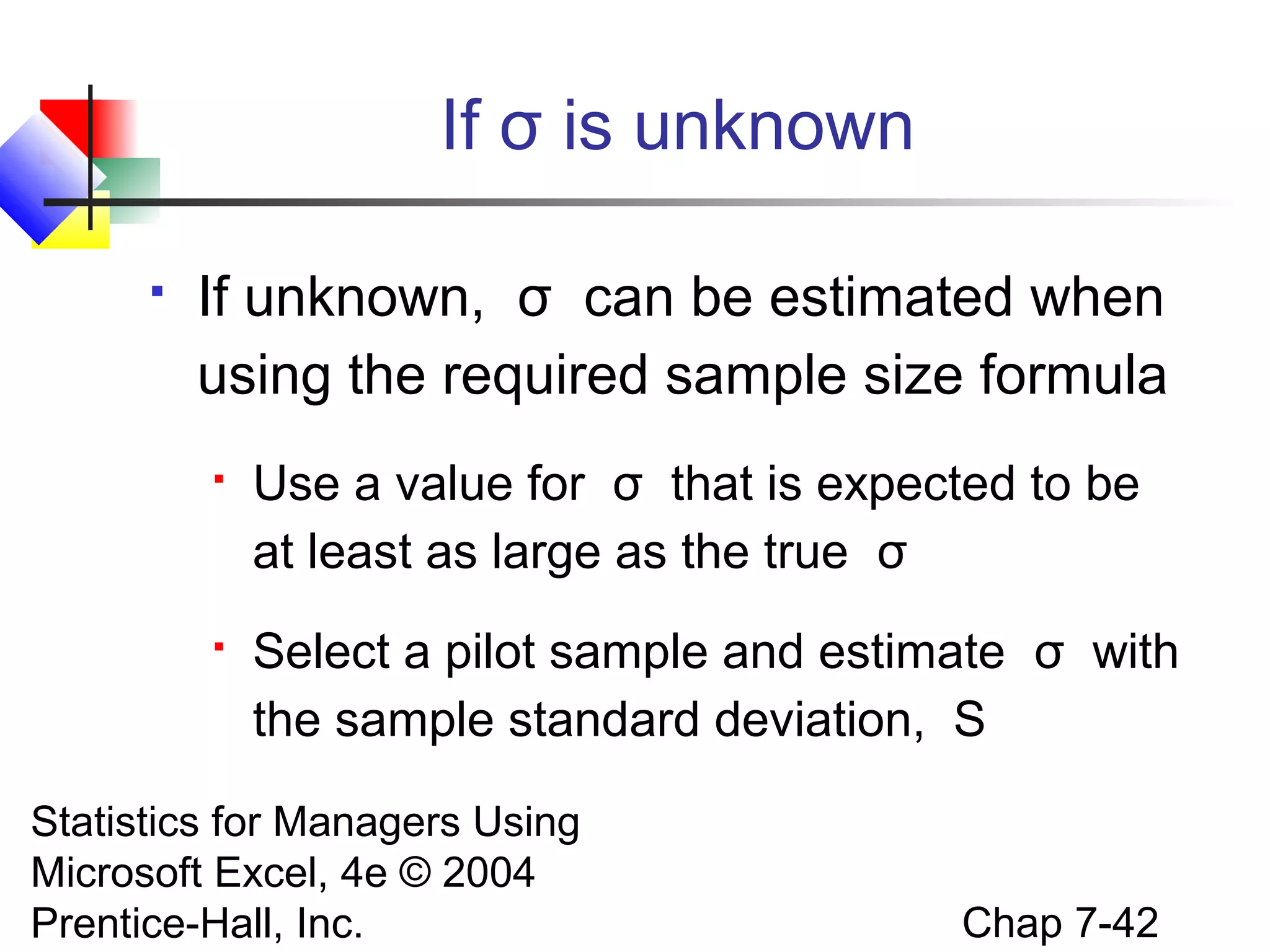
If unknown, σ can be estimated when
using the required sample size formula


Use a value for σ that is expected to be
at least as large as the true σ



Select a pilot sample and estimate σ with
the sample standard deviation, S

Statistics for Managers Using
Microsoft Excel, 4e © 2004
Prentice-Hall, Inc.

Chap 7-42
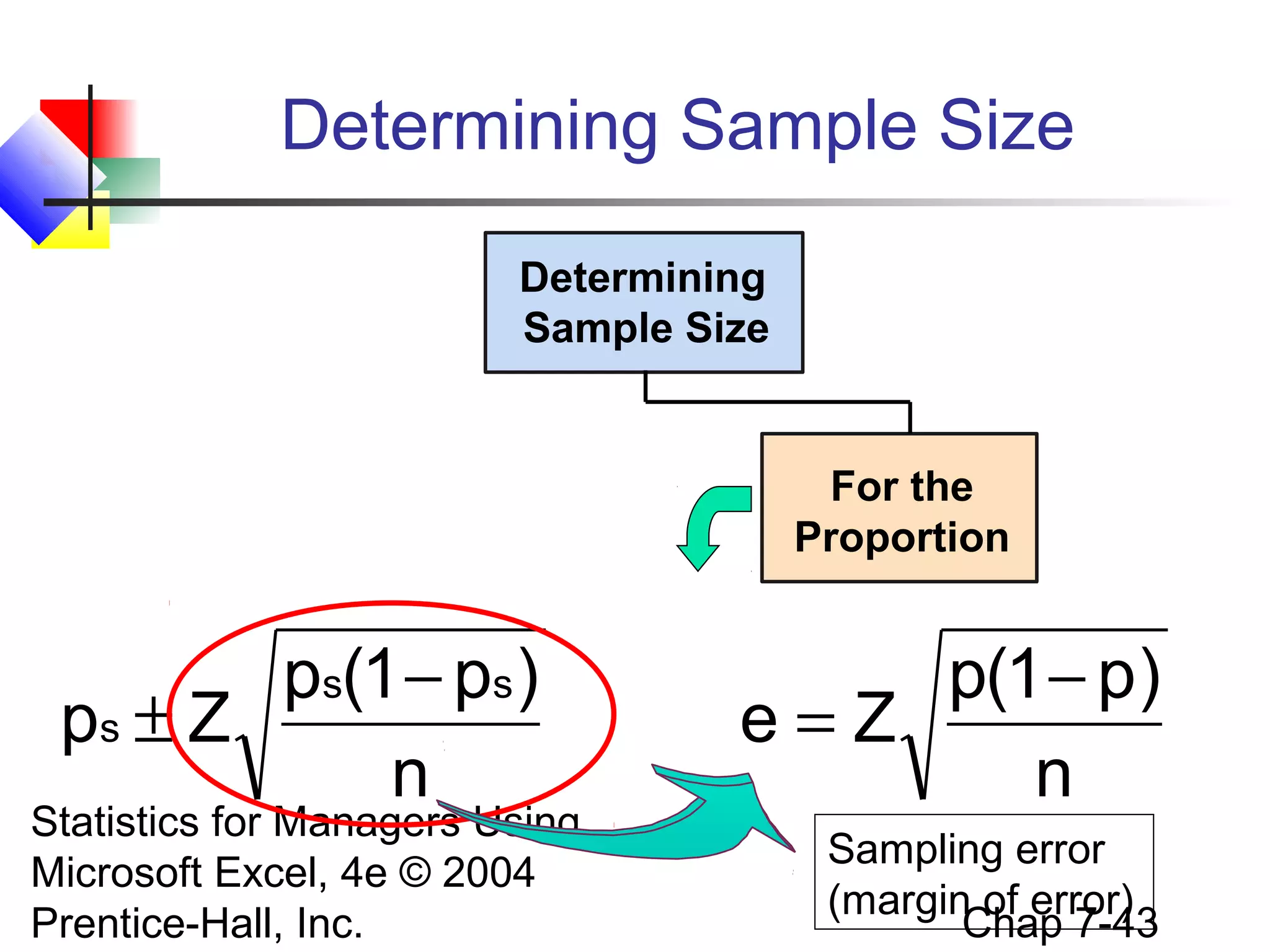
Determining Sample Size
Determining
Sample Size

For the
Proportion

ps(1 − ps )
ps ± Z
n

Statistics for Managers Using
Microsoft Excel, 4e © 2004
Prentice-Hall, Inc.

p(1 − p)
e=Z
n
Sampling error
(margin of error)
Chap 7-43
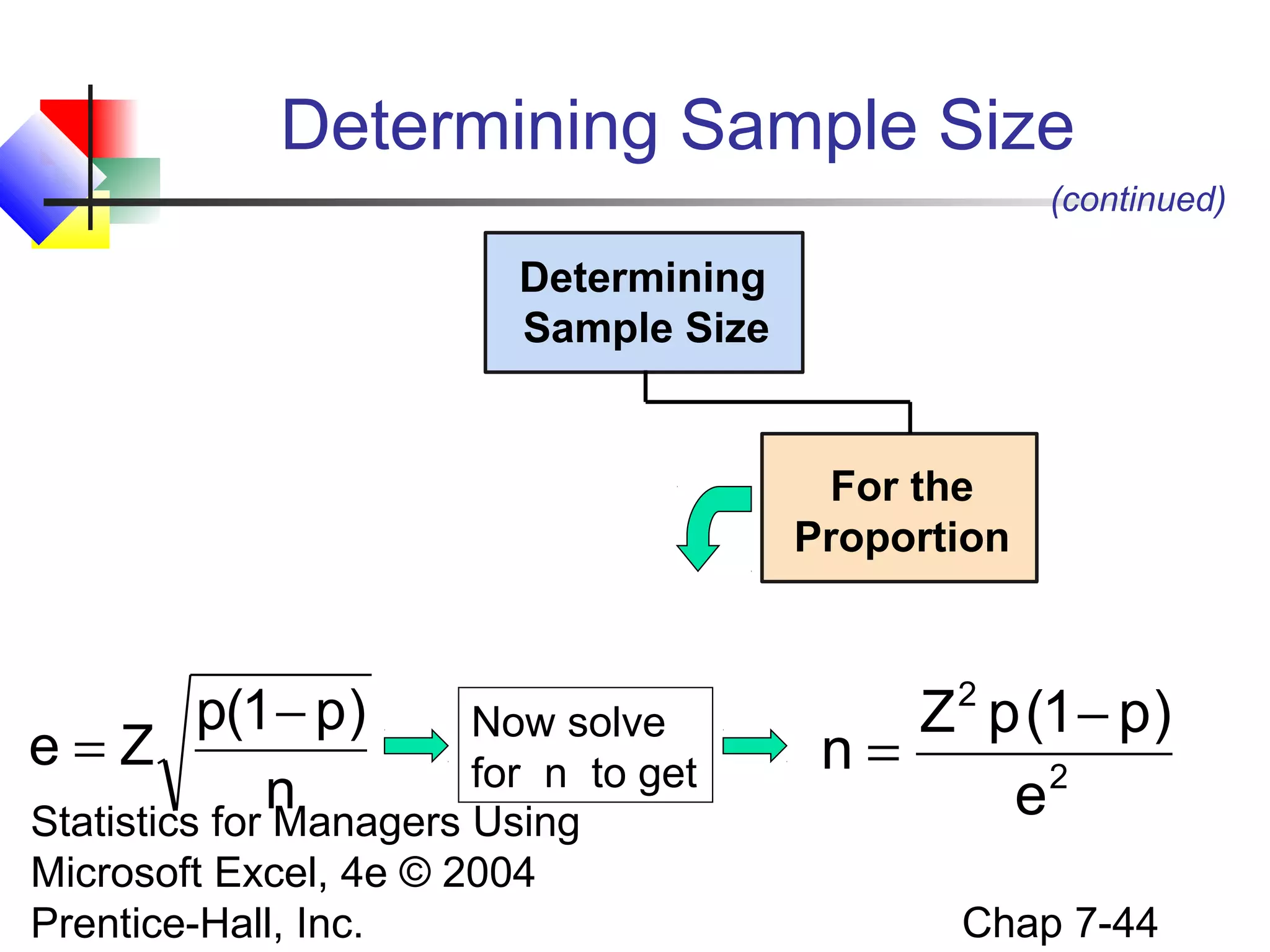
Determining Sample Size
(continued)

Determining
Sample Size

For the
Proportion

p(1 − p)
Now solve
e=Z
for n to get
n
Statistics for Managers Using
Microsoft Excel, 4e © 2004
Prentice-Hall, Inc.

Z 2 p (1 − p)
n=
2
e
Chap 7-44
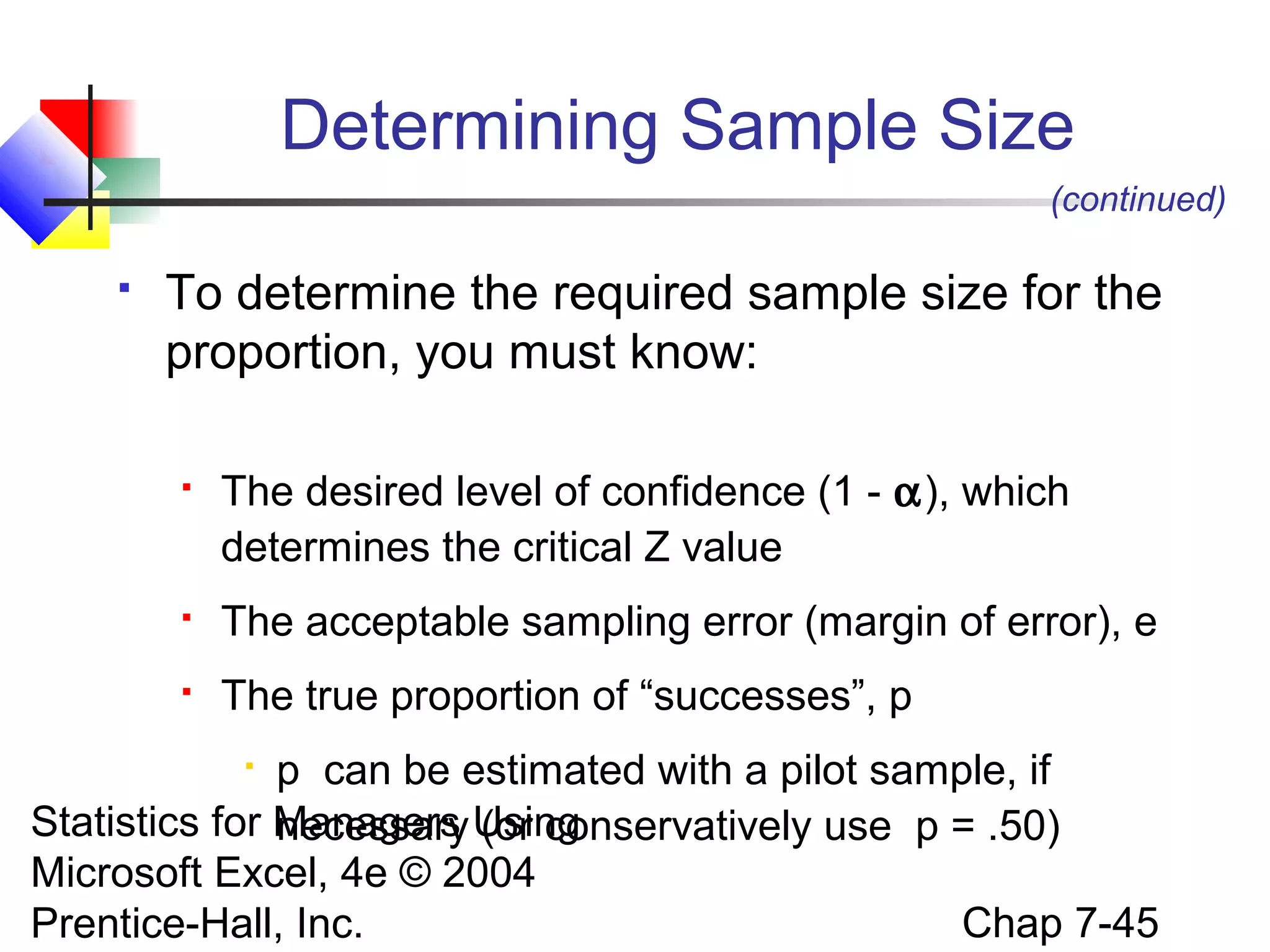
Determining Sample Size
(continued)


To determine the required sample size for the
proportion, you must know:


The desired level of confidence (1 - α), which
determines the critical Z value



The acceptable sampling error (margin of error), e



The true proportion of “successes”, p

p can be estimated with a pilot sample, if
Statistics for Managers Using
necessary (or conservatively use p = .50)
Microsoft Excel, 4e © 2004
Chap 7-45
Prentice-Hall, Inc.

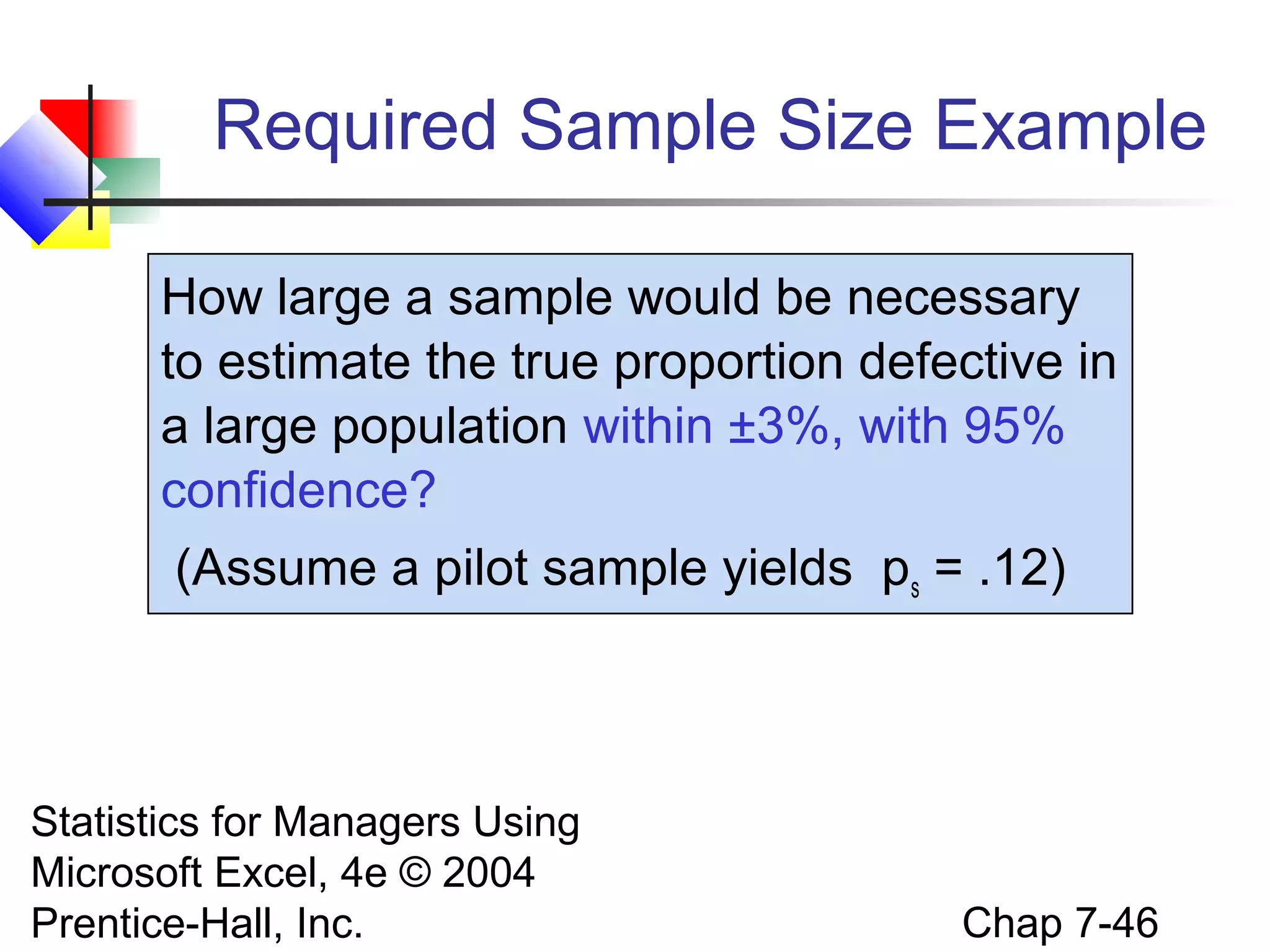
Required Sample Size Example
How large a sample would be necessary
to estimate the true proportion defective in
a large population within ±3%, with 95%
confidence?
(Assume a pilot sample yields ps = .12)

Statistics for Managers Using
Microsoft Excel, 4e © 2004
Prentice-Hall, Inc.

Chap 7-46
Required Sample Size Example
(continued)

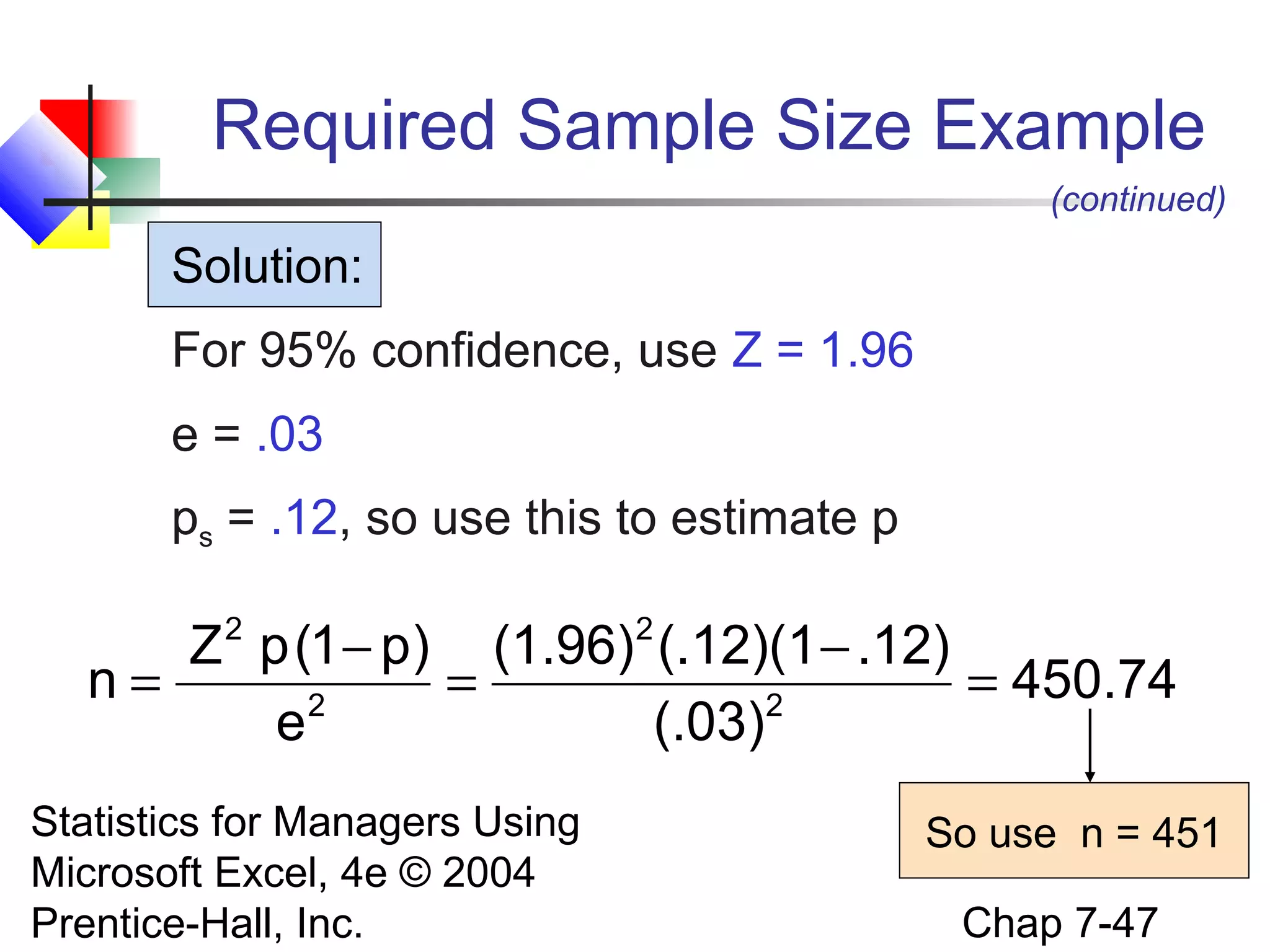
Solution:
For 95% confidence, use Z = 1.96
e = .03
ps = .12, so use this to estimate p

Z p (1 − p) (1.96) (.12)(1 − .12)
n=
=
= 450.74
2
2
e
(.03)
2

Statistics for Managers Using
Microsoft Excel, 4e © 2004
Prentice-Hall, Inc.

2

So use n = 451
Chap 7-47
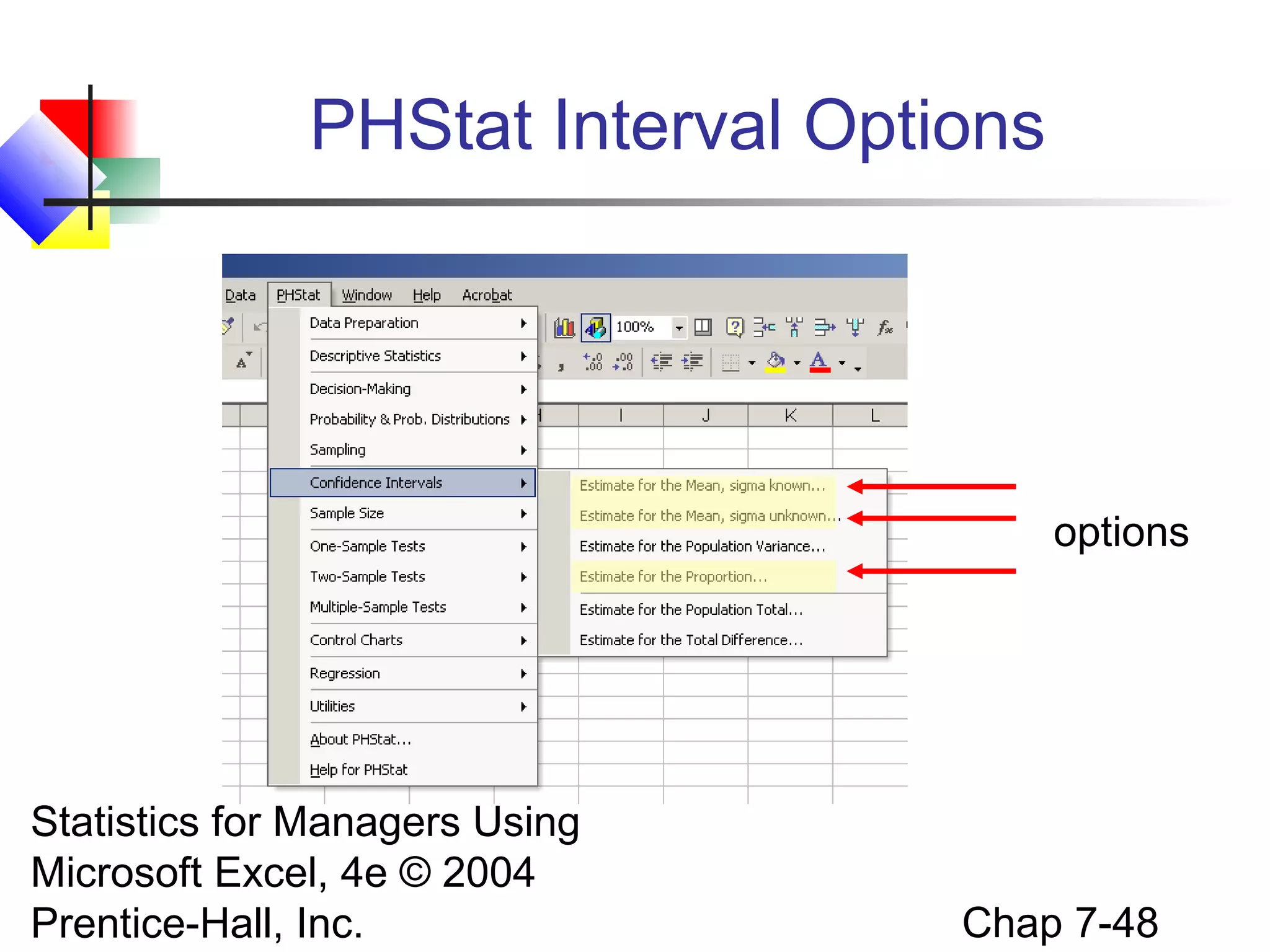
PHStat Interval Options

options

Statistics for Managers Using
Microsoft Excel, 4e © 2004
Prentice-Hall, Inc.

Chap 7-48
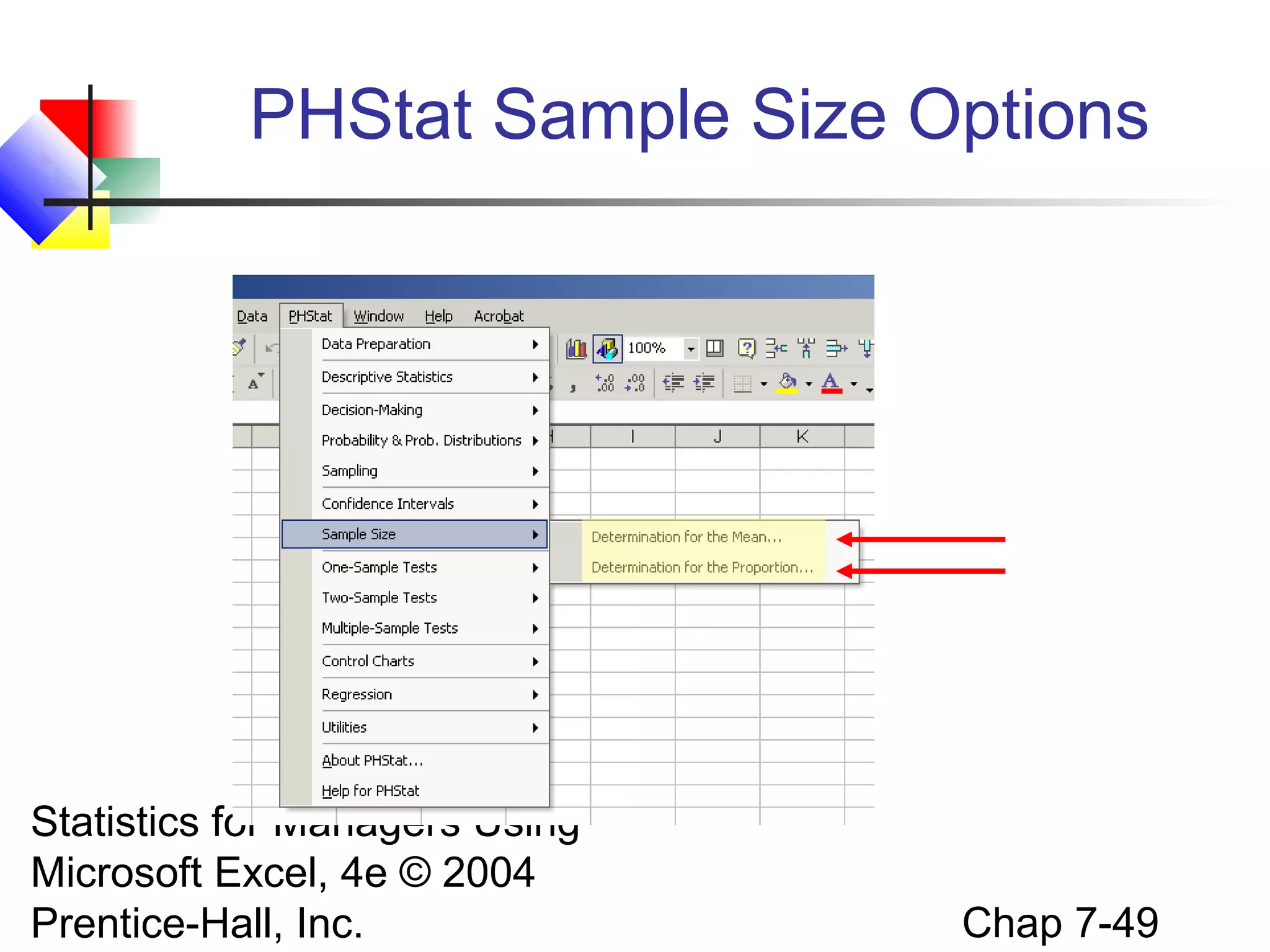
PHStat Sample Size Options

Statistics for Managers Using
Microsoft Excel, 4e © 2004
Prentice-Hall, Inc.

Chap 7-49
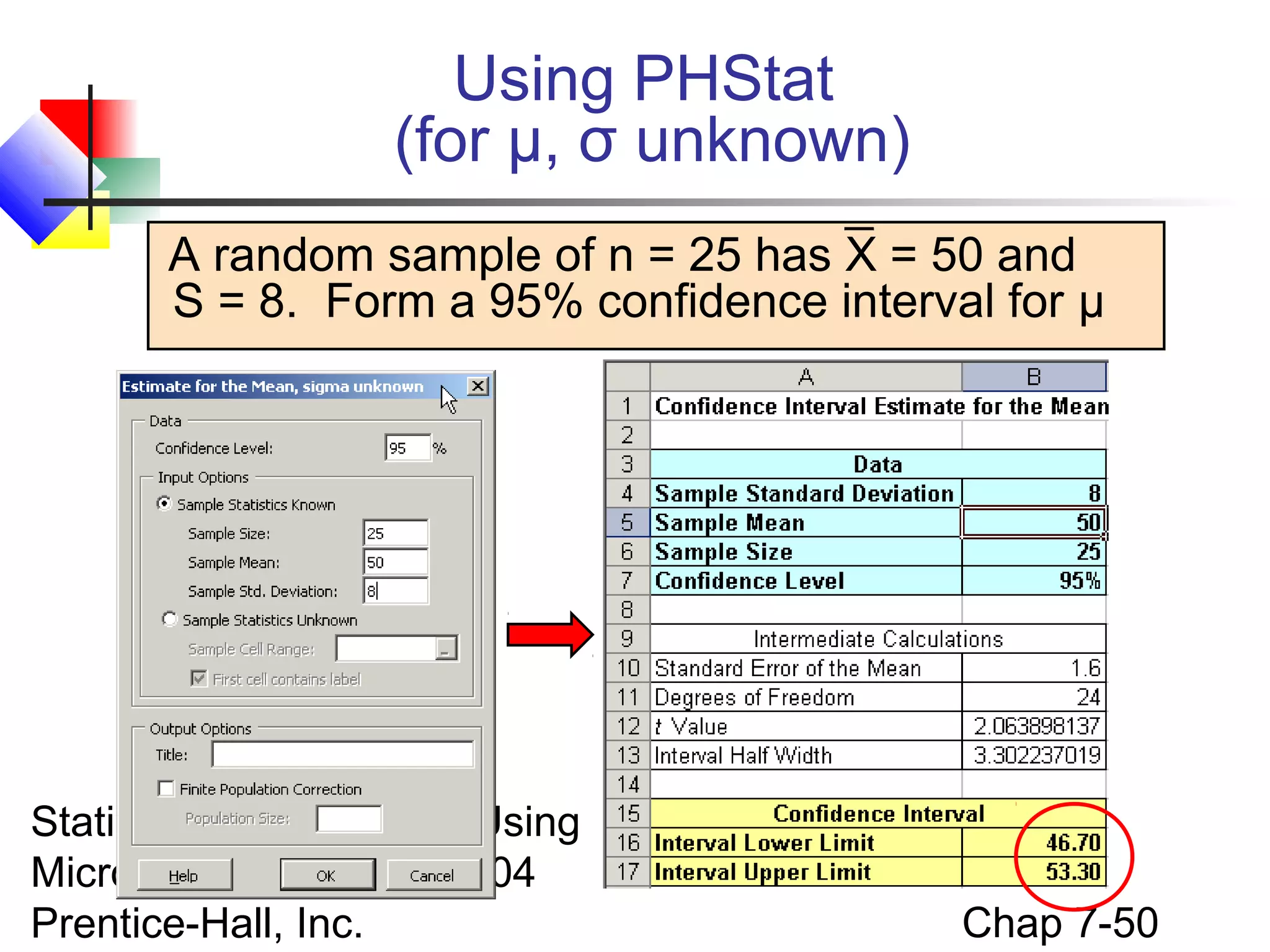
Using PHStat
(for μ, σ unknown)
A random sample of n = 25 has X = 50 and
S = 8. Form a 95% confidence interval for μ

Statistics for Managers Using
Microsoft Excel, 4e © 2004
Prentice-Hall, Inc.

Chap 7-50
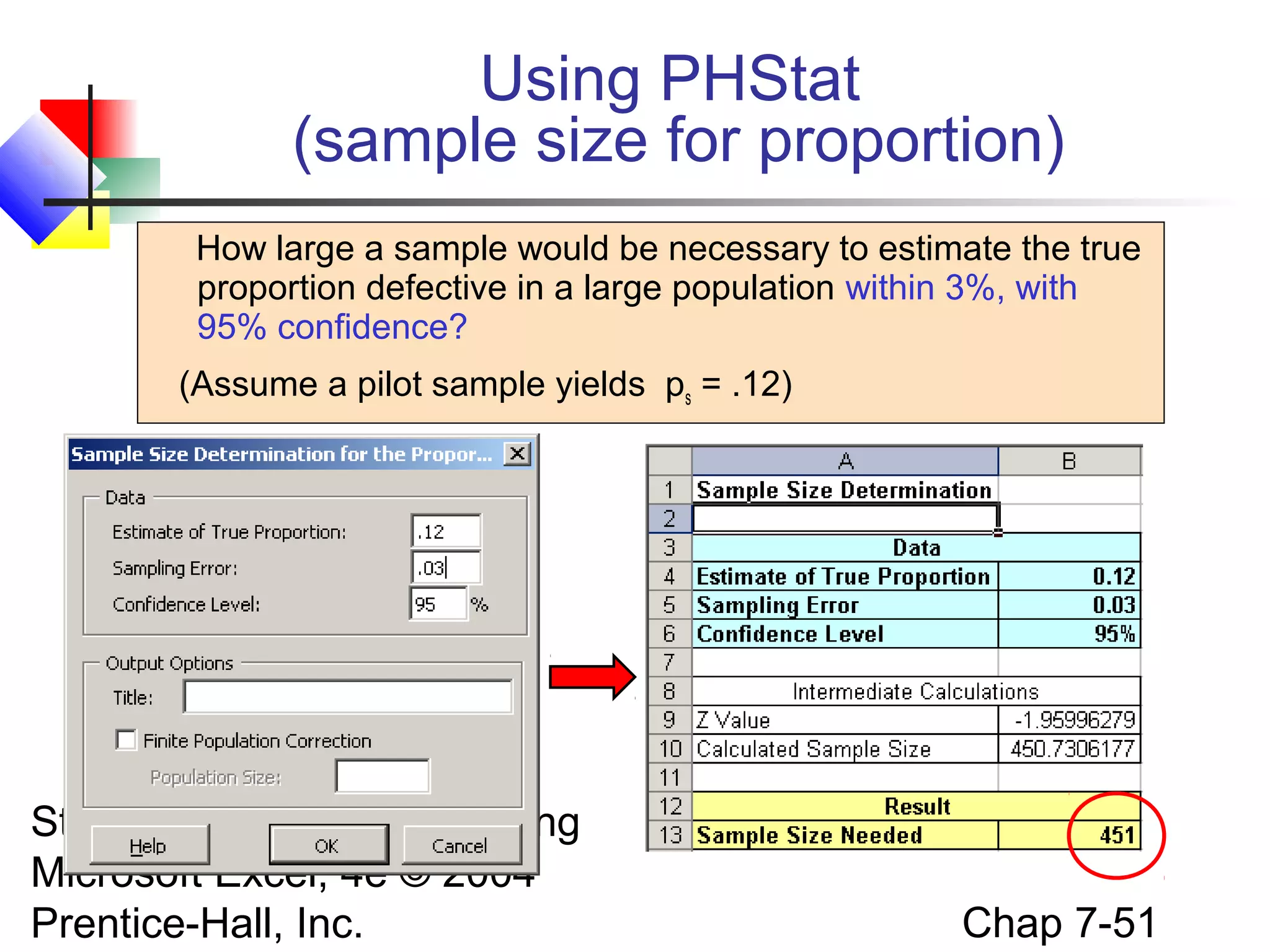
Using PHStat
(sample size for proportion)
How large a sample would be necessary to estimate the true
proportion defective in a large population within 3%, with
95% confidence?
(Assume a pilot sample yields ps = .12)

Statistics for Managers Using
Microsoft Excel, 4e © 2004
Prentice-Hall, Inc.

Chap 7-51
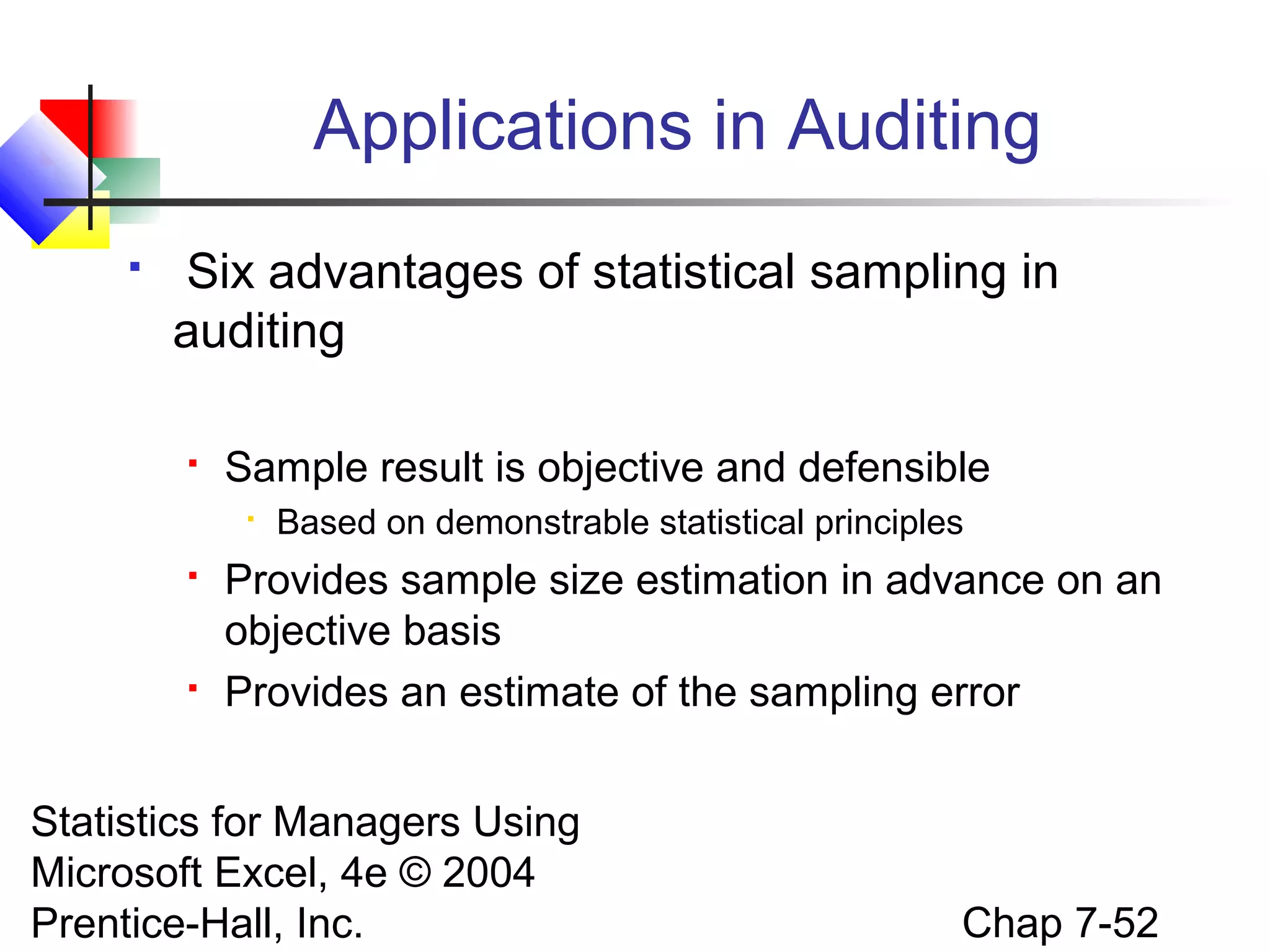
Applications in Auditing


Six advantages of statistical sampling in
auditing


Sample result is objective and defensible






Based on demonstrable statistical principles

Provides sample size estimation in advance on an
objective basis
Provides an estimate of the sampling error

Statistics for Managers Using
Microsoft Excel, 4e © 2004
Prentice-Hall, Inc.

Chap 7-52
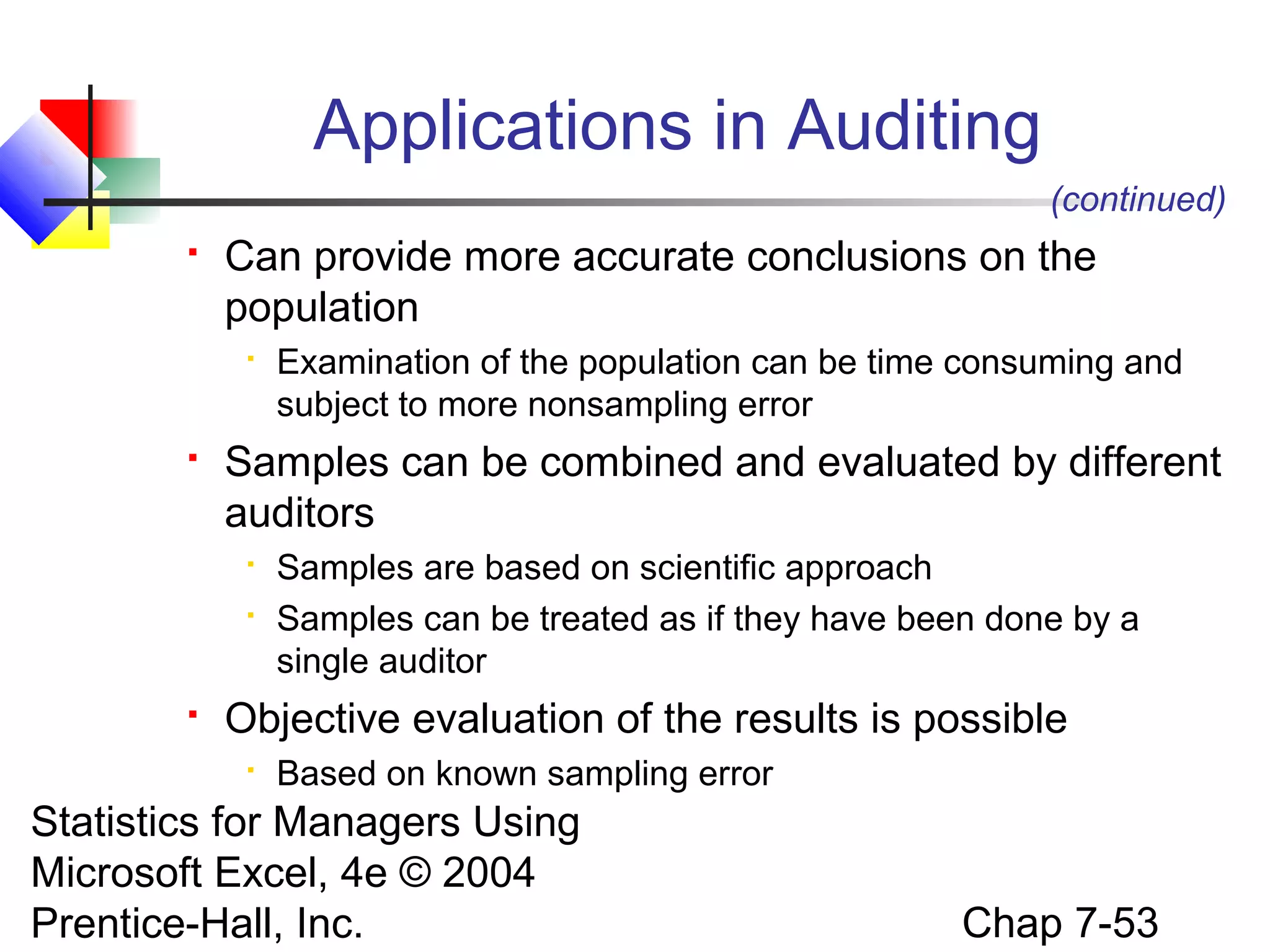
Applications in Auditing
(continued)


Can provide more accurate conclusions on the
population




Samples can be combined and evaluated by different
auditors





Examination of the population can be time consuming and
subject to more nonsampling error

Samples are based on scientific approach
Samples can be treated as if they have been done by a
single auditor

Objective evaluation of the results is possible


Based on known sampling error

Statistics for Managers Using
Microsoft Excel, 4e © 2004
Prentice-Hall, Inc.

Chap 7-53
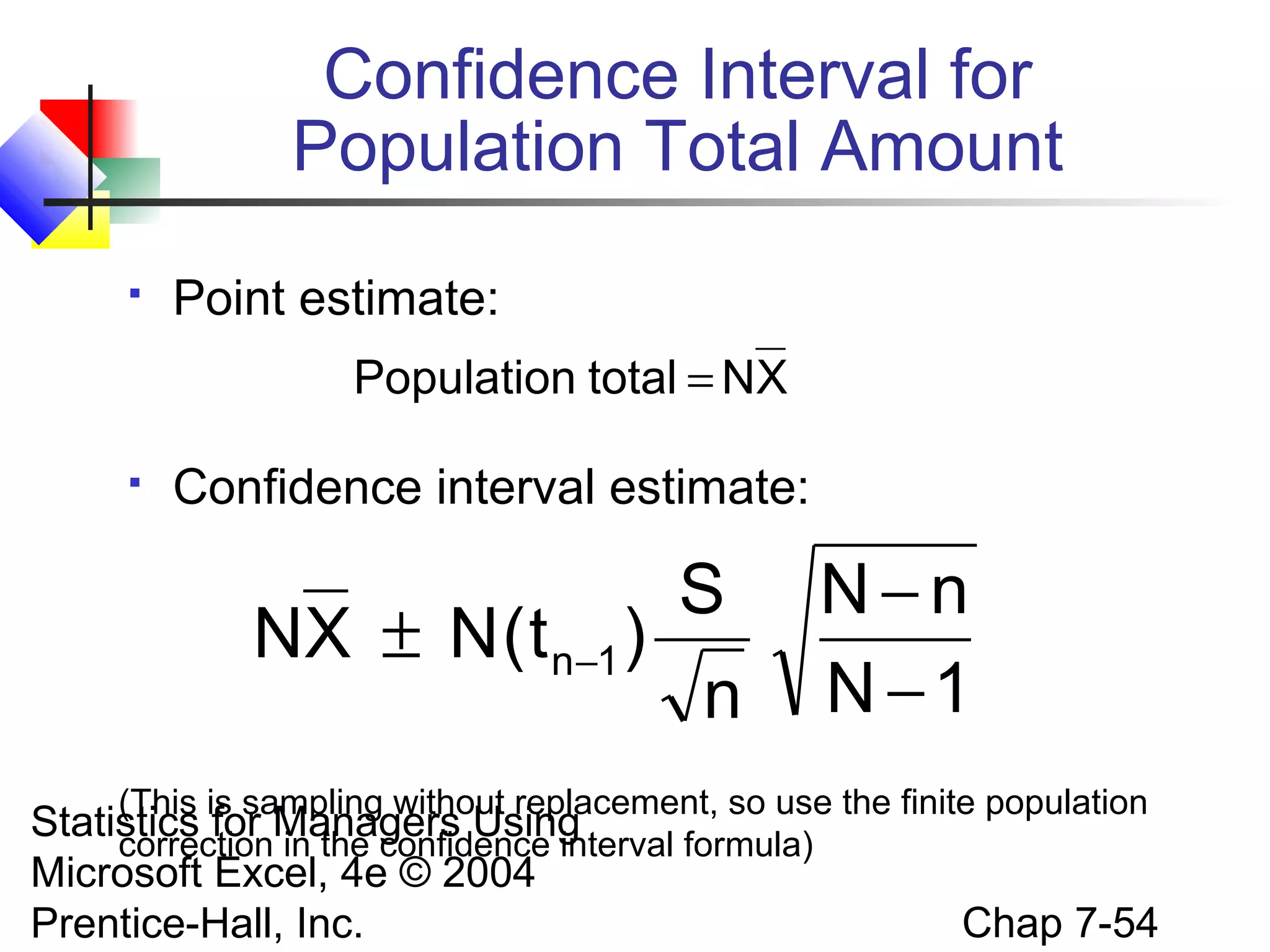
Confidence Interval for
Population Total Amount


Point estimate:
Population total = NX



Confidence interval estimate:

S
NX ± N ( t n−1 )
n

N−n
N −1

(This is sampling without replacement, so use the finite population

Statistics for Managers Using
correction in the confidence interval formula)
Microsoft Excel, 4e © 2004
Prentice-Hall, Inc.

Chap 7-54
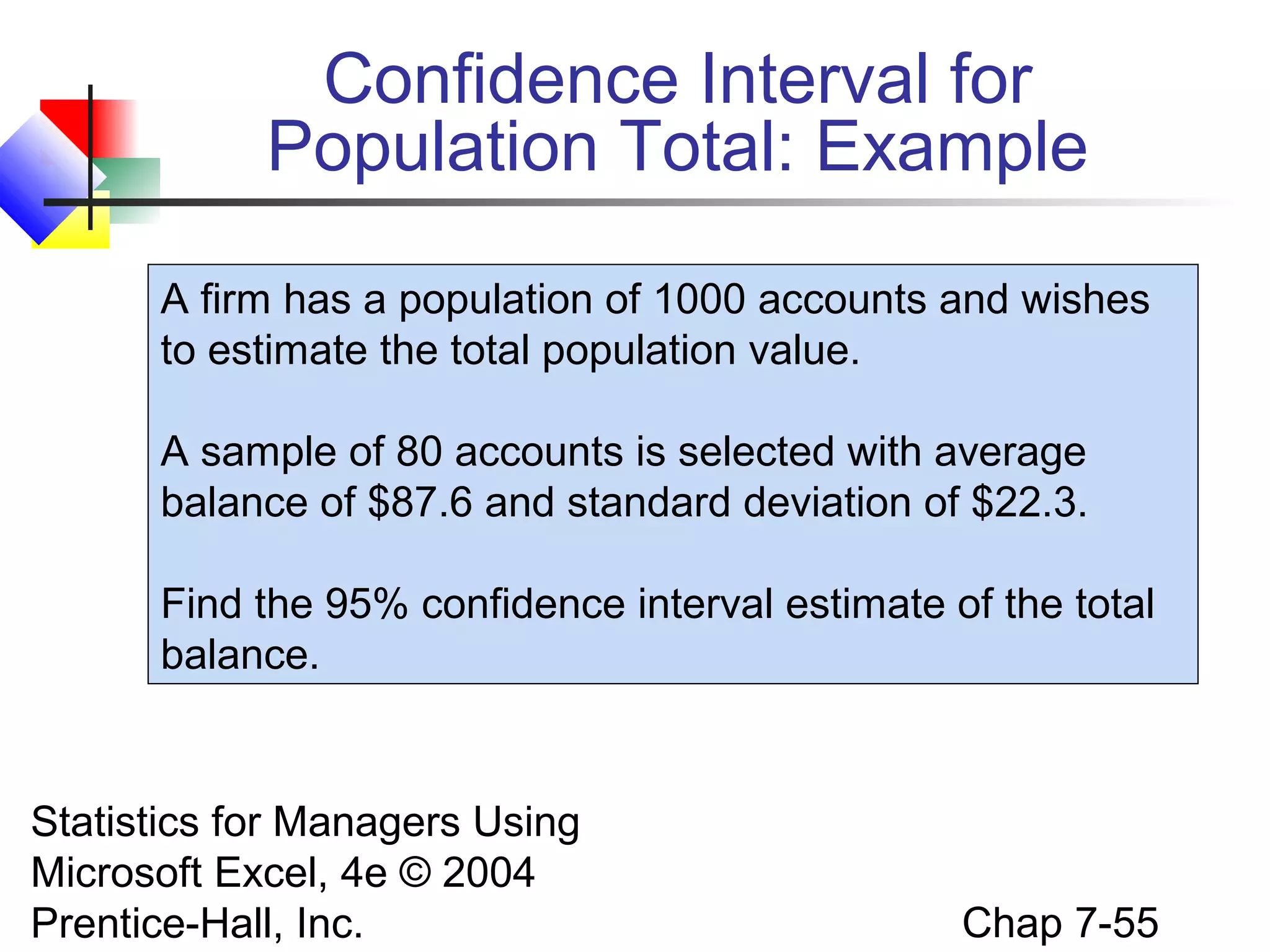
Confidence Interval for
Population Total: Example
A firm has a population of 1000 accounts and wishes
to estimate the total population value.
A sample of 80 accounts is selected with average
balance of $87.6 and standard deviation of $22.3.
Find the 95% confidence interval estimate of the total
balance.

Statistics for Managers Using
Microsoft Excel, 4e © 2004
Prentice-Hall, Inc.

Chap 7-55
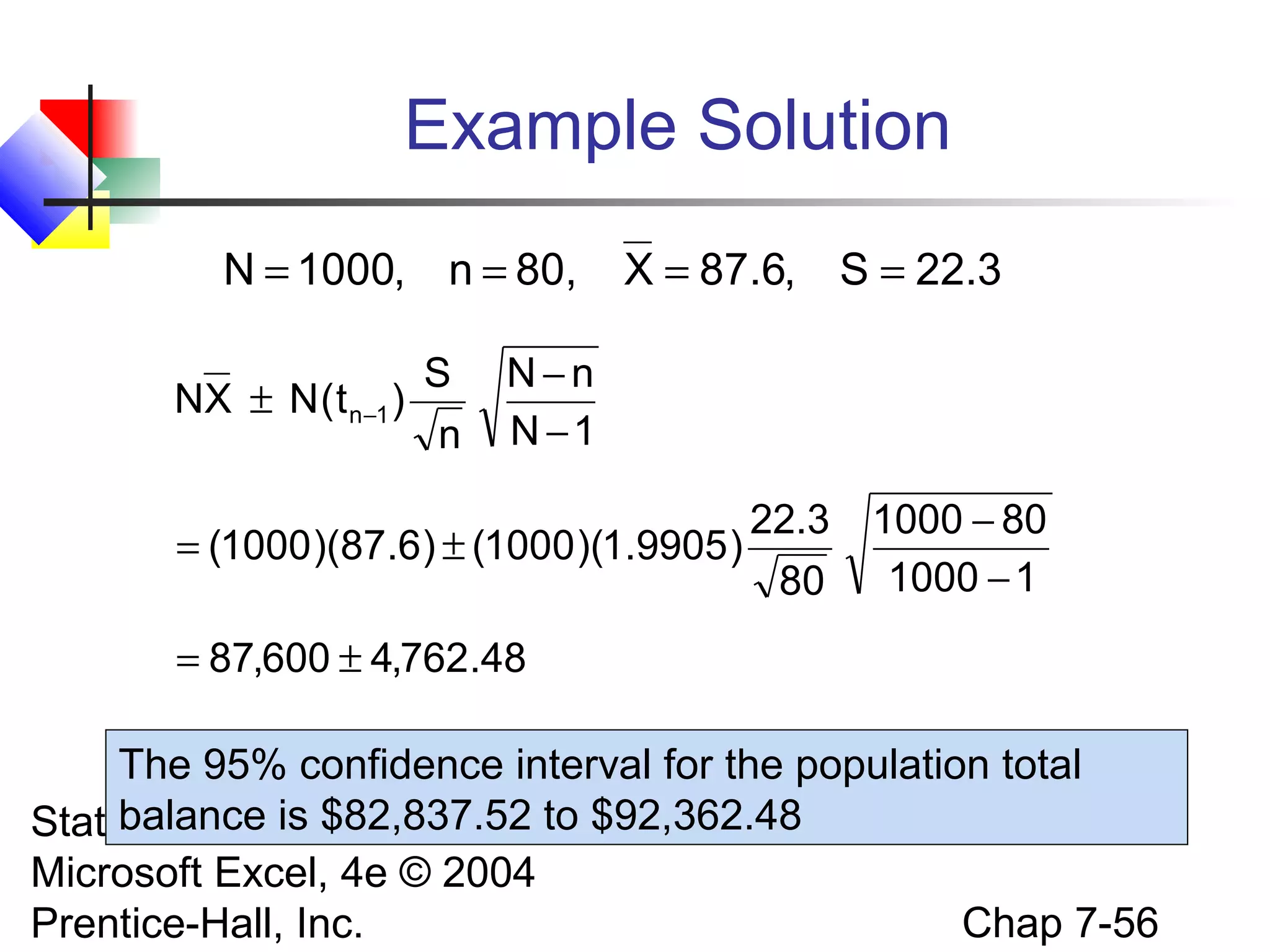
Example Solution
N = 1000, n = 80,
S
NX ± N ( t n−1 )
n

X = 87.6, S = 22.3

N−n
N −1

22.3
= (1000 )(87.6) ± (1000 )(1.9905 )
80

1000 − 80
1000 − 1

= 87,600 ± 4,762.48

The 95% confidence interval for the population total
balance is $82,837.52 to
Statistics for Managers Using $92,362.48
Microsoft Excel, 4e © 2004
Chap 7-56
Prentice-Hall, Inc.
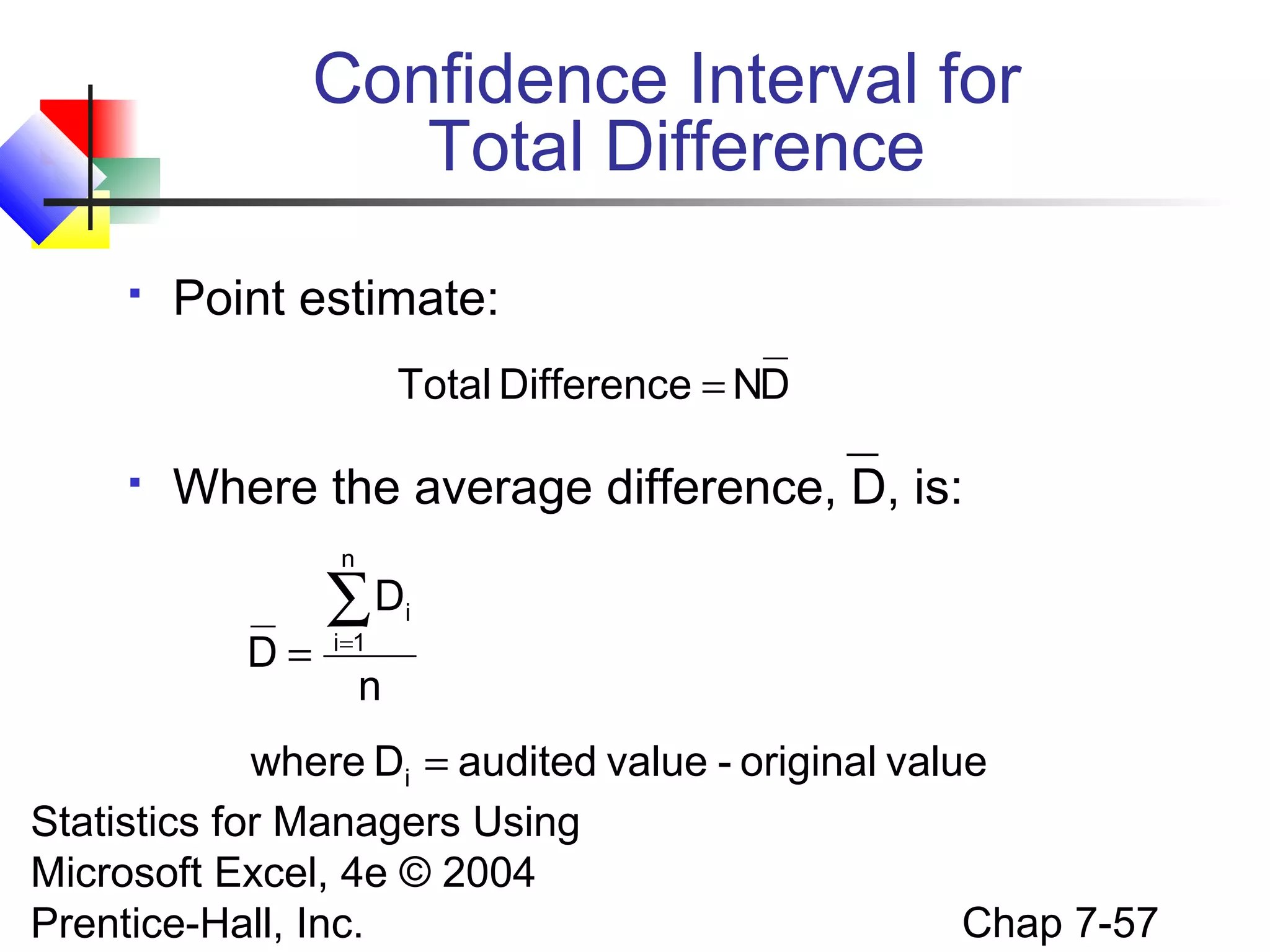
Confidence Interval for
Total Difference


Point estimate:
Total Difference = ND



Where the average difference, D, is:
n

D=

∑D
i=1

i

n

where Di = audited value - original value
Statistics for Managers Using
Microsoft Excel, 4e © 2004
Chap 7-57
Prentice-Hall, Inc.
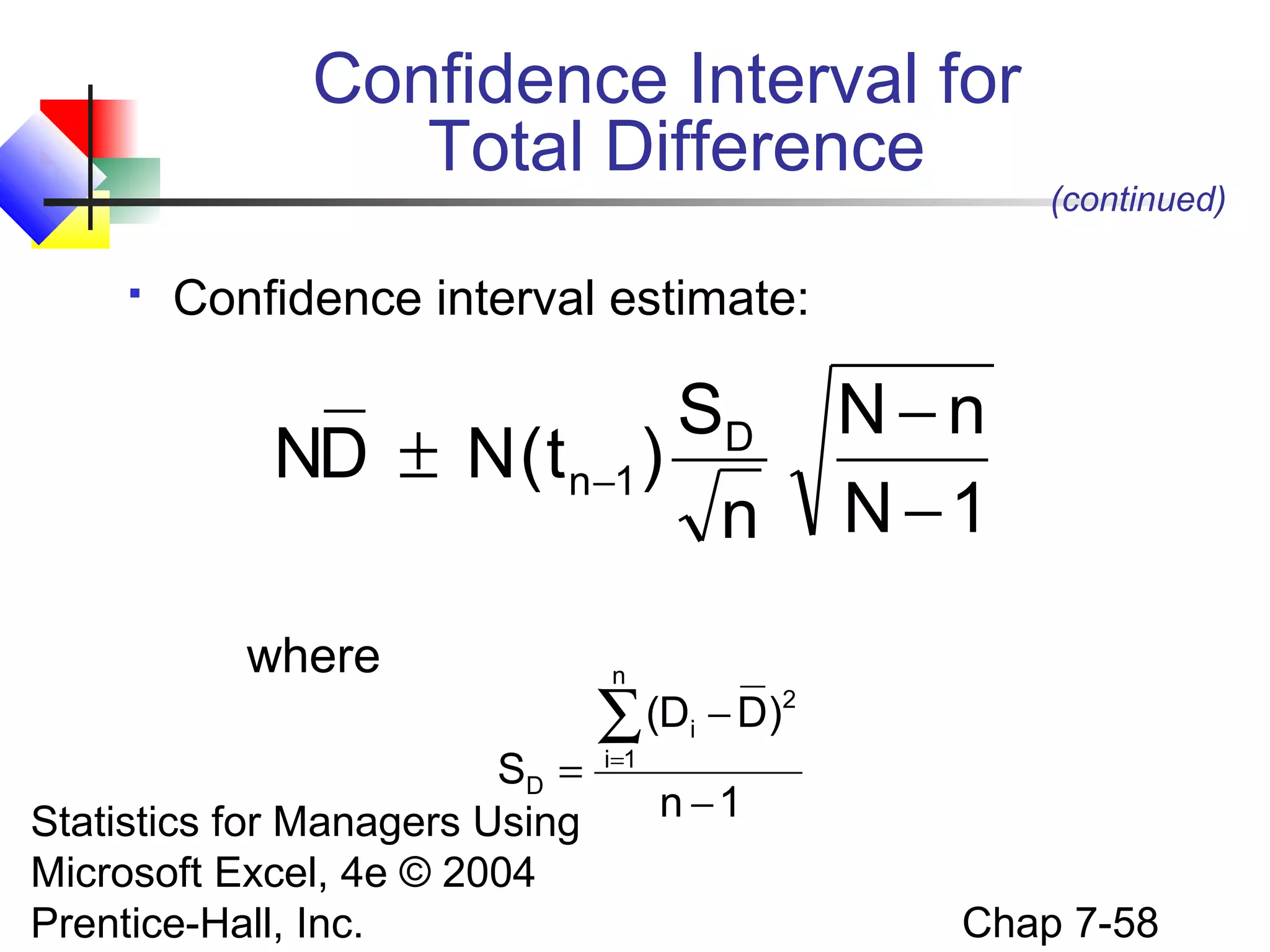
Confidence Interval for
Total Difference


(continued)

Confidence interval estimate:

SD
ND ± N ( t n−1 )
n
where
SD =
Statistics for Managers Using
Microsoft Excel, 4e © 2004
Prentice-Hall, Inc.

N−n
N −1

n

(Di − D)2
∑
i=1

n −1
Chap 7-58
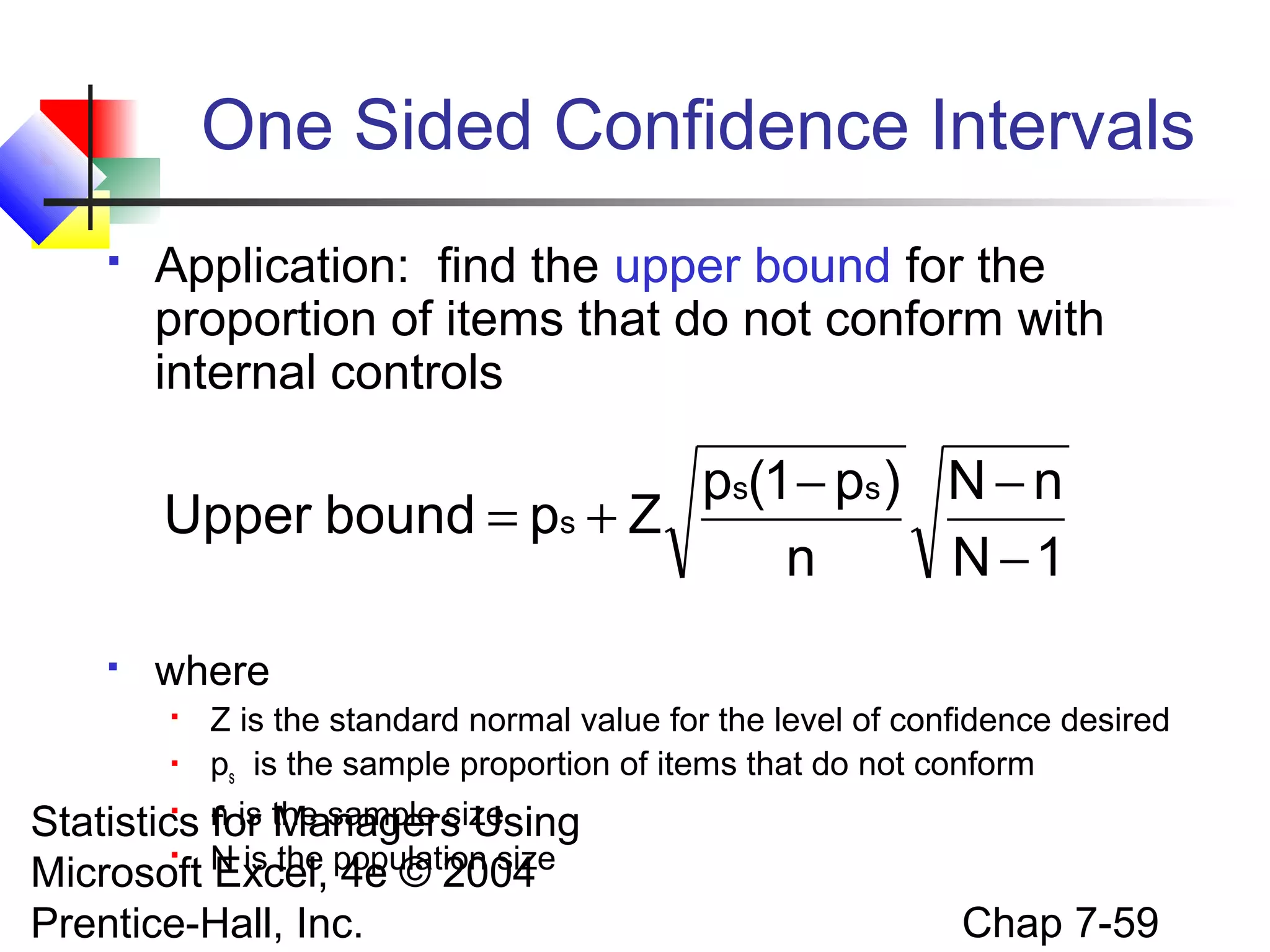
One Sided Confidence Intervals


Application: find the upper bound for the
proportion of items that do not conform with
internal controls

ps(1 − ps ) N − n
Upper bound = ps + Z
n
N −1


where



Z is the standard normal value for the level of confidence desired
ps is the sample proportion of items that do not conform
n is the sample size
for Managers Using
N is the population size


Statistics

Microsoft Excel, 4e © 2004
Prentice-Hall, Inc.

Chap 7-59
Ethical Issues


A confidence interval (reflecting sampling error)
should always be reported along with a point
estimate



The level of confidence should always be
reported



The sample size should be reported



An interpretation of the confidence interval
estimate should also be provided

Statistics for Managers Using
Microsoft Excel, 4e © 2004
Prentice-Hall, Inc.

Chap 7-60
Chapter Summary
Introduced the concept of confidence intervals
 Discussed point estimates
 Developed confidence interval estimates
 Created confidence interval estimates for the mean
(σ known)
 Determined confidence interval estimates for the
mean (σ unknown)
 Created confidence interval estimates for the
proportion
 Determined required sample size for mean and
Statistics for Managers Using
proportion settings
Microsoft Excel, 4e © 2004
Chap 7-61
Prentice-Hall, Inc.

Chapter Summary
(continued)




Developed applications of confidence interval
estimation in auditing
 Confidence interval estimation for population total
 Confidence interval estimation for total difference
in the population
 One sided confidence intervals
Addressed confidence interval estimation and ethical
issues

Statistics for Managers Using
Microsoft Excel, 4e © 2004
Prentice-Hall, Inc.

Chap 7-62

Chap07 interval estimation

  • 1.
    Statistics for Managers UsingMicrosoft® Excel 4th Edition Chapter 7 Confidence Interval Estimation Statistics for Managers Using Microsoft Excel, 4e © 2004 Prentice-Hall, Inc. Chap 7-1
  • 2.
    Chapter Goals After completingthis chapter, you should be able to:  Distinguish between a point estimate and a confidence interval estimate  Construct and interpret a confidence interval estimate for a single population mean using both the Z and t distributions  Form and interpret a confidence interval estimate for a single population proportion Determine the required sample size to estimate a mean or proportion within a specified margin of error Statistics for Managers Using Microsoft Excel, 4e © 2004 Chap 7-2 Prentice-Hall, Inc. 
  • 3.
    Confidence Intervals Content ofthis chapter  Confidence Intervals for the Population Mean, μ   when Population Standard Deviation σ is Known when Population Standard Deviation σ is Unknown Confidence Intervals for the Population Proportion, p  Determining the Required Sample Size Statistics for Managers Using  Microsoft Excel, 4e © 2004 Prentice-Hall, Inc. Chap 7-3
  • 4.
    Point and IntervalEstimates  A point estimate is a single number,  a confidence interval provides additional information about variability Lower Confidence Limit Point Estimate Width of Statistics for Managers Using confidence interval Microsoft Excel, 4e © 2004 Prentice-Hall, Inc. Upper Confidence Limit Chap 7-4
  • 5.
    Point Estimates We canestimate a Population Parameter … with a Sample Statistic (a Point Estimate) Mean μ X Proportion p ps Statistics for Managers Using Microsoft Excel, 4e © 2004 Prentice-Hall, Inc. Chap 7-5
  • 6.
    Confidence Intervals  How muchuncertainty is associated with a point estimate of a population parameter?  An interval estimate provides more information about a population characteristic than does a point estimate  Such interval estimates are called confidence intervals Statistics for Managers Using Microsoft Excel, 4e © 2004 Prentice-Hall, Inc. Chap 7-6
  • 7.
    Confidence Interval Estimate  Aninterval gives a range of values:  Takes into consideration variation in sample statistics from sample to sample  Based on observation from 1 sample  Gives information about closeness to unknown population parameters  Stated in terms of level of confidence Can never be 100% confident Statistics for Managers Using Microsoft Excel, 4e © 2004 Prentice-Hall, Inc.  Chap 7-7
  • 8.
    Estimation Process Random Sample Population (mean,μ, is unknown) Mean X = 50 I am 95% confident that μ is between 40 & 60. Sample Statistics for Managers Using Microsoft Excel, 4e © 2004 Prentice-Hall, Inc. Chap 7-8
  • 9.
    General Formula  The generalformula for all confidence intervals is: Point Estimate  (Critical Value)(Standard Error) Statistics for Managers Using Microsoft Excel, 4e © 2004 Prentice-Hall, Inc. Chap 7-9
  • 10.
    Confidence Level  Confidence Level   Confidencein which the interval will contain the unknown population parameter A percentage (less than 100%) Statistics for Managers Using Microsoft Excel, 4e © 2004 Prentice-Hall, Inc. Chap 7-10
  • 11.
    Confidence Level, (1-α) (continued)    Supposeconfidence level = 95% Also written (1 - α) = .95 A relative frequency interpretation:   In the long run, 95% of all the confidence intervals that can be constructed will contain the unknown true parameter A specific interval either will contain or will not contain the true parameter No probability involved in a specific interval Statistics for Managers Using Microsoft Excel, 4e © 2004 Chap 7-11 Prentice-Hall, Inc. 
  • 12.
    Confidence Intervals Confidence Intervals Population Mean σ Known Population Proportion σUnknown Statistics for Managers Using Microsoft Excel, 4e © 2004 Prentice-Hall, Inc. Chap 7-12
  • 13.
    Confidence Interval forμ (σ Known)  Assumptions     Population standard deviation σ is known Population is normally distributed If population is not normal, use large sample Confidence interval estimate: σ X±Z n Statistics for Managers Using (where Z is the normal distribution critical value for a probability of Microsoft Excel, 4e © 2004 α/2 in each tail) Chap 7-13 Prentice-Hall, Inc.
  • 14.
    Finding the CriticalValue, Z  Z = ±1.96 Consider a 95% confidence interval: 1 − α = .95 α = .025 2 Z units: α = .025 2 Z= -1.96 0 Lower Managers Using Estimate Confidence Point Limit X units: Statistics for Microsoft Excel, 4e © 2004 Prentice-Hall, Inc. Z= 1.96 Upper Confidence Limit Chap 7-14
  • 15.
    Common Levels ofConfidence  Commonly used confidence levels are 90%, 95%, and 99% Confidence Level 80% 90% 95% 98% 99% 99.8% Managers 99.9% Confidence Coefficient, Z value .80 .90 .95 .98 .99 .998 .999 1.28 1.645 1.96 2.33 2.57 3.08 3.27 Statistics for Using Microsoft Excel, 4e © 2004 Prentice-Hall, Inc. 1− α Chap 7-15
  • 16.
    Intervals and Levelof Confidence Sampling Distribution of the Mean α/2 Intervals extend from σ X+Z n 1− α α/2 x μx = μ x1 x2 to σ X−Z Statistics for Managers Using n Microsoft Excel, 4e © 2004 Confidence Intervals Prentice-Hall, Inc. (1-)x100% of intervals constructed contain μ; ()x100% do not. Chap 7-16
  • 17.
    Example  A sample of11 circuits from a large normal population has a mean resistance of 2.20 ohms. We know from past testing that the population standard deviation is .35 ohms.  Determine a 95% confidence interval for the true mean resistance of the population. Statistics for Managers Using Microsoft Excel, 4e © 2004 Prentice-Hall, Inc. Chap 7-17
  • 18.
    Example (continued)   A sample of11 circuits from a large normal population has a mean resistance of 2.20 ohms. We know from past testing that the population standard deviation is .35 ohms. Solution: σ X±Z n = 2.20 ± 1.96 (.35/ 11) = 2.20 ± .2068 Statistics for Managers Using Microsoft Excel, 4e © 2004 (1.9932 , 2.4068) Prentice-Hall, Inc. Chap 7-18
  • 19.
    Interpretation  We are 95%confident that the true mean resistance is between 1.9932 and 2.4068 ohms  Although the true mean may or may not be in this interval, 95% of intervals formed in this manner will contain the true mean Statistics for Managers Using Microsoft Excel, 4e © 2004 Prentice-Hall, Inc. Chap 7-19
  • 20.
    Confidence Intervals Confidence Intervals Population Mean σ Known Population Proportion σUnknown Statistics for Managers Using Microsoft Excel, 4e © 2004 Prentice-Hall, Inc. Chap 7-20
  • 21.
    Confidence Interval forμ (σ Unknown)  If the population standard deviation σ is unknown, we can substitute the sample standard deviation, S  This introduces extra uncertainty, since S is variable from sample to sample  So we use the t distribution instead of the normal distribution Statistics for Managers Using Microsoft Excel, 4e © 2004 Prentice-Hall, Inc. Chap 7-21
  • 22.
    Confidence Interval forμ (σ Unknown) (continued)  Assumptions      Population standard deviation is unknown Population is normally distributed If population is not normal, use large sample Use Student’s t Distribution Confidence Interval Estimate: X ± t n-1 S n Statistics for Managers Using (where t is 4e © 2004 Microsoft Excel,the critical value of the t distribution with n-1 d.f. and an area of Chap 7-22 Prentice-Hall,α/2 in each tail) Inc.
  • 23.
    Student’s t Distribution  Thet is a family of distributions  The t value depends on degrees of freedom (d.f.)  Number of observations that are free to vary after sample mean has been calculated d.f. = n - 1 Statistics for Managers Using Microsoft Excel, 4e © 2004 Prentice-Hall, Inc. Chap 7-23
  • 24.
    Degrees of Freedom(df) Idea: Number of observations that are free to vary after sample mean has been calculated Example: Suppose the mean of 3 numbers is 8.0 Let X1 = 7 Let X2 = 8 What is X3? If the mean of these three values is 8.0, then X3 must be 9 (i.e., X3 is not free to vary) Here, n = 3, so degrees of freedom = n – 1 = 3 – 1 = 2 Statistics(2 values can be any numbers, but the third is not free to vary for Managers Using for a given mean) Microsoft Excel, 4e © 2004 Chap 7-24 Prentice-Hall, Inc.
  • 25.
    Student’s t Distribution Note:t Z as n increases Standard Normal (t with df = ) t-distributions are bellshaped and symmetric, but have ‘fatter’ tails than the normal Statistics for Managers Using 0 Microsoft Excel, 4e © 2004 Prentice-Hall, Inc. t (df = 13) t (df = 5) t Chap 7-25
  • 26.
    Student’s t Table UpperTail Area df .25 .10 .05 1 1.000 3.078 6.314 Let: n = 3 df = n - 1 = 2  = .10 /2 =.05 2 0.817 1.886 2.920 /2 = . 3 0.765 1.638 2.353 The body of the table Statistics contains t values,Using for Managers not Microsoftprobabilities © 2004 Excel, 4e Prentice-Hall, Inc. 05 0 2.920 t Chap 7-26
  • 27.
    t distribution values Withcomparison to the Z value Confidence t Level (10 d.f.) t (20 d.f.) t (30 d.f.) Z ____ .80 1.372 1.325 1.310 1.28 .90 1.812 1.725 1.697 1.64 .95 2.228 2.086 2.042 1.96 .99 3.169 2.845 2.750 2.57 Statistics for Managers tUsing as n increases Note: Z Microsoft Excel, 4e © 2004 Prentice-Hall, Inc. Chap 7-27
  • 28.
    Example A random sampleof n = 25 has X = 50 and S = 8. Form a 95% confidence interval for μ  d.f. = n – 1 = 24, so t α/2 , n−1 = t.025,24 = 2.0639 The confidence interval is X ± t α/2, n-1 S 8 = 50 ± (2.0639) n 25 (46.698 , 53.302) Statistics for Managers Using Microsoft Excel, 4e © 2004 Prentice-Hall, Inc. Chap 7-28
  • 29.
    Confidence Intervals Confidence Intervals Population Mean σ Known Population Proportion σUnknown Statistics for Managers Using Microsoft Excel, 4e © 2004 Prentice-Hall, Inc. Chap 7-29
  • 30.
    Confidence Intervals forthe Population Proportion, p  An interval estimate for the population proportion ( p ) can be calculated by adding an allowance for uncertainty to the sample proportion ( ps ) Statistics for Managers Using Microsoft Excel, 4e © 2004 Prentice-Hall, Inc. Chap 7-30
  • 31.
    Confidence Intervals forthe Population Proportion, p (continued)  Recall that the distribution of the sample proportion is approximately normal if the sample size is large, with standard deviation p(1 − p) σp = n  We will estimate this with sample data: ps(1 − ps ) Statistics for Managers Using n Microsoft Excel, 4e © 2004 Prentice-Hall, Inc. Chap 7-31
  • 32.
    Confidence Interval Endpoints  Upperand lower confidence limits for the population proportion are calculated with the formula ps(1 − ps ) ps ± Z n  where Z is the standard normal value for the level of confidence desired  Statistics ps isManagersproportion for the sample Using  Microsoft n is the sample 2004 Excel, 4e © size  Prentice-Hall, Inc. Chap 7-32
  • 33.
    Example  A random sampleof 100 people shows that 25 are left-handed.  Form a 95% confidence interval for the true proportion of left-handers Statistics for Managers Using Microsoft Excel, 4e © 2004 Prentice-Hall, Inc. Chap 7-33
  • 34.
    Example (continued)  A random sampleof 100 people shows that 25 are left-handed. Form a 95% confidence interval for the true proportion of left-handers. ps ± Z ps(1 − ps )/n = 25/100 ± 1.96 .25(.75)/100 = .25 ± 1.96 (.0433) Statistics for Managers Using Microsoft Excel, 4e(0.1651 © 2004 Prentice-Hall, Inc. , 0.3349) Chap 7-34
  • 35.
    Interpretation  We are 95%confident that the true percentage of left-handers in the population is between 16.51% and 33.49%.  Although this range may or may not contain the true proportion, 95% of intervals formed from samples of size 100 in this manner will contain the true proportion. Statistics for Managers Using Microsoft Excel, 4e © 2004 Prentice-Hall, Inc. Chap 7-35
  • 36.
    Determining Sample Size Determining SampleSize For the Mean Statistics for Managers Using Microsoft Excel, 4e © 2004 Prentice-Hall, Inc. For the Proportion Chap 7-36
  • 37.
    Sampling Error  The requiredsample size can be found to reach a desired margin of error (e) with a specified level of confidence (1 - α)  The margin of error is also called sampling error  the amount of imprecision in the estimate of the population parameter the amount added and subtracted to the point estimate to form the confidence interval Statistics for Managers Using Microsoft Excel, 4e © 2004 Chap 7-37 Prentice-Hall, Inc. 
  • 38.
    Determining Sample Size Determining SampleSize For the Mean σ X±Z n Statistics for Managers Using Microsoft Excel, 4e © 2004 Prentice-Hall, Inc. Sampling error (margin of error) σ e=Z n Chap 7-38
  • 39.
    Determining Sample Size (continued) Determining SampleSize For the Mean σ Now solve e=Z for n to get n Statistics for Managers Using Microsoft Excel, 4e © 2004 Prentice-Hall, Inc. 2 Z σ n= 2 e 2 Chap 7-39
  • 40.
    Determining Sample Size (continued)  Todetermine the required sample size for the mean, you must know:  The desired level of confidence (1 - α), which determines the critical Z value  The acceptable sampling error (margin of error), e  The standard deviation, σ Statistics for Managers Using Microsoft Excel, 4e © 2004 Prentice-Hall, Inc. Chap 7-40
  • 41.
    Required Sample SizeExample If σ = 45, what sample size is needed to estimate the mean within ± 5 with 90% confidence? 2 2 2 2 Z σ (1.645) (45) n= = = 219.19 2 2 e 5 So the required sample size is n = 220 Statistics for Managers Using Microsoft Excel, 4e © 2004 Prentice-Hall, Inc. (Always round up) Chap 7-41
  • 42.
    If σ isunknown  If unknown, σ can be estimated when using the required sample size formula  Use a value for σ that is expected to be at least as large as the true σ  Select a pilot sample and estimate σ with the sample standard deviation, S Statistics for Managers Using Microsoft Excel, 4e © 2004 Prentice-Hall, Inc. Chap 7-42
  • 43.
    Determining Sample Size Determining SampleSize For the Proportion ps(1 − ps ) ps ± Z n Statistics for Managers Using Microsoft Excel, 4e © 2004 Prentice-Hall, Inc. p(1 − p) e=Z n Sampling error (margin of error) Chap 7-43
  • 44.
    Determining Sample Size (continued) Determining SampleSize For the Proportion p(1 − p) Now solve e=Z for n to get n Statistics for Managers Using Microsoft Excel, 4e © 2004 Prentice-Hall, Inc. Z 2 p (1 − p) n= 2 e Chap 7-44
  • 45.
    Determining Sample Size (continued)  Todetermine the required sample size for the proportion, you must know:  The desired level of confidence (1 - α), which determines the critical Z value  The acceptable sampling error (margin of error), e  The true proportion of “successes”, p p can be estimated with a pilot sample, if Statistics for Managers Using necessary (or conservatively use p = .50) Microsoft Excel, 4e © 2004 Chap 7-45 Prentice-Hall, Inc. 
  • 46.
    Required Sample SizeExample How large a sample would be necessary to estimate the true proportion defective in a large population within ±3%, with 95% confidence? (Assume a pilot sample yields ps = .12) Statistics for Managers Using Microsoft Excel, 4e © 2004 Prentice-Hall, Inc. Chap 7-46
  • 47.
    Required Sample SizeExample (continued) Solution: For 95% confidence, use Z = 1.96 e = .03 ps = .12, so use this to estimate p Z p (1 − p) (1.96) (.12)(1 − .12) n= = = 450.74 2 2 e (.03) 2 Statistics for Managers Using Microsoft Excel, 4e © 2004 Prentice-Hall, Inc. 2 So use n = 451 Chap 7-47
  • 48.
    PHStat Interval Options options Statisticsfor Managers Using Microsoft Excel, 4e © 2004 Prentice-Hall, Inc. Chap 7-48
  • 49.
    PHStat Sample SizeOptions Statistics for Managers Using Microsoft Excel, 4e © 2004 Prentice-Hall, Inc. Chap 7-49
  • 50.
    Using PHStat (for μ,σ unknown) A random sample of n = 25 has X = 50 and S = 8. Form a 95% confidence interval for μ Statistics for Managers Using Microsoft Excel, 4e © 2004 Prentice-Hall, Inc. Chap 7-50
  • 51.
    Using PHStat (sample sizefor proportion) How large a sample would be necessary to estimate the true proportion defective in a large population within 3%, with 95% confidence? (Assume a pilot sample yields ps = .12) Statistics for Managers Using Microsoft Excel, 4e © 2004 Prentice-Hall, Inc. Chap 7-51
  • 52.
    Applications in Auditing  Sixadvantages of statistical sampling in auditing  Sample result is objective and defensible    Based on demonstrable statistical principles Provides sample size estimation in advance on an objective basis Provides an estimate of the sampling error Statistics for Managers Using Microsoft Excel, 4e © 2004 Prentice-Hall, Inc. Chap 7-52
  • 53.
    Applications in Auditing (continued)  Canprovide more accurate conclusions on the population   Samples can be combined and evaluated by different auditors    Examination of the population can be time consuming and subject to more nonsampling error Samples are based on scientific approach Samples can be treated as if they have been done by a single auditor Objective evaluation of the results is possible  Based on known sampling error Statistics for Managers Using Microsoft Excel, 4e © 2004 Prentice-Hall, Inc. Chap 7-53
  • 54.
    Confidence Interval for PopulationTotal Amount  Point estimate: Population total = NX  Confidence interval estimate: S NX ± N ( t n−1 ) n N−n N −1 (This is sampling without replacement, so use the finite population Statistics for Managers Using correction in the confidence interval formula) Microsoft Excel, 4e © 2004 Prentice-Hall, Inc. Chap 7-54
  • 55.
    Confidence Interval for PopulationTotal: Example A firm has a population of 1000 accounts and wishes to estimate the total population value. A sample of 80 accounts is selected with average balance of $87.6 and standard deviation of $22.3. Find the 95% confidence interval estimate of the total balance. Statistics for Managers Using Microsoft Excel, 4e © 2004 Prentice-Hall, Inc. Chap 7-55
  • 56.
    Example Solution N =1000, n = 80, S NX ± N ( t n−1 ) n X = 87.6, S = 22.3 N−n N −1 22.3 = (1000 )(87.6) ± (1000 )(1.9905 ) 80 1000 − 80 1000 − 1 = 87,600 ± 4,762.48 The 95% confidence interval for the population total balance is $82,837.52 to Statistics for Managers Using $92,362.48 Microsoft Excel, 4e © 2004 Chap 7-56 Prentice-Hall, Inc.
  • 57.
    Confidence Interval for TotalDifference  Point estimate: Total Difference = ND  Where the average difference, D, is: n D= ∑D i=1 i n where Di = audited value - original value Statistics for Managers Using Microsoft Excel, 4e © 2004 Chap 7-57 Prentice-Hall, Inc.
  • 58.
    Confidence Interval for TotalDifference  (continued) Confidence interval estimate: SD ND ± N ( t n−1 ) n where SD = Statistics for Managers Using Microsoft Excel, 4e © 2004 Prentice-Hall, Inc. N−n N −1 n (Di − D)2 ∑ i=1 n −1 Chap 7-58
  • 59.
    One Sided ConfidenceIntervals  Application: find the upper bound for the proportion of items that do not conform with internal controls ps(1 − ps ) N − n Upper bound = ps + Z n N −1  where   Z is the standard normal value for the level of confidence desired ps is the sample proportion of items that do not conform n is the sample size for Managers Using N is the population size  Statistics  Microsoft Excel, 4e © 2004 Prentice-Hall, Inc. Chap 7-59
  • 60.
    Ethical Issues  A confidenceinterval (reflecting sampling error) should always be reported along with a point estimate  The level of confidence should always be reported  The sample size should be reported  An interpretation of the confidence interval estimate should also be provided Statistics for Managers Using Microsoft Excel, 4e © 2004 Prentice-Hall, Inc. Chap 7-60
  • 61.
    Chapter Summary Introduced theconcept of confidence intervals  Discussed point estimates  Developed confidence interval estimates  Created confidence interval estimates for the mean (σ known)  Determined confidence interval estimates for the mean (σ unknown)  Created confidence interval estimates for the proportion  Determined required sample size for mean and Statistics for Managers Using proportion settings Microsoft Excel, 4e © 2004 Chap 7-61 Prentice-Hall, Inc. 
  • 62.
    Chapter Summary (continued)   Developed applicationsof confidence interval estimation in auditing  Confidence interval estimation for population total  Confidence interval estimation for total difference in the population  One sided confidence intervals Addressed confidence interval estimation and ethical issues Statistics for Managers Using Microsoft Excel, 4e © 2004 Prentice-Hall, Inc. Chap 7-62