www.oeclib.in
Submitted By:
Odisha Electronic Control Library
Seminar
On
Wireless Application Protocol
 Wireless Application Protocol
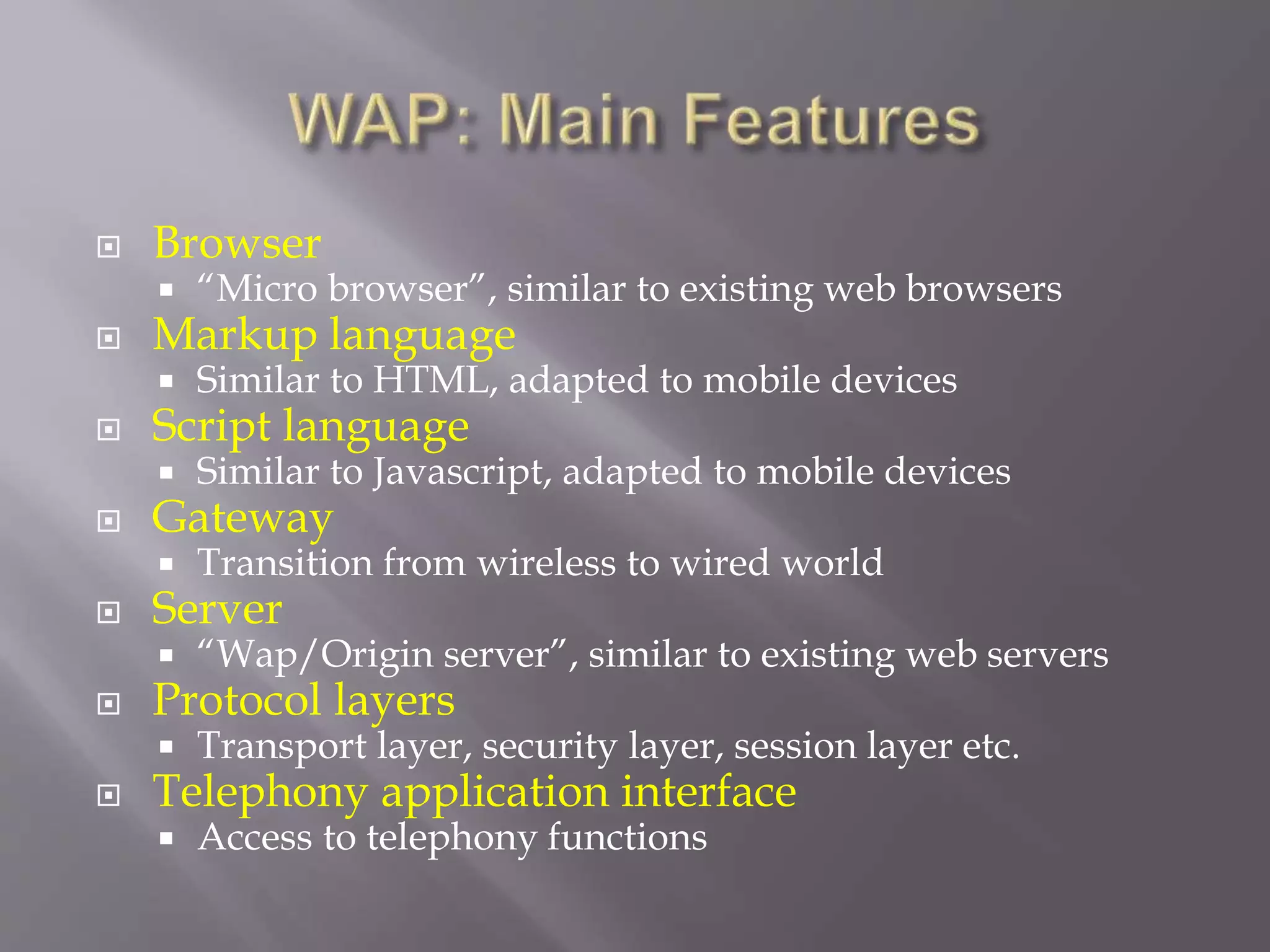
 WAP: Main Features
 WAP Architecture Requirements
 Architecture Overview
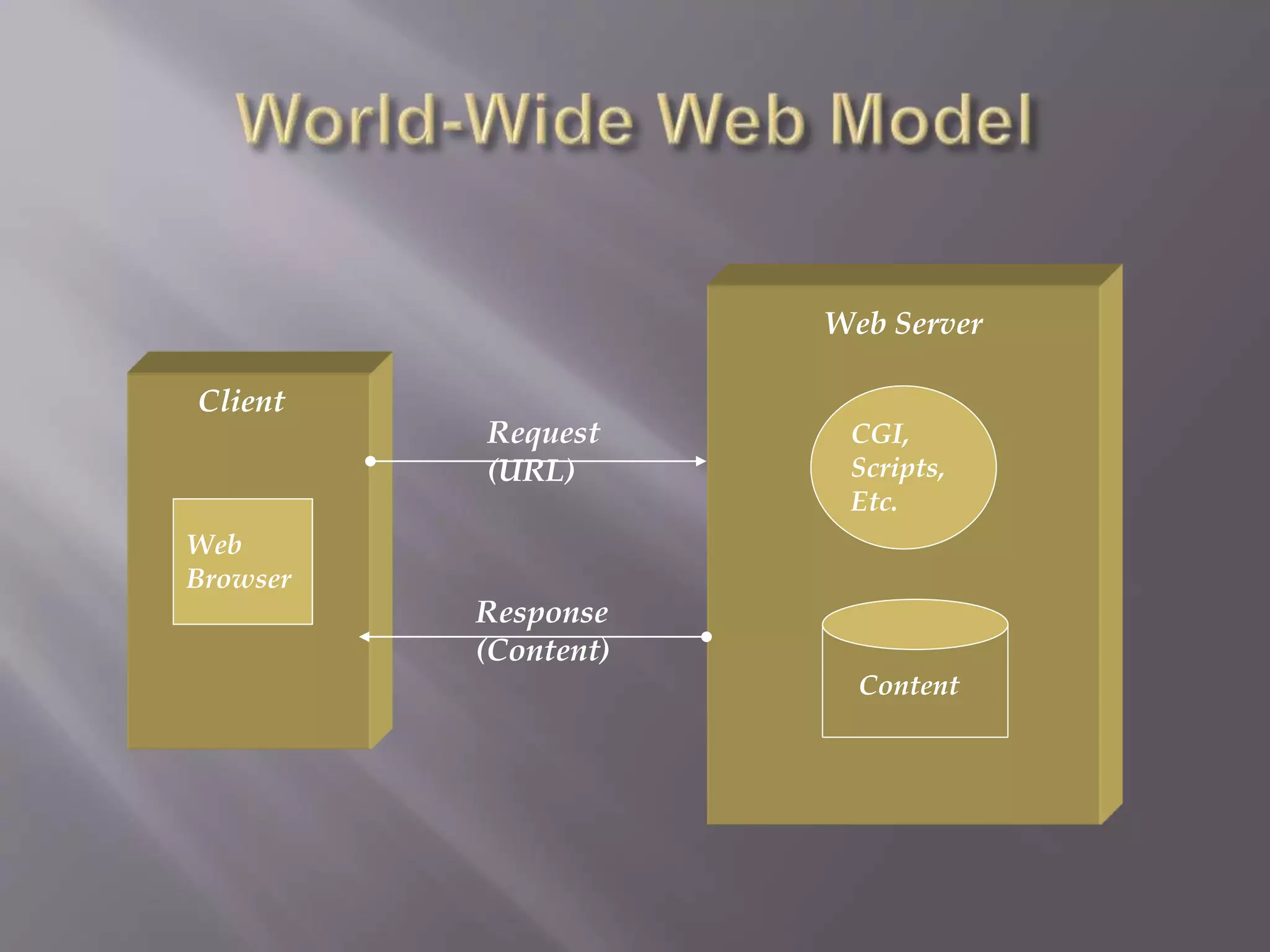
 World-Wide Web Model
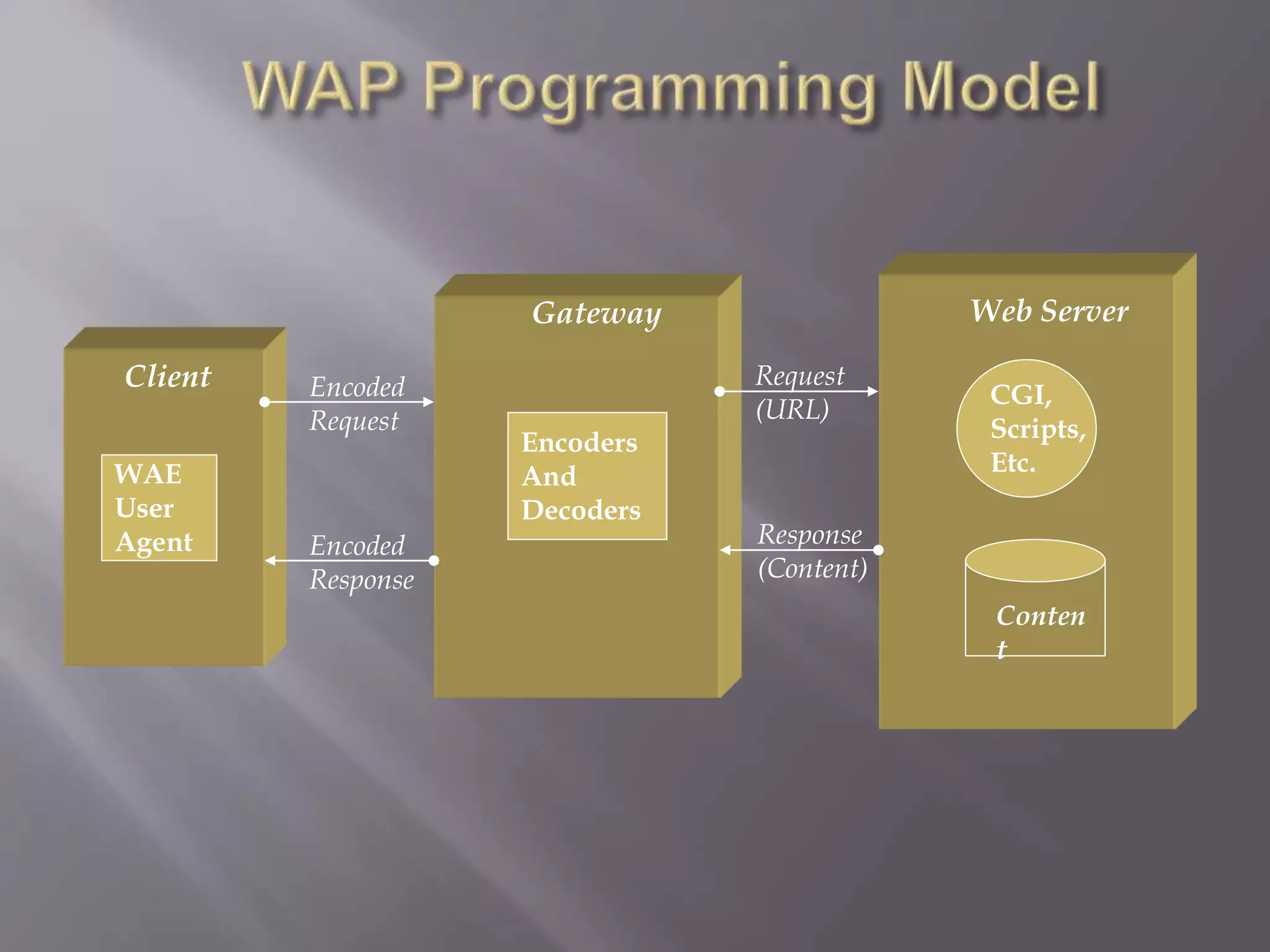
 WAP Model
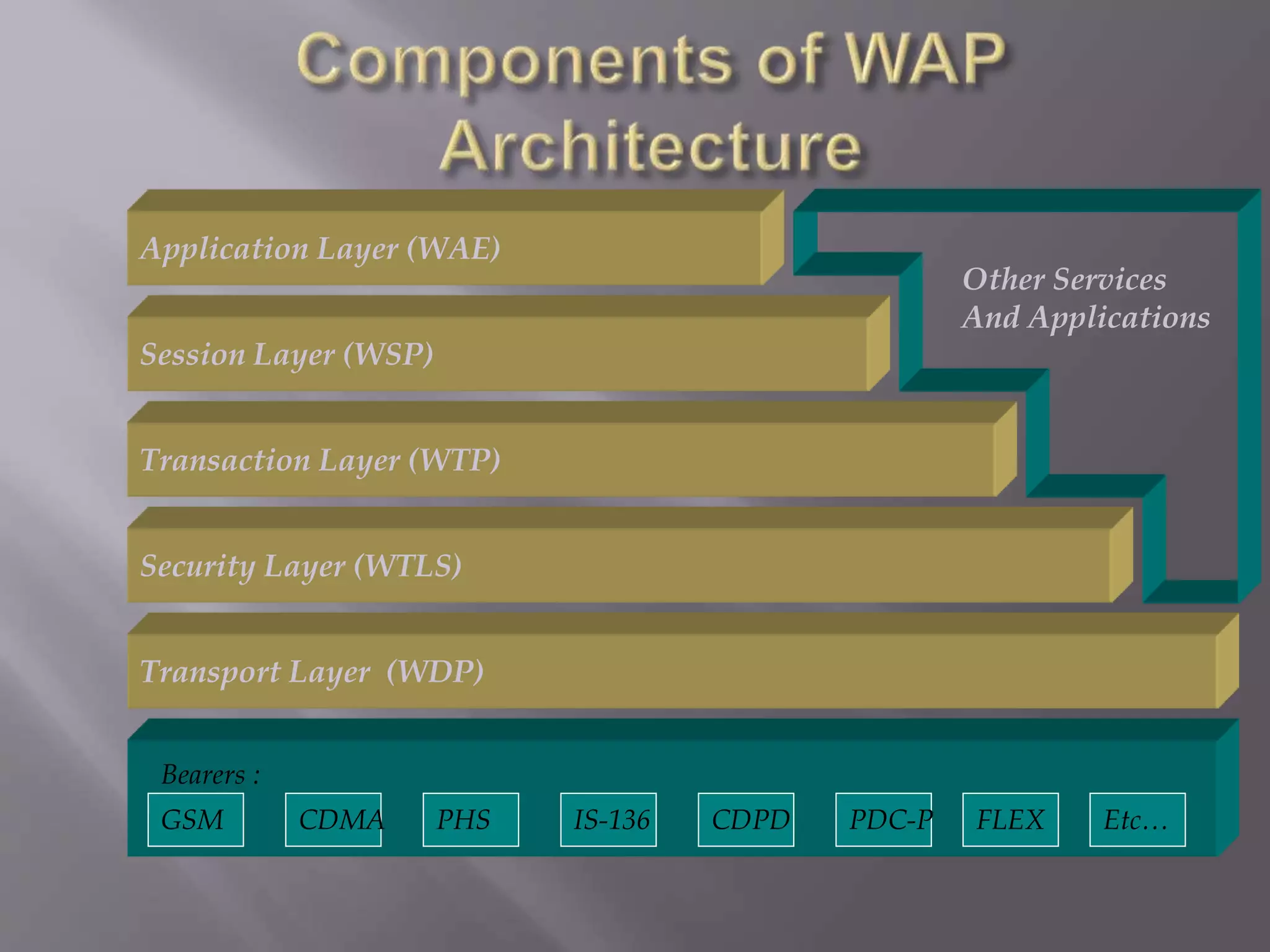
 Components of WAP Architecture
 Usage of WAP
 Advantages of WAP
 Disadvantages of WAP
 Conclusion
 Wireless Application Protocol commonly
known as WAP is used to enable the access of
internet in the mobile phones or PDAs.
 An open, global specification that empowers
mobile users with wireless devices to easily
access and interact with internet information
and services instantly.
WAP stands for Wireless Application Protocol
 WAP is an application communication protocol
 WAP is used to access services and information
 WAP is for handheld devices such as mobile
phones
 WAP enables the creating of web applications for
mobile devices.
 WAP uses the mark-up language WML (not
HTML) WML is defined as an XML 1.0 application
 Browser
 “Micro browser”, similar to existing web browsers
 Markup language
 Similar to HTML, adapted to mobile devices
 Script language
 Similar to Javascript, adapted to mobile devices
 Gateway
 Transition from wireless to wired world
 Server
 “Wap/Origin server”, similar to existing web servers
 Protocol layers
 Transport layer, security layer, session layer etc.
 Telephony application interface
 Access to telephony functions
 Leverage existing standards whenever possible
 Define a layered, scaleable and extensible
architecture
 Support as many wireless networks as possible
 Optimize for narrow-band bearers with high
latency
 Optimize for efficient use of device resources
 Provide support for secure applications and
communication
 WWW programming model is optimized and
extended to match characteristics of the
wireless environment
 Utilizes proxy technology to connect between
the wireless domain and WWW
CGI,
Scripts,
Etc.
Content
Web Server
Client
Web
Browser
Request
(URL)
Response
(Content)
CGI,
Scripts,
Etc.
Conten
t
Web Server
Client
WAE
User
Agent
Request
(URL)
Response
(Content)
Gateway
Encoders
And
Decoders
Encoded
Request
Encoded
Response
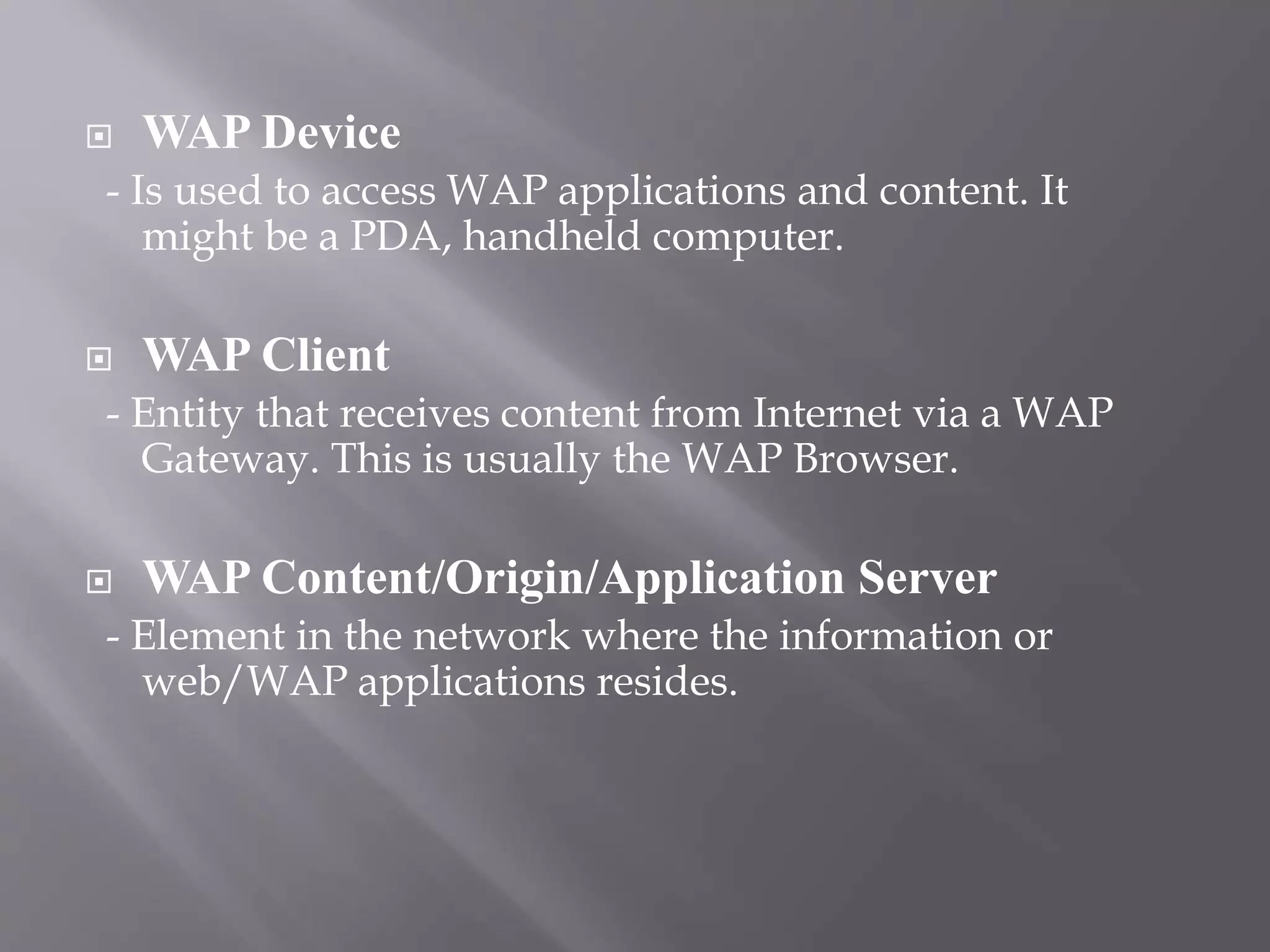
 WAP Device
- Is used to access WAP applications and content. It
might be a PDA, handheld computer.
 WAP Client
- Entity that receives content from Internet via a WAP
Gateway. This is usually the WAP Browser.
 WAP Content/Origin/Application Server
- Element in the network where the information or
web/WAP applications resides.
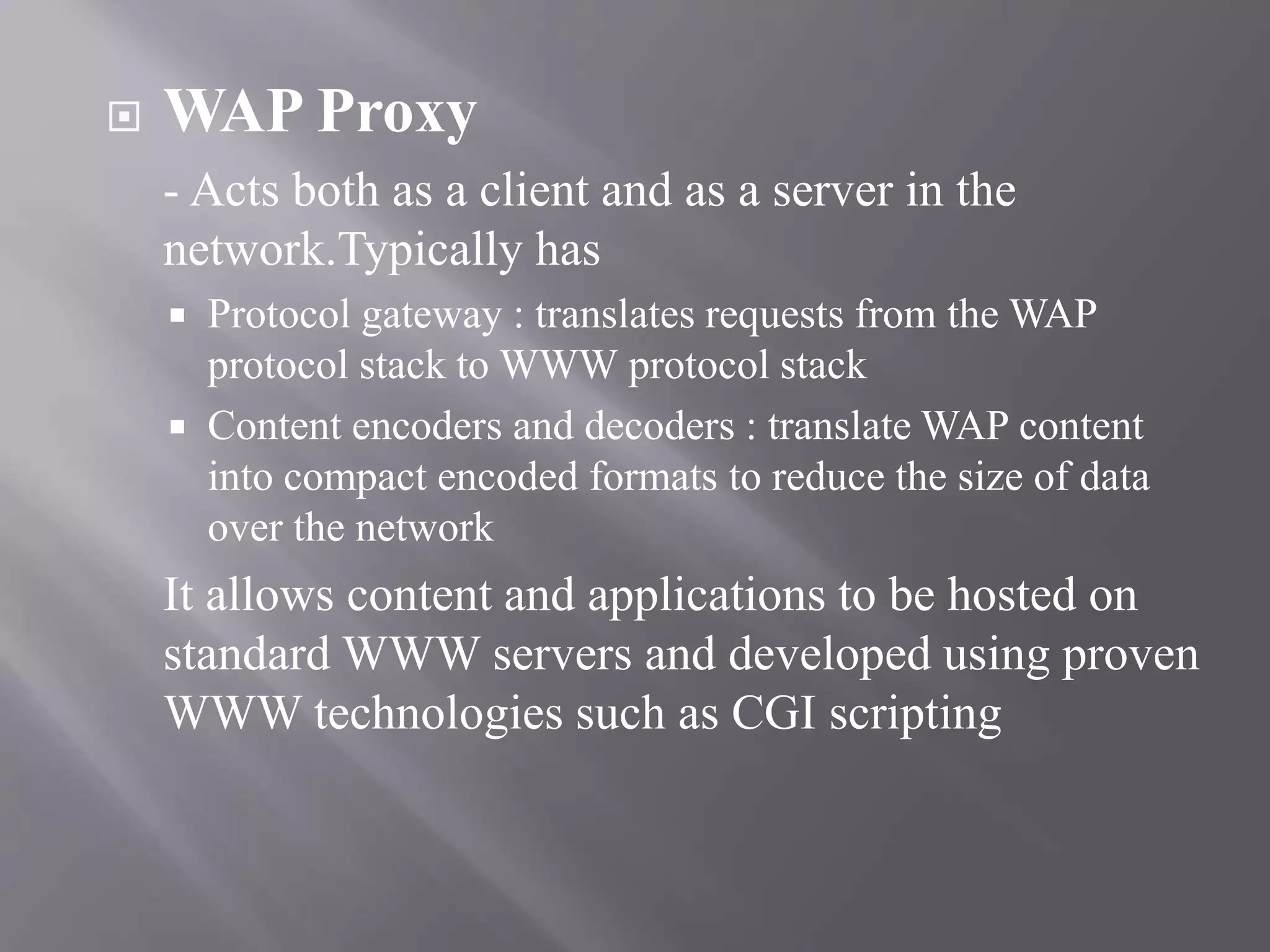
 WAP Proxy
- Acts both as a client and as a server in the
network.Typically has
 Protocol gateway : translates requests from the WAP
protocol stack to WWW protocol stack
 Content encoders and decoders : translate WAP content
into compact encoded formats to reduce the size of data
over the network
It allows content and applications to be hosted on
standard WWW servers and developed using proven
WWW technologies such as CGI scripting
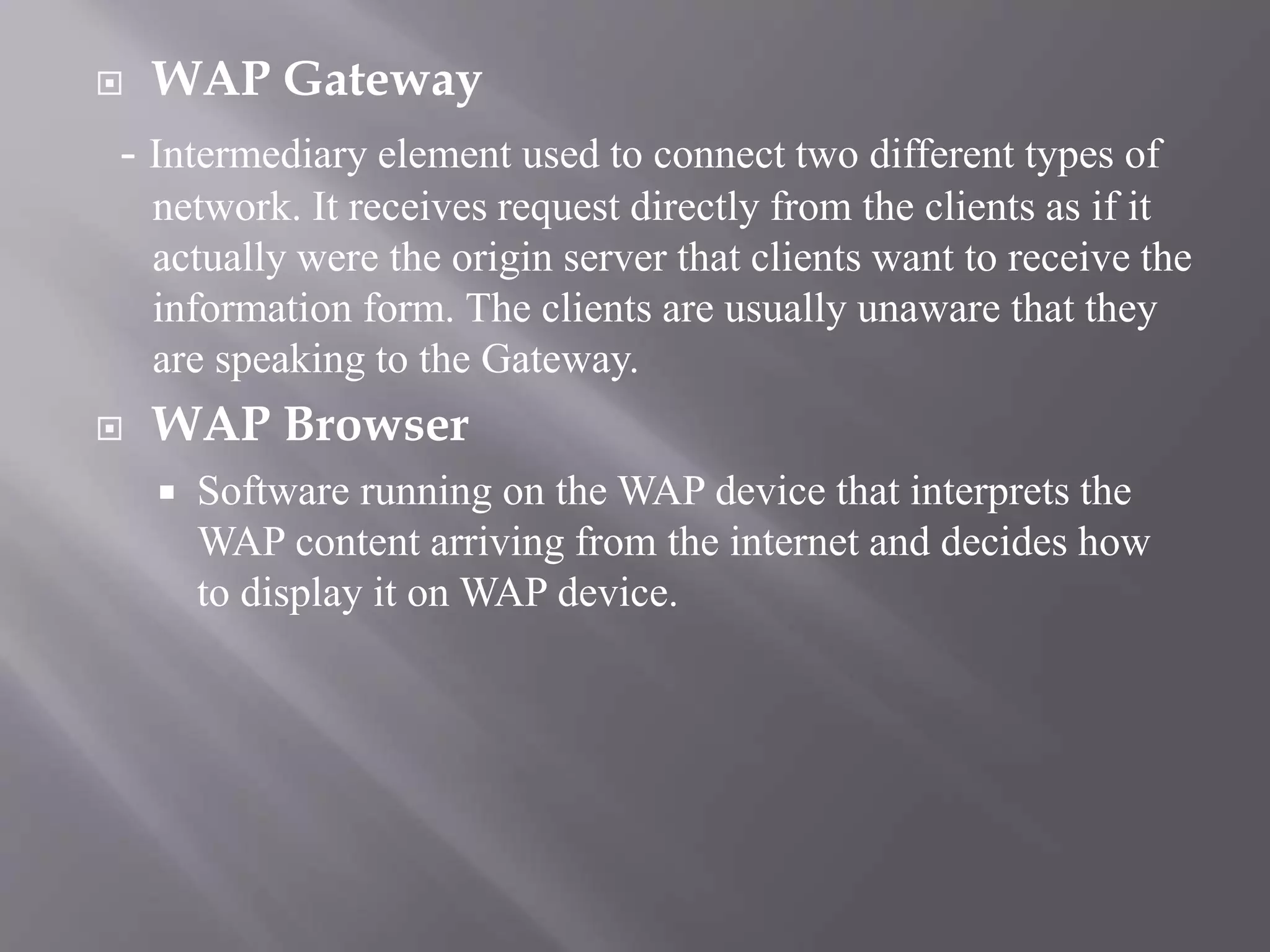
 WAP Gateway
- Intermediary element used to connect two different types of
network. It receives request directly from the clients as if it
actually were the origin server that clients want to receive the
information form. The clients are usually unaware that they
are speaking to the Gateway.
 WAP Browser
 Software running on the WAP device that interprets the
WAP content arriving from the internet and decides how
to display it on WAP device.
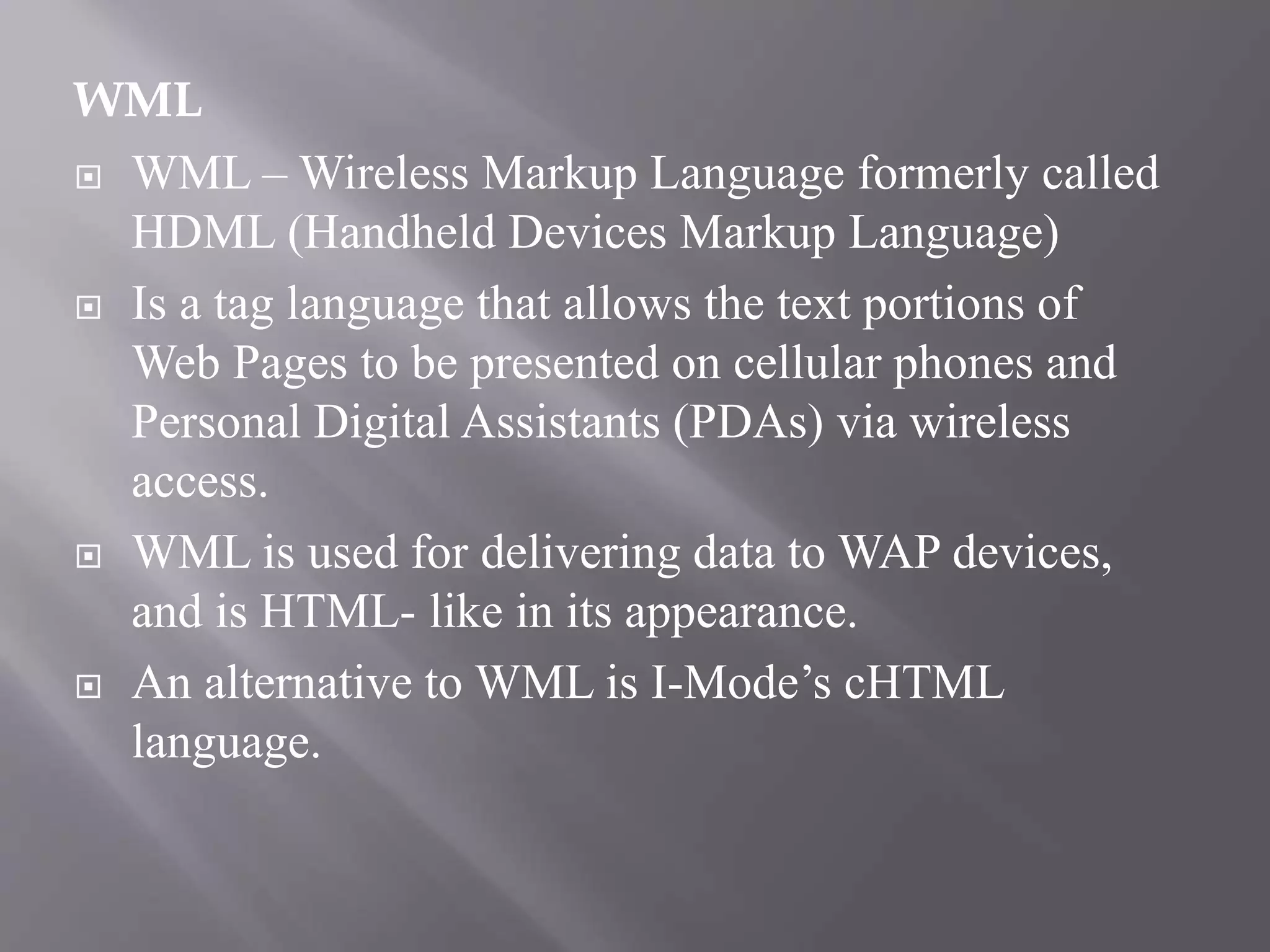
WML
 WML – Wireless Markup Language formerly called
HDML (Handheld Devices Markup Language)
 Is a tag language that allows the text portions of
Web Pages to be presented on cellular phones and
Personal Digital Assistants (PDAs) via wireless
access.
 WML is used for delivering data to WAP devices,
and is HTML- like in its appearance.
 An alternative to WML is I-Mode’s cHTML
language.
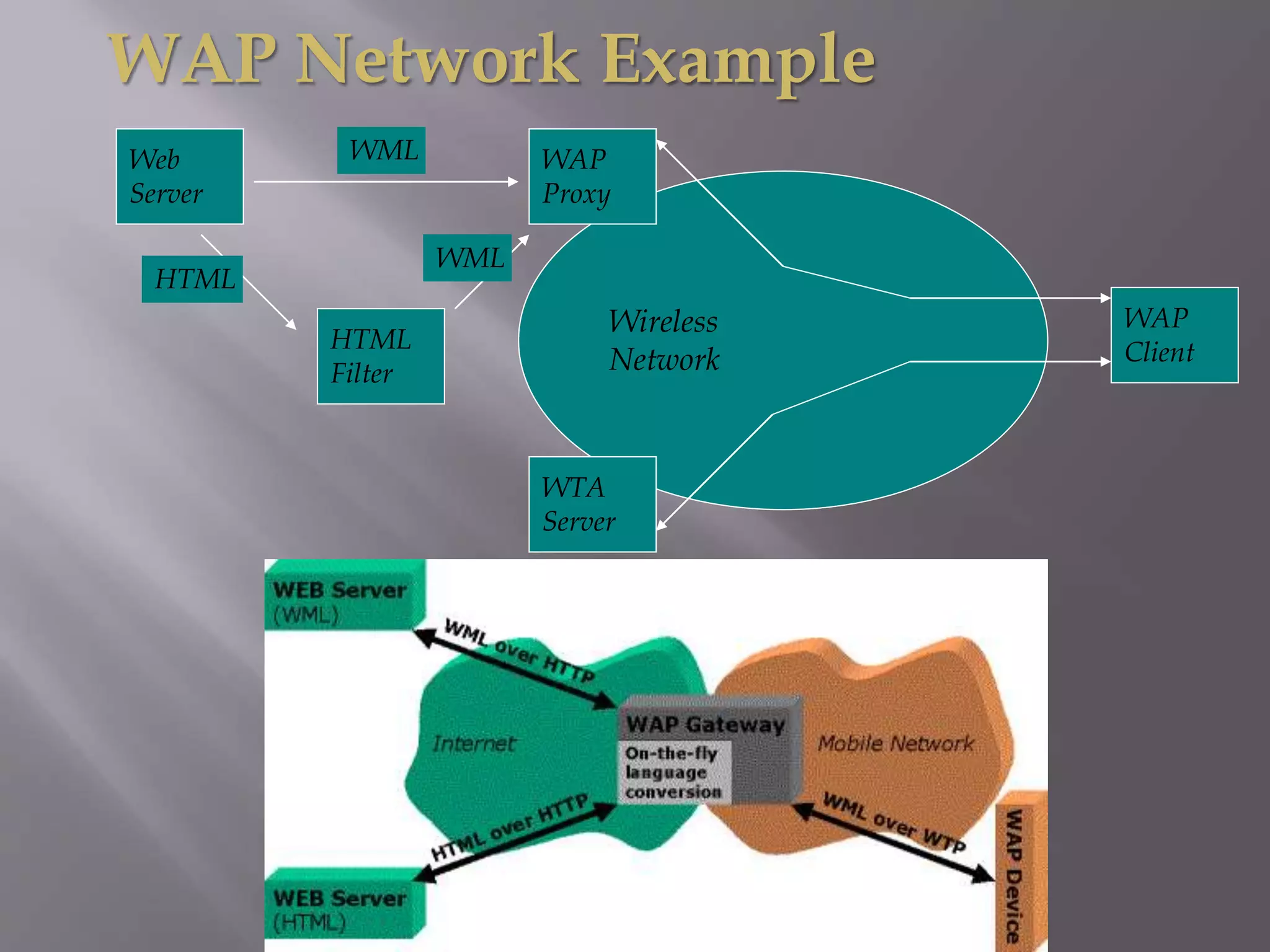
WAP Network Example
Web
Server
Wireless
Network
WAP
Proxy
HTML
Filter
WTA
Server
WAP
Client
WML
WML
HTML
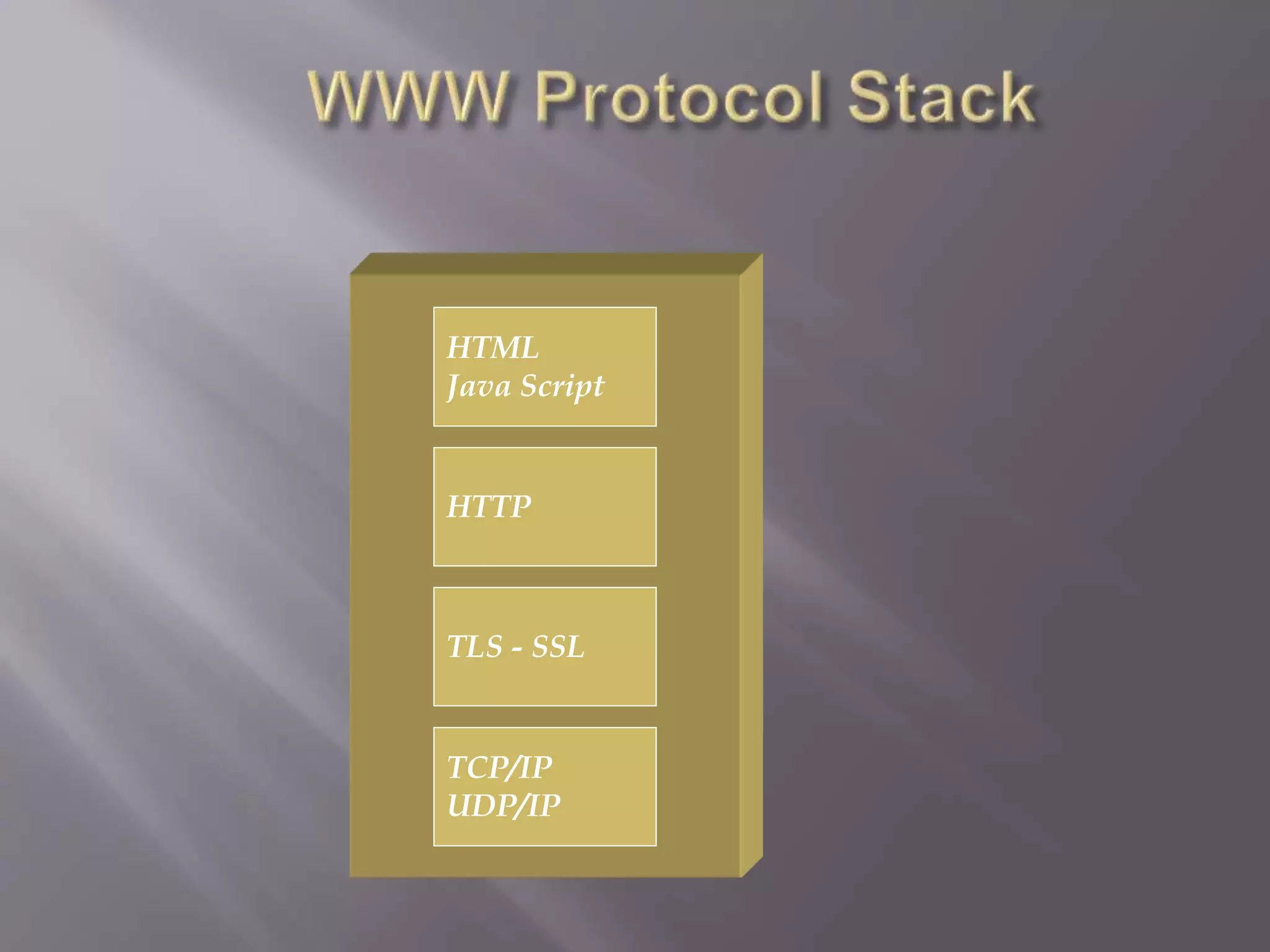
TCP/IP
UDP/IP
TLS - SSL
HTTP
HTML
Java Script
Other Services
And Applications
Transport Layer (WDP)
Security Layer (WTLS)
Transaction Layer (WTP)
Session Layer (WSP)
Application Layer (WAE)
GSM CDMA PHS IS-136 CDPD PDC-P FLEX Etc…
Bearers :
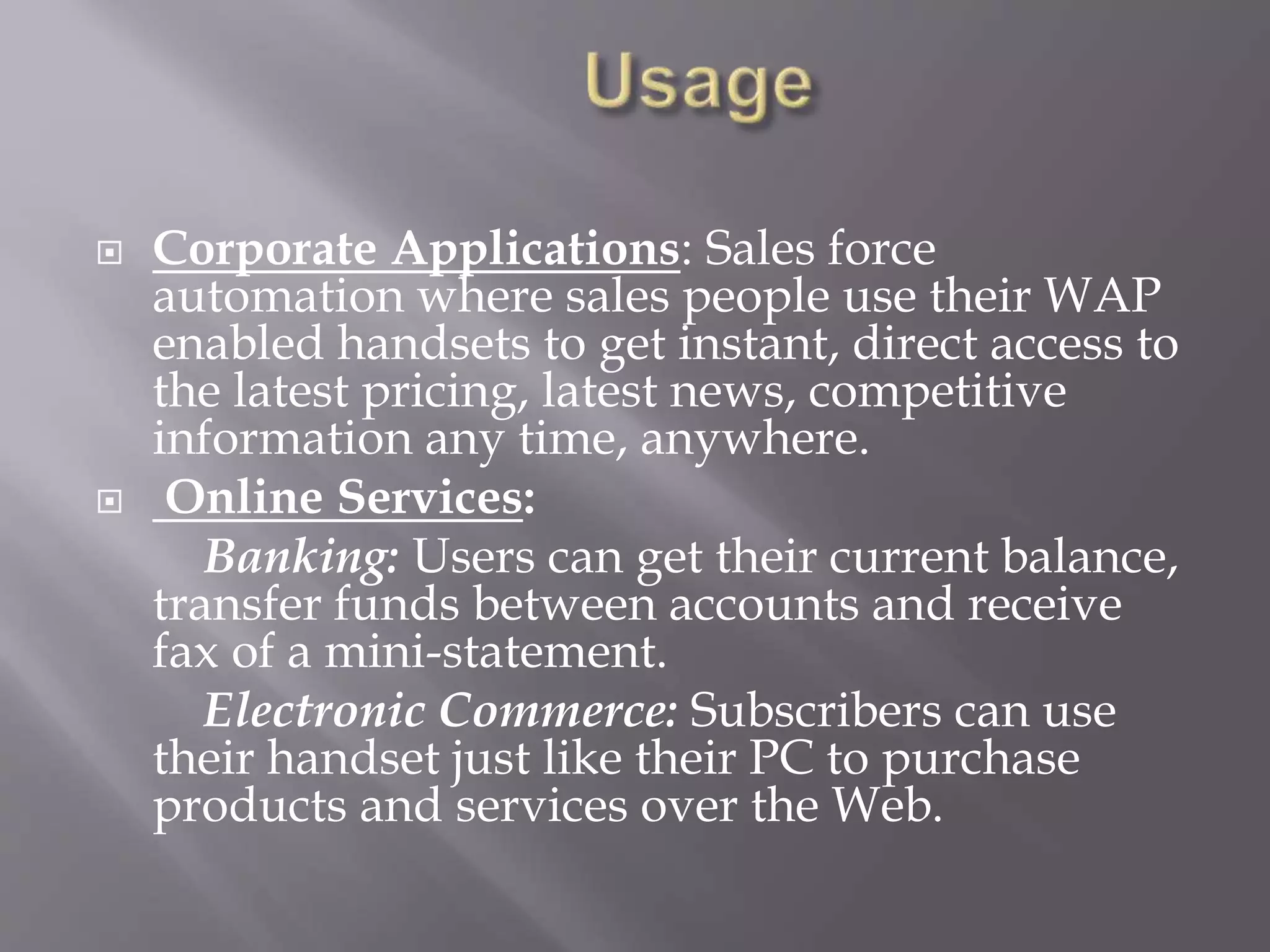
 Corporate Applications: Sales force
automation where sales people use their WAP
enabled handsets to get instant, direct access to
the latest pricing, latest news, competitive
information any time, anywhere.
 Online Services:
Banking: Users can get their current balance,
transfer funds between accounts and receive
fax of a mini-statement.
Electronic Commerce: Subscribers can use
their handset just like their PC to purchase
products and services over the Web.
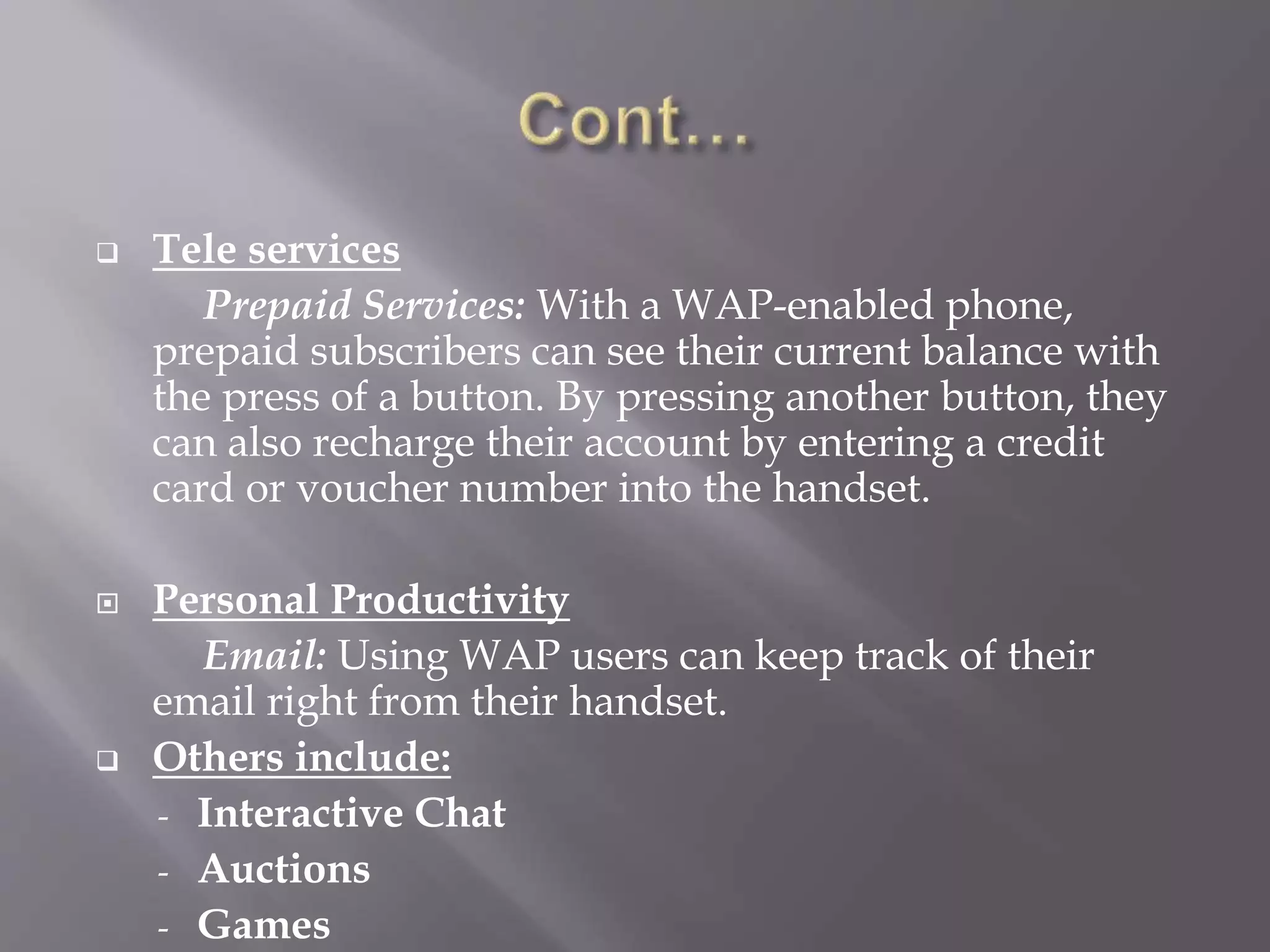
 Tele services
Prepaid Services: With a WAP-enabled phone,
prepaid subscribers can see their current balance with
the press of a button. By pressing another button, they
can also recharge their account by entering a credit
card or voucher number into the handset.
 Personal Productivity
Email: Using WAP users can keep track of their
email right from their handset.
 Others include:
- Interactive Chat
- Auctions
- Games
 Implementation near to the Internet model;
 Most modern mobile telephone devices
support WAP;
 Real-time send/receive data;
 Multiplatform functionality (little change is
needed to run on any web site since XML is
used);
 No hardware obsolescence.
 Low speeds, security, and very small user
interface;
 Not very familiar to the users;
 Business model is expensive;
 Forms are hard to design;
 Third party is included.
 In conclusion, WAP is suitable for the creation
of mobile learning training course material.
 The optimization of WAP and the handling of
the design challenges makes it feasible to use
mobile handheld devices for distance learning
in real-time.
 The application developer must always be
aware of the user and take into account the
usability issues if the application is to be a
success.

 www.google.com
 www.wikipedia.com
 www.oeclib.in
THANK YOU

Wireless application protocol ppt

  • 1.
    www.oeclib.in Submitted By: Odisha ElectronicControl Library Seminar On Wireless Application Protocol
  • 2.
     Wireless ApplicationProtocol  WAP: Main Features  WAP Architecture Requirements  Architecture Overview  World-Wide Web Model  WAP Model  Components of WAP Architecture  Usage of WAP  Advantages of WAP  Disadvantages of WAP  Conclusion
  • 3.
     Wireless ApplicationProtocol commonly known as WAP is used to enable the access of internet in the mobile phones or PDAs.  An open, global specification that empowers mobile users with wireless devices to easily access and interact with internet information and services instantly.
  • 4.
    WAP stands forWireless Application Protocol  WAP is an application communication protocol  WAP is used to access services and information  WAP is for handheld devices such as mobile phones  WAP enables the creating of web applications for mobile devices.  WAP uses the mark-up language WML (not HTML) WML is defined as an XML 1.0 application
  • 5.
     Browser  “Microbrowser”, similar to existing web browsers  Markup language  Similar to HTML, adapted to mobile devices  Script language  Similar to Javascript, adapted to mobile devices  Gateway  Transition from wireless to wired world  Server  “Wap/Origin server”, similar to existing web servers  Protocol layers  Transport layer, security layer, session layer etc.  Telephony application interface  Access to telephony functions
  • 6.
     Leverage existingstandards whenever possible  Define a layered, scaleable and extensible architecture  Support as many wireless networks as possible  Optimize for narrow-band bearers with high latency
  • 7.
     Optimize forefficient use of device resources  Provide support for secure applications and communication
  • 8.
     WWW programmingmodel is optimized and extended to match characteristics of the wireless environment  Utilizes proxy technology to connect between the wireless domain and WWW
  • 9.
  • 10.
  • 11.
     WAP Device -Is used to access WAP applications and content. It might be a PDA, handheld computer.  WAP Client - Entity that receives content from Internet via a WAP Gateway. This is usually the WAP Browser.  WAP Content/Origin/Application Server - Element in the network where the information or web/WAP applications resides.
  • 12.
     WAP Proxy -Acts both as a client and as a server in the network.Typically has  Protocol gateway : translates requests from the WAP protocol stack to WWW protocol stack  Content encoders and decoders : translate WAP content into compact encoded formats to reduce the size of data over the network It allows content and applications to be hosted on standard WWW servers and developed using proven WWW technologies such as CGI scripting
  • 13.
     WAP Gateway -Intermediary element used to connect two different types of network. It receives request directly from the clients as if it actually were the origin server that clients want to receive the information form. The clients are usually unaware that they are speaking to the Gateway.  WAP Browser  Software running on the WAP device that interprets the WAP content arriving from the internet and decides how to display it on WAP device.
  • 14.
    WML  WML –Wireless Markup Language formerly called HDML (Handheld Devices Markup Language)  Is a tag language that allows the text portions of Web Pages to be presented on cellular phones and Personal Digital Assistants (PDAs) via wireless access.  WML is used for delivering data to WAP devices, and is HTML- like in its appearance.  An alternative to WML is I-Mode’s cHTML language.
  • 15.
  • 16.
  • 17.
    Other Services And Applications TransportLayer (WDP) Security Layer (WTLS) Transaction Layer (WTP) Session Layer (WSP) Application Layer (WAE) GSM CDMA PHS IS-136 CDPD PDC-P FLEX Etc… Bearers :
  • 18.
     Corporate Applications:Sales force automation where sales people use their WAP enabled handsets to get instant, direct access to the latest pricing, latest news, competitive information any time, anywhere.  Online Services: Banking: Users can get their current balance, transfer funds between accounts and receive fax of a mini-statement. Electronic Commerce: Subscribers can use their handset just like their PC to purchase products and services over the Web.
  • 19.
     Tele services PrepaidServices: With a WAP-enabled phone, prepaid subscribers can see their current balance with the press of a button. By pressing another button, they can also recharge their account by entering a credit card or voucher number into the handset.  Personal Productivity Email: Using WAP users can keep track of their email right from their handset.  Others include: - Interactive Chat - Auctions - Games
  • 20.
     Implementation nearto the Internet model;  Most modern mobile telephone devices support WAP;  Real-time send/receive data;  Multiplatform functionality (little change is needed to run on any web site since XML is used);  No hardware obsolescence.
  • 21.
     Low speeds,security, and very small user interface;  Not very familiar to the users;  Business model is expensive;  Forms are hard to design;  Third party is included.
  • 22.
     In conclusion,WAP is suitable for the creation of mobile learning training course material.  The optimization of WAP and the handling of the design challenges makes it feasible to use mobile handheld devices for distance learning in real-time.  The application developer must always be aware of the user and take into account the usability issues if the application is to be a success.
  • 23.
  • 24.