
Spreadsheet
Software
Spreadsheet Software
A type of application program which
manipulates numerical and string data in
rows and columns of cells. The value in a
cell can be calculated from a formula
which can involve other cells. A value is
recalculated automatically whenever a
value on which it depends changes.
Different cells may be displayed with
different formats.
Spreadsheet Uses
School: Student grades, payroll
Sports: Individual and team statistics
Personal: Checkbook, household
expenses
Business: Payroll, investments
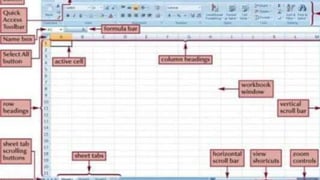
Office Button: A button that provides
access to workbook-level feature and
program settings
Quick Access Toolbar: A collection of
buttons that provide one-click access to
commonly used commands, such as Save,
Undo and Repeat.
Title bar: A bar that displays the name of
the active workbook and the Excel
program name.
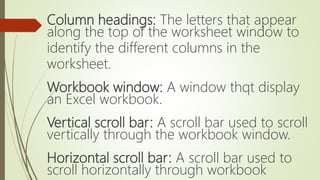
Column headings: The letters that appear
along the top of the worksheet window to
identify the different columns in the
worksheet.
Workbook window: A window thqt display
an Excel workbook.
Vertical scroll bar: A scroll bar used to scroll
vertically through the workbook window.
Horizontal scroll bar: A scroll bar used to
scroll horizontally through workbook
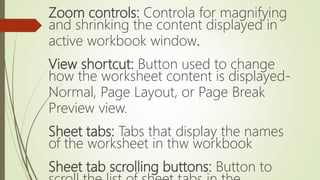
Zoom controls: Controla for magnifying
and shrinking the content displayed in
active workbook window.
View shortcut: Button used to change
how the worksheet content is displayed-
Normal, Page Layout, or Page Break
Preview view.
Sheet tabs: Tabs that display the names
of the worksheet in thw workbook
Sheet tab scrolling buttons: Button to
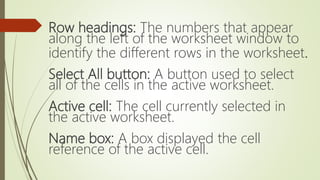
Row headings: The numbers that appear
along the left of the worksheet window to
identify the different rows in the worksheet.
Select All button: A button used to select
all of the cells in the active worksheet.
Active cell: The cell currently selected in
the active worksheet.
Name box: A box displayed the cell
reference of the active cell.
Formula bar: A bar displays the value or
formula entered in the active cell.
Thank you for Listening! 😊

Spreadsheet-Software

  • 1.
  • 2.
    Spreadsheet Software A typeof application program which manipulates numerical and string data in rows and columns of cells. The value in a cell can be calculated from a formula which can involve other cells. A value is recalculated automatically whenever a value on which it depends changes. Different cells may be displayed with different formats.
  • 3.
    Spreadsheet Uses School: Studentgrades, payroll Sports: Individual and team statistics Personal: Checkbook, household expenses Business: Payroll, investments
  • 4.
    Office Button: Abutton that provides access to workbook-level feature and program settings Quick Access Toolbar: A collection of buttons that provide one-click access to commonly used commands, such as Save, Undo and Repeat. Title bar: A bar that displays the name of the active workbook and the Excel program name.
  • 5.
    Column headings: Theletters that appear along the top of the worksheet window to identify the different columns in the worksheet. Workbook window: A window thqt display an Excel workbook. Vertical scroll bar: A scroll bar used to scroll vertically through the workbook window. Horizontal scroll bar: A scroll bar used to scroll horizontally through workbook
  • 6.
    Zoom controls: Controlafor magnifying and shrinking the content displayed in active workbook window. View shortcut: Button used to change how the worksheet content is displayed- Normal, Page Layout, or Page Break Preview view. Sheet tabs: Tabs that display the names of the worksheet in thw workbook Sheet tab scrolling buttons: Button to
  • 7.
    Row headings: Thenumbers that appear along the left of the worksheet window to identify the different rows in the worksheet. Select All button: A button used to select all of the cells in the active worksheet. Active cell: The cell currently selected in the active worksheet. Name box: A box displayed the cell reference of the active cell.
  • 8.
    Formula bar: Abar displays the value or formula entered in the active cell.
  • 10.
    Thank you forListening! 😊