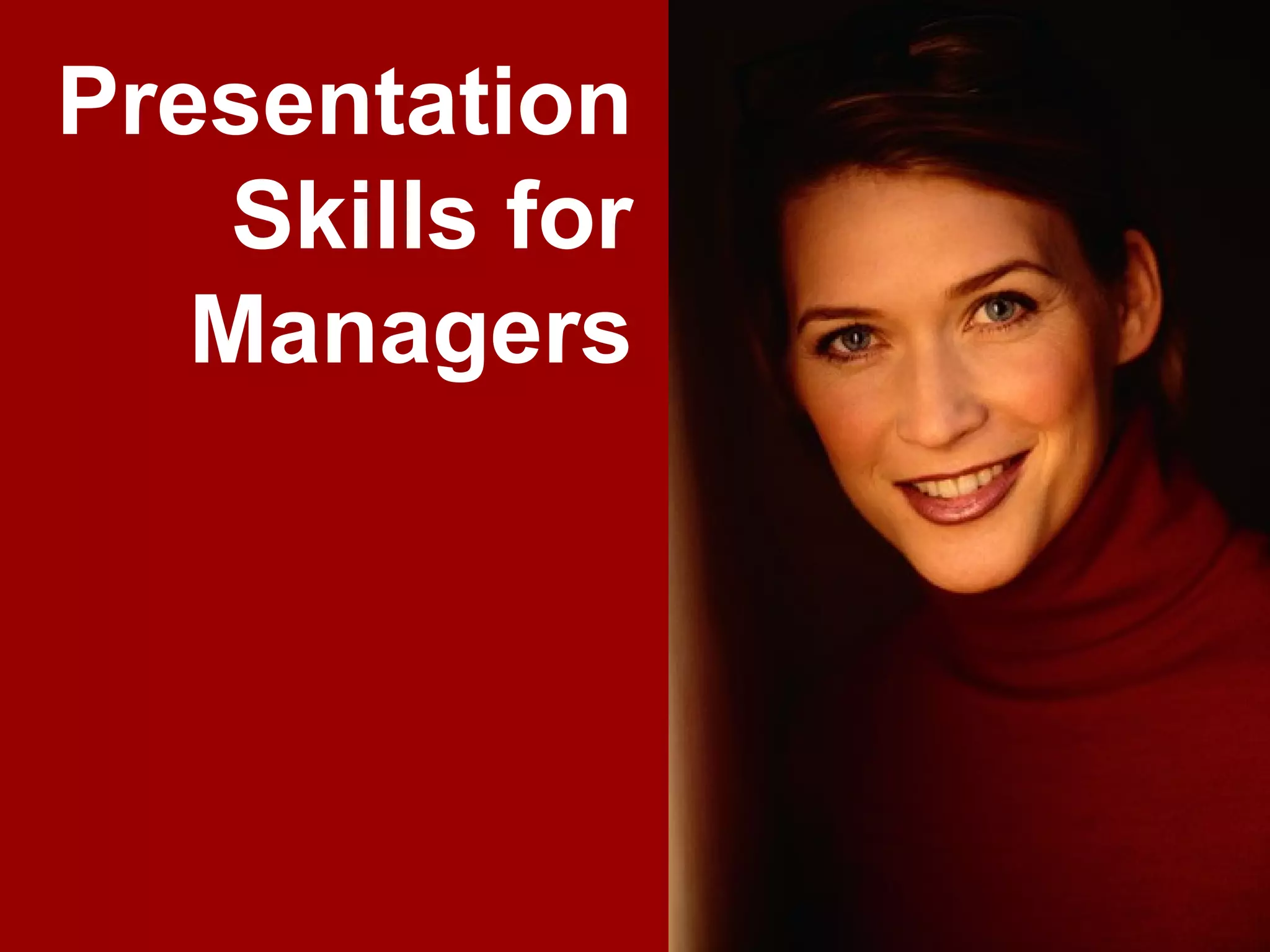
Presentation
      Skills for
     Managers


www.exploreHR.org   1
You can download this brilliant presentation at:

                                 www.exploreHR.org
                              Visit www.exploreHR.org for more
                          presentations on HR management and
                                              management skills


www.exploreHR.org                                                  2
Contents

       1. Developing Great CONTENT

       2. Preparing Great DESIGN

       3. Conducting Great DELIVERY


www.exploreHR.org                     3
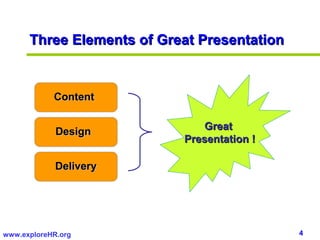
Three Elements of Great Presentation


            Content

                               Great
             Design
                           Presentation !

             Delivery


www.exploreHR.org                            4
Developing Great CONTENT


www.exploreHR.org                      5
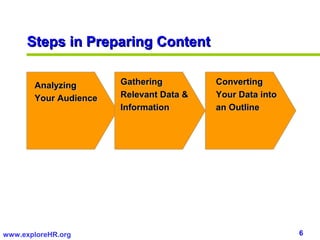
Steps in Preparing Content

       Analyzing       Gathering         Converting
       Your Audience   Relevant Data &   Your Data into
                       Information       an Outline


www.exploreHR.org                                         6
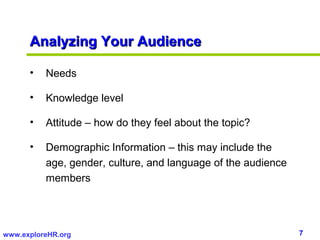
Analyzing Your Audience

      •   Needs

      •   Knowledge level

      •   Attitude – how do they feel about the topic?

      •   Demographic Information – this may include the
          age, gender, culture, and language of the audience
          members


www.exploreHR.org                                              7
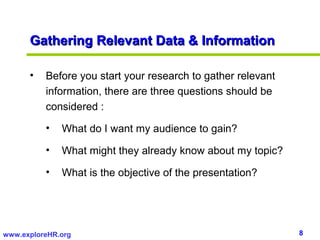
Gathering Relevant Data & Information

      •   Before you start your research to gather relevant
          information, there are three questions should be
          considered :

          •   What do I want my audience to gain?

          •   What might they already know about my topic?

          •   What is the objective of the presentation?


www.exploreHR.org                                             8
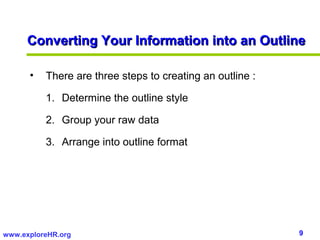
Converting Your Information into an Outline

      •   There are three steps to creating an outline :

          1. Determine the outline style

          2. Group your raw data

          3. Arrange into outline format


www.exploreHR.org                                          9
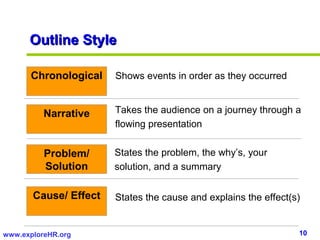
Outline Style

      Chronological    Shows events in order as they occurred


          Narrative    Takes the audience on a journey through a
                       flowing presentation


          Problem/     States the problem, the why’s, your
          Solution     solution, and a summary

       Cause/ Effect   States the cause and explains the effect(s)


www.exploreHR.org                                                10
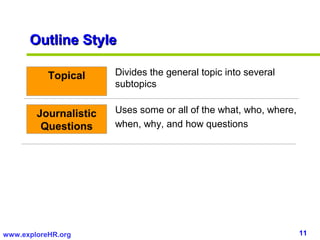
Outline Style

           Topical     Divides the general topic into several
                       subtopics


        Journalistic   Uses some or all of the what, who, where,
         Questions     when, why, and how questions


www.exploreHR.org                                                  11
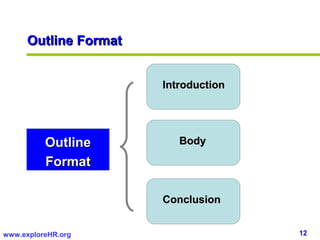
Outline Format


                       Introduction


          Outline         Body

          Format

                       Conclusion


www.exploreHR.org                     12
Outline Format

      •   Introductions

          •   Should include an agenda and clarify the goals and
              objectives of your presentation.

          •   Can include an overview of a situation, a statement
              of the current situation of the organization, or a recap
              of history.

          •   Can use the strategies that help an introduction get
              attention: a quote, a question, humor, a creative
              image, an anecdote, or a sharing of emotions.
                                                      emotions

www.exploreHR.org                                                        13
Outline Format

      •   Body
          •   Chronological
          •   Narrative
          •   Problem/Solution
          •   Cause/Effect
          •   Topical
          •   Journalistic Question


www.exploreHR.org                     14
Outline Format

      •   Conclusion

          •   Summarize the main points of your presentation

          •   Provide closure, and leave an impression

          •   Can consist of recommendations, future directions,
              next steps to take, and so forth


www.exploreHR.org                                                  15
Building Great DESIGN


www.exploreHR.org                       16
Presentation Design

      Key Rules when Creating Bulleted Text:

          • Use one concept per slide

          • Use key words and phrases

          • Make your bullet points consistent in structure

          • Capitalize properly – capitalize the first letter of
            the first word only


www.exploreHR.org                                                  17
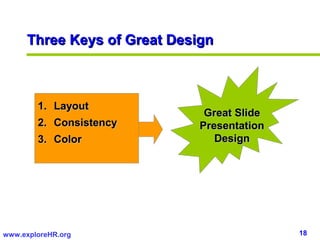
Three Keys of Great Design


        1. Layout
                              Great Slide
        2. Consistency       Presentation
        3. Color                Design


www.exploreHR.org                           18
Layout

      1. Layout

          •   Consider your layout to be like the skeleton of your
              presentation….Just as our skeleton support our
              bodies, your layout should support your message and
              provide structure.


www.exploreHR.org                                                    19
Consistency

     2. Consistency
         • You must be consistent in the following design elements:

             • Your placement of text and images

             • Your fonts style and sizes

             • Your background

             • The sytle and treatment of your imagery

             • Your charts


www.exploreHR.org                                                     20
Color

       3. Color
           • Use high contrast to increase legibility (e.g., black text
              on clear and yellow on dark blue)

           • Colors should not clash – they should have a high
              degree of harmony

           • Avoid clutter by using no more than four colors


www.exploreHR.org                                                         21
Consistent Fonts

      • The two main classifications of fonts are serif and sans serif
        fonts

      • Serif fonts have small flourishes extending from the main
        strokes of each letter (examples : Times New Roman, Book
        Antiqua, Bookman Olds Style, Garamond). Sans serif
        don’t; they are straight and clean (examples : Arial,
        Verdana, Helvetica)

      • Sans serif fonts are best suited for electronic
        presentations


www.exploreHR.org                                                    22
Tips for Planning Great Slides

      • Use slides sparingly. Avoid the overuse of slides or
        unnecessary slides.

      • Make slide pictorial. Graphs, flowcharts, etc., all give the
        viewer an insight that would otherwise require many words.

      • Make text and numbers legible. Minimum font size for most
        room set-ups is 20 pt.

      • Make pictures and diagrams easy to see.


www.exploreHR.org                                                      23
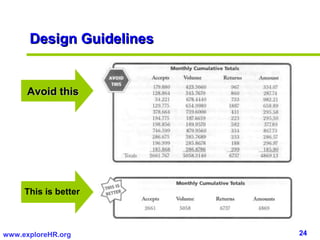
Design Guidelines


      Avoid this


     This is better


www.exploreHR.org         24
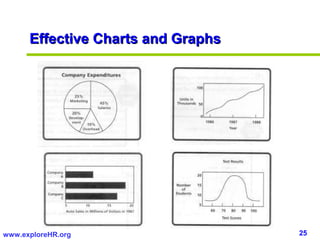
Effective Charts and Graphs


www.exploreHR.org                   25
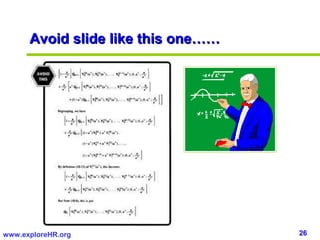
Avoid slide like this one……


www.exploreHR.org                   26
Conducting Great DELIVERY


www.exploreHR.org                     27
Delivering Your Presentation


         Voice

         Language Usage
                               Great
         Movement             Delivery

         Body Language


www.exploreHR.org                        28
Managing Your Voice

      •   Try to sound natural, so your rhythm and tone is
          appropriate to the message you are delivering

      •   Develop three important qualities:

          •   Volume

          •   Intonation

          •   Pacing


www.exploreHR.org                                            29
Managing Your Voice

         Volume      Speak loudly enough to reach all the
                     members audience without overpowering
                     those closest to you.


        Intonation   Avoid to speak in monotone. Put more
                     feeling into your voice and make it livelier by
                     changes in your intonation.


www.exploreHR.org                                                  30
Managing Your Voice

                    For most of us, this is natural – except when
         Pacing
                    we are nervous or excited. Practice, and you
                    can figure out what sounds natural and
                    appropriate for the points you are making.


www.exploreHR.org                                               31
Language Usage

      •   When you speak, convey confidence and show interest in
          what you’re presenting. Speak with feeling.
                                             feeling

      •   Use short sentences and short, simple words.
                                                words

      •   Speak slowly and clearly enough that everyone in your
          audience can understand every word.


www.exploreHR.org                                                  32
Movement

      •   If possible, “work the room and work the audience”
                                                   audience

      •   Move appropriately and with purpose – don’t move
          simply because you’re nervous

      •   Your movements should be natural and support your
          words and the rest of your presentation

      •   Don’t move constantly. Pause for effect. Stand still to
          make an important point


www.exploreHR.org                                                   33
Body Language

      •   Stand straight, but not stiff. You should radiate energy
                straight

      •   Be relaxed, be casual, but don’t be lazy
             relaxed

      •   Use your hands, arms and gestures. Just let your body
          react to how you feel

      •   Make good eye contact – the rule of thumb for eye
          contact is three to five seconds per person


www.exploreHR.org                                                    34
Body Language

      •   Do not keep hands in your pockets

      •   Do not keep hands “handcuffed” behind your back

      •   Do not keep your arms crossed

      •   Do not put hands in “fig leaf” position

      •   Do not wring your hands nervously


www.exploreHR.org                                           35
In advance of your presentation

      • Practice – a lot. Don’t just think your presentation through :
                         lot
        act it out, in front of friends, or family. Time each section of
        your presentation and develop a schedule.

      • Memorize the first two minutes of your presentation, so
        you breeze on through the time when the butterflies are
        most active.


www.exploreHR.org                                                      36
In the hours before presentation

      • Think positive thought : visualize yourself feeling at ease
        with the audience

      • Use affirmation (e.g., “I can do this. I am prepared. It will
        go well”)

      • Make sure all the equipment is working properly

      • Remember that the people in your audience are human too,
        just like you. They want you to succeed !


www.exploreHR.org                                                       37
When you enter the room:

       • Focus on making your movements fluid and confident,
                                                  confident
         neither too slow nor too fast

       • Find a few friendly faces in the audience, for reassurance

       • Smile. Show that you want to be there

       • Be yourself


www.exploreHR.org                                                     38
How to Handle Tough Situations

      Problem :

      • Know-it-all – A participant who feels like more of an expert than
        you.

      Solution :

      • Don’t fight it. Involve know-it-alls in your presentation.

      • They may have some great information to contribute. Allowing
        them to participate and share their thoughts will not only show
        how confident you are, but also help them get more out of your
        presentation.


www.exploreHR.org                                                           39
How to Handle Tough Situations

      Problem :

      •   Unprepared participants – Those who haven’t prepared for the
          presentation as you requested.

      Solution :

      •   Be flexible. Take something out of your agenda to allow the group
          time to get up to speed.

      •   Keep in mind your overall objective of the presentations.

      •   Don’t force your agenda; modify it to meet your objective.


www.exploreHR.org                                                         40
How to Handle Tough Situations

      Problem :

      •   After-lunch nap time – One of the toughest times to keep people
          engaged.

      Solution :

      •   If you have anything to do with planning the lunch selections, go
          light – and no heavy desserts.

      •   If you really need to get everyone going again, get out those
          icebreakers.


www.exploreHR.org                                                             41
How to Handle Tough Situations

      Problem :

      •   Non-stop talker – A participant who carries on conversations
          during the presentation.

      Solution :

      •   Take a few moments to share what you talked about. This usually
          makes the talker feel more involved and want to stay engaged and
          participate with you instead of others.


www.exploreHR.org                                                        42
Planning for the Questions

      • Anticipate the questions that might come up

      • Listen carefully to the questioner

      • Repeat or rephrase the question

      • Answer clearly and concisely

      • Go to the next question


www.exploreHR.org                                     43
Dealing with Disasters

      •   You find out that the time allotted has been reduced. At the
          very worse, you can make your points, support the with the
          essentials, ask and answer the most likely questions on your list.

      •   The slide equipment fails. You know then saying, “The show
                                 fails
          must go on”. Apologize to the audience and then add something
          like “Now return with me to a distant past, before Powerpoint,
          when all we had for presentations was our notes and perhaps a
          blackboard or flipcharts.” Then, make the most of your primitive
          tools.


www.exploreHR.org                                                              44
Dealing with Disasters

      •   You tell a joke that falls flat. Ouch! Just shrug your shoulders
          and apologize: “I am sorry. I got that joke at a Henry Youngman
          clearance sale.” (You can choose your own comedian).

      •   You get nervous and flustered and lose track of where you
          are. Figure out where you are from your slides and notes. If you
          are
          can’t, just be honest : “My brain has derailed. Who can back me
          up so I can the on the track again?”


www.exploreHR.org                                                            45
References/Recommended Further Readings:

      1. Jennifer Rotondo and Mike Rotondo, Presentation Skills for
         Managers, McGraw Hill. You can obtain this excellent book at this link:
          http://www.amazon.com/Presentation-Skills-Managers-Jennifer-Rotondo/dp/0071379304/ref=pd_bbs_sr_1?
          ie=UTF8&s=books&qid=1219801273&sr=1-1


      2. David A. Whetten and Kim S. Cameron, Developing
         Management Skills, Harpers Collins Publisher. You can obtain this book at
          this link: http://www.amazon.com/Developing-Management-Skills-David-
          Whetten/dp/0131747428/ref=pd_bbs_sr_1?ie=UTF8&s=books&qid=1219801369&sr=1-1


www.exploreHR.org                                                                                          46
End of Material
  If you find this presentation useful, please consider telling others about our site
                                                               (www.exploreHR.org)


www.exploreHR.org                                                               47

Presentation skills for managers

  • 1.
    Presentation Skills for Managers www.exploreHR.org 1
  • 2.
    You can downloadthis brilliant presentation at: www.exploreHR.org Visit www.exploreHR.org for more presentations on HR management and management skills www.exploreHR.org 2
  • 3.
    Contents 1. Developing Great CONTENT 2. Preparing Great DESIGN 3. Conducting Great DELIVERY www.exploreHR.org 3
  • 4.
    Three Elements ofGreat Presentation Content Great Design Presentation ! Delivery www.exploreHR.org 4
  • 5.
  • 6.
    Steps in PreparingContent Analyzing Gathering Converting Your Audience Relevant Data & Your Data into Information an Outline www.exploreHR.org 6
  • 7.
    Analyzing Your Audience • Needs • Knowledge level • Attitude – how do they feel about the topic? • Demographic Information – this may include the age, gender, culture, and language of the audience members www.exploreHR.org 7
  • 8.
    Gathering Relevant Data& Information • Before you start your research to gather relevant information, there are three questions should be considered : • What do I want my audience to gain? • What might they already know about my topic? • What is the objective of the presentation? www.exploreHR.org 8
  • 9.
    Converting Your Informationinto an Outline • There are three steps to creating an outline : 1. Determine the outline style 2. Group your raw data 3. Arrange into outline format www.exploreHR.org 9
  • 10.
    Outline Style Chronological Shows events in order as they occurred Narrative Takes the audience on a journey through a flowing presentation Problem/ States the problem, the why’s, your Solution solution, and a summary Cause/ Effect States the cause and explains the effect(s) www.exploreHR.org 10
  • 11.
    Outline Style Topical Divides the general topic into several subtopics Journalistic Uses some or all of the what, who, where, Questions when, why, and how questions www.exploreHR.org 11
  • 12.
    Outline Format Introduction Outline Body Format Conclusion www.exploreHR.org 12
  • 13.
    Outline Format • Introductions • Should include an agenda and clarify the goals and objectives of your presentation. • Can include an overview of a situation, a statement of the current situation of the organization, or a recap of history. • Can use the strategies that help an introduction get attention: a quote, a question, humor, a creative image, an anecdote, or a sharing of emotions. emotions www.exploreHR.org 13
  • 14.
    Outline Format • Body • Chronological • Narrative • Problem/Solution • Cause/Effect • Topical • Journalistic Question www.exploreHR.org 14
  • 15.
    Outline Format • Conclusion • Summarize the main points of your presentation • Provide closure, and leave an impression • Can consist of recommendations, future directions, next steps to take, and so forth www.exploreHR.org 15
  • 16.
  • 17.
    Presentation Design Key Rules when Creating Bulleted Text: • Use one concept per slide • Use key words and phrases • Make your bullet points consistent in structure • Capitalize properly – capitalize the first letter of the first word only www.exploreHR.org 17
  • 18.
    Three Keys ofGreat Design 1. Layout Great Slide 2. Consistency Presentation 3. Color Design www.exploreHR.org 18
  • 19.
    Layout 1. Layout • Consider your layout to be like the skeleton of your presentation….Just as our skeleton support our bodies, your layout should support your message and provide structure. www.exploreHR.org 19
  • 20.
    Consistency 2. Consistency • You must be consistent in the following design elements: • Your placement of text and images • Your fonts style and sizes • Your background • The sytle and treatment of your imagery • Your charts www.exploreHR.org 20
  • 21.
    Color 3. Color • Use high contrast to increase legibility (e.g., black text on clear and yellow on dark blue) • Colors should not clash – they should have a high degree of harmony • Avoid clutter by using no more than four colors www.exploreHR.org 21
  • 22.
    Consistent Fonts • The two main classifications of fonts are serif and sans serif fonts • Serif fonts have small flourishes extending from the main strokes of each letter (examples : Times New Roman, Book Antiqua, Bookman Olds Style, Garamond). Sans serif don’t; they are straight and clean (examples : Arial, Verdana, Helvetica) • Sans serif fonts are best suited for electronic presentations www.exploreHR.org 22
  • 23.
    Tips for PlanningGreat Slides • Use slides sparingly. Avoid the overuse of slides or unnecessary slides. • Make slide pictorial. Graphs, flowcharts, etc., all give the viewer an insight that would otherwise require many words. • Make text and numbers legible. Minimum font size for most room set-ups is 20 pt. • Make pictures and diagrams easy to see. www.exploreHR.org 23
  • 24.
    Design Guidelines Avoid this This is better www.exploreHR.org 24
  • 25.
    Effective Charts andGraphs www.exploreHR.org 25
  • 26.
    Avoid slide likethis one…… www.exploreHR.org 26
  • 27.
  • 28.
    Delivering Your Presentation Voice Language Usage Great Movement Delivery Body Language www.exploreHR.org 28
  • 29.
    Managing Your Voice • Try to sound natural, so your rhythm and tone is appropriate to the message you are delivering • Develop three important qualities: • Volume • Intonation • Pacing www.exploreHR.org 29
  • 30.
    Managing Your Voice Volume Speak loudly enough to reach all the members audience without overpowering those closest to you. Intonation Avoid to speak in monotone. Put more feeling into your voice and make it livelier by changes in your intonation. www.exploreHR.org 30
  • 31.
    Managing Your Voice For most of us, this is natural – except when Pacing we are nervous or excited. Practice, and you can figure out what sounds natural and appropriate for the points you are making. www.exploreHR.org 31
  • 32.
    Language Usage • When you speak, convey confidence and show interest in what you’re presenting. Speak with feeling. feeling • Use short sentences and short, simple words. words • Speak slowly and clearly enough that everyone in your audience can understand every word. www.exploreHR.org 32
  • 33.
    Movement • If possible, “work the room and work the audience” audience • Move appropriately and with purpose – don’t move simply because you’re nervous • Your movements should be natural and support your words and the rest of your presentation • Don’t move constantly. Pause for effect. Stand still to make an important point www.exploreHR.org 33
  • 34.
    Body Language • Stand straight, but not stiff. You should radiate energy straight • Be relaxed, be casual, but don’t be lazy relaxed • Use your hands, arms and gestures. Just let your body react to how you feel • Make good eye contact – the rule of thumb for eye contact is three to five seconds per person www.exploreHR.org 34
  • 35.
    Body Language • Do not keep hands in your pockets • Do not keep hands “handcuffed” behind your back • Do not keep your arms crossed • Do not put hands in “fig leaf” position • Do not wring your hands nervously www.exploreHR.org 35
  • 36.
    In advance ofyour presentation • Practice – a lot. Don’t just think your presentation through : lot act it out, in front of friends, or family. Time each section of your presentation and develop a schedule. • Memorize the first two minutes of your presentation, so you breeze on through the time when the butterflies are most active. www.exploreHR.org 36
  • 37.
    In the hoursbefore presentation • Think positive thought : visualize yourself feeling at ease with the audience • Use affirmation (e.g., “I can do this. I am prepared. It will go well”) • Make sure all the equipment is working properly • Remember that the people in your audience are human too, just like you. They want you to succeed ! www.exploreHR.org 37
  • 38.
    When you enterthe room: • Focus on making your movements fluid and confident, confident neither too slow nor too fast • Find a few friendly faces in the audience, for reassurance • Smile. Show that you want to be there • Be yourself www.exploreHR.org 38
  • 39.
    How to HandleTough Situations Problem : • Know-it-all – A participant who feels like more of an expert than you. Solution : • Don’t fight it. Involve know-it-alls in your presentation. • They may have some great information to contribute. Allowing them to participate and share their thoughts will not only show how confident you are, but also help them get more out of your presentation. www.exploreHR.org 39
  • 40.
    How to HandleTough Situations Problem : • Unprepared participants – Those who haven’t prepared for the presentation as you requested. Solution : • Be flexible. Take something out of your agenda to allow the group time to get up to speed. • Keep in mind your overall objective of the presentations. • Don’t force your agenda; modify it to meet your objective. www.exploreHR.org 40
  • 41.
    How to HandleTough Situations Problem : • After-lunch nap time – One of the toughest times to keep people engaged. Solution : • If you have anything to do with planning the lunch selections, go light – and no heavy desserts. • If you really need to get everyone going again, get out those icebreakers. www.exploreHR.org 41
  • 42.
    How to HandleTough Situations Problem : • Non-stop talker – A participant who carries on conversations during the presentation. Solution : • Take a few moments to share what you talked about. This usually makes the talker feel more involved and want to stay engaged and participate with you instead of others. www.exploreHR.org 42
  • 43.
    Planning for theQuestions • Anticipate the questions that might come up • Listen carefully to the questioner • Repeat or rephrase the question • Answer clearly and concisely • Go to the next question www.exploreHR.org 43
  • 44.
    Dealing with Disasters • You find out that the time allotted has been reduced. At the very worse, you can make your points, support the with the essentials, ask and answer the most likely questions on your list. • The slide equipment fails. You know then saying, “The show fails must go on”. Apologize to the audience and then add something like “Now return with me to a distant past, before Powerpoint, when all we had for presentations was our notes and perhaps a blackboard or flipcharts.” Then, make the most of your primitive tools. www.exploreHR.org 44
  • 45.
    Dealing with Disasters • You tell a joke that falls flat. Ouch! Just shrug your shoulders and apologize: “I am sorry. I got that joke at a Henry Youngman clearance sale.” (You can choose your own comedian). • You get nervous and flustered and lose track of where you are. Figure out where you are from your slides and notes. If you are can’t, just be honest : “My brain has derailed. Who can back me up so I can the on the track again?” www.exploreHR.org 45
  • 46.
    References/Recommended Further Readings: 1. Jennifer Rotondo and Mike Rotondo, Presentation Skills for Managers, McGraw Hill. You can obtain this excellent book at this link: http://www.amazon.com/Presentation-Skills-Managers-Jennifer-Rotondo/dp/0071379304/ref=pd_bbs_sr_1? ie=UTF8&s=books&qid=1219801273&sr=1-1 2. David A. Whetten and Kim S. Cameron, Developing Management Skills, Harpers Collins Publisher. You can obtain this book at this link: http://www.amazon.com/Developing-Management-Skills-David- Whetten/dp/0131747428/ref=pd_bbs_sr_1?ie=UTF8&s=books&qid=1219801369&sr=1-1 www.exploreHR.org 46
  • 47.
    End of Material If you find this presentation useful, please consider telling others about our site (www.exploreHR.org) www.exploreHR.org 47