Designing and Delivering 
Business Presentations 
© 2009 Cengage Learning. All rights reserved. 1
Planning 
Plan a business presentation that 
accomplishes the speaker’s goals and 
meets the audience’s needs. 
© 2009 Cengage Learning. All rights reserved. 2 
1
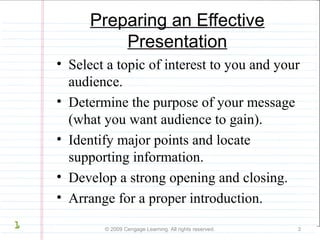
Preparing an Effective 
Presentation 
• Select a topic of interest to you and your 
audience. 
• Determine the purpose of your message 
(what you want audience to gain). 
• Identify major points and locate 
supporting information. 
• Develop a strong opening and closing. 
• Arrange for a proper introduction. 
© 2009 Cengage Learning. All rights reserved. 3 
1
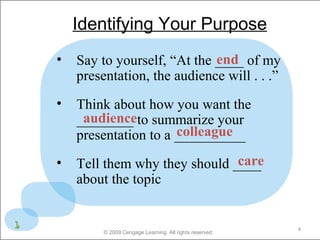
Identifying Your Purpose 
• Say to yourself, “At the ____ end 
of my 
presentation, the audience will . . .” 
• Think about how you want the 
audience 
________ to summarize your 
presentation to a __________ 
colleague 
care 
• Tell them why they should ____ 
about the topic 
© 2009 Cengage Learning. All rights reserved. 4 
1
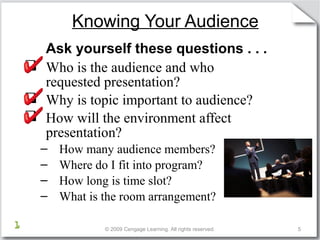
Knowing Your Audience 
Ask yourself these questions . . . 
 Who is the audience and who 
requested presentation? 
 Why is topic important to audience? 
 How will the environment affect 
presentation? 
– How many audience members? 
– Where do I fit into program? 
– How long is time slot? 
– What is the room arrangement? 
© 2009 Cengage Learning. All rights reserved. 5 
1
Presentation 
Organize and develop the three parts of 
an effective presentation. 
© 2009 Cengage Learning. All rights reserved. 6 
2
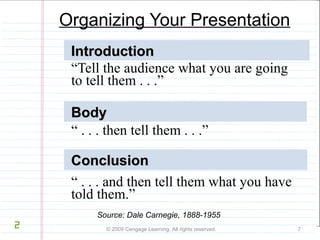
Organizing Your Presentation 
IInnttrroodduuccttiioonn 
“Tell the audience what you are going 
to tell them . . .” 
BBooddyy 
“ . . . then tell them . . .” 
CCCCoooonnnncccclllluuuussssiiiioooonnnn 
“ . . . and then tell them what you have 
told them.” 
Source: Dale Carnegie, 1888-1955 
© 2009 Cengage Learning. All rights reserved. 7 
2
Organizing the Presentation 
Body 
Contrast & 
3-point compare 
technique 
Problem-cause-solution 
Inductive 
reasoning 
Alphabetical 
Chronological 
© 2009 Cengage Learning. All rights reserved 8 
2
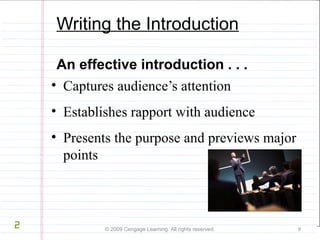
Writing the Introduction 
An effective introduction . . . 
• Captures audience’s attention 
• Establishes rapport with audience 
• Presents the purpose and previews major 
points 
© 2009 Cengage Learning. All rights reserved. 9 
2
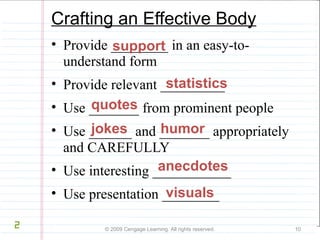
Crafting an Effective Body 
• Provide ________ in an easy-to-understand 
support 
form 
statistics 
• Provide relevant _________ 
• Use _______ quotes 
from prominent people 
• Use ______ jokes and _______ humor 
appropriately 
and CAREFULLY 
• Use interesting ___________ 
anecdotes 
• Use presentation ________ 
visuals 
© 2009 Cengage Learning. All rights reserved. 10 
2
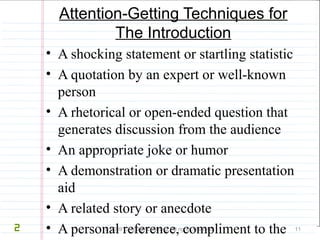
Attention-Getting Techniques for 
The Introduction 
• A shocking statement or startling statistic 
• A quotation by an expert or well-known 
person 
• A rhetorical or open-ended question that 
generates discussion from the audience 
• An appropriate joke or humor 
• A demonstration or dramatic presentation 
aid 
• A related story or anecdote 
• A personal reference, compliment to the 
audience, or a reference to the occasion of 
© 2009 Cengage Learning. All rights reserved. 11 
2
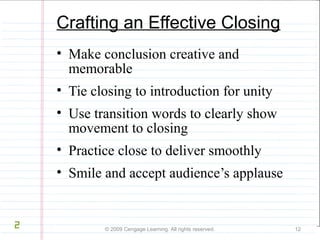
Crafting an Effective Closing 
• Make conclusion creative and 
memorable 
• Tie closing to introduction for unity 
• Use transition words to clearly show 
movement to closing 
• Practice close to deliver smoothly 
• Smile and accept audience’s applause 
© 2009 Cengage Learning. All rights reserved. 12 
2
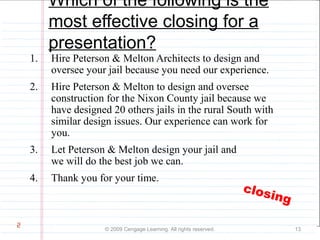
Which of the following is the 
most effective closing for a 
presentation? 
1. Hire Peterson & Melton Architects to design and 
oversee your jail because you need our experience. 
2. Hire Peterson & Melton to design and oversee 
construction for the Nixon County jail because we 
have designed 20 others jails in the rural South with 
similar design issues. Our experience can work for 
you. 
3. Let Peterson & Melton design your jail and 
we will do the best job we can. 
4. Thank you for your time. 
© 2009 Cengage Learning. All rights reserved. 13 
2 
closing
Presentation visuals 
Select, design, and use presentation 
visuals effectively. 
© 2009 Cengage Learning. All rights reserved. 14 
3
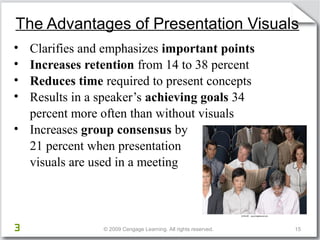
The Advantages of Presentation Visuals 
• Clarifies and emphasizes important points 
• Increases retention from 14 to 38 percent 
• Reduces time required to present concepts 
• Results in a speaker’s achieving goals 34 
percent more often than without visuals 
• Increases group consensus by 
21 percent when presentation 
visuals are used in a meeting 
© 2009 Cengage Learning. All rights reserved. 15 
3
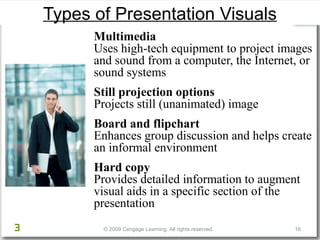
Types of Presentation Visuals 
Multimedia 
Uses high-tech equipment to project images 
and sound from a computer, the Internet, or 
sound systems 
Still projection options 
Projects still (unanimated) image 
Board and flipchart 
Enhances group discussion and helps create 
an informal environment 
Hard copy 
Provides detailed information to augment 
visual aids in a specific section of the 
presentation 
© 2009 Cengage Learning. All rights reserved. 16 
3
17 © 2009 Cengage Learning. 
All rights reserved. 
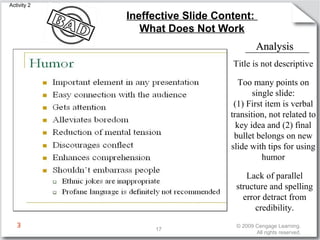
Ineffective Slide Content: 
What Does Not Work 
AAnnaallyyssiiss 
Title is not descriptive 
Too many points on 
single slide: 
(1) First item is verbal 
transition, not related to 
key idea and (2) final 
bullet belongs on new 
slide with tips for using 
humor 
Lack of parallel 
structure and spelling 
error detract from 
credibility. 
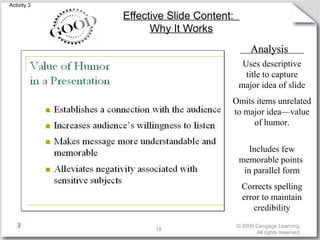
Activity 2 
3
18 © 2009 Cengage Learning. 
All rights reserved. 
Effective Slide Content: 
Why It Works 
Activity 3 
AAnnaallyyssiiss 
Uses descriptive 
title to capture 
major idea of slide 
Omits items unrelated 
to major idea—value 
of humor. 
Includes few 
memorable points 
in parallel form 
Corrects spelling 
error to maintain 
credibility 
3
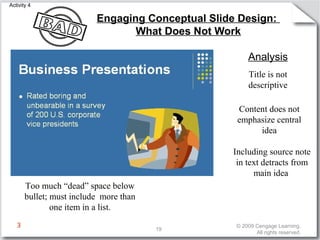
Engaging Conceptual Slide Design: 
Analysis 
Including source note 
in text detracts from 
main idea 
19 © 2009 Cengage Learning. 
All rights reserved. 
Too much “dead” space below 
bullet; must include more than 
one item in a list. 
Title is not 
descriptive 
What Does Not Work 
Content does not 
emphasize central 
idea 
Activity 4 
3
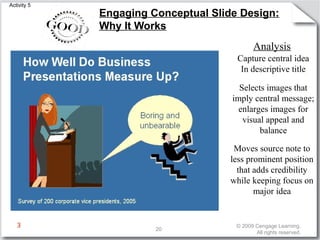
Engaging Conceptual Slide Design: 
Why It Works 
Analysis 
Capture central idea 
In descriptive title 
Selects images that 
imply central message; 
enlarges images for 
visual appeal and 
balance 
Moves source note to 
less prominent position 
that adds credibility 
while keeping focus on 
major idea 
20 © 2009 Cengage Learning. 
All rights reserved. 
Activity 5 
3
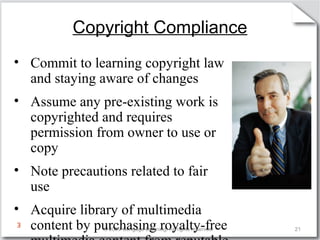
Copyright Compliance 
• Commit to learning copyright law 
and staying aware of changes 
• Assume any pre-existing work is 
copyrighted and requires 
permission from owner to use or 
copy 
• Note precautions related to fair 
use 
• Acquire library of multimedia 
content by purchasing royalty-free 
multimedia content from reputable 
© 2009 Cengage Learning. All rights reserved. 21 
3
Using Effective Space Design 
and Typography 
• Limit amount of text on slide 
• Use graphic devices to direct attention 
and separate items 
• Use appropriate page orientation 
• Use left alignment of text 
• Capitalize first letter of bullets, eliminate 
periods, avoid abbreviations 
© 2009 Cengage Learning. All rights reserved. 22 
3
Presentation skills 
Deliver speeches with increasing 
confidence. 
© 2009 Cengage Learning. All rights reserved. 23 
4
Achieving Good Vocal Quality 
• Breathe properly and relax 
• Listen to yourself 
• Develop flexibility 
• Pay attention to articulation 
© 2009 Cengage Learning. All rights reserved. 24 
4
Types of Delivery Methods 
• Memorized—written first and 
delivered verbatim 
• Manuscript or scripted—written and 
read to the audience 
• Impromptu—not written at all 
because speaker does not have prior 
notice 
• Extemporaneous—planned, prepared, 
rehearsed but not written in detail 
© 2009 Cengage Learning. All rights reserved. 25 
4
Cross cultural business 
presentations 
Discuss strategies for presenting in 
alternate delivery situations such as 
culturally diverse audiences, team, 
and distance presentations. 
© 2009 Cengage Learning. All rights reserved. 26 
5
Speaking to Culturally Diverse Audiences 
• Use simple English and short sentences 
• Avoid words that trigger emotion 
• Enunciate carefully and speak more 
slowly 
• Use humor and jokes cautiously 
• Seek feedback to ensure understanding 
• Consider the culture’s preferences for: 
─Direct or indirect presentation style 
─Nonverbal communication, greetings, 
farewells 
─Desired degree of formality and gift giving 
© 2009 Cengage Learning. All rights reserved. 27 
5
Delivering as a Team 
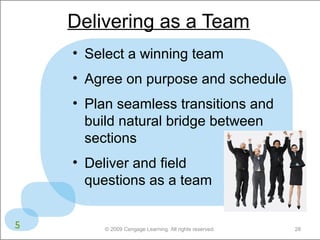
• Select a winning team 
• Agree on purpose and schedule 
• Plan seamless transitions and 
build natural bridge between 
sections 
• Deliver and field 
questions as a team 
© 2009 Cengage Learning. All rights reserved. 28 
5
Adapting a Presentation 
for Distance Delivery 
• Be certain presentation is appropriate 
for distance delivery 
• Establish rapport with participants 
prior to presentation 
• Gain proficiency in delivering through 
distance technology 
• Develop appropriate high-quality 
graphics 
© 2009 Cengage Learning. All rights reserved. 29 
5
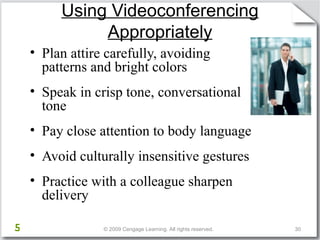
Using Videoconferencing 
Appropriately 
• Plan attire carefully, avoiding 
patterns and bright colors 
• Speak in crisp tone, conversational 
tone 
• Pay close attention to body language 
• Avoid culturally insensitive gestures 
• Practice with a colleague sharpen 
delivery 
© 2009 Cengage Learning. All rights reserved. 30 
Activity 4a, Slide 2 
5

Business presentation skills

  • 1.
    Designing and Delivering Business Presentations © 2009 Cengage Learning. All rights reserved. 1
  • 2.
    Planning Plan abusiness presentation that accomplishes the speaker’s goals and meets the audience’s needs. © 2009 Cengage Learning. All rights reserved. 2 1
  • 3.
    Preparing an Effective Presentation • Select a topic of interest to you and your audience. • Determine the purpose of your message (what you want audience to gain). • Identify major points and locate supporting information. • Develop a strong opening and closing. • Arrange for a proper introduction. © 2009 Cengage Learning. All rights reserved. 3 1
  • 4.
    Identifying Your Purpose • Say to yourself, “At the ____ end of my presentation, the audience will . . .” • Think about how you want the audience ________ to summarize your presentation to a __________ colleague care • Tell them why they should ____ about the topic © 2009 Cengage Learning. All rights reserved. 4 1
  • 5.
    Knowing Your Audience Ask yourself these questions . . .  Who is the audience and who requested presentation?  Why is topic important to audience?  How will the environment affect presentation? – How many audience members? – Where do I fit into program? – How long is time slot? – What is the room arrangement? © 2009 Cengage Learning. All rights reserved. 5 1
  • 6.
    Presentation Organize anddevelop the three parts of an effective presentation. © 2009 Cengage Learning. All rights reserved. 6 2
  • 7.
    Organizing Your Presentation IInnttrroodduuccttiioonn “Tell the audience what you are going to tell them . . .” BBooddyy “ . . . then tell them . . .” CCCCoooonnnncccclllluuuussssiiiioooonnnn “ . . . and then tell them what you have told them.” Source: Dale Carnegie, 1888-1955 © 2009 Cengage Learning. All rights reserved. 7 2
  • 8.
    Organizing the Presentation Body Contrast & 3-point compare technique Problem-cause-solution Inductive reasoning Alphabetical Chronological © 2009 Cengage Learning. All rights reserved 8 2
  • 9.
    Writing the Introduction An effective introduction . . . • Captures audience’s attention • Establishes rapport with audience • Presents the purpose and previews major points © 2009 Cengage Learning. All rights reserved. 9 2
  • 10.
    Crafting an EffectiveBody • Provide ________ in an easy-to-understand support form statistics • Provide relevant _________ • Use _______ quotes from prominent people • Use ______ jokes and _______ humor appropriately and CAREFULLY • Use interesting ___________ anecdotes • Use presentation ________ visuals © 2009 Cengage Learning. All rights reserved. 10 2
  • 11.
    Attention-Getting Techniques for The Introduction • A shocking statement or startling statistic • A quotation by an expert or well-known person • A rhetorical or open-ended question that generates discussion from the audience • An appropriate joke or humor • A demonstration or dramatic presentation aid • A related story or anecdote • A personal reference, compliment to the audience, or a reference to the occasion of © 2009 Cengage Learning. All rights reserved. 11 2
  • 12.
    Crafting an EffectiveClosing • Make conclusion creative and memorable • Tie closing to introduction for unity • Use transition words to clearly show movement to closing • Practice close to deliver smoothly • Smile and accept audience’s applause © 2009 Cengage Learning. All rights reserved. 12 2
  • 13.
    Which of thefollowing is the most effective closing for a presentation? 1. Hire Peterson & Melton Architects to design and oversee your jail because you need our experience. 2. Hire Peterson & Melton to design and oversee construction for the Nixon County jail because we have designed 20 others jails in the rural South with similar design issues. Our experience can work for you. 3. Let Peterson & Melton design your jail and we will do the best job we can. 4. Thank you for your time. © 2009 Cengage Learning. All rights reserved. 13 2 closing
  • 14.
    Presentation visuals Select,design, and use presentation visuals effectively. © 2009 Cengage Learning. All rights reserved. 14 3
  • 15.
    The Advantages ofPresentation Visuals • Clarifies and emphasizes important points • Increases retention from 14 to 38 percent • Reduces time required to present concepts • Results in a speaker’s achieving goals 34 percent more often than without visuals • Increases group consensus by 21 percent when presentation visuals are used in a meeting © 2009 Cengage Learning. All rights reserved. 15 3
  • 16.
    Types of PresentationVisuals Multimedia Uses high-tech equipment to project images and sound from a computer, the Internet, or sound systems Still projection options Projects still (unanimated) image Board and flipchart Enhances group discussion and helps create an informal environment Hard copy Provides detailed information to augment visual aids in a specific section of the presentation © 2009 Cengage Learning. All rights reserved. 16 3
  • 17.
    17 © 2009Cengage Learning. All rights reserved. Ineffective Slide Content: What Does Not Work AAnnaallyyssiiss Title is not descriptive Too many points on single slide: (1) First item is verbal transition, not related to key idea and (2) final bullet belongs on new slide with tips for using humor Lack of parallel structure and spelling error detract from credibility. Activity 2 3
  • 18.
    18 © 2009Cengage Learning. All rights reserved. Effective Slide Content: Why It Works Activity 3 AAnnaallyyssiiss Uses descriptive title to capture major idea of slide Omits items unrelated to major idea—value of humor. Includes few memorable points in parallel form Corrects spelling error to maintain credibility 3
  • 19.
    Engaging Conceptual SlideDesign: Analysis Including source note in text detracts from main idea 19 © 2009 Cengage Learning. All rights reserved. Too much “dead” space below bullet; must include more than one item in a list. Title is not descriptive What Does Not Work Content does not emphasize central idea Activity 4 3
  • 20.
    Engaging Conceptual SlideDesign: Why It Works Analysis Capture central idea In descriptive title Selects images that imply central message; enlarges images for visual appeal and balance Moves source note to less prominent position that adds credibility while keeping focus on major idea 20 © 2009 Cengage Learning. All rights reserved. Activity 5 3
  • 21.
    Copyright Compliance •Commit to learning copyright law and staying aware of changes • Assume any pre-existing work is copyrighted and requires permission from owner to use or copy • Note precautions related to fair use • Acquire library of multimedia content by purchasing royalty-free multimedia content from reputable © 2009 Cengage Learning. All rights reserved. 21 3
  • 22.
    Using Effective SpaceDesign and Typography • Limit amount of text on slide • Use graphic devices to direct attention and separate items • Use appropriate page orientation • Use left alignment of text • Capitalize first letter of bullets, eliminate periods, avoid abbreviations © 2009 Cengage Learning. All rights reserved. 22 3
  • 23.
    Presentation skills Deliverspeeches with increasing confidence. © 2009 Cengage Learning. All rights reserved. 23 4
  • 24.
    Achieving Good VocalQuality • Breathe properly and relax • Listen to yourself • Develop flexibility • Pay attention to articulation © 2009 Cengage Learning. All rights reserved. 24 4
  • 25.
    Types of DeliveryMethods • Memorized—written first and delivered verbatim • Manuscript or scripted—written and read to the audience • Impromptu—not written at all because speaker does not have prior notice • Extemporaneous—planned, prepared, rehearsed but not written in detail © 2009 Cengage Learning. All rights reserved. 25 4
  • 26.
    Cross cultural business presentations Discuss strategies for presenting in alternate delivery situations such as culturally diverse audiences, team, and distance presentations. © 2009 Cengage Learning. All rights reserved. 26 5
  • 27.
    Speaking to CulturallyDiverse Audiences • Use simple English and short sentences • Avoid words that trigger emotion • Enunciate carefully and speak more slowly • Use humor and jokes cautiously • Seek feedback to ensure understanding • Consider the culture’s preferences for: ─Direct or indirect presentation style ─Nonverbal communication, greetings, farewells ─Desired degree of formality and gift giving © 2009 Cengage Learning. All rights reserved. 27 5
  • 28.
    Delivering as aTeam • Select a winning team • Agree on purpose and schedule • Plan seamless transitions and build natural bridge between sections • Deliver and field questions as a team © 2009 Cengage Learning. All rights reserved. 28 5
  • 29.
    Adapting a Presentation for Distance Delivery • Be certain presentation is appropriate for distance delivery • Establish rapport with participants prior to presentation • Gain proficiency in delivering through distance technology • Develop appropriate high-quality graphics © 2009 Cengage Learning. All rights reserved. 29 5
  • 30.
    Using Videoconferencing Appropriately • Plan attire carefully, avoiding patterns and bright colors • Speak in crisp tone, conversational tone • Pay close attention to body language • Avoid culturally insensitive gestures • Practice with a colleague sharpen delivery © 2009 Cengage Learning. All rights reserved. 30 Activity 4a, Slide 2 5

Editor's Notes