ASHEESH K. SHAHI
asheeshshahiece@gmail.com
Department of Electronics and Comm.,
Amity School of Engineering & Technology (ASET), Amity
University, Uttar Pradesh, India
1
Feedback Control
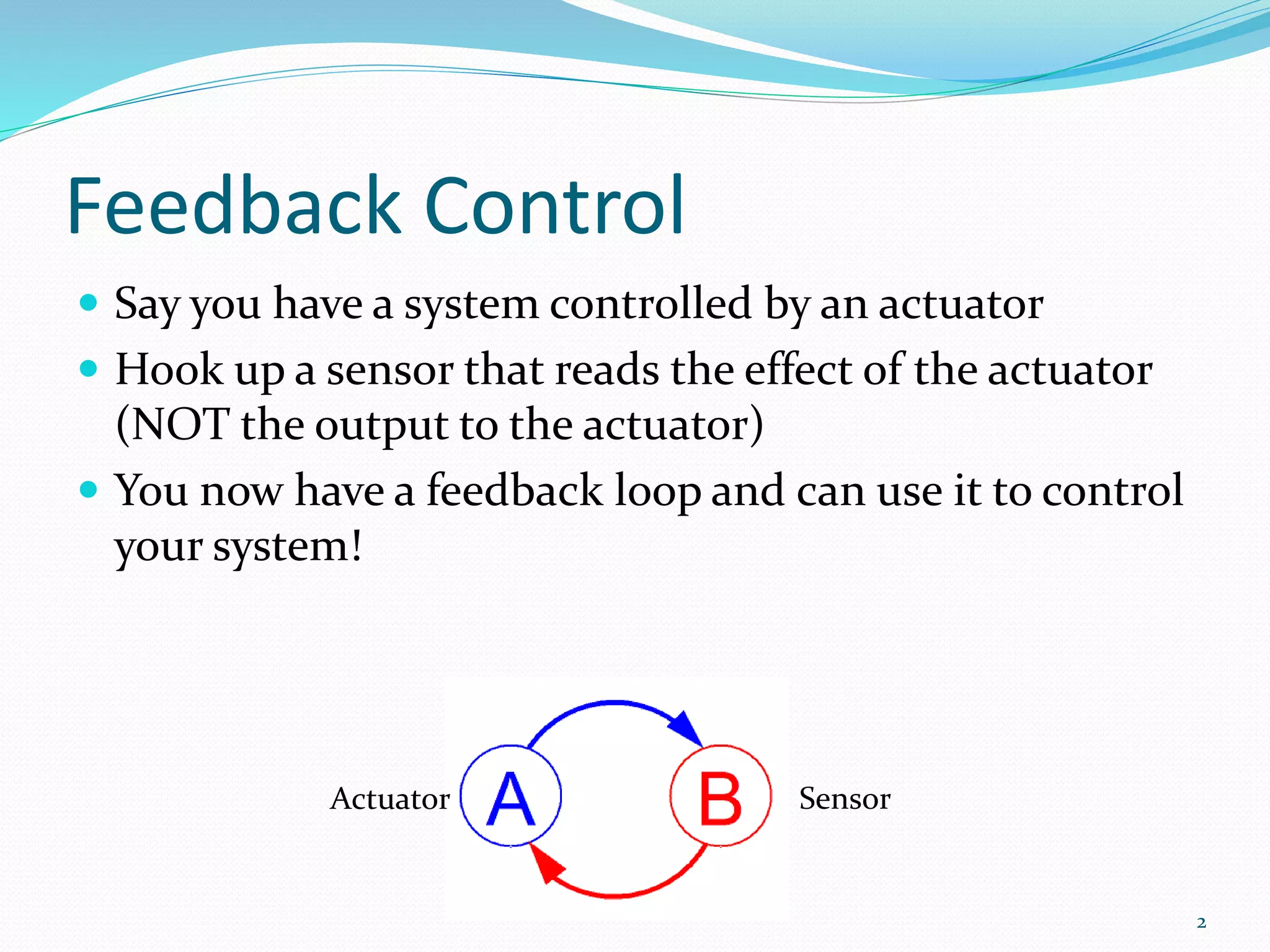
 Say you have a system controlled by an actuator
 Hook up a sensor that reads the effect of the actuator
(NOT the output to the actuator)
 You now have a feedback loop and can use it to control
your system!
2
Actuator Sensor
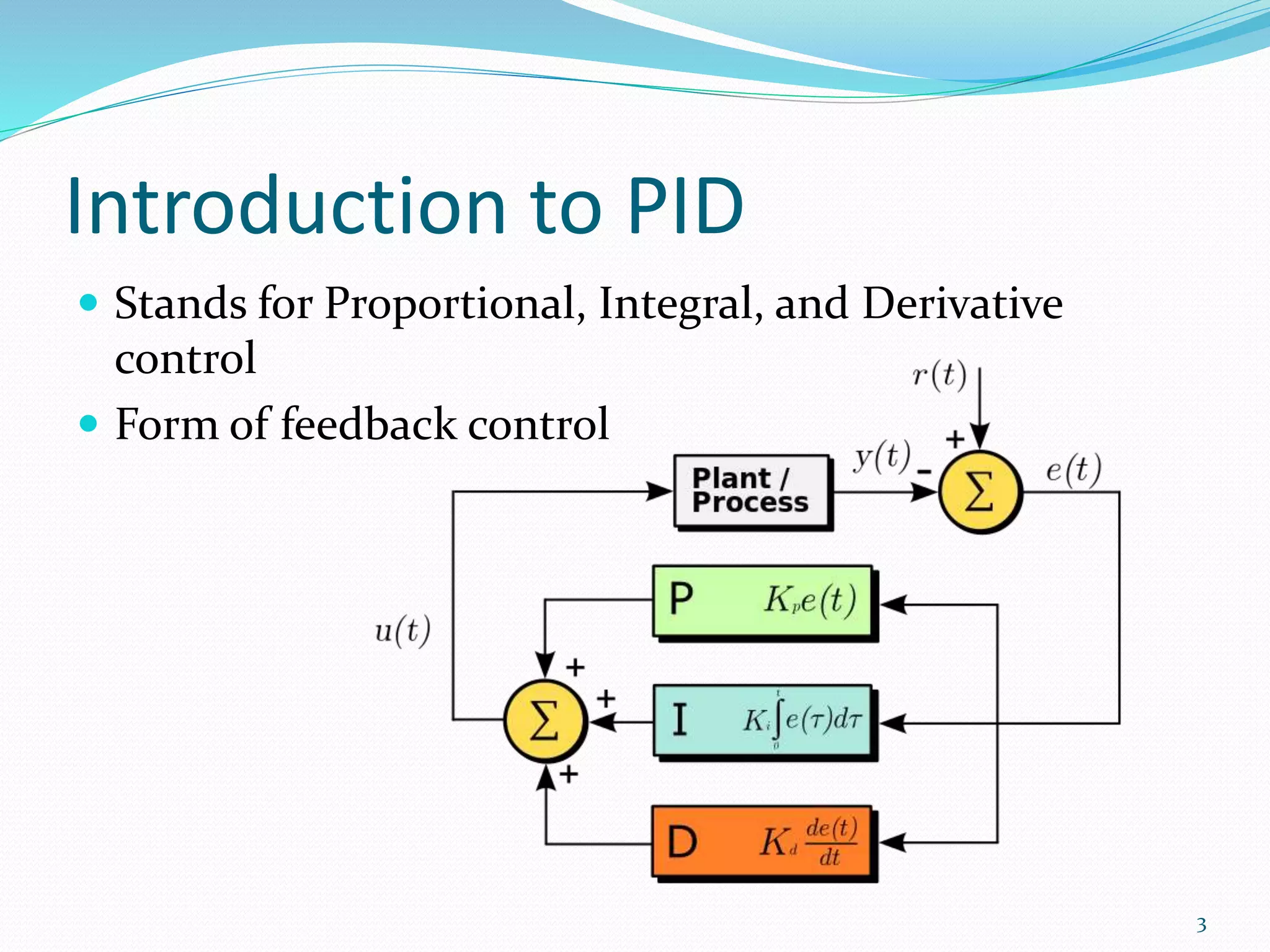
Introduction to PID
 Stands for Proportional, Integral, and Derivative
control
 Form of feedback control
3
Simple Feedback Control (Bad)
double Control (double setpoint, double current) {
double output;
if (current < setpoint)
output = MAX_OUTPUT;
else
output = 0;
return output;
}
 Why won't this work in most situations?
4
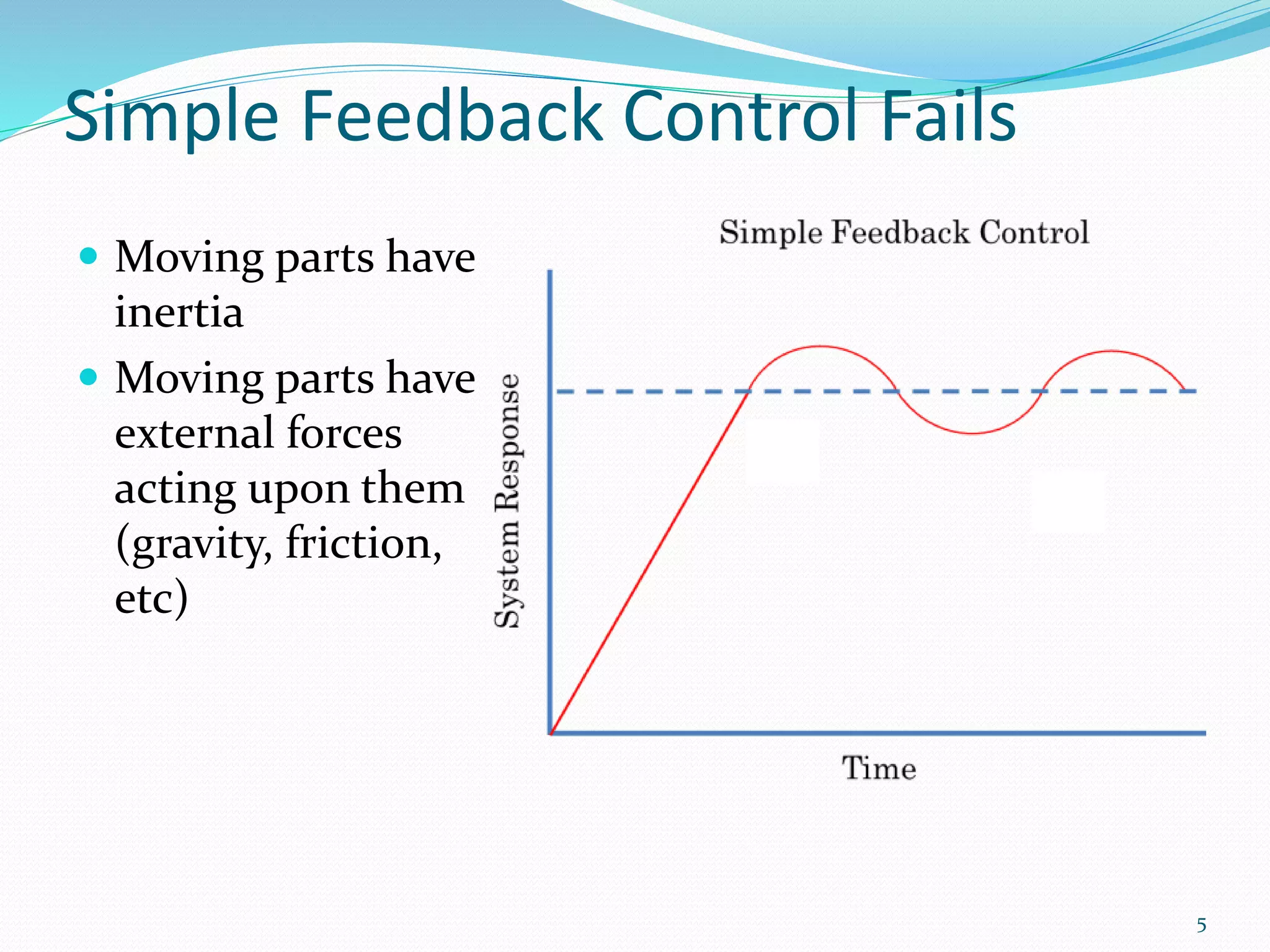
Simple Feedback Control Fails
 Moving parts have
inertia
 Moving parts have
external forces
acting upon them
(gravity, friction,
etc)
5
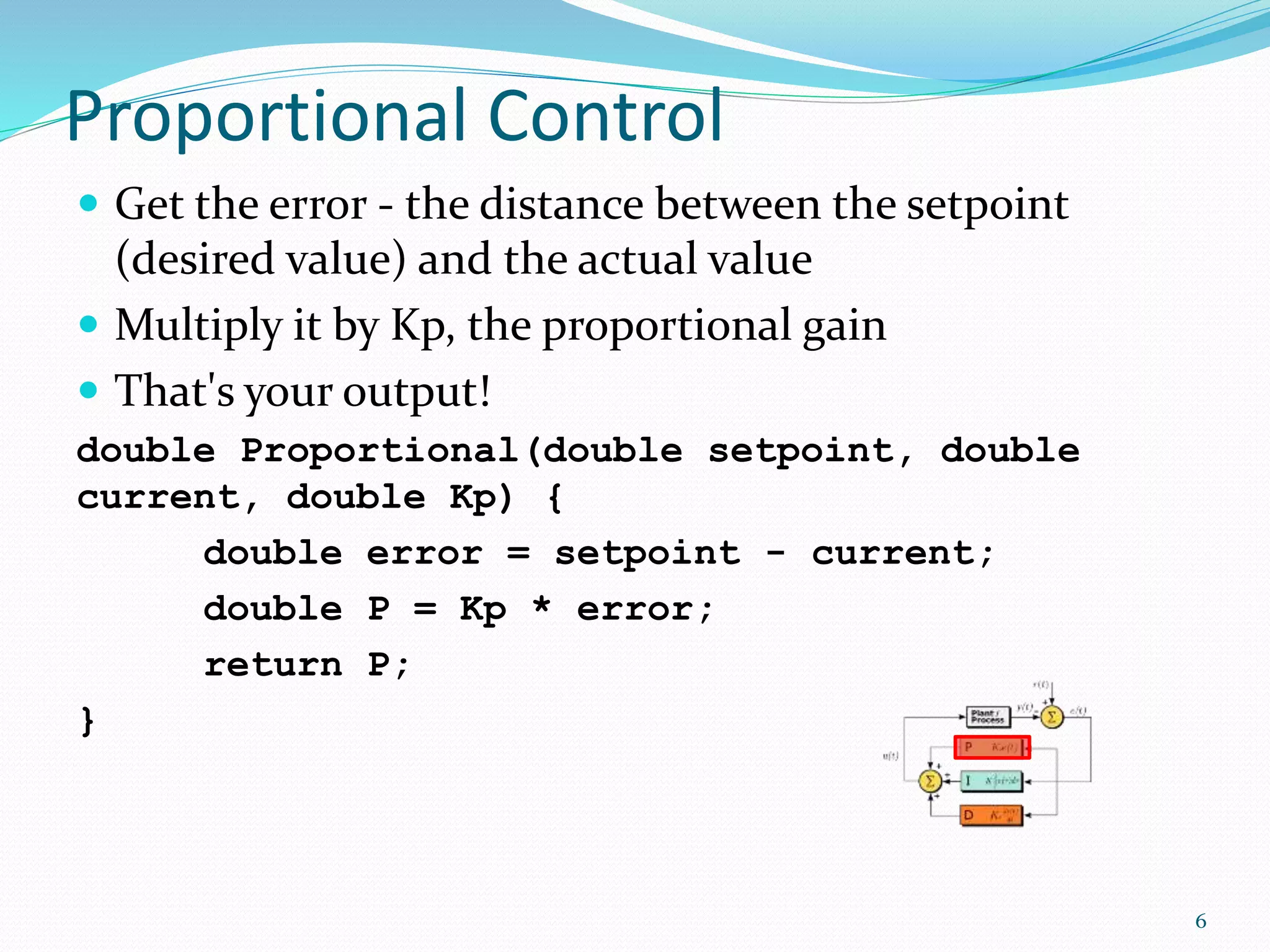
Proportional Control
 Get the error - the distance between the setpoint
(desired value) and the actual value
 Multiply it by Kp, the proportional gain
 That's your output!
double Proportional(double setpoint, double
current, double Kp) {
double error = setpoint - current;
double P = Kp * error;
return P;
}
6
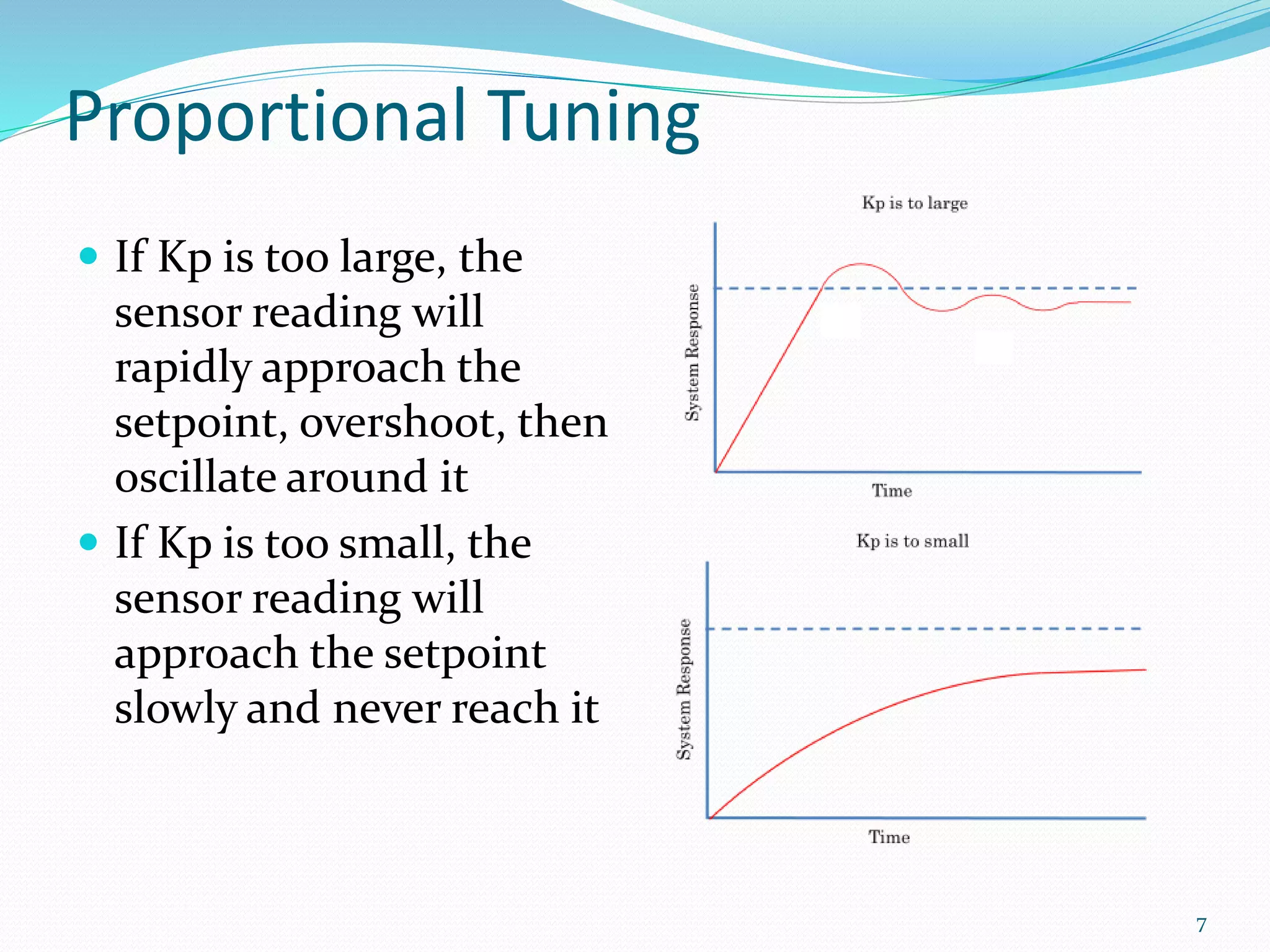
Proportional Tuning
 If Kp is too large, the
sensor reading will
rapidly approach the
setpoint, overshoot, then
oscillate around it
 If Kp is too small, the
sensor reading will
approach the setpoint
slowly and never reach it
7
What can go wrong?
 When error nears zero, the output of a P controller
also nears zero
 Forces such as gravity and friction can counteract a
proportional controller and make it so the setpoint is
never reached (steady-state error)
 Increased proportional gain (Kp) only causes jerky
movements around the setpoint
8
Proportional-Integral Control
 Accumulate the error as time passes and multiply by
the constant Ki. That is your I term. Output the sum of
your P and I terms.
double PI(double setpoint, double current,
double Kp, double Ki) {
double error = setpoint - current;
double P = Kp * error;
static double accumError = 0;
accumError += error;
double I = Ki * accumError;
return P + I;
}
9
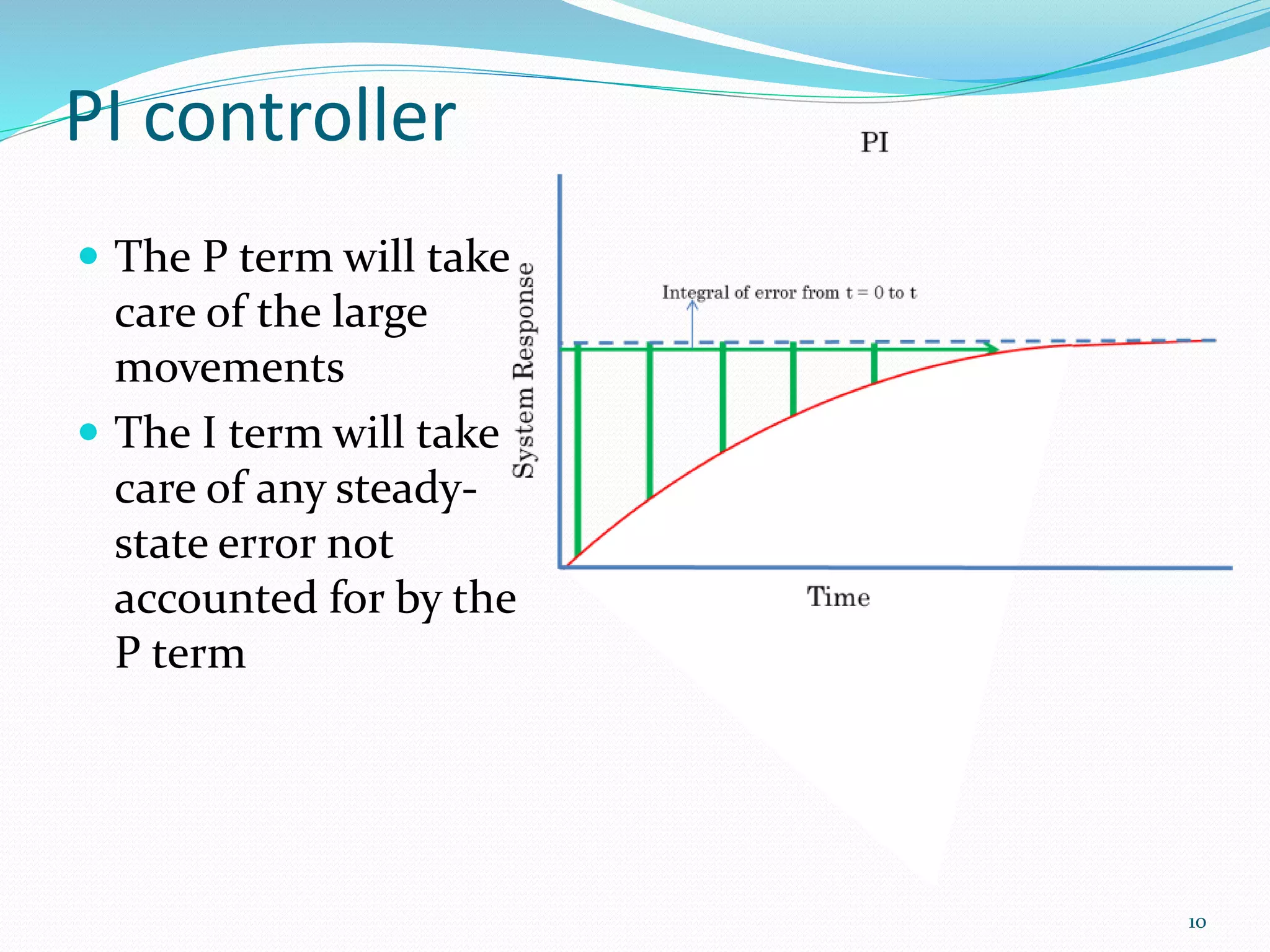
PI controller
 The P term will take
care of the large
movements
 The I term will take
care of any steady-
state error not
accounted for by the
P term
10
Limits of PI control
 PI control is good for most embedded applications
 Does not take into account how fast the sensor
reading is approaching the setpoint
 Wouldn't it be nice to take into account a prediction
of future error?
11
Proportional-Derivative Control
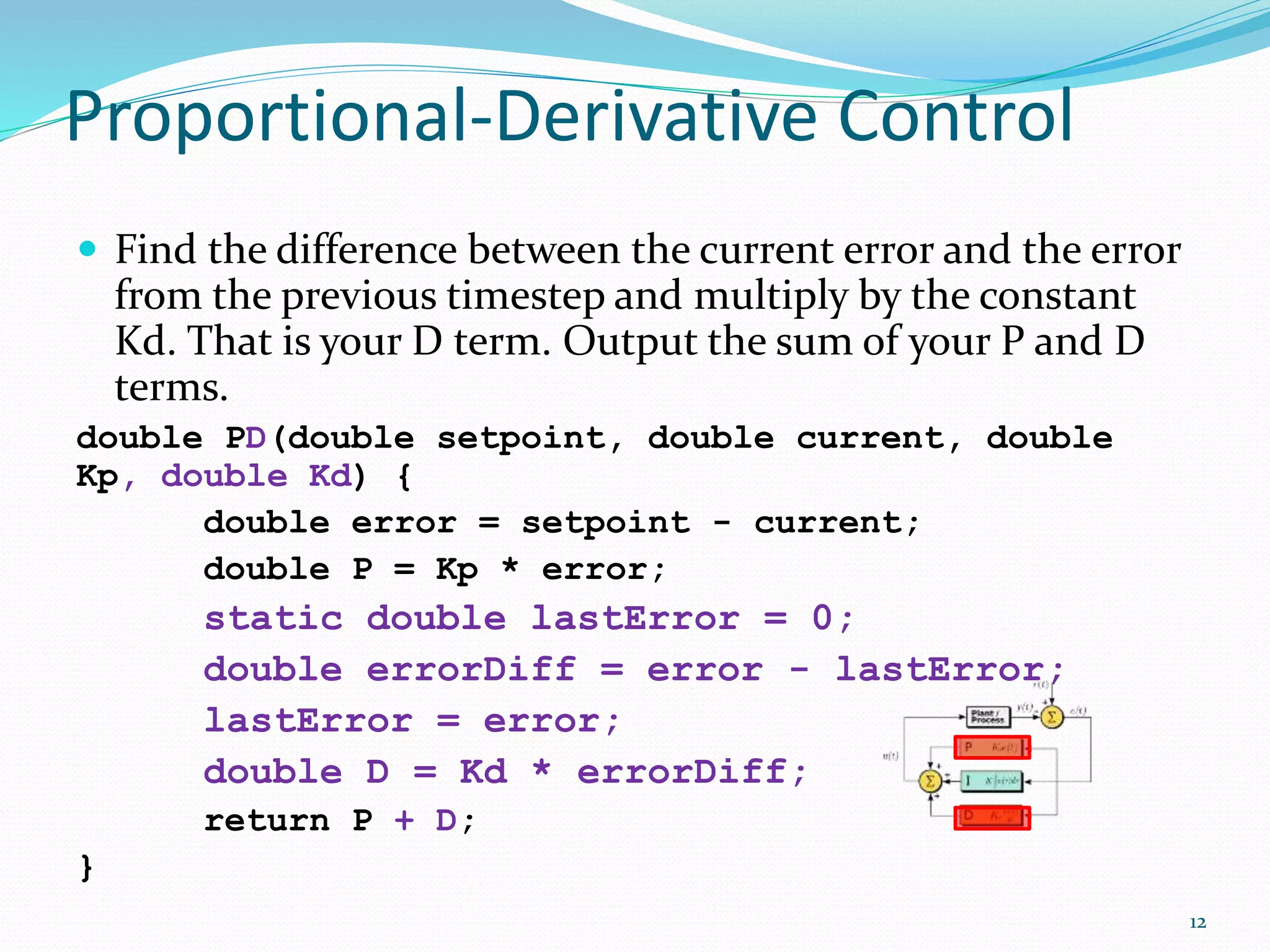
 Find the difference between the current error and the error
from the previous timestep and multiply by the constant
Kd. That is your D term. Output the sum of your P and D
terms.
double PD(double setpoint, double current, double
Kp, double Kd) {
double error = setpoint - current;
double P = Kp * error;
static double lastError = 0;
double errorDiff = error - lastError;
lastError = error;
double D = Kd * errorDiff;
return P + D;
}
12
PD Controller
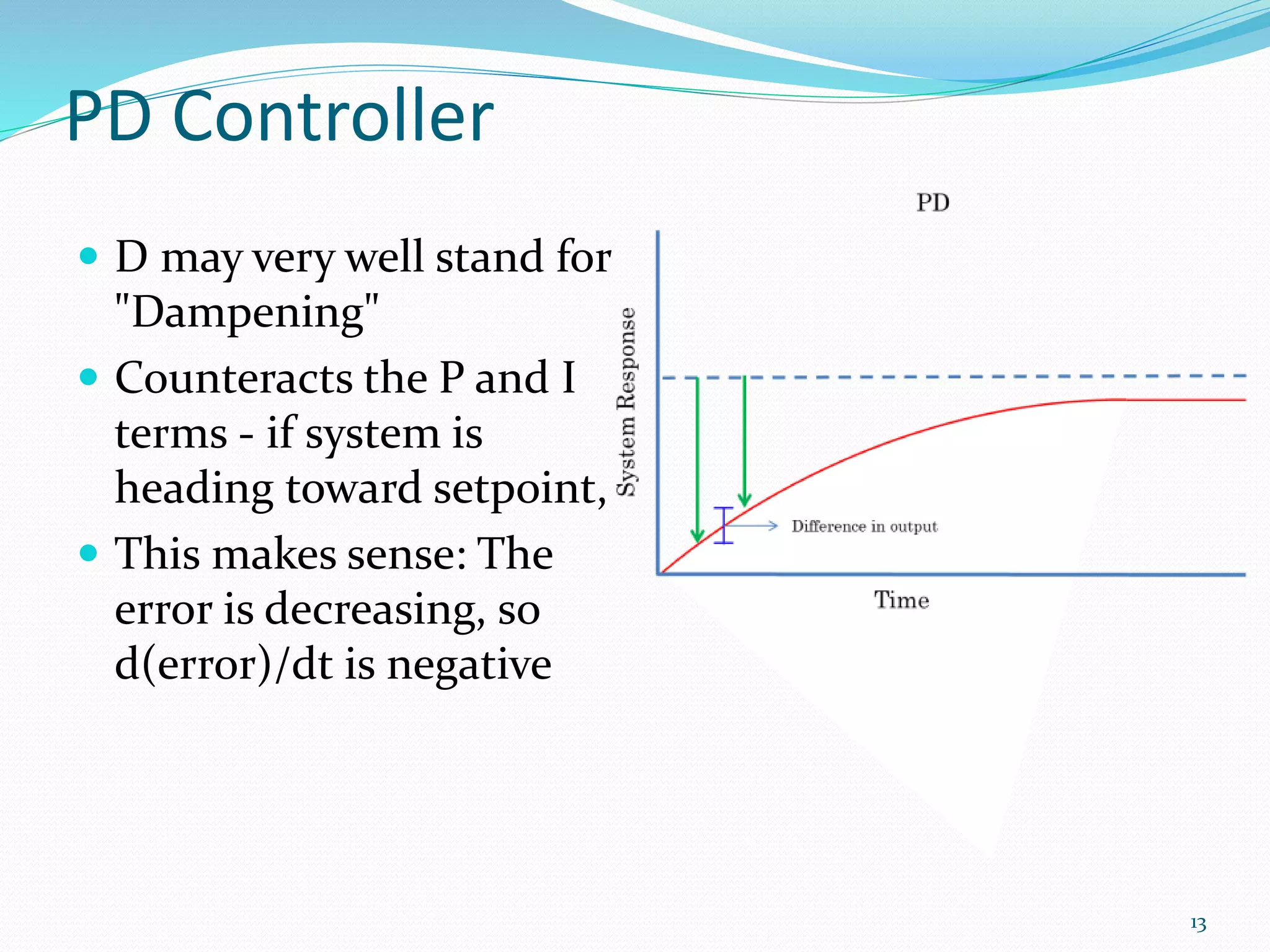
 D may very well stand for
"Dampening"
 Counteracts the P and I
terms - if system is
heading toward setpoint,
 This makes sense: The
error is decreasing, so
d(error)/dt is negative
13
PID Control
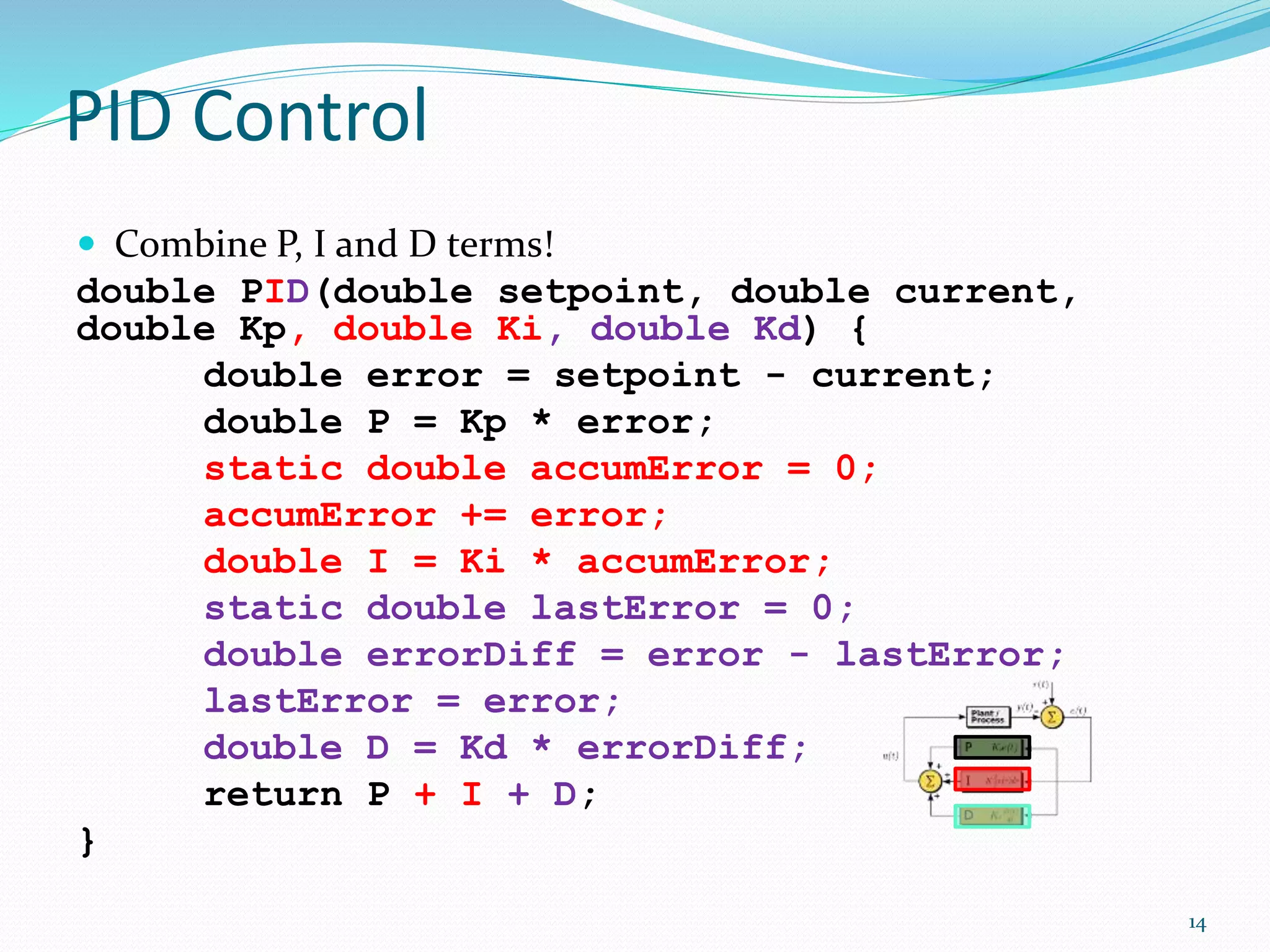
 Combine P, I and D terms!
double PID(double setpoint, double current,
double Kp, double Ki, double Kd) {
double error = setpoint - current;
double P = Kp * error;
static double accumError = 0;
accumError += error;
double I = Ki * accumError;
static double lastError = 0;
double errorDiff = error - lastError;
lastError = error;
double D = Kd * errorDiff;
return P + I + D;
}
14
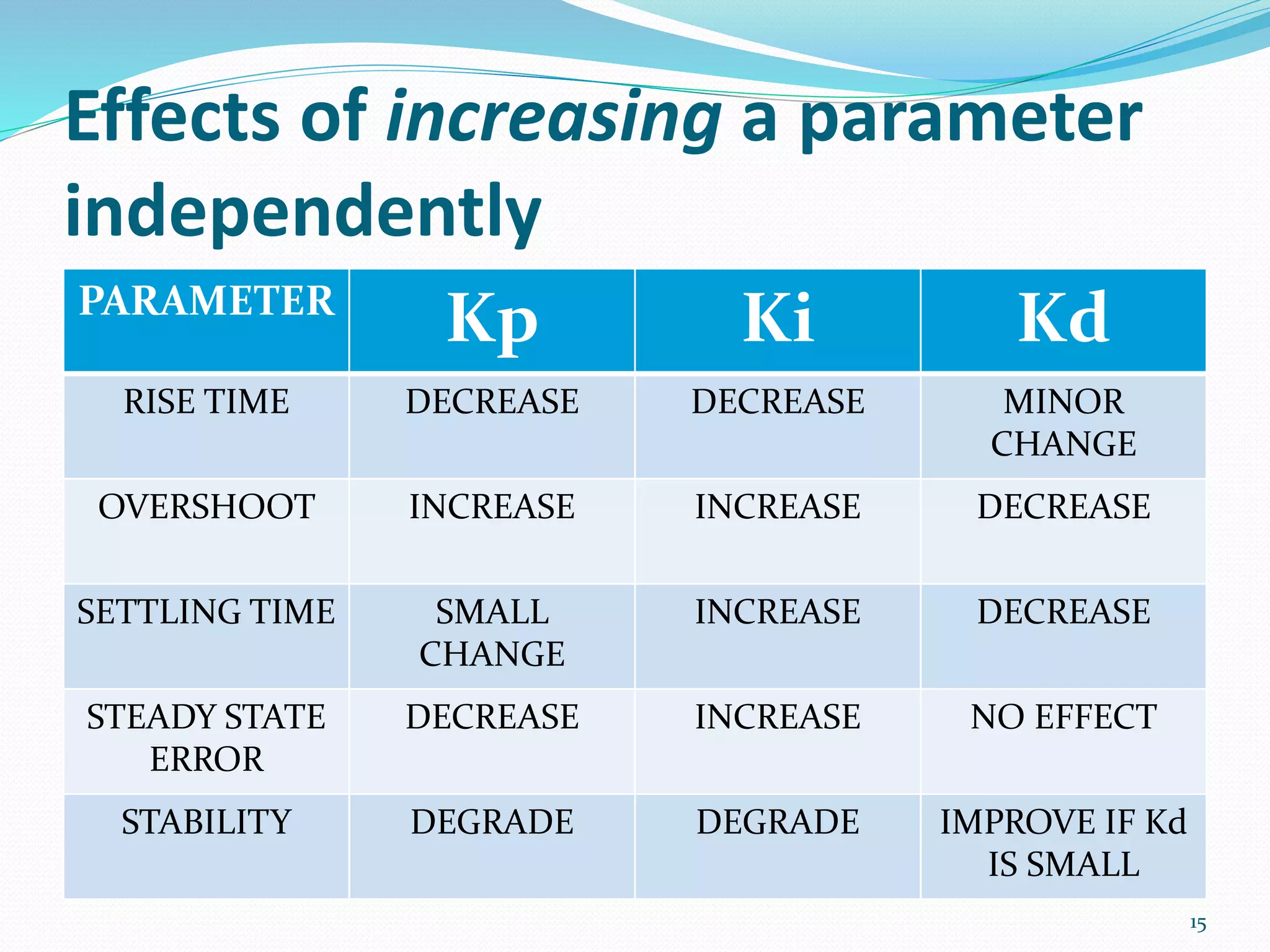
Effects of increasing a parameter
independently
PARAMETER
Kp Ki Kd
RISE TIME DECREASE DECREASE MINOR
CHANGE
OVERSHOOT INCREASE INCREASE DECREASE
SETTLING TIME SMALL
CHANGE
INCREASE DECREASE
STEADY STATE
ERROR
DECREASE INCREASE NO EFFECT
STABILITY DEGRADE DEGRADE IMPROVE IF Kd
IS SMALL
15
PID Tuning
 Start with Kp = 0, Ki = 0, Kd = 0
 Tune P term - System should be at full power unless
near the setpoint
 Tune Ki until steady-state error is removed
 Tune Kd to dampen overshoot and improve
responsiveness to outside influences
 PI controller is good for most embedded applications,
but D term adds stability
16
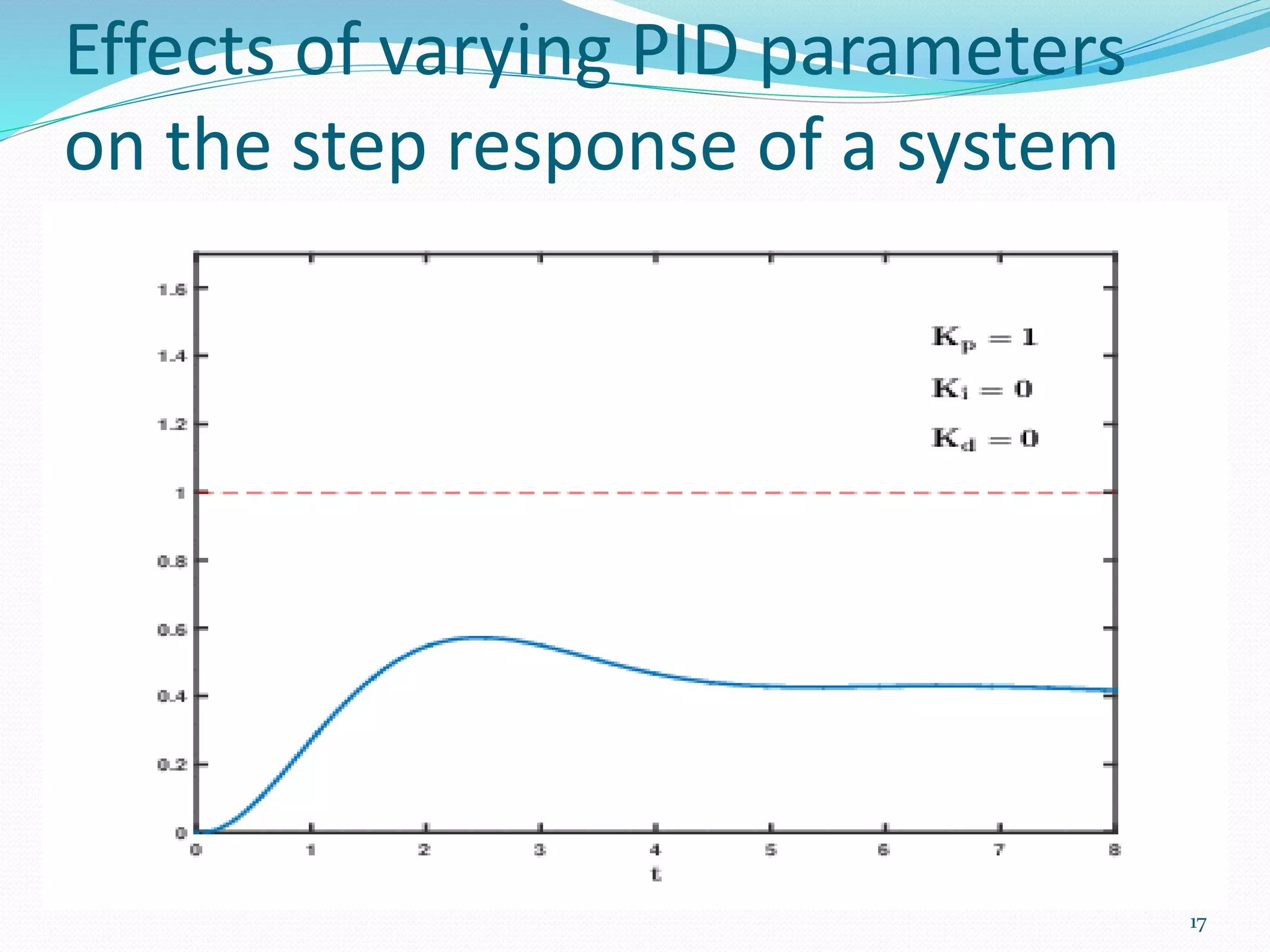
Effects of varying PID parameters
on the step response of a system
17
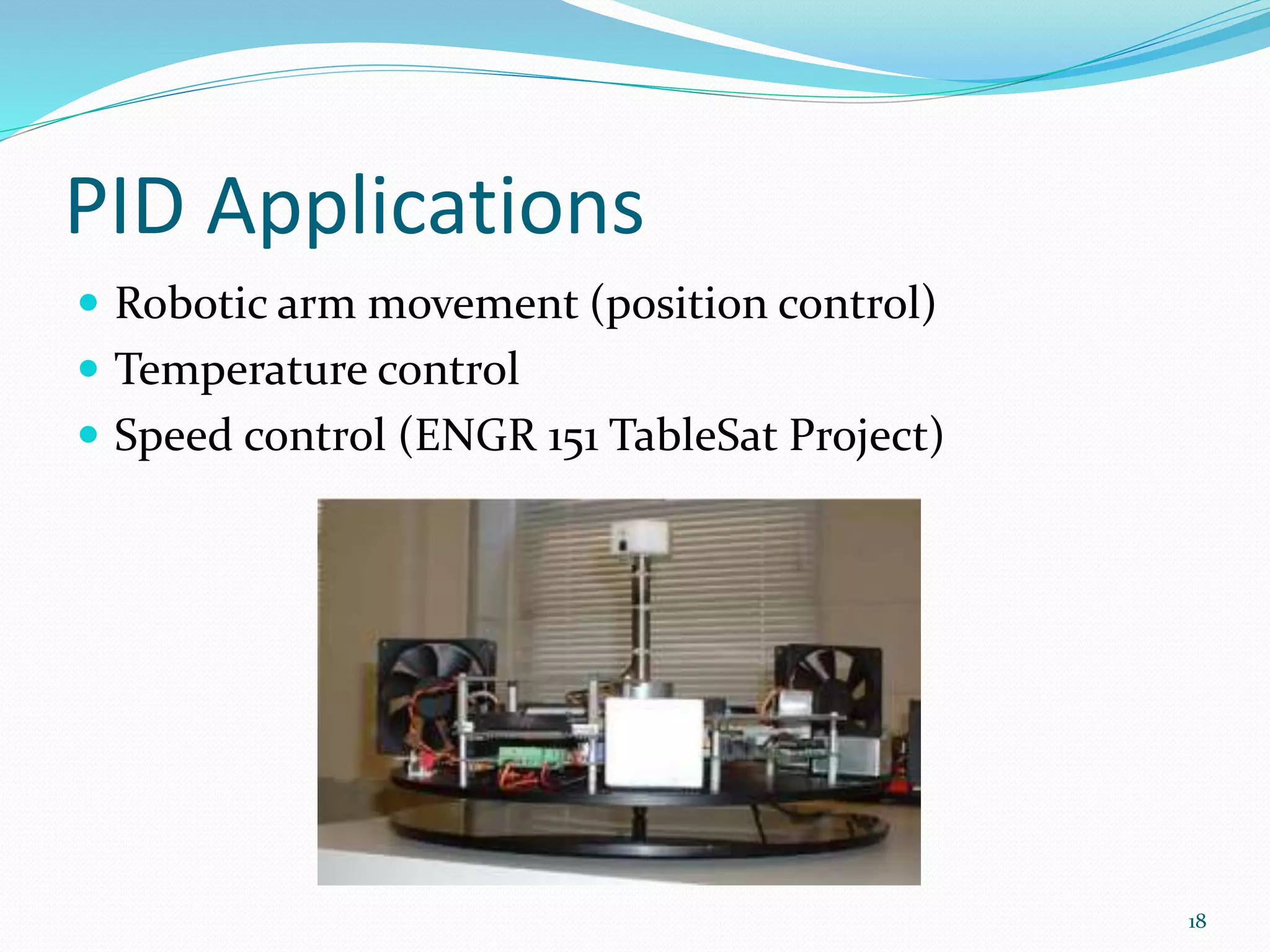
PID Applications
 Robotic arm movement (position control)
 Temperature control
 Speed control (ENGR 151 TableSat Project)
18
Conclusion
 PID uses knowledge about the present, past, and
future state of the system, collected by a sensor, to
control
 In PID control, the constants Kp, Ki, and Kd must be
tuned for maximum performance
19
Questions?
20

PID Control System

  • 1.
    ASHEESH K. SHAHI asheeshshahiece@gmail.com Departmentof Electronics and Comm., Amity School of Engineering & Technology (ASET), Amity University, Uttar Pradesh, India 1
  • 2.
    Feedback Control  Sayyou have a system controlled by an actuator  Hook up a sensor that reads the effect of the actuator (NOT the output to the actuator)  You now have a feedback loop and can use it to control your system! 2 Actuator Sensor
  • 3.
    Introduction to PID Stands for Proportional, Integral, and Derivative control  Form of feedback control 3
  • 4.
    Simple Feedback Control(Bad) double Control (double setpoint, double current) { double output; if (current < setpoint) output = MAX_OUTPUT; else output = 0; return output; }  Why won't this work in most situations? 4
  • 5.
    Simple Feedback ControlFails  Moving parts have inertia  Moving parts have external forces acting upon them (gravity, friction, etc) 5
  • 6.
    Proportional Control  Getthe error - the distance between the setpoint (desired value) and the actual value  Multiply it by Kp, the proportional gain  That's your output! double Proportional(double setpoint, double current, double Kp) { double error = setpoint - current; double P = Kp * error; return P; } 6
  • 7.
    Proportional Tuning  IfKp is too large, the sensor reading will rapidly approach the setpoint, overshoot, then oscillate around it  If Kp is too small, the sensor reading will approach the setpoint slowly and never reach it 7
  • 8.
    What can gowrong?  When error nears zero, the output of a P controller also nears zero  Forces such as gravity and friction can counteract a proportional controller and make it so the setpoint is never reached (steady-state error)  Increased proportional gain (Kp) only causes jerky movements around the setpoint 8
  • 9.
    Proportional-Integral Control  Accumulatethe error as time passes and multiply by the constant Ki. That is your I term. Output the sum of your P and I terms. double PI(double setpoint, double current, double Kp, double Ki) { double error = setpoint - current; double P = Kp * error; static double accumError = 0; accumError += error; double I = Ki * accumError; return P + I; } 9
  • 10.
    PI controller  TheP term will take care of the large movements  The I term will take care of any steady- state error not accounted for by the P term 10
  • 11.
    Limits of PIcontrol  PI control is good for most embedded applications  Does not take into account how fast the sensor reading is approaching the setpoint  Wouldn't it be nice to take into account a prediction of future error? 11
  • 12.
    Proportional-Derivative Control  Findthe difference between the current error and the error from the previous timestep and multiply by the constant Kd. That is your D term. Output the sum of your P and D terms. double PD(double setpoint, double current, double Kp, double Kd) { double error = setpoint - current; double P = Kp * error; static double lastError = 0; double errorDiff = error - lastError; lastError = error; double D = Kd * errorDiff; return P + D; } 12
  • 13.
    PD Controller  Dmay very well stand for "Dampening"  Counteracts the P and I terms - if system is heading toward setpoint,  This makes sense: The error is decreasing, so d(error)/dt is negative 13
  • 14.
    PID Control  CombineP, I and D terms! double PID(double setpoint, double current, double Kp, double Ki, double Kd) { double error = setpoint - current; double P = Kp * error; static double accumError = 0; accumError += error; double I = Ki * accumError; static double lastError = 0; double errorDiff = error - lastError; lastError = error; double D = Kd * errorDiff; return P + I + D; } 14
  • 15.
    Effects of increasinga parameter independently PARAMETER Kp Ki Kd RISE TIME DECREASE DECREASE MINOR CHANGE OVERSHOOT INCREASE INCREASE DECREASE SETTLING TIME SMALL CHANGE INCREASE DECREASE STEADY STATE ERROR DECREASE INCREASE NO EFFECT STABILITY DEGRADE DEGRADE IMPROVE IF Kd IS SMALL 15
  • 16.
    PID Tuning  Startwith Kp = 0, Ki = 0, Kd = 0  Tune P term - System should be at full power unless near the setpoint  Tune Ki until steady-state error is removed  Tune Kd to dampen overshoot and improve responsiveness to outside influences  PI controller is good for most embedded applications, but D term adds stability 16
  • 17.
    Effects of varyingPID parameters on the step response of a system 17
  • 18.
    PID Applications  Roboticarm movement (position control)  Temperature control  Speed control (ENGR 151 TableSat Project) 18
  • 19.
    Conclusion  PID usesknowledge about the present, past, and future state of the system, collected by a sensor, to control  In PID control, the constants Kp, Ki, and Kd must be tuned for maximum performance 19
  • 20.