hardware
components
Molly O’Neill
Basic personal computer
system
A computer system consists of hardware and software
Hardware is physical equipment such as the case,
storage drives, keyboards, monitors, cables, speakers
and printers
Software is the operating system programs
Computer cases and
power supplies
Computer case
o Provides protection and support for internal components
o Should be easy to service and have enough room for expansion
Power supply
o Converts AC power from the wall socket into DC
o Must provide enough power for the installed components
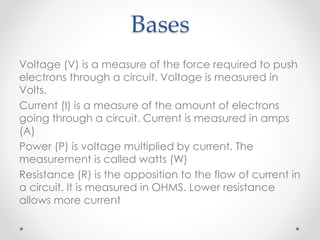
Bases
Voltage (V) is a measure of the force required to push
electrons through a circuit. Voltage is measured in
Volts.
Current (I) is a measure of the amount of electrons
going through a circuit. Current is measured in amps
(A)
Power (P) is voltage multiplied by current. The
measurement is called watts (W)
Resistance (R) is the opposition to the flow of current in
a circuit. It is measured in OHMS. Lower resistance
allows more current
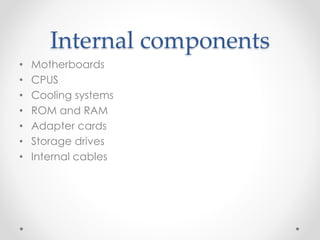
Internal components
• Motherboards
• CPUS
• Cooling systems
• ROM and RAM
• Adapter cards
• Storage drives
• Internal cables
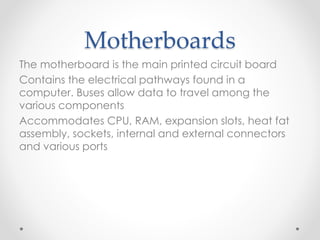
Motherboards
The motherboard is the main printed circuit board
Contains the electrical pathways found in a
computer. Buses allow data to travel among the
various components
Accommodates CPU, RAM, expansion slots, heat fat
assembly, sockets, internal and external connectors
and various ports
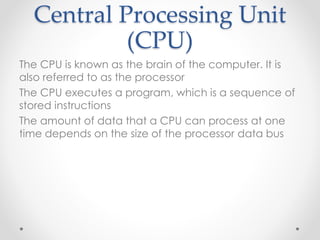
Central Processing Unit
(CPU)
The CPU is known as the brain of the computer. It is
also referred to as the processor
The CPU executes a program, which is a sequence of
stored instructions
The amount of data that a CPU can process at one
time depends on the size of the processor data bus
Cooling systems
Electronic components generate heat. Too much
heat can damage components
A case fan makes the cooling process more efficient
A heat sink draws heat away from the core of the CPU
Fans can be dedicate to cool the GPU
ROM and RAM
Read only memory (ROM)
Basic instructions for booting the computer and loading the
operating system are stored in ROM
ROM chips retain their content even when the computer is
powered down
Random-access memory (RAM)
RAM is temporary storage for data and programs that are
being accessed by the CPU
RAM is volatile memory, which means that the content are
erased when the computer is powered off
More RAM means more capacity to hold and process
large programs and files, as well as enhance system
performance
Cache and Error checking
Cache
SRAM is used as cache memory to store the most
frequently used data
SRAM provides the processor with faster access to the
data than retrieving it from the slower DRAM, or main
memory
Error checking
Memory error occur when the data is not stored
correctly in the RAM chips
The computer uses different methods to detect and
correct data errors in memory
Adapter cards
• Adapter cards increase the functionality of a
computer by adding controllers for specific devices
Examples of adapter cards:
• Sound adapter and video adapter
• USB, parallel and serial ports
• Network interface card (NIC)
Storage drives
Storage drives read or write information to magnetic
storage media
They may be fixed or removable
The hard disk drive is a magnetic storage device.
Solid state drives (SSDs) do not have moving parts,
which result in faster access to data, higher reliability,
reduced power storage
Internal cables
• Power supply connectors
• Front panel cables connect the case buttons and
lights to the motherboard
• Data cables connect drives to the drive controller
Ports and cables
Serial ports- transmit one bit of data at a time
Telephone cables- used to connect a modem to a
telephone outlet
USB- standard interface for connecting hot-
swappable peripheral devices to a computer.
FireWire- is a high-speed, hot-swappable interface
that can support up to 63 devices
A parallel cable- used to connect parallel devices,
such as a printer or scanner
Input Devices
Input devices are used to enter data or instructions
into a computer
• Mouse and Keyboard
• Gamepad and joystick
• Digital camera and digital video camera
• Touch screen
• Scanner
Output
Monitors and Projectors:
• An organic LED display uses a layer of organic material
that responds to electrical stimulus to emit light
• Printers and fax machines are output devices that
create hard copies of computer files
• Scanners create electron file versions or paper
documents
• A light-emitting diode (LED) displays is an LCD display
that uses LED backlighting to light the display
• Speakers and headphones are output devices for
reproducing audio signals

P1 the function of main hardware components

  • 1.
  • 2.
    Basic personal computer system Acomputer system consists of hardware and software Hardware is physical equipment such as the case, storage drives, keyboards, monitors, cables, speakers and printers Software is the operating system programs
  • 3.
    Computer cases and powersupplies Computer case o Provides protection and support for internal components o Should be easy to service and have enough room for expansion Power supply o Converts AC power from the wall socket into DC o Must provide enough power for the installed components
  • 4.
    Bases Voltage (V) isa measure of the force required to push electrons through a circuit. Voltage is measured in Volts. Current (I) is a measure of the amount of electrons going through a circuit. Current is measured in amps (A) Power (P) is voltage multiplied by current. The measurement is called watts (W) Resistance (R) is the opposition to the flow of current in a circuit. It is measured in OHMS. Lower resistance allows more current
  • 5.
    Internal components • Motherboards •CPUS • Cooling systems • ROM and RAM • Adapter cards • Storage drives • Internal cables
  • 6.
    Motherboards The motherboard isthe main printed circuit board Contains the electrical pathways found in a computer. Buses allow data to travel among the various components Accommodates CPU, RAM, expansion slots, heat fat assembly, sockets, internal and external connectors and various ports
  • 7.
    Central Processing Unit (CPU) TheCPU is known as the brain of the computer. It is also referred to as the processor The CPU executes a program, which is a sequence of stored instructions The amount of data that a CPU can process at one time depends on the size of the processor data bus
  • 8.
    Cooling systems Electronic componentsgenerate heat. Too much heat can damage components A case fan makes the cooling process more efficient A heat sink draws heat away from the core of the CPU Fans can be dedicate to cool the GPU
  • 9.
    ROM and RAM Readonly memory (ROM) Basic instructions for booting the computer and loading the operating system are stored in ROM ROM chips retain their content even when the computer is powered down Random-access memory (RAM) RAM is temporary storage for data and programs that are being accessed by the CPU RAM is volatile memory, which means that the content are erased when the computer is powered off More RAM means more capacity to hold and process large programs and files, as well as enhance system performance
  • 10.
    Cache and Errorchecking Cache SRAM is used as cache memory to store the most frequently used data SRAM provides the processor with faster access to the data than retrieving it from the slower DRAM, or main memory Error checking Memory error occur when the data is not stored correctly in the RAM chips The computer uses different methods to detect and correct data errors in memory
  • 11.
    Adapter cards • Adaptercards increase the functionality of a computer by adding controllers for specific devices Examples of adapter cards: • Sound adapter and video adapter • USB, parallel and serial ports • Network interface card (NIC)
  • 12.
    Storage drives Storage drivesread or write information to magnetic storage media They may be fixed or removable The hard disk drive is a magnetic storage device. Solid state drives (SSDs) do not have moving parts, which result in faster access to data, higher reliability, reduced power storage
  • 13.
    Internal cables • Powersupply connectors • Front panel cables connect the case buttons and lights to the motherboard • Data cables connect drives to the drive controller
  • 14.
    Ports and cables Serialports- transmit one bit of data at a time Telephone cables- used to connect a modem to a telephone outlet USB- standard interface for connecting hot- swappable peripheral devices to a computer. FireWire- is a high-speed, hot-swappable interface that can support up to 63 devices A parallel cable- used to connect parallel devices, such as a printer or scanner
  • 15.
    Input Devices Input devicesare used to enter data or instructions into a computer • Mouse and Keyboard • Gamepad and joystick • Digital camera and digital video camera • Touch screen • Scanner
  • 16.
    Output Monitors and Projectors: •An organic LED display uses a layer of organic material that responds to electrical stimulus to emit light • Printers and fax machines are output devices that create hard copies of computer files • Scanners create electron file versions or paper documents • A light-emitting diode (LED) displays is an LCD display that uses LED backlighting to light the display • Speakers and headphones are output devices for reproducing audio signals