Chapter 1 Introducing Hardware
You Will Learn… That a computer requires both hardware and software to work About the many different hardware components inside and connected to a computer
Hardware Needs Software to Work Hardware Physical components of a computer Visible part of a system Software  Set of instructions that directs hardware to accomplish a task The intelligence
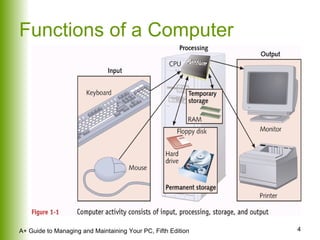
Functions of a Computer
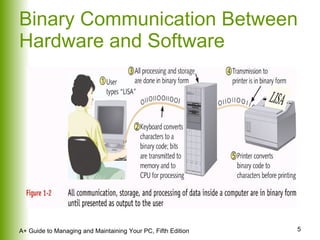
Binary Communication Between Hardware and Software
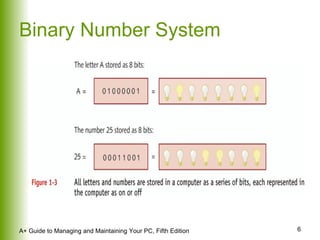
Binary Number System
PC Hardware Components Outside computer case: input/output devices Inside the case: processing and storage CPU – most important component Requirements of a hardware device Method for CPU to communicate with it Software to instruct and control it Electricity to power it
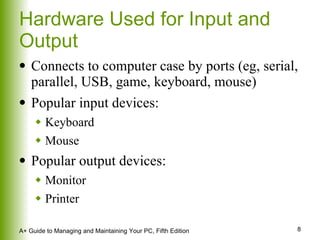
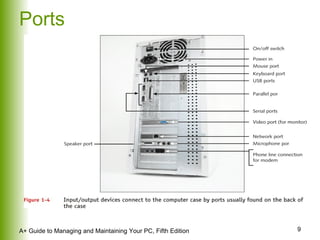
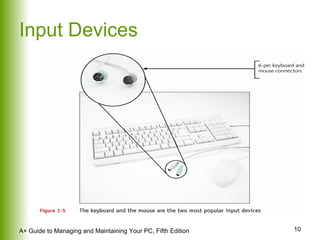
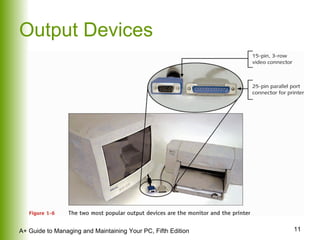
Hardware Used for Input and Output Connects to computer case by ports (eg, serial, parallel, USB, game, keyboard, mouse) Popular input devices: Keyboard Mouse Popular output devices: Monitor Printer
Ports
Input Devices
Output Devices
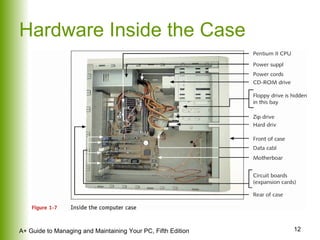
Hardware Inside the Case
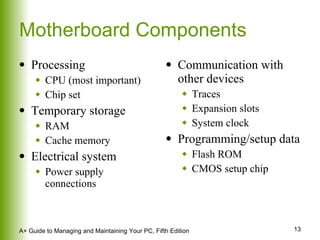
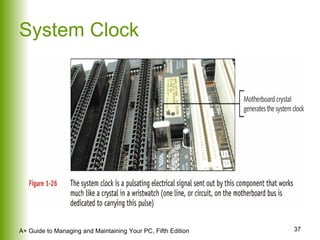
Motherboard Components Processing CPU (most important) Chip set  Temporary storage RAM Cache memory Electrical system Power supply connections Communication with other devices Traces Expansion slots System clock Programming/setup data Flash ROM CMOS setup chip
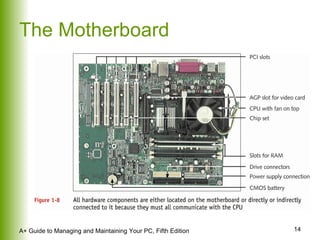
The Motherboard
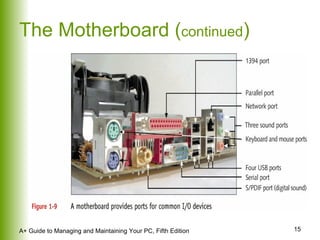
The Motherboard ( continued )
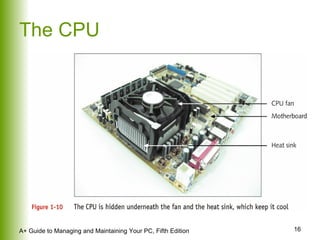
The CPU
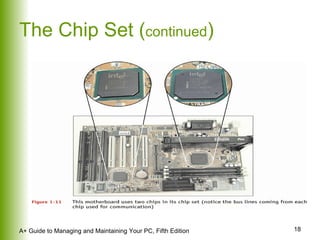
The Chip Set Controls most activities on the motherboard Includes several device controllers USB controller Memory controller IDE controller
The Chip Set ( continued )
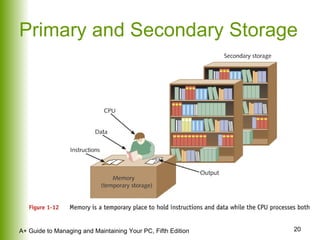
Storage Devices Temporary (primary storage, or memory) Temporarily holds data and instructions while processing them Faster to access than permanent storage Permanent (secondary storage) Data and instructions must be copied into primary storage (RAM) for processing
Primary and Secondary Storage
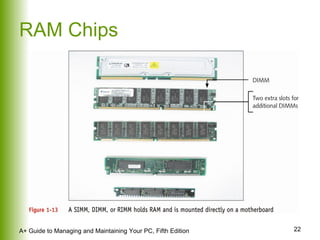
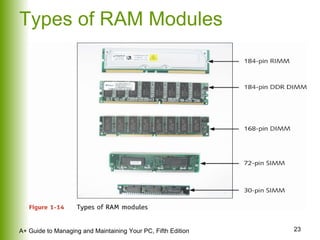
Primary Storage Devices Memory, or RAM, located on motherboard and other circuit boards Volatile versus nonvolatile (or ROM) memory Types of boards that hold memory chips SIMMs  DIMMs RIMMs
RAM Chips
Types of RAM Modules
Secondary Storage Devices Hard drives CD-ROM drives DVD drives Zip drives Floppy drives
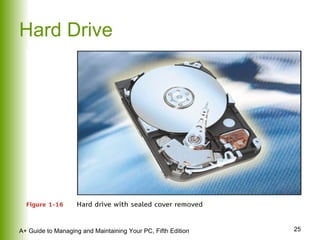
Hard Drive
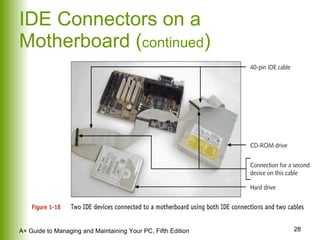
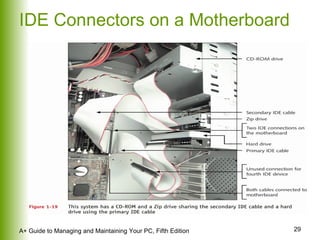
EIDE Technology Used by most hard drives, CD-ROM drives, and DVD drives Can accommodate up to four EIDE devices on one system
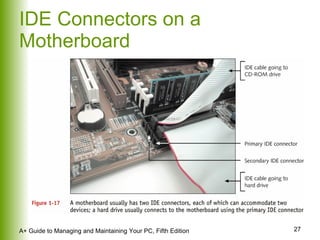
IDE Connectors on a Motherboard
IDE Connectors on a Motherboard ( continued )
IDE Connectors on a Motherboard
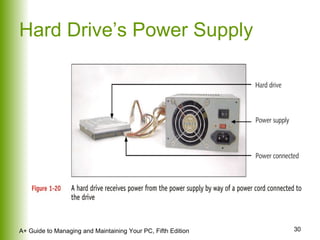
Hard Drive’s Power Supply
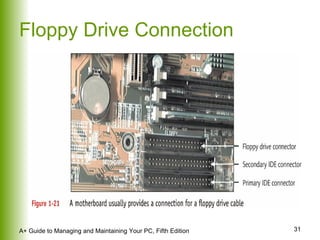
Floppy Drive Connection
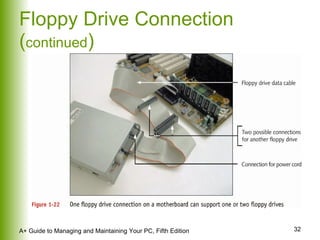
Floppy Drive Connection ( continued )
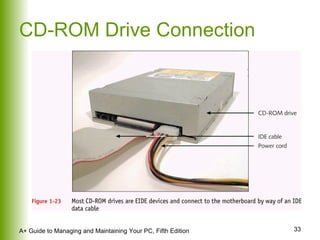
CD-ROM Drive Connection
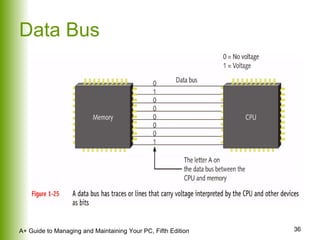
Motherboard Components Used for Communication Among Devices The data bus System of pathways used for communication and the protocol and methods used for transmission
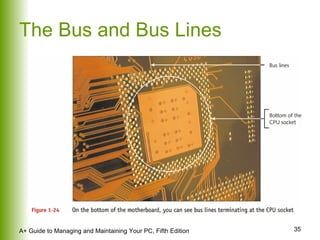
The Bus and Bus Lines
Data Bus
System Clock
Clock Speed Of motherboard Measured in megahertz (MHz) Of CPU Measured in gigahertz (GHz)
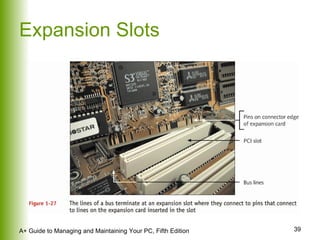
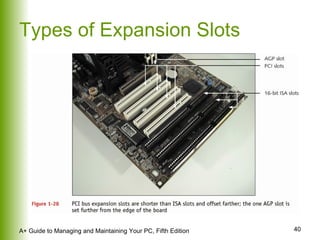
Expansion Slots
Types of Expansion Slots
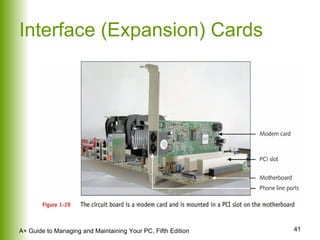
Interface (Expansion) Cards
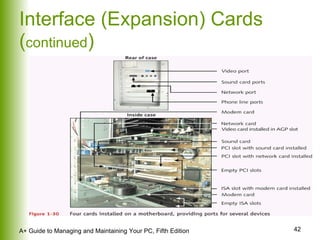
Interface (Expansion) Cards ( continued )
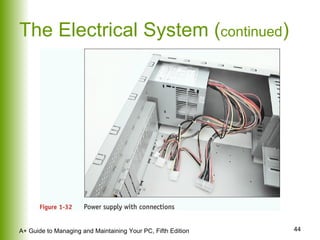
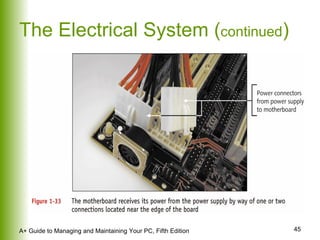
The Electrical System Power supply Most important component of computer’s electrical system Converts/reduces electricity to voltage the computer can handle Runs a fan directly from electrical output voltage to cool inside of computer case
The Electrical System ( continued )
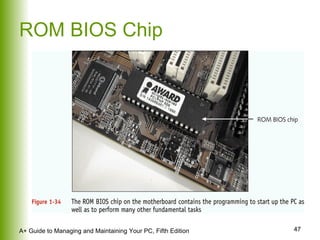
Instructions Stored on the Motherboard ROM BIOS (most are flash ROM) System BIOS Startup BIOS CMOS setup Motherboard BIOS supports ACPI, APM, and Plug and Play technologies
ROM BIOS Chip
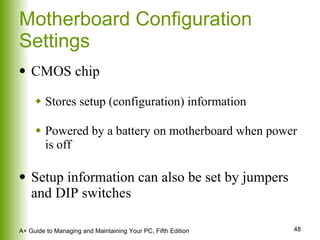
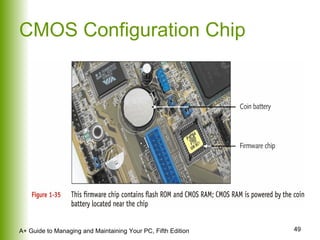
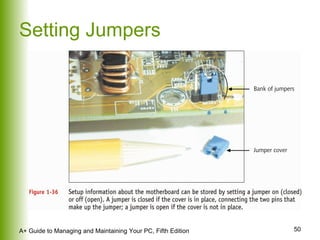
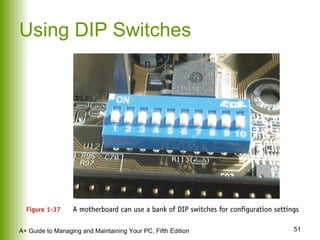
Motherboard Configuration Settings CMOS chip Stores setup (configuration) information Powered by a battery on motherboard when power is off Setup information can also be set by jumpers and DIP switches
CMOS Configuration Chip
Setting Jumpers
Using DIP Switches
Summary Introduction to hardware components of a computer system Initial insight into how hardware works

Chapter01Introducing Hardware