-BY GROUP B
Group B
WHAT IS A COMPUTER….
A COMPUTER IS A DEVICE THAT ACCEPTS INFORMATION (IN THE
FORM OF DIGITALIZED DATA) AND MANIPULATES IT FOR SOME
RESULT BASED ON A PROGRAM OR SEQUENCE OF INSTRUCTIONS ON
HOW THE DATA IS TO BE PROCESSED. COMPLEX COMPUTERS ALSO
INCLUDE THE MEANS FOR STORING DATA (INCLUDING THE
PROGRAM, WHICH IS ALSO A FORM OF DATA) FOR SOME NECESSARY
DURATION. A PROGRAM MAY BE INVARIABLE AND BUILT INTO THE
COMPUTER (AND CALLED LOGIC CIRCUITRY AS IT IS ON
MICROPROCESSORS) OR DIFFERENT PROGRAMS MAY BE PROVIDED TO
THE COMPUTER (LOADED INTO ITS STORAGE AND THEN STARTED BY
AN ADMINISTRATOR OR USER). TODAY'S COMPUTERS HAVE BOTH
KINDS OF PROGRAMMING.
COMPUTER CATEGORIES
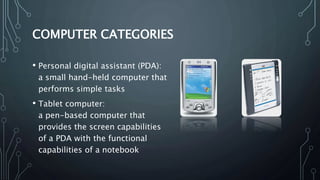
• Personal digital assistant (PDA):
a small hand-held computer that
performs simple tasks
• Tablet computer:
a pen-based computer that
provides the screen capabilities
of a PDA with the functional
capabilities of a notebook
COMPUTER CATEGORIES
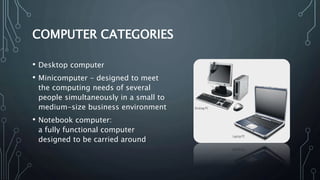
• Desktop computer
• Minicomputer - designed to meet
the computing needs of several
people simultaneously in a small to
medium-size business environment
• Notebook computer:
a fully functional computer
designed to be carried around
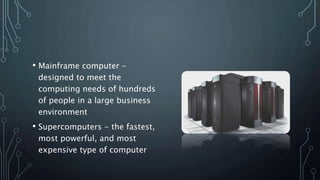
• Mainframe computer -
designed to meet the
computing needs of hundreds
of people in a large business
environment
• Supercomputers - the fastest,
most powerful, and most
expensive type of computer
ANATOMY OF COMPUTER AND ITS
WORKING
• Hardware
• Software
ANATOMY OF COMPUTER AND ITS
WORKING
• Hardware – physical aspects of computers,
telecommunications, and other information technology devices
• Example: Keyboard, monitor
• Software -a general term for the various kinds of programs
used to operate computers and related devices
• Example: Microsoft Excel
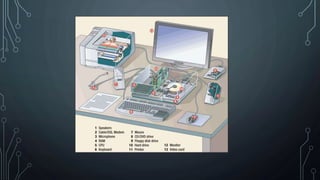
SIX CATEGORIES OF HARDWARE
• Input Device
• Output device
• Storage device
• Central processing unit (CPU)
• Telecommunications device
• Connecting device
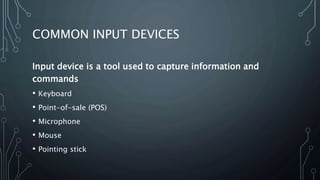
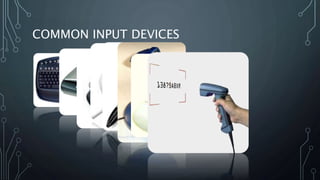
COMMON INPUT DEVICES
Input device is a tool used to capture information and
commands
• Keyboard
• Point-of-sale (POS)
• Microphone
• Mouse
• Pointing stick
COMMON INPUT DEVICES
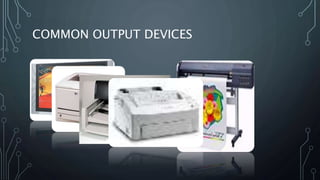
COMMON OUTPUT DEVICES
Output device is equipment used to see, hear, or otherwise accept the
results of information processing
• Monitors
Cathode-ray tubes (CRTs)
Flat-panel displays
Liquid crystal display (LCD) monitors
Gas plasma displays
COMMON OUTPUT DEVICES
• Printer
Inkjet printers - make images by forcing ink droplets through
nozzles
Laser printers - form images using an electrostatic process,
the same way a photocopier works
Multifunction printers - scan, copy, and fax, as well as print
COMMON OUTPUT DEVICES
14
COMMON STORAGE DEVICES
• High-capacity floppy disk
• Hard disk
• CD-ROM (compact disc -
read-only memory)
• CD-R (compact disc-
recordable)
• CD-RW (compact disc-
rewritable)
• DVD-ROM
• DVD-R
• DVD-RW
• Flash memory device
• Memory card
15
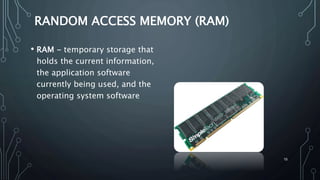
RANDOM ACCESS MEMORY (RAM)
• RAM - temporary storage that
holds the current information,
the application software
currently being used, and the
operating system software
•Memory
• A large collection of circuits, each capable of storing bit
• Cells (words): manageable units; typical size is 8 bits (1
byte), some machines are 16 bits (2 bytes) and some
are 32 bits or 64 bits
• Byte (8 bits), KB (kilobyte, 103  210 bytes), MB (Megabyte, 106
 220 bytes), GB (Gigabyte, 109  230 bytes). Note: k ≠ K
because 1000 ≠ 1024.
17
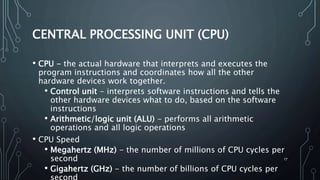
CENTRAL PROCESSING UNIT (CPU)
• CPU - the actual hardware that interprets and executes the
program instructions and coordinates how all the other
hardware devices work together.
• Control unit - interprets software instructions and tells the
other hardware devices what to do, based on the software
instructions
• Arithmetic/logic unit (ALU) - performs all arithmetic
operations and all logic operations
• CPU Speed
• Megahertz (MHz) - the number of millions of CPU cycles per
second
• Gigahertz (GHz) - the number of billions of CPU cycles per
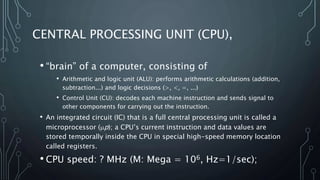
• “brain” of a computer, consisting of
• Arithmetic and logic unit (ALU): performs arithmetic calculations (addition,
subtraction...) and logic decisions (>, <, =, ...)
• Control Unit (CU): decodes each machine instruction and sends signal to
other components for carrying out the instruction.
• An integrated circuit (IC) that is a full central processing unit is called a
microprocessor (p); a CPU’s current instruction and data values are
stored temporally inside the CPU in special high-speed memory location
called registers.
• CPU speed: ? MHz (M: Mega = 106, Hz=1/sec);
CENTRAL PROCESSING UNIT (CPU),
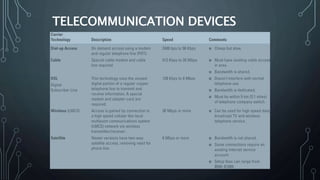
TELECOMMUNICATION DEVICES
20
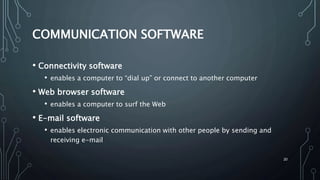
COMMUNICATION SOFTWARE
• Connectivity software
• enables a computer to “dial up” or connect to another computer
• Web browser software
• enables a computer to surf the Web
• E-mail software
• enables electronic communication with other people by sending and
receiving e-mail
21
WIRELESS CONNECTION
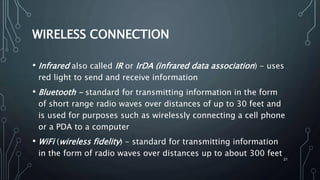
• Infrared also called IR or IrDA (infrared data association) - uses
red light to send and receive information
• Bluetooth - standard for transmitting information in the form
of short range radio waves over distances of up to 30 feet and
is used for purposes such as wirelessly connecting a cell phone
or a PDA to a computer
• WiFi (wireless fidelity) - standard for transmitting information
in the form of radio waves over distances up to about 300 feet
22
CONNECTING DEVICES
• Connecting devices enable the hardware to communicate with
each other
• A parallel connector is used to plug a printer into a system box
• Parallel connector interfaces with a parallel port that is connected to an
expansion card
23
BUSES, EXPANSION SLOTS, EXPANSION
CARDS; PORTS, CONNECTORS
• Expansion bus - moves information from the CPU and RAM to all of
the other hardware devices
• Expansion slot - a long skinny socket on the motherboard into which
an expansion card is inserted
• Expansion card - a circuit board that is inserted into an expansion
slot
• Ports - simply the plug-ins found on the outside of the system box
into which a connector is plugged into
• Popular connectors include:
• USB (universal serial bus)
• Serial connector
• Parallel connector
INTRODUCTION TO COMPUTER SOFTWARE
TYPES OF SOFTWARE
• System Software
• Application Software
SYSTEM SOFTWARE
• System Software includes the Operating System and all the
utilities that enable the computer to function.
• System software is a term referring to any computer software
which manages and controls the hardware so that application
software can perform a task.
• Example
• Operating Systems, Compiler, Loader, Linker, Interpreter.
APPLICATION SOFTWARE:
• Application Software includes programs that do real work for
user.
• Example:
• Payroll systems, Inventory Control, Manage student
database, Word Processor, Spreadsheet and Database
Management System etc.,
OPEN SOURCE SOFTWARE:
• Open source software (OSS) is computer software whose
source code is available under a license that permits users to
use, change, and improve the software, and to redistribute it in
modified or unmodified form.
• It is often developed in a public, collaborative manner.
• Well-known OSS products are Linux, Netscape, Apache, etc.,
SYSTEM SOFTWARE
Operating System:
• Operating System is a software, which makes a computer to actually
work.
• It is the software the enables all the programs we use.
• The OS organizes and controls the hardware.
• OS acts as an interface between the application programs and the
machine hardware.
• Examples: Windows, Linux, Unix and Mac OS, etc.,
PROPRIETARY SOFTWARE
• Proprietary software (also called non-free software) is software
with restrictions on using, copying and modifying as enforced
by the proprietor. Restrictions on use, modification and
copying is achieved by either legal or technical means and
sometimes both.
• Proponents of proprietary software are Microsoft.
• Ex: CAD, Nortan Antivirus etc.,
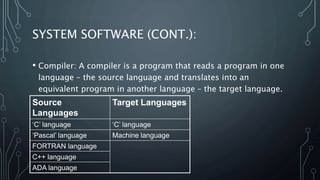
SYSTEM SOFTWARE (CONT.):
• Compiler: A compiler is a program that reads a program in one
language – the source language and translates into an
equivalent program in another language – the target language.
Source
Languages
Target Languages
‘C’ language ‘C’ language
‘Pascal’ language Machine language
FORTRAN language
C++ language
ADA language
SYSTEM SOFTWARE (CONT.):
• Loader: A loader is the part of an operating system that is
responsible for loading programs into memory, preparing them
for execution and then executing them.
• The loader is usually a part of the operating system's kernel
and usually is loaded at system boot time and stays in memory
until the system is rebooted, shut down, or powered off.
• In Unix, the loader is the handler for the system call execve().
SYSTEM SOFTWARE (CONT.):
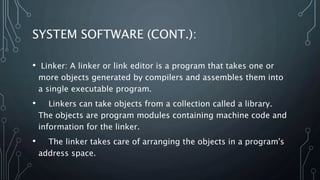
• Linker: A linker or link editor is a program that takes one or
more objects generated by compilers and assembles them into
a single executable program.
• Linkers can take objects from a collection called a library.
The objects are program modules containing machine code and
information for the linker.
• The linker takes care of arranging the objects in a program's
address space.
SYSTEM SOFTWARE (CONT.):
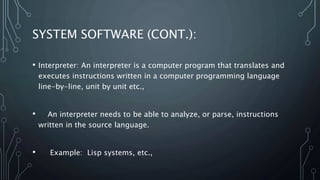
• Interpreter: An interpreter is a computer program that translates and
executes instructions written in a computer programming language
line-by-line, unit by unit etc.,
• An interpreter needs to be able to analyze, or parse, instructions
written in the source language.
• Example: Lisp systems, etc.,
APPLICATION SOFTWARE:
Word Processors:
Word processing is a tool that helps user in creating, editing,
and printing documents. Word processors will normally have the
following capabilities built into them:
• Spell checking
• Standard layouts for normal documents
• Have some characters appear in bold print, italics,
or underlined
• Center lines, make text line up on the left side of
the paper, or the right side of the paper
• Save the document so it can be used again
• print the document.
Examples: WordPerfect and Microsoft Word
APPLICATION SOFTWARE (CONT.…):
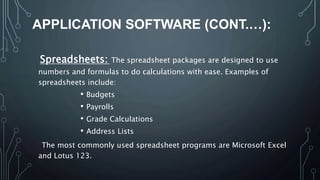
Spreadsheets: The spreadsheet packages are designed to use
numbers and formulas to do calculations with ease. Examples of
spreadsheets include:
• Budgets
• Payrolls
• Grade Calculations
• Address Lists
The most commonly used spreadsheet programs are Microsoft Excel
and Lotus 123.
APPLICATION SOFTWARE (CONT.…):
Graphic Presentations: The presentation programs can
make giving presentations and using overheads easier. Other uses
include:
• Slide Shows
• Repeating Computer Presentations on a computer
monitor
• Using Sound and animation in slide shows
The most recognized graphic presentation programs are Microsoft
PowerPoint and Harvard Graphics.
APPLICATION SOFTWARE (CONT.…):
Database Management System (DBMS):
• A DBMS is a software tool that allows multiple users to store, access,
and process data into useful information.
• Database programs are designed for these types of applications:
• Membership lists
• Student lists
• Grade reports
• Instructor schedules
All of these have to be maintained so you can find what you need
quickly and accurately.
• Example: Microsoft Access, dBASE, Oracle.
computer hardware and software

computer hardware and software

  • 1.
  • 2.
    WHAT IS ACOMPUTER…. A COMPUTER IS A DEVICE THAT ACCEPTS INFORMATION (IN THE FORM OF DIGITALIZED DATA) AND MANIPULATES IT FOR SOME RESULT BASED ON A PROGRAM OR SEQUENCE OF INSTRUCTIONS ON HOW THE DATA IS TO BE PROCESSED. COMPLEX COMPUTERS ALSO INCLUDE THE MEANS FOR STORING DATA (INCLUDING THE PROGRAM, WHICH IS ALSO A FORM OF DATA) FOR SOME NECESSARY DURATION. A PROGRAM MAY BE INVARIABLE AND BUILT INTO THE COMPUTER (AND CALLED LOGIC CIRCUITRY AS IT IS ON MICROPROCESSORS) OR DIFFERENT PROGRAMS MAY BE PROVIDED TO THE COMPUTER (LOADED INTO ITS STORAGE AND THEN STARTED BY AN ADMINISTRATOR OR USER). TODAY'S COMPUTERS HAVE BOTH KINDS OF PROGRAMMING.
  • 3.
    COMPUTER CATEGORIES • Personaldigital assistant (PDA): a small hand-held computer that performs simple tasks • Tablet computer: a pen-based computer that provides the screen capabilities of a PDA with the functional capabilities of a notebook
  • 4.
    COMPUTER CATEGORIES • Desktopcomputer • Minicomputer - designed to meet the computing needs of several people simultaneously in a small to medium-size business environment • Notebook computer: a fully functional computer designed to be carried around
  • 5.
    • Mainframe computer- designed to meet the computing needs of hundreds of people in a large business environment • Supercomputers - the fastest, most powerful, and most expensive type of computer
  • 6.
    ANATOMY OF COMPUTERAND ITS WORKING • Hardware • Software
  • 7.
    ANATOMY OF COMPUTERAND ITS WORKING • Hardware – physical aspects of computers, telecommunications, and other information technology devices • Example: Keyboard, monitor • Software -a general term for the various kinds of programs used to operate computers and related devices • Example: Microsoft Excel
  • 8.
    SIX CATEGORIES OFHARDWARE • Input Device • Output device • Storage device • Central processing unit (CPU) • Telecommunications device • Connecting device
  • 9.
    COMMON INPUT DEVICES Inputdevice is a tool used to capture information and commands • Keyboard • Point-of-sale (POS) • Microphone • Mouse • Pointing stick
  • 10.
  • 11.
    COMMON OUTPUT DEVICES Outputdevice is equipment used to see, hear, or otherwise accept the results of information processing • Monitors Cathode-ray tubes (CRTs) Flat-panel displays Liquid crystal display (LCD) monitors Gas plasma displays
  • 12.
    COMMON OUTPUT DEVICES •Printer Inkjet printers - make images by forcing ink droplets through nozzles Laser printers - form images using an electrostatic process, the same way a photocopier works Multifunction printers - scan, copy, and fax, as well as print
  • 13.
  • 14.
    14 COMMON STORAGE DEVICES •High-capacity floppy disk • Hard disk • CD-ROM (compact disc - read-only memory) • CD-R (compact disc- recordable) • CD-RW (compact disc- rewritable) • DVD-ROM • DVD-R • DVD-RW • Flash memory device • Memory card
  • 15.
    15 RANDOM ACCESS MEMORY(RAM) • RAM - temporary storage that holds the current information, the application software currently being used, and the operating system software
  • 16.
    •Memory • A largecollection of circuits, each capable of storing bit • Cells (words): manageable units; typical size is 8 bits (1 byte), some machines are 16 bits (2 bytes) and some are 32 bits or 64 bits • Byte (8 bits), KB (kilobyte, 103  210 bytes), MB (Megabyte, 106  220 bytes), GB (Gigabyte, 109  230 bytes). Note: k ≠ K because 1000 ≠ 1024.
  • 17.
    17 CENTRAL PROCESSING UNIT(CPU) • CPU - the actual hardware that interprets and executes the program instructions and coordinates how all the other hardware devices work together. • Control unit - interprets software instructions and tells the other hardware devices what to do, based on the software instructions • Arithmetic/logic unit (ALU) - performs all arithmetic operations and all logic operations • CPU Speed • Megahertz (MHz) - the number of millions of CPU cycles per second • Gigahertz (GHz) - the number of billions of CPU cycles per
  • 18.
    • “brain” ofa computer, consisting of • Arithmetic and logic unit (ALU): performs arithmetic calculations (addition, subtraction...) and logic decisions (>, <, =, ...) • Control Unit (CU): decodes each machine instruction and sends signal to other components for carrying out the instruction. • An integrated circuit (IC) that is a full central processing unit is called a microprocessor (p); a CPU’s current instruction and data values are stored temporally inside the CPU in special high-speed memory location called registers. • CPU speed: ? MHz (M: Mega = 106, Hz=1/sec); CENTRAL PROCESSING UNIT (CPU),
  • 19.
  • 20.
    20 COMMUNICATION SOFTWARE • Connectivitysoftware • enables a computer to “dial up” or connect to another computer • Web browser software • enables a computer to surf the Web • E-mail software • enables electronic communication with other people by sending and receiving e-mail
  • 21.
    21 WIRELESS CONNECTION • Infraredalso called IR or IrDA (infrared data association) - uses red light to send and receive information • Bluetooth - standard for transmitting information in the form of short range radio waves over distances of up to 30 feet and is used for purposes such as wirelessly connecting a cell phone or a PDA to a computer • WiFi (wireless fidelity) - standard for transmitting information in the form of radio waves over distances up to about 300 feet
  • 22.
    22 CONNECTING DEVICES • Connectingdevices enable the hardware to communicate with each other • A parallel connector is used to plug a printer into a system box • Parallel connector interfaces with a parallel port that is connected to an expansion card
  • 23.
    23 BUSES, EXPANSION SLOTS,EXPANSION CARDS; PORTS, CONNECTORS • Expansion bus - moves information from the CPU and RAM to all of the other hardware devices • Expansion slot - a long skinny socket on the motherboard into which an expansion card is inserted • Expansion card - a circuit board that is inserted into an expansion slot • Ports - simply the plug-ins found on the outside of the system box into which a connector is plugged into • Popular connectors include: • USB (universal serial bus) • Serial connector • Parallel connector
  • 25.
  • 26.
    TYPES OF SOFTWARE •System Software • Application Software
  • 27.
    SYSTEM SOFTWARE • SystemSoftware includes the Operating System and all the utilities that enable the computer to function. • System software is a term referring to any computer software which manages and controls the hardware so that application software can perform a task. • Example • Operating Systems, Compiler, Loader, Linker, Interpreter.
  • 28.
    APPLICATION SOFTWARE: • ApplicationSoftware includes programs that do real work for user. • Example: • Payroll systems, Inventory Control, Manage student database, Word Processor, Spreadsheet and Database Management System etc.,
  • 29.
    OPEN SOURCE SOFTWARE: •Open source software (OSS) is computer software whose source code is available under a license that permits users to use, change, and improve the software, and to redistribute it in modified or unmodified form. • It is often developed in a public, collaborative manner. • Well-known OSS products are Linux, Netscape, Apache, etc.,
  • 30.
    SYSTEM SOFTWARE Operating System: •Operating System is a software, which makes a computer to actually work. • It is the software the enables all the programs we use. • The OS organizes and controls the hardware. • OS acts as an interface between the application programs and the machine hardware. • Examples: Windows, Linux, Unix and Mac OS, etc.,
  • 31.
    PROPRIETARY SOFTWARE • Proprietarysoftware (also called non-free software) is software with restrictions on using, copying and modifying as enforced by the proprietor. Restrictions on use, modification and copying is achieved by either legal or technical means and sometimes both. • Proponents of proprietary software are Microsoft. • Ex: CAD, Nortan Antivirus etc.,
  • 32.
    SYSTEM SOFTWARE (CONT.): •Compiler: A compiler is a program that reads a program in one language – the source language and translates into an equivalent program in another language – the target language. Source Languages Target Languages ‘C’ language ‘C’ language ‘Pascal’ language Machine language FORTRAN language C++ language ADA language
  • 33.
    SYSTEM SOFTWARE (CONT.): •Loader: A loader is the part of an operating system that is responsible for loading programs into memory, preparing them for execution and then executing them. • The loader is usually a part of the operating system's kernel and usually is loaded at system boot time and stays in memory until the system is rebooted, shut down, or powered off. • In Unix, the loader is the handler for the system call execve().
  • 34.
    SYSTEM SOFTWARE (CONT.): •Linker: A linker or link editor is a program that takes one or more objects generated by compilers and assembles them into a single executable program. • Linkers can take objects from a collection called a library. The objects are program modules containing machine code and information for the linker. • The linker takes care of arranging the objects in a program's address space.
  • 35.
    SYSTEM SOFTWARE (CONT.): •Interpreter: An interpreter is a computer program that translates and executes instructions written in a computer programming language line-by-line, unit by unit etc., • An interpreter needs to be able to analyze, or parse, instructions written in the source language. • Example: Lisp systems, etc.,
  • 36.
    APPLICATION SOFTWARE: Word Processors: Wordprocessing is a tool that helps user in creating, editing, and printing documents. Word processors will normally have the following capabilities built into them: • Spell checking • Standard layouts for normal documents • Have some characters appear in bold print, italics, or underlined • Center lines, make text line up on the left side of the paper, or the right side of the paper • Save the document so it can be used again • print the document. Examples: WordPerfect and Microsoft Word
  • 37.
    APPLICATION SOFTWARE (CONT.…): Spreadsheets:The spreadsheet packages are designed to use numbers and formulas to do calculations with ease. Examples of spreadsheets include: • Budgets • Payrolls • Grade Calculations • Address Lists The most commonly used spreadsheet programs are Microsoft Excel and Lotus 123.
  • 38.
    APPLICATION SOFTWARE (CONT.…): GraphicPresentations: The presentation programs can make giving presentations and using overheads easier. Other uses include: • Slide Shows • Repeating Computer Presentations on a computer monitor • Using Sound and animation in slide shows The most recognized graphic presentation programs are Microsoft PowerPoint and Harvard Graphics.
  • 39.
    APPLICATION SOFTWARE (CONT.…): DatabaseManagement System (DBMS): • A DBMS is a software tool that allows multiple users to store, access, and process data into useful information. • Database programs are designed for these types of applications: • Membership lists • Student lists • Grade reports • Instructor schedules All of these have to be maintained so you can find what you need quickly and accurately. • Example: Microsoft Access, dBASE, Oracle.

Editor's Notes

  • #2 we are all very familiar with the computer , we are using it or we say that none of our work is possible without it. with the help of computer we are performing our work in a easy way, and more efficiently and in effective way. we are saving our time and energy and resource.
  • #3 A computer generally means a programmable machine. The two principal characteristics of a computer are: it responds to a specific set of instructions in a well-defined manner and it can execute a prerecorded list of instructions (a program).
  • #4 Computer Classification: By Size and Power Computers can be generally classified by size and power as follows, though there is considerable overlap: Personal computer: a small, single-user computer based on a microprocessor. In addition to the microprocessor, a personal computer has a keyboard for entering data, a monitor for displaying information, and a storage device for saving data. Workstation: a powerful, single-user computer. A workstation is like a personal computer, but it has a more powerful microprocessor and a higher-quality monitor. Minicomputer: a multi-user computer capable of supporting from 10 to hundreds of users simultaneously. Mainframe: a powerful multi-user computer capable of supporting many hundreds or thousands of users simultaneously. Supercomputer: an extremely fast computer that can perform hundreds of millions of instructions per second.
  • #5 The First Computer The first computer, the ENIAC machine (John W. Mauchly and J. Presper Eckert at the University of Pennsylvania) used 18,000 vacuum tubes and trequired 167 square meters (1800 square feet) of floor space