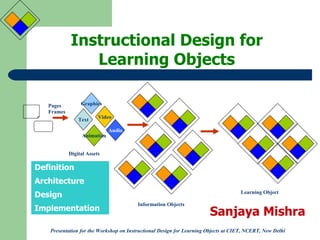
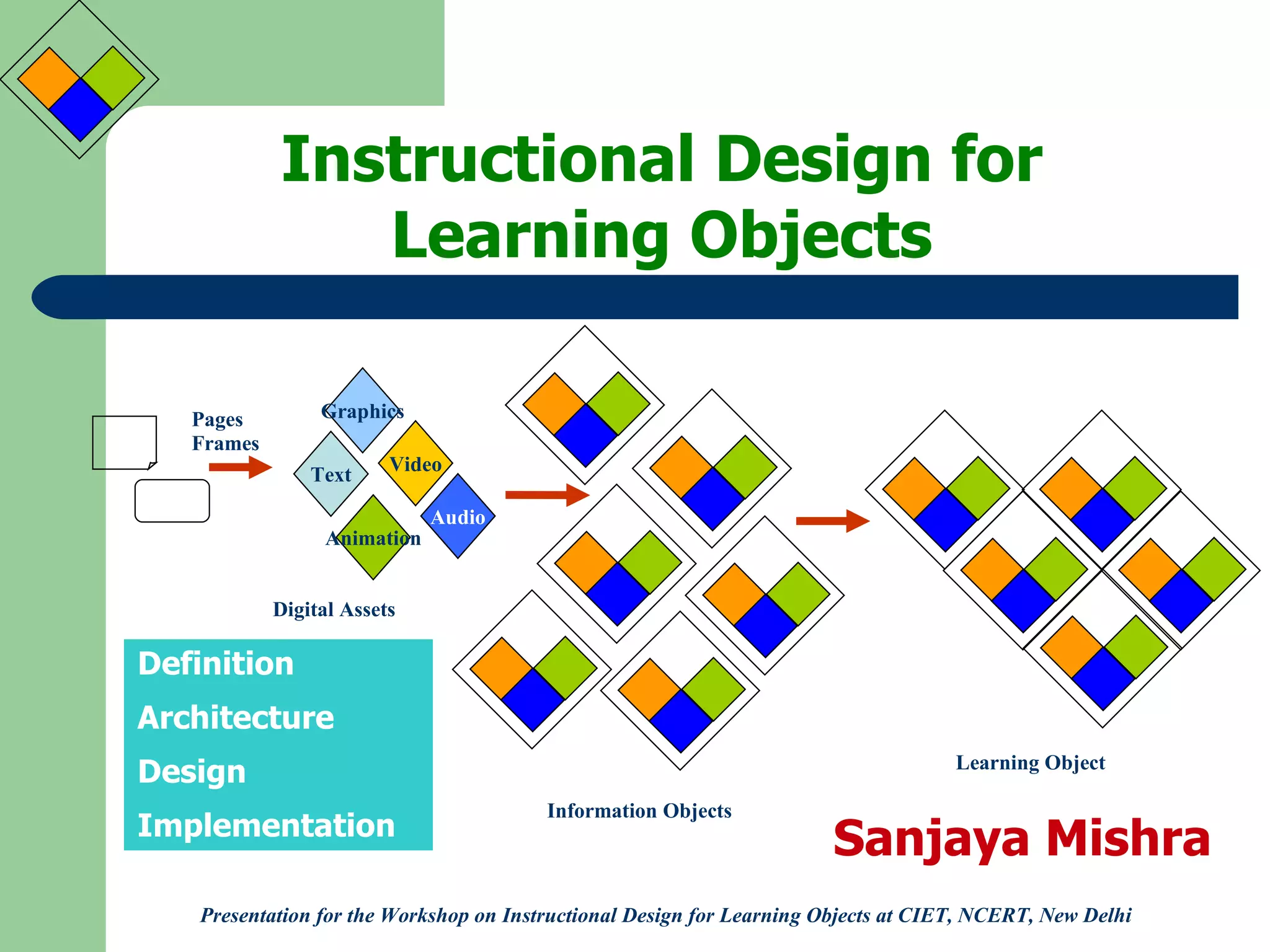
Instructional Design for Learning Objects Definition Architecture Design Implementation Presentation for the Workshop on Instructional Design for Learning Objects at CIET, NCERT, New Delhi Sanjaya Mishra Text Audio Video Animation Graphics Pages Frames Digital Assets Information Objects Learning Object
Instructional Design for LOs What is a Learning Object? One or more digital assets combined and sequences to create or support a learning experience addressing a curricular outcome (s) for an identified audience (s). A learning object can be identified, tracked, referenced, and used for a variety of learning experiences.  (Alberta Learning, 2002)
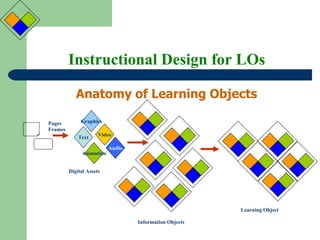
Instructional Design for LOs Anatomy of Learning Objects Text Audio Video Animation Graphics Pages Frames Digital Assets Information Objects Learning Object
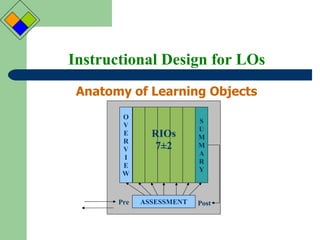
Instructional Design for LOs Anatomy of Learning Objects ASSESSMENT Pre Post RIOs 7 ±2 O V E R V I E W S U M M A R Y
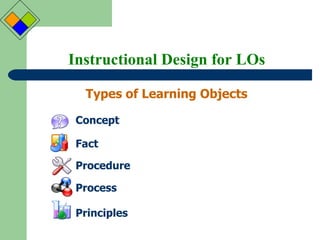
Instructional Design for LOs Types of Learning Objects Concept Fact Procedure Process Principles
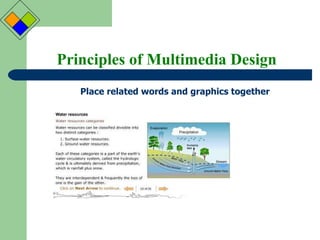
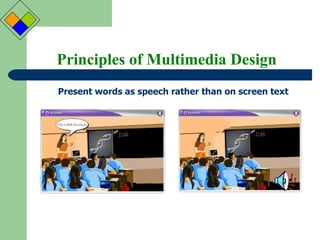
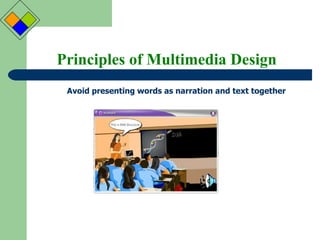
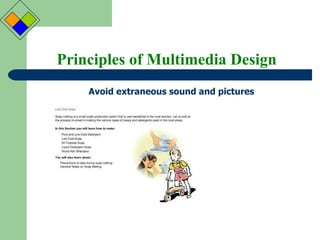
Instructional Design for LOs Principles of Multimedia Design Multimedia principle: Use both graphics and words Contiguity principle: Place related words and graphics together Modality principle: Present words as speech rather than on screen text Redundancy principle: Avoid presenting words as narration and text together Coherence principle: Avoid extraneous sound and pictures Personalization principle: Use conversational style and learning agents  Practice principle: Give opportunities for interactions related to authentic events
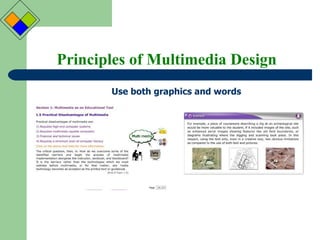
Principles of Multimedia Design Use both graphics and words
Principles of Multimedia Design Place related words and graphics together
Principles of Multimedia Design Present words as speech rather than on screen text
Principles of Multimedia Design Avoid presenting words as narration and text together
Principles of Multimedia Design Avoid extraneous sound and pictures
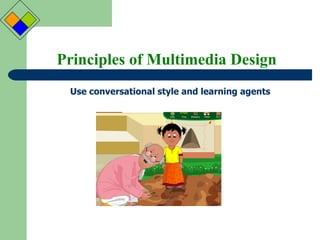
Principles of Multimedia Design Use conversational style and learning agents
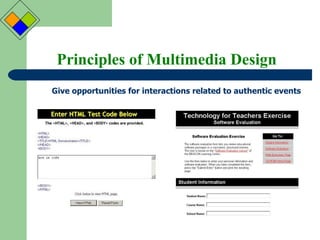
Principles of Multimedia Design Give opportunities for interactions related to authentic events
Instructional Design for LOs What is Instructional Design? Instructional Design is the systematic development of instructional specifications using  learning and instructional theory  to ensure the quality of instruction. It is the entire process of analysis of learning needs and goals and the development of a delivery system to meet those needs. It includes development of instructional materials and activities; and tryout and evaluation of all instruction and learner activities
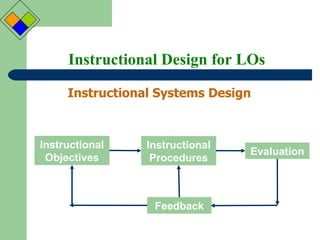
Instructional Design for LOs Instructional Systems Design  Instructional Objectives Instructional Procedures Evaluation Feedback
Instructional Design for LOs Models of Instructional Design ADDIE ASSURE PIE Designing Learning/Environment Vs. Designing Materials
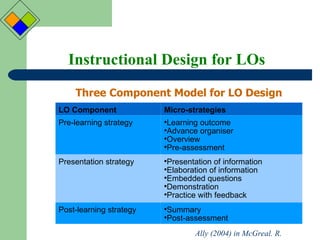
Instructional Design for LOs Three Component Model for LO Design Ally (2004) in McGreal. R. LO Component Micro-strategies Pre-learning strategy Learning outcome Advance organiser Overview Pre-assessment Presentation strategy Presentation of information Elaboration of information Embedded questions Demonstration Practice with feedback Post-learning strategy Summary Post-assessment
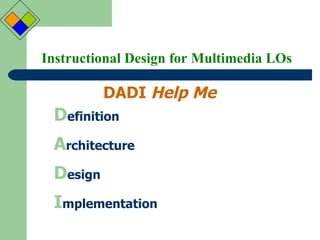
Instructional Design for Multimedia LOs DADI  Help Me D efinition A rchitecture D esign I mplementation
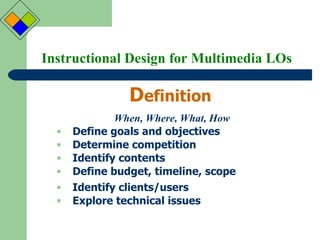
Instructional Design for Multimedia LOs D efinition Define goals and objectives Determine competition Identify contents Define budget, timeline, scope Identify clients/users Explore technical issues When, Where, What, How
Instructional Design for Multimedia LOs A rchitecture Identify major content areas Information Architecture Prioritize contents Define media types Define structure with relationships Create flowchart, block diagrams Create storyboard Build preliminary prototype
Instructional Design for Multimedia LOs D esign Look and  Feel Develop content with suitable color, font Develop media element Design interface Define naming conventions Build advanced prototype Conduct user testing on prototype
Instructional Design for Multimedia LOs I mplementation Do it Define milestones, priorities Develop all media elements Integrate all media, content into the offline mode Do all proof reading, checking Test in different platform Upload and go online/Create master CD
Instructional Design for LOs Some considerations... Learning objects are component in a larger learning environment Use LOs in a broad instructional perspective Use LOs within a LMS to track usage Analyse student engagement to improve the LO Create LOs that are short (say 10-15 mts) Store LOs in a database with appropriate metadata tags for easy retrieval and use Make LOs as Open Educational Resources
Instructional Design for LOs Your Comments and Questions are welcome Thank You

Instructional Design for Learning Objects

  • 1.
    Instructional Design forLearning Objects Definition Architecture Design Implementation Presentation for the Workshop on Instructional Design for Learning Objects at CIET, NCERT, New Delhi Sanjaya Mishra Text Audio Video Animation Graphics Pages Frames Digital Assets Information Objects Learning Object
  • 2.
    Instructional Design forLOs What is a Learning Object? One or more digital assets combined and sequences to create or support a learning experience addressing a curricular outcome (s) for an identified audience (s). A learning object can be identified, tracked, referenced, and used for a variety of learning experiences. (Alberta Learning, 2002)
  • 3.
    Instructional Design forLOs Anatomy of Learning Objects Text Audio Video Animation Graphics Pages Frames Digital Assets Information Objects Learning Object
  • 4.
    Instructional Design forLOs Anatomy of Learning Objects ASSESSMENT Pre Post RIOs 7 ±2 O V E R V I E W S U M M A R Y
  • 5.
    Instructional Design forLOs Types of Learning Objects Concept Fact Procedure Process Principles
  • 6.
    Instructional Design forLOs Principles of Multimedia Design Multimedia principle: Use both graphics and words Contiguity principle: Place related words and graphics together Modality principle: Present words as speech rather than on screen text Redundancy principle: Avoid presenting words as narration and text together Coherence principle: Avoid extraneous sound and pictures Personalization principle: Use conversational style and learning agents Practice principle: Give opportunities for interactions related to authentic events
  • 7.
    Principles of MultimediaDesign Use both graphics and words
  • 8.
    Principles of MultimediaDesign Place related words and graphics together
  • 9.
    Principles of MultimediaDesign Present words as speech rather than on screen text
  • 10.
    Principles of MultimediaDesign Avoid presenting words as narration and text together
  • 11.
    Principles of MultimediaDesign Avoid extraneous sound and pictures
  • 12.
    Principles of MultimediaDesign Use conversational style and learning agents
  • 13.
    Principles of MultimediaDesign Give opportunities for interactions related to authentic events
  • 14.
    Instructional Design forLOs What is Instructional Design? Instructional Design is the systematic development of instructional specifications using learning and instructional theory to ensure the quality of instruction. It is the entire process of analysis of learning needs and goals and the development of a delivery system to meet those needs. It includes development of instructional materials and activities; and tryout and evaluation of all instruction and learner activities
  • 15.
    Instructional Design forLOs Instructional Systems Design Instructional Objectives Instructional Procedures Evaluation Feedback
  • 16.
    Instructional Design forLOs Models of Instructional Design ADDIE ASSURE PIE Designing Learning/Environment Vs. Designing Materials
  • 17.
    Instructional Design forLOs Three Component Model for LO Design Ally (2004) in McGreal. R. LO Component Micro-strategies Pre-learning strategy Learning outcome Advance organiser Overview Pre-assessment Presentation strategy Presentation of information Elaboration of information Embedded questions Demonstration Practice with feedback Post-learning strategy Summary Post-assessment
  • 18.
    Instructional Design forMultimedia LOs DADI Help Me D efinition A rchitecture D esign I mplementation
  • 19.
    Instructional Design forMultimedia LOs D efinition Define goals and objectives Determine competition Identify contents Define budget, timeline, scope Identify clients/users Explore technical issues When, Where, What, How
  • 20.
    Instructional Design forMultimedia LOs A rchitecture Identify major content areas Information Architecture Prioritize contents Define media types Define structure with relationships Create flowchart, block diagrams Create storyboard Build preliminary prototype
  • 21.
    Instructional Design forMultimedia LOs D esign Look and Feel Develop content with suitable color, font Develop media element Design interface Define naming conventions Build advanced prototype Conduct user testing on prototype
  • 22.
    Instructional Design forMultimedia LOs I mplementation Do it Define milestones, priorities Develop all media elements Integrate all media, content into the offline mode Do all proof reading, checking Test in different platform Upload and go online/Create master CD
  • 23.
    Instructional Design forLOs Some considerations... Learning objects are component in a larger learning environment Use LOs in a broad instructional perspective Use LOs within a LMS to track usage Analyse student engagement to improve the LO Create LOs that are short (say 10-15 mts) Store LOs in a database with appropriate metadata tags for easy retrieval and use Make LOs as Open Educational Resources
  • 24.
    Instructional Design forLOs Your Comments and Questions are welcome Thank You

Editor's Notes

  • #3 To ask the participants about their own conceptions of a learning object, and present to them, what is the context of this presentation.
  • #4 Though, sometimes it is described that anything and everything that can be used for teaching and learning can be considered as Los, they usually are digital, and made of various media assets>information objects>Learning objects
  • #5 The Cisco Reusable learning Strategy presents the structure of a LO as depicted in the diagram: there is some overview in the beginning, some 5-7 RIOs and a summary. There can be assessment and/or practice tests in each of these sections.
  • #6 The Los or the RIOs can be of five types--- Conceptual: A group of objects, symbols, ideas, or events that are defined by a single word or term, share common features, and vary only in irreverent features. Fact: Unique specific information I the form of a statement or data or picture of specific objects. Procedure: A sequence of steps to be followed by one individual to accomplish a task or make a decision. A procedure contains directions or procedural tasks and contains actions that are done the same way each time. Process: A flow of events that describe how something works. It is not necessarily a task done by one person; many people or an organization may be involved. Principle: Directions for tasks that provide employees with guidelines for action. Individuals must adapt the guidelines to various job situations. Principles require individuals to use judgment and discretion when they apply them.