
Mobile Technologies for Learning Sanjaya Mishra
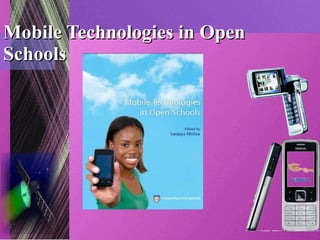
Mobile Technologies in Open Schools
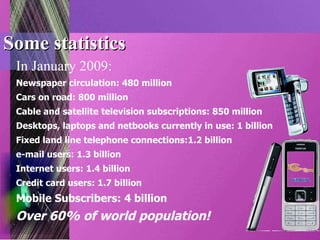
Some statistics In January 2009: Newspaper circulation: 480 million Cars on road: 800 million Cable and satellite television subscriptions: 850 million Desktops, laptops and netbooks currently in use: 1 billion Fixed land line telephone connections:1.2 billion e-mail users: 1.3 billion Internet users: 1.4 billion Credit card users: 1.7 billion Mobile Subscribers: 4 billion Over 60% of world population!
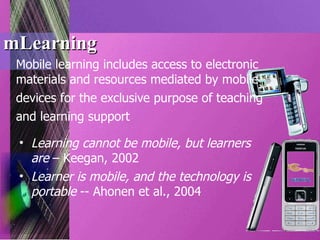
mLearning Mobile learning includes access to electronic materials and resources mediated by mobile devices for the exclusive purpose of teaching and learning support Learning cannot be mobile, but learners are  – Keegan, 2002 Learner is mobile, and the technology is portable  -- Ahonen et al., 2004
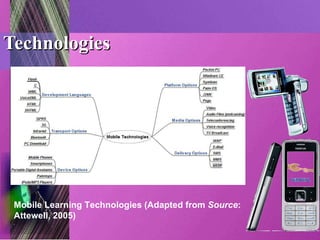
Technologies Mobile Learning Technologies (Adapted from  Source : Attewell, 2005)
Bates’ ACTIONS Framework Mobile technologies are  accessible  to learners (it is increasing at a faster rate); are cheap and affordable (less  costly  for both institutions and learners); are useful for numerous  teaching  functions (and are useful in learner support); are interactive  and therefore improve two-way communication at a distance and reduce the transactional distance between the learner and the teacher and the educational institution because mobile technologies are easy to use and user friendly; are so pervasive and simple that they require less  organisational  preparedness; have  novelty  value, as they are the latest technology trend (and can motivate both teachers and learners to use); and provide the highest  speed  (quickness) in terms of access to latest information and knowledge from anywhere, anytime.
Guidelines: PICTURE This! P  – plan purposefully I  – identify learners’ needs C  – choose media T  – technology implementation U  – user manuals R  – run the system E  – evaluate performance and outcomes Training has in-build Success
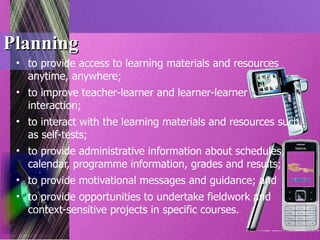
Planning to provide access to learning materials and resources anytime, anywhere; to improve teacher-learner and learner-learner interaction; to interact with the learning materials and resources such as self-tests; to provide administrative information about schedules, calendar, programme information, grades and results; to provide motivational messages and guidance; and to provide opportunities to undertake fieldwork and context-sensitive projects in specific courses.
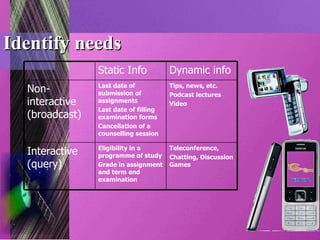
Identify needs Teleconference,  Chatting, Discussion Games Eligibility in a programme of study Grade in assignment and term end examination Interactive (query) Tips, news, etc. Podcast lectures Video Last date of submission of assignments Last date of filling examination forms Cancellation of a counselling session Non-interactive (broadcast) Dynamic info Static Info
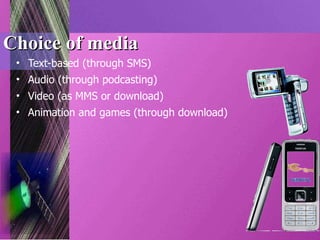
Choice of media Text-based (through SMS) Audio (through podcasting) Video (as MMS or download)  Animation and games (through download)
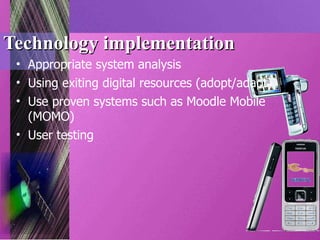
Technology implementation Appropriate system analysis Using exiting digital resources (adopt/adapt) Use proven systems such as Moodle Mobile (MOMO) User testing
User manuals Three types of user manuals should be made Available: For systems engineers and administrators For teachers and support staff For learners and public users.
Run the system Round-the-clock support Commitment on the part of teachers and support staff Collective decision-making on design and development effort Updating of the relevant databases in the system regularly
Evaluation Technology; and Expected outcomes
And, finally… Training for success

Mobile Technologies for Learning

  • 1.
    Mobile Technologies forLearning Sanjaya Mishra
  • 2.
  • 3.
    Some statistics InJanuary 2009: Newspaper circulation: 480 million Cars on road: 800 million Cable and satellite television subscriptions: 850 million Desktops, laptops and netbooks currently in use: 1 billion Fixed land line telephone connections:1.2 billion e-mail users: 1.3 billion Internet users: 1.4 billion Credit card users: 1.7 billion Mobile Subscribers: 4 billion Over 60% of world population!
  • 4.
    mLearning Mobile learningincludes access to electronic materials and resources mediated by mobile devices for the exclusive purpose of teaching and learning support Learning cannot be mobile, but learners are – Keegan, 2002 Learner is mobile, and the technology is portable -- Ahonen et al., 2004
  • 5.
    Technologies Mobile LearningTechnologies (Adapted from Source : Attewell, 2005)
  • 6.
    Bates’ ACTIONS FrameworkMobile technologies are accessible to learners (it is increasing at a faster rate); are cheap and affordable (less costly for both institutions and learners); are useful for numerous teaching functions (and are useful in learner support); are interactive and therefore improve two-way communication at a distance and reduce the transactional distance between the learner and the teacher and the educational institution because mobile technologies are easy to use and user friendly; are so pervasive and simple that they require less organisational preparedness; have novelty value, as they are the latest technology trend (and can motivate both teachers and learners to use); and provide the highest speed (quickness) in terms of access to latest information and knowledge from anywhere, anytime.
  • 7.
    Guidelines: PICTURE This!P – plan purposefully I – identify learners’ needs C – choose media T – technology implementation U – user manuals R – run the system E – evaluate performance and outcomes Training has in-build Success
  • 8.
    Planning to provideaccess to learning materials and resources anytime, anywhere; to improve teacher-learner and learner-learner interaction; to interact with the learning materials and resources such as self-tests; to provide administrative information about schedules, calendar, programme information, grades and results; to provide motivational messages and guidance; and to provide opportunities to undertake fieldwork and context-sensitive projects in specific courses.
  • 9.
    Identify needs Teleconference, Chatting, Discussion Games Eligibility in a programme of study Grade in assignment and term end examination Interactive (query) Tips, news, etc. Podcast lectures Video Last date of submission of assignments Last date of filling examination forms Cancellation of a counselling session Non-interactive (broadcast) Dynamic info Static Info
  • 10.
    Choice of mediaText-based (through SMS) Audio (through podcasting) Video (as MMS or download) Animation and games (through download)
  • 11.
    Technology implementation Appropriatesystem analysis Using exiting digital resources (adopt/adapt) Use proven systems such as Moodle Mobile (MOMO) User testing
  • 12.
    User manuals Threetypes of user manuals should be made Available: For systems engineers and administrators For teachers and support staff For learners and public users.
  • 13.
    Run the systemRound-the-clock support Commitment on the part of teachers and support staff Collective decision-making on design and development effort Updating of the relevant databases in the system regularly
  • 14.
    Evaluation Technology; andExpected outcomes
  • 15.