SCH.NO.5439
Hardware and
Software Basics
4
Hardware and Software
• Hardware
– the physical, tangible parts of a computer
– keyboard, monitor, wires, chips, data
• Software
– programs and data
– a program is a series of instructions
• A computer requires both hardware and software
• Each is essentially useless without the other
Technology in Your Life
Introducing Your Computer
Your computer may use hardware like the
components shown here.
Hardware Basics
Technology in Your Life
Hardware can be inside or
outside the computer:
The CPU and hard drive are
inside the computer.
The keyboard, monitor, and
printer are outside the
computer and must be
connected by cables.
Hardware Basics
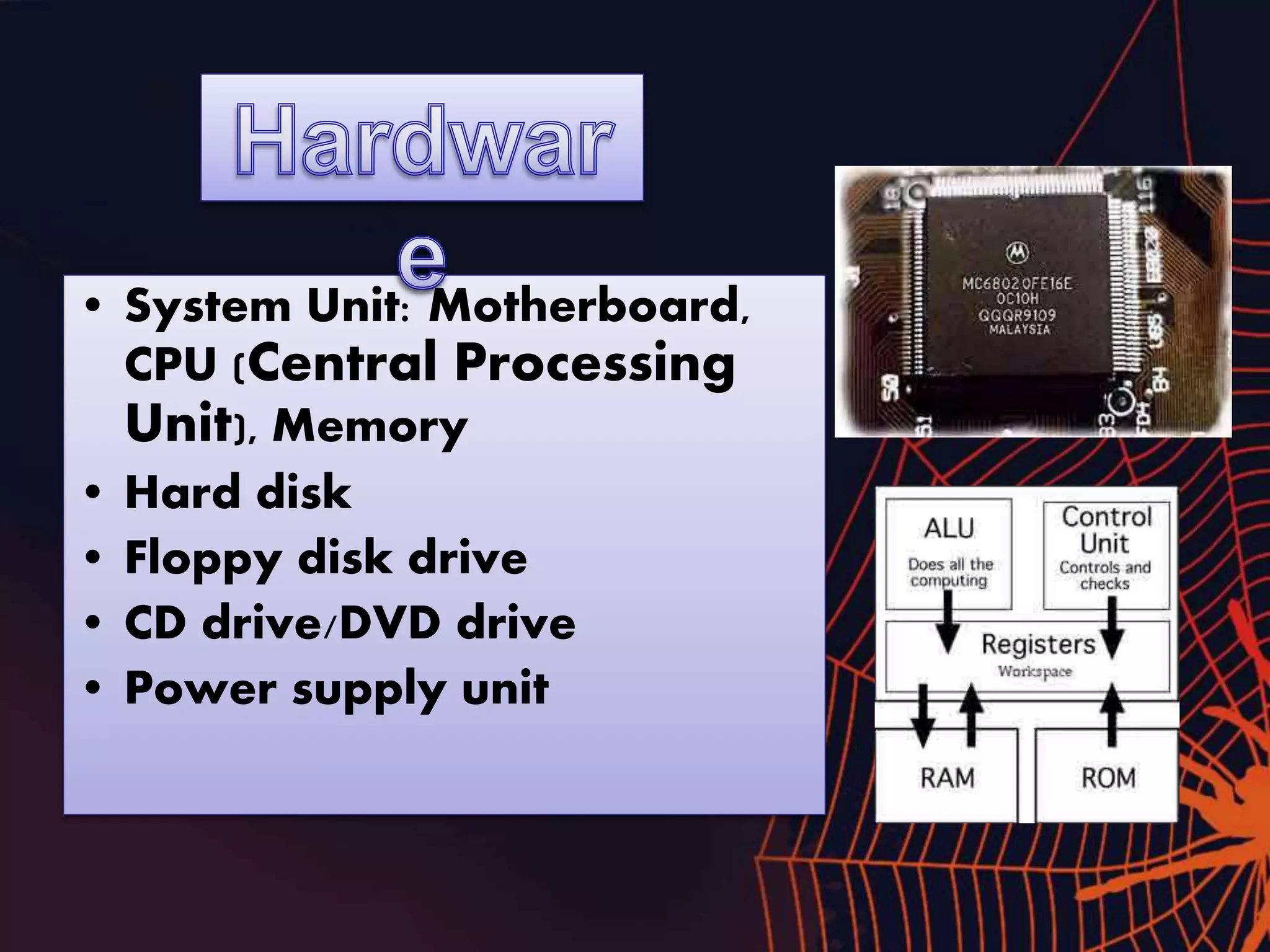
• System Unit: Motherboard,
CPU (Central Processing
Unit), Memory
• Hard disk
• Floppy disk drive
• CD drive/DVD drive
• Power supply unit
Technology in Your Life
Introducing Your Computer
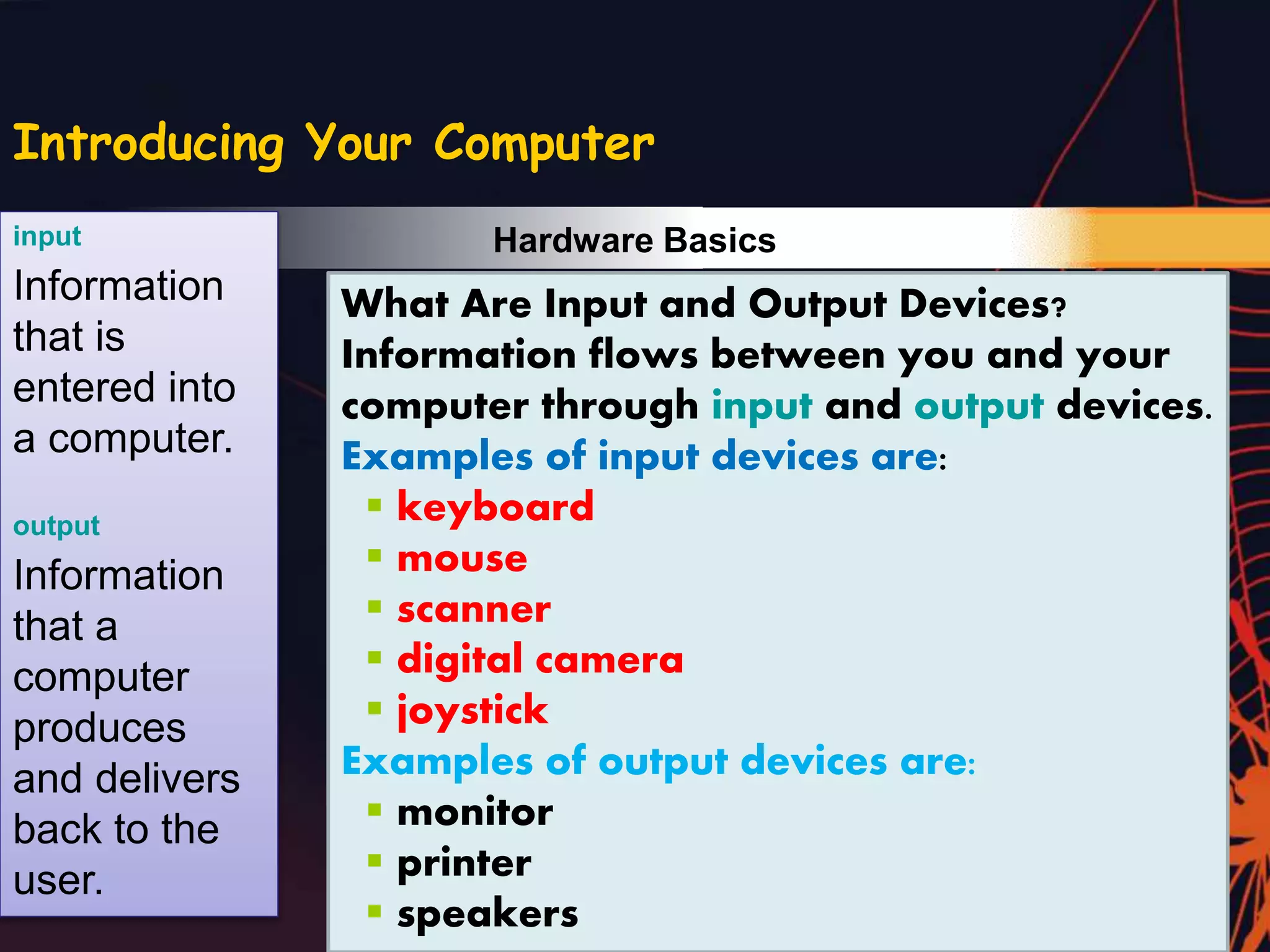
What Are Input and Output Devices?
Information flows between you and your
computer through input and output devices.
Examples of input devices are:
 keyboard
 mouse
 scanner
 digital camera
 joystick
Examples of output devices are:
 monitor
 printer
 speakers
input
Information
that is
entered into
a computer.
output
Information
that a
computer
produces
and delivers
back to the
user.
Hardware Basics
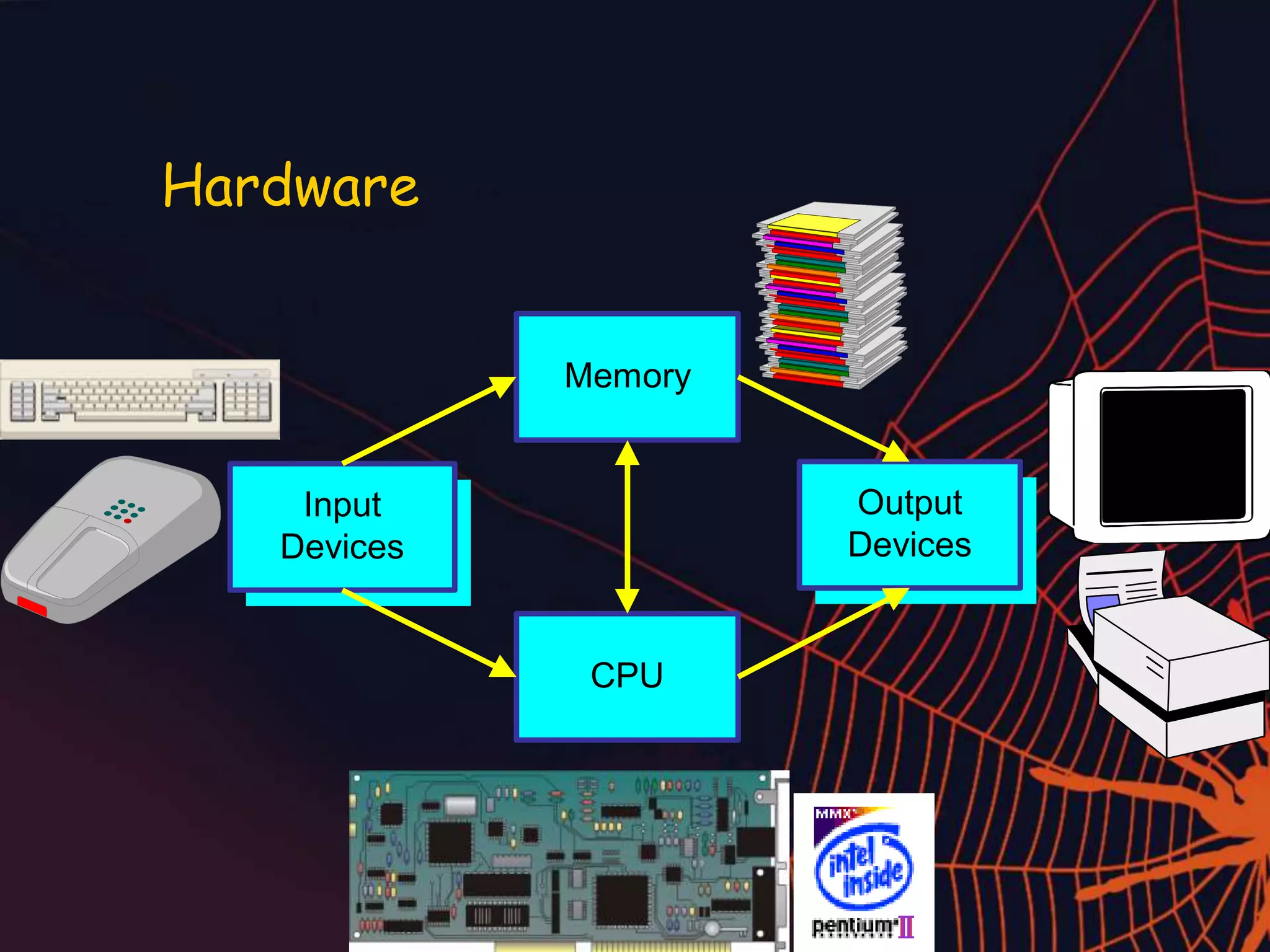
Hardware
Memory
CPU
Input
Devices
Output
Devices
Technology in Your Life
Introducing Your Computer
Software is the set of instructions that lets you “talk” to your
computer. Software translates commands
into bits and bytes. Different types of
software have different functions:
 Operating system (OS) software -
makes your computer work
 Application software - lets you do
different tasks on your computer
 Utility software - helps you maintain your
computer and keep it in good running
condition
SOFTWARE
A set of
instructions, also
called a program or
application, that
tells a computer
how to perform
tasks.
OPERATING
SYSTEM (OS)
Software that
controls all the
other software
programs and
allows a computer
to perform basic
tasks.
Software Basics
System
Software
Application
Software
Software
Copyright © 2000 by Brooks/Cole Publishing Company
A division of International Thomson Publishing Inc.
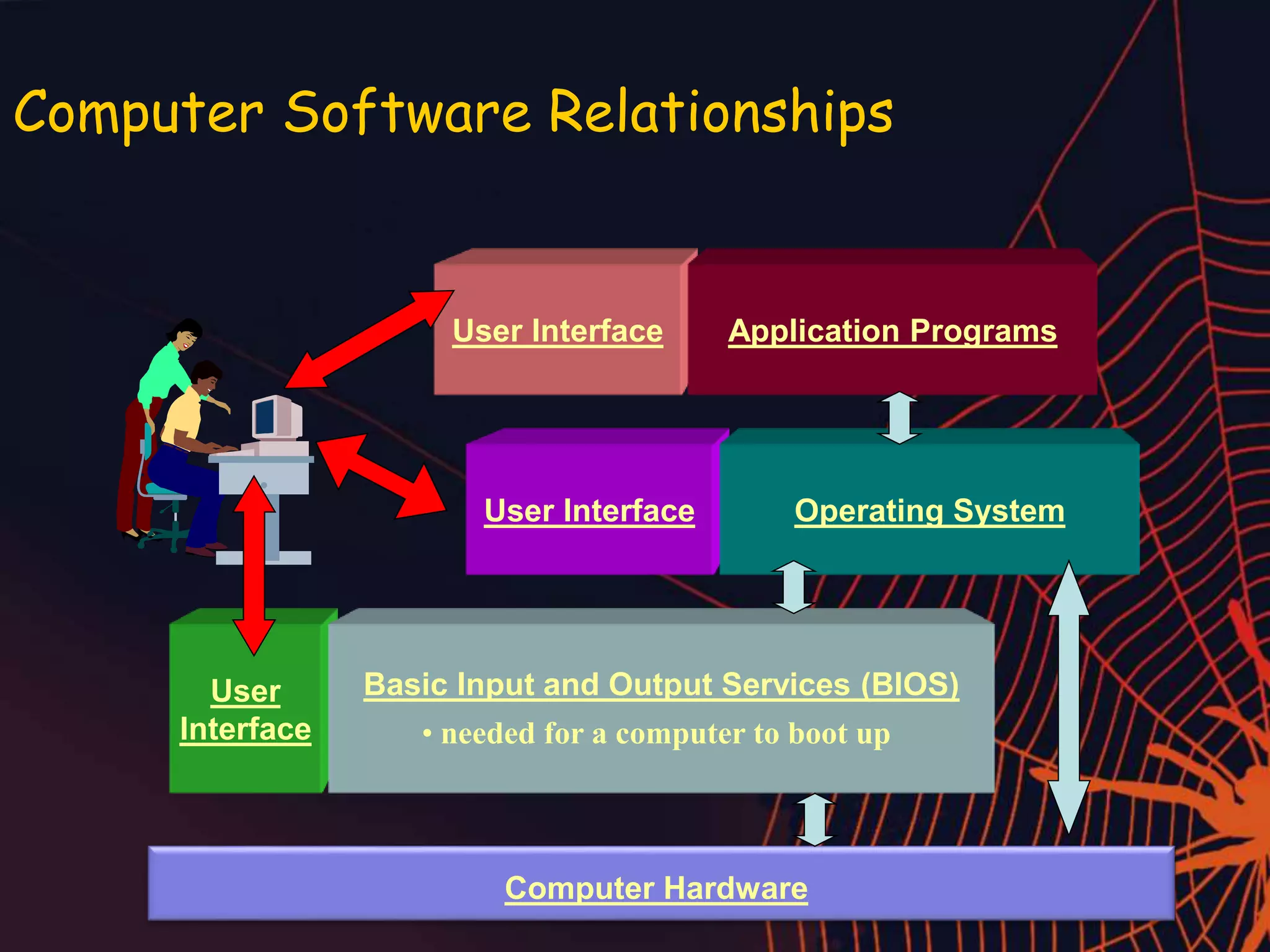
Computer Software Relationships
User
Interface
Basic Input and Output Services (BIOS)
• needed for a computer to boot up
User Interface Operating System
User Interface Application Programs
Computer Hardware
Summary
hardware & software
hardware & software

hardware & software

  • 2.
  • 3.
  • 4.
    4 Hardware and Software •Hardware – the physical, tangible parts of a computer – keyboard, monitor, wires, chips, data • Software – programs and data – a program is a series of instructions • A computer requires both hardware and software • Each is essentially useless without the other
  • 5.
    Technology in YourLife Introducing Your Computer Your computer may use hardware like the components shown here. Hardware Basics
  • 6.
    Technology in YourLife Hardware can be inside or outside the computer: The CPU and hard drive are inside the computer. The keyboard, monitor, and printer are outside the computer and must be connected by cables. Hardware Basics
  • 7.
    • System Unit:Motherboard, CPU (Central Processing Unit), Memory • Hard disk • Floppy disk drive • CD drive/DVD drive • Power supply unit
  • 8.
    Technology in YourLife Introducing Your Computer What Are Input and Output Devices? Information flows between you and your computer through input and output devices. Examples of input devices are:  keyboard  mouse  scanner  digital camera  joystick Examples of output devices are:  monitor  printer  speakers input Information that is entered into a computer. output Information that a computer produces and delivers back to the user. Hardware Basics
  • 9.
  • 10.
    Technology in YourLife Introducing Your Computer Software is the set of instructions that lets you “talk” to your computer. Software translates commands into bits and bytes. Different types of software have different functions:  Operating system (OS) software - makes your computer work  Application software - lets you do different tasks on your computer  Utility software - helps you maintain your computer and keep it in good running condition SOFTWARE A set of instructions, also called a program or application, that tells a computer how to perform tasks. OPERATING SYSTEM (OS) Software that controls all the other software programs and allows a computer to perform basic tasks. Software Basics
  • 11.
  • 12.
    Copyright © 2000by Brooks/Cole Publishing Company A division of International Thomson Publishing Inc.
  • 13.
    Computer Software Relationships User Interface BasicInput and Output Services (BIOS) • needed for a computer to boot up User Interface Operating System User Interface Application Programs Computer Hardware
  • 14.