Created By:
Civil Er. Ashis Kashyap
2016
1. Introduction
2. Components of GIS
3. Components of Maps
4. Information in a Digital Map
5. GIS Applications in Urban Planning
6. Conclusion
• GIS means Geographic Information System
•It integrates:
1. Hardware
2. Software
3. Data
•It is used for:
1. Capturing
2. Managing
3. Analyzing
4. Displaying
Geographically referenced information
1. Hardware
2. Software
3. Data
4. People
5. Method
 Computer System on which GIS Software runs
 Personal Computers to Super Computers
 Scanner, Digitizer Board, Printers, Plotters,
etc. are the peripherals Devices
 All information are stored in standard
Computer Formats e.g. JPEG, BMP, PDF, etc.
 GIS software provides the functions & tools to
handle GIS data
 Examples MapInfo®, ARC Info®, AutoCAD
Map®, etc.
 For low cost work MapInfo ®
 For Extensive analysis ARC Info ®
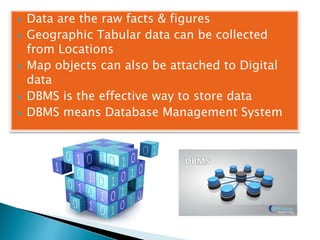
 Data are the raw facts & figures
 Geographic Tabular data can be collected
from Locations
 Map objects can also be attached to Digital
data
 DBMS is the effective way to store data
 DBMS means Database Management System
 GIS user range from Technical specialist to
Administrator
 Broadly 2 classes:
1. CAD/GIS Operator. Whose work is to vectorise
map objects.
2. GIS Engineer. Who query & analyze works.
 Map creation can be done by:
1. Automated raster
2. Vector Creator
3. Manually vectorised
4. Survey agency
i. Scale
ii. Map resolution
iii. Map accuracy
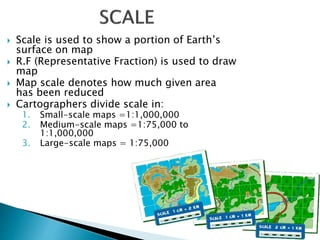
 Scale is used to show a portion of Earth’s
surface on map
 R.F (Representative Fraction) is used to draw
map
 Map scale denotes how much given area
has been reduced
 Cartographers divide scale in:
1. Small-scale maps =1:1,000,000
2. Medium-scale maps =1:75,000 to
1:1,000,000
3. Large-scale maps = 1:75,000
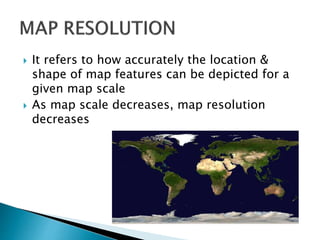
 It refers to how accurately the location &
shape of map features can be depicted for a
given map scale
 As map scale decreases, map resolution
decreases
 It covers Quality of source data, map scale,
drafting skills & width of lines on Ground
 Fine drafting pen draws lines at 1/100 of an
inch
1. Geographic Information, gives position &
shapes of specific geographic features
2. Attribute Information, gives additional non-
geographic information about each feature
3. Display Information, describes appearance
of features on screen
 Planning of project
 Make better decisions
 Visual Analysis
 Spatial Analysis
 Improve Organizational Integration
 GIS is useful in detailed
planning stage
 Thematic maps can be
generated e.g. Soil
composition, Vegetation,
population density,
Topography, etc.
 Surface Length, width & area
can be calculated
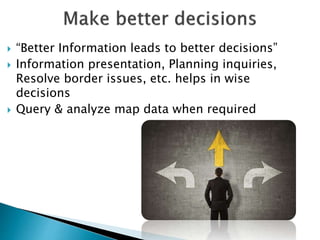
 “Better Information leads to better decisions”
 Information presentation, Planning inquiries,
Resolve border issues, etc. helps in wise
decisions
 Query & analyze map data when required
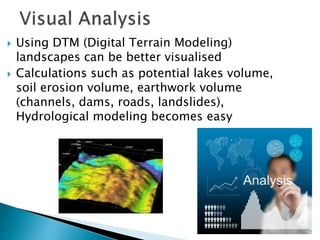
 Using DTM (Digital Terrain Modeling)
landscapes can be better visualised
 Calculations such as potential lakes volume,
soil erosion volume, earthwork volume
(channels, dams, roads, landslides),
Hydrological modeling becomes easy
 Identify trends on the data
 Create new relationships from the data
 View complex relationships between data sets
 Make better decisions
 Improved management
of the organization
resources by GIS
Technology
 Interdepartmental
information sharing
 Data can be used several
times
 Increase in productivity
due to reduced data
redundancy, fast access
& information Reliability
 GIS is a very versatile tool which can be
implemented for better Map creation
 It gives us to query & analyze various
information
 GIS Technology helps in taking better
decisions
 Results in higher Productivity of an
Organization
GIS MAPPING

GIS MAPPING

  • 1.
    Created By: Civil Er.Ashis Kashyap 2016
  • 2.
    1. Introduction 2. Componentsof GIS 3. Components of Maps 4. Information in a Digital Map 5. GIS Applications in Urban Planning 6. Conclusion
  • 3.
    • GIS meansGeographic Information System •It integrates: 1. Hardware 2. Software 3. Data •It is used for: 1. Capturing 2. Managing 3. Analyzing 4. Displaying Geographically referenced information
  • 4.
    1. Hardware 2. Software 3.Data 4. People 5. Method
  • 6.
     Computer Systemon which GIS Software runs  Personal Computers to Super Computers  Scanner, Digitizer Board, Printers, Plotters, etc. are the peripherals Devices  All information are stored in standard Computer Formats e.g. JPEG, BMP, PDF, etc.
  • 8.
     GIS softwareprovides the functions & tools to handle GIS data  Examples MapInfo®, ARC Info®, AutoCAD Map®, etc.  For low cost work MapInfo ®  For Extensive analysis ARC Info ®
  • 10.
     Data arethe raw facts & figures  Geographic Tabular data can be collected from Locations  Map objects can also be attached to Digital data  DBMS is the effective way to store data  DBMS means Database Management System
  • 12.
     GIS userrange from Technical specialist to Administrator  Broadly 2 classes: 1. CAD/GIS Operator. Whose work is to vectorise map objects. 2. GIS Engineer. Who query & analyze works.
  • 14.
     Map creationcan be done by: 1. Automated raster 2. Vector Creator 3. Manually vectorised 4. Survey agency
  • 15.
    i. Scale ii. Mapresolution iii. Map accuracy
  • 16.
     Scale isused to show a portion of Earth’s surface on map  R.F (Representative Fraction) is used to draw map  Map scale denotes how much given area has been reduced  Cartographers divide scale in: 1. Small-scale maps =1:1,000,000 2. Medium-scale maps =1:75,000 to 1:1,000,000 3. Large-scale maps = 1:75,000
  • 17.
     It refersto how accurately the location & shape of map features can be depicted for a given map scale  As map scale decreases, map resolution decreases
  • 18.
     It coversQuality of source data, map scale, drafting skills & width of lines on Ground  Fine drafting pen draws lines at 1/100 of an inch
  • 19.
    1. Geographic Information,gives position & shapes of specific geographic features 2. Attribute Information, gives additional non- geographic information about each feature 3. Display Information, describes appearance of features on screen
  • 20.
     Planning ofproject  Make better decisions  Visual Analysis  Spatial Analysis  Improve Organizational Integration
  • 21.
     GIS isuseful in detailed planning stage  Thematic maps can be generated e.g. Soil composition, Vegetation, population density, Topography, etc.  Surface Length, width & area can be calculated
  • 22.
     “Better Informationleads to better decisions”  Information presentation, Planning inquiries, Resolve border issues, etc. helps in wise decisions  Query & analyze map data when required
  • 23.
     Using DTM(Digital Terrain Modeling) landscapes can be better visualised  Calculations such as potential lakes volume, soil erosion volume, earthwork volume (channels, dams, roads, landslides), Hydrological modeling becomes easy
  • 24.
     Identify trendson the data  Create new relationships from the data  View complex relationships between data sets  Make better decisions
  • 25.
     Improved management ofthe organization resources by GIS Technology  Interdepartmental information sharing  Data can be used several times  Increase in productivity due to reduced data redundancy, fast access & information Reliability
  • 26.
     GIS isa very versatile tool which can be implemented for better Map creation  It gives us to query & analyze various information  GIS Technology helps in taking better decisions  Results in higher Productivity of an Organization