Geographic Information Systems and Science
by Longley, P.A. Goodchild, M.F., Maguire, D.J. and Rhind, D.W.
Concepts & Techniques of Geographic Information Systems
by Lo and Albert K.W. Yeung
Text Books
Objectives
• To introduce concepts and the techniques of
handling geographical data through a particular
form of information system - GIS;
• To introduce the skills and techniques to input,
manage, analyse and display spatial
information; and
• To introduce the concepts and techniques for
spatial data analysis and modelling.
Outline
1. What is a GIS?
2. Representing the real world
3. GIS software
4. The nature of geographical data
5. GIS data modelling
6. Geographical databases
7. Geographical query
8. Spatial analysis
9. Digital terrain modelling
10. Network analysis
11. GIS as decision making tool
12. GIS applications
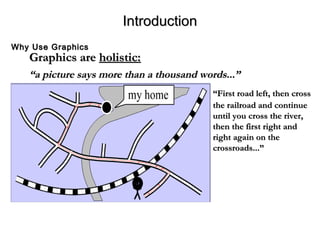
Graphics areGraphics are holistic:holistic:
““a picture says more than a thousand words...”a picture says more than a thousand words...”
““First road left, then crossFirst road left, then cross
the railroad and continuethe railroad and continue
until you cross the river,until you cross the river,
then the first right andthen the first right and
right again on theright again on the
crossroads...”crossroads...”
IntroductionIntroduction
Why Use GraphicsWhy Use Graphics
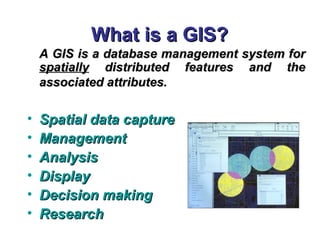
What is a GIS?What is a GIS?
A GIS is a database management system forA GIS is a database management system for
spatiallyspatially distributed features and thedistributed features and the
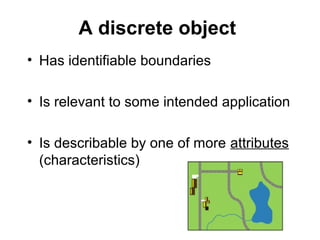
associated attributes.associated attributes.
• Spatial data captureSpatial data capture
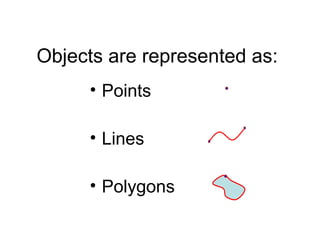
• ManagementManagement
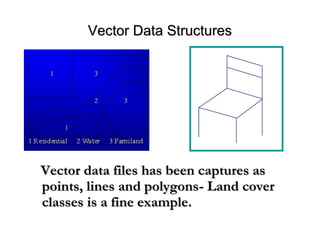
• AnalysisAnalysis
• DisplayDisplay
• Decision makingDecision making
• ResearchResearch
WHAT IS A GIS ?WHAT IS A GIS ?
GEOGRAPHICGEOGRAPHIC implies that locations of the data items are known, orimplies that locations of the data items are known, or
can be calculated, in terms of Geographiccan be calculated, in terms of Geographic coordinatescoordinates ((LatitudeLatitude,,
LongitudeLongitude))
INFORMATIONINFORMATION implies that the data in a GIS are organized to yieldimplies that the data in a GIS are organized to yield
useful knowledge,useful knowledge, e.ge.g
• colored maps and images,colored maps and images,
• statistical graphics,statistical graphics,
• tables, andtables, and
• various on-screen responses to interactive queriesvarious on-screen responses to interactive queries..
SYSTEMSYSTEM implies that a GIS is made up from several inter-related and linkedimplies that a GIS is made up from several inter-related and linked
components with different functions.components with different functions.
Thus, GIS have functional capabilities for data capture, input,Thus, GIS have functional capabilities for data capture, input,
manipulation, transformation, visualization, combinations, query, analysis,manipulation, transformation, visualization, combinations, query, analysis,
modelling and output.modelling and output.
A container of maps in digital form
A computerised tool for solving geographical problems
A mechanised inventory of geographically distributed features and
facilities
A tool for revealing what is otherwise invisible in geographical
information
A tool for performing operations on geographical data more efficiently
A spatial decision support system
Definitions of a GIS and the groups who find them useful (from
Longley, et al., 2001, pp. 10)
Some DefinitionsSome Definitions
•Government: where to locate public facilities (e.g. schools, hospitals and
police stations)?
•Transportation: where to build the new highway that serves most critical
bottleneck of the road network?
•Commercial: where to build new shops or good distribution centres that
make most cost effective services?
•Travellers: where am I and how can I travel from Jeddah International
Airport to Taif University?
•Country park management: where to locate ring roads in Hada that
provide the best scenery for driving at different levels with the minimum
impact on the environment?
Examples of geographical problems
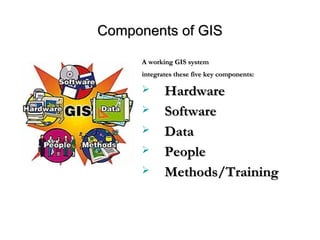
Components of GISComponents of GIS
A working GIS systemA working GIS system
integrates these five key components:integrates these five key components:
 HardwareHardware
 SoftwareSoftware
 DataData
 PeoplePeople
 Methods/TrainingMethods/Training
Hardware
Hardware comprises the equipment needed to support
the many activities of GIS.
e.g. data collection and data analysis.
The central piece of equipment is the workstation, which
runs the GIS software
• Data collection requires the use of
Digitizer for conversion of hard copy data to digital data
GPS data logger to collect data in the field.
The advent of web-enabled GIS, web servers have also
become an important piece of equipment for GIS.
Software
• Software is essential for creating, editing
and analyzing spatial and attribute data
• e.g. Xtools, Arc View
Data
• Data is the core of any GIS.
• There are two primary types of data that are used in GIS.
– Geodatabase: is a database that is in some way referenced to
locations on the earth.
• Geodatabases are grouped into two different types: vector and
raster.
– Attribute data. Attribute data generally defines additional
information, which can then be tied to spatial data.
People
• Well-trained people knowledgeable in spatial analysis and skilled in
using GIS software are essential to the GIS process.
• There are three factors to the people component:
– education, career path, and networking.
• A person highly skilled in GIS analysis should not seek a job as a
GIS developer if they haven’t taken the necessary programming
classes.
• Finally, continuous networking with other GIS professionals is
essential for the exchange of ideas as well as a support community.
Training
• People working with GIS software must be
well trained how to use them.
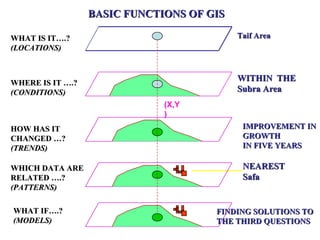
BASIC FUNCTIONS OF GISBASIC FUNCTIONS OF GIS
WHAT IS IT….?WHAT IS IT….?
(LOCATIONS)(LOCATIONS)
Taif AreaTaif Area
(X,Y
)
WHERE IS IT ….?WHERE IS IT ….?
(CONDITIONS)(CONDITIONS)
WITHIN THEWITHIN THE
Subra AreaSubra Area
HOW HAS ITHOW HAS IT
CHANGED …?CHANGED …?
(TRENDS)(TRENDS)
IMPROVEMENT INIMPROVEMENT IN
GROWTHGROWTH
IN FIVE YEARSIN FIVE YEARS
WHICH DATA AREWHICH DATA ARE
RELATED ….?RELATED ….?
(PATTERNS)(PATTERNS)
NEARESTNEAREST
SafaSafa
WHAT IF….?WHAT IF….?
(MODELS)(MODELS)
FINDING SOLUTIONS TOFINDING SOLUTIONS TO
THE THIRD QUESTIONSTHE THIRD QUESTIONS
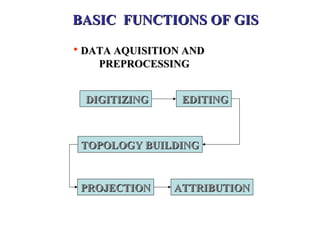
BASIC FUNCTIONS OF GISBASIC FUNCTIONS OF GIS
• DATA AQUISITION ANDDATA AQUISITION AND
PREPROCESSINGPREPROCESSING
DIGITIZINGDIGITIZING EDITINGEDITING
TOPOLOGY BUILDINGTOPOLOGY BUILDING
PROJECTIONPROJECTION ATTRIBUTIONATTRIBUTION
WHY GIS ?WHY GIS ?
• To inventory and monitor resourcesTo inventory and monitor resources
• To test the sensitivity of our analysisTo test the sensitivity of our analysis
assumptionsassumptions
• To simulate potential impacts ofTo simulate potential impacts of
management alternativesmanagement alternatives
• To make the map the 2nd time, the 50thTo make the map the 2nd time, the 50th
time, the 100th time...time, the 100th time...
ADVANTAGES OF GIS IN SIMPLE TERMSADVANTAGES OF GIS IN SIMPLE TERMS
• Though collection of data is difficult once it isThough collection of data is difficult once it is
collected, it can be stored safely in digital formcollected, it can be stored safely in digital form
(in computer) forever without damage, which(in computer) forever without damage, which
usually happens to our maps.usually happens to our maps.
• Once if a map is prepared accurately it can beOnce if a map is prepared accurately it can be
printed in any scale without any redrawing.printed in any scale without any redrawing.
• Large scale maps at smaller units (Beats) levelLarge scale maps at smaller units (Beats) level
can be joined for creating maps at divisions orcan be joined for creating maps at divisions or
district level, very accurately within few minutes.district level, very accurately within few minutes.
Contd..Contd..
 Changes can be incorporated very easily in computerChanges can be incorporated very easily in computer
and it doesn’t require any redrawing.and it doesn’t require any redrawing.
 Same map can be generated even after 100s of yearsSame map can be generated even after 100s of years
later.later.
 New things can be known after overlay of differentNew things can be known after overlay of different
themes and a new types of maps can be generated.themes and a new types of maps can be generated.
 Work can be done faster than manually.Work can be done faster than manually.
 The work of decision makers and end users willThe work of decision makers and end users will
become easier.become easier.
ADVANTAGES OF GIS IN SIMPLE TERMSADVANTAGES OF GIS IN SIMPLE TERMS
OriginOrigin
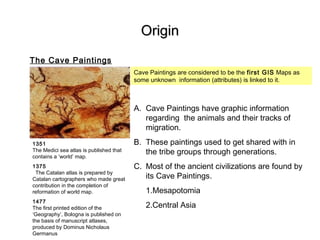
The Cave Paintings
1351
The Medici sea atlas is published that
contains a ‘world’ map.
1375
The Catalan atlas is prepared by
Catalan cartographers who made great
contribution in the completion of
reformation of world map.
1477
The first printed edition of the
‘Geography’, Bologna is published on
the basis of manuscript atlases,
produced by Dominus Nicholaus
Germanus
Cave Paintings are considered to be the first GIS Maps as
some unknown information (attributes) is linked to it.
A. Cave Paintings have graphic information
regarding the animals and their tracks of
migration.
B. These paintings used to get shared with in
the tribe groups through generations.
C. Most of the ancient civilizations are found by
its Cave Paintings.
1.Mesapotomia
2.Central Asia
Manual MappingManual Mapping
Manual Mapping
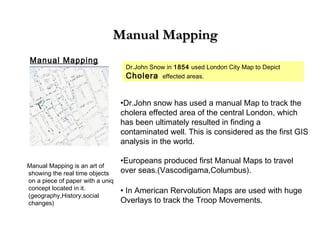
Dr.John Snow in 1854 used London City Map to Depict
Cholera effected areas.
•Dr.John snow has used a manual Map to track the
cholera effected area of the central London, which
has been ultimately resulted in finding a
contaminated well. This is considered as the first GIS
analysis in the world.
•Europeans produced first Manual Maps to travel
over seas.(Vascodigama,Columbus).
• In American Rervolution Maps are used with huge
Overlays to track the Troop Movements.
Manual Mapping is an art of
showing the real time objects
on a piece of paper with a uniq
concept located in it.
(geography,History,social
changes)
CAD (Computer Aided Drafting)CAD (Computer Aided Drafting)
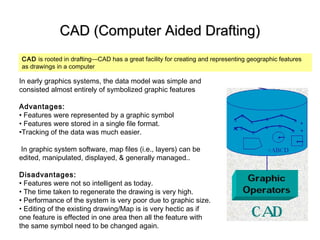
CAD is rooted in drafting—CAD has a great facility for creating and representing geographic features
as drawings in a computer
In early graphics systems, the data model was simple and
consisted almost entirely of symbolized graphic features
Advantages:
• Features were represented by a graphic symbol
• Features were stored in a single file format.
•Tracking of the data was much easier.
In graphic system software, map files (i.e., layers) can be
edited, manipulated, displayed, & generally managed..
Disadvantages:
• Features were not so intelligent as today.
• The time taken to regenerate the drawing is very high.
• Performance of the system is very poor due to graphic size.
• Editing of the existing drawing/Map is is very hectic as if
one feature is effected in one area then all the feature with
the same symbol need to be changed again.
AM/FM a Semi GISAM/FM a Semi GIS
After 1970’s CAD have been implemented in many sectors and was very
successful.
However, Large Utility companies and other companies which needed
Facility Mapping suffered with the inabilities of CAD systems.
The Concept of facility Mapping has been into the lime lite around mid 70’s.
FM is nothing but CAD but it has its own defined features in it (transformers,
repeaters) along with the default text. Some advanced FM systems even
provided a data linking facility to the features.
In one word an AM/FM systems is 90% Automated CAD systems with its
defined features.
Later on FM has become the stepping stone for GIS
 1988 - Indian Remote Sensing Satellite (IRS) system is commissioned with
the launch of IRS-1A.
 1989 - The National Remote Sensing Agency prepares the first Wasteland
Atlas. 
 1989 - The National Remote Sensing Agency prepares the first Wasteland
Atlas.
 1996
-ESRI India is formed.
- Tata Consultancy Services (TCS), India established in 1968, starts with the
TCS GIS group to provide services in the areas of GIS, Digital Image
Processing, Automated Mapping and Facility Management.
-The Mountain Natural Resource Information Systems (MENRIS),Nepal is
established to facilitate the application of GIS and remote sensing
( contd…)
Mile Stones in GIS
 1998
- Tata Infotech is appointed as exclusive distributor of MapInfo products in
SAARC region.
- Bentley India is established.
- Kampsax India Ltd. a photogrammetry is formed.
- Tele Atlas starts its operation in India.
1999
-The first "GIS Forum South Asia’99" is organised at Nepal.
- Autodesk India Ltd. is formed.
- Landsat 7 carrying Enhanced Thematic Mapper Plus (ETM+) is launched.
- IKONOS is launched
Mile Stones in GIS
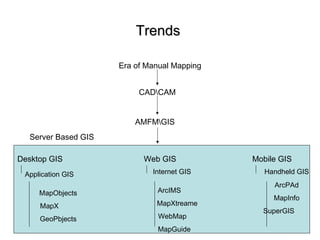
TrendsTrends
Era of Manual Mapping
AMFMGIS
Desktop GIS
Application GIS
CADCAM
Web GIS Mobile GIS
MapObjects
MapX
GeoPbjects
Internet GIS
ArcIMS
MapXtreame
WebMap
MapGuide
Handheld GIS
ArcPAd
MapInfo
SuperGIS
Server Based GIS
Implementing GIS in various DomainsImplementing GIS in various Domains
 UtilitiesUtilities
 Transport & logisticsTransport & logistics
 CommunicationCommunication
 Urban planningUrban planning
 MilitaryMilitary
 ForestryForestry
 EnvironmentEnvironment
 AgricultureAgriculture
List Of some important DomainsList Of some important Domains
What Data is in Your GIS?What Data is in Your GIS?
• WhatWhat featuresfeatures do you map?do you map?
• WhatWhat attributesattributes do you need to collectdo you need to collect
data on?data on?
• WhatWhat attribute valuesattribute values can you give thecan you give the
attribute?attribute?
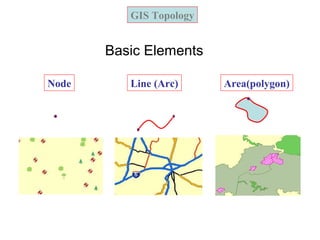
GIS Topology
Node Line (Arc) Area(polygon)
Basic Elements
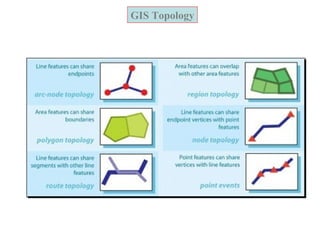
GIS Topology
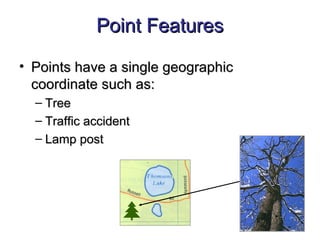
Point FeaturesPoint Features
• Points have a single geographicPoints have a single geographic
coordinate such as:coordinate such as:
– TreeTree
– Traffic accidentTraffic accident
– Lamp postLamp post
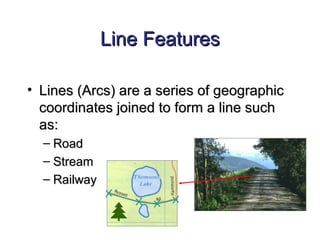
Line FeaturesLine Features
• Lines (Arcs) are a series of geographicLines (Arcs) are a series of geographic
coordinates joined to form a line suchcoordinates joined to form a line such
as:as:
– RoadRoad
– StreamStream
– RailwayRailway
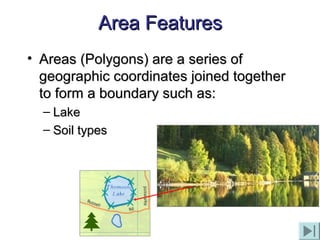
Area FeaturesArea Features
• Areas (Polygons) are a series ofAreas (Polygons) are a series of
geographic coordinates joined togethergeographic coordinates joined together
to form a boundary such as:to form a boundary such as:
– LakeLake
– Soil typesSoil types
Geography Data Types and Data
Models
Map data. (SPATIAL) Map data contains the location
and shape of geographic features. (CartographicCartographic (Map(Map
Data)Data))
Attribute data. Attribute (tabular) data is the descriptive
data that GIS links to map features.
Image data. Image data ranges from satellite images
and aerial photographs to scanned maps (maps that
have been converted from printed to digital format).
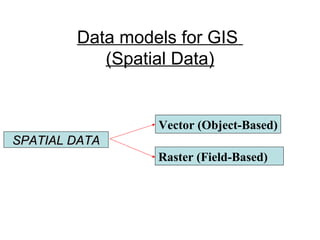
Data models for GIS
(Spatial Data)
Spatial Data refers to information related to a
location anywhere on the earth's surface, and allows
users to look at an area or geographic feature in
relation to other areas (in relation to changes over
time and in relation to various factors)
Data models for GIS
(Spatial Data)
SPATIAL DATASPATIAL DATA
Vector (Object-Based)
Raster (Field-Based)
Object-based model (vector)
Geographic space is populated by
discrete and identifiable objects
Discrete Data
Data that can only take certain values.
For example: the number of students in a class
(you can't have half a student).
Continuous Data
Data that can take any value (within a range)
Examples: heights. People's heights could be
any value (within the range of human heights),
not just certain fixed heights.
A discrete object
• Has identifiable boundaries
• Is relevant to some intended application
• Is describable by one of more attributes
(characteristics)
Objects
• Exact objects - are generally man-
made features with precise boundaries
(e.g. buildings, bridges, etc.)
• Inexact objects - are generally natural
features with transitional, or “fuzzy”
boundaries. (rivers, trees, etc.)
Objects are represented as:
• Points
• Lines
• Polygons
Vector Data StructuresVector Data Structures
Vector data files has been captures asVector data files has been captures as
points, lines and polygonspoints, lines and polygons- Land cover- Land cover
classes is a fine example.classes is a fine example.
Field-based model (raster)
Geographic space is populated by one
or more spatial phenomena
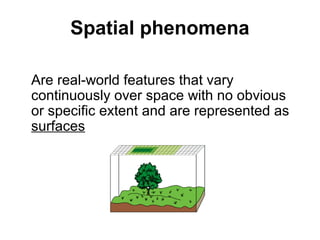
Spatial phenomena
Are real-world features that vary
continuously over space with no obvious
or specific extent and are represented as
surfaces
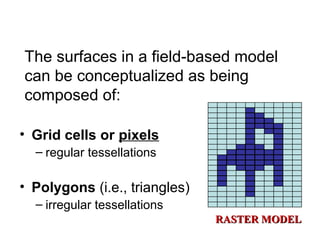
The surfaces in a field-based model
can be conceptualized as being
composed of:
• Grid cells or pixels
– regular tessellations
• Polygons (i.e., triangles)
– irregular tessellations
RASTER MODELRASTER MODEL
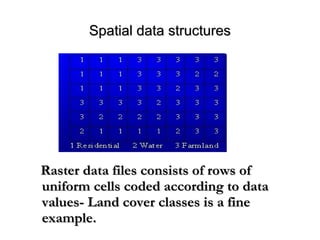
Spatial data structuresSpatial data structures
Raster data files consists of rows ofRaster data files consists of rows of
uniform cells coded according to datauniform cells coded according to data
vvalues- Land cover classes is a finealues- Land cover classes is a fine
example.example.
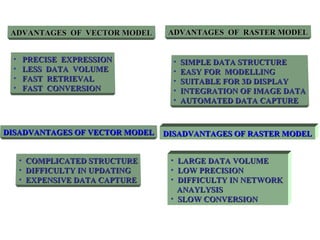
ADVANTAGES OF VECTOR MODELADVANTAGES OF VECTOR MODEL
• PRECISE EXPRESSIONPRECISE EXPRESSION
• LESS DATA VOLUMELESS DATA VOLUME
• FAST RETRIEVALFAST RETRIEVAL
• FAST CONVERSIONFAST CONVERSION
ADVANTAGES OF RASTER MODELADVANTAGES OF RASTER MODEL
• SIMPLE DATA STRUCTURESIMPLE DATA STRUCTURE
• EASY FOR MODELLINGEASY FOR MODELLING
• SUITABLE FOR 3D DISPLAYSUITABLE FOR 3D DISPLAY
• INTEGRATION OF IMAGE DATAINTEGRATION OF IMAGE DATA
• AUTOMATED DATA CAPTUREAUTOMATED DATA CAPTURE
DISADVANTAGES OF VECTOR MODELDISADVANTAGES OF VECTOR MODEL
• COMPLICATED STRUCTURECOMPLICATED STRUCTURE
• DIFFICULTY IN UPDATINGDIFFICULTY IN UPDATING
• EXPENSIVE DATA CAPTUREEXPENSIVE DATA CAPTURE
DISADVANTAGES OF RASTER MODELDISADVANTAGES OF RASTER MODEL
• LARGE DATA VOLUMELARGE DATA VOLUME
• LOW PRECISIONLOW PRECISION
• DIFFICULTY IN NETWORKDIFFICULTY IN NETWORK
ANAYLYSISANAYLYSIS
• SLOW CONVERSIONSLOW CONVERSION
Attribute Data ModelAttribute Data Model
• Non-Cartographic (Attribute)Non-Cartographic (Attribute)--
descriptive information in a databasedescriptive information in a database
about the cartographic features locatedabout the cartographic features located
on a map.on a map.
– AttributesAttributes
– Attribute ValuesAttribute Values
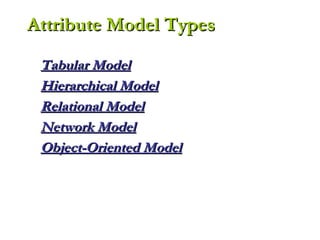
Tabular ModelTabular Model
Hierarchical ModelHierarchical Model
Relational ModelRelational Model
Network ModelNetwork Model
Object-Oriented ModelObject-Oriented Model
Attribute Model TypesAttribute Model Types
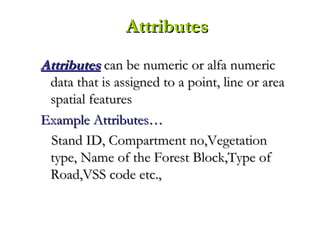
AttributesAttributes can be numeric or alfa numericcan be numeric or alfa numeric
data that is assigned to a point, line or areadata that is assigned to a point, line or area
spatial featuresspatial features
Example Attributes…Example Attributes…
Stand ID, Compartment no,VegetationStand ID, Compartment no,Vegetation
type, Name of the Forest Block,Type oftype, Name of the Forest Block,Type of
Road,VSS code etc.,Road,VSS code etc.,
AttributesAttributes
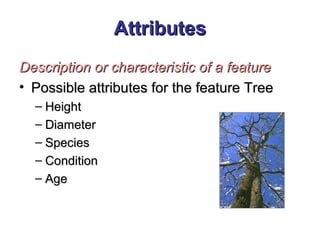
Description or characteristic of a featureDescription or characteristic of a feature
• Possible attributes for the feature TreePossible attributes for the feature Tree
– HeightHeight
– DiameterDiameter
– SpeciesSpecies
– ConditionCondition
– AgeAge
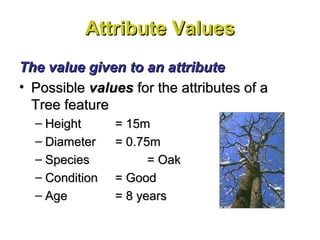
Attribute ValuesAttribute Values
The value given to an attributeThe value given to an attribute
• PossiblePossible valuesvalues for the attributes of afor the attributes of a
Tree featureTree feature
– HeightHeight = 15m= 15m
– DiameterDiameter = 0.75m= 0.75m
– SpeciesSpecies = Oak= Oak
– ConditionCondition = Good= Good
– AgeAge = 8 years= 8 years
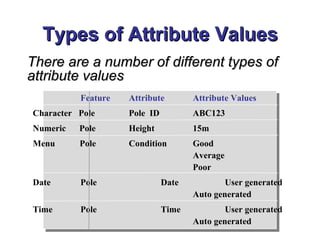
Types of Attribute ValuesTypes of Attribute Values
There are a number of different types ofThere are a number of different types of
attribute valuesattribute values
Feature Attribute Attribute Values
Character Pole Pole ID ABC123
Numeric Pole Height 15m
Menu Pole Condition Good
Average
Poor
Date Pole Date User generated
Auto generated
Time Pole Time User generated
Auto generated
Data Quality
• “fitness for use”
• varies with
– intended use
– scale
– method of collection
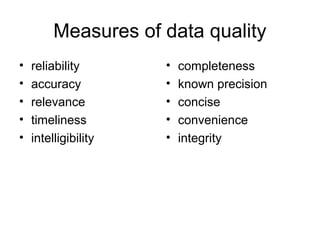
Measures of data quality
• reliability
• accuracy
• relevance
• timeliness
• intelligibility
• completeness
• known precision
• concise
• convenience
• integrity
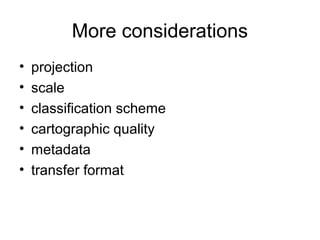
More considerations
• projection
• scale
• classification scheme
• cartographic quality
• metadata
• transfer format
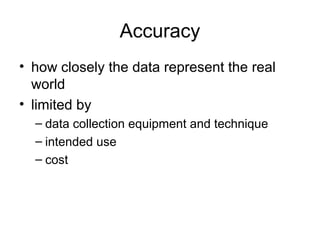
Accuracy
• how closely the data represent the real
world
• limited by
– data collection equipment and technique
– intended use
– cost
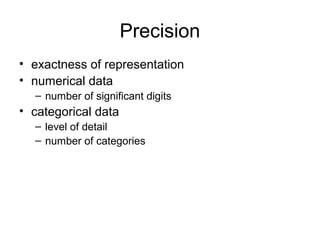
Precision
• exactness of representation
• numerical data
– number of significant digits
• categorical data
– level of detail
– number of categories
Error
• deviation, variation, & discrepancy
• lack of accuracy & precision
• types
– systematic
– random
Error Sources
• original source material
• data collection
• data automation and compilation
• data processing and analysis
• inherent & operational
Uncertainty
• degree of doubt
• accuracy and precision are not known
• error is not known (but may be large)
• greater when data from multiple sources &
scales are mixed
Components of data quality
• lineage (data history)
• positional accuracy
– “one line width”
– varies with scale
– tables
• attribute accuracy
– numerical
– categorical
Components of data quality
• logical consistency
– with real world
– within model & system
– between data sets & files
• boundary errors
• layering errors
• completeness
– spatial
– thematic
Components of data quality
• temporal accuracy
– precision of temporal measurements
– age of data
• semantic accuracy
– labeling
Assessment of data quality
• positional accuracy
– random sample
– root mean square
error (RMSE)
– examine results for
patterns &
concentrations
• attribute accuracy
– random sample
– error matrix
– errors of inclusion &
exclusion
– percent correctly
classified
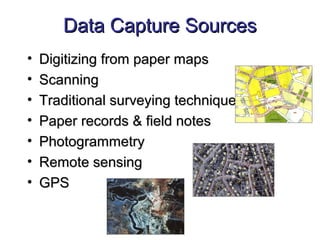
Data Capture SourcesData Capture Sources
• Digitizing from paper mapsDigitizing from paper maps
• ScanningScanning
• Traditional surveying techniquesTraditional surveying techniques
• Paper records & field notesPaper records & field notes
• PhotogrammetryPhotogrammetry
• Remote sensingRemote sensing
• GPSGPS
GIS Data StorageGIS Data Storage
• CartographicCartographic (Map Data)- observations on(Map Data)- observations on
spatially distributed features, activities, orspatially distributed features, activities, or
events, which are definable as:events, which are definable as:
– PointsPoints
– Lines (Arcs)Lines (Arcs)
– Areas (Polygons)Areas (Polygons)
GIS Data StorageGIS Data Storage
• Non-Cartographic (Attribute)Non-Cartographic (Attribute)--
descriptive information in a databasedescriptive information in a database
about the cartographic features locatedabout the cartographic features located
on a map.on a map.
– AttributesAttributes
– Attribute ValuesAttribute Values

gis

  • 1.
    Geographic Information Systemsand Science by Longley, P.A. Goodchild, M.F., Maguire, D.J. and Rhind, D.W. Concepts & Techniques of Geographic Information Systems by Lo and Albert K.W. Yeung Text Books
  • 2.
    Objectives • To introduceconcepts and the techniques of handling geographical data through a particular form of information system - GIS; • To introduce the skills and techniques to input, manage, analyse and display spatial information; and • To introduce the concepts and techniques for spatial data analysis and modelling.
  • 3.
    Outline 1. What isa GIS? 2. Representing the real world 3. GIS software 4. The nature of geographical data 5. GIS data modelling 6. Geographical databases 7. Geographical query 8. Spatial analysis 9. Digital terrain modelling 10. Network analysis 11. GIS as decision making tool 12. GIS applications
  • 4.
    Graphics areGraphics areholistic:holistic: ““a picture says more than a thousand words...”a picture says more than a thousand words...” ““First road left, then crossFirst road left, then cross the railroad and continuethe railroad and continue until you cross the river,until you cross the river, then the first right andthen the first right and right again on theright again on the crossroads...”crossroads...” IntroductionIntroduction Why Use GraphicsWhy Use Graphics
  • 5.
    What is aGIS?What is a GIS? A GIS is a database management system forA GIS is a database management system for spatiallyspatially distributed features and thedistributed features and the associated attributes.associated attributes. • Spatial data captureSpatial data capture • ManagementManagement • AnalysisAnalysis • DisplayDisplay • Decision makingDecision making • ResearchResearch
  • 6.
    WHAT IS AGIS ?WHAT IS A GIS ? GEOGRAPHICGEOGRAPHIC implies that locations of the data items are known, orimplies that locations of the data items are known, or can be calculated, in terms of Geographiccan be calculated, in terms of Geographic coordinatescoordinates ((LatitudeLatitude,, LongitudeLongitude)) INFORMATIONINFORMATION implies that the data in a GIS are organized to yieldimplies that the data in a GIS are organized to yield useful knowledge,useful knowledge, e.ge.g • colored maps and images,colored maps and images, • statistical graphics,statistical graphics, • tables, andtables, and • various on-screen responses to interactive queriesvarious on-screen responses to interactive queries.. SYSTEMSYSTEM implies that a GIS is made up from several inter-related and linkedimplies that a GIS is made up from several inter-related and linked components with different functions.components with different functions. Thus, GIS have functional capabilities for data capture, input,Thus, GIS have functional capabilities for data capture, input, manipulation, transformation, visualization, combinations, query, analysis,manipulation, transformation, visualization, combinations, query, analysis, modelling and output.modelling and output.
  • 7.
    A container ofmaps in digital form A computerised tool for solving geographical problems A mechanised inventory of geographically distributed features and facilities A tool for revealing what is otherwise invisible in geographical information A tool for performing operations on geographical data more efficiently A spatial decision support system Definitions of a GIS and the groups who find them useful (from Longley, et al., 2001, pp. 10) Some DefinitionsSome Definitions
  • 8.
    •Government: where tolocate public facilities (e.g. schools, hospitals and police stations)? •Transportation: where to build the new highway that serves most critical bottleneck of the road network? •Commercial: where to build new shops or good distribution centres that make most cost effective services? •Travellers: where am I and how can I travel from Jeddah International Airport to Taif University? •Country park management: where to locate ring roads in Hada that provide the best scenery for driving at different levels with the minimum impact on the environment? Examples of geographical problems
  • 9.
    Components of GISComponentsof GIS A working GIS systemA working GIS system integrates these five key components:integrates these five key components:  HardwareHardware  SoftwareSoftware  DataData  PeoplePeople  Methods/TrainingMethods/Training
  • 10.
    Hardware Hardware comprises theequipment needed to support the many activities of GIS. e.g. data collection and data analysis. The central piece of equipment is the workstation, which runs the GIS software • Data collection requires the use of Digitizer for conversion of hard copy data to digital data GPS data logger to collect data in the field. The advent of web-enabled GIS, web servers have also become an important piece of equipment for GIS.
  • 11.
    Software • Software isessential for creating, editing and analyzing spatial and attribute data • e.g. Xtools, Arc View
  • 12.
    Data • Data isthe core of any GIS. • There are two primary types of data that are used in GIS. – Geodatabase: is a database that is in some way referenced to locations on the earth. • Geodatabases are grouped into two different types: vector and raster. – Attribute data. Attribute data generally defines additional information, which can then be tied to spatial data.
  • 13.
    People • Well-trained peopleknowledgeable in spatial analysis and skilled in using GIS software are essential to the GIS process. • There are three factors to the people component: – education, career path, and networking. • A person highly skilled in GIS analysis should not seek a job as a GIS developer if they haven’t taken the necessary programming classes. • Finally, continuous networking with other GIS professionals is essential for the exchange of ideas as well as a support community.
  • 14.
    Training • People workingwith GIS software must be well trained how to use them.
  • 15.
    BASIC FUNCTIONS OFGISBASIC FUNCTIONS OF GIS WHAT IS IT….?WHAT IS IT….? (LOCATIONS)(LOCATIONS) Taif AreaTaif Area (X,Y ) WHERE IS IT ….?WHERE IS IT ….? (CONDITIONS)(CONDITIONS) WITHIN THEWITHIN THE Subra AreaSubra Area HOW HAS ITHOW HAS IT CHANGED …?CHANGED …? (TRENDS)(TRENDS) IMPROVEMENT INIMPROVEMENT IN GROWTHGROWTH IN FIVE YEARSIN FIVE YEARS WHICH DATA AREWHICH DATA ARE RELATED ….?RELATED ….? (PATTERNS)(PATTERNS) NEARESTNEAREST SafaSafa WHAT IF….?WHAT IF….? (MODELS)(MODELS) FINDING SOLUTIONS TOFINDING SOLUTIONS TO THE THIRD QUESTIONSTHE THIRD QUESTIONS
  • 16.
    BASIC FUNCTIONS OFGISBASIC FUNCTIONS OF GIS • DATA AQUISITION ANDDATA AQUISITION AND PREPROCESSINGPREPROCESSING DIGITIZINGDIGITIZING EDITINGEDITING TOPOLOGY BUILDINGTOPOLOGY BUILDING PROJECTIONPROJECTION ATTRIBUTIONATTRIBUTION
  • 17.
    WHY GIS ?WHYGIS ? • To inventory and monitor resourcesTo inventory and monitor resources • To test the sensitivity of our analysisTo test the sensitivity of our analysis assumptionsassumptions • To simulate potential impacts ofTo simulate potential impacts of management alternativesmanagement alternatives • To make the map the 2nd time, the 50thTo make the map the 2nd time, the 50th time, the 100th time...time, the 100th time...
  • 18.
    ADVANTAGES OF GISIN SIMPLE TERMSADVANTAGES OF GIS IN SIMPLE TERMS • Though collection of data is difficult once it isThough collection of data is difficult once it is collected, it can be stored safely in digital formcollected, it can be stored safely in digital form (in computer) forever without damage, which(in computer) forever without damage, which usually happens to our maps.usually happens to our maps. • Once if a map is prepared accurately it can beOnce if a map is prepared accurately it can be printed in any scale without any redrawing.printed in any scale without any redrawing. • Large scale maps at smaller units (Beats) levelLarge scale maps at smaller units (Beats) level can be joined for creating maps at divisions orcan be joined for creating maps at divisions or district level, very accurately within few minutes.district level, very accurately within few minutes. Contd..Contd..
  • 19.
     Changes canbe incorporated very easily in computerChanges can be incorporated very easily in computer and it doesn’t require any redrawing.and it doesn’t require any redrawing.  Same map can be generated even after 100s of yearsSame map can be generated even after 100s of years later.later.  New things can be known after overlay of differentNew things can be known after overlay of different themes and a new types of maps can be generated.themes and a new types of maps can be generated.  Work can be done faster than manually.Work can be done faster than manually.  The work of decision makers and end users willThe work of decision makers and end users will become easier.become easier. ADVANTAGES OF GIS IN SIMPLE TERMSADVANTAGES OF GIS IN SIMPLE TERMS
  • 20.
    OriginOrigin The Cave Paintings 1351 TheMedici sea atlas is published that contains a ‘world’ map. 1375 The Catalan atlas is prepared by Catalan cartographers who made great contribution in the completion of reformation of world map. 1477 The first printed edition of the ‘Geography’, Bologna is published on the basis of manuscript atlases, produced by Dominus Nicholaus Germanus Cave Paintings are considered to be the first GIS Maps as some unknown information (attributes) is linked to it. A. Cave Paintings have graphic information regarding the animals and their tracks of migration. B. These paintings used to get shared with in the tribe groups through generations. C. Most of the ancient civilizations are found by its Cave Paintings. 1.Mesapotomia 2.Central Asia
  • 21.
    Manual MappingManual Mapping ManualMapping Dr.John Snow in 1854 used London City Map to Depict Cholera effected areas. •Dr.John snow has used a manual Map to track the cholera effected area of the central London, which has been ultimately resulted in finding a contaminated well. This is considered as the first GIS analysis in the world. •Europeans produced first Manual Maps to travel over seas.(Vascodigama,Columbus). • In American Rervolution Maps are used with huge Overlays to track the Troop Movements. Manual Mapping is an art of showing the real time objects on a piece of paper with a uniq concept located in it. (geography,History,social changes)
  • 22.
    CAD (Computer AidedDrafting)CAD (Computer Aided Drafting) CAD is rooted in drafting—CAD has a great facility for creating and representing geographic features as drawings in a computer In early graphics systems, the data model was simple and consisted almost entirely of symbolized graphic features Advantages: • Features were represented by a graphic symbol • Features were stored in a single file format. •Tracking of the data was much easier. In graphic system software, map files (i.e., layers) can be edited, manipulated, displayed, & generally managed.. Disadvantages: • Features were not so intelligent as today. • The time taken to regenerate the drawing is very high. • Performance of the system is very poor due to graphic size. • Editing of the existing drawing/Map is is very hectic as if one feature is effected in one area then all the feature with the same symbol need to be changed again.
  • 23.
    AM/FM a SemiGISAM/FM a Semi GIS After 1970’s CAD have been implemented in many sectors and was very successful. However, Large Utility companies and other companies which needed Facility Mapping suffered with the inabilities of CAD systems. The Concept of facility Mapping has been into the lime lite around mid 70’s. FM is nothing but CAD but it has its own defined features in it (transformers, repeaters) along with the default text. Some advanced FM systems even provided a data linking facility to the features. In one word an AM/FM systems is 90% Automated CAD systems with its defined features. Later on FM has become the stepping stone for GIS
  • 24.
     1988 -Indian Remote Sensing Satellite (IRS) system is commissioned with the launch of IRS-1A.  1989 - The National Remote Sensing Agency prepares the first Wasteland Atlas.   1989 - The National Remote Sensing Agency prepares the first Wasteland Atlas.  1996 -ESRI India is formed. - Tata Consultancy Services (TCS), India established in 1968, starts with the TCS GIS group to provide services in the areas of GIS, Digital Image Processing, Automated Mapping and Facility Management. -The Mountain Natural Resource Information Systems (MENRIS),Nepal is established to facilitate the application of GIS and remote sensing ( contd…) Mile Stones in GIS
  • 25.
     1998 - TataInfotech is appointed as exclusive distributor of MapInfo products in SAARC region. - Bentley India is established. - Kampsax India Ltd. a photogrammetry is formed. - Tele Atlas starts its operation in India. 1999 -The first "GIS Forum South Asia’99" is organised at Nepal. - Autodesk India Ltd. is formed. - Landsat 7 carrying Enhanced Thematic Mapper Plus (ETM+) is launched. - IKONOS is launched Mile Stones in GIS
  • 26.
    TrendsTrends Era of ManualMapping AMFMGIS Desktop GIS Application GIS CADCAM Web GIS Mobile GIS MapObjects MapX GeoPbjects Internet GIS ArcIMS MapXtreame WebMap MapGuide Handheld GIS ArcPAd MapInfo SuperGIS Server Based GIS
  • 27.
    Implementing GIS invarious DomainsImplementing GIS in various Domains  UtilitiesUtilities  Transport & logisticsTransport & logistics  CommunicationCommunication  Urban planningUrban planning  MilitaryMilitary  ForestryForestry  EnvironmentEnvironment  AgricultureAgriculture List Of some important DomainsList Of some important Domains
  • 28.
    What Data isin Your GIS?What Data is in Your GIS? • WhatWhat featuresfeatures do you map?do you map? • WhatWhat attributesattributes do you need to collectdo you need to collect data on?data on? • WhatWhat attribute valuesattribute values can you give thecan you give the attribute?attribute?
  • 29.
    GIS Topology Node Line(Arc) Area(polygon) Basic Elements
  • 30.
  • 31.
    Point FeaturesPoint Features •Points have a single geographicPoints have a single geographic coordinate such as:coordinate such as: – TreeTree – Traffic accidentTraffic accident – Lamp postLamp post
  • 32.
    Line FeaturesLine Features •Lines (Arcs) are a series of geographicLines (Arcs) are a series of geographic coordinates joined to form a line suchcoordinates joined to form a line such as:as: – RoadRoad – StreamStream – RailwayRailway
  • 33.
    Area FeaturesArea Features •Areas (Polygons) are a series ofAreas (Polygons) are a series of geographic coordinates joined togethergeographic coordinates joined together to form a boundary such as:to form a boundary such as: – LakeLake – Soil typesSoil types
  • 34.
    Geography Data Typesand Data Models Map data. (SPATIAL) Map data contains the location and shape of geographic features. (CartographicCartographic (Map(Map Data)Data)) Attribute data. Attribute (tabular) data is the descriptive data that GIS links to map features. Image data. Image data ranges from satellite images and aerial photographs to scanned maps (maps that have been converted from printed to digital format).
  • 35.
    Data models forGIS (Spatial Data) Spatial Data refers to information related to a location anywhere on the earth's surface, and allows users to look at an area or geographic feature in relation to other areas (in relation to changes over time and in relation to various factors)
  • 36.
    Data models forGIS (Spatial Data) SPATIAL DATASPATIAL DATA Vector (Object-Based) Raster (Field-Based)
  • 37.
    Object-based model (vector) Geographicspace is populated by discrete and identifiable objects
  • 38.
    Discrete Data Data thatcan only take certain values. For example: the number of students in a class (you can't have half a student).
  • 39.
    Continuous Data Data thatcan take any value (within a range) Examples: heights. People's heights could be any value (within the range of human heights), not just certain fixed heights.
  • 40.
    A discrete object •Has identifiable boundaries • Is relevant to some intended application • Is describable by one of more attributes (characteristics)
  • 41.
    Objects • Exact objects- are generally man- made features with precise boundaries (e.g. buildings, bridges, etc.) • Inexact objects - are generally natural features with transitional, or “fuzzy” boundaries. (rivers, trees, etc.)
  • 42.
    Objects are representedas: • Points • Lines • Polygons
  • 43.
    Vector Data StructuresVectorData Structures Vector data files has been captures asVector data files has been captures as points, lines and polygonspoints, lines and polygons- Land cover- Land cover classes is a fine example.classes is a fine example.
  • 44.
    Field-based model (raster) Geographicspace is populated by one or more spatial phenomena
  • 45.
    Spatial phenomena Are real-worldfeatures that vary continuously over space with no obvious or specific extent and are represented as surfaces
  • 46.
    The surfaces ina field-based model can be conceptualized as being composed of: • Grid cells or pixels – regular tessellations • Polygons (i.e., triangles) – irregular tessellations RASTER MODELRASTER MODEL
  • 47.
    Spatial data structuresSpatialdata structures Raster data files consists of rows ofRaster data files consists of rows of uniform cells coded according to datauniform cells coded according to data vvalues- Land cover classes is a finealues- Land cover classes is a fine example.example.
  • 48.
    ADVANTAGES OF VECTORMODELADVANTAGES OF VECTOR MODEL • PRECISE EXPRESSIONPRECISE EXPRESSION • LESS DATA VOLUMELESS DATA VOLUME • FAST RETRIEVALFAST RETRIEVAL • FAST CONVERSIONFAST CONVERSION ADVANTAGES OF RASTER MODELADVANTAGES OF RASTER MODEL • SIMPLE DATA STRUCTURESIMPLE DATA STRUCTURE • EASY FOR MODELLINGEASY FOR MODELLING • SUITABLE FOR 3D DISPLAYSUITABLE FOR 3D DISPLAY • INTEGRATION OF IMAGE DATAINTEGRATION OF IMAGE DATA • AUTOMATED DATA CAPTUREAUTOMATED DATA CAPTURE DISADVANTAGES OF VECTOR MODELDISADVANTAGES OF VECTOR MODEL • COMPLICATED STRUCTURECOMPLICATED STRUCTURE • DIFFICULTY IN UPDATINGDIFFICULTY IN UPDATING • EXPENSIVE DATA CAPTUREEXPENSIVE DATA CAPTURE DISADVANTAGES OF RASTER MODELDISADVANTAGES OF RASTER MODEL • LARGE DATA VOLUMELARGE DATA VOLUME • LOW PRECISIONLOW PRECISION • DIFFICULTY IN NETWORKDIFFICULTY IN NETWORK ANAYLYSISANAYLYSIS • SLOW CONVERSIONSLOW CONVERSION
  • 49.
    Attribute Data ModelAttributeData Model • Non-Cartographic (Attribute)Non-Cartographic (Attribute)-- descriptive information in a databasedescriptive information in a database about the cartographic features locatedabout the cartographic features located on a map.on a map. – AttributesAttributes – Attribute ValuesAttribute Values
  • 50.
    Tabular ModelTabular Model HierarchicalModelHierarchical Model Relational ModelRelational Model Network ModelNetwork Model Object-Oriented ModelObject-Oriented Model Attribute Model TypesAttribute Model Types
  • 51.
    AttributesAttributes can benumeric or alfa numericcan be numeric or alfa numeric data that is assigned to a point, line or areadata that is assigned to a point, line or area spatial featuresspatial features Example Attributes…Example Attributes… Stand ID, Compartment no,VegetationStand ID, Compartment no,Vegetation type, Name of the Forest Block,Type oftype, Name of the Forest Block,Type of Road,VSS code etc.,Road,VSS code etc., AttributesAttributes
  • 52.
    AttributesAttributes Description or characteristicof a featureDescription or characteristic of a feature • Possible attributes for the feature TreePossible attributes for the feature Tree – HeightHeight – DiameterDiameter – SpeciesSpecies – ConditionCondition – AgeAge
  • 53.
    Attribute ValuesAttribute Values Thevalue given to an attributeThe value given to an attribute • PossiblePossible valuesvalues for the attributes of afor the attributes of a Tree featureTree feature – HeightHeight = 15m= 15m – DiameterDiameter = 0.75m= 0.75m – SpeciesSpecies = Oak= Oak – ConditionCondition = Good= Good – AgeAge = 8 years= 8 years
  • 54.
    Types of AttributeValuesTypes of Attribute Values There are a number of different types ofThere are a number of different types of attribute valuesattribute values Feature Attribute Attribute Values Character Pole Pole ID ABC123 Numeric Pole Height 15m Menu Pole Condition Good Average Poor Date Pole Date User generated Auto generated Time Pole Time User generated Auto generated
  • 55.
    Data Quality • “fitnessfor use” • varies with – intended use – scale – method of collection
  • 56.
    Measures of dataquality • reliability • accuracy • relevance • timeliness • intelligibility • completeness • known precision • concise • convenience • integrity
  • 57.
    More considerations • projection •scale • classification scheme • cartographic quality • metadata • transfer format
  • 58.
    Accuracy • how closelythe data represent the real world • limited by – data collection equipment and technique – intended use – cost
  • 59.
    Precision • exactness ofrepresentation • numerical data – number of significant digits • categorical data – level of detail – number of categories
  • 60.
    Error • deviation, variation,& discrepancy • lack of accuracy & precision • types – systematic – random
  • 61.
    Error Sources • originalsource material • data collection • data automation and compilation • data processing and analysis • inherent & operational
  • 62.
    Uncertainty • degree ofdoubt • accuracy and precision are not known • error is not known (but may be large) • greater when data from multiple sources & scales are mixed
  • 63.
    Components of dataquality • lineage (data history) • positional accuracy – “one line width” – varies with scale – tables • attribute accuracy – numerical – categorical
  • 64.
    Components of dataquality • logical consistency – with real world – within model & system – between data sets & files • boundary errors • layering errors • completeness – spatial – thematic
  • 65.
    Components of dataquality • temporal accuracy – precision of temporal measurements – age of data • semantic accuracy – labeling
  • 66.
    Assessment of dataquality • positional accuracy – random sample – root mean square error (RMSE) – examine results for patterns & concentrations • attribute accuracy – random sample – error matrix – errors of inclusion & exclusion – percent correctly classified
  • 67.
    Data Capture SourcesDataCapture Sources • Digitizing from paper mapsDigitizing from paper maps • ScanningScanning • Traditional surveying techniquesTraditional surveying techniques • Paper records & field notesPaper records & field notes • PhotogrammetryPhotogrammetry • Remote sensingRemote sensing • GPSGPS
  • 68.
    GIS Data StorageGISData Storage • CartographicCartographic (Map Data)- observations on(Map Data)- observations on spatially distributed features, activities, orspatially distributed features, activities, or events, which are definable as:events, which are definable as: – PointsPoints – Lines (Arcs)Lines (Arcs) – Areas (Polygons)Areas (Polygons)
  • 69.
    GIS Data StorageGISData Storage • Non-Cartographic (Attribute)Non-Cartographic (Attribute)-- descriptive information in a databasedescriptive information in a database about the cartographic features locatedabout the cartographic features located on a map.on a map. – AttributesAttributes – Attribute ValuesAttribute Values

Editor's Notes

  • #29 Ask the questions above.
  • #50 Non-cartographic data describes the feature. We often refer to non-cartographic data as attributes. Attributes can be any numeric or character value that describes the feature.
  • #69 There are essentially two types of data in a GIS · Cartographic (Features) · Non-cartographic (Attributes) Cartographic data has a location. Often we refer to this data type as a feature. Features can be points, lines (arcs) and areas (polygons).
  • #70 Non-cartographic data describes the feature. We often refer to non-cartographic data as attributes. Attributes can be any numeric or character value that describes the feature.