
Presentation On CAI (COMPUTER-ASSISTED
INSTRUCTUION)
Submitted By
 Slide_maker4u
(Abhishek Sharma)
What is a Computer
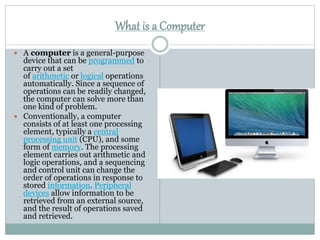
 A computer is a general-purpose
device that can be programmed to
carry out a set
of arithmetic or logical operations
automatically. Since a sequence of
operations can be readily changed,
the computer can solve more than
one kind of problem.
 Conventionally, a computer
consists of at least one processing
element, typically a central
processing unit (CPU), and some
form of memory. The processing
element carries out arithmetic and
logic operations, and a sequencing
and control unit can change the
order of operations in response to
stored information. Peripheral
devices allow information to be
retrieved from an external source,
and the result of operations saved
and retrieved.
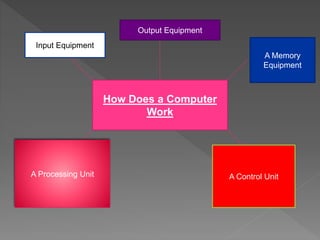
How Does a Computer
Work
Input Equipment
Output Equipment
A Memory
Equipment
A Processing Unit A Control Unit
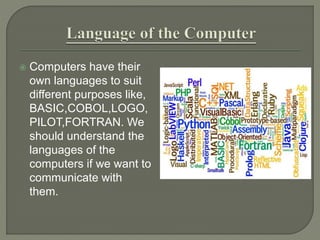
 Computers have their
own languages to suit
different purposes like,
BASIC,COBOL,LOGO,
PILOT,FORTRAN. We
should understand the
languages of the
computers if we want to
communicate with
them.
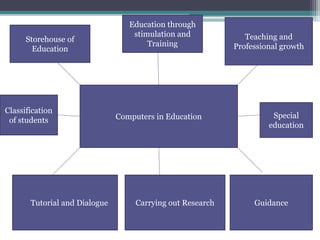
Computers in Education
Storehouse of
Education
Education through
stimulation and
Training
Teaching and
Professional growth
Tutorial and Dialogue Carrying out Research Guidance
Classification
of students
Special
education
 CAI stands for type of instruction aided or
carried out with the help of computer as a
machine. It is just one step ahead of the use
of teaching machine and in the use of
programmed textbook in making the
instructional process as self-directed and
individualised as possible. CAI is an
interaction between a student, a computer
controlled display and a response entry
device for the purpose of achieving
educational outcomes.
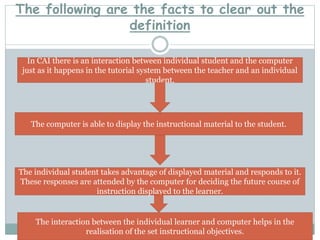
The following are the facts to clear out the
definition
In CAI there is an interaction between individual student and the computer
just as it happens in the tutorial system between the teacher and an individual
student.
The computer is able to display the instructional material to the student.
The individual student takes advantage of displayed material and responds to it.
These responses are attended by the computer for deciding the future course of
instruction displayed to the learner.
The interaction between the individual learner and computer helps in the
realisation of the set instructional objectives.
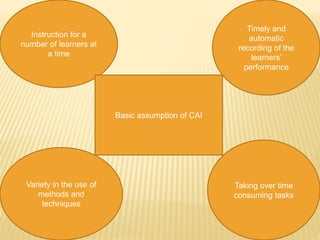
Instruction for a
number of learners at
a time
Basic assumption of CAI
Timely and
automatic
recording of the
learners’
performance
Variety in the use of
methods and
techniques
Taking over time
consuming tasks
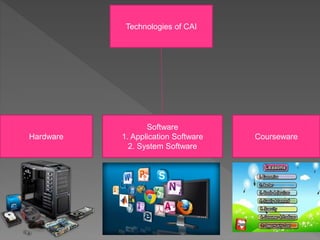
Technologies of CAI
Software
1. Application Software
2. System Software
Hardware Courseware
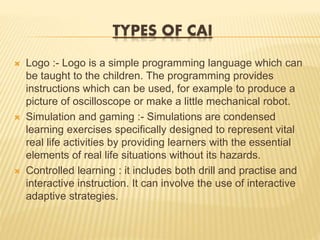
TYPES OF CAI
 Logo :- Logo is a simple programming language which can
be taught to the children. The programming provides
instructions which can be used, for example to produce a
picture of oscilloscope or make a little mechanical robot.
 Simulation and gaming :- Simulations are condensed
learning exercises specifically designed to represent vital
real life activities by providing learners with the essential
elements of real life situations without its hazards.
 Controlled learning : it includes both drill and practise and
interactive instruction. It can involve the use of interactive
adaptive strategies.
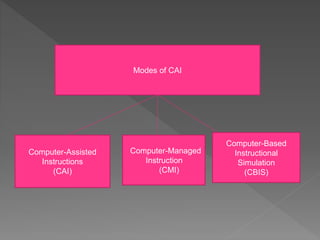
Modes of CAI
Computer-Assisted
Instructions
(CAI)
Computer-Managed
Instruction
(CMI)
Computer-Based
Instructional
Simulation
(CBIS)
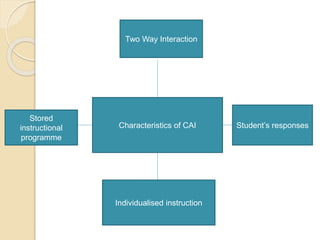
Characteristics of CAI
Two Way Interaction
Stored
instructional
programme
Student’s responses
Individualised instruction
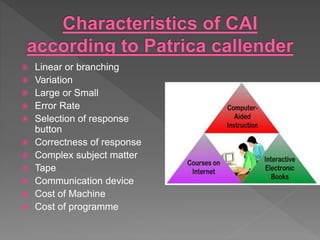
 Linear or branching
 Variation
 Large or Small
 Error Rate
 Selection of response
button
 Correctness of response
 Complex subject matter
 Tape
 Communication device
 Cost of Machine
 Cost of programme
 The introduction of CAI in general education in
advanced countries has created a fear in the teacher
community that its use in teaching-learning will take
place of the teacher and to some extent eliminate
teachers from the teaching scene. Teachers need no
longer be ‘talking books’ (delivering lectures) or
‘paper correcting automations’. They can work in
areas like
 Evolution
 Planning
 Guidance
 Human relations
 The system of CAI provides direct interaction with
the students individually and with the teacher.
Conclusion
• Nothing can replace a teacher. The human
teacher is more versatile and adaptable than the
most effective auto-instructional device and
these characteristics will always be required in
the classroom because students need personal
intellectual stimuation.
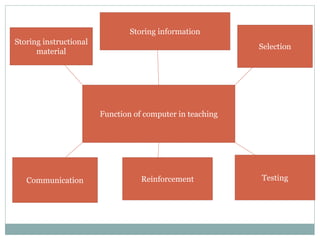
Function of computer in teaching
Storing information
Storing instructional
material
Selection
Communication Reinforcement Testing
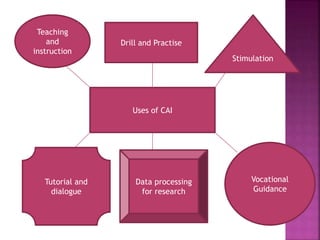
Uses of CAI
Drill and Practise
Teaching
and
instruction
Stimulation
Tutorial and
dialogue
Data processing
for research
Vocational
Guidance
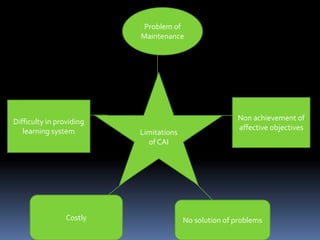
Limitations
of CAI
Problem of
Maintenance
Difficulty in providing
learning system
Non achievement of
affective objectives
Costly No solution of problems
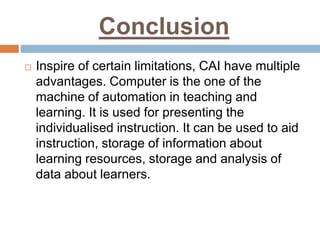
Conclusion
 Inspire of certain limitations, CAI have multiple
advantages. Computer is the one of the
machine of automation in teaching and
learning. It is used for presenting the
individualised instruction. It can be used to aid
instruction, storage of information about
learning resources, storage and analysis of
data about learners.
Computer assissted instructions (cai)

Computer assissted instructions (cai)

  • 1.
    Presentation On CAI(COMPUTER-ASSISTED INSTRUCTUION) Submitted By  Slide_maker4u (Abhishek Sharma)
  • 2.
    What is aComputer  A computer is a general-purpose device that can be programmed to carry out a set of arithmetic or logical operations automatically. Since a sequence of operations can be readily changed, the computer can solve more than one kind of problem.  Conventionally, a computer consists of at least one processing element, typically a central processing unit (CPU), and some form of memory. The processing element carries out arithmetic and logic operations, and a sequencing and control unit can change the order of operations in response to stored information. Peripheral devices allow information to be retrieved from an external source, and the result of operations saved and retrieved.
  • 3.
    How Does aComputer Work Input Equipment Output Equipment A Memory Equipment A Processing Unit A Control Unit
  • 4.
     Computers havetheir own languages to suit different purposes like, BASIC,COBOL,LOGO, PILOT,FORTRAN. We should understand the languages of the computers if we want to communicate with them.
  • 5.
    Computers in Education Storehouseof Education Education through stimulation and Training Teaching and Professional growth Tutorial and Dialogue Carrying out Research Guidance Classification of students Special education
  • 6.
     CAI standsfor type of instruction aided or carried out with the help of computer as a machine. It is just one step ahead of the use of teaching machine and in the use of programmed textbook in making the instructional process as self-directed and individualised as possible. CAI is an interaction between a student, a computer controlled display and a response entry device for the purpose of achieving educational outcomes.
  • 7.
    The following arethe facts to clear out the definition In CAI there is an interaction between individual student and the computer just as it happens in the tutorial system between the teacher and an individual student. The computer is able to display the instructional material to the student. The individual student takes advantage of displayed material and responds to it. These responses are attended by the computer for deciding the future course of instruction displayed to the learner. The interaction between the individual learner and computer helps in the realisation of the set instructional objectives.
  • 8.
    Instruction for a numberof learners at a time Basic assumption of CAI Timely and automatic recording of the learners’ performance Variety in the use of methods and techniques Taking over time consuming tasks
  • 9.
    Technologies of CAI Software 1.Application Software 2. System Software Hardware Courseware
  • 10.
    TYPES OF CAI Logo :- Logo is a simple programming language which can be taught to the children. The programming provides instructions which can be used, for example to produce a picture of oscilloscope or make a little mechanical robot.  Simulation and gaming :- Simulations are condensed learning exercises specifically designed to represent vital real life activities by providing learners with the essential elements of real life situations without its hazards.  Controlled learning : it includes both drill and practise and interactive instruction. It can involve the use of interactive adaptive strategies.
  • 11.
  • 12.
    Characteristics of CAI TwoWay Interaction Stored instructional programme Student’s responses Individualised instruction
  • 13.
     Linear orbranching  Variation  Large or Small  Error Rate  Selection of response button  Correctness of response  Complex subject matter  Tape  Communication device  Cost of Machine  Cost of programme
  • 14.
     The introductionof CAI in general education in advanced countries has created a fear in the teacher community that its use in teaching-learning will take place of the teacher and to some extent eliminate teachers from the teaching scene. Teachers need no longer be ‘talking books’ (delivering lectures) or ‘paper correcting automations’. They can work in areas like  Evolution  Planning  Guidance  Human relations  The system of CAI provides direct interaction with the students individually and with the teacher.
  • 15.
    Conclusion • Nothing canreplace a teacher. The human teacher is more versatile and adaptable than the most effective auto-instructional device and these characteristics will always be required in the classroom because students need personal intellectual stimuation.
  • 16.
    Function of computerin teaching Storing information Storing instructional material Selection Communication Reinforcement Testing
  • 17.
    Uses of CAI Drilland Practise Teaching and instruction Stimulation Tutorial and dialogue Data processing for research Vocational Guidance
  • 18.
    Limitations of CAI Problem of Maintenance Difficultyin providing learning system Non achievement of affective objectives Costly No solution of problems
  • 19.
    Conclusion  Inspire ofcertain limitations, CAI have multiple advantages. Computer is the one of the machine of automation in teaching and learning. It is used for presenting the individualised instruction. It can be used to aid instruction, storage of information about learning resources, storage and analysis of data about learners.