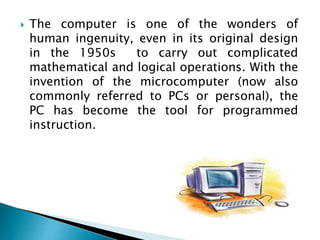
 The computer is one of the wonders of
human ingenuity, even in its original design
in the 1950s to carry out complicated
mathematical and logical operations. With the
invention of the microcomputer (now also
commonly referred to PCs or personal), the
PC has become the tool for programmed
instruction.
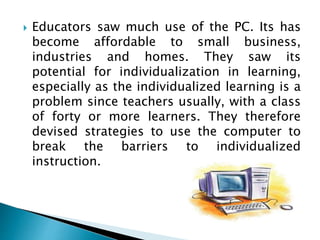
 Educators saw much use of the PC. Its has
become affordable to small business,
industries and homes. They saw its
potential for individualization in learning,
especially as the individualized learning is a
problem since teachers usually, with a class
of forty or more learners. They therefore
devised strategies to use the computer to
break the barriers to individualized
instruction.
COMPUTER-ASSISTED INSTRUCTION (CAI)
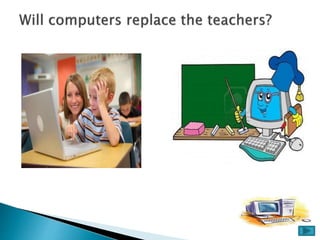
The computer can be a tutor in effect
relieving the teacher of many activities in
his/her personal role as classroom tutor. It
should be made clear, however, that the
computer cannot totally replace the teacher
since the teacher shall continue to play the
major roles of information, deliver and
learning environment controller. Even the
available computer and CAI software,
The teacher must:
Insure that students have the needed
knowledge and skills for any computer
activity.
Decide the appropriate learning objectives.
Plan the sequential and structured activities
to achieve objectives.
Evaluate the students achievements by ways
of tests the specific expected outcomes.
On the other hand, the students in CAI play
their own roles as learners as they:
 Received information
 Understand instruction for the computer
activity
 Retain/keep in mind the information and
rules for computer activity
 Apply the knowledge and rules during the
process of computer learning.
During the computer activity proper in CAI the
computer, too, plays it roles as it:
 Acts as sort of tutor ( the role traditional
played by the teacher)
 Provides a learning environment
 Delivers learning instruction.
 Reinforces learning trough drill-and-
practice.
 Provides feedback.
TYPES OF CAI
1. Drill and Practice
Drill and practice provide opportunities or
students to repeatedly practice the skills that have
previously been presented and that further practice
is necessary for mastery.
2. Tutorial
Tutorial activity includes both the presentation
and information and its extension into different
forms of work, including drill and practice, games
and simulation.
3. Games
Game software often creates a contest to
achieve the highest score and either beat others or
beat others computer
4. Simulation
Simulation software can provide an
approximation of reality that does not require the
expense of real life or its risks.
5. Discovery
Discovery approach provides a large database
of information specific to a course or content area
and challenges the learner to analyze, compare, infer
and evaluate based on their explorations of the data.
6. Problem Solving
This approach help children develop specific
problem solving skills and strategies.
Advantages and Limitations of CAI
ADVANTAGES OF CAI
Interactive
Provides immediate feedback.
Infinitely patient
Motivates learners
Provides consistency in presentation.
Can adjust difficulty to level of
learner.
LIMITATIONS OF CAI
 Equipment and software can be costly.
 Development takes time and money.
 Not all learning outcomes are well addressed
by CAI.
 Unsophisticated applications may not make
good use of the computer.
 Simple CAI has limited modalities (but
multimedia is changing that).
Source:
www.edci.purdue.edu/lehman/edci564/cbi.ppt

The computer as a tutor

  • 2.
     The computeris one of the wonders of human ingenuity, even in its original design in the 1950s to carry out complicated mathematical and logical operations. With the invention of the microcomputer (now also commonly referred to PCs or personal), the PC has become the tool for programmed instruction.
  • 3.
     Educators sawmuch use of the PC. Its has become affordable to small business, industries and homes. They saw its potential for individualization in learning, especially as the individualized learning is a problem since teachers usually, with a class of forty or more learners. They therefore devised strategies to use the computer to break the barriers to individualized instruction.
  • 5.
  • 6.
    The computer canbe a tutor in effect relieving the teacher of many activities in his/her personal role as classroom tutor. It should be made clear, however, that the computer cannot totally replace the teacher since the teacher shall continue to play the major roles of information, deliver and learning environment controller. Even the available computer and CAI software,
  • 7.
    The teacher must: Insurethat students have the needed knowledge and skills for any computer activity. Decide the appropriate learning objectives. Plan the sequential and structured activities to achieve objectives. Evaluate the students achievements by ways of tests the specific expected outcomes.
  • 8.
    On the otherhand, the students in CAI play their own roles as learners as they:  Received information  Understand instruction for the computer activity  Retain/keep in mind the information and rules for computer activity  Apply the knowledge and rules during the process of computer learning.
  • 9.
    During the computeractivity proper in CAI the computer, too, plays it roles as it:  Acts as sort of tutor ( the role traditional played by the teacher)  Provides a learning environment  Delivers learning instruction.  Reinforces learning trough drill-and- practice.  Provides feedback.
  • 10.
    TYPES OF CAI 1.Drill and Practice Drill and practice provide opportunities or students to repeatedly practice the skills that have previously been presented and that further practice is necessary for mastery. 2. Tutorial Tutorial activity includes both the presentation and information and its extension into different forms of work, including drill and practice, games and simulation.
  • 11.
    3. Games Game softwareoften creates a contest to achieve the highest score and either beat others or beat others computer 4. Simulation Simulation software can provide an approximation of reality that does not require the expense of real life or its risks.
  • 12.
    5. Discovery Discovery approachprovides a large database of information specific to a course or content area and challenges the learner to analyze, compare, infer and evaluate based on their explorations of the data. 6. Problem Solving This approach help children develop specific problem solving skills and strategies.
  • 13.
  • 14.
    ADVANTAGES OF CAI Interactive Providesimmediate feedback. Infinitely patient Motivates learners Provides consistency in presentation. Can adjust difficulty to level of learner.
  • 15.
    LIMITATIONS OF CAI Equipment and software can be costly.  Development takes time and money.  Not all learning outcomes are well addressed by CAI.  Unsophisticated applications may not make good use of the computer.  Simple CAI has limited modalities (but multimedia is changing that).
  • 16.