

Computer Assisted
Instructions-8602 for M.Ed.
Habib Ullah Qamar
@theITeducation
Let me Introduce myself
 Name : Habib Ullah Qamar
 Qualification : MSCS(Software
Engineering)
 Job Title : Lecturer (CS)
 Organization: Govt. College of
Commerce Peoples Colony Gujranwala.
 Contact : 0332-6835463
 Email: theITeducation@gmail.com
 Webs: theITeducation.com(launching
soon)
Let enlist our objectives
 Understanding/sharing the basics of
CAI
 Exploring the role/importance of CAI in
education
 Types of CAI
 Explanation and examples of CAI
 Advantages
 Limitations
 Course book
Have you ever used CAI?
 Have you not used computer for
learning?
 Have you not used computer for
teaching?
 Have you learned typing using any
software?
 Have you listened any lecture for
English
 If yes
 Then this is all about CAI
CAI introduction
 CAI refers to the use of the computer as a
tool to facilitate and improve instruction.
 An instruction is “detailed information about
how something should be done or
operated”, to teach or to train
 A CAI program can be used in following ways
to improve instruction
 drill and practice , Simulation
 problem solving approaches to present
topics
 They test the student's understanding.
Computer Assisted Instruction
 Use of computer in education is
referred by many names such as
◦ Computer Assisted Instruction (CAI)
◦ Computer Aided Instruction (CAI)
◦ Computer Assisted Learning (CAL)
◦ Computer Based Education (CBE)
◦ Computer Based Instruction (CBI)
◦ Computer Managed Instruction (CMI)
 Web Based
Training/Learning/Instruction
Computer Assisted Instruction
 Computer-based education (CBE) and
computer-based instruction (CBI) are
the broadest terms and can refer to
virtually any kind of computer use
in educational settings.
 Computer-assisted instruction (CAI)
Computer Aided Instruction (CAI) is a
narrower term and most often refers
to drill-and-practice, tutorial, or
simulation activities.
Computer Assisted Instruction
 Computer-managed instruction (CMI)
instruction is an instructional strategy
whereby the computer is used to
provide learning objectives, learning
resources, record keeping, progress
tracking, and assessment of learner
performance.
 Computer based tools and
applications are used to assist the
teacher or school administrator in the
management of the learner and
instructional process.
Computer Assisted
Instruction-Def
 A self-learning technique, usually
offline/online, involving interaction
of the student with programmed
instructional materials.
 Computer-assisted instruction (CAI) is
an interactive instructional technique
whereby a computer is used to
present the instructional material
and monitor the learning that takes
place.
Computer Assisted
Instruction-Def
 CAI uses a combination of text,
graphics, sound and video in
enhancing the learning process.
 The computer has many purposes in
the classroom, and it can be utilized to
help a student in all areas of the
curriculum.
◦ Searching content
◦ Homework assignments
Typical CAI provides
 text or multimedia content
 multiple-choice questions
 problems
 immediate feedback
 notes on incorrect responses
 summarizes students' performance
 exercises for practice
 Worksheets and tests.
Types of CAI
 Drill-and-practice Drill and practice
provide opportunities or students to
repeatedly practice the skills that have
previously been presented and that
further practice is necessary for mastery.
Online Exam and testing center
 Tutorial Tutorial activity includes both
the presentation of information and its
extension into different forms of work,
including drill and practice, games and
simulation…Typing Master, English
GURU, Math Master
Types of CAI
 Discovery approach provides a large
database of information specific to a
course or content area and challenges
the learner to analyze, compare, infer
and evaluate based on their explorations
of the data…… Research oriented
software..
 Problem Solving This approach helps
children develop specific problem solving
skills and strategies…… Logical games,
strategy games
Advantages of CAI
 one-to-one interaction ….
 great motivator
 freedom to experiment with different
options
 instantaneous response/immediate
feedback to the answers elicited
 Self pacing - allow students to proceed
at their own pace
 Helps teacher can devote more time to
individual students
Advantages of CAI
 Privacy helps the shy and slow learner
to learns
 Individual attention
 learn more and more rapidly
 multimedia helps to understand
difficult concepts through multi
sensory approach
 self directed learning – students can
decide when, where, and what to learn
Limitations
 Do your agree with me that “No
system can replace teacher and
classroom”?
 Yes
◦ may feel overwhelmed by the information
and resources available
◦ over use of multimedia may divert the
attention from the content
◦ Teachers training required to use
◦ non availability of good CAI packages
◦ lack of infrastructure in Pakistan
Tools and packages
 Computer graphics (decade use, hand
tools)
◦ Computer Aided Design(CAD)
◦ Computer Aided Manufacturing (CAM)
◦ Digitizer, light Pen, Touch Screen, Scanner
◦ Plotter (maps, bar charts, engineering
drawings)
 Computer adopting to logical
requirement (why and why not)
 Self learning (ignored individual learning
at own pace with immediate feedback)
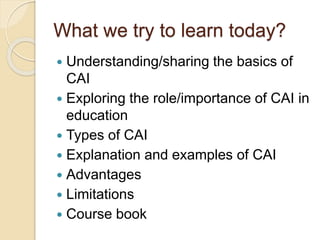
What we try to learn today?
 Understanding/sharing the basics of
CAI
 Exploring the role/importance of CAI in
education
 Types of CAI
 Explanation and examples of CAI
 Advantages
 Limitations
 Course book
I HOPE YOU WOULD
HAVE ENJOYED
TODAY’S CLASS
Any Question
please……
Thank you
Habib Ullah Qamar
For slides
www.Slideshare.net/habibullahqamar