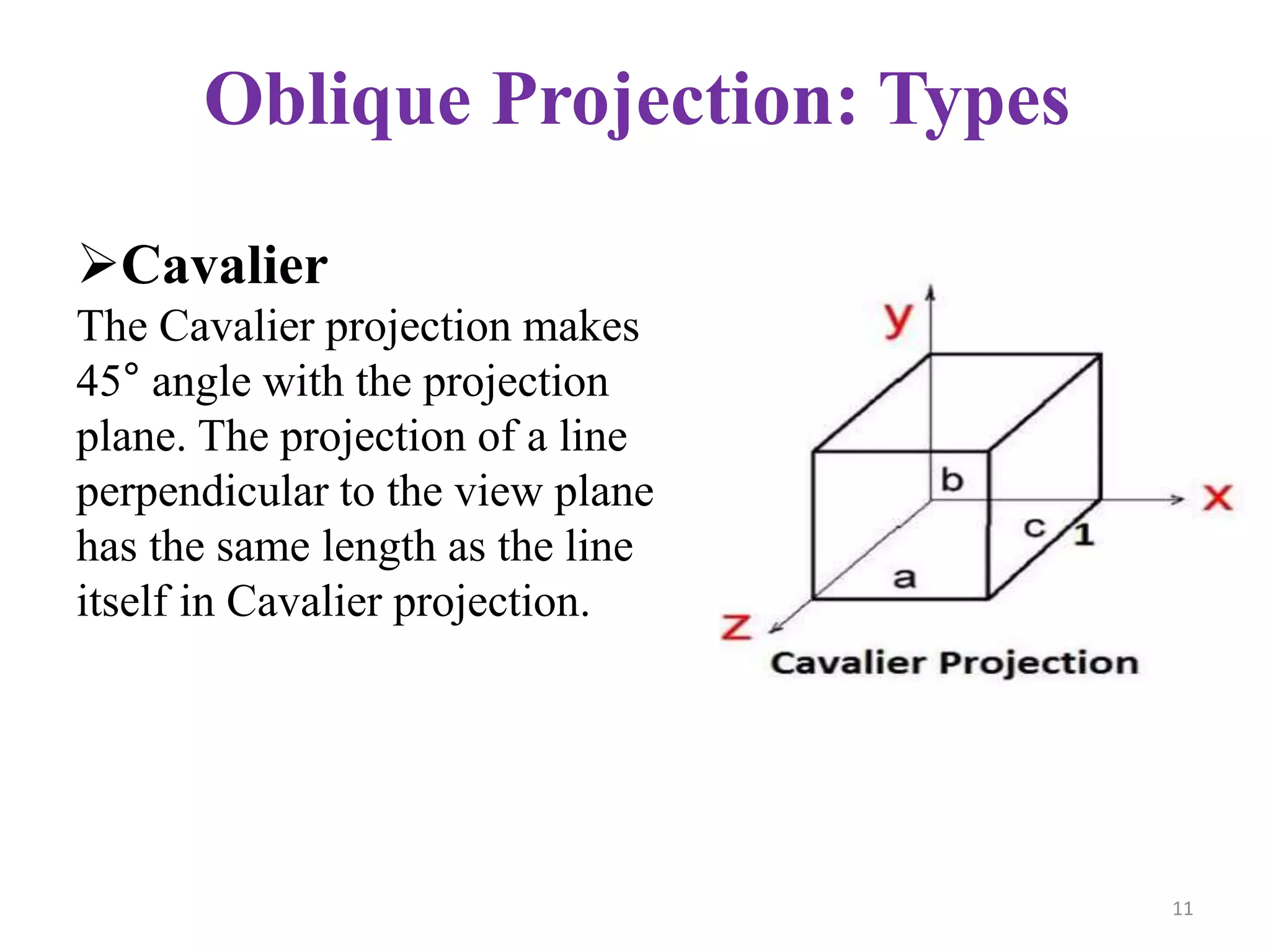
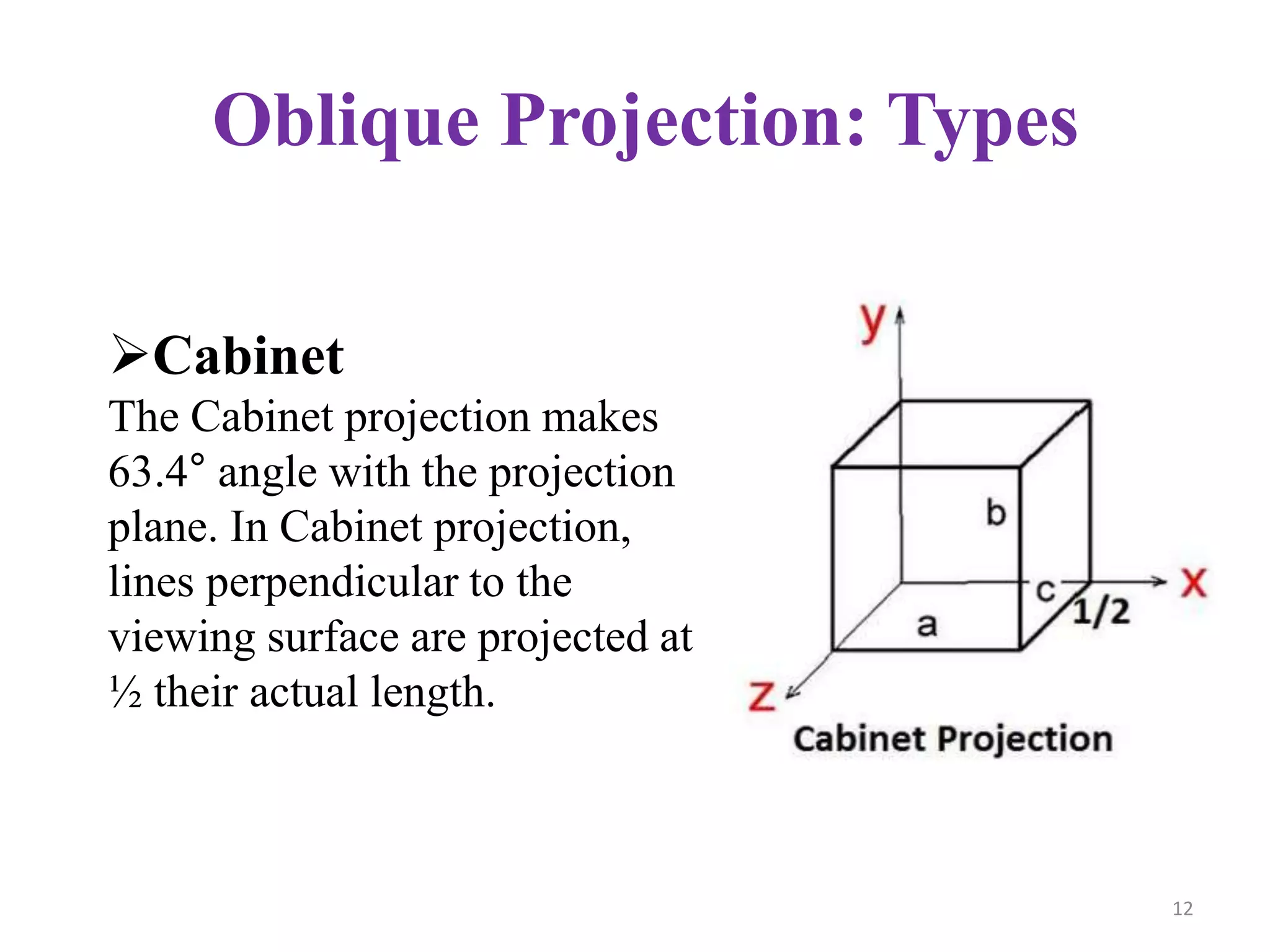
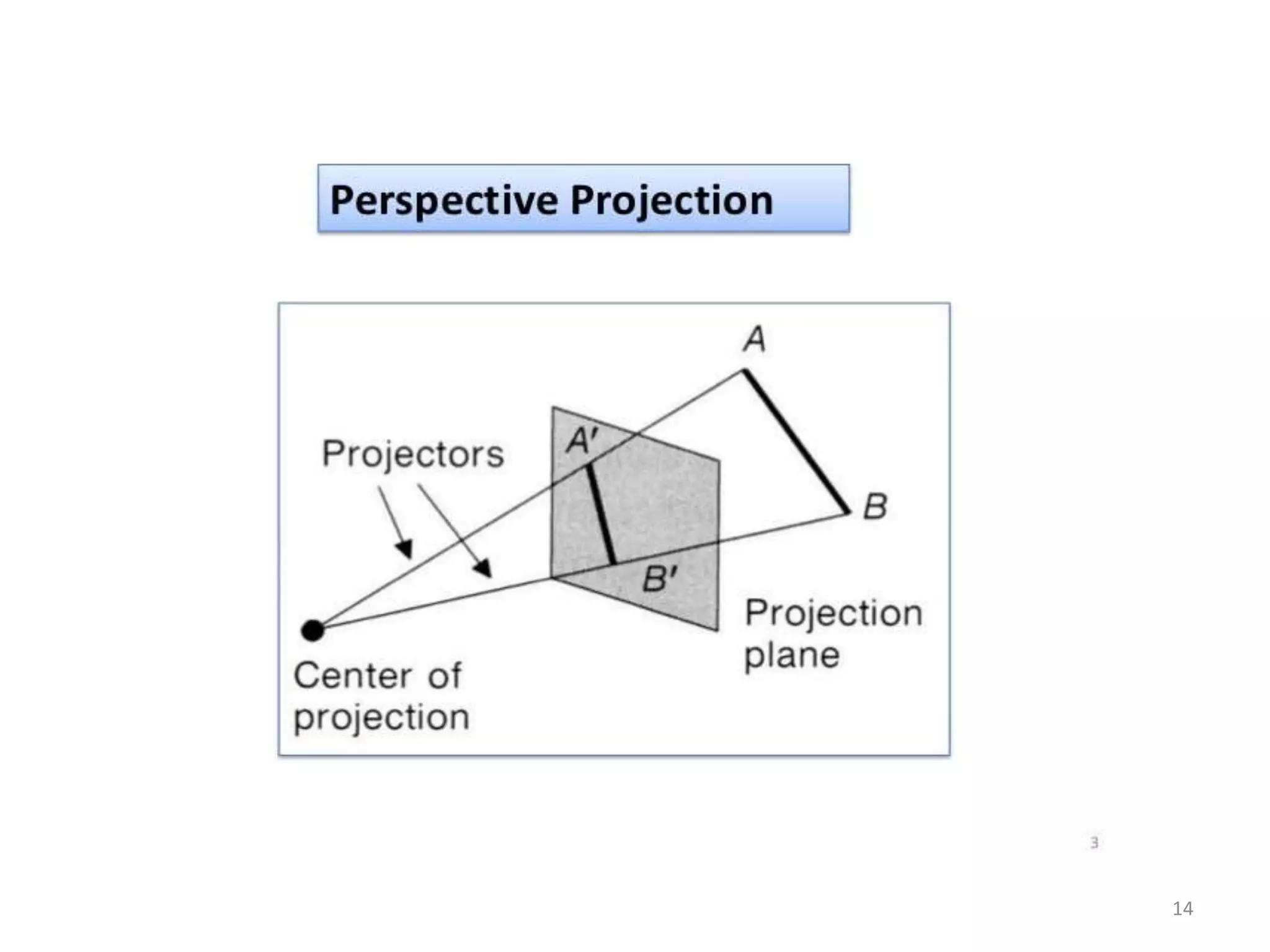
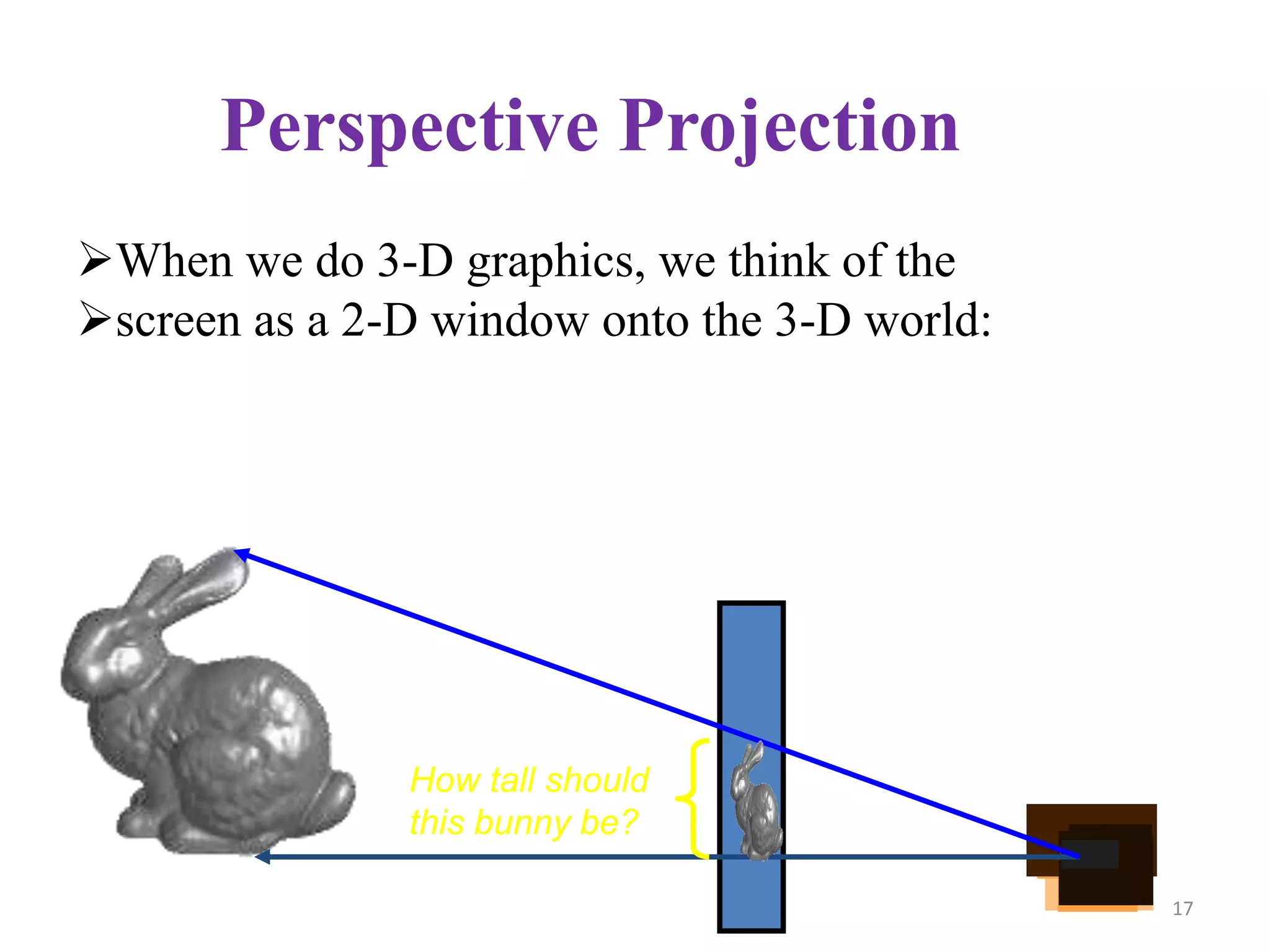
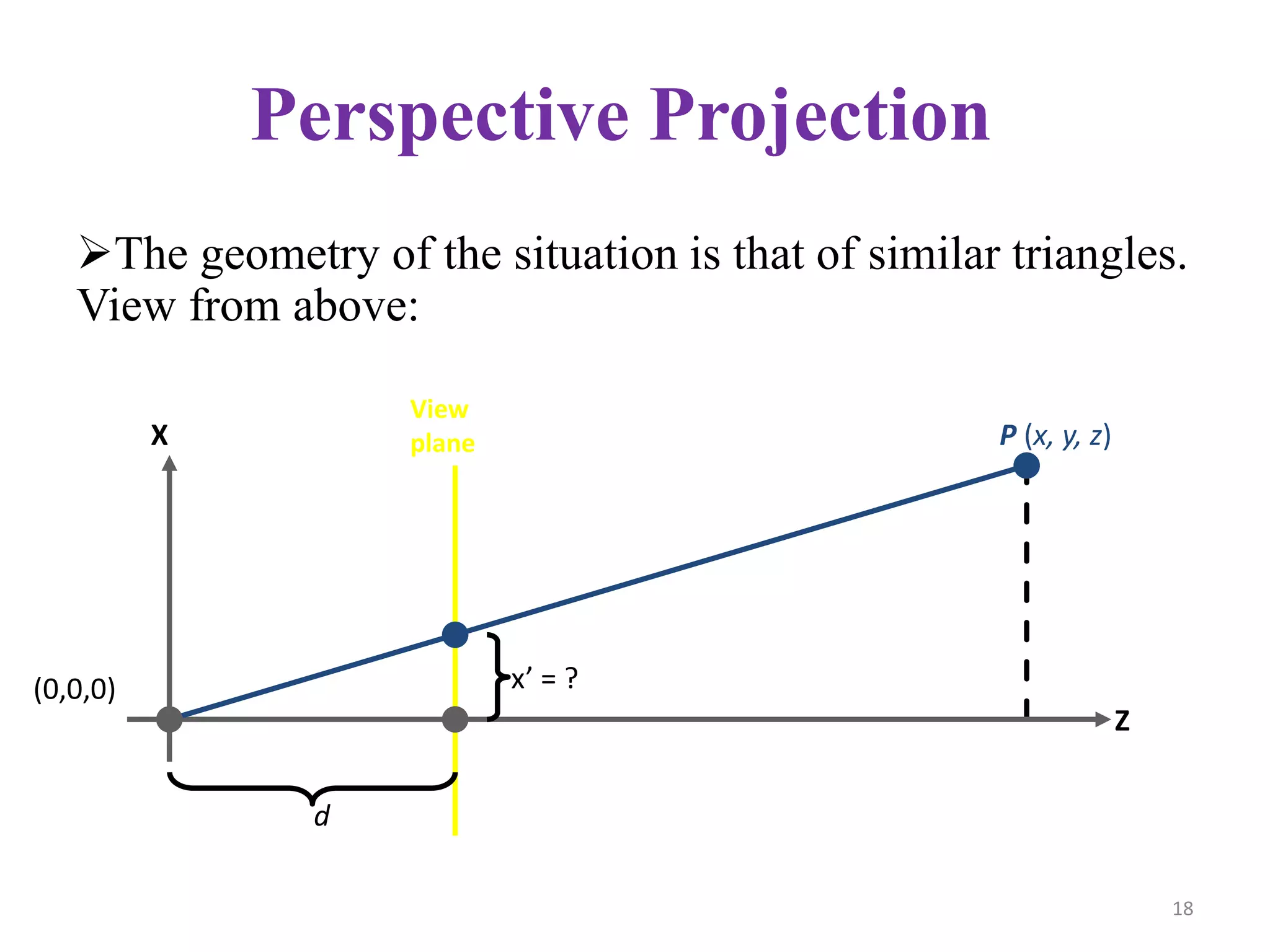
This document discusses different 3D display and rendering methods. It describes parallel and perspective projections, which transform 3D objects onto a 2D plane. Parallel projection discards the z-coordinate and keeps parallel lines parallel, while perspective projection converges lines to give a realistic impression of depth. Common projection types include orthographic, oblique, cavalier and cabinet. Surface rendering involves collecting data on an object to create a 3D computer image, and is used in industries like healthcare and archaeology.












![MODULE-5 notes [BCG402-CG&V] PART-B.pdf](https://cdn.slidesharecdn.com/ss_thumbnails/module-5notesbcg402-cgvpart-b-250630054728-c1eaacea-thumbnail.jpg?width=640&height=640&fit=bounds)


