Practical Performance Analysis
and Tuning for Cloudera
Impala
Headline Goes Here
Marcel Kornacker | marcel@cloudera.com 
Speaker Name or Subhead Goes Here
2013-11-11

Copyright © 2013 Cloudera Inc. All rights reserved.

Copyright © 2013 Cloudera Inc.
All rights reserved.
Just how fast is Impala?
You might just be surprised

!2
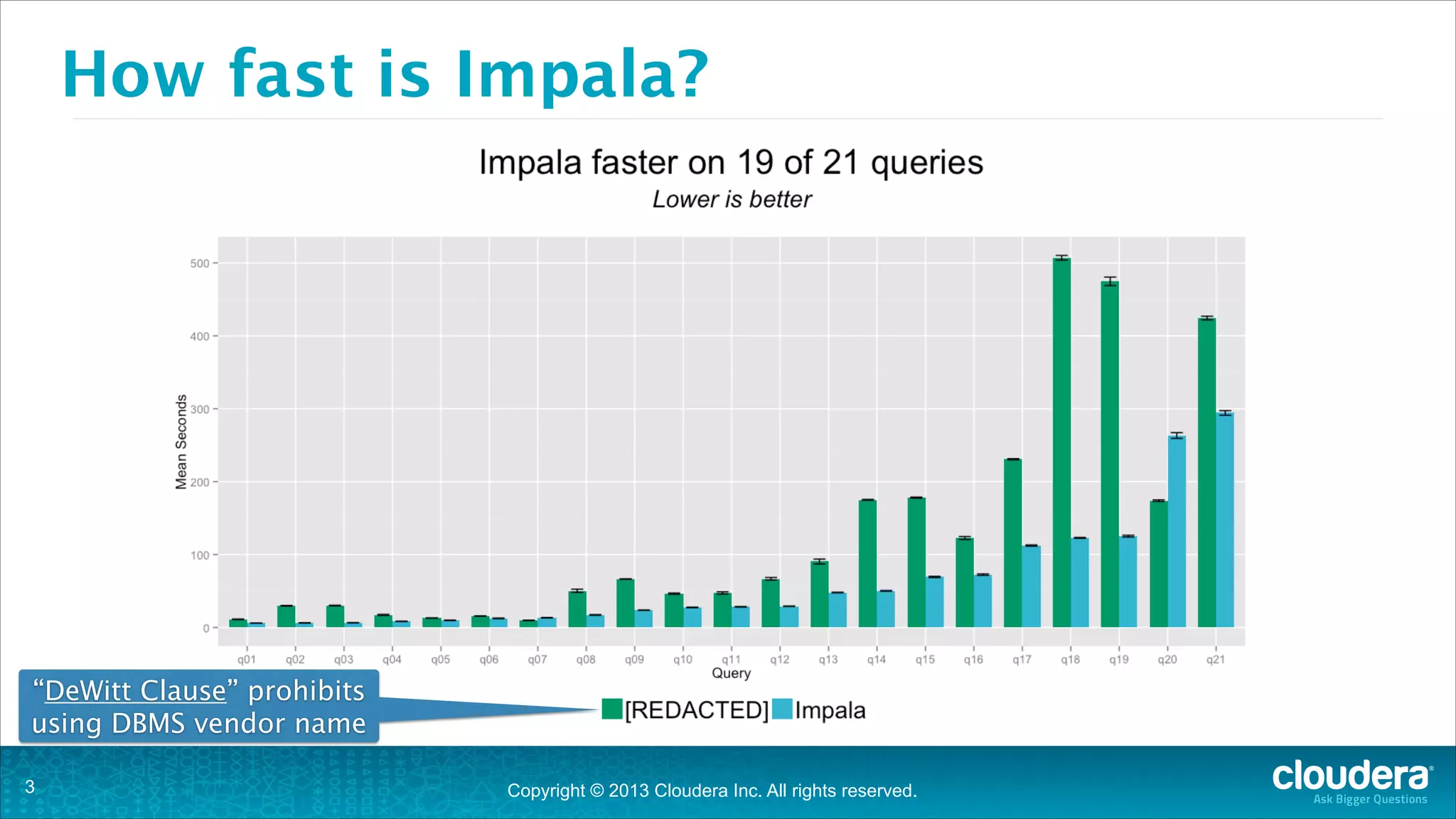
How fast is Impala?

“DeWitt Clause” prohibits
using DBMS vendor name
!3

Copyright © 2013 Cloudera Inc. All rights reserved.
Practical Performance
Running with Impala

!4
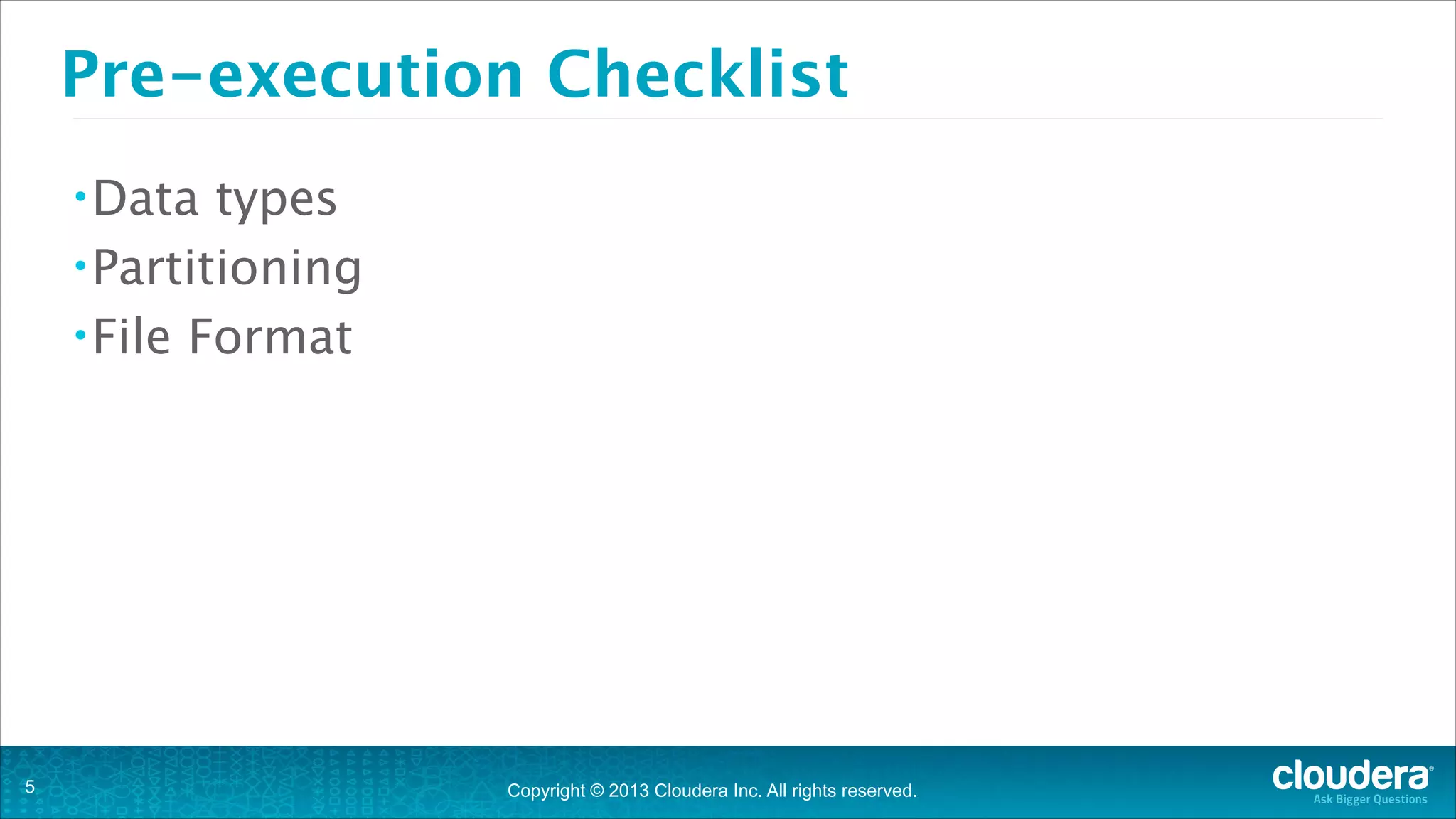
Pre-execution Checklist
• Data

types
• Partitioning
• File Format

!5

Copyright © 2013 Cloudera Inc. All rights reserved.
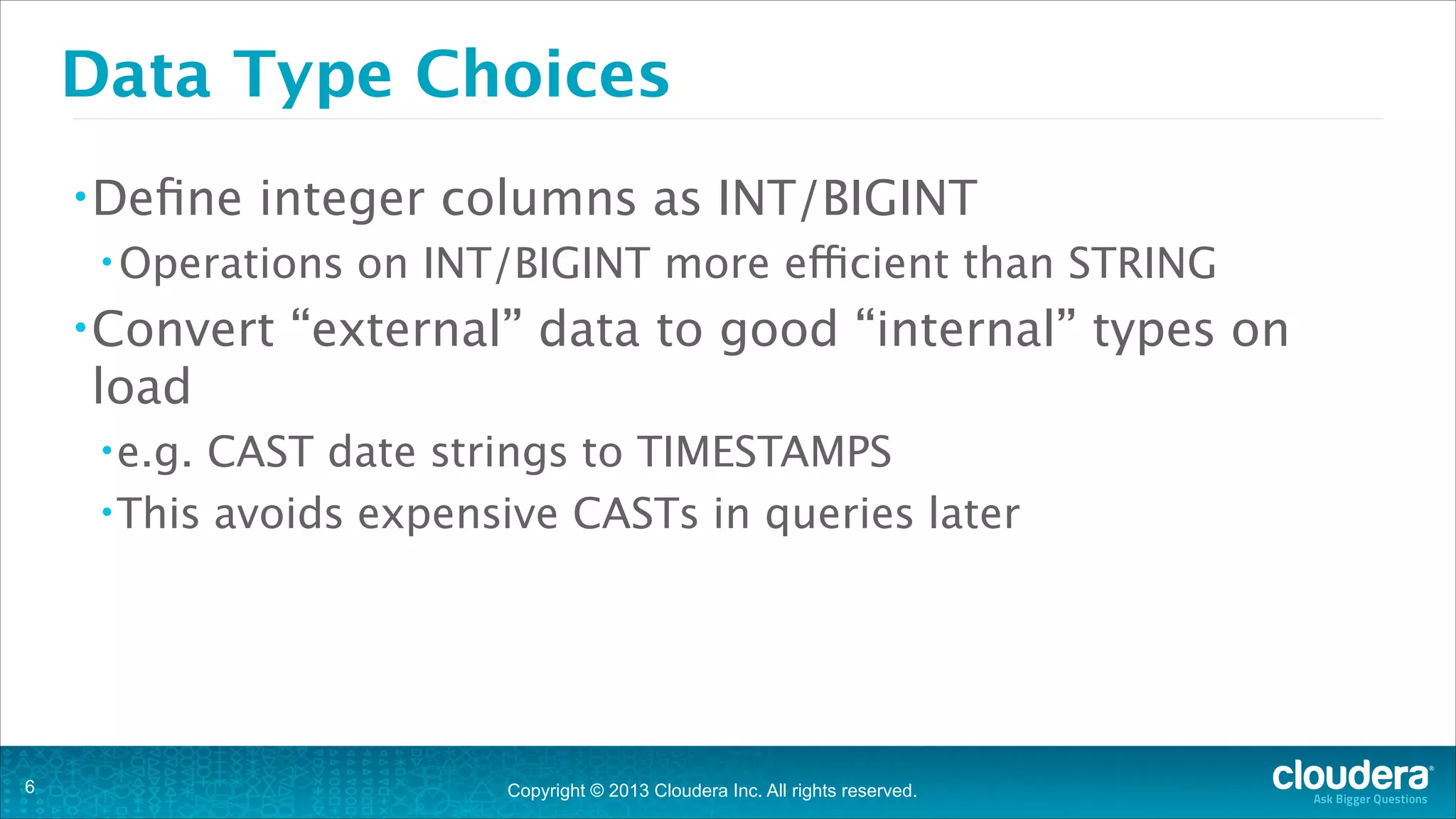
Data Type Choices
• Define

integer columns as INT/BIGINT

• Operations

• Convert

on INT/BIGINT more efficient than STRING

“external” data to good “internal” types on

load
• e.g.

CAST date strings to TIMESTAMPS
• This avoids expensive CASTs in queries later

!6

Copyright © 2013 Cloudera Inc. All rights reserved.
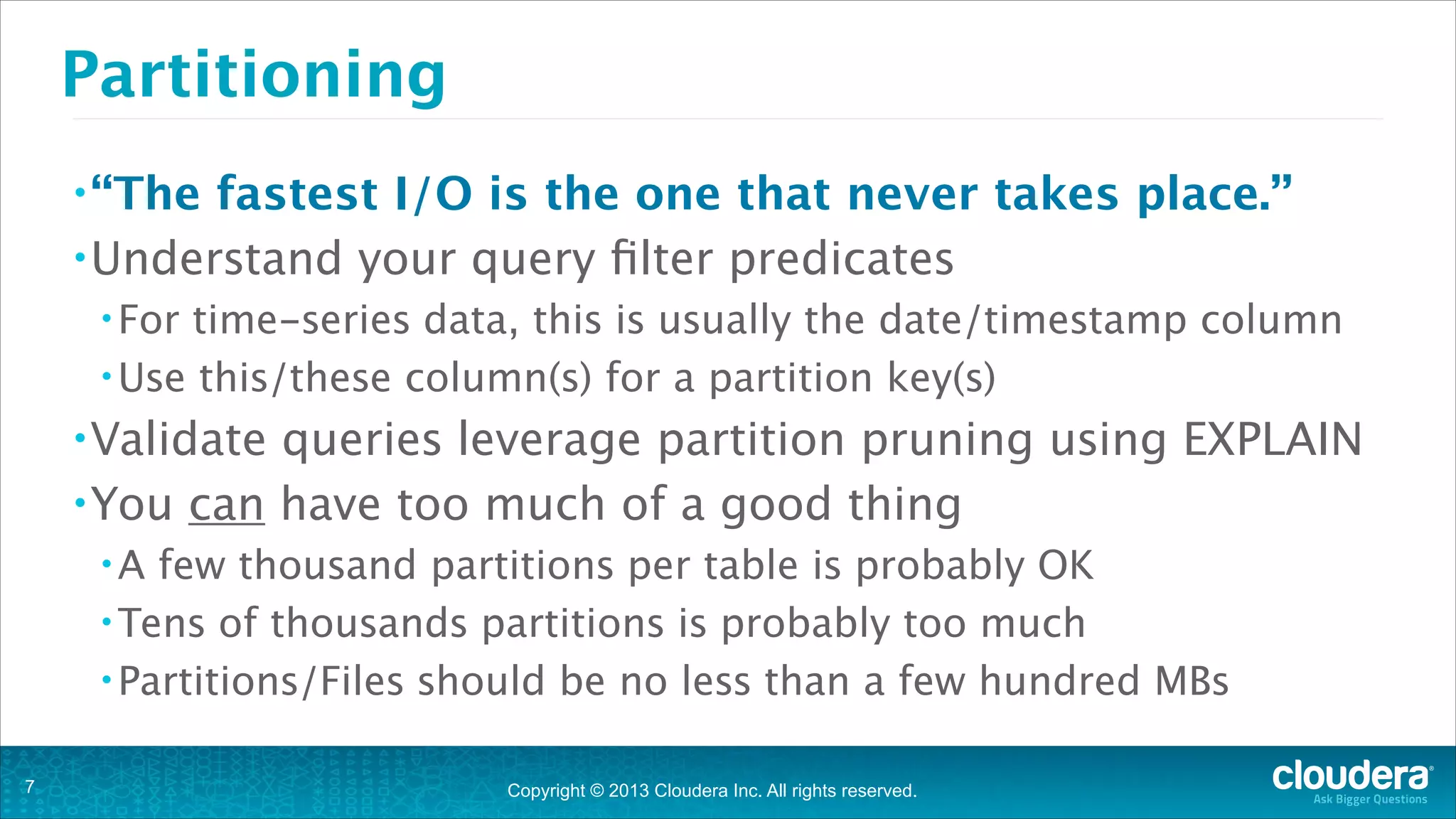
Partitioning
• “The

fastest I/O is the one that never takes place.”
• Understand your query filter predicates
• For

time-series data, this is usually the date/timestamp column
• Use this/these column(s) for a partition key(s)
• Validate

queries leverage partition pruning using EXPLAIN
• You can have too much of a good thing
•A

few thousand partitions per table is probably OK
• Tens of thousands partitions is probably too much
• Partitions/Files should be no less than a few hundred MBs
!7

Copyright © 2013 Cloudera Inc. All rights reserved.
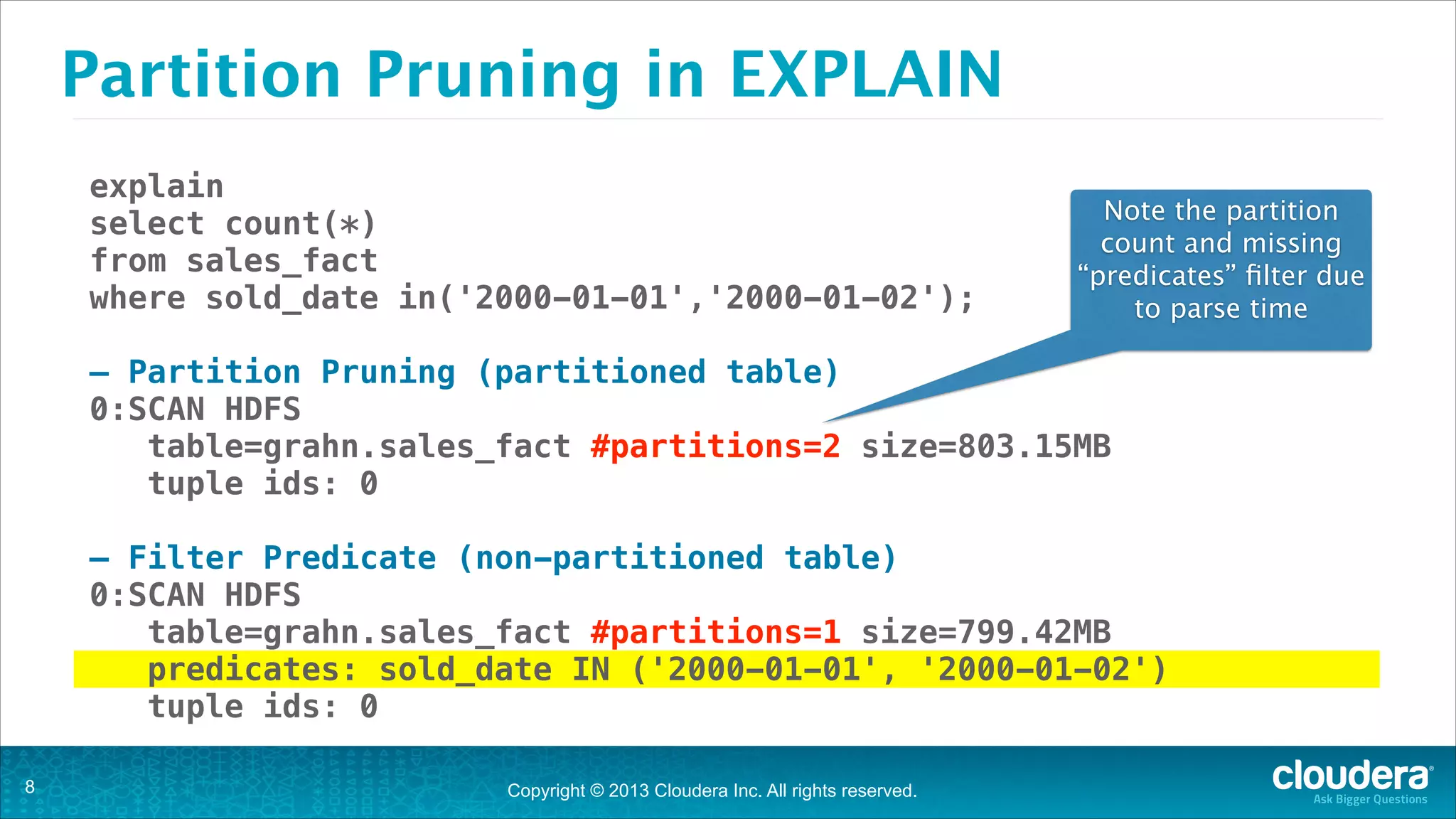
Partition Pruning in EXPLAIN
explain
select count(*)
from sales_fact
where sold_date in('2000-01-01','2000-01-02');

Note the partition
count and missing
“predicates” filter due
to parse time

!

— Partition Pruning (partitioned table)
0:SCAN HDFS
table=grahn.sales_fact #partitions=2 size=803.15MB
tuple ids: 0
!

— Filter Predicate (non-partitioned table)
0:SCAN HDFS
table=grahn.sales_fact #partitions=1 size=799.42MB
predicates: sold_date IN ('2000-01-01', '2000-01-02')
tuple ids: 0
!8

Copyright © 2013 Cloudera Inc. All rights reserved.
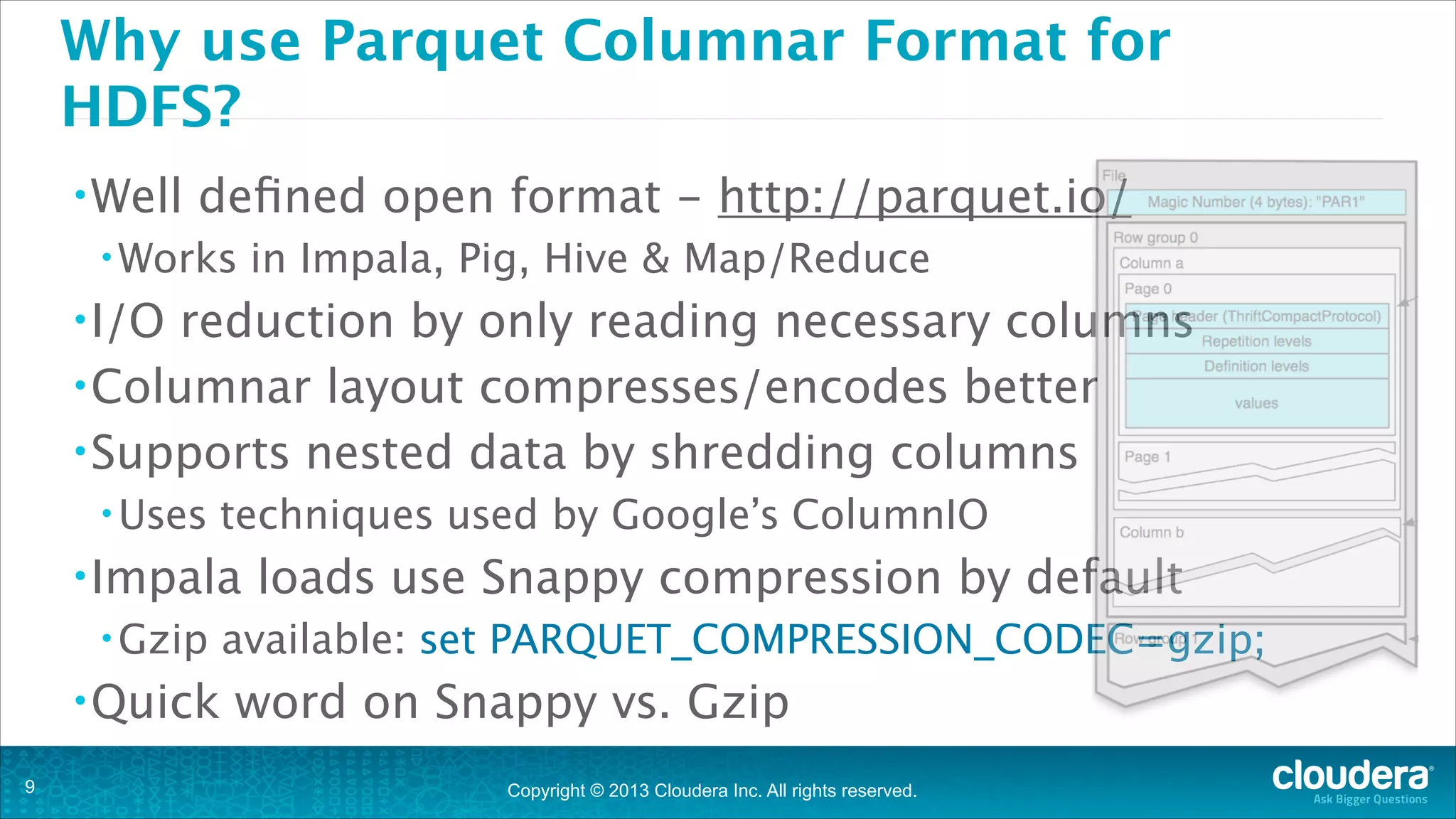
Why use Parquet Columnar Format for
HDFS?
• Well

defined open format - http://parquet.io/

• Works

in Impala, Pig, Hive & Map/Reduce

• I/O

reduction by only reading necessary columns
• Columnar layout compresses/encodes better
• Supports nested data by shredding columns
• Uses

techniques used by Google’s ColumnIO 

• Impala
• Gzip

• Quick
!9

loads use Snappy compression by default

available: set PARQUET_COMPRESSION_CODEC=gzip;

word on Snappy vs. Gzip
Copyright © 2013 Cloudera Inc. All rights reserved.
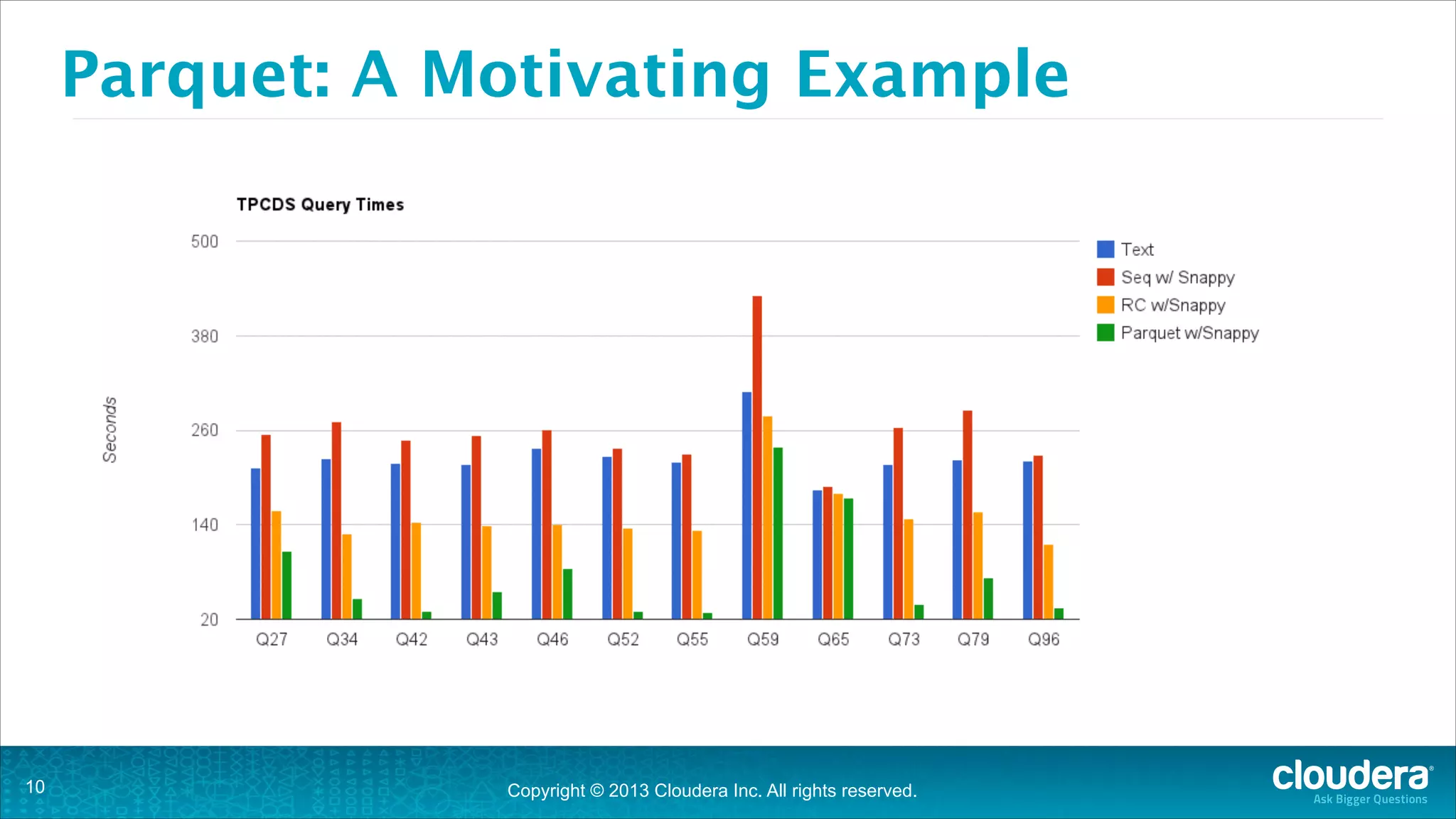
Parquet: A Motivating Example

!10

Copyright © 2013 Cloudera Inc. All rights reserved.
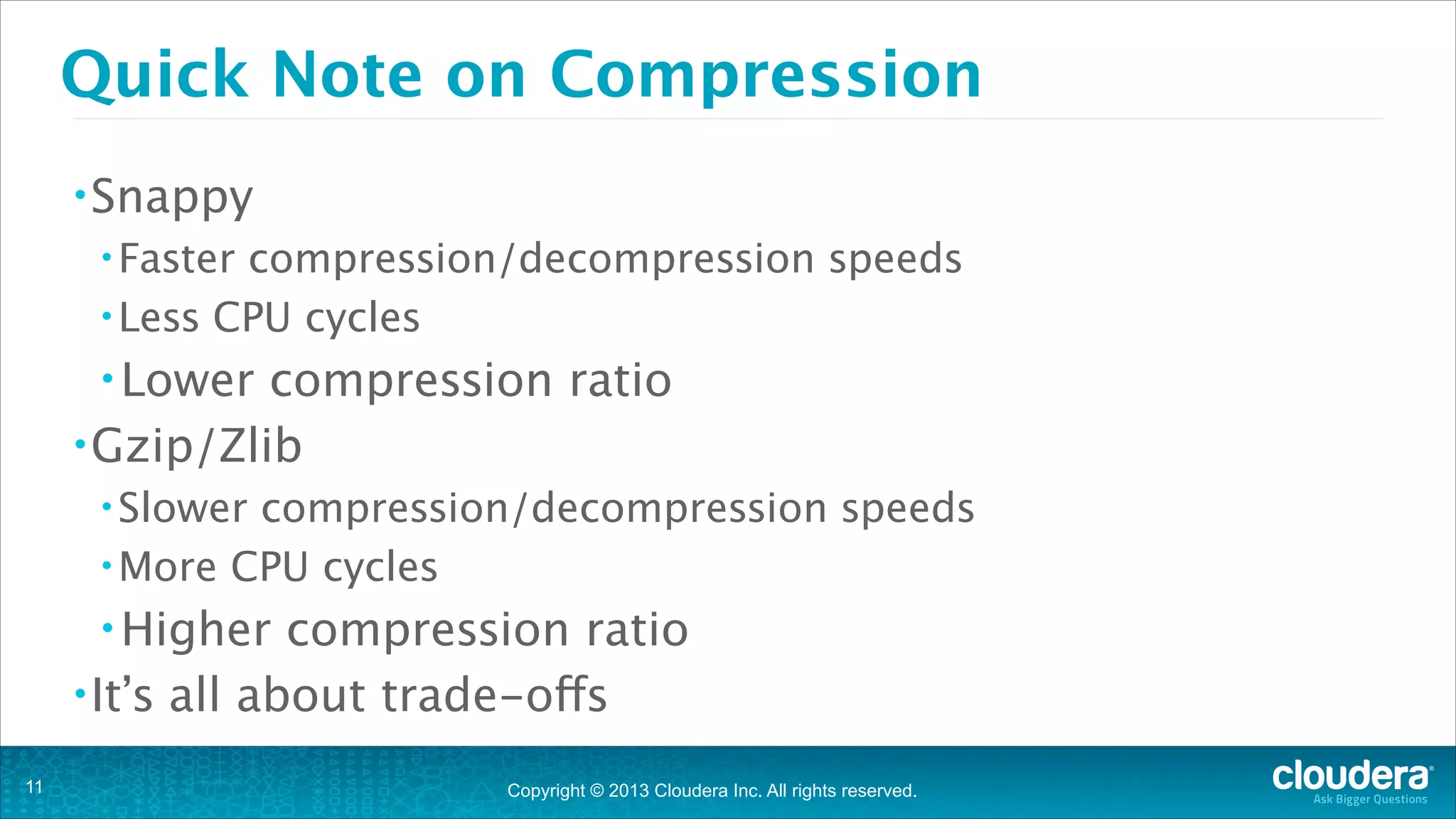
Quick Note on Compression
• Snappy
• Faster

compression/decompression speeds
• Less CPU cycles
• Lower

compression ratio
• Gzip/Zlib
• Slower

compression/decompression speeds 
• More CPU cycles
• Higher

compression ratio
• It’s all about trade-offs
!11

Copyright © 2013 Cloudera Inc. All rights reserved.
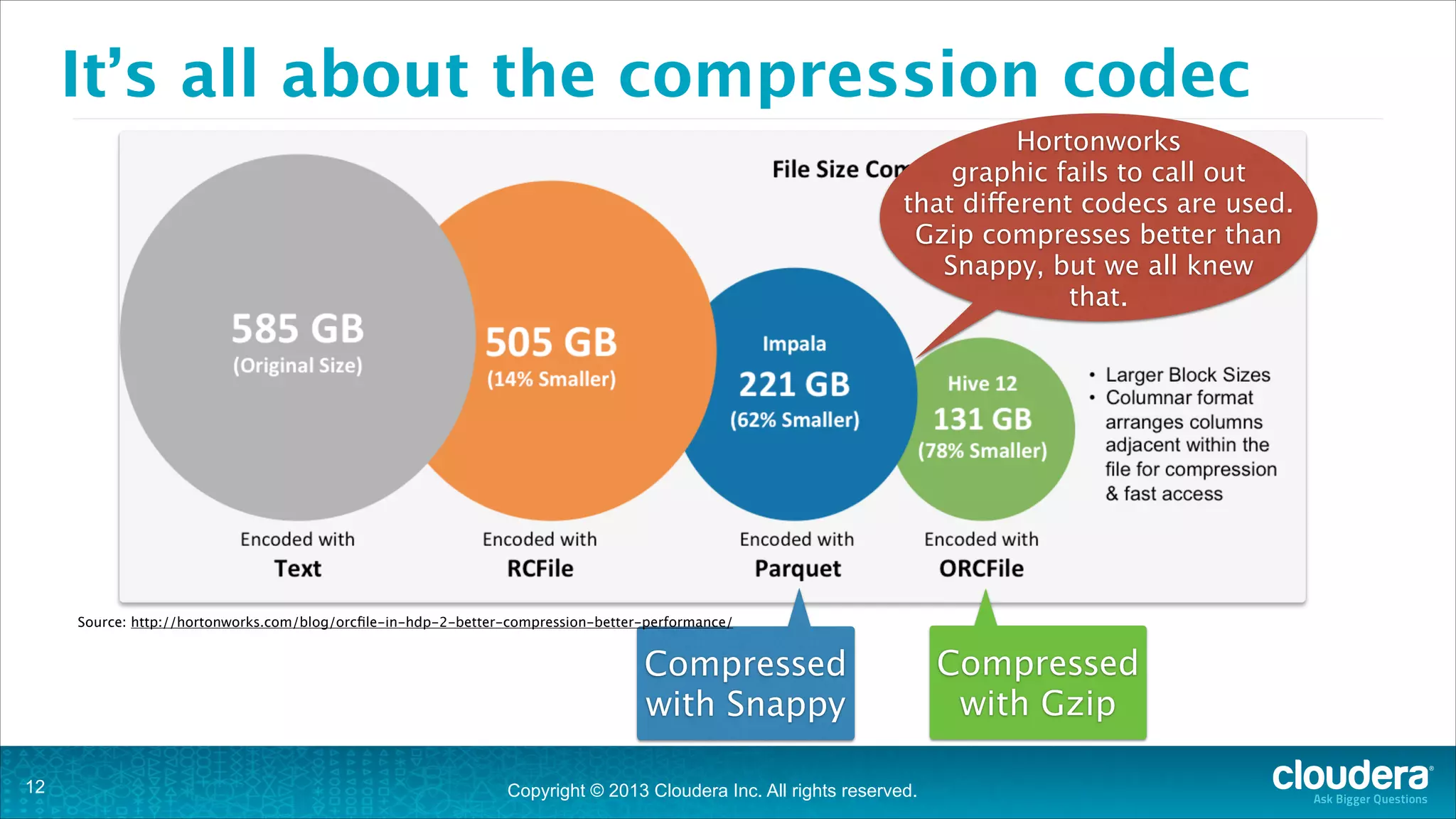
It’s all about the compression codec
Hortonworks
graphic fails to call out
that different codecs are used.
Gzip compresses better than
Snappy, but we all knew
that.

Source: http://hortonworks.com/blog/orcfile-in-hdp-2-better-compression-better-performance/

Compressed
with Snappy
!12

Copyright © 2013 Cloudera Inc. All rights reserved.

Compressed
with Gzip
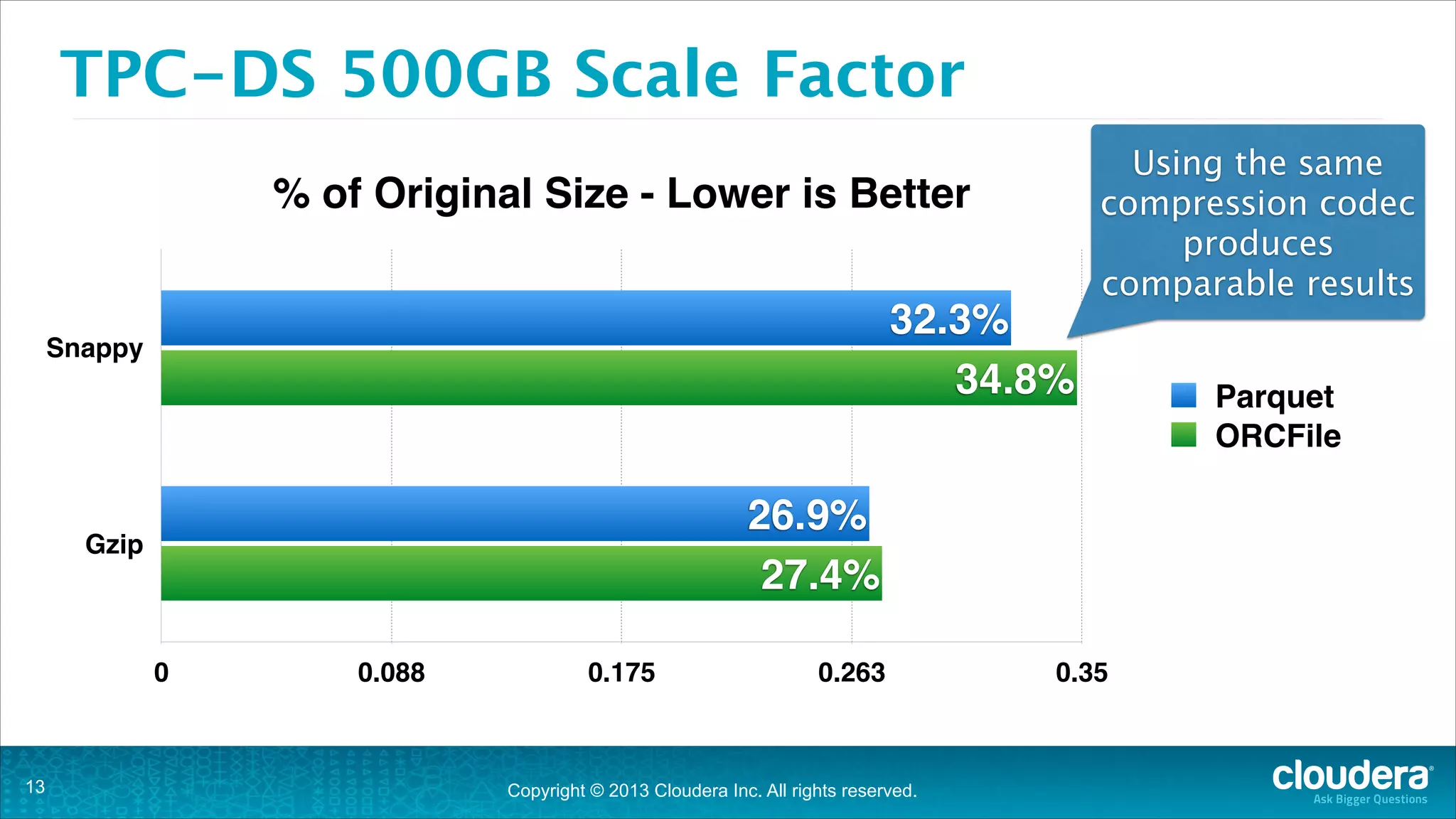
TPC-DS 500GB Scale Factor
% of Original Size - Lower is Better
32.3%
34.8%

Snappy

26.9%
27.4%

Gzip

0

!13

Using the same
compression codec
produces
comparable results

0.088

0.175

0.263

Copyright © 2013 Cloudera Inc. All rights reserved.

0.35

Parquet
ORCFile
Query Execution
What happens behind the scenes

!14
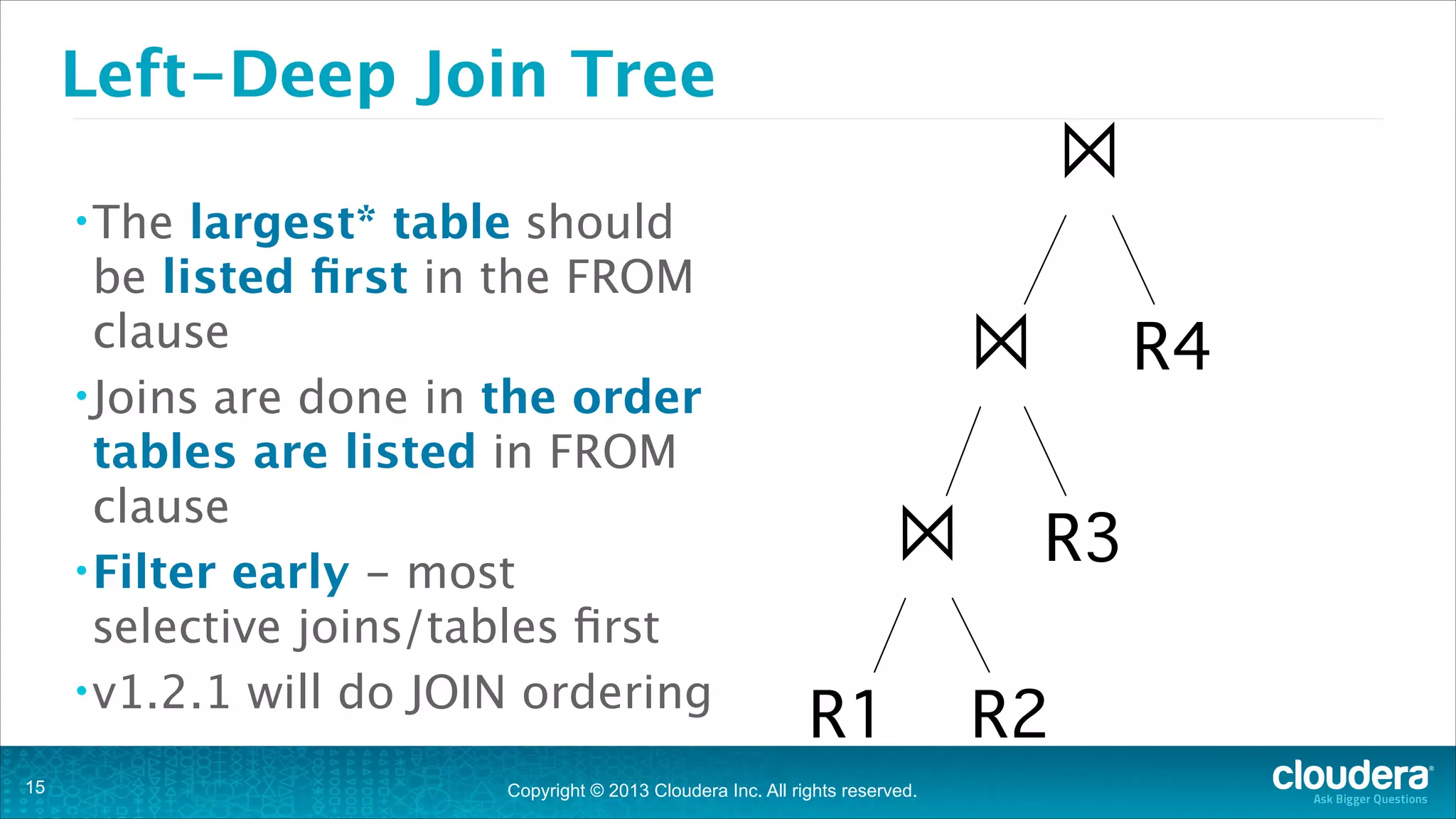
Left-Deep Join Tree
largest* table should
be listed first in the FROM
clause
• Joins are done in the order
tables are listed in FROM
clause
• Filter early - most
selective joins/tables first
• v1.2.1 will do JOIN ordering

⨝

• The

!15

⨝
⨝ R3
R1 R2

Copyright © 2013 Cloudera Inc. All rights reserved.

R4
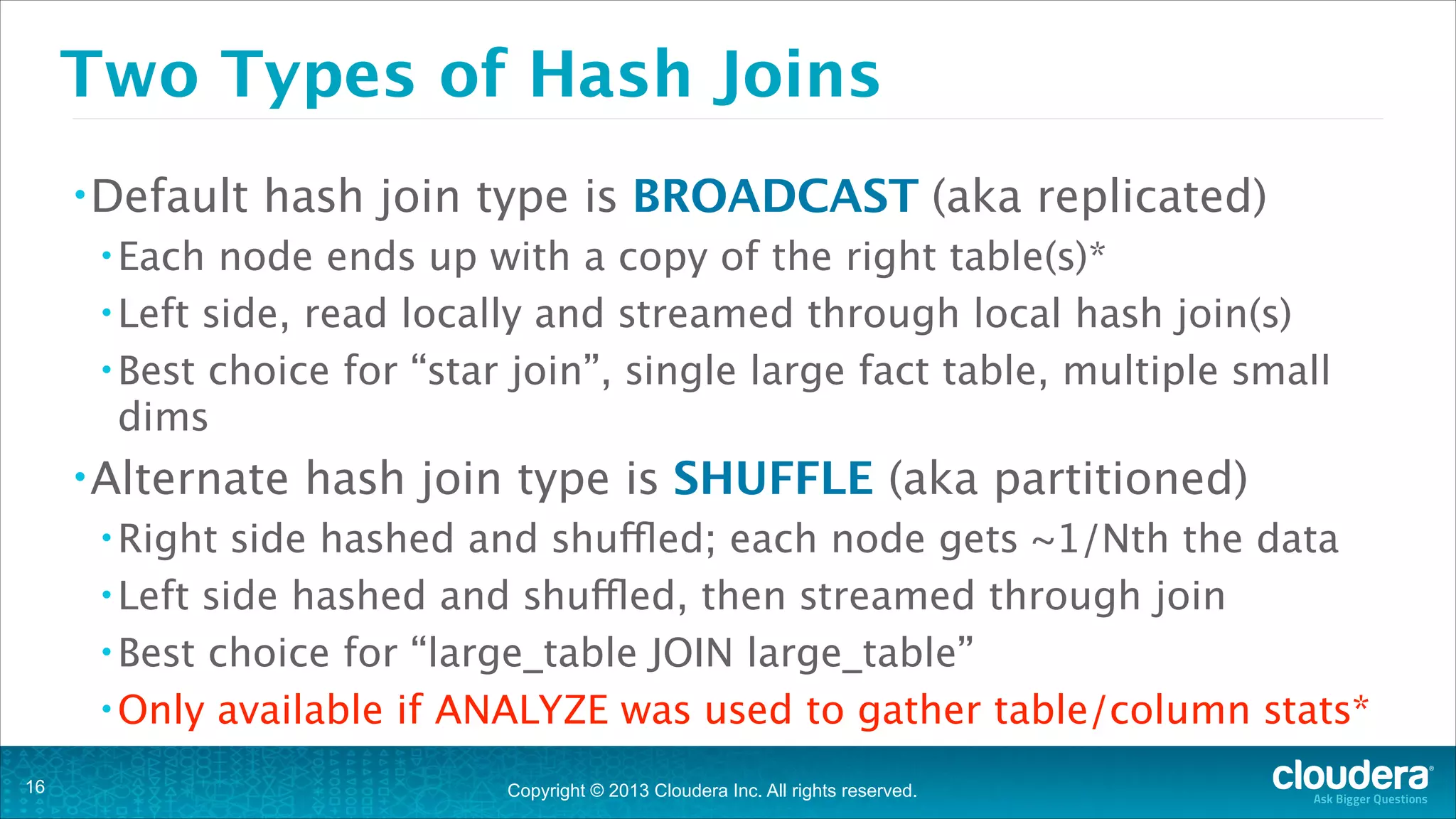
Two Types of Hash Joins
• Default

hash join type is BROADCAST (aka replicated)

• Each

node ends up with a copy of the right table(s)*
• Left side, read locally and streamed through local hash join(s)
• Best choice for “star join”, single large fact table, multiple small
dims
• Alternate

hash join type is SHUFFLE (aka partitioned)

• Right

side hashed and shuffled; each node gets ~1/Nth the data
• Left side hashed and shuffled, then streamed through join
• Best choice for “large_table JOIN large_table”
• Only available if ANALYZE was used to gather table/column stats*
!16

Copyright © 2013 Cloudera Inc. All rights reserved.
How to use ANALYZE
• Table

Stats (from Hive shell)

• analyze

• Column

table T1 [partition(partition_key)] compute statistics;

Stats (from Hive shell)

• analyze

table T1 [partition(partition_key)]
compute statistics for columns c1,c2,…

• Impala

1.2.1 will have a built-in ANALYZE command

!

!17

Copyright © 2013 Cloudera Inc. All rights reserved.
Hinting Joins
select ...
from large_fact
join [broadcast] small_dim
!
!

select ...
from large_fact
join [shuffle] large_dim
!

*square brackets required

!18

Copyright © 2013 Cloudera Inc. All rights reserved.
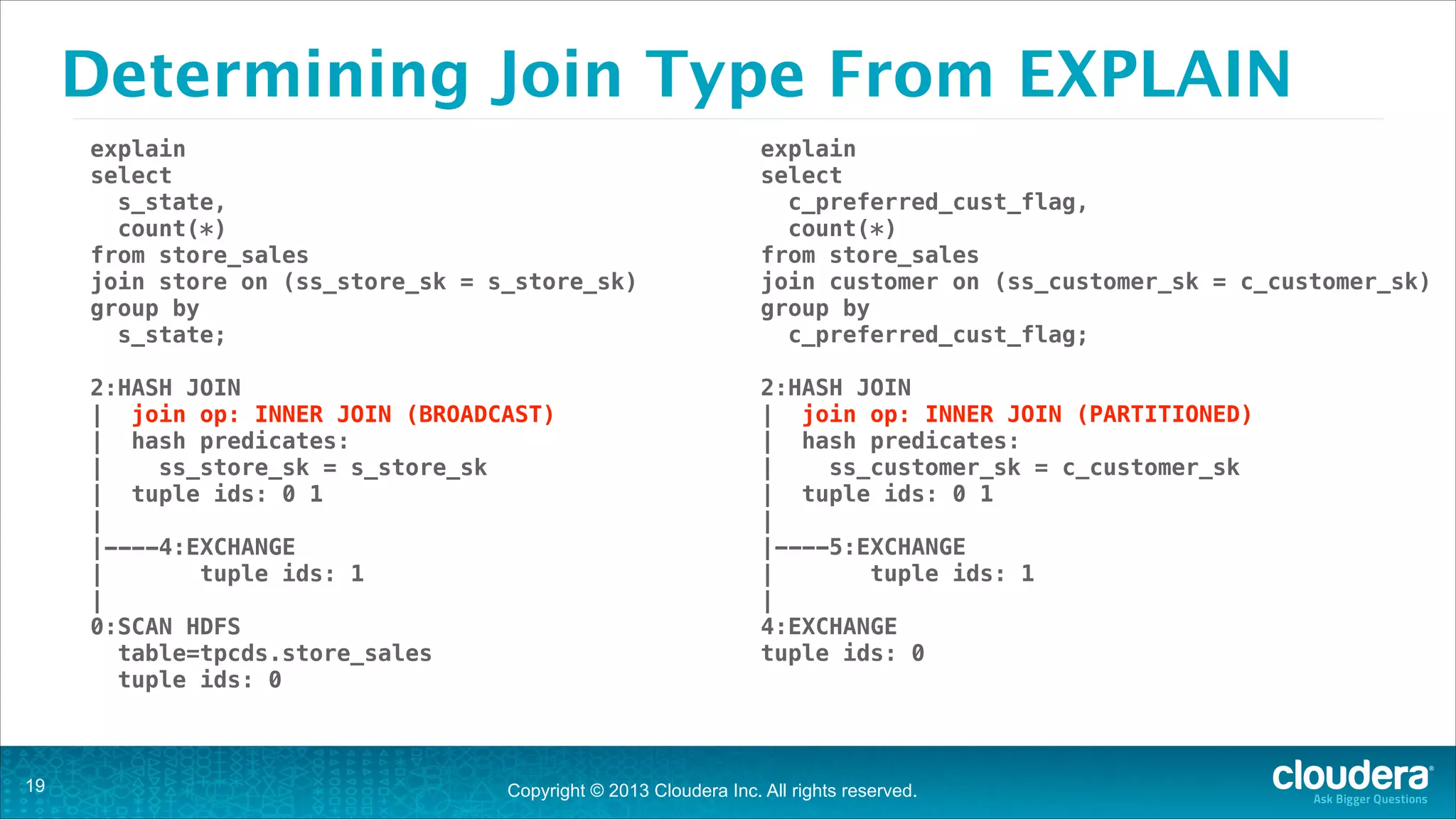
Determining Join Type From EXPLAIN
explain
select
s_state,
count(*)
from store_sales
join store on (ss_store_sk = s_store_sk)
group by
s_state;
!

!

2:HASH JOIN
| join op: INNER JOIN (BROADCAST)
| hash predicates:
|
ss_store_sk = s_store_sk
| tuple ids: 0 1
|
|----4:EXCHANGE
|
tuple ids: 1
|
0:SCAN HDFS
table=tpcds.store_sales
tuple ids: 0

!19

explain
select
c_preferred_cust_flag,
count(*)
from store_sales
join customer on (ss_customer_sk = c_customer_sk)
group by
c_preferred_cust_flag;
2:HASH JOIN
| join op: INNER JOIN (PARTITIONED)
| hash predicates:
|
ss_customer_sk = c_customer_sk
| tuple ids: 0 1
|
|----5:EXCHANGE
|
tuple ids: 1
|
4:EXCHANGE
tuple ids: 0

Copyright © 2013 Cloudera Inc. All rights reserved.
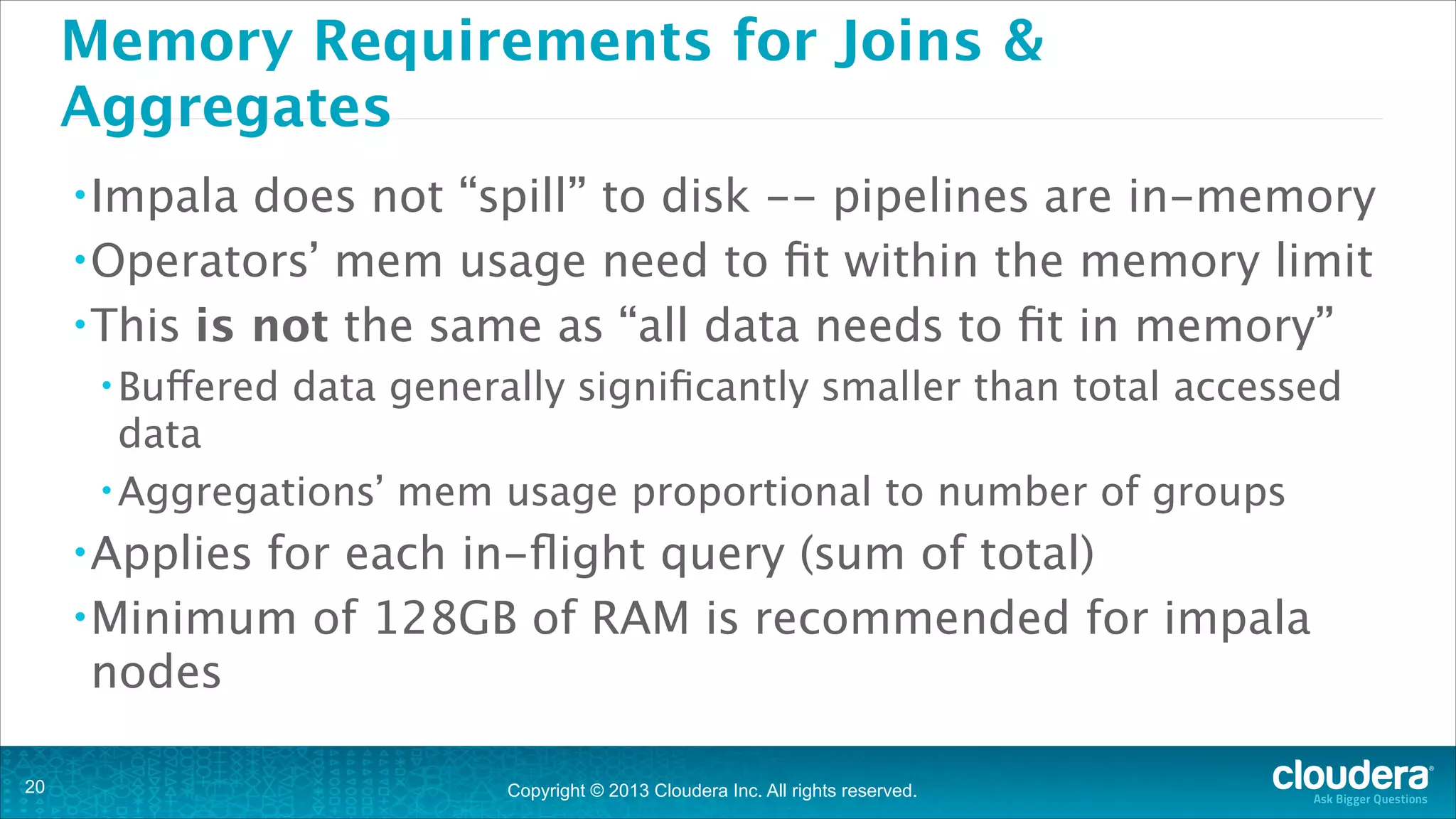
Memory Requirements for Joins &
Aggregates
• Impala

does not “spill” to disk -- pipelines are in-memory
• Operators’ mem usage need to fit within the memory limit
• This is not the same as “all data needs to fit in memory”
• Buffered

data generally significantly smaller than total accessed

data
• Aggregations’ mem usage proportional to number of groups
• Applies

for each in-flight query (sum of total)
• Minimum of 128GB of RAM is recommended for impala
nodes
!20

Copyright © 2013 Cloudera Inc. All rights reserved.
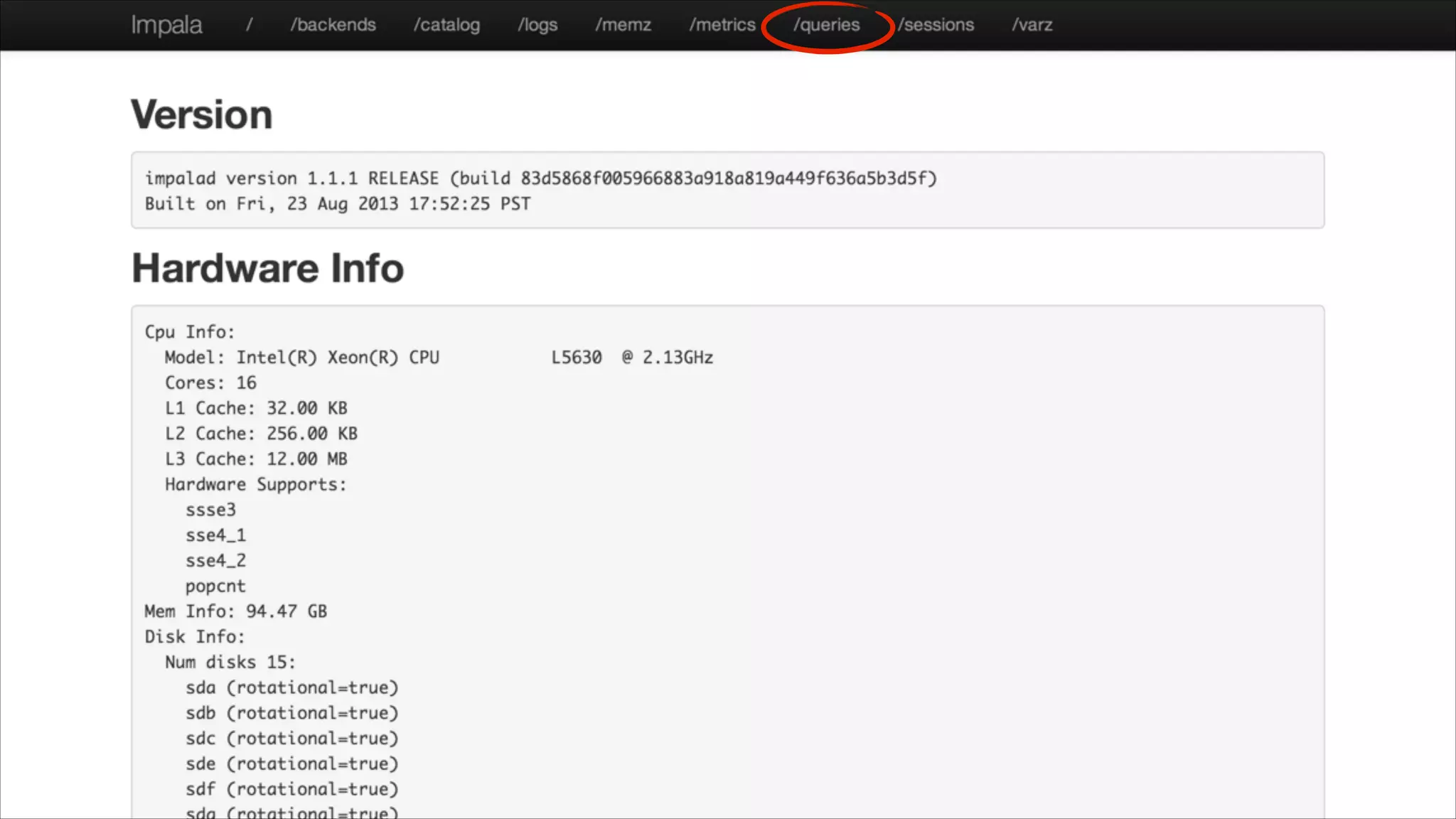
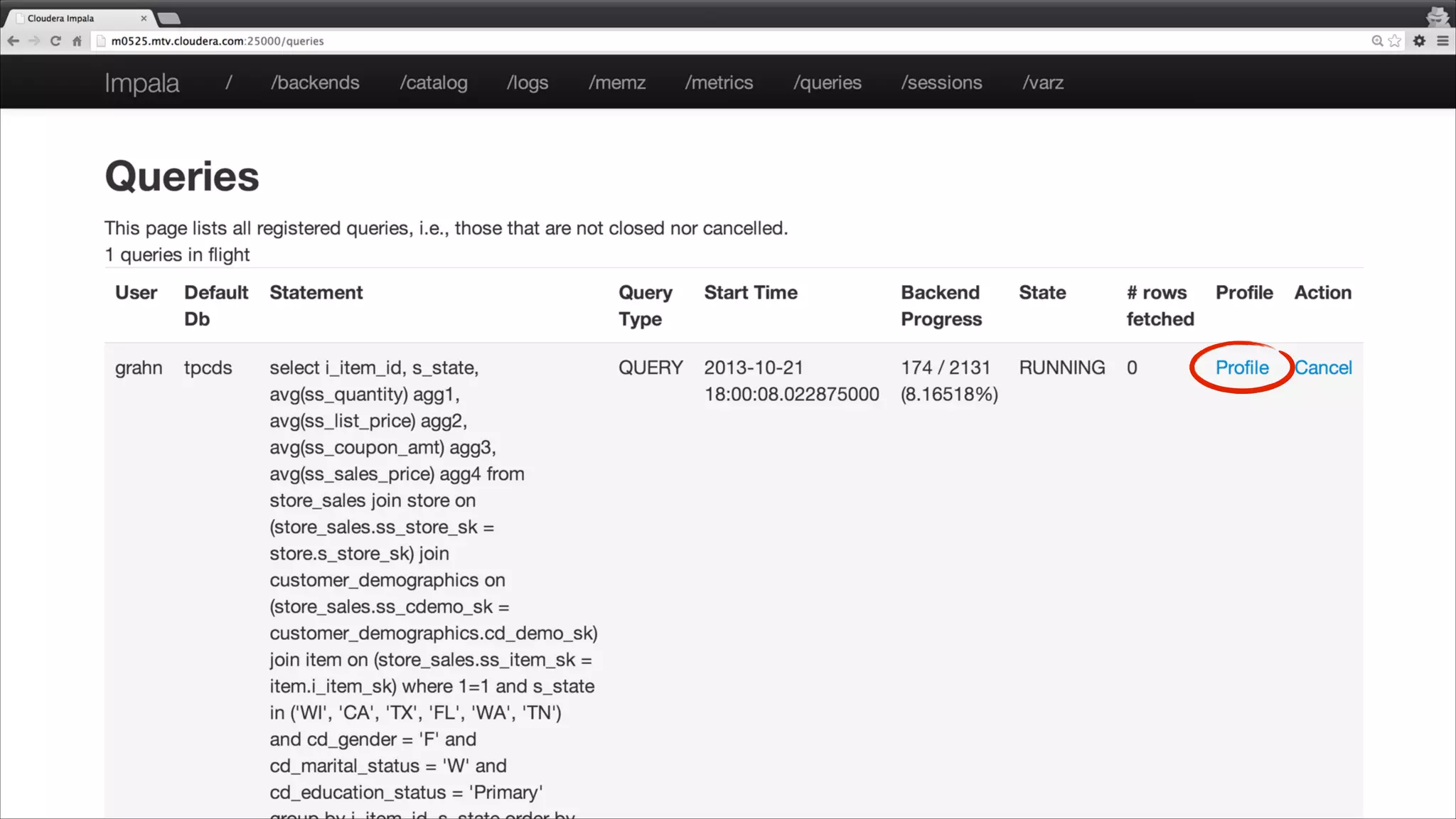
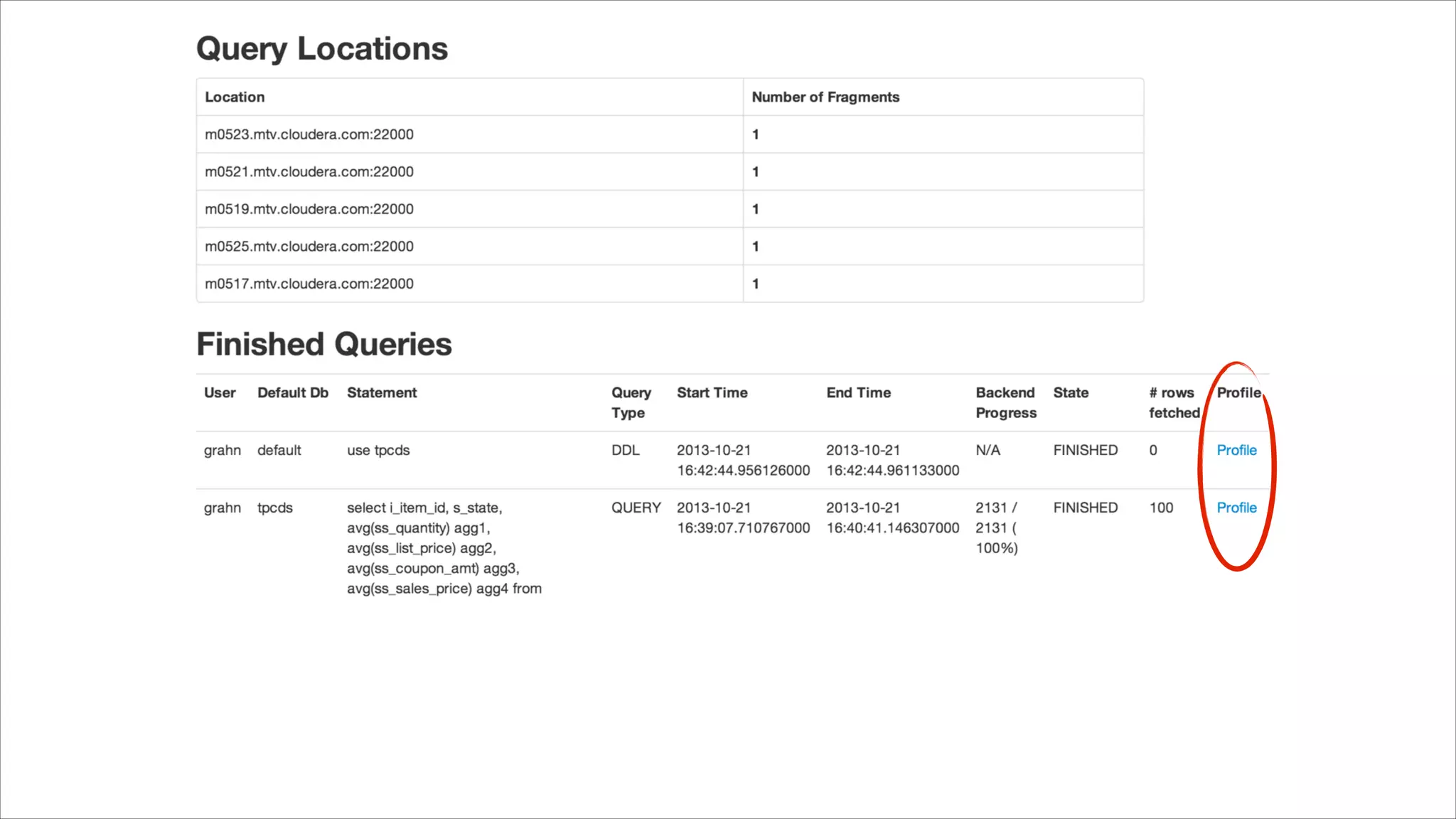
Impala Debug Web Pages
A great resource for debug information

!21
!23
Quick Review
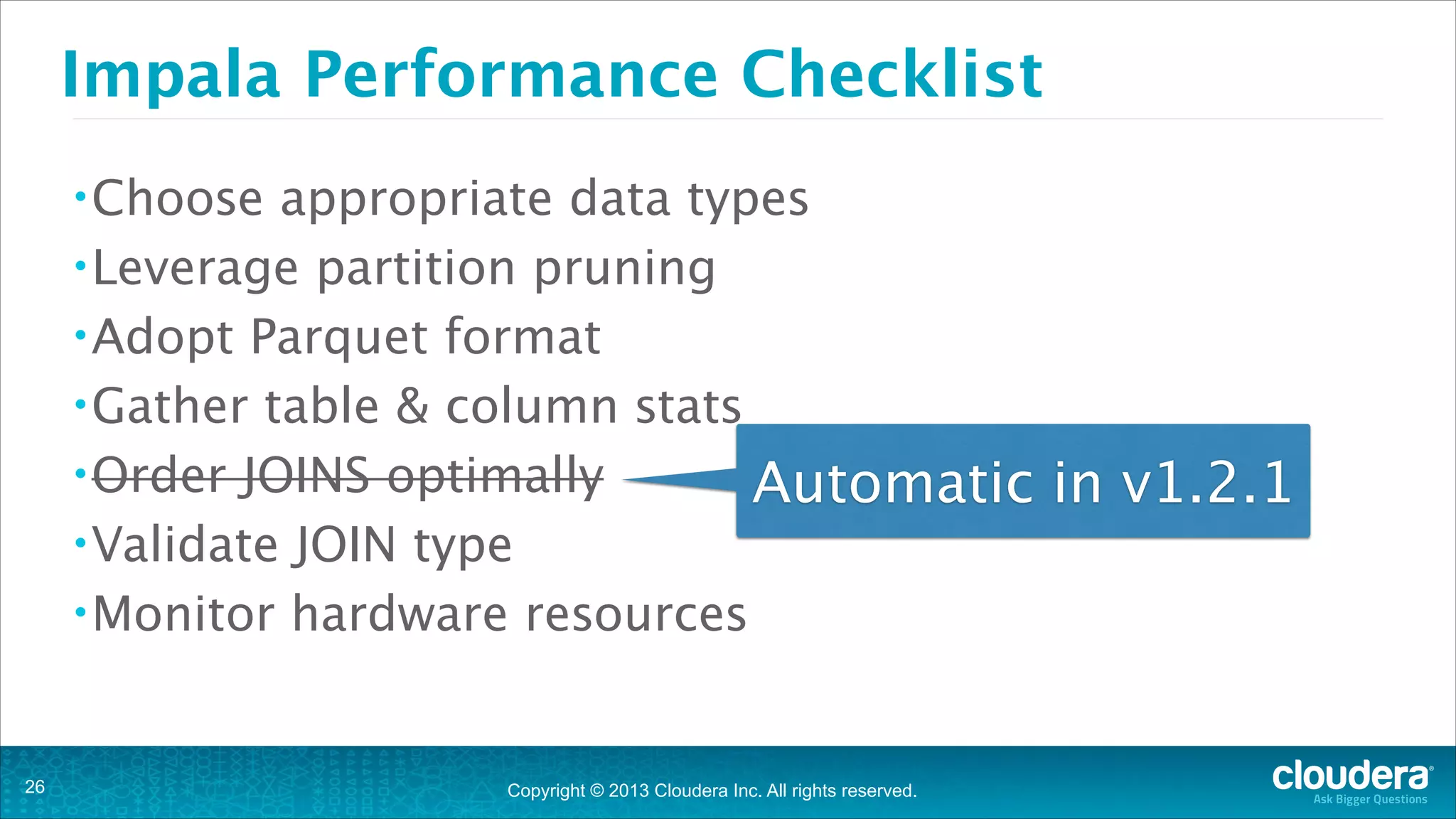
Impala performance checklist

!25
Impala Performance Checklist
• Choose

appropriate data types
• Leverage partition pruning
• Adopt Parquet format
• Gather table & column stats
• Order JOINS optimally
Automatic in v1.2.1
• Validate JOIN type
• Monitor hardware resources

!26

Copyright © 2013 Cloudera Inc. All rights reserved.
Test drive Impala
• Impala

Community:

• Download:
• Github:
• User

!27

http://cloudera.com/impala

https://github.com/cloudera/impala

group: impala-user on groups.cloudera.org

Copyright © 2013 Cloudera Inc. All rights reserved.
SELECT questions FROM audience;
Thank you.

!28

Cloudera Impala technical deep dive

  • 1.
    Practical Performance Analysis andTuning for Cloudera Impala Headline Goes Here Marcel Kornacker | marcel@cloudera.com Speaker Name or Subhead Goes Here 2013-11-11 Copyright © 2013 Cloudera Inc. All rights reserved. Copyright © 2013 Cloudera Inc. All rights reserved.
  • 2.
    Just how fastis Impala? You might just be surprised !2
  • 3.
    How fast isImpala? “DeWitt Clause” prohibits using DBMS vendor name !3 Copyright © 2013 Cloudera Inc. All rights reserved.
  • 4.
  • 5.
    Pre-execution Checklist • Data types •Partitioning • File Format !5 Copyright © 2013 Cloudera Inc. All rights reserved.
  • 6.
    Data Type Choices •Define integer columns as INT/BIGINT • Operations • Convert on INT/BIGINT more efficient than STRING “external” data to good “internal” types on load • e.g. CAST date strings to TIMESTAMPS • This avoids expensive CASTs in queries later !6 Copyright © 2013 Cloudera Inc. All rights reserved.
  • 7.
    Partitioning • “The fastest I/Ois the one that never takes place.” • Understand your query filter predicates • For time-series data, this is usually the date/timestamp column • Use this/these column(s) for a partition key(s) • Validate queries leverage partition pruning using EXPLAIN • You can have too much of a good thing •A few thousand partitions per table is probably OK • Tens of thousands partitions is probably too much • Partitions/Files should be no less than a few hundred MBs !7 Copyright © 2013 Cloudera Inc. All rights reserved.
  • 8.
    Partition Pruning inEXPLAIN explain select count(*) from sales_fact where sold_date in('2000-01-01','2000-01-02'); Note the partition count and missing “predicates” filter due to parse time ! — Partition Pruning (partitioned table) 0:SCAN HDFS table=grahn.sales_fact #partitions=2 size=803.15MB tuple ids: 0 ! — Filter Predicate (non-partitioned table) 0:SCAN HDFS table=grahn.sales_fact #partitions=1 size=799.42MB predicates: sold_date IN ('2000-01-01', '2000-01-02') tuple ids: 0 !8 Copyright © 2013 Cloudera Inc. All rights reserved.
  • 9.
    Why use ParquetColumnar Format for HDFS? • Well defined open format - http://parquet.io/ • Works in Impala, Pig, Hive & Map/Reduce • I/O reduction by only reading necessary columns • Columnar layout compresses/encodes better • Supports nested data by shredding columns • Uses techniques used by Google’s ColumnIO • Impala • Gzip • Quick !9 loads use Snappy compression by default available: set PARQUET_COMPRESSION_CODEC=gzip; word on Snappy vs. Gzip Copyright © 2013 Cloudera Inc. All rights reserved.
  • 10.
    Parquet: A MotivatingExample !10 Copyright © 2013 Cloudera Inc. All rights reserved.
  • 11.
    Quick Note onCompression • Snappy • Faster compression/decompression speeds • Less CPU cycles • Lower compression ratio • Gzip/Zlib • Slower compression/decompression speeds • More CPU cycles • Higher compression ratio • It’s all about trade-offs !11 Copyright © 2013 Cloudera Inc. All rights reserved.
  • 12.
    It’s all aboutthe compression codec Hortonworks graphic fails to call out that different codecs are used. Gzip compresses better than Snappy, but we all knew that. Source: http://hortonworks.com/blog/orcfile-in-hdp-2-better-compression-better-performance/ Compressed with Snappy !12 Copyright © 2013 Cloudera Inc. All rights reserved. Compressed with Gzip
  • 13.
    TPC-DS 500GB ScaleFactor % of Original Size - Lower is Better 32.3% 34.8% Snappy 26.9% 27.4% Gzip 0 !13 Using the same compression codec produces comparable results 0.088 0.175 0.263 Copyright © 2013 Cloudera Inc. All rights reserved. 0.35 Parquet ORCFile
  • 14.
    Query Execution What happensbehind the scenes !14
  • 15.
    Left-Deep Join Tree largest*table should be listed first in the FROM clause • Joins are done in the order tables are listed in FROM clause • Filter early - most selective joins/tables first • v1.2.1 will do JOIN ordering ⨝ • The !15 ⨝ ⨝ R3 R1 R2 Copyright © 2013 Cloudera Inc. All rights reserved. R4
  • 16.
    Two Types ofHash Joins • Default hash join type is BROADCAST (aka replicated) • Each node ends up with a copy of the right table(s)* • Left side, read locally and streamed through local hash join(s) • Best choice for “star join”, single large fact table, multiple small dims • Alternate hash join type is SHUFFLE (aka partitioned) • Right side hashed and shuffled; each node gets ~1/Nth the data • Left side hashed and shuffled, then streamed through join • Best choice for “large_table JOIN large_table” • Only available if ANALYZE was used to gather table/column stats* !16 Copyright © 2013 Cloudera Inc. All rights reserved.
  • 17.
    How to useANALYZE • Table Stats (from Hive shell) • analyze • Column table T1 [partition(partition_key)] compute statistics; Stats (from Hive shell) • analyze table T1 [partition(partition_key)] compute statistics for columns c1,c2,… • Impala 1.2.1 will have a built-in ANALYZE command ! !17 Copyright © 2013 Cloudera Inc. All rights reserved.
  • 18.
    Hinting Joins select ... fromlarge_fact join [broadcast] small_dim ! ! select ... from large_fact join [shuffle] large_dim ! *square brackets required !18 Copyright © 2013 Cloudera Inc. All rights reserved.
  • 19.
    Determining Join TypeFrom EXPLAIN explain select s_state, count(*) from store_sales join store on (ss_store_sk = s_store_sk) group by s_state; ! ! 2:HASH JOIN | join op: INNER JOIN (BROADCAST) | hash predicates: | ss_store_sk = s_store_sk | tuple ids: 0 1 | |----4:EXCHANGE | tuple ids: 1 | 0:SCAN HDFS table=tpcds.store_sales tuple ids: 0 !19 explain select c_preferred_cust_flag, count(*) from store_sales join customer on (ss_customer_sk = c_customer_sk) group by c_preferred_cust_flag; 2:HASH JOIN | join op: INNER JOIN (PARTITIONED) | hash predicates: | ss_customer_sk = c_customer_sk | tuple ids: 0 1 | |----5:EXCHANGE | tuple ids: 1 | 4:EXCHANGE tuple ids: 0 Copyright © 2013 Cloudera Inc. All rights reserved.
  • 20.
    Memory Requirements forJoins & Aggregates • Impala does not “spill” to disk -- pipelines are in-memory • Operators’ mem usage need to fit within the memory limit • This is not the same as “all data needs to fit in memory” • Buffered data generally significantly smaller than total accessed data • Aggregations’ mem usage proportional to number of groups • Applies for each in-flight query (sum of total) • Minimum of 128GB of RAM is recommended for impala nodes !20 Copyright © 2013 Cloudera Inc. All rights reserved.
  • 21.
    Impala Debug WebPages A great resource for debug information !21
  • 23.
  • 25.
  • 26.
    Impala Performance Checklist •Choose appropriate data types • Leverage partition pruning • Adopt Parquet format • Gather table & column stats • Order JOINS optimally Automatic in v1.2.1 • Validate JOIN type • Monitor hardware resources !26 Copyright © 2013 Cloudera Inc. All rights reserved.
  • 27.
    Test drive Impala •Impala Community: • Download: • Github: • User !27 http://cloudera.com/impala https://github.com/cloudera/impala group: impala-user on groups.cloudera.org Copyright © 2013 Cloudera Inc. All rights reserved.
  • 28.
    SELECT questions FROMaudience; Thank you. !28