1
Parquet	
  Update/UDFs	
  in	
  Impala	


Nong	
  Li	
  
So:ware	
  Engineer,	
  Cloudera	
  
Agenda	
  
2
•  Parquet	
  
•  File	
  format	
  descripBon	
  
•  Benchmark	
  Results	
  in	
  Impala	
  
•  Parquet	
  2.0	
  
•  UDF/UDAs	
  
3
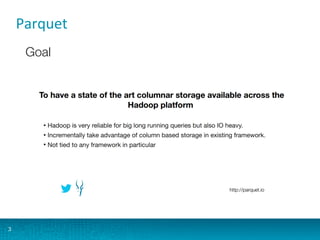
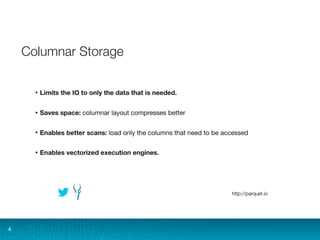
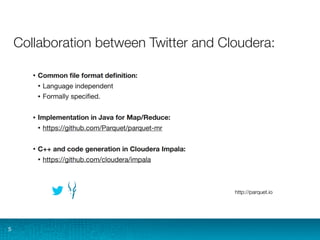
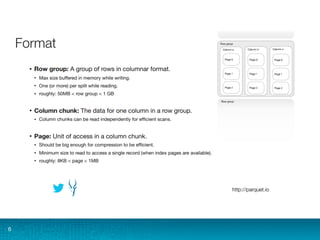
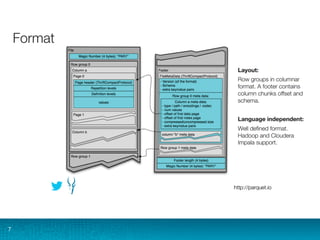
Parquet	
  
4
5
6
7
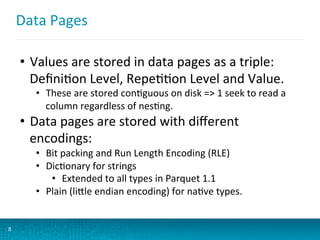
Data	
  Pages	
  
8
•  Values	
  are	
  stored	
  in	
  data	
  pages	
  as	
  a	
  triple:	
  
DefiniBon	
  Level,	
  RepeBBon	
  Level	
  and	
  Value.	
  
•  These	
  are	
  stored	
  conBguous	
  on	
  disk	
  =>	
  1	
  seek	
  to	
  read	
  a	
  
column	
  regardless	
  of	
  nesBng.	
  
•  Data	
  pages	
  are	
  stored	
  with	
  different	
  
encodings:	
  
•  Bit	
  packing	
  and	
  Run	
  Length	
  Encoding	
  (RLE)	
  
•  DicBonary	
  for	
  strings	
  
•  Extended	
  to	
  all	
  types	
  in	
  Parquet	
  1.1	
  
•  Plain	
  (liWle	
  endian	
  encoding)	
  for	
  naBve	
  types.	
  
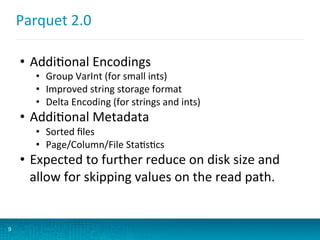
Parquet	
  2.0	
  
9
•  AddiBonal	
  Encodings	
  
•  Group	
  VarInt	
  (for	
  small	
  ints)	
  
•  Improved	
  string	
  storage	
  format	
  
•  Delta	
  Encoding	
  (for	
  strings	
  and	
  ints)	
  
•  AddiBonal	
  Metadata	
  
•  Sorted	
  files	
  
•  Page/Column/File	
  StaBsBcs	
  
•  Expected	
  to	
  further	
  reduce	
  on	
  disk	
  size	
  and	
  
allow	
  for	
  skipping	
  values	
  on	
  the	
  read	
  path.	
  
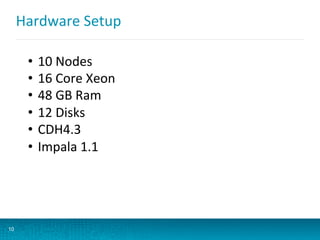
Hardware	
  Setup	
  
10
•  10	
  Nodes	
  
•  16	
  Core	
  Xeon	
  
•  48	
  GB	
  Ram	
  
•  12	
  Disks	
  
•  CDH4.3	
  
•  Impala	
  1.1	
  
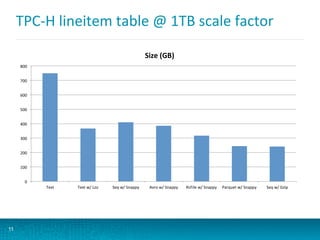
TPC-­‐H	
  lineitem	
  table	
  @	
  1TB	
  scale	
  factor	
  
11
0	
  
100	
  
200	
  
300	
  
400	
  
500	
  
600	
  
700	
  
800	
  
Text	
   Text	
  w/	
  Lzo	
   Seq	
  w/	
  Snappy	
   Avro	
  w/	
  Snappy	
   RcFile	
  w/	
  Snappy	
   Parquet	
  w/	
  Snappy	
   Seq	
  w/	
  Gzip	
  
Size	
  (GB)	
  
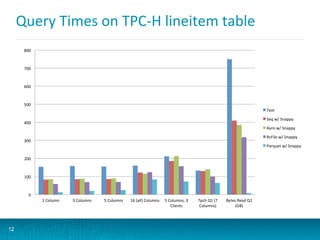
Query	
  Times	
  on	
  TPC-­‐H	
  lineitem	
  table	
  
12
0	
  
100	
  
200	
  
300	
  
400	
  
500	
  
600	
  
700	
  
800	
  
1	
  Column	
   3	
  Columns	
   5	
  Columns	
   16	
  (all)	
  Columns	
   5	
  Columns,	
  3	
  
Clients	
  
Tpch	
  Q1	
  (7	
  
Columns)	
  
Bytes	
  Read	
  Q1	
  
(GB)	
  
Text	
  
Seq	
  w/	
  Snappy	
  
Avro	
  w/	
  Snappy	
  
RcFile	
  w/	
  Snappy	
  
Parquet	
  w/	
  Snappy	
  
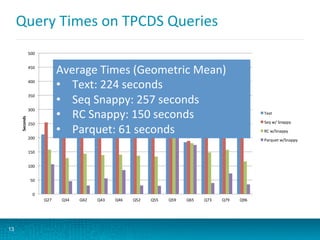
Query	
  Times	
  on	
  TPCDS	
  Queries	
  
13
0	
  
50	
  
100	
  
150	
  
200	
  
250	
  
300	
  
350	
  
400	
  
450	
  
500	
  
Q27	
   Q34	
   Q42	
   Q43	
   Q46	
   Q52	
   Q55	
   Q59	
   Q65	
   Q73	
   Q79	
   Q96	
  
Seconds	
  
Text	
  
Seq	
  w/	
  Snappy	
  
RC	
  w/Snappy	
  
Parquet	
  w/Snappy	
  
Average	
  Times	
  (Geometric	
  Mean)	
  
•  Text:	
  224	
  seconds	
  
•  Seq	
  Snappy:	
  257	
  seconds	
  
•  RC	
  Snappy:	
  150	
  seconds	
  
•  Parquet:	
  61	
  seconds	
  
Agenda	
  
14
•  Parquet	
  
•  File	
  format	
  descripBon	
  
•  Benchmark	
  Results	
  in	
  Impala	
  
•  What’s	
  Next	
  
•  UDF/UDAs	
  (Work	
  in	
  Progress)	
  
Terminology	
  
15
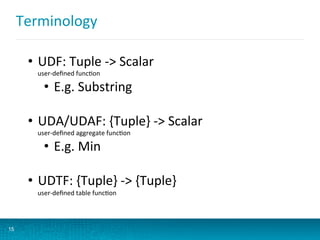
•  UDF:	
  Tuple	
  -­‐>	
  Scalar	
  
user-­‐defined	
  funcBon	
  
•  E.g.	
  Substring	
  
•  UDA/UDAF:	
  {Tuple}	
  -­‐>	
  Scalar	
  
user-­‐defined	
  aggregate	
  funcBon	
  
•  E.g.	
  Min	
  
•  UDTF:	
  {Tuple}	
  -­‐>	
  {Tuple}	
  
user-­‐defined	
  table	
  funcBon	
  
Impala	
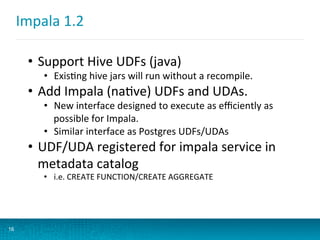
  1.2	
  
16
•  Support	
  Hive	
  UDFs	
  (java)	
  
•  ExisBng	
  hive	
  jars	
  will	
  run	
  without	
  a	
  recompile.	
  
•  Add	
  Impala	
  (naBve)	
  UDFs	
  and	
  UDAs.	
  
•  New	
  interface	
  designed	
  to	
  execute	
  as	
  efficiently	
  as	
  
possible	
  for	
  Impala.	
  
•  Similar	
  interface	
  as	
  Postgres	
  UDFs/UDAs	
  
•  UDF/UDA	
  registered	
  for	
  impala	
  service	
  in	
  
metadata	
  catalog	
  
•  i.e.	
  CREATE	
  FUNCTION/CREATE	
  AGGREGATE	


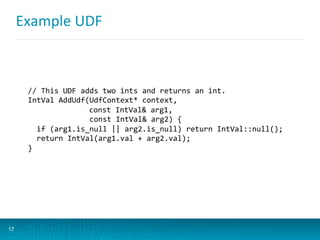
Example	
  UDF	
  
17
//	
  This	
  UDF	
  adds	
  two	
  ints	
  and	
  returns	
  an	
  int.	
  	
  
IntVal	
  AddUdf(UdfContext*	
  context,	


  const	
  IntVal&	
  arg1,	


  const	
  IntVal&	
  arg2)	
  { 	


  if	
  (arg1.is_null	
  ||	
  arg2.is_null)	
  return	
  IntVal::null();	


  return	
  IntVal(arg1.val	
  +	
  arg2.val);	
  
}	
  
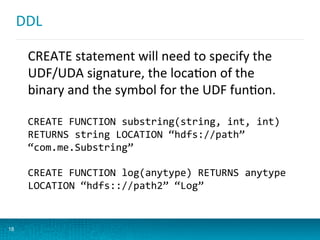
DDL	
  
18
CREATE	
  statement	
  will	
  need	
  to	
  specify	
  the	
  
UDF/UDA	
  signature,	
  the	
  locaBon	
  of	
  the	
  
binary	
  and	
  the	
  symbol	
  for	
  the	
  UDF	
  funBon.	
  
CREATE	
  FUNCTION	
  substring(string,	
  int,	
  int)	
  
RETURNS	
  string	
  LOCATION	
  “hdfs://path”	
  
“com.me.Substring”	


CREATE	
  FUNCTION	
  log(anytype)	
  RETURNS	
  anytype	
  
LOCATION	
  “hdfs:://path2”	
  “Log”	
  
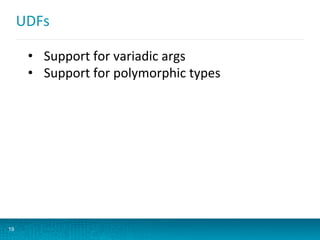
UDFs	
  
19
•  Support	
  for	
  variadic	
  args	
  	
  
•  Support	
  for	
  polymorphic	
  types	
  
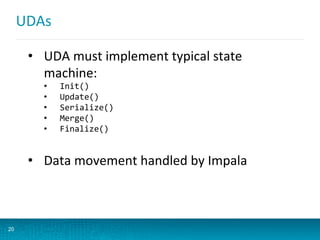
UDAs	
  
20
•  UDA	
  must	
  implement	
  typical	
  state	
  
machine:	
  
•  Init()	
  
•  Update()	
  
•  Serialize()	
  
•  Merge()	
  
•  Finalize()	
  
•  Data	
  movement	
  handled	
  by	
  Impala	
  
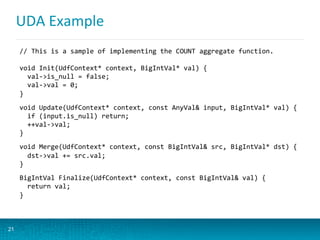
UDA	
  Example	
  
21
//	
  This	
  is	
  a	
  sample	
  of	
  implementing	
  the	
  COUNT	
  aggregate	
  function.	


void	
  Init(UdfContext*	
  context,	
  BigIntVal*	
  val)	
  {	


  val-­‐>is_null	
  =	
  false;	


  val-­‐>val	
  =	
  0;	
  
}	


void	
  Update(UdfContext*	
  context,	
  const	
  AnyVal&	
  input,	
  BigIntVal*	
  val)	
  {	


  if	
  (input.is_null)	
  return;	


  ++val-­‐>val;	
  
}	


void	
  Merge(UdfContext*	
  context,	
  const	
  BigIntVal&	
  src,	
  BigIntVal*	
  dst)	
  {	


  dst-­‐>val	
  +=	
  src.val;	
  
}	


BigIntVal	
  Finalize(UdfContext*	
  context,	
  const	
  BigIntVal&	
  val)	
  {	


  return	
  val;	
  
}	
  
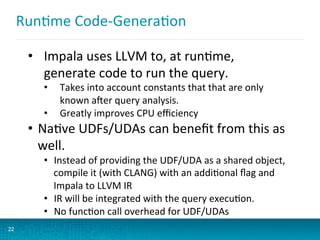
RunBme	
  Code-­‐GeneraBon	
  
22
•  Impala	
  uses	
  LLVM	
  to,	
  at	
  runBme,	
  
generate	
  code	
  to	
  run	
  the	
  query.	
  
•  Takes	
  into	
  account	
  constants	
  that	
  that	
  are	
  only	
  
known	
  a:er	
  query	
  analysis.	
  
•  Greatly	
  improves	
  CPU	
  efficiency	
  
•  NaBve	
  UDFs/UDAs	
  can	
  benefit	
  from	
  this	
  as	
  
well.	
  
•  Instead	
  of	
  providing	
  the	
  UDF/UDA	
  as	
  a	
  shared	
  object,	
  
compile	
  it	
  (with	
  CLANG)	
  with	
  an	
  addiBonal	
  flag	
  and	
  
Impala	
  to	
  LLVM	
  IR	
  
•  IR	
  will	
  be	
  integrated	
  with	
  the	
  query	
  execuBon.	
  
•  No	
  funcBon	
  call	
  overhead	
  for	
  UDF/UDAs	
  
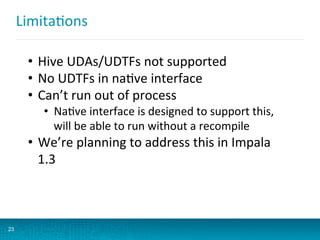
LimitaBons	
  
23
•  Hive	
  UDAs/UDTFs	
  not	
  supported	
  
•  No	
  UDTFs	
  in	
  naBve	
  interface	
  
•  Can’t	
  run	
  out	
  of	
  process	
  
•  NaBve	
  interface	
  is	
  designed	
  to	
  support	
  this,	
  
will	
  be	
  able	
  to	
  run	
  without	
  a	
  recompile	
  
•  We’re	
  planning	
  to	
  address	
  this	
  in	
  Impala	
  
1.3	


Thanks!	
  
24
•  We’d	
  love	
  your	
  feedback	
  for	
  UDFs/UDAs	
  
•  QuesBons?	
  
Performance
Considerations
for Cloudera
Impala
Henry Robinson
henry@cloudera.com / @henryr
Impala Meetup 2013-08-20
Agenda
● The basics: Performance Checklist
● Review: How does Impala execute queries?
● What makes queries fast (or slow)?
● How can I debug my queries?
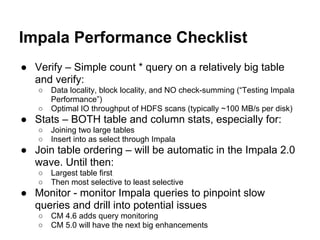
Impala Performance Checklist
● Verify – Simple count * query on a relatively big table
and verify:
○ Data locality, block locality, and NO check-summing (“Testing Impala
Performance”)
○ Optimal IO throughput of HDFS scans (typically ~100 MB/s per disk)
● Stats – BOTH table and column stats, especially for:
○ Joining two large tables
○ Insert into as select through Impala
● Join table ordering – will be automatic in the Impala 2.0
wave. Until then:
○ Largest table first
○ Then most selective to least selective
● Monitor - monitor Impala queries to pinpoint slow
queries and drill into potential issues
○ CM 4.6 adds query monitoring
○ CM 5.0 will have the next big enhancements
Part 1: How does Impala
execute queries?
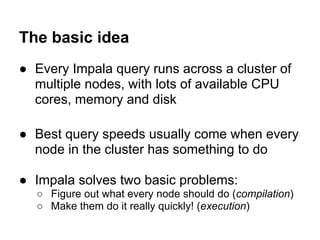
The basic idea
● Every Impala query runs across a cluster of
multiple nodes, with lots of available CPU
cores, memory and disk
● Best query speeds usually come when every
node in the cluster has something to do
● Impala solves two basic problems:
○ Figure out what every node should do (compilation)
○ Make them do it really quickly! (execution)
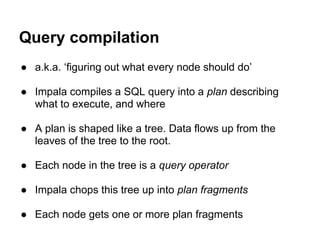
Query compilation
● a.k.a. ‘figuring out what every node should do’
● Impala compiles a SQL query into a plan describing
what to execute, and where
● A plan is shaped like a tree. Data flows up from the
leaves of the tree to the root.
● Each node in the tree is a query operator
● Impala chops this tree up into plan fragments
● Each node gets one or more plan fragments
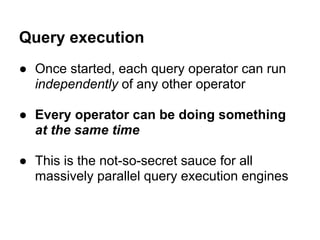
Query execution
● Once started, each query operator can run
independently of any other operator
● Every operator can be doing something
at the same time
● This is the not-so-secret sauce for all
massively parallel query execution engines
Part 2: What makes
queries fast (or... slow)?
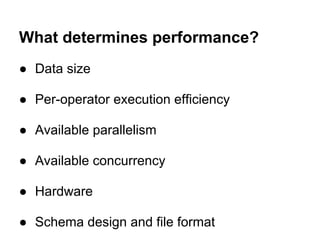
What determines performance?
● Data size
● Per-operator execution efficiency
● Available parallelism
● Available concurrency
● Hardware
● Schema design and file format
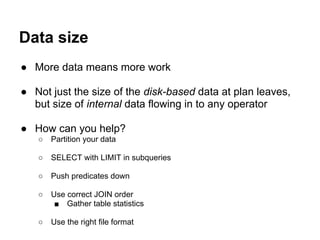
Data size
● More data means more work
● Not just the size of the disk-based data at plan leaves,
but size of internal data flowing in to any operator
● How can you help?
○ Partition your data
○ SELECT with LIMIT in subqueries
○ Push predicates down
○ Use correct JOIN order
■ Gather table statistics
○ Use the right file format
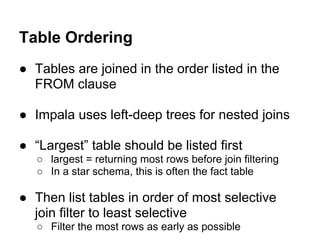
● Tables are joined in the order listed in the
FROM clause
● Impala uses left-deep trees for nested joins
● “Largest” table should be listed first
○ largest = returning most rows before join filtering
○ In a star schema, this is often the fact table
● Then list tables in order of most selective
join filter to least selective
○ Filter the most rows as early as possible
Table Ordering
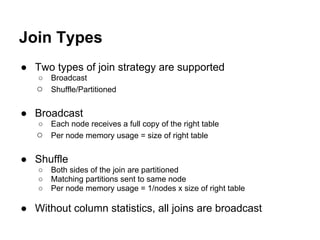
Join Types
● Two types of join strategy are supported
○ Broadcast
○ Shuffle/Partitioned
● Broadcast
○ Each node receives a full copy of the right table
○ Per node memory usage = size of right table
● Shuffle
○ Both sides of the join are partitioned
○ Matching partitions sent to same node
○ Per node memory usage = 1/nodes x size of right table
● Without column statistics, all joins are broadcast
Per-operator execution efficiency
● Impala is fast, and getting faster
● LLVM-based improvements
● More efficient disk scanners
● More modern algorithms from the DB
literature
● How can you help?
○ Upgrade to the latest version
Available parallelism
● Parallelism: number of resources available to use at
once
● More hardware means more parallelism
● Impala will take advantage of more cores, disks and
memory where possible
● Easiest (but most expensive!) way to improve
performance of large class of queries
● You can scale up incrementally
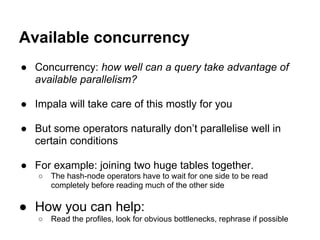
Available concurrency
● Concurrency: how well can a query take advantage of
available parallelism?
● Impala will take care of this mostly for you
● But some operators naturally don’t parallelise well in
certain conditions
● For example: joining two huge tables together.
○ The hash-node operators have to wait for one side to be read
completely before reading much of the other side
● How you can help:
○ Read the profiles, look for obvious bottlenecks, rephrase if possible
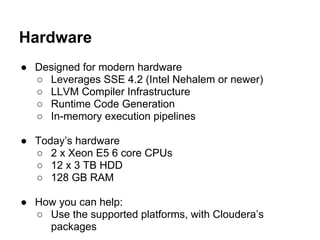
Hardware
● Designed for modern hardware
○ Leverages SSE 4.2 (Intel Nehalem or newer)
○ LLVM Compiler Infrastructure
○ Runtime Code Generation
○ In-memory execution pipelines
● Today’s hardware
○ 2 x Xeon E5 6 core CPUs
○ 12 x 3 TB HDD
○ 128 GB RAM
● How you can help:
○ Use the supported platforms, with Cloudera’s
packages
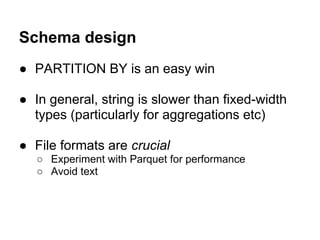
Schema design
● PARTITION BY is an easy win
● In general, string is slower than fixed-width
types (particularly for aggregations etc)
● File formats are crucial
○ Experiment with Parquet for performance
○ Avoid text
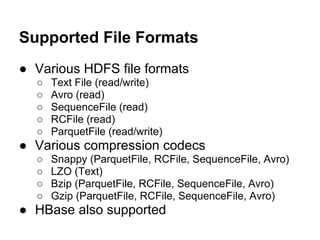
Supported File Formats
● Various HDFS file formats
○ Text File (read/write)
○ Avro (read)
○ SequenceFile (read)
○ RCFile (read)
○ ParquetFile (read/write)
● Various compression codecs
○ Snappy (ParquetFile, RCFile, SequenceFile, Avro)
○ LZO (Text)
○ Bzip (ParquetFile, RCFile, SequenceFile, Avro)
○ Gzip (ParquetFile, RCFile, SequenceFile, Avro)
● HBase also supported
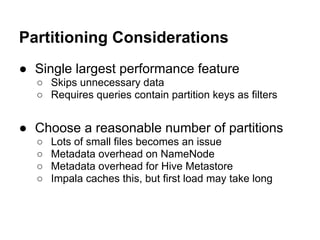
Partitioning Considerations
● Single largest performance feature
○ Skips unnecessary data
○ Requires queries contain partition keys as filters
● Choose a reasonable number of partitions
○ Lots of small files becomes an issue
○ Metadata overhead on NameNode
○ Metadata overhead for Hive Metastore
○ Impala caches this, but first load may take long
Part 3: Debugging queries
The Debug Pages
● Every impalad exports a lot of useful
information on http://<impalad>:25000 (by
default), including:
○ Last 25 queries
○ Active sessions
○ Known tables
○ Last 1MB of the log
○ System metrics
○ Query profiles
● Information-dense - not for the faint of heart!
Thanks! Questions?
Try It Out!
● Apache-licensed open source
○ Impala 1.1 released 7/24/2013
○ Impala 1.0 GA released 4/30/2013
● Questions/comments?
○ Download: cloudera.com/impala
○ Email: impala-user@cloudera.org
○ Join: groups.cloudera.org
○ MeetUp: meetup.com/Bay-Area-Impala-Users-
Group/

Presentations from the Cloudera Impala meetup on Aug 20 2013

  • 1.
    1 Parquet  Update/UDFs  in  Impala     Nong  Li   So:ware  Engineer,  Cloudera  
  • 2.
    Agenda   2 •  Parquet   •  File  format  descripBon   •  Benchmark  Results  in  Impala   •  Parquet  2.0   •  UDF/UDAs  
  • 3.
  • 4.
  • 5.
  • 6.
  • 7.
  • 8.
    Data  Pages   8 • Values  are  stored  in  data  pages  as  a  triple:   DefiniBon  Level,  RepeBBon  Level  and  Value.   •  These  are  stored  conBguous  on  disk  =>  1  seek  to  read  a   column  regardless  of  nesBng.   •  Data  pages  are  stored  with  different   encodings:   •  Bit  packing  and  Run  Length  Encoding  (RLE)   •  DicBonary  for  strings   •  Extended  to  all  types  in  Parquet  1.1   •  Plain  (liWle  endian  encoding)  for  naBve  types.  
  • 9.
    Parquet  2.0   9 • AddiBonal  Encodings   •  Group  VarInt  (for  small  ints)   •  Improved  string  storage  format   •  Delta  Encoding  (for  strings  and  ints)   •  AddiBonal  Metadata   •  Sorted  files   •  Page/Column/File  StaBsBcs   •  Expected  to  further  reduce  on  disk  size  and   allow  for  skipping  values  on  the  read  path.  
  • 10.
    Hardware  Setup   10 • 10  Nodes   •  16  Core  Xeon   •  48  GB  Ram   •  12  Disks   •  CDH4.3   •  Impala  1.1  
  • 11.
    TPC-­‐H  lineitem  table  @  1TB  scale  factor   11 0   100   200   300   400   500   600   700   800   Text   Text  w/  Lzo   Seq  w/  Snappy   Avro  w/  Snappy   RcFile  w/  Snappy   Parquet  w/  Snappy   Seq  w/  Gzip   Size  (GB)  
  • 12.
    Query  Times  on  TPC-­‐H  lineitem  table   12 0   100   200   300   400   500   600   700   800   1  Column   3  Columns   5  Columns   16  (all)  Columns   5  Columns,  3   Clients   Tpch  Q1  (7   Columns)   Bytes  Read  Q1   (GB)   Text   Seq  w/  Snappy   Avro  w/  Snappy   RcFile  w/  Snappy   Parquet  w/  Snappy  
  • 13.
    Query  Times  on  TPCDS  Queries   13 0   50   100   150   200   250   300   350   400   450   500   Q27   Q34   Q42   Q43   Q46   Q52   Q55   Q59   Q65   Q73   Q79   Q96   Seconds   Text   Seq  w/  Snappy   RC  w/Snappy   Parquet  w/Snappy   Average  Times  (Geometric  Mean)   •  Text:  224  seconds   •  Seq  Snappy:  257  seconds   •  RC  Snappy:  150  seconds   •  Parquet:  61  seconds  
  • 14.
    Agenda   14 •  Parquet   •  File  format  descripBon   •  Benchmark  Results  in  Impala   •  What’s  Next   •  UDF/UDAs  (Work  in  Progress)  
  • 15.
    Terminology   15 •  UDF:  Tuple  -­‐>  Scalar   user-­‐defined  funcBon   •  E.g.  Substring   •  UDA/UDAF:  {Tuple}  -­‐>  Scalar   user-­‐defined  aggregate  funcBon   •  E.g.  Min   •  UDTF:  {Tuple}  -­‐>  {Tuple}   user-­‐defined  table  funcBon  
  • 16.
    Impala  1.2   16 • Support  Hive  UDFs  (java)   •  ExisBng  hive  jars  will  run  without  a  recompile.   •  Add  Impala  (naBve)  UDFs  and  UDAs.   •  New  interface  designed  to  execute  as  efficiently  as   possible  for  Impala.   •  Similar  interface  as  Postgres  UDFs/UDAs   •  UDF/UDA  registered  for  impala  service  in   metadata  catalog   •  i.e.  CREATE  FUNCTION/CREATE  AGGREGATE      
  • 17.
    Example  UDF   17 //  This  UDF  adds  two  ints  and  returns  an  int.     IntVal  AddUdf(UdfContext*  context,                const  IntVal&  arg1,                                const  IntVal&  arg2)  {        if  (arg1.is_null  ||  arg2.is_null)  return  IntVal::null();      return  IntVal(arg1.val  +  arg2.val);   }  
  • 18.
    DDL   18 CREATE  statement  will  need  to  specify  the   UDF/UDA  signature,  the  locaBon  of  the   binary  and  the  symbol  for  the  UDF  funBon.   CREATE  FUNCTION  substring(string,  int,  int)   RETURNS  string  LOCATION  “hdfs://path”   “com.me.Substring”     CREATE  FUNCTION  log(anytype)  RETURNS  anytype   LOCATION  “hdfs:://path2”  “Log”  
  • 19.
    UDFs   19 •  Support  for  variadic  args     •  Support  for  polymorphic  types  
  • 20.
    UDAs   20 •  UDA  must  implement  typical  state   machine:   •  Init()   •  Update()   •  Serialize()   •  Merge()   •  Finalize()   •  Data  movement  handled  by  Impala  
  • 21.
    UDA  Example   21 //  This  is  a  sample  of  implementing  the  COUNT  aggregate  function.     void  Init(UdfContext*  context,  BigIntVal*  val)  {      val-­‐>is_null  =  false;      val-­‐>val  =  0;   }     void  Update(UdfContext*  context,  const  AnyVal&  input,  BigIntVal*  val)  {      if  (input.is_null)  return;      ++val-­‐>val;   }     void  Merge(UdfContext*  context,  const  BigIntVal&  src,  BigIntVal*  dst)  {      dst-­‐>val  +=  src.val;   }     BigIntVal  Finalize(UdfContext*  context,  const  BigIntVal&  val)  {      return  val;   }  
  • 22.
    RunBme  Code-­‐GeneraBon   22 • Impala  uses  LLVM  to,  at  runBme,   generate  code  to  run  the  query.   •  Takes  into  account  constants  that  that  are  only   known  a:er  query  analysis.   •  Greatly  improves  CPU  efficiency   •  NaBve  UDFs/UDAs  can  benefit  from  this  as   well.   •  Instead  of  providing  the  UDF/UDA  as  a  shared  object,   compile  it  (with  CLANG)  with  an  addiBonal  flag  and   Impala  to  LLVM  IR   •  IR  will  be  integrated  with  the  query  execuBon.   •  No  funcBon  call  overhead  for  UDF/UDAs  
  • 23.
    LimitaBons   23 •  Hive  UDAs/UDTFs  not  supported   •  No  UDTFs  in  naBve  interface   •  Can’t  run  out  of  process   •  NaBve  interface  is  designed  to  support  this,   will  be  able  to  run  without  a  recompile   •  We’re  planning  to  address  this  in  Impala   1.3      
  • 24.
    Thanks!   24 •  We’d  love  your  feedback  for  UDFs/UDAs   •  QuesBons?  
  • 25.
  • 26.
    Agenda ● The basics:Performance Checklist ● Review: How does Impala execute queries? ● What makes queries fast (or slow)? ● How can I debug my queries?
  • 27.
    Impala Performance Checklist ●Verify – Simple count * query on a relatively big table and verify: ○ Data locality, block locality, and NO check-summing (“Testing Impala Performance”) ○ Optimal IO throughput of HDFS scans (typically ~100 MB/s per disk) ● Stats – BOTH table and column stats, especially for: ○ Joining two large tables ○ Insert into as select through Impala ● Join table ordering – will be automatic in the Impala 2.0 wave. Until then: ○ Largest table first ○ Then most selective to least selective ● Monitor - monitor Impala queries to pinpoint slow queries and drill into potential issues ○ CM 4.6 adds query monitoring ○ CM 5.0 will have the next big enhancements
  • 28.
    Part 1: Howdoes Impala execute queries?
  • 29.
    The basic idea ●Every Impala query runs across a cluster of multiple nodes, with lots of available CPU cores, memory and disk ● Best query speeds usually come when every node in the cluster has something to do ● Impala solves two basic problems: ○ Figure out what every node should do (compilation) ○ Make them do it really quickly! (execution)
  • 30.
    Query compilation ● a.k.a.‘figuring out what every node should do’ ● Impala compiles a SQL query into a plan describing what to execute, and where ● A plan is shaped like a tree. Data flows up from the leaves of the tree to the root. ● Each node in the tree is a query operator ● Impala chops this tree up into plan fragments ● Each node gets one or more plan fragments
  • 31.
    Query execution ● Oncestarted, each query operator can run independently of any other operator ● Every operator can be doing something at the same time ● This is the not-so-secret sauce for all massively parallel query execution engines
  • 32.
    Part 2: Whatmakes queries fast (or... slow)?
  • 33.
    What determines performance? ●Data size ● Per-operator execution efficiency ● Available parallelism ● Available concurrency ● Hardware ● Schema design and file format
  • 34.
    Data size ● Moredata means more work ● Not just the size of the disk-based data at plan leaves, but size of internal data flowing in to any operator ● How can you help? ○ Partition your data ○ SELECT with LIMIT in subqueries ○ Push predicates down ○ Use correct JOIN order ■ Gather table statistics ○ Use the right file format
  • 35.
    ● Tables arejoined in the order listed in the FROM clause ● Impala uses left-deep trees for nested joins ● “Largest” table should be listed first ○ largest = returning most rows before join filtering ○ In a star schema, this is often the fact table ● Then list tables in order of most selective join filter to least selective ○ Filter the most rows as early as possible Table Ordering
  • 36.
    Join Types ● Twotypes of join strategy are supported ○ Broadcast ○ Shuffle/Partitioned ● Broadcast ○ Each node receives a full copy of the right table ○ Per node memory usage = size of right table ● Shuffle ○ Both sides of the join are partitioned ○ Matching partitions sent to same node ○ Per node memory usage = 1/nodes x size of right table ● Without column statistics, all joins are broadcast
  • 37.
    Per-operator execution efficiency ●Impala is fast, and getting faster ● LLVM-based improvements ● More efficient disk scanners ● More modern algorithms from the DB literature ● How can you help? ○ Upgrade to the latest version
  • 38.
    Available parallelism ● Parallelism:number of resources available to use at once ● More hardware means more parallelism ● Impala will take advantage of more cores, disks and memory where possible ● Easiest (but most expensive!) way to improve performance of large class of queries ● You can scale up incrementally
  • 39.
    Available concurrency ● Concurrency:how well can a query take advantage of available parallelism? ● Impala will take care of this mostly for you ● But some operators naturally don’t parallelise well in certain conditions ● For example: joining two huge tables together. ○ The hash-node operators have to wait for one side to be read completely before reading much of the other side ● How you can help: ○ Read the profiles, look for obvious bottlenecks, rephrase if possible
  • 40.
    Hardware ● Designed formodern hardware ○ Leverages SSE 4.2 (Intel Nehalem or newer) ○ LLVM Compiler Infrastructure ○ Runtime Code Generation ○ In-memory execution pipelines ● Today’s hardware ○ 2 x Xeon E5 6 core CPUs ○ 12 x 3 TB HDD ○ 128 GB RAM ● How you can help: ○ Use the supported platforms, with Cloudera’s packages
  • 41.
    Schema design ● PARTITIONBY is an easy win ● In general, string is slower than fixed-width types (particularly for aggregations etc) ● File formats are crucial ○ Experiment with Parquet for performance ○ Avoid text
  • 42.
    Supported File Formats ●Various HDFS file formats ○ Text File (read/write) ○ Avro (read) ○ SequenceFile (read) ○ RCFile (read) ○ ParquetFile (read/write) ● Various compression codecs ○ Snappy (ParquetFile, RCFile, SequenceFile, Avro) ○ LZO (Text) ○ Bzip (ParquetFile, RCFile, SequenceFile, Avro) ○ Gzip (ParquetFile, RCFile, SequenceFile, Avro) ● HBase also supported
  • 43.
    Partitioning Considerations ● Singlelargest performance feature ○ Skips unnecessary data ○ Requires queries contain partition keys as filters ● Choose a reasonable number of partitions ○ Lots of small files becomes an issue ○ Metadata overhead on NameNode ○ Metadata overhead for Hive Metastore ○ Impala caches this, but first load may take long
  • 44.
  • 45.
    The Debug Pages ●Every impalad exports a lot of useful information on http://<impalad>:25000 (by default), including: ○ Last 25 queries ○ Active sessions ○ Known tables ○ Last 1MB of the log ○ System metrics ○ Query profiles ● Information-dense - not for the faint of heart!
  • 46.
    Thanks! Questions? Try ItOut! ● Apache-licensed open source ○ Impala 1.1 released 7/24/2013 ○ Impala 1.0 GA released 4/30/2013 ● Questions/comments? ○ Download: cloudera.com/impala ○ Email: impala-user@cloudera.org ○ Join: groups.cloudera.org ○ MeetUp: meetup.com/Bay-Area-Impala-Users- Group/