‹#›© Cloudera, Inc. All rights reserved.
Marcel Kornacker // Cloudera, Inc.
Friction-Free ELT:
Automating Data
Transformation with
Cloudera Impala
© Cloudera, Inc. All rights reserved.
Outline
• Evolution of ELT in the context of analytics
• traditional systems
• Hadoop today
• Cloudera’s vision for ELT
• make most of it disappear
• automate data transformation
2
© Cloudera, Inc. All rights reserved.
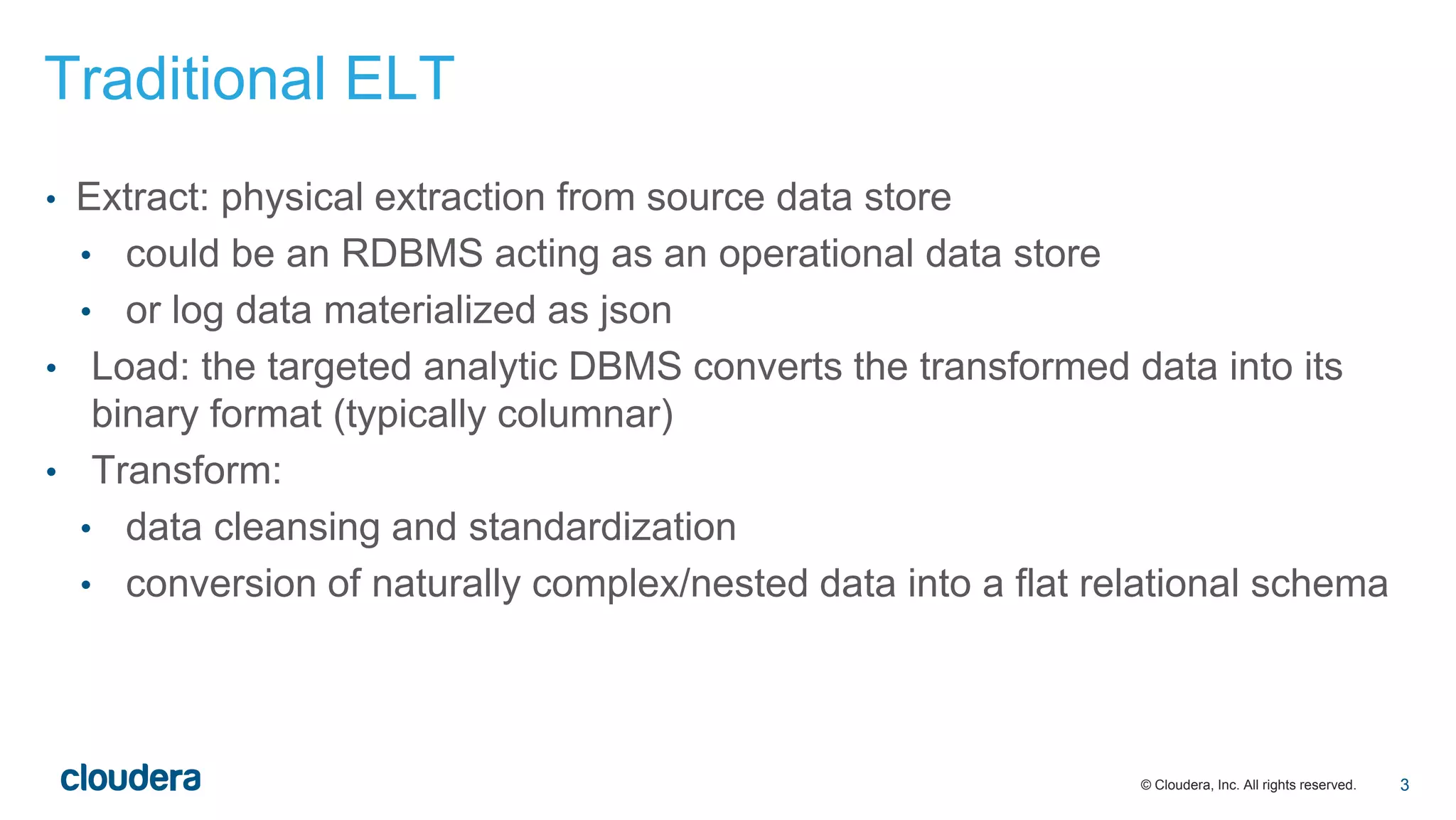
Traditional ELT
• Extract: physical extraction from source data store
• could be an RDBMS acting as an operational data store
• or log data materialized as json
• Load: the targeted analytic DBMS converts the transformed data into its
binary format (typically columnar)
• Transform:
• data cleansing and standardization
• conversion of naturally complex/nested data into a flat relational schema
3
© Cloudera, Inc. All rights reserved.
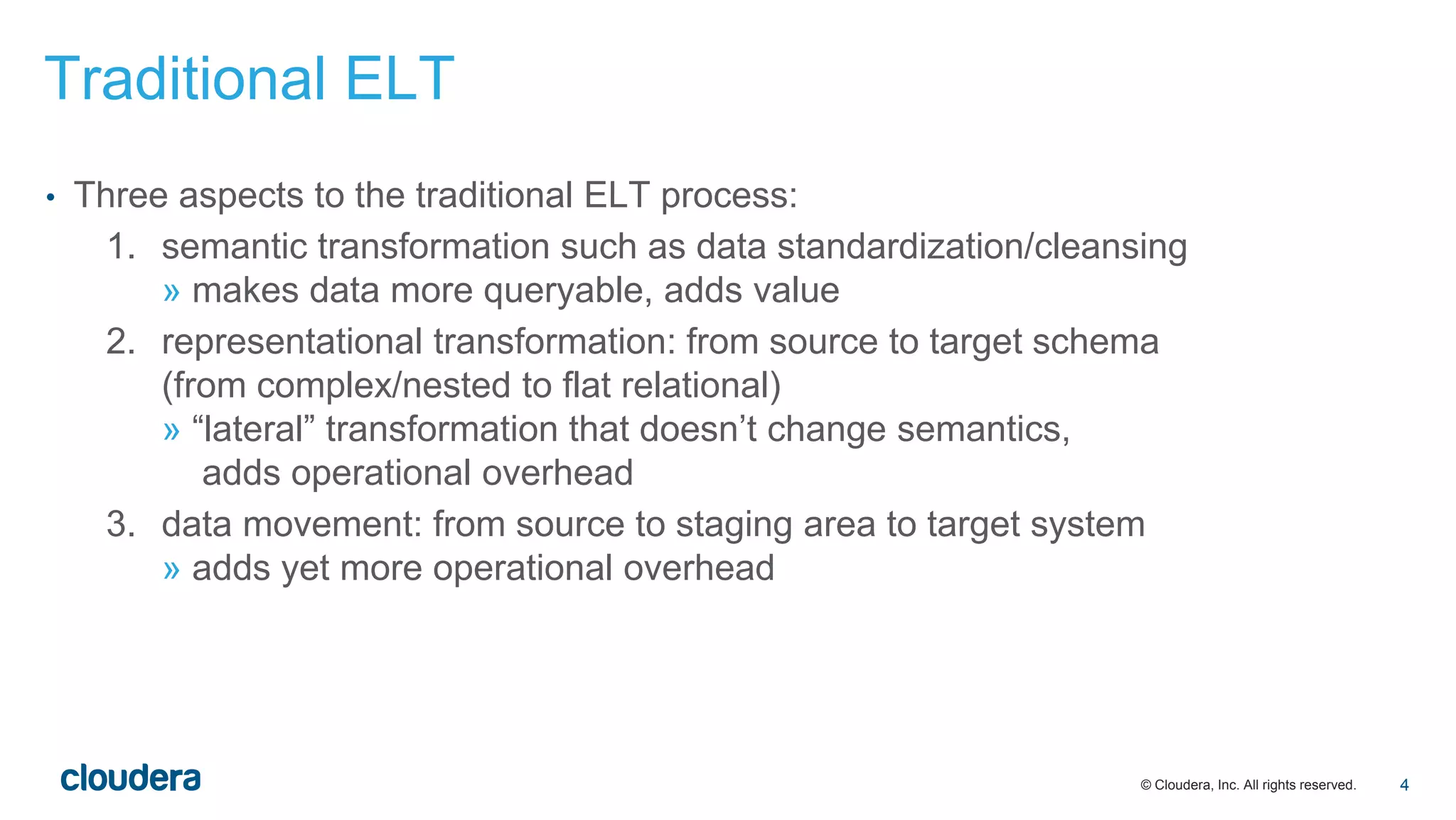
• Three aspects to the traditional ELT process:
1. semantic transformation such as data standardization/cleansing
» makes data more queryable, adds value
2. representational transformation: from source to target schema
(from complex/nested to flat relational)
» “lateral” transformation that doesn’t change semantics,
adds operational overhead
3. data movement: from source to staging area to target system
» adds yet more operational overhead
Traditional ELT
4
© Cloudera, Inc. All rights reserved.
• The goals of “analytics with no ELT”:
• simplify aspect 1
• eliminate aspects 2 and 3
Traditional ELT
5
© Cloudera, Inc. All rights reserved.
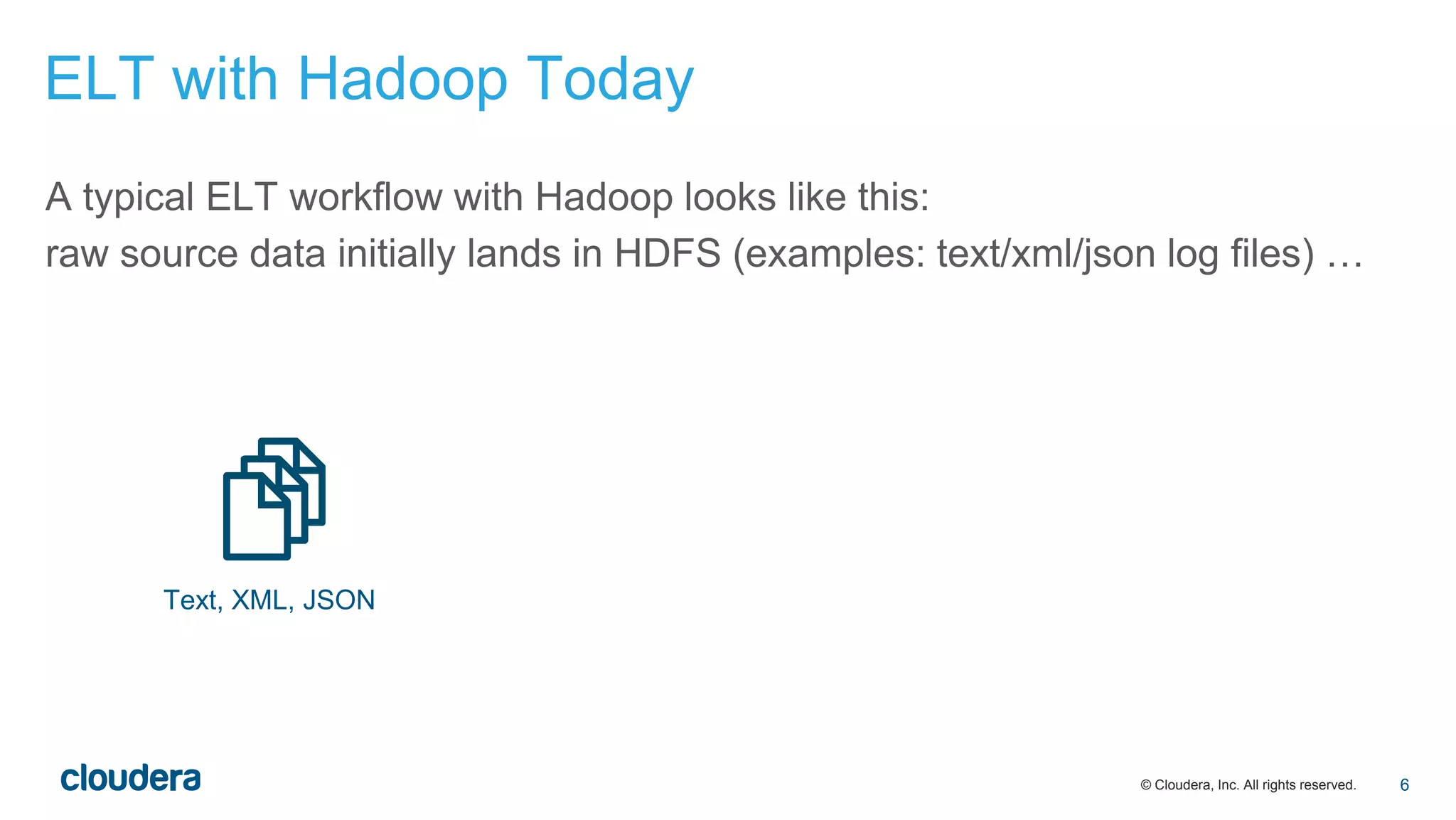
A typical ELT workflow with Hadoop looks like this:
raw source data initially lands in HDFS (examples: text/xml/json log files) …
Text, XML, JSON
ELT with Hadoop Today
6
© Cloudera, Inc. All rights reserved.
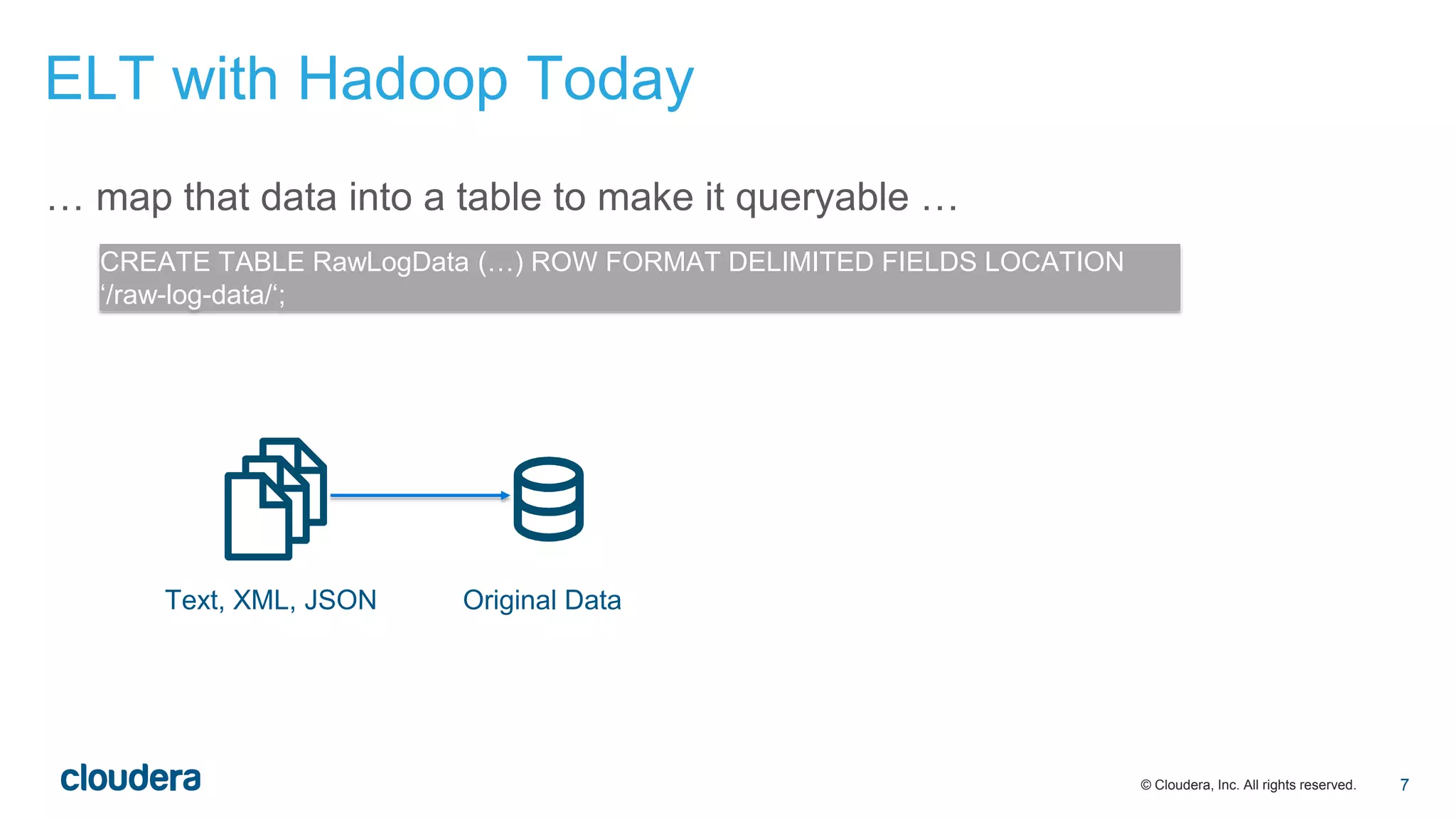
… map that data into a table to make it queryable …
Text, XML, JSON Original Data
CREATE TABLE RawLogData (…) ROW FORMAT DELIMITED FIELDS LOCATION
‘/raw-log-data/‘;
ELT with Hadoop Today
7
© Cloudera, Inc. All rights reserved.
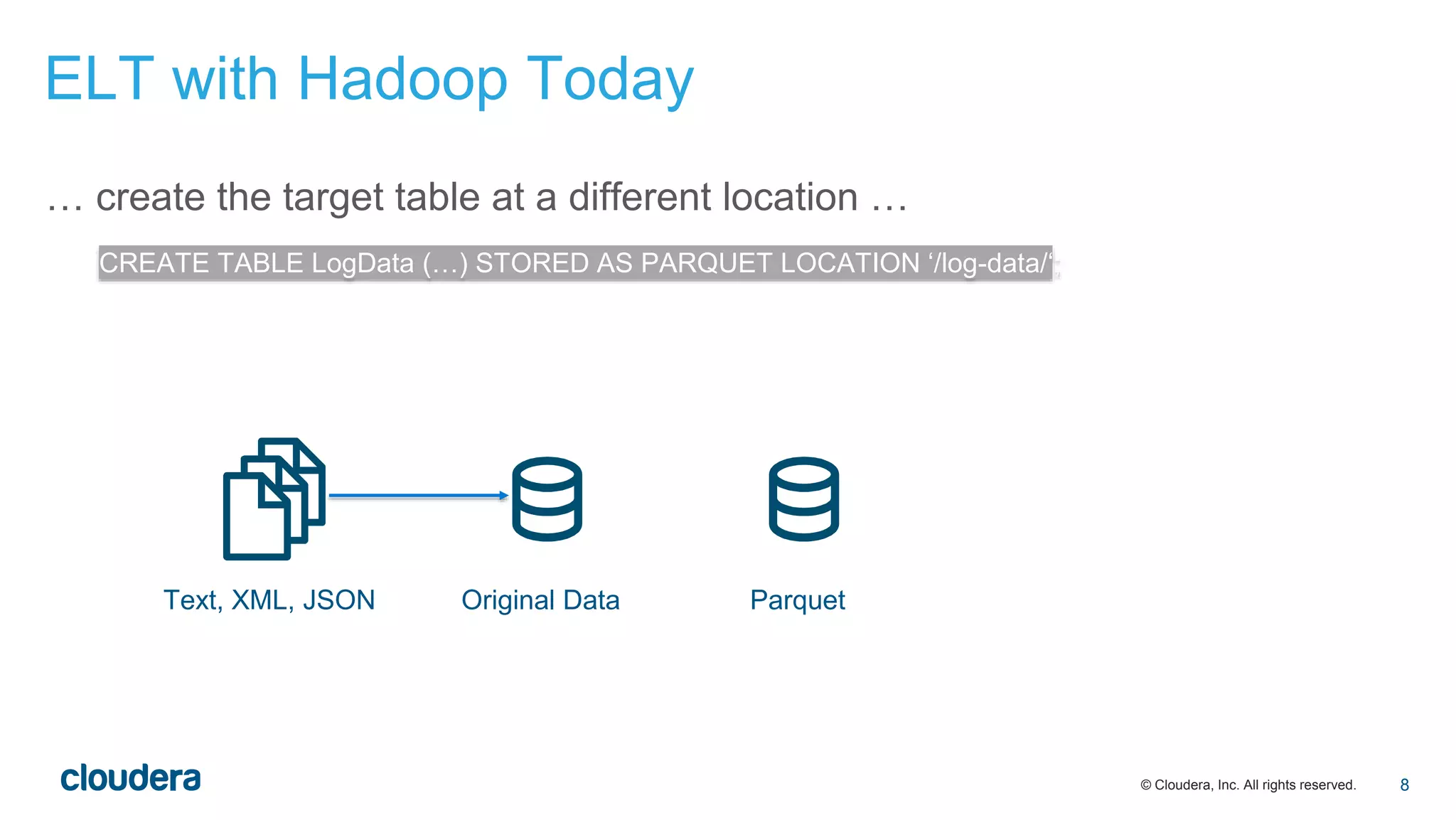
… create the target table at a different location …
Text, XML, JSON Original Data Parquet
CREATE TABLE LogData (…) STORED AS PARQUET LOCATION ‘/log-data/‘;
ELT with Hadoop Today
8
© Cloudera, Inc. All rights reserved.
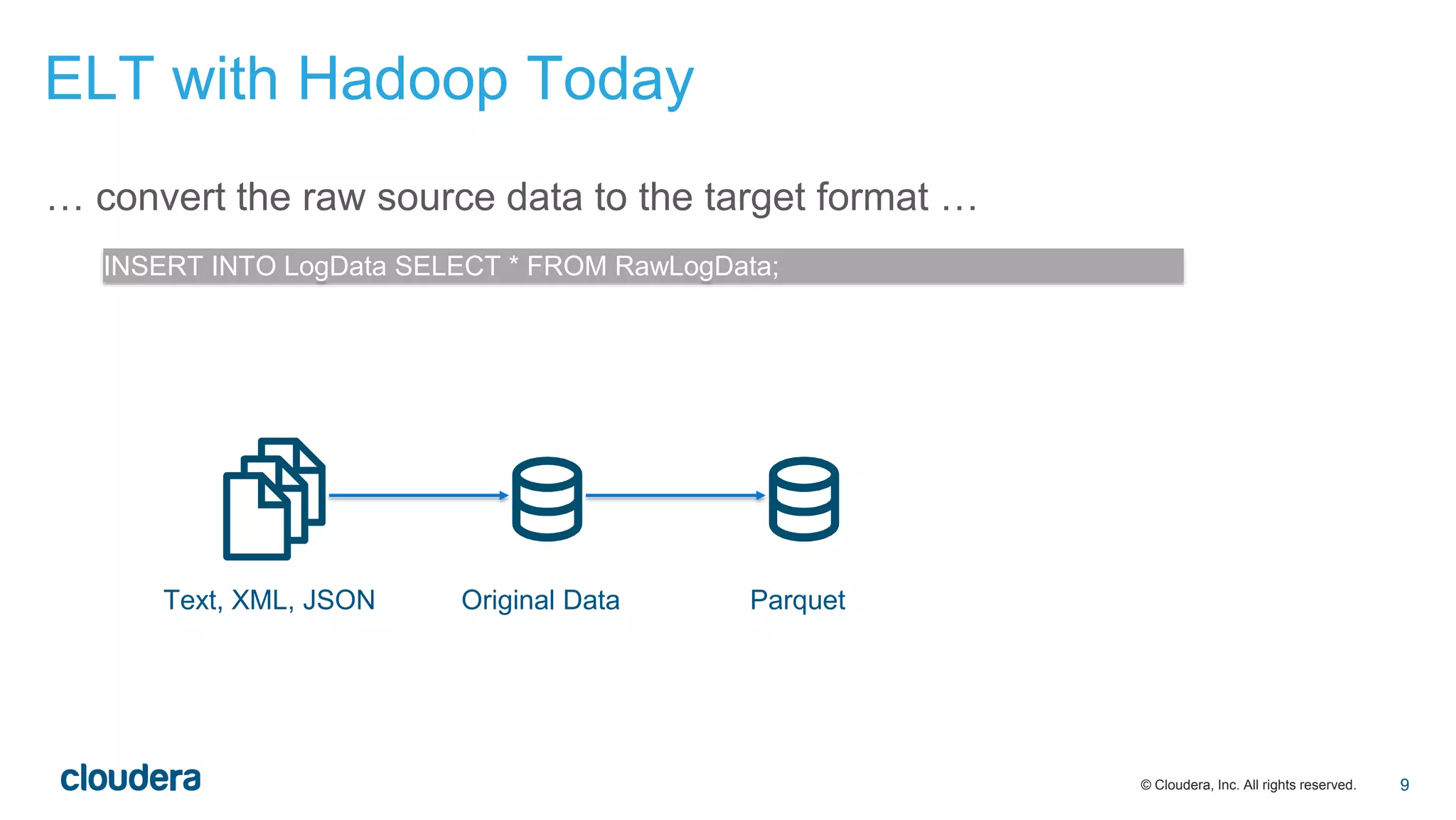
… convert the raw source data to the target format …
Text, XML, JSON Original Data Parquet
INSERT INTO LogData SELECT * FROM RawLogData;
ELT with Hadoop Today
9
© Cloudera, Inc. All rights reserved.
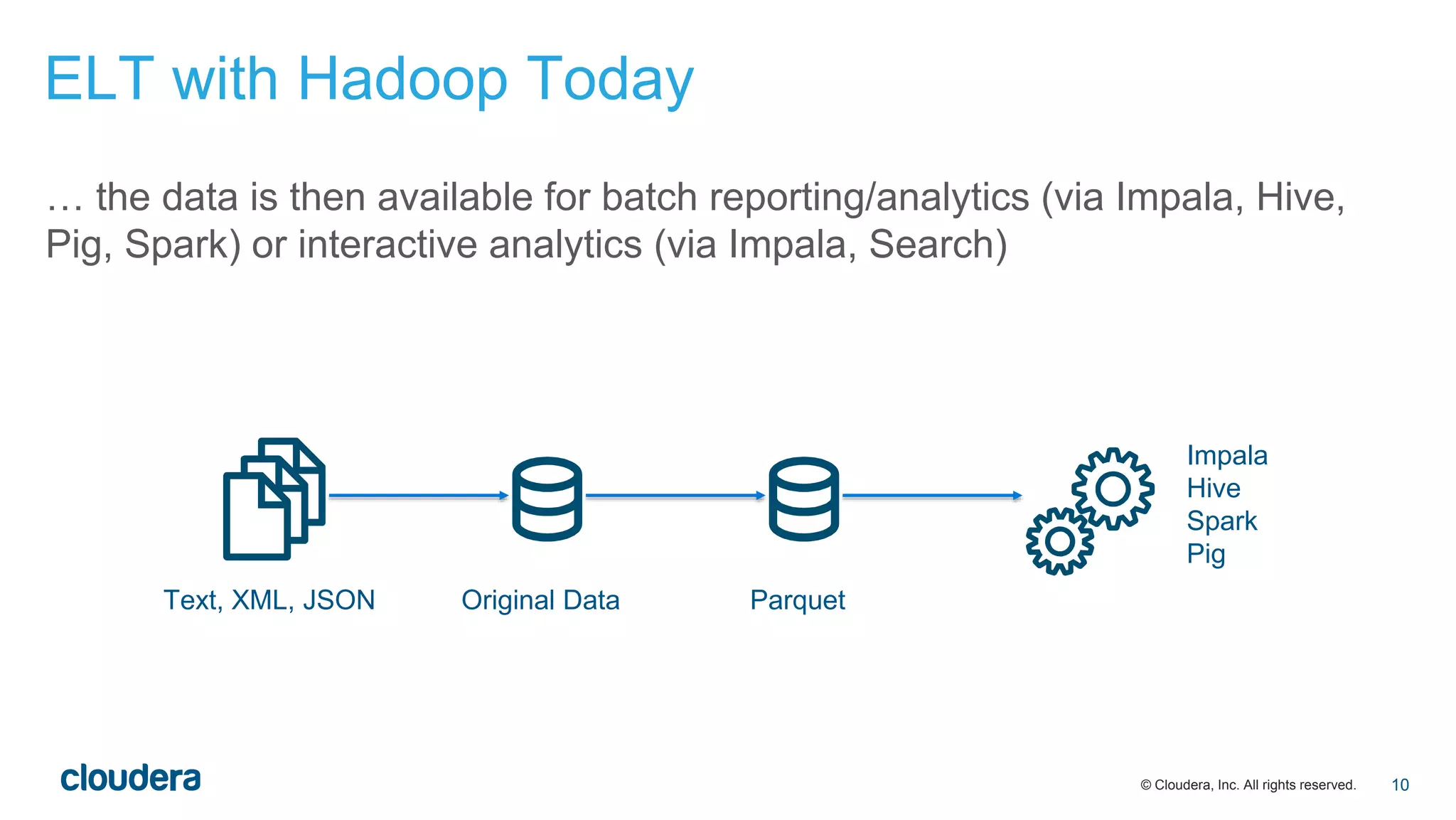
… the data is then available for batch reporting/analytics (via Impala, Hive,
Pig, Spark) or interactive analytics (via Impala, Search)
Text, XML, JSON Original Data Parquet
Impala
Hive
Spark
Pig
ELT with Hadoop Today
10
© Cloudera, Inc. All rights reserved.
• Compared to traditional ELT, this has several advantages:
• Hadoop acts as a centralized location for all data: raw source data lives
side by side with the transformed data
• data does not need to be moved between multiple platforms/clusters
• data in the raw source format is queryable as soon as it lands, although
at reduced performance, compared to an optimized columnar data
format
ELT with Hadoop Today
11
© Cloudera, Inc. All rights reserved.
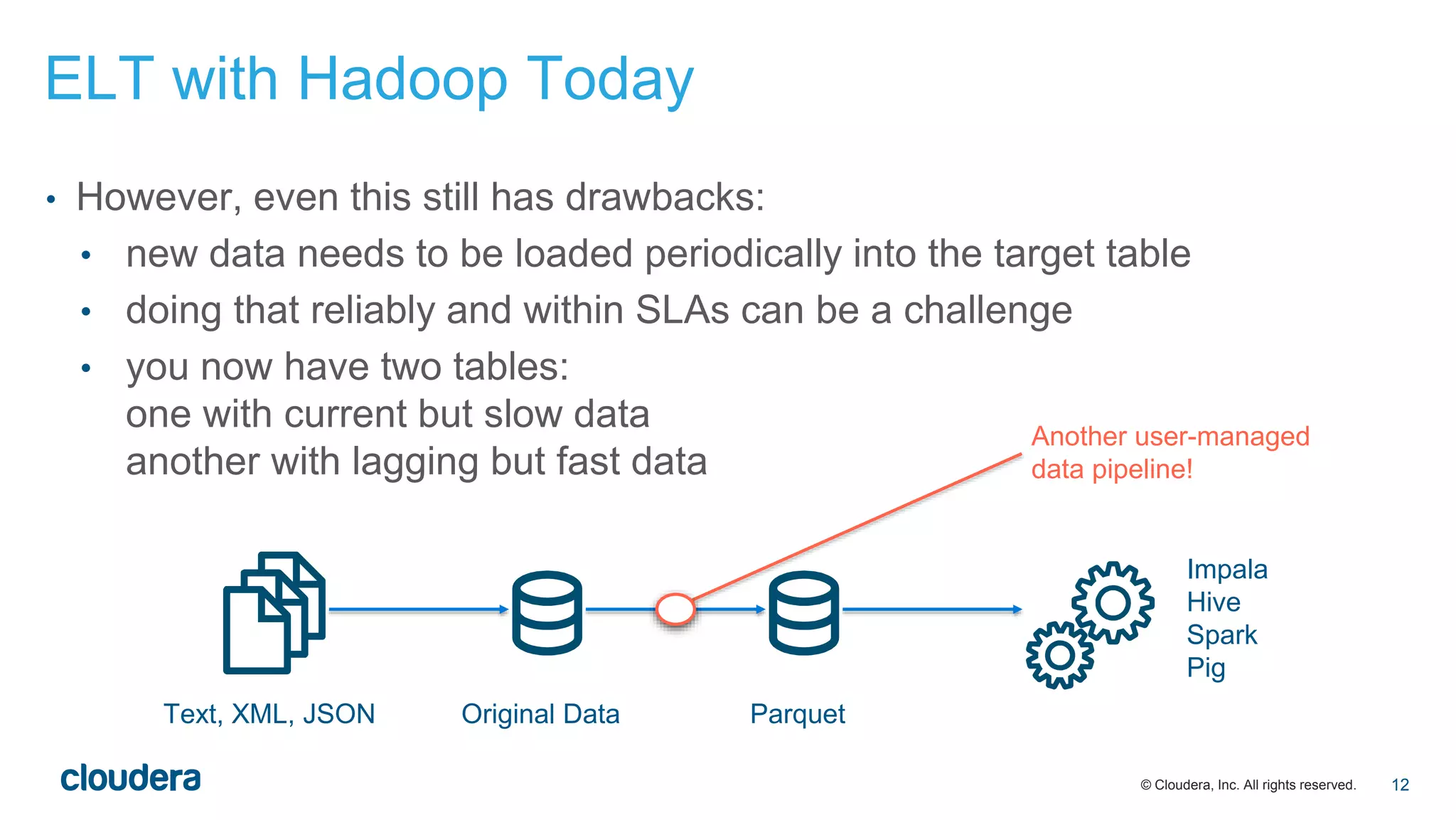
• However, even this still has drawbacks:
• new data needs to be loaded periodically into the target table
• doing that reliably and within SLAs can be a challenge
• you now have two tables:
one with current but slow data
another with lagging but fast data
Text, XML, JSON Original Data Parquet
Impala
Hive
Spark
Pig
Another user-managed
data pipeline!
ELT with Hadoop Today
12
© Cloudera, Inc. All rights reserved.
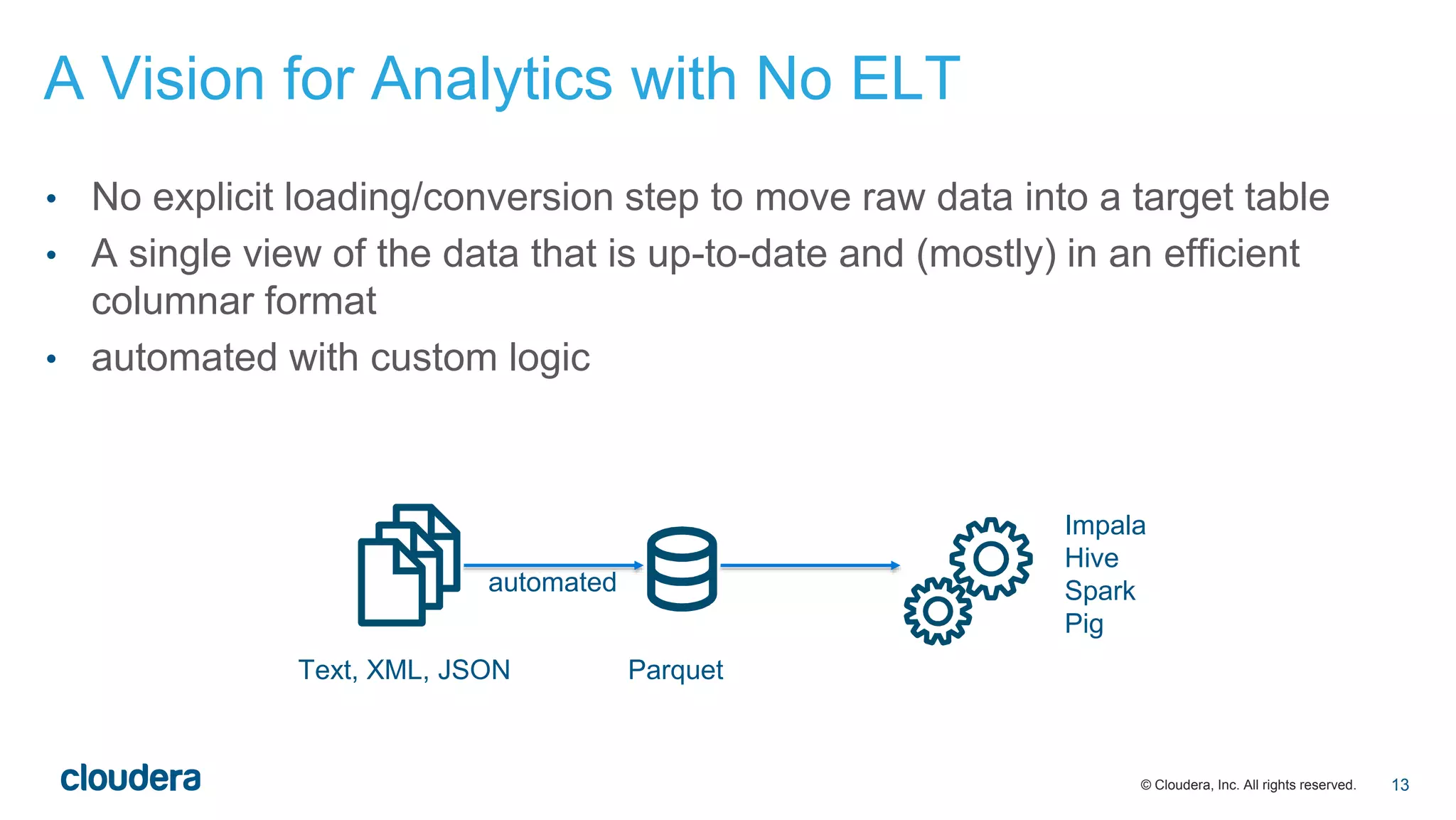
• No explicit loading/conversion step to move raw data into a target table
• A single view of the data that is up-to-date and (mostly) in an efficient
columnar format
• automated with custom logic
Text, XML, JSON Parquet
Impala
Hive
Spark
Pig
automated
A Vision for Analytics with No ELT
13
© Cloudera, Inc. All rights reserved.
• support for complex/nested schemas
» avoid remapping of raw data into a flat relational schema
• background and incremental data conversion
» retain in-place single view of entire data set, with most data being in an efficient
format
• bonus: schema inference and schema evolution
» start analyzing data as soon as it arrives, regardless of its complexity
A Vision for Analytics with No ELT
14
© Cloudera, Inc. All rights reserved.
• Standard relational: all columns have scalar values:
CHAR(n), DECIMAL(p, s), INT, DOUBLE, TIMESTAMP, etc.
• Complex types: structs, arrays, maps
in essence, a nested relational schema
• Supported file formats:
Parquet, json, XML, Avro
• Design principle for SQL extensions: maintain SQL’s way of dealing with
multi-valued data
Support for Complex Schemas in Impala
15
© Cloudera, Inc. All rights reserved.
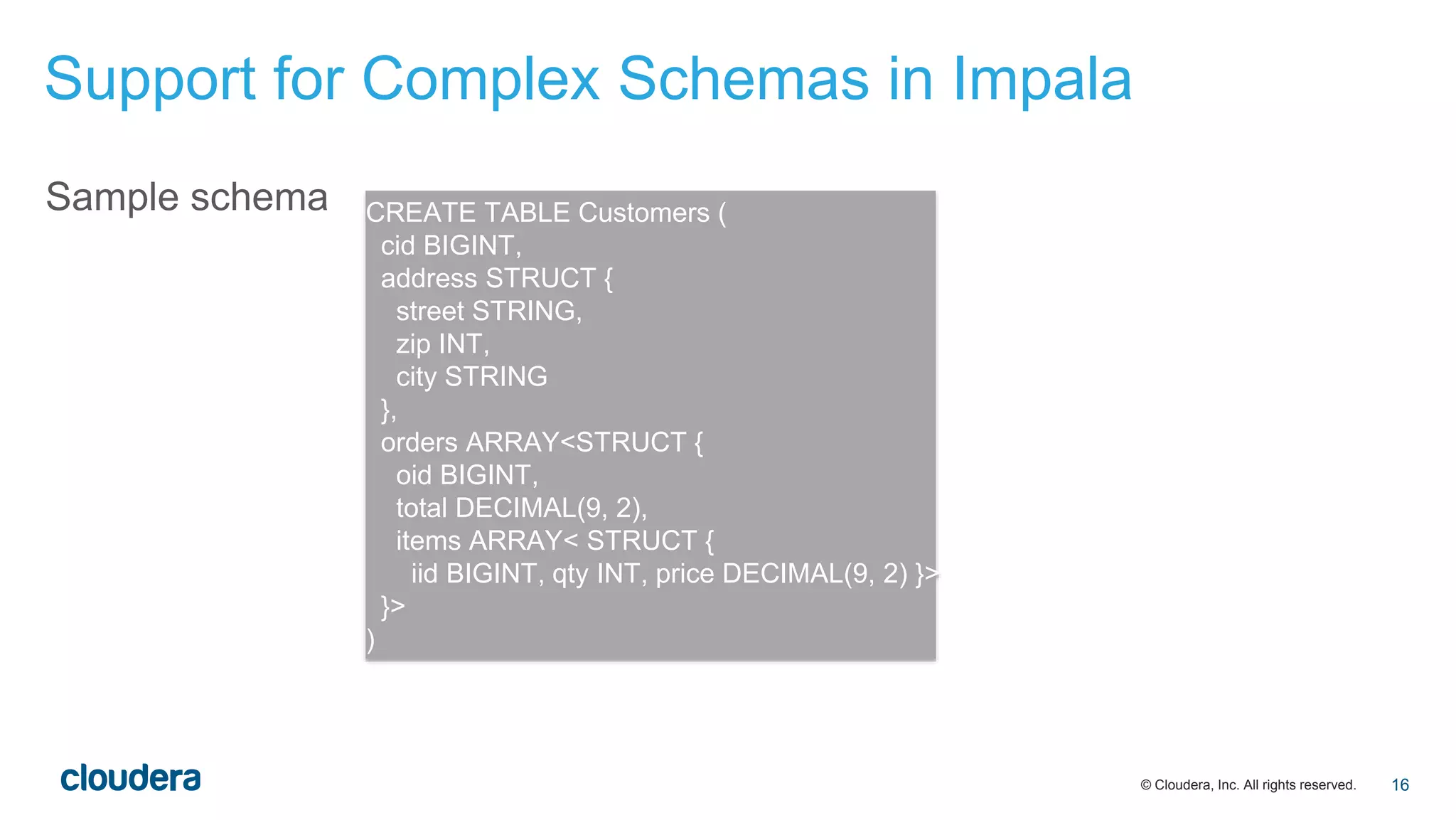
Sample schema CREATE TABLE Customers (
cid BIGINT,
address STRUCT {
street STRING,
zip INT,
city STRING
},
orders ARRAY<STRUCT {
oid BIGINT,
total DECIMAL(9, 2),
items ARRAY< STRUCT {
iid BIGINT, qty INT, price DECIMAL(9, 2) }>
}>
)
Support for Complex Schemas in Impala
16
© Cloudera, Inc. All rights reserved.
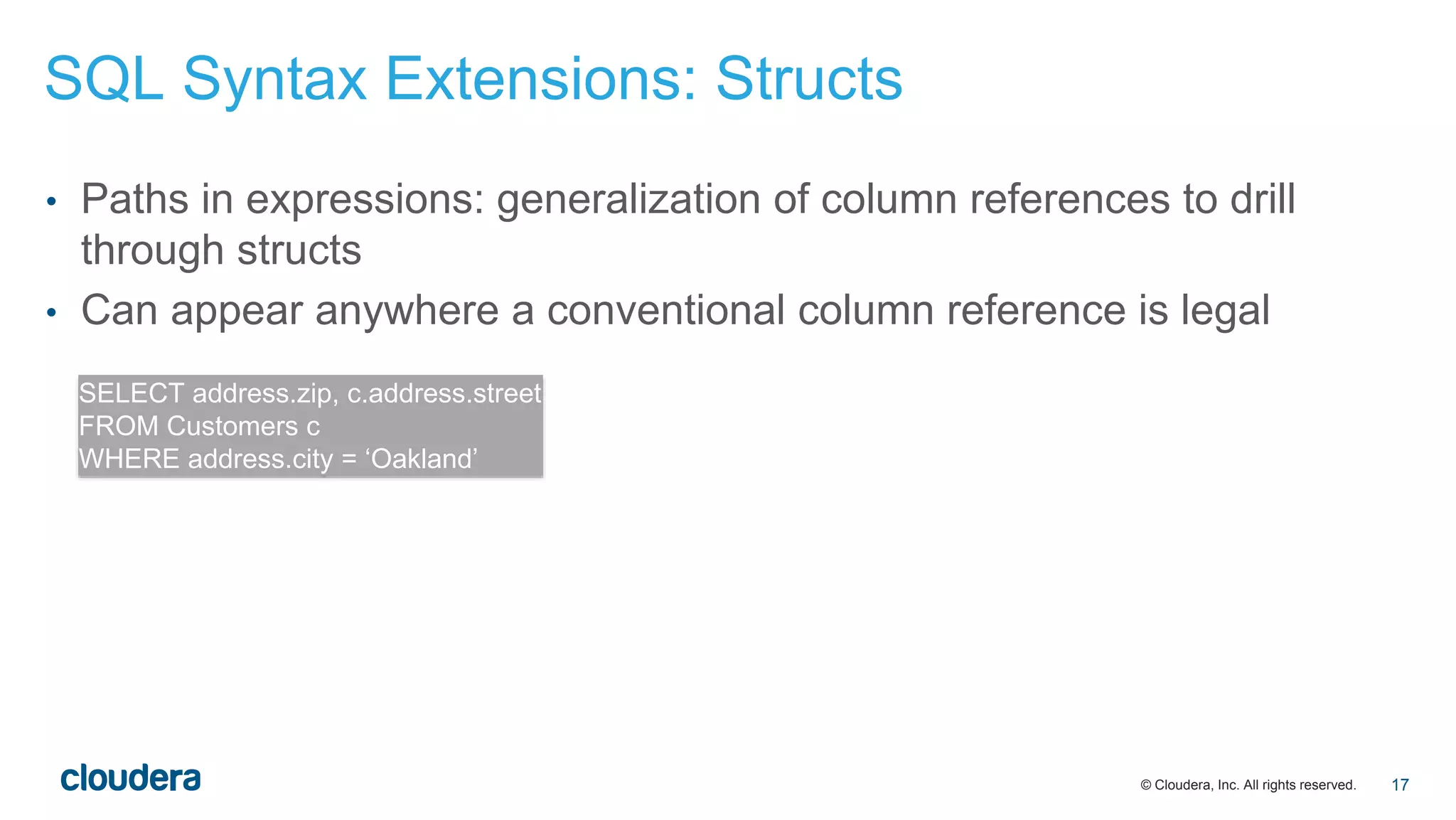
• Paths in expressions: generalization of column references to drill
through structs
• Can appear anywhere a conventional column reference is legal
SELECT address.zip, c.address.street
FROM Customers c
WHERE address.city = ‘Oakland’
SQL Syntax Extensions: Structs
17
© Cloudera, Inc. All rights reserved.
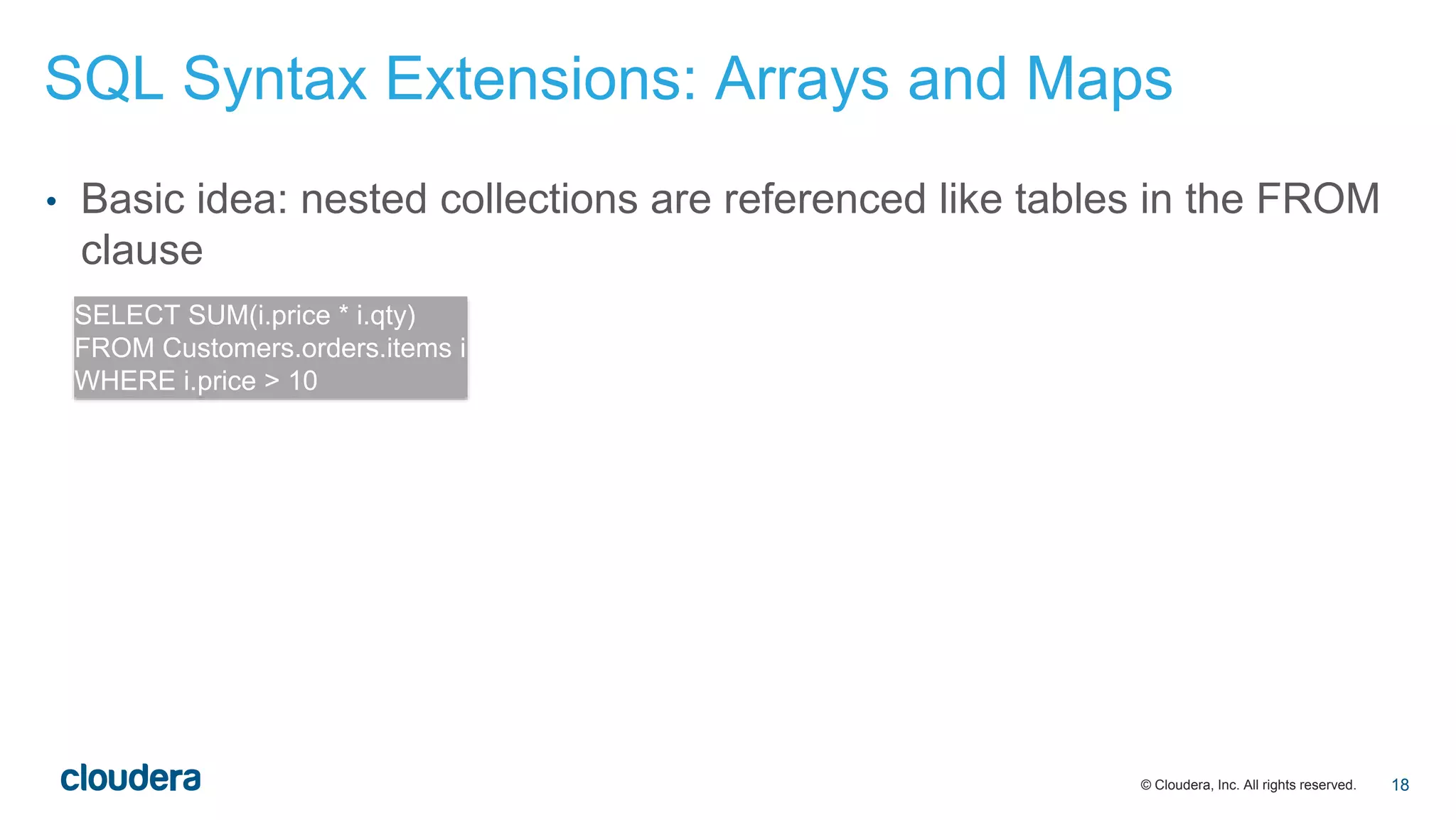
• Basic idea: nested collections are referenced like tables in the FROM
clause
SELECT SUM(i.price * i.qty)
FROM Customers.orders.items i
WHERE i.price > 10
SQL Syntax Extensions: Arrays and Maps
18
© Cloudera, Inc. All rights reserved.
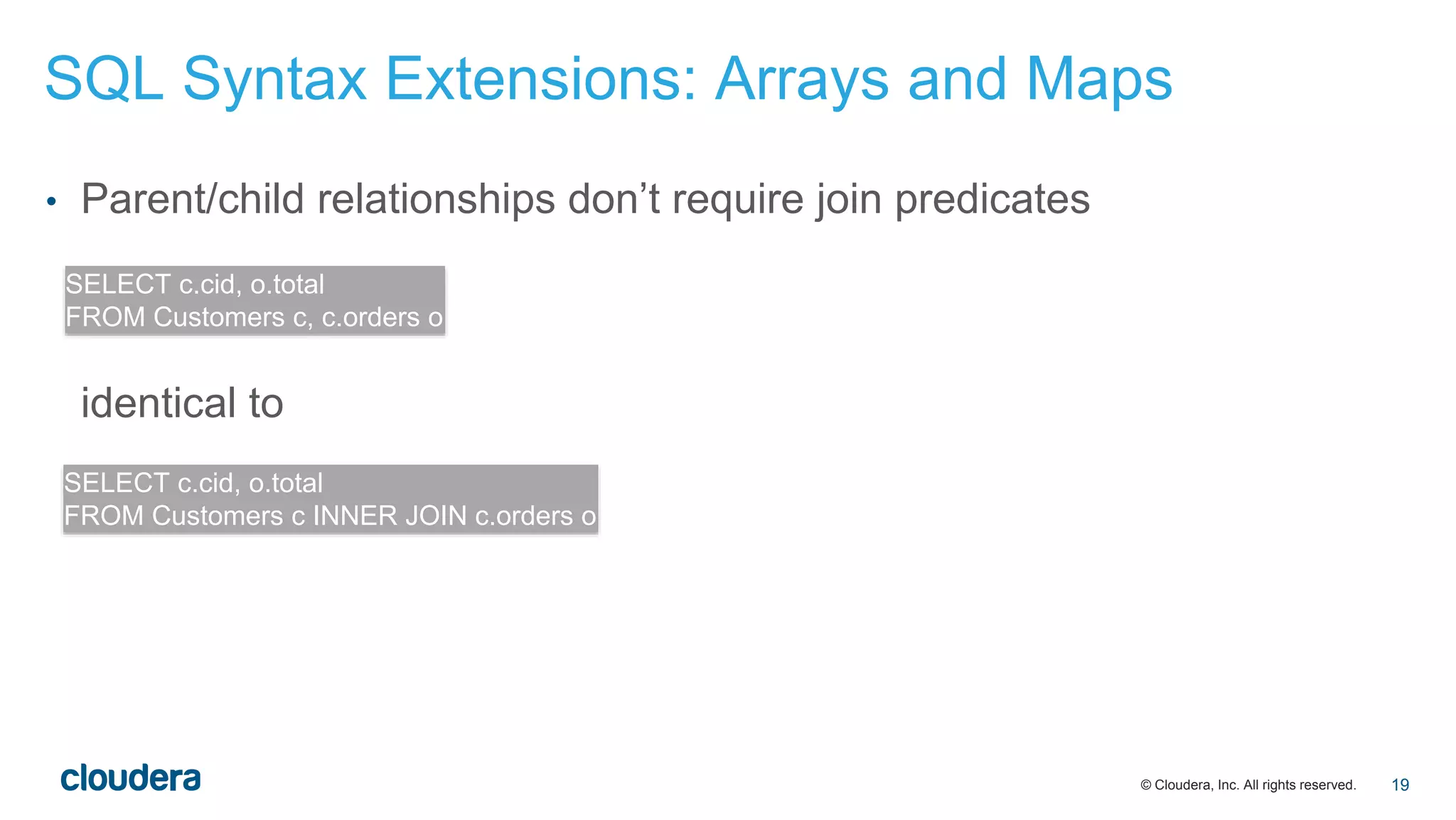
• Parent/child relationships don’t require join predicates
identical to
SELECT c.cid, o.total
FROM Customers c, c.orders o
SELECT c.cid, o.total
FROM Customers c INNER JOIN c.orders o
SQL Syntax Extensions: Arrays and Maps
19
© Cloudera, Inc. All rights reserved.
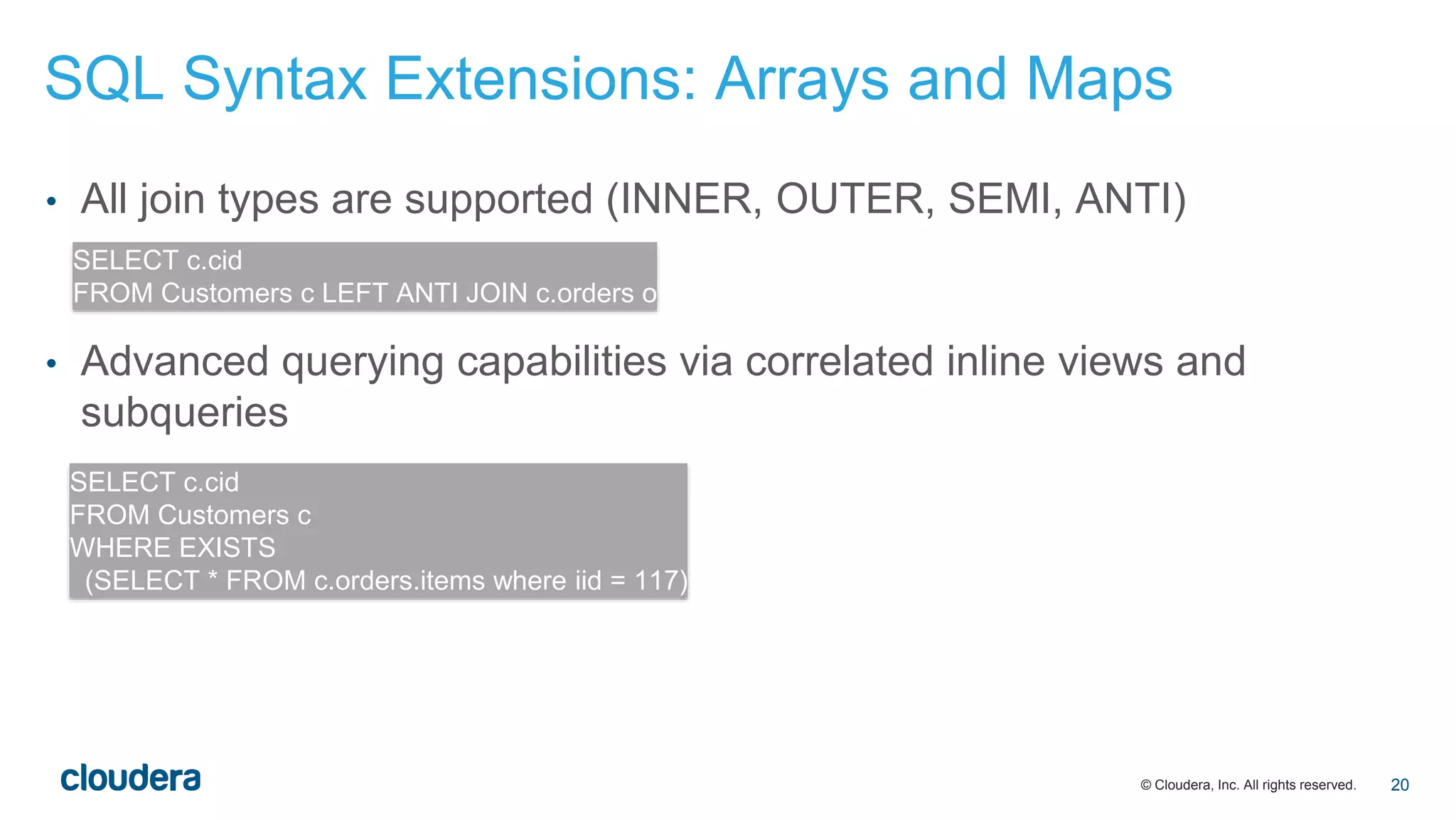
• All join types are supported (INNER, OUTER, SEMI, ANTI)
• Advanced querying capabilities via correlated inline views and
subqueries
SELECT c.cid
FROM Customers c LEFT ANTI JOIN c.orders o
SELECT c.cid
FROM Customers c
WHERE EXISTS
(SELECT * FROM c.orders.items where iid = 117)
SQL Syntax Extensions: Arrays and Maps
20
© Cloudera, Inc. All rights reserved.
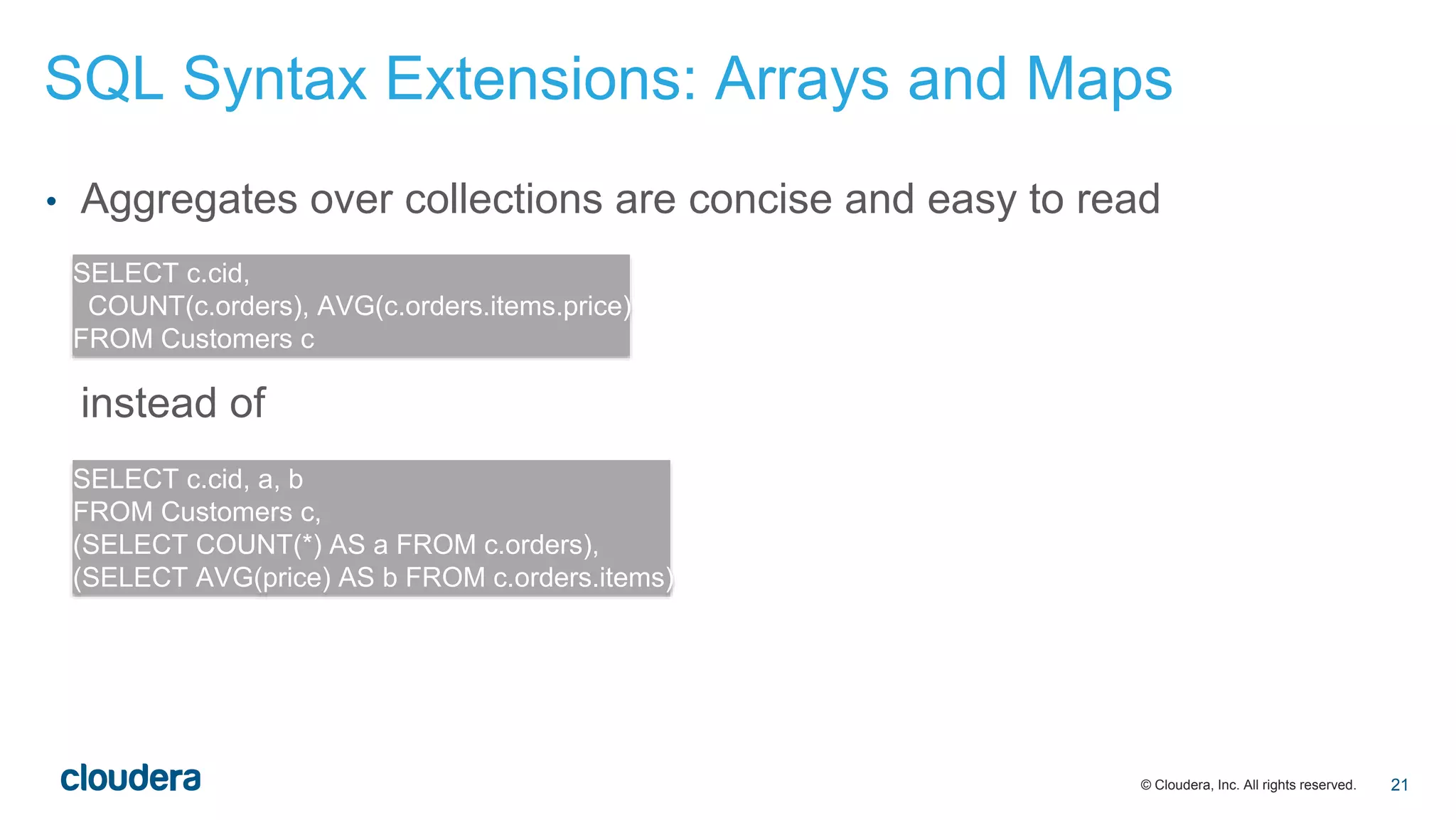
• Aggregates over collections are concise and easy to read
instead of
SELECT c.cid,
COUNT(c.orders), AVG(c.orders.items.price)
FROM Customers c
SELECT c.cid, a, b
FROM Customers c,
(SELECT COUNT(*) AS a FROM c.orders),
(SELECT AVG(price) AS b FROM c.orders.items)
SQL Syntax Extensions: Arrays and Maps
21
© Cloudera, Inc. All rights reserved.
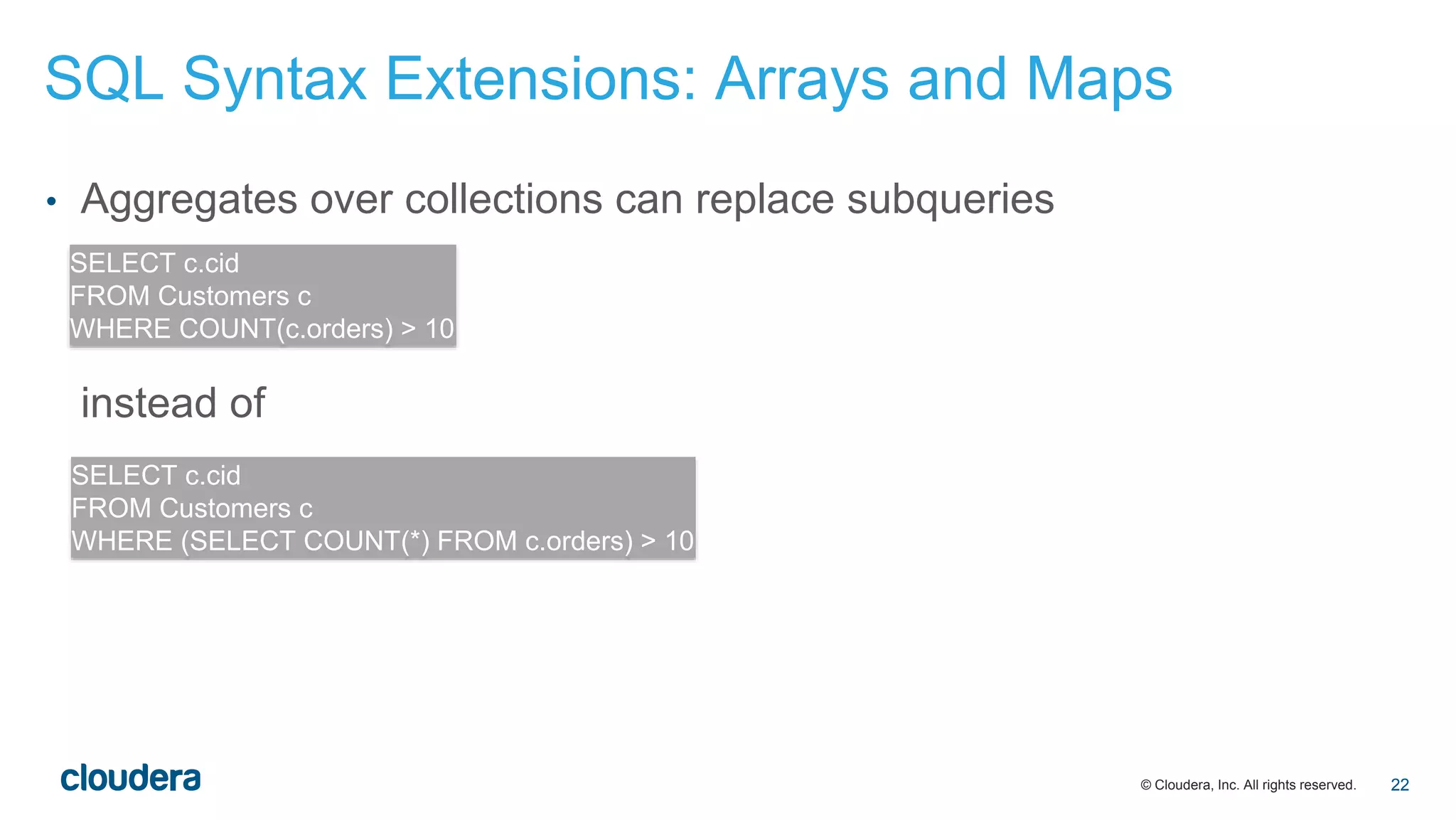
• Aggregates over collections can replace subqueries
instead of
SELECT c.cid
FROM Customers c
WHERE COUNT(c.orders) > 10
SELECT c.cid
FROM Customers c
WHERE (SELECT COUNT(*) FROM c.orders) > 10
SQL Syntax Extensions: Arrays and Maps
22
© Cloudera, Inc. All rights reserved.
• Parquet optimizes storage of complex schemas by inlining structural data
into the columnar data
(repetition/definition levels)
• No performance penalty for accessing nested collections!
• Parquet translates logical hierarchy into physical collocation:
• you don’t need parent-child joins
• queries run faster!
Complex Schemas with Parquet
23
© Cloudera, Inc. All rights reserved.
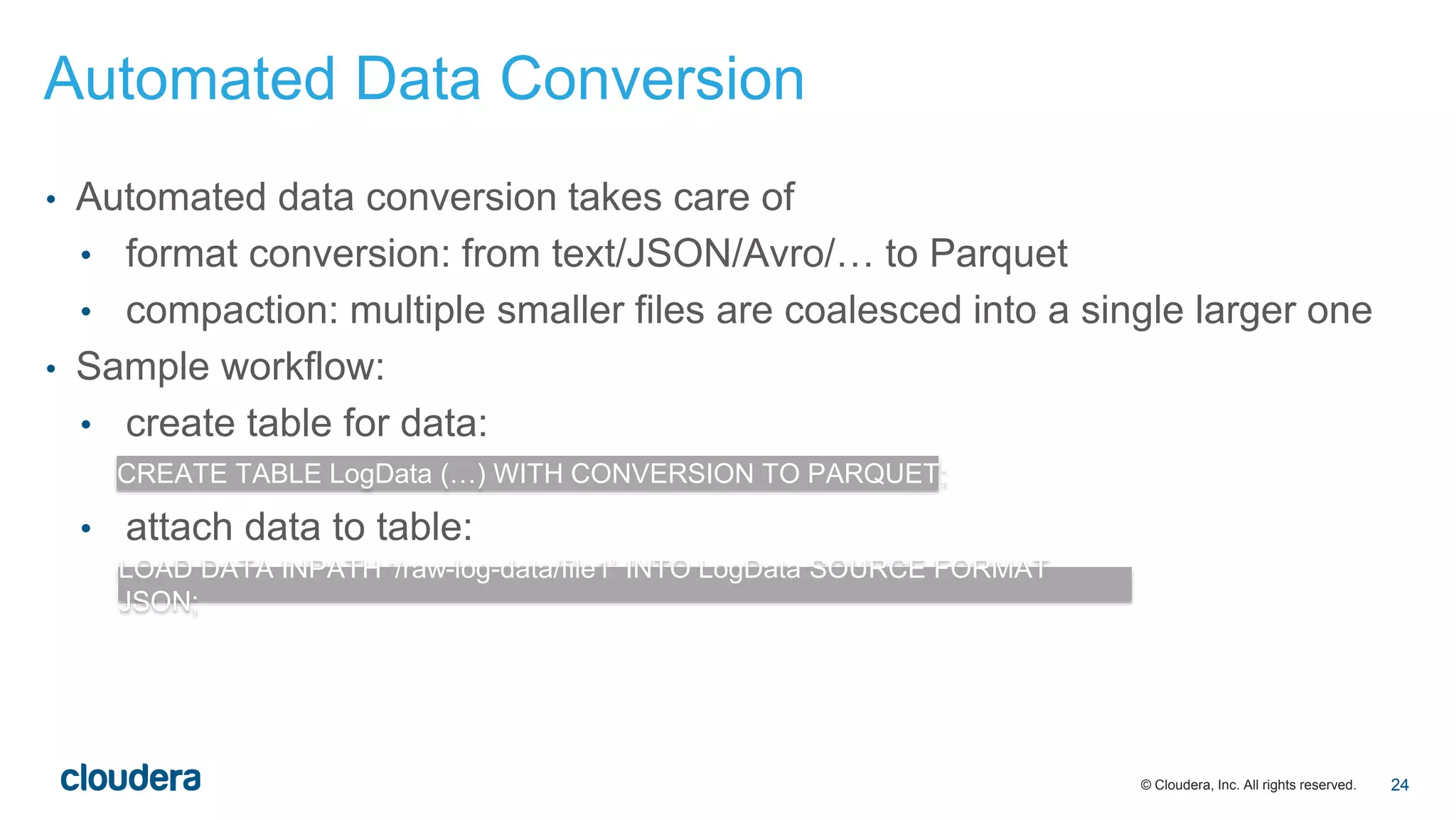
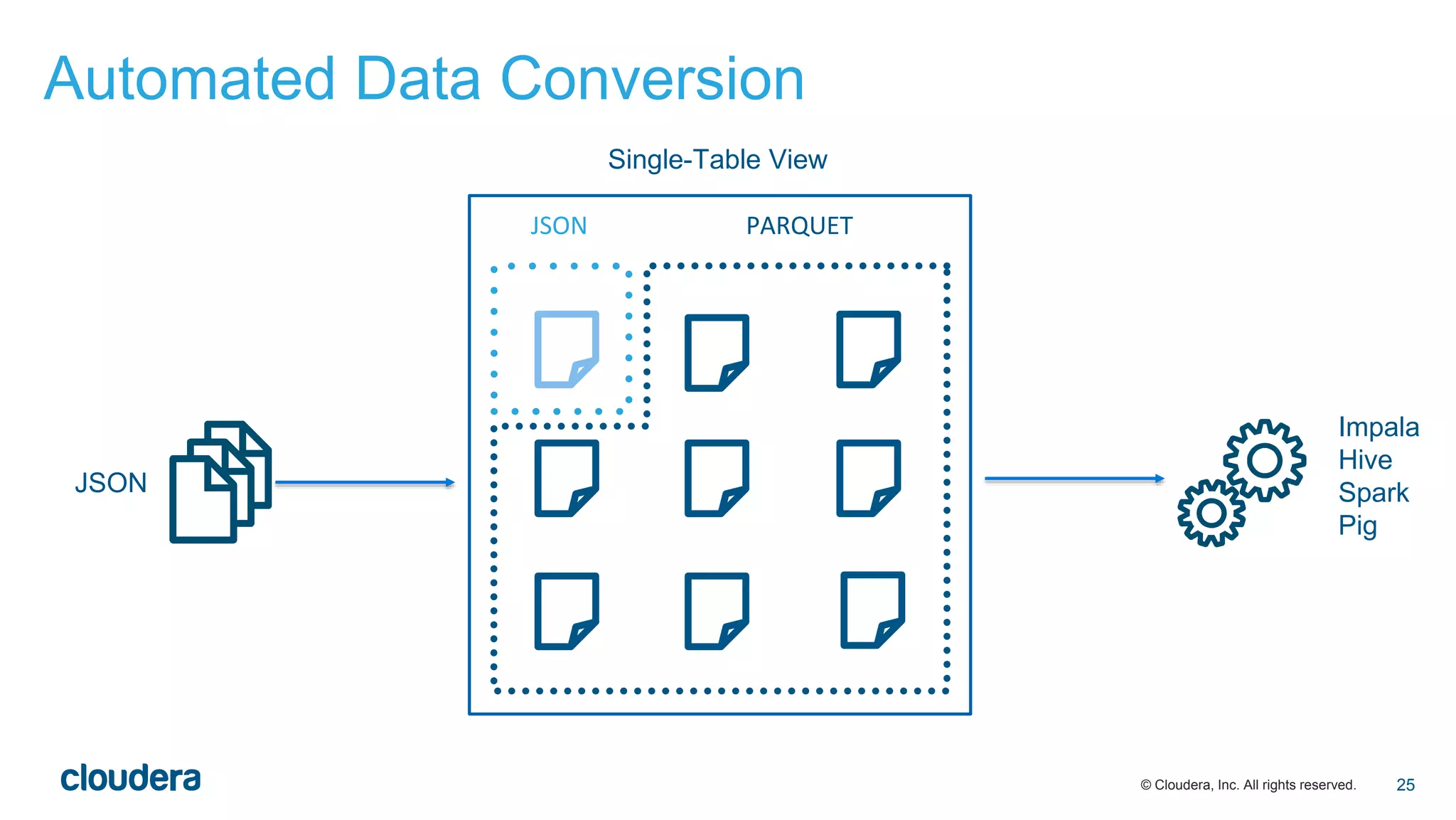
• Automated data conversion takes care of
• format conversion: from text/JSON/Avro/… to Parquet
• compaction: multiple smaller files are coalesced into a single larger one
• Sample workflow:
• create table for data:
• attach data to table:
CREATE TABLE LogData (…) WITH CONVERSION TO PARQUET;
LOAD DATA INPATH ‘/raw-log-data/file1’ INTO LogData SOURCE FORMAT
JSON;
Automated Data Conversion
24
© Cloudera, Inc. All rights reserved.
Automated Data Conversion
25
JSON
Impala
Hive
Spark
Pig
PARQUETJSON
Single-Table View
© Cloudera, Inc. All rights reserved.
• Conversion process
• atomic: the switch from the source to the target data files is atomic from
the perspective of a running query (but any running query sees the full
data set)
• redundant: with option to retain original data
• incremental: Impala’s catalog service detects new data files that are not
in the target format automatically
Automated Data Conversion
26
© Cloudera, Inc. All rights reserved.
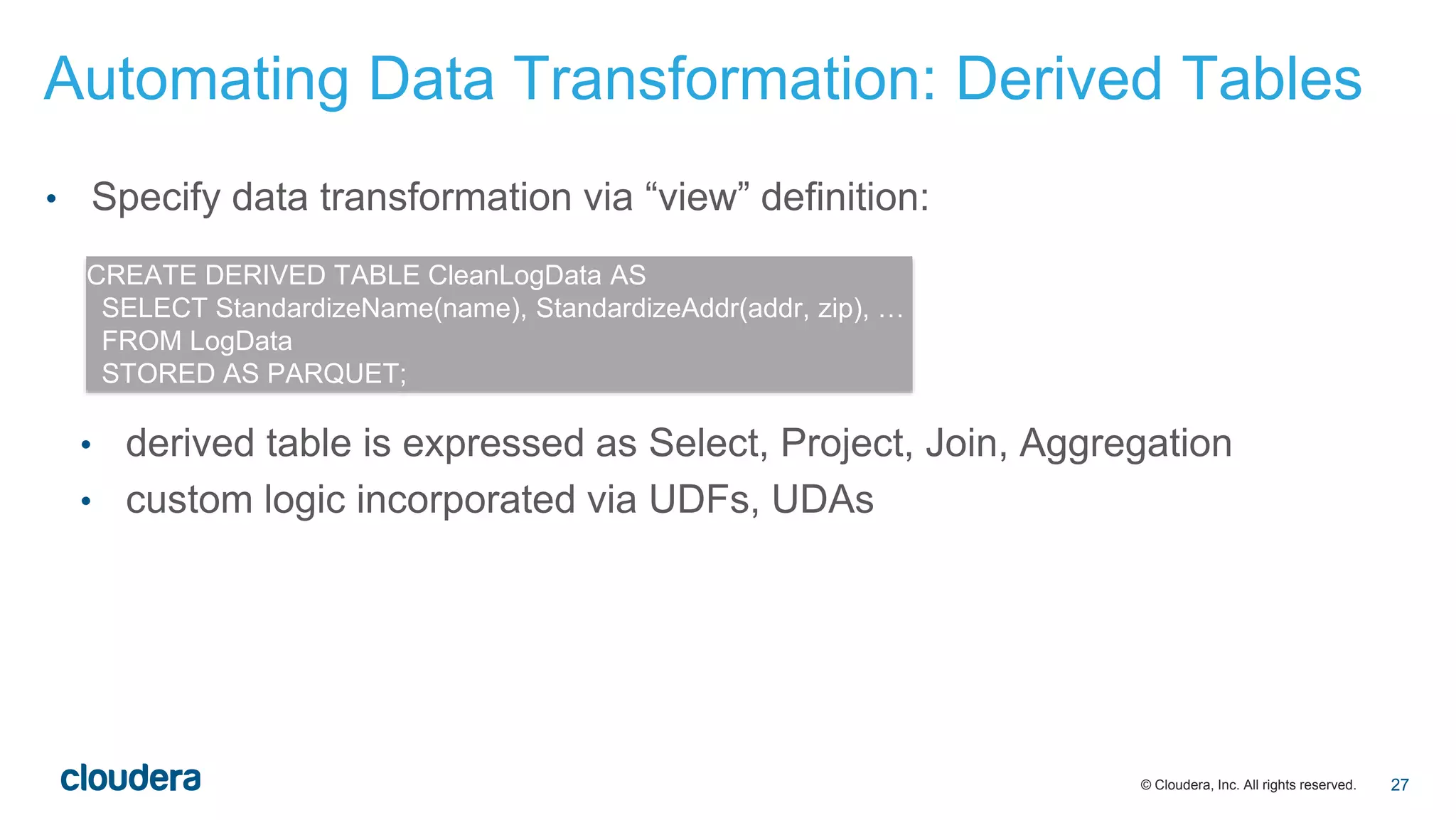
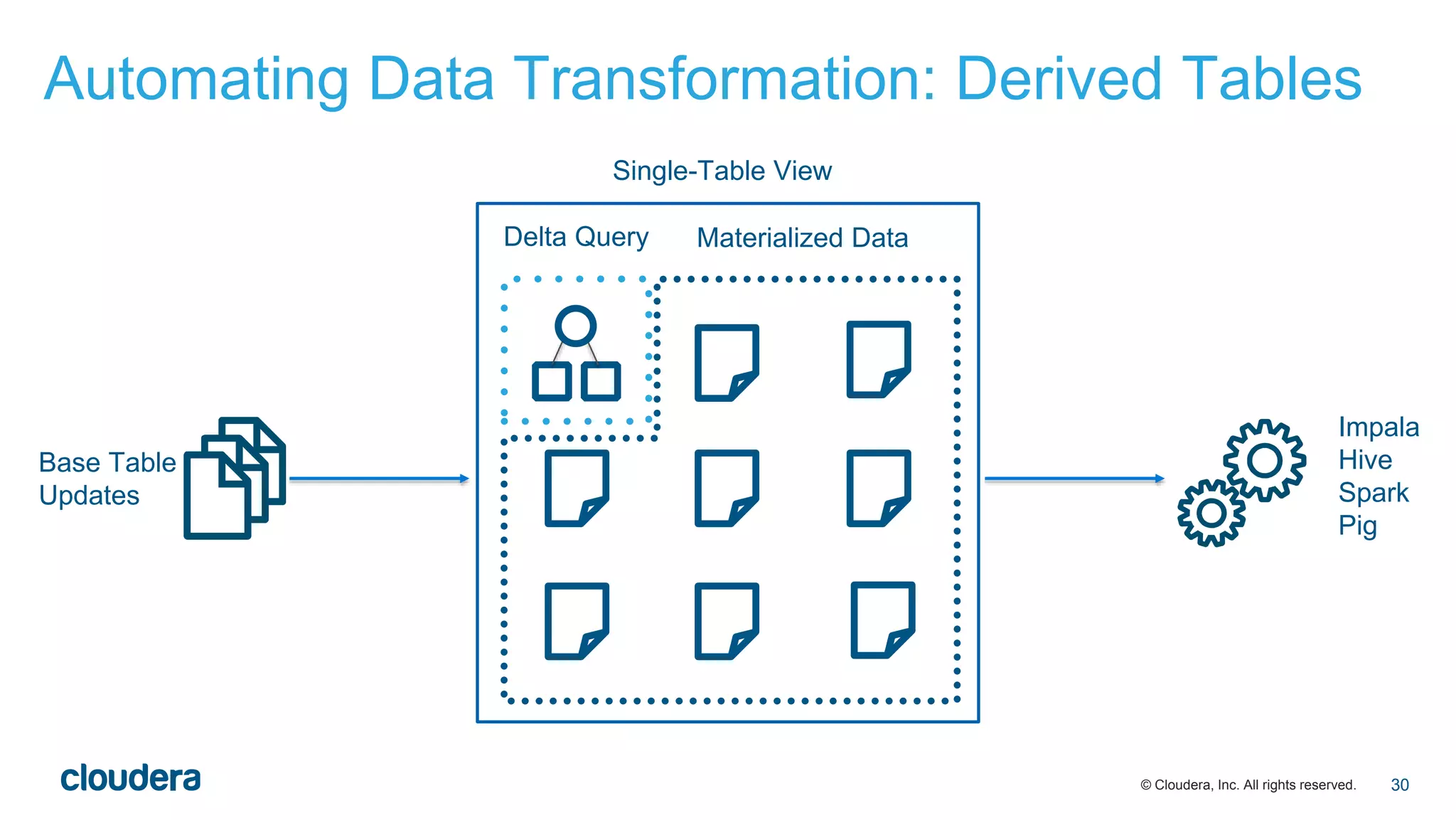
• Specify data transformation via “view” definition:
• derived table is expressed as Select, Project, Join, Aggregation
• custom logic incorporated via UDFs, UDAs
CREATE DERIVED TABLE CleanLogData AS
SELECT StandardizeName(name), StandardizeAddr(addr, zip), …
FROM LogData
STORED AS PARQUET;
Automating Data Transformation: Derived Tables
27
© Cloudera, Inc. All rights reserved.
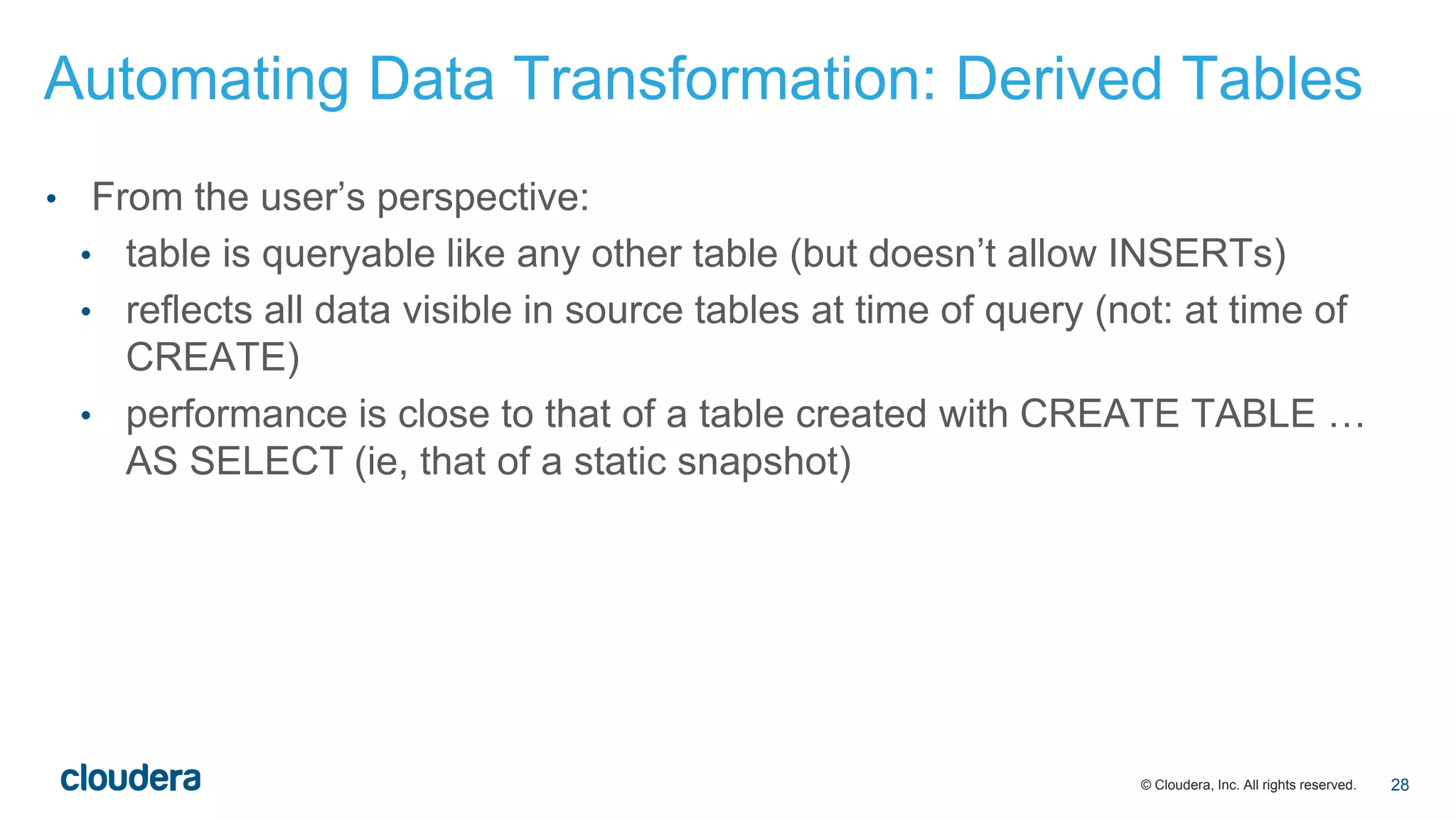
• From the user’s perspective:
• table is queryable like any other table (but doesn’t allow INSERTs)
• reflects all data visible in source tables at time of query (not: at time of
CREATE)
• performance is close to that of a table created with CREATE TABLE …
AS SELECT (ie, that of a static snapshot)
Automating Data Transformation: Derived Tables
28
© Cloudera, Inc. All rights reserved.
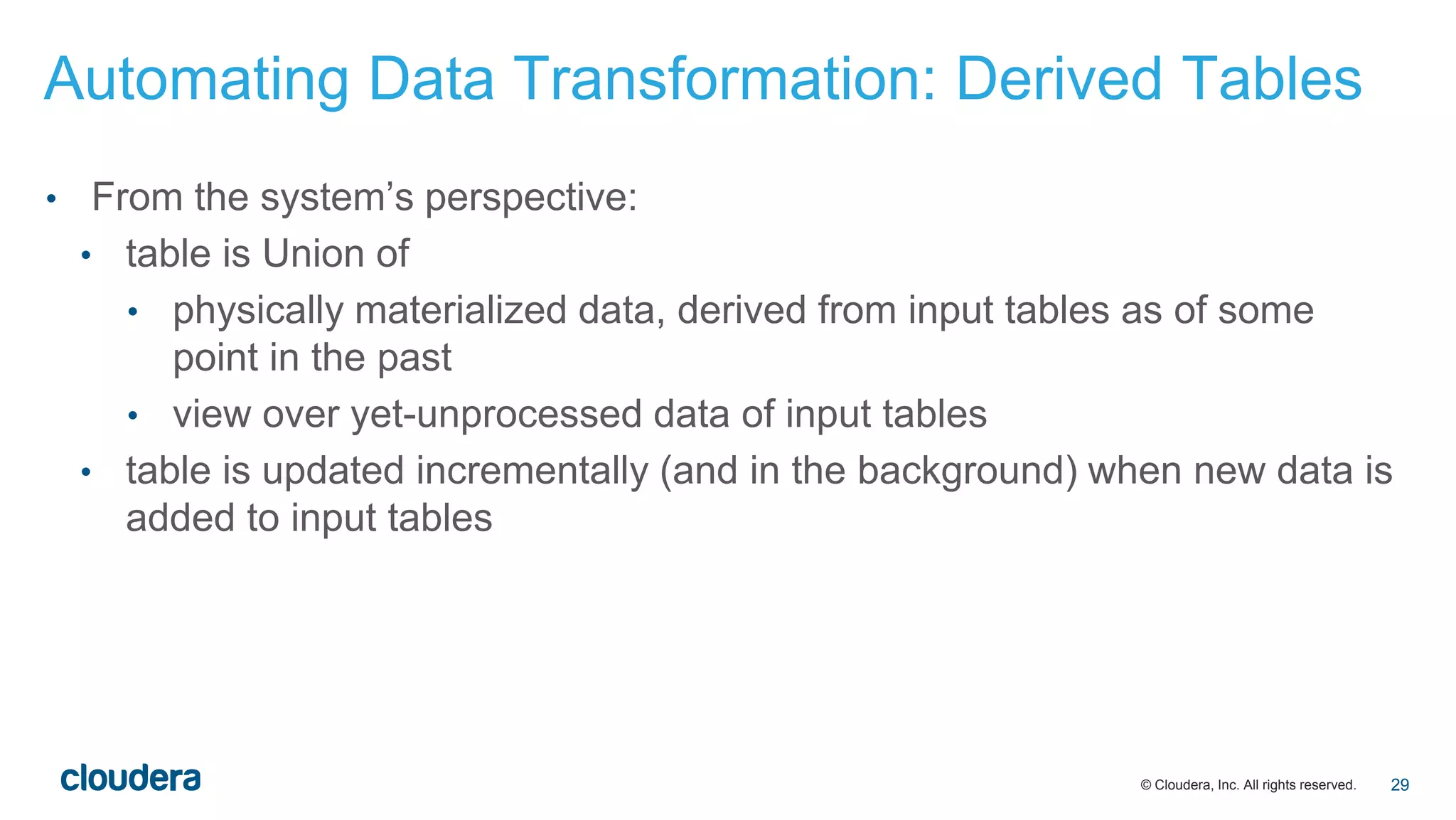
• From the system’s perspective:
• table is Union of
• physically materialized data, derived from input tables as of some
point in the past
• view over yet-unprocessed data of input tables
• table is updated incrementally (and in the background) when new data is
added to input tables
Automating Data Transformation: Derived Tables
29
© Cloudera, Inc. All rights reserved.
Automating Data Transformation: Derived Tables
30
Impala
Hive
Spark
Pig
Delta Query Materialized Data
Base Table
Updates
Single-Table View
© Cloudera, Inc. All rights reserved.
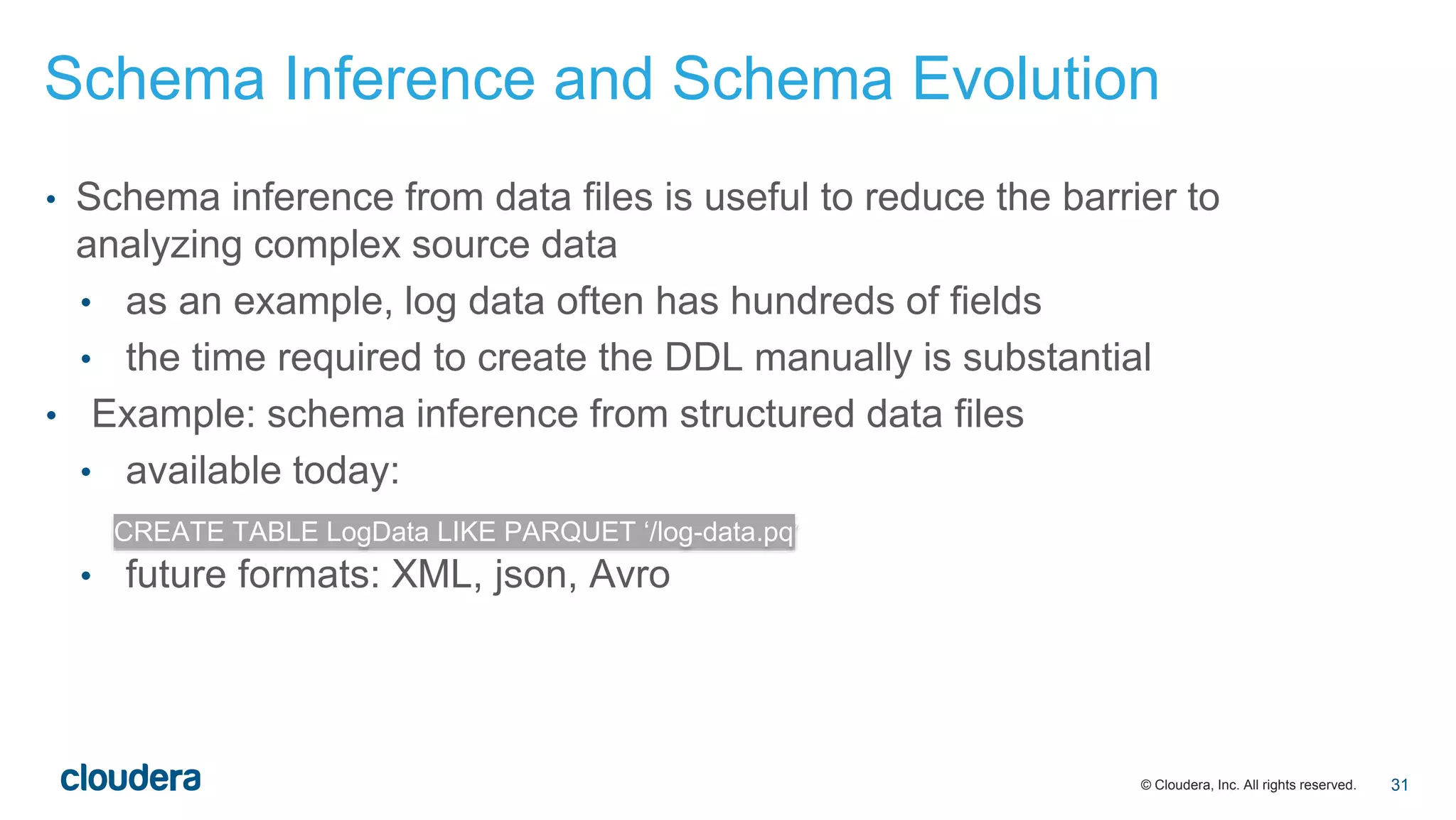
• Schema inference from data files is useful to reduce the barrier to
analyzing complex source data
• as an example, log data often has hundreds of fields
• the time required to create the DDL manually is substantial
• Example: schema inference from structured data files
• available today:
• future formats: XML, json, Avro
CREATE TABLE LogData LIKE PARQUET ‘/log-data.pq’
Schema Inference and Schema Evolution
31
© Cloudera, Inc. All rights reserved.
• Schema evolution:
• a necessary follow-on to schema inference: every schema evolves over
time; explicit maintenance is as time-consuming as the initial creation
• algorithmic schema evolution requires sticking to generally safe schema
modifications: adding new fields
• adding new top-level columns
• adding fields within structs
Schema Inference and Schema Evolution
32
© Cloudera, Inc. All rights reserved.
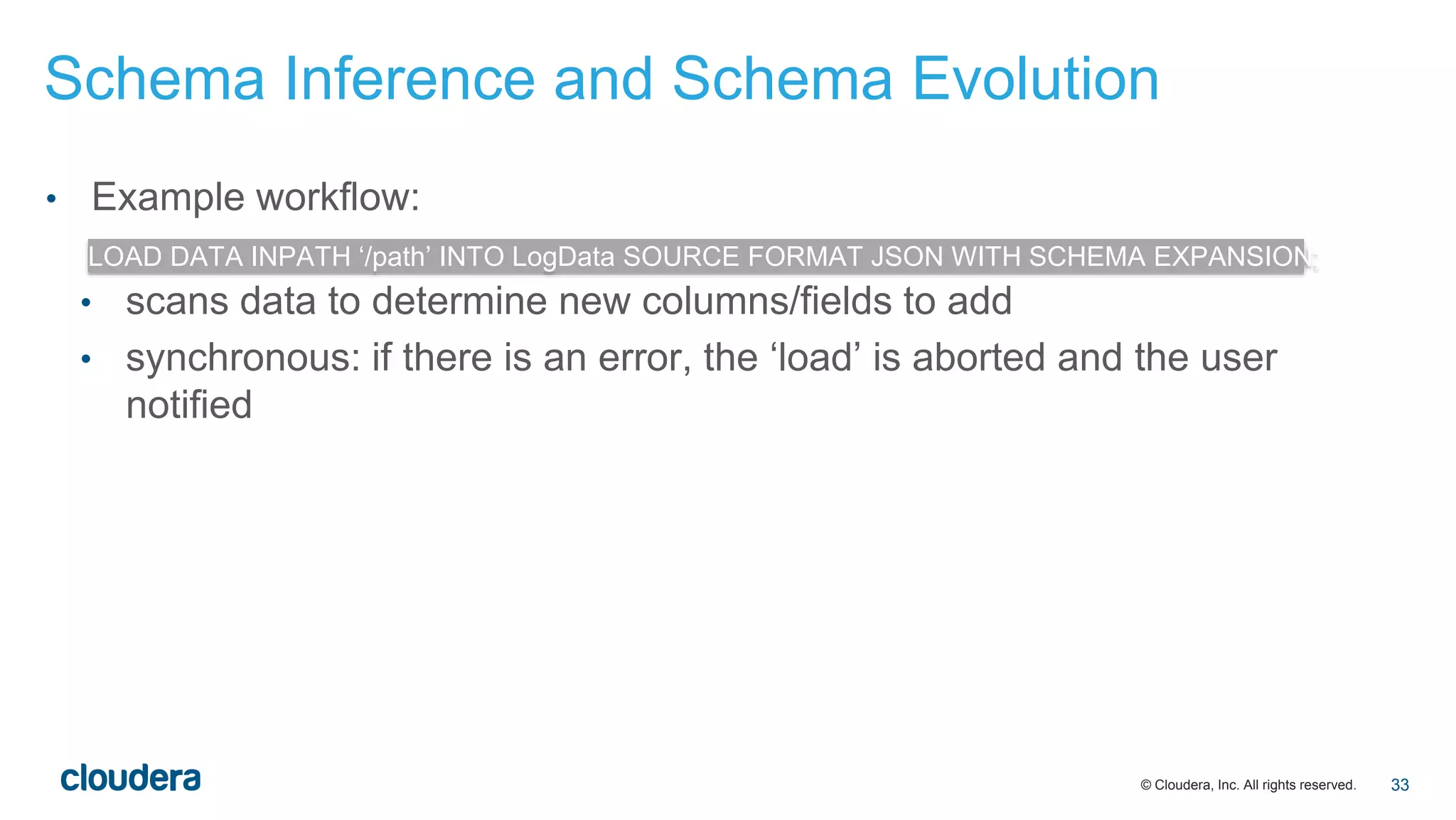
• Example workflow:
• scans data to determine new columns/fields to add
• synchronous: if there is an error, the ‘load’ is aborted and the user
notified
LOAD DATA INPATH ‘/path’ INTO LogData SOURCE FORMAT JSON WITH SCHEMA EXPANSION;
Schema Inference and Schema Evolution
33
© Cloudera, Inc. All rights reserved.
• CREATE TABLE … LIKE <File>:
• available today for Parquet
• Impala 2.3+ for Avro, JSON, XML
• Nested types: Impala 2.3
• Background format conversion: Impala 2.4
• Derived tables: > Impala 2.4
Timeline of Features in Impala
34
© Cloudera, Inc. All rights reserved.
• Hadoop offers a number of advantages over traditional multi-platform ETL
solutions:
• availability of all data sets on a single platform
• data becomes accessible through SQL as soon as it lands
• However, this can be improved further:
• a richer analytic SQL that is extended to handle nested data
• an automated background conversion process that preserves an up-to-
date view of all data while providing BI-typical performance
• a declarative transformation process that focuses on application
semantics and removes operational complexity
• simple automation of initial schema creation and subsequent maintenance
that makes dealing with large, complex schemas less labor-intensive
Conclusion
35
‹#›© Cloudera, Inc. All rights reserved.
Thank you
Marcel Kornacker | marcel@cloudera.com
36

Friction-free ETL: Automating data transformation with Impala | Strata + Hadoop World London 2015

  • 1.
    ‹#›© Cloudera, Inc.All rights reserved. Marcel Kornacker // Cloudera, Inc. Friction-Free ELT: Automating Data Transformation with Cloudera Impala
  • 2.
    © Cloudera, Inc.All rights reserved. Outline • Evolution of ELT in the context of analytics • traditional systems • Hadoop today • Cloudera’s vision for ELT • make most of it disappear • automate data transformation 2
  • 3.
    © Cloudera, Inc.All rights reserved. Traditional ELT • Extract: physical extraction from source data store • could be an RDBMS acting as an operational data store • or log data materialized as json • Load: the targeted analytic DBMS converts the transformed data into its binary format (typically columnar) • Transform: • data cleansing and standardization • conversion of naturally complex/nested data into a flat relational schema 3
  • 4.
    © Cloudera, Inc.All rights reserved. • Three aspects to the traditional ELT process: 1. semantic transformation such as data standardization/cleansing » makes data more queryable, adds value 2. representational transformation: from source to target schema (from complex/nested to flat relational) » “lateral” transformation that doesn’t change semantics, adds operational overhead 3. data movement: from source to staging area to target system » adds yet more operational overhead Traditional ELT 4
  • 5.
    © Cloudera, Inc.All rights reserved. • The goals of “analytics with no ELT”: • simplify aspect 1 • eliminate aspects 2 and 3 Traditional ELT 5
  • 6.
    © Cloudera, Inc.All rights reserved. A typical ELT workflow with Hadoop looks like this: raw source data initially lands in HDFS (examples: text/xml/json log files) … Text, XML, JSON ELT with Hadoop Today 6
  • 7.
    © Cloudera, Inc.All rights reserved. … map that data into a table to make it queryable … Text, XML, JSON Original Data CREATE TABLE RawLogData (…) ROW FORMAT DELIMITED FIELDS LOCATION ‘/raw-log-data/‘; ELT with Hadoop Today 7
  • 8.
    © Cloudera, Inc.All rights reserved. … create the target table at a different location … Text, XML, JSON Original Data Parquet CREATE TABLE LogData (…) STORED AS PARQUET LOCATION ‘/log-data/‘; ELT with Hadoop Today 8
  • 9.
    © Cloudera, Inc.All rights reserved. … convert the raw source data to the target format … Text, XML, JSON Original Data Parquet INSERT INTO LogData SELECT * FROM RawLogData; ELT with Hadoop Today 9
  • 10.
    © Cloudera, Inc.All rights reserved. … the data is then available for batch reporting/analytics (via Impala, Hive, Pig, Spark) or interactive analytics (via Impala, Search) Text, XML, JSON Original Data Parquet Impala Hive Spark Pig ELT with Hadoop Today 10
  • 11.
    © Cloudera, Inc.All rights reserved. • Compared to traditional ELT, this has several advantages: • Hadoop acts as a centralized location for all data: raw source data lives side by side with the transformed data • data does not need to be moved between multiple platforms/clusters • data in the raw source format is queryable as soon as it lands, although at reduced performance, compared to an optimized columnar data format ELT with Hadoop Today 11
  • 12.
    © Cloudera, Inc.All rights reserved. • However, even this still has drawbacks: • new data needs to be loaded periodically into the target table • doing that reliably and within SLAs can be a challenge • you now have two tables: one with current but slow data another with lagging but fast data Text, XML, JSON Original Data Parquet Impala Hive Spark Pig Another user-managed data pipeline! ELT with Hadoop Today 12
  • 13.
    © Cloudera, Inc.All rights reserved. • No explicit loading/conversion step to move raw data into a target table • A single view of the data that is up-to-date and (mostly) in an efficient columnar format • automated with custom logic Text, XML, JSON Parquet Impala Hive Spark Pig automated A Vision for Analytics with No ELT 13
  • 14.
    © Cloudera, Inc.All rights reserved. • support for complex/nested schemas » avoid remapping of raw data into a flat relational schema • background and incremental data conversion » retain in-place single view of entire data set, with most data being in an efficient format • bonus: schema inference and schema evolution » start analyzing data as soon as it arrives, regardless of its complexity A Vision for Analytics with No ELT 14
  • 15.
    © Cloudera, Inc.All rights reserved. • Standard relational: all columns have scalar values: CHAR(n), DECIMAL(p, s), INT, DOUBLE, TIMESTAMP, etc. • Complex types: structs, arrays, maps in essence, a nested relational schema • Supported file formats: Parquet, json, XML, Avro • Design principle for SQL extensions: maintain SQL’s way of dealing with multi-valued data Support for Complex Schemas in Impala 15
  • 16.
    © Cloudera, Inc.All rights reserved. Sample schema CREATE TABLE Customers ( cid BIGINT, address STRUCT { street STRING, zip INT, city STRING }, orders ARRAY<STRUCT { oid BIGINT, total DECIMAL(9, 2), items ARRAY< STRUCT { iid BIGINT, qty INT, price DECIMAL(9, 2) }> }> ) Support for Complex Schemas in Impala 16
  • 17.
    © Cloudera, Inc.All rights reserved. • Paths in expressions: generalization of column references to drill through structs • Can appear anywhere a conventional column reference is legal SELECT address.zip, c.address.street FROM Customers c WHERE address.city = ‘Oakland’ SQL Syntax Extensions: Structs 17
  • 18.
    © Cloudera, Inc.All rights reserved. • Basic idea: nested collections are referenced like tables in the FROM clause SELECT SUM(i.price * i.qty) FROM Customers.orders.items i WHERE i.price > 10 SQL Syntax Extensions: Arrays and Maps 18
  • 19.
    © Cloudera, Inc.All rights reserved. • Parent/child relationships don’t require join predicates identical to SELECT c.cid, o.total FROM Customers c, c.orders o SELECT c.cid, o.total FROM Customers c INNER JOIN c.orders o SQL Syntax Extensions: Arrays and Maps 19
  • 20.
    © Cloudera, Inc.All rights reserved. • All join types are supported (INNER, OUTER, SEMI, ANTI) • Advanced querying capabilities via correlated inline views and subqueries SELECT c.cid FROM Customers c LEFT ANTI JOIN c.orders o SELECT c.cid FROM Customers c WHERE EXISTS (SELECT * FROM c.orders.items where iid = 117) SQL Syntax Extensions: Arrays and Maps 20
  • 21.
    © Cloudera, Inc.All rights reserved. • Aggregates over collections are concise and easy to read instead of SELECT c.cid, COUNT(c.orders), AVG(c.orders.items.price) FROM Customers c SELECT c.cid, a, b FROM Customers c, (SELECT COUNT(*) AS a FROM c.orders), (SELECT AVG(price) AS b FROM c.orders.items) SQL Syntax Extensions: Arrays and Maps 21
  • 22.
    © Cloudera, Inc.All rights reserved. • Aggregates over collections can replace subqueries instead of SELECT c.cid FROM Customers c WHERE COUNT(c.orders) > 10 SELECT c.cid FROM Customers c WHERE (SELECT COUNT(*) FROM c.orders) > 10 SQL Syntax Extensions: Arrays and Maps 22
  • 23.
    © Cloudera, Inc.All rights reserved. • Parquet optimizes storage of complex schemas by inlining structural data into the columnar data (repetition/definition levels) • No performance penalty for accessing nested collections! • Parquet translates logical hierarchy into physical collocation: • you don’t need parent-child joins • queries run faster! Complex Schemas with Parquet 23
  • 24.
    © Cloudera, Inc.All rights reserved. • Automated data conversion takes care of • format conversion: from text/JSON/Avro/… to Parquet • compaction: multiple smaller files are coalesced into a single larger one • Sample workflow: • create table for data: • attach data to table: CREATE TABLE LogData (…) WITH CONVERSION TO PARQUET; LOAD DATA INPATH ‘/raw-log-data/file1’ INTO LogData SOURCE FORMAT JSON; Automated Data Conversion 24
  • 25.
    © Cloudera, Inc.All rights reserved. Automated Data Conversion 25 JSON Impala Hive Spark Pig PARQUETJSON Single-Table View
  • 26.
    © Cloudera, Inc.All rights reserved. • Conversion process • atomic: the switch from the source to the target data files is atomic from the perspective of a running query (but any running query sees the full data set) • redundant: with option to retain original data • incremental: Impala’s catalog service detects new data files that are not in the target format automatically Automated Data Conversion 26
  • 27.
    © Cloudera, Inc.All rights reserved. • Specify data transformation via “view” definition: • derived table is expressed as Select, Project, Join, Aggregation • custom logic incorporated via UDFs, UDAs CREATE DERIVED TABLE CleanLogData AS SELECT StandardizeName(name), StandardizeAddr(addr, zip), … FROM LogData STORED AS PARQUET; Automating Data Transformation: Derived Tables 27
  • 28.
    © Cloudera, Inc.All rights reserved. • From the user’s perspective: • table is queryable like any other table (but doesn’t allow INSERTs) • reflects all data visible in source tables at time of query (not: at time of CREATE) • performance is close to that of a table created with CREATE TABLE … AS SELECT (ie, that of a static snapshot) Automating Data Transformation: Derived Tables 28
  • 29.
    © Cloudera, Inc.All rights reserved. • From the system’s perspective: • table is Union of • physically materialized data, derived from input tables as of some point in the past • view over yet-unprocessed data of input tables • table is updated incrementally (and in the background) when new data is added to input tables Automating Data Transformation: Derived Tables 29
  • 30.
    © Cloudera, Inc.All rights reserved. Automating Data Transformation: Derived Tables 30 Impala Hive Spark Pig Delta Query Materialized Data Base Table Updates Single-Table View
  • 31.
    © Cloudera, Inc.All rights reserved. • Schema inference from data files is useful to reduce the barrier to analyzing complex source data • as an example, log data often has hundreds of fields • the time required to create the DDL manually is substantial • Example: schema inference from structured data files • available today: • future formats: XML, json, Avro CREATE TABLE LogData LIKE PARQUET ‘/log-data.pq’ Schema Inference and Schema Evolution 31
  • 32.
    © Cloudera, Inc.All rights reserved. • Schema evolution: • a necessary follow-on to schema inference: every schema evolves over time; explicit maintenance is as time-consuming as the initial creation • algorithmic schema evolution requires sticking to generally safe schema modifications: adding new fields • adding new top-level columns • adding fields within structs Schema Inference and Schema Evolution 32
  • 33.
    © Cloudera, Inc.All rights reserved. • Example workflow: • scans data to determine new columns/fields to add • synchronous: if there is an error, the ‘load’ is aborted and the user notified LOAD DATA INPATH ‘/path’ INTO LogData SOURCE FORMAT JSON WITH SCHEMA EXPANSION; Schema Inference and Schema Evolution 33
  • 34.
    © Cloudera, Inc.All rights reserved. • CREATE TABLE … LIKE <File>: • available today for Parquet • Impala 2.3+ for Avro, JSON, XML • Nested types: Impala 2.3 • Background format conversion: Impala 2.4 • Derived tables: > Impala 2.4 Timeline of Features in Impala 34
  • 35.
    © Cloudera, Inc.All rights reserved. • Hadoop offers a number of advantages over traditional multi-platform ETL solutions: • availability of all data sets on a single platform • data becomes accessible through SQL as soon as it lands • However, this can be improved further: • a richer analytic SQL that is extended to handle nested data • an automated background conversion process that preserves an up-to- date view of all data while providing BI-typical performance • a declarative transformation process that focuses on application semantics and removes operational complexity • simple automation of initial schema creation and subsequent maintenance that makes dealing with large, complex schemas less labor-intensive Conclusion 35
  • 36.
    ‹#›© Cloudera, Inc.All rights reserved. Thank you Marcel Kornacker | marcel@cloudera.com 36