
HBase @ CyberAgent
Toshihiro Suzuki, Hirotaka Kakishima
Who We Are
● Hirotaka Kakishima
o Database Engineer, CyberAgent, Inc.
● Toshihiro Suzuki
o Software Engineer, CyberAgent, Inc.
o Worked on HBase since 2012
o @brfrn169
Who We Are
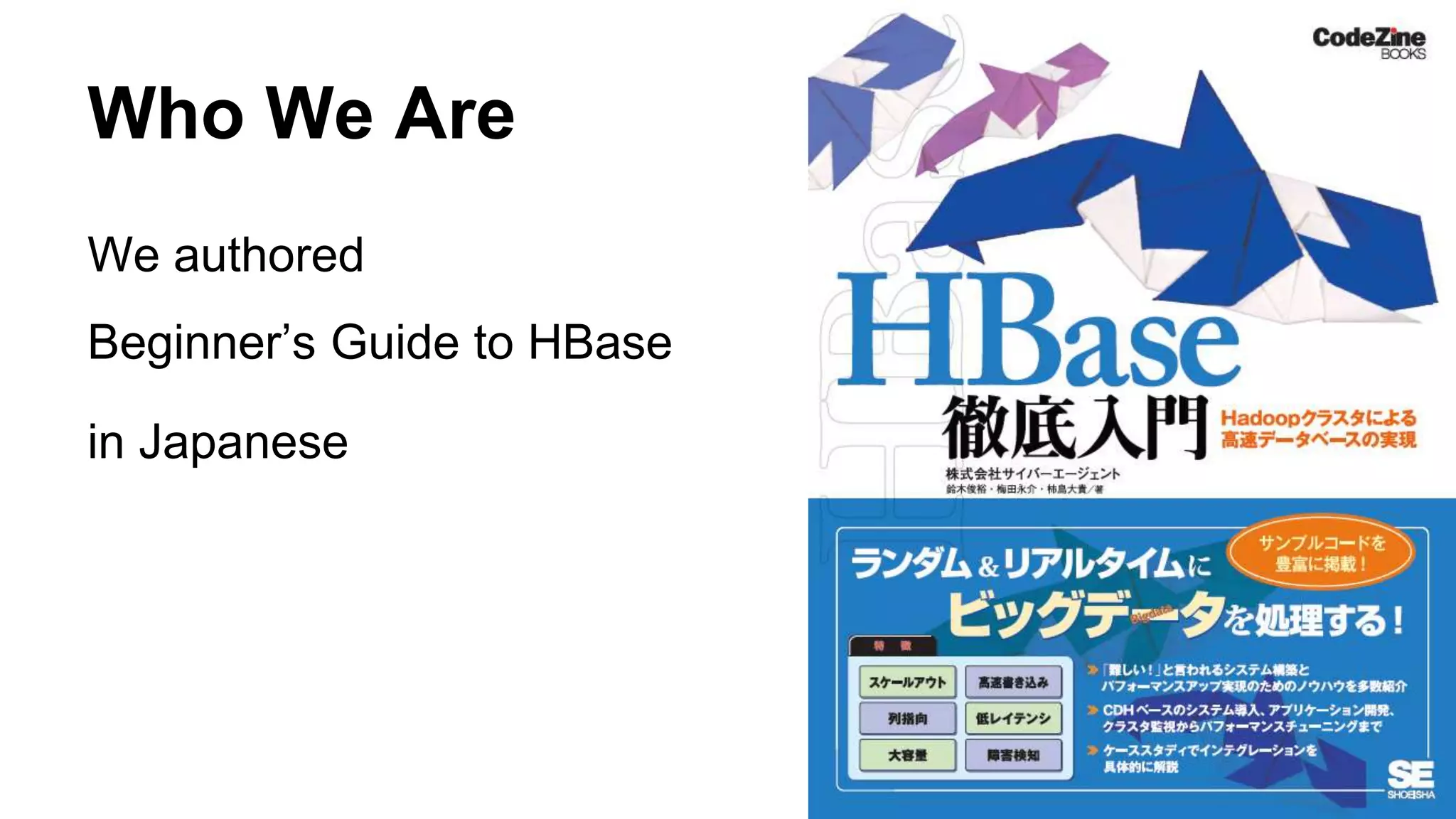
We authored
Beginner’s Guide to HBase
in Japanese
Who We Are
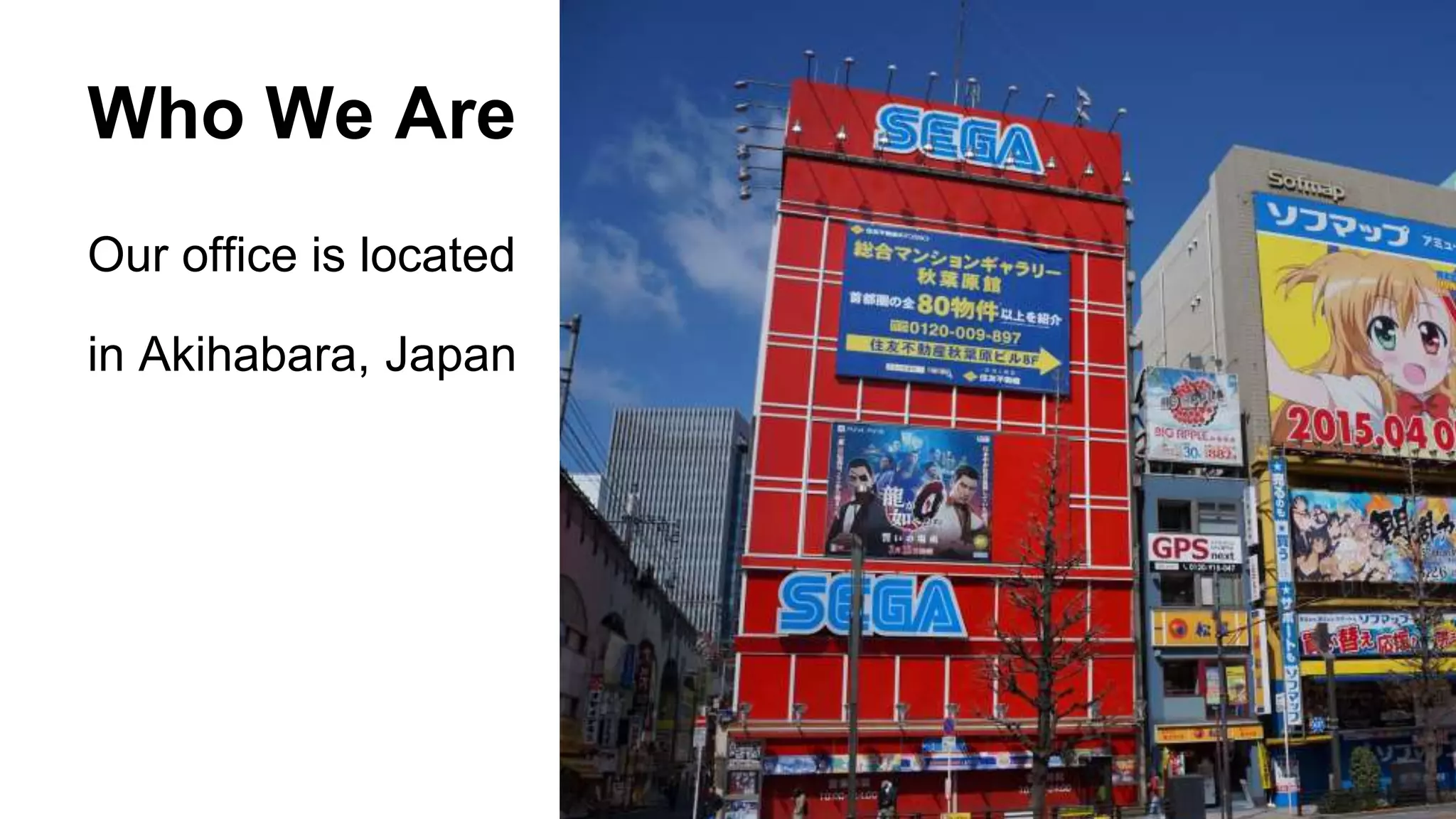
Our office is located
in Akihabara, Japan
Agenda
● About CyberAgent & Ameba
● HBase @ CyberAgent
Our HBase History
Use Case: Social Graph Database
About CyberAgent
● Advertising (agency, tech)
● Games
● Ameba
https://www.cyberagent.co.jp/en/
CyberAgent, Inc.
What’s Ameba?
● Blogging/Social Networking/Game Platform
● 40 million users
What’s Ameba?
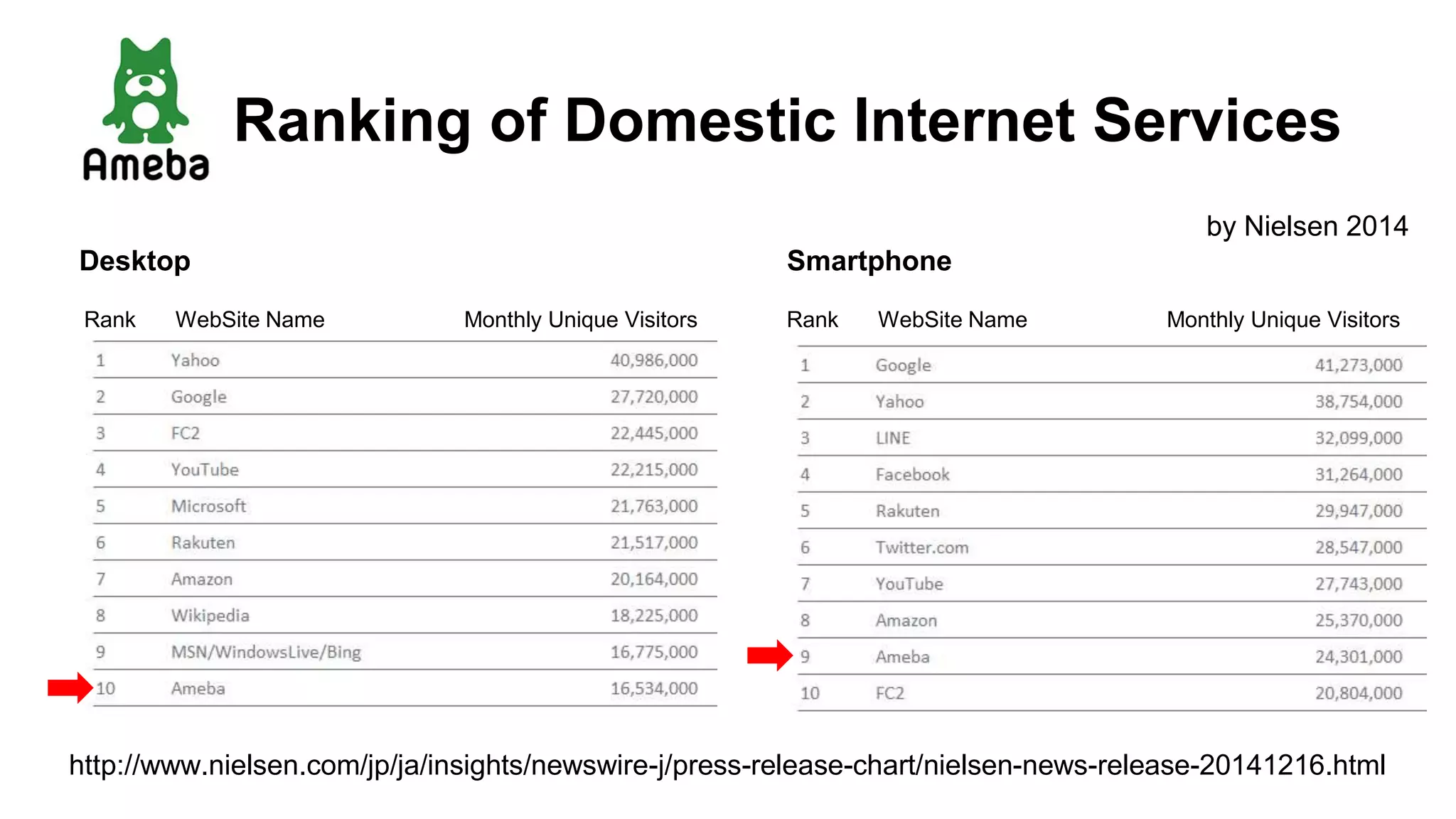
Ranking of Domestic Internet Services
Desktop Smartphone
by Nielsen 2014
http://www.nielsen.com/jp/ja/insights/newswire-j/press-release-chart/nielsen-news-release-20141216.html
Rank WebSite Name Monthly Unique Visitors WebSite Name Monthly Unique VisitorsRank
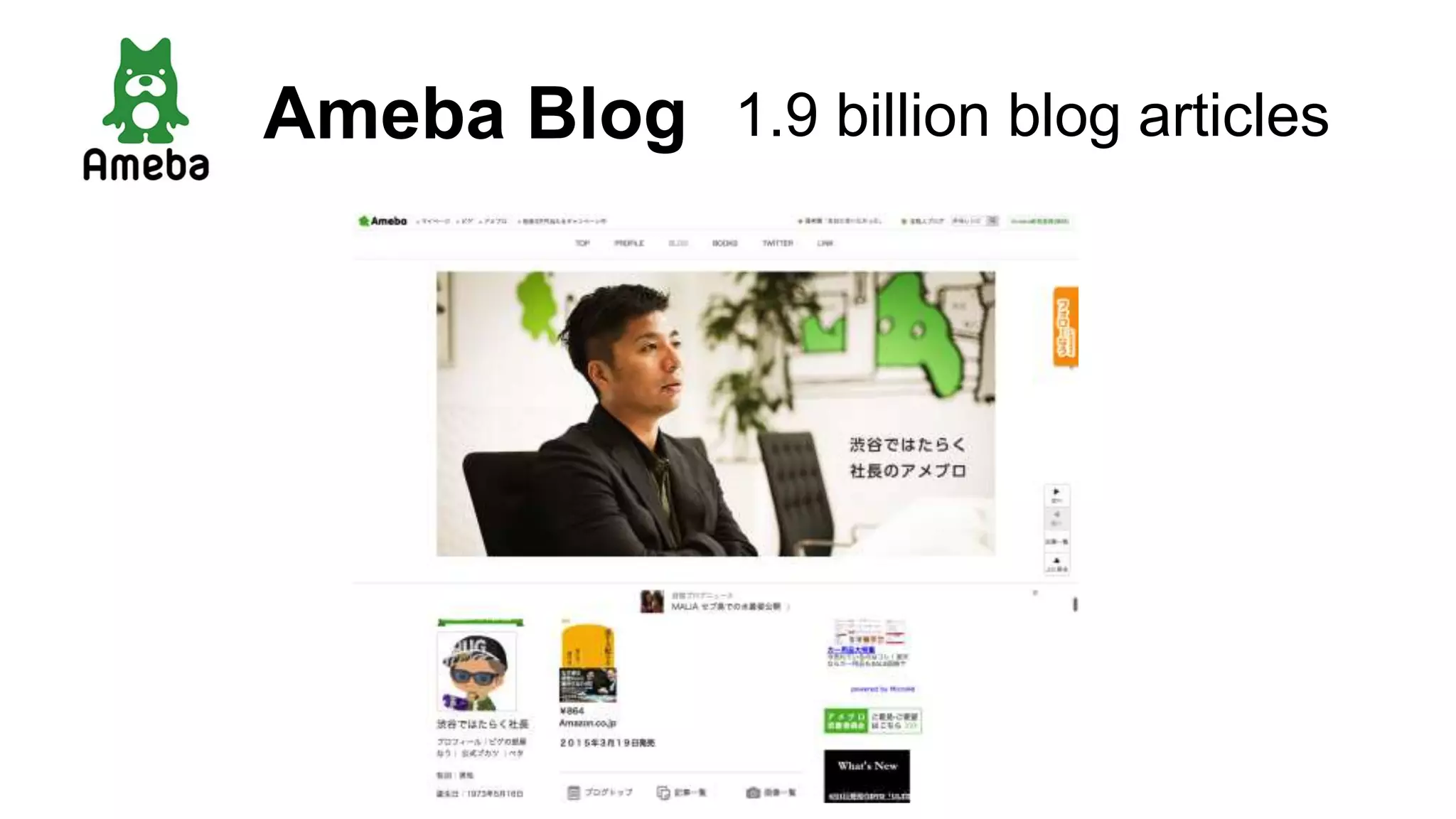
Ameba Blog 1.9 billion blog articles
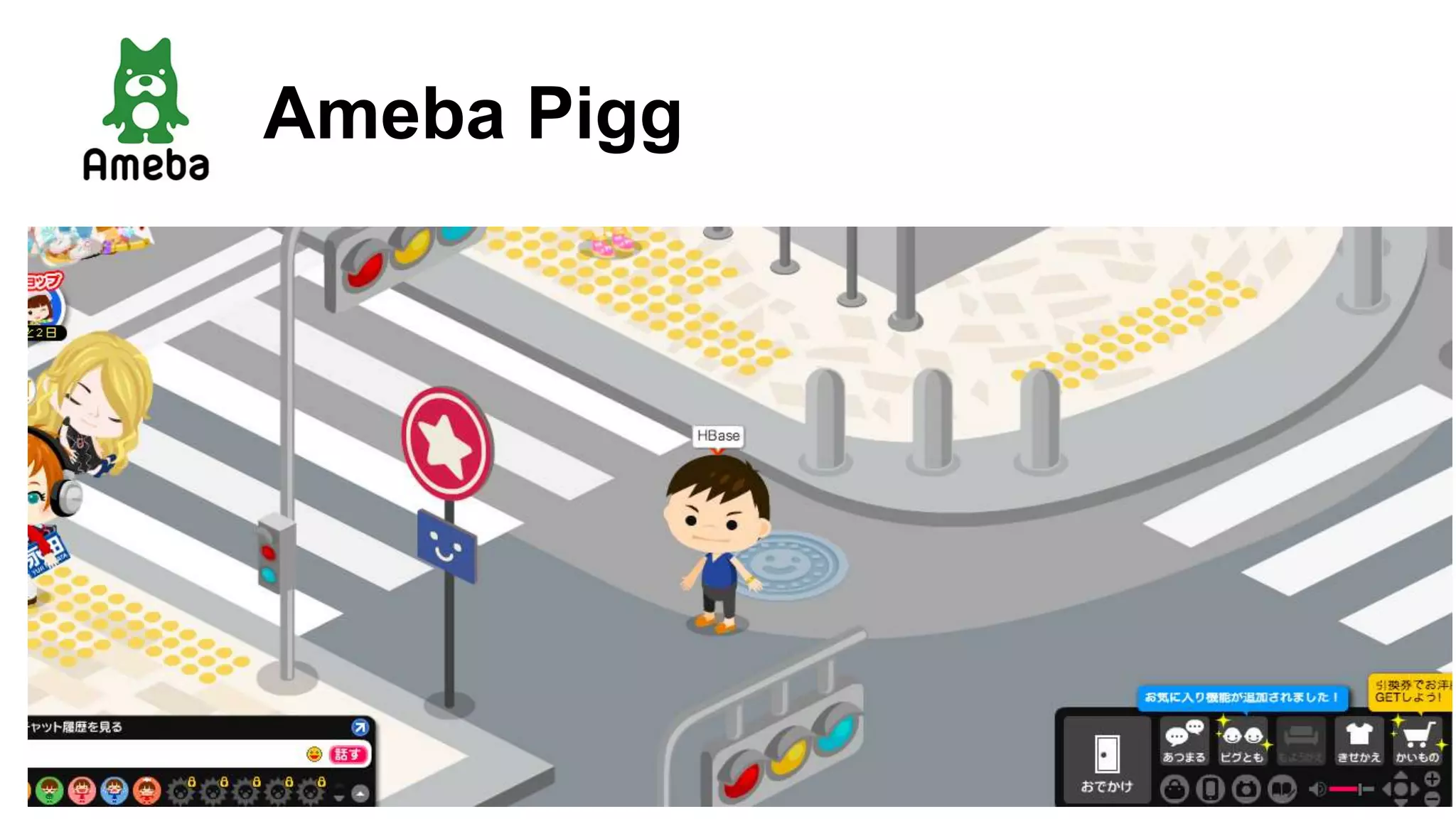
Ameba Pigg
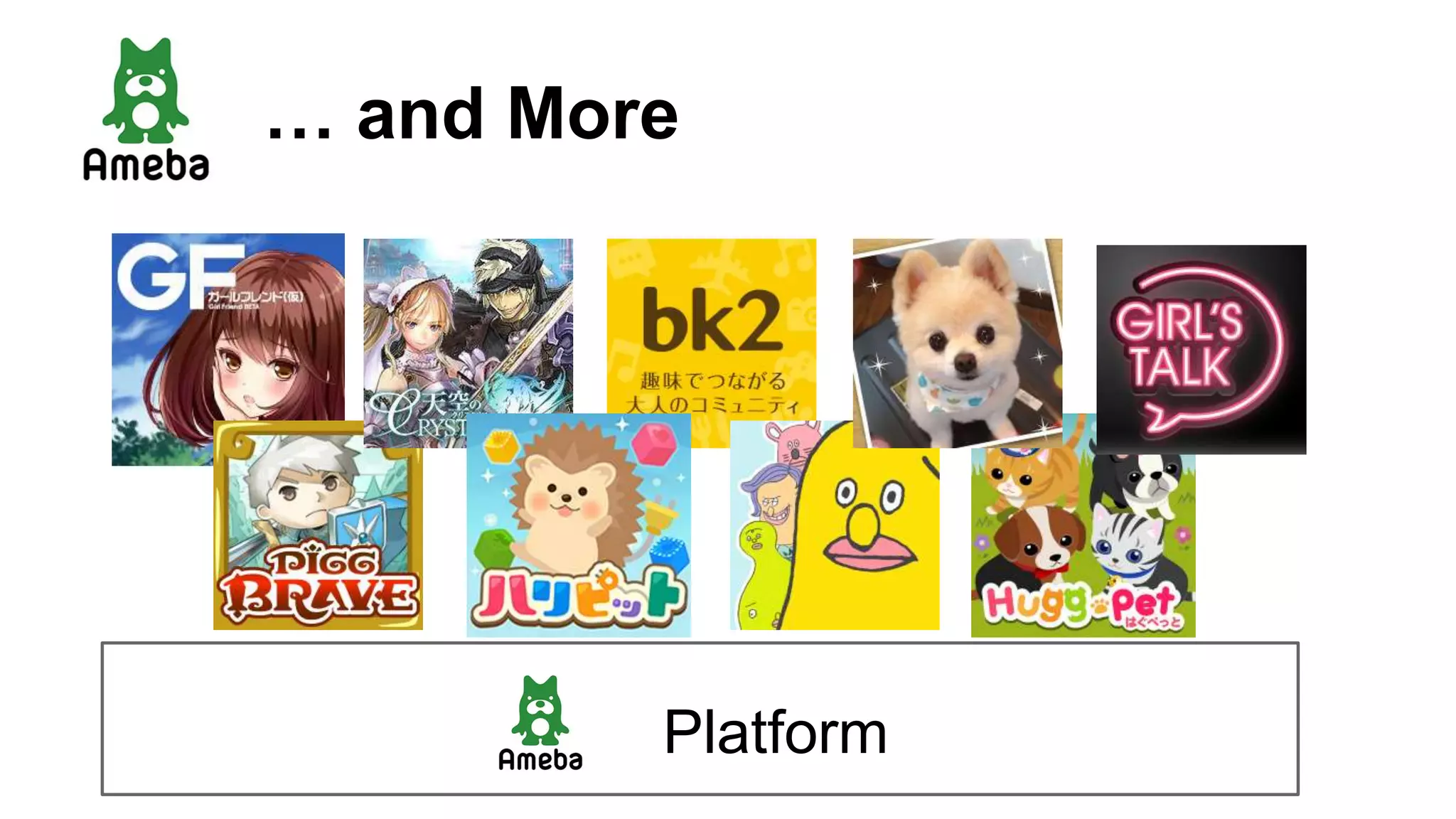
… and More
Platform
HBase @ CyberAgent
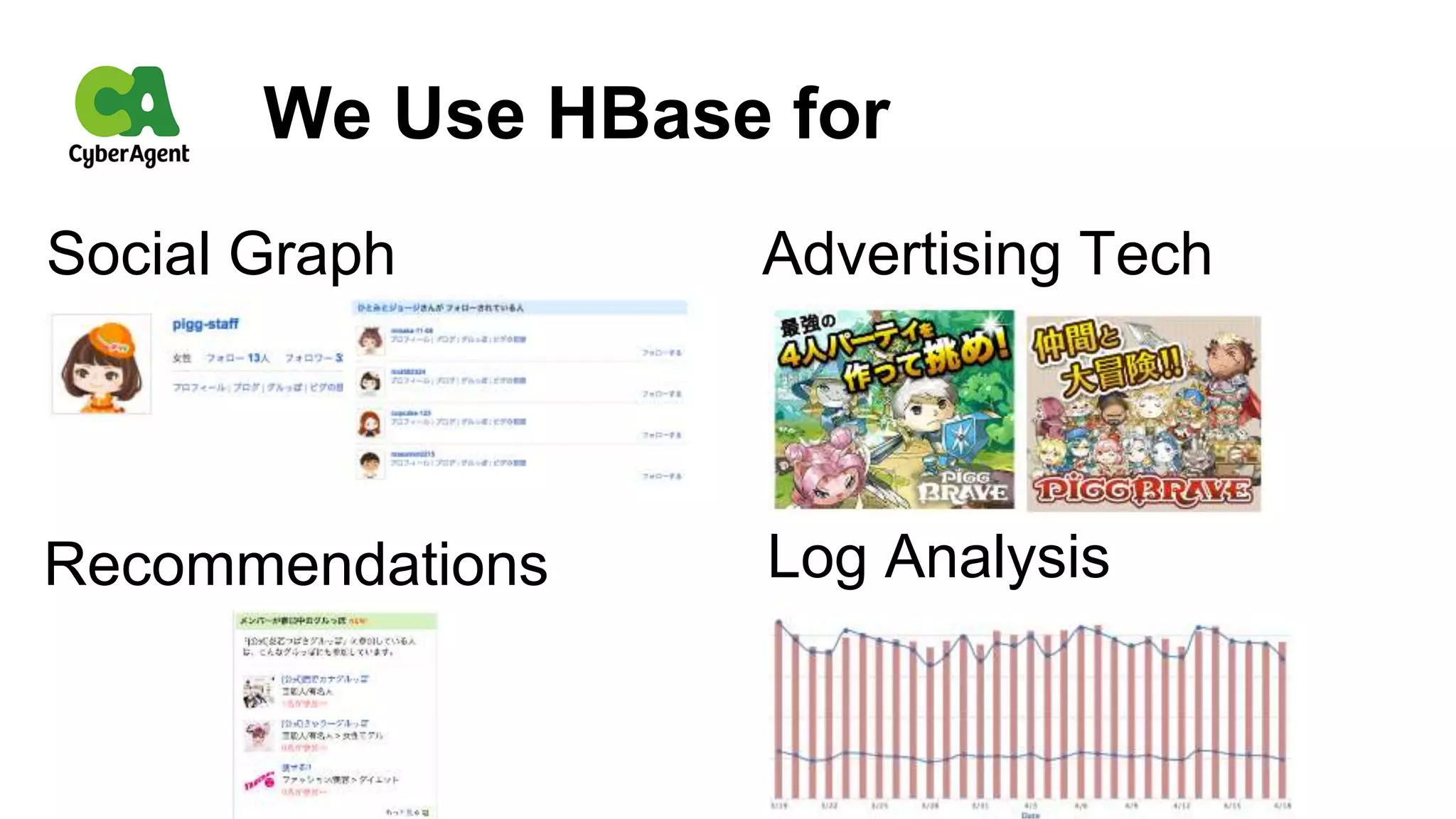
We Use HBase for
Log Analysis
Social Graph
Recommendations
Advertising Tech
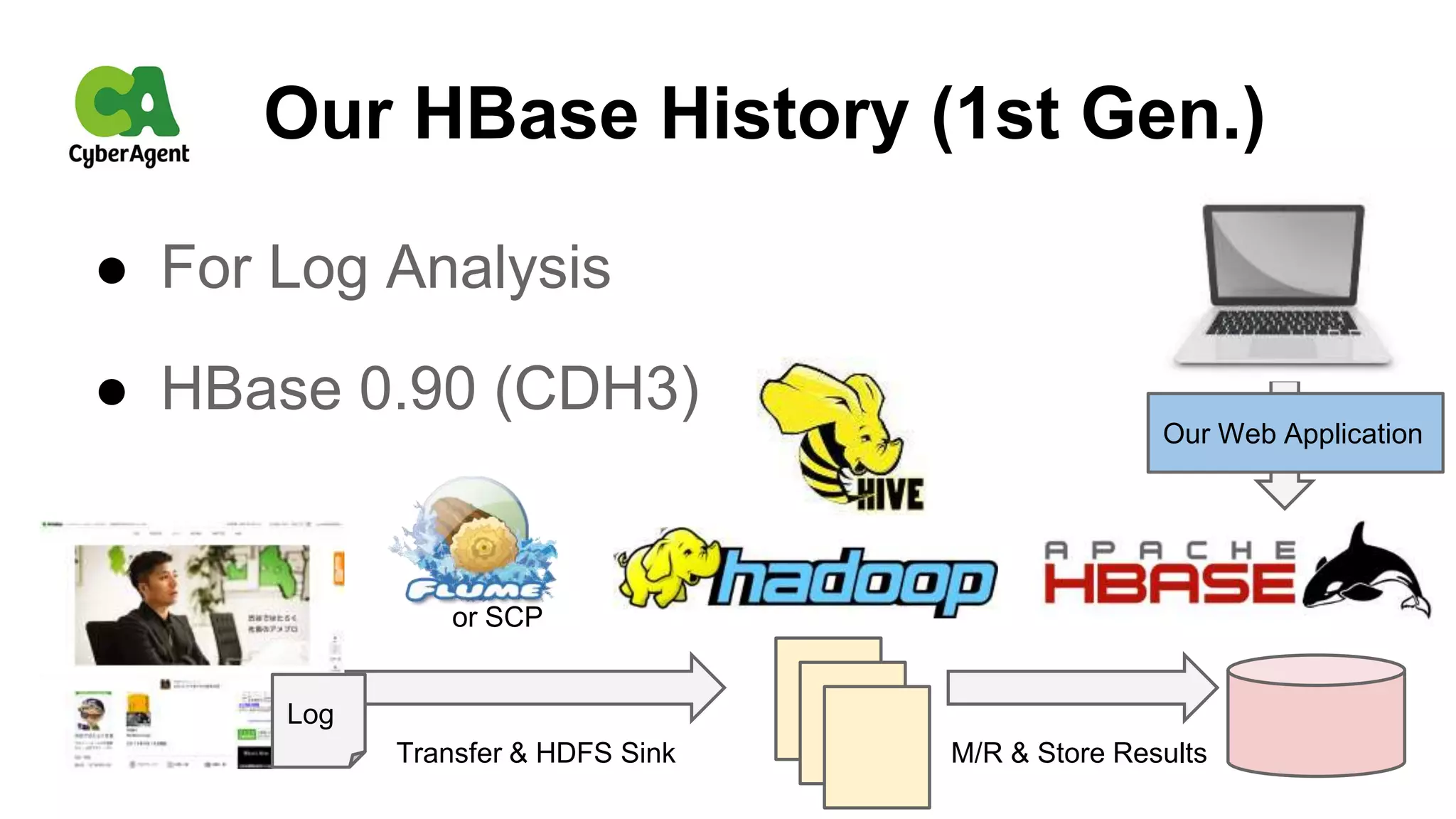
● For Log Analysis
● HBase 0.90 (CDH3)
Our HBase History (1st Gen.)
Log
or SCP
Transfer & HDFS Sink M/R & Store Results
Our Web Application
Our HBase History (2nd Gen.)
● For Social Graph Database, 24/7
● HBase 0.92 (CDH4b1), HDFS CDH3u3
● NameNode using Fault Tolerant Server
http://www.nec.com/en/global/prod/express/fault_tolerant/technology.html
Our HBase History (2nd Gen.)
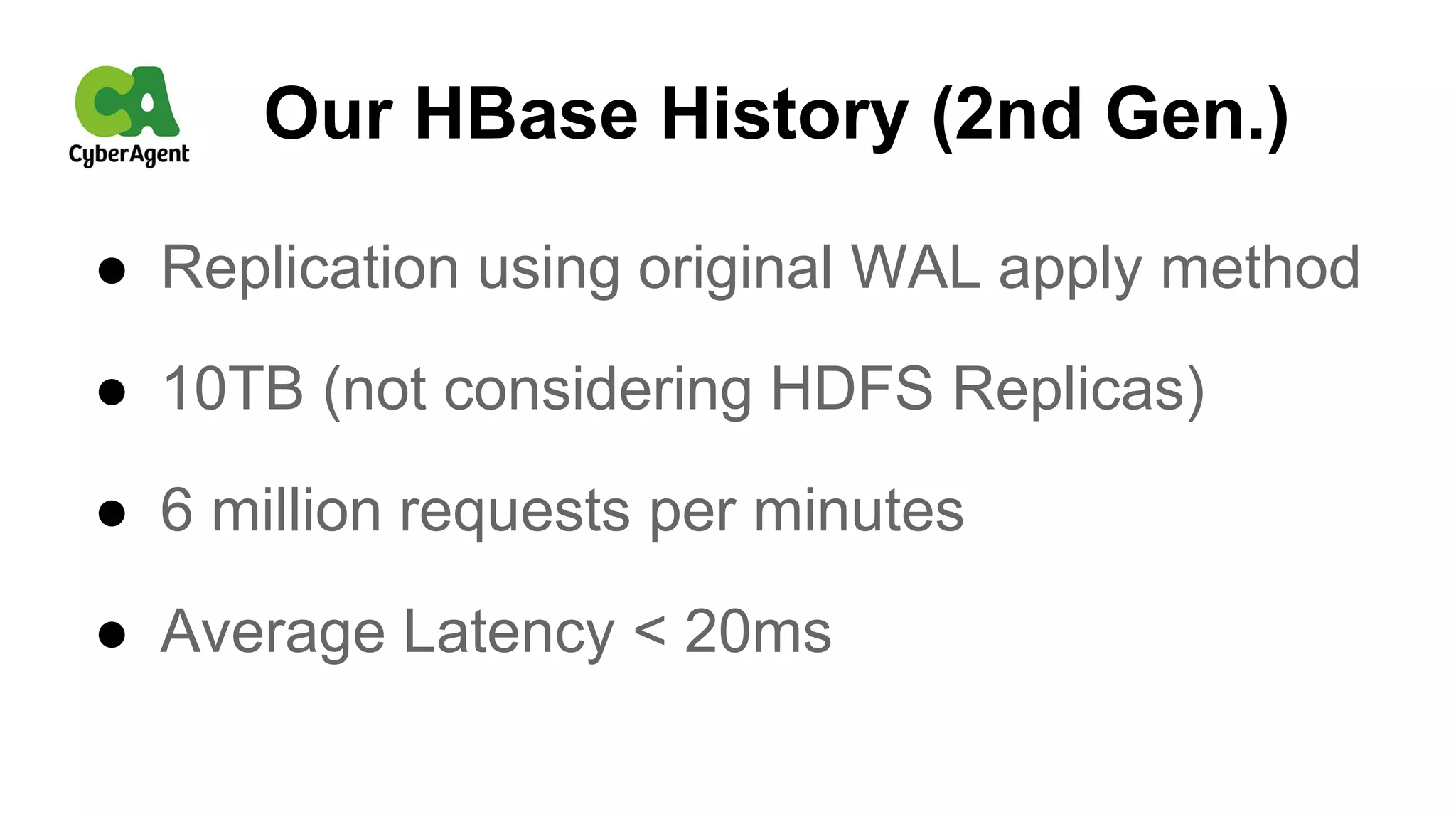
● Replication using original WAL apply method
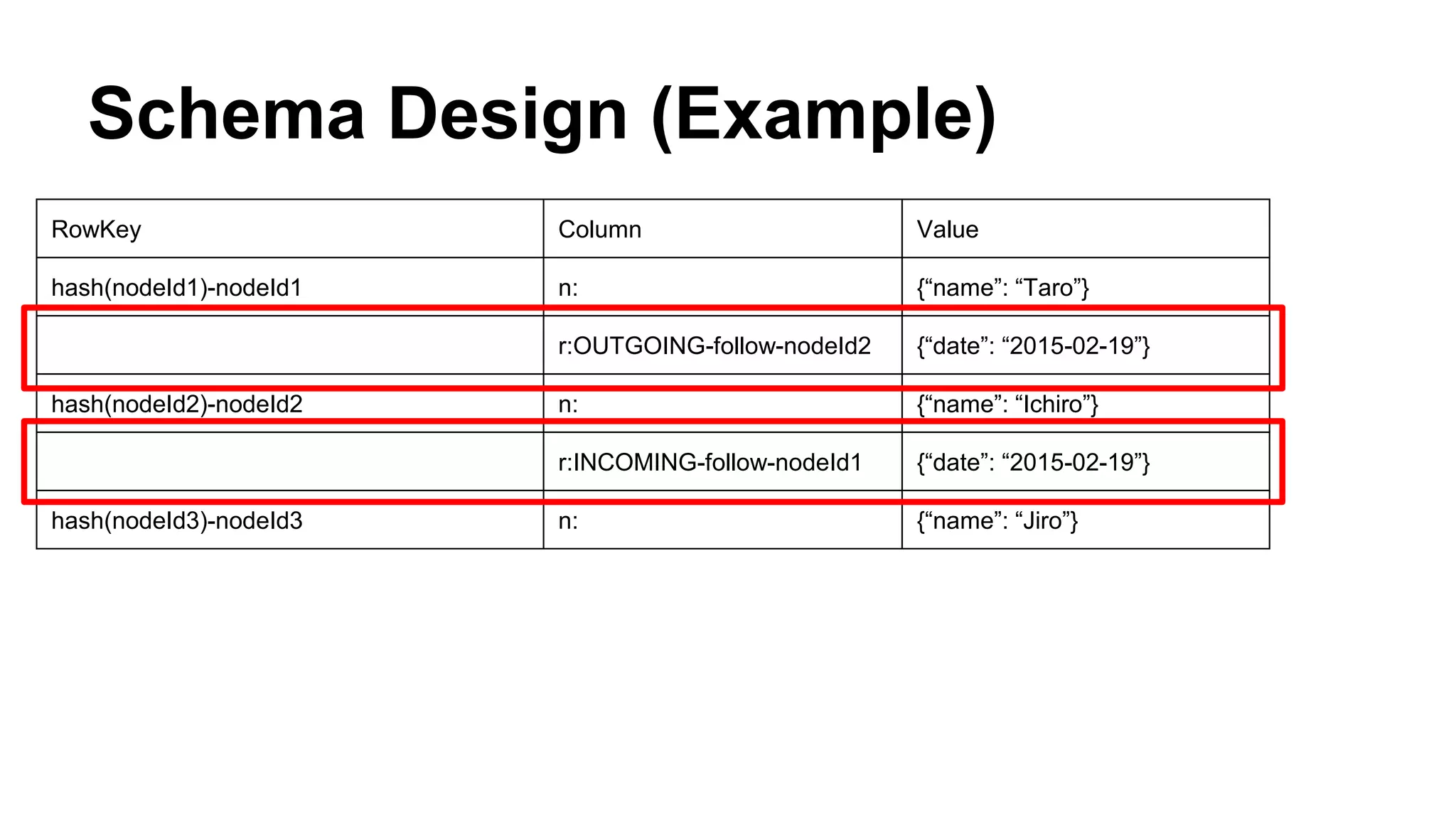
● 10TB (not considering HDFS Replicas)
● 6 million requests per minutes
● Average Latency < 20ms
Our HBase History (3rd Gen.)
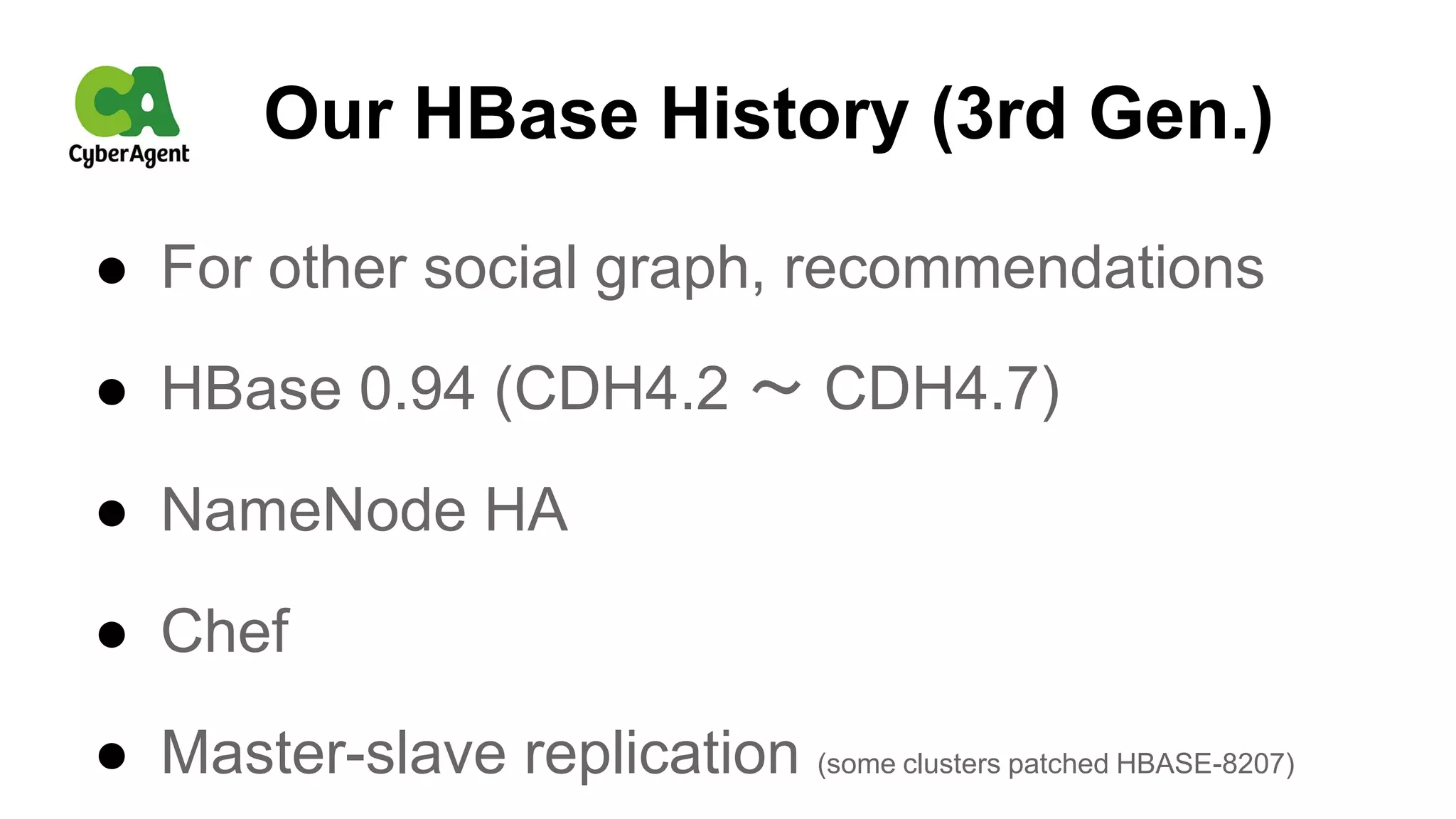
● For other social graph, recommendations
● HBase 0.94 (CDH4.2 〜 CDH4.7)
● NameNode HA
● Chef
● Master-slave replication (some clusters patched HBASE-8207)
Our HBase History (4th Gen.)
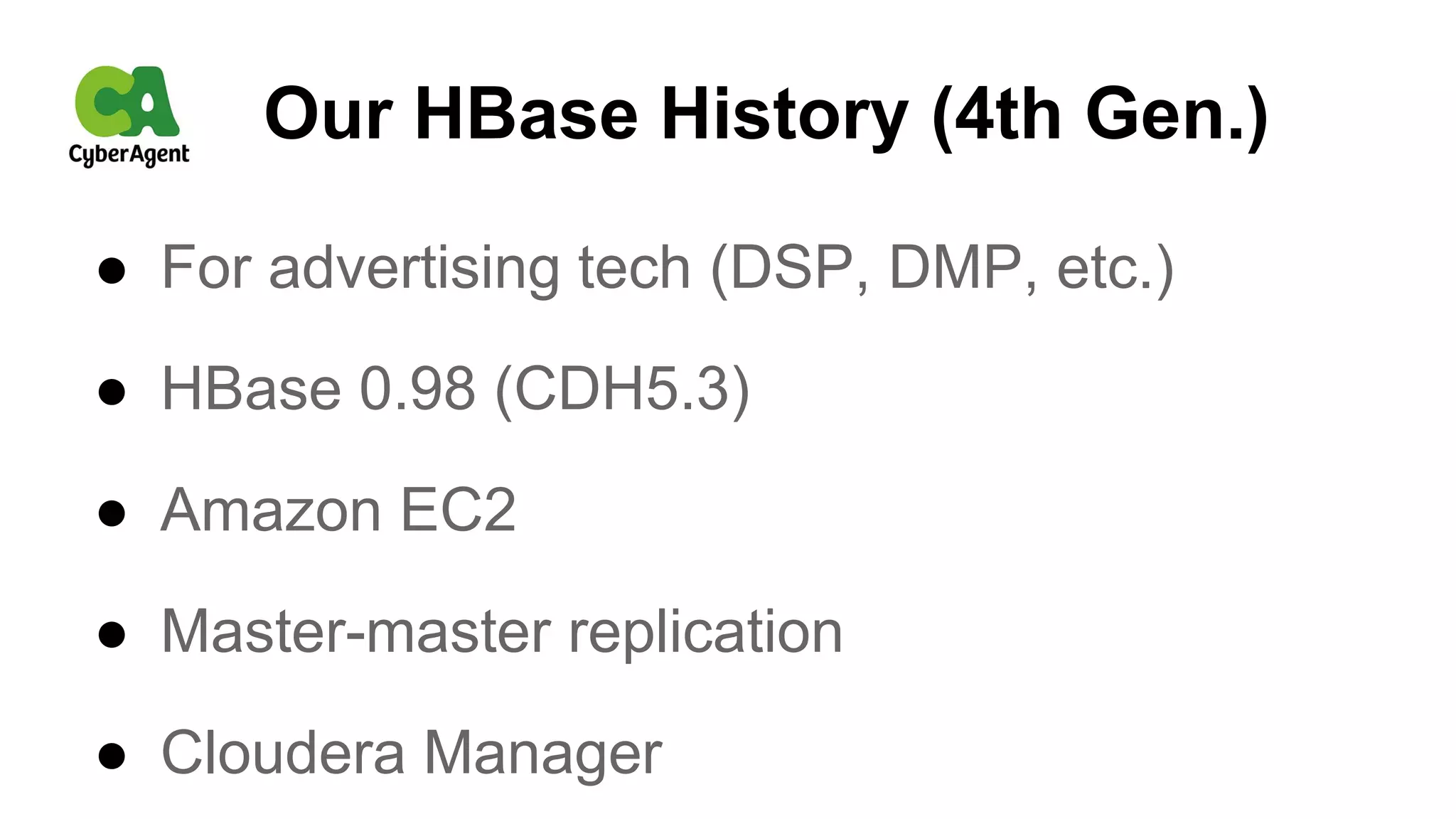
● For advertising tech (DSP, DMP, etc.)
● HBase 0.98 (CDH5.3)
● Amazon EC2
● Master-master replication
● Cloudera Manager
Currently
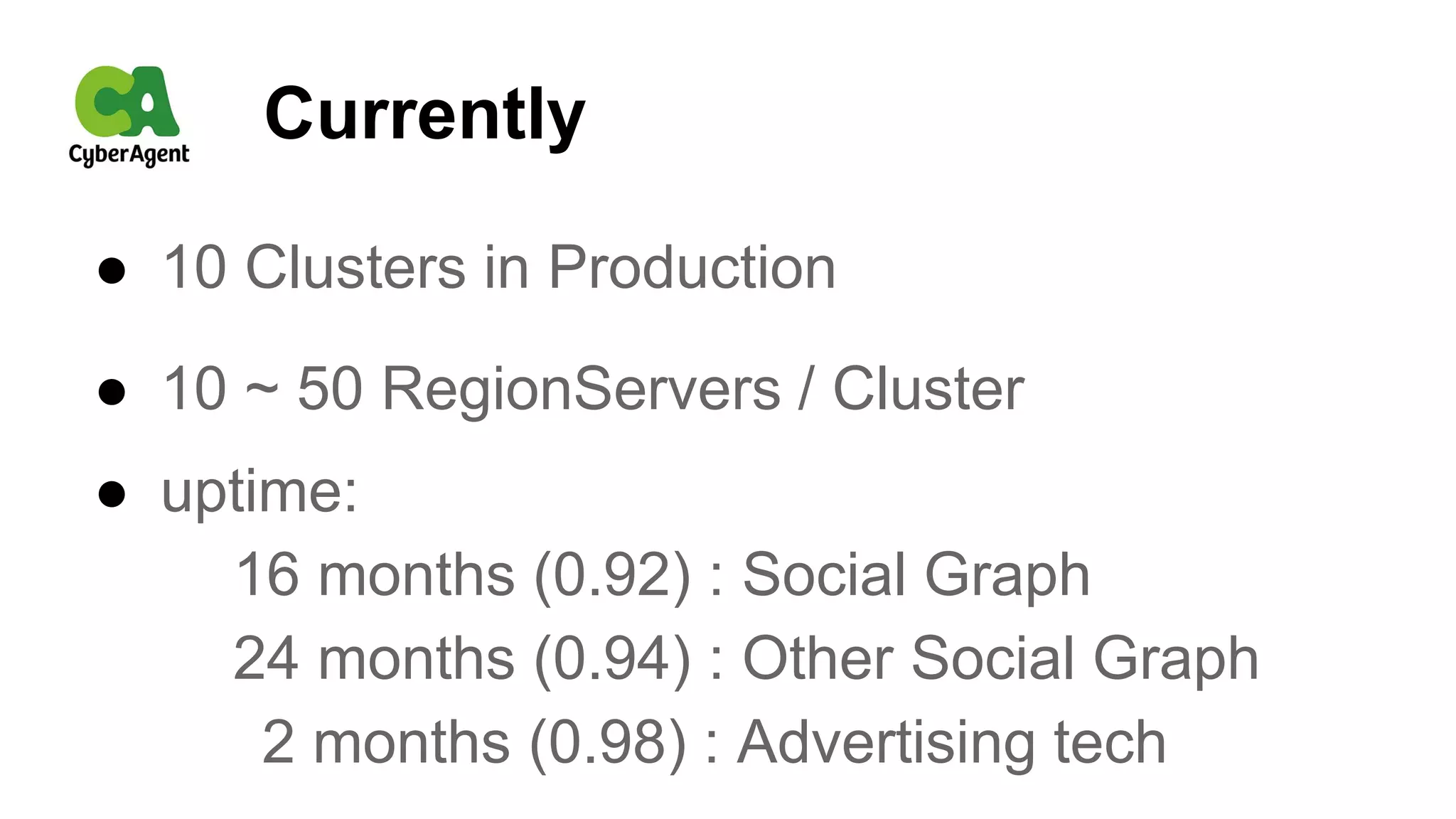
● 10 Clusters in Production
● 10 ~ 50 RegionServers / Cluster
● uptime:
16 months (0.92) : Social Graph
24 months (0.94) : Other Social Graph
2 months (0.98) : Advertising tech
We Cherish the Basics
● Learning architecture
● Considering Table Schema (very important)
● Having enough RAM, DISKs, Network Bandwidth
● Splitting large regions and running major compaction at off-peak
● Monitoring metrics & tuning configuration parameters
● Catching up BUG reports @ JIRA
Next Challenge
● We are going to migrate cluster
from 0.92 to 1.0
Case: Ameba’s Social Graph
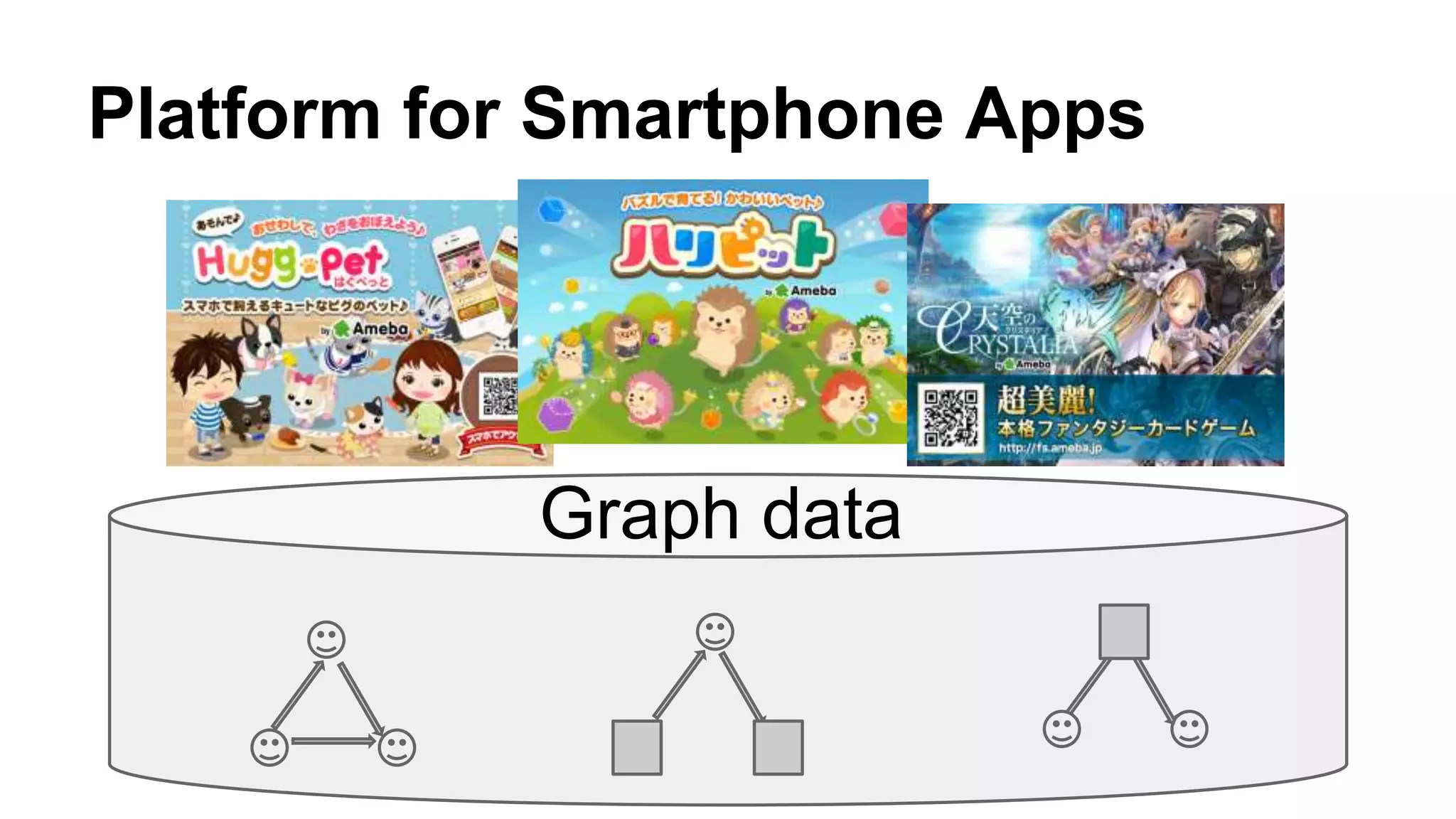
Graph data
Platform for Smartphone Apps
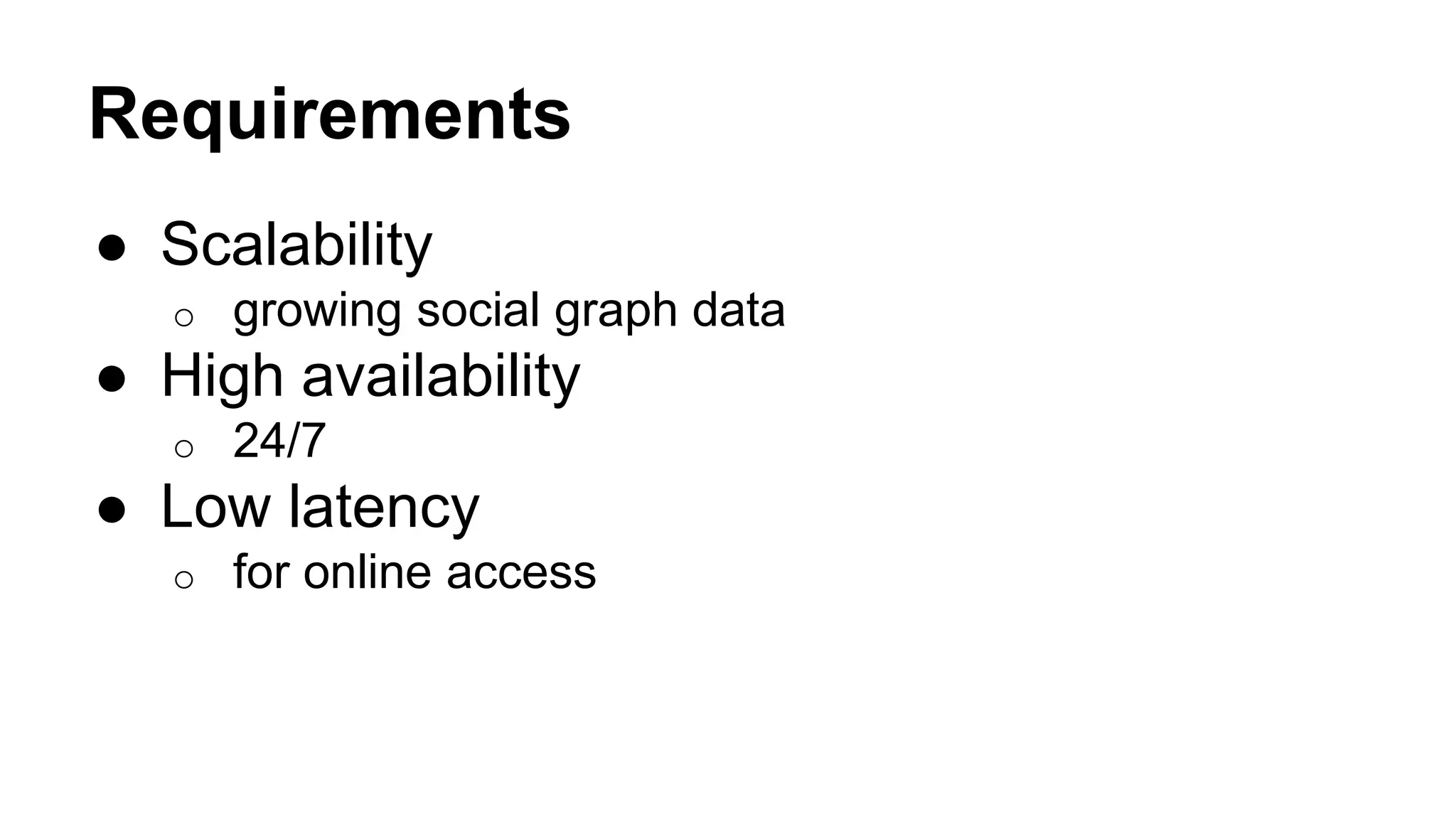
Requirements
● Scalability
o growing social graph data
● High availability
o 24/7
● Low latency
o for online access
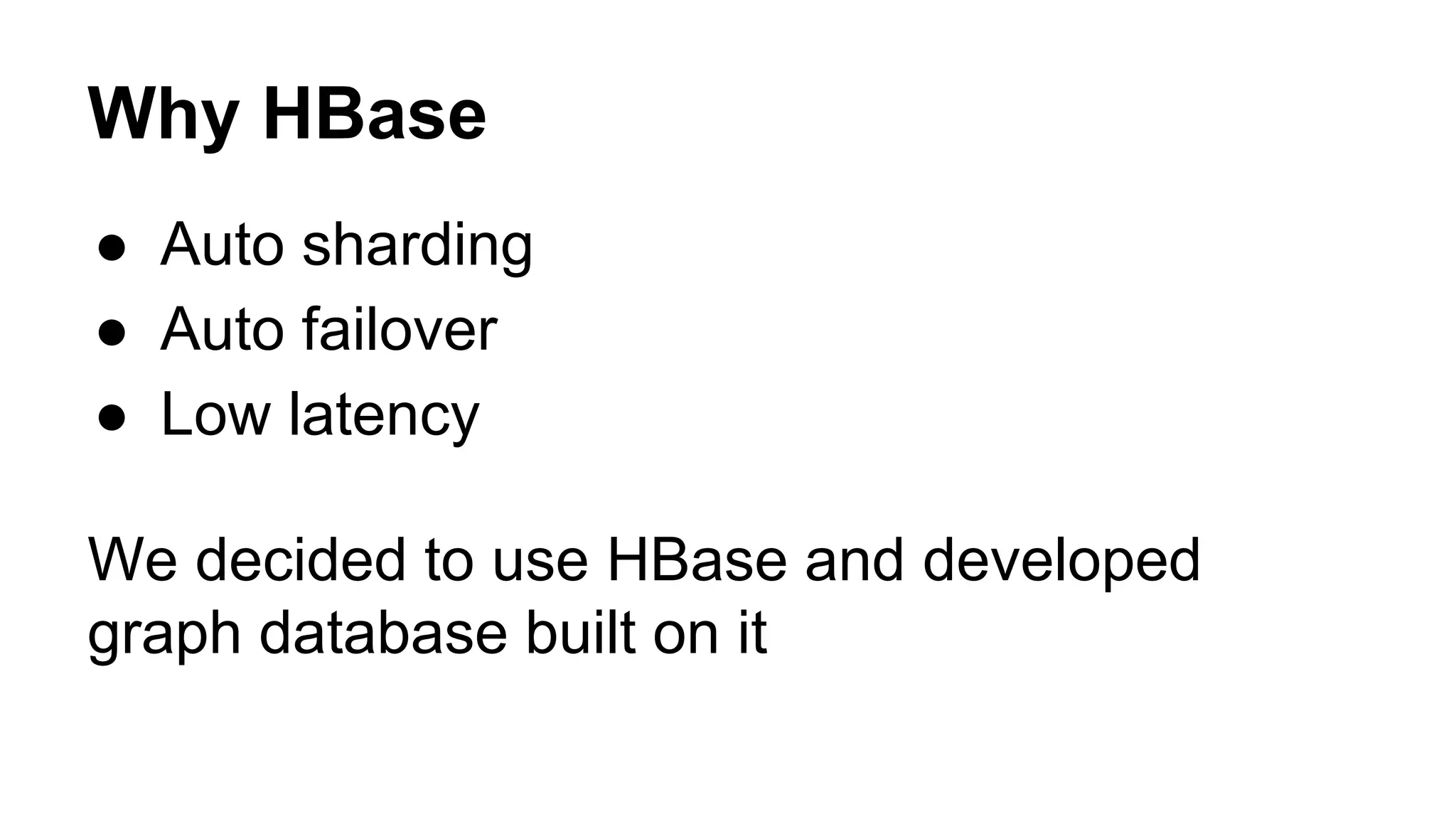
Why HBase
● Auto sharding
● Auto failover
● Low latency
We decided to use HBase and developed
graph database built on it
How we use HBase
as a Graph Database
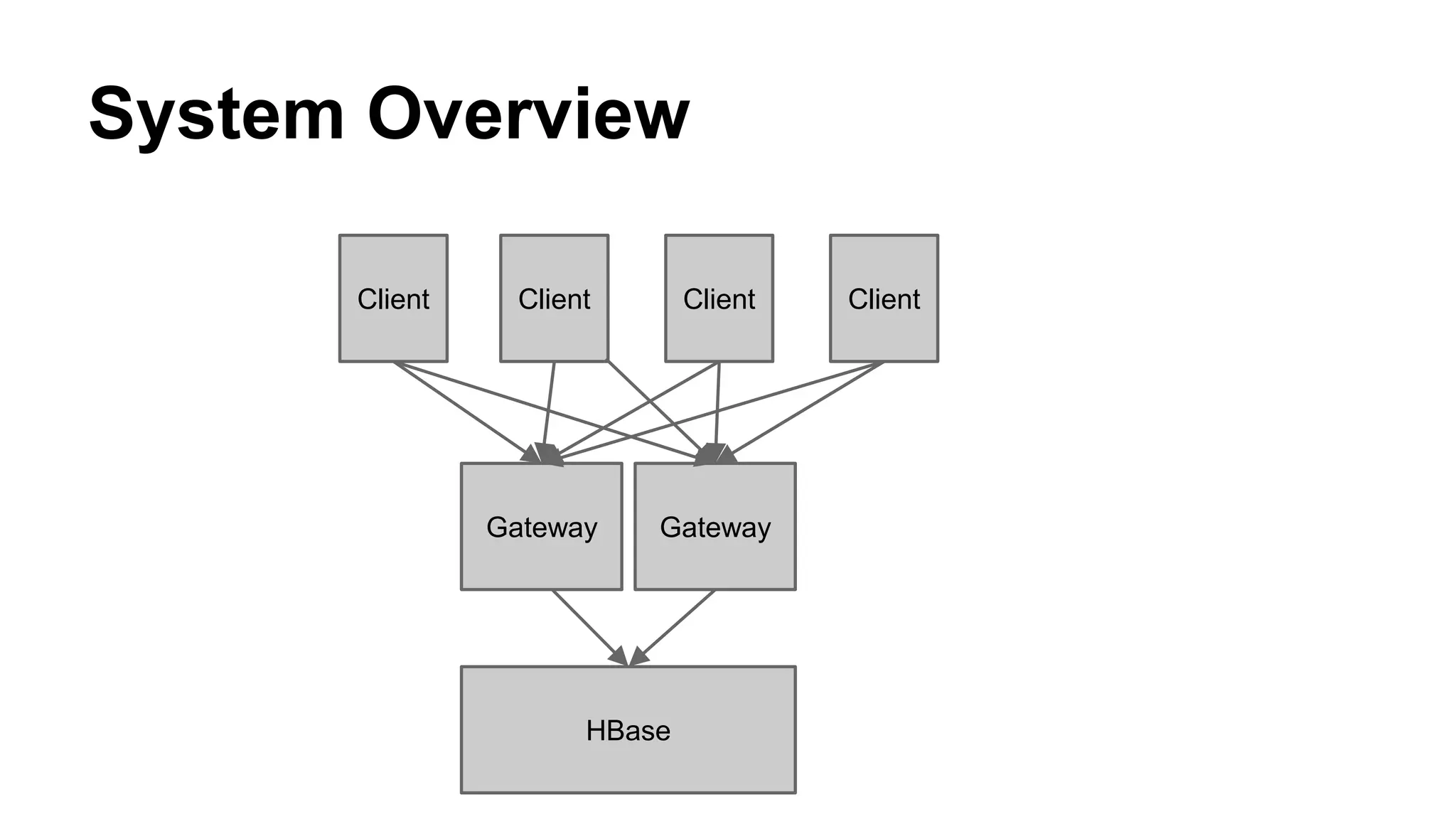
System Overview
HBase
Gateway
Client Client Client Client
Gateway
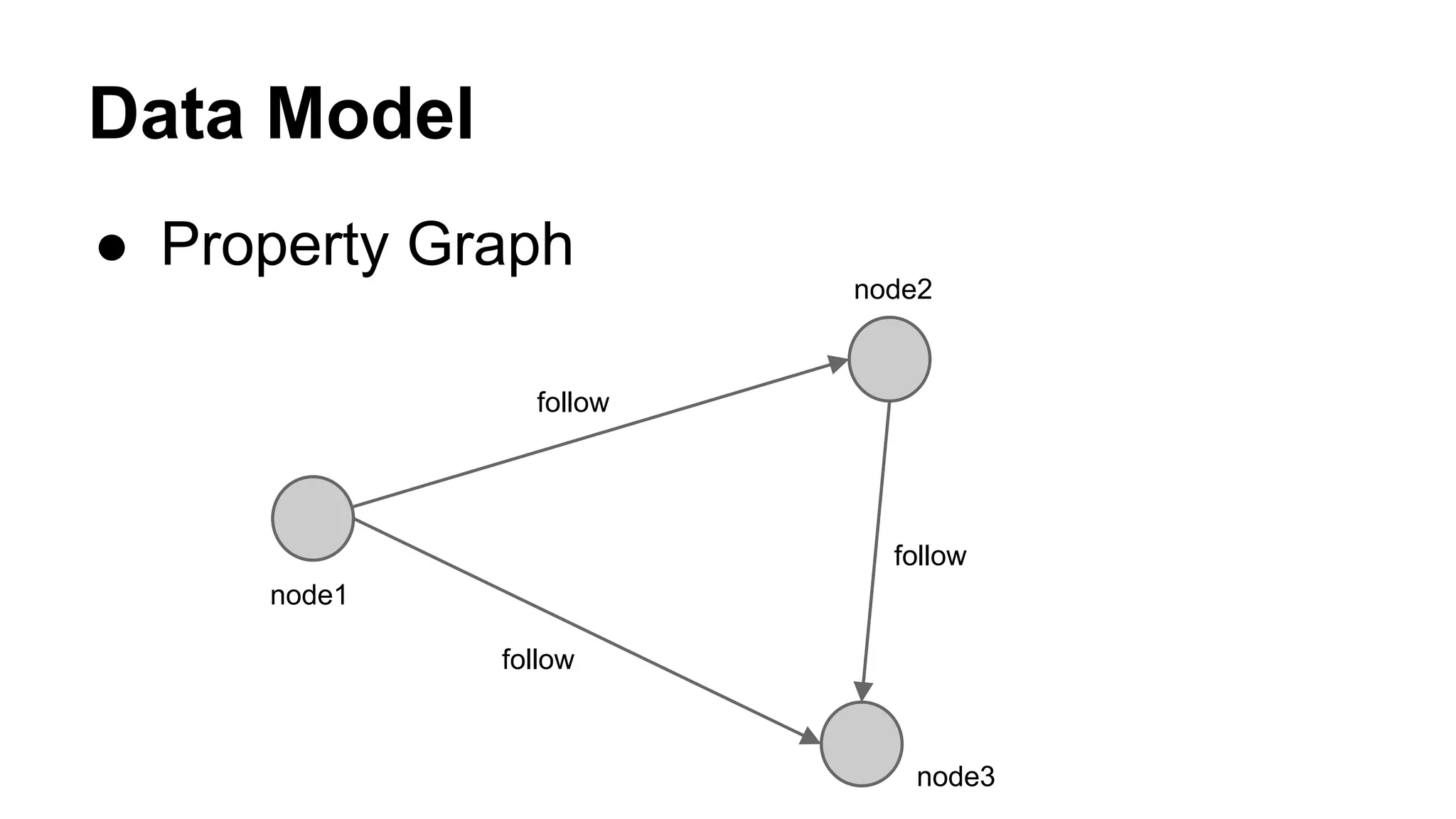
Data Model
● Property Graph
follow
follow
follow
node1
node2
node3
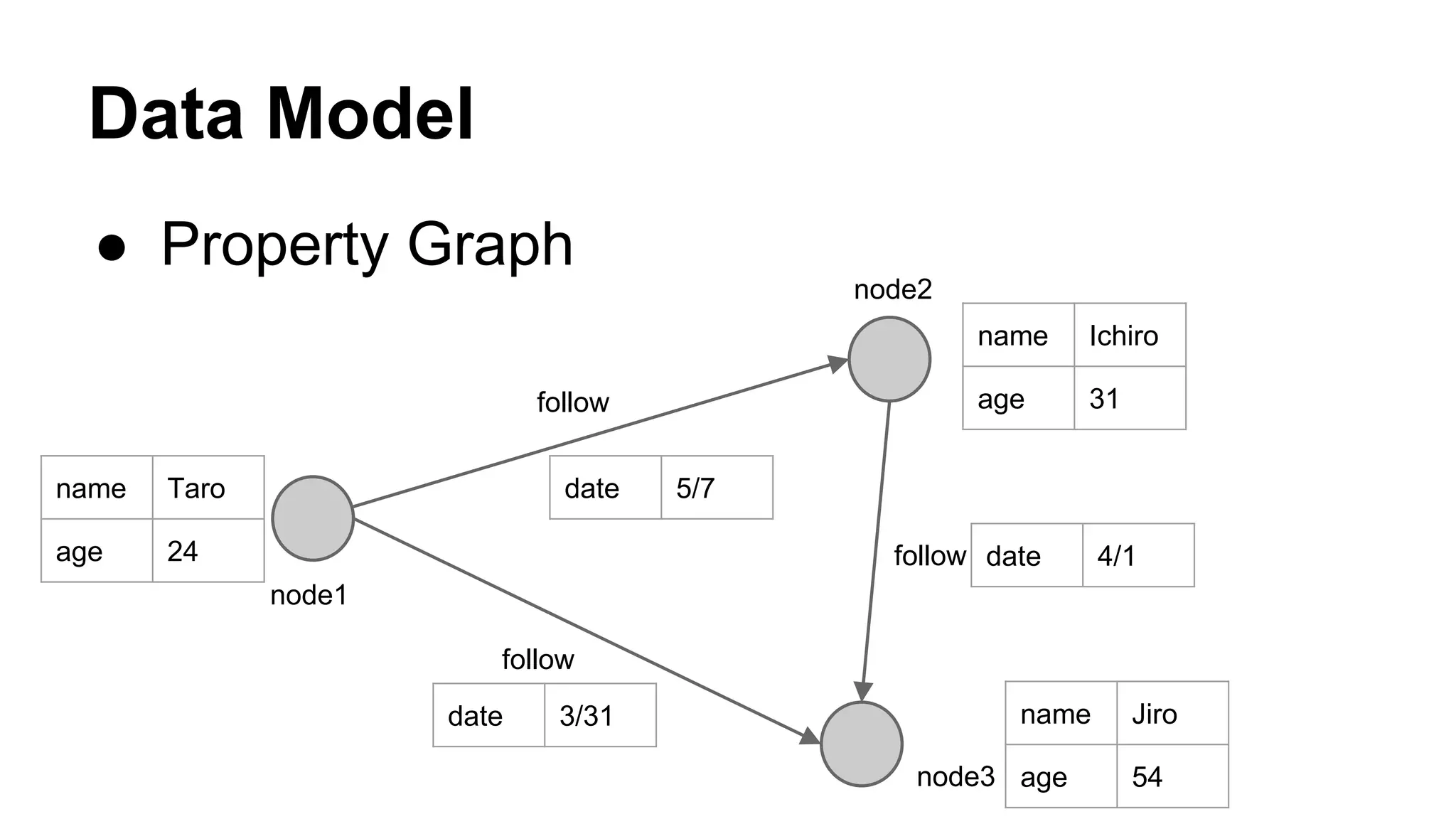
Data Model
● Property Graph
follow
follow
follow
node1
node2
node3
name Taro
age 24
date 5/7
name Ichiro
age 31
date 4/1
date 3/31 name Jiro
age 54
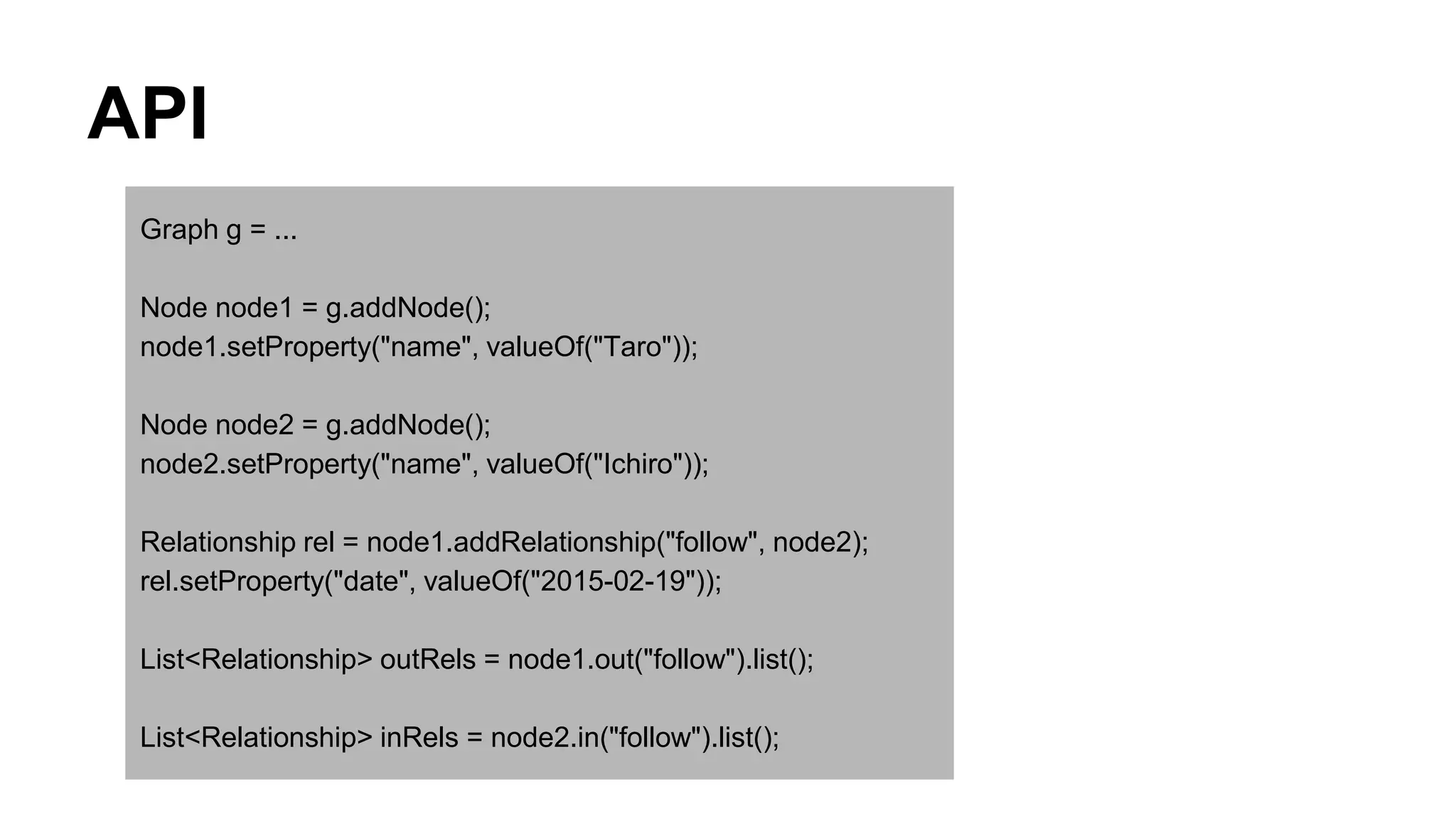
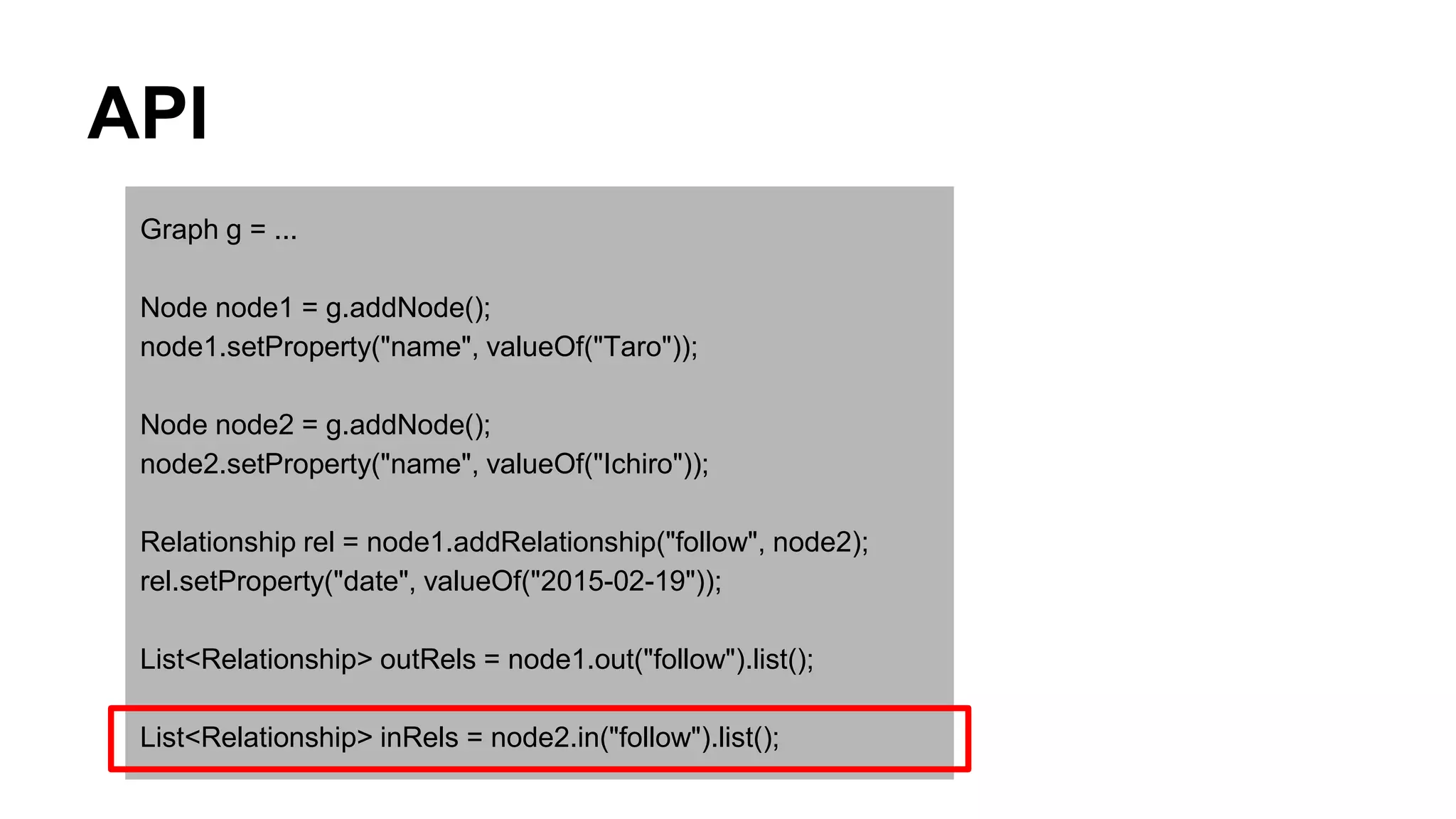
API
Graph g = ...
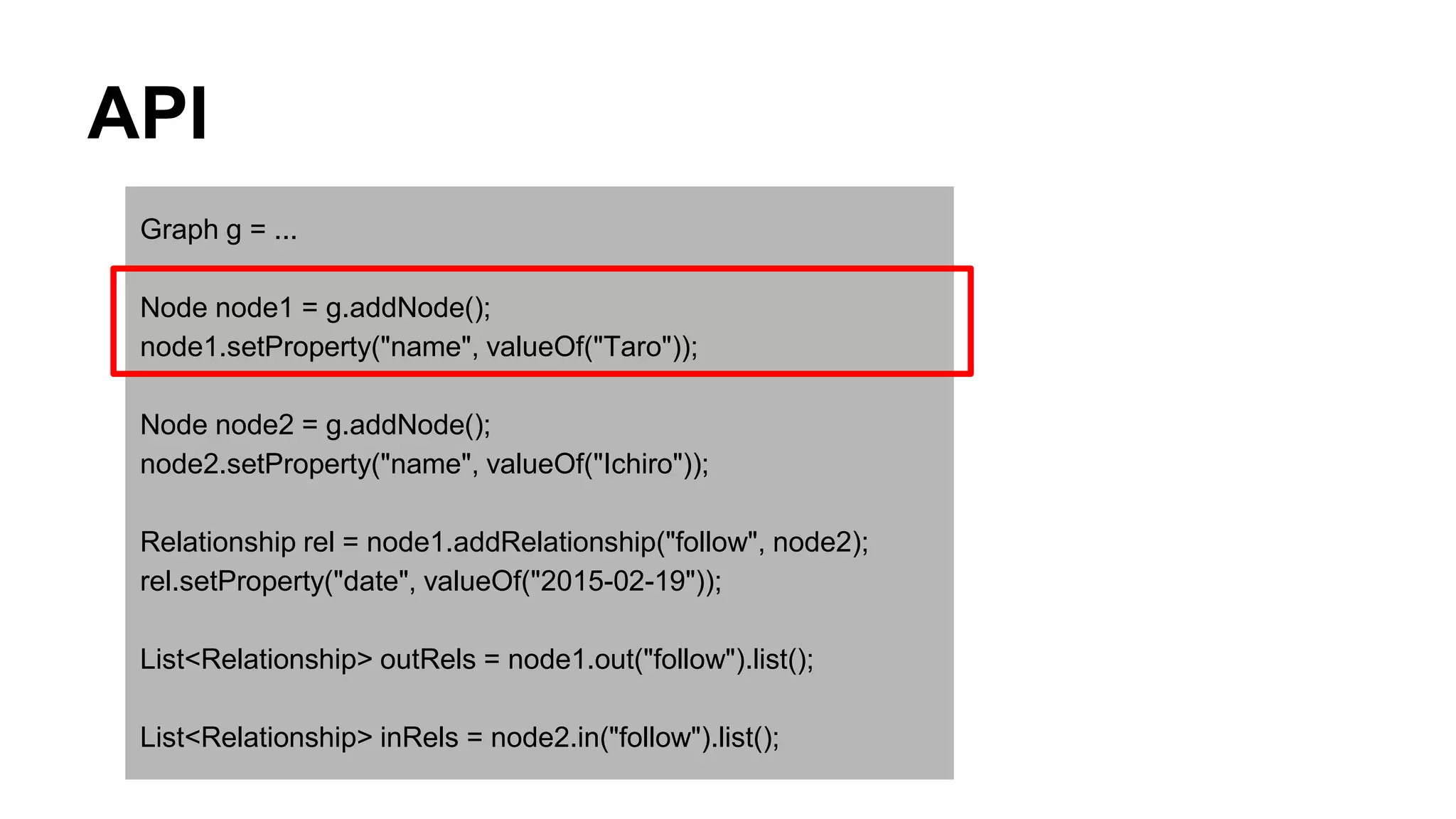
Node node1 = g.addNode();
node1.setProperty("name", valueOf("Taro"));
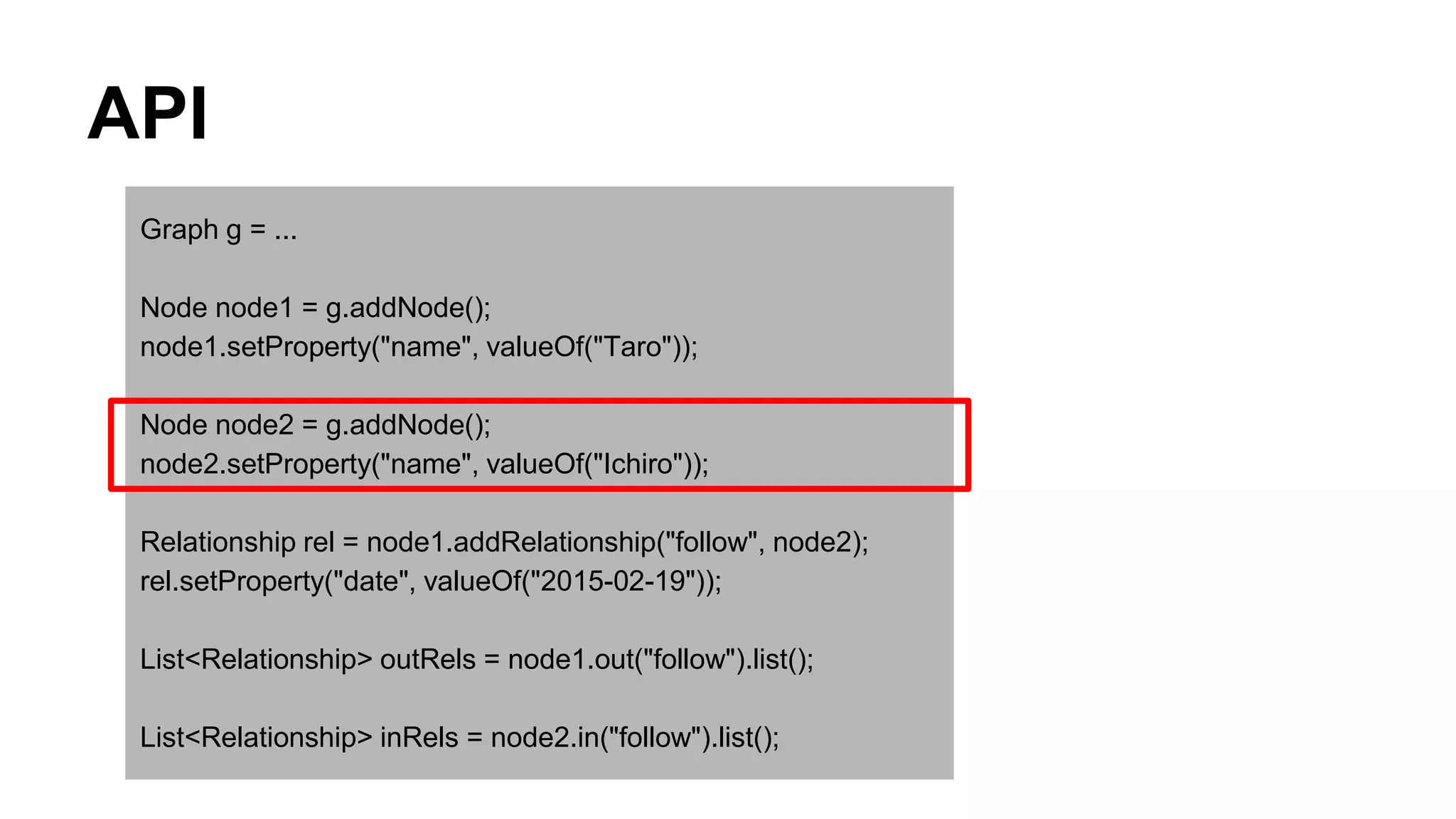
Node node2 = g.addNode();
node2.setProperty("name", valueOf("Ichiro"));
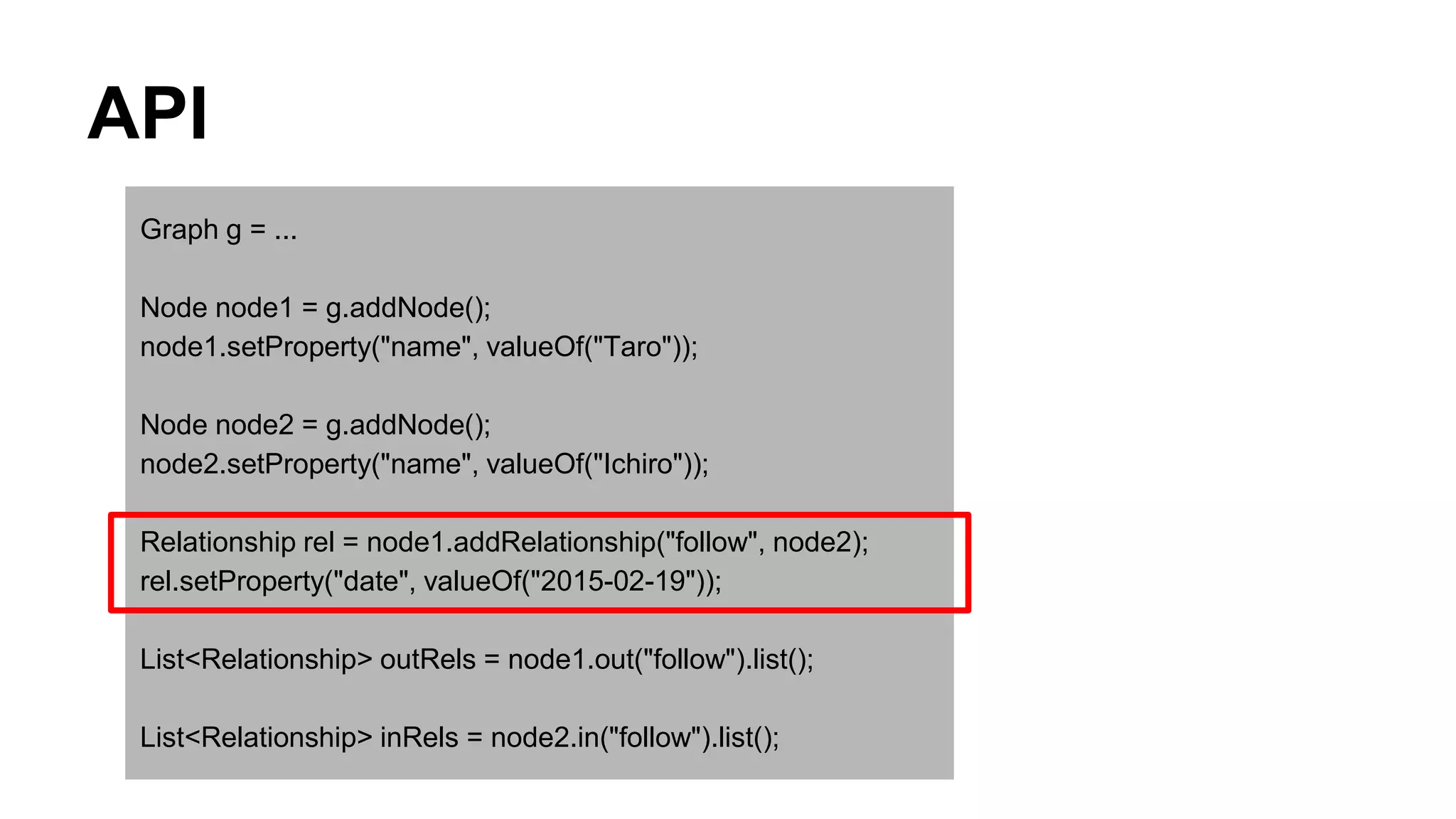
Relationship rel = node1.addRelationship("follow", node2);
rel.setProperty("date", valueOf("2015-02-19"));
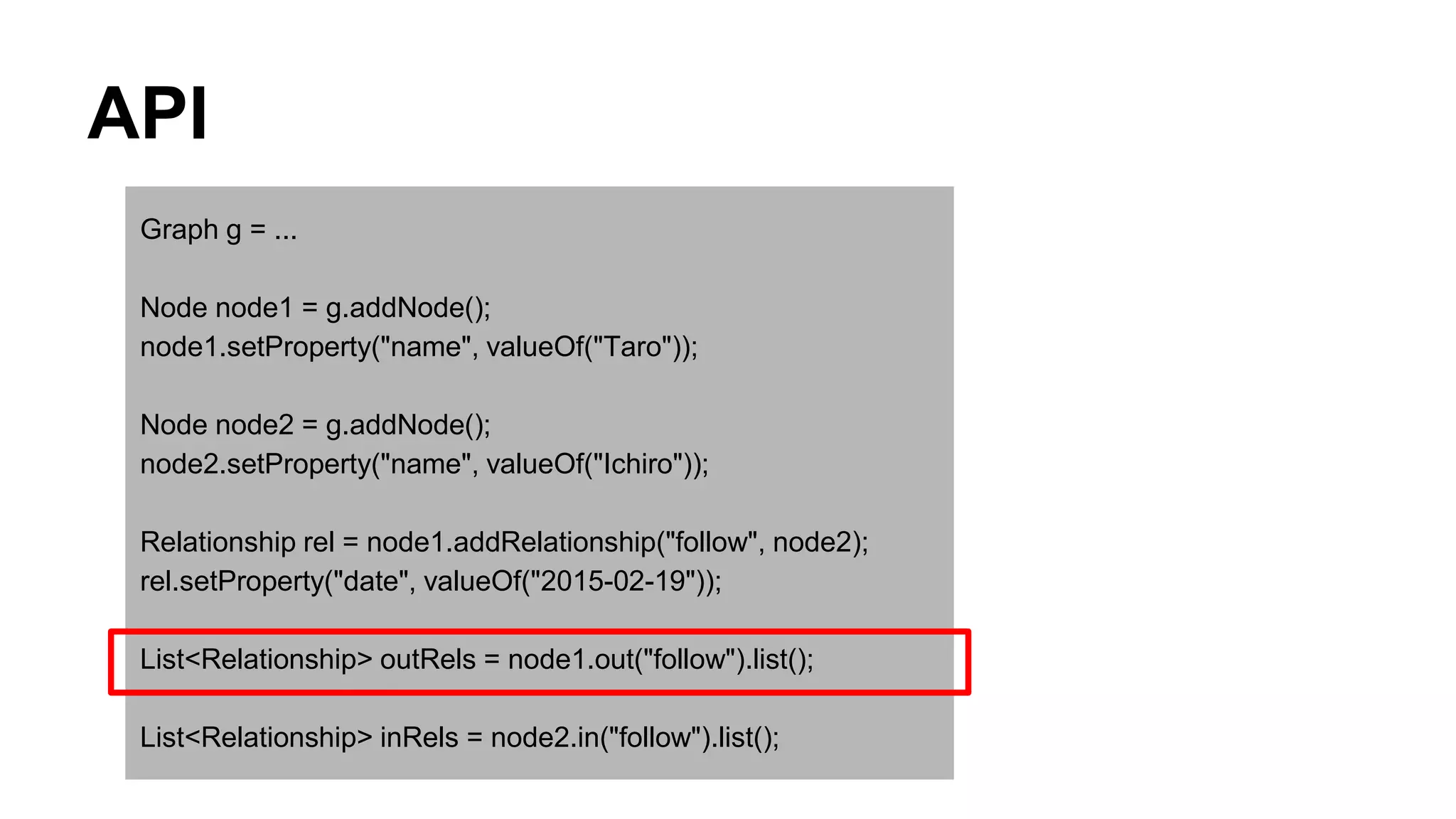
List<Relationship> outRels = node1.out("follow").list();
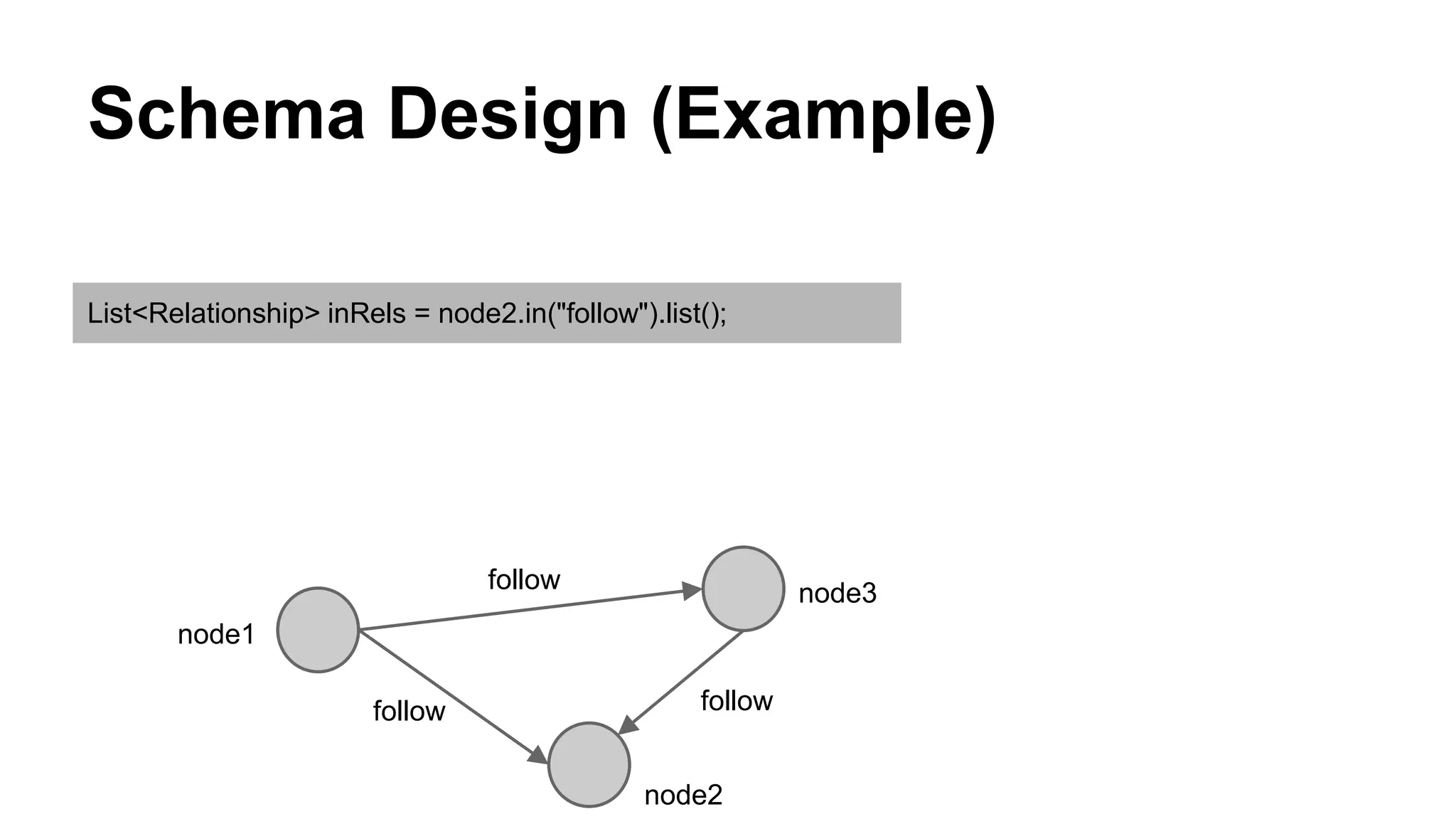
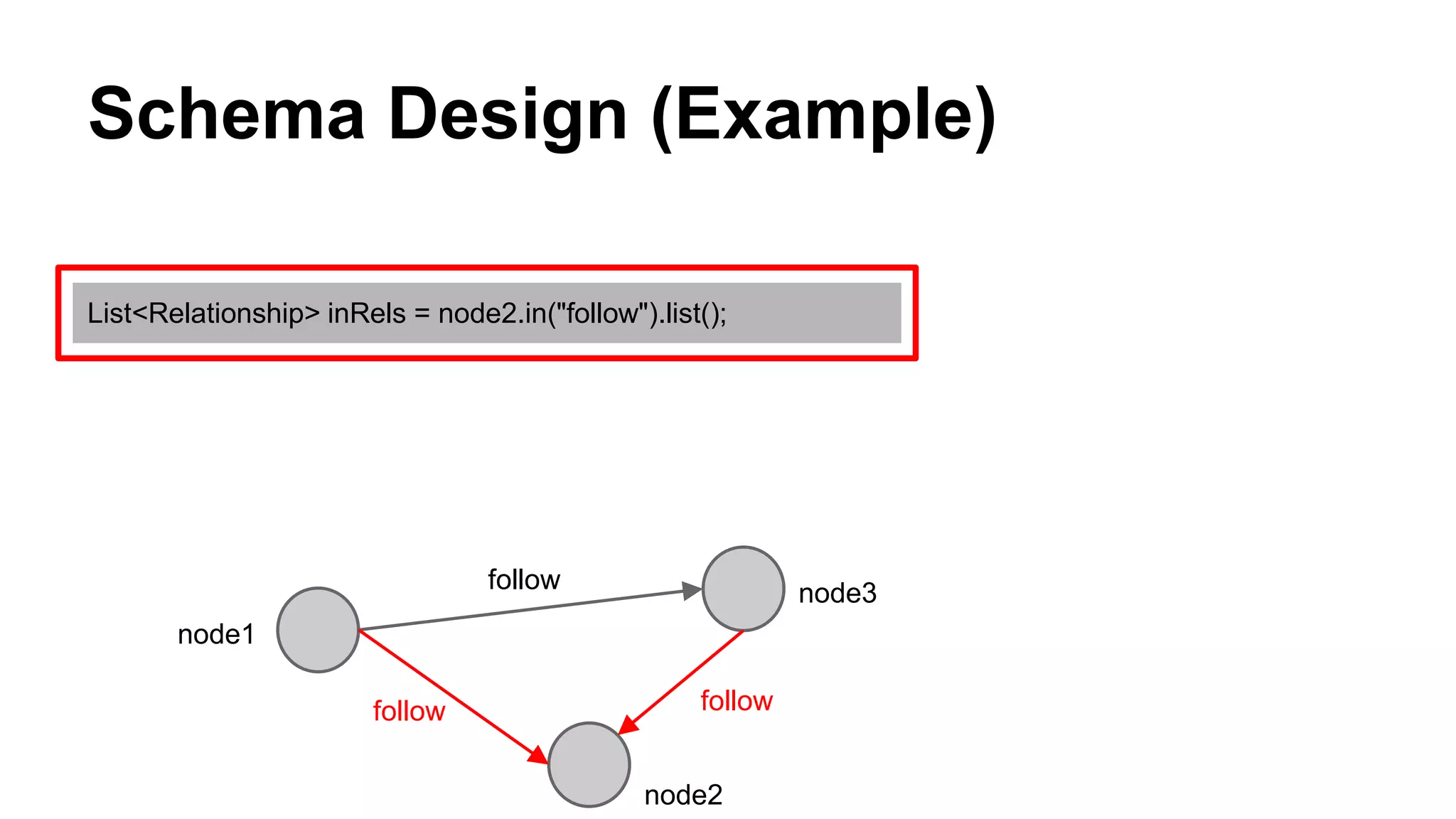
List<Relationship> inRels = node2.in("follow").list();
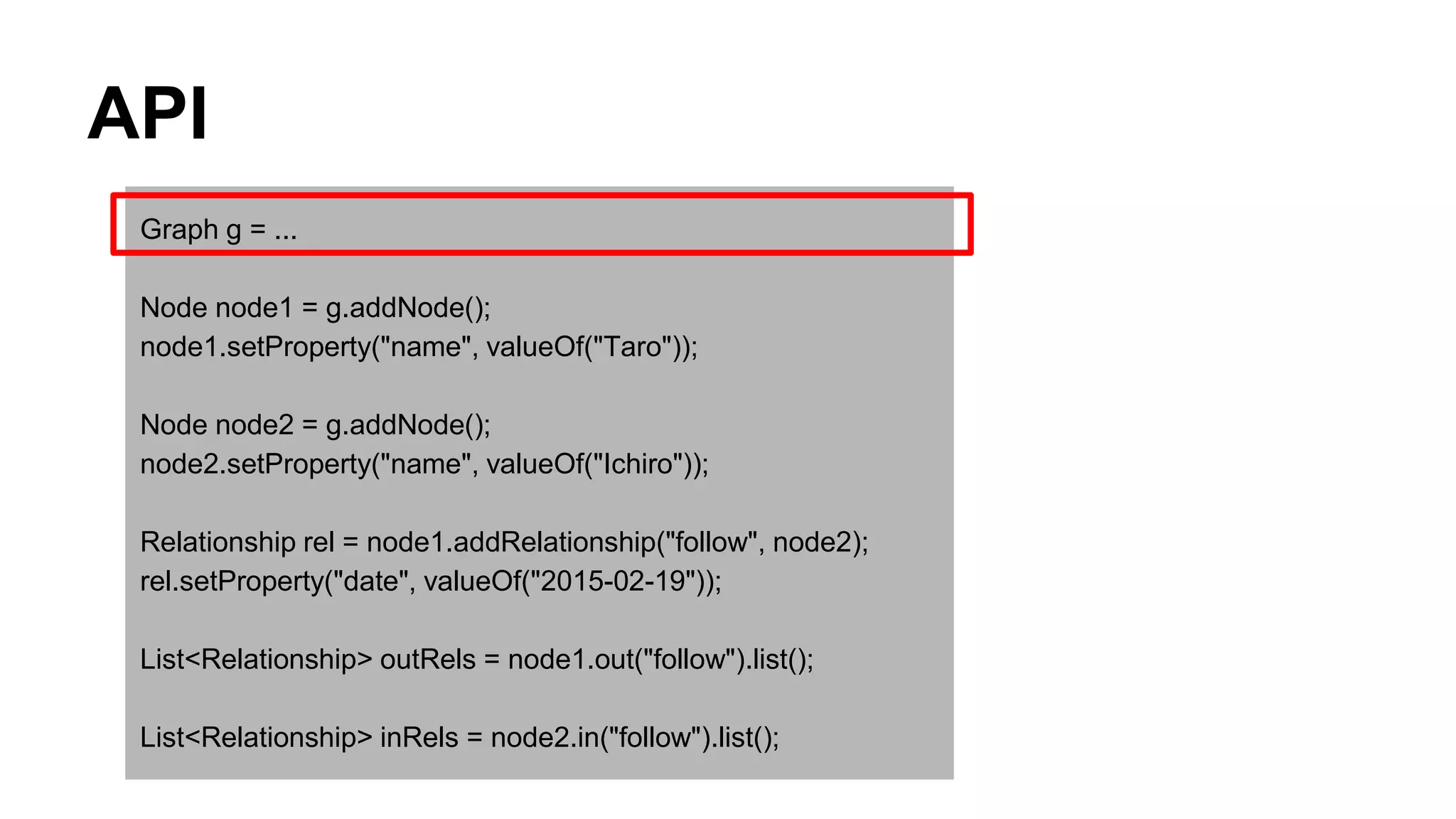
API
Graph g = ...
Node node1 = g.addNode();
node1.setProperty("name", valueOf("Taro"));
Node node2 = g.addNode();
node2.setProperty("name", valueOf("Ichiro"));
Relationship rel = node1.addRelationship("follow", node2);
rel.setProperty("date", valueOf("2015-02-19"));
List<Relationship> outRels = node1.out("follow").list();
List<Relationship> inRels = node2.in("follow").list();
API
Graph g = ...
Node node1 = g.addNode();
node1.setProperty("name", valueOf("Taro"));
Node node2 = g.addNode();
node2.setProperty("name", valueOf("Ichiro"));
Relationship rel = node1.addRelationship("follow", node2);
rel.setProperty("date", valueOf("2015-02-19"));
List<Relationship> outRels = node1.out("follow").list();
List<Relationship> inRels = node2.in("follow").list();
API
Graph g = ...
Node node1 = g.addNode();
node1.setProperty("name", valueOf("Taro"));
Node node2 = g.addNode();
node2.setProperty("name", valueOf("Ichiro"));
Relationship rel = node1.addRelationship("follow", node2);
rel.setProperty("date", valueOf("2015-02-19"));
List<Relationship> outRels = node1.out("follow").list();
List<Relationship> inRels = node2.in("follow").list();
API
Graph g = ...
Node node1 = g.addNode();
node1.setProperty("name", valueOf("Taro"));
Node node2 = g.addNode();
node2.setProperty("name", valueOf("Ichiro"));
Relationship rel = node1.addRelationship("follow", node2);
rel.setProperty("date", valueOf("2015-02-19"));
List<Relationship> outRels = node1.out("follow").list();
List<Relationship> inRels = node2.in("follow").list();
API
Graph g = ...
Node node1 = g.addNode();
node1.setProperty("name", valueOf("Taro"));
Node node2 = g.addNode();
node2.setProperty("name", valueOf("Ichiro"));
Relationship rel = node1.addRelationship("follow", node2);
rel.setProperty("date", valueOf("2015-02-19"));
List<Relationship> outRels = node1.out("follow").list();
List<Relationship> inRels = node2.in("follow").list();
API
Graph g = ...
Node node1 = g.addNode();
node1.setProperty("name", valueOf("Taro"));
Node node2 = g.addNode();
node2.setProperty("name", valueOf("Ichiro"));
Relationship rel = node1.addRelationship("follow", node2);
rel.setProperty("date", valueOf("2015-02-19"));
List<Relationship> outRels = node1.out("follow").list();
List<Relationship> inRels = node2.in("follow").list();
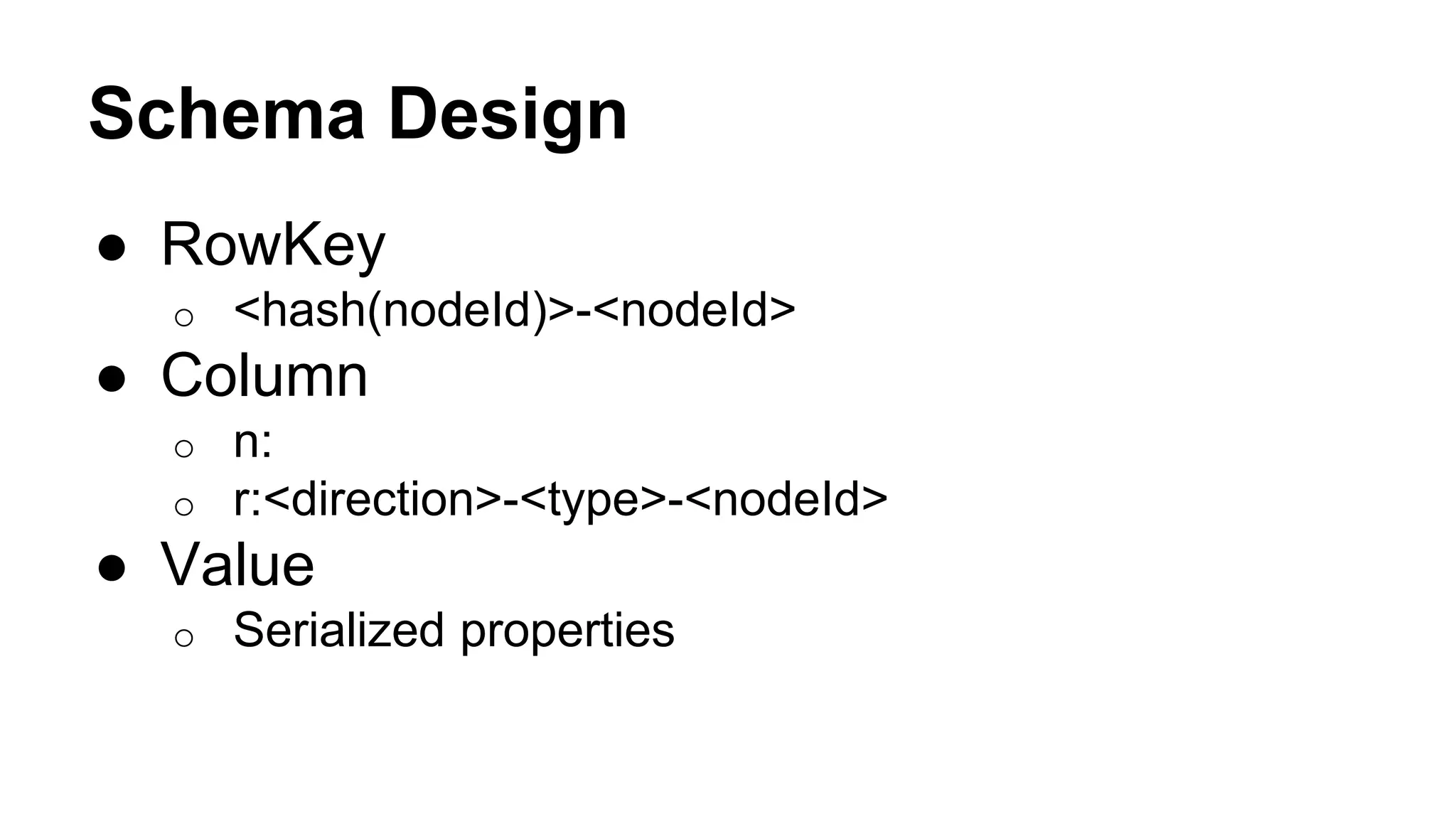
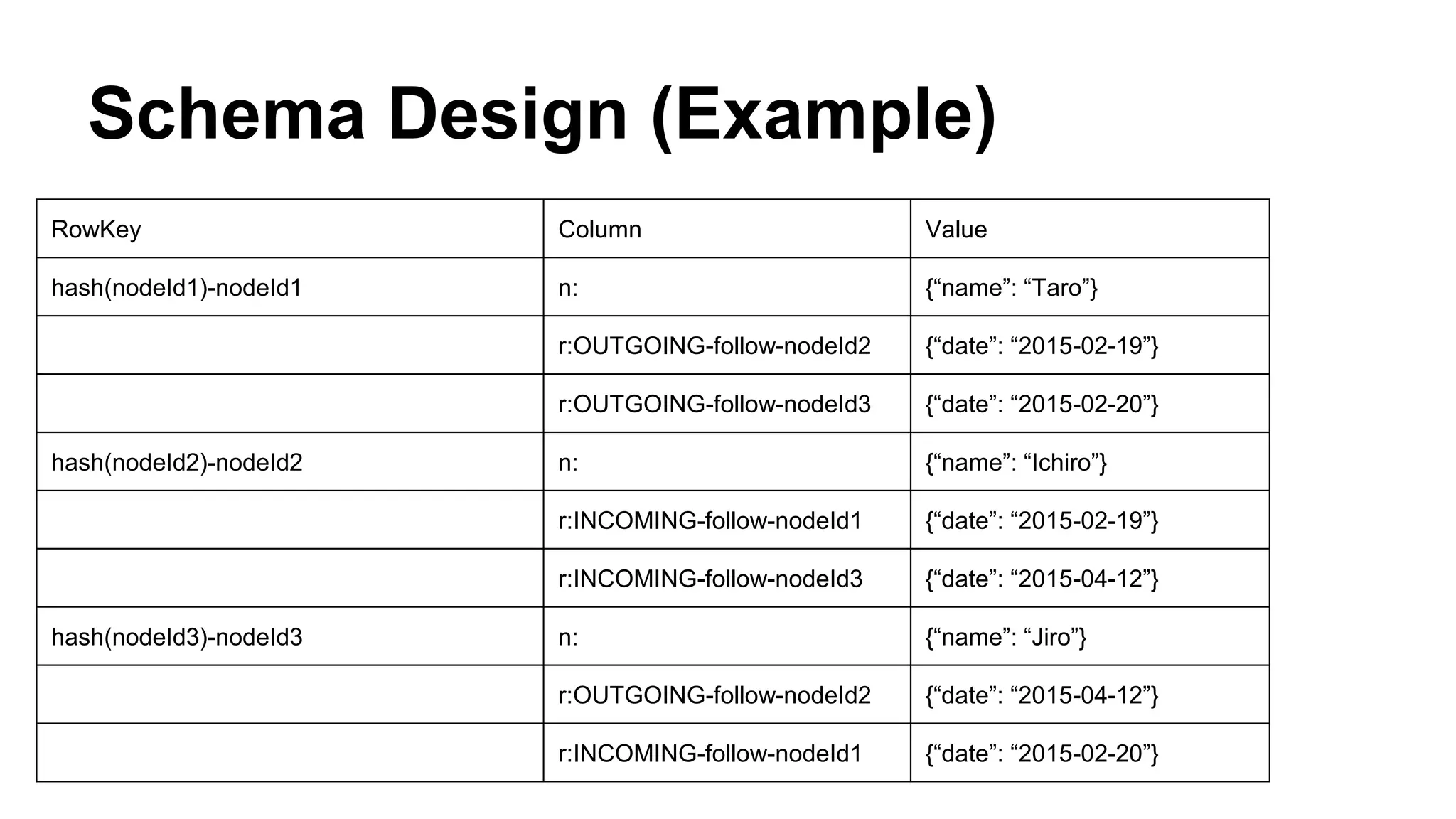
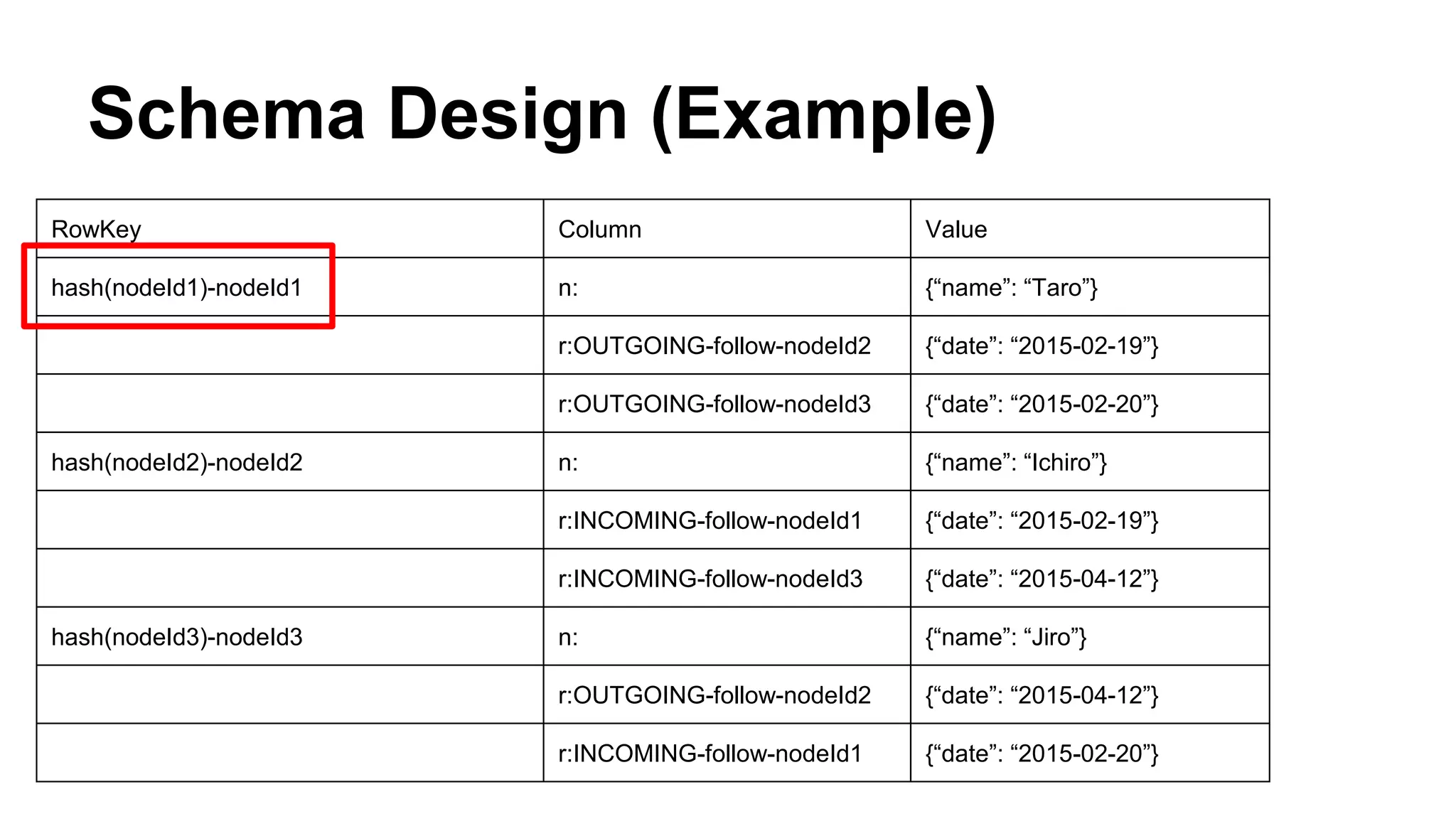
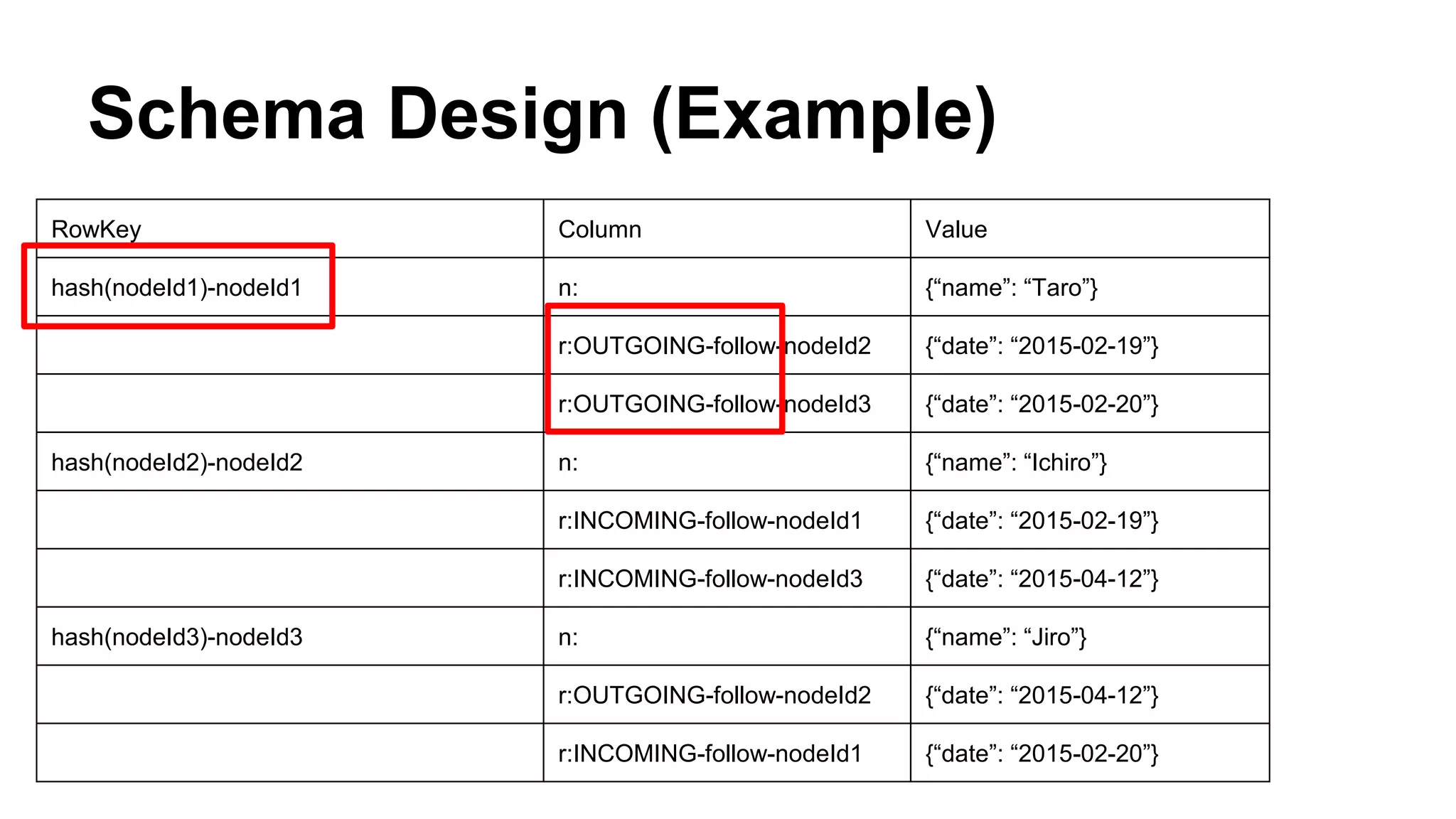
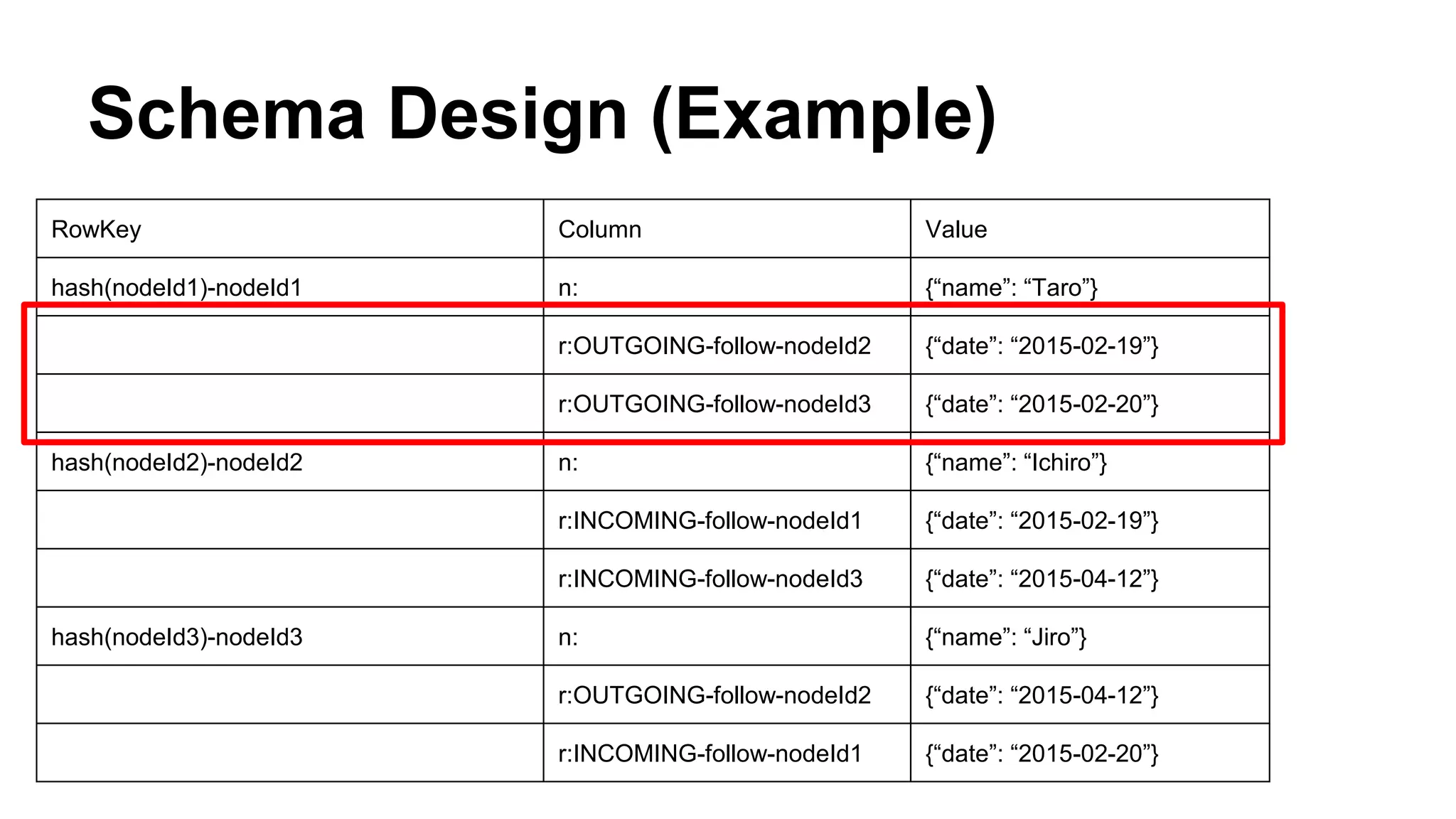
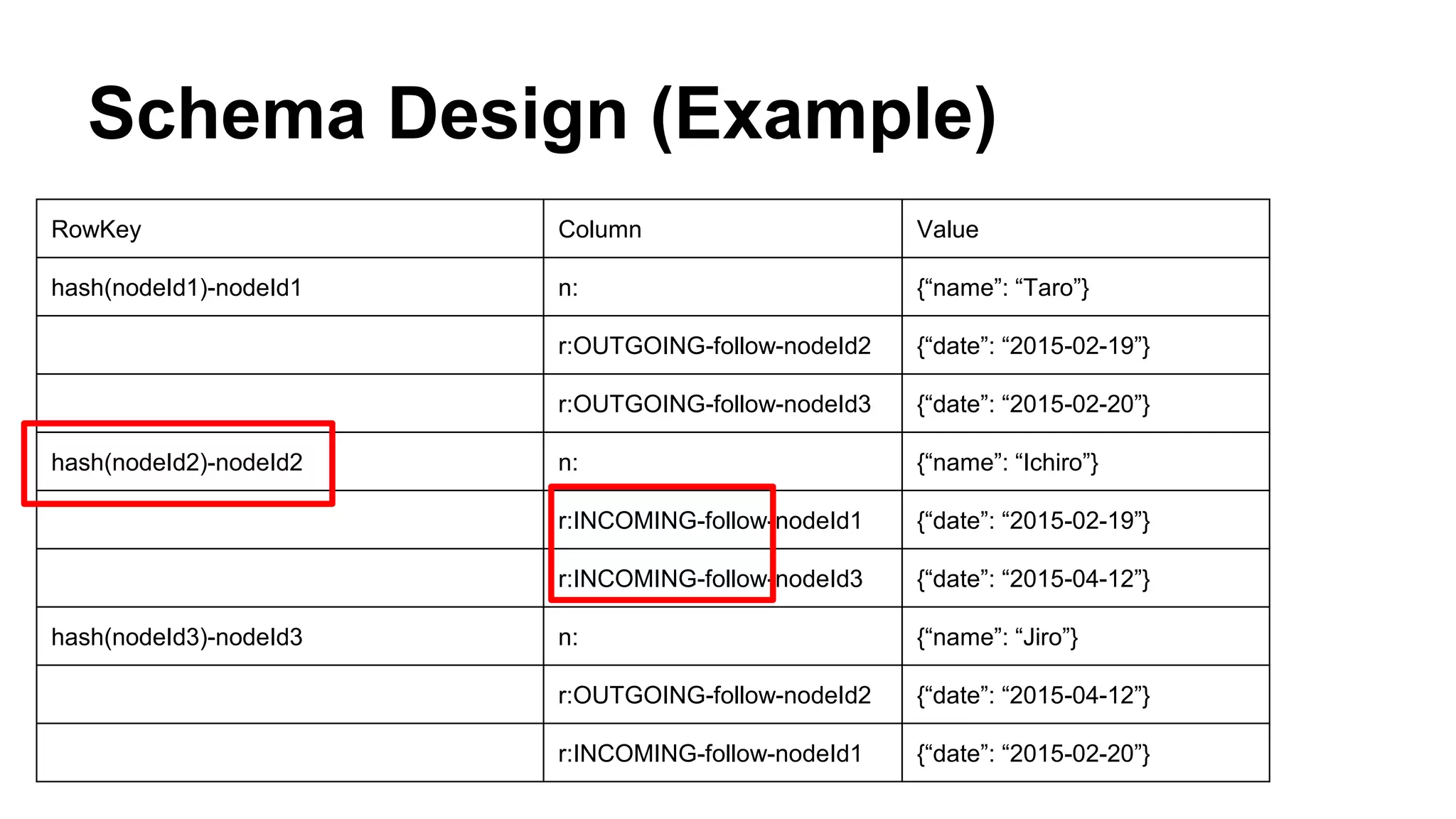
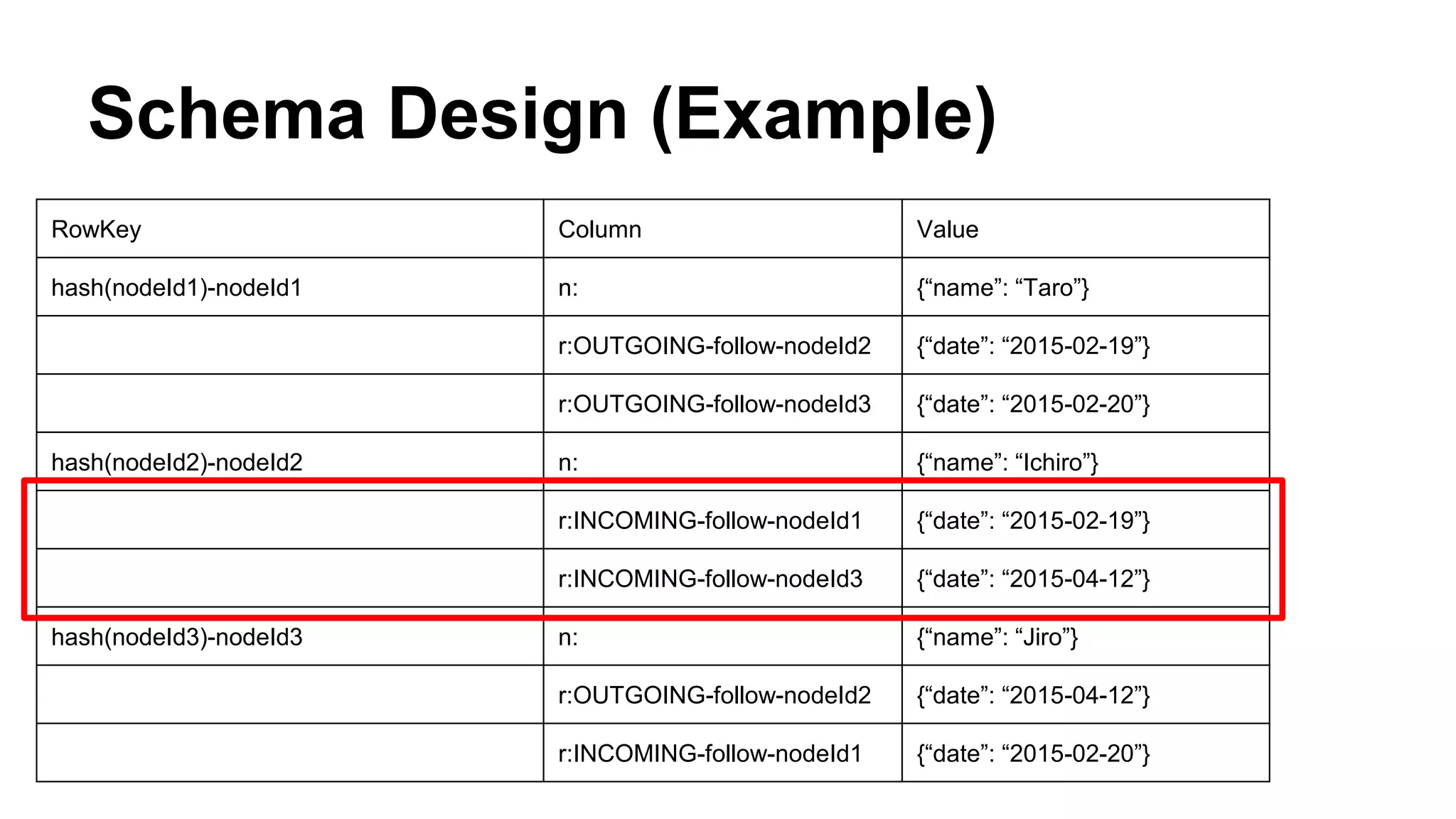
Schema Design
● RowKey
o <hash(nodeId)>-<nodeId>
● Column
o n:
o r:<direction>-<type>-<nodeId>
● Value
o Serialized properties
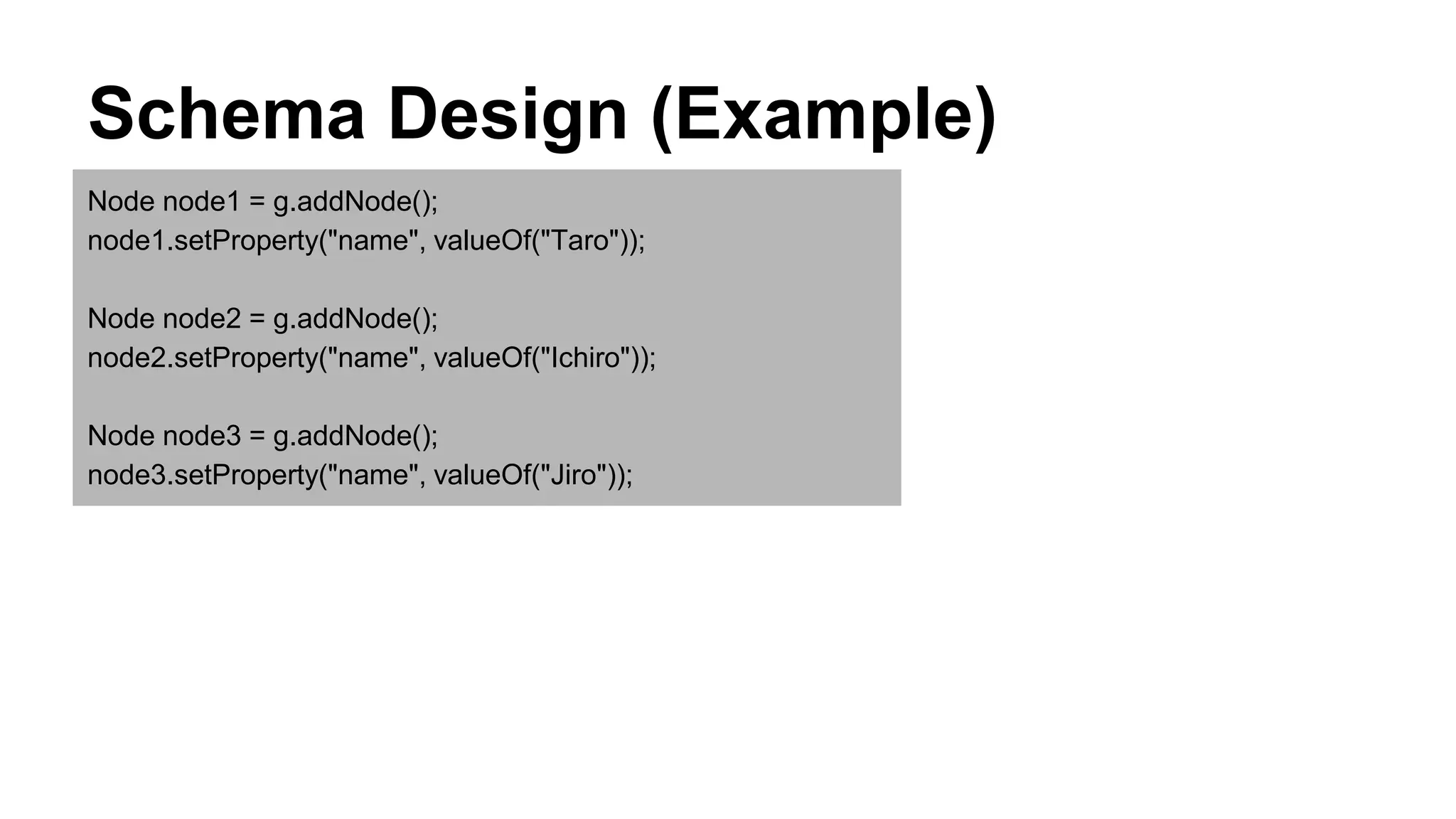
Schema Design (Example)
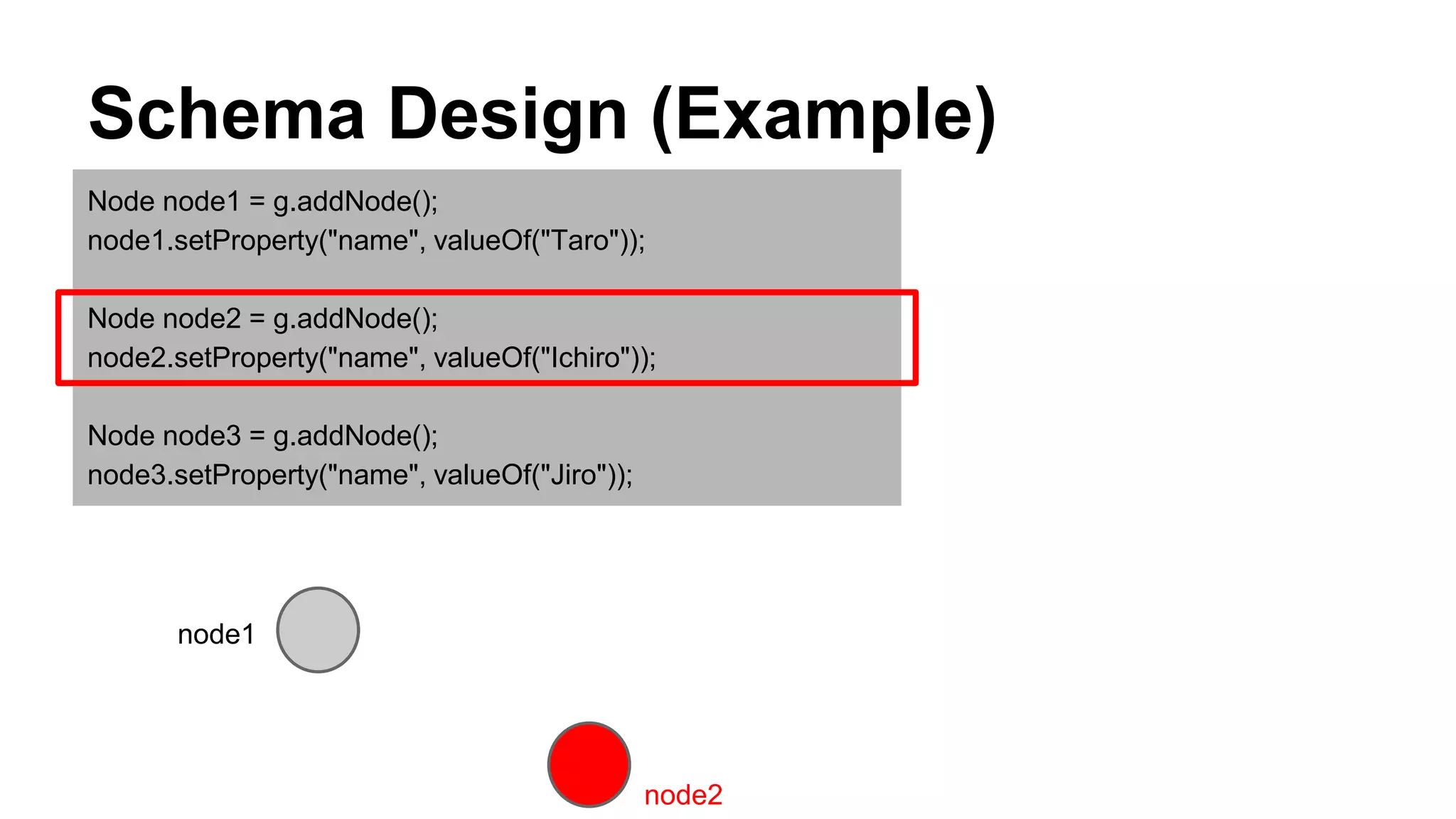
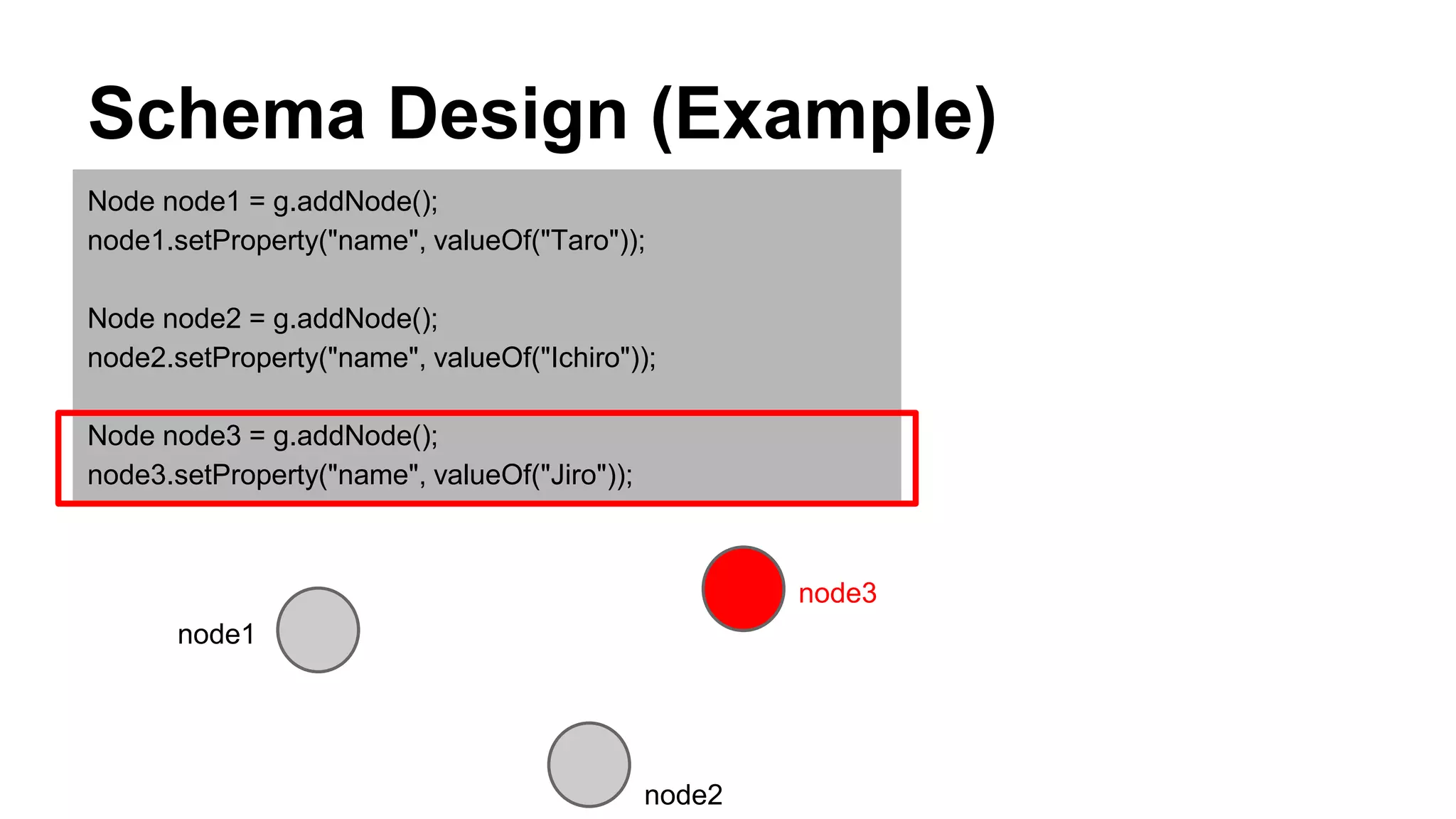
Node node1 = g.addNode();
node1.setProperty("name", valueOf("Taro"));
Node node2 = g.addNode();
node2.setProperty("name", valueOf("Ichiro"));
Node node3 = g.addNode();
node3.setProperty("name", valueOf("Jiro"));
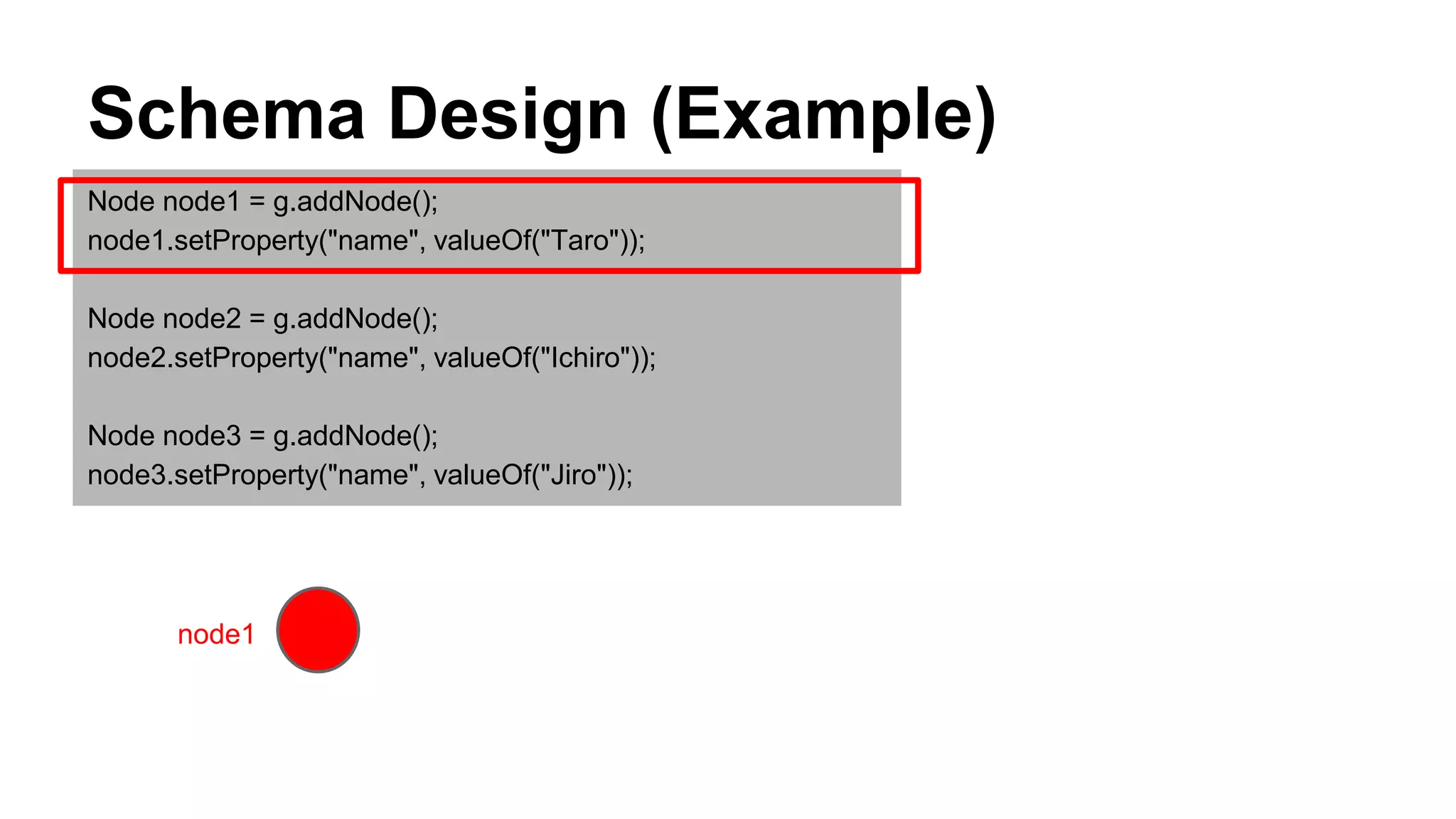
Schema Design (Example)
Node node1 = g.addNode();
node1.setProperty("name", valueOf("Taro"));
Node node2 = g.addNode();
node2.setProperty("name", valueOf("Ichiro"));
Node node3 = g.addNode();
node3.setProperty("name", valueOf("Jiro"));
node1
Schema Design (Example)
Node node1 = g.addNode();
node1.setProperty("name", valueOf("Taro"));
Node node2 = g.addNode();
node2.setProperty("name", valueOf("Ichiro"));
Node node3 = g.addNode();
node3.setProperty("name", valueOf("Jiro"));
node1
node2
Schema Design (Example)
Node node1 = g.addNode();
node1.setProperty("name", valueOf("Taro"));
Node node2 = g.addNode();
node2.setProperty("name", valueOf("Ichiro"));
Node node3 = g.addNode();
node3.setProperty("name", valueOf("Jiro"));
node1
node3
node2
Schema Design (Example)
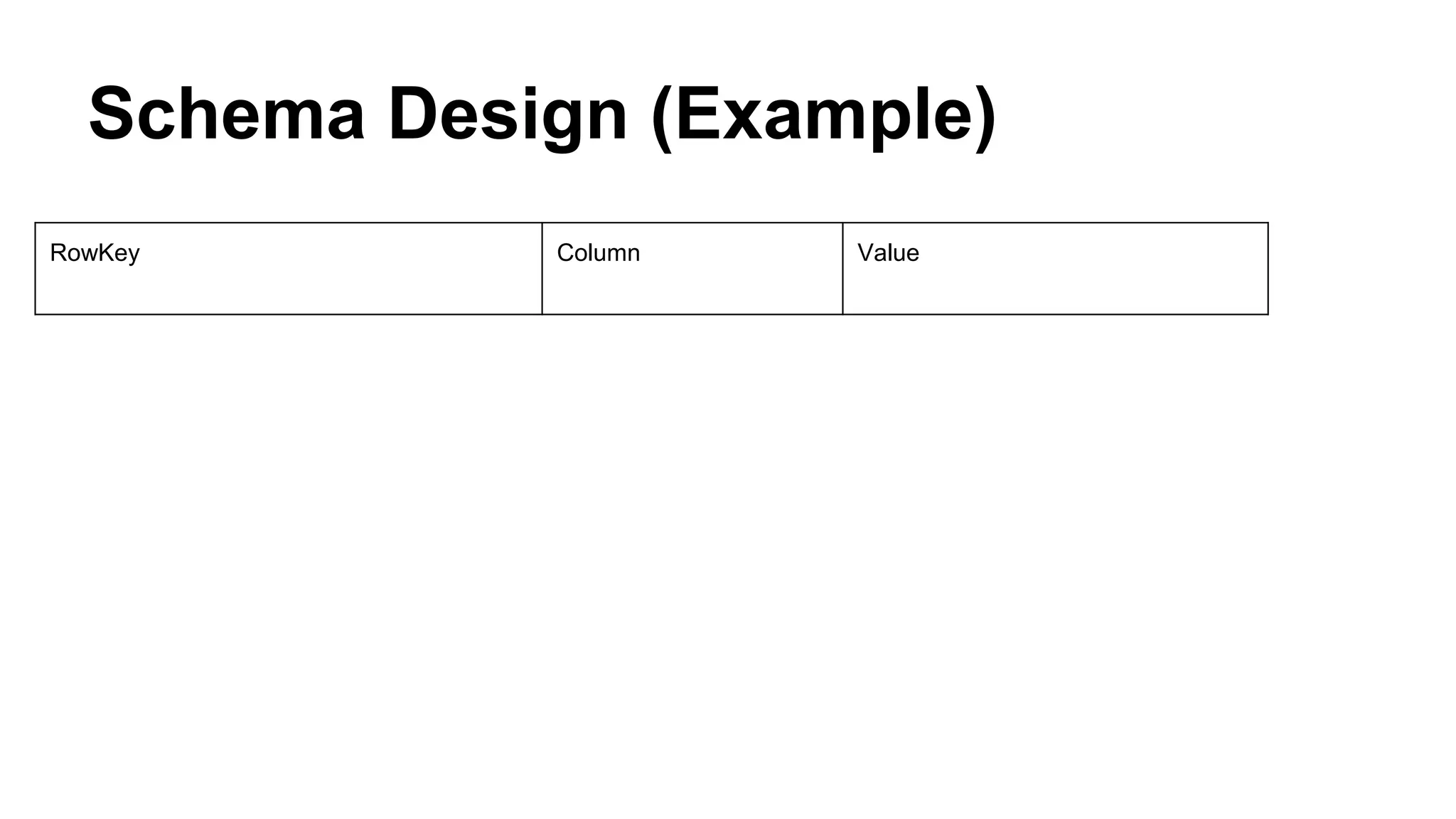
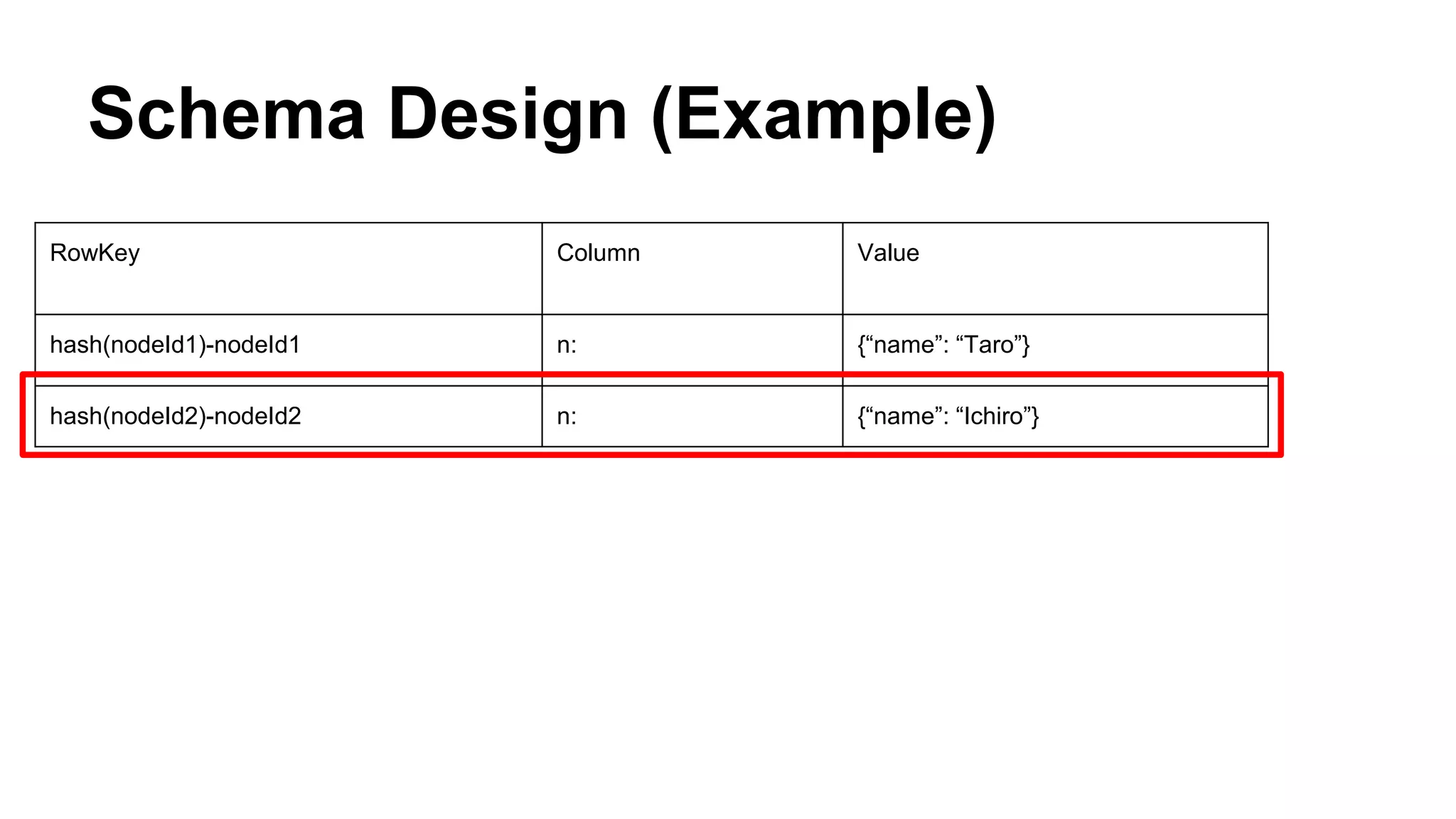
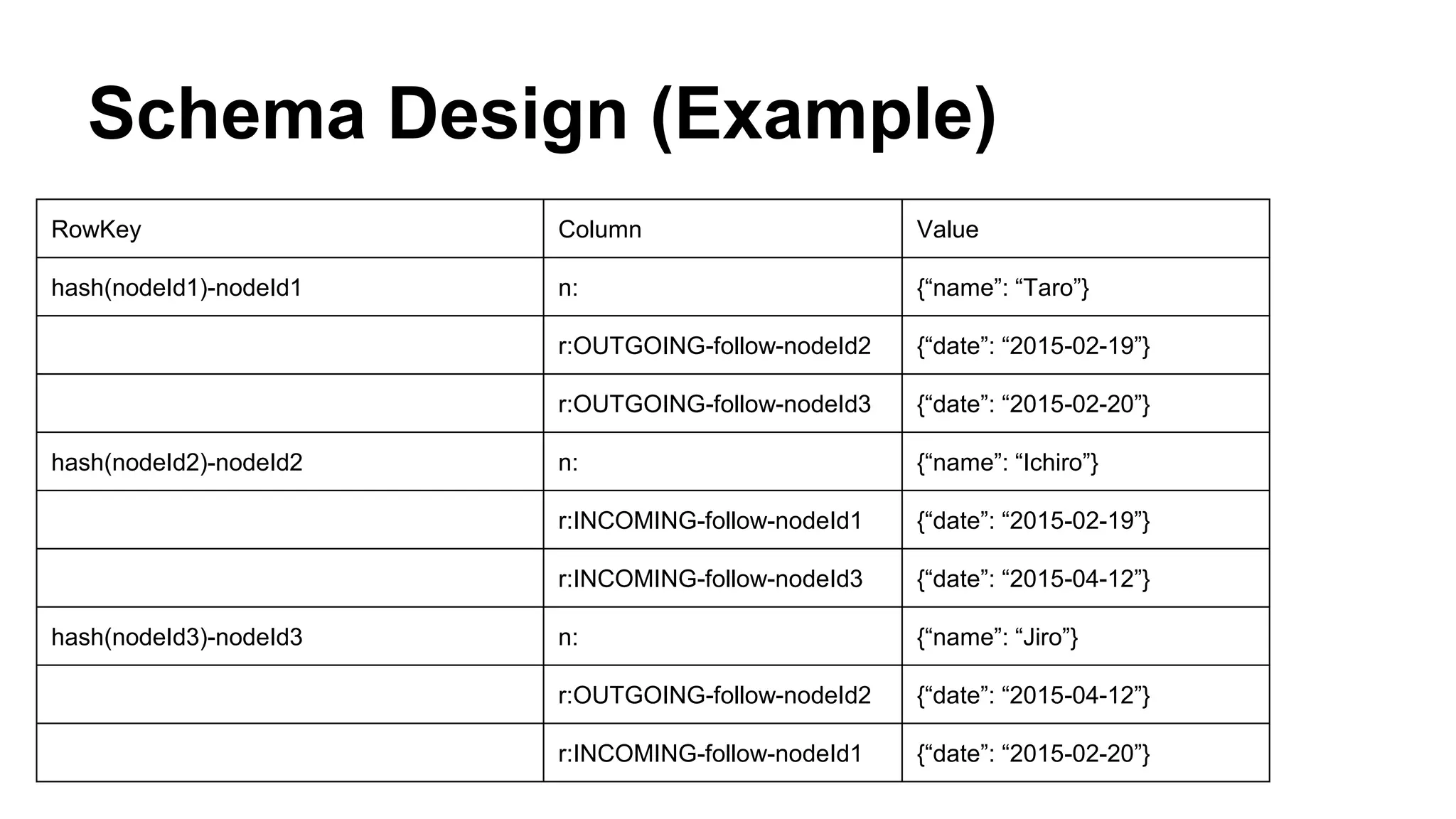
RowKey Column Value
Schema Design (Example)
RowKey Column Value
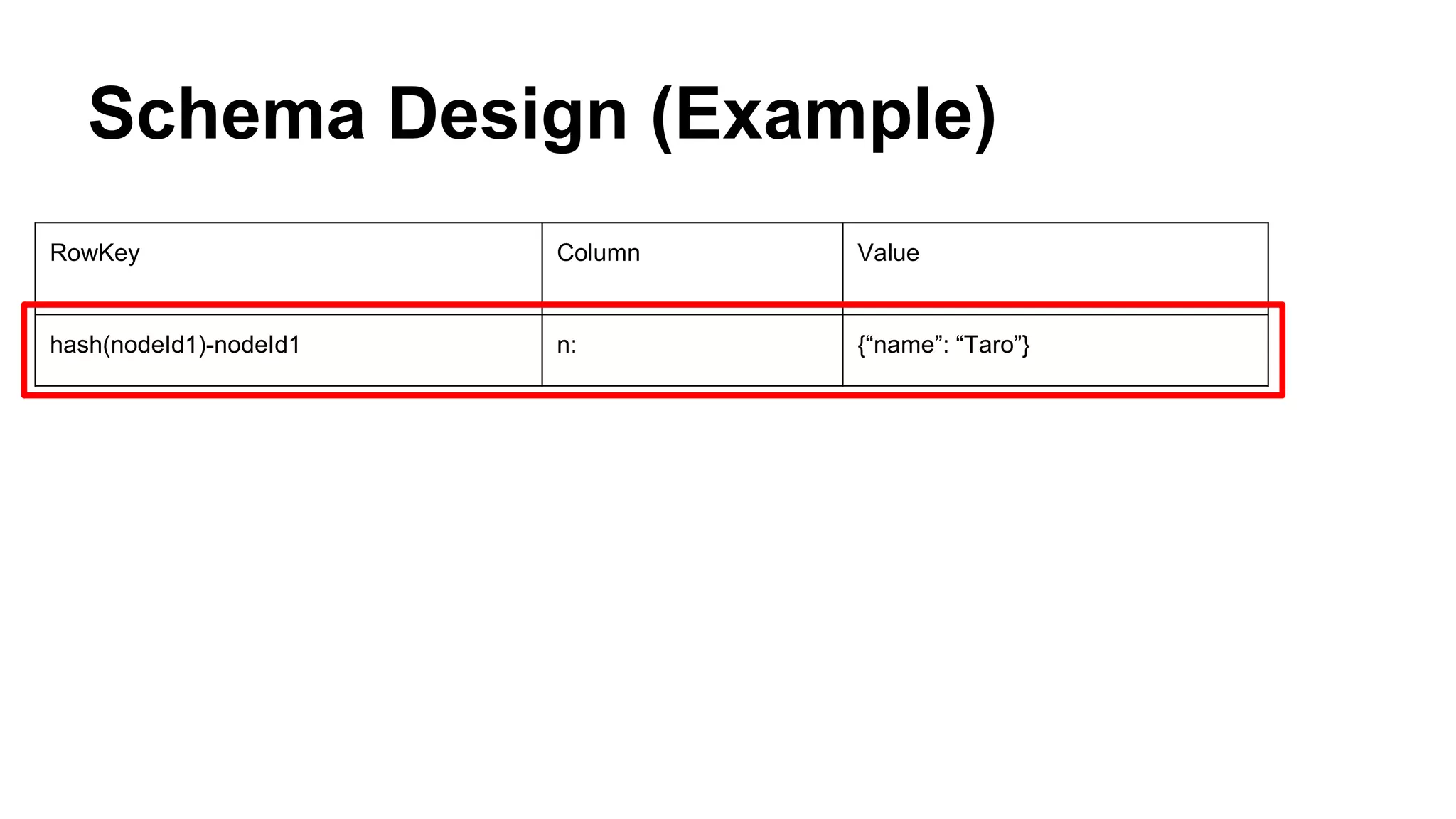
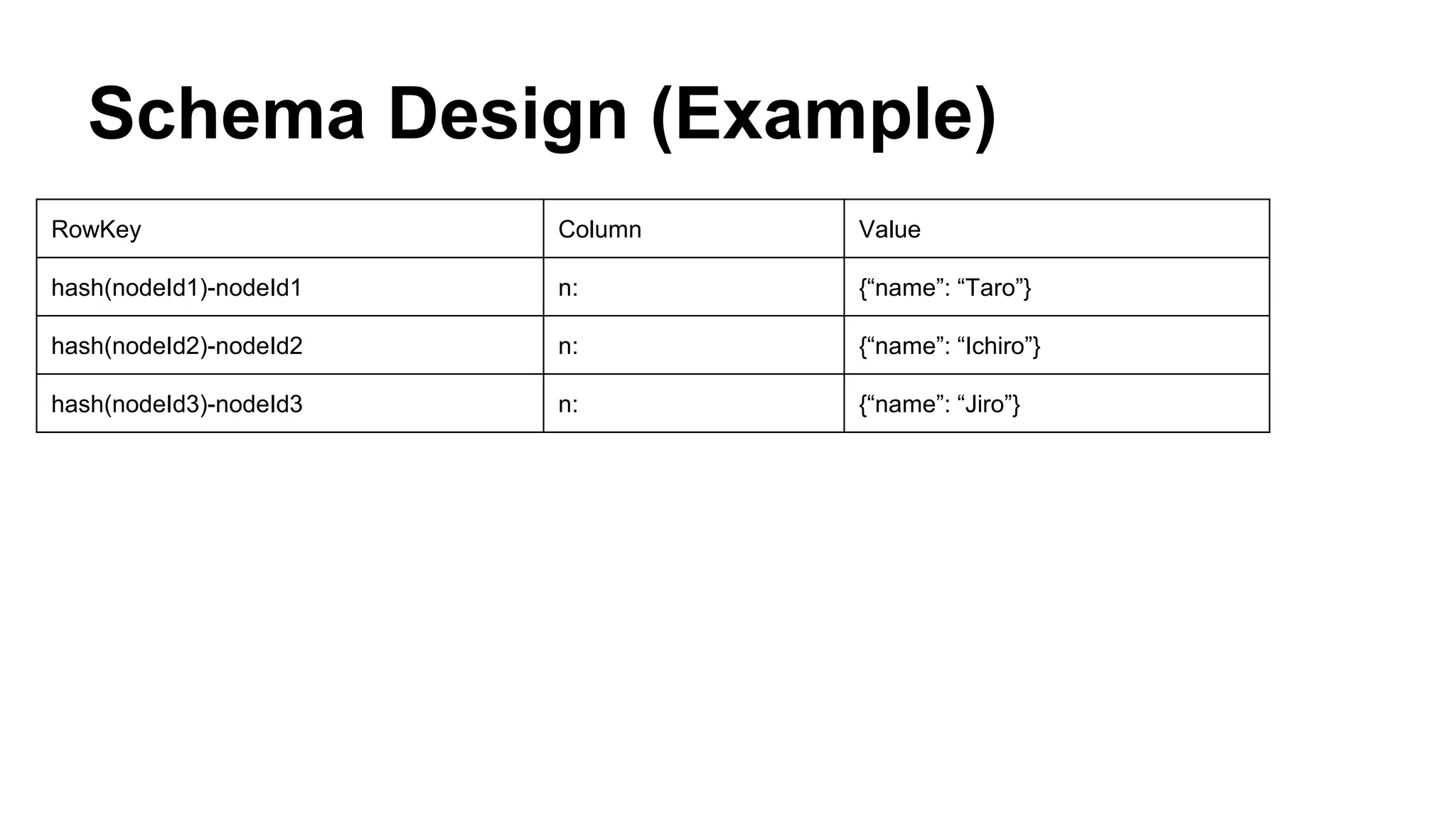
hash(nodeId1)-nodeId1 n: {“name”: “Taro”}
Schema Design (Example)
RowKey Column Value
hash(nodeId1)-nodeId1 n: {“name”: “Taro”}
hash(nodeId2)-nodeId2 n: {“name”: “Ichiro”}
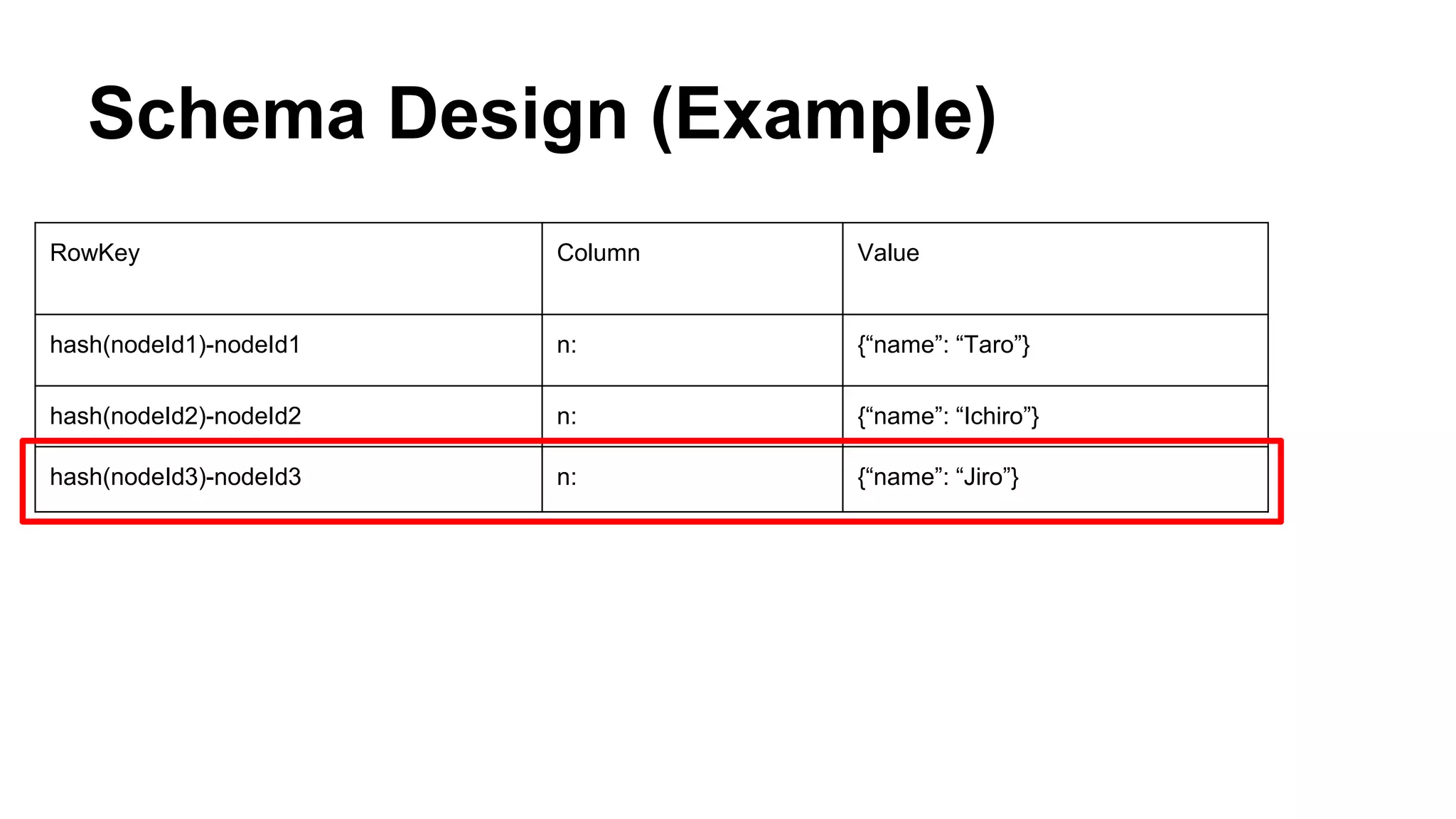
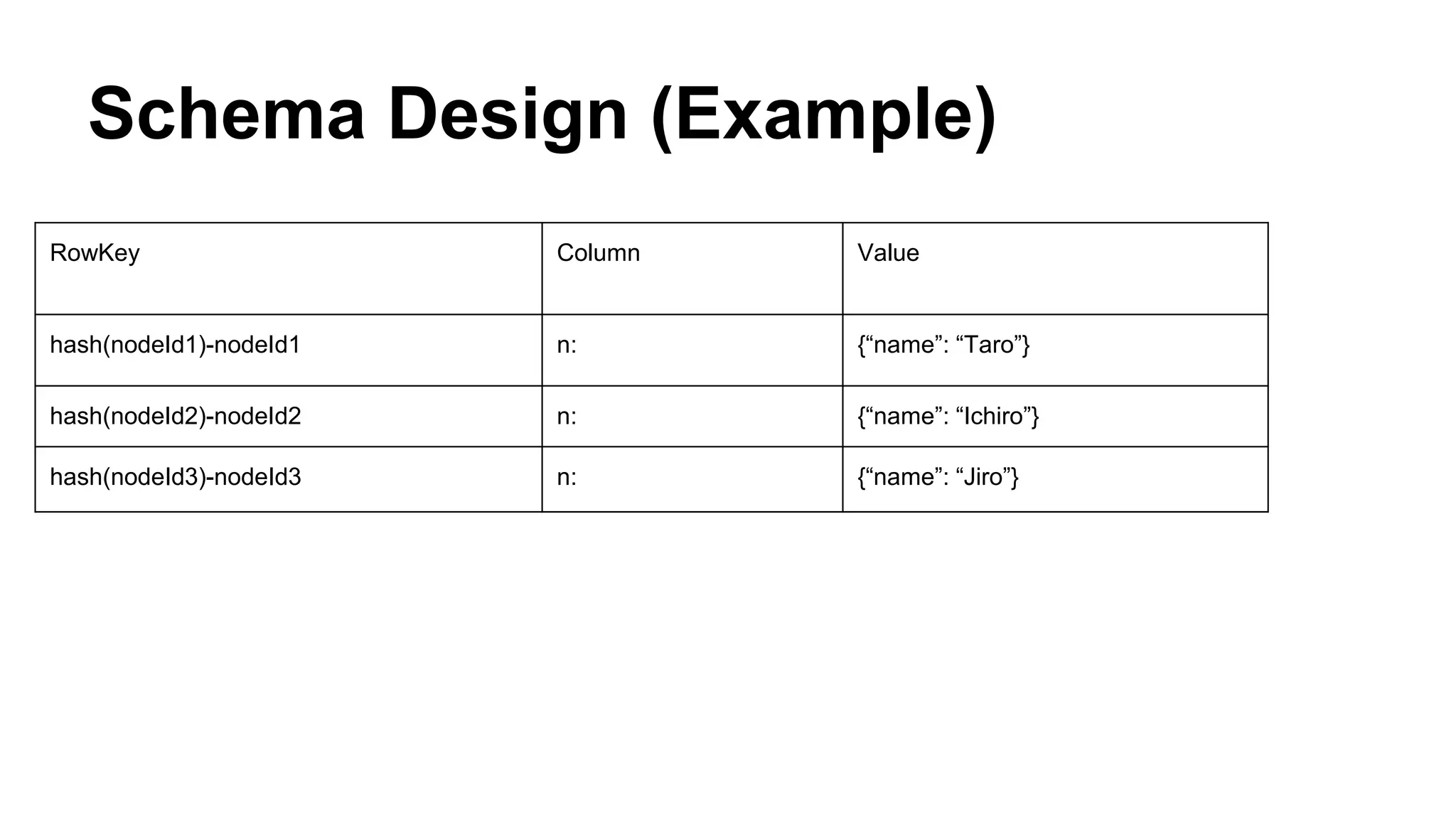
Schema Design (Example)
RowKey Column Value
hash(nodeId1)-nodeId1 n: {“name”: “Taro”}
hash(nodeId2)-nodeId2 n: {“name”: “Ichiro”}
hash(nodeId3)-nodeId3 n: {“name”: “Jiro”}
Schema Design (Example)
RowKey Column Value
hash(nodeId1)-nodeId1 n: {“name”: “Taro”}
hash(nodeId2)-nodeId2 n: {“name”: “Ichiro”}
hash(nodeId3)-nodeId3 n: {“name”: “Jiro”}
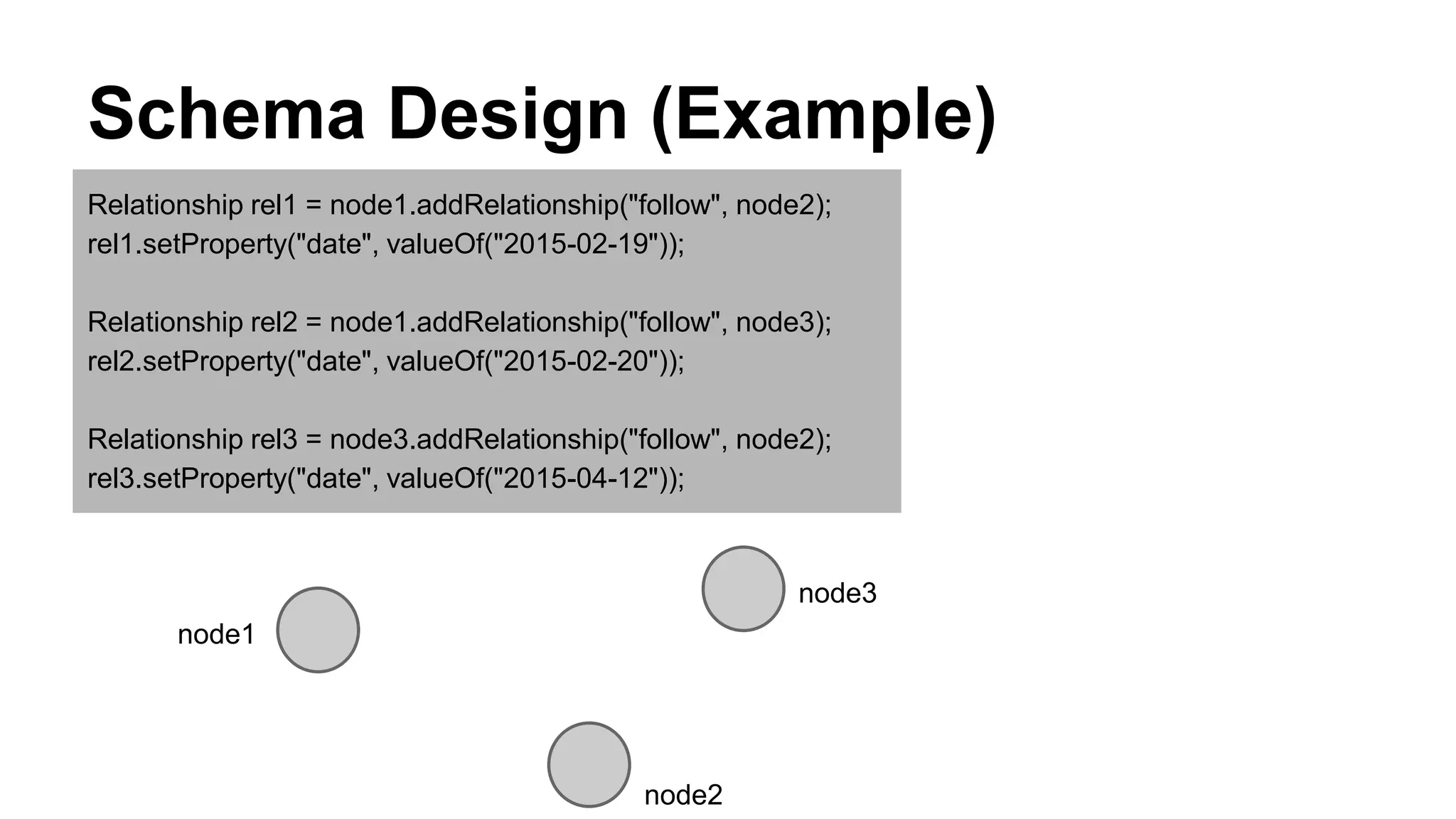
Schema Design (Example)
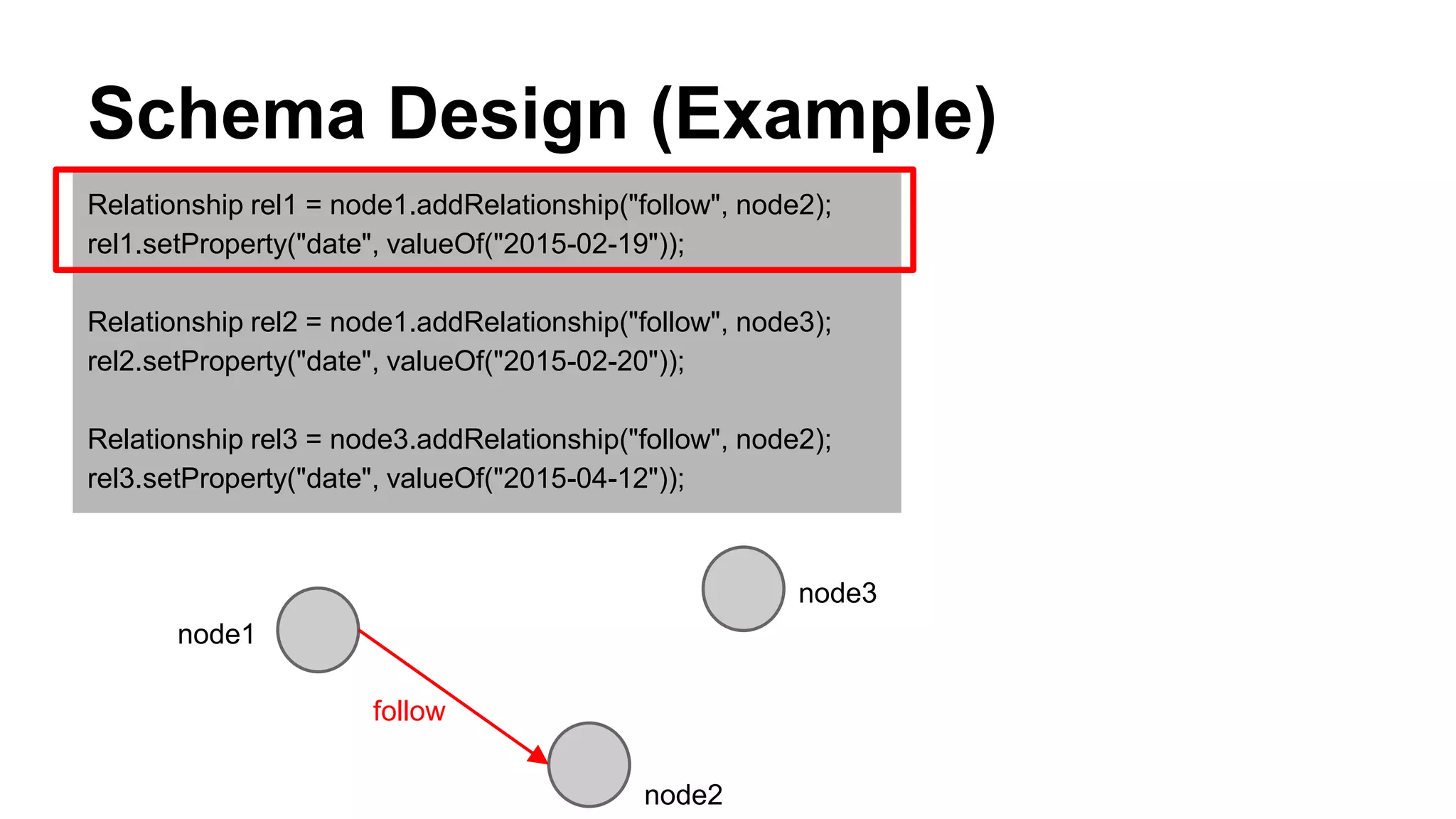
Relationship rel1 = node1.addRelationship("follow", node2);
rel1.setProperty("date", valueOf("2015-02-19"));
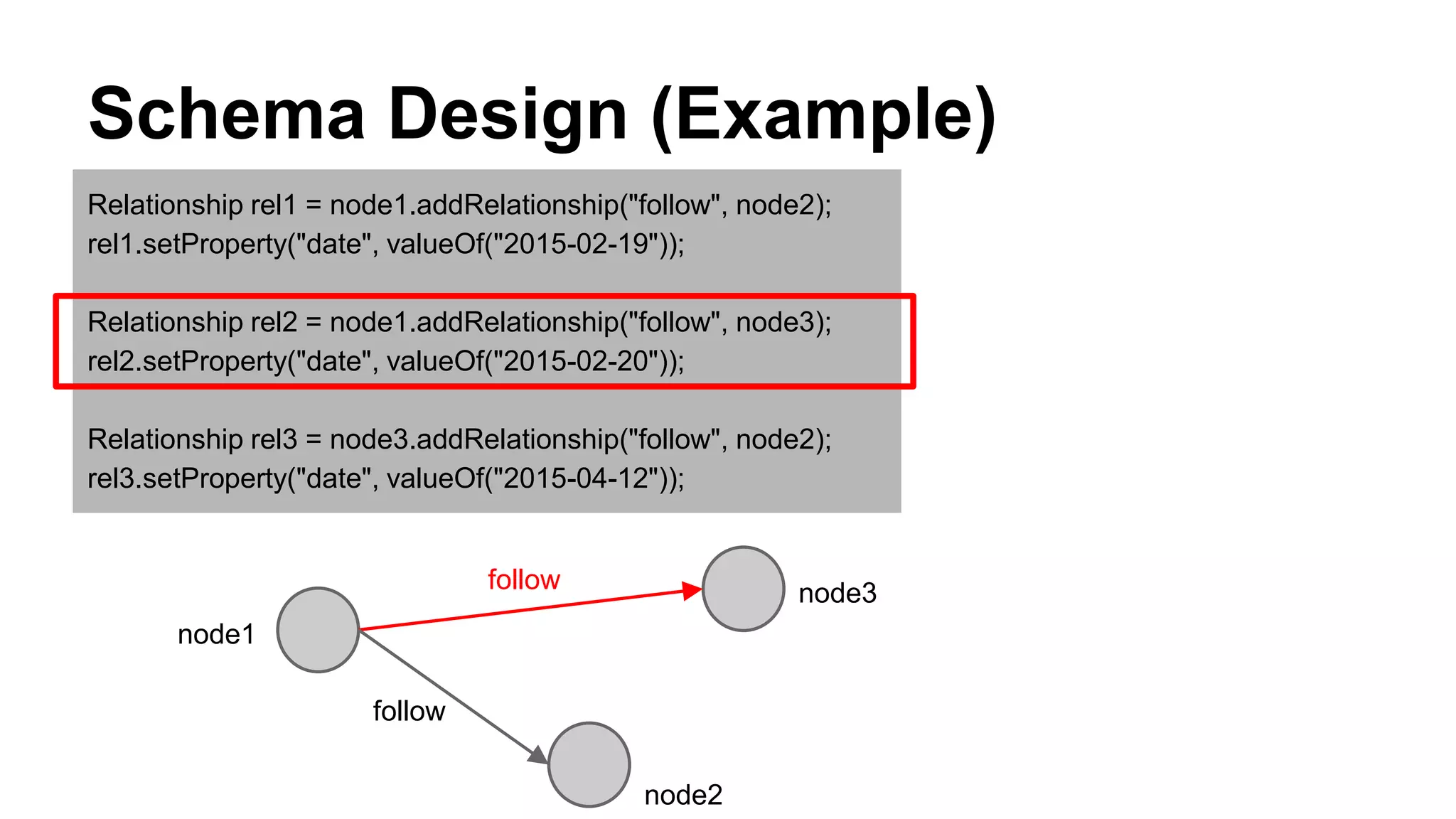
Relationship rel2 = node1.addRelationship("follow", node3);
rel2.setProperty("date", valueOf("2015-02-20"));
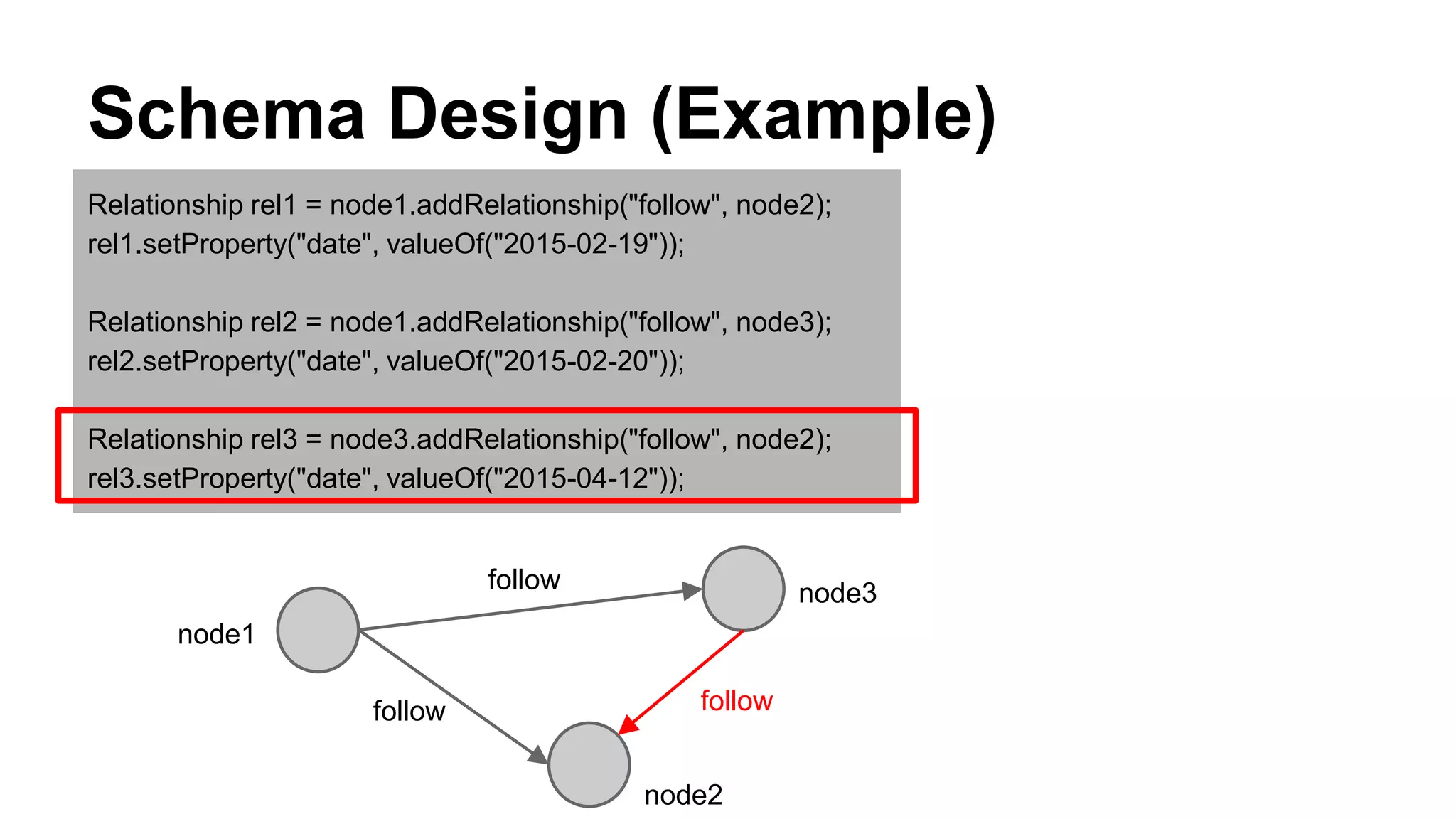
Relationship rel3 = node3.addRelationship("follow", node2);
rel3.setProperty("date", valueOf("2015-04-12"));
node1
node3
node2
Schema Design (Example)
Relationship rel1 = node1.addRelationship("follow", node2);
rel1.setProperty("date", valueOf("2015-02-19"));
Relationship rel2 = node1.addRelationship("follow", node3);
rel2.setProperty("date", valueOf("2015-02-20"));
Relationship rel3 = node3.addRelationship("follow", node2);
rel3.setProperty("date", valueOf("2015-04-12"));
node1
node3
node2
follow
Schema Design (Example)
Relationship rel1 = node1.addRelationship("follow", node2);
rel1.setProperty("date", valueOf("2015-02-19"));
Relationship rel2 = node1.addRelationship("follow", node3);
rel2.setProperty("date", valueOf("2015-02-20"));
Relationship rel3 = node3.addRelationship("follow", node2);
rel3.setProperty("date", valueOf("2015-04-12"));
node1
node3
node2
follow
follow
Schema Design (Example)
Relationship rel1 = node1.addRelationship("follow", node2);
rel1.setProperty("date", valueOf("2015-02-19"));
Relationship rel2 = node1.addRelationship("follow", node3);
rel2.setProperty("date", valueOf("2015-02-20"));
Relationship rel3 = node3.addRelationship("follow", node2);
rel3.setProperty("date", valueOf("2015-04-12"));
node1
node3
node2
follow
followfollow
Schema Design (Example)
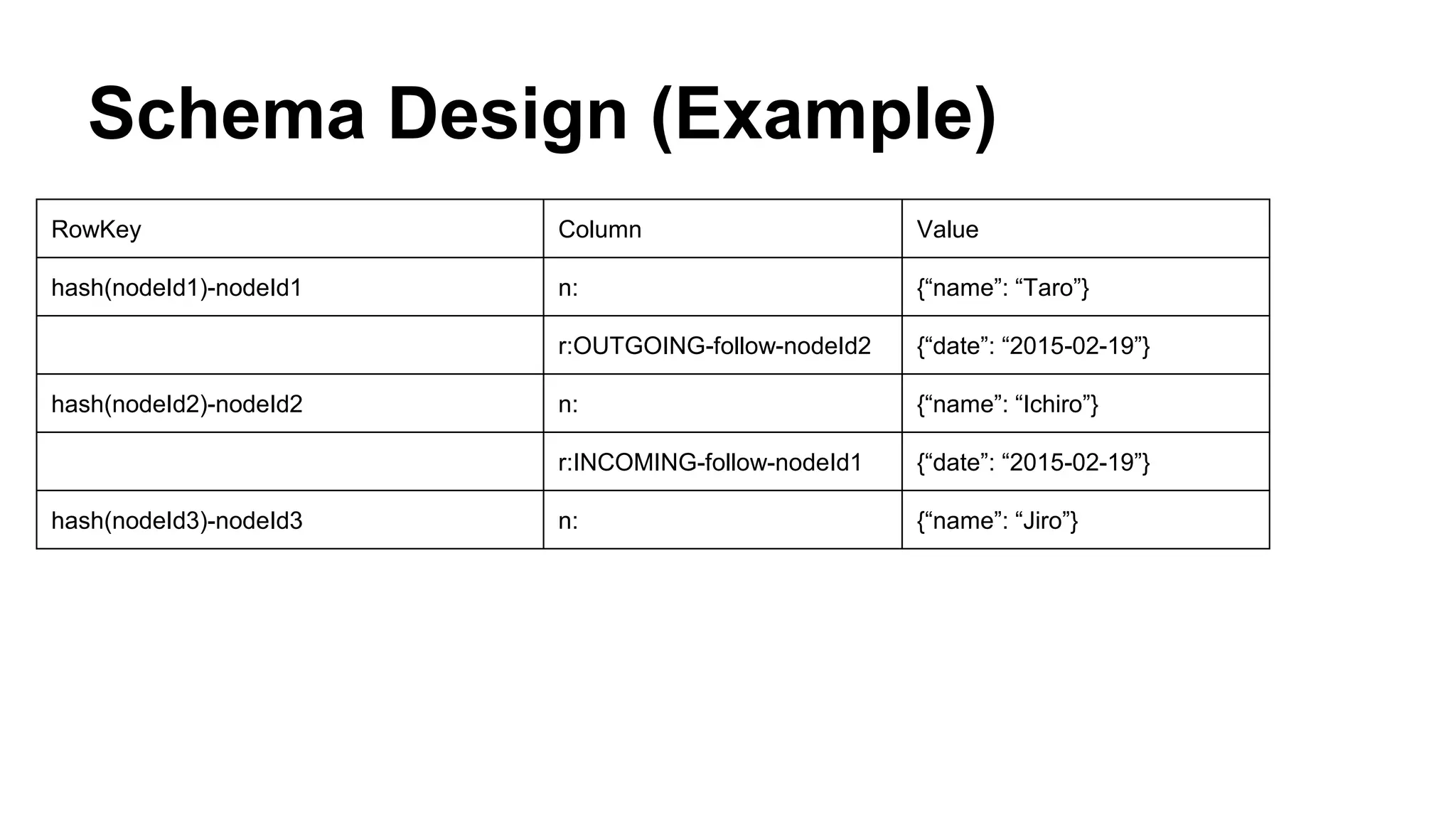
RowKey Column Value
hash(nodeId1)-nodeId1 n: {“name”: “Taro”}
hash(nodeId2)-nodeId2 n: {“name”: “Ichiro”}
hash(nodeId3)-nodeId3 n: {“name”: “Jiro”}
Schema Design (Example)
RowKey Column Value
hash(nodeId1)-nodeId1 n: {“name”: “Taro”}
r:OUTGOING-follow-nodeId2 {“date”: “2015-02-19”}
hash(nodeId2)-nodeId2 n: {“name”: “Ichiro”}
r:INCOMING-follow-nodeId1 {“date”: “2015-02-19”}
hash(nodeId3)-nodeId3 n: {“name”: “Jiro”}
Schema Design (Example)
RowKey Column Value
hash(nodeId1)-nodeId1 n: {“name”: “Taro”}
r:OUTGOING-follow-nodeId2 {“date”: “2015-02-19”}
hash(nodeId2)-nodeId2 n: {“name”: “Ichiro”}
r:INCOMING-follow-nodeId1 {“date”: “2015-02-19”}
hash(nodeId3)-nodeId3 n: {“name”: “Jiro”}
Schema Design (Example)
RowKey Column Value
hash(nodeId1)-nodeId1 n: {“name”: “Taro”}
r:OUTGOING-follow-nodeId2 {“date”: “2015-02-19”}
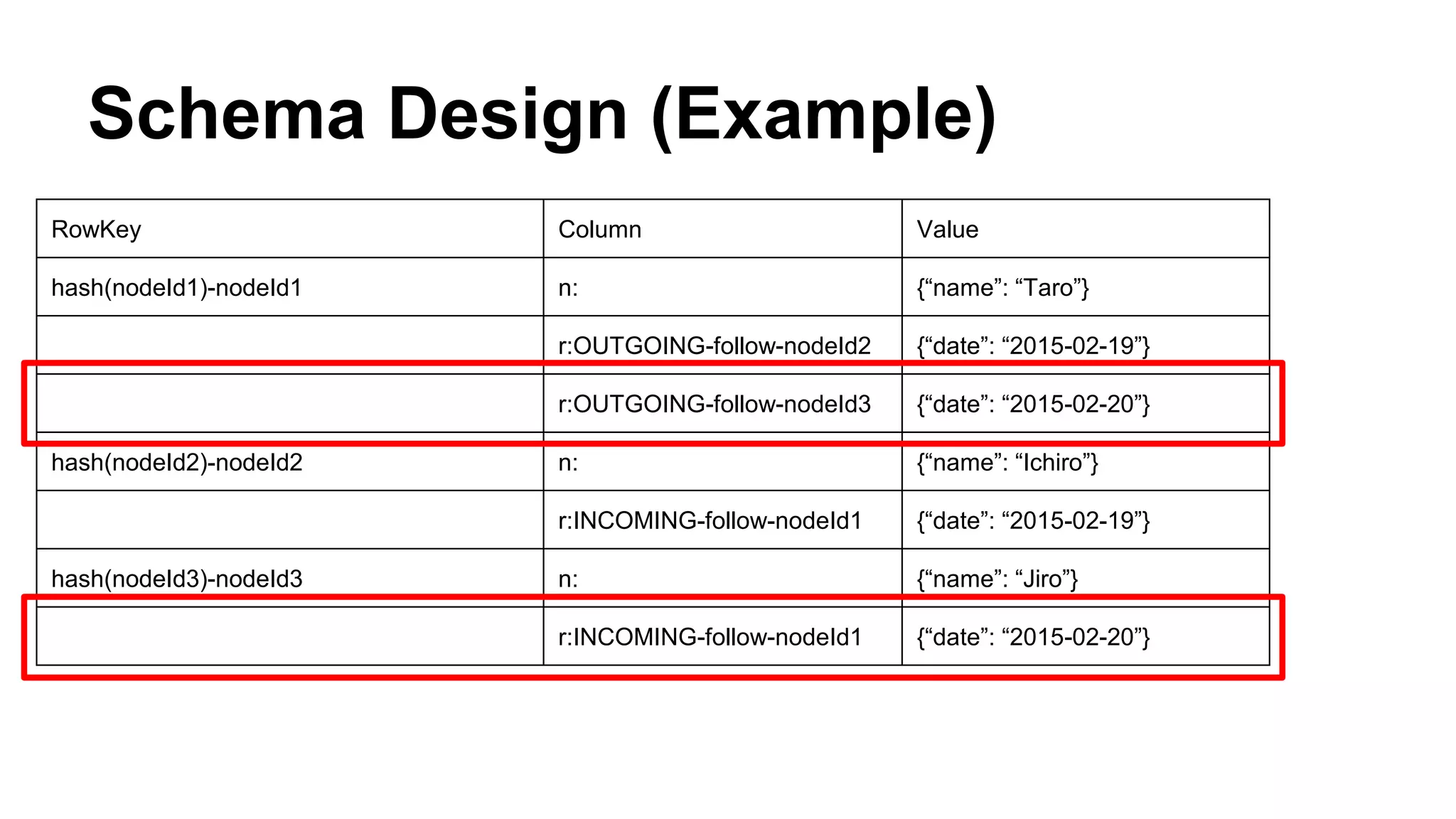
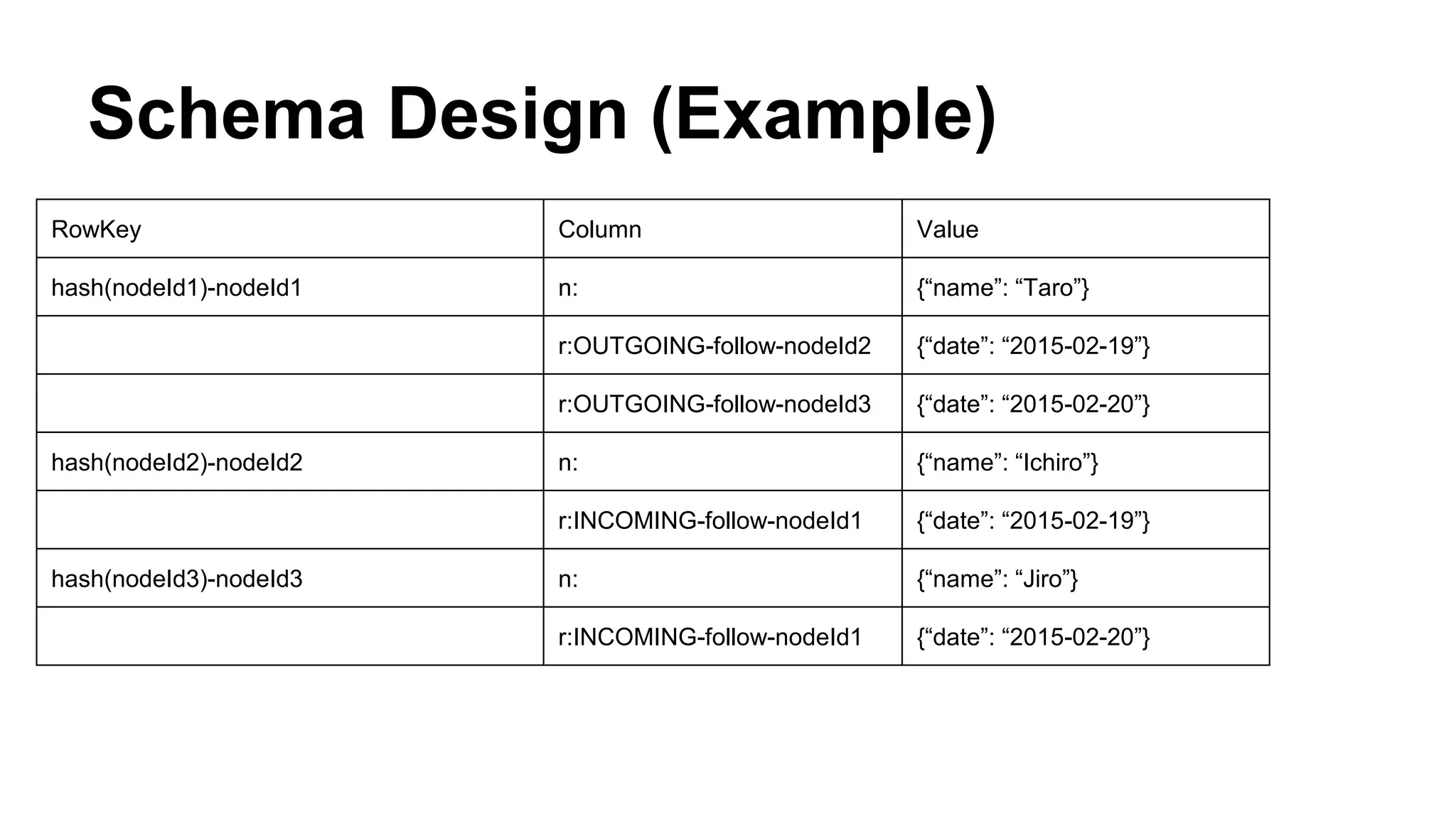
r:OUTGOING-follow-nodeId3 {“date”: “2015-02-20”}
hash(nodeId2)-nodeId2 n: {“name”: “Ichiro”}
r:INCOMING-follow-nodeId1 {“date”: “2015-02-19”}
hash(nodeId3)-nodeId3 n: {“name”: “Jiro”}
r:INCOMING-follow-nodeId1 {“date”: “2015-02-20”}
Schema Design (Example)
RowKey Column Value
hash(nodeId1)-nodeId1 n: {“name”: “Taro”}
r:OUTGOING-follow-nodeId2 {“date”: “2015-02-19”}
r:OUTGOING-follow-nodeId3 {“date”: “2015-02-20”}
hash(nodeId2)-nodeId2 n: {“name”: “Ichiro”}
r:INCOMING-follow-nodeId1 {“date”: “2015-02-19”}
hash(nodeId3)-nodeId3 n: {“name”: “Jiro”}
r:INCOMING-follow-nodeId1 {“date”: “2015-02-20”}
Schema Design (Example)
RowKey Column Value
hash(nodeId1)-nodeId1 n: {“name”: “Taro”}
r:OUTGOING-follow-nodeId2 {“date”: “2015-02-19”}
r:OUTGOING-follow-nodeId3 {“date”: “2015-02-20”}
hash(nodeId2)-nodeId2 n: {“name”: “Ichiro”}
r:INCOMING-follow-nodeId1 {“date”: “2015-02-19”}
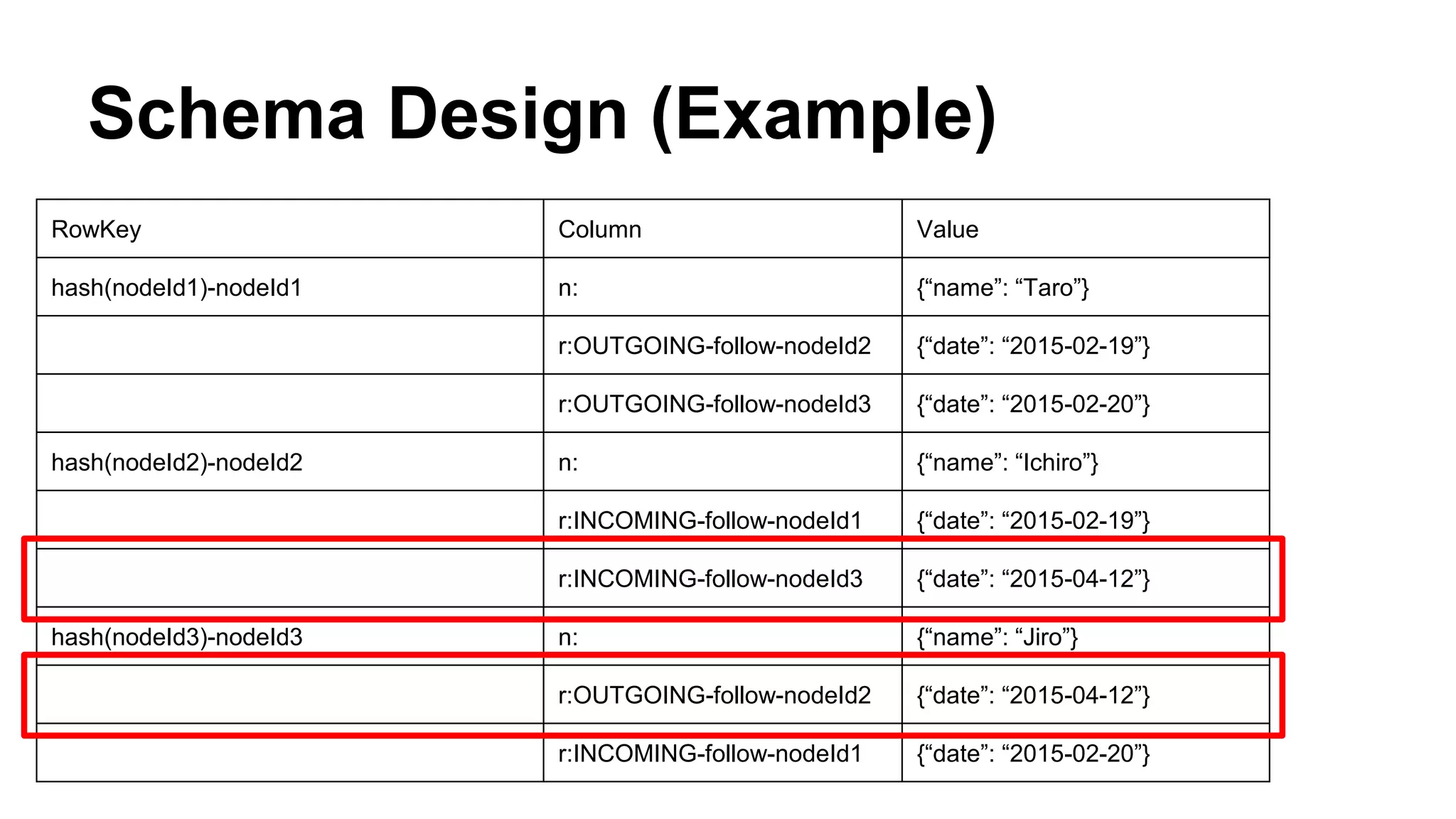
r:INCOMING-follow-nodeId3 {“date”: “2015-04-12”}
hash(nodeId3)-nodeId3 n: {“name”: “Jiro”}
r:OUTGOING-follow-nodeId2 {“date”: “2015-04-12”}
r:INCOMING-follow-nodeId1 {“date”: “2015-02-20”}
Schema Design (Example)
RowKey Column Value
hash(nodeId1)-nodeId1 n: {“name”: “Taro”}
r:OUTGOING-follow-nodeId2 {“date”: “2015-02-19”}
r:OUTGOING-follow-nodeId3 {“date”: “2015-02-20”}
hash(nodeId2)-nodeId2 n: {“name”: “Ichiro”}
r:INCOMING-follow-nodeId1 {“date”: “2015-02-19”}
r:INCOMING-follow-nodeId3 {“date”: “2015-04-12”}
hash(nodeId3)-nodeId3 n: {“name”: “Jiro”}
r:OUTGOING-follow-nodeId2 {“date”: “2015-04-12”}
r:INCOMING-follow-nodeId1 {“date”: “2015-02-20”}
Schema Design (Example)
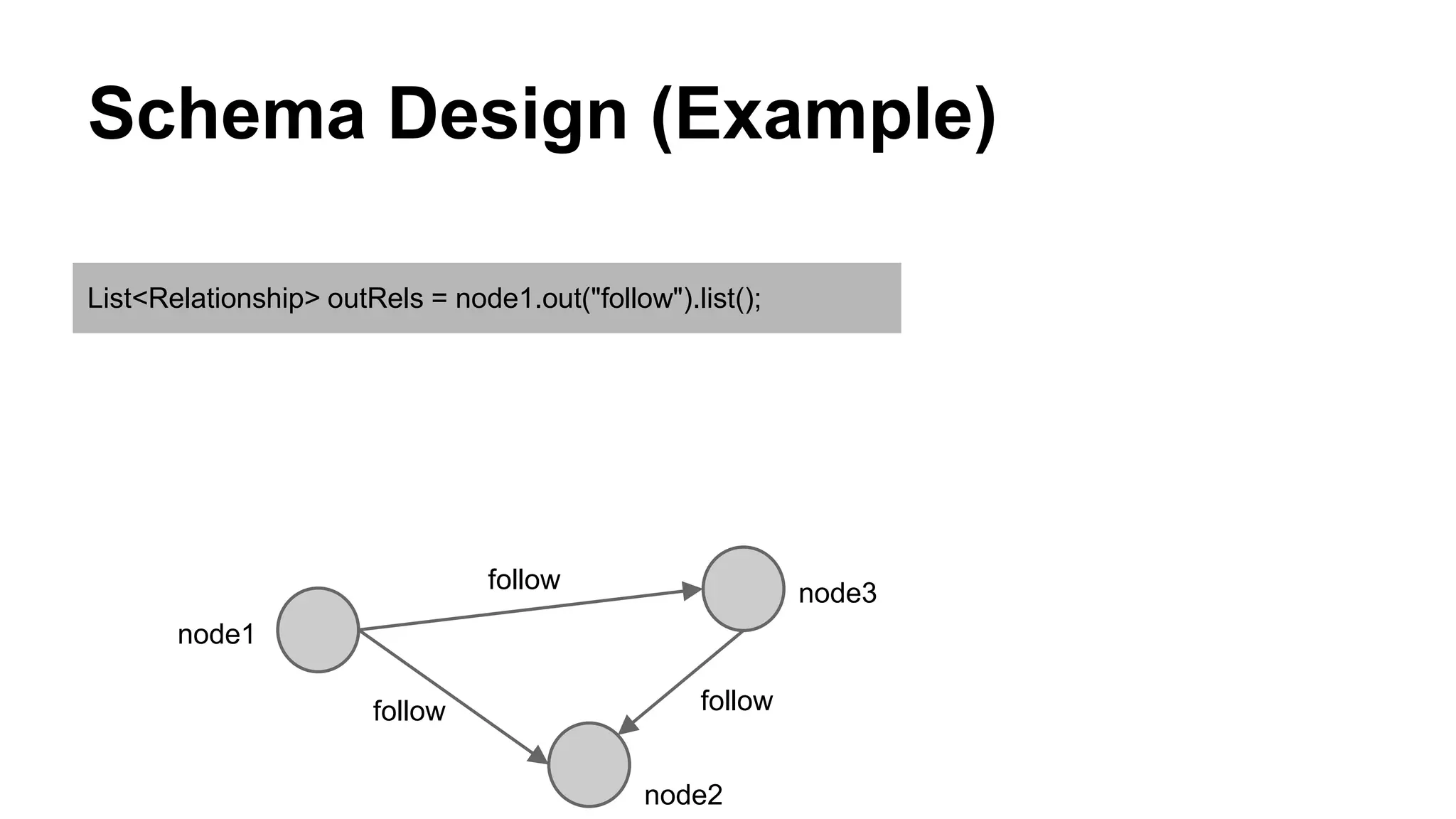
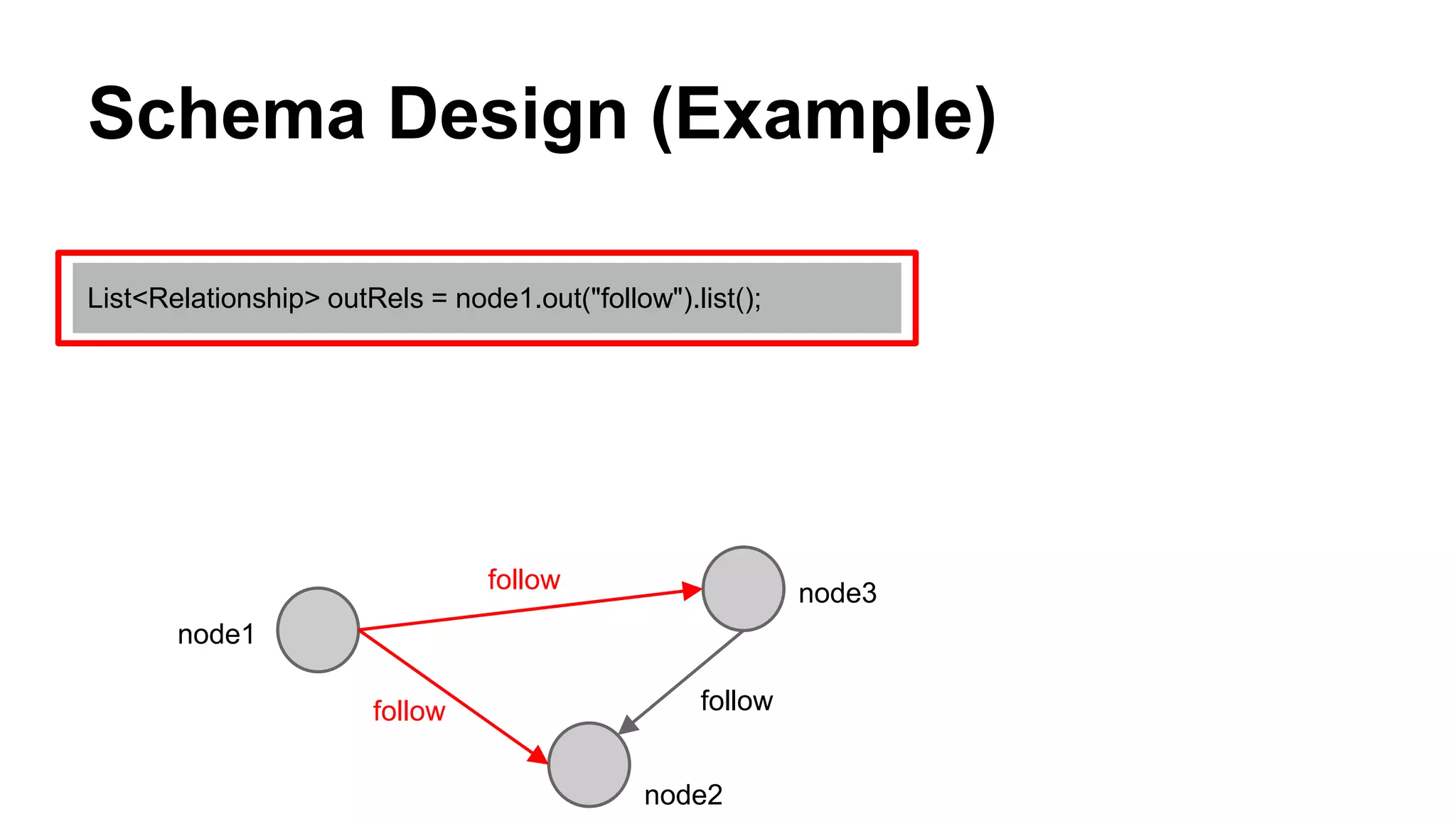
List<Relationship> outRels = node1.out("follow").list();
node3
node2
follow
followfollow
node1
Schema Design (Example)
List<Relationship> outRels = node1.out("follow").list();
node3
node2
follow
followfollow
node1
Schema Design (Example)
RowKey Column Value
hash(nodeId1)-nodeId1 n: {“name”: “Taro”}
r:OUTGOING-follow-nodeId2 {“date”: “2015-02-19”}
r:OUTGOING-follow-nodeId3 {“date”: “2015-02-20”}
hash(nodeId2)-nodeId2 n: {“name”: “Ichiro”}
r:INCOMING-follow-nodeId1 {“date”: “2015-02-19”}
r:INCOMING-follow-nodeId3 {“date”: “2015-04-12”}
hash(nodeId3)-nodeId3 n: {“name”: “Jiro”}
r:OUTGOING-follow-nodeId2 {“date”: “2015-04-12”}
r:INCOMING-follow-nodeId1 {“date”: “2015-02-20”}
Schema Design (Example)
RowKey Column Value
hash(nodeId1)-nodeId1 n: {“name”: “Taro”}
r:OUTGOING-follow-nodeId2 {“date”: “2015-02-19”}
r:OUTGOING-follow-nodeId3 {“date”: “2015-02-20”}
hash(nodeId2)-nodeId2 n: {“name”: “Ichiro”}
r:INCOMING-follow-nodeId1 {“date”: “2015-02-19”}
r:INCOMING-follow-nodeId3 {“date”: “2015-04-12”}
hash(nodeId3)-nodeId3 n: {“name”: “Jiro”}
r:OUTGOING-follow-nodeId2 {“date”: “2015-04-12”}
r:INCOMING-follow-nodeId1 {“date”: “2015-02-20”}
Schema Design (Example)
RowKey Column Value
hash(nodeId1)-nodeId1 n: {“name”: “Taro”}
r:OUTGOING-follow-nodeId2 {“date”: “2015-02-19”}
r:OUTGOING-follow-nodeId3 {“date”: “2015-02-20”}
hash(nodeId2)-nodeId2 n: {“name”: “Ichiro”}
r:INCOMING-follow-nodeId1 {“date”: “2015-02-19”}
r:INCOMING-follow-nodeId3 {“date”: “2015-04-12”}
hash(nodeId3)-nodeId3 n: {“name”: “Jiro”}
r:OUTGOING-follow-nodeId2 {“date”: “2015-04-12”}
r:INCOMING-follow-nodeId1 {“date”: “2015-02-20”}
Schema Design (Example)
RowKey Column Value
hash(nodeId1)-nodeId1 n: {“name”: “Taro”}
r:OUTGOING-follow-nodeId2 {“date”: “2015-02-19”}
r:OUTGOING-follow-nodeId3 {“date”: “2015-02-20”}
hash(nodeId2)-nodeId2 n: {“name”: “Ichiro”}
r:INCOMING-follow-nodeId1 {“date”: “2015-02-19”}
r:INCOMING-follow-nodeId3 {“date”: “2015-04-12”}
hash(nodeId3)-nodeId3 n: {“name”: “Jiro”}
r:OUTGOING-follow-nodeId2 {“date”: “2015-04-12”}
r:INCOMING-follow-nodeId1 {“date”: “2015-02-20”}
Schema Design (Example)
List<Relationship> inRels = node2.in("follow").list();
node3
node2
follow
followfollow
node1
Schema Design (Example)
List<Relationship> inRels = node2.in("follow").list();
node3
node2
follow
followfollow
node1
Schema Design (Example)
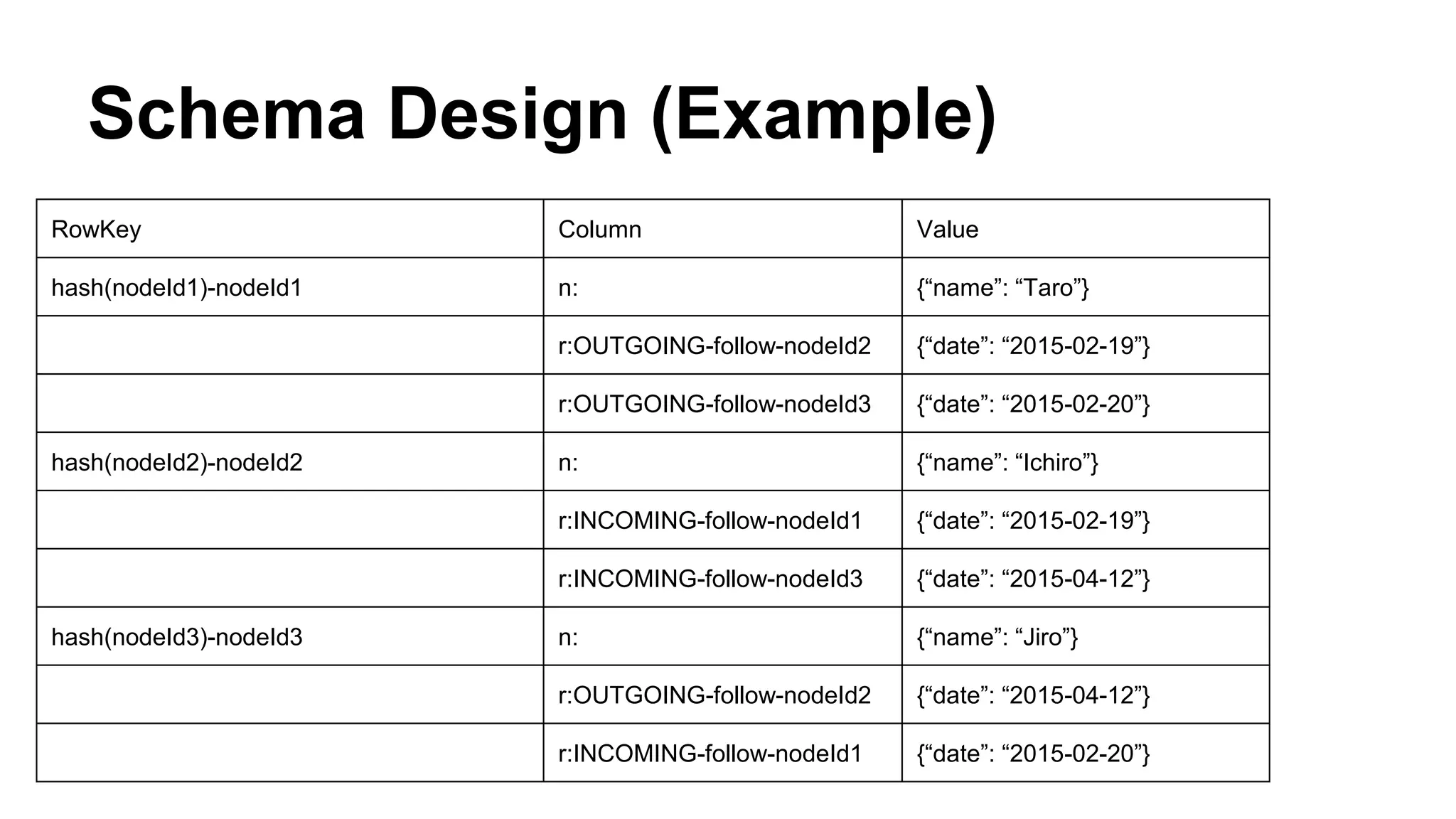
RowKey Column Value
hash(nodeId1)-nodeId1 n: {“name”: “Taro”}
r:OUTGOING-follow-nodeId2 {“date”: “2015-02-19”}
r:OUTGOING-follow-nodeId3 {“date”: “2015-02-20”}
hash(nodeId2)-nodeId2 n: {“name”: “Ichiro”}
r:INCOMING-follow-nodeId1 {“date”: “2015-02-19”}
r:INCOMING-follow-nodeId3 {“date”: “2015-04-12”}
hash(nodeId3)-nodeId3 n: {“name”: “Jiro”}
r:OUTGOING-follow-nodeId2 {“date”: “2015-04-12”}
r:INCOMING-follow-nodeId1 {“date”: “2015-02-20”}
Schema Design (Example)
RowKey Column Value
hash(nodeId1)-nodeId1 n: {“name”: “Taro”}
r:OUTGOING-follow-nodeId2 {“date”: “2015-02-19”}
r:OUTGOING-follow-nodeId3 {“date”: “2015-02-20”}
hash(nodeId2)-nodeId2 n: {“name”: “Ichiro”}
r:INCOMING-follow-nodeId1 {“date”: “2015-02-19”}
r:INCOMING-follow-nodeId3 {“date”: “2015-04-12”}
hash(nodeId3)-nodeId3 n: {“name”: “Jiro”}
r:OUTGOING-follow-nodeId2 {“date”: “2015-04-12”}
r:INCOMING-follow-nodeId1 {“date”: “2015-02-20”}
Schema Design (Example)
RowKey Column Value
hash(nodeId1)-nodeId1 n: {“name”: “Taro”}
r:OUTGOING-follow-nodeId2 {“date”: “2015-02-19”}
r:OUTGOING-follow-nodeId3 {“date”: “2015-02-20”}
hash(nodeId2)-nodeId2 n: {“name”: “Ichiro”}
r:INCOMING-follow-nodeId1 {“date”: “2015-02-19”}
r:INCOMING-follow-nodeId3 {“date”: “2015-04-12”}
hash(nodeId3)-nodeId3 n: {“name”: “Jiro”}
r:OUTGOING-follow-nodeId2 {“date”: “2015-04-12”}
r:INCOMING-follow-nodeId1 {“date”: “2015-02-20”}
Schema Design (Example)
RowKey Column Value
hash(nodeId1)-nodeId1 n: {“name”: “Taro”}
r:OUTGOING-follow-nodeId2 {“date”: “2015-02-19”}
r:OUTGOING-follow-nodeId3 {“date”: “2015-02-20”}
hash(nodeId2)-nodeId2 n: {“name”: “Ichiro”}
r:INCOMING-follow-nodeId1 {“date”: “2015-02-19”}
r:INCOMING-follow-nodeId3 {“date”: “2015-04-12”}
hash(nodeId3)-nodeId3 n: {“name”: “Jiro”}
r:OUTGOING-follow-nodeId2 {“date”: “2015-04-12”}
r:INCOMING-follow-nodeId1 {“date”: “2015-02-20”}
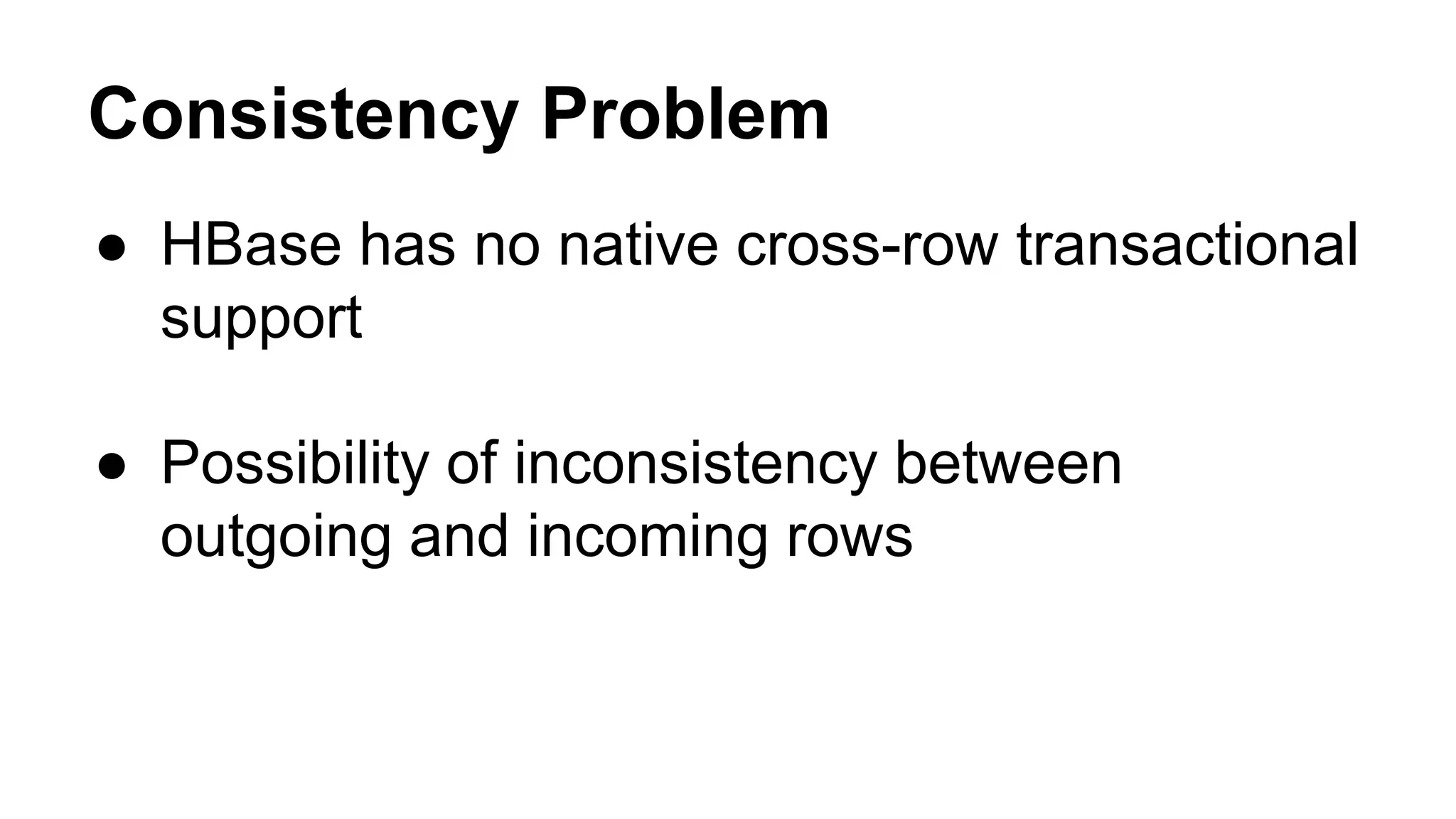
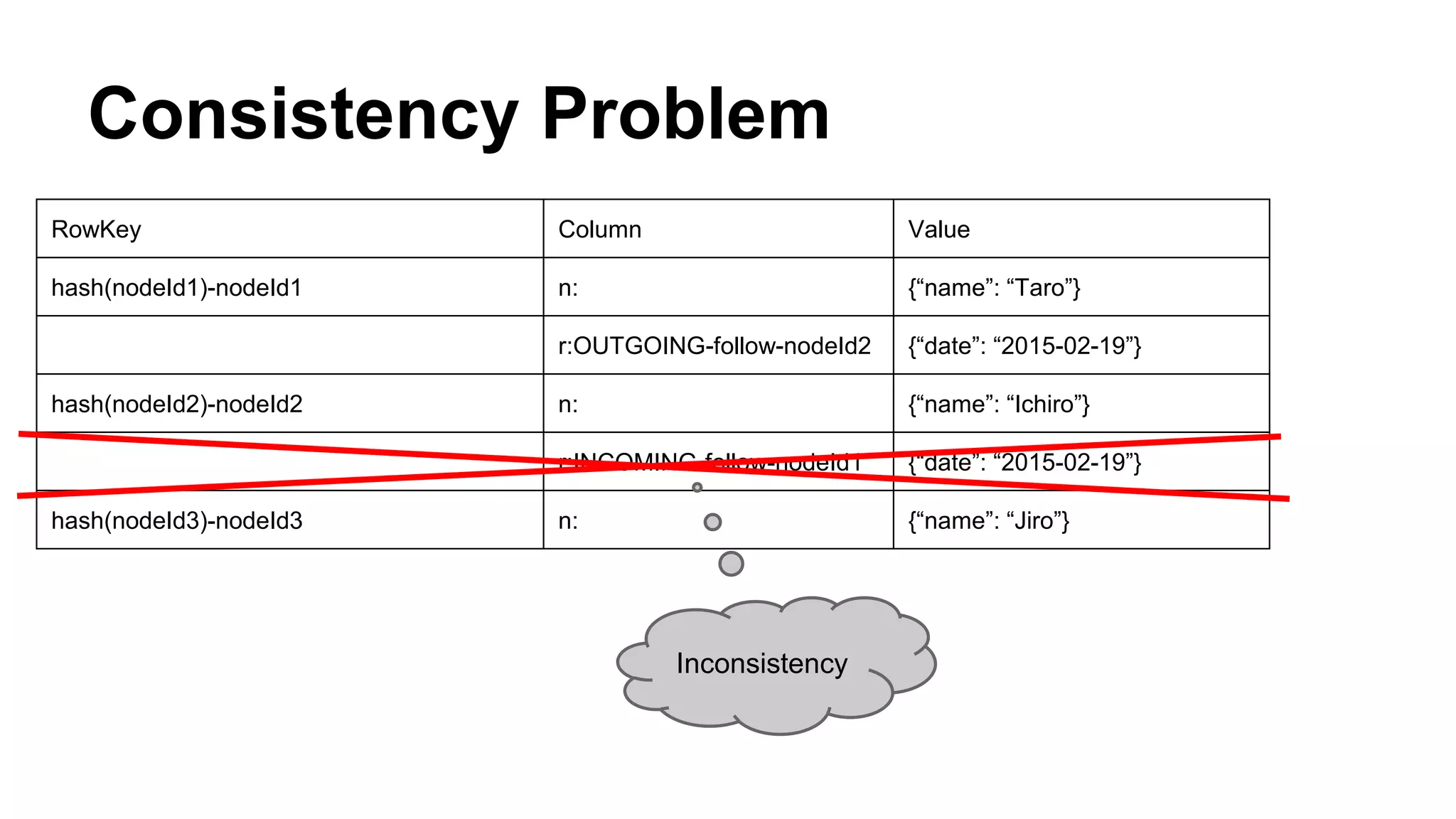
Consistency Problem
● HBase has no native cross-row transactional
support
● Possibility of inconsistency between
outgoing and incoming rows
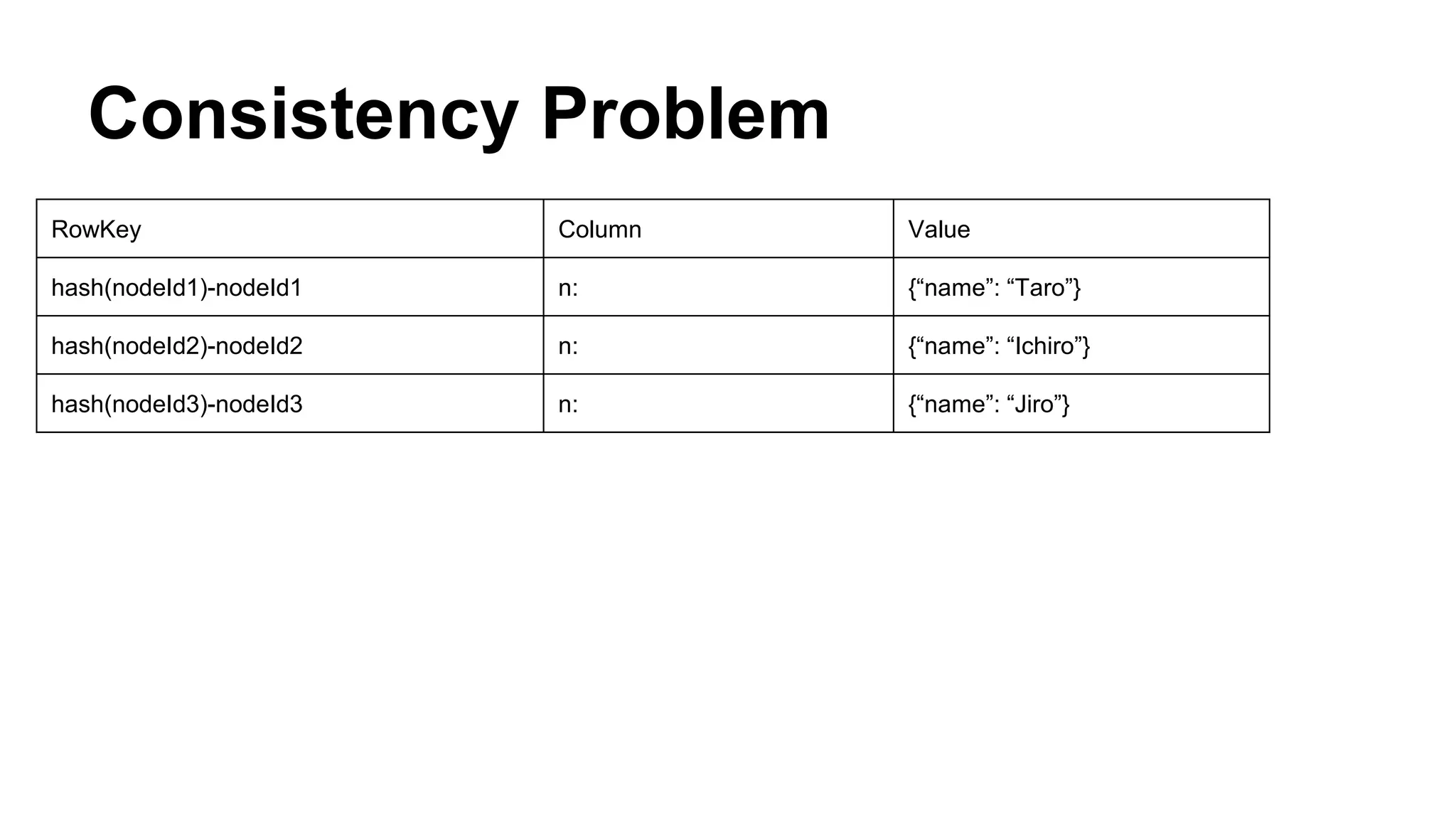
Consistency Problem
RowKey Column Value
hash(nodeId1)-nodeId1 n: {“name”: “Taro”}
hash(nodeId2)-nodeId2 n: {“name”: “Ichiro”}
hash(nodeId3)-nodeId3 n: {“name”: “Jiro”}
Consistency Problem
RowKey Column Value
hash(nodeId1)-nodeId1 n: {“name”: “Taro”}
r:OUTGOING-follow-nodeId2 {“date”: “2015-02-19”}
hash(nodeId2)-nodeId2 n: {“name”: “Ichiro”}
r:INCOMING-follow-nodeId1 {“date”: “2015-02-19”}
hash(nodeId3)-nodeId3 n: {“name”: “Jiro”}
Inconsistency
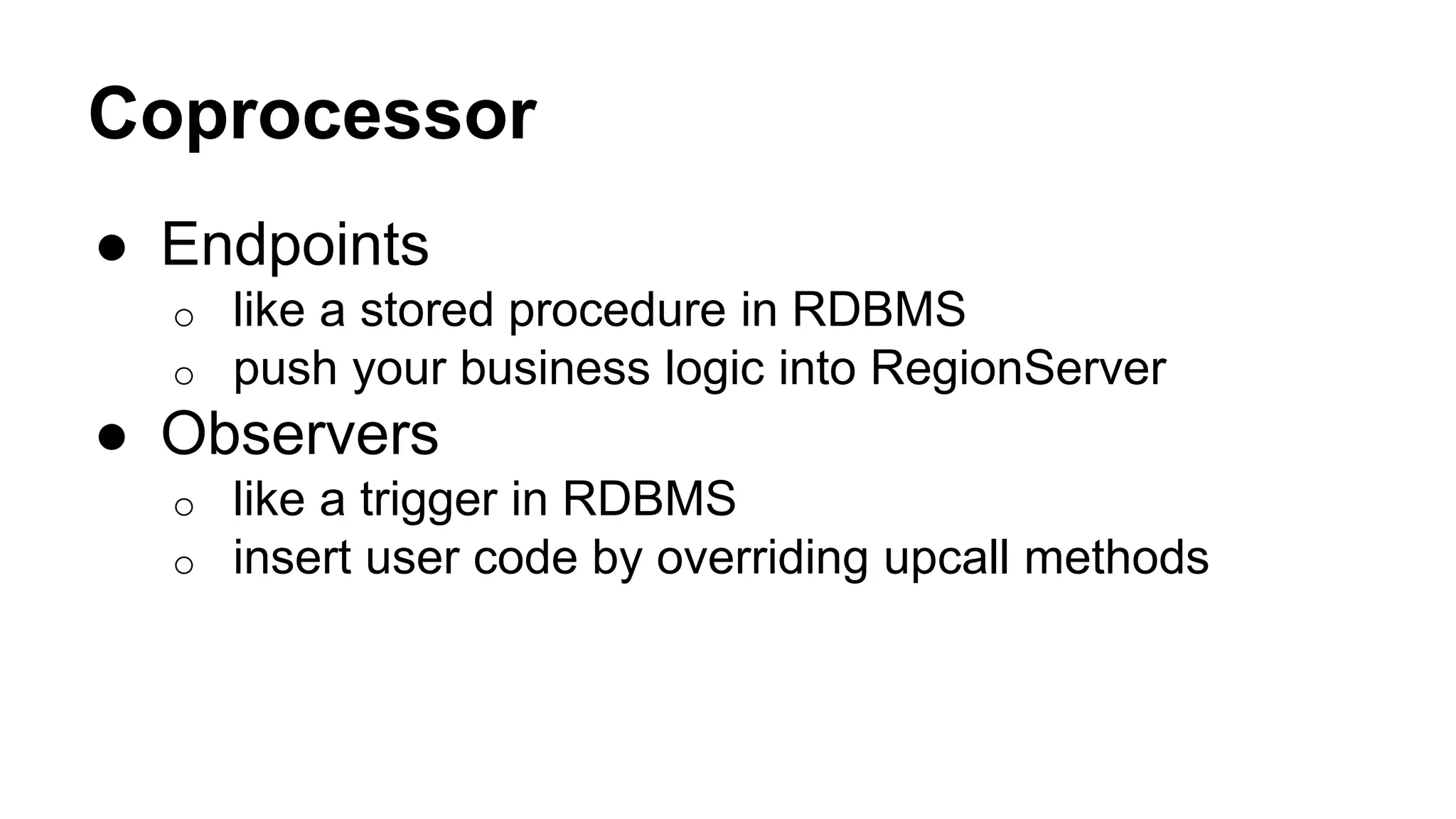
Coprocessor
● Endpoints
o like a stored procedure in RDBMS
o push your business logic into RegionServer
● Observers
o like a trigger in RDBMS
o insert user code by overriding upcall methods
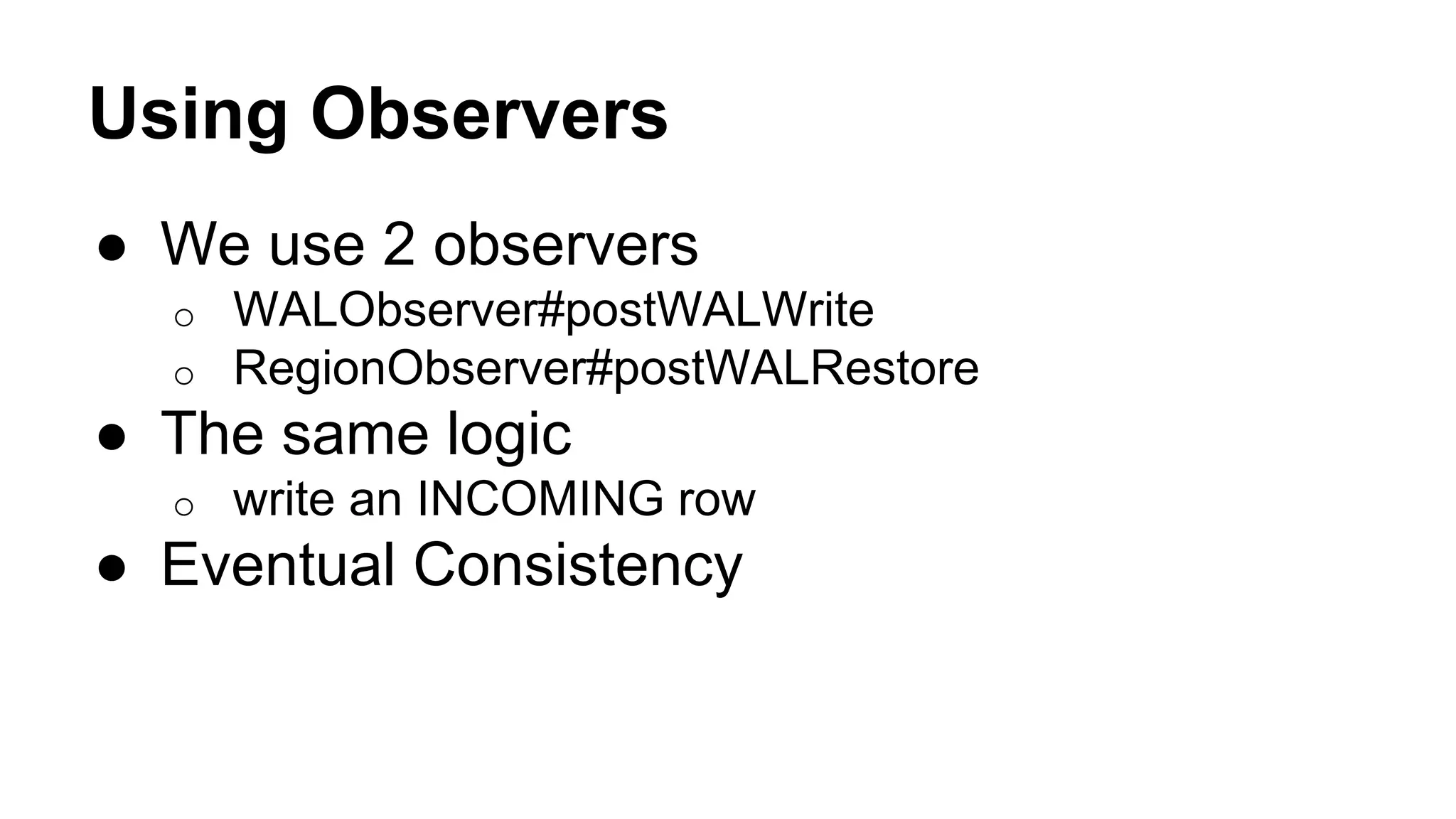
Using Observers
● We use 2 observers
o WALObserver#postWALWrite
o RegionObserver#postWALRestore
● The same logic
o write an INCOMING row
● Eventual Consistency
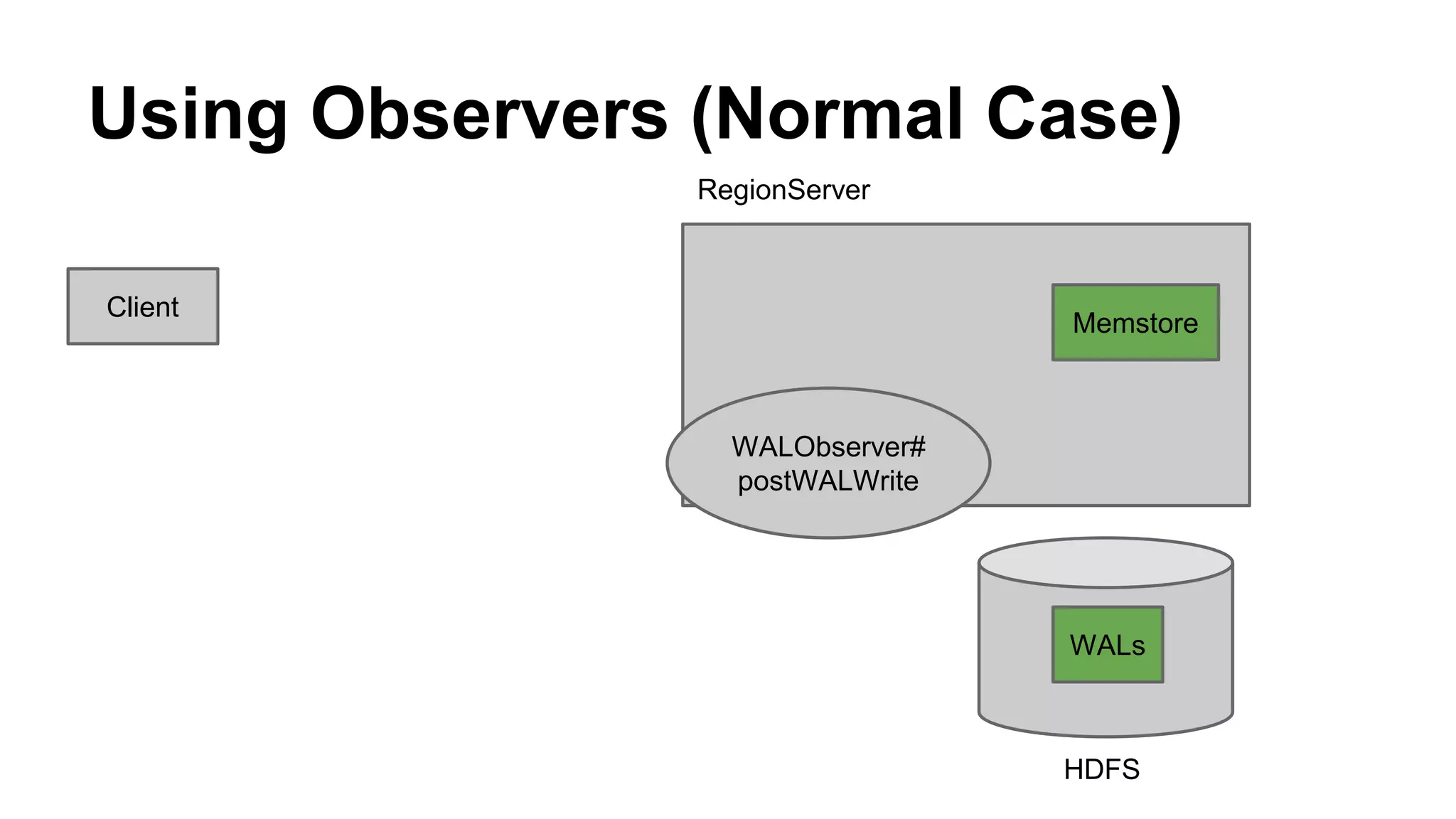
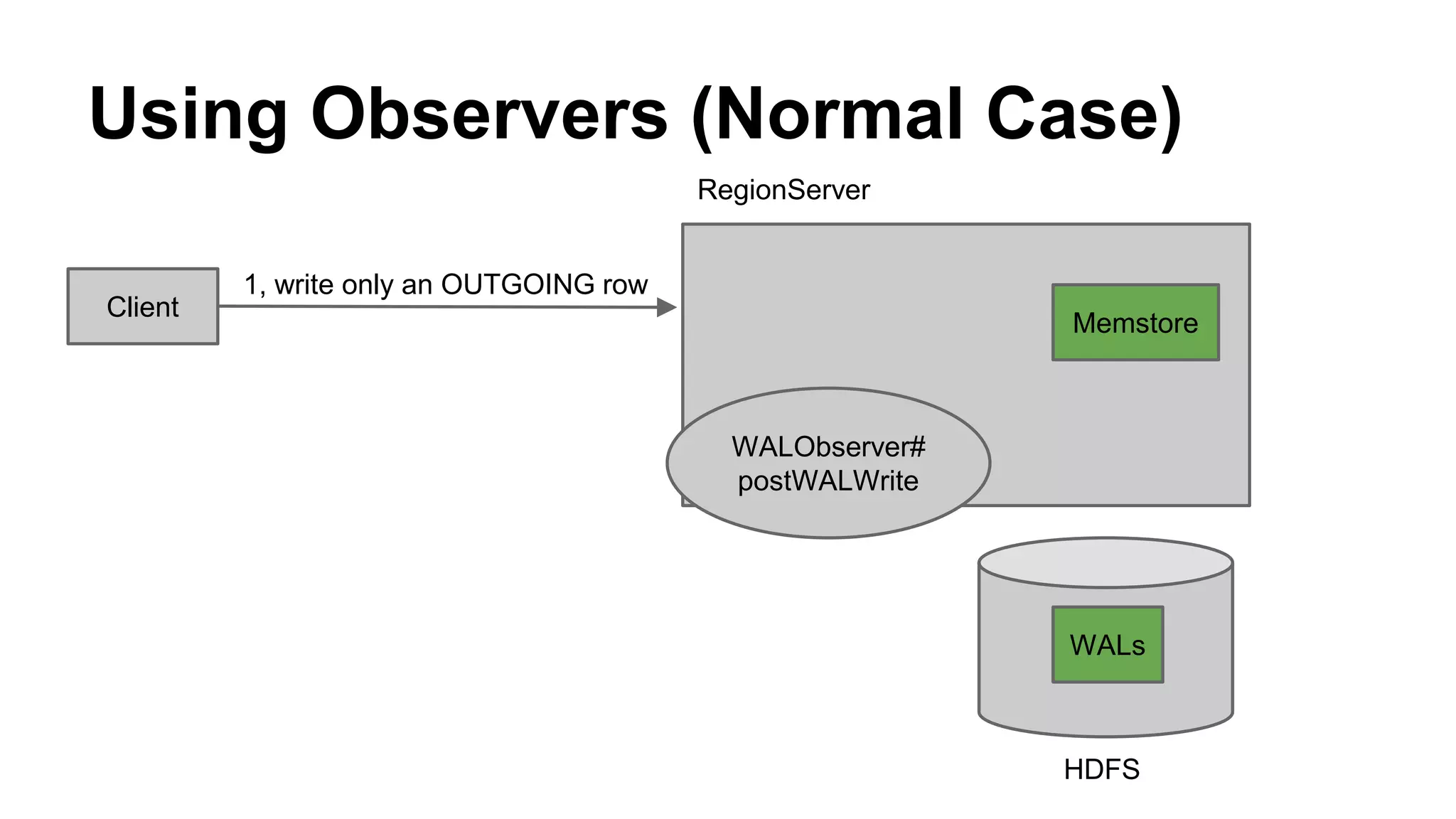
Using Observers (Normal Case)
Client
Memstore
RegionServer
HDFS
WALs
WALObserver#
postWALWrite
Using Observers (Normal Case)
Client
1, write only an OUTGOING row
Memstore
RegionServer
HDFS
WALs
WALObserver#
postWALWrite
Using Observers (Normal Case)
Client
1, write only an OUTGOING row
Memstore
2, write to Memstore
RegionServer
HDFS
WALs
WALObserver#
postWALWrite
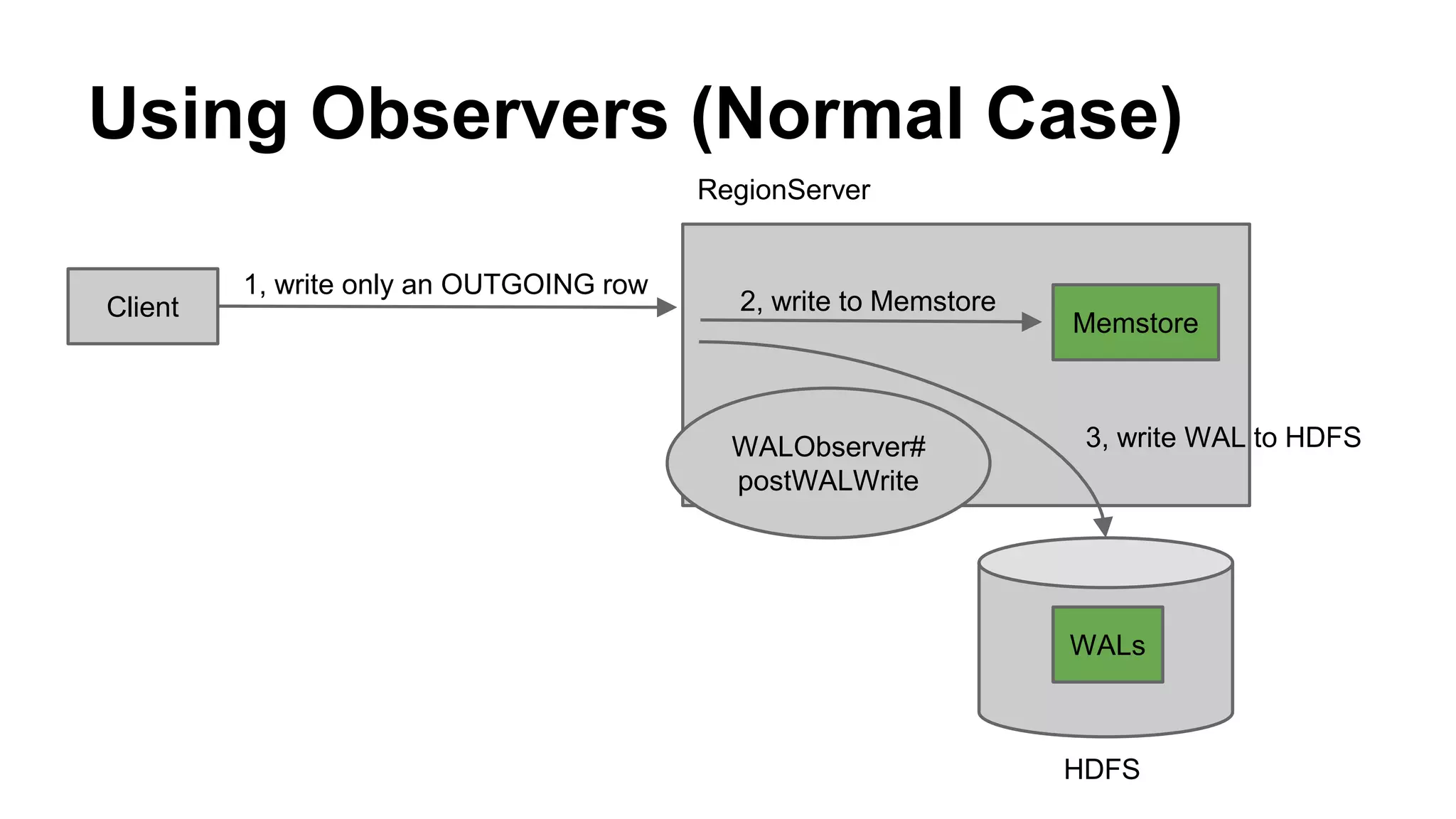
3, write WAL to HDFS
Using Observers (Normal Case)
Client
1, write only an OUTGOING row
Memstore
2, write to Memstore
RegionServer
HDFS
WALs
WALObserver#
postWALWrite
3, write WAL to HDFS
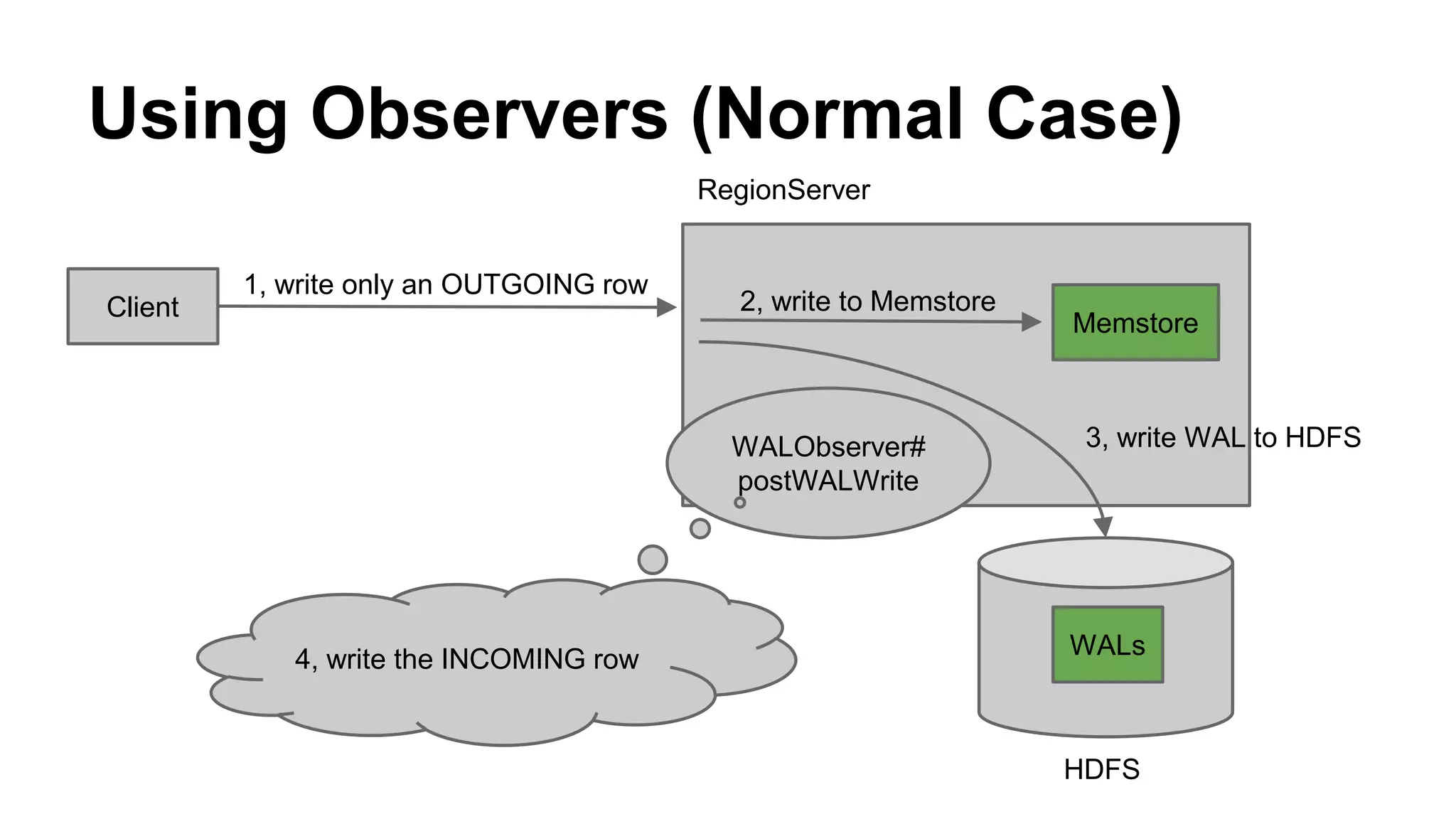
4, write the INCOMING row
Using Observers (Normal Case)
Client
1, write only an OUTGOING row
Memstore
2, write to Memstore
RegionServer
HDFS
WALs
WALObserver#
postWALWrite
3, write WAL to HDFS
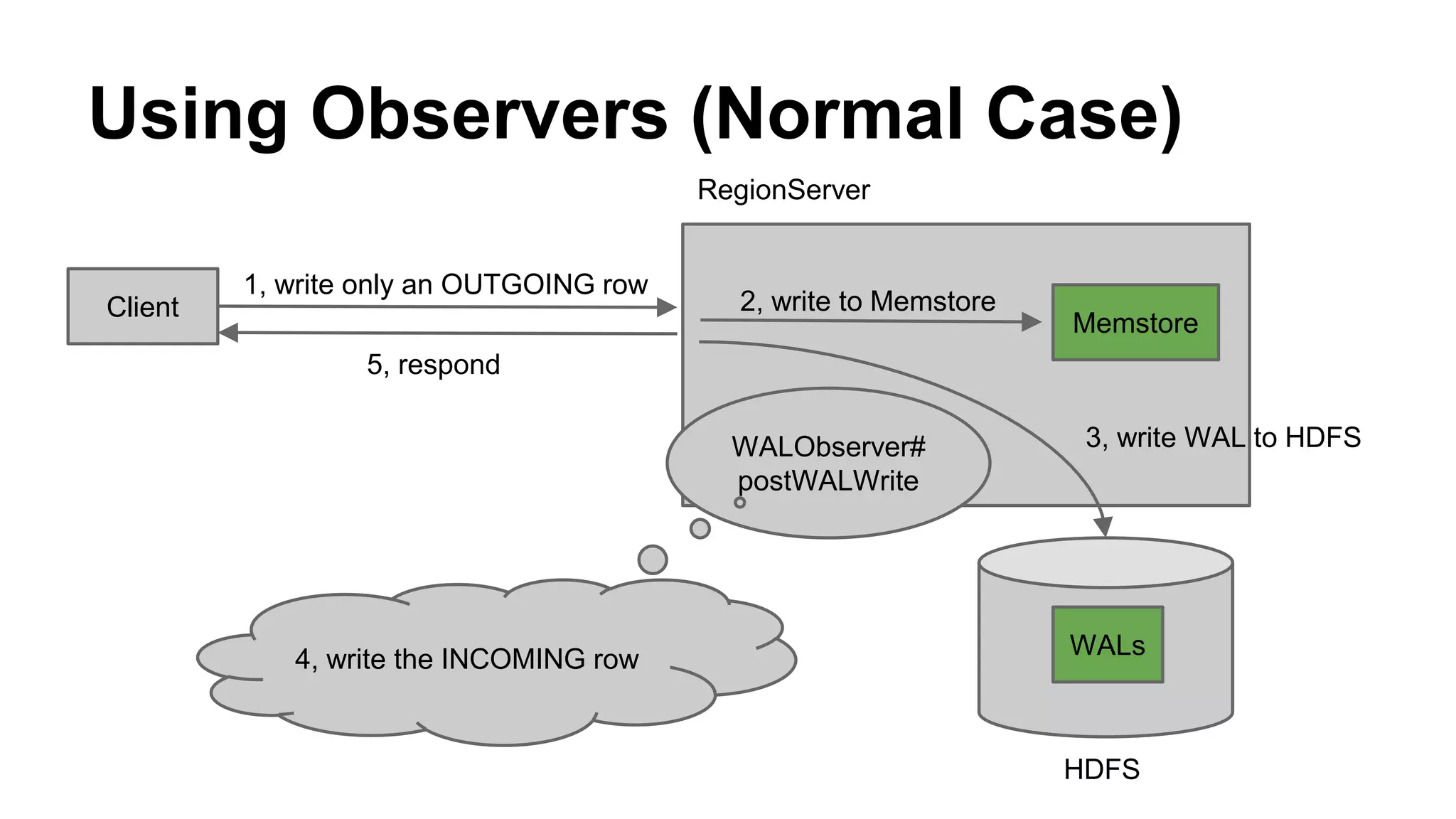
5, respond
4, write the INCOMING row
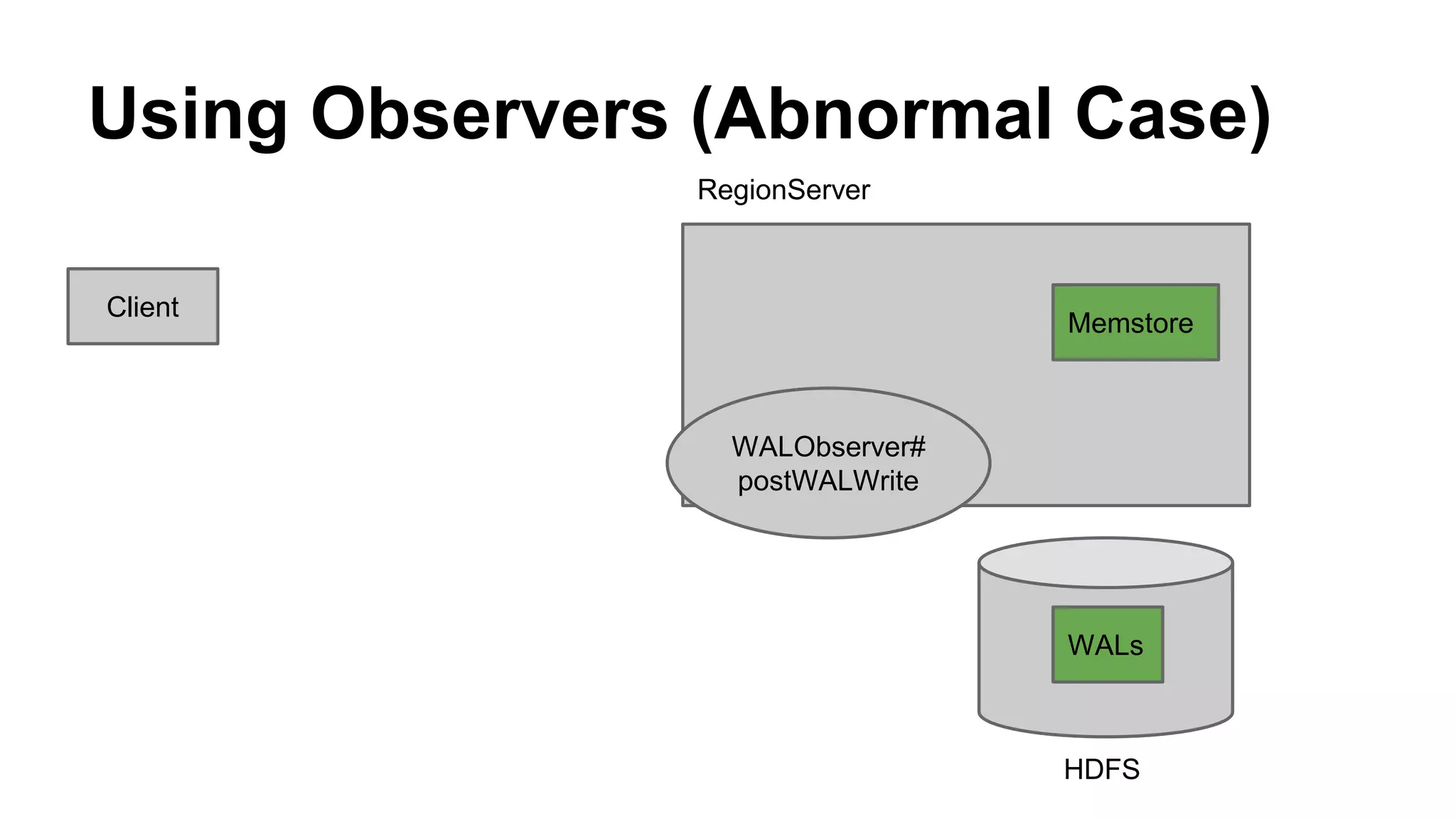
Using Observers (Abnormal Case)
Client
Memstore
RegionServer
HDFS
WALs
WALObserver#
postWALWrite
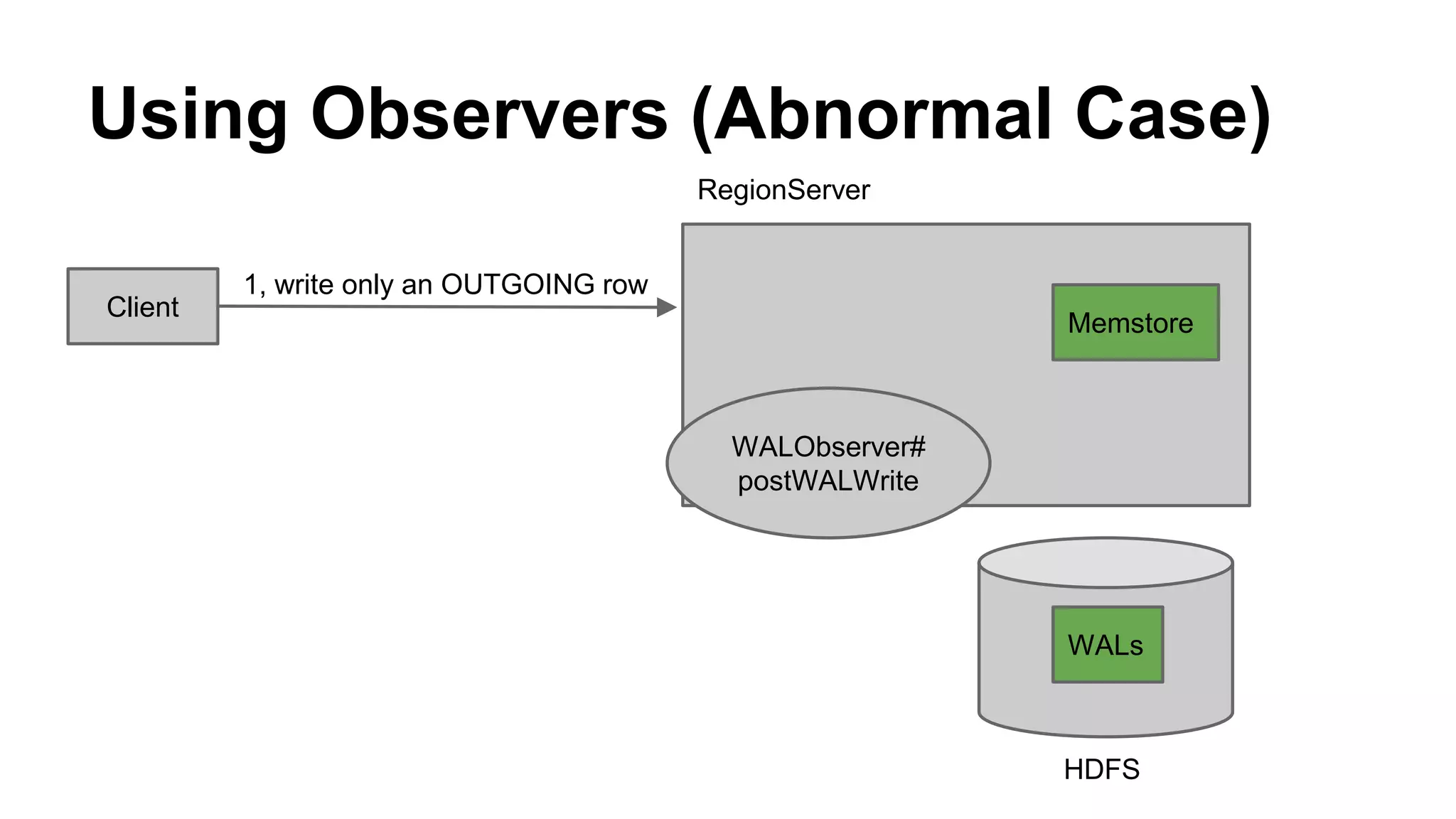
Using Observers (Abnormal Case)
Client
1, write only an OUTGOING row
Memstore
RegionServer
HDFS
WALs
WALObserver#
postWALWrite
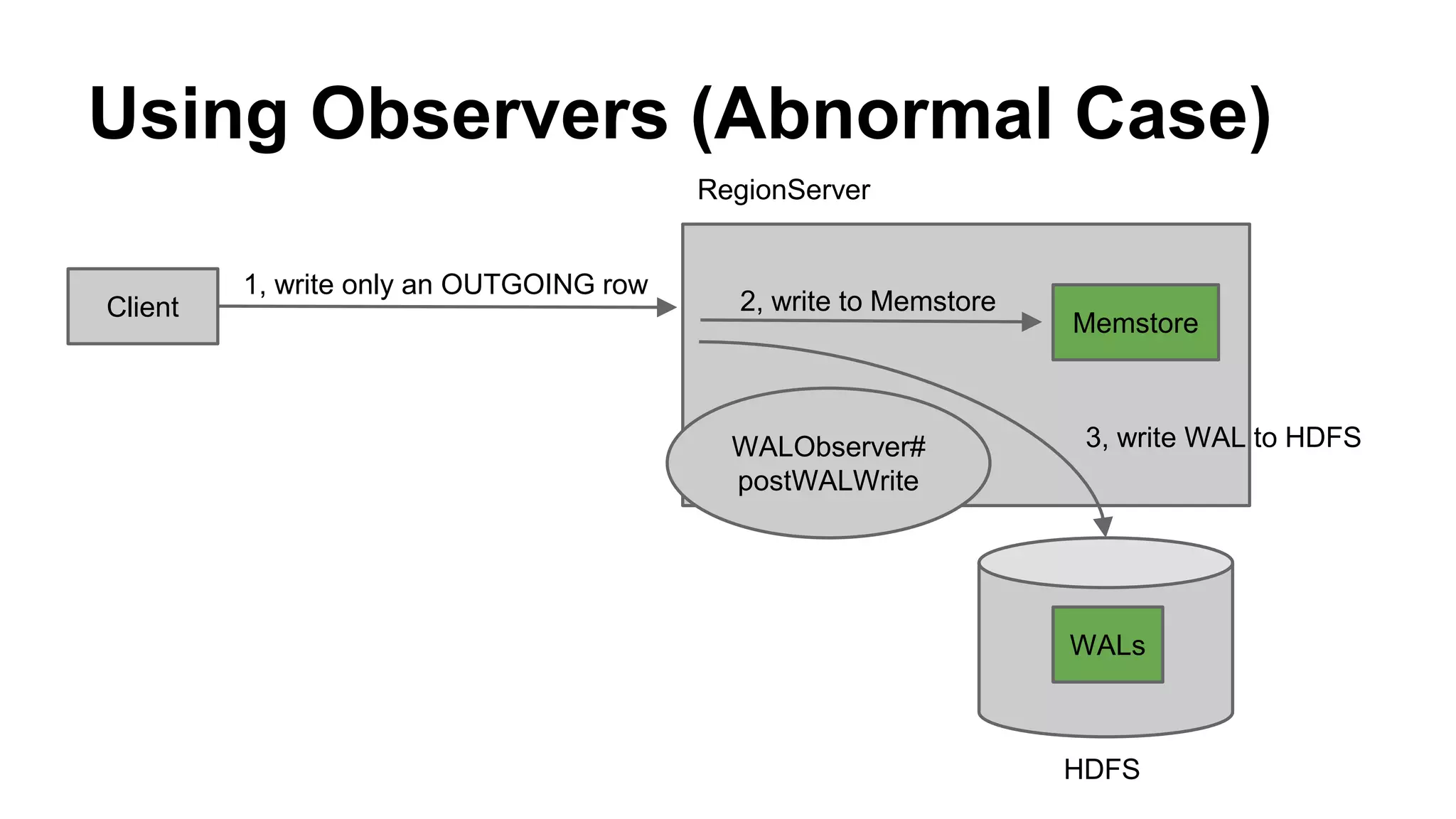
Using Observers (Abnormal Case)
Client
1, write only an OUTGOING row
Memstore
2, write to Memstore
RegionServer
HDFS
WALs
WALObserver#
postWALWrite
3, write WAL to HDFS
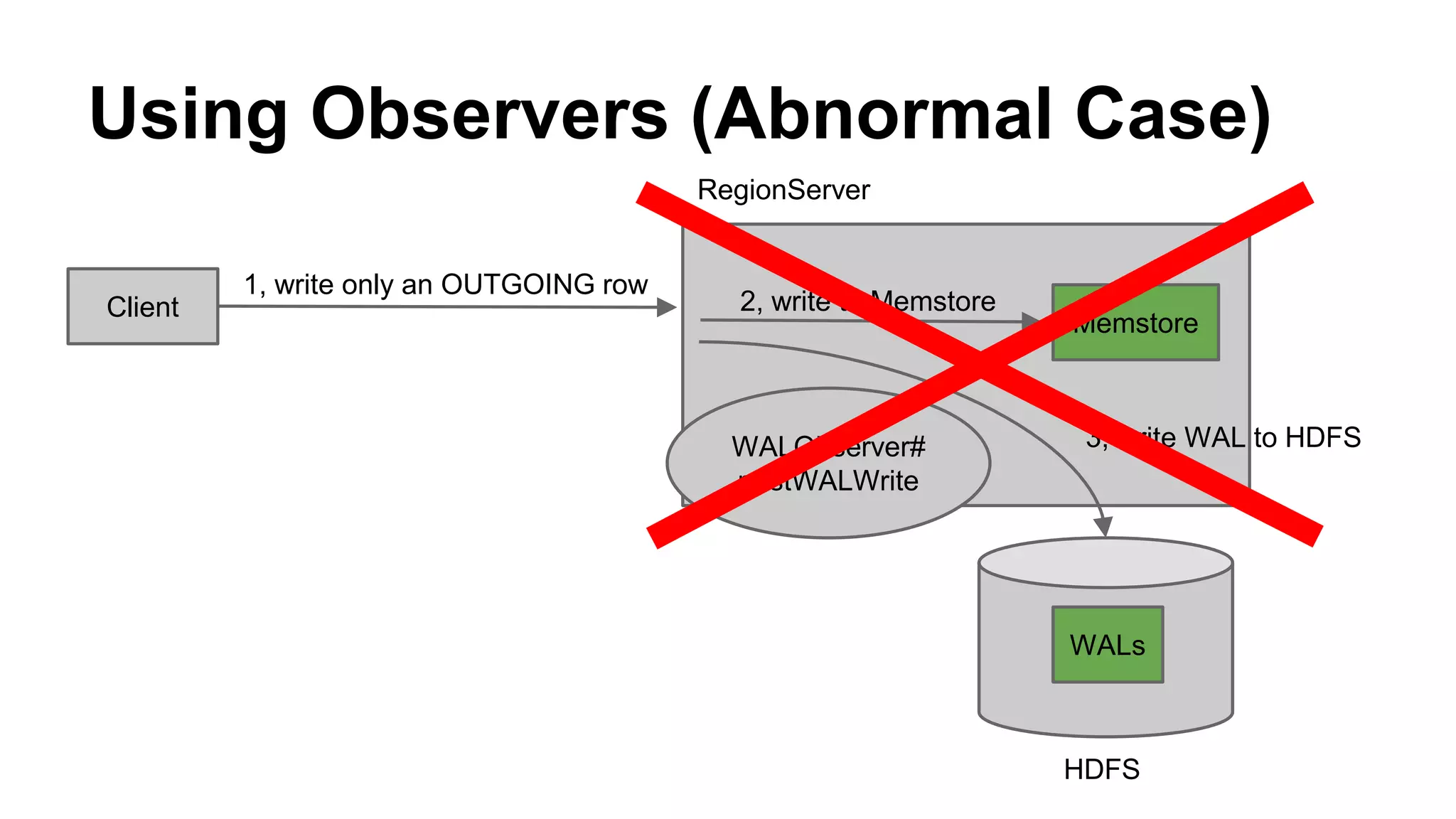
Using Observers (Abnormal Case)
Client
1, write only an OUTGOING row
Memstore
2, write to Memstore
RegionServer
HDFS
WALs
WALObserver#
postWALWrite
3, write WAL to HDFS
Using Observers (Abnormal Case)
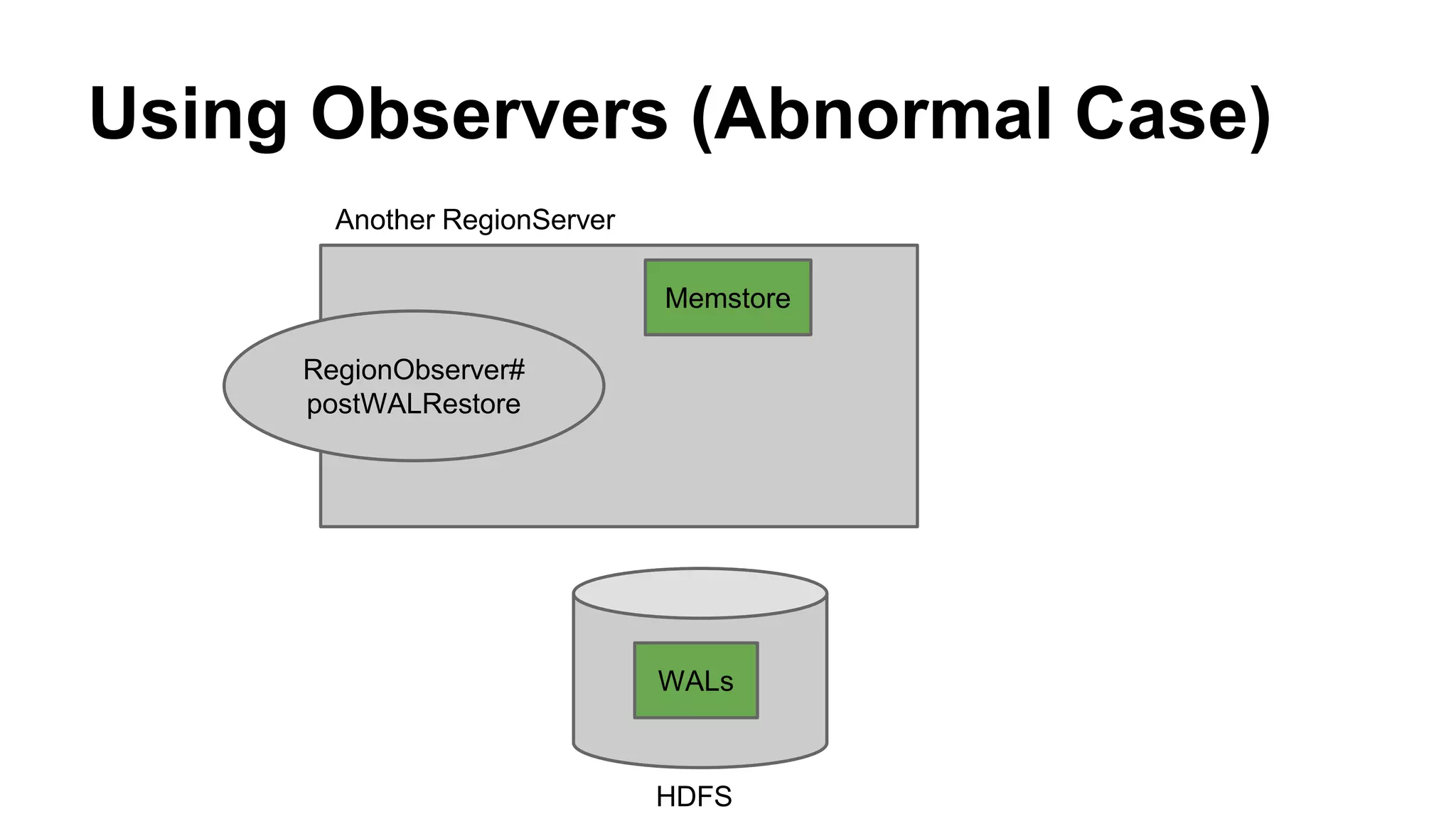
Another RegionServer
HDFS
RegionObserver#
postWALRestore
WALs
Memstore
Using Observers (Abnormal Case)
Another RegionServer
HDFS
RegionObserver#
postWALRestore
WALs
Memstore
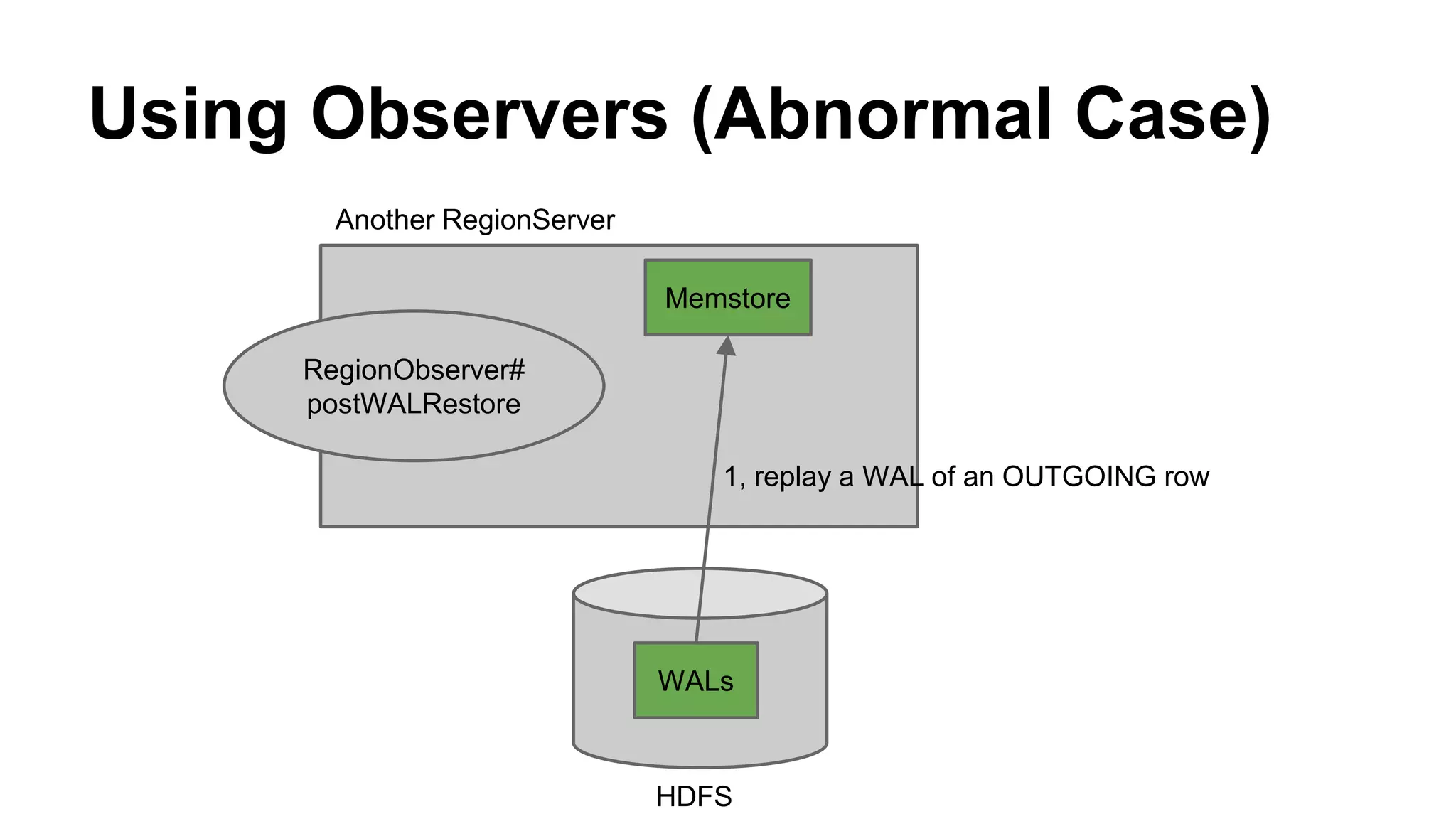
1, replay a WAL of an OUTGOING row
Using Observers (Abnormal Case)
Another RegionServer
HDFS
RegionObserver#
postWALRestore
WALs
Memstore
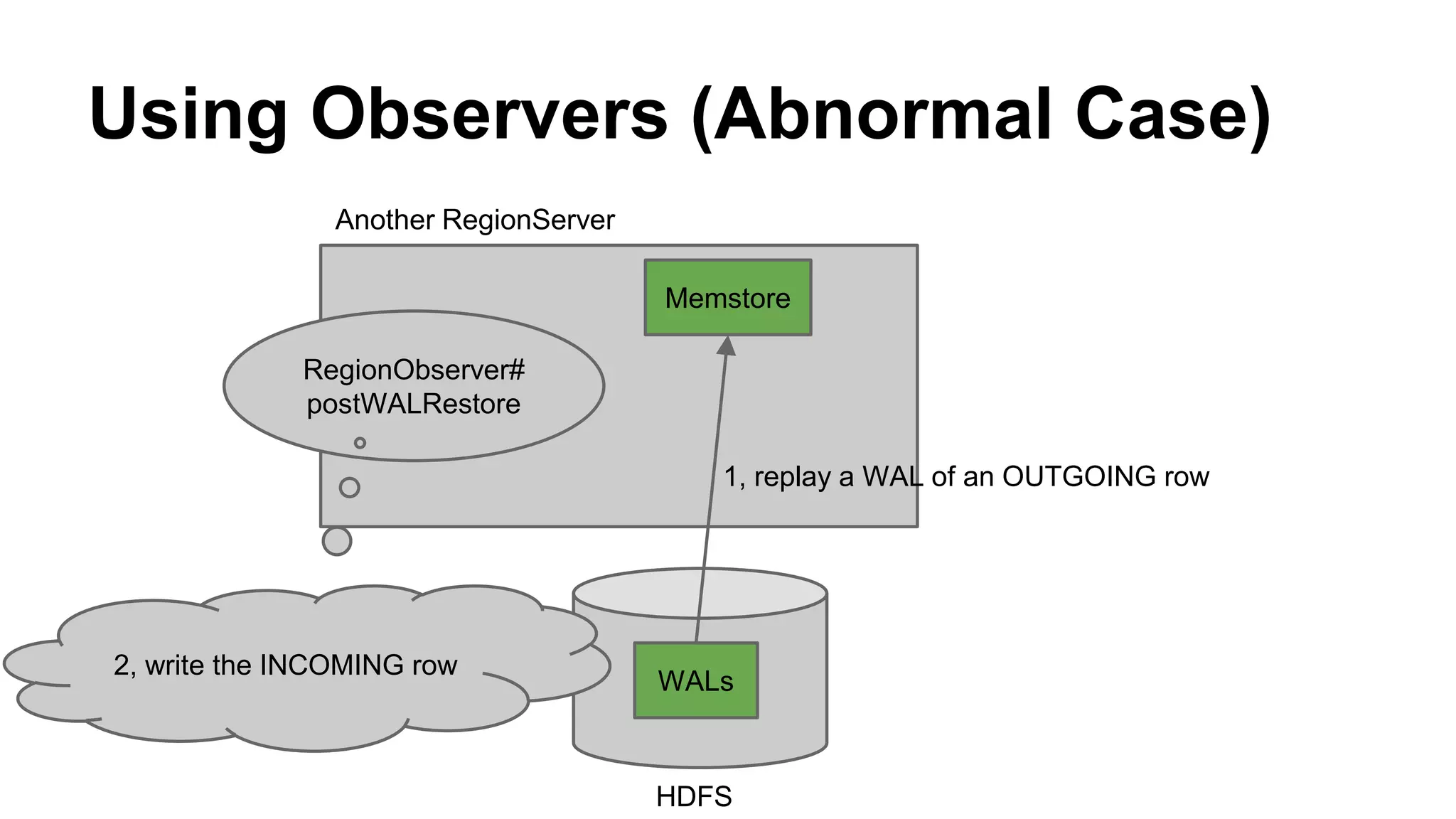
2, write the INCOMING row
1, replay a WAL of an OUTGOING row
Summary
● We have used HBase in several projects
o Log Analysis, Social Graph, Recommendations,
Advertising tech
● We developed graph database built on HBase
o HBase is good for storing social graphs
o We use coprocessor to resolve consistency problems
If you have any questions,
please tweet @brfrn169.
Questions

HBaseCon 2015: HBase @ CyberAgent

  • 1.
    HBase @ CyberAgent ToshihiroSuzuki, Hirotaka Kakishima
  • 2.
    Who We Are ●Hirotaka Kakishima o Database Engineer, CyberAgent, Inc. ● Toshihiro Suzuki o Software Engineer, CyberAgent, Inc. o Worked on HBase since 2012 o @brfrn169
  • 3.
    Who We Are Weauthored Beginner’s Guide to HBase in Japanese
  • 4.
    Who We Are Ouroffice is located in Akihabara, Japan
  • 5.
    Agenda ● About CyberAgent& Ameba ● HBase @ CyberAgent Our HBase History Use Case: Social Graph Database
  • 6.
  • 7.
    ● Advertising (agency,tech) ● Games ● Ameba https://www.cyberagent.co.jp/en/ CyberAgent, Inc.
  • 8.
  • 9.
    ● Blogging/Social Networking/GamePlatform ● 40 million users What’s Ameba?
  • 10.
    Ranking of DomesticInternet Services Desktop Smartphone by Nielsen 2014 http://www.nielsen.com/jp/ja/insights/newswire-j/press-release-chart/nielsen-news-release-20141216.html Rank WebSite Name Monthly Unique Visitors WebSite Name Monthly Unique VisitorsRank
  • 11.
    Ameba Blog 1.9billion blog articles
  • 12.
  • 13.
  • 14.
  • 15.
    We Use HBasefor Log Analysis Social Graph Recommendations Advertising Tech
  • 16.
    ● For LogAnalysis ● HBase 0.90 (CDH3) Our HBase History (1st Gen.) Log or SCP Transfer & HDFS Sink M/R & Store Results Our Web Application
  • 17.
    Our HBase History(2nd Gen.) ● For Social Graph Database, 24/7 ● HBase 0.92 (CDH4b1), HDFS CDH3u3 ● NameNode using Fault Tolerant Server http://www.nec.com/en/global/prod/express/fault_tolerant/technology.html
  • 18.
    Our HBase History(2nd Gen.) ● Replication using original WAL apply method ● 10TB (not considering HDFS Replicas) ● 6 million requests per minutes ● Average Latency < 20ms
  • 19.
    Our HBase History(3rd Gen.) ● For other social graph, recommendations ● HBase 0.94 (CDH4.2 〜 CDH4.7) ● NameNode HA ● Chef ● Master-slave replication (some clusters patched HBASE-8207)
  • 20.
    Our HBase History(4th Gen.) ● For advertising tech (DSP, DMP, etc.) ● HBase 0.98 (CDH5.3) ● Amazon EC2 ● Master-master replication ● Cloudera Manager
  • 21.
    Currently ● 10 Clustersin Production ● 10 ~ 50 RegionServers / Cluster ● uptime: 16 months (0.92) : Social Graph 24 months (0.94) : Other Social Graph 2 months (0.98) : Advertising tech
  • 22.
    We Cherish theBasics ● Learning architecture ● Considering Table Schema (very important) ● Having enough RAM, DISKs, Network Bandwidth ● Splitting large regions and running major compaction at off-peak ● Monitoring metrics & tuning configuration parameters ● Catching up BUG reports @ JIRA
  • 23.
    Next Challenge ● Weare going to migrate cluster from 0.92 to 1.0
  • 24.
  • 25.
    Graph data Platform forSmartphone Apps
  • 26.
    Requirements ● Scalability o growingsocial graph data ● High availability o 24/7 ● Low latency o for online access
  • 27.
    Why HBase ● Autosharding ● Auto failover ● Low latency We decided to use HBase and developed graph database built on it
  • 28.
    How we useHBase as a Graph Database
  • 29.
  • 30.
    Data Model ● PropertyGraph follow follow follow node1 node2 node3
  • 31.
    Data Model ● PropertyGraph follow follow follow node1 node2 node3 name Taro age 24 date 5/7 name Ichiro age 31 date 4/1 date 3/31 name Jiro age 54
  • 32.
    API Graph g =... Node node1 = g.addNode(); node1.setProperty("name", valueOf("Taro")); Node node2 = g.addNode(); node2.setProperty("name", valueOf("Ichiro")); Relationship rel = node1.addRelationship("follow", node2); rel.setProperty("date", valueOf("2015-02-19")); List<Relationship> outRels = node1.out("follow").list(); List<Relationship> inRels = node2.in("follow").list();
  • 33.
    API Graph g =... Node node1 = g.addNode(); node1.setProperty("name", valueOf("Taro")); Node node2 = g.addNode(); node2.setProperty("name", valueOf("Ichiro")); Relationship rel = node1.addRelationship("follow", node2); rel.setProperty("date", valueOf("2015-02-19")); List<Relationship> outRels = node1.out("follow").list(); List<Relationship> inRels = node2.in("follow").list();
  • 34.
    API Graph g =... Node node1 = g.addNode(); node1.setProperty("name", valueOf("Taro")); Node node2 = g.addNode(); node2.setProperty("name", valueOf("Ichiro")); Relationship rel = node1.addRelationship("follow", node2); rel.setProperty("date", valueOf("2015-02-19")); List<Relationship> outRels = node1.out("follow").list(); List<Relationship> inRels = node2.in("follow").list();
  • 35.
    API Graph g =... Node node1 = g.addNode(); node1.setProperty("name", valueOf("Taro")); Node node2 = g.addNode(); node2.setProperty("name", valueOf("Ichiro")); Relationship rel = node1.addRelationship("follow", node2); rel.setProperty("date", valueOf("2015-02-19")); List<Relationship> outRels = node1.out("follow").list(); List<Relationship> inRels = node2.in("follow").list();
  • 36.
    API Graph g =... Node node1 = g.addNode(); node1.setProperty("name", valueOf("Taro")); Node node2 = g.addNode(); node2.setProperty("name", valueOf("Ichiro")); Relationship rel = node1.addRelationship("follow", node2); rel.setProperty("date", valueOf("2015-02-19")); List<Relationship> outRels = node1.out("follow").list(); List<Relationship> inRels = node2.in("follow").list();
  • 37.
    API Graph g =... Node node1 = g.addNode(); node1.setProperty("name", valueOf("Taro")); Node node2 = g.addNode(); node2.setProperty("name", valueOf("Ichiro")); Relationship rel = node1.addRelationship("follow", node2); rel.setProperty("date", valueOf("2015-02-19")); List<Relationship> outRels = node1.out("follow").list(); List<Relationship> inRels = node2.in("follow").list();
  • 38.
    API Graph g =... Node node1 = g.addNode(); node1.setProperty("name", valueOf("Taro")); Node node2 = g.addNode(); node2.setProperty("name", valueOf("Ichiro")); Relationship rel = node1.addRelationship("follow", node2); rel.setProperty("date", valueOf("2015-02-19")); List<Relationship> outRels = node1.out("follow").list(); List<Relationship> inRels = node2.in("follow").list();
  • 39.
    Schema Design ● RowKey o<hash(nodeId)>-<nodeId> ● Column o n: o r:<direction>-<type>-<nodeId> ● Value o Serialized properties
  • 40.
    Schema Design (Example) Nodenode1 = g.addNode(); node1.setProperty("name", valueOf("Taro")); Node node2 = g.addNode(); node2.setProperty("name", valueOf("Ichiro")); Node node3 = g.addNode(); node3.setProperty("name", valueOf("Jiro"));
  • 41.
    Schema Design (Example) Nodenode1 = g.addNode(); node1.setProperty("name", valueOf("Taro")); Node node2 = g.addNode(); node2.setProperty("name", valueOf("Ichiro")); Node node3 = g.addNode(); node3.setProperty("name", valueOf("Jiro")); node1
  • 42.
    Schema Design (Example) Nodenode1 = g.addNode(); node1.setProperty("name", valueOf("Taro")); Node node2 = g.addNode(); node2.setProperty("name", valueOf("Ichiro")); Node node3 = g.addNode(); node3.setProperty("name", valueOf("Jiro")); node1 node2
  • 43.
    Schema Design (Example) Nodenode1 = g.addNode(); node1.setProperty("name", valueOf("Taro")); Node node2 = g.addNode(); node2.setProperty("name", valueOf("Ichiro")); Node node3 = g.addNode(); node3.setProperty("name", valueOf("Jiro")); node1 node3 node2
  • 44.
  • 45.
    Schema Design (Example) RowKeyColumn Value hash(nodeId1)-nodeId1 n: {“name”: “Taro”}
  • 46.
    Schema Design (Example) RowKeyColumn Value hash(nodeId1)-nodeId1 n: {“name”: “Taro”} hash(nodeId2)-nodeId2 n: {“name”: “Ichiro”}
  • 47.
    Schema Design (Example) RowKeyColumn Value hash(nodeId1)-nodeId1 n: {“name”: “Taro”} hash(nodeId2)-nodeId2 n: {“name”: “Ichiro”} hash(nodeId3)-nodeId3 n: {“name”: “Jiro”}
  • 48.
    Schema Design (Example) RowKeyColumn Value hash(nodeId1)-nodeId1 n: {“name”: “Taro”} hash(nodeId2)-nodeId2 n: {“name”: “Ichiro”} hash(nodeId3)-nodeId3 n: {“name”: “Jiro”}
  • 49.
    Schema Design (Example) Relationshiprel1 = node1.addRelationship("follow", node2); rel1.setProperty("date", valueOf("2015-02-19")); Relationship rel2 = node1.addRelationship("follow", node3); rel2.setProperty("date", valueOf("2015-02-20")); Relationship rel3 = node3.addRelationship("follow", node2); rel3.setProperty("date", valueOf("2015-04-12")); node1 node3 node2
  • 50.
    Schema Design (Example) Relationshiprel1 = node1.addRelationship("follow", node2); rel1.setProperty("date", valueOf("2015-02-19")); Relationship rel2 = node1.addRelationship("follow", node3); rel2.setProperty("date", valueOf("2015-02-20")); Relationship rel3 = node3.addRelationship("follow", node2); rel3.setProperty("date", valueOf("2015-04-12")); node1 node3 node2 follow
  • 51.
    Schema Design (Example) Relationshiprel1 = node1.addRelationship("follow", node2); rel1.setProperty("date", valueOf("2015-02-19")); Relationship rel2 = node1.addRelationship("follow", node3); rel2.setProperty("date", valueOf("2015-02-20")); Relationship rel3 = node3.addRelationship("follow", node2); rel3.setProperty("date", valueOf("2015-04-12")); node1 node3 node2 follow follow
  • 52.
    Schema Design (Example) Relationshiprel1 = node1.addRelationship("follow", node2); rel1.setProperty("date", valueOf("2015-02-19")); Relationship rel2 = node1.addRelationship("follow", node3); rel2.setProperty("date", valueOf("2015-02-20")); Relationship rel3 = node3.addRelationship("follow", node2); rel3.setProperty("date", valueOf("2015-04-12")); node1 node3 node2 follow followfollow
  • 53.
    Schema Design (Example) RowKeyColumn Value hash(nodeId1)-nodeId1 n: {“name”: “Taro”} hash(nodeId2)-nodeId2 n: {“name”: “Ichiro”} hash(nodeId3)-nodeId3 n: {“name”: “Jiro”}
  • 54.
    Schema Design (Example) RowKeyColumn Value hash(nodeId1)-nodeId1 n: {“name”: “Taro”} r:OUTGOING-follow-nodeId2 {“date”: “2015-02-19”} hash(nodeId2)-nodeId2 n: {“name”: “Ichiro”} r:INCOMING-follow-nodeId1 {“date”: “2015-02-19”} hash(nodeId3)-nodeId3 n: {“name”: “Jiro”}
  • 55.
    Schema Design (Example) RowKeyColumn Value hash(nodeId1)-nodeId1 n: {“name”: “Taro”} r:OUTGOING-follow-nodeId2 {“date”: “2015-02-19”} hash(nodeId2)-nodeId2 n: {“name”: “Ichiro”} r:INCOMING-follow-nodeId1 {“date”: “2015-02-19”} hash(nodeId3)-nodeId3 n: {“name”: “Jiro”}
  • 56.
    Schema Design (Example) RowKeyColumn Value hash(nodeId1)-nodeId1 n: {“name”: “Taro”} r:OUTGOING-follow-nodeId2 {“date”: “2015-02-19”} r:OUTGOING-follow-nodeId3 {“date”: “2015-02-20”} hash(nodeId2)-nodeId2 n: {“name”: “Ichiro”} r:INCOMING-follow-nodeId1 {“date”: “2015-02-19”} hash(nodeId3)-nodeId3 n: {“name”: “Jiro”} r:INCOMING-follow-nodeId1 {“date”: “2015-02-20”}
  • 57.
    Schema Design (Example) RowKeyColumn Value hash(nodeId1)-nodeId1 n: {“name”: “Taro”} r:OUTGOING-follow-nodeId2 {“date”: “2015-02-19”} r:OUTGOING-follow-nodeId3 {“date”: “2015-02-20”} hash(nodeId2)-nodeId2 n: {“name”: “Ichiro”} r:INCOMING-follow-nodeId1 {“date”: “2015-02-19”} hash(nodeId3)-nodeId3 n: {“name”: “Jiro”} r:INCOMING-follow-nodeId1 {“date”: “2015-02-20”}
  • 58.
    Schema Design (Example) RowKeyColumn Value hash(nodeId1)-nodeId1 n: {“name”: “Taro”} r:OUTGOING-follow-nodeId2 {“date”: “2015-02-19”} r:OUTGOING-follow-nodeId3 {“date”: “2015-02-20”} hash(nodeId2)-nodeId2 n: {“name”: “Ichiro”} r:INCOMING-follow-nodeId1 {“date”: “2015-02-19”} r:INCOMING-follow-nodeId3 {“date”: “2015-04-12”} hash(nodeId3)-nodeId3 n: {“name”: “Jiro”} r:OUTGOING-follow-nodeId2 {“date”: “2015-04-12”} r:INCOMING-follow-nodeId1 {“date”: “2015-02-20”}
  • 59.
    Schema Design (Example) RowKeyColumn Value hash(nodeId1)-nodeId1 n: {“name”: “Taro”} r:OUTGOING-follow-nodeId2 {“date”: “2015-02-19”} r:OUTGOING-follow-nodeId3 {“date”: “2015-02-20”} hash(nodeId2)-nodeId2 n: {“name”: “Ichiro”} r:INCOMING-follow-nodeId1 {“date”: “2015-02-19”} r:INCOMING-follow-nodeId3 {“date”: “2015-04-12”} hash(nodeId3)-nodeId3 n: {“name”: “Jiro”} r:OUTGOING-follow-nodeId2 {“date”: “2015-04-12”} r:INCOMING-follow-nodeId1 {“date”: “2015-02-20”}
  • 60.
    Schema Design (Example) List<Relationship>outRels = node1.out("follow").list(); node3 node2 follow followfollow node1
  • 61.
    Schema Design (Example) List<Relationship>outRels = node1.out("follow").list(); node3 node2 follow followfollow node1
  • 62.
    Schema Design (Example) RowKeyColumn Value hash(nodeId1)-nodeId1 n: {“name”: “Taro”} r:OUTGOING-follow-nodeId2 {“date”: “2015-02-19”} r:OUTGOING-follow-nodeId3 {“date”: “2015-02-20”} hash(nodeId2)-nodeId2 n: {“name”: “Ichiro”} r:INCOMING-follow-nodeId1 {“date”: “2015-02-19”} r:INCOMING-follow-nodeId3 {“date”: “2015-04-12”} hash(nodeId3)-nodeId3 n: {“name”: “Jiro”} r:OUTGOING-follow-nodeId2 {“date”: “2015-04-12”} r:INCOMING-follow-nodeId1 {“date”: “2015-02-20”}
  • 63.
    Schema Design (Example) RowKeyColumn Value hash(nodeId1)-nodeId1 n: {“name”: “Taro”} r:OUTGOING-follow-nodeId2 {“date”: “2015-02-19”} r:OUTGOING-follow-nodeId3 {“date”: “2015-02-20”} hash(nodeId2)-nodeId2 n: {“name”: “Ichiro”} r:INCOMING-follow-nodeId1 {“date”: “2015-02-19”} r:INCOMING-follow-nodeId3 {“date”: “2015-04-12”} hash(nodeId3)-nodeId3 n: {“name”: “Jiro”} r:OUTGOING-follow-nodeId2 {“date”: “2015-04-12”} r:INCOMING-follow-nodeId1 {“date”: “2015-02-20”}
  • 64.
    Schema Design (Example) RowKeyColumn Value hash(nodeId1)-nodeId1 n: {“name”: “Taro”} r:OUTGOING-follow-nodeId2 {“date”: “2015-02-19”} r:OUTGOING-follow-nodeId3 {“date”: “2015-02-20”} hash(nodeId2)-nodeId2 n: {“name”: “Ichiro”} r:INCOMING-follow-nodeId1 {“date”: “2015-02-19”} r:INCOMING-follow-nodeId3 {“date”: “2015-04-12”} hash(nodeId3)-nodeId3 n: {“name”: “Jiro”} r:OUTGOING-follow-nodeId2 {“date”: “2015-04-12”} r:INCOMING-follow-nodeId1 {“date”: “2015-02-20”}
  • 65.
    Schema Design (Example) RowKeyColumn Value hash(nodeId1)-nodeId1 n: {“name”: “Taro”} r:OUTGOING-follow-nodeId2 {“date”: “2015-02-19”} r:OUTGOING-follow-nodeId3 {“date”: “2015-02-20”} hash(nodeId2)-nodeId2 n: {“name”: “Ichiro”} r:INCOMING-follow-nodeId1 {“date”: “2015-02-19”} r:INCOMING-follow-nodeId3 {“date”: “2015-04-12”} hash(nodeId3)-nodeId3 n: {“name”: “Jiro”} r:OUTGOING-follow-nodeId2 {“date”: “2015-04-12”} r:INCOMING-follow-nodeId1 {“date”: “2015-02-20”}
  • 66.
    Schema Design (Example) List<Relationship>inRels = node2.in("follow").list(); node3 node2 follow followfollow node1
  • 67.
    Schema Design (Example) List<Relationship>inRels = node2.in("follow").list(); node3 node2 follow followfollow node1
  • 68.
    Schema Design (Example) RowKeyColumn Value hash(nodeId1)-nodeId1 n: {“name”: “Taro”} r:OUTGOING-follow-nodeId2 {“date”: “2015-02-19”} r:OUTGOING-follow-nodeId3 {“date”: “2015-02-20”} hash(nodeId2)-nodeId2 n: {“name”: “Ichiro”} r:INCOMING-follow-nodeId1 {“date”: “2015-02-19”} r:INCOMING-follow-nodeId3 {“date”: “2015-04-12”} hash(nodeId3)-nodeId3 n: {“name”: “Jiro”} r:OUTGOING-follow-nodeId2 {“date”: “2015-04-12”} r:INCOMING-follow-nodeId1 {“date”: “2015-02-20”}
  • 69.
    Schema Design (Example) RowKeyColumn Value hash(nodeId1)-nodeId1 n: {“name”: “Taro”} r:OUTGOING-follow-nodeId2 {“date”: “2015-02-19”} r:OUTGOING-follow-nodeId3 {“date”: “2015-02-20”} hash(nodeId2)-nodeId2 n: {“name”: “Ichiro”} r:INCOMING-follow-nodeId1 {“date”: “2015-02-19”} r:INCOMING-follow-nodeId3 {“date”: “2015-04-12”} hash(nodeId3)-nodeId3 n: {“name”: “Jiro”} r:OUTGOING-follow-nodeId2 {“date”: “2015-04-12”} r:INCOMING-follow-nodeId1 {“date”: “2015-02-20”}
  • 70.
    Schema Design (Example) RowKeyColumn Value hash(nodeId1)-nodeId1 n: {“name”: “Taro”} r:OUTGOING-follow-nodeId2 {“date”: “2015-02-19”} r:OUTGOING-follow-nodeId3 {“date”: “2015-02-20”} hash(nodeId2)-nodeId2 n: {“name”: “Ichiro”} r:INCOMING-follow-nodeId1 {“date”: “2015-02-19”} r:INCOMING-follow-nodeId3 {“date”: “2015-04-12”} hash(nodeId3)-nodeId3 n: {“name”: “Jiro”} r:OUTGOING-follow-nodeId2 {“date”: “2015-04-12”} r:INCOMING-follow-nodeId1 {“date”: “2015-02-20”}
  • 71.
    Schema Design (Example) RowKeyColumn Value hash(nodeId1)-nodeId1 n: {“name”: “Taro”} r:OUTGOING-follow-nodeId2 {“date”: “2015-02-19”} r:OUTGOING-follow-nodeId3 {“date”: “2015-02-20”} hash(nodeId2)-nodeId2 n: {“name”: “Ichiro”} r:INCOMING-follow-nodeId1 {“date”: “2015-02-19”} r:INCOMING-follow-nodeId3 {“date”: “2015-04-12”} hash(nodeId3)-nodeId3 n: {“name”: “Jiro”} r:OUTGOING-follow-nodeId2 {“date”: “2015-04-12”} r:INCOMING-follow-nodeId1 {“date”: “2015-02-20”}
  • 72.
    Consistency Problem ● HBasehas no native cross-row transactional support ● Possibility of inconsistency between outgoing and incoming rows
  • 73.
    Consistency Problem RowKey ColumnValue hash(nodeId1)-nodeId1 n: {“name”: “Taro”} hash(nodeId2)-nodeId2 n: {“name”: “Ichiro”} hash(nodeId3)-nodeId3 n: {“name”: “Jiro”}
  • 74.
    Consistency Problem RowKey ColumnValue hash(nodeId1)-nodeId1 n: {“name”: “Taro”} r:OUTGOING-follow-nodeId2 {“date”: “2015-02-19”} hash(nodeId2)-nodeId2 n: {“name”: “Ichiro”} r:INCOMING-follow-nodeId1 {“date”: “2015-02-19”} hash(nodeId3)-nodeId3 n: {“name”: “Jiro”} Inconsistency
  • 75.
    Coprocessor ● Endpoints o likea stored procedure in RDBMS o push your business logic into RegionServer ● Observers o like a trigger in RDBMS o insert user code by overriding upcall methods
  • 76.
    Using Observers ● Weuse 2 observers o WALObserver#postWALWrite o RegionObserver#postWALRestore ● The same logic o write an INCOMING row ● Eventual Consistency
  • 77.
    Using Observers (NormalCase) Client Memstore RegionServer HDFS WALs WALObserver# postWALWrite
  • 78.
    Using Observers (NormalCase) Client 1, write only an OUTGOING row Memstore RegionServer HDFS WALs WALObserver# postWALWrite
  • 79.
    Using Observers (NormalCase) Client 1, write only an OUTGOING row Memstore 2, write to Memstore RegionServer HDFS WALs WALObserver# postWALWrite 3, write WAL to HDFS
  • 80.
    Using Observers (NormalCase) Client 1, write only an OUTGOING row Memstore 2, write to Memstore RegionServer HDFS WALs WALObserver# postWALWrite 3, write WAL to HDFS 4, write the INCOMING row
  • 81.
    Using Observers (NormalCase) Client 1, write only an OUTGOING row Memstore 2, write to Memstore RegionServer HDFS WALs WALObserver# postWALWrite 3, write WAL to HDFS 5, respond 4, write the INCOMING row
  • 82.
    Using Observers (AbnormalCase) Client Memstore RegionServer HDFS WALs WALObserver# postWALWrite
  • 83.
    Using Observers (AbnormalCase) Client 1, write only an OUTGOING row Memstore RegionServer HDFS WALs WALObserver# postWALWrite
  • 84.
    Using Observers (AbnormalCase) Client 1, write only an OUTGOING row Memstore 2, write to Memstore RegionServer HDFS WALs WALObserver# postWALWrite 3, write WAL to HDFS
  • 85.
    Using Observers (AbnormalCase) Client 1, write only an OUTGOING row Memstore 2, write to Memstore RegionServer HDFS WALs WALObserver# postWALWrite 3, write WAL to HDFS
  • 86.
    Using Observers (AbnormalCase) Another RegionServer HDFS RegionObserver# postWALRestore WALs Memstore
  • 87.
    Using Observers (AbnormalCase) Another RegionServer HDFS RegionObserver# postWALRestore WALs Memstore 1, replay a WAL of an OUTGOING row
  • 88.
    Using Observers (AbnormalCase) Another RegionServer HDFS RegionObserver# postWALRestore WALs Memstore 2, write the INCOMING row 1, replay a WAL of an OUTGOING row
  • 89.
    Summary ● We haveused HBase in several projects o Log Analysis, Social Graph, Recommendations, Advertising tech ● We developed graph database built on HBase o HBase is good for storing social graphs o We use coprocessor to resolve consistency problems
  • 90.
    If you haveany questions, please tweet @brfrn169. Questions

Editor's Notes

  • #2 Hi, thank you for coming to this session. Today, we are going to talk to you about HBase @ CyberAgent.
  • #3 I am Hirotaka Kakishima. I work for CyberAgent as a Database Engineer, and I will present the first part of this talk. And the second part of this talk will be done by Toshihiro Suzuki. He is a Software Engineer at CyberAgent.
  • #4 We authored beginner’s Guide to HBase in Japanese this year.
  • #5 Our office is located in Akihabara, Japan.
  • #6 This is today’s agenda. We are going to introduce our company and services. And we will talk about our hbase history as well as our use case of HBase.
  • #7 About CyberAgent
  • #8 CyberAgent is an internet service company in Japan. Our business is Advertising, Games, and Ameba We have more than 30% of the smartphone advertising market in Japan. We provide smartphone games for iOS, Android, and Web Browsers. Another big business is Ameba.
  • #9 What’s Ameba?
  • #10 Ameba is a Blog, Social Networking and Game service platform. We have 40 million Ameba users.
  • #11 Here’s the ranking of domestic internet services by the number of visitors in Japan announced by Nielsen last year. We ranked 10th in desktop visitors ranking and 9th in smartphone visitor ranking.
  • #12 To give you a better idea about Ameba, we will introduce Ameba Blog and Ameba Pigg. This is “Ameba Blog”. It is used by more than 10 thousands of Japanese celeprities, like TV personalities, sports players and statesmen. We have more than 1.9 billion blog articles as of September 2014.
  • #13 This is “Ameba Pigg”. It is 2D virtual world. You can create your avatar, chat, go fishing and much more in this virtual world.
  • #14 And we have more services on our platform.
  • #15 Now we will explain how we use HBase @ CyberAgent.
  • #16 We use HBase for Social Graph , Recommendations, Advertising technology, and Log Analysis. Toshihiro will talk about how we use HBase as a Social Graph Database later. I will talk about our HBase history.
  • #17 We have used HBase since 2011. Originally, we used HDFS and HBase for Log analysis. We transfered log using Flume, and stored in HDFS. Then we ran M/R jobs through Hive, and we stored the results into HBase. Finally, our analysts and managers obtained the results through our web application. We deployed HBase 0.90 with CDH3 on physical servers. This is how we got our first know-how of HDFS and HBase.
  • #18 Next, we tried HBase for 24/7 Online Social Graph Database. This time we used HBase 0.92 , but because of performance problems, we switched to a different CDH version for HDFS. In this version, NameNode didn’t have HA functionality. So we have used a Fault Tolerant Server from NEC.
  • #19 Because of bugs in HBase replication, we copied WAL to backup clusters using our original method. We are still using this method on one cluster. We have 10TB of social graph data, not considering HDFS Replicas and 6 million requests per minute Average Latency is less than 20ms.
  • #20 Next is the 3rd Generation. Here we upgraded our log analysis system and we deployed more clusters for recommendations, trend detection and other social graph. We used HBase 0.94 with Namenode HA. And We performed provisioning clusters with Chef. Next, we replicated data between HBase clusters using master-slave replication. But, because many of our hostnames normally include hyphen, some clusters had patch HBASE-8207 applied. エイトツーオーセブン
  • #21 Recently, we started using HBase 0.98 for Advertising technology. We deployed clusters with Master-Master replication in Amazon EC2. And we started using Cloudera Manager to install, configure and keep the cluster up and running.
  • #22 Currently we have 10 Clusters in Production. And each cluster has between 10 and 50 Region Servers. Almost all clusters have been stable over 1 year.
  • #23 For running HBase stable, We cherish the basics. Learning architecture Considering Table Schema (very important) Having enough RAM, DISKs, Network Bandwidth Splitting large regions and running major compaction at off-peak Monitoring metrics & tuning configuration parameters Catching up BUG reports @ JIRA
  • #24 Then, We are going to migrate cluster from 0.92 to 1.0 this year. From now, Toshihiro will continue this presentation. He will talk about how we use HBase as a Social Graph Database. Thank you.
  • #25 Hello, everyone. My name is Toshihiro Suzuki. I'm going to talk about the Ameba’s social graph, one of the systems where we extensively use HBase.
  • #26 We provide a platform for smartphone applications where a lot of services are running. For example, games, social networking and message board services. There is a lot of graph data such as users and connections between users like friends and followers. So we needed a large scale graph database when we began the development of the platform.
  • #27 Our requirements for the graph database are scalability, high availability and low latency. First, the graph database has to be scalable because web services can grow rapidly and unpredictably. Second, our services are used 24/7. So the graph database needs to be highly available. If a service goes down, it doesn’t only reduce our sales but also discourages our users. In addition, our applications have strict response time requirements because they are user-facing applications for online access. So the graph database has to have low latency.
  • #28 So we considered using HBase. HBase has auto sharding and auto failover, because HBase is designed to be used in distributed environments, so administration of HBase is relatively easy. And HBase can scale to add more RegionServers to the cluster as needed. With auto failover, HBase can recover quickly if any RegionServer goes down. Also, HBase provides low latency access. After considerable research and experimentation, we decided to use HBase and developed a graph database built on it.
  • #29 Next I'll talk about how we use HBase as a Graph Database.
  • #30 Here is the system overview of our graph database. When accessing graph data, clients don’t communicate with HBase directly, but via Gateways. Gateways talk to HBase when storing or retrieving graph data.
  • #31 Next I will explain about Data Model. The graph database provides Property Graph Model. In this model, there are nodes and relationships that are the connection between nodes. A relationship has a type and a direction. In this picture, there are 3 nodes -- "node1", "node2" and "node3", and 3 relationships. This relationship has a "follow" type and a direction from "node1" to "node2". This relationship has a "follow" type and a direction from "node2" to "node3".
  • #32 Nodes and relationships also have properties in key-value format. In this picture, "node1" has 2 properties, name:Taro and age:24, and this relationship has a property, date:May 7th.
  • #33 Here is the graph database’s API. It’s very simple.
  • #34 First, you create a graph object.
  • #35 Next, you call addNode method to create a Node, and set a property “name” and its value “Taro”.
  • #36 After that, You create another node and set a property “name” and its value “Ichiro”.
  • #37 Then, you add a relationship from “node1” to “node2”, a type “follow” and set a property “date” and its value.
  • #38 Next You can get outgoing relationships from “node1”.
  • #39 Finally, you can get incoming relationships to “node2”
  • #40 Here is the graph database schema design. A row key consists of a hash value of a node id and the node id. There are 2 Column Families "n" and "r". All nodes are stored with ColumnFamily "n" and empty Qualifier. All relationships are stored with ColumnFamily "r" and Qualifier that consists of direction, type and node id. Properties are serialized and stored as Value.
  • #41 For example, you create 3 nodes and set “name” properties to them,
  • #42 node1
  • #43 node2
  • #44 node3
  • #45 And in HBase,
  • #46 node1
  • #47 node2
  • #48 node3
  • #49 As you can see, the node data are stored in HBase like this. As mentioned before, the row key consists of a hash value of a node id and the node id. The Node’s Column Family is “n” and the Qualifier is empty. Properties are serialized and stored as Value.
  • #50 Then, you create 3 relationships and set “date” properties to them,
  • #51 First relationship,
  • #52 Second relationship,
  • #53 And third relationship,
  • #54 And this is how it is reflected in HBase,
  • #55 First relationship,
  • #57 Second relationship,
  • #59 And third relationship,
  • #60 As you can see, the relationship’s row key is same as the node’s. The Column Family is “r” and the Qualifier consists of direction “OUTGOING” or “INCOMING” , the type “follow” and node id. Similar to nodes, properties are serialized and stored as Value.
  • #61 The next example is how to get “OUTGOING” relationships.
  • #62 When you want to get “OUTGOING” relationships from “node1”,
  • #63 You can scan with
  • #64 the row key “nodeId1” and its hash value
  • #65 the column family “r” and the qualifier whose prefix is “OUTGOING” and “follow”.
  • #66 Then you can get these relationships.
  • #67 Next,
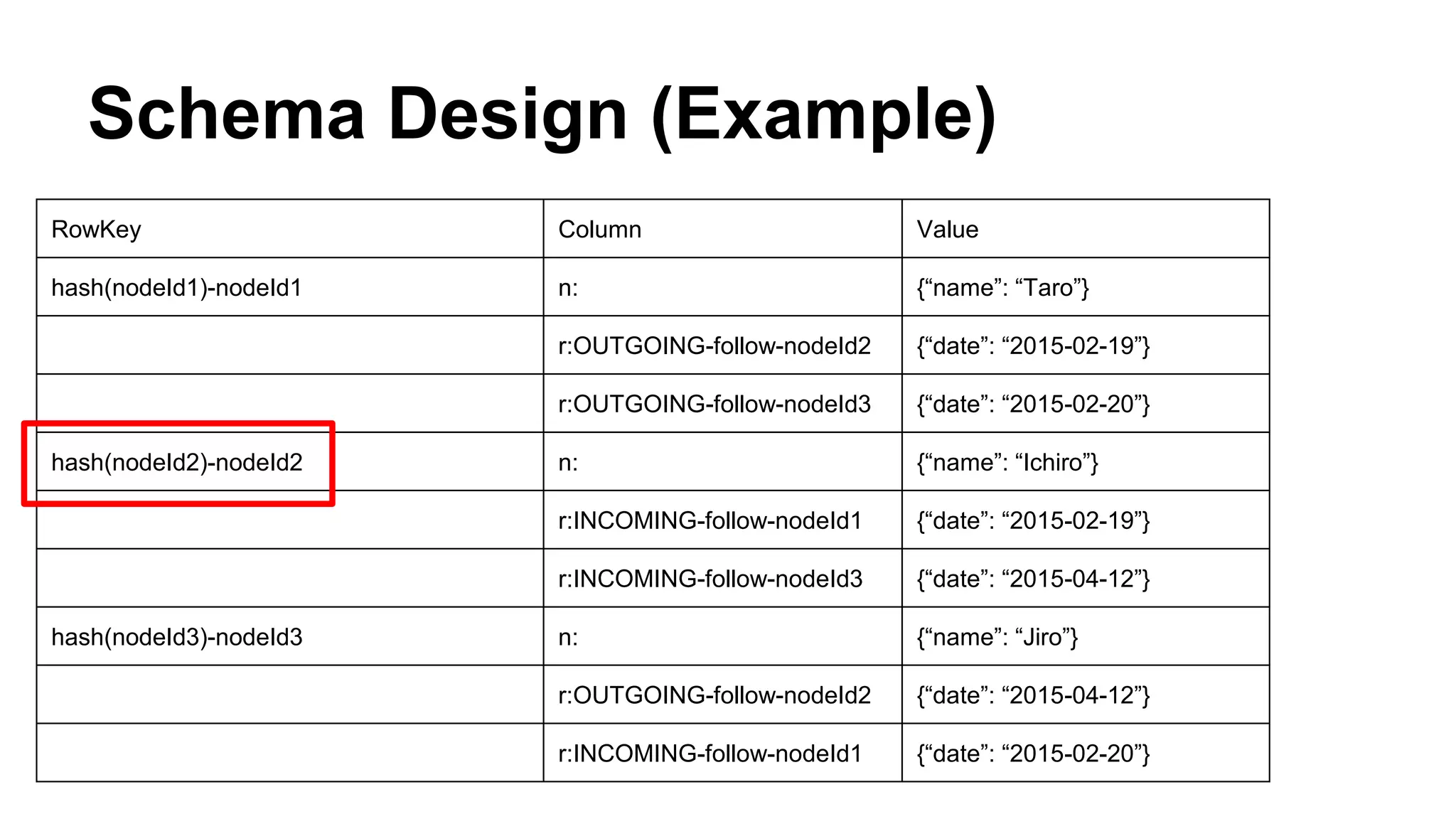
  • #68 When you want to get “INCOMING” relationships to “node2”,
  • #69 You can scan with
  • #70 the row key “nodeId2” and its hash value,
  • #71 the column family “r” and the qualifier whose prefix is “INCOMING” and “follow”.
  • #72 Then you can get these relationships.
  • #73 There is a potential consistency problem. As you know, HBase has no native cross-row transactional support. So there is a possibility of inconsistency between outgoing and incoming rows.
  • #74 For instance, when you try to add a relationship and the system goes down at the same time,
  • #75 The data inconsistency between outgoing and incoming rows may occur like this.
  • #76 To resolve this kind of problem, we are using Coprocessor. Coprocessor has two features, Endpoints and Observers. Endpoints are like a stored procedure in RDBMS and you can push your business logic into RegionServer. Observers are like a trigger in RDBMS and you can insert user code by overriding upcall methods.
  • #77 We use observers to resolve inconsistency problems. We use two observers, postWALWrite method of WALObserver and postWALRestore method of RegionObserver. The postWALWrite method is hooked after writing to WAL. And postWALRestore method is hooked after restoring WAL in a failover process. We implement these observers to insert the same logic for writing an INCOMING row. Thus we ensure eventual consistency between incoming and outgoing rows.
  • #78 Next I’ll show you how we use observers to resolve inconsistency problems with this animation. First, let’s look at the normal case.
  • #79 The client sends a put request to RegionServer to write only an outgoing row.
  • #80 Then, RegionServer writes the data to Memstore and then to WAL in HDFS
  • #81 Then, RegionServer executes our logic in postWALWrite method of WALObserver and it writes the incoming row.
  • #82 Finally, RegionServer responds to the client. Normally, we ensure consistency like this.
  • #83 Next, let’s consider a failure.
  • #84 First of all, the client sends a put request to RegionServer to write only an outgoing row.
  • #85 Then, RegionServer writes the data to Memstore and then to WAL in HDFS
  • #86 If the RegionServer goes down at that time, our logic in postWALWrite method isn’t executed and the incoming row isn’t written. So a data inconsistency is going to occur.
  • #87 Our logic in postWALRestore method of RegionObserver resolves this problem.
  • #88 In HBase, when RegionServer goes down, another RegionServer restores data from WALs.
  • #89 And, If RegionServer replays the WAL of an outgoing row, then our logic in postWALRestore method is executed and it writes the incoming row. As a result, the data inconsistency doesn’t occur even if any RegionServer goes down.
  • #90 Summary, We have used hbase in several projects, Log Analysis, Social Graph, Recommendations, Advertising technology. And I talked about Social Graph, which is one of our use cases. In our experience, HBase is good for storing social graphs. And We are using coprocessor to resolve consistency problems. Thank you for listening.
  • #91 If you have any questions, please tweet @brfrn169. Thank you.