Data storing and data access
Plan
• Basic Java API for HBase
– demo
• Bulk data loading
• Hands-on
– Distributed storage for user files
• SQL on noSQL
• Summary
Basic Java API for HBase
import org.apache.hadoop.hbase.*
Data modification operations
• Storing the data
– Put – it inserts or updates a new cell (s)
– Append – it updates a cell
– Bulk loading – loads the data directly to store files
• Reading
– Get – single row lookup (one or many cells)
– Scan – rows range scanning
• Deleting data
– delete ( column families, rows, cells)
– truncate…
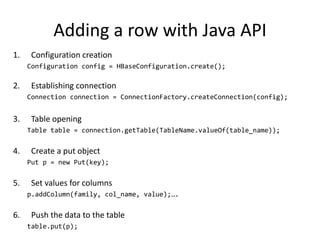
Adding a row with Java API
1. Configuration creation
Configuration config = HBaseConfiguration.create();
2. Establishing connection
Connection connection = ConnectionFactory.createConnection(config);
3. Table opening
Table table = connection.getTable(TableName.valueOf(table_name));
4. Create a put object
Put p = new Put(key);
5. Set values for columns
p.addColumn(family, col_name, value);….
6. Push the data to the table
table.put(p);
Getting data with Java API
1. Open a connection and instantiate a table object
2. Create a get object
Get g = new Get(key);
3. (optional) specify certain family or column only
g.addColumn(family_name, col_name); //or
g.addFamily(family_name);
4. Get the data from the table
Result result= table.get(g);
5. Get values from the result object
byte [] value = result.getValue(family, col_name); //….
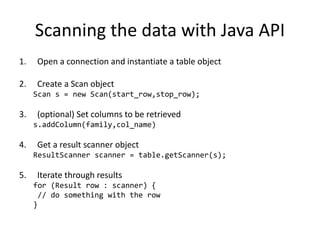
Scanning the data with Java API
1. Open a connection and instantiate a table object
2. Create a Scan object
Scan s = new Scan(start_row,stop_row);
3. (optional) Set columns to be retrieved
s.addColumn(family,col_name)
4. Get a result scanner object
ResultScanner scanner = table.getScanner(s);
5. Iterate through results
for (Result row : scanner) {
// do something with the row
}
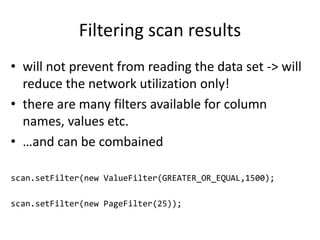
Filtering scan results
• will not prevent from reading the data set -> will
reduce the network utilization only!
• there are many filters available for column
names, values etc.
• …and can be combained
scan.setFilter(new ValueFilter(GREATER_OR_EQUAL,1500);
scan.setFilter(new PageFilter(25));
Demo
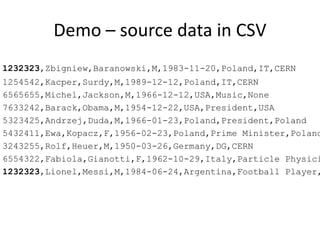
• Lets store persons data in HBase
• Description of a person:
– id
– first_name
– last_name
– data of brith
– profession
– ….?
• Additional requirement
– Fast records lookup by Last Name
Demo – source data in CSV
1232323,Zbigniew,Baranowski,M,1983-11-20,Poland,IT,CERN
1254542,Kacper,Surdy,M,1989-12-12,Poland,IT,CERN
6565655,Michel,Jackson,M,1966-12-12,USA,Music,None
7633242,Barack,Obama,M,1954-12-22,USA,President,USA
5323425,Andrzej,Duda,M,1966-01-23,Poland,President,Poland
5432411,Ewa,Kopacz,F,1956-02-23,Poland,Prime Minister,Poland
3243255,Rolf,Heuer,M,1950-03-26,Germany,DG,CERN
6554322,Fabiola,Gianotti,F,1962-10-29,Italy,Particle Physici
1232323,Lionel,Messi,M,1984-06-24,Argentina,Football Player,
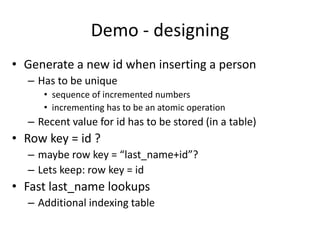
Demo - designing
• Generate a new id when inserting a person
– Has to be unique
• sequence of incremented numbers
• incrementing has to be an atomic operation
– Recent value for id has to be stored (in a table)
• Row key = id ?
– maybe row key = “last_name+id”?
– Lets keep: row key = id
• Fast last_name lookups
– Additional indexing table
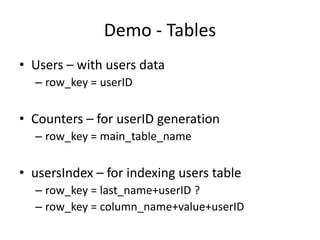
Demo - Tables
• Users – with users data
– row_key = userID
• Counters – for userID generation
– row_key = main_table_name
• usersIndex – for indexing users table
– row_key = last_name+userID ?
– row_key = column_name+value+userID
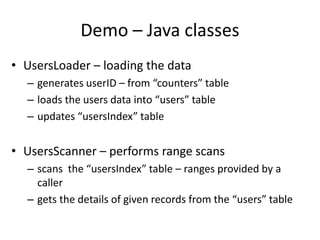
Demo – Java classes
• UsersLoader – loading the data
– generates userID – from “counters” table
– loads the users data into “users” table
– updates “usersIndex” table
• UsersScanner – performs range scans
– scans the “usersIndex” table – ranges provided by a
caller
– gets the details of given records from the “users” table
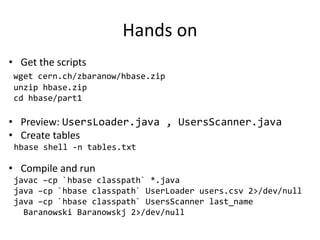
Hands on
• Get the scripts
wget cern.ch/zbaranow/hbase.zip
unzip hbase.zip
cd hbase/part1
• Preview: UsersLoader.java , UsersScanner.java
• Create tables
hbase shell -n tables.txt
• Compile and run
javac –cp `hbase classpath` *.java
java –cp `hbase classpath` UserLoader users.csv 2>/dev/null
java –cp `hbase classpath` UsersScanner last_name
Baranowski Baranowskj 2>/dev/null
Schema design consideration
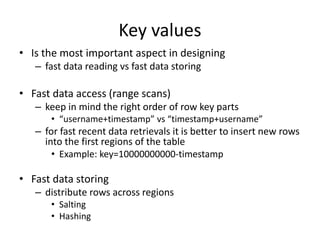
Key values
• Is the most important aspect in designing
– fast data reading vs fast data storing
• Fast data access (range scans)
– keep in mind the right order of row key parts
• “username+timestamp” vs “timestamp+username”
– for fast recent data retrievals it is better to insert new rows
into the first regions of the table
• Example: key=10000000000-timestamp
• Fast data storing
– distribute rows across regions
• Salting
• Hashing
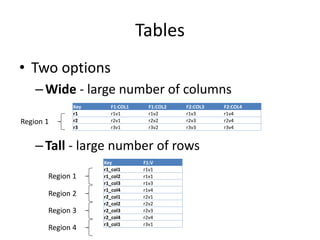
Tables
• Two options
–Wide - large number of columns
–Tall - large number of rows
Key F1:COL1 F1:COL2 F2:COL3 F2:COL4
r1 r1v1 r1v2 r1v3 r1v4
r2 r2v1 r2v2 r2v3 r2v4
r3 r3v1 r3v2 r3v3 r3v4
Key F1:V
r1_col1 r1v1
r1_col2 r1v1
r1_col3 r1v3
r1_col4 r1v4
r2_col1 r2v1
r2_col2 r2v2
r2_col3 r2v3
r2_col4 r2v4
r3_col1 r3v1
Region 1
Region 1
Region 2
Region 3
Region 4
Bulk data loading
Bulk loading
• Why?
– For loading big data sets already available on HDFS
– Faster – direct data writing to HBase store files
– No footprint on region servers
• How?
1. Load the data into HDFS
2. Generate a hfiles with the data using MapReduce
• write your own
• or use importtsv – has some limitations
3. Embed generated files into HBase
Bulk load – demo
1. Create a target table
2. Load the CSV file to HDFS
3. Run ImportTsv
4. Run LoadIncrementalHFiles
All commands in:
bulkLoading.txt
Part 2: Distributed storage
(hands –on)
Hands on: distributed storage
• Let’s imagine we need to provide a backend
storage system for a large scale application
– e.g. for a mail service, for a cloud drive
• We want the storage to be
– distributed
– content addressed
• In the following hands on we’ll see how Hbase
can do this
Distributed storage: insert client
• The application will be able to upload a file from
a local file system and save a reference to it in
‘users’ table
• A file will be reference by its SHA-1 fingerprint
• General steps:
– read a file and calculate a fingerprint
– check for file existence
– save in ‘files’ table if not exists
– add a reference in ‘users’ table in ‘media’ column
family
Distributed storage: download client
• The application will be able to download a file
given an user ID and a file (media) name
• General steps:
– retrieve a fingerprint from ‘users’ table
– get the file data from ‘files’ table
– save the data to a local file system
Distributed storage: exercise location
• Get to the source files
cd ../part2
• Fill the TODOs
– support with docs and previous examples
• Compile with
javac -cp `hbase classpath` InsertFile.java
javac -cp `hbase classpath` GetMedia.java
SQL on HBase
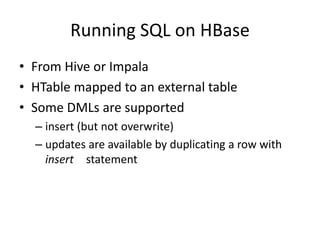
Running SQL on HBase
• From Hive or Impala
• HTable mapped to an external table
• Some DMLs are supported
– insert (but not overwrite)
– updates are available by duplicating a row with
insert statement
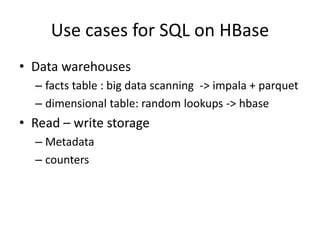
Use cases for SQL on HBase
• Data warehouses
– facts table : big data scanning -> impala + parquet
– dimensional table: random lookups -> hbase
• Read – write storage
– Metadata
– counters
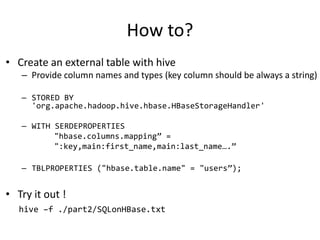
How to?
• Create an external table with hive
– Provide column names and types (key column should be always a string)
– STORED BY
'org.apache.hadoop.hive.hbase.HBaseStorageHandler'
– WITH SERDEPROPERTIES
"hbase.columns.mapping” =
":key,main:first_name,main:last_name….”
– TBLPROPERTIES ("hbase.table.name" = "users”);
• Try it out !
hive –f ./part2/SQLonHBase.txt
Summary
What was not covered
• Writing co-processors - stored procedures
• HBase table permissions
• Filtering of data scanner results
• Using map reduce for data storing and
retrieving
• Bulk data loading with custom map reduce
• Using different APIs - Thrift
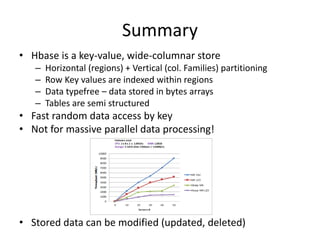
Summary
• Hbase is a key-value, wide-columnar store
– Horizontal (regions) + Vertical (col. Families) partitioning
– Row Key values are indexed within regions
– Data typefree – data stored in bytes arrays
– Tables are semi structured
• Fast random data access by key
• Not for massive parallel data processing!
• Stored data can be modified (updated, deleted)
Other similar NoSQL engines
• Apache Cassandra
• MongoDB
• Apache Accumulo (on Hadoop)
• Hypertable (on Hadoop)
• HyperDex
• BerkleyDB / Oracle NoSQL
Announcement: Hadoop users forum
• Why?
– Exchange knowledge and experience about
• The technology itself
• Current successful projects on Hadoop@CERN
– Service requirements
• Who?
– Everyone how is interested in Hadoop (and not only)
• How?
– e-group: it-analytics-wg@cern.ch
• When?
– Every 2-4 weeks
– Starting from 7th of October

HBase_-_data_operaet le opérations de calciletions_final.pptx

  • 1.
    Data storing anddata access
  • 2.
    Plan • Basic JavaAPI for HBase – demo • Bulk data loading • Hands-on – Distributed storage for user files • SQL on noSQL • Summary
  • 3.
    Basic Java APIfor HBase import org.apache.hadoop.hbase.*
  • 4.
    Data modification operations •Storing the data – Put – it inserts or updates a new cell (s) – Append – it updates a cell – Bulk loading – loads the data directly to store files • Reading – Get – single row lookup (one or many cells) – Scan – rows range scanning • Deleting data – delete ( column families, rows, cells) – truncate…
  • 5.
    Adding a rowwith Java API 1. Configuration creation Configuration config = HBaseConfiguration.create(); 2. Establishing connection Connection connection = ConnectionFactory.createConnection(config); 3. Table opening Table table = connection.getTable(TableName.valueOf(table_name)); 4. Create a put object Put p = new Put(key); 5. Set values for columns p.addColumn(family, col_name, value);…. 6. Push the data to the table table.put(p);
  • 6.
    Getting data withJava API 1. Open a connection and instantiate a table object 2. Create a get object Get g = new Get(key); 3. (optional) specify certain family or column only g.addColumn(family_name, col_name); //or g.addFamily(family_name); 4. Get the data from the table Result result= table.get(g); 5. Get values from the result object byte [] value = result.getValue(family, col_name); //….
  • 7.
    Scanning the datawith Java API 1. Open a connection and instantiate a table object 2. Create a Scan object Scan s = new Scan(start_row,stop_row); 3. (optional) Set columns to be retrieved s.addColumn(family,col_name) 4. Get a result scanner object ResultScanner scanner = table.getScanner(s); 5. Iterate through results for (Result row : scanner) { // do something with the row }
  • 8.
    Filtering scan results •will not prevent from reading the data set -> will reduce the network utilization only! • there are many filters available for column names, values etc. • …and can be combained scan.setFilter(new ValueFilter(GREATER_OR_EQUAL,1500); scan.setFilter(new PageFilter(25));
  • 9.
    Demo • Lets storepersons data in HBase • Description of a person: – id – first_name – last_name – data of brith – profession – ….? • Additional requirement – Fast records lookup by Last Name
  • 10.
    Demo – sourcedata in CSV 1232323,Zbigniew,Baranowski,M,1983-11-20,Poland,IT,CERN 1254542,Kacper,Surdy,M,1989-12-12,Poland,IT,CERN 6565655,Michel,Jackson,M,1966-12-12,USA,Music,None 7633242,Barack,Obama,M,1954-12-22,USA,President,USA 5323425,Andrzej,Duda,M,1966-01-23,Poland,President,Poland 5432411,Ewa,Kopacz,F,1956-02-23,Poland,Prime Minister,Poland 3243255,Rolf,Heuer,M,1950-03-26,Germany,DG,CERN 6554322,Fabiola,Gianotti,F,1962-10-29,Italy,Particle Physici 1232323,Lionel,Messi,M,1984-06-24,Argentina,Football Player,
  • 11.
    Demo - designing •Generate a new id when inserting a person – Has to be unique • sequence of incremented numbers • incrementing has to be an atomic operation – Recent value for id has to be stored (in a table) • Row key = id ? – maybe row key = “last_name+id”? – Lets keep: row key = id • Fast last_name lookups – Additional indexing table
  • 12.
    Demo - Tables •Users – with users data – row_key = userID • Counters – for userID generation – row_key = main_table_name • usersIndex – for indexing users table – row_key = last_name+userID ? – row_key = column_name+value+userID
  • 13.
    Demo – Javaclasses • UsersLoader – loading the data – generates userID – from “counters” table – loads the users data into “users” table – updates “usersIndex” table • UsersScanner – performs range scans – scans the “usersIndex” table – ranges provided by a caller – gets the details of given records from the “users” table
  • 14.
    Hands on • Getthe scripts wget cern.ch/zbaranow/hbase.zip unzip hbase.zip cd hbase/part1 • Preview: UsersLoader.java , UsersScanner.java • Create tables hbase shell -n tables.txt • Compile and run javac –cp `hbase classpath` *.java java –cp `hbase classpath` UserLoader users.csv 2>/dev/null java –cp `hbase classpath` UsersScanner last_name Baranowski Baranowskj 2>/dev/null
  • 15.
  • 16.
    Key values • Isthe most important aspect in designing – fast data reading vs fast data storing • Fast data access (range scans) – keep in mind the right order of row key parts • “username+timestamp” vs “timestamp+username” – for fast recent data retrievals it is better to insert new rows into the first regions of the table • Example: key=10000000000-timestamp • Fast data storing – distribute rows across regions • Salting • Hashing
  • 17.
    Tables • Two options –Wide- large number of columns –Tall - large number of rows Key F1:COL1 F1:COL2 F2:COL3 F2:COL4 r1 r1v1 r1v2 r1v3 r1v4 r2 r2v1 r2v2 r2v3 r2v4 r3 r3v1 r3v2 r3v3 r3v4 Key F1:V r1_col1 r1v1 r1_col2 r1v1 r1_col3 r1v3 r1_col4 r1v4 r2_col1 r2v1 r2_col2 r2v2 r2_col3 r2v3 r2_col4 r2v4 r3_col1 r3v1 Region 1 Region 1 Region 2 Region 3 Region 4
  • 18.
  • 19.
    Bulk loading • Why? –For loading big data sets already available on HDFS – Faster – direct data writing to HBase store files – No footprint on region servers • How? 1. Load the data into HDFS 2. Generate a hfiles with the data using MapReduce • write your own • or use importtsv – has some limitations 3. Embed generated files into HBase
  • 20.
    Bulk load –demo 1. Create a target table 2. Load the CSV file to HDFS 3. Run ImportTsv 4. Run LoadIncrementalHFiles All commands in: bulkLoading.txt
  • 21.
    Part 2: Distributedstorage (hands –on)
  • 22.
    Hands on: distributedstorage • Let’s imagine we need to provide a backend storage system for a large scale application – e.g. for a mail service, for a cloud drive • We want the storage to be – distributed – content addressed • In the following hands on we’ll see how Hbase can do this
  • 23.
    Distributed storage: insertclient • The application will be able to upload a file from a local file system and save a reference to it in ‘users’ table • A file will be reference by its SHA-1 fingerprint • General steps: – read a file and calculate a fingerprint – check for file existence – save in ‘files’ table if not exists – add a reference in ‘users’ table in ‘media’ column family
  • 24.
    Distributed storage: downloadclient • The application will be able to download a file given an user ID and a file (media) name • General steps: – retrieve a fingerprint from ‘users’ table – get the file data from ‘files’ table – save the data to a local file system
  • 25.
    Distributed storage: exerciselocation • Get to the source files cd ../part2 • Fill the TODOs – support with docs and previous examples • Compile with javac -cp `hbase classpath` InsertFile.java javac -cp `hbase classpath` GetMedia.java
  • 26.
  • 27.
    Running SQL onHBase • From Hive or Impala • HTable mapped to an external table • Some DMLs are supported – insert (but not overwrite) – updates are available by duplicating a row with insert statement
  • 28.
    Use cases forSQL on HBase • Data warehouses – facts table : big data scanning -> impala + parquet – dimensional table: random lookups -> hbase • Read – write storage – Metadata – counters
  • 29.
    How to? • Createan external table with hive – Provide column names and types (key column should be always a string) – STORED BY 'org.apache.hadoop.hive.hbase.HBaseStorageHandler' – WITH SERDEPROPERTIES "hbase.columns.mapping” = ":key,main:first_name,main:last_name….” – TBLPROPERTIES ("hbase.table.name" = "users”); • Try it out ! hive –f ./part2/SQLonHBase.txt
  • 30.
  • 31.
    What was notcovered • Writing co-processors - stored procedures • HBase table permissions • Filtering of data scanner results • Using map reduce for data storing and retrieving • Bulk data loading with custom map reduce • Using different APIs - Thrift
  • 32.
    Summary • Hbase isa key-value, wide-columnar store – Horizontal (regions) + Vertical (col. Families) partitioning – Row Key values are indexed within regions – Data typefree – data stored in bytes arrays – Tables are semi structured • Fast random data access by key • Not for massive parallel data processing! • Stored data can be modified (updated, deleted)
  • 33.
    Other similar NoSQLengines • Apache Cassandra • MongoDB • Apache Accumulo (on Hadoop) • Hypertable (on Hadoop) • HyperDex • BerkleyDB / Oracle NoSQL
  • 34.
    Announcement: Hadoop usersforum • Why? – Exchange knowledge and experience about • The technology itself • Current successful projects on Hadoop@CERN – Service requirements • Who? – Everyone how is interested in Hadoop (and not only) • How? – e-group: it-analytics-wg@cern.ch • When? – Every 2-4 weeks – Starting from 7th of October