

Franco Valdés
Constanza Martínez

IMPROVING THE
CLARITY OF TABLES
1.- How they are constructed
2.- How they are presented.

How they are
constructed
 Clarity of tables can be improved by paying
attention to:
Size, complexity and organisation
Captions and the prose descriptions of the tables
 Large tables and figures are comparatively rare in
most research articles Appendix

Rules
1. Split large tables into smaller ones
2. Produce one overall summary table rather than
several small tables
3. Provide clear captions that say what the table is
about, or tell the reader what the table shows (some
people look at the tables first before reading the
text)

Rules
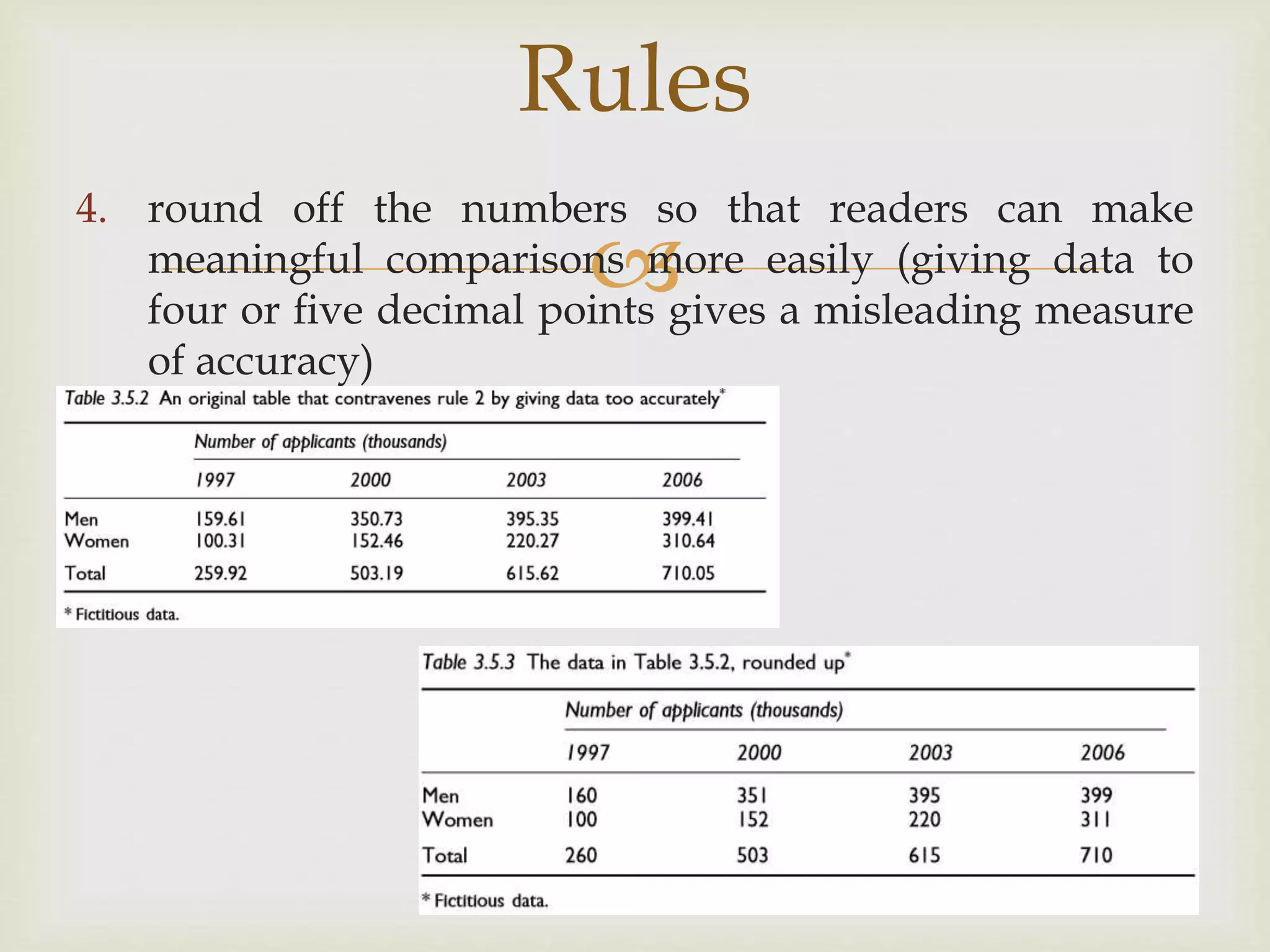
4. round off the numbers so that readers can make
meaningful comparisons more easily (giving data to
four or five decimal points gives a misleading measure
of accuracy)

Rules
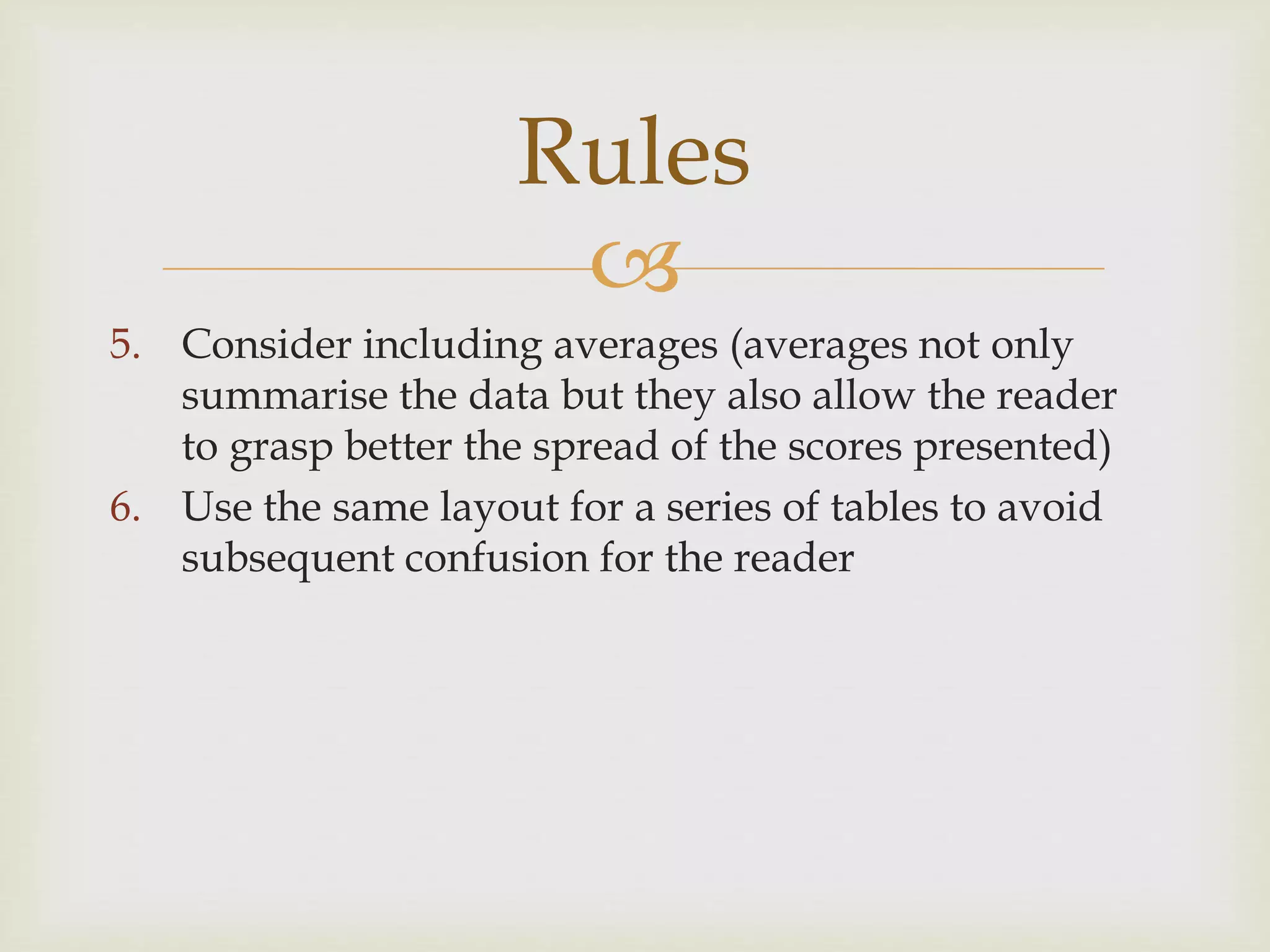
5. Consider including averages (averages not only
summarise the data but they also allow the reader
to grasp better the spread of the scores presented)
6. Use the same layout for a series of tables to avoid
subsequent confusion for the reader

Presenting tables
 Common problems:
a) The positioning of the tables on the page
b) How tables are fitted into the space allocated to
them
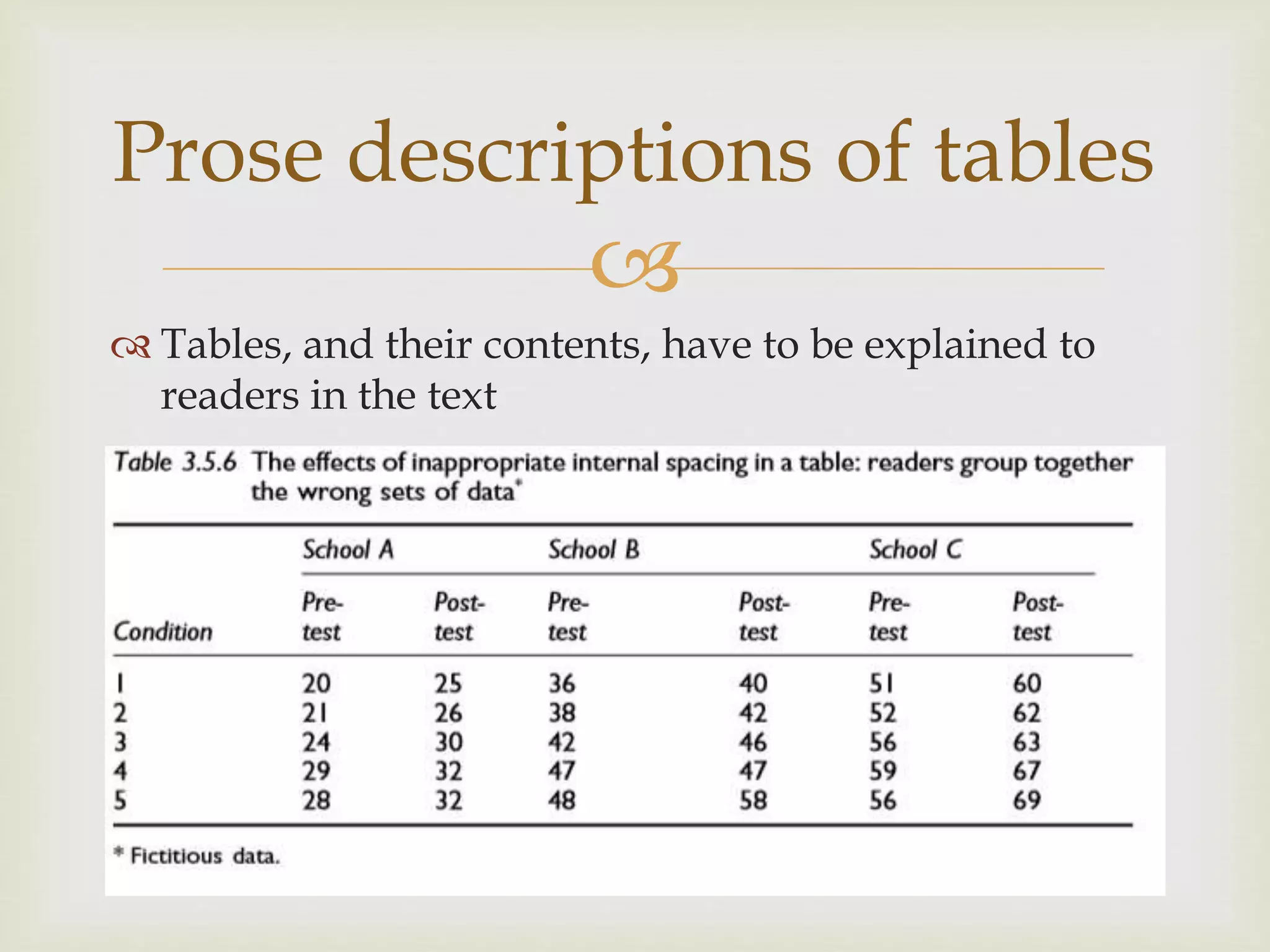
c) The space between the columns is manipulated to
make the table fit the space available, without
taking into account whether or not that space is
used to group the data appropriately

Prose descriptions of tables
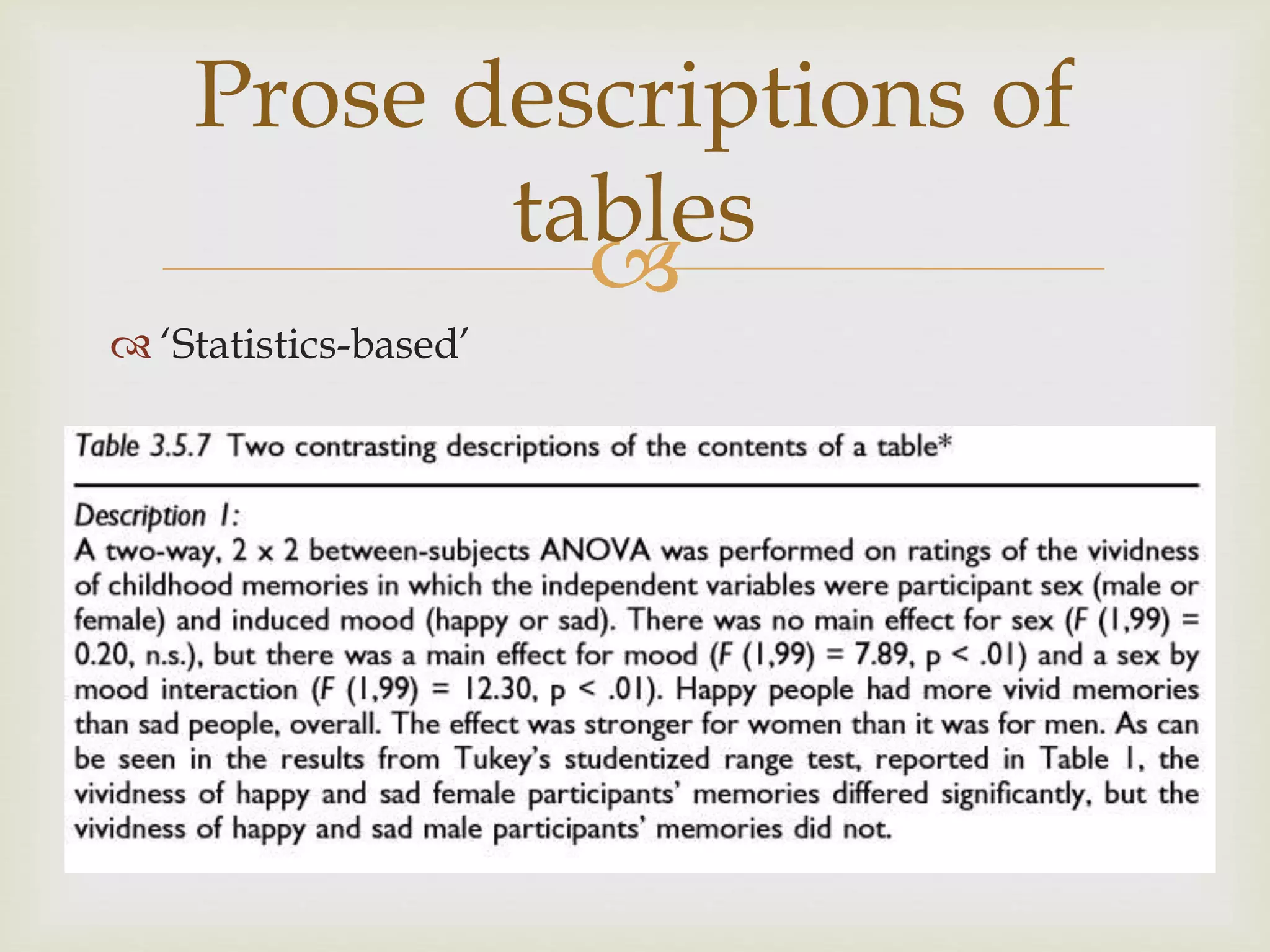
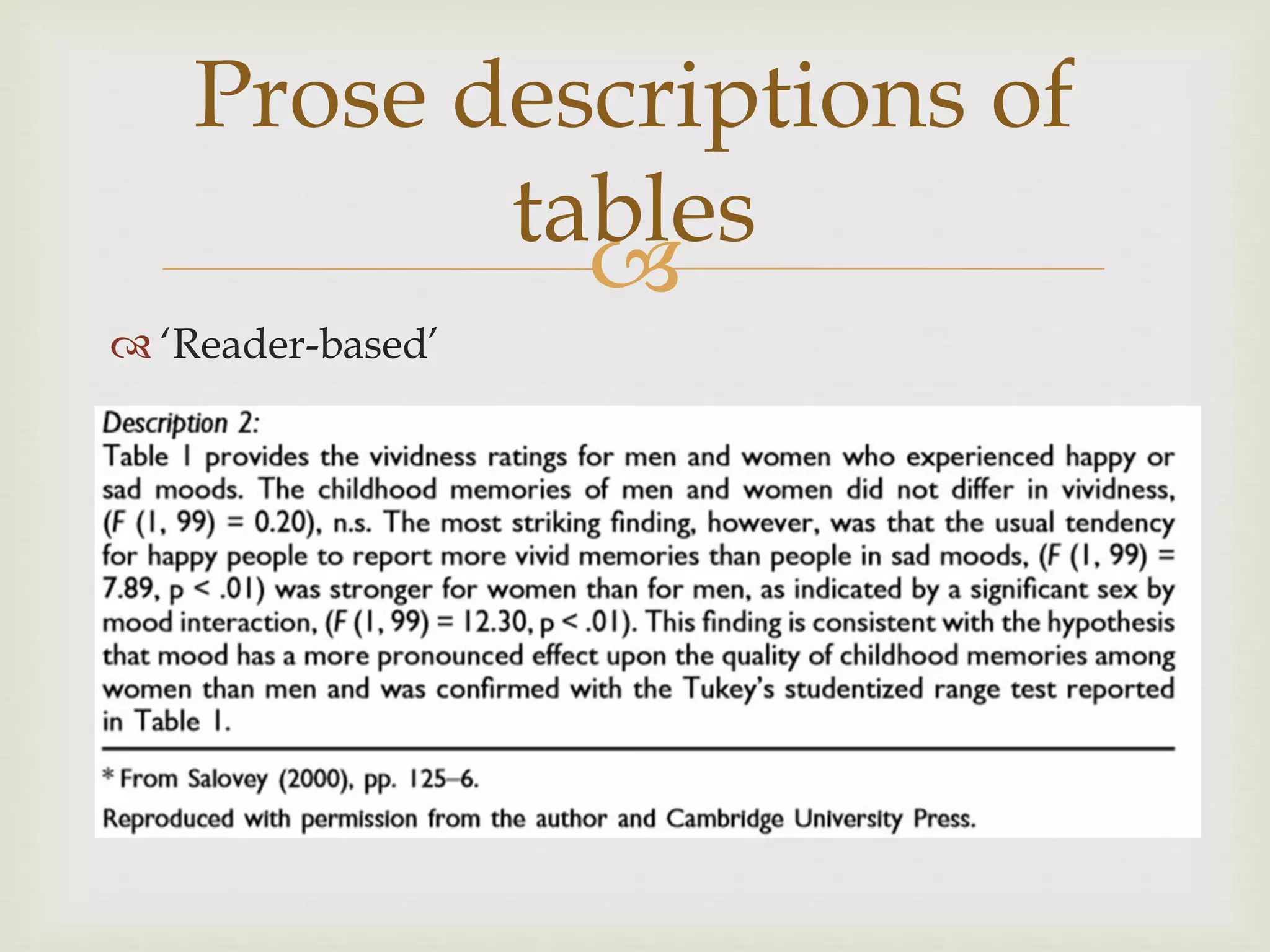
 Tables, and their contents, have to be explained to
readers in the text

Prose descriptions of
tables
 ‘Statistics-based’

Prose descriptions of
tables
 ‘Reader-based’


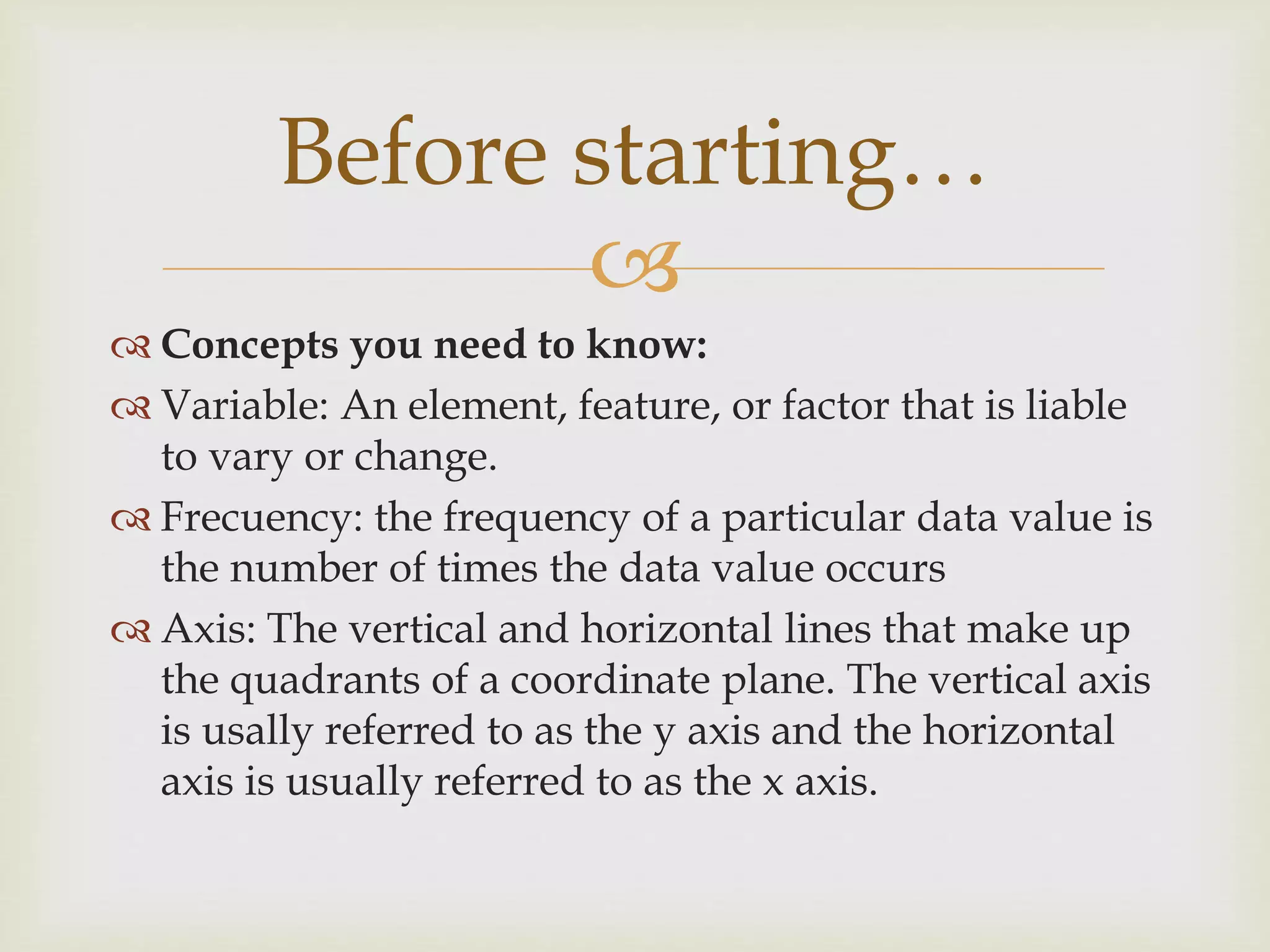
 Concepts you need to know:
 Variable: An element, feature, or factor that is liable
to vary or change.
 Frecuency: the frequency of a particular data value is
the number of times the data value occurs
 Axis: The vertical and horizontal lines that make up
the quadrants of a coordinate plane. The vertical axis
is usally referred to as the y axis and the horizontal
axis is usually referred to as the x axis.
Before starting…

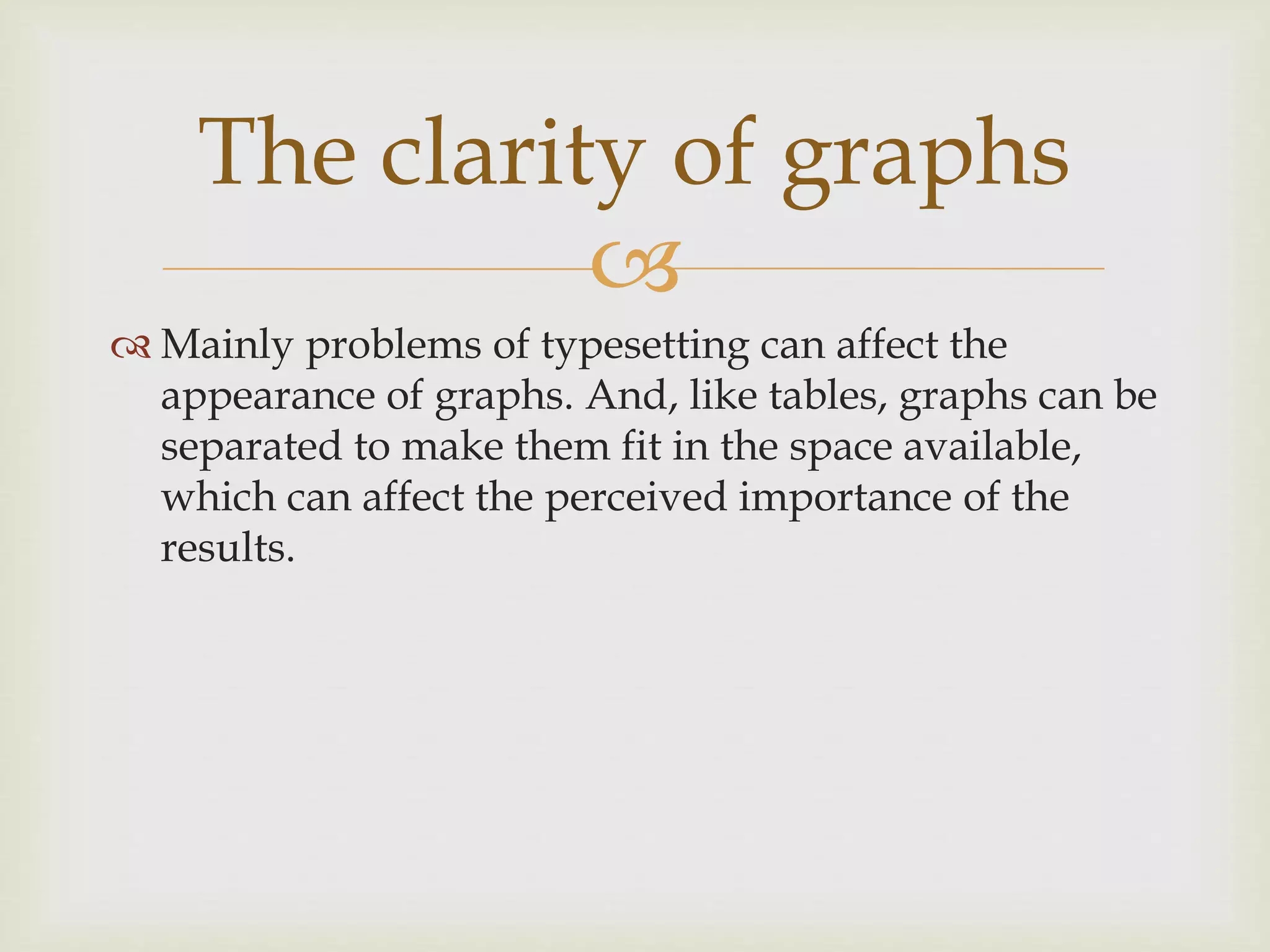
 Mainly problems of typesetting can affect the
appearance of graphs. And, like tables, graphs can be
separated to make them fit in the space available,
which can affect the perceived importance of the
results.
The clarity of graphs

Pie charts, bar charts and
line-graphs


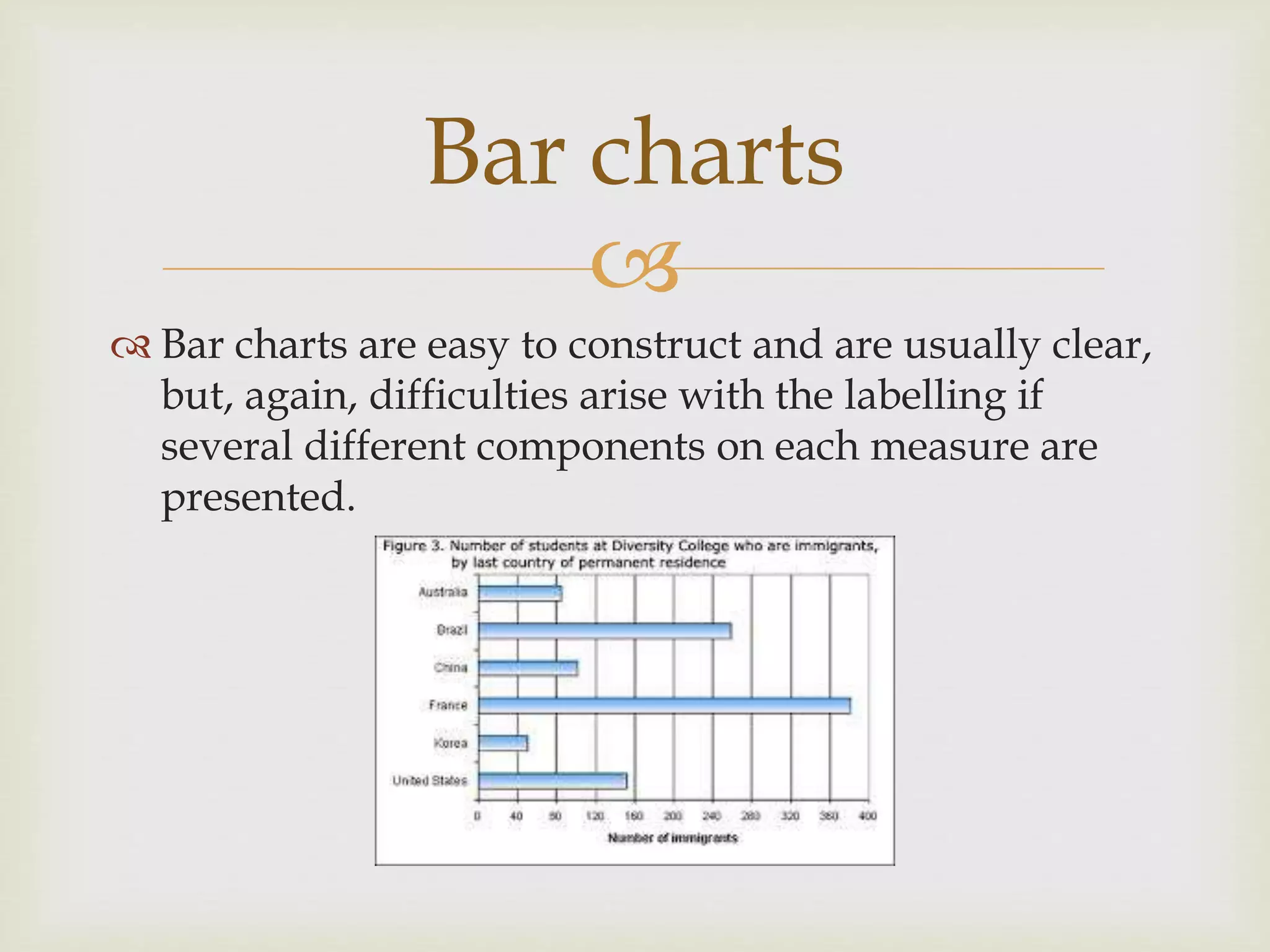
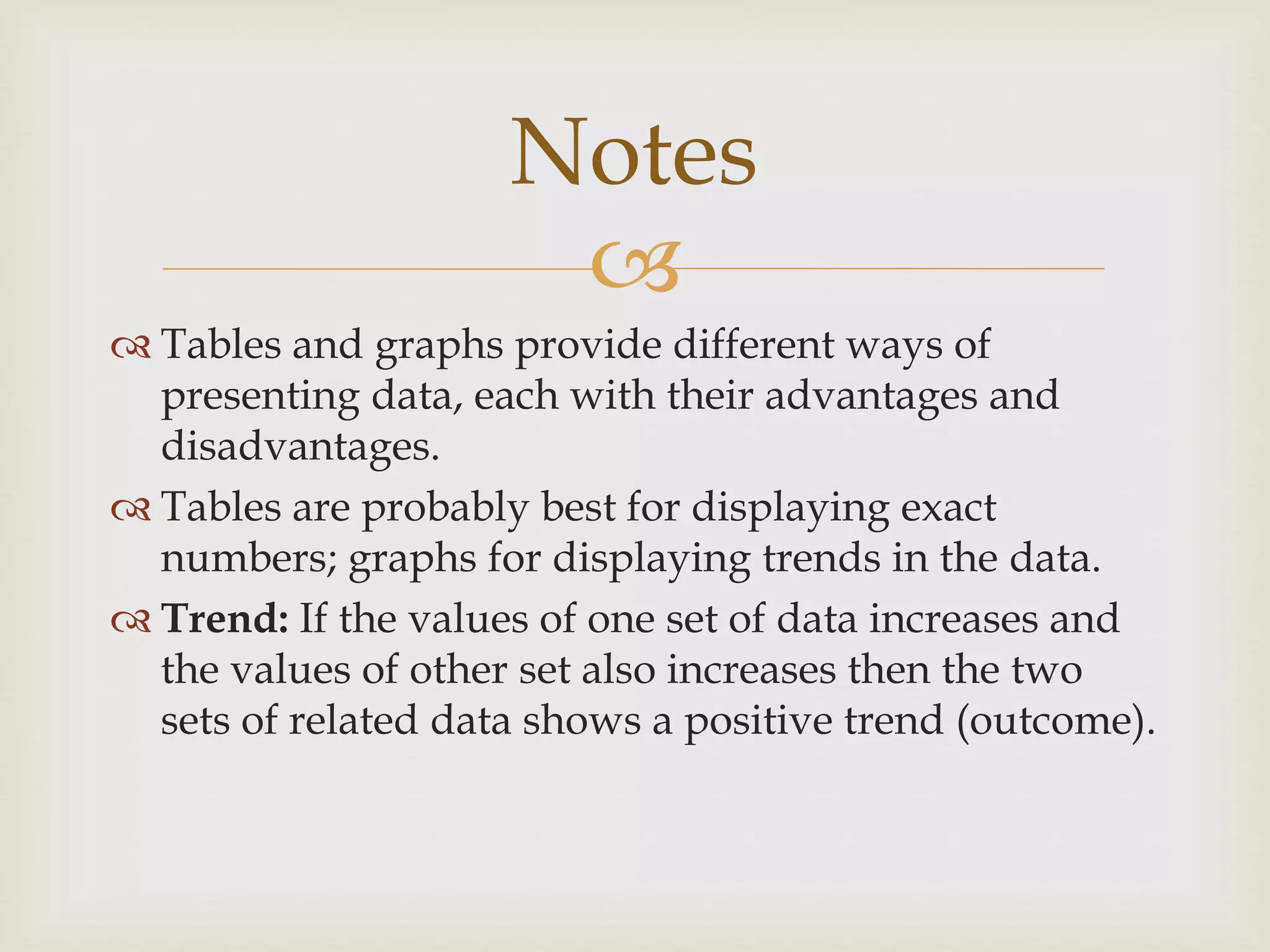
 Bar charts are easy to construct and are usually clear,
but, again, difficulties arise with the labelling if
several different components on each measure are
presented.
Bar charts

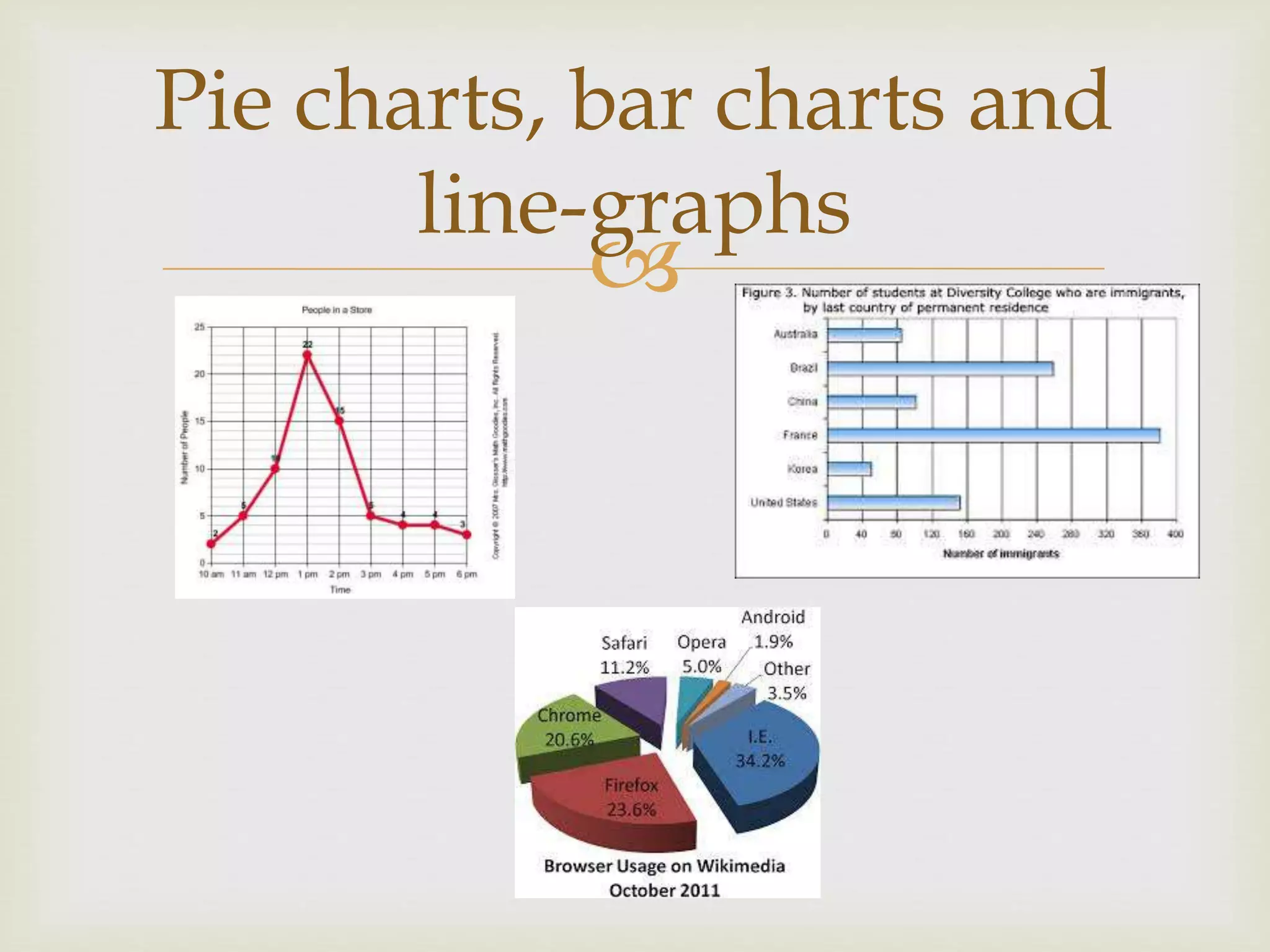
 Line graphs are good for showing the performance
of two or more groups in different conditions,
especially when the data from the different groups
vary according to the condition they are in –
technically, when there is an ‘interaction’ between
them
Line graph

 Tables and graphs provide different ways of
presenting data, each with their advantages and
disadvantages.
 Tables are probably best for displaying exact
numbers; graphs for displaying trends in the data.
 Trend: If the values of one set of data increases and
the values of other set also increases then the two
sets of related data shows a positive trend (outcome).
Notes

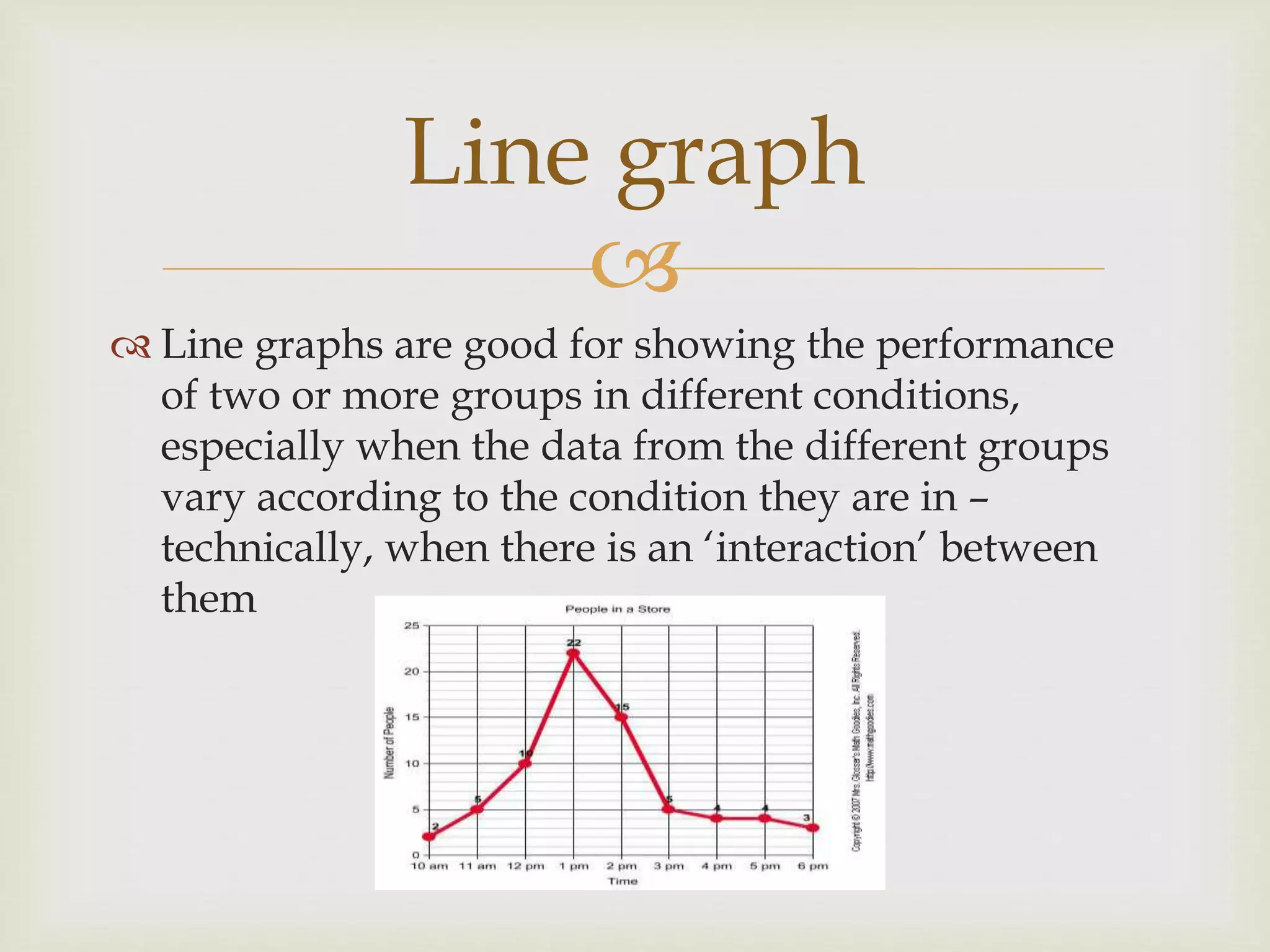
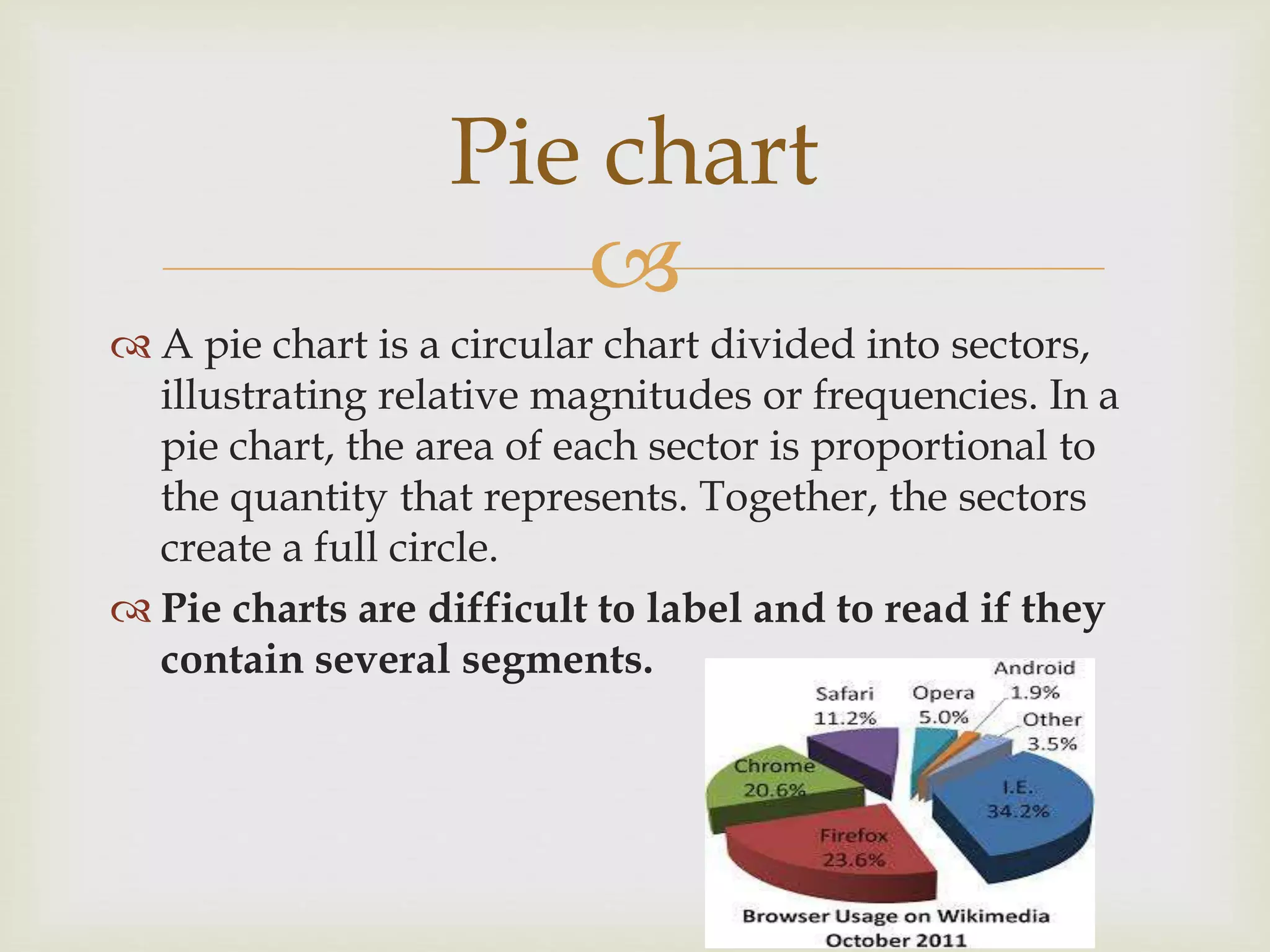
 A pie chart is a circular chart divided into sectors,
illustrating relative magnitudes or frequencies. In a
pie chart, the area of each sector is proportional to
the quantity that represents. Together, the sectors
create a full circle.
 Pie charts are difficult to label and to read if they
contain several segments.
Pie chart

 Many of the features of tables and graphs discussed
above are also relevant to their presentation in
conferences. However, in conference presentations, it
is best to present data drastically simplified.
Tables and graphs in
conferences

The uses of Tables & graphs

  • 1.
  • 2.
     IMPROVING THE CLARITY OFTABLES 1.- How they are constructed 2.- How they are presented.
  • 3.
     How they are constructed Clarity of tables can be improved by paying attention to: Size, complexity and organisation Captions and the prose descriptions of the tables  Large tables and figures are comparatively rare in most research articles Appendix
  • 4.
     Rules 1. Split largetables into smaller ones 2. Produce one overall summary table rather than several small tables 3. Provide clear captions that say what the table is about, or tell the reader what the table shows (some people look at the tables first before reading the text)
  • 5.
     Rules 4. round offthe numbers so that readers can make meaningful comparisons more easily (giving data to four or five decimal points gives a misleading measure of accuracy)
  • 6.
     Rules 5. Consider includingaverages (averages not only summarise the data but they also allow the reader to grasp better the spread of the scores presented) 6. Use the same layout for a series of tables to avoid subsequent confusion for the reader
  • 7.
     Presenting tables  Commonproblems: a) The positioning of the tables on the page b) How tables are fitted into the space allocated to them c) The space between the columns is manipulated to make the table fit the space available, without taking into account whether or not that space is used to group the data appropriately
  • 8.
     Prose descriptions oftables  Tables, and their contents, have to be explained to readers in the text
  • 9.
  • 10.
  • 11.
  • 12.
      Concepts youneed to know:  Variable: An element, feature, or factor that is liable to vary or change.  Frecuency: the frequency of a particular data value is the number of times the data value occurs  Axis: The vertical and horizontal lines that make up the quadrants of a coordinate plane. The vertical axis is usally referred to as the y axis and the horizontal axis is usually referred to as the x axis. Before starting…
  • 13.
      Mainly problemsof typesetting can affect the appearance of graphs. And, like tables, graphs can be separated to make them fit in the space available, which can affect the perceived importance of the results. The clarity of graphs
  • 14.
     Pie charts, barcharts and line-graphs
  • 15.
  • 16.
      Bar chartsare easy to construct and are usually clear, but, again, difficulties arise with the labelling if several different components on each measure are presented. Bar charts
  • 17.
      Line graphsare good for showing the performance of two or more groups in different conditions, especially when the data from the different groups vary according to the condition they are in – technically, when there is an ‘interaction’ between them Line graph
  • 18.
      Tables andgraphs provide different ways of presenting data, each with their advantages and disadvantages.  Tables are probably best for displaying exact numbers; graphs for displaying trends in the data.  Trend: If the values of one set of data increases and the values of other set also increases then the two sets of related data shows a positive trend (outcome). Notes
  • 19.
      A piechart is a circular chart divided into sectors, illustrating relative magnitudes or frequencies. In a pie chart, the area of each sector is proportional to the quantity that represents. Together, the sectors create a full circle.  Pie charts are difficult to label and to read if they contain several segments. Pie chart
  • 20.
      Many ofthe features of tables and graphs discussed above are also relevant to their presentation in conferences. However, in conference presentations, it is best to present data drastically simplified. Tables and graphs in conferences