Copyright © 2006 by The McGraw-Hill Companies, Inc. All rights reserved.McGraw-Hill Technology EducationMcGraw-Hill Technology Education
Copyright © 2005 by The McGraw-Hill Companies, Inc. All rights reserved.
Copyright © 2006 by The McGraw-Hill Companies, Inc. All rights reserved.McGraw-Hill Technology Education
Chapter 5A
Types of Storage
Devices
6A-3
Describing Storage Devices
• Store data when computer is off
• Two processes
– Writing data
– Reading data
6A-4
Describing Storage Devices
• Storage terms
– Media is the material storing data
– Storage devices manage the media
– Magnetic devices use a magnet
– Optical devices use lasers
– Solid-state devices have physical switches
6A-5
Magnetic Storage Devices
• Most common form of storage
• Hard drives, floppy drives, tape
• All magnetic drives work the same
6A-6
Magnetic Storage Devices
Floppy Disk
Hard Disk
Tape
6A-7
Magnetic Storage Devices
• Data storage and retrieval
– Media is covered with iron oxide
– Read/write head is a magnet
– Magnet writes charges on the media
• Positive charge is a 1
• Negative charge is a 0
– Magnet reads charges
– Drive converts charges into binary
6A-8
Data Retrieval
6A-9
Magnetic Storage Devices
• Data organization
– Disks must be formatted before use
– Format draws tracks on the disk
– Tracks is divided into sectors
• Amount of data a drive can read
6A-10
Tracks and Sectors
6A-11
Magnetic Storage Devices
• Finding data on disk
– Each track and sector is labeled
• Some are reserved
– Listing of where files are stored
• File Allocation Table (FAT)
• FAT32
• NTFS
– Data is organized in clusters
• Size of data the OS handles
6A-12
Magnetic Storage Devices
• Diskettes
– Also known as floppy disks
– Read with a disk drive
– Mylar disk
– Spin at 300 RPM
– Takes .2 second to find data
– 3 ½ floppy disk holds 1.44 MB
6A-13
Magnetic Storage Devices
• Hard disks
– Primary storage device in a computer
– 2 or more aluminum platters
– Each platter has 2 sides
– Spin between 5,400 to 15,000 RPM
– Data found in 9.5 ms or less
– Drive capacity greater than 40 GB
6A-14
Illustrated Hard Disk
6A-15
Magnetic Storage Devices
• Removable high capacity disks
– Speed of hard disk
– Portability of floppy disk
– Several variants have emerged
– High capacity floppy disk
• Stores up to 750 MB of data
– Hot swappable hard disks
• Provide GB of data
• Connect via USB
6A-16
Magnetic Storage Devices
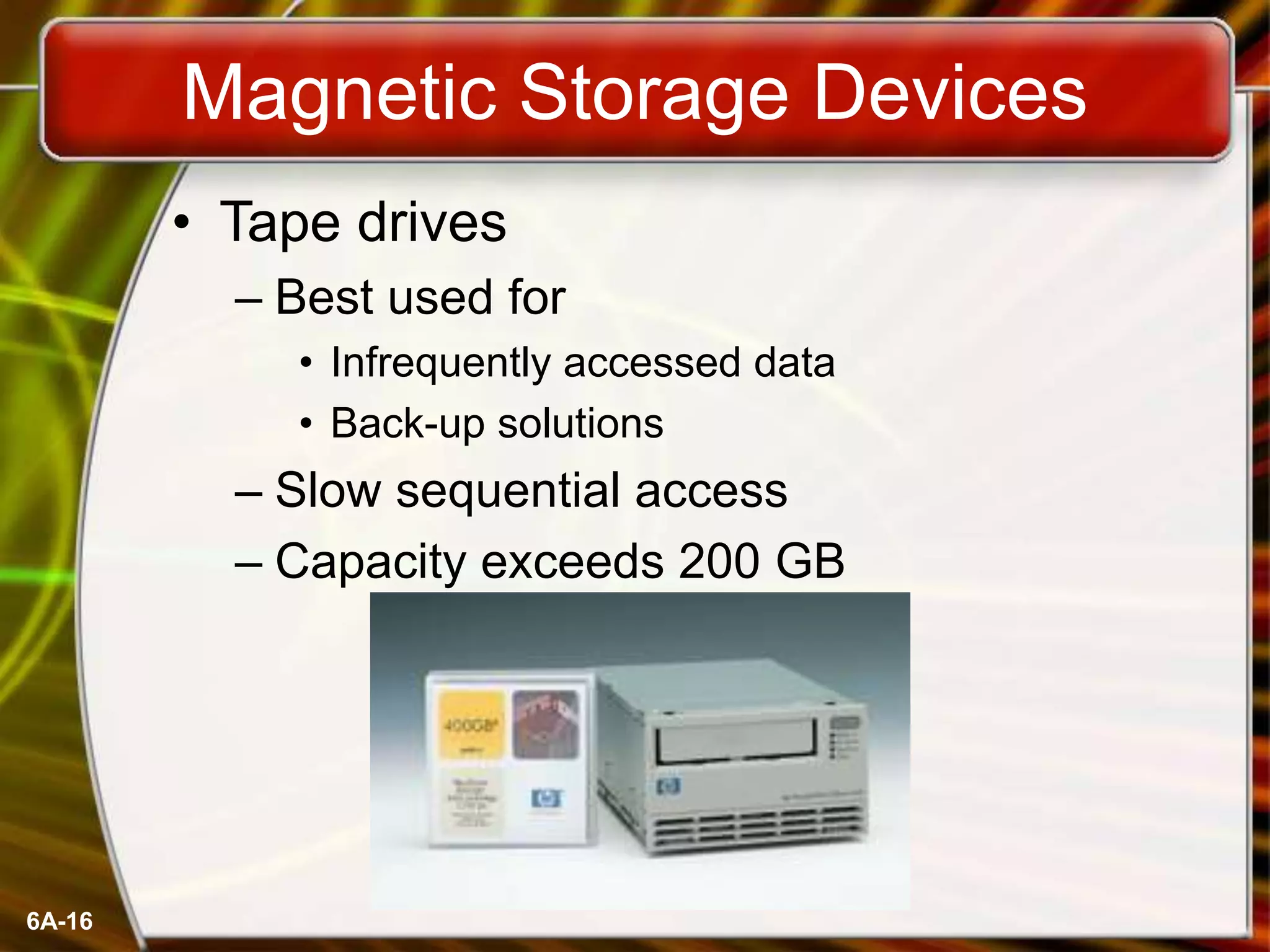
• Tape drives
– Best used for
• Infrequently accessed data
• Back-up solutions
– Slow sequential access
– Capacity exceeds 200 GB
6A-17
Optical Storage Devices
• CD-ROM
– Most software ships on a CD
– Read using a laser
• Lands, binary 1, reflect data
• Pits scatter data
– Written from the inside out
– CD speed is based on the original
• Original CD read 150 Kbps
• A 10 X will read 1,500 Kbps
– Standard CD holds 650 MB
6A-18
Optical Storage Devices
• DVD-ROM
– Digital Video Disk
– Use both sides of the disk
– Capacities can reach 18 GB
– DVD players can read CDs
6A-19
Recordable Optical Technologies
• CD Recordable (CD-R)
– Create a data or audio CD
– Data cannot be changed
– Can continue adding until full
6A-20
Recordable Optical Technologies
• CD Regrettable (CD-RW)
– Create a reusable CD
– Cannot be read in all CD players
– Can reuse about 100 times
6A-21
Recordable Optical Technologies
• Photo CD
– Developed by Kodak
– Provides for photo storage
– Photos added to CD until full
– Original pictures cannot be changed
6A-22
Recordable Optical Technologies
• DVD Recordable
– Several different formats exist
– None are standardized
– Allows home users to create DVDs
– Cannot be read in all players
6A-23
Recordable Optical Technologies
• DVD-RAM
– Allow reusing of DVD media
– Not standardized
– Cannot be read in all players
6A-24
Solid State Devices
• Data is stored physically
• No magnets or laser
• Very fast
6A-25
Solid State Devices
• Flash memory
– Found in cameras and USB drives
– Combination of RAM and ROM
– Long term updateable storage
6A-26
Solid State Devices
• Smart cards
– Credit cards with a chip
– Chip stores data
– Eventually may be used for cash
– Hotels use for electronic keys
6A-27
Solid State Devices
• Solid-state disks
– Large amount of SDRAM
– Extremely fast
– Volatile storage
– Require battery backups
– Most have hard disks copying data
Copyright © 2006 by The McGraw-Hill Companies, Inc. All rights reserved.McGraw-Hill Technology Education
Chapter 5A
End of Chapter

Intro chapter 05_a Types of storing devices

  • 1.
    Copyright © 2006by The McGraw-Hill Companies, Inc. All rights reserved.McGraw-Hill Technology EducationMcGraw-Hill Technology Education Copyright © 2005 by The McGraw-Hill Companies, Inc. All rights reserved.
  • 2.
    Copyright © 2006by The McGraw-Hill Companies, Inc. All rights reserved.McGraw-Hill Technology Education Chapter 5A Types of Storage Devices
  • 3.
    6A-3 Describing Storage Devices •Store data when computer is off • Two processes – Writing data – Reading data
  • 4.
    6A-4 Describing Storage Devices •Storage terms – Media is the material storing data – Storage devices manage the media – Magnetic devices use a magnet – Optical devices use lasers – Solid-state devices have physical switches
  • 5.
    6A-5 Magnetic Storage Devices •Most common form of storage • Hard drives, floppy drives, tape • All magnetic drives work the same
  • 6.
  • 7.
    6A-7 Magnetic Storage Devices •Data storage and retrieval – Media is covered with iron oxide – Read/write head is a magnet – Magnet writes charges on the media • Positive charge is a 1 • Negative charge is a 0 – Magnet reads charges – Drive converts charges into binary
  • 8.
  • 9.
    6A-9 Magnetic Storage Devices •Data organization – Disks must be formatted before use – Format draws tracks on the disk – Tracks is divided into sectors • Amount of data a drive can read
  • 10.
  • 11.
    6A-11 Magnetic Storage Devices •Finding data on disk – Each track and sector is labeled • Some are reserved – Listing of where files are stored • File Allocation Table (FAT) • FAT32 • NTFS – Data is organized in clusters • Size of data the OS handles
  • 12.
    6A-12 Magnetic Storage Devices •Diskettes – Also known as floppy disks – Read with a disk drive – Mylar disk – Spin at 300 RPM – Takes .2 second to find data – 3 ½ floppy disk holds 1.44 MB
  • 13.
    6A-13 Magnetic Storage Devices •Hard disks – Primary storage device in a computer – 2 or more aluminum platters – Each platter has 2 sides – Spin between 5,400 to 15,000 RPM – Data found in 9.5 ms or less – Drive capacity greater than 40 GB
  • 14.
  • 15.
    6A-15 Magnetic Storage Devices •Removable high capacity disks – Speed of hard disk – Portability of floppy disk – Several variants have emerged – High capacity floppy disk • Stores up to 750 MB of data – Hot swappable hard disks • Provide GB of data • Connect via USB
  • 16.
    6A-16 Magnetic Storage Devices •Tape drives – Best used for • Infrequently accessed data • Back-up solutions – Slow sequential access – Capacity exceeds 200 GB
  • 17.
    6A-17 Optical Storage Devices •CD-ROM – Most software ships on a CD – Read using a laser • Lands, binary 1, reflect data • Pits scatter data – Written from the inside out – CD speed is based on the original • Original CD read 150 Kbps • A 10 X will read 1,500 Kbps – Standard CD holds 650 MB
  • 18.
    6A-18 Optical Storage Devices •DVD-ROM – Digital Video Disk – Use both sides of the disk – Capacities can reach 18 GB – DVD players can read CDs
  • 19.
    6A-19 Recordable Optical Technologies •CD Recordable (CD-R) – Create a data or audio CD – Data cannot be changed – Can continue adding until full
  • 20.
    6A-20 Recordable Optical Technologies •CD Regrettable (CD-RW) – Create a reusable CD – Cannot be read in all CD players – Can reuse about 100 times
  • 21.
    6A-21 Recordable Optical Technologies •Photo CD – Developed by Kodak – Provides for photo storage – Photos added to CD until full – Original pictures cannot be changed
  • 22.
    6A-22 Recordable Optical Technologies •DVD Recordable – Several different formats exist – None are standardized – Allows home users to create DVDs – Cannot be read in all players
  • 23.
    6A-23 Recordable Optical Technologies •DVD-RAM – Allow reusing of DVD media – Not standardized – Cannot be read in all players
  • 24.
    6A-24 Solid State Devices •Data is stored physically • No magnets or laser • Very fast
  • 25.
    6A-25 Solid State Devices •Flash memory – Found in cameras and USB drives – Combination of RAM and ROM – Long term updateable storage
  • 26.
    6A-26 Solid State Devices •Smart cards – Credit cards with a chip – Chip stores data – Eventually may be used for cash – Hotels use for electronic keys
  • 27.
    6A-27 Solid State Devices •Solid-state disks – Large amount of SDRAM – Extremely fast – Volatile storage – Require battery backups – Most have hard disks copying data
  • 28.
    Copyright © 2006by The McGraw-Hill Companies, Inc. All rights reserved.McGraw-Hill Technology Education Chapter 5A End of Chapter