Spreadsheet
TEXT FUNCTIONS
Cambridge AS & A Level
Satree Phuket School, IPC
anjan.mahanta@satreephuketipc.com
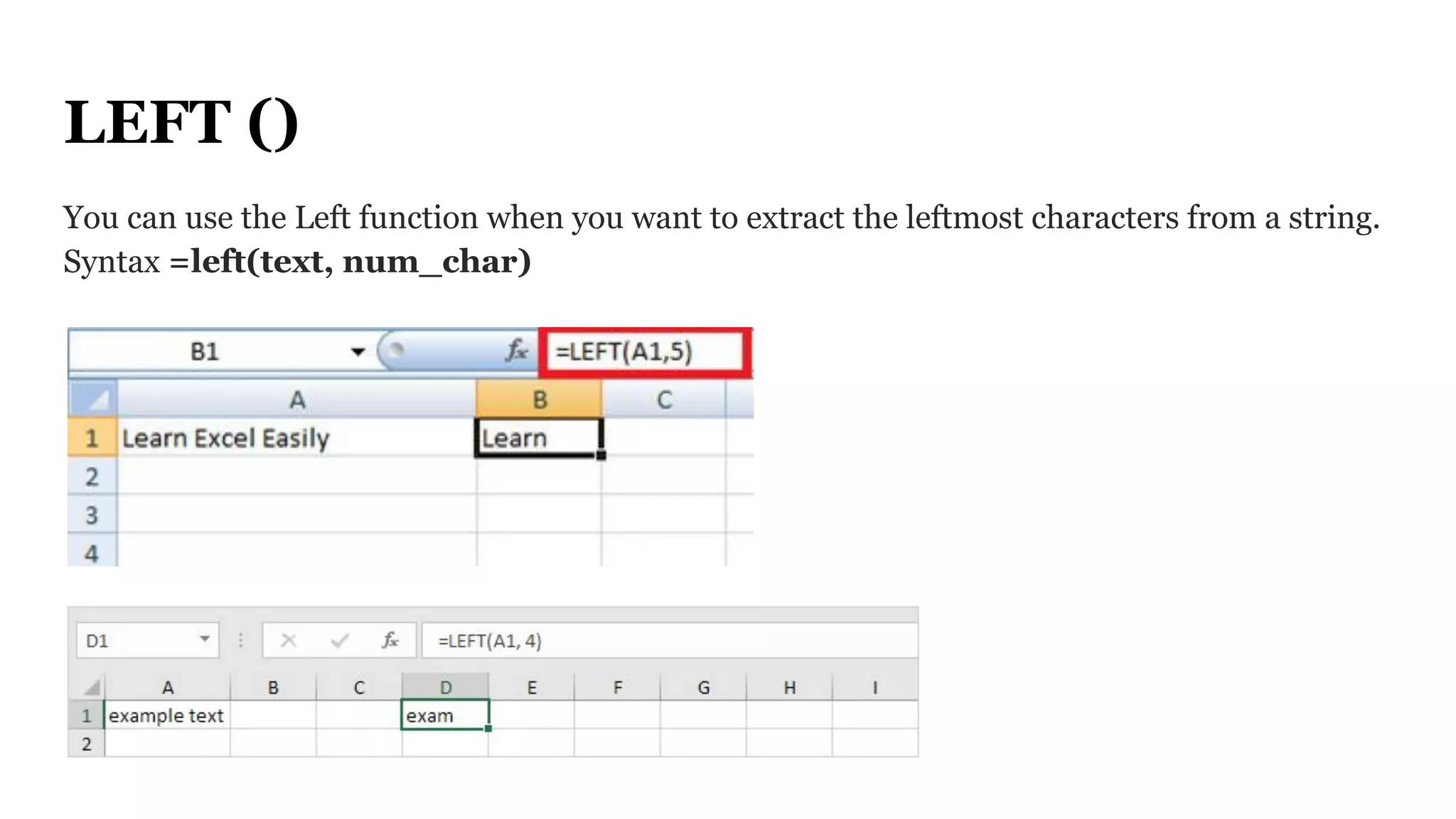
LEFT ()
You can use the Left function when you want to extract the leftmost characters from a string.
Syntax =left(text, num_char)
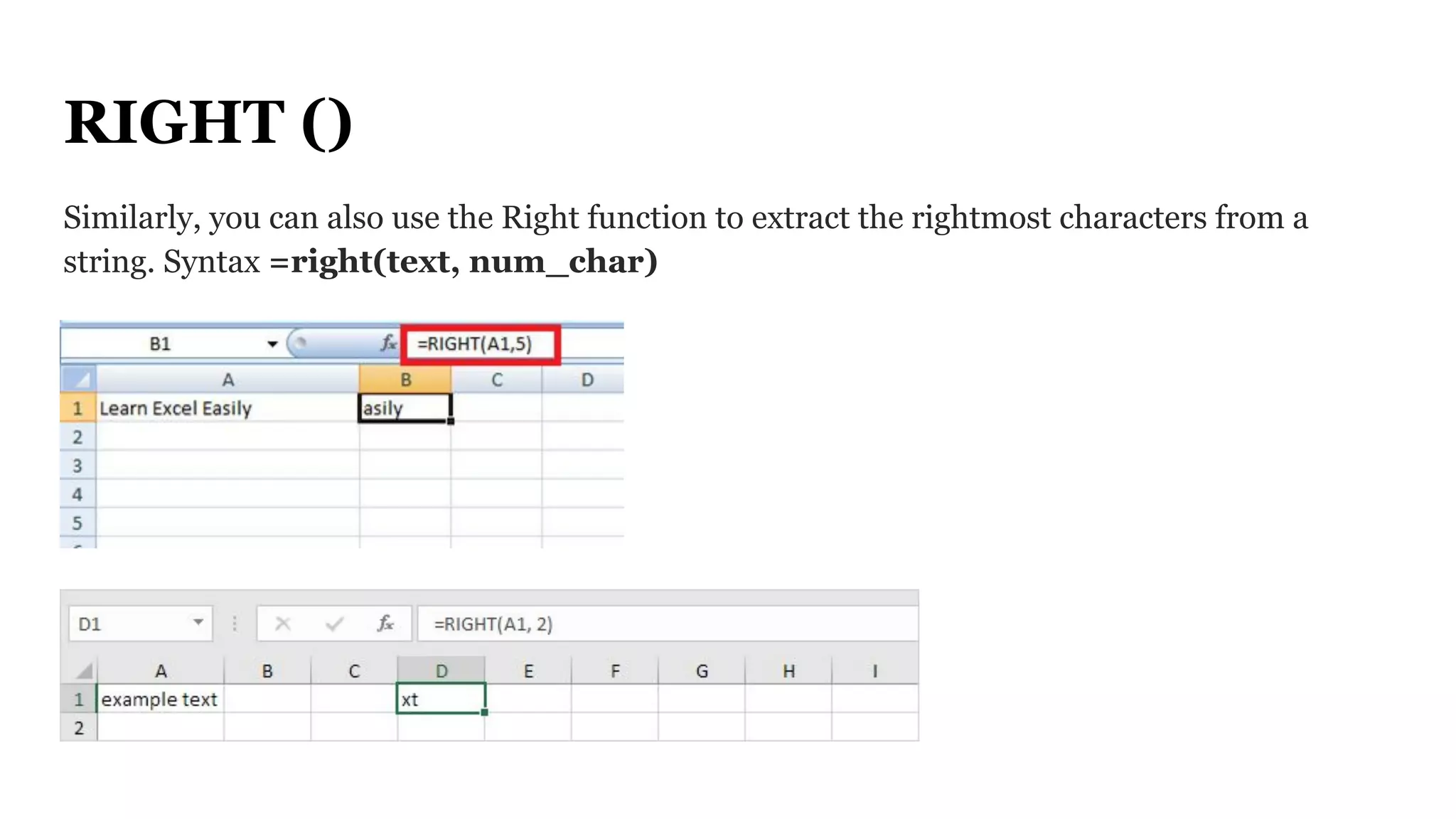
RIGHT ()
Similarly, you can also use the Right function to extract the rightmost characters from a
string. Syntax =right(text, num_char)
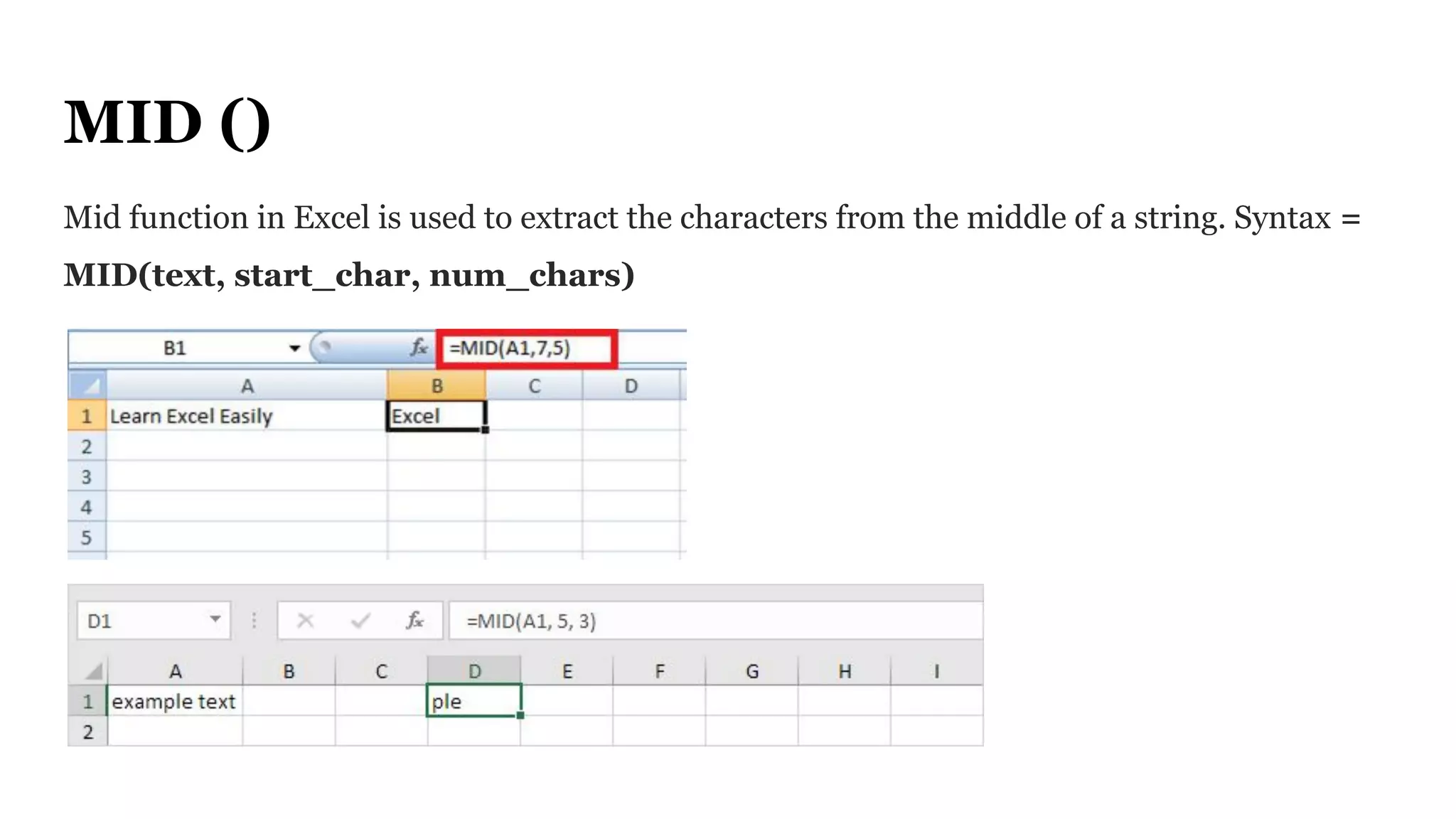
MID ()
Mid function in Excel is used to extract the characters from the middle of a string. Syntax =
MID(text, start_char, num_chars)
LEN ()
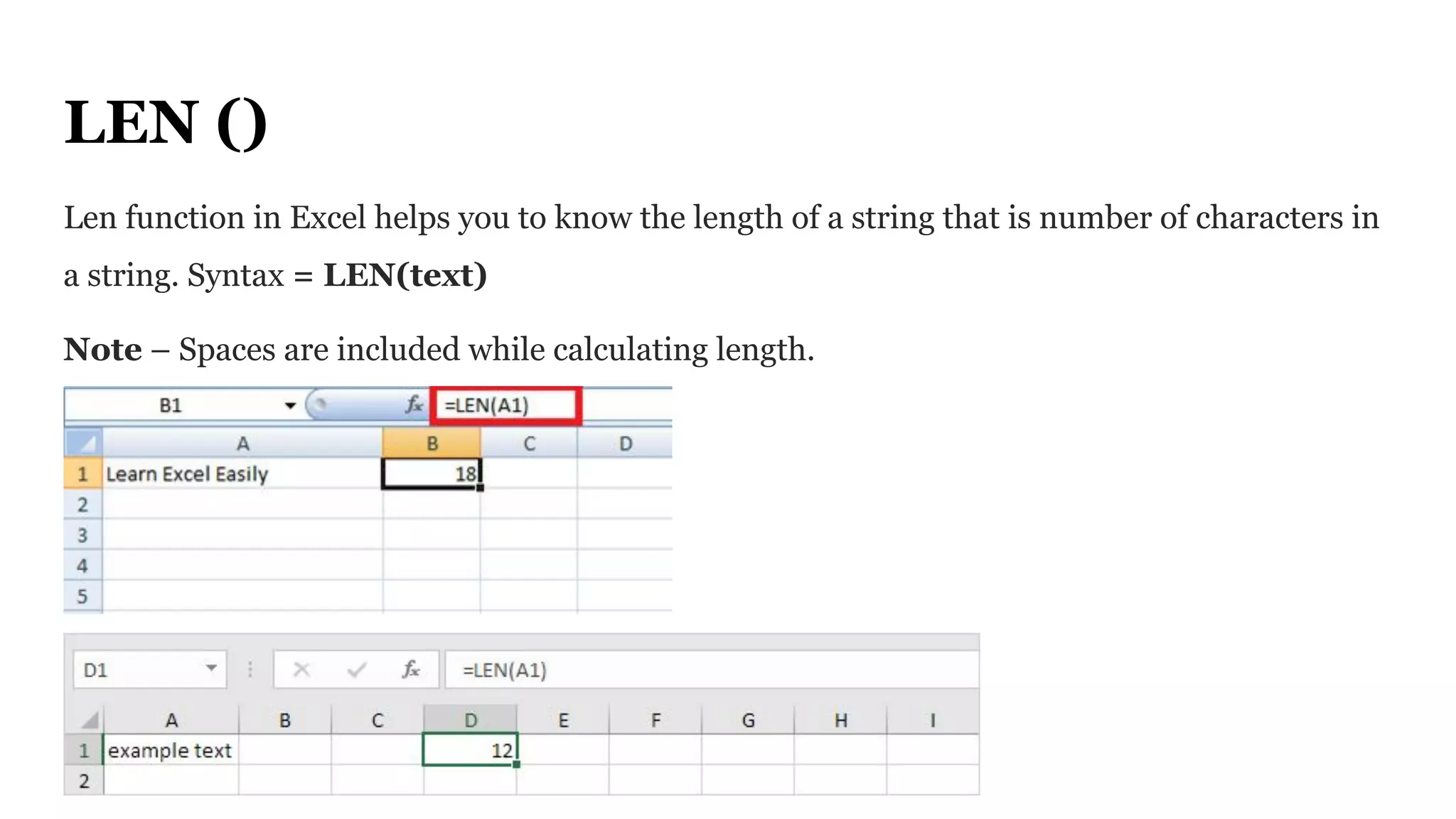
Len function in Excel helps you to know the length of a string that is number of characters in
a string. Syntax = LEN(text)
Note – Spaces are included while calculating length.
FIND ()
Find function in Excel is used when you want to know the position of certain characters in a
particular string. Syntax =FIND(find_text, within_text,[start_num])
PROPER ()
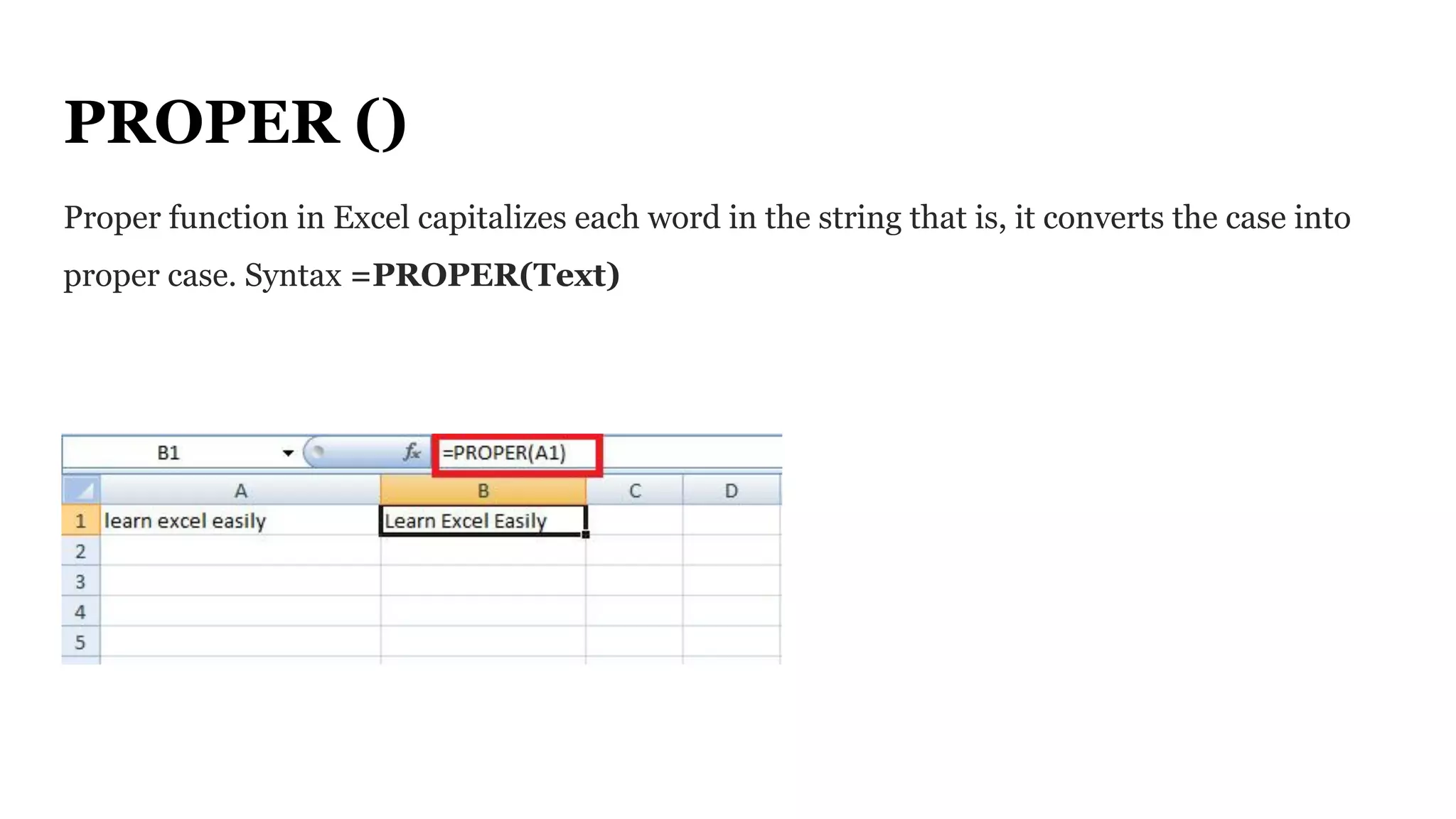
Proper function in Excel capitalizes each word in the string that is, it converts the case into
proper case. Syntax =PROPER(Text)
REPT ()
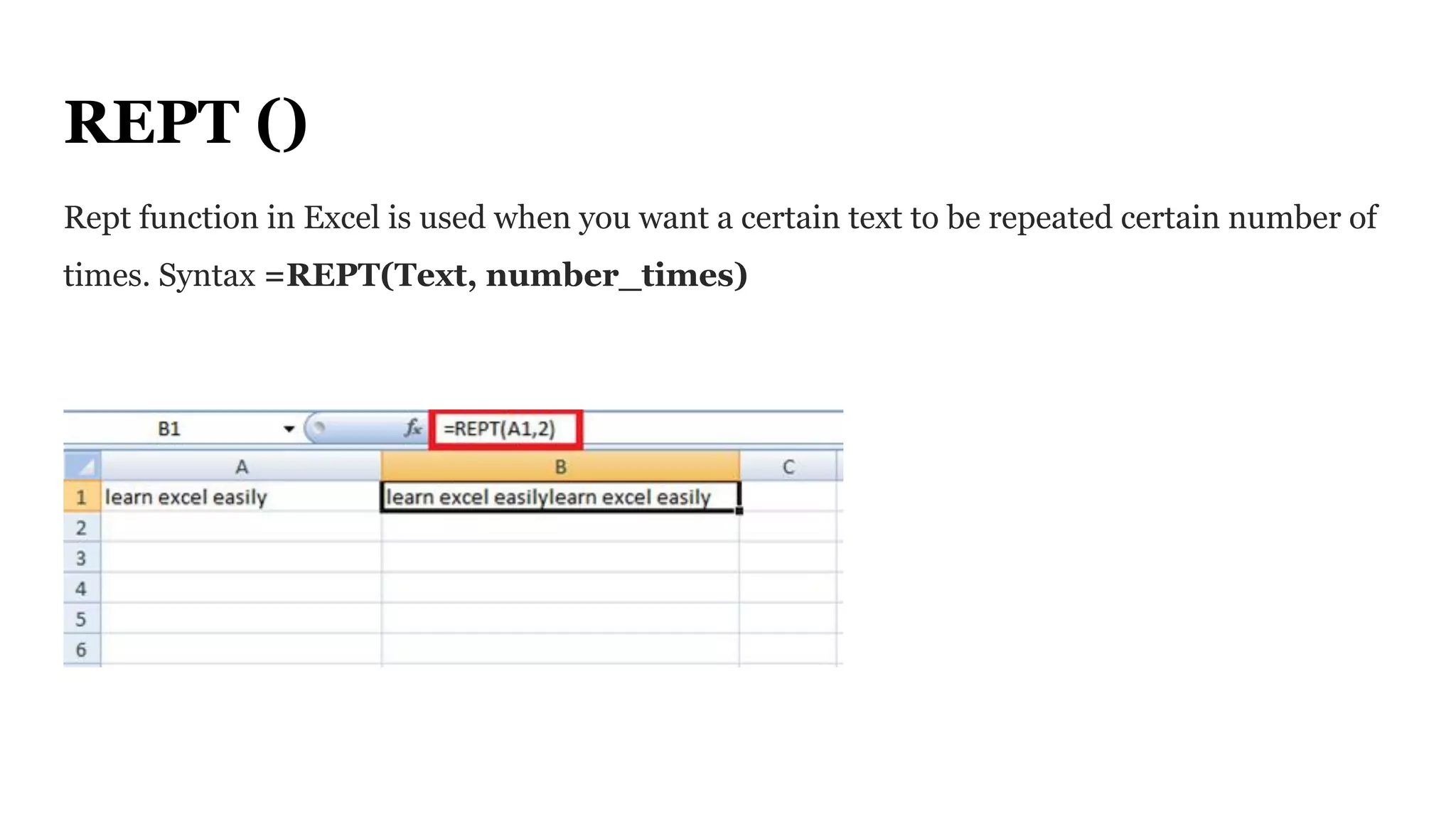
Rept function in Excel is used when you want a certain text to be repeated certain number of
times. Syntax =REPT(Text, number_times)
TRIM ()
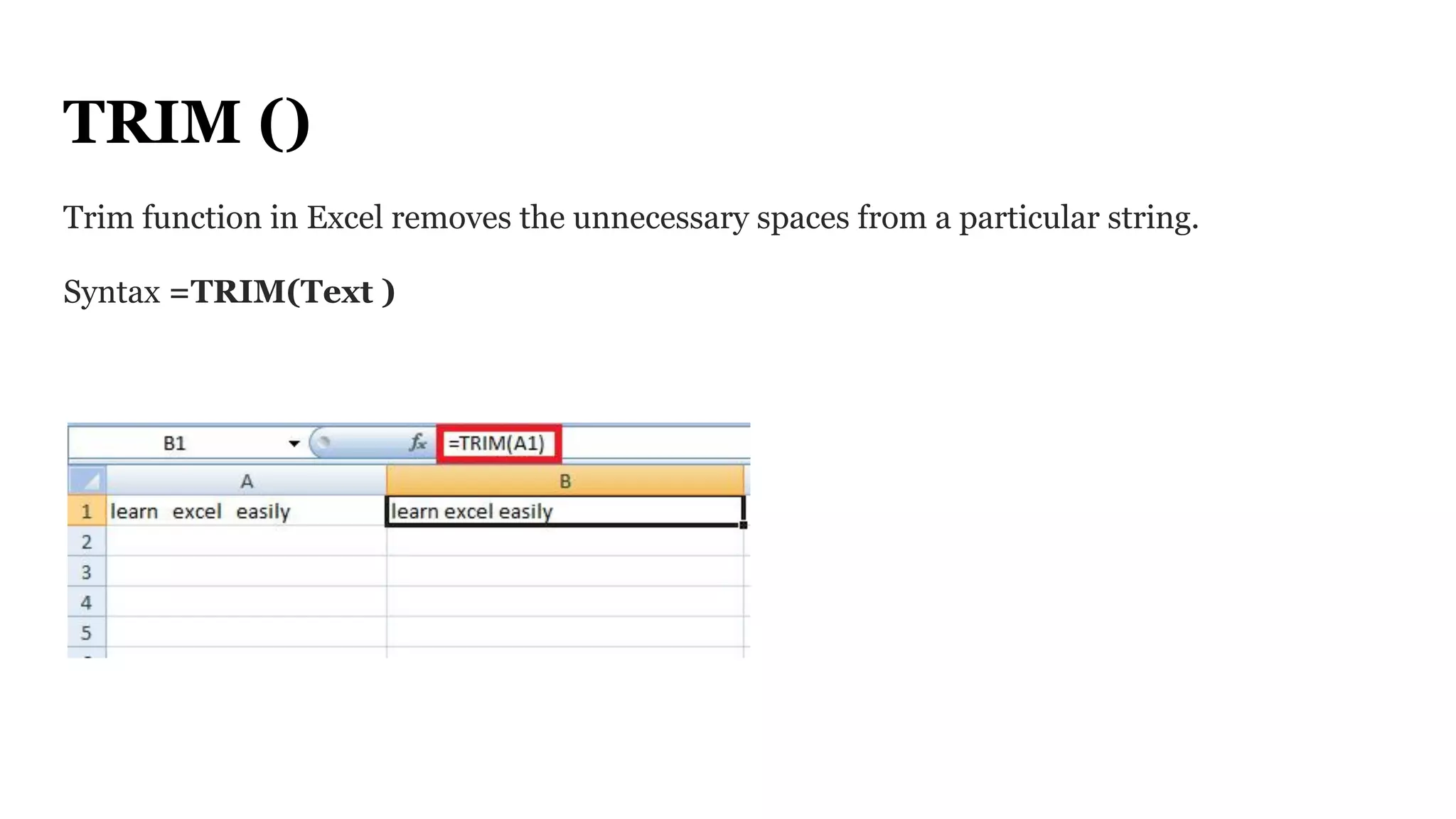
Trim function in Excel removes the unnecessary spaces from a particular string.
Syntax =TRIM(Text )
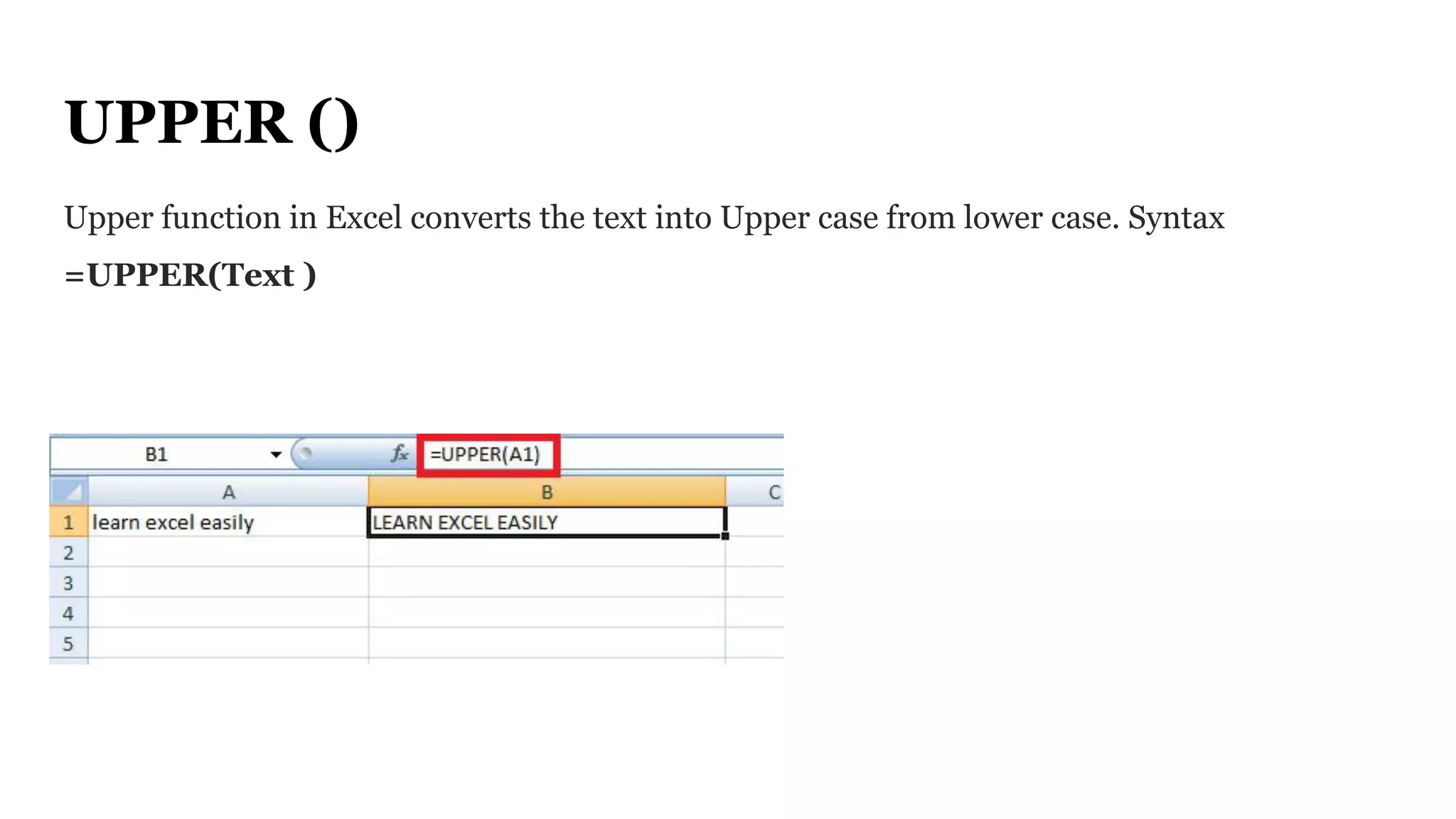
UPPER ()
Upper function in Excel converts the text into Upper case from lower case. Syntax
=UPPER(Text )
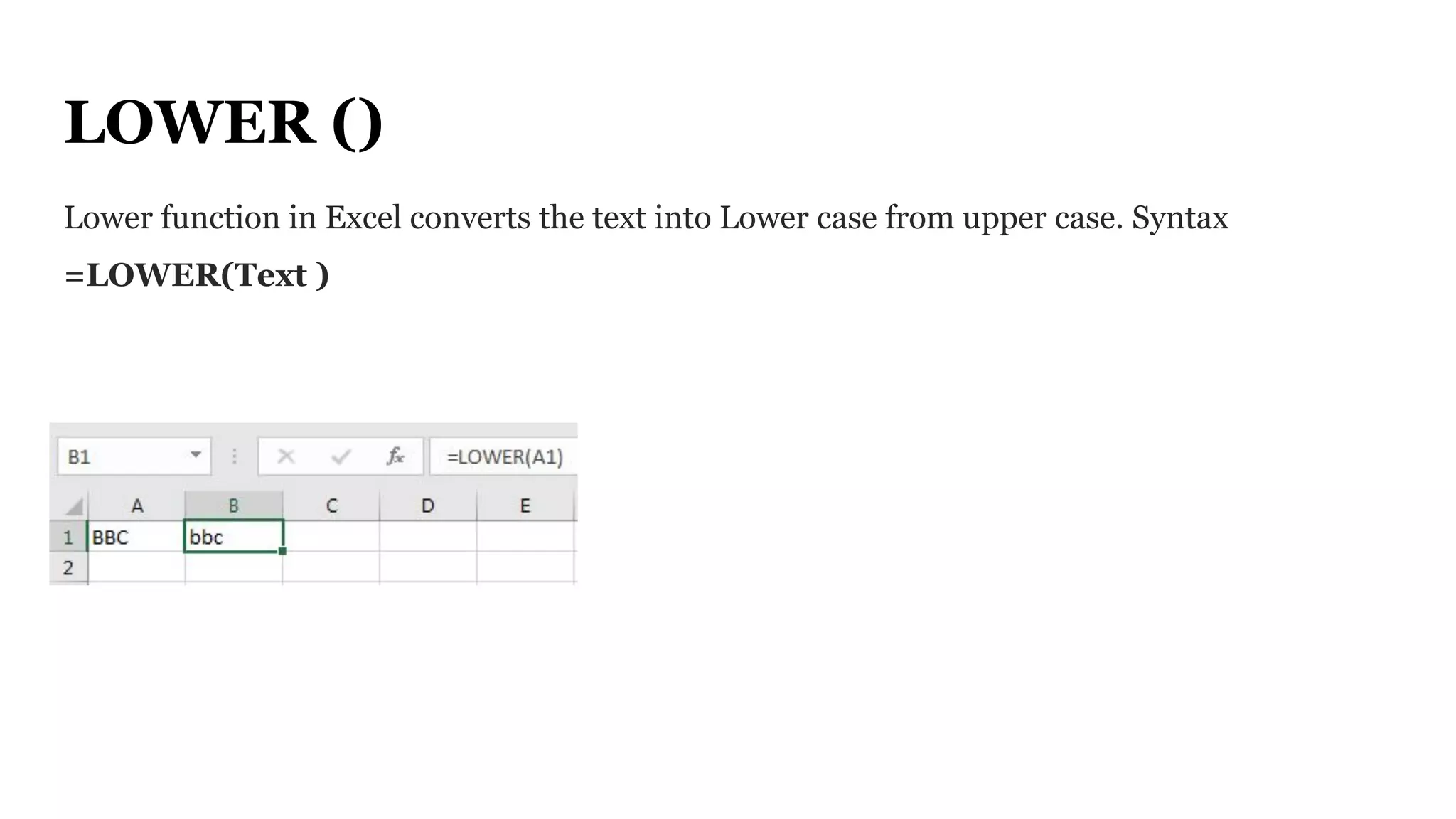
LOWER ()
Lower function in Excel converts the text into Lower case from upper case. Syntax
=LOWER(Text )
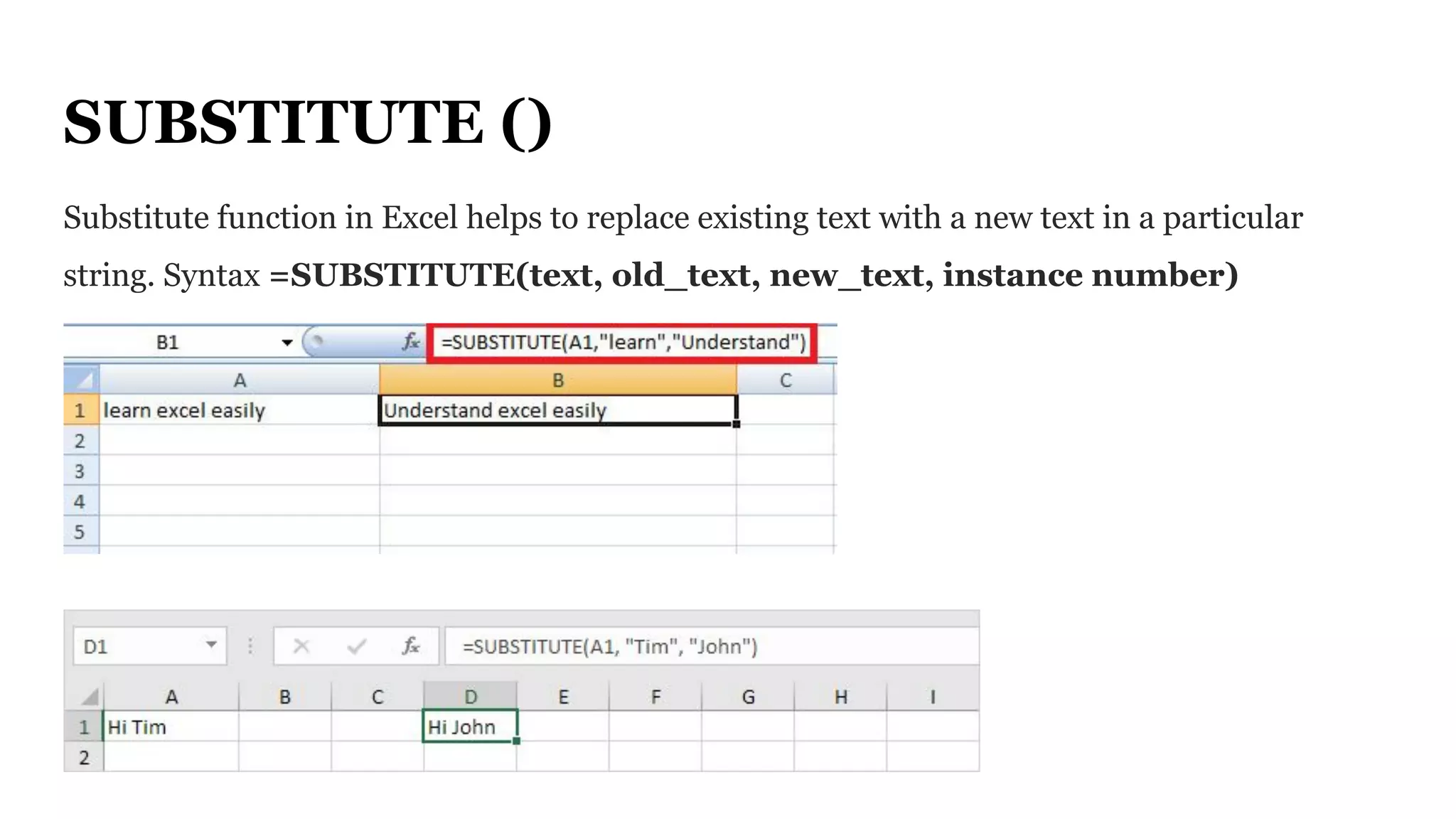
SUBSTITUTE ()
Substitute function in Excel helps to replace existing text with a new text in a particular
string. Syntax =SUBSTITUTE(text, old_text, new_text, instance number)
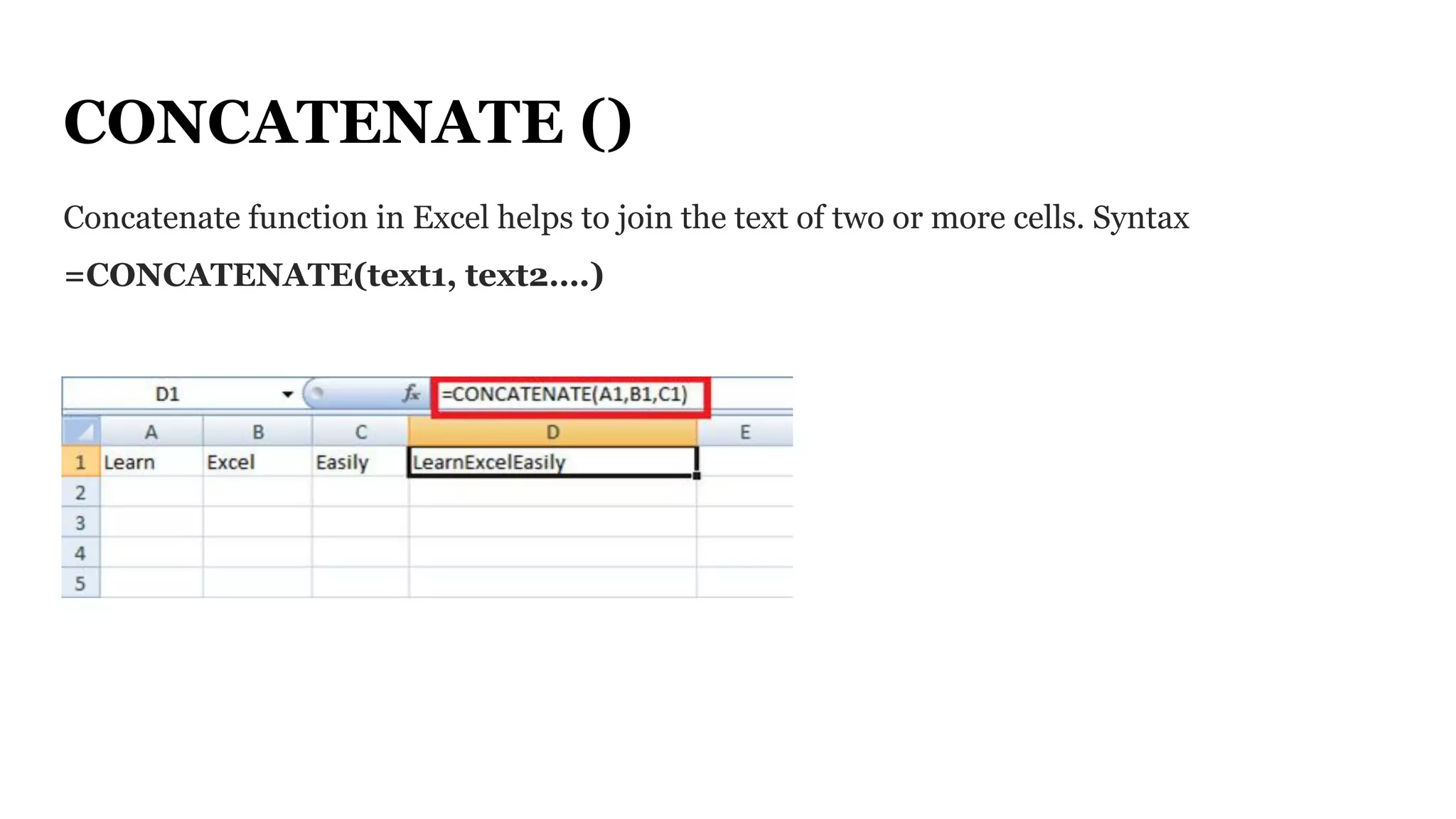
CONCATENATE ()
Concatenate function in Excel helps to join the text of two or more cells. Syntax
=CONCATENATE(text1, text2….)
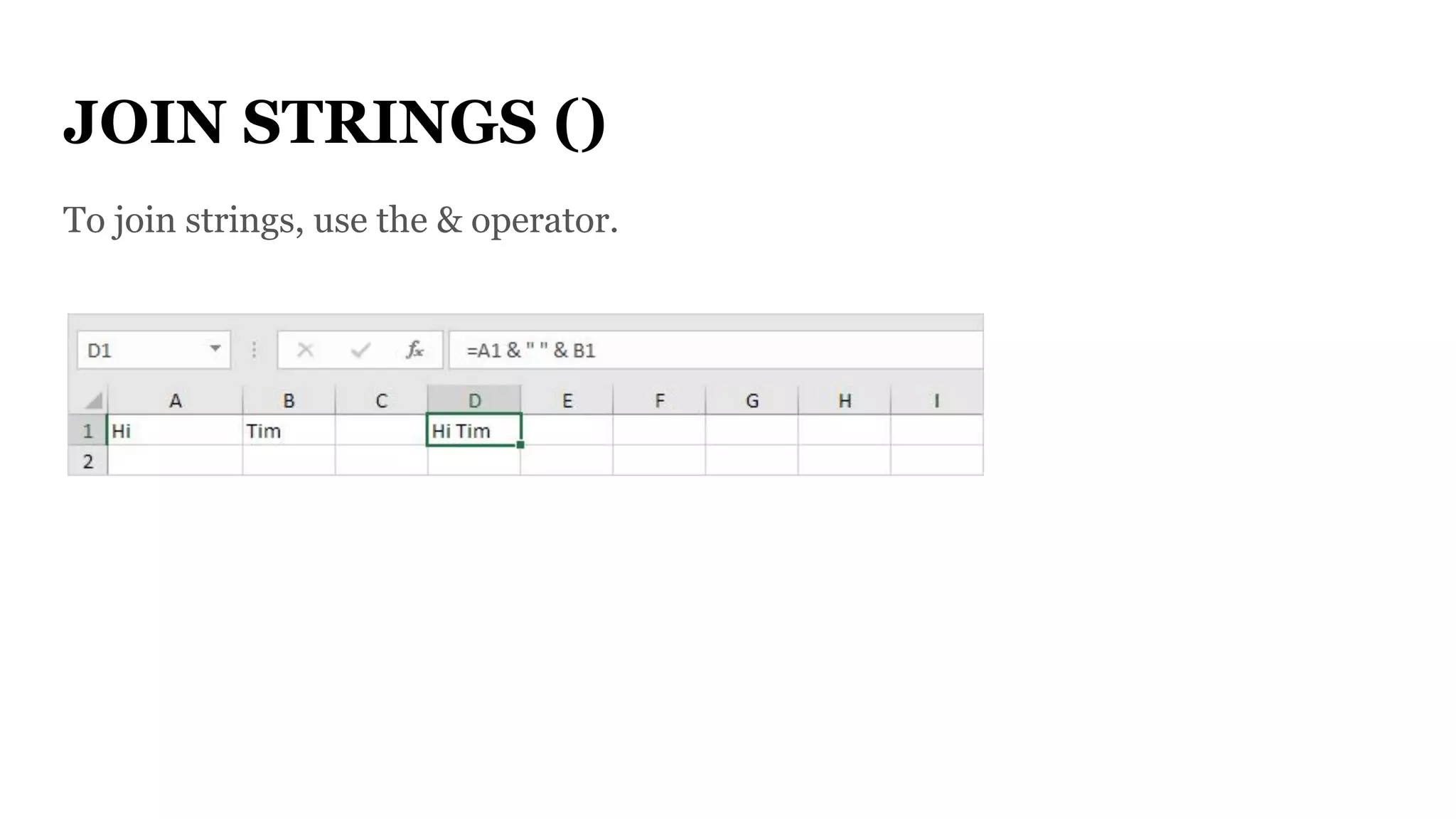
JOIN STRINGS ()
To join strings, use the & operator.
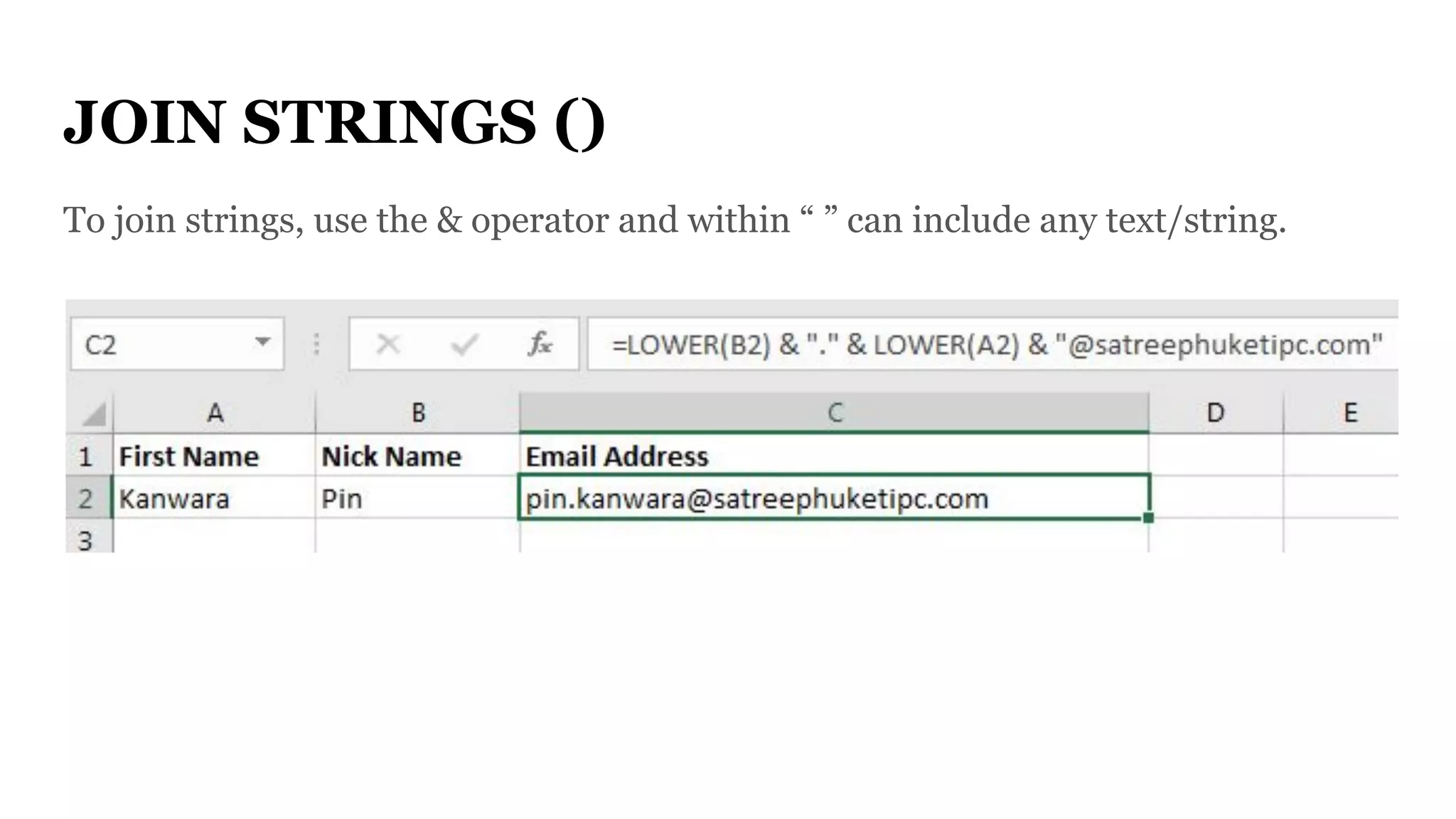
JOIN STRINGS ()
To join strings, use the & operator and within “ ” can include any text/string.
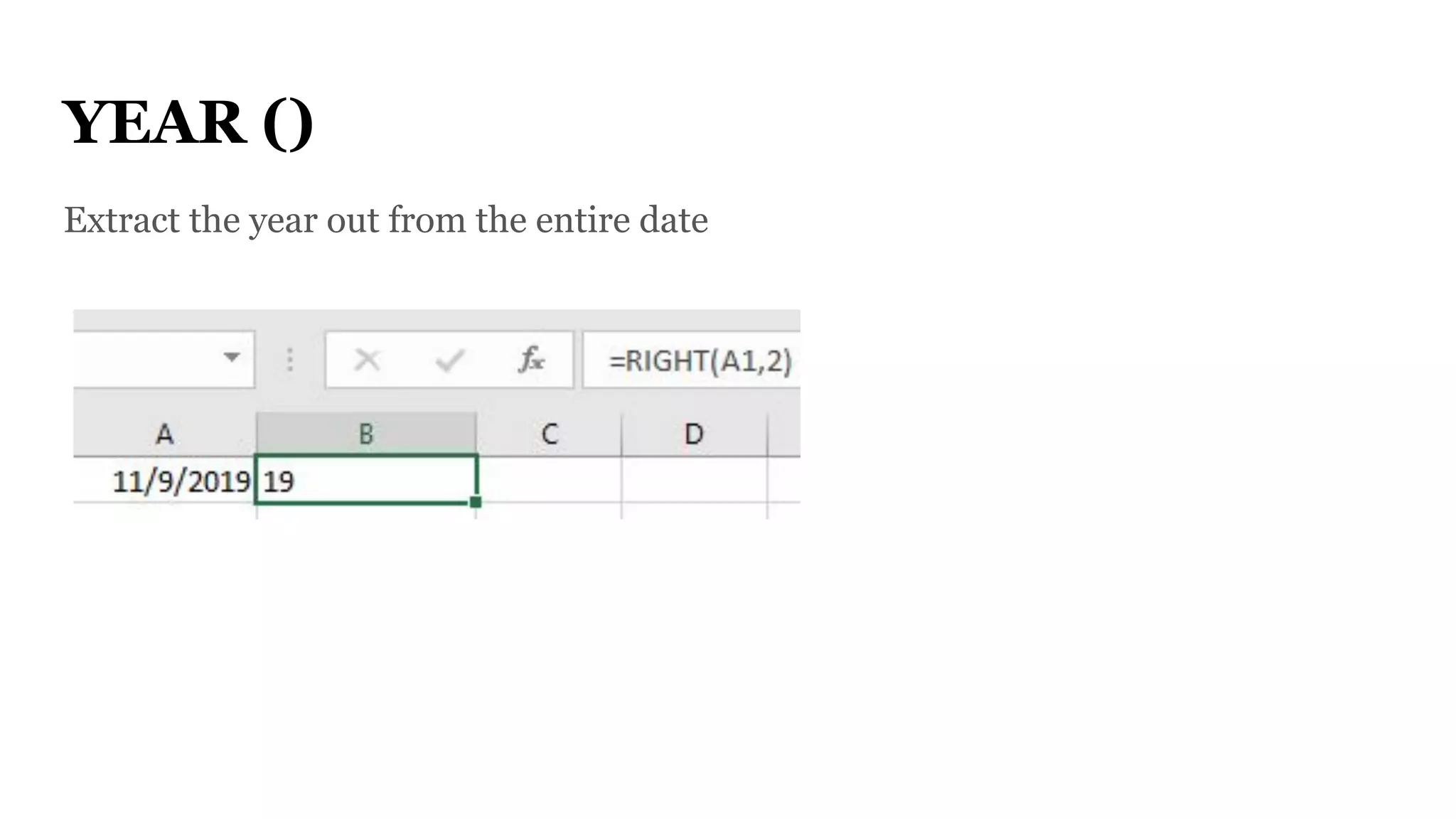
YEAR ()
Extract the year out from the entire date
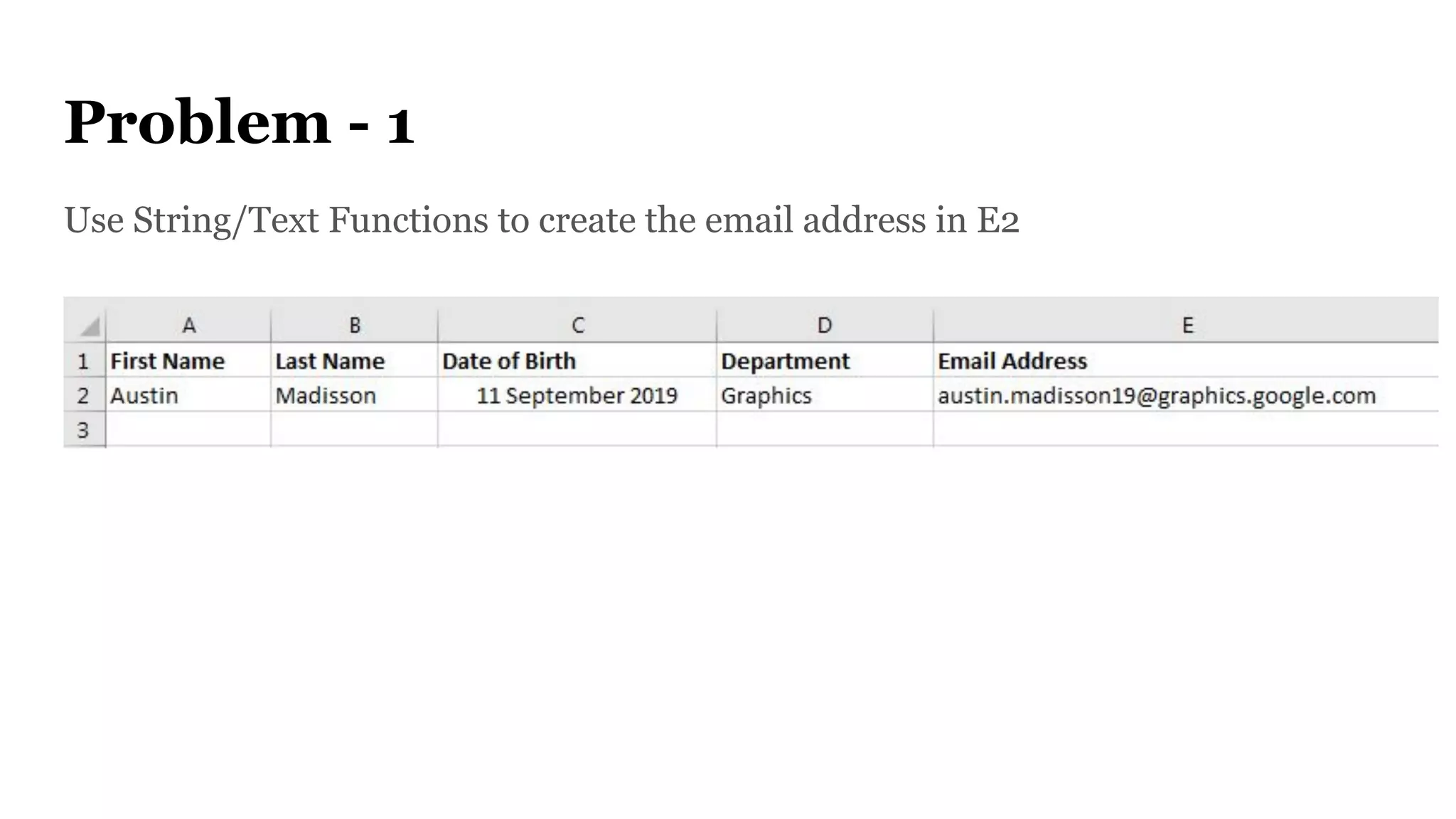
Problem - 1
Use String/Text Functions to create the email address in E2
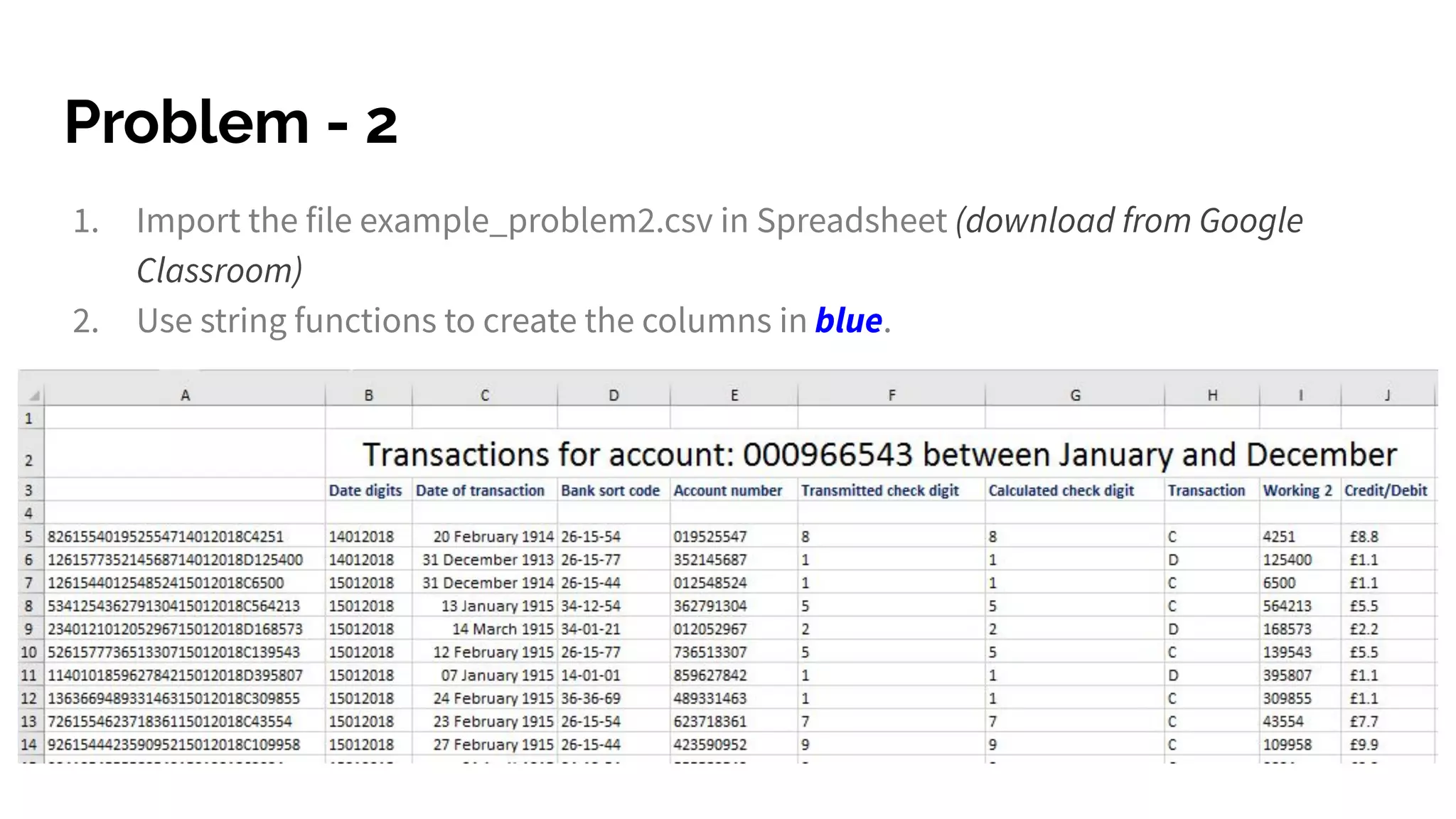
Problem - 2
1. Import the file example_problem2.csv in Spreadsheet (download from Google
Classroom)
2. Use string functions to create the columns in blue.

Spreadsheet text functions

  • 1.
    Spreadsheet TEXT FUNCTIONS Cambridge AS& A Level Satree Phuket School, IPC anjan.mahanta@satreephuketipc.com
  • 2.
    LEFT () You canuse the Left function when you want to extract the leftmost characters from a string. Syntax =left(text, num_char)
  • 3.
    RIGHT () Similarly, youcan also use the Right function to extract the rightmost characters from a string. Syntax =right(text, num_char)
  • 4.
    MID () Mid functionin Excel is used to extract the characters from the middle of a string. Syntax = MID(text, start_char, num_chars)
  • 5.
    LEN () Len functionin Excel helps you to know the length of a string that is number of characters in a string. Syntax = LEN(text) Note – Spaces are included while calculating length.
  • 6.
    FIND () Find functionin Excel is used when you want to know the position of certain characters in a particular string. Syntax =FIND(find_text, within_text,[start_num])
  • 7.
    PROPER () Proper functionin Excel capitalizes each word in the string that is, it converts the case into proper case. Syntax =PROPER(Text)
  • 8.
    REPT () Rept functionin Excel is used when you want a certain text to be repeated certain number of times. Syntax =REPT(Text, number_times)
  • 9.
    TRIM () Trim functionin Excel removes the unnecessary spaces from a particular string. Syntax =TRIM(Text )
  • 10.
    UPPER () Upper functionin Excel converts the text into Upper case from lower case. Syntax =UPPER(Text )
  • 11.
    LOWER () Lower functionin Excel converts the text into Lower case from upper case. Syntax =LOWER(Text )
  • 12.
    SUBSTITUTE () Substitute functionin Excel helps to replace existing text with a new text in a particular string. Syntax =SUBSTITUTE(text, old_text, new_text, instance number)
  • 13.
    CONCATENATE () Concatenate functionin Excel helps to join the text of two or more cells. Syntax =CONCATENATE(text1, text2….)
  • 14.
    JOIN STRINGS () Tojoin strings, use the & operator.
  • 15.
    JOIN STRINGS () Tojoin strings, use the & operator and within “ ” can include any text/string.
  • 16.
    YEAR () Extract theyear out from the entire date
  • 17.
    Problem - 1 UseString/Text Functions to create the email address in E2
  • 18.
    Problem - 2 1.Import the file example_problem2.csv in Spreadsheet (download from Google Classroom) 2. Use string functions to create the columns in blue.