 Microsoft Word is 
a word processor developed 
by Microsoft. It was first 
released in 1983 under the 
name Multi-Tool Word for 
Xenix systems.
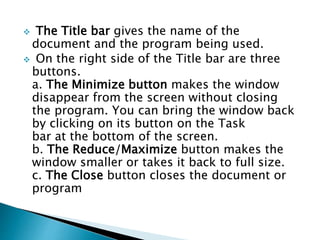
 The Title bar gives the name of the 
document and the program being used. 
 On the right side of the Title bar are three 
buttons. 
a. The Minimize button makes the window 
disappear from the screen without closing 
the program. You can bring the window back 
by clicking on its button on the Task 
bar at the bottom of the screen. 
b. The Reduce/Maximize button makes the 
window smaller or takes it back to full size. 
c. The Close button closes the document or 
program
The Document display window is where the 
current document is visible. 
The Scroll bars allow the user to move up and 
down the document in the window. 
 The Status bar shows the location of the 
cursor, number of pages and includes 
advanced toolbar options. 
The Task bar displays buttons for Open 
programs or documents. Clicking on a button 
on the taskbar, brings that program into 
view. The current program button looks 
indented
Software developed and manufactured 
by Microsoft Corporation that 
allows users to organize, format, 
and calculate data with formulas using 
a spreadsheet system broken up by rows 
and columns. Microsoft Excel usually 
comes bundled with Microsoft Office and 
is compatible with 
other applications offered in the suite 
of products. The first software program 
similar to Excel was released in 1982 and 
was called Multiplan.
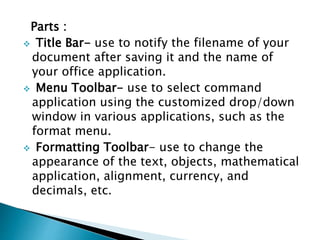
Parts : 
 Title Bar- use to notify the filename of your 
document after saving it and the name of 
your office application. 
 Menu Toolbar- use to select command 
application using the customized drop/down 
window in various applications, such as the 
format menu. 
 Formatting Toolbar- use to change the 
appearance of the text, objects, mathematical 
application, alignment, currency, and 
decimals, etc.
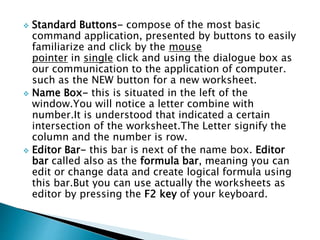
 Standard Buttons- compose of the most basic 
command application, presented by buttons to easily 
familiarize and click by the mouse 
pointer in single click and using the dialogue box as 
our communication to the application of computer. 
such as the NEW button for a new worksheet. 
 Name Box- this is situated in the left of the 
window.You will notice a letter combine with 
number.It is understood that indicated a certain 
intersection of the worksheet.The Letter signify the 
column and the number is row. 
 Editor Bar- this bar is next of the name box. Editor 
bar called also as the formula bar, meaning you can 
edit or change data and create logical formula using 
this bar.But you can use actually the worksheets as 
editor by pressing the F2 key of your keyboard.
 Column Header- they are alphabets situated and 
underneath of the formula bar.It is represent the 
number of columns in a worksheet.It is composed of 
256 columns in 2003 version.You can count how 
much the number of columns in single worksheet by 
holding CTRL + right arrow key of the keyboard. 
 Row Header- they are numerical numbers, from 1- 
104856 rows in 2007 version.You can count how 
much the number of rows in a single worksheet by 
holding CTRL + Down arrow key. 
 Worksheet Cell- its just bolded rectangle position 
normal in A1 once you open your MS-EXCEL.This is 
use to refer the data in your applications.Meaning, 
once you type your data, the number or text will 
position inside the worksheet cell in the different 
intersection of the worksheets application.
 Tab Buttons- this tabulated buttons is used to 
name the single worksheets 
in singleworkbook.Normally as default, it have 
three tab sheets that you can rename and adding 
it by pointing your mouse cursor in a tab sheets 
and use the right click of your mouse. 
 Worksheet- it is the wide area of your window 
application.Its is the spreadsheet paper 
literary.That simulated in electronic spreadsheet 
application.It have composed of vertical and 
horizontal grid lines to form an intersection of 
the worksheet. 
 Vertical Scroll Bar- it is situated right side of the 
worksheet.It is used to move up/down of the 
worksheet or page in the application.
Microsoft PowerPoint is a slide show 
presentation program developed 
by Microsoft. It was officially launched on May 
22, 1990, as a part of theMicrosoft Office 
suite.
 Ribbon:It contains the commands organized 
in three components: 
Tabs- represents the activities you perform 
and contain related groups. 
Groups-organize related commands. Group 
name appears below the group ribbon. 
Commands-appear within each group.
 Quick Access Toolbar:It provides the most 
common

Presentation in computer

  • 2.
     Microsoft Wordis a word processor developed by Microsoft. It was first released in 1983 under the name Multi-Tool Word for Xenix systems.
  • 4.
     The Titlebar gives the name of the document and the program being used.  On the right side of the Title bar are three buttons. a. The Minimize button makes the window disappear from the screen without closing the program. You can bring the window back by clicking on its button on the Task bar at the bottom of the screen. b. The Reduce/Maximize button makes the window smaller or takes it back to full size. c. The Close button closes the document or program
  • 5.
    The Document displaywindow is where the current document is visible. The Scroll bars allow the user to move up and down the document in the window.  The Status bar shows the location of the cursor, number of pages and includes advanced toolbar options. The Task bar displays buttons for Open programs or documents. Clicking on a button on the taskbar, brings that program into view. The current program button looks indented
  • 6.
    Software developed andmanufactured by Microsoft Corporation that allows users to organize, format, and calculate data with formulas using a spreadsheet system broken up by rows and columns. Microsoft Excel usually comes bundled with Microsoft Office and is compatible with other applications offered in the suite of products. The first software program similar to Excel was released in 1982 and was called Multiplan.
  • 7.
    Parts : Title Bar- use to notify the filename of your document after saving it and the name of your office application.  Menu Toolbar- use to select command application using the customized drop/down window in various applications, such as the format menu.  Formatting Toolbar- use to change the appearance of the text, objects, mathematical application, alignment, currency, and decimals, etc.
  • 8.
     Standard Buttons-compose of the most basic command application, presented by buttons to easily familiarize and click by the mouse pointer in single click and using the dialogue box as our communication to the application of computer. such as the NEW button for a new worksheet.  Name Box- this is situated in the left of the window.You will notice a letter combine with number.It is understood that indicated a certain intersection of the worksheet.The Letter signify the column and the number is row.  Editor Bar- this bar is next of the name box. Editor bar called also as the formula bar, meaning you can edit or change data and create logical formula using this bar.But you can use actually the worksheets as editor by pressing the F2 key of your keyboard.
  • 9.
     Column Header-they are alphabets situated and underneath of the formula bar.It is represent the number of columns in a worksheet.It is composed of 256 columns in 2003 version.You can count how much the number of columns in single worksheet by holding CTRL + right arrow key of the keyboard.  Row Header- they are numerical numbers, from 1- 104856 rows in 2007 version.You can count how much the number of rows in a single worksheet by holding CTRL + Down arrow key.  Worksheet Cell- its just bolded rectangle position normal in A1 once you open your MS-EXCEL.This is use to refer the data in your applications.Meaning, once you type your data, the number or text will position inside the worksheet cell in the different intersection of the worksheets application.
  • 10.
     Tab Buttons-this tabulated buttons is used to name the single worksheets in singleworkbook.Normally as default, it have three tab sheets that you can rename and adding it by pointing your mouse cursor in a tab sheets and use the right click of your mouse.  Worksheet- it is the wide area of your window application.Its is the spreadsheet paper literary.That simulated in electronic spreadsheet application.It have composed of vertical and horizontal grid lines to form an intersection of the worksheet.  Vertical Scroll Bar- it is situated right side of the worksheet.It is used to move up/down of the worksheet or page in the application.
  • 11.
    Microsoft PowerPoint isa slide show presentation program developed by Microsoft. It was officially launched on May 22, 1990, as a part of theMicrosoft Office suite.
  • 12.
     Ribbon:It containsthe commands organized in three components: Tabs- represents the activities you perform and contain related groups. Groups-organize related commands. Group name appears below the group ribbon. Commands-appear within each group.
  • 13.
     Quick AccessToolbar:It provides the most common