HOTSPOT	
  MIKROTIK
PREPARED	
  BY	
  MR	
  EAN	
  SARATH
,	
  4	
  MAY	
  2016
Name: EAN Sarath
Technical Support at MaxBIT ISP
Certification : MTCNA
Areas of Interest : VPN Tunnel, Routing & Switching
Skype : sarath.ean1
FB: Sarath EAN
2
About	
  Me
1. What is Hotspot
2. Benefit of Hotspot
3. Configure Hotspot
4. Bypassing Hotspot
5. Limit User Bandwidth
6. Shared Users Hotspot
7. Question & Answer
3
Content
• Hotspots are used to provide access services (Internet /
Intranet)in the public area, using cable or wireless. And
provide web services authenticated username and password
before access to internet.
• Remote Authentication Dial-­‐In User Service (RADIUS) is a
networking protocol that provides centralized Authentication,
Authorization, and Accounting (AAA) management for users
who connect and use a network service.
4
What	
  is	
  Hotspot	
  
5
Benefit	
  of	
  Hotspot	
  
Copyright®MaximumBusiness informationTechnology
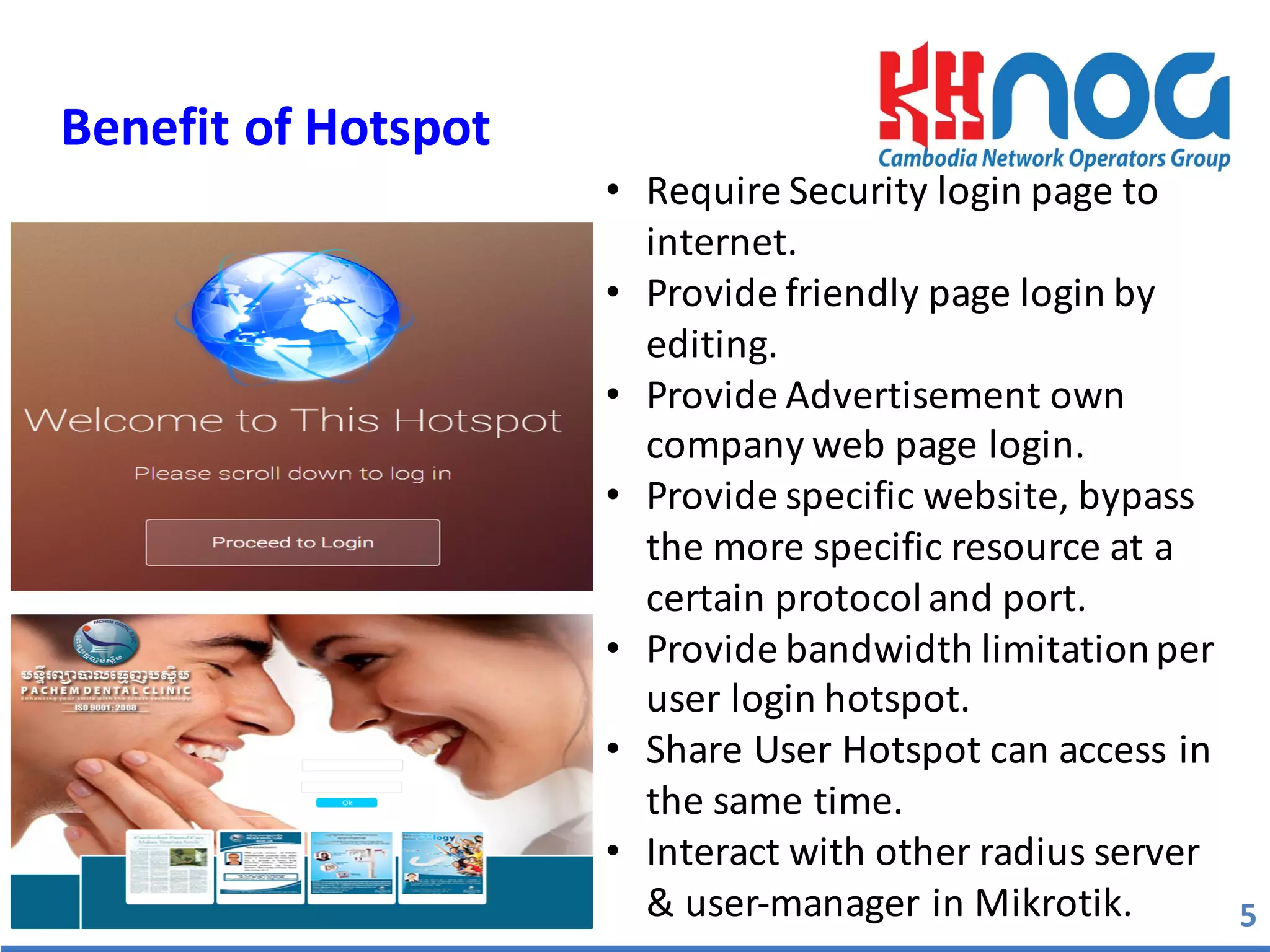
• Require	
  Security	
  login	
  page	
  to	
  
internet.
• Provide	
  friendly	
  page	
  login	
  by	
  
editing.
• Provide	
  Advertisement	
  own	
  
company	
  web	
  page	
  login.
• Provide	
  specific	
  website,	
  bypass	
  
the	
  more	
  specific	
  resource	
  at	
  a	
  
certain	
  protocol	
  and	
  port.
• Provide	
  bandwidth	
  limitation	
  per	
  
user	
  login	
  hotspot.
• Share	
  User	
  Hotspot	
  can	
  access	
  in	
  
the	
  same	
  time.
• Interact	
  with	
  other	
  radius	
  server	
  
&	
  user-­‐manager	
  in	
  Mikrotik.	
  
Configure	
  Hotspot	
  
Hotspot	
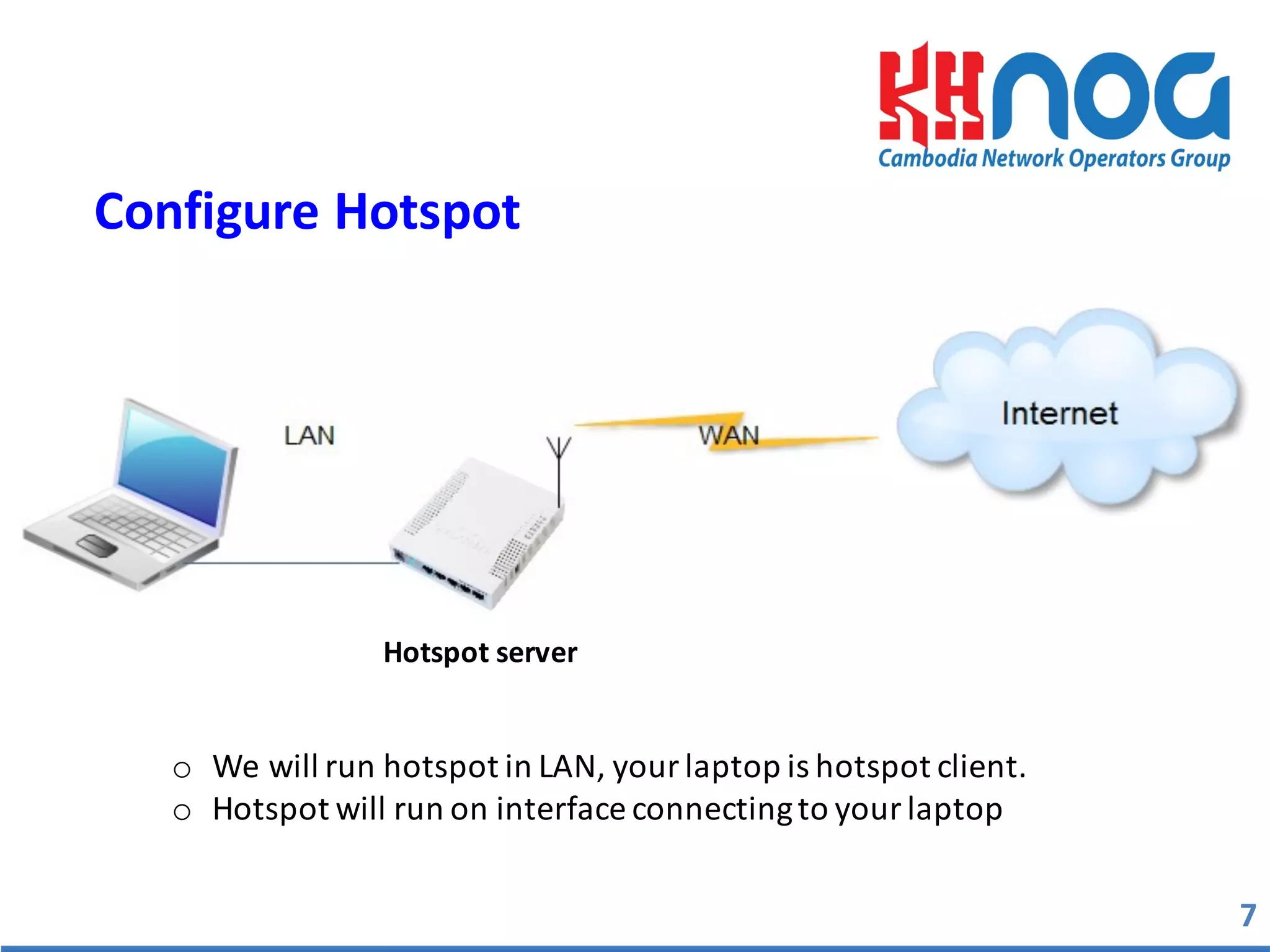
  server	
  
o We	
  will	
  run	
  hotspot	
  in	
  LAN,	
  your	
  laptop	
  is	
  hotspot	
  client.
o Hotspot	
  will	
  run	
  on	
  interface	
  connecting	
  to	
  your	
  laptop
7
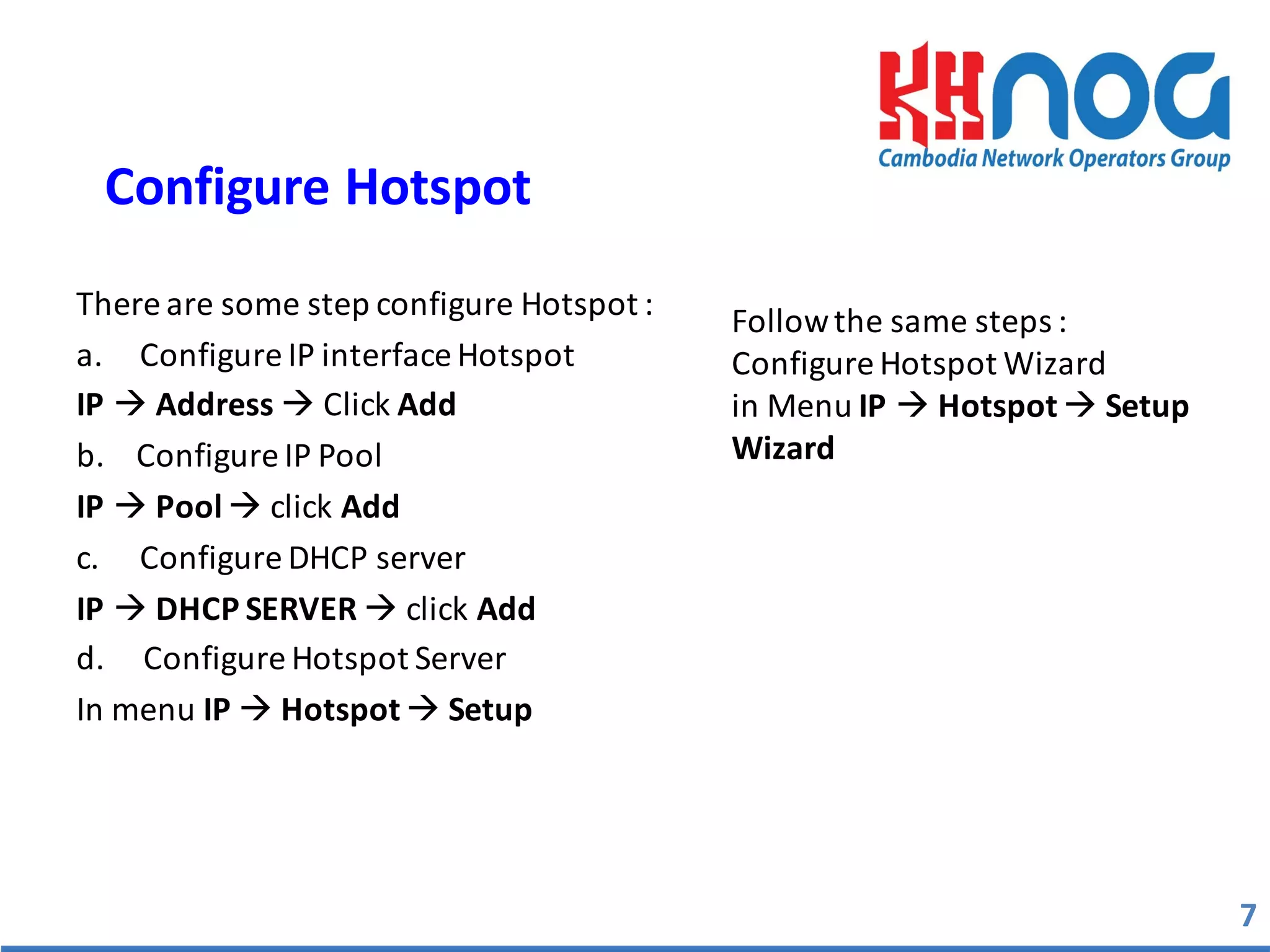
There	
  are	
  some	
  step	
  configure	
  Hotspot	
  :	
  
a. Configure	
  IP	
  interface	
  Hotspot	
  
IP à Address à Click	
  Add
b.	


  Configure	
  IP	
  Pool	
  
IP à Pool	
  à click	
  Add
c. Configure	
  DHCP	
  server
IP	
  à DHCP	
  SERVER	
  à click	
  Add
d.	


  Configure	
  Hotspot	
  Server	
  
In	
  menu	
  IP	
  à Hotspot à Setup	
  
7
Configure	
  Hotspot	
  
Follow	
  the	
  same	
  steps	
  :
Configure	
  Hotspot	
  Wizard	
  
in	
  Menu	
  IP à Hotspot	
  à Setup
Wizard	
  
8
Configure	
  Hotspot	
  
In menu IP>Hotspot>Setup Wizard
1 2
34
5 6
7
8
There	
  are	
  several	
  ways	
  you	
  can	
  do	
  to	
  bypass	
  the	
  host	
  in	
  order	
  not	
  to	
  perform	
  
authentication	
  when	
  it	
  will	
  enter	
  the	
  hotspot	
  network,	
  as	
  follows.
• IP	
  Binding	
  
o Allow	
  	
  specific	
  user	
  to	
  access	
  without	
  login.
o Use	
  bypass	
  Printers,	
  IP	
  phones,	
  Security	
  camera	
  …	
  etc.
o Configure	
  in	
  menu	
  IP à Hotspot à IP	
  Binding.
9
Bypassing	
  Hotpots	
  
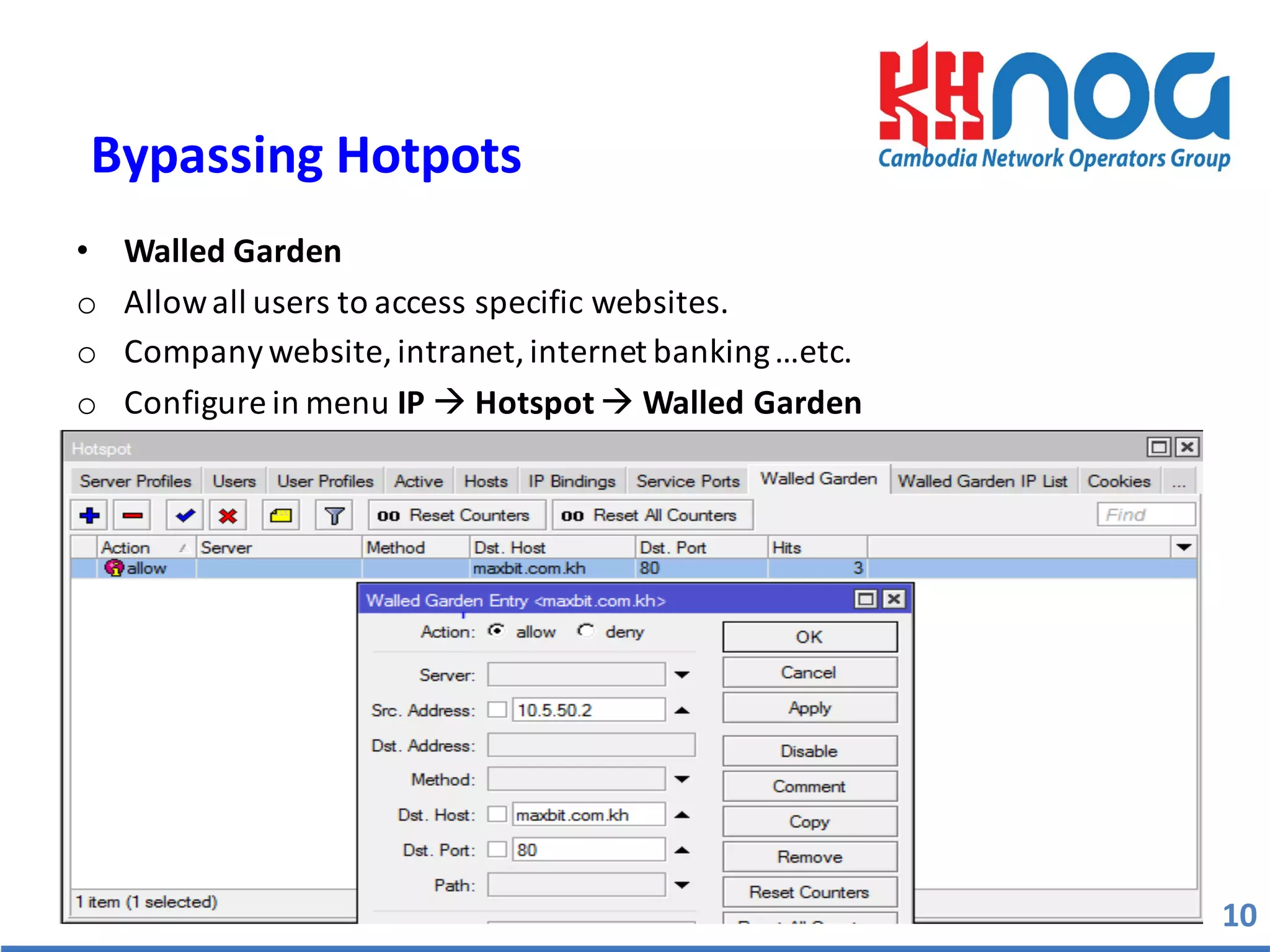
• Walled	
  Garden
o Allow	
  all	
  users	
  to	
  access	
  specific	
  websites.
o Company	
  website,	
  intranet,	
  internet	
  banking	
  …etc.	
  
o Configure	
  in	
  menu	
  IP à Hotspot à Walled	
  Garden
10
Bypassing	
  Hotpots	
  
• Walled	
  Garden	
  IP
o Allow	
  all	
  user	
  access	
  specific	
  protocol
o To	
  bypass	
  HOST/IP	
  with	
  several	
  or	
  ALL	
  services	
  can	
  be	
  accessible	
  from	
  
hotspot	
  client	
  without	
  authentication	
  (router,	
  mail	
  server,	
  etc.)
o Configure	
  in	
  menu	
  IP à Hotspot	
  à Walled	
  Garden	
  IP
11
Bypassing	
  Hotpot
12
Limit	
  User	
  Bandwidth	
  (Local)
• Limit	
  user	
  bandwidth,	
  using	
  Mikrotik	
  hotspot	
  local	
  user	
  profile.
• Can	
  be	
  set	
  from	
  Hotspot	
  à User	
  Profile	
  
• Configure	
  :	
  General	
  à Rate	
  Limit	
  (rx/tx)
1 2
• One	
  user	
  name	
  can	
  be	
  used	
  more	
  than	
  once,	
  for	
  limit	
  number.
• Set	
  the	
  limit	
  number	
  of	
  user	
  from	
  hotspot	
  à User	
  profile.	
  
• Configuration	
  :	
  
-­‐ General	
  à Share	
  User	
  (	
  Set	
  the	
  maximum	
  limit)
13
Shared	
  Users
14
Hotspot	
  New	
  Generation
15
Question	
  &	
  Answer
Thanks	
  for	
  your	
  spend	
  valuable	
  times	
  JJ

Hotspot on Mikrotik Router

  • 1.
    HOTSPOT  MIKROTIK PREPARED  BY  MR  EAN  SARATH ,  4  MAY  2016
  • 2.
    Name: EAN Sarath TechnicalSupport at MaxBIT ISP Certification : MTCNA Areas of Interest : VPN Tunnel, Routing & Switching Skype : sarath.ean1 FB: Sarath EAN 2 About  Me
  • 3.
    1. What isHotspot 2. Benefit of Hotspot 3. Configure Hotspot 4. Bypassing Hotspot 5. Limit User Bandwidth 6. Shared Users Hotspot 7. Question & Answer 3 Content
  • 4.
    • Hotspots areused to provide access services (Internet / Intranet)in the public area, using cable or wireless. And provide web services authenticated username and password before access to internet. • Remote Authentication Dial-­‐In User Service (RADIUS) is a networking protocol that provides centralized Authentication, Authorization, and Accounting (AAA) management for users who connect and use a network service. 4 What  is  Hotspot  
  • 5.
    5 Benefit  of  Hotspot   Copyright®MaximumBusiness informationTechnology • Require  Security  login  page  to   internet. • Provide  friendly  page  login  by   editing. • Provide  Advertisement  own   company  web  page  login. • Provide  specific  website,  bypass   the  more  specific  resource  at  a   certain  protocol  and  port. • Provide  bandwidth  limitation  per   user  login  hotspot. • Share  User  Hotspot  can  access  in   the  same  time. • Interact  with  other  radius  server   &  user-­‐manager  in  Mikrotik.  
  • 6.
    Configure  Hotspot   Hotspot  server   o We  will  run  hotspot  in  LAN,  your  laptop  is  hotspot  client. o Hotspot  will  run  on  interface  connecting  to  your  laptop 7
  • 7.
    There  are  some  step  configure  Hotspot  :   a. Configure  IP  interface  Hotspot   IP à Address à Click  Add b.        Configure  IP  Pool   IP à Pool  à click  Add c. Configure  DHCP  server IP  à DHCP  SERVER  à click  Add d.          Configure  Hotspot  Server   In  menu  IP  à Hotspot à Setup   7 Configure  Hotspot   Follow  the  same  steps  : Configure  Hotspot  Wizard   in  Menu  IP à Hotspot  à Setup Wizard  
  • 8.
    8 Configure  Hotspot   Inmenu IP>Hotspot>Setup Wizard 1 2 34 5 6 7 8
  • 9.
    There  are  several  ways  you  can  do  to  bypass  the  host  in  order  not  to  perform   authentication  when  it  will  enter  the  hotspot  network,  as  follows. • IP  Binding   o Allow    specific  user  to  access  without  login. o Use  bypass  Printers,  IP  phones,  Security  camera  …  etc. o Configure  in  menu  IP à Hotspot à IP  Binding. 9 Bypassing  Hotpots  
  • 10.
    • Walled  Garden oAllow  all  users  to  access  specific  websites. o Company  website,  intranet,  internet  banking  …etc.   o Configure  in  menu  IP à Hotspot à Walled  Garden 10 Bypassing  Hotpots  
  • 11.
    • Walled  Garden  IP o Allow  all  user  access  specific  protocol o To  bypass  HOST/IP  with  several  or  ALL  services  can  be  accessible  from   hotspot  client  without  authentication  (router,  mail  server,  etc.) o Configure  in  menu  IP à Hotspot  à Walled  Garden  IP 11 Bypassing  Hotpot
  • 12.
    12 Limit  User  Bandwidth  (Local) • Limit  user  bandwidth,  using  Mikrotik  hotspot  local  user  profile. • Can  be  set  from  Hotspot  à User  Profile   • Configure  :  General  à Rate  Limit  (rx/tx) 1 2
  • 13.
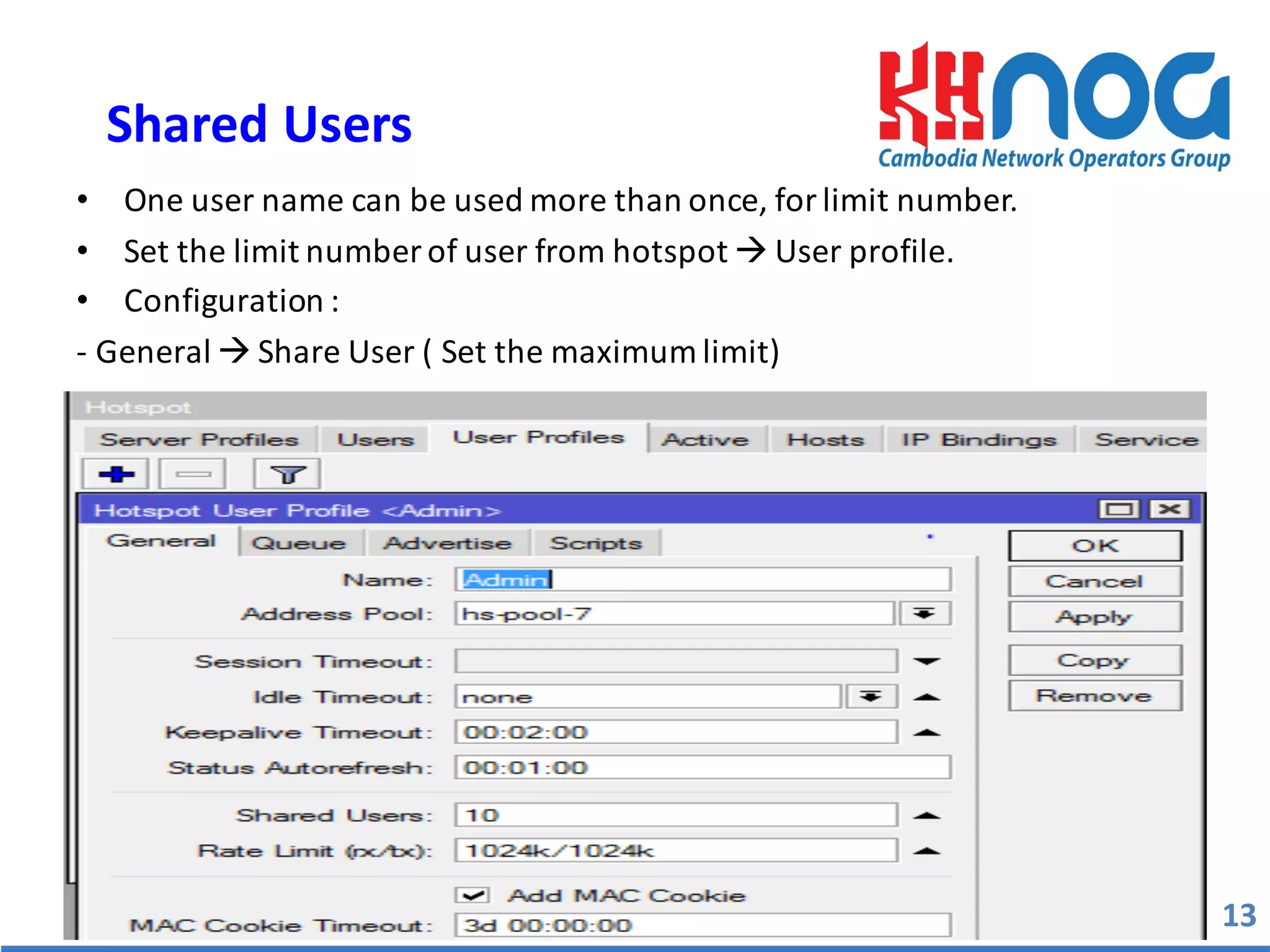
    • One  user  name  can  be  used  more  than  once,  for  limit  number. • Set  the  limit  number  of  user  from  hotspot  à User  profile.   • Configuration  :   -­‐ General  à Share  User  (  Set  the  maximum  limit) 13 Shared  Users
  • 14.
  • 15.
    15 Question  &  Answer Thanks  for  your  spend  valuable  times  JJ