Downloaded 885 times
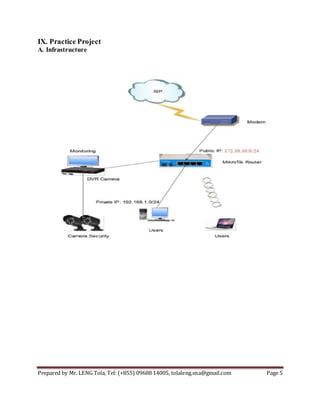
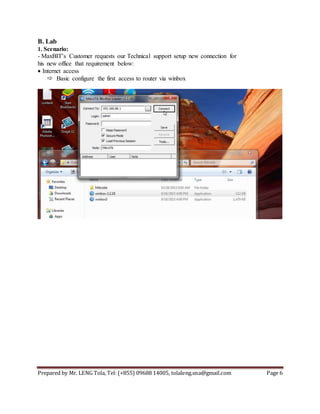
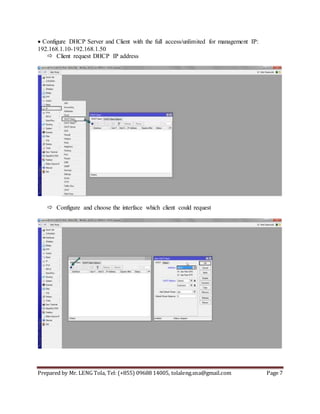
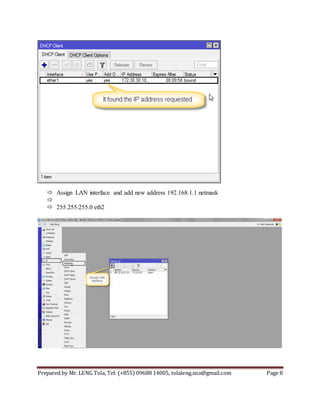
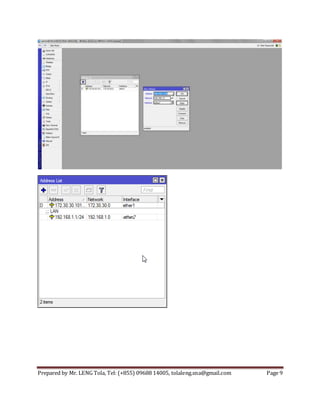
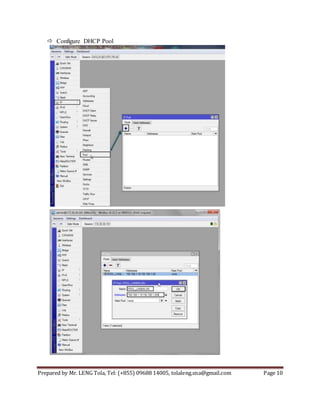
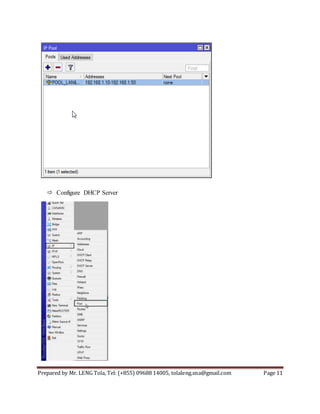
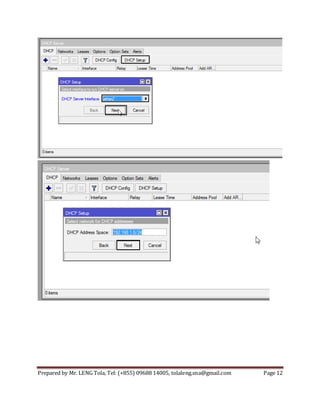
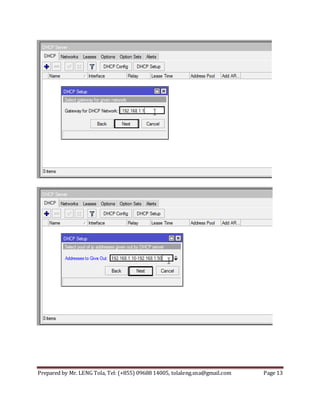
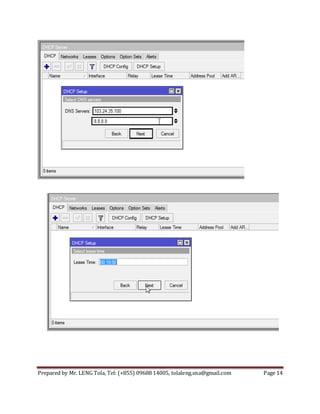
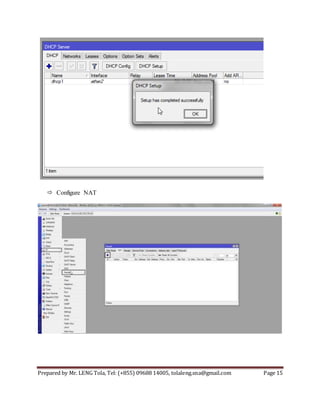
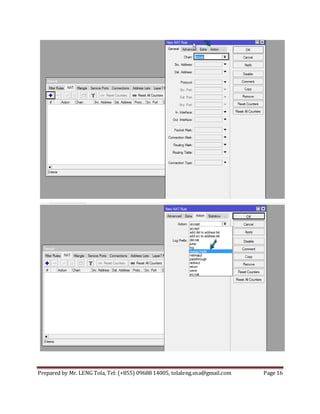
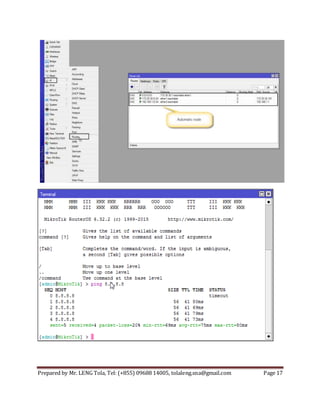
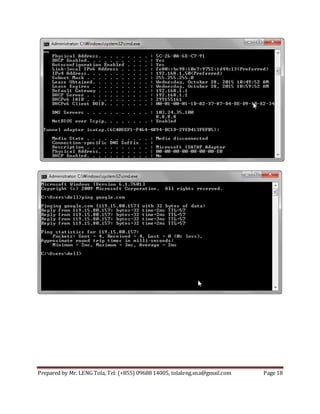
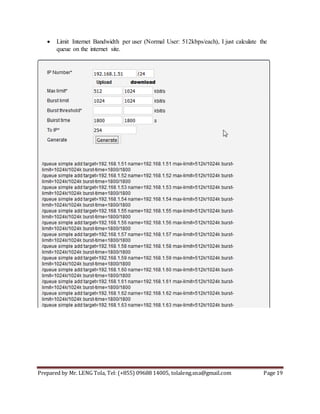
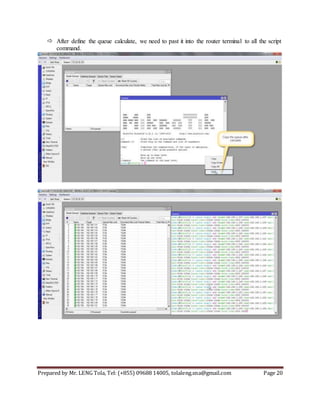
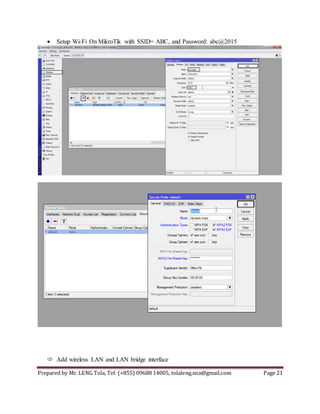
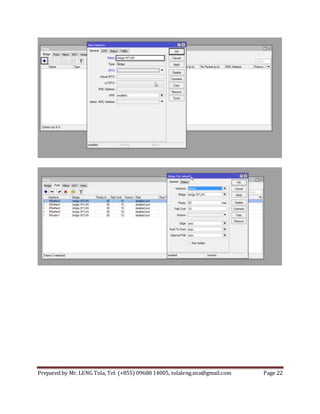
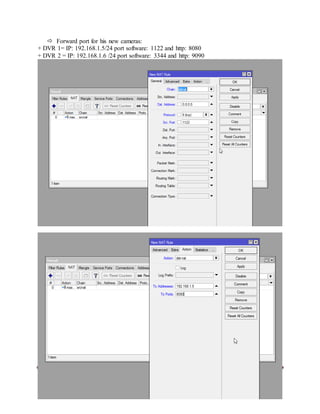
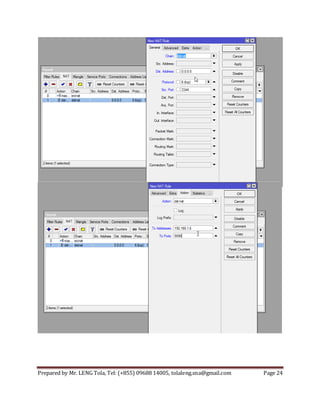
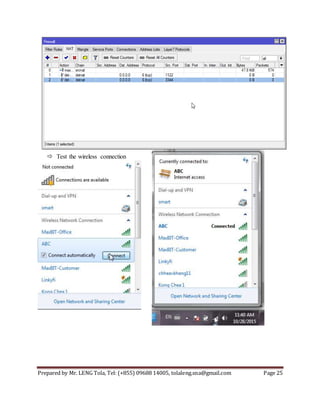


This document provides instructions for configuring a MikroTik router for basic network services including: - Setting up DHCP services to assign IP addresses to client devices on the network - Configuring NAT and firewall rules to provide internet access and bandwidth limiting - Setting up a wireless network with SSID and password for client devices to connect - Port forwarding for IP security cameras on the network The document contains step-by-step details for completing these configurations on a MikroTik router to meet a customer's basic network requirements.


![MikroTik Multicast Routing [www.imxpert.co]](https://cdn.slidesharecdn.com/ss_thumbnails/mikrotikmulticastroutingt4t-150218231524-conversion-gate01-thumbnail.jpg?width=640&height=640&fit=bounds)


![Connection load balancing with mikrotik [workshop]](https://cdn.slidesharecdn.com/ss_thumbnails/20161013loadbalancing-161013083020-thumbnail.jpg?width=640&height=640&fit=bounds)


![5G Explained! A High Level Overview [Introduction]](https://cdn.slidesharecdn.com/ss_thumbnails/5gexplainedahighleveloverview-260119165306-cc137a3e-thumbnail.jpg?width=640&height=640&fit=bounds)


