Universiti Tun Hussien Onn Malaysia Faculty of Mechanical and Manufacturing Engineering
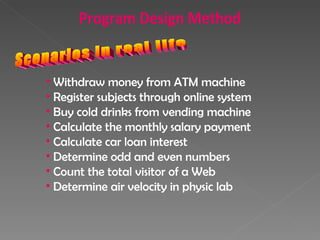
Scenarios in real life Withdraw money from ATM machine Register subjects through online system Buy cold drinks from vending machine Calculate the monthly salary payment Calculate car loan interest Determine odd and even numbers Count the total visitor of a Web Determine air velocity in physic lab Program Design Method
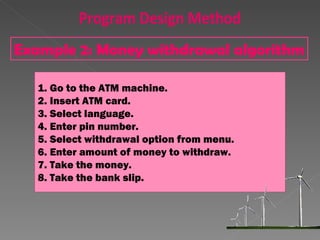
Go to the ATM machine. Insert ATM card. Select language. Enter pin number. Select withdrawal option from menu. Enter amount of money to withdraw. Take the money. Take the bank slip. Example 2: Money withdrawal algorithm Program Design Method
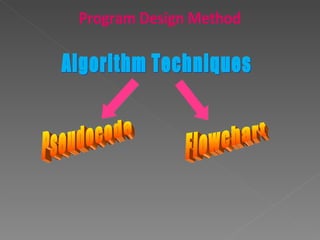
Algorithm Techniques Pseudocode Flowchart Program Design Method
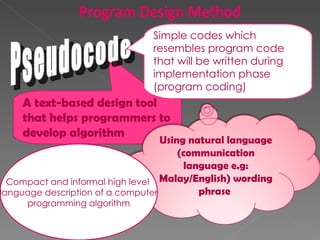
A text-based design tool that helps programmers to develop algorithm Pseudocode Compact and informal high level  language description of a computer programming algorithm Simple codes which resembles program code that will be written during implementation phase (program coding) Program Design Method Using natural language (communication language e.g: Malay/English) wording phrase
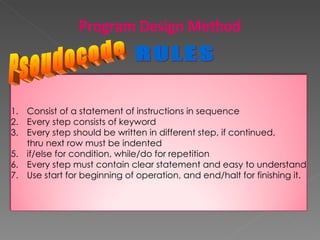
Pseudocode RULES Program Design Method Consist of a statement of instructions in sequence Every step consists of keyword Every step should be written in different step, if continued,  thru next row must be indented if/else for condition, while/do for repetition Every step must contain clear statement and easy to understand Use start for beginning of operation, and end/halt for finishing it.
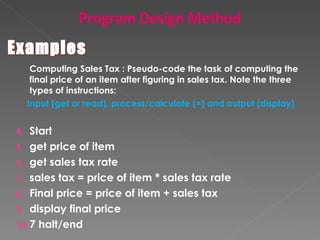
Computing Sales Tax : Pseudo-code the task of computing the final price of an item after figuring in sales tax. Note the three types of instructions: Input (get or read), process/calculate (=) and output (display) Start get price of item get sales tax rate sales tax = price of item * sales tax rate Final price = price of item + sales tax display final price 7 halt/end Program Design Method Examples
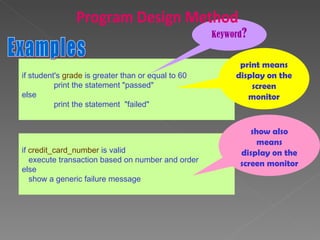
if student's  grade  is greater than or equal to 60  print the statement "passed"  else  print the statement  "failed"  Examples Keyword ? print means display on the screen monitor if  credit_card_number  is valid  execute transaction based on number and order  else  show a generic failure message show also means display on the screen monitor Program Design Method
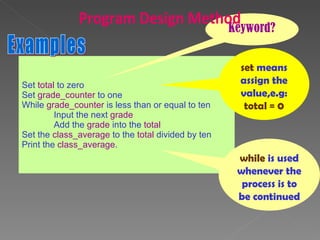
Set  total  to zero  Set  grade_counter  to one  While  grade_counter  is less than or equal to ten  Input the next  grade Add the  grade  into the  total  Set the  class_average  to the  total  divided by ten  Print the  class_average .  Examples Keyword? set  means assign the value,e.g: total = 0 while  is used whenever the process is to be continued Program Design Method
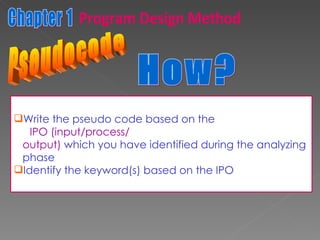
Pseudocode Write the pseudo code based on the  IPO (input/process/ output)  which you have identified during the analyzing  phase Identify the keyword(s) based on the IPO How? Chapter 1 Program Design Method
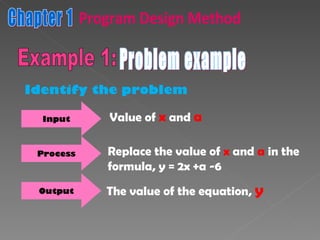
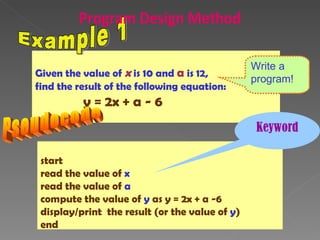
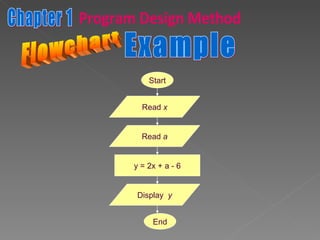
Problem example Input Value of   x   and   a Process Replace the value of   x   and   a   in the formula, y = 2x +a -6 Output The value of the equation,   y Identify the problem Chapter 1 Program Design Method Example 1:
Given the value of  x  is 10 and  a  is 12,  find the result of the following equation: y = 2x + a - 6 Example 1 start read the value of  x read the value of  a compute the value of  y  as y = 2x + a -6 display/print  the result (or the value of  y ) end Pseudocode Write a program! Keyword Program Design Method
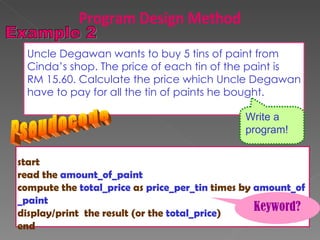
Uncle Degawan wants to buy 5 tins of paint from  Cinda’s shop. The price of each tin of the paint is  RM 15.60. Calculate the price which Uncle Degawan have to pay for all the tin of paints he bought. start read the  amount_of_paint compute the  total_price  as  price_per_tin  times by  amount_of  _paint display/print  the result (or the  total_price ) end Pseudocode Write a program! Keyword? Program Design Method
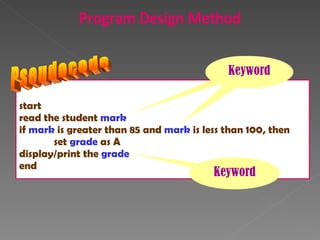
start read the student  mark if  mark  is greater than 85 and  mark  is less than 100, then set  grade  as A display/print the  grade end Pseudocode Keyword Keyword Keyword Program Design Method
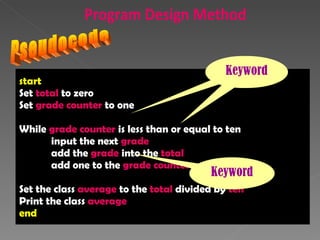
start Set  total  to zero Set  grade counter  to one While  grade   counter  is less than or equal to ten input the next  grade add the  grade  into the  total add one to the  grade counter Set the class  average  to the  total  divided by  ten Print the class  average end Pseudocode Keyword Keyword Keyword Program Design Method
Question Program Design Method
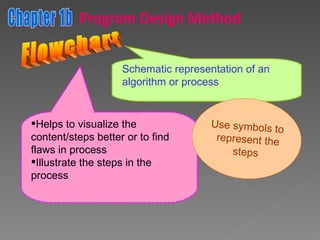
Flowchart Schematic representation of an algorithm or process Helps to visualize the content/steps better or to find flaws in process Illustrate the steps in the process Use symbols to represent the steps Chapter 1b Program Design Method
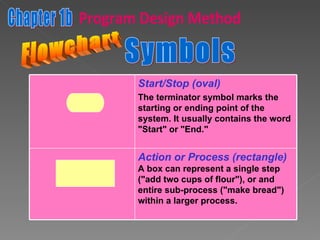
Flowchart Symbols Chapter 1b Program Design Method Start/Stop (oval) The terminator symbol marks the starting or ending point of the system. It usually contains the word "Start" or "End."   Action or Process (rectangle) A box can represent a single step ("add two cups of flour"), or and entire sub-process ("make bread") within a larger process.
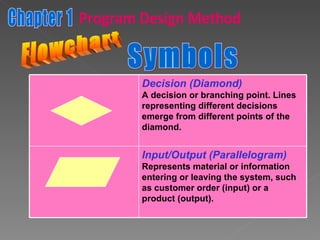
Flowchart Symbols Chapter 1 Program Design Method Decision (Diamond) A decision or branching point. Lines representing different decisions emerge from different points of the diamond.   Input/Output (Parallelogram) Represents material or information entering or leaving the system, such as customer order (input) or a product (output).
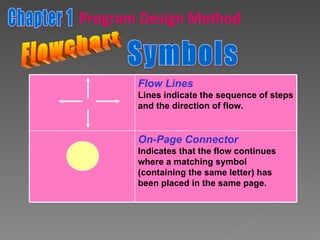
Flowchart Symbols Chapter 1 Program Design Method Flow Lines Lines indicate the sequence of steps and the direction of flow.  On-Page Connector Indicates that the flow continues where a matching symbol (containing the same letter) has been placed in the same page.
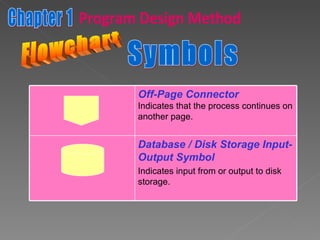
Flowchart Symbols Chapter 1 Program Design Method Off-Page Connector Indicates that the process continues on another page. Database / Disk Storage Input-Output Symbol Indicates input from or output to disk storage.
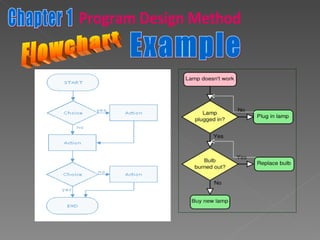
Flowchart Example Chapter 1 Program Design Method
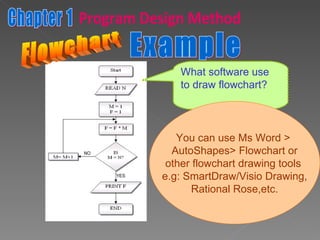
Example What software use to draw flowchart? You can use Ms Word >  AutoShapes> Flowchart or other flowchart drawing tools  e.g: SmartDraw/Visio Drawing, Rational Rose,etc. Flowchart Chapter 1 Program Design Method
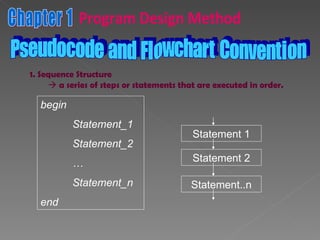
Chapter 1 Program Design Method Pseudocode and Flowchart Convention 1. Sequence Structure    a series of steps or statements that are executed in order. begin Statement_1 Statement_2 … Statement_n end Statement 1 Statement 2 Statement..n
Flowchart Example Chapter 1 Program Design Method Read  x Read  a y = 2x + a - 6 Display  y Start End
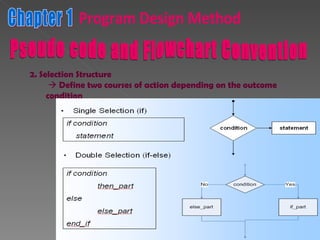
Chapter 1 Program Design Method Pseudo code and Flowchart Convention 2. Selection Structure    Define two courses of action depending on the outcome condition  ( true or false)
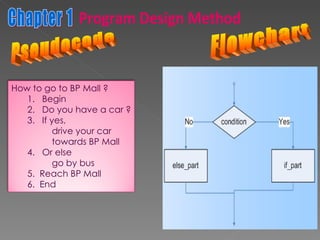
Flowchart Chapter 1 Program Design Method Pseudocode How to go to BP Mall ? 1.  Begin 2.  Do you have a car ? 3.  If yes,  drive your car towards BP Mall 4.  Or else go by bus 5.  Reach BP Mall  6.  End
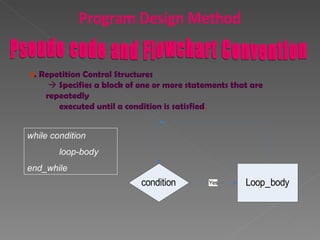
Program Design Method 3 . Repetition Control Structures    Specifies a block of one or more statements that are repeatedly  executed until a condition is satisfied . while condition loop-body end_while Pseudo code and Flowchart Convention
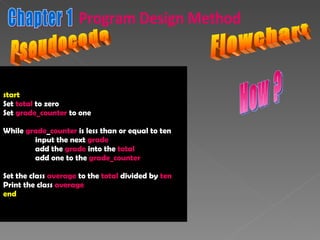
start Set  total  to zero Set  grade_counter  to one While  grade _ counter  is less than or equal to ten input the next  grade add the  grade  into the  total add one to the  grade_counter Set the class  average  to the  total  divided by  ten Print the class  average end Pseudocode Chapter 1 Program Design Method Flowchart How ?
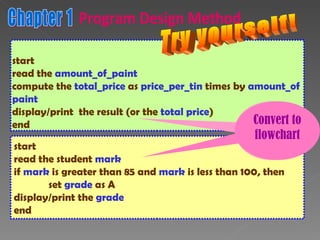
start read the  amount_of_paint compute the  total_price  as  price_per_tin  times by  amount_of  paint display/print  the result (or the  total price ) end start read the student  mark if  mark  is greater than 85 and  mark  is less than 100, then set  grade  as A display/print the  grade end Try yourself! Convert to flowchar Convert to flowchart Chapter 1 Program Design Method
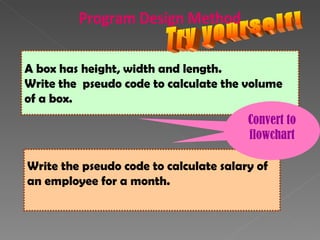
A box has height, width and length.  Write the  pseudo code to calculate the volume  of a box. Write the pseudo code to calculate salary of  an employee for a month. Convert to Convert to flowchart Try yourself! Program Design Method
Question Chapter 1 Program Design Method

Copy of dti2143/dam31303 chap 1 problem solving and program design

  • 1.
    Universiti Tun HussienOnn Malaysia Faculty of Mechanical and Manufacturing Engineering
  • 2.
    Scenarios in reallife Withdraw money from ATM machine Register subjects through online system Buy cold drinks from vending machine Calculate the monthly salary payment Calculate car loan interest Determine odd and even numbers Count the total visitor of a Web Determine air velocity in physic lab Program Design Method
  • 3.
    Go to theATM machine. Insert ATM card. Select language. Enter pin number. Select withdrawal option from menu. Enter amount of money to withdraw. Take the money. Take the bank slip. Example 2: Money withdrawal algorithm Program Design Method
  • 4.
    Algorithm Techniques PseudocodeFlowchart Program Design Method
  • 5.
    A text-based designtool that helps programmers to develop algorithm Pseudocode Compact and informal high level language description of a computer programming algorithm Simple codes which resembles program code that will be written during implementation phase (program coding) Program Design Method Using natural language (communication language e.g: Malay/English) wording phrase
  • 6.
    Pseudocode RULES ProgramDesign Method Consist of a statement of instructions in sequence Every step consists of keyword Every step should be written in different step, if continued, thru next row must be indented if/else for condition, while/do for repetition Every step must contain clear statement and easy to understand Use start for beginning of operation, and end/halt for finishing it.
  • 7.
    Computing Sales Tax: Pseudo-code the task of computing the final price of an item after figuring in sales tax. Note the three types of instructions: Input (get or read), process/calculate (=) and output (display) Start get price of item get sales tax rate sales tax = price of item * sales tax rate Final price = price of item + sales tax display final price 7 halt/end Program Design Method Examples
  • 8.
    if student's grade is greater than or equal to 60 print the statement "passed" else print the statement "failed" Examples Keyword ? print means display on the screen monitor if credit_card_number is valid execute transaction based on number and order else show a generic failure message show also means display on the screen monitor Program Design Method
  • 9.
    Set total to zero Set grade_counter to one While grade_counter is less than or equal to ten Input the next grade Add the grade into the total Set the class_average to the total divided by ten Print the class_average . Examples Keyword? set means assign the value,e.g: total = 0 while is used whenever the process is to be continued Program Design Method
  • 10.
    Pseudocode Write thepseudo code based on the IPO (input/process/ output) which you have identified during the analyzing phase Identify the keyword(s) based on the IPO How? Chapter 1 Program Design Method
  • 11.
    Problem example InputValue of x and a Process Replace the value of x and a in the formula, y = 2x +a -6 Output The value of the equation, y Identify the problem Chapter 1 Program Design Method Example 1:
  • 12.
    Given the valueof x is 10 and a is 12, find the result of the following equation: y = 2x + a - 6 Example 1 start read the value of x read the value of a compute the value of y as y = 2x + a -6 display/print the result (or the value of y ) end Pseudocode Write a program! Keyword Program Design Method
  • 13.
    Uncle Degawan wantsto buy 5 tins of paint from Cinda’s shop. The price of each tin of the paint is RM 15.60. Calculate the price which Uncle Degawan have to pay for all the tin of paints he bought. start read the amount_of_paint compute the total_price as price_per_tin times by amount_of _paint display/print the result (or the total_price ) end Pseudocode Write a program! Keyword? Program Design Method
  • 14.
    start read thestudent mark if mark is greater than 85 and mark is less than 100, then set grade as A display/print the grade end Pseudocode Keyword Keyword Keyword Program Design Method
  • 15.
    start Set total to zero Set grade counter to one While grade counter is less than or equal to ten input the next grade add the grade into the total add one to the grade counter Set the class average to the total divided by ten Print the class average end Pseudocode Keyword Keyword Keyword Program Design Method
  • 16.
  • 17.
    Flowchart Schematic representationof an algorithm or process Helps to visualize the content/steps better or to find flaws in process Illustrate the steps in the process Use symbols to represent the steps Chapter 1b Program Design Method
  • 18.
    Flowchart Symbols Chapter1b Program Design Method Start/Stop (oval) The terminator symbol marks the starting or ending point of the system. It usually contains the word "Start" or "End." Action or Process (rectangle) A box can represent a single step ("add two cups of flour"), or and entire sub-process ("make bread") within a larger process.
  • 19.
    Flowchart Symbols Chapter1 Program Design Method Decision (Diamond) A decision or branching point. Lines representing different decisions emerge from different points of the diamond. Input/Output (Parallelogram) Represents material or information entering or leaving the system, such as customer order (input) or a product (output).
  • 20.
    Flowchart Symbols Chapter1 Program Design Method Flow Lines Lines indicate the sequence of steps and the direction of flow. On-Page Connector Indicates that the flow continues where a matching symbol (containing the same letter) has been placed in the same page.
  • 21.
    Flowchart Symbols Chapter1 Program Design Method Off-Page Connector Indicates that the process continues on another page. Database / Disk Storage Input-Output Symbol Indicates input from or output to disk storage.
  • 22.
    Flowchart Example Chapter1 Program Design Method
  • 23.
    Example What softwareuse to draw flowchart? You can use Ms Word > AutoShapes> Flowchart or other flowchart drawing tools e.g: SmartDraw/Visio Drawing, Rational Rose,etc. Flowchart Chapter 1 Program Design Method
  • 24.
    Chapter 1 ProgramDesign Method Pseudocode and Flowchart Convention 1. Sequence Structure  a series of steps or statements that are executed in order. begin Statement_1 Statement_2 … Statement_n end Statement 1 Statement 2 Statement..n
  • 25.
    Flowchart Example Chapter1 Program Design Method Read x Read a y = 2x + a - 6 Display y Start End
  • 26.
    Chapter 1 ProgramDesign Method Pseudo code and Flowchart Convention 2. Selection Structure  Define two courses of action depending on the outcome condition ( true or false)
  • 27.
    Flowchart Chapter 1Program Design Method Pseudocode How to go to BP Mall ? 1. Begin 2. Do you have a car ? 3. If yes, drive your car towards BP Mall 4. Or else go by bus 5. Reach BP Mall 6. End
  • 28.
    Program Design Method3 . Repetition Control Structures  Specifies a block of one or more statements that are repeatedly executed until a condition is satisfied . while condition loop-body end_while Pseudo code and Flowchart Convention
  • 29.
    start Set total to zero Set grade_counter to one While grade _ counter is less than or equal to ten input the next grade add the grade into the total add one to the grade_counter Set the class average to the total divided by ten Print the class average end Pseudocode Chapter 1 Program Design Method Flowchart How ?
  • 30.
    start read the amount_of_paint compute the total_price as price_per_tin times by amount_of paint display/print the result (or the total price ) end start read the student mark if mark is greater than 85 and mark is less than 100, then set grade as A display/print the grade end Try yourself! Convert to flowchar Convert to flowchart Chapter 1 Program Design Method
  • 31.
    A box hasheight, width and length. Write the pseudo code to calculate the volume of a box. Write the pseudo code to calculate salary of an employee for a month. Convert to Convert to flowchart Try yourself! Program Design Method
  • 32.
    Question Chapter 1Program Design Method

Editor's Notes

  • #2 Prepared by : Hazalila Kamaludin, 2009/2010
  • #3 Prepared by : Hazalila Kamaludin, 2009/2010
  • #4 Prepared by : Hazalila Kamaludin, 2009/2010
  • #5 Prepared by : Hazalila Kamaludin, 2009/2010
  • #6 Prepared by : Hazalila Kamaludin, 2009/2010
  • #7 Prepared by : Hazalila Kamaludin, 2009/2010
  • #9 Prepared by : Hazalila Kamaludin, 2009/2010
  • #10 Prepared by : Hazalila Kamaludin, 2009/2010
  • #11 Prepared by : Hazalila Kamaludin, 2009/2010
  • #12 Prepared by : Hazalila Kamaludin, 2009/2010
  • #13 Prepared by : Hazalila Kamaludin, 2009/2010
  • #14 Prepared by : Hazalila Kamaludin, 2009/2010
  • #15 Prepared by : Hazalila Kamaludin, 2009/2010
  • #16 Prepared by : Hazalila Kamaludin, 2009/2010
  • #17 Prepared by : Hazalila Kamaludin, 2009/2010
  • #18 Prepared by : Hazalila Kamaludin, 2009/2010
  • #19 Prepared by : Hazalila Kamaludin, 2009/2010
  • #20 Prepared by : Hazalila Kamaludin, 2009/2010
  • #21 Prepared by : Hazalila Kamaludin, 2009/2010
  • #22 Prepared by : Hazalila Kamaludin, 2009/2010
  • #23 Prepared by : Hazalila Kamaludin, 2009/2010
  • #24 Prepared by : Hazalila Kamaludin, 2009/2010
  • #25 Prepared by : Hazalila Kamaludin, 2009/2010
  • #26 Prepared by : Hazalila Kamaludin, 2009/2010
  • #27 Prepared by : Hazalila Kamaludin, 2009/2010
  • #28 Prepared by : Hazalila Kamaludin, 2009/2010
  • #29 Prepared by : Hazalila Kamaludin, 2009/2010
  • #30 Prepared by : Hazalila Kamaludin, 2009/2010
  • #31 Prepared by : Hazalila Kamaludin, 2009/2010
  • #32 Prepared by : Hazalila Kamaludin, 2009/2010
  • #33 Prepared by : Hazalila Kamaludin, 2009/2010