FP101
WEEK 6
CLO 2
Apply the different types of algorithm to
solve problem efficiently.
Types of Algorithm
• Once you fully understand the problem and have
clarified any questions you have, you need to
develop your solution.
• Algorithm is a set of instructions for the computer
• Setting up the algorithms is probably the hardest
part of problem solving on the computer
• The instructions cannot assume anything, cannot
skip steps, must be executable one step at a time
and must be complete
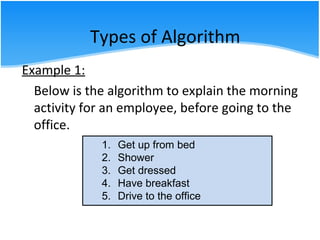
Example 1:
Below is the algorithm to explain the morning
activity for an employee, before going to the
office.
1. Get up from bed
2. Shower
3. Get dressed
4. Have breakfast
5. Drive to the office
Types of Algorithm
Types of Algorithm
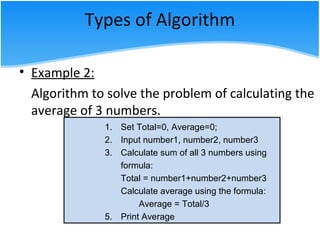
• Example 2:
Algorithm to solve the problem of calculating the
average of 3 numbers.
1. Set Total=0, Average=0;
2. Input number1, number2, number3
3. Calculate sum of all 3 numbers using
formula:
Total = number1+number2+number3
Calculate average using the formula:
Average = Total/3
5. Print Average
Types of Algorithm
• Example 3:
Write an algorithm to solve the problem
below:
Calculate the salary of an employee who
works hourly basis. The formula to be used is
Salary = hour works * pay rate
Types of Algorithm
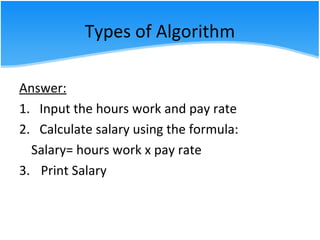
Answer:
1. Input the hours work and pay rate
2. Calculate salary using the formula:
Salary= hours work x pay rate
3. Print Salary
Types of Algorithm
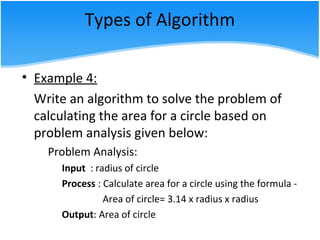
• Example 4:
Write an algorithm to solve the problem of
calculating the area for a circle based on
problem analysis given below:
Problem Analysis:
Input : radius of circle
Process : Calculate area for a circle using the formula -
Area of circle= 3.14 x radius x radius
Output: Area of circle
Types of Algorithm
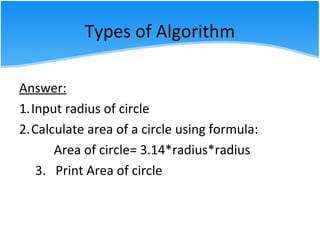
Answer:
1.Input radius of circle
2.Calculate area of a circle using formula:
Area of circle= 3.14*radius*radius
3. Print Area of circle
Pseudo Code
• Uses English like statements in place of the
flowchart graphical symbols.
• It is easier to code a program from it than
from flowchart.
• It is not tied to any programming language.
• It is easy to modify but not graphical, difficult
to use for logically complex problems, and
slower to create.
Pseudo Code
• Close to the actual language the programmer
will be using
• Pseudocode is a compact and informal high-
level description of a computer programming
algorithm that uses the structural conventions
of a programming language, but is intended
for human reading rather than machine
reading.
Pseudo Code
• typically omits details that are not essential
for human understanding of the algorithm,
such as variable declarations, system-specific
code and subroutines.
• No standard for pseudocode syntax exists, as
a program in pseudocode is not an executable
program
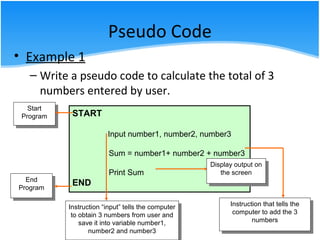
• Example 1
– Write a pseudo code to calculate the total of 3
numbers entered by user.
Start
Program
Start
Program START
Input number1, number2, number3
Sum = number1+ number2 + number3
Print Sum
ENDEnd
Program
End
Program
Display output on
the screen
Display output on
the screen
Instruction “input” tells the computer
to obtain 3 numbers from user and
save it into variable number1,
number2 and number3
Instruction “input” tells the computer
to obtain 3 numbers from user and
save it into variable number1,
number2 and number3
Instruction that tells the
computer to add the 3
numbers
Instruction that tells the
computer to add the 3
numbers
Pseudo Code
Pseudo Code
• Example 2:
Write a pseudo code to solve the problem
below:
Calculate the salary of an employee who
works hourly basis. The formula to be used is
Salary = hour works * pay rate
Pseudo Code
Answer:
START
Input hours _work, pay_rate
Salary= hours_work * pay_rate
Print Salary
END
Pseudo Code
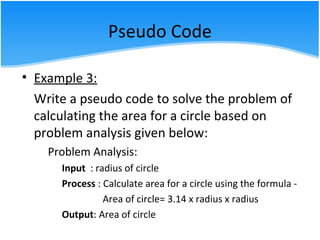
• Example 3:
Write a pseudo code to solve the problem of
calculating the area for a circle based on
problem analysis given below:
Problem Analysis:
Input : radius of circle
Process : Calculate area for a circle using the formula -
Area of circle= 3.14 x radius x radius
Output: Area of circle
Pseudo Code
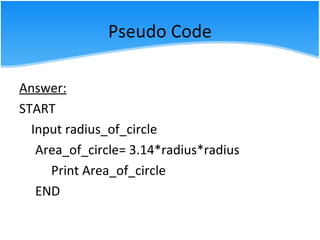
Answer:
START
Input radius_of_circle
Area_of_circle= 3.14*radius*radius
Print Area_of_circle
END
Flowchart
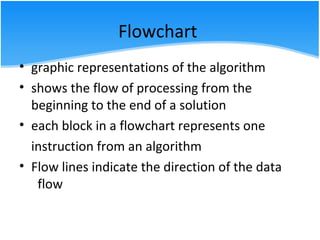
• graphic representations of the algorithm
• shows the flow of processing from the
beginning to the end of a solution
• each block in a flowchart represents one
instruction from an algorithm
• Flow lines indicate the direction of the data
flow
Flowchart
• Symbols used
Symbol Function
Start/ end
process
Input/ output
condition
Flow lines
connector
Flowchart
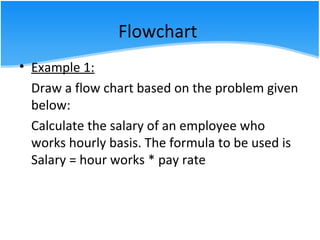
• Example 1:
Draw a flow chart based on the problem given
below:
Calculate the salary of an employee who
works hourly basis. The formula to be used is
Salary = hour works * pay rate
Flowchart
Answer:
start
Input hour_works, pay_rate
Salary = hour_works * pay_rate
Print Salary
end
Case Study
Write the Problem Analysis, algorithm, pseudo
code and draw a flowchart based on the problem
given.
Question:
You had bought a nice shirt with 15% discount. Count the
nett price for the shirt
Case Study
Answer:
Problem Analysis
Input : shirt cost
Process :
1. Set discount=0.15
2. Calculate discount price using formula:
discount price = discount x shirt cost
3. Calculate total price after discount using formula:
total price = shirt cost – discount price
Output : discount price, total price

2.3 Apply the different types of algorithm to solve problem

  • 1.
  • 2.
    WEEK 6 CLO 2 Applythe different types of algorithm to solve problem efficiently.
  • 3.
    Types of Algorithm •Once you fully understand the problem and have clarified any questions you have, you need to develop your solution. • Algorithm is a set of instructions for the computer • Setting up the algorithms is probably the hardest part of problem solving on the computer • The instructions cannot assume anything, cannot skip steps, must be executable one step at a time and must be complete
  • 4.
    Example 1: Below isthe algorithm to explain the morning activity for an employee, before going to the office. 1. Get up from bed 2. Shower 3. Get dressed 4. Have breakfast 5. Drive to the office Types of Algorithm
  • 5.
    Types of Algorithm •Example 2: Algorithm to solve the problem of calculating the average of 3 numbers. 1. Set Total=0, Average=0; 2. Input number1, number2, number3 3. Calculate sum of all 3 numbers using formula: Total = number1+number2+number3 Calculate average using the formula: Average = Total/3 5. Print Average
  • 6.
    Types of Algorithm •Example 3: Write an algorithm to solve the problem below: Calculate the salary of an employee who works hourly basis. The formula to be used is Salary = hour works * pay rate
  • 7.
    Types of Algorithm Answer: 1.Input the hours work and pay rate 2. Calculate salary using the formula: Salary= hours work x pay rate 3. Print Salary
  • 8.
    Types of Algorithm •Example 4: Write an algorithm to solve the problem of calculating the area for a circle based on problem analysis given below: Problem Analysis: Input : radius of circle Process : Calculate area for a circle using the formula - Area of circle= 3.14 x radius x radius Output: Area of circle
  • 9.
    Types of Algorithm Answer: 1.Inputradius of circle 2.Calculate area of a circle using formula: Area of circle= 3.14*radius*radius 3. Print Area of circle
  • 10.
    Pseudo Code • UsesEnglish like statements in place of the flowchart graphical symbols. • It is easier to code a program from it than from flowchart. • It is not tied to any programming language. • It is easy to modify but not graphical, difficult to use for logically complex problems, and slower to create.
  • 11.
    Pseudo Code • Closeto the actual language the programmer will be using • Pseudocode is a compact and informal high- level description of a computer programming algorithm that uses the structural conventions of a programming language, but is intended for human reading rather than machine reading.
  • 12.
    Pseudo Code • typicallyomits details that are not essential for human understanding of the algorithm, such as variable declarations, system-specific code and subroutines. • No standard for pseudocode syntax exists, as a program in pseudocode is not an executable program
  • 13.
    • Example 1 –Write a pseudo code to calculate the total of 3 numbers entered by user. Start Program Start Program START Input number1, number2, number3 Sum = number1+ number2 + number3 Print Sum ENDEnd Program End Program Display output on the screen Display output on the screen Instruction “input” tells the computer to obtain 3 numbers from user and save it into variable number1, number2 and number3 Instruction “input” tells the computer to obtain 3 numbers from user and save it into variable number1, number2 and number3 Instruction that tells the computer to add the 3 numbers Instruction that tells the computer to add the 3 numbers Pseudo Code
  • 14.
    Pseudo Code • Example2: Write a pseudo code to solve the problem below: Calculate the salary of an employee who works hourly basis. The formula to be used is Salary = hour works * pay rate
  • 15.
    Pseudo Code Answer: START Input hours_work, pay_rate Salary= hours_work * pay_rate Print Salary END
  • 16.
    Pseudo Code • Example3: Write a pseudo code to solve the problem of calculating the area for a circle based on problem analysis given below: Problem Analysis: Input : radius of circle Process : Calculate area for a circle using the formula - Area of circle= 3.14 x radius x radius Output: Area of circle
  • 17.
    Pseudo Code Answer: START Input radius_of_circle Area_of_circle=3.14*radius*radius Print Area_of_circle END
  • 18.
    Flowchart • graphic representationsof the algorithm • shows the flow of processing from the beginning to the end of a solution • each block in a flowchart represents one instruction from an algorithm • Flow lines indicate the direction of the data flow
  • 19.
    Flowchart • Symbols used SymbolFunction Start/ end process Input/ output condition Flow lines connector
  • 20.
    Flowchart • Example 1: Drawa flow chart based on the problem given below: Calculate the salary of an employee who works hourly basis. The formula to be used is Salary = hour works * pay rate
  • 21.
    Flowchart Answer: start Input hour_works, pay_rate Salary= hour_works * pay_rate Print Salary end
  • 22.
    Case Study Write theProblem Analysis, algorithm, pseudo code and draw a flowchart based on the problem given. Question: You had bought a nice shirt with 15% discount. Count the nett price for the shirt
  • 23.
    Case Study Answer: Problem Analysis Input: shirt cost Process : 1. Set discount=0.15 2. Calculate discount price using formula: discount price = discount x shirt cost 3. Calculate total price after discount using formula: total price = shirt cost – discount price Output : discount price, total price

Editor's Notes

  • #4 -Is structure chart and ipo needed