Contents
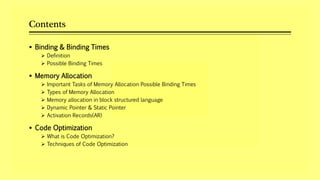
 Binding & Binding Times
 Definition
 Possible Binding Times
 Memory Allocation
 Important Tasks of Memory Allocation Possible Binding Times
 Types of Memory Allocation
 Memory allocation in block structured language
 Dynamic Pointer & Static Pointer
 Activation Records(AR)
 Code Optimization
 What is Code Optimization?
 Techniques of Code Optimization
BINDING & BINDING TIMES
Definition:-
 Binding :
A binding is the association of an attribute of a program entity with a value.
 Binding Times:
The binding time is a time at which a binding is actually performed.
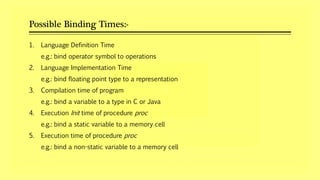
Possible Binding Times:-
1. Language Definition Time
e.g.: bind operator symbol to operations
2. Language Implementation Time
e.g.: bind floating point type to a representation
3. Compilation time of program
e.g.: bind a variable to a type in C or Java
4. Execution Init time of procedure proc
e.g.: bind a static variable to a memory cell
5. Execution time of procedure proc
e.g.: bind a non-static variable to a memory cell
MEMORY ALLOCATION
Important Tasks of Memory Allocation:-
1. To determine amount of memory is required to represent the value of data item
2. Use an appropriate memory allocation model to implement lifetimes and scopes
of data item
3. Determine appropriate memory mapping to access the values in non- scaler
data item.
e.g. values in an array
Types of Memory Allocation:-
1. Static Binding
 Memory is allocated to a variable before the execution of program begins.
 Static memory allocation is typically performed during compilation.
 No memory allocation and de-allocation is performed during execution time.
 Thus, variables remain permanently allocated.
2. Dynamic Binding
 Memory binding are established and destroyed during the execution of a program.
 Memory allocation and de-allocation is performed during execution time.
Memory allocation in block structured language:-
Ex:
A
{
statements
- --- -- --- --
}
• The block is a sequence of statements containing local data and declarations
which are enclosed with delimiters.
• Following are rules used to determine scope of variable:
1) Variable X is accessed within the block B1 if it can be accessed by any
statement situated in block B1.
2) Variable X is accessed by any statement in block B2 and block B2 is situated in
block B1.
Dynamic Pointer & Static Pointer:-
1. Dynamic pointer points to activation record that called (invoked) the new
activation record. It is used for returning from the procedure to the calling
procedure.
2. Static pointer points to the activation record that is global to the current activation
record (i.e., points to the activation record of the procedure containing the
declaration of this procedure).
Activation Records(AR):-
 The execution of a procedure is called its activation.
 An activation record contains all the necessary information required to call a
procedure.
CODE OPTIMIZATION
Definition:-
 Code Optimization is a technique which tries to improve the code by eliminating
unnecessary code lines arranging the statements in such a sequence that speed up
the program execution without wasting the resources.
Advantages :-
 Executes Faster
 Efficient Memory Usage
 Yields better performance
Techniques
Strength
Reduction
Compile Time
Evaluation
Dead Code
Elimination
Dead Code
Elimination
Common
Sub-expression
Evaluation
Constant
Folding
Constant
Propagation
(I) Compile Time Evaluation
i. Constant Folding
• It refers to a technique of evaluating the expressions whose operands are known to be a
constant at compile time itself
• Example : length = (22/7) * d
ii. Constant Propagation
• In constant propagation, if a variable is assigned a constant value, then subsequent use
of that variable can be replaced by a constant as long as no interuening assignment has
changed the value of the variable
• Ex: If r=5 & pi=3.14
& area=pi*r*r
=> 3.14*r*r
(II) Common Sub-Expression Elimination
• The common sub-expression is an expression appearing repeatedly in the code which is
computed previously. This technique replaces redundant expression each time it is
encountered.
• Ex:
T1 = 4 * I T1 = 4 * I
T2 = a[T1] T2 = a[T1]
T3 = 4 * j T3 = 4 * j
T4 = 4 * I T5 = n
T5 = n T6 = b[T1] + T5
T6 = b[T4] + T5
Before Optimization After Optimization
(III) Code Movement
 It is a technique of moving a block of code outside a loop if it wen’t have any difference if it
is executed outside or inside the loop.
 Ex:
x=y+z;
for ( int i=0; i<n; i++)
{ for ( int i=0; i<n; i++)
x=y+z; {
a[i]=6*i; a[i]=6*i;
} }
Before Optimization After Optimization
(IV)Dead Code Elimination
 Dead Code Elimination includes eliminating those code statements which are either never
executed or unreachable or if executed their output is never used.
 Ex:
i=0 i=0
if( i == 1)
{
a=x+5;
}
Before Optimization After Optimization
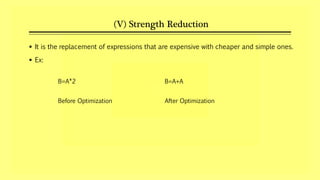
(V) Strength Reduction
 It is the replacement of expressions that are expensive with cheaper and simple ones.
 Ex:
B=A*2 B=A+A
Before Optimization After Optimization
Thank You..

Compiler in System Programming/Code Optimization techniques in System Programming(Peephole Optimization)

  • 2.
    Contents  Binding &Binding Times  Definition  Possible Binding Times  Memory Allocation  Important Tasks of Memory Allocation Possible Binding Times  Types of Memory Allocation  Memory allocation in block structured language  Dynamic Pointer & Static Pointer  Activation Records(AR)  Code Optimization  What is Code Optimization?  Techniques of Code Optimization
  • 3.
  • 4.
    Definition:-  Binding : Abinding is the association of an attribute of a program entity with a value.  Binding Times: The binding time is a time at which a binding is actually performed.
  • 5.
    Possible Binding Times:- 1.Language Definition Time e.g.: bind operator symbol to operations 2. Language Implementation Time e.g.: bind floating point type to a representation 3. Compilation time of program e.g.: bind a variable to a type in C or Java 4. Execution Init time of procedure proc e.g.: bind a static variable to a memory cell 5. Execution time of procedure proc e.g.: bind a non-static variable to a memory cell
  • 6.
  • 7.
    Important Tasks ofMemory Allocation:- 1. To determine amount of memory is required to represent the value of data item 2. Use an appropriate memory allocation model to implement lifetimes and scopes of data item 3. Determine appropriate memory mapping to access the values in non- scaler data item. e.g. values in an array
  • 8.
    Types of MemoryAllocation:- 1. Static Binding  Memory is allocated to a variable before the execution of program begins.  Static memory allocation is typically performed during compilation.  No memory allocation and de-allocation is performed during execution time.  Thus, variables remain permanently allocated. 2. Dynamic Binding  Memory binding are established and destroyed during the execution of a program.  Memory allocation and de-allocation is performed during execution time.
  • 9.
    Memory allocation inblock structured language:- Ex: A { statements - --- -- --- -- } • The block is a sequence of statements containing local data and declarations which are enclosed with delimiters. • Following are rules used to determine scope of variable: 1) Variable X is accessed within the block B1 if it can be accessed by any statement situated in block B1. 2) Variable X is accessed by any statement in block B2 and block B2 is situated in block B1.
  • 11.
    Dynamic Pointer &Static Pointer:- 1. Dynamic pointer points to activation record that called (invoked) the new activation record. It is used for returning from the procedure to the calling procedure. 2. Static pointer points to the activation record that is global to the current activation record (i.e., points to the activation record of the procedure containing the declaration of this procedure).
  • 12.
    Activation Records(AR):-  Theexecution of a procedure is called its activation.  An activation record contains all the necessary information required to call a procedure.
  • 13.
  • 14.
    Definition:-  Code Optimizationis a technique which tries to improve the code by eliminating unnecessary code lines arranging the statements in such a sequence that speed up the program execution without wasting the resources. Advantages :-  Executes Faster  Efficient Memory Usage  Yields better performance
  • 15.
    Techniques Strength Reduction Compile Time Evaluation Dead Code Elimination DeadCode Elimination Common Sub-expression Evaluation Constant Folding Constant Propagation
  • 16.
    (I) Compile TimeEvaluation i. Constant Folding • It refers to a technique of evaluating the expressions whose operands are known to be a constant at compile time itself • Example : length = (22/7) * d ii. Constant Propagation • In constant propagation, if a variable is assigned a constant value, then subsequent use of that variable can be replaced by a constant as long as no interuening assignment has changed the value of the variable • Ex: If r=5 & pi=3.14 & area=pi*r*r => 3.14*r*r
  • 17.
    (II) Common Sub-ExpressionElimination • The common sub-expression is an expression appearing repeatedly in the code which is computed previously. This technique replaces redundant expression each time it is encountered. • Ex: T1 = 4 * I T1 = 4 * I T2 = a[T1] T2 = a[T1] T3 = 4 * j T3 = 4 * j T4 = 4 * I T5 = n T5 = n T6 = b[T1] + T5 T6 = b[T4] + T5 Before Optimization After Optimization
  • 18.
    (III) Code Movement It is a technique of moving a block of code outside a loop if it wen’t have any difference if it is executed outside or inside the loop.  Ex: x=y+z; for ( int i=0; i<n; i++) { for ( int i=0; i<n; i++) x=y+z; { a[i]=6*i; a[i]=6*i; } } Before Optimization After Optimization
  • 19.
    (IV)Dead Code Elimination Dead Code Elimination includes eliminating those code statements which are either never executed or unreachable or if executed their output is never used.  Ex: i=0 i=0 if( i == 1) { a=x+5; } Before Optimization After Optimization
  • 20.
    (V) Strength Reduction It is the replacement of expressions that are expensive with cheaper and simple ones.  Ex: B=A*2 B=A+A Before Optimization After Optimization
  • 21.

Editor's Notes

  • #2 NOTE: To change the image on this slide, select the picture and delete it. Then click the Pictures icon in the placeholder to insert your own image.