Data Definition Language
CIS-182
DDL
• Data Definition Language: Work with Objects
– Objects are Database, Tables
• Three commands for objects
– Create an object
– Alter an object
– Delete an object
– Follow command with type then name
• CREATE TABLE Students
Database
• Must create container first
– Not all vendors use databases, may be defined as a
SCHEMA
• Optional Parameters depend on vendor
– Parameter is a value passed to a command
• Similar to an argument in other languages
– Can create database without optional parameters
3
CREATE SQL SERVER DATABASE
• Must have name
• Can specify filenames and locations
– SQL Server uses two files
• Data file (.mdf) to store objects and data
• Log file (.ldf) to track actions applied to database
– Can specify file characteristics, such as growth
– Files can be organized into groups
• Have at least one file group
• Aid to manage across machines
MS CREATE DATABASE
CREATE DATABASE database_name
[ ON
[ < filespec > [ ,...n ] ]
[ , < filegroup > [ ,...n ] ]
]
[ LOG ON { < filespec > [ ,...n ] } ]
[ COLLATE collation_name ]
[ FOR LOAD | FOR ATTACH ]
Placeholder Definitions
< filespec > ::=
[ PRIMARY ]
( [ NAME = logical_file_name , ]
FILENAME = 'os_file_name'
[ , SIZE = size ]
[ , MAXSIZE = { max_size | UNLIMITED } ]
[ , FILEGROWTH = growth_increment ] )
[ ,...n ]
< filegroup > ::=
FILEGROUP filegroup_name < filespec > [ ,...n ]
Create Table
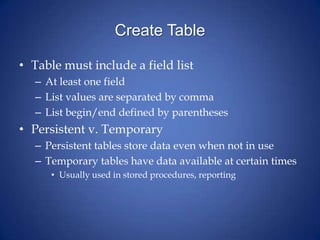
• Table must include a field list
– At least one field
– List values are separated by comma
– List begin/end defined by parentheses
• Persistent v. Temporary
– Persistent tables store data even when not in use
– Temporary tables have data available at certain times
• Usually used in stored procedures, reporting
Fields
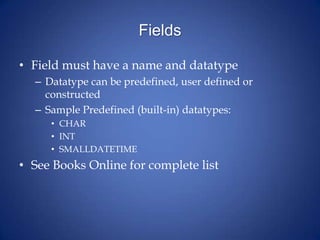
• Field must have a name and datatype
– Datatype can be predefined, user defined or
constructed
– Sample Predefined (built-in) datatypes:
• CHAR
• INT
• SMALLDATETIME
• See Books Online for complete list
String Datatypes
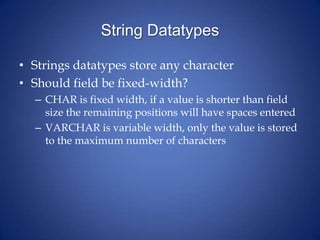
• Strings datatypes store any character
• Should field be fixed-width?
– CHAR is fixed width, if a value is shorter than field
size the remaining positions will have spaces entered
– VARCHAR is variable width, only the value is stored
to the maximum number of characters
Unicode/National Character Set
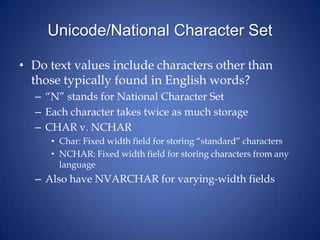
• Do text values include characters other than
those typically found in English words?
– “N” stands for National Character Set
– Each character takes twice as much storage
– CHAR v. NCHAR
• Char: Fixed width field for storing “standard” characters
• NCHAR: Fixed width field for storing characters from any
language
– Also have NVARCHAR for varying-width fields
Number Datatypes
• Use the following questions to determine the
datatype needed for numeric fields
– Does a field store a whole number or fraction (or
exponent)?
• Whole number datatypes include INT, SMALLINT
• Fractions include DECIMAL, REAL
– Exact or approximate?
• SMALLINT, INT store actual values
• FLOAT, REAL store approximate values
– What are the largest/smallest values?
• INT stores a larger value than SMALLINT
Create Table Example
CREATE TABLE Students
(StudentID CHAR(9),
LastName VARCHAR(35),
FirstName VARCHAR(25))
• Table name is Students
• Fields are a list (enclosed in parentheses)
– Student ID is a fixed-width field with 9 spaces
– Last name is a variable-width field with space for up
to 35 characters

4 create database

  • 1.
  • 2.
    DDL • Data DefinitionLanguage: Work with Objects – Objects are Database, Tables • Three commands for objects – Create an object – Alter an object – Delete an object – Follow command with type then name • CREATE TABLE Students
  • 3.
    Database • Must createcontainer first – Not all vendors use databases, may be defined as a SCHEMA • Optional Parameters depend on vendor – Parameter is a value passed to a command • Similar to an argument in other languages – Can create database without optional parameters 3
  • 4.
    CREATE SQL SERVERDATABASE • Must have name • Can specify filenames and locations – SQL Server uses two files • Data file (.mdf) to store objects and data • Log file (.ldf) to track actions applied to database – Can specify file characteristics, such as growth – Files can be organized into groups • Have at least one file group • Aid to manage across machines
  • 5.
    MS CREATE DATABASE CREATEDATABASE database_name [ ON [ < filespec > [ ,...n ] ] [ , < filegroup > [ ,...n ] ] ] [ LOG ON { < filespec > [ ,...n ] } ] [ COLLATE collation_name ] [ FOR LOAD | FOR ATTACH ]
  • 6.
    Placeholder Definitions < filespec> ::= [ PRIMARY ] ( [ NAME = logical_file_name , ] FILENAME = 'os_file_name' [ , SIZE = size ] [ , MAXSIZE = { max_size | UNLIMITED } ] [ , FILEGROWTH = growth_increment ] ) [ ,...n ] < filegroup > ::= FILEGROUP filegroup_name < filespec > [ ,...n ]
  • 7.
    Create Table • Tablemust include a field list – At least one field – List values are separated by comma – List begin/end defined by parentheses • Persistent v. Temporary – Persistent tables store data even when not in use – Temporary tables have data available at certain times • Usually used in stored procedures, reporting
  • 8.
    Fields • Field musthave a name and datatype – Datatype can be predefined, user defined or constructed – Sample Predefined (built-in) datatypes: • CHAR • INT • SMALLDATETIME • See Books Online for complete list
  • 9.
    String Datatypes • Stringsdatatypes store any character • Should field be fixed-width? – CHAR is fixed width, if a value is shorter than field size the remaining positions will have spaces entered – VARCHAR is variable width, only the value is stored to the maximum number of characters
  • 10.
    Unicode/National Character Set •Do text values include characters other than those typically found in English words? – “N” stands for National Character Set – Each character takes twice as much storage – CHAR v. NCHAR • Char: Fixed width field for storing “standard” characters • NCHAR: Fixed width field for storing characters from any language – Also have NVARCHAR for varying-width fields
  • 11.
    Number Datatypes • Usethe following questions to determine the datatype needed for numeric fields – Does a field store a whole number or fraction (or exponent)? • Whole number datatypes include INT, SMALLINT • Fractions include DECIMAL, REAL – Exact or approximate? • SMALLINT, INT store actual values • FLOAT, REAL store approximate values – What are the largest/smallest values? • INT stores a larger value than SMALLINT
  • 12.
    Create Table Example CREATETABLE Students (StudentID CHAR(9), LastName VARCHAR(35), FirstName VARCHAR(25)) • Table name is Students • Fields are a list (enclosed in parentheses) – Student ID is a fixed-width field with 9 spaces – Last name is a variable-width field with space for up to 35 characters